ECO mode BMW 740I SEDAN 2016 Owner's Manual
[x] Cancel search | Manufacturer: BMW, Model Year: 2016, Model line: 740I SEDAN, Model: BMW 740I SEDAN 2016Pages: 314, PDF Size: 7.9 MB
Page 242 of 314
▷ECO PRO tips driving instruction, refer to
page 243.▷ECO PRO climate control, refer to
page 242.▷ECO PRO route-ahead assistant driving in‐
struction, refer to page 244.▷ECO PRO coasting driving status, refer to
page 245.▷ECO PRO driving style analysis, refer to
page 246.
Activating ECO PRO
Press button. ECO PRO is displayed
in the instrument cluster.
Configuring ECO PRO INDIVIDUAL
Opening via the Driving Dynamics
Control
1.Activate ECO PRO.2."Configure ECO PRO INDIVIDUAL"
Opening via iDrive
1."My Vehicle"2."Vehicle settings"3."Driving Experience Control"4."Configure ECO PRO INDIVIDUAL"
ECO PRO notes
Activate the ECO PRO limit:
"ECO PRO speed warning"
An ECO PRO tip is displayed if the speed of
the set ECO PRO limit is exceeded.
Adjust the ECO PRO limit speed:
▷"Tip at:"
Activating ECO PRO functions
Adjust, which ECO PRO functions should be
used.
▷"Coasting"▷"ECO PRO seat climate control"▷"ECO PRO climate control"▷"ECO PRO sight"▷"Route-ahead assistant"
Coasting
Fuel-efficiency can be optimized by disengag‐
ing the engine and Coasting with the engine
idling.
ECO PRO seat heating
The output of seat heating and possibly seat
ventilation is reduced on activation of ECO
PRO.
ECO PRO climate control "ECO PRO climate control"
Climate control is set to be fuel-efficient.
By making a slight change to the set tempera‐
ture, or slowly adjusting the rate of heating or
cooling of the car's interior, fuel consumption
can be economized.
The mirror heating is made available when out‐
side temperatures are very cold.
Route-ahead assistant The route-ahead assistant detects and indi‐
cates route sections ahead of the vehicle.
Resetting the settings Reset ECO PRO INDIVIDUAL to the standard
settings:
Select and confirm "Reset to ECO PRO
STANDARD".
Display in the instrument cluster
Display
When ECO PRO mode is activated, the display
switches to a special configuration.
Some of the displays may differ from the dis‐
play in the instrument cluster.
Seite 242Driving tipsSaving fuel242
Online Edition for Part no. 0140 2 964 330 - VI/15
Page 244 of 314
Displaying fuel consumption history
The average consumption on the route
coasted as well as the duration for which the
auto start/stop function switched off the en‐
gine can be displayed.1."My Vehicle"2."Technology in action"3. "EfficientDynamics"
Vertical bars show consumption for the se‐
lected route.
Selecting route length
1. Press button.2.Select desired route length or scaling.
Resetting fuel consumption history
1. Press button.2."Reset consumption history"
Route-ahead assistant
The concept The system helps to conserve fuel and pro‐
motes a proactively driving style. It can detect
certain upcoming sections of the journey
based on the navigation data and alert the
driver to them in good time.
The detected route sections, such as built-up areas or changes of road require the driver to
reduce speed.
General information
This alert is issued even if the upcoming route
section cannot yet be detected while driving.
The alert is displayed until the route section is
reached.
If an alert is received, the vehicle's speed and
its fuel consumption can be reduced by back‐
ing off the accelerator and coasting until the
route section is reached.
Depending on the situation, the system also
uses the engine brake automatically with a
pausing of the coast, refer to page 245, func‐
tion.
Functional requirements
This function is available in ECO PRO mode.
The system depends on the timeliness and
quality of the navigation data.
The navigation data can be updated.
Display
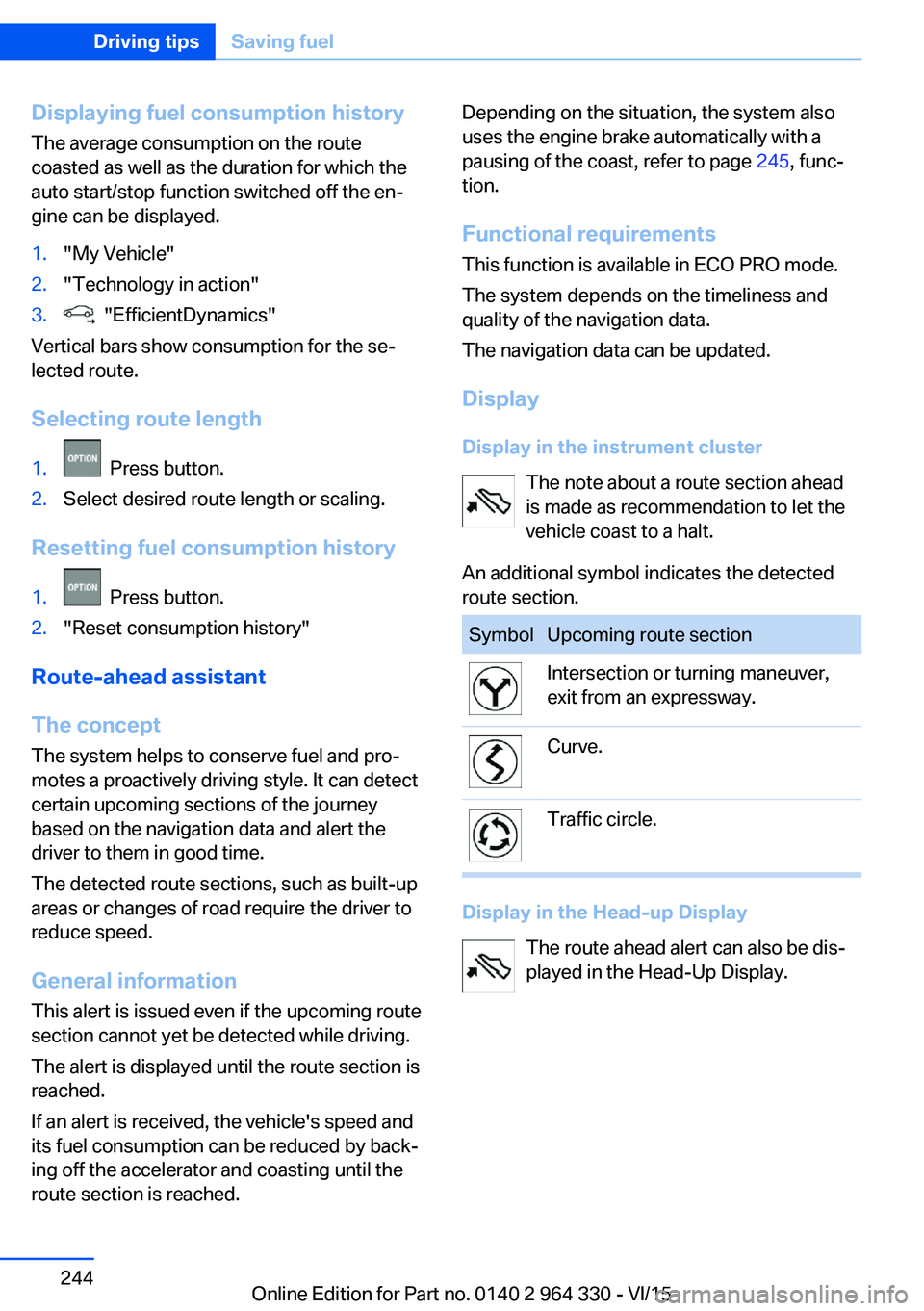
Display in the instrument cluster The note about a route section ahead
is made as recommendation to let the
vehicle coast to a halt.
An additional symbol indicates the detected
route section.SymbolUpcoming route sectionIntersection or turning maneuver,
exit from an expressway.Curve.Traffic circle.
Display in the Head-up Display
The route ahead alert can also be dis‐
played in the Head-Up Display.
Seite 244Driving tipsSaving fuel244
Online Edition for Part no. 0140 2 964 330 - VI/15
Page 245 of 314
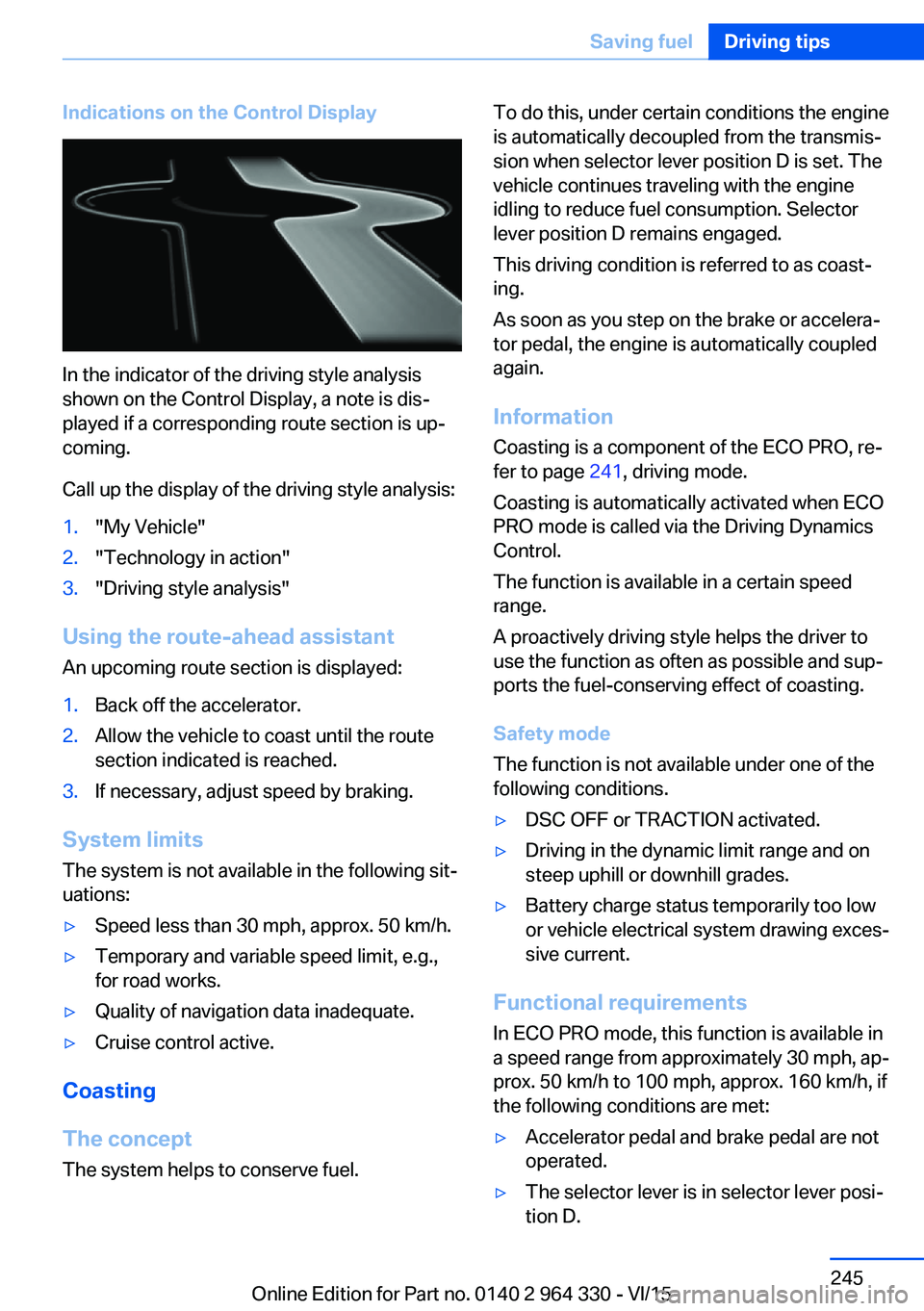
Indications on the Control Display
In the indicator of the driving style analysis
shown on the Control Display, a note is dis‐
played if a corresponding route section is up‐
coming.
Call up the display of the driving style analysis:
1."My Vehicle"2."Technology in action"3."Driving style analysis"
Using the route-ahead assistant
An upcoming route section is displayed:
1.Back off the accelerator.2.Allow the vehicle to coast until the route
section indicated is reached.3.If necessary, adjust speed by braking.
System limits
The system is not available in the following sit‐
uations:
▷Speed less than 30 mph, approx. 50 km/h.▷Temporary and variable speed limit, e.g.,
for road works.▷Quality of navigation data inadequate.▷Cruise control active.
Coasting
The concept The system helps to conserve fuel.
To do this, under certain conditions the engine
is automatically decoupled from the transmis‐
sion when selector lever position D is set. The
vehicle continues traveling with the engine idling to reduce fuel consumption. Selector
lever position D remains engaged.
This driving condition is referred to as coast‐
ing.
As soon as you step on the brake or accelera‐
tor pedal, the engine is automatically coupled
again.
Information Coasting is a component of the ECO PRO, re‐
fer to page 241, driving mode.
Coasting is automatically activated when ECO
PRO mode is called via the Driving Dynamics
Control.
The function is available in a certain speed
range.
A proactively driving style helps the driver to
use the function as often as possible and sup‐
ports the fuel-conserving effect of coasting.
Safety mode
The function is not available under one of the
following conditions.▷DSC OFF or TRACTION activated.▷Driving in the dynamic limit range and on
steep uphill or downhill grades.▷Battery charge status temporarily too low
or vehicle electrical system drawing exces‐
sive current.
Functional requirements
In ECO PRO mode, this function is available in
a speed range from approximately 30 mph, ap‐
prox. 50 km/h to 100 mph, approx. 160 km/h, if
the following conditions are met:
▷Accelerator pedal and brake pedal are not
operated.▷The selector lever is in selector lever posi‐
tion D.Seite 245Saving fuelDriving tips245
Online Edition for Part no. 0140 2 964 330 - VI/15
Page 246 of 314
▷Engine and transmission are at operating
temperature.
The driving status Coast can be influenced
with the shift paddles.
Activate coasting via the shift paddles:
1.Using the shift paddles + shift to the high‐
est gear.2.Shift paddles + press again to enter coast‐
ing mode.
Deactivate coasting:
Press shift paddles.
Display Display in the instrument cluster The mark in the efficiency dis‐
play below the tachometer is
backlit in blue and is located at
the zero point. The tachometer
approximately indicates idle
speed.
The coasting point indicator is illuminated at
the zero point during coasting.
Display in the instrument cluster with
expanded scope
The mark in the efficiency dis‐
play is backlit in blue and is lo‐
cated at the zero point.
The coasting point indicator is il‐
luminated at the zero point dur‐
ing coasting.
Indications on the Control Display
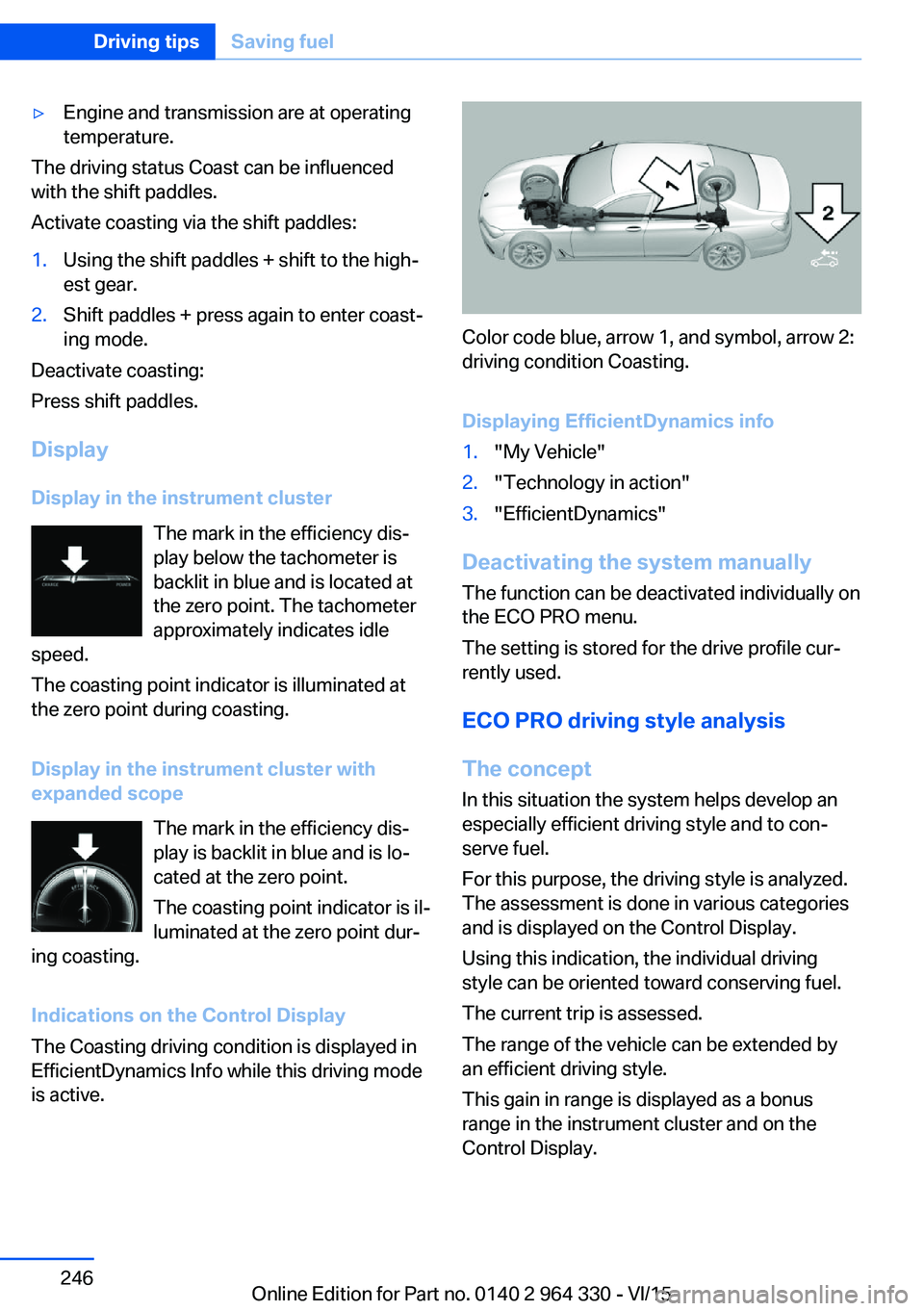
The Coasting driving condition is displayed in
EfficientDynamics Info while this driving mode
is active.
Color code blue, arrow 1, and symbol, arrow 2:
driving condition Coasting.
Displaying EfficientDynamics info
1."My Vehicle"2."Technology in action"3."EfficientDynamics"
Deactivating the system manually The function can be deactivated individually on
the ECO PRO menu.
The setting is stored for the drive profile cur‐
rently used.
ECO PRO driving style analysis
The concept In this situation the system helps develop an
especially efficient driving style and to con‐
serve fuel.
For this purpose, the driving style is analyzed.
The assessment is done in various categories
and is displayed on the Control Display.
Using this indication, the individual driving
style can be oriented toward conserving fuel.
The current trip is assessed.
The range of the vehicle can be extended by
an efficient driving style.
This gain in range is displayed as a bonus
range in the instrument cluster and on the
Control Display.
Seite 246Driving tipsSaving fuel246
Online Edition for Part no. 0140 2 964 330 - VI/15
Page 247 of 314
Functional requirementThis function is available in ECO PRO mode.
Calling up ECO PRO driving style analysis1."My Vehicle"2."Technology in action"3."Driving style analysis"
Display on the Control Display
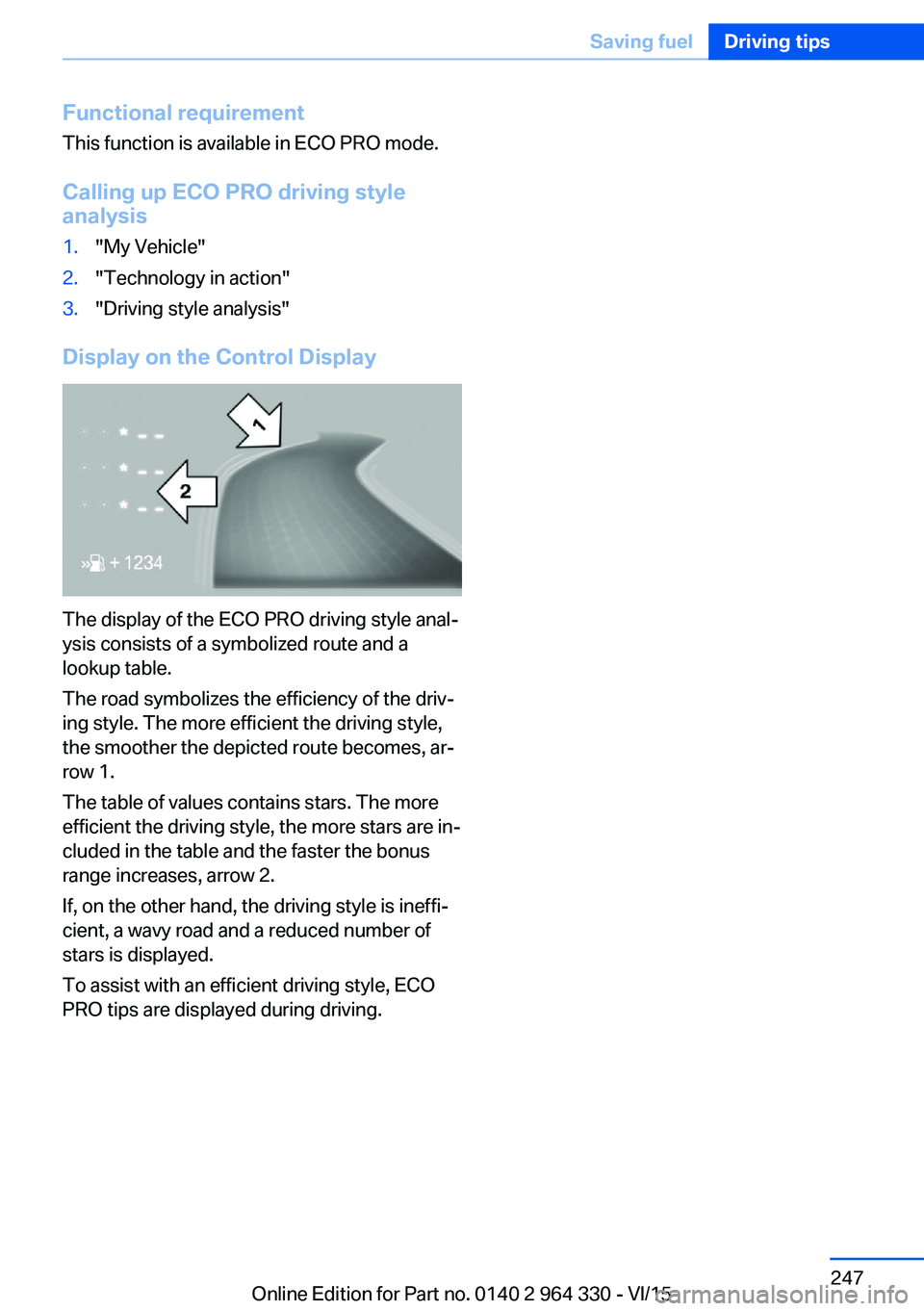
The display of the ECO PRO driving style anal‐
ysis consists of a symbolized route and a
lookup table.
The road symbolizes the efficiency of the driv‐
ing style. The more efficient the driving style,
the smoother the depicted route becomes, ar‐
row 1.
The table of values contains stars. The more
efficient the driving style, the more stars are in‐
cluded in the table and the faster the bonus
range increases, arrow 2.
If, on the other hand, the driving style is ineffi‐
cient, a wavy road and a reduced number of
stars is displayed.
To assist with an efficient driving style, ECO
PRO tips are displayed during driving.
Seite 247Saving fuelDriving tips247
Online Edition for Part no. 0140 2 964 330 - VI/15
Page 265 of 314
Functional requirements
The system must have been reset with the
correct tire inflation pressure; otherwise, relia‐
ble signaling of tire inflation pressure loss is
not assured.
Reset the system after each adjustment of the
tire inflation pressure and after every tire or
wheel change.
Always use wheels with TPM electronics to
ensure that the system will operate properly.
Status display
The current status of the Tire Pressure Moni‐
tor TPM can be displayed, e.g., whether or not
the TPM is active.
About iDrive:1."My Vehicle"2."Vehicle status"3. "Tire Pressure Monitor"
The status is displayed.
Status control display Tire and system status are indicated by the
color of the wheels and a text message on the
Control Display.
All wheels green System is active and will issue a warning rela‐
tive to the tire inflation pressures stored during
the last reset.
One to four wheels, yellow
A flat tire or major drop in tire inflation pressure
in the indicated tires.
Wheels, gray
The system cannot detect a flat tire. Reasons
for this may be:
▷The system is being reset.▷Malfunction.Status information
The status control display additionally shows
the current tire inflation pressures and, de‐
pending on the model, tire temperatures. It
shows the actual values read; they may vary depending on driving style or weather condi‐
tions.
Carry out reset Reset the system after each adjustment of the
tire inflation pressure and after every tire or
wheel change.
Via iDrive and in the vehicle:1."My Vehicle"2."Vehicle status"3.Tire Pressure Monitor reset4.Start the engine - do not drive off.5.Reset tire inflation pressure: "Perform
reset".6.Drive away.
The wheels are displayed in gray and the sta‐
tus "Resetting Tire Pressure Monitor…" is dis‐
played.
After driving faster than 19 mph/30 km/h for a
short period, the set tire inflation pressures are
accepted as reference values. The reset is
completed automatically while driving.
After a successfully completed Reset, the
wheels on the Control Display are shown in
green and "Tire Pressure Monitor active. For
recommended pressures, see tire pressure
label." is displayed.
You may interrupt this trip at any time. When
you continue the reset resumes automatically.
Messages
Required tire inflation pressure check
message
A Check Control message is displayed.
Seite 265Wheels and tiresMobility265
Online Edition for Part no. 0140 2 964 330 - VI/15
Page 267 of 314
If identification of flat tire damage is not
possible, please contact a dealer’s service
center or another qualified service center
or repair shop.2.Fixing a flat tire, where applicable with the
Mobility System.3.Replacing a damaged tire, where applica‐
ble with the emergency wheel.
Use of sealant, e.g., the Mobility System, may
damage the TPM wheel electronics. In this
case, have the electronics checked at the next
opportunity and have them replaced if needed.
Run-flat tires Maximum speed
You may continue driving with a damaged tire
at speeds up to 50 mph/80 km/h.
Continued driving with a flat tire
If continuing to drive with a damaged tire:
1.Avoid sudden braking and steering maneu‐
vers.2.Do not exceed a speed of 50 mph/80 km/h.3.Check the air pressure in all four tires at
the next opportunity.
If the tire inflation pressure in all four tires
is shown to be correct, it is possible that
the Tire Pressure Monitor did not perform
a reset. In that case, carry out a reset.
Possible driving distance with complete loss of
tire inflation pressure:
The possible driving distance after a loss of tire
inflation pressure depends on cargo load, driv‐
ing style and road conditions.
A vehicle with an average load has a possible
driving range of approx. 50 miles/80 km.
A vehicle with a damaged tire reacts differ‐
ently, e.g., it has reduced lane stability during
braking, a longer braking distance and different
self-steering properties. Adjust your driving
style accordingly. Avoid abrupt steering ma‐
neuvers or driving over obstacles, e.g., curbs,
potholes, etc.
Because the possible driving distance de‐
pends on how the vehicle is used during the
trip, the actual distance may be shorter or lon‐
ger depending on the driving speed, road con‐
ditions, external temperature, cargo load, etc.
WARNING
Your vehicle handles differently when a
run-flat tire is damaged and has low or missing
tire inflation pressure, e.g., your lane stability is
reduced when braking, braking distances are
longer and the self-steering properties will
change. There is risk of an accident.
Drive moderately and do not exceed a speed of
50 mph/80 km/h.◀
System limits
The system does not function properly if a re‐
set has not been carried out, e.g., a flat tire is
reported though tire inflation pressures are
correct.
The tire inflation pressure depends on the
tire's temperature. Driving or exposure to the
sun will increase the tire's temperature, thus
increasing the tire inflation pressure. The tire
inflation pressure is reduced when the tire
temperature falls again. These circumstances
may cause a warning when temperatures fall
very sharply.
The system cannot indicate sudden serious
tire damage caused by external circumstances.
Malfunction The yellow warning lamp flashes andthen lights up continuously. A Check
Control message is displayed. No flat
tire or loss of tire inflation pressure can be de‐
tected.
Examples and recommendations in the follow‐
ing situations:▷A wheel without TPM electronics is
mounted, e.g. emergency wheel: Have itSeite 267Wheels and tiresMobility267
Online Edition for Part no. 0140 2 964 330 - VI/15
Page 279 of 314
MaintenanceVehicle features and options
This chapter describes all standard, country-
specific and optional features offered with the
series. It also describes features that are not
necessarily available in your car, e. g., due to
the selected options or country versions. This
also applies to safety-related functions and
systems. The respectively applicable country
provisions must be observed when using the
respective features and systems.
BMW maintenance system The maintenance system indicates required
maintenance measures, and thereby provides
support in maintaining road safety and the op‐
erational reliability of the vehicle.
In some cases scopes and intervals may vary
according to the country-specific version. Re‐
placement work, spare parts, fuels and lubri‐
cants and wear materials are calculated sepa‐
rately. Further information is available from a
dealer’s service center or another qualified
service center or repair shop.
Condition Based ServiceCBS
Sensors and special algorithms take into ac‐
count the driving conditions of your vehicle.
Based on this, Condition Based Service recog‐
nizes the maintenance requirements.
The system makes it possible to adapt the
amount of maintenance corresponding to your
user profile.
Detailed information on service requirements,
refer to page 119, can be displayed on the
Control Display.Service data in the remote control
Information on the required maintenance is
continuously stored in the remote control. The dealer’s service center can read this data out
and suggest an optimized maintenance scope
for your vehicle.
Therefore, hand the service advisor the remote
control with which the vehicle was driven most
recently.
Storage periods Storage periods during which the vehicle bat‐
tery was disconnected are not taken into ac‐
count.
If this occurs, have a dealer's service center or
another qualified service center or repair shop
update the time-dependent maintenance pro‐
cedures, such as checking brake fluid and, if
necessary, changing the engine oil and the mi‐
crofilter/activated-charcoal filter.
Service and WarrantyInformation Booklet for US
models and Warranty and
Service Guide Booklet for
Canadian models
Please consult your Service and Warranty In‐
formation Booklet for US models and Warranty
and Service Guide Booklet for Canadian mod‐
els for additional information on service re‐
quirements.
The manufacturer of your vehicle recommends
that maintenance and repair be performed by a
dealer’s service center or another qualified
service center or repair shop. Records of regu‐
lar maintenance and repair work should be re‐
tained.Seite 279MaintenanceMobility279
Online Edition for Part no. 0140 2 964 330 - VI/15
Page 284 of 314
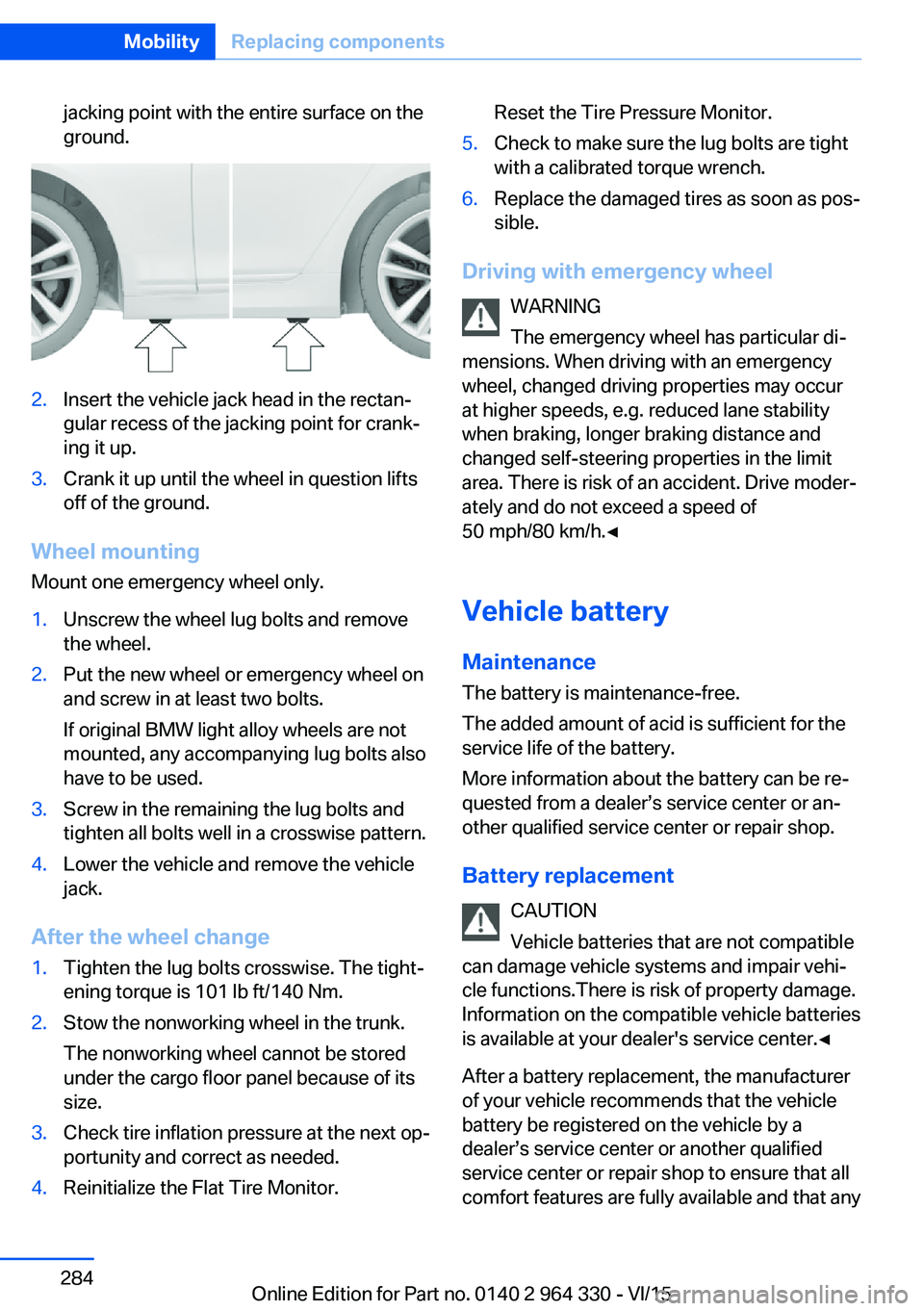
jacking point with the entire surface on the
ground.2.Insert the vehicle jack head in the rectan‐
gular recess of the jacking point for crank‐
ing it up.3.Crank it up until the wheel in question lifts
off of the ground.
Wheel mounting
Mount one emergency wheel only.
1.Unscrew the wheel lug bolts and remove
the wheel.2.Put the new wheel or emergency wheel on
and screw in at least two bolts.
If original BMW light alloy wheels are not
mounted, any accompanying lug bolts also
have to be used.3.Screw in the remaining the lug bolts and
tighten all bolts well in a crosswise pattern.4.Lower the vehicle and remove the vehicle
jack.
After the wheel change
1.Tighten the lug bolts crosswise. The tight‐
ening torque is 101 lb ft/140 Nm.2.Stow the nonworking wheel in the trunk.
The nonworking wheel cannot be stored
under the cargo floor panel because of its
size.3.Check tire inflation pressure at the next op‐
portunity and correct as needed.4.Reinitialize the Flat Tire Monitor.Reset the Tire Pressure Monitor.5.Check to make sure the lug bolts are tight
with a calibrated torque wrench.6.Replace the damaged tires as soon as pos‐
sible.
Driving with emergency wheel
WARNING
The emergency wheel has particular di‐
mensions. When driving with an emergency
wheel, changed driving properties may occur
at higher speeds, e.g. reduced lane stability
when braking, longer braking distance and
changed self-steering properties in the limit
area. There is risk of an accident. Drive moder‐
ately and do not exceed a speed of
50 mph/80 km/h.◀
Vehicle battery Maintenance
The battery is maintenance-free.
The added amount of acid is sufficient for the
service life of the battery.
More information about the battery can be re‐
quested from a dealer’s service center or an‐
other qualified service center or repair shop.
Battery replacement CAUTION
Vehicle batteries that are not compatible
can damage vehicle systems and impair vehi‐
cle functions.There is risk of property damage.
Information on the compatible vehicle batteries
is available at your dealer's service center.◀
After a battery replacement, the manufacturer
of your vehicle recommends that the vehicle
battery be registered on the vehicle by a
dealer’s service center or another qualified
service center or repair shop to ensure that all
comfort features are fully available and that any
Seite 284MobilityReplacing components284
Online Edition for Part no. 0140 2 964 330 - VI/15
Page 304 of 314
Closing via door lock 62
Closing without remote con‐ trol 62
Clothes hooks 229
Coasting 245
Coasting with engine decou‐ pled, coasting 245
Coasting with idling en‐ gine 245
Collision warning with braking function 140
Collision warning with City braking function 140
Combination switch, see Turn signals 103
Combination switch, see Wiper system 103
Comfort Access 65
COMFORT drive mode, see Driving Dynamics Con‐
trol 110
COMFORT PLUS drive mode, see Driving Dynamics
Control 110
COMFORT PLUS, see Driv‐ ing Dynamics Control 110
COMFORT, see Driving Dy‐ namics Control 110
Communication 6
Compact wheel, see Emer‐ gency wheel 282
Compartments in the doors 226
Compatible devices 42
Compatible mobile phones 42
Compressor 260
Computer, see on-board computer 122
Condensation on win‐ dows 206
Condensation under the vehi‐ cle 236
Condition Based Service CBS 279
Confirmation signal 68 ConnectedDrive 6
ConnectedDrive Services 6
Connecting device 41
Connecting electrical devi‐ ces 219
Connecting mobile phone 41
Connecting smartphone 41
Connecting telephone 41
Connections 41
Continued driving with a flat tire 267 , 270
Control Display 21
Control Display, settings 38
Controller 22
Control systems, driving sta‐ bility 163
Convenient opening with the remote control 61
Coolant 277
Coolant level 277
Coolant temperature 118
Cooler 223
Cooling function 204
Cooling, maximum 204
Cooling system 277
Corrosion on brake discs 236
Cosmetic mirror 217
Courtesy lamps with the vehi‐ cle locked 61
Cross traffic warning 197
Cruise control 175
Cruise control, active with Stop & Go 168
Cruising range 123
Cupholder 228
Current fuel consump‐ tion 123
D
Damage, tires 258
Damping control, dy‐ namic 201
Data, technical 298
Daytime running lights 131 Defrosting, see Windows, de‐
frosting 206
Dehumidifying, air 204
Deleting personal data 40
Deletion of personal data 40
Departure time, parked-car heating 211
Departure time, parked-car ventilation 211
Destination distance 124
Device list 41
Digital clock 118
Dimensions 298
Dimmable exterior mirrors 86
Dimmable interior rearview mirror 86
Direction indicator, see Turn signals 103
Display in windshield 126
Display lighting, see Instru‐ ment lighting 133
Displays 113
Displays, cleaning 294
Disposal, coolant 278
Disposal, vehicle battery 285
Distance control, see PDC 180
Distance to destination 124
Divided screen view, split screen 27
Door handle lighting, see wel‐ come lights 130
Door lock 62
Door lock, see Remote con‐ trol 54
Doors, Automatic Soft Clos‐ ing 63
Downhill control 165
Drive mode 110
Drive-off assistant 163
Drive-off assistant, see DSC 163
Drive readiness, see starting the engine 97
Driving Dynamics Con‐ trol 110 Seite 304ReferenceEverything from A to Z304
Online Edition for Part no. 0140 2 964 330 - VI/15