fog light BMW 740LD XDRIVE SEDAN 2015 User Guide
[x] Cancel search | Manufacturer: BMW, Model Year: 2015, Model line: 740LD XDRIVE SEDAN, Model: BMW 740LD XDRIVE SEDAN 2015Pages: 314, PDF Size: 7.9 MB
Page 155 of 314
Vehicles with side collision warning:
switching steering intervention on/off
The steering intervention can be switched on
and off separately for Active Blind Spot Detec‐
tion and lane departure warning.
About iDrive:1."My Vehicle"2."Vehicle settings"3."Intelligent Safety"4."Steering intervention"
The setting is stored for the drive profile cur‐
rently used.
Issued warning
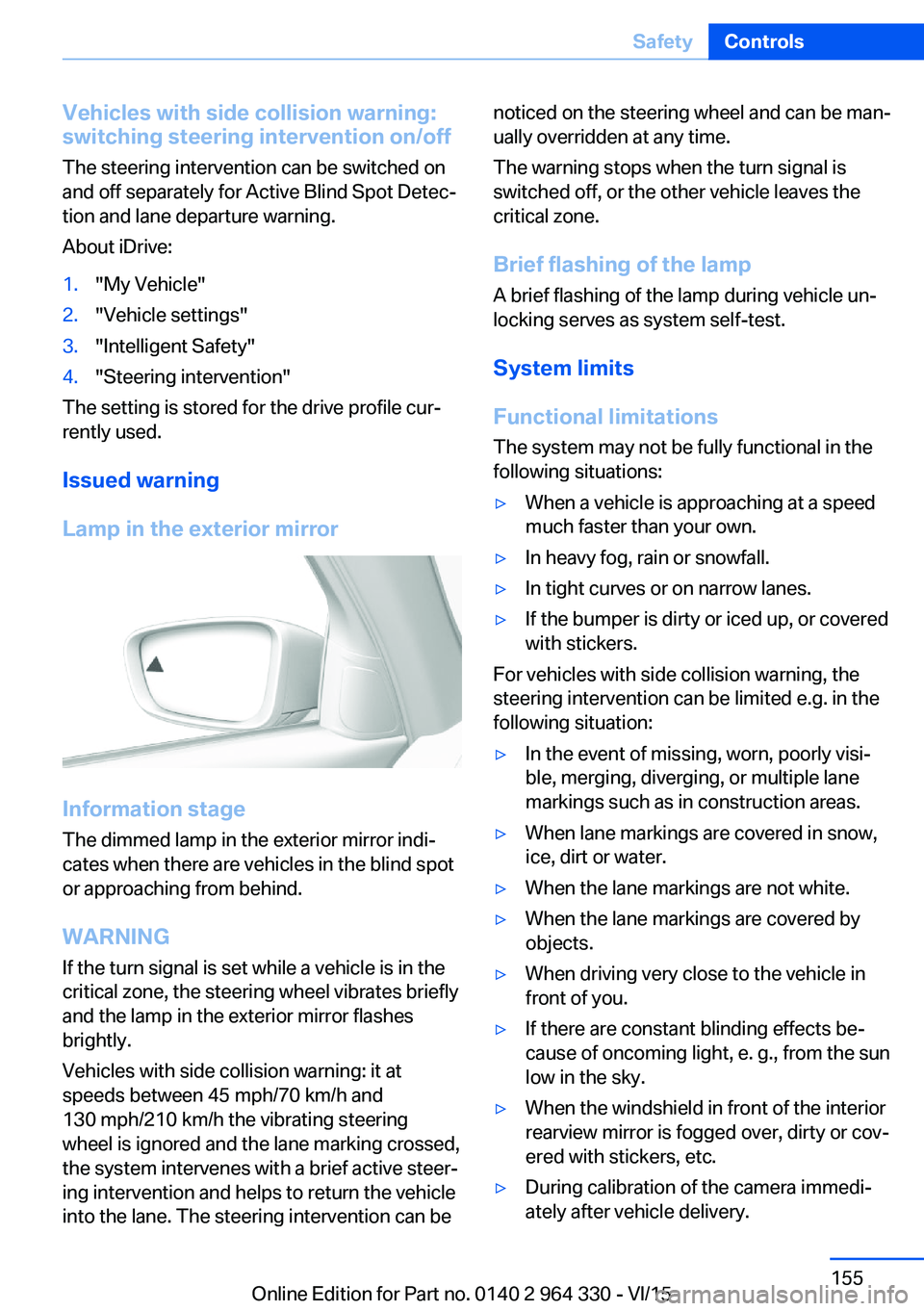
Lamp in the exterior mirror
Information stage
The dimmed lamp in the exterior mirror indi‐
cates when there are vehicles in the blind spot
or approaching from behind.
WARNING If the turn signal is set while a vehicle is in the
critical zone, the steering wheel vibrates briefly
and the lamp in the exterior mirror flashes
brightly.
Vehicles with side collision warning: it at
speeds between 45 mph/70 km/h and
130 mph/210 km/h the vibrating steering
wheel is ignored and the lane marking crossed,
the system intervenes with a brief active steer‐
ing intervention and helps to return the vehicle
into the lane. The steering intervention can be
noticed on the steering wheel and can be man‐
ually overridden at any time.
The warning stops when the turn signal is
switched off, or the other vehicle leaves the
critical zone.
Brief flashing of the lamp A brief flashing of the lamp during vehicle un‐
locking serves as system self-test.
System limits
Functional limitations
The system may not be fully functional in the
following situations:▷When a vehicle is approaching at a speed
much faster than your own.▷In heavy fog, rain or snowfall.▷In tight curves or on narrow lanes.▷If the bumper is dirty or iced up, or covered
with stickers.
For vehicles with side collision warning, the
steering intervention can be limited e.g. in the
following situation:
▷In the event of missing, worn, poorly visi‐
ble, merging, diverging, or multiple lane
markings such as in construction areas.▷When lane markings are covered in snow,
ice, dirt or water.▷When the lane markings are not white.▷When the lane markings are covered by
objects.▷When driving very close to the vehicle in
front of you.▷If there are constant blinding effects be‐
cause of oncoming light, e. g., from the sun
low in the sky.▷When the windshield in front of the interior
rearview mirror is fogged over, dirty or cov‐
ered with stickers, etc.▷During calibration of the camera immedi‐
ately after vehicle delivery.Seite 155SafetyControls155
Online Edition for Part no. 0140 2 964 330 - VI/15
Page 158 of 314
"INDIVIDUAL": the Intelligent Safety systems
are switched on according to the individual
settings.
Some Intelligent Safety systems cannot be in‐
dividually switched off.
Press and hold this button:
All Intelligent Safety systems are
turned off.Press
buttonStatusButton lights up green: all Intelli‐
gent Safety systems are
switched on.Button lights up orange: some In‐
telligent Safety systems are
switched off or settings for the
sub-functions were changed.Button does not light up: all Intel‐
ligent Safety systems are
switched off.
Issued warning
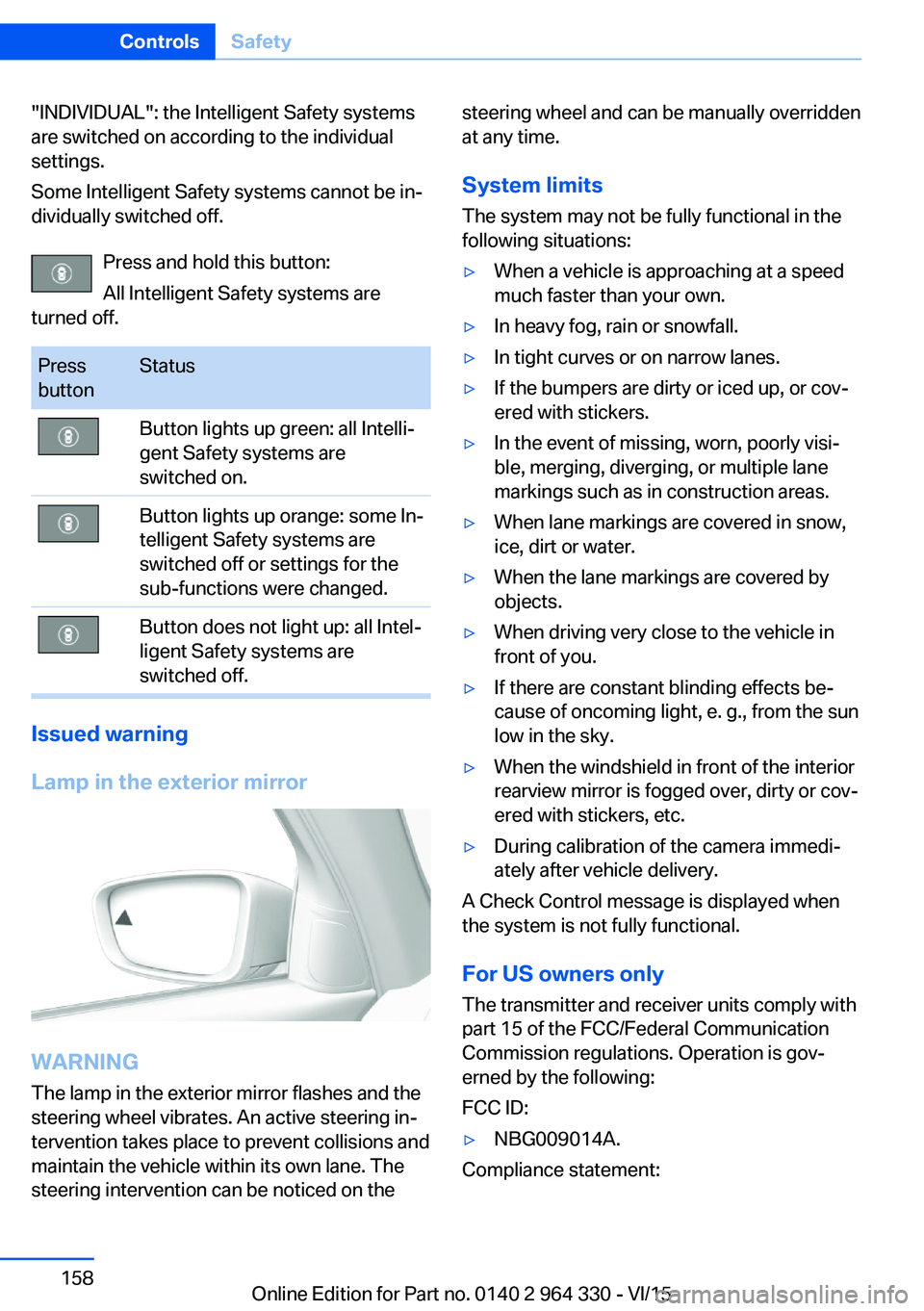
Lamp in the exterior mirror
WARNING
The lamp in the exterior mirror flashes and the
steering wheel vibrates. An active steering in‐
tervention takes place to prevent collisions and
maintain the vehicle within its own lane. The
steering intervention can be noticed on the
steering wheel and can be manually overridden
at any time.
System limits
The system may not be fully functional in the
following situations:▷When a vehicle is approaching at a speed
much faster than your own.▷In heavy fog, rain or snowfall.▷In tight curves or on narrow lanes.▷If the bumpers are dirty or iced up, or cov‐
ered with stickers.▷In the event of missing, worn, poorly visi‐
ble, merging, diverging, or multiple lane
markings such as in construction areas.▷When lane markings are covered in snow,
ice, dirt or water.▷When the lane markings are covered by
objects.▷When driving very close to the vehicle in
front of you.▷If there are constant blinding effects be‐
cause of oncoming light, e. g., from the sun
low in the sky.▷When the windshield in front of the interior
rearview mirror is fogged over, dirty or cov‐
ered with stickers, etc.▷During calibration of the camera immedi‐
ately after vehicle delivery.
A Check Control message is displayed when
the system is not fully functional.
For US owners only The transmitter and receiver units comply with
part 15 of the FCC/Federal Communication
Commission regulations. Operation is gov‐
erned by the following:
FCC ID:
▷NBG009014A.
Compliance statement:
Seite 158ControlsSafety158
Online Edition for Part no. 0140 2 964 330 - VI/15
Page 175 of 314
Weather
In the event of unfavorable weather and light conditions, e. g. if there is rain, snowfall, slush,
fog or glare, this may result in poorer recogni‐
tion of vehicles as well as short-term interrup‐
tions for vehicles that are already detected. Drive attentively, and react to the current trafficsituation. If necessary, intervene actively, e.g.
by braking, steering or evading.
Radar sensor
For US owners only
The transmitter and receiver units comply with
part 15 of the FCC/Federal Communication
Commission regulations. Operation is gov‐
erned by the following:
FCC ID:▷OAYARS3-A
Compliance statement:
This device complies with part 15 of the FCC
Rules. Operation is subject to the following
two conditions:
▷This device may not cause harmful inter‐
ference, and▷this device must accept any interference
received, including interference that may
cause undesired operation.
Any unauthorized modifications or changes to
these devices could void the user's authority to
operate this equipment.
Malfunction
The system cannot be activated if the radar sensor is not aligned correctly. This may be
caused by damage incurred during parking,
e.g.
A Check Control message is displayed if the
system fails.
The function for detecting and responding
when approaching stationary vehicles may be limited in the following situations:
▷During calibration of the camera immedi‐
ately after vehicle delivery.▷If the camera is malfunctioning or dirty. A
Check Control message is displayed.
Cruise control
The concept The system maintains a preset speed via the
buttons on the steering wheel. The system
brakes on downhill gradients if engine braking
is insufficient.
General information
Depending on the driving settings, the features
of the cruise control can change in certain
areas.
The desired speed is also maintained downhill,
but may not be maintained on uphill grades if
engine power is insufficient.
Due to the driving style that minimizes fuel
consumption in ECO PRO drive mode, the ve‐
hicle may drop below the set desired speed in
some situations, e.g. on uphill grades.
Information WARNING
The use of the system can lead to an in‐
creased risk of accidents in the following situa‐
tions:
▷On winding roads.▷In heavy traffic.▷On slippery roads, in fog, snow or rain, or
on a loose road surface.
There is risk of accidents or risk of property
damage. Only use the system if driving at con‐
stant speed is possible.◀
Seite 175Driver assistance systemsControls175
Online Edition for Part no. 0140 2 964 330 - VI/15
Page 180 of 314
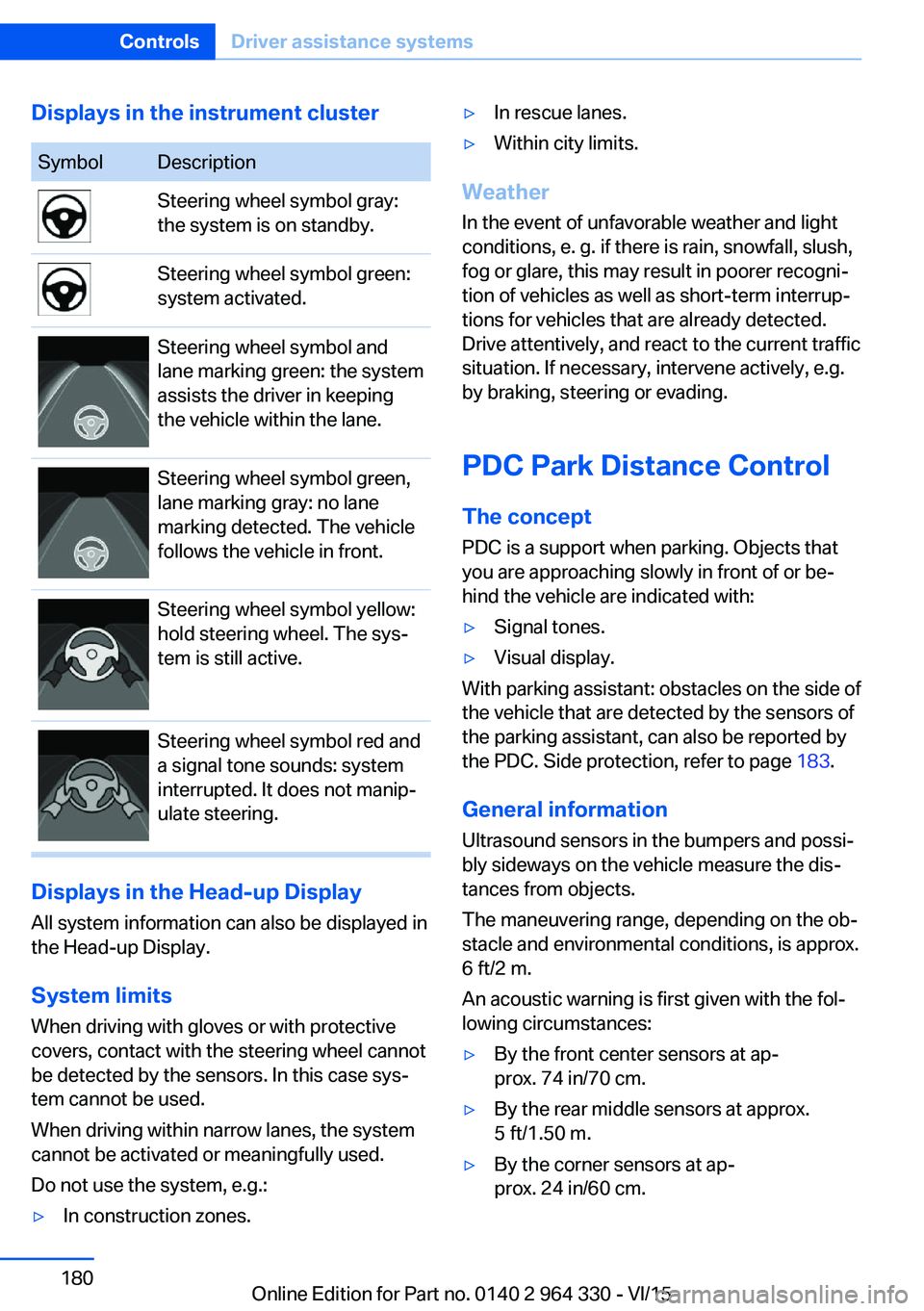
Displays in the instrument clusterSymbolDescriptionSteering wheel symbol gray:
the system is on standby.Steering wheel symbol green:
system activated.Steering wheel symbol and
lane marking green: the system
assists the driver in keeping
the vehicle within the lane.Steering wheel symbol green,
lane marking gray: no lane
marking detected. The vehicle
follows the vehicle in front.Steering wheel symbol yellow:
hold steering wheel. The sys‐
tem is still active.Steering wheel symbol red and
a signal tone sounds: system
interrupted. It does not manip‐
ulate steering.
Displays in the Head-up Display
All system information can also be displayed in
the Head-up Display.
System limits
When driving with gloves or with protective
covers, contact with the steering wheel cannot
be detected by the sensors. In this case sys‐
tem cannot be used.
When driving within narrow lanes, the system
cannot be activated or meaningfully used.
Do not use the system, e.g.:
▷In construction zones.▷In rescue lanes.▷Within city limits.
Weather
In the event of unfavorable weather and light conditions, e. g. if there is rain, snowfall, slush,
fog or glare, this may result in poorer recogni‐
tion of vehicles as well as short-term interrup‐
tions for vehicles that are already detected. Drive attentively, and react to the current trafficsituation. If necessary, intervene actively, e.g.
by braking, steering or evading.
PDC Park Distance Control The conceptPDC is a support when parking. Objects that
you are approaching slowly in front of or be‐
hind the vehicle are indicated with:
▷Signal tones.▷Visual display.
With parking assistant: obstacles on the side of
the vehicle that are detected by the sensors of
the parking assistant, can also be reported by
the PDC. Side protection, refer to page 183.
General information
Ultrasound sensors in the bumpers and possi‐
bly sideways on the vehicle measure the dis‐
tances from objects.
The maneuvering range, depending on the ob‐
stacle and environmental conditions, is approx.
6 ft/2 m.
An acoustic warning is first given with the fol‐
lowing circumstances:
▷By the front center sensors at ap‐
prox. 74 in/70 cm.▷By the rear middle sensors at approx.
5 ft/1.50 m.▷By the corner sensors at ap‐
prox. 24 in/60 cm.Seite 180ControlsDriver assistance systems180
Online Edition for Part no. 0140 2 964 330 - VI/15
Page 202 of 314
Overview
Camera
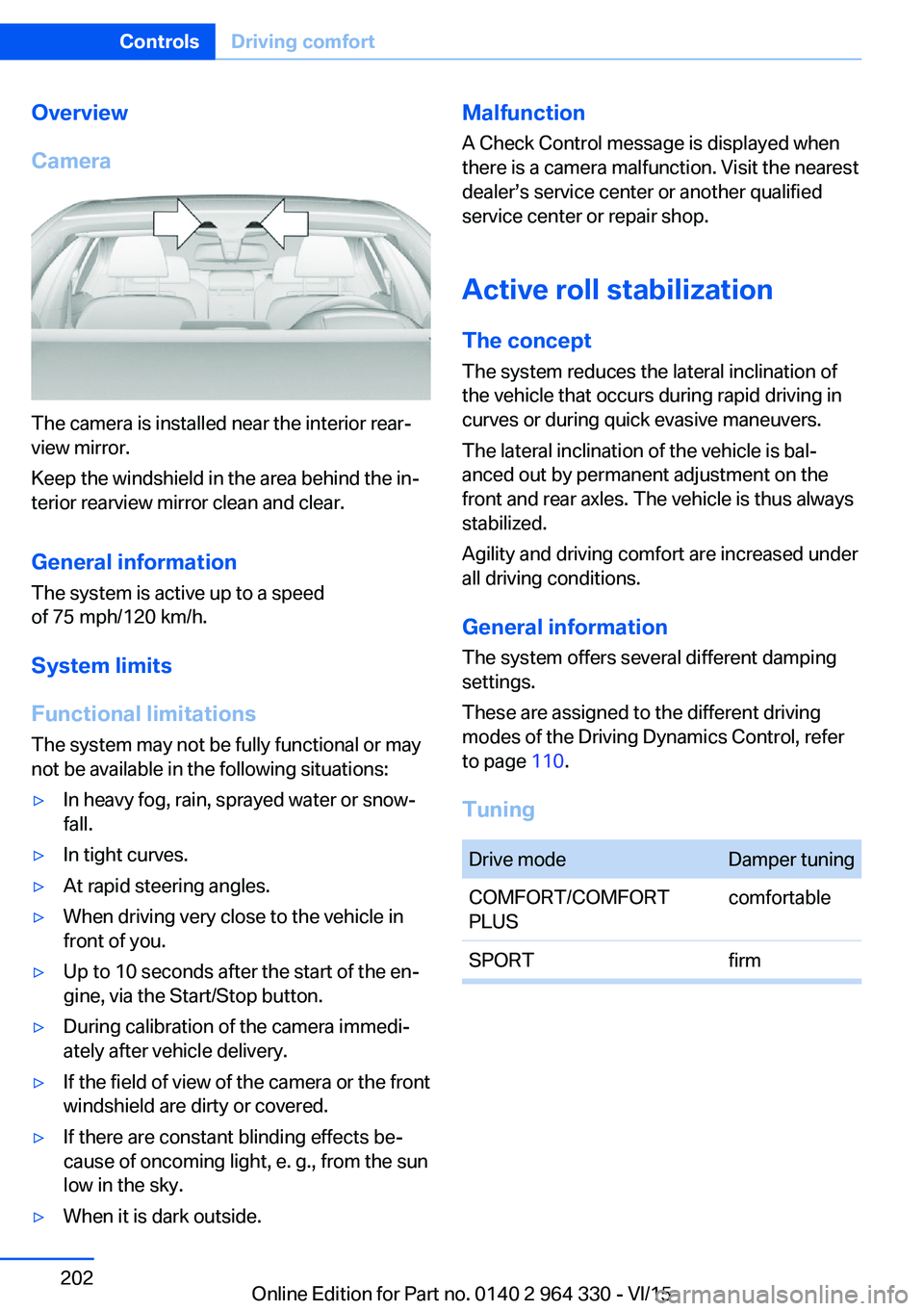
The camera is installed near the interior rear‐
view mirror.
Keep the windshield in the area behind the in‐
terior rearview mirror clean and clear.
General information
The system is active up to a speed
of 75 mph/120 km/h.
System limits
Functional limitations The system may not be fully functional or may
not be available in the following situations:
▷In heavy fog, rain, sprayed water or snow‐
fall.▷In tight curves.▷At rapid steering angles.▷When driving very close to the vehicle in
front of you.▷Up to 10 seconds after the start of the en‐
gine, via the Start/Stop button.▷During calibration of the camera immedi‐
ately after vehicle delivery.▷If the field of view of the camera or the front
windshield are dirty or covered.▷If there are constant blinding effects be‐
cause of oncoming light, e. g., from the sun
low in the sky.▷When it is dark outside.Malfunction
A Check Control message is displayed when
there is a camera malfunction. Visit the nearest
dealer’s service center or another qualified
service center or repair shop.
Active roll stabilization
The concept The system reduces the lateral inclination of
the vehicle that occurs during rapid driving in
curves or during quick evasive maneuvers.
The lateral inclination of the vehicle is bal‐
anced out by permanent adjustment on the
front and rear axles. The vehicle is thus always
stabilized.
Agility and driving comfort are increased under
all driving conditions.
General information
The system offers several different damping
settings.
These are assigned to the different driving
modes of the Driving Dynamics Control, refer
to page 110.
TuningDrive modeDamper tuningCOMFORT/COMFORT
PLUScomfortableSPORTfirmSeite 202ControlsDriving comfort202
Online Edition for Part no. 0140 2 964 330 - VI/15
Page 204 of 314
Press and hold the left button on
the driver's side until the control
clicks off.▷On the front passenger side:
Press and hold the left button on
the front passenger side.
Temperature
Turn the ring to set the desired
temperature.
The automatic climate control achieves this
temperature as quickly as possible, if needed
by using the maximum cooling or heating ca‐
pacity, and then keeps it constant.
Do not rapidly switch between different tem‐
perature settings. Otherwise, the automatic cli‐
mate control will not have sufficient time to ad‐
just the set temperature.
Information
Symbol is displayed permanently on the
display of the automatic climate control.
Cooling function The car's interior can only be cooled with the
engine running.
Press button. The LED lights up.
The air will be cooled and dehumidi‐
fied and, depending on the temperature set‐
ting, warmed again.
Depending on the weather, the windshield and
side windows may fog up briefly when the en‐
gine is started.
The cooling function is switched on automati‐
cally with the AUTO program.
When using the automatic climate control,
condensation water, refer to page 236, devel‐
ops that exits underneath the vehicle.
Maximum cooling
Press button.
The system is set to the lowest tem‐
perature, optimum air flow and air circulation
mode.
Air flows out of the vents to the upper body re‐
gion. The vents need to be open for this.
The function is available with external temper‐
atures beyond approx. 32 ℉/0 ℃ and with the
engine running.
Adjust air flow on the driver's side with the pro‐
gram active.
AUTO program Press button.
Air flow, air distribution and tempera‐
ture are controlled automatically.
Depending on the selected temperature,
AUTO intensity program and outside influen‐
ces, the air is directed to the windshield, side
windows, upper body, and into the footwell.
The cooling function, refer to page 204, is
switched on automatically with the AUTO pro‐
gram.
At the same time, a condensation sensor con‐
trols the program so as to prevent window
condensation as much as possible.
To switch off the program: press the button
again or manually adjust the air distribution.
Intensity of the AUTO program
With the AUTO program activated, the auto‐
matic intensity control can be changed.
Press the left or right side of the but‐
ton: decrease or increase the inten‐
sity.
The selected intensity is shown on the display
of the automatic climate control.Seite 204ControlsClimate control204
Online Edition for Part no. 0140 2 964 330 - VI/15
Page 306 of 314
Fragrance, see Ambient airpackage 211
Fragrancing, see Ambient air package 211
Front airbags 136
Front center armrest 227
Front cupholder 228
Front fog lights 132
Front passenger seat, adjust‐ ing 78
Front-seat passenger airbags, automatic deactivation 138
Front-seat passenger airbags, indicator lamp 138
Front seats 76
FTM Flat Tire Monitor 268
Fuel 252
Fuel consumption, see Aver‐ age fuel consumption 124
Fuel filler flap 250
Fuel gauge 118
Fuel lid 250
Fuel quality 252
Fuel recommendation 252
Fuel, tank capacity 300
Fuse 285
G
Garage door opener, see Uni‐ versal Integrated Remote
Control 215
Gasoline 252
Gear change, Steptronic transmission 106
Gear shift indicator 120
General driving notes 234
General settings 38
Gentleman function 78
Gesture 30
Gesture control 30
Gesture operation 30
Glare shield 217
Glass sunroof, powered 73
Glove compartment 225 Gross vehicle weight, ap‐
proved 299
H
Handbrake, see Parking brake 100
Hand-held transmitter, alter‐ nating code 216
Hand movement 30
Hazard warning flashers 286
HDC Hill Descent Con‐ trol 165
Head airbags 136
Headlight control, auto‐ matic 130
Headlight courtesy delay fea‐ ture 130
Headlight courtesy delay fea‐ ture via remote control 61
Headlight flasher 103
Headlight glass 282
Headlights, care 292
Head restraint pillows 84
Head restraints 76
Head restraints, front 82
Head restraints, rear 83
Head-up Display 126
Head-up Display, care 294
Heating, see Parked-car heat‐ ing 209
Heavy cargo, stowing 238
High-beam Assistant 132
High beams 103
High beams/low beams, see High-beam Assistant 132
Hill Descent Control HDC 165
Hills 236
Hill start assistant, see Drive- off assistant 163
Holder for beverages 228
Homepage 6
Hood 272
Horn 14
Hotel function, trunk lid 65 Hot exhaust system 235
HUD Head-up Display 126
Hydroplaning 235
I iBrake — Post Crash 161
Ice warning, see External temperature warning 118
Icy roads, see External tem‐ perature warning 118
Identification marks, tires 256
Identification number, see ve‐ hicle identification num‐
ber 10
Idle state, operating and drive readiness 19
iDrive 21
Ignition key, see Remote con‐ trol 54
Indication of a flat tire 266 , 269
Indicator and alarm lamps, see Check Control 114
Indicator lamp, see Check Control 114
Individual air distribution 205
Individual settings, see pro‐ files 58
Inflation pressure, tires 254
Inflation pressure warning FTM, tires 268
Information 6
Initialize, Tire Pressure Moni‐ tor TPM 265
Initializing, Flat Tire Monitor FTM 269
Instrument cluster 113
Instrument lighting 133
Integral Active Steering 166
Integrated key 54
Integrated Owner's Manual in the vehicle 49
Intelligent Emergency Re‐ quest 286
Intelligent Safety 139 Seite 306ReferenceEverything from A to Z306
Online Edition for Part no. 0140 2 964 330 - VI/15
Page 309 of 314
QQueuing Assistant, see Steering and lane guidance
assistant including Traffic
Jam Assist 177
R Radiator fluid 277
Radio 6
Radio-operated key, see Re‐ mote control 54
Rain sensor 104
Rear automatic climate con‐ trol 207
Rear axle steering 166
Rear center armrest 227
Rear collision prevention 159
Rear collision warning 159
Rear cooler 223
Rear drink holder 228
Rear seats 78
Rear seats, basic position 80
Rear vanity mirror 86
Rearview camera, see Sur‐ round View 187
Rearview camera, without Surround View 184
Rearview mirror 85
Rear window defroster 206
Recirculated-air mode 205
Recommended fuel grade 252
Recommended tire brands 259
Refueling 250
Remaining range 123
Remote control/key 54
Remote control, malfunc‐ tion 62
Remote control, univer‐ sal 215
Remote control with dis‐ play 55
Replace front fog lamps 282 Replace front lamps 282
Replace headlamps 282
Replace key lights 282
Replace LED front fog lamps 282
Replace LED headlights 282
Replace light-emitting diodes, LEDs 282
Replacement fuse 285
Replace tail lamps 282
Replacing parts 281
Replacing wheels/tires 258
Reporting safety malfunc‐ tions 10
RES CNCL button, see Active Cruise Control, ACC 168
RES CNCL button, see Cruise control 175
Reserve warning, see Range 123
Reset, Tire Pressure Monitor TPM 265
Retaining straps, securing cargo 238
Retreaded tires 259
Roadside parking lights 130
Roller sunblinds 72
RON recommended fuel grade 252
Roofliner 18
Roof load capacity 299
Roof-mounted luggage rack 238
Rope for tow-starting/ towing 289
Route-ahead assistant 244
RSC Run Flat System Com‐ ponent, see Run-flat
tires 260
Rubber components, care 293
Run-flat tires 260
S Safe braking 235 Safety belt reminder for driv‐
er's seat and front passen‐
ger seat 81
Safety belts 80
Safety belts, care 293
Safety package, see Active Protection 160
Safety switch, windows 71
Safety systems, airbags 136
Safety systems, see Intelli‐ gent Safety 139
Saving fuel 240
Screen, see Control Dis‐ play 21
Screwdriver, see Onboard ve‐ hicle tool kit 281
Screw thread for tow fitting, see tow-starting/towing,
thread for tow fitting, see
tow-starting/towing 289
Sealant 260
Seat belts, see Safety belts 80
Seat cushion heating 91
Seat heating 91
Seating position for chil‐ dren 93
Seat, mirror, and steering wheel memory 87
Seats 76
Seats, front 76
Seats, rear 78
Seat ventilation 92
Selection list in instrument cluster 121
Selector lever, Steptronic transmission 106
Self-leveling suspension 200
Sensors, care 294
Service and warranty 8
Service requirements, Condi‐ tion Based Service
CBS 279
Service requirements, dis‐ play 119
Services, ConnectedDrive 6 Seite 309Everything from A to ZReference309
Online Edition for Part no. 0140 2 964 330 - VI/15