engine BMW 740LI SEDAN 2015 Owner's Guide
[x] Cancel search | Manufacturer: BMW, Model Year: 2015, Model line: 740LI SEDAN, Model: BMW 740LI SEDAN 2015Pages: 314, PDF Size: 7.9 MB
Page 168 of 314
Driver assistance systemsVehicle features and options
This chapter describes all standard, country-
specific and optional features offered with the
series. It also describes features that are not
necessarily available in your car, e. g., due to
the selected options or country versions. This
also applies to safety-related functions and
systems. The respectively applicable country
provisions must be observed when using the
respective features and systems.
Active Cruise Control with Stop & Go function, ACC
The concept
Use this system to select a desired speed that
the vehicle will maintain automatically on clear
roads.
To the extent possible, the system automati‐
cally adjusts the speed to a slower vehicle
ahead of you.
The distance that the vehicle maintains to the
vehicle ahead of you can be varied. For safety
reasons, it depends on the speed.
To maintain a certain distance, the system au‐
tomatically reduces the speed, applies the
brakes lightly, or accelerates again if the vehi‐
cle ahead begins moving faster.
If the vehicle ahead of you brakes to a halt, and
then proceeds to drive again within a brief pe‐
riod, the system is able to detect this within the
given system limits. Your own vehicle will
brake automatically and then accelerate again.
If the vehicle ahead of you drives away again
after a prolonged period, briefly press the ac‐
celerator pedal or press the appropriate button
to reactivate the system. The vehicle will auto‐
matically accelerate.As soon as the road is clear, the vehicle accel‐
erates to the desired speed.
Vehicles driving ahead are captured by a radar
sensor and a camera.
General information
Depending on the driving settings, the features
of the cruise control can change in certain
areas.
The desired speed is also maintained downhill,
but may not be maintained on uphill grades if
engine power is insufficient.
Due to the driving style that minimizes fuel
consumption in ECO PRO drive mode, the ve‐
hicle may drop below the set desired speed in
some situations, e.g. on uphill grades.
Information WARNING
The system does not relieve from the
personal responsibility to correctly assess the
traffic situation. Based on the limits of the sys‐
tem, it cannot independently react to all traffic
situations. There is risk of an accident. Adjust
the driving style to the traffic conditions. Watch
traffic closely and actively interfere in the re‐
spective situations.◀
WARNING
An unsecured vehicle can put itself into
motion and roll away. There is risk of an acci‐
dent. Before exiting, secure the vehicle against
rolling.
In order to ensure that the vehicle is secured
against rolling away, observe the following:▷Set the parking brake.▷On uphill grades or on a slope, turn the
front wheels in the direction of the curb.▷On uphill grades or on a slope, also secure
the vehicle, e.g. with a wheel chock.◀Seite 168ControlsDriver assistance systems168
Online Edition for Part no. 0140 2 964 330 - VI/15
Page 175 of 314
Weather
In the event of unfavorable weather and light conditions, e. g. if there is rain, snowfall, slush,
fog or glare, this may result in poorer recogni‐
tion of vehicles as well as short-term interrup‐
tions for vehicles that are already detected. Drive attentively, and react to the current trafficsituation. If necessary, intervene actively, e.g.
by braking, steering or evading.
Radar sensor
For US owners only
The transmitter and receiver units comply with
part 15 of the FCC/Federal Communication
Commission regulations. Operation is gov‐
erned by the following:
FCC ID:▷OAYARS3-A
Compliance statement:
This device complies with part 15 of the FCC
Rules. Operation is subject to the following
two conditions:
▷This device may not cause harmful inter‐
ference, and▷this device must accept any interference
received, including interference that may
cause undesired operation.
Any unauthorized modifications or changes to
these devices could void the user's authority to
operate this equipment.
Malfunction
The system cannot be activated if the radar sensor is not aligned correctly. This may be
caused by damage incurred during parking,
e.g.
A Check Control message is displayed if the
system fails.
The function for detecting and responding
when approaching stationary vehicles may be limited in the following situations:
▷During calibration of the camera immedi‐
ately after vehicle delivery.▷If the camera is malfunctioning or dirty. A
Check Control message is displayed.
Cruise control
The concept The system maintains a preset speed via the
buttons on the steering wheel. The system
brakes on downhill gradients if engine braking
is insufficient.
General information
Depending on the driving settings, the features
of the cruise control can change in certain
areas.
The desired speed is also maintained downhill,
but may not be maintained on uphill grades if
engine power is insufficient.
Due to the driving style that minimizes fuel
consumption in ECO PRO drive mode, the ve‐
hicle may drop below the set desired speed in
some situations, e.g. on uphill grades.
Information WARNING
The use of the system can lead to an in‐
creased risk of accidents in the following situa‐
tions:
▷On winding roads.▷In heavy traffic.▷On slippery roads, in fog, snow or rain, or
on a loose road surface.
There is risk of accidents or risk of property
damage. Only use the system if driving at con‐
stant speed is possible.◀
Seite 175Driver assistance systemsControls175
Online Edition for Part no. 0140 2 964 330 - VI/15
Page 181 of 314
▷With parking assistant: by the side sensors
at approx. 24 in/60 cm.▷When a collision is imminent.
Information
WARNING
The system does not relieve from the
personal responsibility to correctly assess the
traffic situation. Based on the limits of the sys‐
tem, it cannot independently react to all traffic
situations. There is risk of an accident. Adjust
the driving style to the traffic conditions. Watch
traffic closely and actively interfere in the re‐
spective situations.◀
WARNING
Due to high speeds when PDC is acti‐
vated, the warning can be delayed due to
physical circumstances. There is risk of injuries
or risk of property damage. Avoid approaching
an object too fast. Avoid driving off fast while
PDC is not yet active.◀
Overview
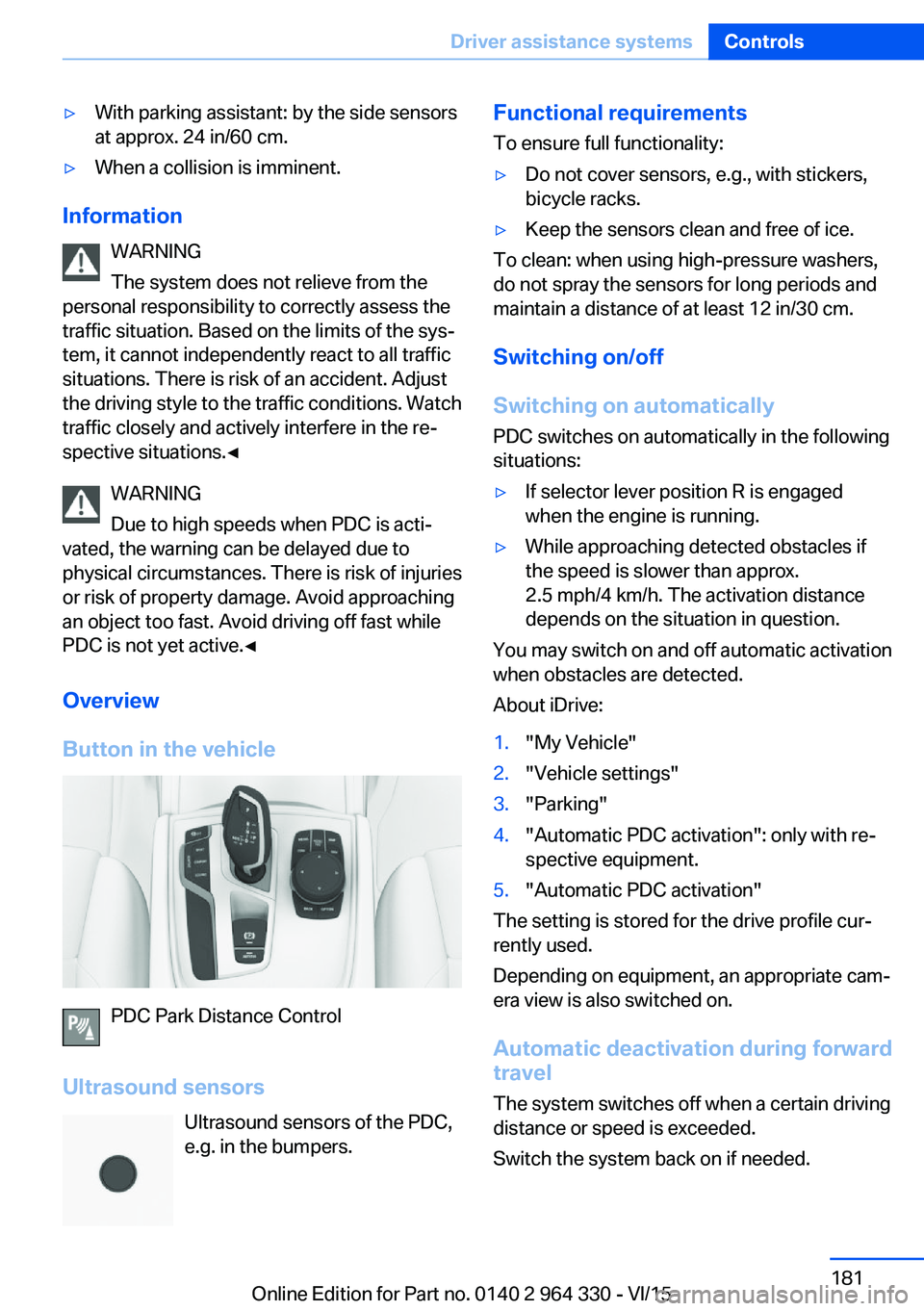
Button in the vehicle
PDC Park Distance Control
Ultrasound sensors Ultrasound sensors of the PDC,e.g. in the bumpers.
Functional requirements
To ensure full functionality:▷Do not cover sensors, e.g., with stickers,
bicycle racks.▷Keep the sensors clean and free of ice.
To clean: when using high-pressure washers,
do not spray the sensors for long periods and
maintain a distance of at least 12 in/30 cm.
Switching on/off
Switching on automatically PDC switches on automatically in the following
situations:
▷If selector lever position R is engaged
when the engine is running.▷While approaching detected obstacles if
the speed is slower than approx.
2.5 mph/4 km/h. The activation distance
depends on the situation in question.
You may switch on and off automatic activation
when obstacles are detected.
About iDrive:
1."My Vehicle"2."Vehicle settings"3."Parking"4."Automatic PDC activation": only with re‐
spective equipment.5."Automatic PDC activation"
The setting is stored for the drive profile cur‐
rently used.
Depending on equipment, an appropriate cam‐
era view is also switched on.
Automatic deactivation during forward
travel
The system switches off when a certain driving
distance or speed is exceeded.
Switch the system back on if needed.
Seite 181Driver assistance systemsControls181
Online Edition for Part no. 0140 2 964 330 - VI/15
Page 185 of 314
Overview
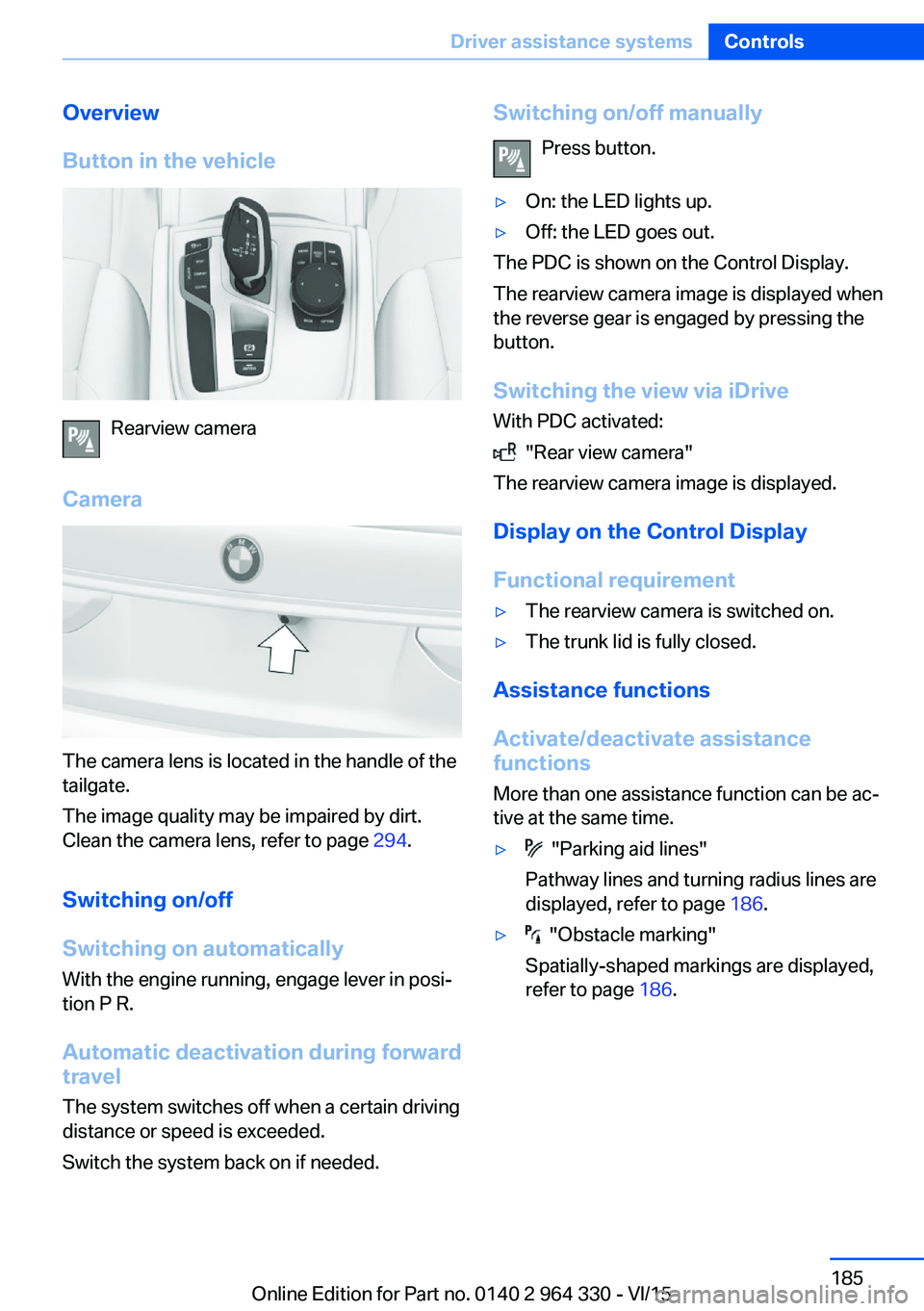
Button in the vehicle
Rearview camera
Camera
The camera lens is located in the handle of the
tailgate.
The image quality may be impaired by dirt.
Clean the camera lens, refer to page 294.
Switching on/off
Switching on automatically With the engine running, engage lever in posi‐
tion P R.
Automatic deactivation during forward travel
The system switches off when a certain driving
distance or speed is exceeded.
Switch the system back on if needed.
Switching on/off manually
Press button.▷On: the LED lights up.▷Off: the LED goes out.
The PDC is shown on the Control Display.
The rearview camera image is displayed when
the reverse gear is engaged by pressing the
button.
Switching the view via iDrive With PDC activated:
"Rear view camera"
The rearview camera image is displayed.
Display on the Control Display
Functional requirement
▷The rearview camera is switched on.▷The trunk lid is fully closed.
Assistance functions
Activate/deactivate assistance
functions
More than one assistance function can be ac‐
tive at the same time.
▷ "Parking aid lines"
Pathway lines and turning radius lines are
displayed, refer to page 186.▷ "Obstacle marking"
Spatially-shaped markings are displayed,
refer to page 186.Seite 185Driver assistance systemsControls185
Online Edition for Part no. 0140 2 964 330 - VI/15
Page 188 of 314
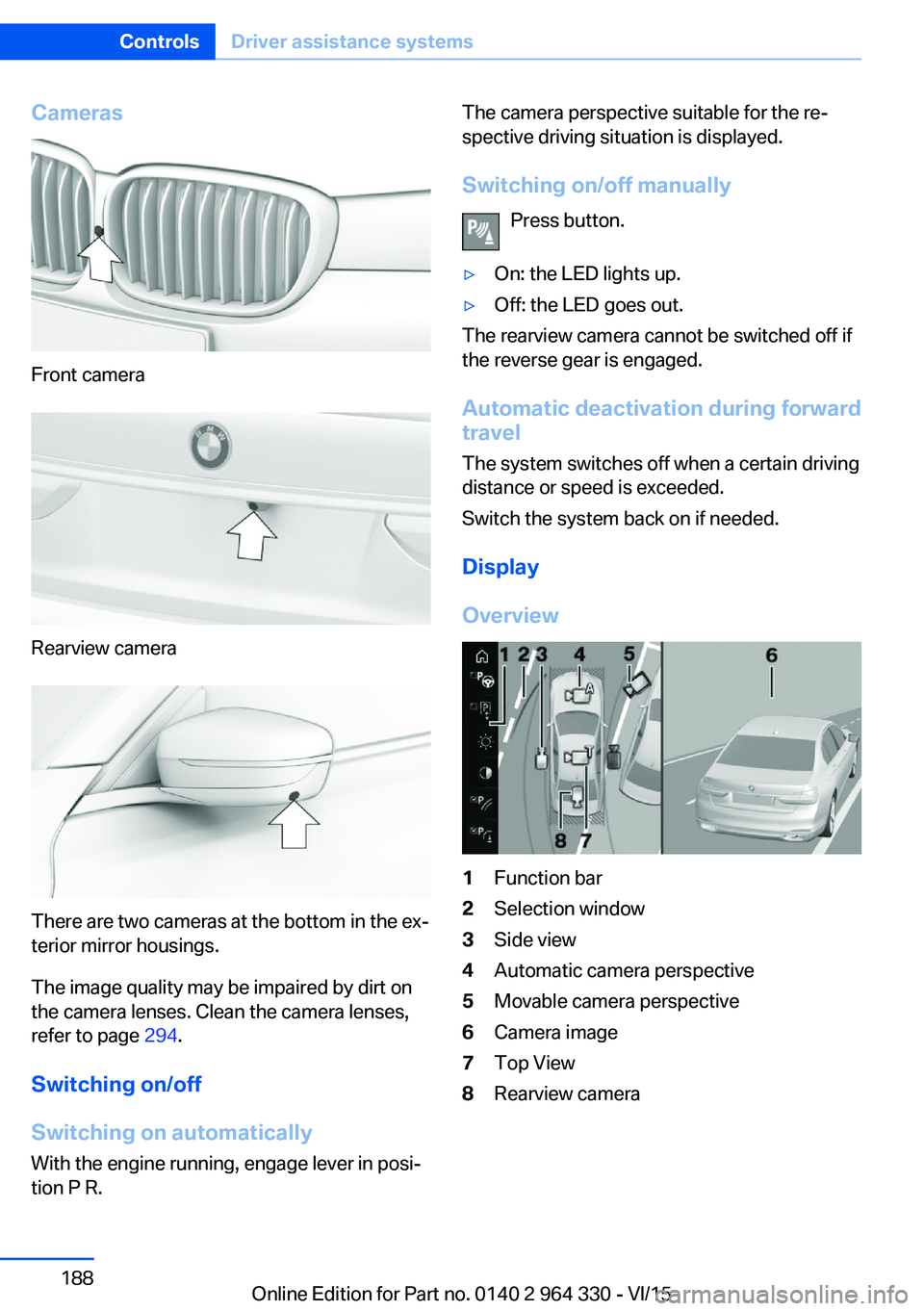
Cameras
Front camera
Rearview camera
There are two cameras at the bottom in the ex‐
terior mirror housings.
The image quality may be impaired by dirt on
the camera lenses. Clean the camera lenses,
refer to page 294.
Switching on/off
Switching on automatically With the engine running, engage lever in posi‐
tion P R.
The camera perspective suitable for the re‐
spective driving situation is displayed.
Switching on/off manually Press button.▷On: the LED lights up.▷Off: the LED goes out.
The rearview camera cannot be switched off if
the reverse gear is engaged.
Automatic deactivation during forward
travel
The system switches off when a certain driving
distance or speed is exceeded.
Switch the system back on if needed.
Display
Overview
1Function bar2Selection window3Side view4Automatic camera perspective5Movable camera perspective6Camera image7Top View8Rearview cameraSeite 188ControlsDriver assistance systems188
Online Edition for Part no. 0140 2 964 330 - VI/15
Page 192 of 314
relatively late from the driver's seat. The cam‐
eras in the front and rear capture the sideways
traffic area to improve the view.
Yellow lines in the screen display mark the
front and rear end of the vehicle.
The camera image shows different levels of
distortion in some areas and is thus not suita‐
ble for distance estimations.
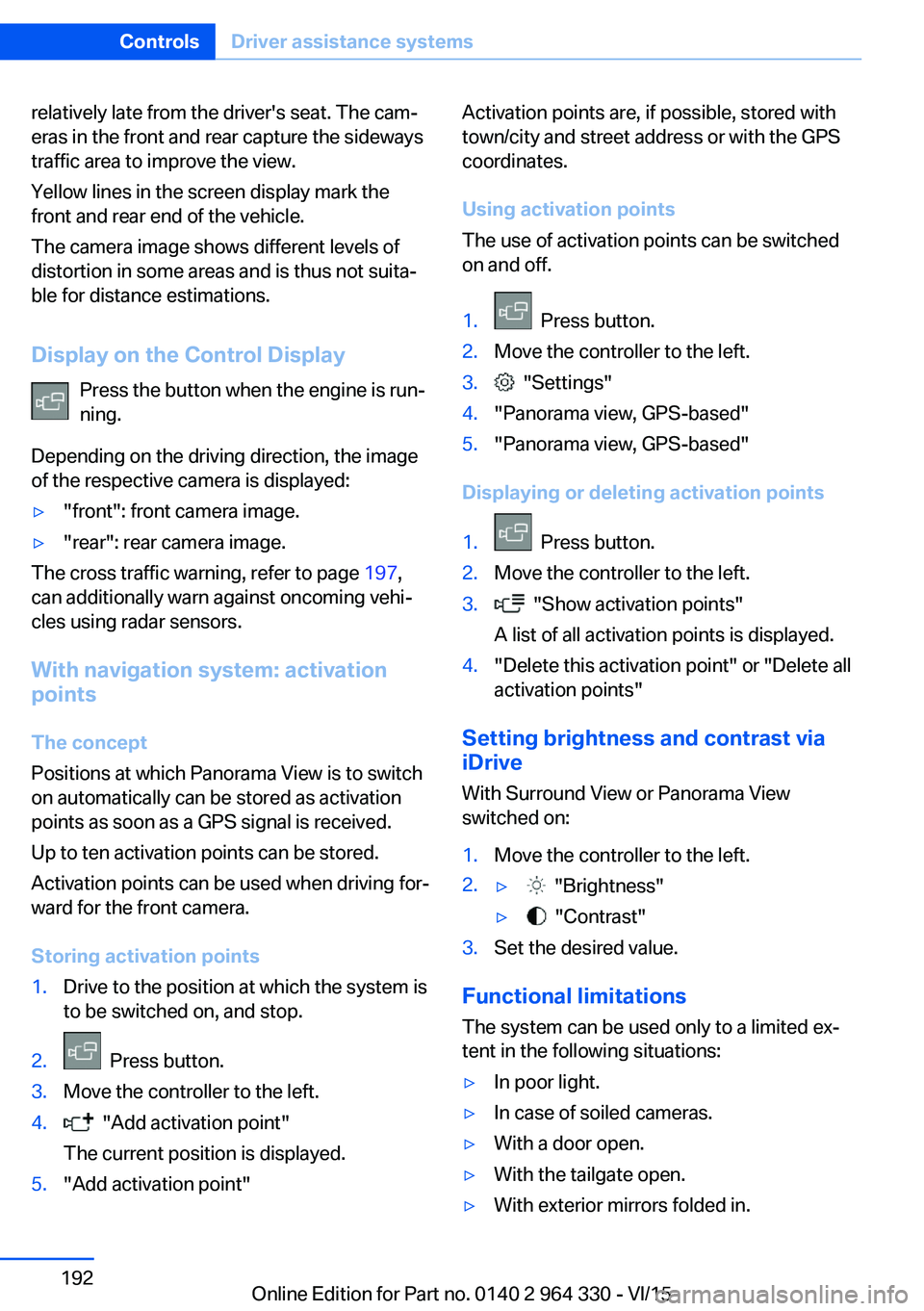
Display on the Control Display Press the button when the engine is run‐
ning.
Depending on the driving direction, the image
of the respective camera is displayed:▷"front": front camera image.▷"rear": rear camera image.
The cross traffic warning, refer to page 197,
can additionally warn against oncoming vehi‐
cles using radar sensors.
With navigation system: activation
points
The concept
Positions at which Panorama View is to switch
on automatically can be stored as activation
points as soon as a GPS signal is received.
Up to ten activation points can be stored.
Activation points can be used when driving for‐
ward for the front camera.
Storing activation points
1.Drive to the position at which the system is
to be switched on, and stop.2. Press button.3.Move the controller to the left.4. "Add activation point"
The current position is displayed.5."Add activation point"Activation points are, if possible, stored with
town/city and street address or with the GPS
coordinates.
Using activation points
The use of activation points can be switched
on and off.1. Press button.2.Move the controller to the left.3. "Settings"4."Panorama view, GPS-based"5."Panorama view, GPS-based"
Displaying or deleting activation points
1. Press button.2.Move the controller to the left.3. "Show activation points"
A list of all activation points is displayed.4."Delete this activation point" or "Delete all activation points"
Setting brightness and contrast viaiDrive
With Surround View or Panorama View
switched on:
1.Move the controller to the left.2.▷ "Brightness"▷ "Contrast"3.Set the desired value.
Functional limitations
The system can be used only to a limited ex‐
tent in the following situations:
▷In poor light.▷In case of soiled cameras.▷With a door open.▷With the tailgate open.▷With exterior mirrors folded in.Seite 192ControlsDriver assistance systems192
Online Edition for Part no. 0140 2 964 330 - VI/15
Page 194 of 314
WARNING
The system does not relieve from the
personal responsibility to correctly assess the
traffic situation. Based on the limits of the sys‐
tem, it cannot independently react to all traffic
situations. There is risk of an accident. Adjust
the driving style to the traffic conditions. Watch
traffic closely and actively interfere in the re‐
spective situations.◀
CAUTION
The parking assistant can steer the vehi‐
cle over or onto curbs. There is risk of property
damage. Watch traffic closely and actively in‐
terfere in the respective situations.◀
An engine that has been switched off by the
Auto Start Stop function is restarted automati‐
cally when the parking assistant is activated.
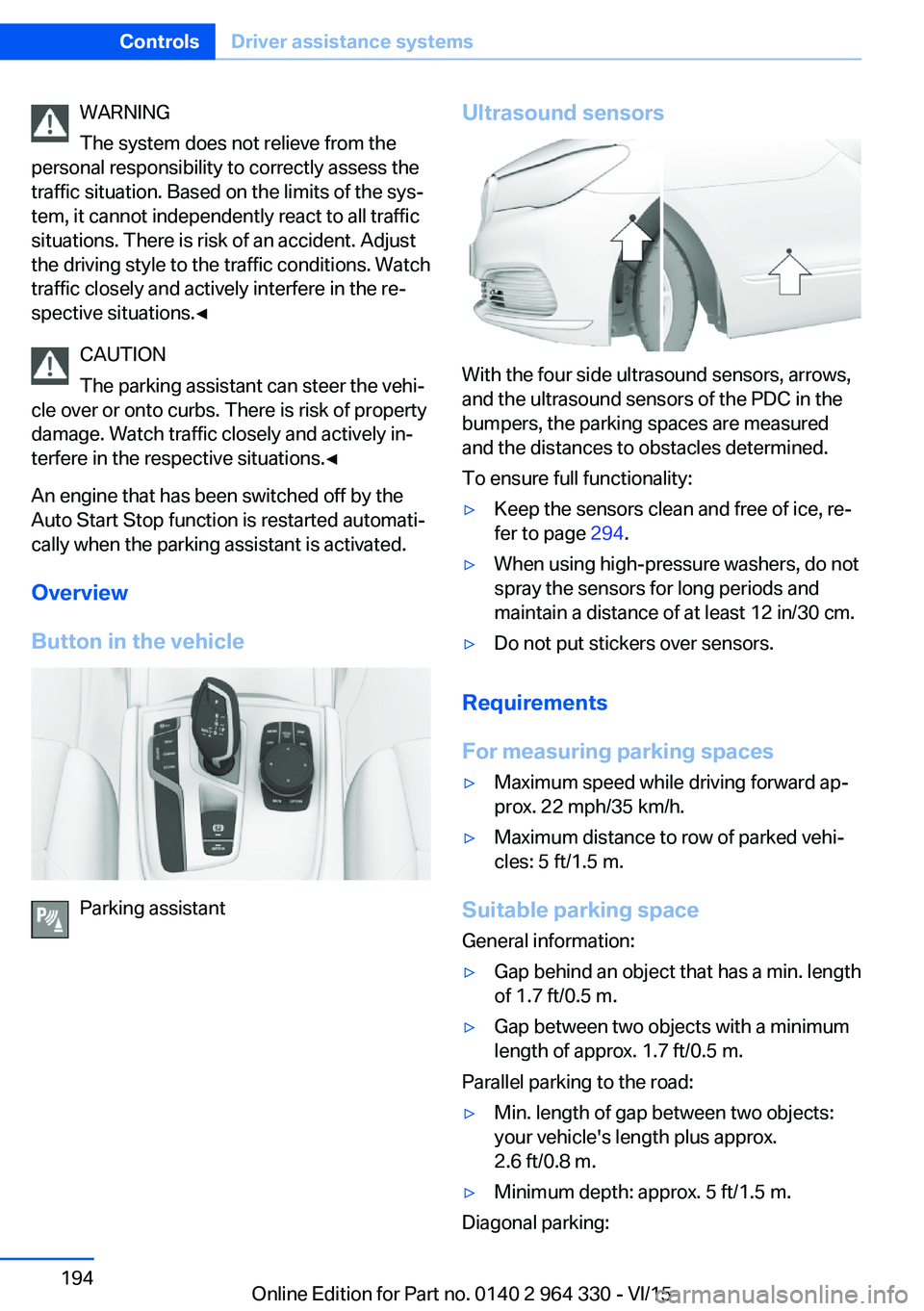
Overview
Button in the vehicle
Parking assistant
Ultrasound sensors
With the four side ultrasound sensors, arrows,
and the ultrasound sensors of the PDC in the
bumpers, the parking spaces are measured
and the distances to obstacles determined.
To ensure full functionality:
▷Keep the sensors clean and free of ice, re‐
fer to page 294.▷When using high-pressure washers, do not
spray the sensors for long periods and
maintain a distance of at least 12 in/30 cm.▷Do not put stickers over sensors.
Requirements
For measuring parking spaces
▷Maximum speed while driving forward ap‐
prox. 22 mph/35 km/h.▷Maximum distance to row of parked vehi‐
cles: 5 ft/1.5 m.
Suitable parking space
General information:
▷Gap behind an object that has a min. length
of 1.7 ft/0.5 m.▷Gap between two objects with a minimum
length of approx. 1.7 ft/0.5 m.
Parallel parking to the road:
▷Min. length of gap between two objects:
your vehicle's length plus approx.
2.6 ft/0.8 m.▷Minimum depth: approx. 5 ft/1.5 m.
Diagonal parking:
Seite 194ControlsDriver assistance systems194
Online Edition for Part no. 0140 2 964 330 - VI/15
Page 204 of 314
Press and hold the left button on
the driver's side until the control
clicks off.▷On the front passenger side:
Press and hold the left button on
the front passenger side.
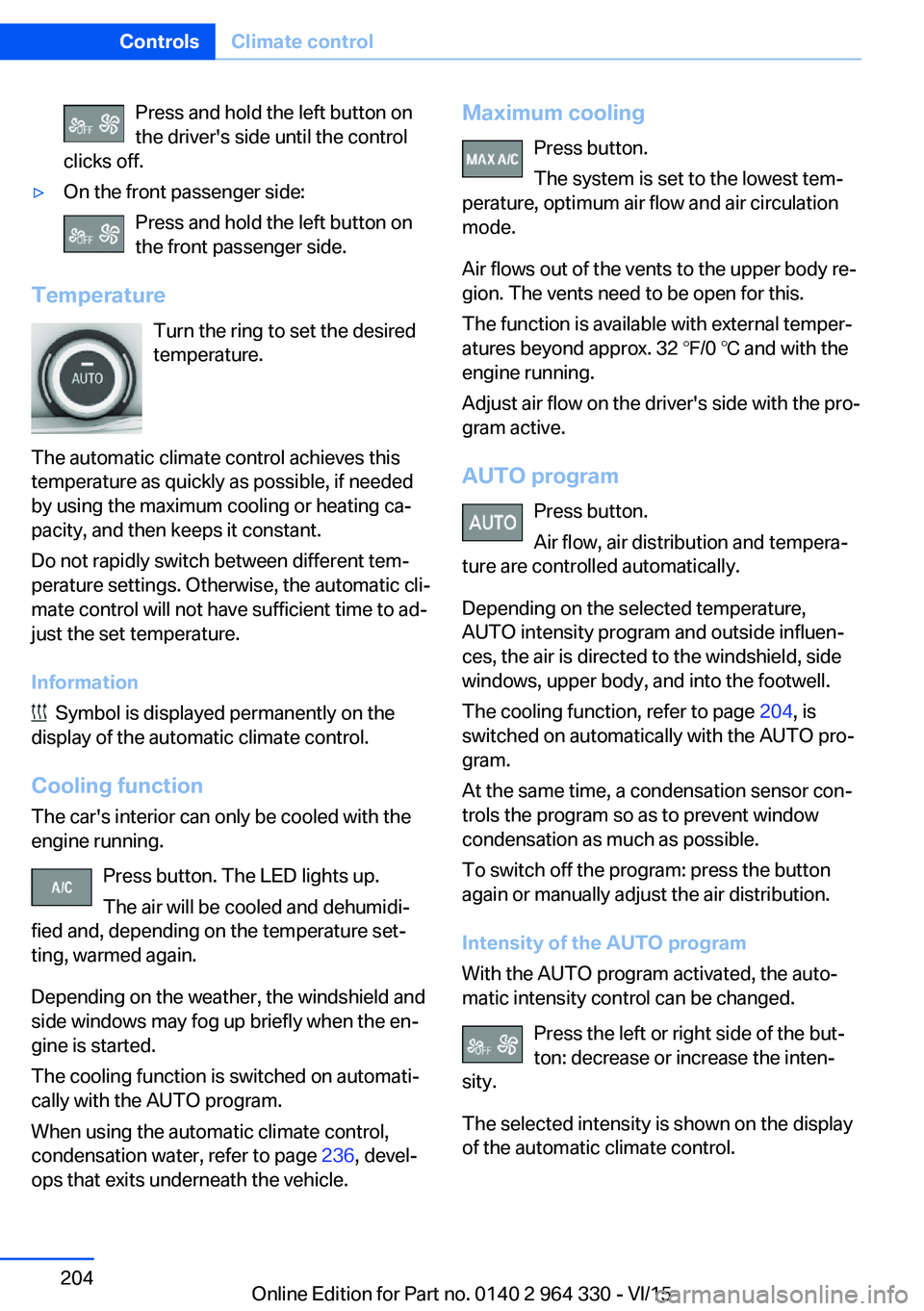
Temperature
Turn the ring to set the desired
temperature.
The automatic climate control achieves this
temperature as quickly as possible, if needed
by using the maximum cooling or heating ca‐
pacity, and then keeps it constant.
Do not rapidly switch between different tem‐
perature settings. Otherwise, the automatic cli‐
mate control will not have sufficient time to ad‐
just the set temperature.
Information
Symbol is displayed permanently on the
display of the automatic climate control.
Cooling function The car's interior can only be cooled with the
engine running.
Press button. The LED lights up.
The air will be cooled and dehumidi‐
fied and, depending on the temperature set‐
ting, warmed again.
Depending on the weather, the windshield and
side windows may fog up briefly when the en‐
gine is started.
The cooling function is switched on automati‐
cally with the AUTO program.
When using the automatic climate control,
condensation water, refer to page 236, devel‐
ops that exits underneath the vehicle.
Maximum cooling
Press button.
The system is set to the lowest tem‐
perature, optimum air flow and air circulation
mode.
Air flows out of the vents to the upper body re‐
gion. The vents need to be open for this.
The function is available with external temper‐
atures beyond approx. 32 ℉/0 ℃ and with the
engine running.
Adjust air flow on the driver's side with the pro‐
gram active.
AUTO program Press button.
Air flow, air distribution and tempera‐
ture are controlled automatically.
Depending on the selected temperature,
AUTO intensity program and outside influen‐
ces, the air is directed to the windshield, side
windows, upper body, and into the footwell.
The cooling function, refer to page 204, is
switched on automatically with the AUTO pro‐
gram.
At the same time, a condensation sensor con‐
trols the program so as to prevent window
condensation as much as possible.
To switch off the program: press the button
again or manually adjust the air distribution.
Intensity of the AUTO program
With the AUTO program activated, the auto‐
matic intensity control can be changed.
Press the left or right side of the but‐
ton: decrease or increase the inten‐
sity.
The selected intensity is shown on the display
of the automatic climate control.Seite 204ControlsClimate control204
Online Edition for Part no. 0140 2 964 330 - VI/15
Page 209 of 314
The selected air flow is shown on the display of
the automatic climate control.
The air flow can also be operated using BMW
Touch Command.
Maximum cooling Press button.
The system is set to the lowest tem‐
perature, maximum air flow and air circulation
mode.
Air flows out of the vents to the upper body re‐
gion. The vents need to be open for this.
Air is cooled as quickly as possible:▷At an external temperature of approx.
32 ℉/0 ℃.▷When the engine is running.
Operation is also possible using BMW Touch
Command.
Climate control operation on the
roofliner
Temperature Turn the ring to set the desired
temperature.
Air flow Press the left or right side of the but‐
ton: decrease or increase air flow.
LEDs indicate the intensity of the air supply.
The air flow may be reduced automatically to
save battery power.
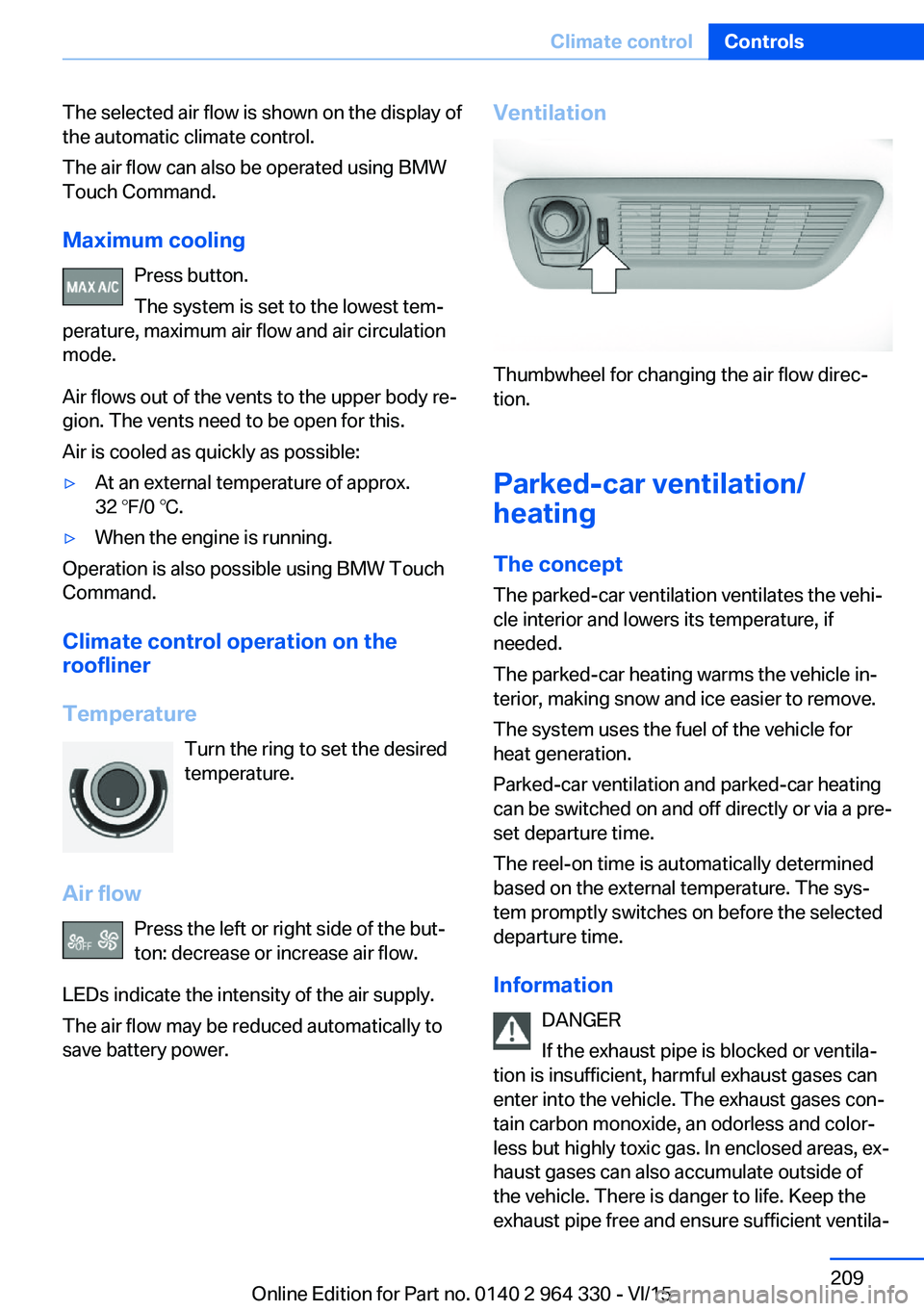
Ventilation
Thumbwheel for changing the air flow direc‐
tion.
Parked-car ventilation/
heating
The concept
The parked-car ventilation ventilates the vehi‐
cle interior and lowers its temperature, if
needed.
The parked-car heating warms the vehicle in‐
terior, making snow and ice easier to remove.
The system uses the fuel of the vehicle for
heat generation.
Parked-car ventilation and parked-car heating
can be switched on and off directly or via a pre-
set departure time.
The reel-on time is automatically determined
based on the external temperature. The sys‐
tem promptly switches on before the selected
departure time.
Information DANGER
If the exhaust pipe is blocked or ventila‐
tion is insufficient, harmful exhaust gases can
enter into the vehicle. The exhaust gases con‐
tain carbon monoxide, an odorless and color‐
less but highly toxic gas. In enclosed areas, ex‐
haust gases can also accumulate outside of
the vehicle. There is danger to life. Keep the
exhaust pipe free and ensure sufficient ventila‐
Seite 209Climate controlControls209
Online Edition for Part no. 0140 2 964 330 - VI/15
Page 219 of 314
CAUTION
If metal objects fall into the socket, they
can cause a short circuit. There is risk of prop‐
erty damage. Replace the cigarette lighter or
socket cover again after using the socket.◀
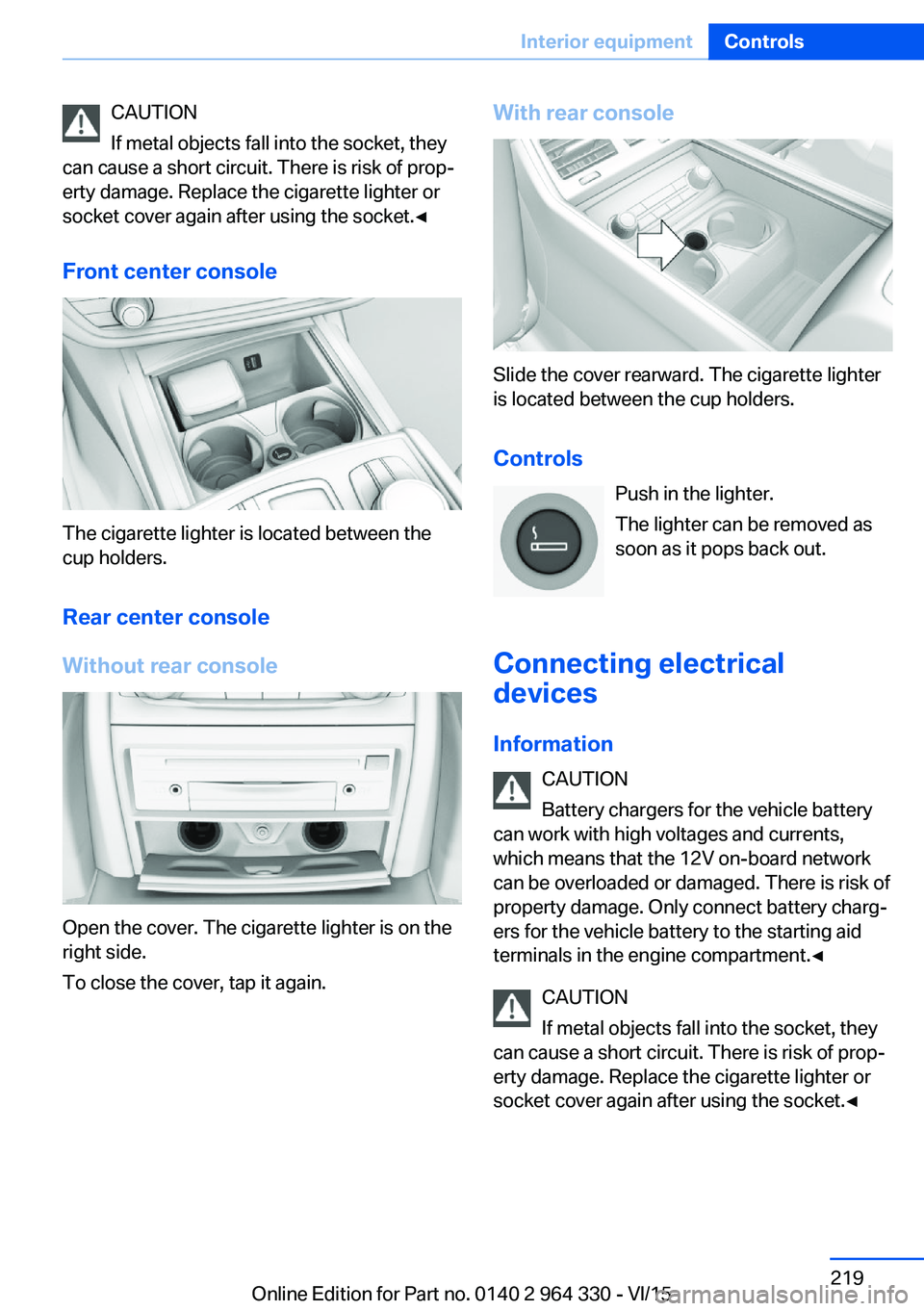
Front center console
The cigarette lighter is located between the
cup holders.
Rear center console
Without rear console
Open the cover. The cigarette lighter is on the
right side.
To close the cover, tap it again.
With rear console
Slide the cover rearward. The cigarette lighter
is located between the cup holders.
Controls Push in the lighter.
The lighter can be removed as
soon as it pops back out.
Connecting electrical devices
Information CAUTION
Battery chargers for the vehicle battery
can work with high voltages and currents,
which means that the 12V on-board network
can be overloaded or damaged. There is risk of
property damage. Only connect battery charg‐
ers for the vehicle battery to the starting aid
terminals in the engine compartment.◀
CAUTION
If metal objects fall into the socket, they
can cause a short circuit. There is risk of prop‐
erty damage. Replace the cigarette lighter or
socket cover again after using the socket.◀
Seite 219Interior equipmentControls219
Online Edition for Part no. 0140 2 964 330 - VI/15