comfort access BMW 745i 2004 E65 User Guide
[x] Cancel search | Manufacturer: BMW, Model Year: 2004, Model line: 745i, Model: BMW 745i 2004 E65Pages: 232, PDF Size: 5.27 MB
Page 62 of 232
Driving
60
Driving
Ignition lock
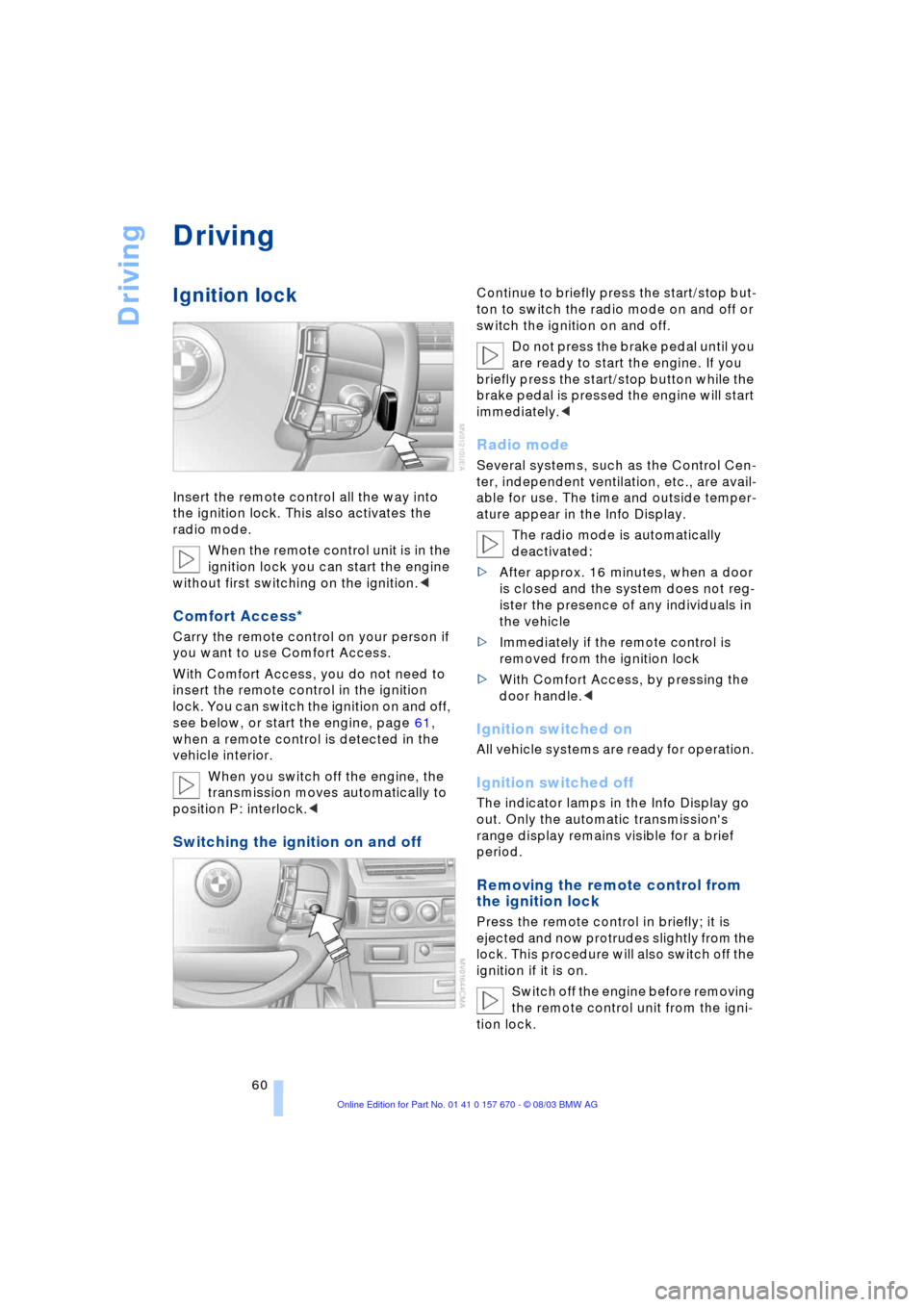
Insert the remote control all the way into
the ignition lock. This also activates the
radio mode.
When the remote control unit is in the
ignition lock you can start the engine
without first switching on the ignition.<
Comfort Access*
Carry the remote control on your person if
you want to use Comfort Access.
With Comfort Access, you do not need to
insert the remote control in the ignition
lock. You can switch the ignition on and off,
see below, or start the engine, page 61,
when a remote control is detected in the
vehicle interior.
When you switch off the engine, the
transmission moves automatically to
position P: interlock.<
Switching the ignition on and off
Continue to briefly press the start/stop but-
ton to switch the radio mode on and off or
switch the ignition on and off.
Do not press the brake pedal until you
are ready to start the engine. If you
briefly press the start/stop button while the
brake pedal is pressed the engine will start
immediately.<
Radio mode
Several systems, such as the Control Cen-
ter, independent ventilation, etc., are avail-
able for use. The time and outside temper-
ature appear in the Info Display.
The radio mode is automatically
deactivated:
>After approx. 16 minutes, when a door
is closed and the system does not reg-
ister the presence of any individuals in
the vehicle
>Immediately if the remote control is
removed from the ignition lock
>With Comfort Access, by pressing the
door handle.<
Ignition switched on
All vehicle systems are ready for operation.
Ignition switched off
The indicator lamps in the Info Display go
out. Only the automatic transmission's
range display remains visible for a brief
period.
Removing the remote control from
the ignition lock
Press the remote control in briefly; it is
ejected and now protrudes slightly from the
lock. This procedure will also switch off the
ignition if it is on.
Switch off the engine before removing
the remote control unit from the igni-
tion lock.
Page 63 of 232
Controls
61Reference
At a glance
Driving tips
Communications
Navigation
Entertainment
Mobility
The transmission automatically shifts to
position P: interlock.<
If the remote control is still in the ignition
lock when the driver's door is opened, a
gong will sound and a message will appear
in the Info Display.
Starting the engine
Do not run the engine in closed
rooms, as otherwise the inhaling of
toxic exhaust gases can cause uncon-
sciousness and death. The exhaust gases
contain carbon monoxide, an odorless and
colorless, but highly toxic gas.
Never leave an unattended vehicle with the
engine running, as such a vehicle repre-
sents a potential safety hazard.<
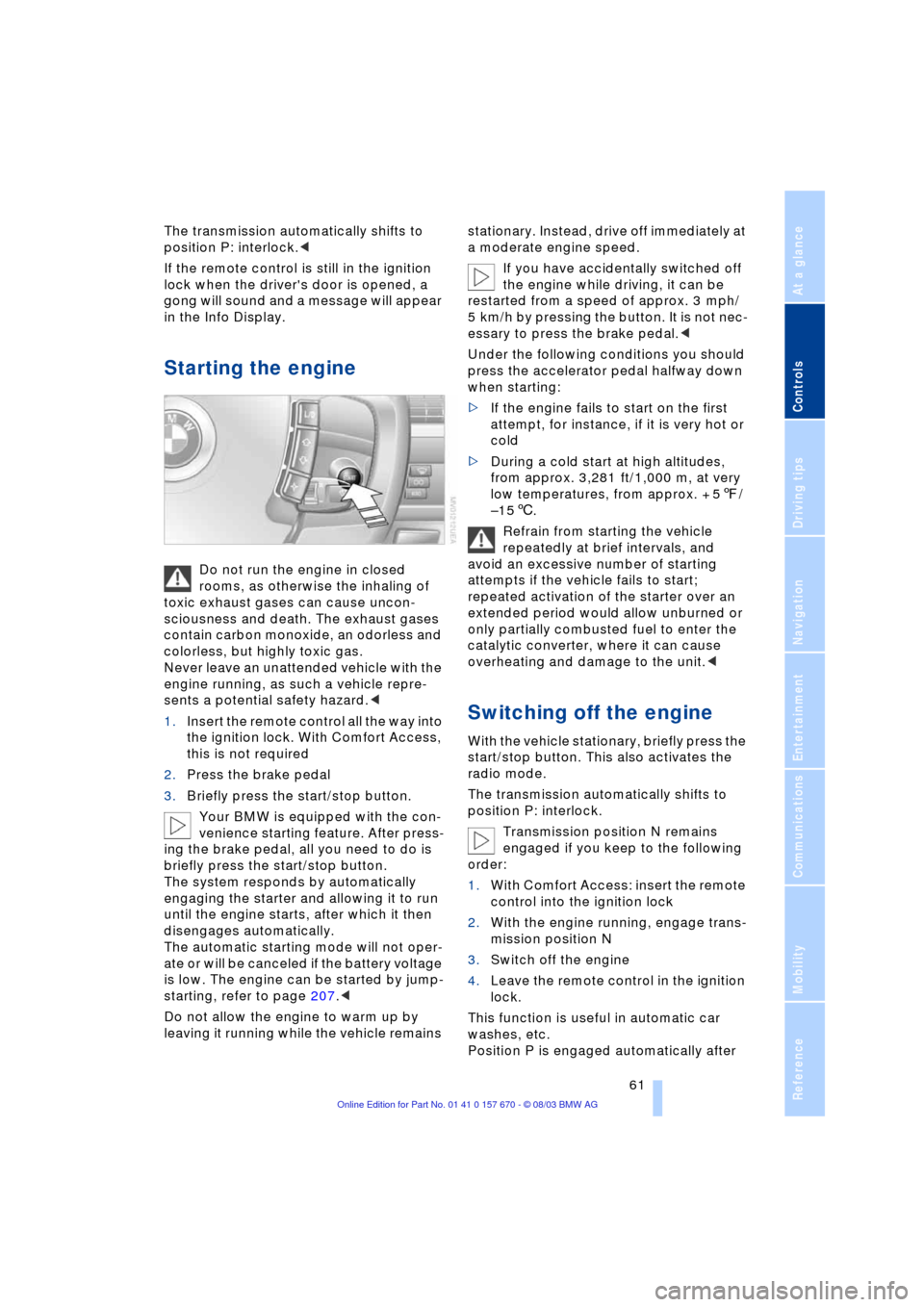
1.Insert the remote control all the way into
the ignition lock. With Comfort Access,
this is not required
2.Press the brake pedal
3.Briefly press the start/stop button.
Your BMW is equipped with the con-
venience starting feature. After press-
ing the brake pedal, all you need to do is
briefly press the start/stop button.
The system responds by automatically
engaging the starter and allowing it to run
until the engine starts, after which it then
disengages automatically.
The automatic starting mode will not oper-
ate or will be canceled if the battery voltage
is low. The engine can be started by jump-
starting, refer to page 207.<
Do not allow the engine to warm up by
leaving it running while the vehicle remains stationary. Instead, drive off immediately at
a moderate engine speed.
If you have accidentally switched off
the engine while driving, it can be
restarted from a speed of approx. 3 mph/
5 km/h by pressing the button. It is not nec-
essary to press the brake pedal.<
Under the following conditions you should
press the accelerator pedal halfway down
when starting:
>If the engine fails to start on the first
attempt, for instance, if it is very hot or
cold
>During a cold start at high altitudes,
from approx. 3,281 ft/1,000 m, at very
low temperatures, from approx. + 57/
Ð156.
Refrain from starting the vehicle
repeatedly at brief intervals, and
avoid an excessive number of starting
attempts if the vehicle fails to start;
repeated activation of the starter over an
extended period would allow unburned or
only partially combusted fuel to enter the
catalytic converter, where it can cause
overheating and damage to the unit.<
Switching off the engine
With the vehicle stationary, briefly press the
start/stop button. This also activates the
radio mode.
The transmission automatically shifts to
position P: interlock.
Transmission position N remains
engaged if you keep to the following
order:
1.With Comfort Access: insert the remote
control into the ignition lock
2.With the engine running, engage trans-
mission position N
3.Switch off the engine
4.Leave the remote control in the ignition
lock.
This function is useful in automatic car
washes, etc.
Position P is engaged automatically after
Page 64 of 232
Driving
62 approx. 30 minutes or when you remove
the remote control from the ignition lock.
Remember to observe the Check Control
for status messages.<
Should exceptional circumstances
render it necessary for you to switch
off the engine while the vehicle is moving,
press the start/stop button for approx.
1 second.
If you maintain pressure on the start/stop
button for longer than two seconds while
switching off the ignition, the remote con-
trol will be ejected.<
Before leaving the vehicle, remove
the remote control from the ignition
lock; with Comfort Access, always take the
remote control with you.<
Parking brake
The concept
Your BMW is equipped with an electrome-
chanical parking brake.
The parking brake is primarily intended to
prevent the vehicle from rolling while
parked.
You can operate or use the parking brake in
two different ways:
>Manually, by briefly pressing the button
>Automatically, through activation of the
Automatic Hold mode, refer to page 63.
An electrohydraulic mechanism then
engages the parking brake to prevent the
rear wheels from turning whenever you
switch off the engine.
When the engine is running, parking brake
engagement is controlled by the brake sys-
tem's hydraulic circuits, which act on the
disc brakes at the front and rear wheels.
Brake pedal feel
Because this function is activated using
the brake system's hydraulic circuits, the
response of the brake pedal may change
slightly. Engagement may also be accom-
panied by activation noise Ð this is normal.
Manual engagement
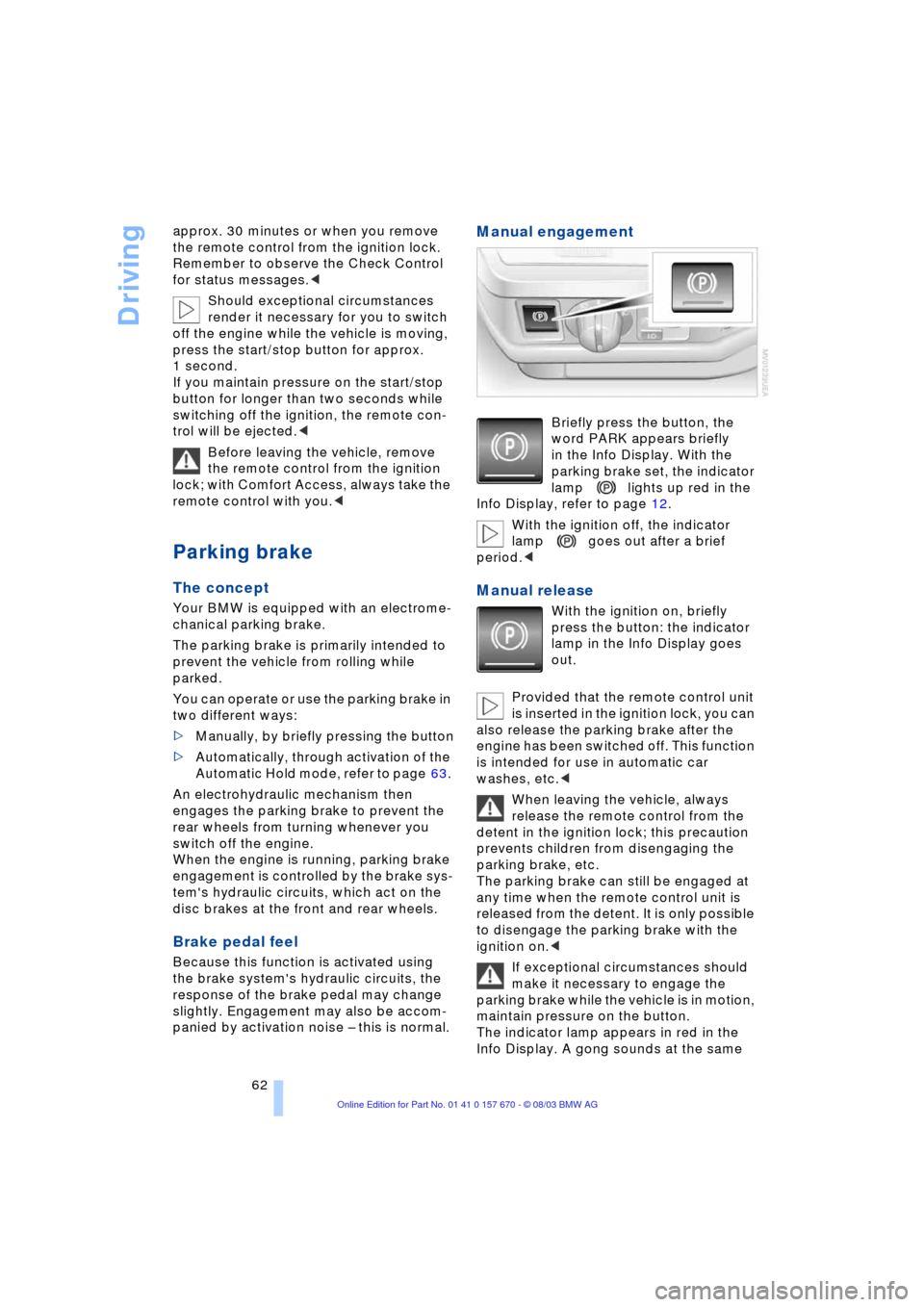
Briefly press the button, the
word PARK appears briefly
in the Info Display. With the
parking brake set, the indicator
lamp lights up red in the
Info Display, refer to page 12.
With the ignition off, the indicator
lamp goes out after a brief
period.<
Manual release
With the ignition on, briefly
press the button: the indicator
lamp in the Info Display goes
out.
Provided that the remote control unit
is inserted in the ignition lock, you can
also release the parking brake after the
engine has been switched off. This function
is intended for use in automatic car
washes, etc.<
When leaving the vehicle, always
release the remote control from the
detent in the ignition lock; this precaution
prevents children from disengaging the
parking brake, etc.
The parking brake can still be engaged at
any time when the remote control unit is
released from the detent. It is only possible
to disengage the parking brake with the
ignition on.<
If exceptional circumstances should
make it necessary to engage the
parking brake while the vehicle is in motion,
maintain pressure on the button.
The indicator lamp appears in red in the
Info Display. A gong sounds at the same
Page 119 of 232
Controls
117Reference
At a glance
Driving tips
Communications
Navigation
Entertainment
Mobility
Rear center armrest
Before folding down the armrest,
adjust the head restraint to its lowest
position, refer to page 48.<
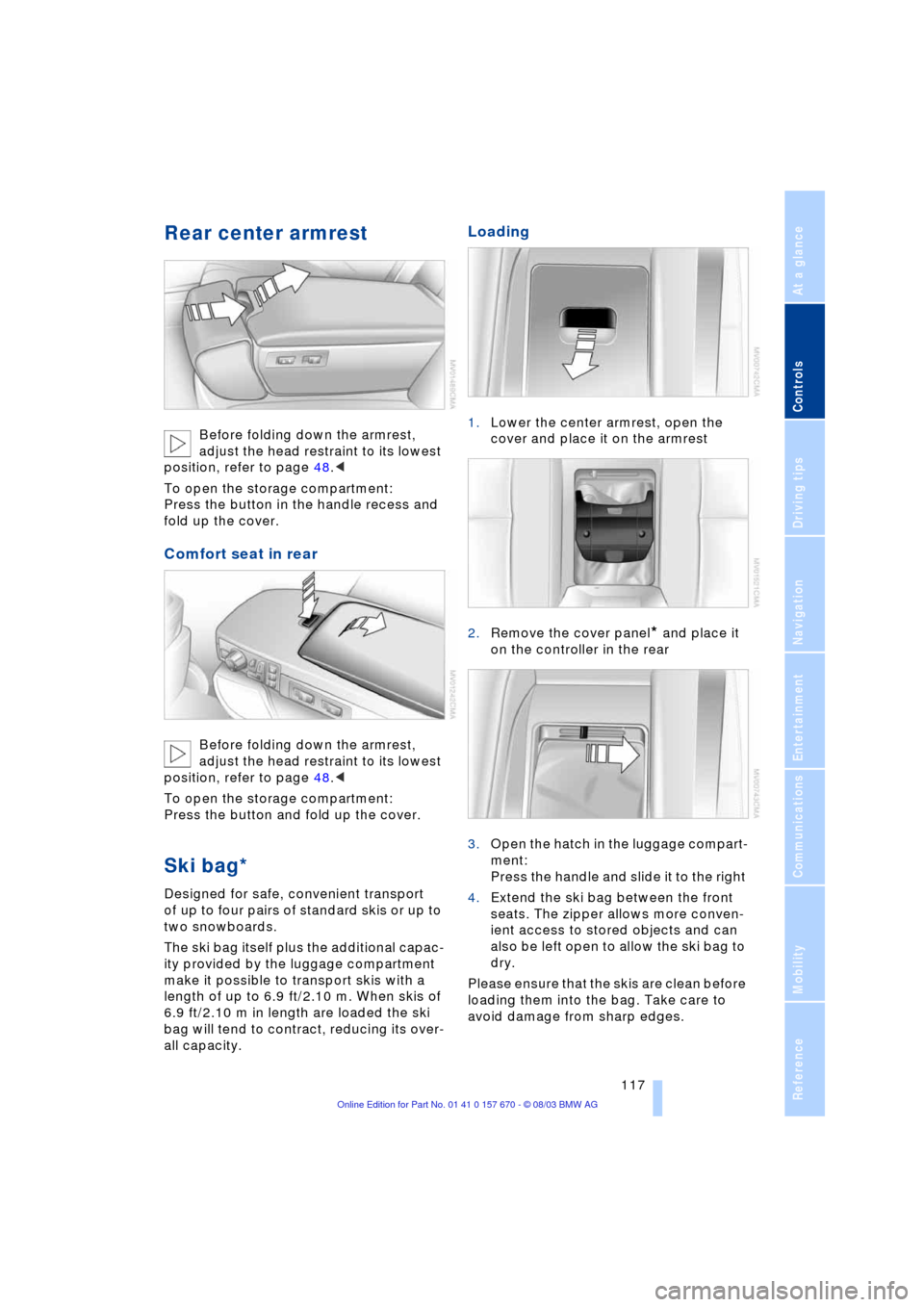
To open the storage compartment:
Press the button in the handle recess and
fold up the cover.
Comfort seat in rear
Before folding down the armrest,
adjust the head restraint to its lowest
position, refer to page 48.<
To open the storage compartment:
Press the button and fold up the cover.
Ski bag*
Designed for safe, convenient transport
of up to four pairs of standard skis or up to
two snowboards.
The ski bag itself plus the additional capac-
ity provided by the luggage compartment
make it possible to transport skis with a
length of up to 6.9 ft/2.10 m. When skis of
6.9 ft/2.10 m in length are loaded the ski
bag will tend to contract, reducing its over-
all capacity.
Loading
1.Lower the center armrest, open the
cover and place it on the armrest
2.Remove the cover panel
* and place it
on the controller in the rear
3.Open the hatch in the luggage compart-
ment:
Press the handle and slide it to the right
4.Extend the ski bag between the front
seats. The zipper allows more conven-
ient access to stored objects and can
also be left open to allow the ski bag to
dry.
Please ensure that the skis are clean before
loading them into the bag. Take care to
avoid damage from sharp edges.
Page 124 of 232
Things to remember when driving
122
Things to remember when driving
Break-in procedures
To ensure that your vehicle continues to
furnish optimized economy of operation
throughout an extended service life, we
request that you devote careful attention
to the following section.
Engine and differential
Up to 1,200 miles/2,000 km:
During this initial period you should attempt
to avoid constant, steady-state operation
and vary both vehicle and engine speeds
as often as possible. Until the break-in
period has been completed you should
also refrain from exceeding the following:
>4,500 rpm or 105 mph/170 km/h.
Always obey all official speed limits.
Avoid full-throttle operation and use of the
transmission's kickdown mode during
these initial miles.
Once you have driven 1,200 miles/
2,000 km, the engine or vehicle speeds
can be gradually increased.
You should also comply with these break-in
procedures should the engine or differen-
tial need to be replaced at a later point.
Tires
Due to technical factors associated with
their manufacture, tires do not achieve their
full traction potential until after an initial
break-in period.Therefore, drive reservedly
during the first 200 miles/300 km.
Brake system
Brakes require an initial break-in period of
approx. 300 miles/500 km to achieve opti-
mized contact and wear patterns between
brake pads and rotors.
General driving notes
High temperatures
Extreme temperatures occur at the
catalytic converter on this and every
catalyst-equipped vehicle. Do not remove
the heat shields installed adjacent to vari-
ous sections of the exhaust system, and
never apply undercoating to them.
When driving, standing at idle and while
parking take care to avoid possible contact
between the hot exhaust system and any
highly flammable materials such as hay,
leaves, grass, etc. Such contact could lead
to a fire, accompanied by the risk of serious
property damage as well as personal
injury.<
Parking the vehicle
Condensation forms in the air conditioner
system during operation, and then exits
under the vehicle. Traces of condensed
water under the vehicle are thus normal.
Before driving into the car wash
1.Fold in the exterior mirrors, refer to
page 51, as otherwise they could be
damaged due to the width of the vehicle
2.Leave the remote control in the ignition
lock, as otherwise the position P of the
automatic transmission will automati-
cally be selected when the remote con-
trol is removed, refer to pages 61
and 67.
With Comfort Access, be sure to
observe the instructions on page 61
3.Release the parking brake, especially
when you have activated Automatic
Hold, refer to pages 62 and 63.
Hydroplaning
When driving on wet or slushy roads,
reduce road speed. If you do not, a
wedge of water can form between tires and
road surface. This phenomenon is referred
Page 200 of 232
Maintenance
198
Maintenance
The BMW Maintenance
System
The BMW Maintenance System is
designed to ensure that your vehicle will
continue to furnish consistent reliability
combined with optimized safety. The ser-
vice schedule also includes operations
related to the vehicle's comfort and conve-
nience features, such as replacement of
the filters for the inside air. The aim is to
optimize maintenance with regard to
reducing the cost of running the vehicle.
Should the day come when you decide to
sell your BMW, you will find that a complete
dealer service history is an asset of inesti-
mable value.
CBS Condition Based Service
CBS is a more advanced version of the
Service Interval Display. Sensors combine
with highly-specialized algorithms to sup-
ply service information that reflects your
vehicle's actual operating conditions more
precisely than ever before.
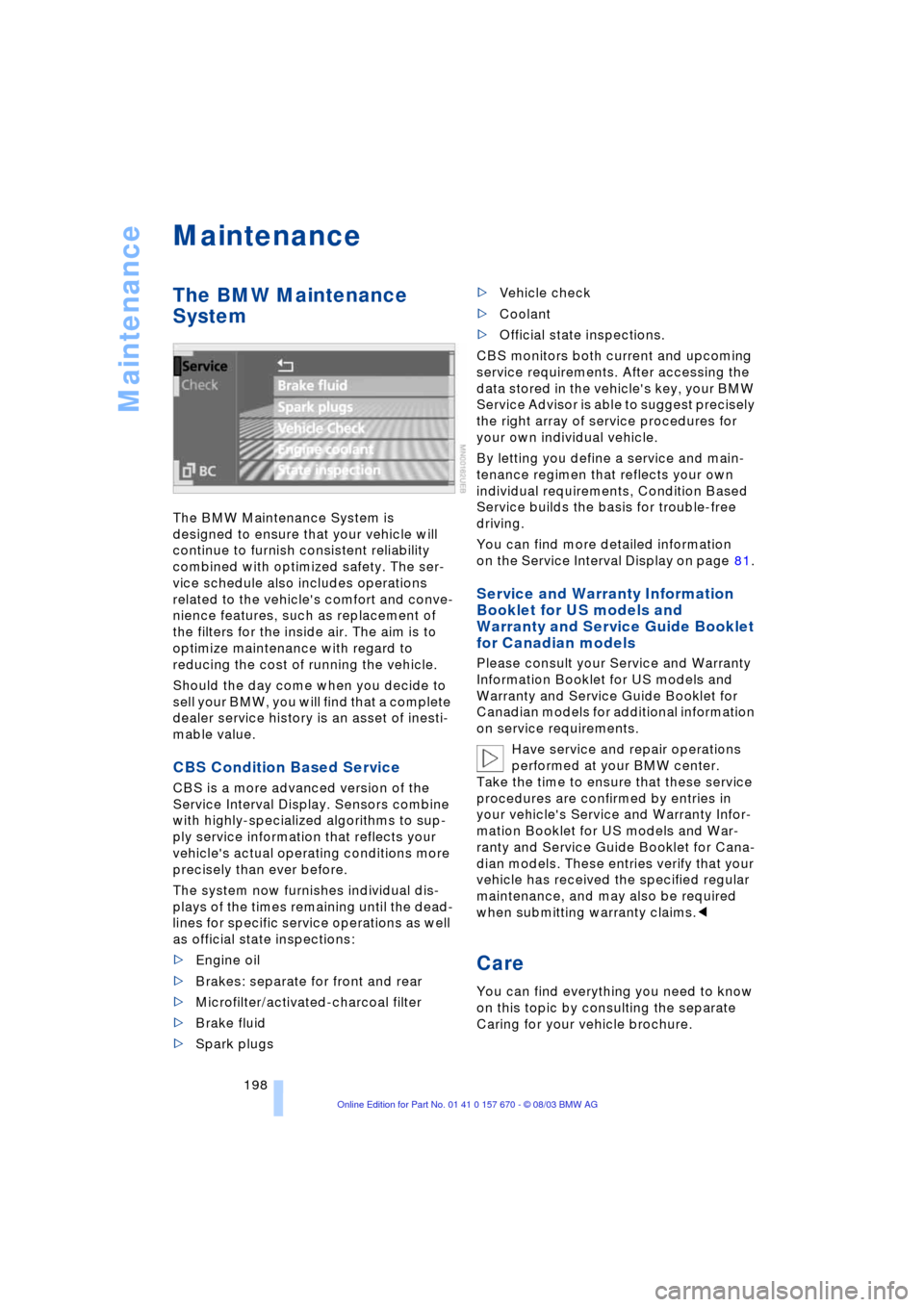
The system now furnishes individual dis-
plays of the times remaining until the dead-
lines for specific service operations as well
as official state inspections:
>Engine oil
>Brakes: separate for front and rear
>Microfilter/activated-charcoal filter
>Brake fluid
>Spark plugs >Vehicle check
>Coolant
>Official state inspections.
CBS monitors both current and upcoming
service requirements. After accessing the
data stored in the vehicle's key, your BMW
Service Advisor is able to suggest precisely
the right array of service procedures for
your own individual vehicle.
By letting you define a service and main-
tenance regimen that reflects your own
individual requirements, Condition Based
Service builds the basis for trouble-free
driving.
You can find more detailed information
on the Service Interval Display on page 81.
Service and Warranty Information
Booklet for US models and
Warranty and Service Guide Booklet
for Canadian models
Please consult your Service and Warranty
Information Booklet for US models and
Warranty and Service Guide Booklet for
Canadian models for additional information
on service requirements.
Have service and repair operations
performed at your BMW center.
Take the time to ensure that these service
procedures are confirmed by entries in
your vehicle's Service and Warranty Infor-
mation Booklet for US models and War-
ranty and Service Guide Booklet for Cana-
dian models. These entries verify that your
vehicle has received the specified regular
maintenance, and may also be required
when submitting warranty claims.<
Care
You can find everything you need to know
on this topic by consulting the separate
Caring for your vehicle brochure.
Page 219 of 232
Reference 217
At a glance
Controls
Driving tips
Communications
Navigation
Entertainment
Mobility
"AUTOSTOR" 163
"Autostore" for radio
mode 154
Average fuel
consumption 85
Average speed 85
"Avoid highway" 137
Avoiding unintentional
alarms 40
"Avoid route" 141
"Avoid sect." 140
"Avoid tolls" 137
"A-Z", telephone 179
B
Backrest adjustment 45, 46
Backrests, refer to
Seats 44
Backup lamps, replacing
bulbs 202
Balance 149
"Balance" for audio
mode 150
Bass 149
"Bass" for audio mode 150
Battery 205
Ð flat 207
Battery switch 205, 206
"BC", refer to Computer 86
Belts 49
Beverage holders 115
Blinds 112
"BMW Assist" 21, 182
BMW Assist 182
"BMW Services" 182
Brake Assistant, refer to
DBC Dynamic Brake
Control 93
Brake fluid 197
Brake force display 96
Brake hydraulic
systems 197
Brake lamps, replacing
bulbs 202
Brake pads 123
Brakes 123
Ð malfunctions 197
Breaking in the vehicle 122Break-in procedures 122
"Brief info" 22
"Brightness"
Ð for TV mode 164
Ð in the Control Center 89
Buttons on the steering
wheel 16
Ð automatic transmission
with Steptronic 66
C
California Proposition 65
Warning 199
Call
Ð ending 179
Calling 179
Ð from phone book 179
Ð from the redial list 180
Ð from the Top 8 list 180
Ð redialing 180
Can holder, refer to
Beverage holders 115
Capacities 215
"Car data" 18, 21
Care, refer to the Caring for
your vehicle brochure
Cargo, securing 125
Cargo area
Ð locking separately 37
Cargo loading 125
Caring for the vehicle finish,
refer to the Caring for
your vehicle brochure
Car phone 175, 178
Ð refer to separate Owner's
Manual
Car radio, refer to
Radio 148
Car wash 122
Ð refer to the Caring for your
vehicle brochure
CBC Cornering Brake
Control 91
CBS Condition Based
Service 198
"CD" 148, 158CD changer 160
Ð adjusting the tone 149
Ð controls 148
Ð fast forward 161
Ð random play 161
Ð reverse 161
Ð sampling 161
Ð Scan 161
Ð selecting CD 161
Ð selecting track 162
Ð skipping tracks 161
Ð switching on 160
Ð volume 149
CD player 158
Ð adjusting the tone 149
Ð controls 148
Ð fast forward 159
Ð random play 158
Ð reverse 159
Ð sampling 158
Ð Scan 158
Ð selecting tracks 158
Ð skipping tracks 158
Ð switching on 158
Ð volume 149
"Center" 107
Center armrest
Ð individual button
assignment 17
Center brake lamp, refer to
Brake lamps 202
Center console, refer to
Comfort features 14
Central locking system 33
Ð button 37
Ð Comfort Access 34
Ð keys 36
Ð remote control 33
"CHANGE" for
navigation 136
Changing a tire 203
Changing language 88
Changing settings on the
Control Display 88
Changing the display
format on the Control
Display 88
Changing units of measure
on the Control Display 88
Page 220 of 232
Everything from A to Z
218 Check Control 82
Ð "Check" 83
Checking engine oil
level 195, 195
Checking inflation
pressure 188
Child's seat 56
Child-restraint system 56
Child-safety lock 58
Cigarette lighter 116
Cleaning, refer to the
Caring for your vehicle
brochure
Cleaning windshield 70
"Climate" 18, 21
"Clock" 88
Clock 80
Ð setting time and date 88
Closing
Ð from inside 36
Ð from outside 33
Closing assist
Ð doors 37
Ð luggage compartment
lid 38
Cockpit 10, 14
Coin holder, refer to front
center armrest 114
Cold start 61
"Color" for TV mode 164
"Comfort"
Ð "EDC" 94
Comfort Access 34
Ð battery changing 35
Comfort features 14
Comfort seat 45
Ð in rear 46
"Comm." 24
"Communication"
18, 21, 175
Compact Disc, refer to
CD 158
Compartments, refer to
Storage
compartments 114Computer, refer to Control
Center 17, 84
Ð automatic climate
control 106
Ð "BC" 86
Ð changing settings 88
Ð display, menus 21
Ð displays on the Control
Display 85
Ð language selection 88
Ð setting brightness 89
Ð setting time and date 88
Ð status lines 23
Ð symbols 19
Condition Based Service
CBS 198
Confirming a menu item on
the Control Display 18
Connecting car vacuum
cleaner 116
Consumption
display 84, 85
"Contrast" for TV mode 164
Control Center 17
Ð adjusting the
brightness 89
Ð assistance window 22
Ð automatic climate
control 106
Ð changing settings 88
Ð changing the menu
page 19
Ð display, menus 21
Ð displaying help texts 22
Ð language selection 88
Ð lists 19
Ð menus 21
Ð rear 23
Ð selecting units of measure
and display format 88
Ð setting time and date 88
Ð status lines 23
Ð symbols 19
Ð symbols and lists 19
Control Display 17, 18
Ð in the rear 23
Ð switching off 18
Controller, refer to Control
Center 17Controls 10, 14
Convenience operation of
windows and glass
roof 36
Convenience starting
feature 61
"Coolant" 198
Coolant 195, 196
Cooler, refer to Rear
cooler 113
Country of destination 133
Courtesy lighting 101
Creating voice address
book 142
Cruise control 71
Ð active cruise control 73
Cruising range 85
Cup holder, refer to
Beverage holders 115
Curb weight 214
Current fuel
consumption 85
D
Data 212
"Date" 88
Daytime driving lamps 99
DBC Dynamic Brake
Control 93
Defrosting the windshield,
refer to Defrosting
windows 104
Defrosting windows 104
Defrost setting 104
"DELETE" for
navigation 136, 137
Destination 133
Destination during
navigation
Ð selecting in
Information 135
Ð selecting using voice 143
Destination entry 132
Destination guidance
Ð interrupting 141
Ð terminating 141
Destination list 136
"Dest. input" 132
"Detour" 141
Page 222 of 232
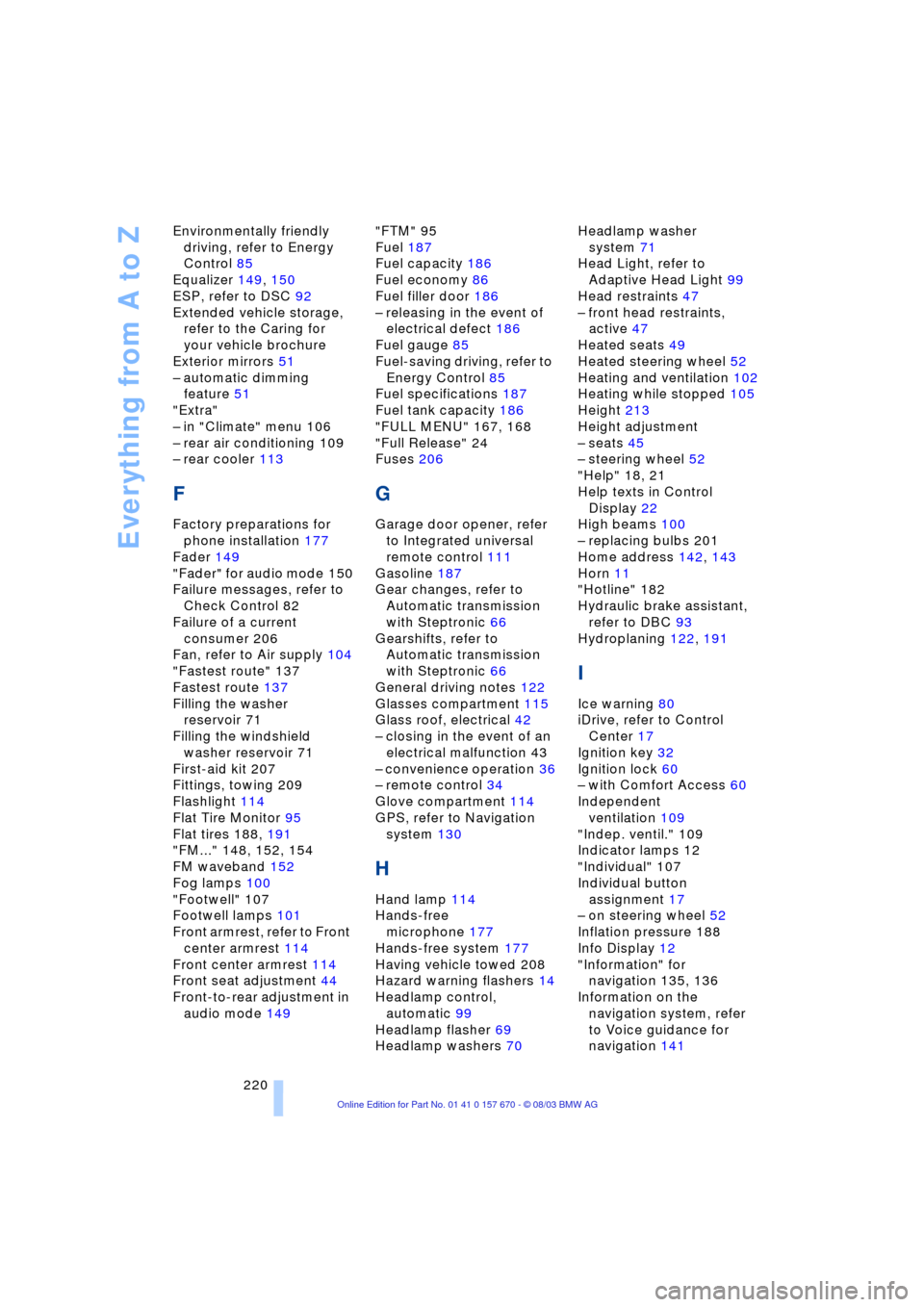
Everything from A to Z
220 Environmentally friendly
driving, refer to Energy
Control 85
Equalizer 149, 150
ESP, refer to DSC 92
Extended vehicle storage,
refer to the Caring for
your vehicle brochure
Exterior mirrors 51
Ð automatic dimming
feature 51
"Extra"
Ð in "Climate" menu 106
Ð rear air conditioning 109
Ð rear cooler 113
F
Factory preparations for
phone installation 177
Fader 149
"Fader" for audio mode 150
Failure messages, refer to
Check Control 82
Failure of a current
consumer 206
Fan, refer to Air supply 104
"Fastest route" 137
Fastest route 137
Filling the washer
reservoir 71
Filling the windshield
washer reservoir 71
First-aid kit 207
Fittings, towing 209
Flashlight 114
Flat Tire Monitor 95
Flat tires 188, 191
"FM..." 148, 152, 154
FM waveband 152
Fog lamps 100
"Footwell" 107
Footwell lamps 101
Front armrest, refer to Front
center armrest 114
Front center armrest 114
Front seat adjustment 44
Front-to-rear adjustment in
audio mode 149"FTM" 95
Fuel 187
Fuel capacity 186
Fuel economy 86
Fuel filler door 186
Ð releasing in the event of
electrical defect 186
Fuel gauge 85
Fuel-saving driving, refer to
Energy Control 85
Fuel specifications 187
Fuel tank capacity 186
"FULL MENU" 167, 168
"Full Release" 24
Fuses 206
G
Garage door opener, refer
to Integrated universal
remote control 111
Gasoline 187
Gear changes, refer to
Automatic transmission
with Steptronic 66
Gearshifts, refer to
Automatic transmission
with Steptronic 66
General driving notes 122
Glasses compartment 115
Glass roof, electrical 42
Ð closing in the event of an
electrical malfunction 43
Ð convenience operation 36
Ð remote control 34
Glove compartment 114
GPS, refer to Navigation
system 130
H
Hand lamp 114
Hands-free
microphone 177
Hands-free system 177
Having vehicle towed 208
Hazard warning flashers 14
Headlamp control,
automatic 99
Headlamp flasher 69
Headlamp washers 70Headlamp washer
system 71
Head Light, refer to
Adaptive Head Light 99
Head restraints 47
Ð front head restraints,
active 47
Heated seats 49
Heated steering wheel 52
Heating and ventilation 102
Heating while stopped 105
Height 213
Height adjustment
Ð seats 45
Ð steering wheel 52
"Help" 18, 21
Help texts in Control
Display 22
High beams 100
Ð replacing bulbs 201
Home address 142, 143
Horn 11
"Hotline" 182
Hydraulic brake assistant,
refer to DBC 93
Hydroplaning 122, 191
I
Ice warning 80
iDrive, refer to Control
Center 17
Ignition key 32
Ignition lock 60
Ð with Comfort Access 60
Independent
ventilation 109
"Indep. ventil." 109
Indicator lamps 12
"Individual" 107
Individual button
assignment 17
Ð on steering wheel 52
Inflation pressure 188
Info Display 12
"Information" for
navigation 135, 136
Information on the
navigation system, refer
to Voice guidance for
navigation 141
Page 223 of 232
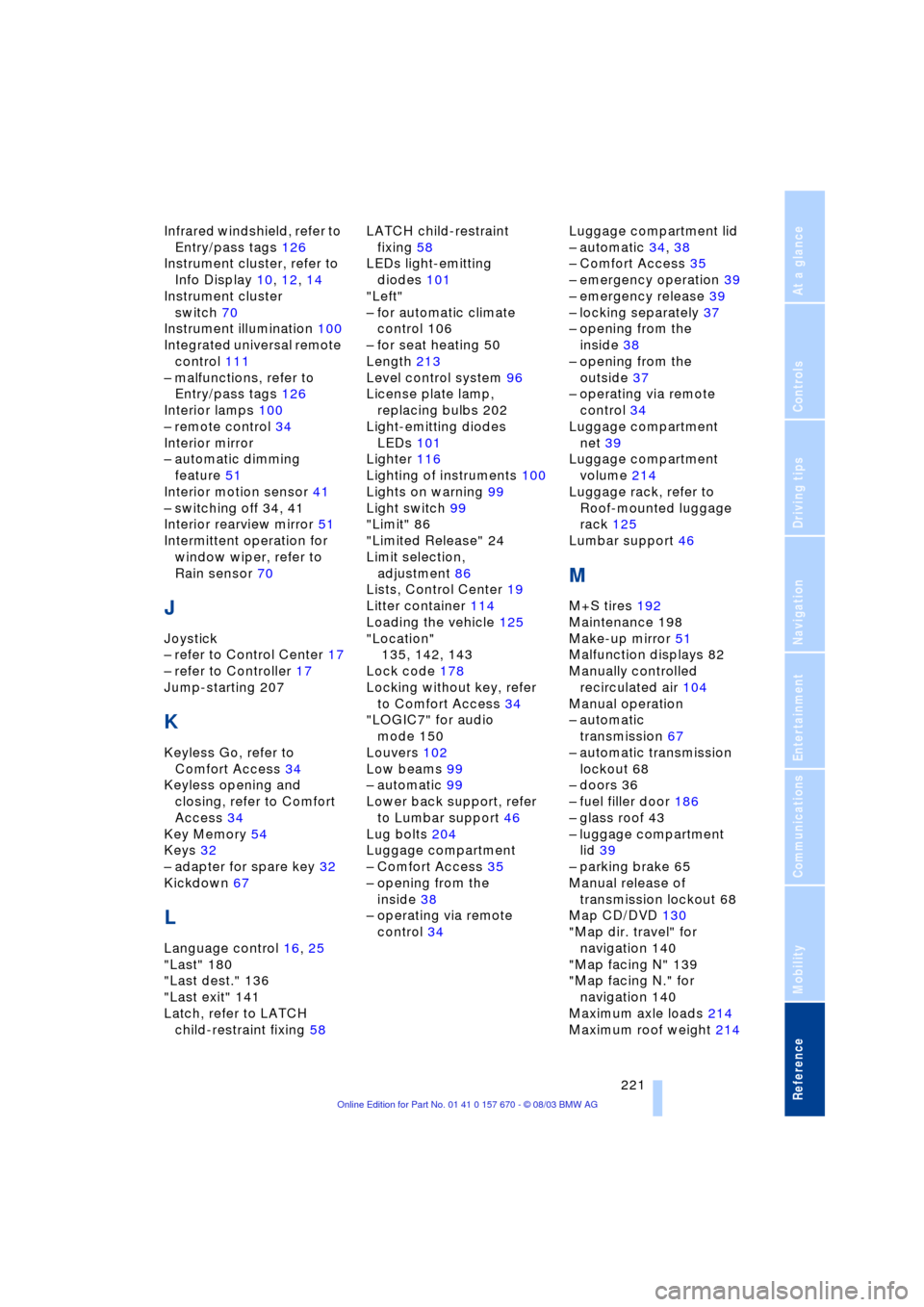
Reference 221
At a glance
Controls
Driving tips
Communications
Navigation
Entertainment
Mobility
Infrared windshield, refer to
Entry/pass tags 126
Instrument cluster, refer to
Info Display 10, 12, 14
Instrument cluster
switch 70
Instrument illumination 100
Integrated universal remote
control 111
Ð malfunctions, refer to
Entry/pass tags 126
Interior lamps 100
Ð remote control 34
Interior mirror
Ð automatic dimming
feature 51
Interior motion sensor 41
Ð switching off 34, 41
Interior rearview mirror 51
Intermittent operation for
window wiper, refer to
Rain sensor 70
J
Joystick
Ð refer to Control Center 17
Ð refer to Controller 17
Jump-starting 207
K
Keyless Go, refer to
Comfort Access 34
Keyless opening and
closing, refer to Comfort
Access 34
Key Memory 54
Keys 32
Ð adapter for spare key 32
Kickdown 67
L
Language control 16, 25
"Last" 180
"Last dest." 136
"Last exit" 141
Latch, refer to LATCH
child-restraint fixing 58LATCH child-restraint
fixing 58
LEDs light-emitting
diodes 101
"Left"
Ð for automatic climate
control 106
Ð for seat heating 50
Length 213
Level control system 96
License plate lamp,
replacing bulbs 202
Light-emitting diodes
LEDs 101
Lighter 116
Lighting of instruments 100
Lights on warning 99
Light switch 99
"Limit" 86
"Limited Release" 24
Limit selection,
adjustment 86
Lists, Control Center 19
Litter container 114
Loading the vehicle 125
"Location"
135, 142, 143
Lock code 178
Locking without key, refer
to Comfort Access 34
"LOGIC7" for audio
mode 150
Louvers 102
Low beams 99
Ð automatic 99
Lower back support, refer
to Lumbar support 46
Lug bolts 204
Luggage compartment
Ð Comfort Access 35
Ð opening from the
inside 38
Ð operating via remote
control 34Luggage compartment lid
Ð automatic 34, 38
Ð Comfort Access 35
Ð emergency operation 39
Ð emergency release 39
Ð locking separately 37
Ð opening from the
inside 38
Ð opening from the
outside 37
Ð operating via remote
control 34
Luggage compartment
net 39
Luggage compartment
volume 214
Luggage rack, refer to
Roof-mounted luggage
rack 125
Lumbar support 46
M
M+S tires 192
Maintenance 198
Make-up mirror 51
Malfunction displays 82
Manually controlled
recirculated air 104
Manual operation
Ð automatic
transmission 67
Ð automatic transmission
lockout 68
Ð doors 36
Ð fuel filler door 186
Ð glass roof 43
Ð luggage compartment
lid 39
Ð parking brake 65
Manual release of
transmission lockout 68
Map CD/DVD 130
"Map dir. travel" for
navigation 140
"Map facing N" 139
"Map facing N." for
navigation 140
Maximum axle loads 214
Maximum roof weight 214