ESP BMW 745i 2004 E65 Owner's Guide
[x] Cancel search | Manufacturer: BMW, Model Year: 2004, Model line: 745i, Model: BMW 745i 2004 E65Pages: 232, PDF Size: 5.27 MB
Page 66 of 232
Driving
64 Provided that the remote control is
inserted in the ignition lock, you can
also release the parking brake manually
after the engine has been switched off,
refer to page 62. This function is useful in
automatic car washes, etc.
Automatic Hold is deactivated.<
When leaving the vehicle, always
release the remote control from the
detent in the ignition lock; this precaution
prevents children from disengaging the
parking brake, etc.<
For your safety
Automatic Hold is automatically deacti-
vated when
>the engine is switched off
>the system detects that the driver's seat
is not occupied while the engine is run-
ning
>the hood is opened while the engine is
running
>the luggage compartment lid is opened
with the transmission in reverse while
the engine is running, and
>when the parking brake is used to bring
the vehicle to a stop.
The indicator lamp changes from
green to red, and the AUTO P letters in the
Info Display disappear.
Before starting off again, briefly press the
button to disengage the parking brake
manually, refer to page 62, or reactivate
Automatic Hold, refer to page 63.
Before leaving the vehicle with the
engine running, always move the
automatic transmission's selector lever to
position P and ensure that the parking
brake is engaged. The vehicle could start
to roll if you fail to observe these precau-
tions.
Never leave an unattended vehicle with the
engine running, as such a vehicle repre-
sents a potential safety hazard.<
Automatic Hold is automatically
deactivated whenever the system
detects any tendency for the wheels to spin
in response to slippery road surfaces. Note the status reports in the Check Control.
You can find additional information on the
Check Control on page 82.<
Malfunctions
If a malfunction occurs, the indicator
lamp lights up yellow in the Info Dis-
play and a status report will appear in the
Check Control. Please note any supple-
mentary information that appears on the
Control Display.
Releasing the parking brake
manually
You can respond to any interruptions in the
supply of electrical power, for instance, if
the battery is discharged or disconnected,
by releasing the parking brake manually.
Before proceeding to release the
parking brake manually, and each
time you park the vehicle without engaging
the parking brake, always ensure that the
automatic transmission's selector lever is
in position P, refer to page 66. Note the
range indicated in the Info Display.
If the wheel must be changed on a surface
with a more severe slope, take additional
precautions to secure the vehicle from roll-
ing e.g. with a chock, refer to page 203.
Otherwise there is a danger that the vehicle
could start to roll if parked on a steep
slope.<
Should it also be necessary to release the
automatic transmission's lockout manually,
for instance, if the battery is discharged,
always adhere to the following sequence:
1.If necessary, start by manually releasing
the parking brake
2.Then release the automatic transmis-
sion's lockout manually, refer to
page 68.
Jump-starting and towing, refer to
pages 207 and 208.
Page 67 of 232
Controls
65Reference
At a glance
Driving tips
Communications
Navigation
Entertainment
Mobility
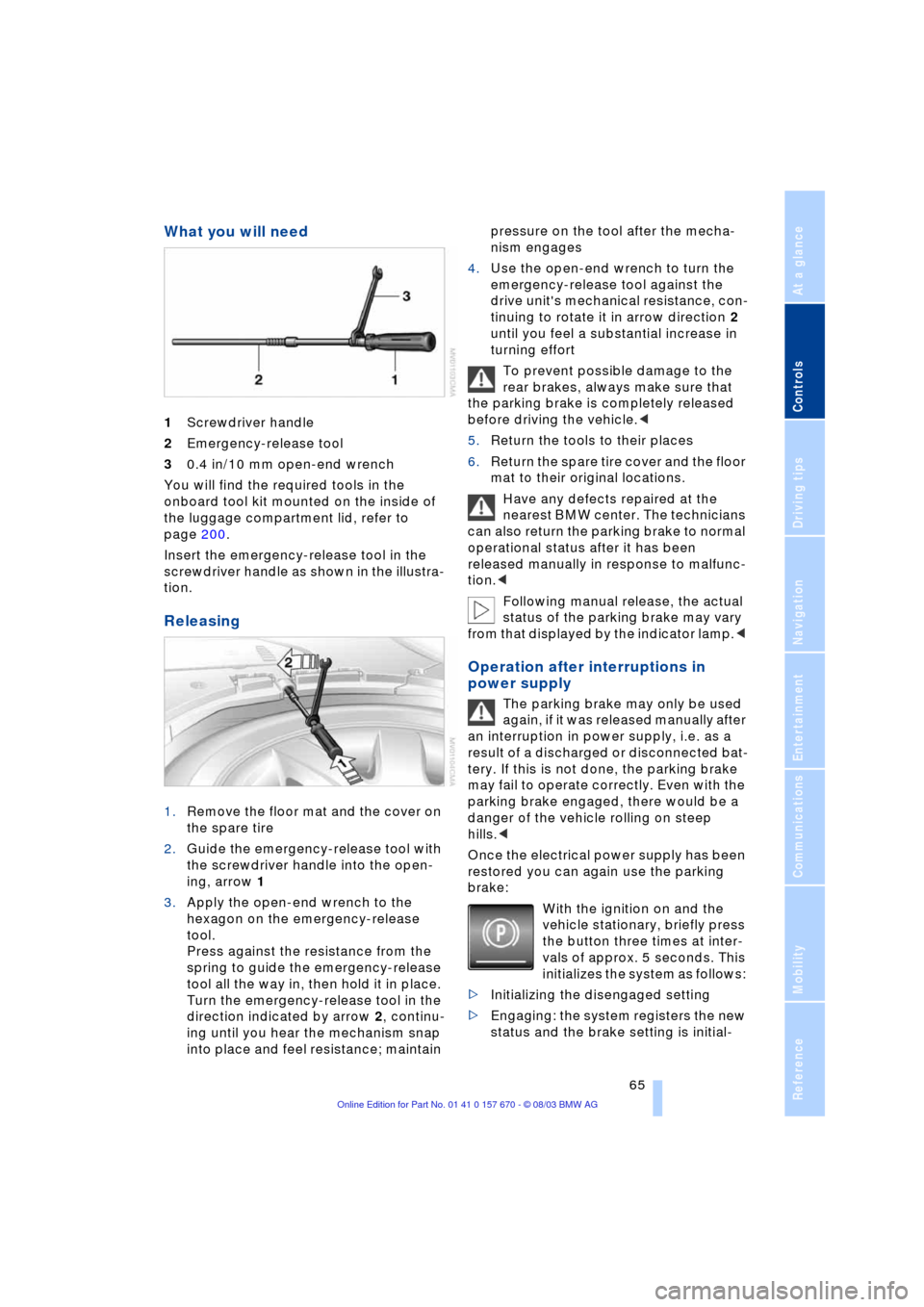
What you will need
1Screwdriver handle
2Emergency-release tool
30.4 in/10 mm open-end wrench
You will find the required tools in the
onboard tool kit mounted on the inside of
the luggage compartment lid, refer to
page 200.
Insert the emergency-release tool in the
screwdriver handle as shown in the illustra-
tion.
Releasing
1.Remove the floor mat and the cover on
the spare tire
2.Guide the emergency-release tool with
the screwdriver handle into the open-
ing, arrow 1
3.Apply the open-end wrench to the
hexagon on the emergency-release
tool.
Press against the resistance from the
spring to guide the emergency-release
tool all the way in, then hold it in place.
Turn the emergency-release tool in the
direction indicated by arrow 2, continu-
ing until you hear the mechanism snap
into place and feel resistance; maintain pressure on the tool after the mecha-
nism engages
4.Use the open-end wrench to turn the
emergency-release tool against the
drive unit's mechanical resistance, con-
tinuing to rotate it in arrow direction 2
until you feel a substantial increase in
turning effort
To prevent possible damage to the
rear brakes, always make sure that
the parking brake is completely released
before driving the vehicle.<
5.Return the tools to their places
6.Return the spare tire cover and the floor
mat to their original locations.
Have any defects repaired at the
nearest BMW center. The technicians
can also return the parking brake to normal
operational status after it has been
released manually in response to malfunc-
tion.<
Following manual release, the actual
status of the parking brake may vary
from that displayed by the indicator lamp.<
Operation after interruptions in
power supply
The parking brake may only be used
again, if it was released manually after
an interruption in power supply, i.e. as a
result of a discharged or disconnected bat-
tery. If this is not done, the parking brake
may fail to operate correctly. Even with the
parking brake engaged, there would be a
danger of the vehicle rolling on steep
hills.<
Once the electrical power supply has been
restored you can again use the parking
brake:
With the ignition on and the
vehicle stationary, briefly press
the button three times at inter-
vals of approx. 5 seconds. This
initializes the system as follows:
>Initializing the disengaged setting
>Engaging: the system registers the new
status and the brake setting is initial-
Page 69 of 232
Controls
67Reference
At a glance
Driving tips
Communications
Navigation
Entertainment
Mobility
the brake pedal until you are ready to start.
You can activate the Automatic Hold fea-
ture to suppress the vehicle's tendency to
creep, refer to page 63.<
Shift commands are transmitted electroni-
cally. To help avoid malfunctions, each
command undergoes a plausibility check
prior to execution.
Remember to observe the Check Control
for status messages.
You can find additional information on the
Check Control on page 82.
To prevent the vehicle from rolling,
always select position P and engage
the parking brake before leaving the vehi-
cle with the engine running. Note the infor-
mation provided in the Info Display.
Never leave an unattended vehicle with the
engine running, as such a vehicle repre-
sents a potential safety hazard.<
P Park
Select P only when the vehicle is station-
ary. The transmission lockout prevents the
rear wheels from turning. The lockout dis-
engages when you press the selector lever
toward D, N or R while the engine is run-
ning.
P is engaged automatically as soon as
you switch off the engine unless N is
engaged and the remote control is inserted
in the ignition lock, refer to page 61.<
R Reverse
Select R only when the vehicle is station-
ary.
N Neutral
Select N only if your journey is interrupted
for a long period.
>From D press the selector lever up
>From R press the selector lever down.
Note the arrows indicating direction in the
range display.
N remains engaged whenever the
remote control unit remains in the
ignition lock after the ignition is switched
off. This function is useful in automatic car washes, etc.
After approx. 30 minutes the system auto-
matically engages P. Remember to
observe the Check Control for status mes-
sages.
Switching off the engine, refer to
page 61.<
D Drive, automatic driving position
This is the range recommended for normal
vehicle operation. All forward gears are
available.
Under normal operating conditions, fuel
consumption is lowest when driving in
position D.
Kickdown
The kickdown mode provides maximum
acceleration.
Press the accelerator pedal beyond the
full-throttle resistance point.
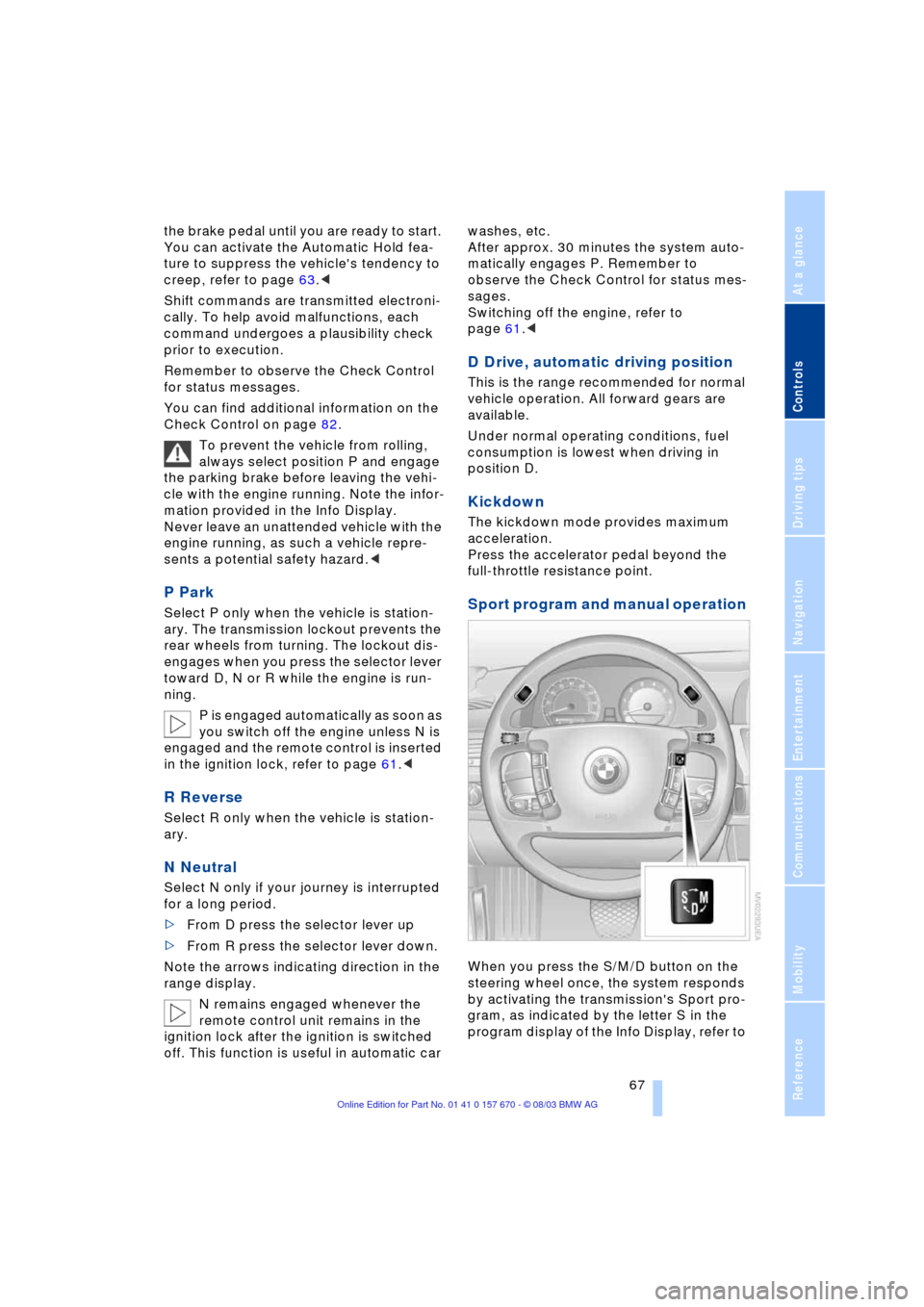
Sport program and manual operation
When you press the S/M/D button on the
steering wheel once, the system responds
by activating the transmission's Sport pro-
gram, as indicated by the letter S in the
program display of the Info Display, refer to
Page 70 of 232
Driving
68 page 66. We recommend this program for
performance-oriented driving.
When you press the S/M/D button a sec-
ond time the transmission switches to its
manual mode; press again to return to the
automatic program.
You can also return to the standard auto-
matic program by reselecting D.
In the manual mode the transmission
upshifts when you briefly press the buttons
on the rear of the steering wheel. You
downshift by briefly pressing the buttons
on the front of the steering wheel. The Info
Display shows the manual ranges M1
through M6.
Upshifts and downshifts are executed only
when they will result in a plausible combi-
nation of engine and vehicle speed; thus,
for example, a downshift that would cause
the engine to overrev will not be executed
by the system. The selected gear appears
briefly in the Info Display, followed by the
current gear.
To obtain maximum acceleration, for
passing maneuvers, etc., during
operation in the manual mode, use the
kickdown or downshift manually.<
Malfunctions
A status report will appear in the Check
Control to alert you to any malfunctions in
the transmission-control system. Please
note any supplementary information that
appears on the Control Display. The direc-
tional arrows also start to flash in the Info
Display.
While it will remain still possible to move
the selector lever to any desired position,
the transmission will revert to operation in
its default mode with only a limited number
of forward gears.
Some types of malfunction will make it
impossible to engage all gears.
The engine may respond with reduced out-
put when accelerating from a standing
start. If this happens, avoid extreme engine loads
and consult the nearest BMW center.
If no status messages appear in the
Info Display you should accelerate
carefully to confirm that you are driving in
the desired direction.
Never work in the engine compartment
with any of the forward or reverse gears
engaged, as the vehicle could start to
move. Engaging the parking brake, refer to
page 62.<
Manual release of transmission
lockout
You can respond to any interruptions in the
supply of electrical power, for instance, if
the battery is discharged or disconnected,
by releasing the transmission lockout man-
ually.
To prevent the drive wheels from
locking up and sliding, the transmis-
sion lockout must always be released man-
ually before the vehicle is towed.<
Press the brake pedal before releas-
ing the transmission lockout manu-
ally. If the brakes are not applied, the vehi-
cle could start to roll if parked on a steep
slope.
The transmission lockout should only be
released for towing. Remember to engage
the transmission lockout when you repark
the vehicle after moving it.
Should it also be necessary to release
the parking brake manually, owing to a dis-
charged battery, etc., always adhere to the
following sequence:
1.Start by manually releasing the parking
brake, refer to page 64
2.Then proceed to manually release the
transmission lockout.<
Jump-starting and towing, refer to
pages 207 and 208.
Page 72 of 232
Driving
70
Signaling briefly
Press the lever up to but not beyond the
resistance point. It then returns to the cen-
ter position when released.
If the flashing of the indicator lamp and the
ticking from the relay are both faster than
normal, this indicates that one of the bulbs
is defective; if a trailer is attached, this
could also indicate that one of its turn sig-
nal indicator bulbs is defective.
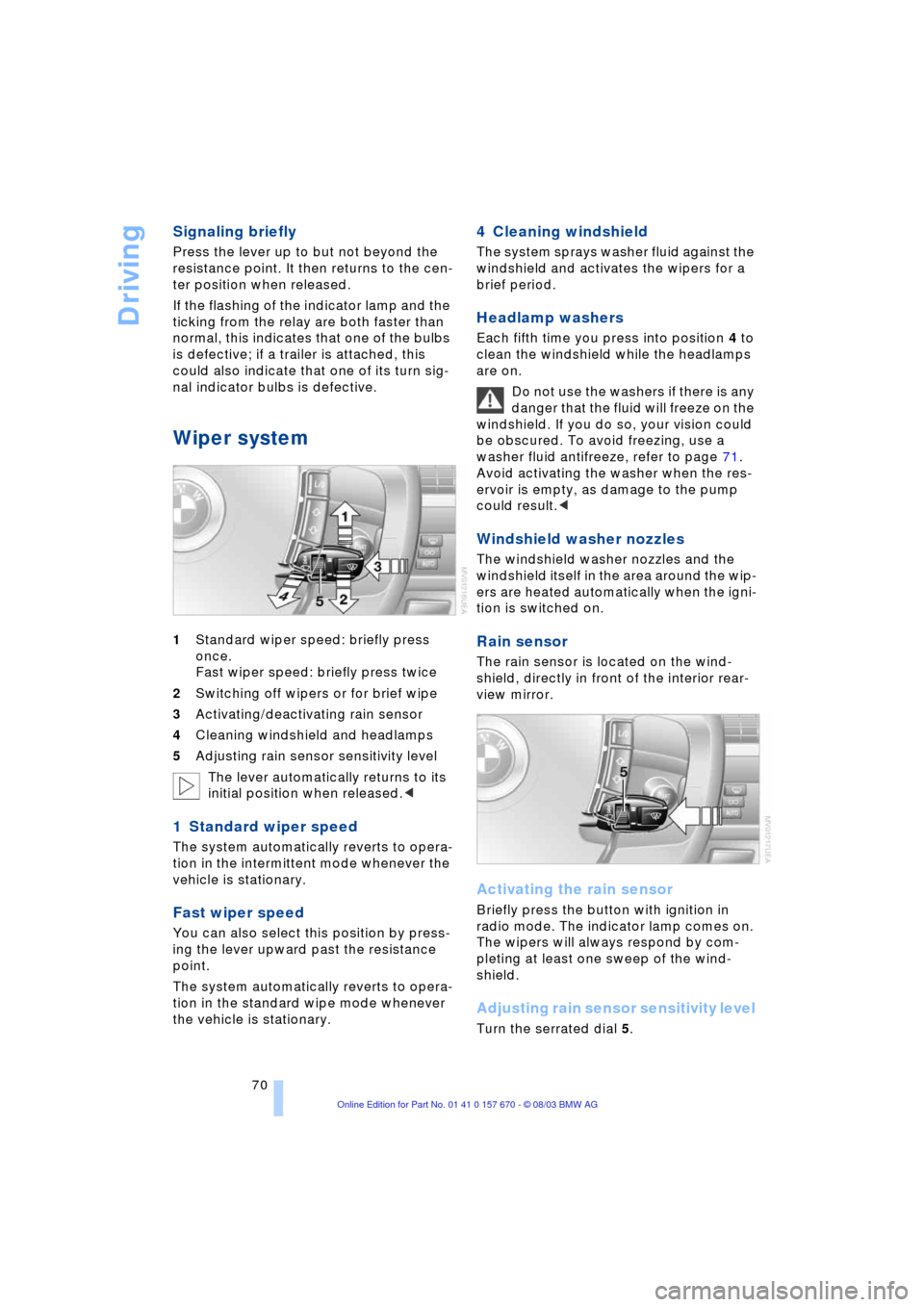
Wiper system
1Standard wiper speed: briefly press
once.
Fast wiper speed: briefly press twice
2Switching off wipers or for brief wipe
3Activating/deactivating rain sensor
4Cleaning windshield and headlamps
5Adjusting rain sensor sensitivity level
The lever automatically returns to its
initial position when released.<
1 Standard wiper speed
The system automatically reverts to opera-
tion in the intermittent mode whenever the
vehicle is stationary.
Fast wiper speed
You can also select this position by press-
ing the lever upward past the resistance
point.
The system automatically reverts to opera-
tion in the standard wipe mode whenever
the vehicle is stationary.
4 Cleaning windshield
The system sprays washer fluid against the
windshield and activates the wipers for a
brief period.
Headlamp washers
Each fifth time you press into position 4 to
clean the windshield while the headlamps
are on.
Do not use the washers if there is any
danger that the fluid will freeze on the
windshield. If you do so, your vision could
be obscured. To avoid freezing, use a
washer fluid antifreeze, refer to page 71.
Avoid activating the washer when the res-
ervoir is empty, as damage to the pump
could result.<
Windshield washer nozzles
The windshield washer nozzles and the
windshield itself in the area around the wip-
ers are heated automatically when the igni-
tion is switched on.
Rain sensor
The rain sensor is located on the wind-
shield, directly in front of the interior rear-
view mirror.
Activating the rain sensor
Briefly press the button with ignition in
radio mode. The indicator lamp comes on.
The wipers will always respond by com-
pleting at least one sweep of the wind-
shield.
Adjusting rain sensor sensitivity level
Turn the serrated dial 5.
Page 75 of 232
Controls
73Reference
At a glance
Driving tips
Communications
Navigation
Entertainment
Mobility
mode activated each time you press or pull
the lever beyond the resistance point.<
Changing preset level
Push 1 or pull 2 the lever beyond the resis-
tance point. The preset speed progresses
to the next desired speed.
The available speed changes to the
minimum speed of approx. 20 mph/
30 km/h when you pull 2 the lever beyond
the resistance point at the lowest desired
speed.<
Interrupting the cruise control
With the cruise control active, briefly press
the lever up or down.
Hiding display for multilevel preset
mode
When activated, press the lever upward or
downward for approx. 3 seconds.
Showing display for multilevel preset
mode again
Press 1 or pull 2 the lever beyond the resis-
tance point.
Deactivating the multilevel preset
mode
The multilevel preset mode is also deacti-
vated when you switch off the ignition.
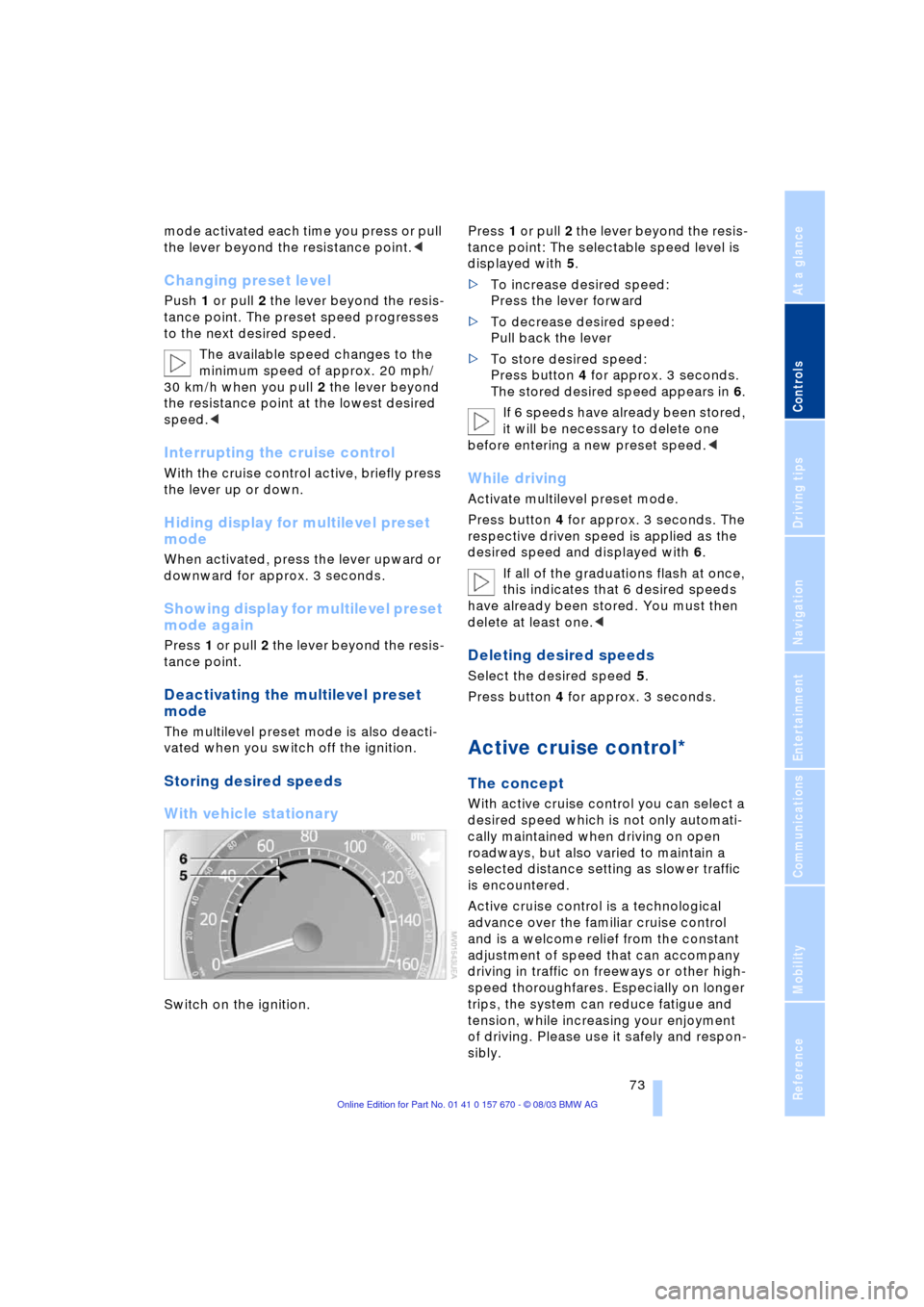
Storing desired speeds
With vehicle stationary
Switch on the ignition. Press 1 or pull 2 the lever beyond the resis-
tance point: The selectable speed level is
displayed with 5.
>To increase desired speed:
Press the lever forward
>To decrease desired speed:
Pull back the lever
>To store desired speed:
Press button 4 for approx. 3 seconds.
The stored desired speed appears in 6.
If 6 speeds have already been stored,
it will be necessary to delete one
before entering a new preset speed.<
While driving
Activate multilevel preset mode.
Press button 4 for approx. 3 seconds. The
respective driven speed is applied as the
desired speed and displayed with 6.
If all of the graduations flash at once,
this indicates that 6 desired speeds
have already been stored. You must then
delete at least one.<
Deleting desired speeds
Select the desired speed 5.
Press button 4 for approx. 3 seconds.
Active cruise control*
The concept
With active cruise control you can select a
desired speed which is not only automati-
cally maintained when driving on open
roadways, but also varied to maintain a
selected distance setting as slower traffic
is encountered.
Active cruise control is a technological
advance over the familiar cruise control
and is a welcome relief from the constant
adjustment of speed that can accompany
driving in traffic on freeways or other high-
speed thoroughfares. Especially on longer
trips, the system can reduce fatigue and
tension, while increasing your enjoyment
of driving. Please use it safely and respon-
sibly.
Page 79 of 232
Controls
77Reference
At a glance
Driving tips
Communications
Navigation
Entertainment
Mobility
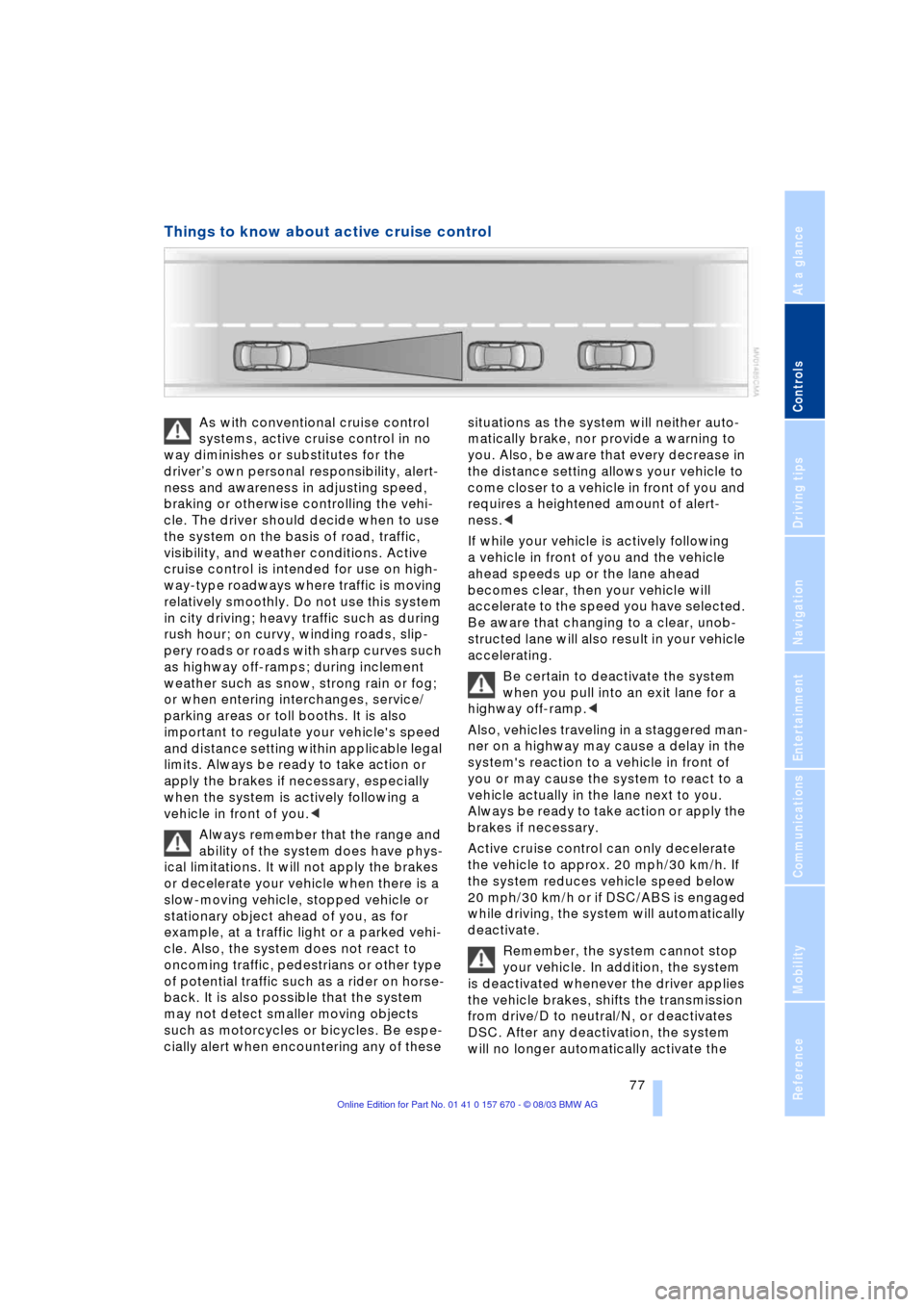
Things to know about active cruise control
As with conventional cruise control
systems, active cruise control in no
way diminishes or substitutes for the
driverÕs own personal responsibility, alert-
ness and awareness in adjusting speed,
braking or otherwise controlling the vehi-
cle. The driver should decide when to use
the system on the basis of road, traffic,
visibility, and weather conditions. Active
cruise control is intended for use on high-
way-type roadways where traffic is moving
relatively smoothly. Do not use this system
in city driving; heavy traffic such as during
rush hour; on curvy, winding roads, slip-
pery roads or roads with sharp curves such
as highway off-ramps; during inclement
weather such as snow, strong rain or fog;
or when entering interchanges, service/
parking areas or toll booths. It is also
important to regulate your vehicle's speed
and distance setting within applicable legal
limits. Always be ready to take action or
apply the brakes if necessary, especially
when the system is actively following a
vehicle in front of you.<
Always remember that the range and
ability of the system does have phys-
ical limitations. It will not apply the brakes
or decelerate your vehicle when there is a
slow-moving vehicle, stopped vehicle or
stationary object ahead of you, as for
example, at a traffic light or a parked vehi-
cle. Also, the system does not react to
oncoming traffic, pedestrians or other type
of potential traffic such as a rider on horse-
back. It is also possible that the system
may not detect smaller moving objects
such as motorcycles or bicycles. Be espe-
cially alert when encountering any of these situations as the system will neither auto-
matically brake, nor provide a warning to
you. Also, be aware that every decrease in
the distance setting allows your vehicle to
come closer to a vehicle in front of you and
requires a heightened amount of alert-
ness.<
If while your vehicle is actively following
a vehicle in front of you and the vehicle
ahead speeds up or the lane ahead
becomes clear, then your vehicle will
accelerate to the speed you have selected.
Be aware that changing to a clear, unob-
structed lane will also result in your vehicle
accelerating.
Be certain to deactivate the system
when you pull into an exit lane for a
highway off-ramp.<
Also, vehicles traveling in a staggered man-
ner on a highway may cause a delay in the
system's reaction to a vehicle in front of
you or may cause the system to react to a
vehicle actually in the lane next to you.
Always be ready to take action or apply the
brakes if necessary.
Active cruise control can only decelerate
the vehicle to approx. 20 mph/30 km/h. If
the system reduces vehicle speed below
20 mph/30 km/h or if DSC/ABS is engaged
while driving, the system will automatically
deactivate.
Remember, the system cannot stop
your vehicle. In addition, the system
is deactivated whenever the driver applies
the vehicle brakes, shifts the transmission
from drive/D to neutral/N, or deactivates
DSC. After any deactivation, the system
will no longer automatically activate the
Page 85 of 232
Controls
83Reference
At a glance
Driving tips
Communications
Navigation
Entertainment
Mobility
Priority 1:
These status messages and malfunction
reports are signaled by a gong. Simulta-
neous defects will be displayed consecu-
tively. These messages cannot be deleted,
and they remain in the display until the
problem is corrected. Supplementary infor-
mation is also shown on the Control Dis-
play, refer to Automatic display on the Con-
trol Display.
Priority 2:
These status messages and malfunction
reports appear in the Info Display for
approx. 20 seconds.
Briefly press the CHECK button on the turn
signal indicator lever to cancel the mes-
sage in the display, if allowed by priority
rating.
Requesting stored messages using the
Control Center see there.
Check Control symbol and messages
on the Control Display
Depending on the status of the monitored
systems, the Check Control symbol is
displayed in different colors.
Yellow or red
Faults are present in the monitored sys-
tems. Depending upon how serious the
problem is, a supplementary message may
also appear on the Control Display.
Requesting stored messages using the
Control Center see there.
The symbol in the status line also indi-
cates the status of the Service Interval
Display, refer to page 23.<
Automatic display on the Control
Display
These supplementary messages are
intended to assist you in assessing the
severity of malfunctions; they provide you
with the information you need to decide on
the best way to respond.
Select and confirm to switch off the dis-
play.
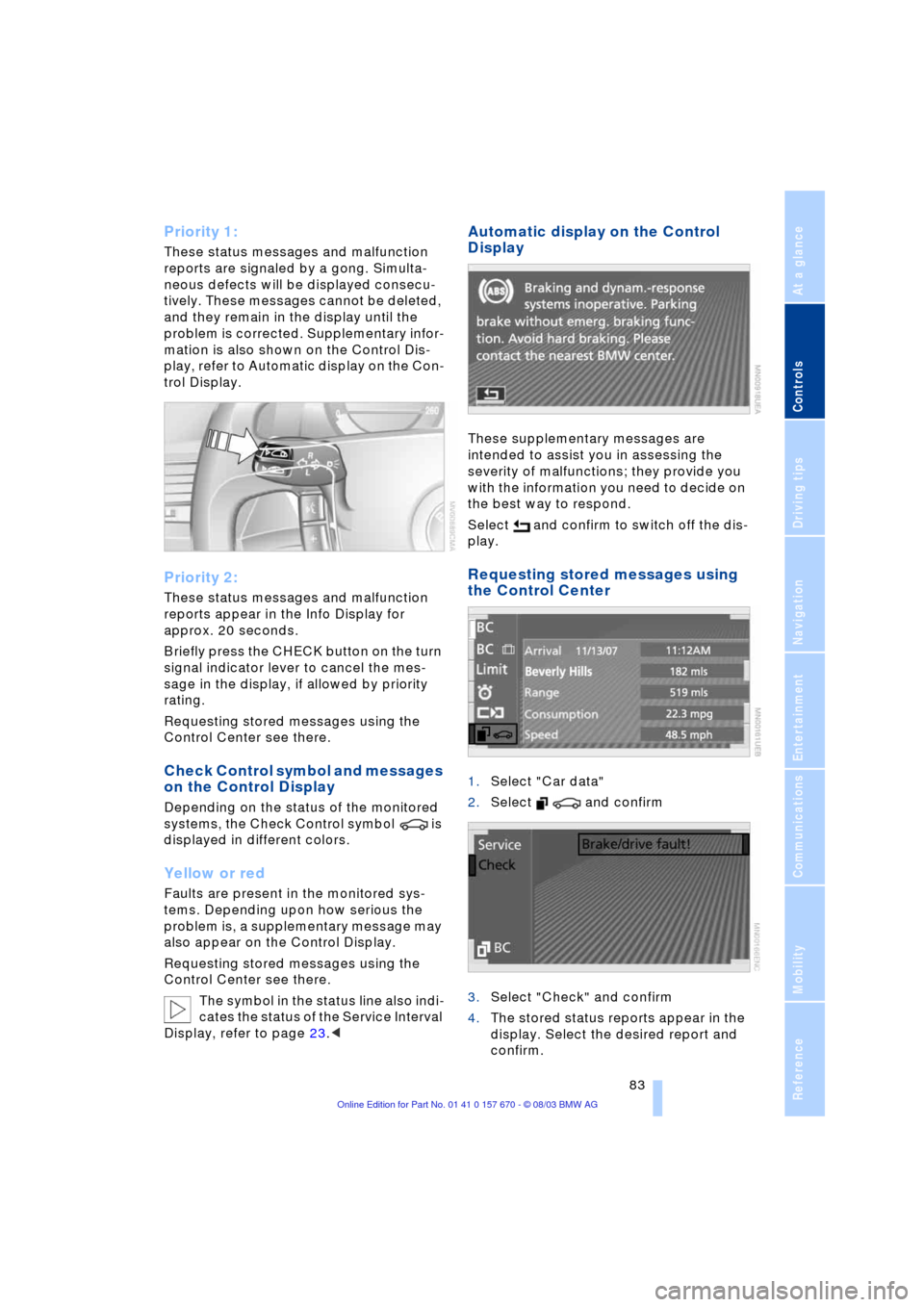
Requesting stored messages using
the Control Center
1.Select "Car data"
2.Select and confirm
3.Select "Check" and confirm
4.The stored status reports appear in the
display. Select the desired report and
confirm.
Page 93 of 232
Controls
91Reference
At a glance
Driving tips
Communications
Navigation
Entertainment
Mobility
PDC with visual warning
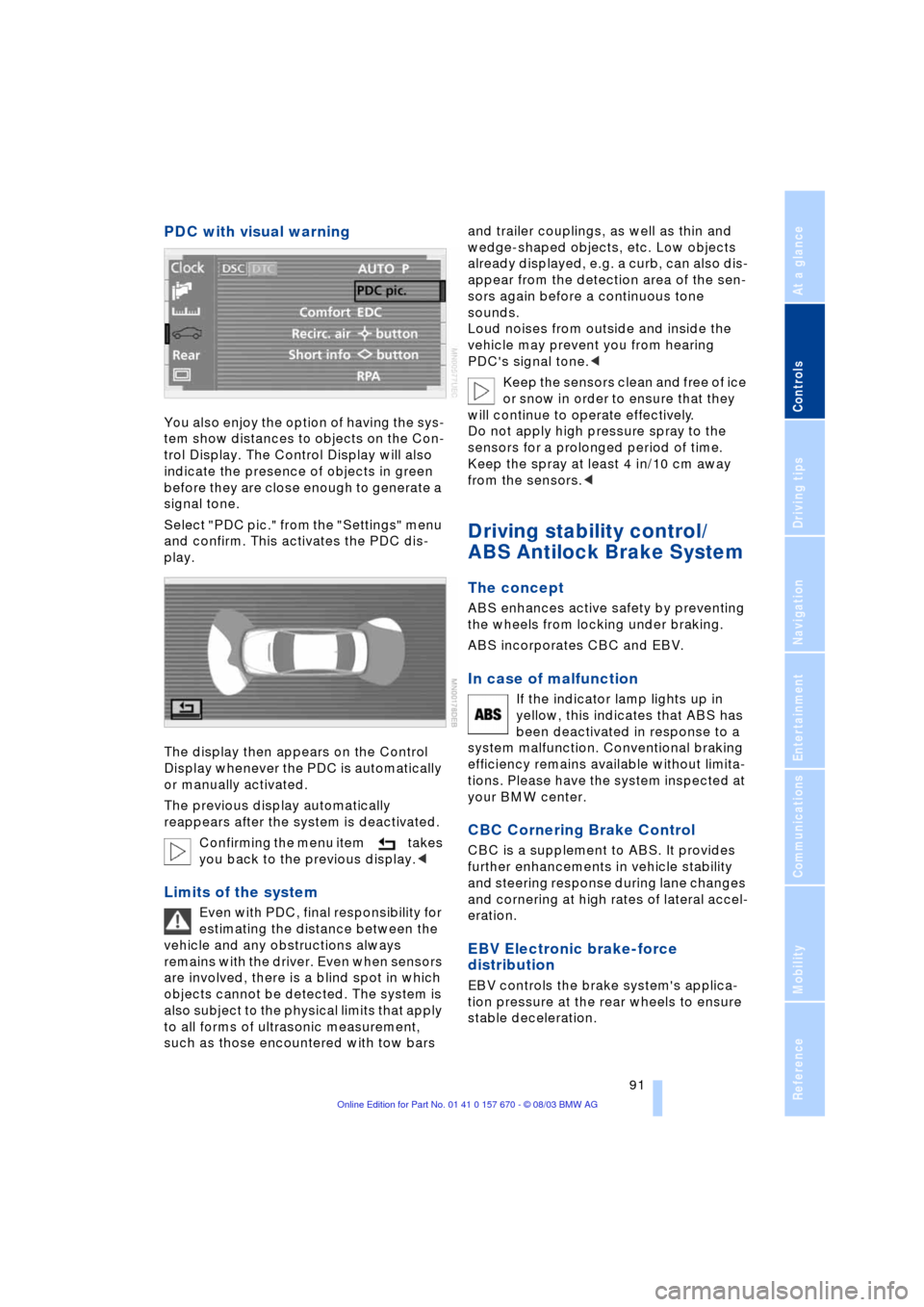
You also enjoy the option of having the sys-
tem show distances to objects on the Con-
trol Display. The Control Display will also
indicate the presence of objects in green
before they are close enough to generate a
signal tone.
Select "PDC pic." from the "Settings" menu
and confirm. This activates the PDC dis-
play.
The display then appears on the Control
Display whenever the PDC is automatically
or manually activated.
The previous display automatically
reappears after the system is deactivated.
Confirming the menu item takes
you back to the previous display.<
Limits of the system
Even with PDC, final responsibility for
estimating the distance between the
vehicle and any obstructions always
remains with the driver. Even when sensors
are involved, there is a blind spot in which
objects cannot be detected. The system is
also subject to the physical limits that apply
to all forms of ultrasonic measurement,
such as those encountered with tow bars and trailer couplings, as well as thin and
wedge-shaped objects, etc. Low objects
already displayed, e.g. a curb, can also dis-
appear from the detection area of the sen-
sors again before a continuous tone
sounds.
Loud noises from outside and inside the
vehicle may prevent you from hearing
PDC's signal tone.<
Keep the sensors clean and free of ice
or snow in order to ensure that they
will continue to operate effectively.
Do not apply high pressure spray to the
sensors for a prolonged period of time.
Keep the spray at least 4 in/10 cm away
from the sensors.<
Driving stability control/
ABS Antilock Brake System
The concept
ABS enhances active safety by preventing
the wheels from locking under braking.
ABS incorporates CBC and EBV.
In case of malfunction
If the indicator lamp lights up in
yellow, this indicates that ABS has
been deactivated in response to a
system malfunction. Conventional braking
efficiency remains available without limita-
tions. Please have the system inspected at
your BMW center.
CBC Cornering Brake Control
CBC is a supplement to ABS. It provides
further enhancements in vehicle stability
and steering response during lane changes
and cornering at high rates of lateral accel-
eration.
EBV Electronic brake-force
distribution
EBV controls the brake system's applica-
tion pressure at the rear wheels to ensure
stable deceleration.
Page 94 of 232
Technology for comfort, convenience and safety
92
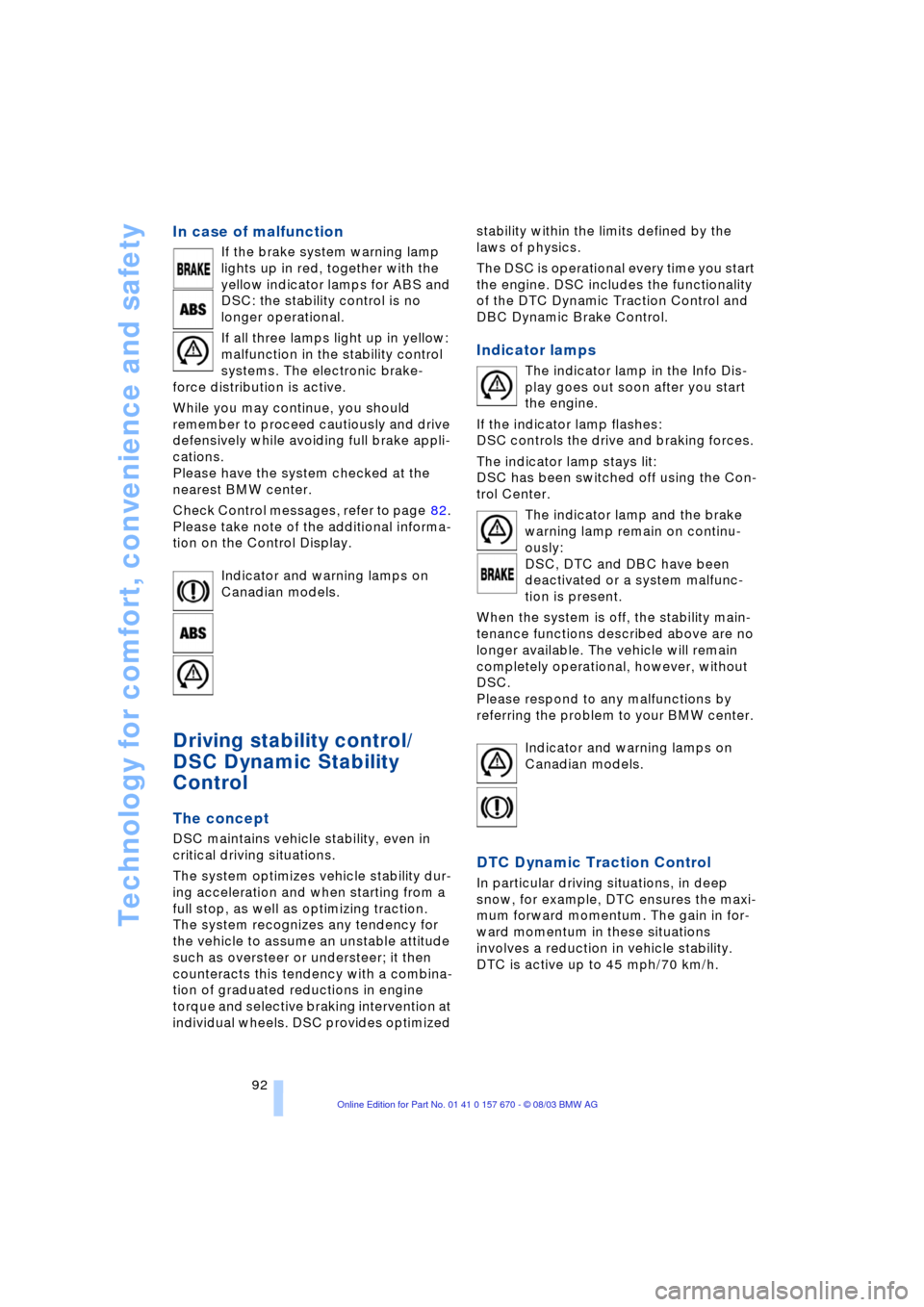
In case of malfunction
If the brake system warning lamp
lights up in red, together with the
yellow indicator lamps for ABS and
DSC: the stability control is no
longer operational.
If all three lamps light up in yellow:
malfunction in the stability control
systems. The electronic brake-
force distribution is active.
While you may continue, you should
remember to proceed cautiously and drive
defensively while avoiding full brake appli-
cations.
Please have the system checked at the
nearest BMW center.
Check Control messages, refer to page 82.
Please take note of the additional informa-
tion on the Control Display.
Indicator and warning lamps on
Canadian models.
Driving stability control/
DSC Dynamic Stability
Control
The concept
DSC maintains vehicle stability, even in
critical driving situations.
The system optimizes vehicle stability dur-
ing acceleration and when starting from a
full stop, as well as optimizing traction.
The system recognizes any tendency for
the vehicle to assume an unstable attitude
such as oversteer or understeer; it then
counteracts this tendency with a combina-
tion of graduated reductions in engine
torque and selective braking intervention at
individual wheels. DSC provides optimized stability within the limits defined by the
laws of physics.
The DSC is operational every time you start
the engine. DSC includes the functionality
of the DTC Dynamic Traction Control and
DBC Dynamic Brake Control.
Indicator lamps
The indicator lamp in the Info Dis-
play goes out soon after you start
the engine.
If the indicator lamp flashes:
DSC controls the drive and braking forces.
The indicator lamp stays lit:
DSC has been switched off using the Con-
trol Center.
The indicator lamp and the brake
warning lamp remain on continu-
ously:
DSC, DTC and DBC have been
deactivated or a system malfunc-
tion is present.
When the system is off, the stability main-
tenance functions described above are no
longer available. The vehicle will remain
completely operational, however, without
DSC.
Please respond to any malfunctions by
referring the problem to your BMW center.
Indicator and warning lamps on
Canadian models.
DTC Dynamic Traction Control
In particular driving situations, in deep
snow, for example, DTC ensures the maxi-
mum forward momentum. The gain in for-
ward momentum in these situations
involves a reduction in vehicle stability.
DTC is active up to 45 mph/70 km/h.