navigation BMW 745i 2005 E65 Owners Manual
[x] Cancel search | Manufacturer: BMW, Model Year: 2005, Model line: 745i, Model: BMW 745i 2005 E65Pages: 239, PDF Size: 8.03 MB
Page 169 of 239
Navigation
Entertainment
Driving tips
167Reference
At a glance
Controls
Communications
Mobility
The DVD controller disappears again after a
short time if you have not selected a func-
tion.
During playback the DVD controller is
displayed by pressing the controller.<
Selecting a track
Several tracks can be stored on a DVD.
1.Select DVD and confirm your selection.
Playback begins after a few seconds
2.Display DVD controller, refer to
page166
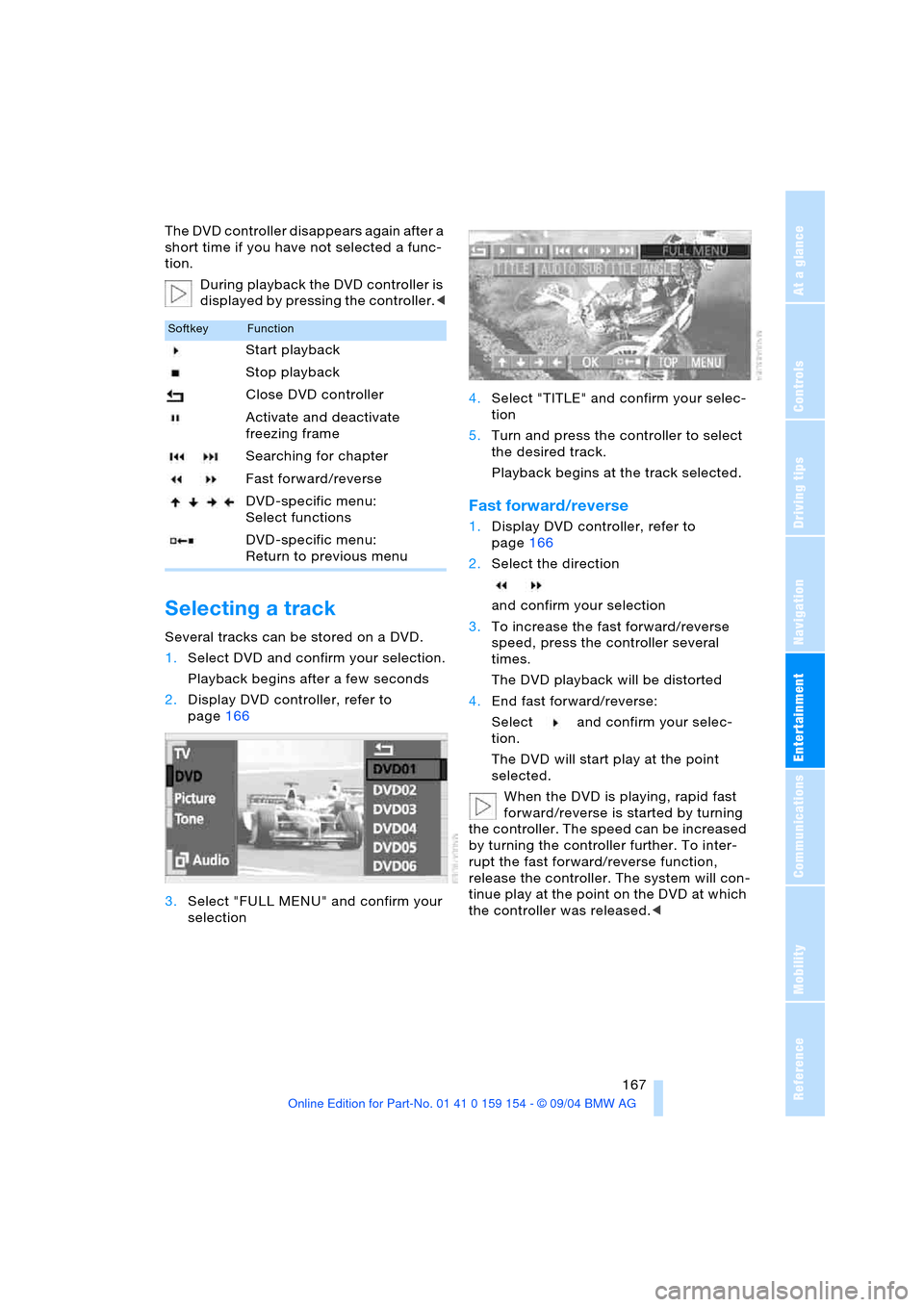
3.Select "FULL MENU" and confirm your
selection4.Select "TITLE" and confirm your selec-
tion
5.Turn and press the controller to select
the desired track.
Playback begins at the track selected.
Fast forward/reverse
1.Display DVD controller, refer to
page166
2.Select the direction
and confirm your selection
3.To increase the fast forward/reverse
speed, press the controller several
times.
The DVD playback will be distorted
4.End fast forward/reverse:
Select and confirm your selec-
tion.
The DVD will start play at the point
selected.
When the DVD is playing, rapid fast
forward/reverse is started by turning
the controller. The speed can be increased
by turning the controller further. To inter-
rupt the fast forward/reverse function,
release the controller. The system will con-
tinue play at the point on the DVD at which
the controller was released.<
SoftkeyFunction
Start playback
Stop playback
Close DVD controller
Activate and deactivate
freezing frame
Searching for chapter
Fast forward/reverse
DVD-specific menu:
Select functions
DVD-specific menu:
Return to previous menu
Page 171 of 239
Navigation
Entertainment
Driving tips
169Reference
At a glance
Controls
Communications
Mobility
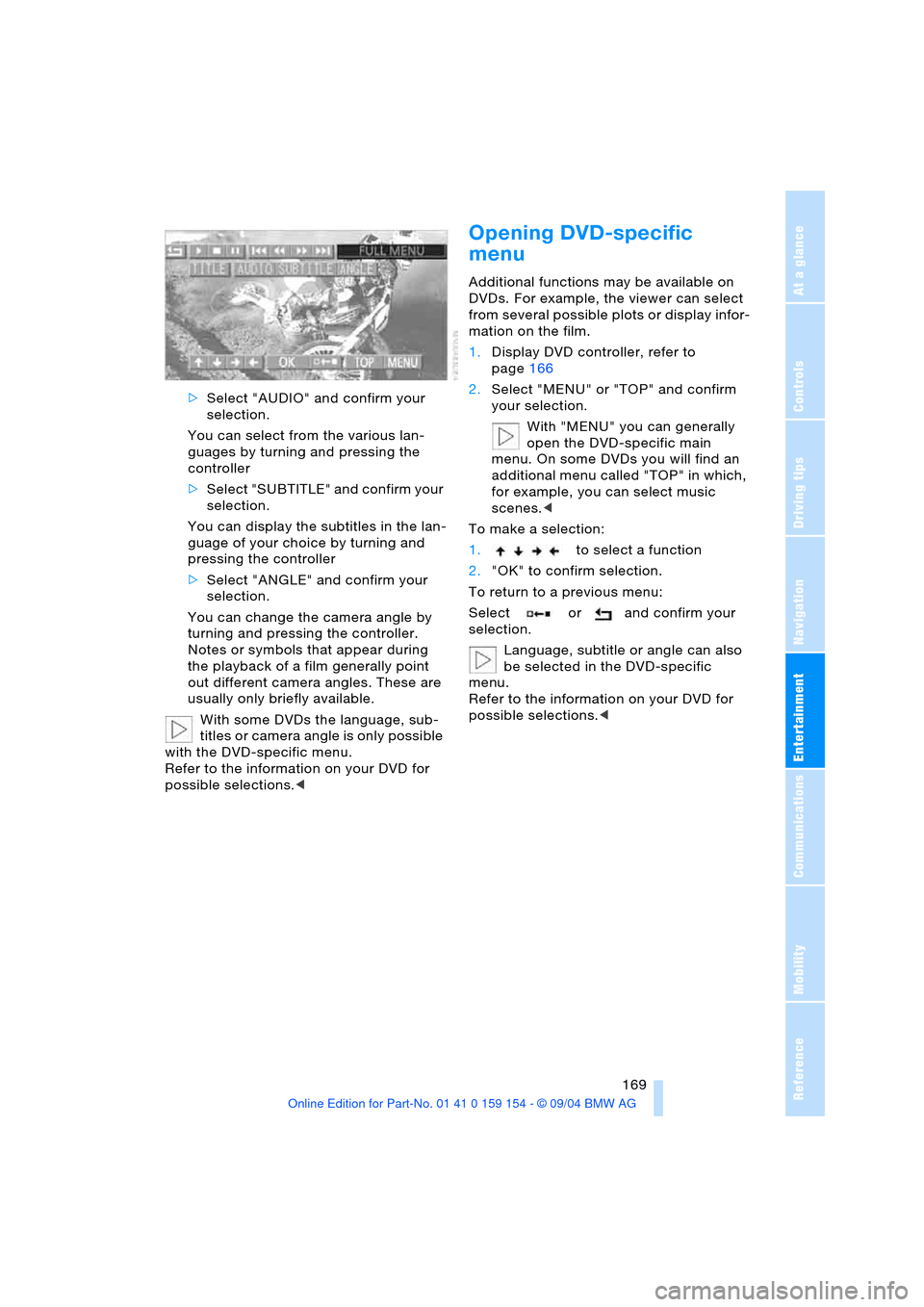
>Select "AUDIO" and confirm your
selection.
You can select from the various lan-
guages by turning and pressing the
controller
>Select "SUBTITLE" and confirm your
selection.
You can display the subtitles in the lan-
guage of your choice by turning and
pressing the controller
>Select "ANGLE" and confirm your
selection.
You can change the camera angle by
turning and pressing the controller.
Notes or symbols that appear during
the playback of a film generally point
out different camera angles. These are
usually only briefly available.
With some DVDs the language, sub-
titles or camera angle is only possible
with the DVD-specific menu.
Refer to the information on your DVD for
possible selections.<
Opening DVD-specific
menu
Additional functions may be available on
DVDs. For example, the viewer can select
from several possible plots or display infor-
mation on the film.
1.Display DVD controller, refer to
page166
2.Select "MENU" or "TOP" and confirm
your selection.
With "MENU" you can generally
open the DVD-specific main
menu. On some DVDs you will find an
additional menu called "TOP" in which,
for example, you can select music
scenes.<
To make a selection:
1.to select a function
2."OK" to confirm selection.
To return to a previous menu:
Select or and confirm your
selection.
Language, subtitle or angle can also
be selected in the DVD-specific
menu.
Refer to the information on your DVD for
possible selections.<
Page 173 of 239

Navigation
Entertainment
Driving tips
171Reference
At a glance
Controls
Communications
Mobility
Page 177 of 239
175
Entertainment
Reference
At a glance
Controls
Driving tips Communications
Navigation
Mobility
influencing the cardiac pacemaker.
With the slightest sign of a cardiac pace-
maker malfunction, switch the BMW porta-
ble phone off immediately.<
Batteries
To avoid possible short circuits, after
removing a battery you should never
allow it to come into contact with metallic
surfaces of any kind. This is why you should
handle charged batteries with care, in par-
ticular if you place batteries, e.g. in jacket
or shirt pockets that contain metal objects.
If you are in an environment where there is
a risk of explosion, do not remove the bat-
tery from the device, as otherwise sparks
from your battery could cause explosions
or fire.<
Disposing of used batteries
Return used batteries to a recycling
collection point or to your BMW cen-
ter.<
Care instructions
You can find useful information on caring
for your portable phone in the Caring for
your vehicle brochure and in the separate
portable phone Owner's Manual.
Controls
To be able to use the BMW portable phone
via the vehicle equipment, it must be
located in the cradle, refer to page178.
For information on operating your
portable phone, please consult the
separate Owner's Manual.<
The BMW portable phone can be operated
by means of:
>The steering wheel, refer to page16
>The Control Center.
>The folding telephone keypad
>The voice command system, except for
incoming calls.
Control Center
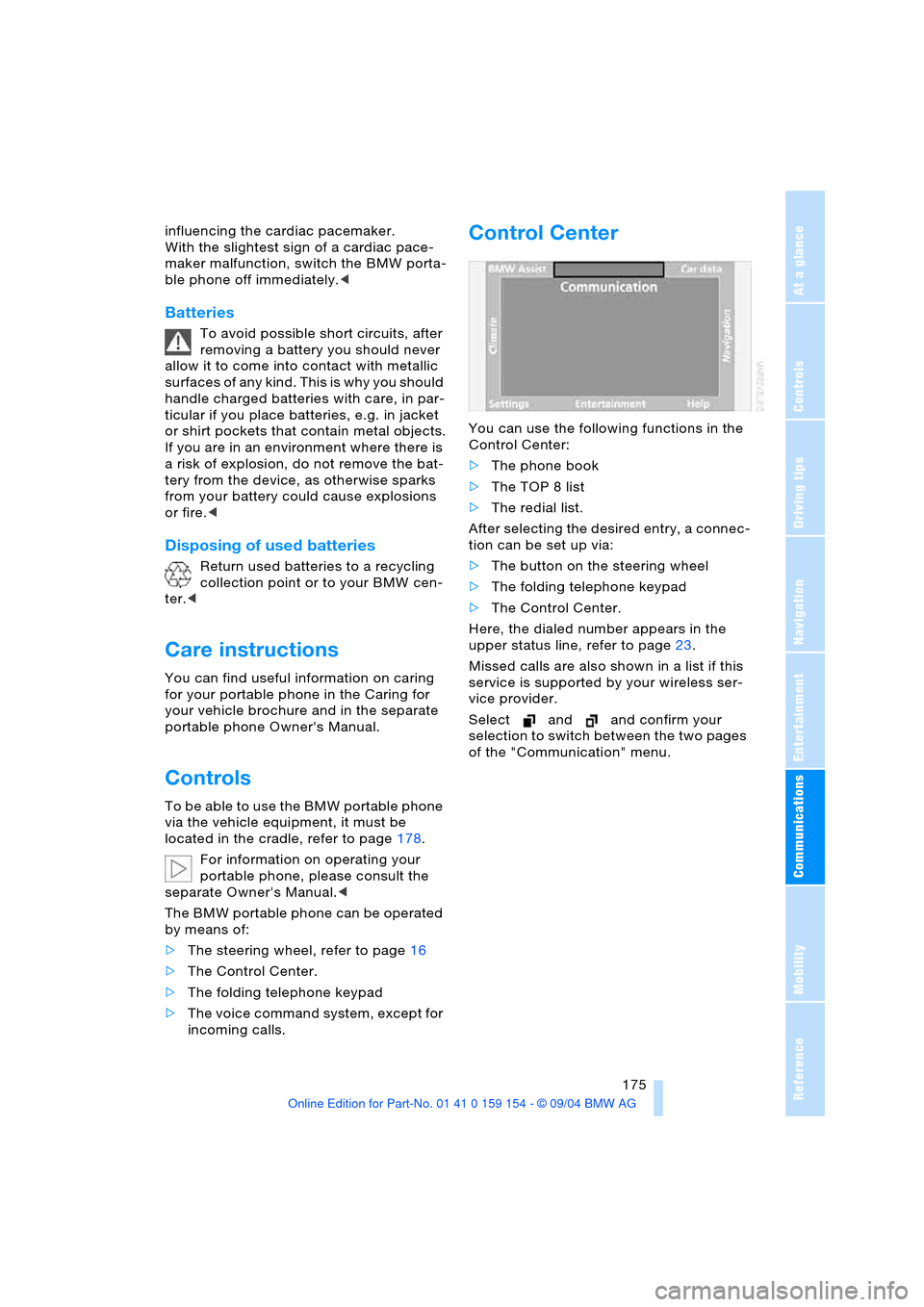
You can use the following functions in the
Control Center:
>The phone book
>The TOP 8 list
>The redial list.
After selecting the desired entry, a connec-
tion can be set up via:
>The button on the steering wheel
>The folding telephone keypad
>The Control Center.
Here, the dialed number appears in the
upper status line, refer to page23.
Missed calls are also shown in a list if this
service is supported by your wireless ser-
vice provider.
Select and and confirm your
selection to switch between the two pages
of the "Communication" menu.
Page 179 of 239
177
Entertainment
Reference
At a glance
Controls
Driving tips Communications
Navigation
Mobility
Hands-free system
The hands-free microphone is located on
the left-hand side on the headliner.
The hands-free system is activated when-
ever you establish or receive a call using
the following:
>Buttons on the steering wheel, page16
>Voice command system, page26,
except for incoming calls
>Control Center, page175
>Telephone keypad, folding, page176.
Volume adjustment
You can adjust the volume for the hands-
free unit:
Turn this button during a call to select the
desired volume.
The hands-free unit will remain at this vol-
ume level, even if the other audio sources
are set to minimum volume.
The system automatically selects your
individual volume setting each time
you unlock the vehicle using your personal
remote control.<
Starting an emergency call
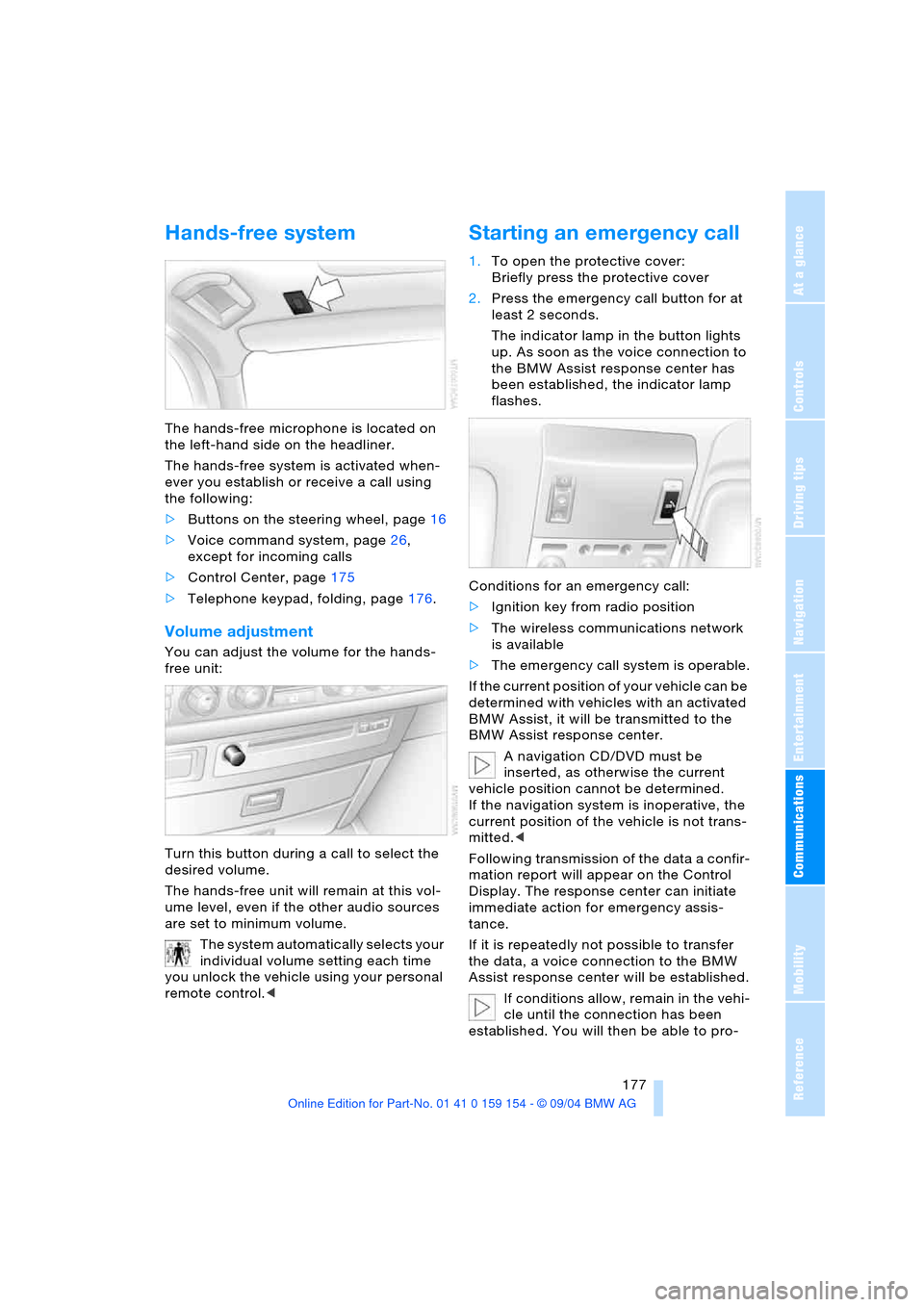
1.To open the protective cover:
Briefly press the protective cover
2.Press the emergency call button for at
least 2 seconds.
The indicator lamp in the button lights
up. As soon as the voice connection to
the BMW Assist response center has
been established, the indicator lamp
flashes.
Conditions for an emergency call:
>Ignition key from radio position
>The wireless communications network
is available
>The emergency call system is operable.
If the current position of your vehicle can be
determined with vehicles with an activated
BMW Assist, it will be transmitted to the
BMW Assist response center.
A navigation CD/DVD must be
inserted, as otherwise the current
vehicle position cannot be determined.
If the navigation system is inoperative, the
current position of the vehicle is not trans-
mitted.<
Following transmission of the data a confir-
mation report will appear on the Control
Display. The response center can initiate
immediate action for emergency assis-
tance.
If it is repeatedly not possible to transfer
the data, a voice connection to the BMW
Assist response center will be established.
If conditions allow, remain in the vehi-
cle until the connection has been
established. You will then be able to pro-
Page 181 of 239
179
Entertainment
Reference
At a glance
Controls
Driving tips Communications
Navigation
Mobility
Calls during a call
This function can only be used through the
keypad.
Accepting a call
Press the button
Rejecting a call
Press the button
Switching between two calls
Press button again
Ending a call when two connections
exist, switching between calls
Press the button
The current connection is terminated. The
second call kept on hold can now be con-
tinued.
The second calling party's number will be
displayed on the Control Display, even after
the second call is terminated.
Phone book
You must enter your portable phone's
phone book in the voice command system
before it will be available for access using
the vehicle's voice commands. This creates
a special voice-command phone book. If
changes are then made to the phone book
using the voice command system, these
modifications will apply exclusively to the
voice-command phone book, and not to
the phone book in the portable phone.
Creating and updating voice-
command phone book*
The entries in the portable phone's phone
book appear sequentially on the Info Dis-
play.
You must assign a specific name to each
number that you wish to transfer to the
voice-command phone book. These num-
bers will no longer be requested during
updates.
Making a new entry in voice-
command phone book
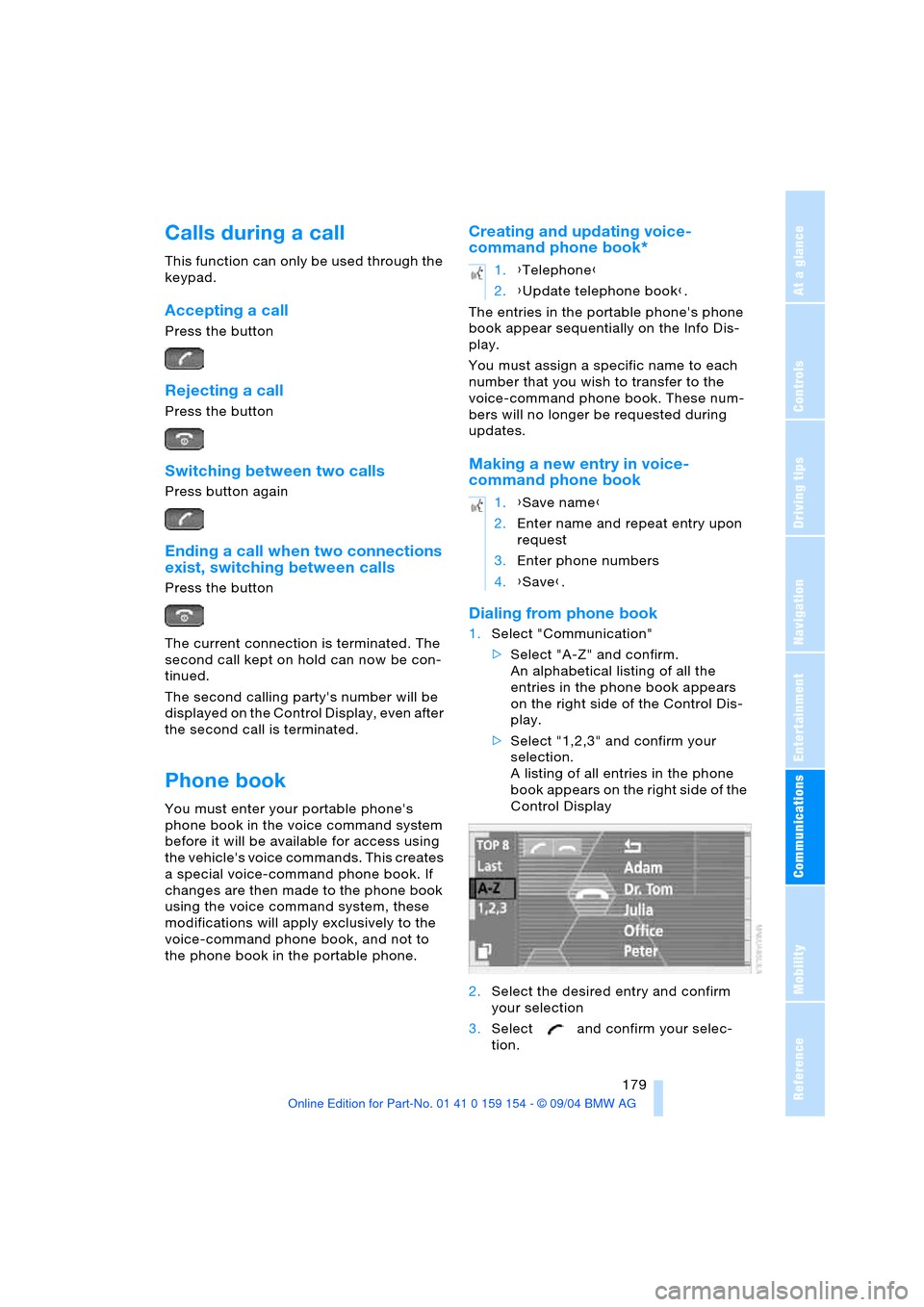
Dialing from phone book
1.Select "Communication"
>Select "A-Z" and confirm.
An alphabetical listing of all the
entries in the phone book appears
on the right side of the Control Dis-
play.
>Select "1,2,3" and confirm your
selection.
A listing of all entries in the phone
book appears on the right side of the
Control Display
2.Select the desired entry and confirm
your selection
3.Select and confirm your selec-
tion.
1.{Telephone}
2.{Update telephone book}.
1.{Save name}
2.Enter name and repeat entry upon
request
3.Enter phone numbers
4.{Save}.
Page 183 of 239
181
Entertainment
Reference
At a glance
Controls
Driving tips Communications
Navigation
Mobility
You can use the voice command system to
redial the last number called:
Select and confirm to end the call.
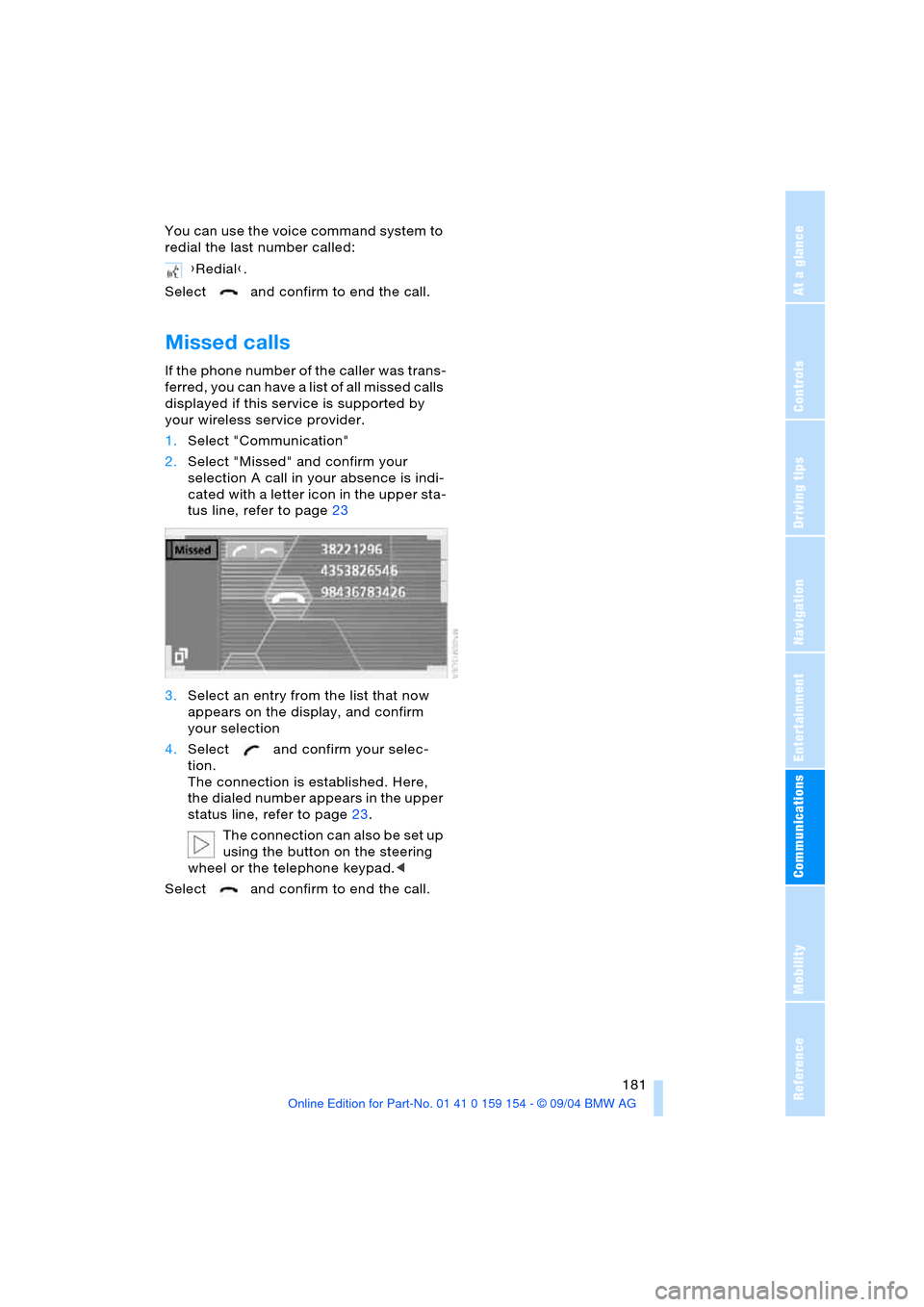
Missed calls
If the phone number of the caller was trans-
ferred, you can have a list of all missed calls
displayed if this service is supported by
your wireless service provider.
1.Select "Communication"
2.Select "Missed" and confirm your
selection A call in your absence is indi-
cated with a letter icon in the upper sta-
tus line, refer to page23
3.Select an entry from the list that now
appears on the display, and confirm
your selection
4.Select and confirm your selec-
tion.
The connection is established. Here,
the dialed number appears in the upper
status line, refer to page23.
The connection can also be set up
using the button on the steering
wheel or the telephone keypad.<
Select and confirm to end the call.{Redial}.
Page 185 of 239

183
Entertainment
Reference
At a glance
Controls
Driving tips Communications
Navigation
Mobility
Page 189 of 239
Mobility
187Reference
At a glance
Controls
Driving tips
Communications
Navigation
Entertainment
Fuel specification
The engine uses lead-free gasoline only.
Required fuel
Premium unleaded gasoline,
minimum octane rating: 91
Minimum octane rating corresponds to the
Anti Knock Index AKI and is determined
according to the so-called (R+M)/2
method.
Do not use leaded gasoline, as other-
wise the lambda probe and catalytic
converter will be permanently damaged.<
Use high-quality brands
Field experience has indicated significant
differences in fuel quality: volatility, compo-
sition, additives, etc., among gasolines
offered for sale in the United States and
Canada. Fuels containing up to and includ-
ing 10 % ethanol or other oxygenates with
up to 2.8 % oxygen by weight, that is,
15 % MTBE or 3 % methanol plus an equiv-
alent amount of co-solvent, will not void the
applicable warranties with respect to
defects in materials or workmanship.
The use of poor-quality fuels may
result in drivability, starting and stall-
ing problems, especially under certain
environmental conditions such as high
ambient temperature and high altitude.
Should you encounter drivability problems
which you suspect could be related to the
fuel you are using, we recommend that you
respond by switching to a recognized high-
quality brand.
Failure to comply with these recommenda-
tions may result in unscheduled mainte-
nance.<
Page 191 of 239
Mobility
189Reference
At a glance
Controls
Driving tips
Communications
Navigation
Entertainment
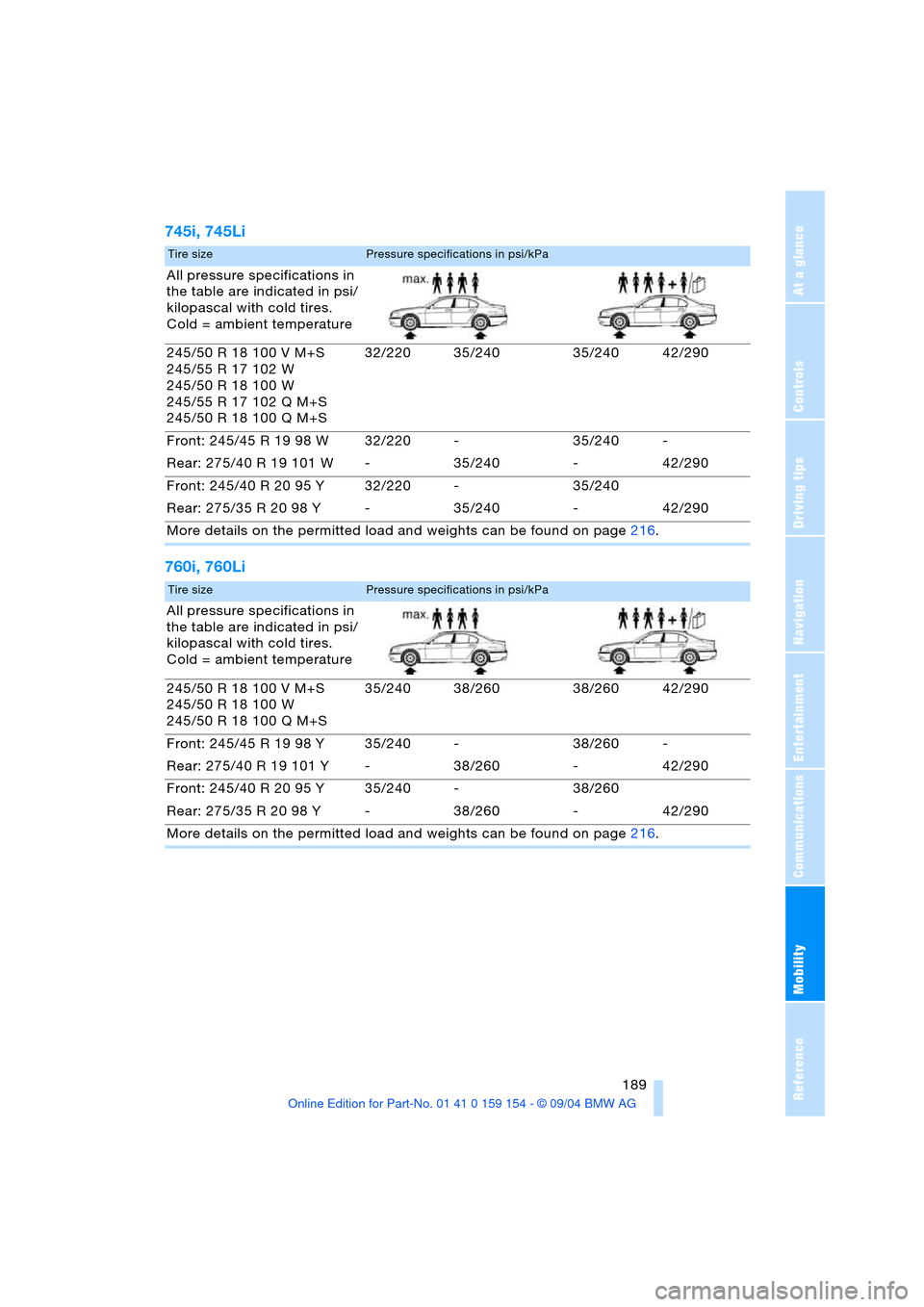
745i, 745Li
760i, 760Li
Tire sizePressure specifications in psi/kPa
All pressure specifications in
the table are indicated in psi/
kilopascal with cold tires.
Cold = ambient temperature
245/50 R 18 100 V M+S
245/55 R 17 102 W
245/50 R 18 100 W
245/55 R 17 102 Q M+S
245/50 R 18 100 Q M+S32/220 35/240 35/240 42/290
Front: 245/45 R 19 98 W 32/220 - 35/240 -
Rear: 275/40 R 19 101 W - 35/240 - 42/290
Front: 245/40 R 20 95 Y 32/220 - 35/240
Rear: 275/35 R 20 98 Y - 35/240 - 42/290
More details on the permitted load and weights can be found on page216.
Tire sizePressure specifications in psi/kPa
All pressure specifications in
the table are indicated in psi/
kilopascal with cold tires.
Cold = ambient temperature
245/50 R 18 100 V M+S
245/50 R 18 100 W
245/50 R 18 100 Q M+S35/240 38/260 38/260 42/290
Front: 245/45 R 19 98 Y 35/240 - 38/260 -
Rear: 275/40 R 19 101 Y - 38/260 - 42/290
Front: 245/40 R 20 95 Y 35/240 - 38/260
Rear: 275/35 R 20 98 Y - 38/260 - 42/290
More details on the permitted load and weights can be found on page216.