battery BMW 745i 2005 E65 User Guide
[x] Cancel search | Manufacturer: BMW, Model Year: 2005, Model line: 745i, Model: BMW 745i 2005 E65Pages: 239, PDF Size: 8.03 MB
Page 108 of 239
A congenial climate
106 air into the interior in accordance with the
selected distribution pattern while the igni-
tion is off.
Provided that the engine has warmed
to its normal operating temperature
and the battery is charged, you can use this
function for up to 15 minutes after switch-
ing off the ignition. The LED within the but-
ton lights up to confirm compliance with
both of these conditions.<
Front ventilation
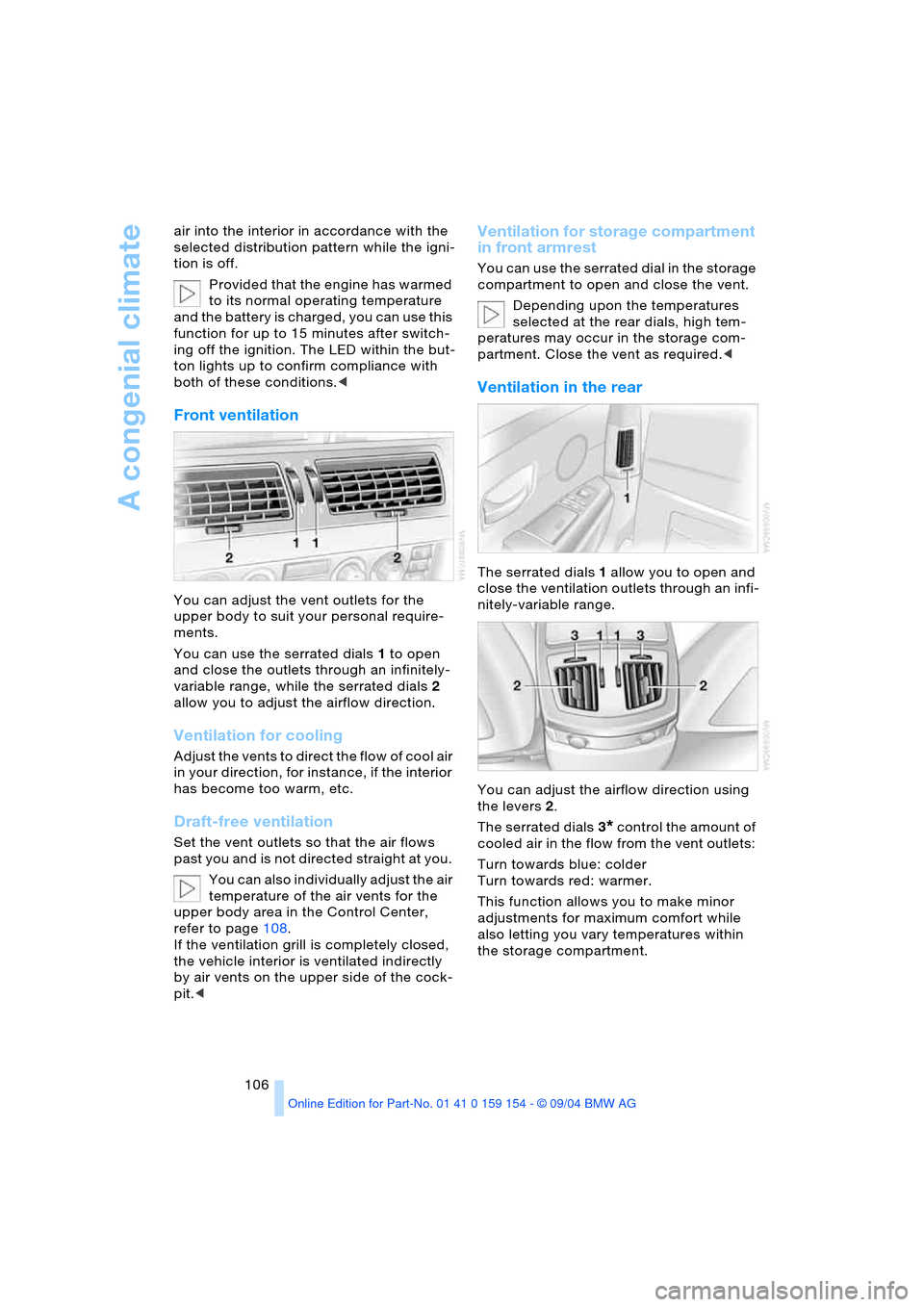
You can adjust the vent outlets for the
upper body to suit your personal require-
ments.
You can use the serrated dials 1 to open
and close the outlets through an infinitely-
variable range, while the serrated dials 2
allow you to adjust the airflow direction.
Ventilation for cooling
A d j u s t t h e v e n t s t o d i r e c t t h e f l o w o f c o o l a i r
in your direction, for instance, if the interior
has become too warm, etc.
Draft-free ventilation
Set the vent outlets so that the air flows
past you and is not directed straight at you.
You can also individually adjust the air
temperature of the air vents for the
upper body area in the Control Center,
refer to page108.
If the ventilation grill is completely closed,
the vehicle interior is ventilated indirectly
by air vents on the upper side of the cock-
pit.<
Ventilation for storage compartment
in front armrest
You can use the serrated dial in the storage
compartment to open and close the vent.
Depending upon the temperatures
selected at the rear dials, high tem-
peratures may occur in the storage com-
partment. Close the vent as required.<
Ventilation in the rear
The serrated dials 1 allow you to open and
close the ventilation outlets through an infi-
nitely-variable range.
You can adjust the airflow direction using
the levers 2.
The serrated dials3
* control the amount of
cooled air in the flow from the vent outlets:
Turn towards blue: colder
Turn towards red: warmer.
This function allows you to make minor
adjustments for maximum comfort while
also letting you vary temperatures within
the storage compartment.
Page 112 of 239
A congenial climate
110
Rear ventilation
Use the lever1 to vary the airflow direction.
For additional information on rear ventila-
tion options, refer to page106.
Independent ventilation
System operation is controlled using the
Control Center. You can set two different
times for the system to start.
The independent ventilation blows air into
the passenger compartment to lower inte-
rior temperatures.
The system remains on for 30 minutes. You
can also switch the system on and off man-
ually. Since the system uses a substantial
amount of electrical current, you should
refrain from activating it twice in succes-
sion without allowing the battery to be
recharged in normal operation between
use.
The independent ventilation is available for
preprogrammed operation at outside tem-
peratures above approx. 59 7/156 and
for direct activation at any temperature, but
is not operational when the vehicle is
underway.
The air enters the passenger compartment
through the vent outlets in the dashboard,
which can be adjusted for both direction
and airflow. These outlets must be open for
the system to operate.
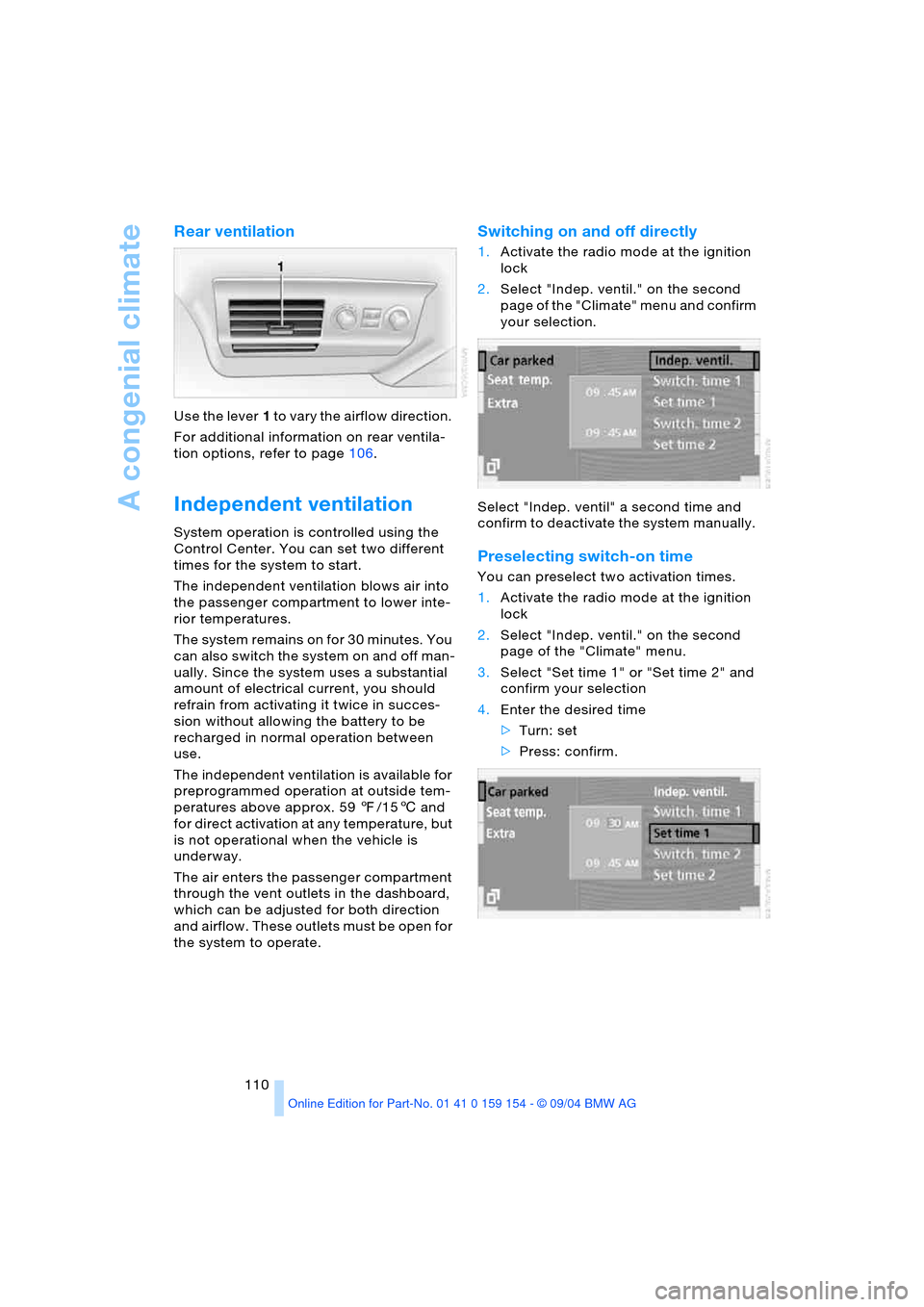
Switching on and off directly
1.Activate the radio mode at the ignition
lock
2.Select "Indep. ventil." on the second
page of the "Climate" menu and confirm
your selection.
Select "Indep. ventil" a second time and
confirm to deactivate the system manually.
Preselecting switch-on time
You can preselect two activation times.
1.Activate the radio mode at the ignition
lock
2.Select "Indep. ventil." on the second
page of the "Climate" menu.
3.Select "Set time 1" or "Set time 2" and
confirm your selection
4.Enter the desired time
>Turn: set
>Press: confirm.
Page 116 of 239
Practical interior accessories
114 1Quarter window blind
2Side window blind
3Rear window blind
4Switching to the other side
The side window blind can not be
extended unless the side window is
closed. If the window is open, the blind will
rise slightly prior to immediately retracting
to its original position.<
Briefly press the safety switch in the
driver's door, refer to page44. The
indicator lamp must light up. This precau-
tion prevents children from operating the
sun blinds using the rear switches, etc.
Before using always ensure that the sun
blind's travel path is clear and unob-
structed.
When leaving the vehicle, always remove
the remote control from the ignition lock
and close the doors; this precaution pre-
vents children from using the sun blinds
and injuring themselves, etc.<
Automatically extending and
retracting sun blinds
You can extend and retract the sun blinds
together by pressing and holding button3
or the button in the driver's door.
Rear cooler*
The rear cooler is located behind the rear
seats' center armrest.
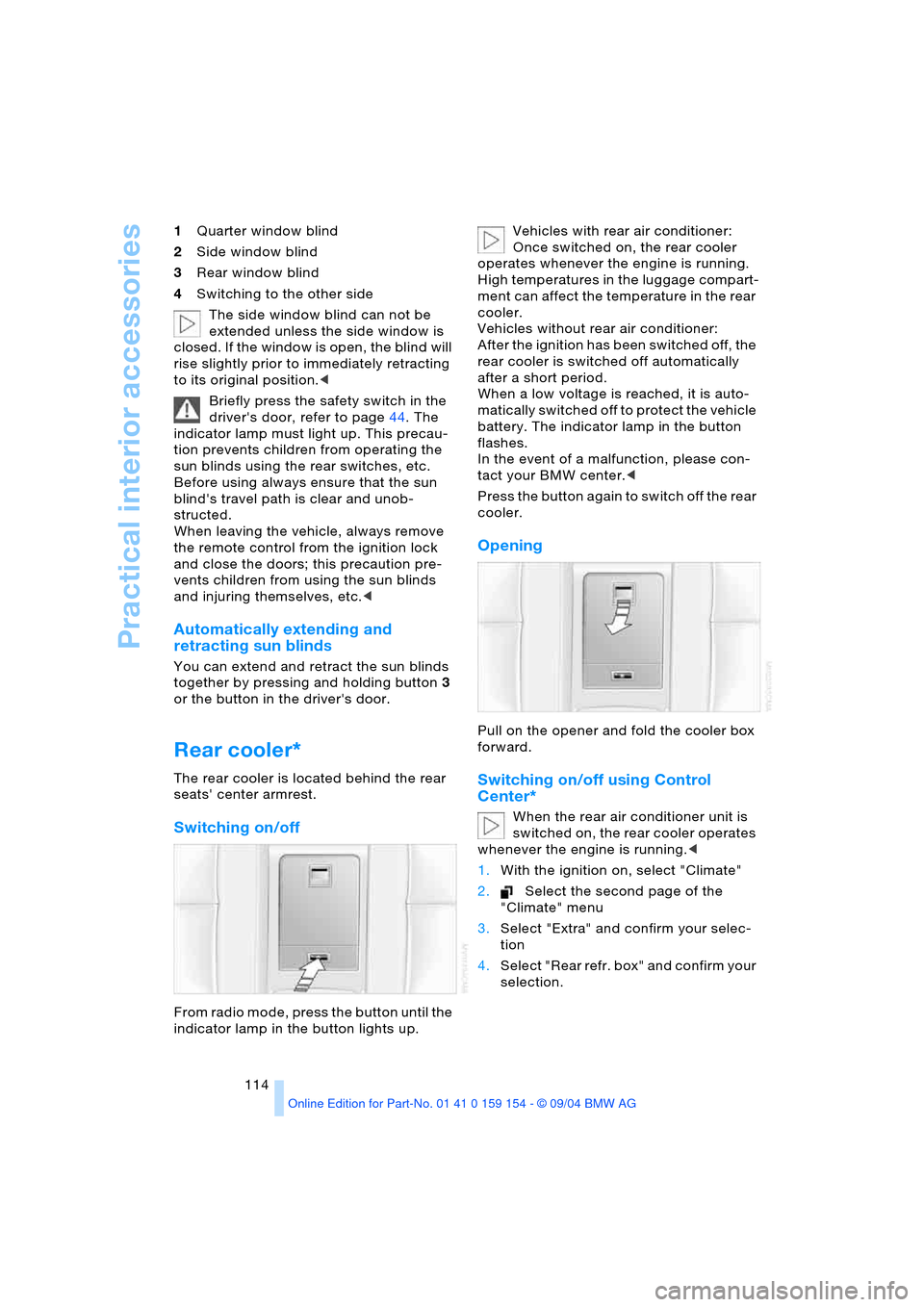
Switching on/off
From radio mode, press the button until the
indicator lamp in the button lights up. Vehicles with rear air conditioner:
Once switched on, the rear cooler
operates whenever the engine is running.
High temperatures in the luggage compart-
ment can affect the temperature in the rear
cooler.
Vehicles without rear air conditioner:
After the ignition has been switched off, the
rear cooler is switched off automatically
after a short period.
When a low voltage is reached, it is auto-
matically switched off to protect the vehicle
battery. The indicator lamp in the button
flashes.
In the event of a malfunction, please con-
tact your BMW center.<
Press the button again to switch off the rear
cooler.
Opening
Pull on the opener and fold the cooler box
forward.
Switching on/off using Control
Center*
When the rear air conditioner unit is
switched on, the rear cooler operates
whenever the engine is running.<
1.With the ignition on, select "Climate"
2.Select the second page of the
"Climate" menu
3.Select "Extra" and confirm your selec-
tion
4.Select "Rear refr. box" and confirm your
selection.
Page 147 of 239
Navigation
Driving tips
145Reference
At a glance
Controls
Communications
Entertainment
Mobility
What to do if …
What to do if …
>you request the current position of your
vehicle, but do not receive a precise
display?
The system is unable to receive enough
GPS signals at your current position
owing to obstructions, your position is
not yet available on your navigation CD/
DVD, or the system is in the process of
calculating your position. Please wait
and then try again later on
>the GPS logo disappears from the Con-
trol Display screen?
Reception is interrupted; a building or
similar obstruction may be the cause
>the destination guidance refuses to
import an address from the destination
directory as its destination?
The address is not stored on the navi-
gation CD/DVD currently in use.
Choose an address as close as possi-
ble to the original one, using the desti-
nation entry map as required
>the destination guidance does not
apply an address without the street?
No specified center is defined for the
selected locality on your navigation CD/
DVD. Enter any street, or a destination
such as the railway station, etc., then
start the destination guidance
>you want to enter an address for the
destination guidance, but it is not pos-
sible to select the letters for your
desired entry?
The address is not stored on the navi-
gation CD/DVD currently in use. In this
case, the system will not offer you any
letters to choose from. Choose an
address as close as possible to the
original one, using the destination entry
map as required >the system stops furnishing directions
on which way to turn as you approach
intersections?
You are driving in an area that has not
yet been completely recorded on the
navigation CD/DVD. Instead of the turn-
off arrow, an arrow appears that follows
the course of the planned route,
or
you have left the proposed route and
the system requires a few seconds to
calculate a new route proposal
>during destination guidance the desti-
nation route map is automatically dis-
played?
You are driving in an area that has not
yet been recorded on the navigation
CD/DVD. The destination guidance
cannot operate under these conditions.
However, you will see the current posi-
tion of your BMW in the map display to
help you orient yourself
>the battery has been disconnected?
It will take approx. 15 minutes for the
system to resume operation.
Page 177 of 239
175
Entertainment
Reference
At a glance
Controls
Driving tips Communications
Navigation
Mobility
influencing the cardiac pacemaker.
With the slightest sign of a cardiac pace-
maker malfunction, switch the BMW porta-
ble phone off immediately.<
Batteries
To avoid possible short circuits, after
removing a battery you should never
allow it to come into contact with metallic
surfaces of any kind. This is why you should
handle charged batteries with care, in par-
ticular if you place batteries, e.g. in jacket
or shirt pockets that contain metal objects.
If you are in an environment where there is
a risk of explosion, do not remove the bat-
tery from the device, as otherwise sparks
from your battery could cause explosions
or fire.<
Disposing of used batteries
Return used batteries to a recycling
collection point or to your BMW cen-
ter.<
Care instructions
You can find useful information on caring
for your portable phone in the Caring for
your vehicle brochure and in the separate
portable phone Owner's Manual.
Controls
To be able to use the BMW portable phone
via the vehicle equipment, it must be
located in the cradle, refer to page178.
For information on operating your
portable phone, please consult the
separate Owner's Manual.<
The BMW portable phone can be operated
by means of:
>The steering wheel, refer to page16
>The Control Center.
>The folding telephone keypad
>The voice command system, except for
incoming calls.
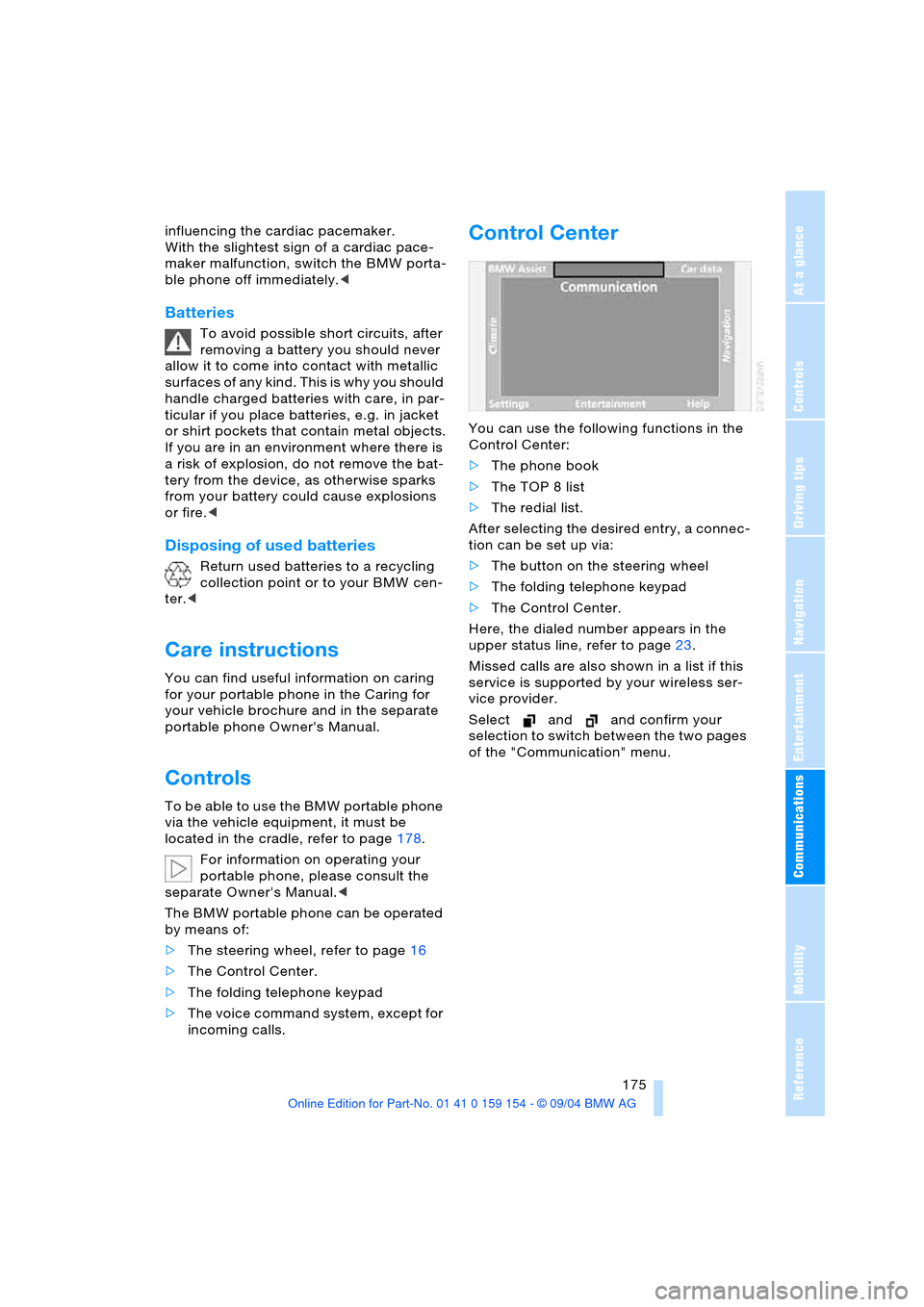
Control Center
You can use the following functions in the
Control Center:
>The phone book
>The TOP 8 list
>The redial list.
After selecting the desired entry, a connec-
tion can be set up via:
>The button on the steering wheel
>The folding telephone keypad
>The Control Center.
Here, the dialed number appears in the
upper status line, refer to page23.
Missed calls are also shown in a list if this
service is supported by your wireless ser-
vice provider.
Select and and confirm your
selection to switch between the two pages
of the "Communication" menu.
Page 200 of 239
Maintenance
198
Maintenance
The BMW Maintenance
System
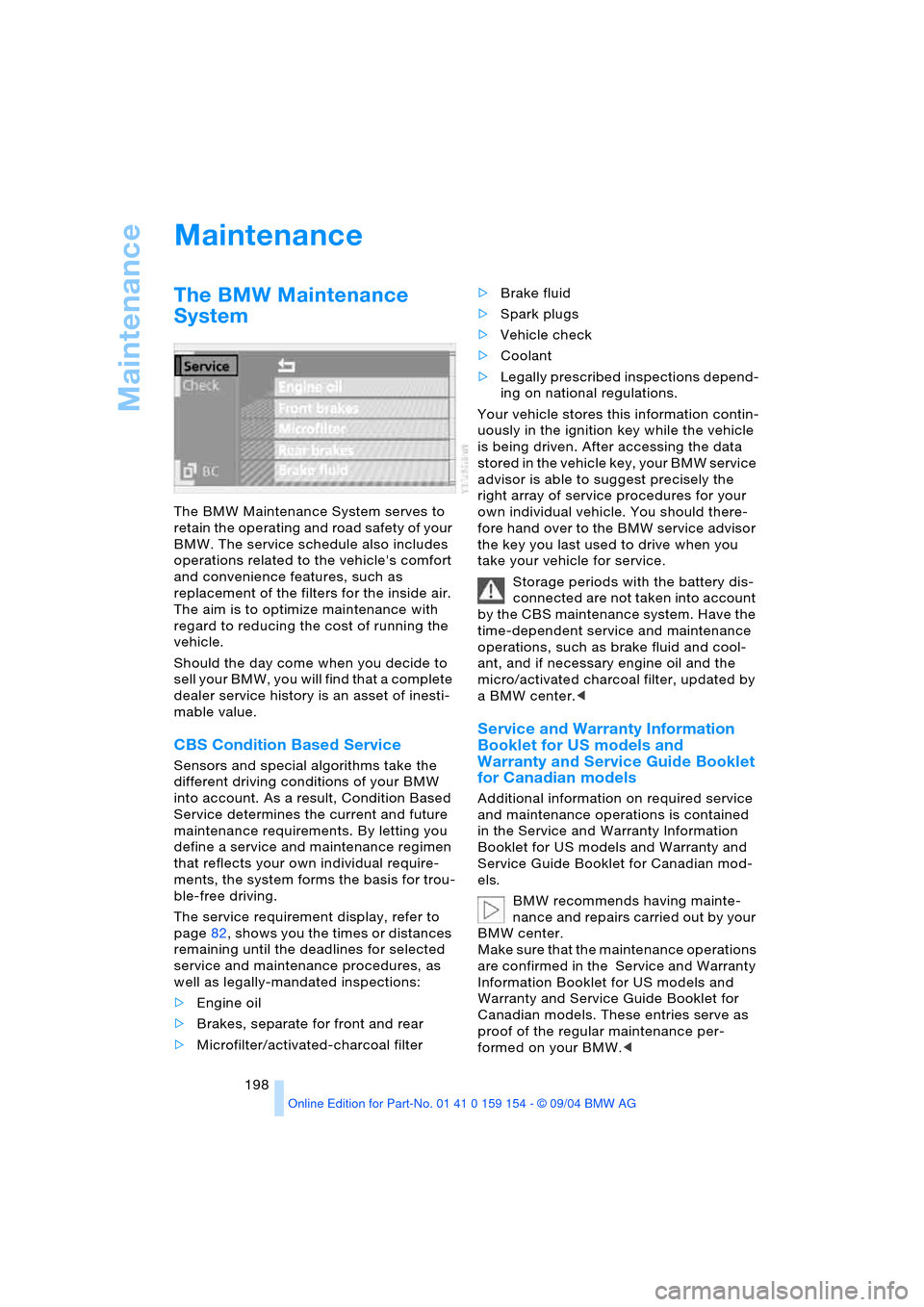
The BMW Maintenance System serves to
retain the operating and road safety of your
BMW. The service schedule also includes
operations related to the vehicle's comfort
and convenience features, such as
replacement of the filters for the inside air.
The aim is to optimize maintenance with
regard to reducing the cost of running the
vehicle.
Should the day come when you decide to
sell your BMW, you will find that a complete
dealer service history is an asset of inesti-
mable value.
CBS Condition Based Service
Sensors and special algorithms take the
different driving conditions of your BMW
into account. As a result, Condition Based
Service determines the current and future
maintenance requirements. By letting you
define a service and maintenance regimen
that reflects your own individual require-
ments, the system forms the basis for trou-
ble-free driving.
The service requirement display, refer to
page82, shows you the times or distances
remaining until the deadlines for selected
service and maintenance procedures, as
well as legally-mandated inspections:
>Engine oil
>Brakes, separate for front and rear
>Microfilter/activated-charcoal filter >Brake fluid
>Spark plugs
>Vehicle check
>Coolant
>Legally prescribed inspections depend-
ing on national regulations.
Your vehicle stores this information contin-
uously in the ignition key while the vehicle
is being driven. After accessing the data
stored in the vehicle key, your BMW service
advisor is able to suggest precisely the
right array of service procedures for your
own individual vehicle. You should there-
fore hand over to the BMW service advisor
the key you last used to drive when you
take your vehicle for service.
Storage periods with the battery dis-
connected are not taken into account
by the CBS maintenance system. Have the
time-dependent service and maintenance
operations, such as brake fluid and cool-
ant, and if necessary engine oil and the
micro/activated charcoal filter, updated by
a BMW center.<
Service and Warranty Information
Booklet for US models and
Warranty and Service Guide Booklet
for Canadian models
Additional information on required service
and maintenance operations is contained
in the Service and Warranty Information
Booklet for US models and Warranty and
Service Guide Booklet for Canadian mod-
els.
BMW recommends having mainte-
nance and repairs carried out by your
BMW center.
Make sure that the maintenance operations
are confirmed in the Service and Warranty
Information Booklet for US models and
Warranty and Service Guide Booklet for
Canadian models. These entries serve as
proof of the regular maintenance per-
formed on your BMW.<
Page 202 of 239
Rules and regulations
200
Rules and regulations
California laws
Proposition 65 Warning
California laws require us to issue the fol-
lowing warning:
Engine exhaust and a wide variety of
automobile components and parts,
including components found in the interior
furnishings in a vehicle, contain or emit
chemicals known to the State of California
to cause cancer and birth defects and
reproductive harm. In addition, certain flu-
ids contained in vehicles and certain prod-
ucts of component wear contain or emit
chemicals known to the State of California
to cause cancer and birth defects or other
reproductive harm.
Battery posts, terminals and related acces-
sories contain lead and lead compounds.
Wash your hands after handling.
Used engine oil contains chemicals that
have caused cancer in laboratory animals.
Always protect your skin by washing thor-
oughly with soap and water.<
Event Data Recorders
Your vehicle may be equipped with one or
more sensing and diagnostic modules or a
recording device capable of recording or
transmitting certain vehicle data or infor-
mation. In addition, if you have a Subscrip-
tion Service Agreement for the BMW Assist
system, certain vehicle information may be
transmitted or recorded in order to provide
such services.
OBD socket
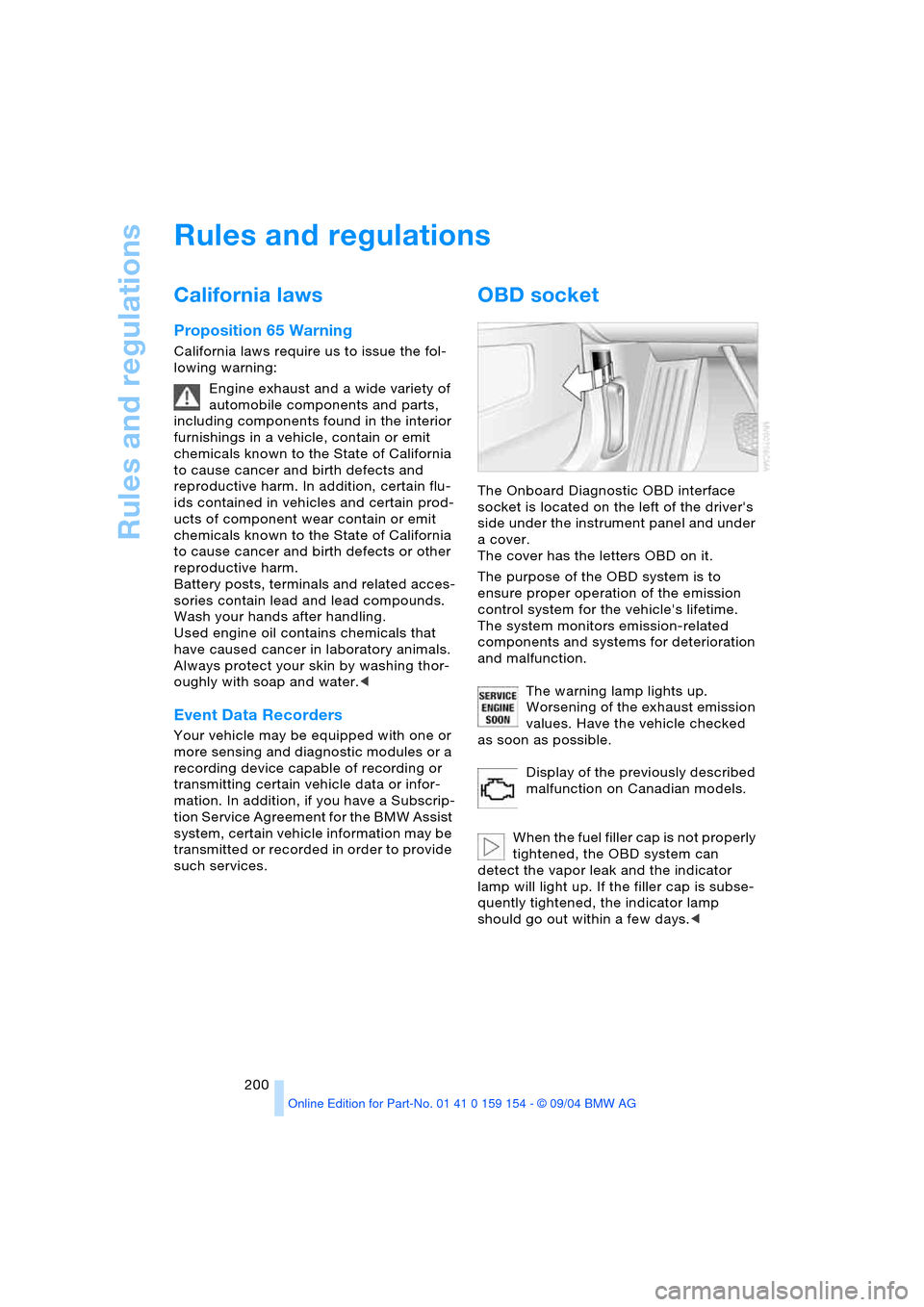
The Onboard Diagnostic OBD interface
socket is located on the left of the driver's
side under the instrument panel and under
a cover.
The cover has the letters OBD on it.
The purpose of the OBD system is to
ensure proper operation of the emission
control system for the vehicle's lifetime.
The system monitors emission-related
components and systems for deterioration
and malfunction.
The warning lamp lights up.
Worsening of the exhaust emission
values. Have the vehicle checked
as soon as possible.
Display of the previously described
malfunction on Canadian models.
When the fuel filler cap is not properly
tightened, the OBD system can
detect the vapor leak and the indicator
lamp will light up. If the filler cap is subse-
quently tightened, the indicator lamp
should go out within a few days.<
Page 203 of 239
Mobility
201Reference
At a glance
Controls
Driving tips
Communications
Navigation
Entertainment
Replacing components
Onboard tool kit
The onboard tool kit is located in the lug-
gage compartment lid.
Loosen the wingnut to open.
The adapter for the spare key can be stored
beneath the open-ended spanners.
Windshield wiper blades
To replace the blades, start by folding the
wipers out and away from the windshield,
refer to page73.
Lamps and bulbs
The lamps and bulbs are essential factors
contributing to the safety of your vehicle.
Therefore, comply fully with the following
instructions during bulb replacement. If you
are not familiar with the specified proce-
dures, BMW recommends having the
replacements carried out at your BMW
center.
Never touch the glass of new bulbs
w i t h y o u r b a r e f i n g e r s , a s e v e n m i n u t e
amounts of contamination will burn into the
bulb's surface and reduce its service life.
Use a clean cloth, napkin, etc., or hold the
bulb by its metal socket.<
You can obtain a selection of replacement
bulbs at your BMW center. To prevent short circuits, before
working on any electrical system,
equipment or accessory you should always
switch it off and disconnect the cable from
the battery's negative terminal before start-
ing.
To avoid possible injury or equipment dam-
age when changing bulbs, observe any
instructions provided by the bulb manufac-
turer.<
When maintaining the headlamps,
please comply with the instructions in
the separate Caring for your vehicle bro-
chure.<
Headlamps
For checking and adjusting headlamp
aim, please contact your BMW cen-
ter.<
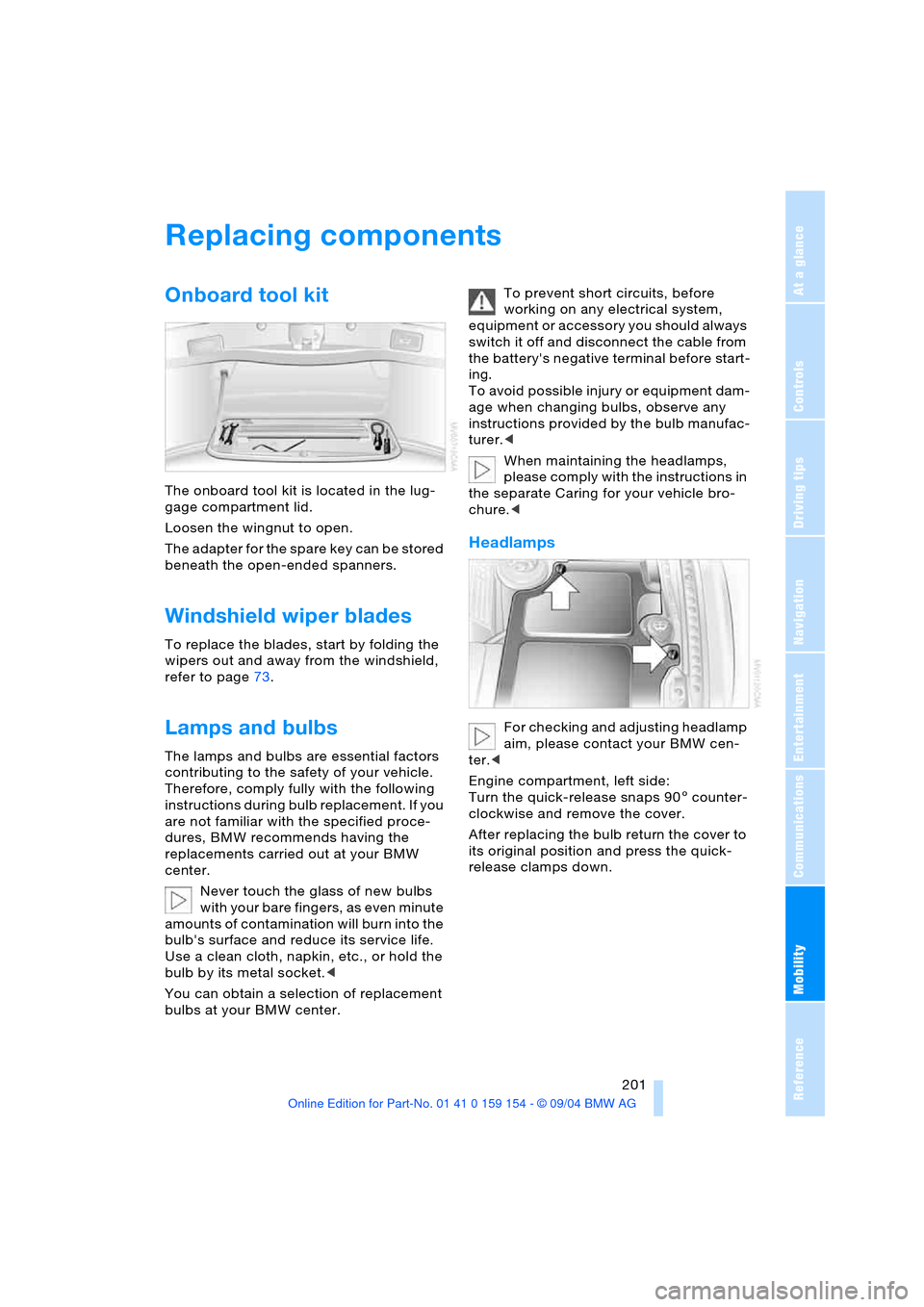
Engine compartment, left side:
Turn the quick-release snaps 905 counter-
clockwise and remove the cover.
After replacing the bulb return the cover to
its original position and press the quick-
release clamps down.
Page 209 of 239
Mobility
207Reference
At a glance
Controls
Driving tips
Communications
Navigation
Entertainment
Battery
Battery care
The battery is 100 % maintenance-free, i.e.,
the electrolyte will last for the life of the bat-
tery when the vehicle is operated in a tem-
perate climate. Your BMW center will be
happy to advise you on all questions con-
cerning the battery.
Charging battery
Only charge the battery in the vehicle via
the terminals in the engine compartment
with the engine off. Connections, refer to
Jump-starting on page210.
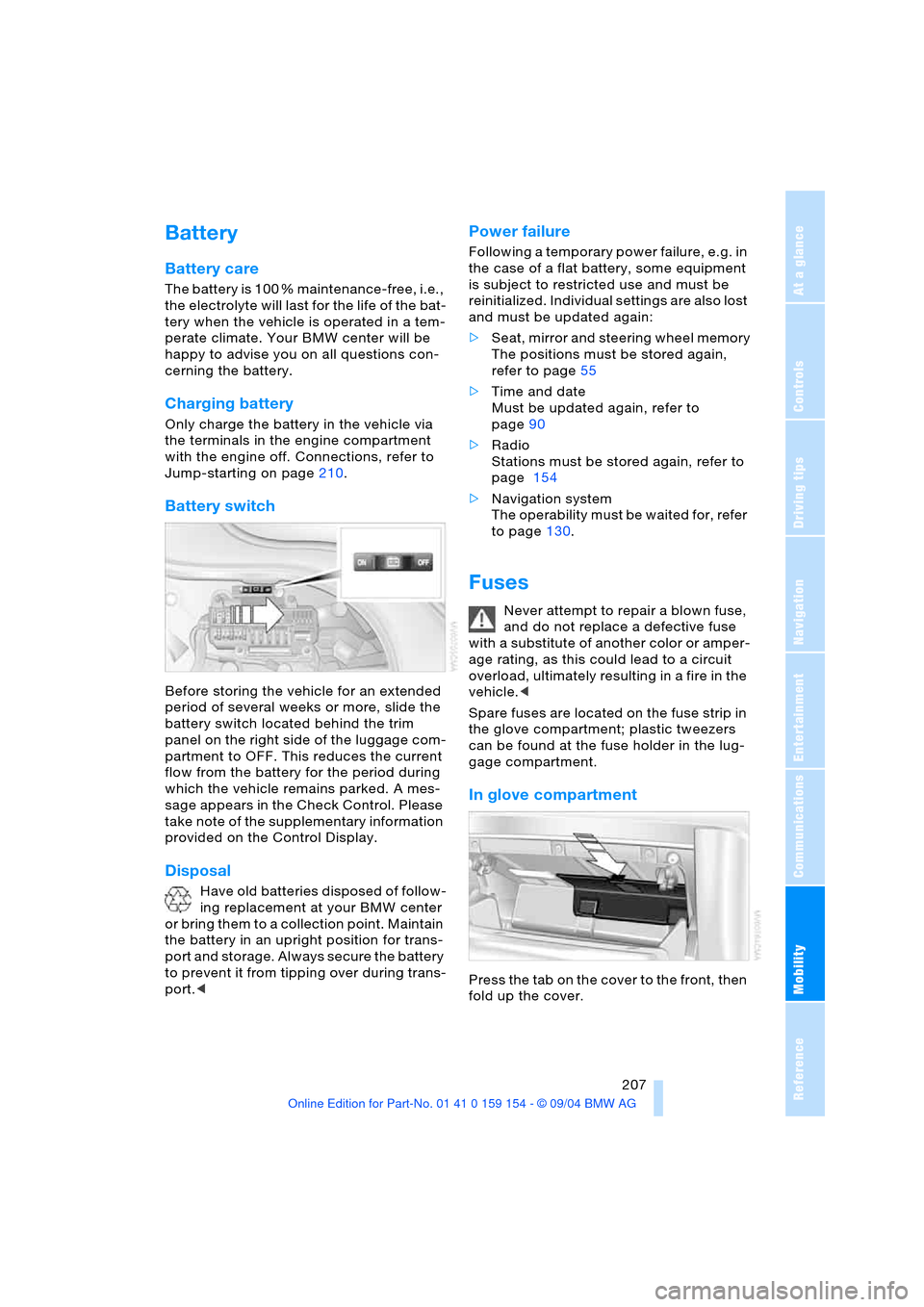
Battery switch
Before storing the vehicle for an extended
period of several weeks or more, slide the
battery switch located behind the trim
panel on the right side of the luggage com-
partment to OFF. This reduces the current
flow from the battery for the period during
which the vehicle remains parked. A mes-
sage appears in the Check Control. Please
take note of the supplementary information
provided on the Control Display.
Disposal
Have old batteries disposed of follow-
ing replacement at your BMW center
or bring them to a collection point. Maintain
the battery in an upright position for trans-
port and storage. Always secure the battery
to prevent it from tipping over during trans-
port.<
Power failure
Following a temporary power failure, e.g. in
the case of a flat battery, some equipment
is subject to restricted use and must be
reinitialized. Individual settings are also lost
and must be updated again:
>Seat, mirror and steering wheel memory
The positions must be stored again,
refer to page55
>Time and date
Must be updated again, refer to
page90
>Radio
Stations must be stored again, refer to
page 154
>Navigation system
The operability must be waited for, refer
to page130.
Fuses
Never attempt to repair a blown fuse,
and do not replace a defective fuse
with a substitute of another color or amper-
age rating, as this could lead to a circuit
overload, ultimately resulting in a fire in the
vehicle.<
Spare fuses are located on the fuse strip in
the glove compartment; plastic tweezers
can be found at the fuse holder in the lug-
gage compartment.
In glove compartment
Press the tab on the cover to the front, then
fold up the cover.
Page 211 of 239
Mobility
209Reference
At a glance
Controls
Driving tips
Communications
Navigation
Entertainment
Giving and receiving assistance
Warning triangle*
The warning triangle is conveniently stored
in the onboard tool kit mounted on the
inside of the luggage compartment lid.
Comply with legal requirements
requiring you to carry a hazard warn-
ing triangle in the vehicle.<
First-aid kit*
You will also find the first-aid kit in the
onboard tool kit's container.
Some of the articles contained in the
first-aid kit have a limited service life.
Therefore, check the expiration dates of the
contents regularly and replace the contents
concerned in good time if necessary. You
can find replacements in any pharmacy.
Comply with legal requirements requiring
you to carry a first-aid kit in the vehicle.<
Jump-starting
When your battery is discharged you can
use two jumper cables to start your vehicle
with power from the battery in a second
vehicle. You can also use the same method
to help start another vehicle. Use only
jumper cables with fully-insulated terminal
clamps.
To avoid the risk of potentially fatal
injury, always avoid all contact with
electrical components while the engine is running. Carefully adhere to the following
sequence, both to prevent damage to one
or both vehicles, and to guard against pos-
sible personal injury.<
Preparing
1.Check whether the battery of the other
vehicle has a voltage of 12 Volts and
approximately the same capacitance
in Ah. This information can be found on
the battery
2.Switch off the engine of the support
vehicle
3.Switch off any electrical systems and
components in both vehicles.
Ensure that no contact exists
between the bodywork on the two
vehicles, otherwise there is a danger of
short circuits.<
Connecting jumper cables
To avoid personal injury from sparks,
always observe this sequence when
connecting jumper cables.<
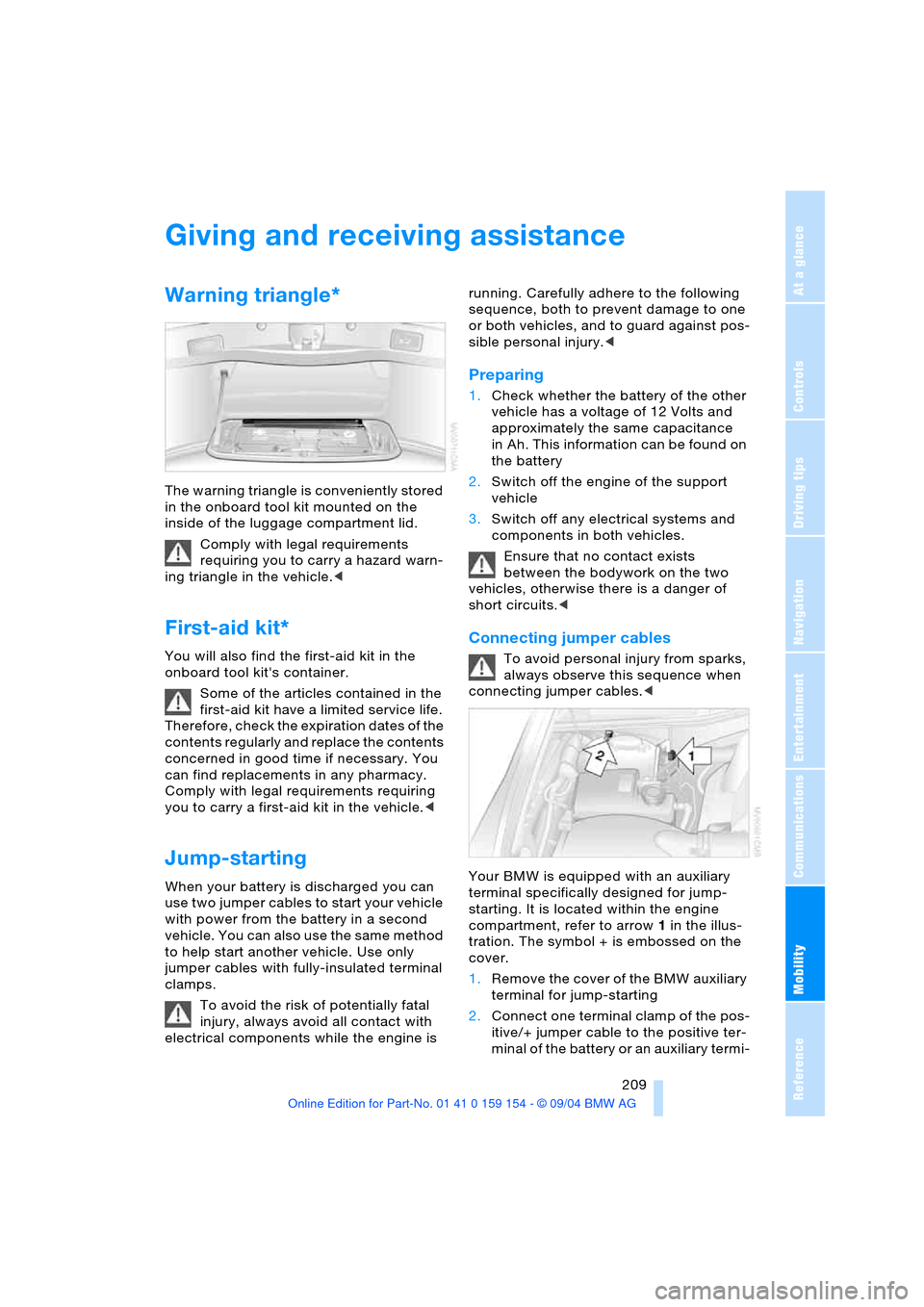
Your BMW is equipped with an auxiliary
terminal specifically designed for jump-
starting. It is located within the engine
compartment, refer to arrow 1 in the illus-
tration. The symbol + is embossed on the
cover.
1.Remove the cover of the BMW auxiliary
terminal for jump-starting
2.Connect one terminal clamp of the pos-
itive/+ jumper cable to the positive ter-
minal of the battery or an auxiliary termi-