navigation BMW 745i 2005 E65 Owner's Guide
[x] Cancel search | Manufacturer: BMW, Model Year: 2005, Model line: 745i, Model: BMW 745i 2005 E65Pages: 239, PDF Size: 8.03 MB
Page 43 of 239
Controls
41Reference
At a glance
Driving tips
Communications
Navigation
Entertainment
Mobility
Automatic luggage compartment lid
operation*
Opening
The luggage compartment lid opens all the
way, when you
>press the button next to the steering
column
>press the button on the outside of the
luggage compartment lid, refer to
page39
>press button3on the remote
control, refer to page36.
During opening, the luggage com-
partment lid pivots upward and to the
rear. Ensure that adequate clearance is
available before opening.<
Closing
The luggage compartment lid closes auto-
matically when you
>press the button or
>press the button on the outside of the
luggage compartment lid, refer to
page39.
The luggage compartment lid imme-
diately stops opening or closing if you
hold it in place by hand.<
To avoid injuries, be sure that the
travel path of the luggage compart-
ment lid is clear when it is closed, as with
all closing procedures.
Operate the vehicle only when the luggage
compartment lid is completely closed.
Otherwise, exhaust fumes could penetrate
the interior of the vehicle. If special circum-
stances should make it absolutely neces-sary to operate the vehicle with the luggage
compartment lid open:
>Close all windows and the glass roof
>Adjust the automatic climate control's
blower to supply a high rate of airflow,
refer to page105.<
Automatic closing of the luggage
compartment lid is not activated in
your vehicle. If you desire, you can have
this function set.<
Comfort Access*
If a remote control is detected in the
luggage compartment after the lug-
gage compartment lid has been closed, the
luggage compartment lid opens automati-
cally.
During opening the luggage compartment
lid pivots upward and to the rear. Ensure
that adequate clearance is available before
opening.<
Manual operation
In the case of an electrical defect, you can
unlock the luggage compartment lid with
the key, refer to page39, and slowly open
and close it without sudden movements.
Emergency release
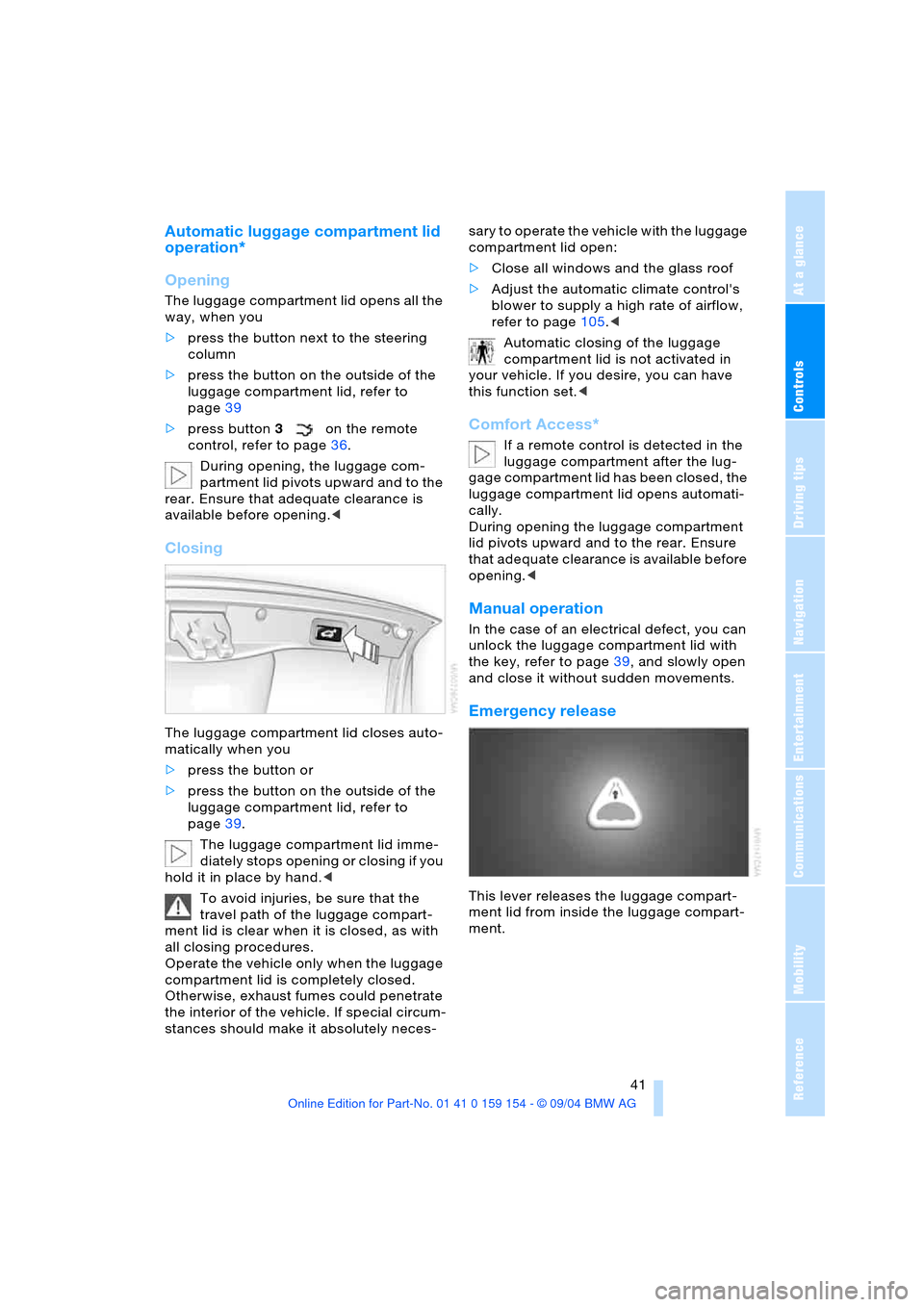
This lever releases the luggage compart-
ment lid from inside the luggage compart-
ment.
Page 45 of 239
Controls
43Reference
At a glance
Driving tips
Communications
Navigation
Entertainment
Mobility
detected in the period since the system
was armed
>If the indicator lamp flashes after you
unlock the vehicle before the remote
control is inserted in the ignition lock,
but for no more than roughly 5 minutes:
an attempted entry has been detected
in the period since the system was
armed.
F o l l o w i n g t r i g g e r i n g o f a n a l a r m , t h e i n d i c a -
tor lamp will flash continuously.
Tilt alarm sensor and interior motion
sensor
Tilt alarm sensor
The tilt of the vehicle is monitored. The
alarm system reacts, e.g. in case of an
attempted wheel theft or towing.
Interior motion sensor
In order for the interior motion sensor to
function properly, the windows and glass
roof must be completely closed.
Avoiding unintentional alarms
The tilt alarm sensor and interior motion
sensor may be switched off at the same
time. This prevents unintentional alarms,
e.g. in the following situations:
>In duplex garages
>When transporting on car-carrying
trains
>When animals are to remain in the
vehicle.
Switching off tilt alarm sensor and
interior motion sensor
Press button 2on the remote
control twice consecutively.
The indicator lamp lights up briefly and then
flashes continuously. The tilt alarm sensor
and the interior motion sensor are switched
off up to the next unlocking and locking
actions. If you wish, the tilt alarm sensor and
interior motion sensor will be perma-
nently deactivated. Please contact your
BMW center for assistance.<
Windows
Opening and closing windows
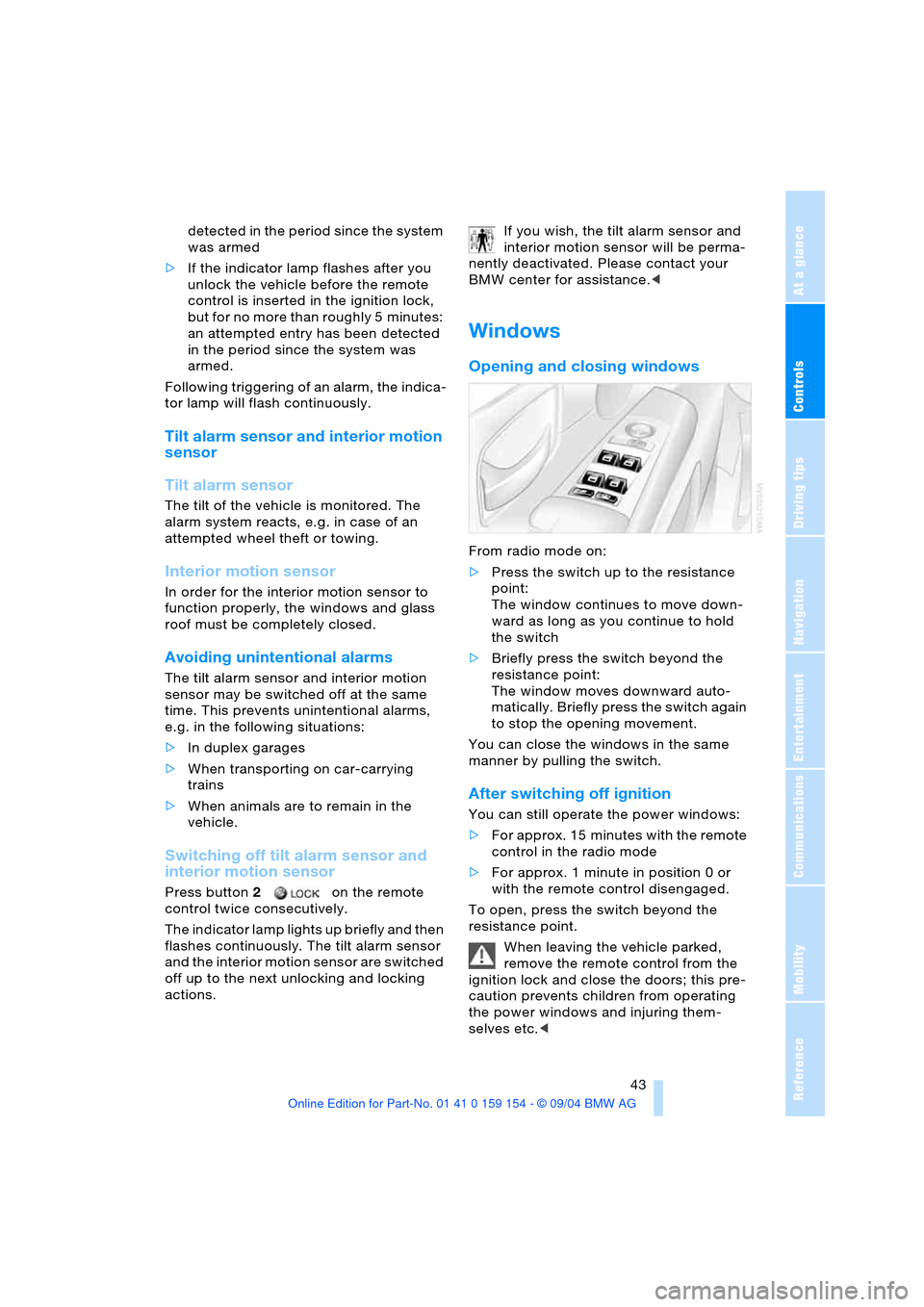
From radio mode on:
>Press the switch up to the resistance
point:
The window continues to move down-
ward as long as you continue to hold
the switch
>Briefly press the switch beyond the
resistance point:
The window moves downward auto-
matically. Briefly press the switch again
to stop the opening movement.
You can close the windows in the same
manner by pulling the switch.
After switching off ignition
You can still operate the power windows:
>For approx. 15 minutes with the remote
control in the radio mode
>For approx. 1 minute in position 0 or
with the remote control disengaged.
To open, press the switch beyond the
resistance point.
When leaving the vehicle parked,
remove the remote control from the
ignition lock and close the doors; this pre-
caution prevents children from operating
the power windows and injuring them-
selves etc.<
Page 47 of 239
Controls
45Reference
At a glance
Driving tips
Communications
Navigation
Entertainment
Mobility
The headliner insert slides back somewhat
when you raise the roof. When the roof is
opened the headliner retracts with it.
Do not use force to close the head-
liner insert with the roof in its raised
position, as damage to the mechanism
could result. When leaving the vehicle, dis-
engage the remote control in the ignition
lock and close the doors, as otherwise chil-
dren could operate the roof and injure
themselves etc.<
For information on using the convenience
operation at the door lock or with the
remote control, refer to page36 or38.
Automatic* opening and closing
Briefly press the switch beyond the resis-
tance point and then release it.
In addition, the following response is also
automatic:
With the roof open, briefly press the switch
in the 'Raise' direction: the roof rises to its
tilt-up end position.
Press the switch again in any direction to
stop the roof.
Anti-trapping mechanism
If the glass roof meets with resistance dur-
ing closing from approximately the middle
of the roof opening or when closing from
the raised position, then the closing opera-
tion is interrupted and the glass roof opens
again somewhat.
Despite the anti-trapping mechanism
inspect the roof's travel path prior to
closing it, as the safety system might fail to
detect certain kinds of obstructions, such
as very thin objects, and the roof would
continue closing.
The protection provided by the anti-trap-
ping mechanism is limited when the switch
is pressed beyond the resistance point and
held. The roof only opens a short distance.
If you again press the switch beyond the
resistance point and hold it in position
within a period of roughly 2 seconds, the
anti-trapping mechanism will be deacti-
vated.< When you close the glass roof, it will
slow down as it approaches the end
of its travel path; this is to allow the safety
feature to respond more precisely to any
obstructions encountered in this critical
range.<
Following interruptions in electrical
power supply
Following interruptions in electrical power,
for instance, when the battery is discon-
nected, it is possible that the glass roof will
extend to its tilt-up position, but fail to
respond to other commands. The system
must be initialized. BMW recommends hav-
in g t h is w o rk car r ied ou t b y y ou r B MW c en -
ter.
Malfunction
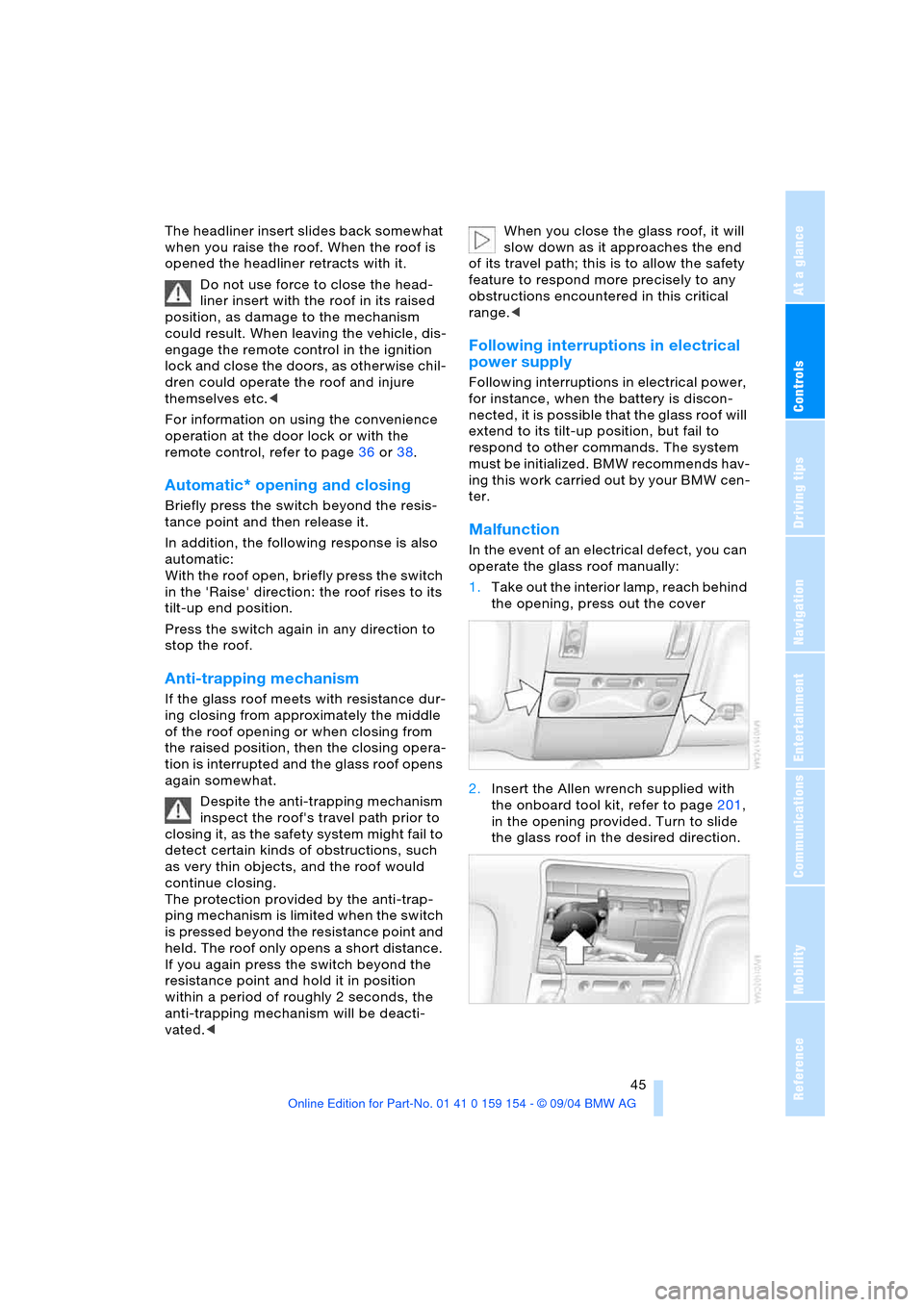
In the event of an electrical defect, you can
operate the glass roof manually:
1.Take out the interior lamp, reach behind
the opening, press out the cover
2.Insert the Allen wrench supplied with
the onboard tool kit, refer to page201,
in the opening provided. Turn to slide
the glass roof in the desired direction.
Page 49 of 239
Controls
47Reference
At a glance
Driving tips
Communications
Navigation
Entertainment
Mobility
Seats
Note before adjusting
Never attempt to adjust your seat
while operating the vehicle. The seat
could respond with unexpected movement,
and the ensuing loss of vehicle control
could lead to an accident.
Also on the passenger's side, do not incline
the backrest too far to the rear while the
vehicle is being driven, as otherwise there
is a danger in the event of an accident of
'sliding under' the safety belt, eliminating
the protection normally provided by the
belt.<
Please observe the information on damage
to safety belts provided on page51 and the
information on the active head restraints on
page49.
The concept
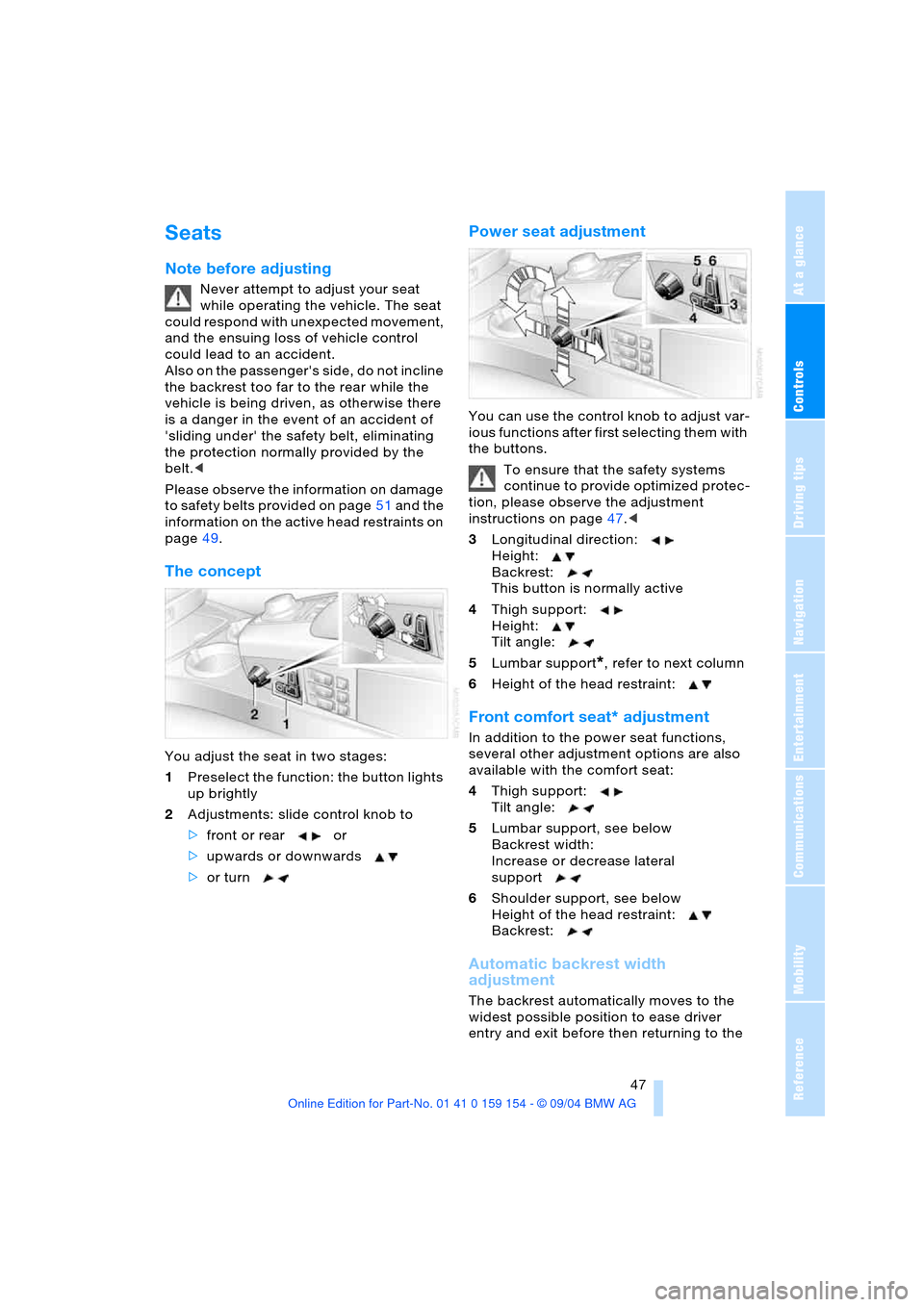
You adjust the seat in two stages:
1Preselect the function: the button lights
up brightly
2Adjustments: slide control knob to
>front or rear or
>upwards or downwards
>or turn
Power seat adjustment
You can use the control knob to adjust var-
ious functions after first selecting them with
the buttons.
To ensure that the safety systems
continue to provide optimized protec-
tion, please observe the adjustment
instructions on page47.<
3Longitudinal direction:
Height:
Backrest:
This button is normally active
4Thigh support:
Height:
Tilt angle:
5Lumbar support
*, refer to next column
6Height of the head restraint:
Front comfort seat* adjustment
In addition to the power seat functions,
several other adjustment options are also
available with the comfort seat:
4Thigh support:
Tilt angle:
5Lumbar support, see below
Backrest width:
Increase or decrease lateral
support
6Shoulder support, see below
Height of the head restraint:
Backrest:
Automatic backrest width
adjustment
The backrest automatically moves to the
widest possible position to ease driver
entry and exit before then returning to the
Page 51 of 239
Controls
49Reference
At a glance
Driving tips
Communications
Navigation
Entertainment
Mobility
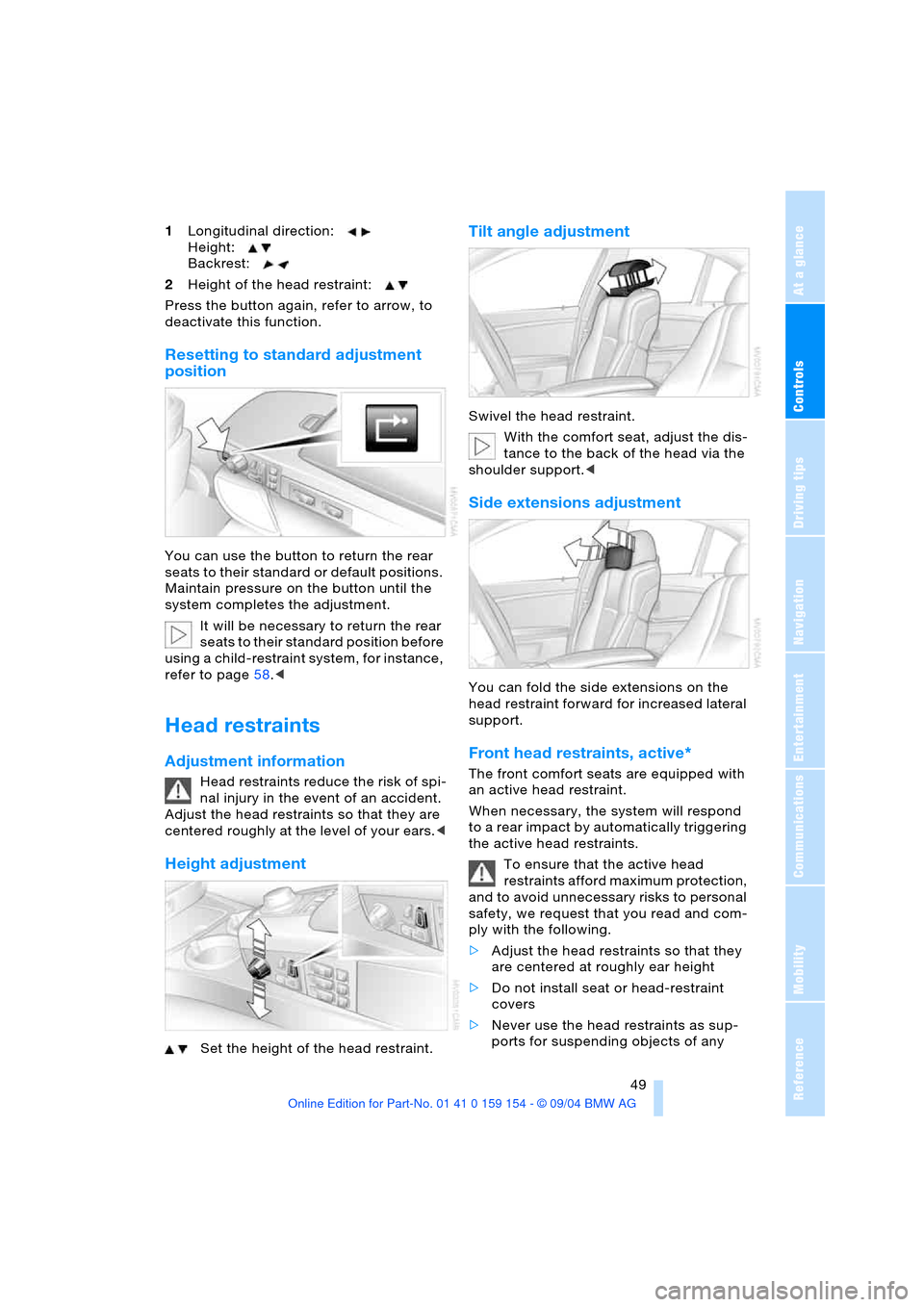
1Longitudinal direction:
Height:
Backrest:
2Height of the head restraint:
Press the button again, refer to arrow, to
deactivate this function.
Resetting to standard adjustment
position
You can use the button to return the rear
seats to their standard or default positions.
Maintain pressure on the button until the
system completes the adjustment.
It will be necessary to return the rear
seats to their standard position before
using a child-restraint system, for instance,
refer to page58.<
Head restraints
Adjustment information
Head restraints reduce the risk of spi-
nal injury in the event of an accident.
Adjust the head restraints so that they are
centered roughly at the level of your ears.<
Height adjustment
Set the height of the head restraint.
Tilt angle adjustment
Swivel the head restraint.
With the comfort seat, adjust the dis-
tance to the back of the head via the
shoulder support.<
Side extensions adjustment
You can fold the side extensions on the
head restraint forward for increased lateral
support.
Front head restraints, active*
The front comfort seats are equipped with
an active head restraint.
When necessary, the system will respond
to a rear impact by automatically triggering
the active head restraints.
To ensure that the active head
restraints afford maximum protection,
and to avoid unnecessary risks to personal
safety, we request that you read and com-
ply with the following.
>Adjust the head restraints so that they
are centered at roughly ear height
>Do not install seat or head-restraint
covers
>Never use the head restraints as sup-
ports for suspending objects of any
Page 53 of 239
Controls
51Reference
At a glance
Driving tips
Communications
Navigation
Entertainment
Mobility
You can also adjust the height of the head
restraint electrically.
To prevent possible personal injury
and property damage, always ensure
that the area above the head restraints is
clear and unobstructed before extending
them upward.<
Side extensions adjustment
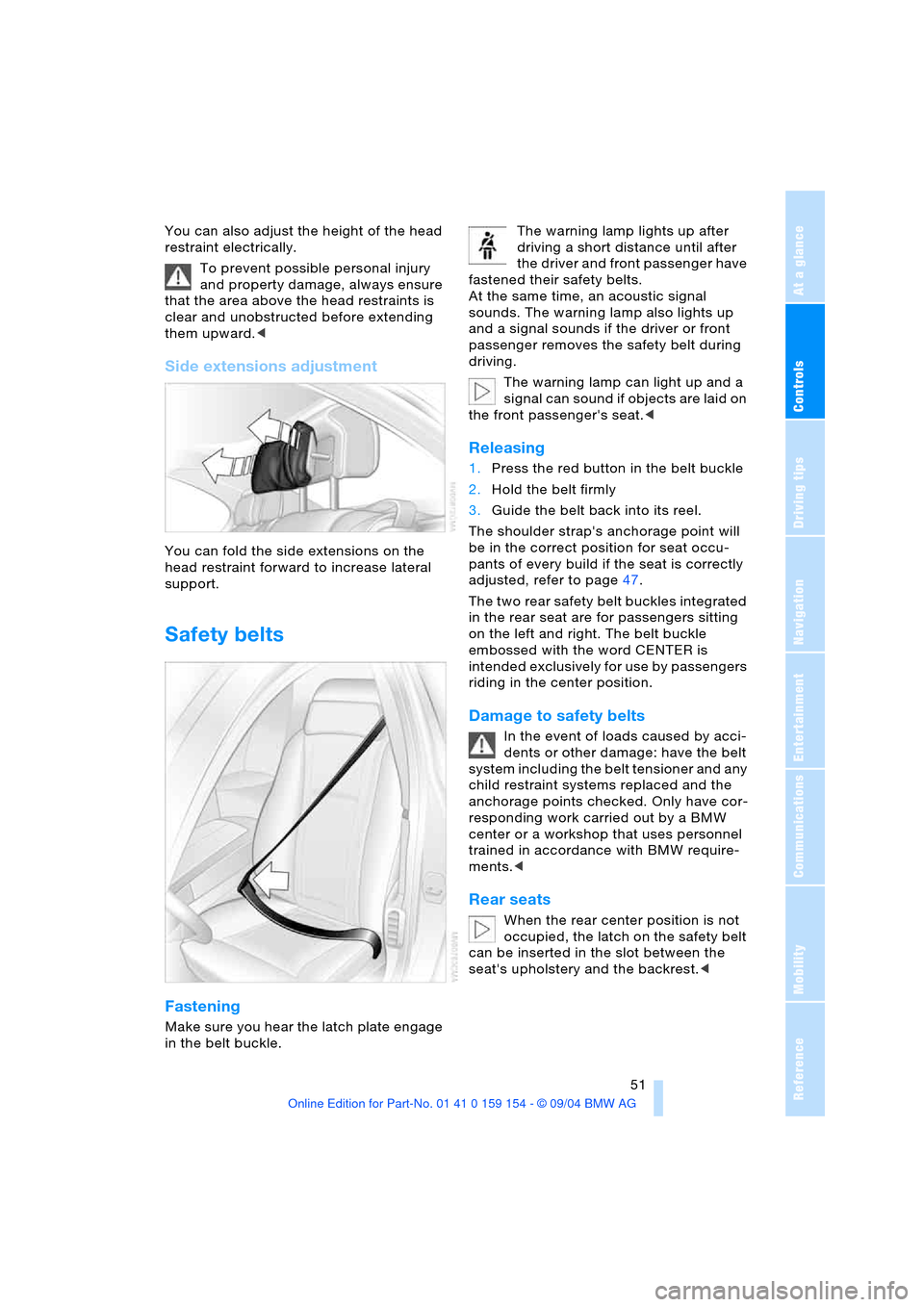
You can fold the side extensions on the
head restraint forward to increase lateral
support.
Safety belts
Fastening
Make sure you hear the latch plate engage
in the belt buckle. The warning lamp lights up after
driving a short distance until after
the driver and front passenger have
fastened their safety belts.
At the same time, an acoustic signal
sounds. The warning lamp also lights up
and a signal sounds if the driver or front
passenger removes the safety belt during
driving.
The warning lamp can light up and a
signal can sound if objects are laid on
the front passenger's seat.<
Releasing
1.Press the red button in the belt buckle
2.Hold the belt firmly
3.Guide the belt back into its reel.
The shoulder strap's anchorage point will
be in the correct position for seat occu-
pants of every build if the seat is correctly
adjusted, refer to page47.
The two rear safety belt buckles integrated
in the rear seat are for passengers sitting
on the left and right. The belt buckle
embossed with the word CENTER is
intended exclusively for use by passengers
riding in the center position.
Damage to safety belts
In the event of loads caused by acci-
dents or other damage: have the belt
system including the belt tensioner and any
child restraint systems replaced and the
anchorage points checked. Only have cor-
responding work carried out by a BMW
center or a workshop that uses personnel
trained in accordance with BMW require-
ments.<
Rear seats
When the rear center position is not
occupied, the latch on the safety belt
can be inserted in the slot between the
seat's upholstery and the backrest.<
Page 55 of 239
Controls
53Reference
At a glance
Driving tips
Communications
Navigation
Entertainment
Mobility
Rear
The operating concept is the same as for
the front seat ventilation.
Active seat for driver*
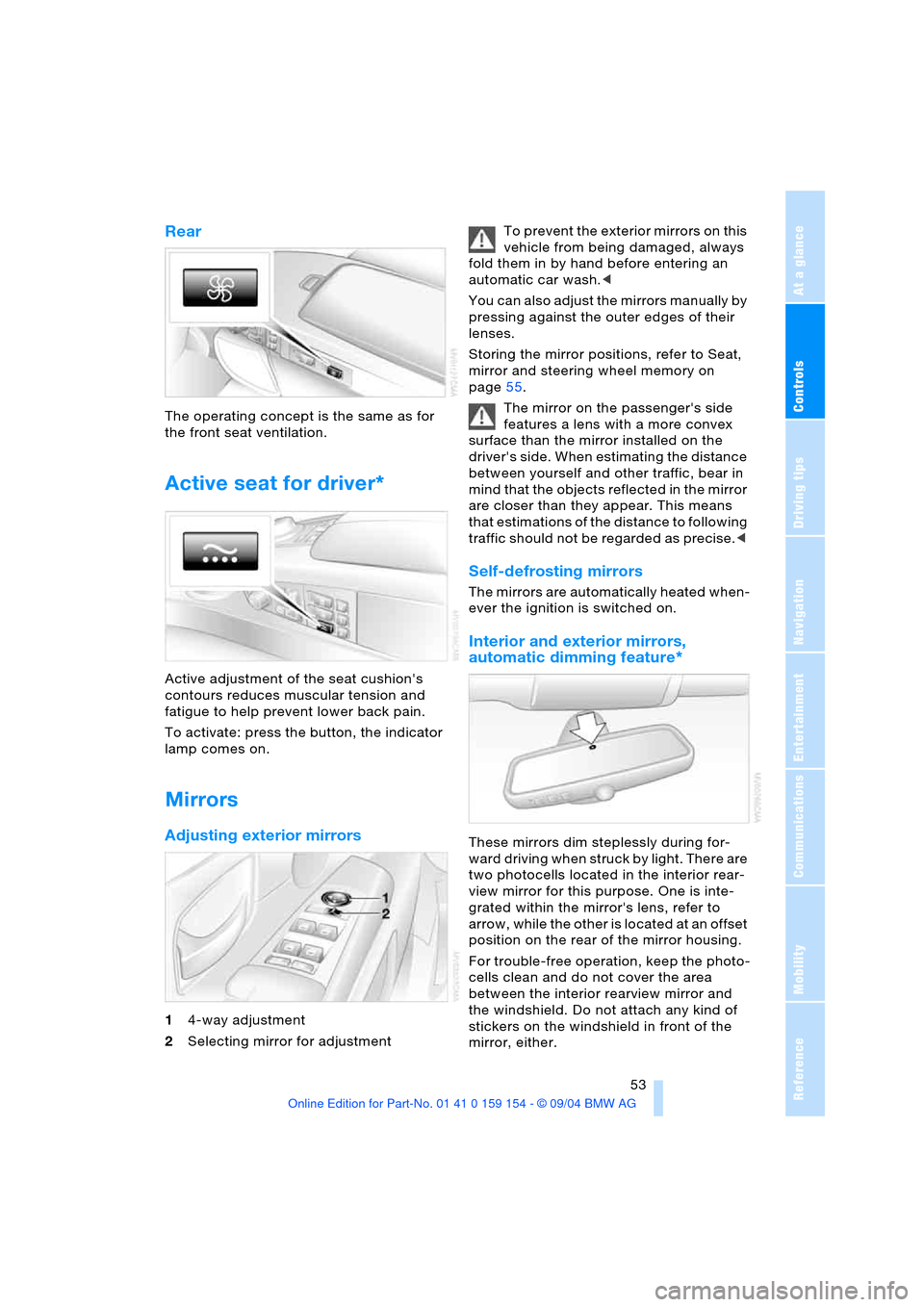
Active adjustment of the seat cushion's
contours reduces muscular tension and
fatigue to help prevent lower back pain.
To activate: press the button, the indicator
lamp comes on.
Mirrors
Adjusting exterior mirrors
14-way adjustment
2Selecting mirror for adjustment To prevent the exterior mirrors on this
vehicle from being damaged, always
fold them in by hand before entering an
automatic car wash.<
You can also adjust the mirrors manually by
pressing against the outer edges of their
lenses.
Storing the mirror positions, refer to Seat,
mirror and steering wheel memory on
page55.
The mirror on the passenger's side
features a lens with a more convex
surface than the mirror installed on the
driver's side. When estimating the distance
between yourself and other traffic, bear in
mind that the objects reflected in the mirror
are closer than they appear. This means
that estimations of the distance to following
traffic should not be regarded as precise.<
Self-defrosting mirrors
The mirrors are automatically heated when-
ever the ignition is switched on.
Interior and exterior mirrors,
automatic dimming feature*
These mirrors dim steplessly during for-
ward driving when struck by light. There are
two photocells located in the interior rear-
view mirror for this purpose. One is inte-
grated within the mirror's lens, refer to
arrow, while the other is located at an offset
position on the rear of the mirror housing.
For trouble-free operation, keep the photo-
cells clean and do not cover the area
between the interior rearview mirror and
the windshield. Do not attach any kind of
stickers on the windshield in front of the
mirror, either.
Page 56 of 239
Adjustments
54 The mirrors automatically revert to their
clear, undimmed mode whenever you
engage transmission position R.
Illuminated vanity mirror in rear
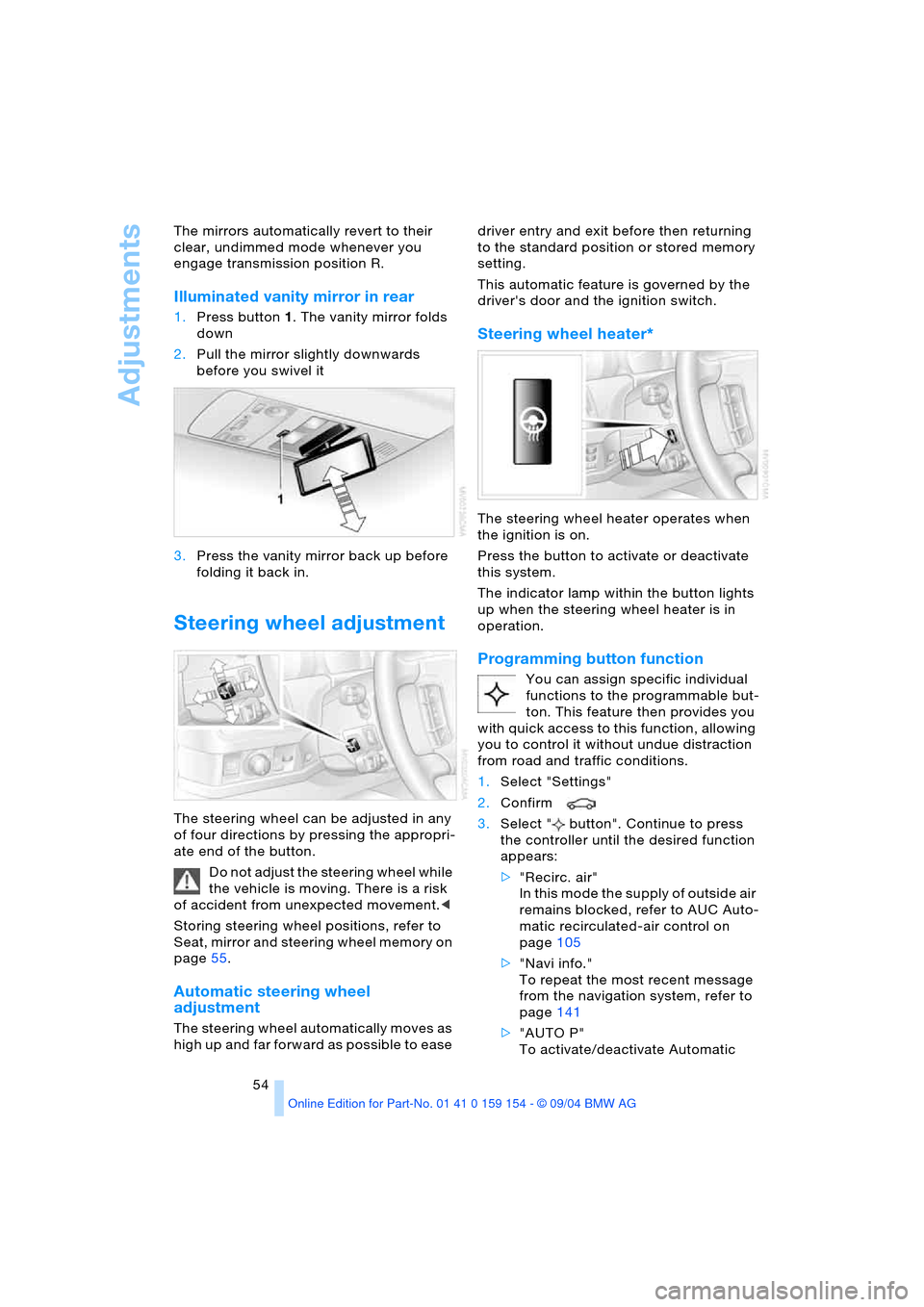
1.Press button1. The vanity mirror folds
down
2.Pull the mirror slightly downwards
before you swivel it
3.Press the vanity mirror back up before
folding it back in.
Steering wheel adjustment
The steering wheel can be adjusted in any
of four directions by pressing the appropri-
ate end of the button.
Do not adjust the steering wheel while
the vehicle is moving. There is a risk
of accident from unexpected movement.<
Storing steering wheel positions, refer to
Seat, mirror and steering wheel memory on
page55.
Automatic steering wheel
adjustment
The steering wheel automatically moves as
high up and far forward as possible to ease driver entry and exit before then returning
to the standard position or stored memory
setting.
This automatic feature is governed by the
driver's door and the ignition switch.
Steering wheel heater*
The steering wheel heater operates when
the ignition is on.
Press the button to activate or deactivate
this system.
The indicator lamp within the button lights
up when the steering wheel heater is in
operation.
Programming button function
You can assign specific individual
functions to the programmable but-
ton. This feature then provides you
with quick access to this function, allowing
you to control it without undue distraction
from road and traffic conditions.
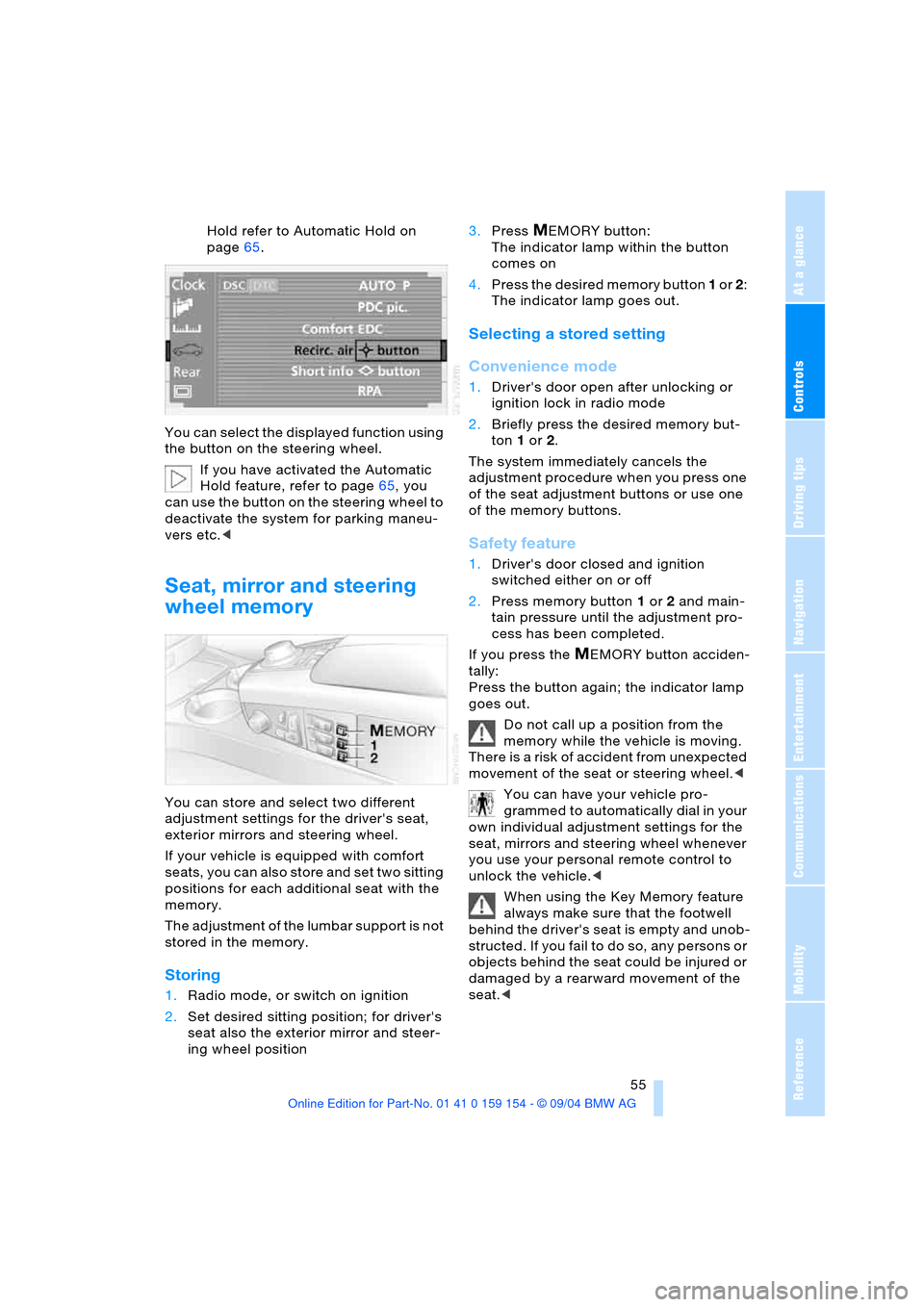
1.Select "Settings"
2.Confirm
3.Select " button". Continue to press
the controller until the desired function
appears:
>"Recirc. air"
In this mode the supply of outside air
remains blocked, refer to AUC Auto-
matic recirculated-air control on
page105
>"Navi info."
To repeat the most recent message
from the navigation system, refer to
page141
>"AUTO P"
To activate/deactivate Automatic
Page 57 of 239
Controls
55Reference
At a glance
Driving tips
Communications
Navigation
Entertainment
Mobility
Hold refer to Automatic Hold on
page65.
You can select the displayed function using
the button on the steering wheel.
If you have activated the Automatic
Hold feature, refer to page65, you
can use the button on the steering wheel to
deactivate the system for parking maneu-
vers etc.<
Seat, mirror and steering
wheel memory
You can store and select two different
adjustment settings for the driver's seat,
exterior mirrors and steering wheel.
If your vehicle is equipped with comfort
seats, you can also store and set two sitting
positions for each additional seat with the
memory.
The adjustment of the lumbar support is not
stored in the memory.
Storing
1.Radio mode, or switch on ignition
2.Set desired sitting position; for driver's
seat also the exterior mirror and steer-
ing wheel position 3.Press
MEMORY button:
The indicator lamp within the button
comes on
4.Press the desired memory button 1 or 2:
The indicator lamp goes out.
Selecting a stored setting
Convenience mode
1.Driver's door open after unlocking or
ignition lock in radio mode
2.Briefly press the desired memory but-
ton 1 or2.
The system immediately cancels the
adjustment procedure when you press one
of the seat adjustment buttons or use one
of the memory buttons.
Safety feature
1.Driver's door closed and ignition
switched either on or off
2.Press memory button 1 or2 and main-
tain pressure until the adjustment pro-
cess has been completed.
If you press the
MEMORY button acciden-
tally:
Press the button again; the indicator lamp
goes out.
Do not call up a position from the
memory while the vehicle is moving.
There is a risk of accident from unexpected
movement of the seat or steering wheel.<
You can have your vehicle pro-
grammed to automatically dial in your
own individual adjustment settings for the
seat, mirrors and steering wheel whenever
you use your personal remote control to
unlock the vehicle.<
When using the Key Memory feature
always make sure that the footwell
behind the driver's seat is empty and unob-
structed. If you fail to do so, any persons or
objects behind the seat could be injured or
damaged by a rearward movement of the
seat.<
Page 59 of 239
Controls
57Reference
At a glance
Driving tips
Communications
Navigation
Entertainment
Mobility
>Alarm system: set different acknowl-
edgment signals to confirm arming/dis-
arming
>Alarm system: activate/deactivate inte-
rior motion sensor and tilt alarm sensor
>Automatic headlamp control: adjust
sensitivity.
Examples of Key Memory functions
>Seat memory: activate/deactivate func-
tion
>Central locking system: vehicle is
locked as soon as you drive off or if you
have not opened a door or the luggage
compartment lid after unlocking. Acti-
vate/deactivate function
>Automatic climate control: key-specific
storage of the temperature, fan and air
conditioner setting. Activate/deactivate
function
>Check Control: set languages and units
>Seat heating: recall personal tempera-
ture distribution.