radio BMW 745i 2005 E65 Owner's Guide
[x] Cancel search | Manufacturer: BMW, Model Year: 2005, Model line: 745i, Model: BMW 745i 2005 E65Pages: 239, PDF Size: 8.03 MB
Page 107 of 239
Controls
105Reference
At a glance
Driving tips
Communications
Navigation
Entertainment
Mobility
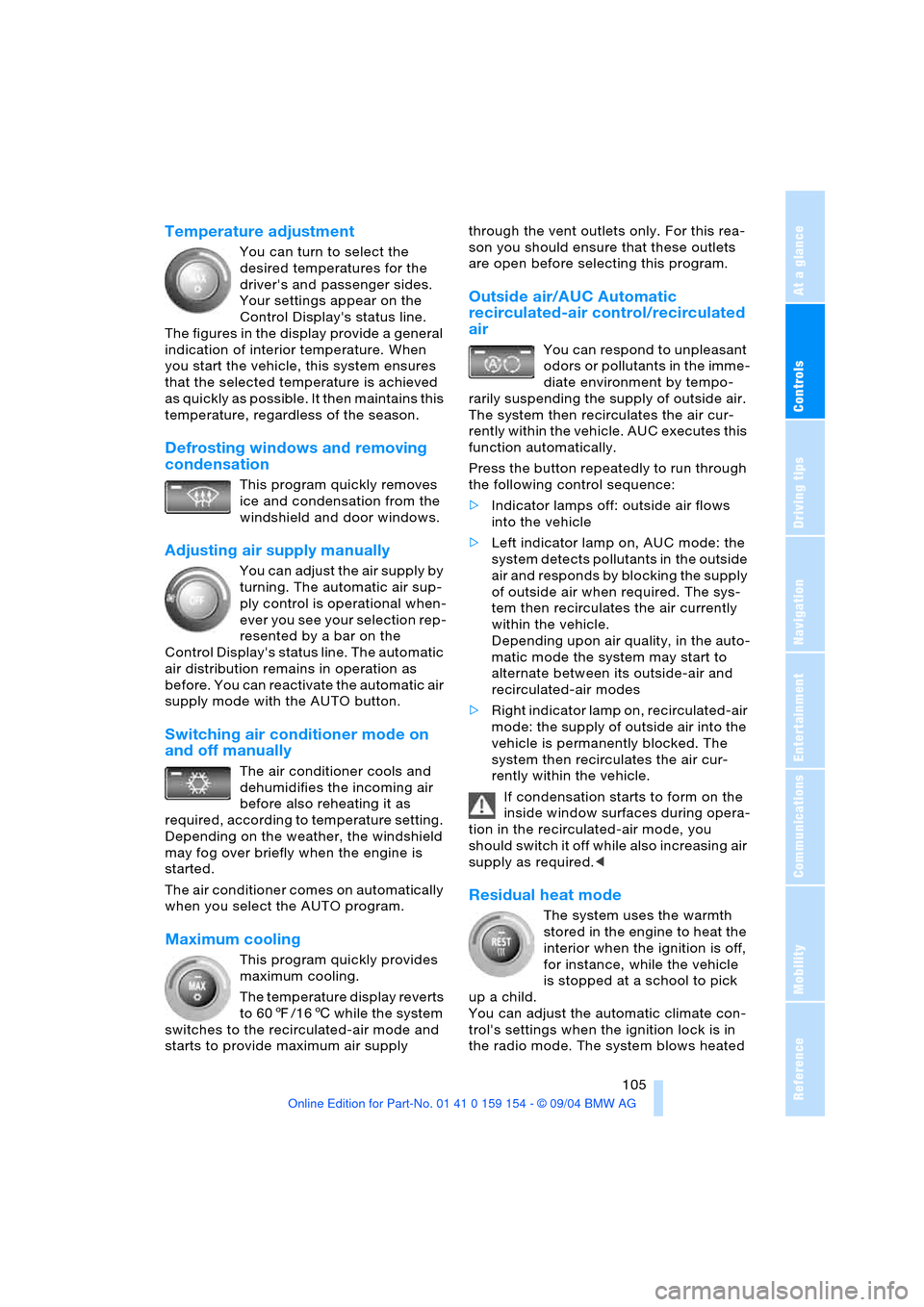
Temperature adjustment
You can turn to select the
desired temperatures for the
driver's and passenger sides.
Your settings appear on the
Control Display's status line.
The figures in the display provide a general
indication of interior temperature. When
you start the vehicle, this system ensures
that the selected temperature is achieved
as quickly as possible. It then maintains this
temperature, regardless of the season.
Defrosting windows and removing
condensation
This program quickly removes
ice and condensation from the
windshield and door windows.
Adjusting air supply manually
You can adjust the air supply by
turning. The automatic air sup-
ply control is operational when-
ever you see your selection rep-
resented by a bar on the
Control Display's status line. The automatic
air distribution remains in operation as
before. You can reactivate the automatic air
supply mode with the AUTO button.
Switching air conditioner mode on
and off manually
The air conditioner cools and
dehumidifies the incoming air
before also reheating it as
required, according to temperature setting.
Depending on the weather, the windshield
may fog over briefly when the engine is
started.
The air conditioner comes on automatically
when you select the AUTO program.
Maximum cooling
This program quickly provides
maximum cooling.
The temperature display reverts
to 607/166 while the system
switches to the recirculated-air mode and
starts to provide maximum air supply through the vent outlets only. For this rea-
son you should ensure that these outlets
are open before selecting this program.
Outside air/AUC Automatic
recirculated-air control/recirculated
air
You can respond to unpleasant
odors or pollutants in the imme-
diate environment by tempo-
rarily suspending the supply of outside air.
The system then recirculates the air cur-
rently within the vehicle. AUC executes this
function automatically.
Press the button repeatedly to run through
the following control sequence:
>Indicator lamps off: outside air flows
into the vehicle
>Left indicator lamp on, AUC mode: the
system detects pollutants in the outside
air and responds by blocking the supply
of outside air when required. The sys-
tem then recirculates the air currently
within the vehicle.
Depending upon air quality, in the auto-
matic mode the system may start to
alternate between its outside-air and
recirculated-air modes
>Right indicator lamp on, recirculated-air
mode: the supply of outside air into the
vehicle is permanently blocked. The
system then recirculates the air cur-
rently within the vehicle.
If condensation starts to form on the
inside window surfaces during opera-
tion in the recirculated-air mode, you
should switch it off while also increasing air
supply as required.<
Residual heat mode
The system uses the warmth
stored in the engine to heat the
interior when the ignition is off,
for instance, while the vehicle
is stopped at a school to pick
up a child.
You can adjust the automatic climate con-
trol's settings when the ignition lock is in
the radio mode. The system blows heated
Page 112 of 239
A congenial climate
110
Rear ventilation
Use the lever1 to vary the airflow direction.
For additional information on rear ventila-
tion options, refer to page106.
Independent ventilation
System operation is controlled using the
Control Center. You can set two different
times for the system to start.
The independent ventilation blows air into
the passenger compartment to lower inte-
rior temperatures.
The system remains on for 30 minutes. You
can also switch the system on and off man-
ually. Since the system uses a substantial
amount of electrical current, you should
refrain from activating it twice in succes-
sion without allowing the battery to be
recharged in normal operation between
use.
The independent ventilation is available for
preprogrammed operation at outside tem-
peratures above approx. 59 7/156 and
for direct activation at any temperature, but
is not operational when the vehicle is
underway.
The air enters the passenger compartment
through the vent outlets in the dashboard,
which can be adjusted for both direction
and airflow. These outlets must be open for
the system to operate.
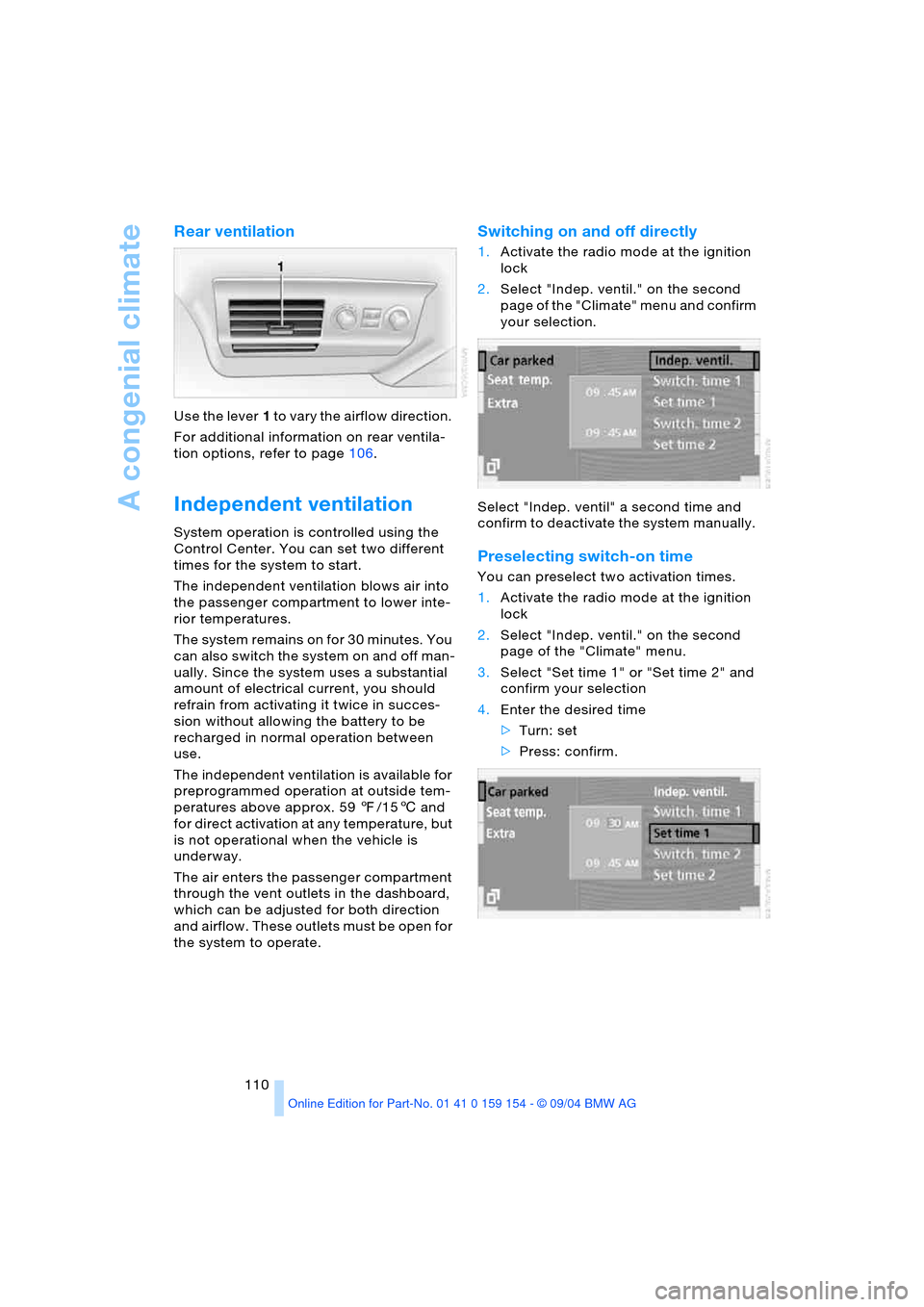
Switching on and off directly
1.Activate the radio mode at the ignition
lock
2.Select "Indep. ventil." on the second
page of the "Climate" menu and confirm
your selection.
Select "Indep. ventil" a second time and
confirm to deactivate the system manually.
Preselecting switch-on time
You can preselect two activation times.
1.Activate the radio mode at the ignition
lock
2.Select "Indep. ventil." on the second
page of the "Climate" menu.
3.Select "Set time 1" or "Set time 2" and
confirm your selection
4.Enter the desired time
>Turn: set
>Press: confirm.
Page 115 of 239
Controls
113Reference
At a glance
Driving tips
Communications
Navigation
Entertainment
Mobility
The corresponding memory key1 is now
programmed with the signal of the original
hand-held transmitter.
The device can be operated as of ignition
on.
If the device can not be operated
after repeated programming, check
whether the original hand-held transmitter
uses an alternating-code system. To do so,
either read the instructions of the original
hand-held transmitter or press and hold
down the programmed memory key1 of
the integrated universal remote control.
If the indicator lamp2 on the integrated
universal remote control flashes quickly
for a brief period and then remains lit up
for approx. two seconds, this indicates
that the original hand-held transmitter is
equipped with an alternating-code system.
In the case of an alternating-code system,
program the memory keys1 as described
at the section on alternating-code transmit-
ters.<
Alternating-code transmitters
Consult the operating instructions of the
unit you wish to set when programming the
universal remote control. You will find infor-
mation there on the possibilities for syn-
chronization.
When programming hand-held transmitters
that employ an alternating code, please
observe the following supplementary
instructions:
Programming will be easier with the
aid of a second person.<
1.Park your vehicle within the range of the
remote-controlled device
2.Program the integrated universal
remote control as described at the sec-
tion on fixed-code hand-held transmit-
ters
3.Localize the key on the receiver of the
device you want to set up, e.g. on the
upper section of the motor
4.Press the key on the receiver of the
device you want to set up. After step 4,
you have approx. 30 seconds for step 55.Press the programmed memory key1
on the integrated universal remote con-
trol three times.
The corresponding memory key1 is now
programmed with the signal of the original
hand-held transmitter.
If you have any additional questions,
please contact your BMW center.<
Clearing memory keys
Individual memory keys1 can not be
cleared. However, you clear all three mem-
ory keys1 together as follows:
Press both outer keys1 of the integrated
universal remote control for approx.
20 seconds, maintaining pressure until the
indicator lamp2 starts to flash.
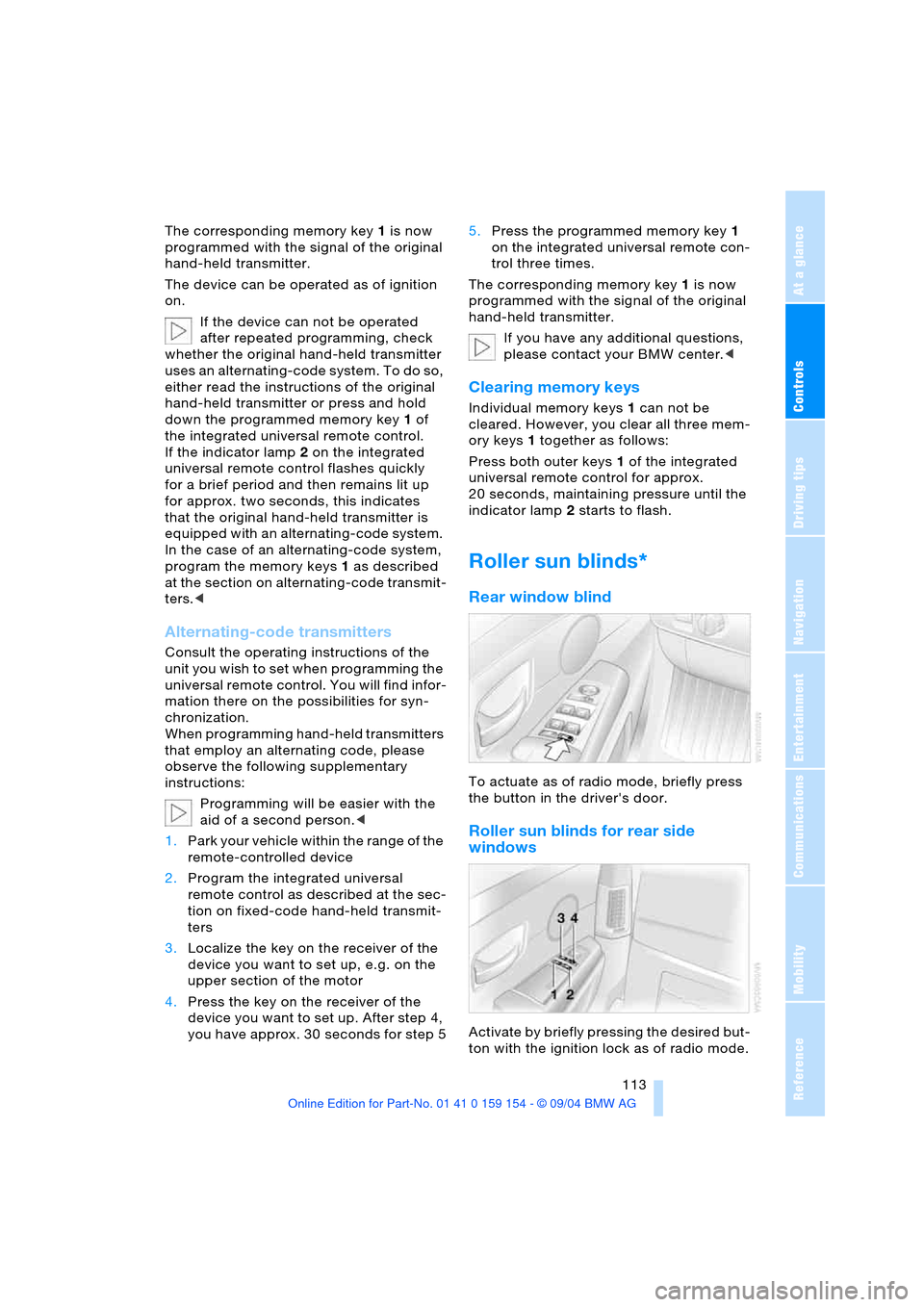
Roller sun blinds*
Rear window blind
To actuate as of radio mode, briefly press
the button in the driver's door.
Roller sun blinds for rear side
windows
Activate by briefly pressing the desired but-
ton with the ignition lock as of radio mode.
Page 116 of 239
Practical interior accessories
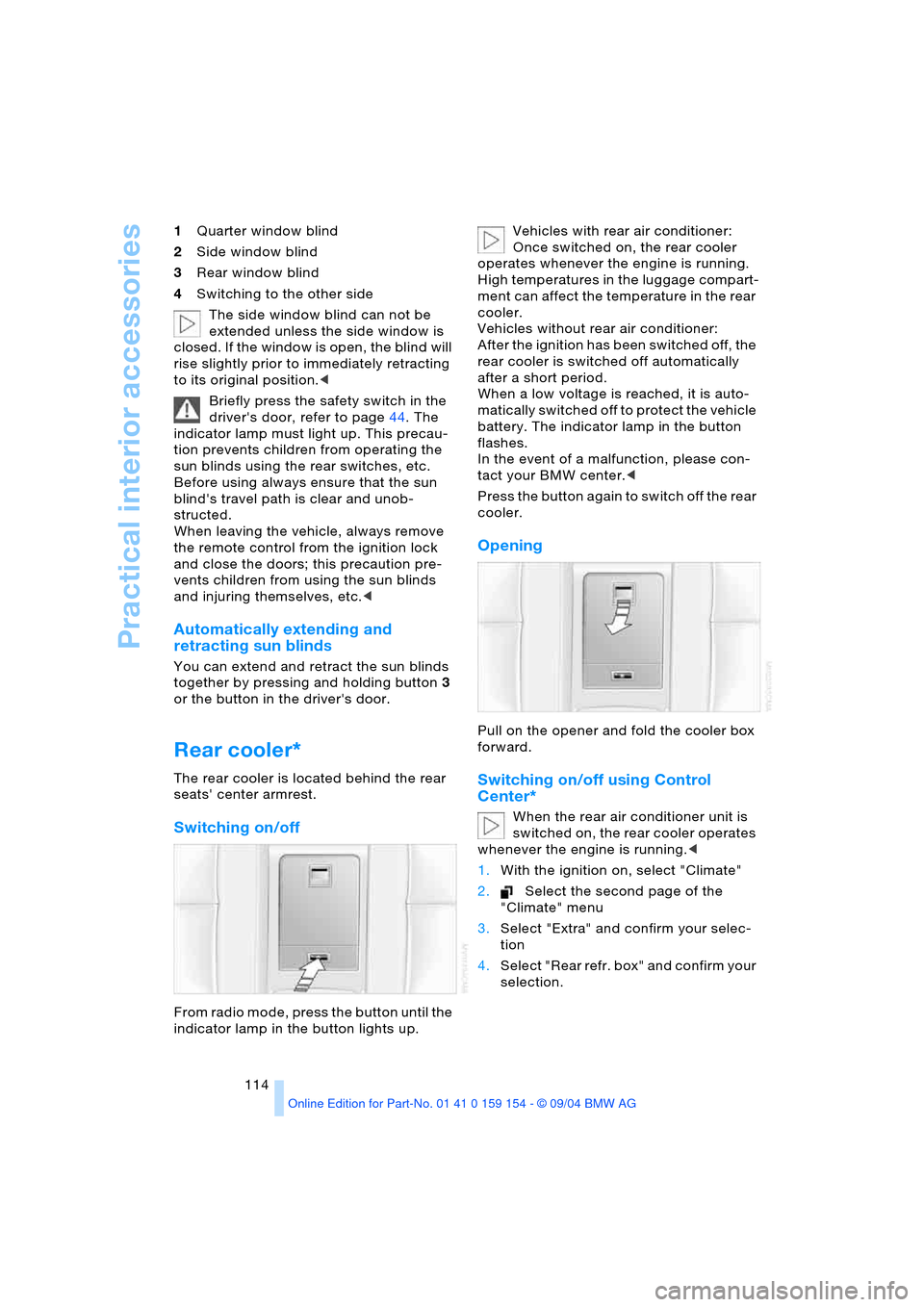
114 1Quarter window blind
2Side window blind
3Rear window blind
4Switching to the other side
The side window blind can not be
extended unless the side window is
closed. If the window is open, the blind will
rise slightly prior to immediately retracting
to its original position.<
Briefly press the safety switch in the
driver's door, refer to page44. The
indicator lamp must light up. This precau-
tion prevents children from operating the
sun blinds using the rear switches, etc.
Before using always ensure that the sun
blind's travel path is clear and unob-
structed.
When leaving the vehicle, always remove
the remote control from the ignition lock
and close the doors; this precaution pre-
vents children from using the sun blinds
and injuring themselves, etc.<
Automatically extending and
retracting sun blinds
You can extend and retract the sun blinds
together by pressing and holding button3
or the button in the driver's door.
Rear cooler*
The rear cooler is located behind the rear
seats' center armrest.
Switching on/off
From radio mode, press the button until the
indicator lamp in the button lights up. Vehicles with rear air conditioner:
Once switched on, the rear cooler
operates whenever the engine is running.
High temperatures in the luggage compart-
ment can affect the temperature in the rear
cooler.
Vehicles without rear air conditioner:
After the ignition has been switched off, the
rear cooler is switched off automatically
after a short period.
When a low voltage is reached, it is auto-
matically switched off to protect the vehicle
battery. The indicator lamp in the button
flashes.
In the event of a malfunction, please con-
tact your BMW center.<
Press the button again to switch off the rear
cooler.
Opening
Pull on the opener and fold the cooler box
forward.
Switching on/off using Control
Center*
When the rear air conditioner unit is
switched on, the rear cooler operates
whenever the engine is running.<
1.With the ignition on, select "Climate"
2.Select the second page of the
"Climate" menu
3.Select "Extra" and confirm your selec-
tion
4.Select "Rear refr. box" and confirm your
selection.
Page 149 of 239
Entertainment
This chapter is intended to assist you in
deriving maximum viewing and listening
pleasure from radio and TV broadcasts,
CDs or DVDs.
Page 150 of 239
On/off, tone
148
On/off, tone
Controls
Operation using buttons
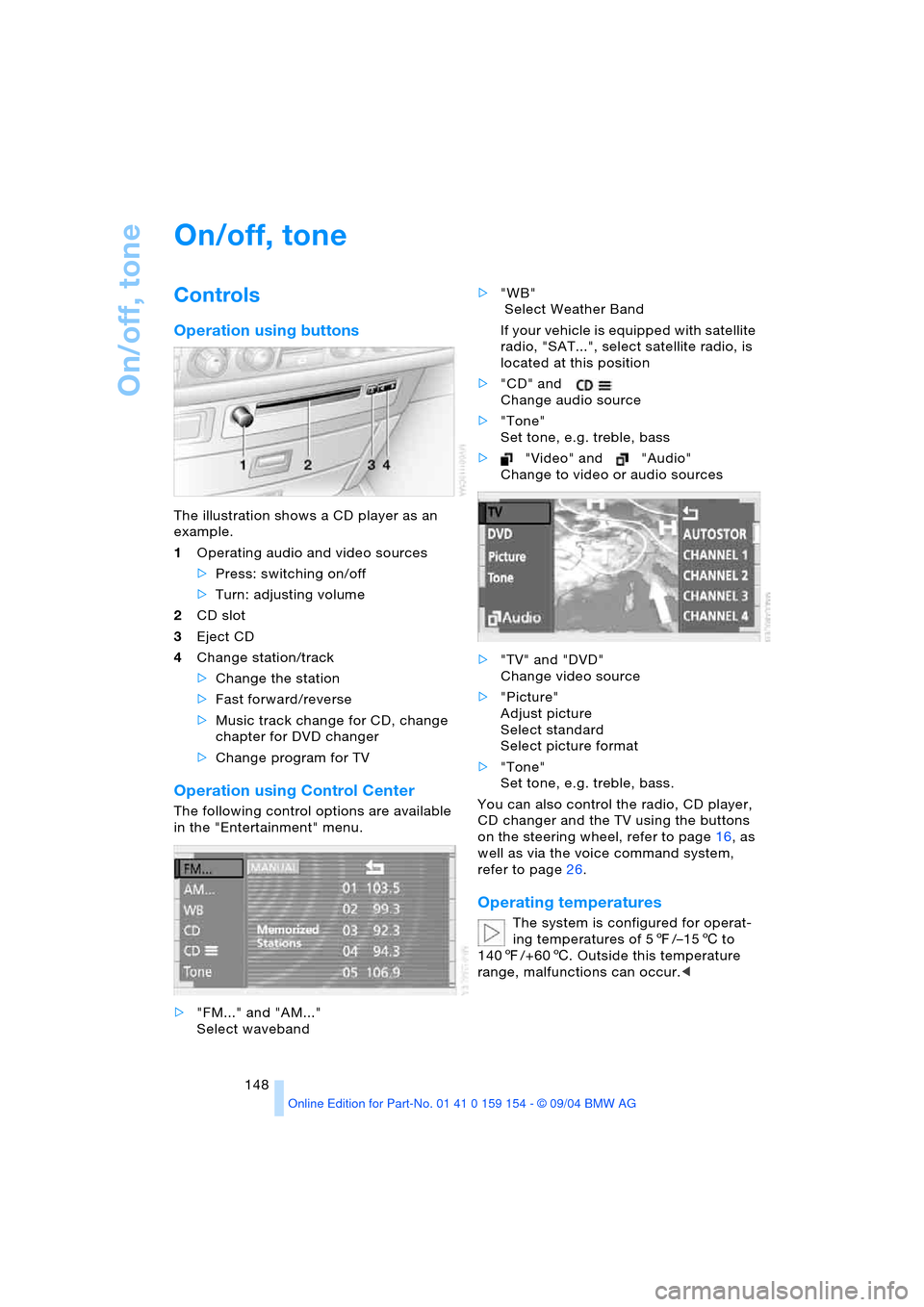
The illustration shows a CD player as an
example.
1Operating audio and video sources
>Press: switching on/off
>Turn: adjusting volume
2CD slot
3Eject CD
4Change station/track
>Change the station
>Fast forward/reverse
>Music track change for CD, change
chapter for DVD changer
>Change program for TV
Operation using Control Center
The following control options are available
in the "Entertainment" menu.
>"FM..." and "AM..."
Select waveband>"WB"
Select Weather Band
If your vehicle is equipped with satellite
radio, "SAT...", select satellite radio, is
located at this position
>"CD" and
Change audio source
>"Tone"
Set tone, e.g. treble, bass
>"Video" and "Audio"
Change to video or audio sources
>"TV" and "DVD"
Change video source
>"Picture"
Adjust picture
Select standard
Select picture format
>"Tone"
Set tone, e.g. treble, bass.
You can also control the radio, CD player,
CD changer and the TV using the buttons
on the steering wheel, refer to page16, as
well as via the voice command system,
refer to page26.
Operating temperatures
The system is configured for operat-
ing temperatures of 57/–156 to
1407/+606. Outside this temperature
range, malfunctions can occur.<
Page 151 of 239
Navigation
Entertainment
Driving tips
149Reference
At a glance
Controls
Communications
Mobility
Care instructions
You can find everything you need to know
on this topic by consulting the separate
Caring for your vehicle brochure.
Switching on/off
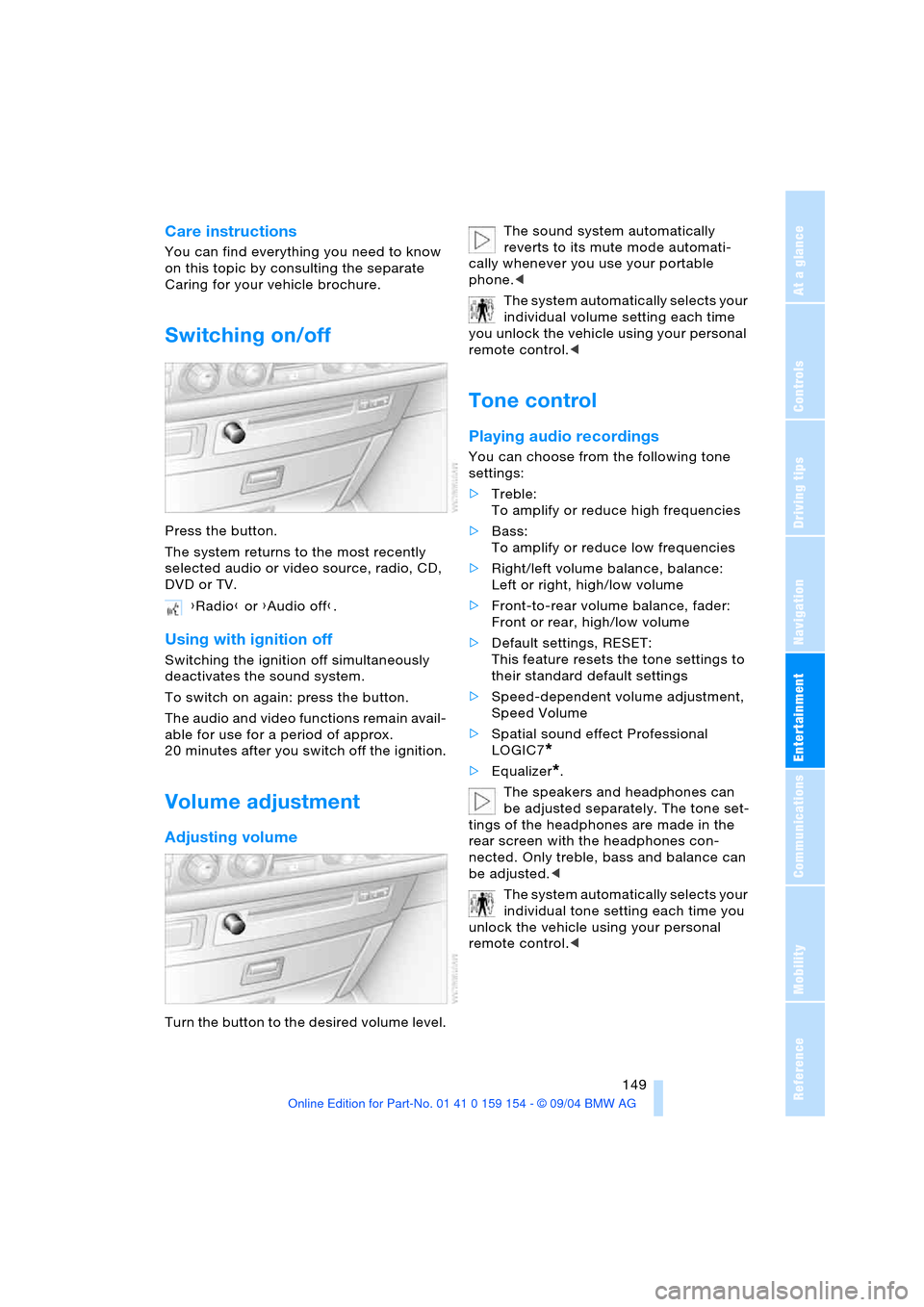
Press the button.
The system returns to the most recently
selected audio or video source, radio, CD,
DVD or TV.
Using with ignition off
Switching the ignition off simultaneously
deactivates the sound system.
To switch on again: press the button.
The audio and video functions remain avail-
able for use for a period of approx.
20 minutes after you switch off the ignition.
Volume adjustment
Adjusting volume
Turn the button to the desired volume level.The sound system automatically
reverts to its mute mode automati-
cally whenever you use your portable
phone.<
The system automatically selects your
individual volume setting each time
you unlock the vehicle using your personal
remote control.<
Tone control
Playing audio recordings
You can choose from the following tone
settings:
>Treble:
To amplify or reduce high frequencies
>Bass:
To amplify or reduce low frequencies
>Right/left volume balance, balance:
Left or right, high/low volume
>Front-to-rear volume balance, fader:
Front or rear, high/low volume
>Default settings, RESET:
This feature resets the tone settings to
their standard default settings
>Speed-dependent volume adjustment,
Speed Volume
>Spatial sound effect Professional
LOGIC7
*
>Equalizer*.
The speakers and headphones can
be adjusted separately. The tone set-
tings of the headphones are made in the
rear screen with the headphones con-
nected. Only treble, bass and balance can
be adjusted.<
The system automatically selects your
individual tone setting each time you
unlock the vehicle using your personal
remote control.< {Radio} or {Audio off}.
Page 152 of 239
On/off, tone
150
Tone adjustment
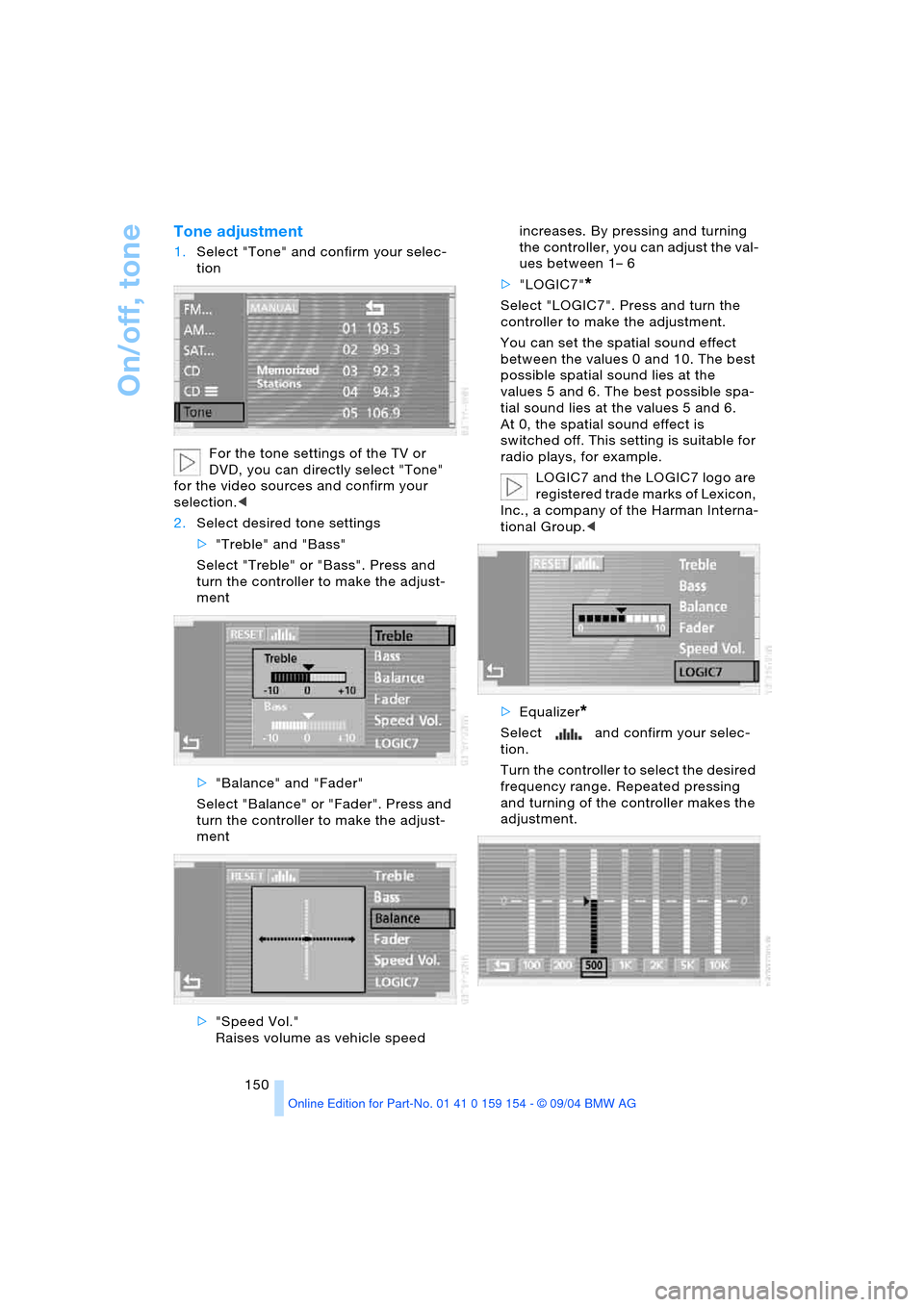
1.Select "Tone" and confirm your selec-
tion
For the tone settings of the TV or
DVD, you can directly select "Tone"
for the video sources and confirm your
selection.<
2.Select desired tone settings
>"Treble" and "Bass"
Select "Treble" or "Bass". Press and
turn the controller to make the adjust-
ment
>"Balance" and "Fader"
Select "Balance" or "Fader". Press and
turn the controller to make the adjust-
ment
>"Speed Vol."
Raises volume as vehicle speed increases. By pressing and turning
the controller, you can adjust the val-
ues between 1– 6
>"LOGIC7"
*
Select "LOGIC7". Press and turn the
controller to make the adjustment.
You can set the spatial sound effect
between the values 0 and 10. The best
possible spatial sound lies at the
values 5 and 6. The best possible spa-
tial sound lies at the values 5 and 6.
At 0, the spatial sound effect is
switched off. This setting is suitable for
radio plays, for example.
LOGIC7 and the LOGIC7 logo are
registered trade marks of Lexicon,
Inc., a company of the Harman Interna-
tional Group.<
>Equalizer
*
Select and confirm your selec-
tion.
Turn the controller to select the desired
frequency range. Repeated pressing
and turning of the controller makes the
adjustment.
Page 154 of 239
Radio
152
Radio
Listening to radio
1.Switch on audio or video sources, refer
to page 149.
Select " Audio" and confirm your
selection if a video source is switched
on
2.If another audio source is switched on,
select "FM..." or "AM..." and confirm
your selection.
Volume adjustment, refer to page149.
Tone control, refer to page149.
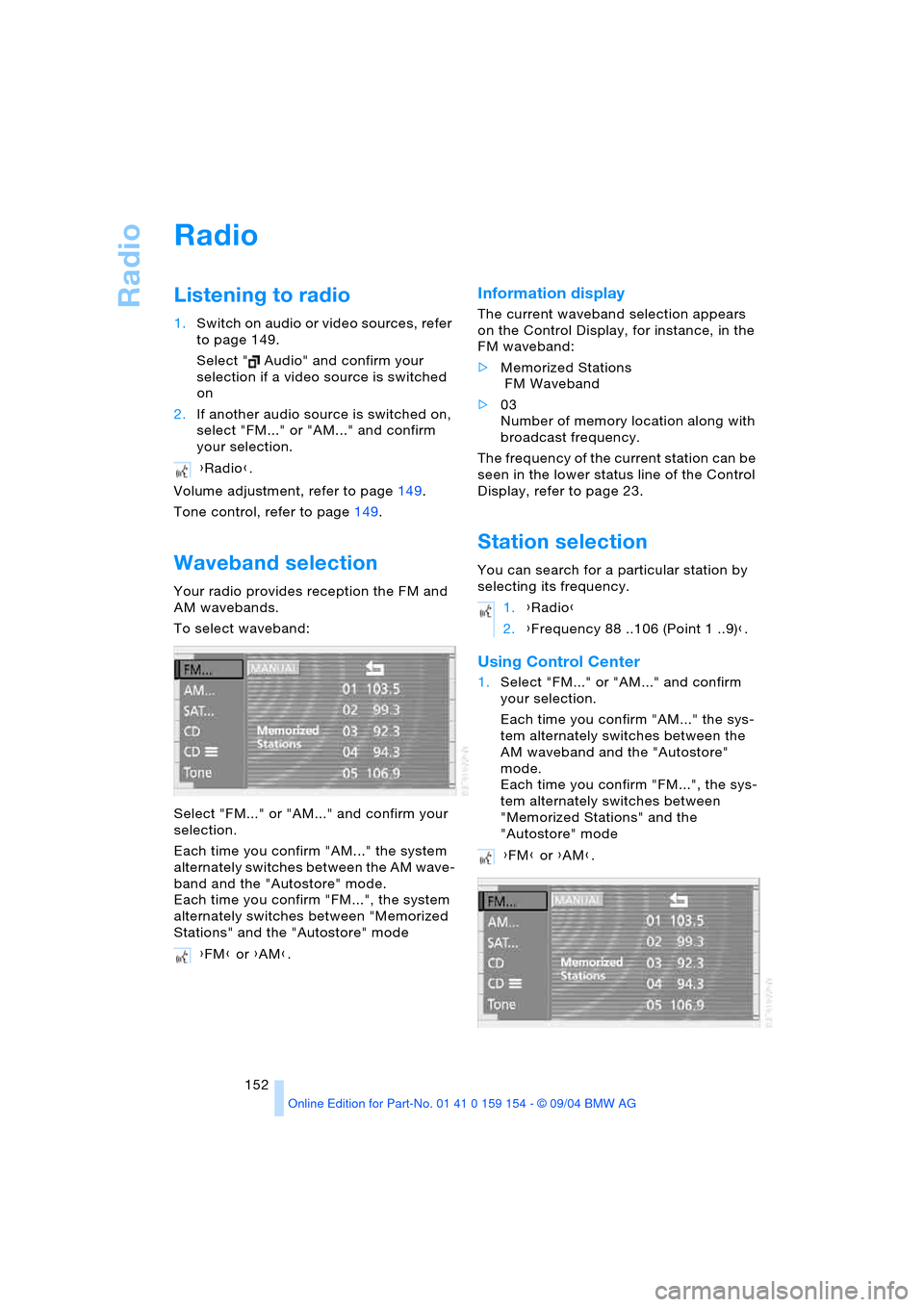
Waveband selection
Your radio provides reception the FM and
AM wavebands.
To select waveband:
Select "FM..." or "AM..." and confirm your
selection.
Each time you confirm "AM..." the system
alternately switches between the AM wave-
band and the "Autostore" mode.
Each time you confirm "FM...", the system
alternately switches between "Memorized
Stations" and the "Autostore" mode
Information display
The current waveband selection appears
on the Control Display, for instance, in the
FM waveband:
>Memorized Stations
FM Waveband
>03
Number of memory location along with
broadcast frequency.
The frequency of the current station can be
seen in the lower status line of the Control
Display, refer to page 23.
Station selection
You can search for a particular station by
selecting its frequency.
Using Control Center
1.Select "FM..." or "AM..." and confirm
your selection.
Each time you confirm "AM..." the sys-
tem alternately switches between the
AM waveband and the "Autostore"
mode.
Each time you confirm "FM...", the sys-
tem alternately switches between
"Memorized Stations" and the
"Autostore" mode {Radio}.
{FM} or {AM}.
1.{Radio}
2.{Frequency 88 ..106 (Point 1 ..9)}.
{FM} or {AM}.
Page 155 of 239
Navigation
Entertainment
Driving tips
153Reference
At a glance
Controls
Communications
Mobility
2.Select "MANUAL" and confirm your
selection.
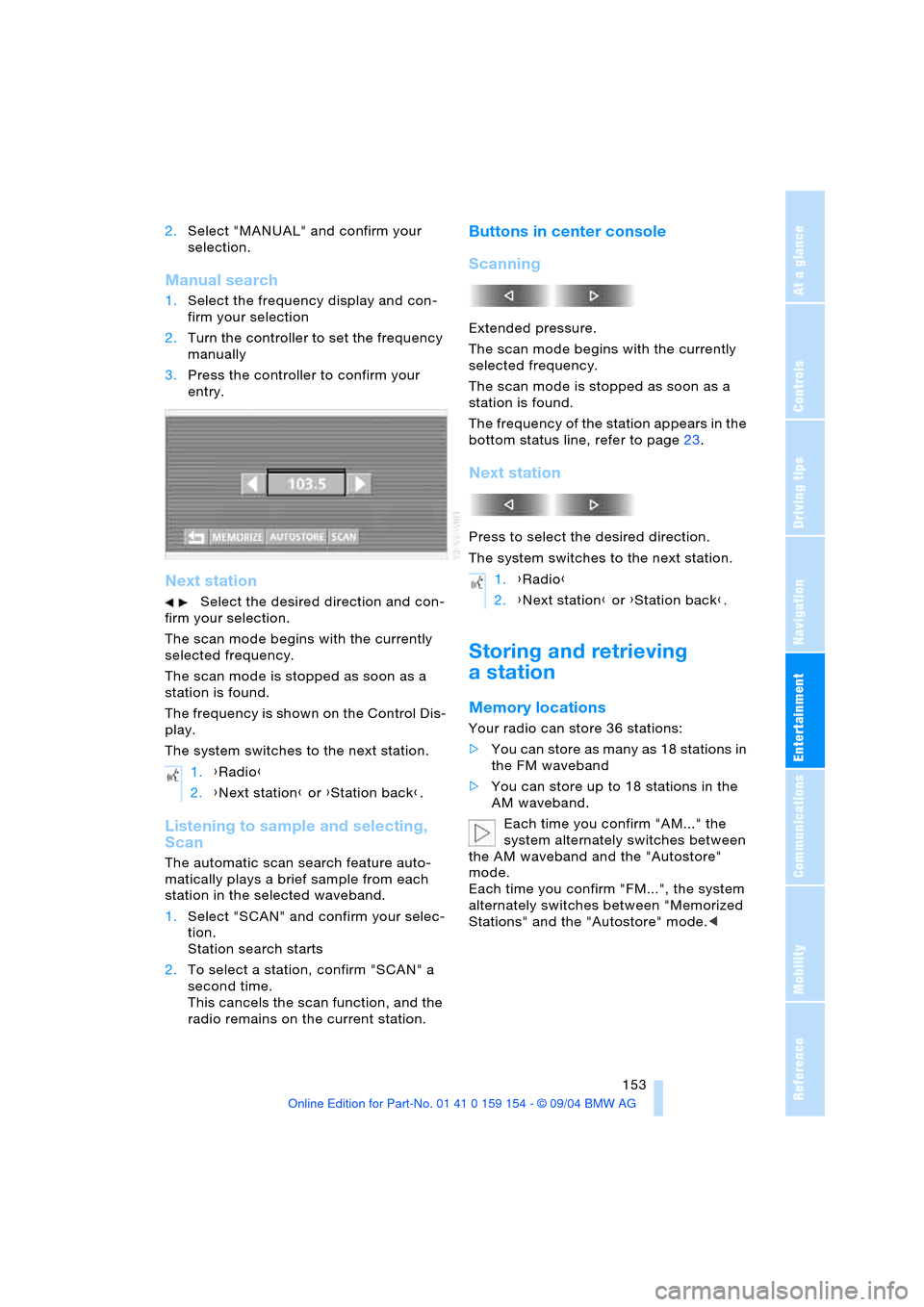
Manual search
1.Select the frequency display and con-
firm your selection
2.Turn the controller to set the frequency
manually
3.Press the controller to confirm your
entry.
Next station
Select the desired direction and con-
firm your selection.
The scan mode begins with the currently
selected frequency.
The scan mode is stopped as soon as a
station is found.
The frequency is shown on the Control Dis-
play.
The system switches to the next station.
Listening to sample and selecting,
Scan
The automatic scan search feature auto-
matically plays a brief sample from each
station in the selected waveband.
1.Select "SCAN" and confirm your selec-
tion.
Station search starts
2.To select a station, confirm "SCAN" a
second time.
This cancels the scan function, and the
radio remains on the current station.
Buttons in center console
Scanning
Extended pressure.
The scan mode begins with the currently
selected frequency.
The scan mode is stopped as soon as a
station is found.
The frequency of the station appears in the
bottom status line, refer to page23.
Next station
Press to select the desired direction.
The system switches to the next station.
Storing and retrieving
a station
Memory locations
Your radio can store 36 stations:
>You can store as many as 18 stations in
the FM waveband
>You can store up to 18 stations in the
AM waveband.
Each time you confirm "AM..." the
system alternately switches between
the AM waveband and the "Autostore"
mode.
Each time you confirm "FM...", the system
alternately switches between "Memorized
Stations" and the "Autostore" mode.< 1.{Radio}
2.{Next station} or {Station back}.
1.{Radio}
2.{Next station} or {Station back}.