warning BMW 745i 2005 E65 Owner's Guide
[x] Cancel search | Manufacturer: BMW, Model Year: 2005, Model line: 745i, Model: BMW 745i 2005 E65Pages: 239, PDF Size: 8.03 MB
Page 101 of 239
Controls
99Reference
At a glance
Driving tips
Communications
Navigation
Entertainment
Mobility
whether or not the seat is occupied by a
child in the child-restraint system or an
adult.
>When a child is seated in the child-
restraint system or with an empty seat,
the front and side airbags are automat-
ically deactivated on the passenger's
side
>When an adult is traveling in the front
seat, the front and side airbags remain
active on the passenger side.
Although not desired, it can occur in
the case of heavier children that the
front passenger airbags remain active or in
the case of very light adults or young per-
sons that the front passenger airbags are
deactivated.
The state of the front passenger airbags is
shown with the indicator lamp, refer to Indi-
cator lamps in the following. In this case
transport the corresponding persons on the
rear seat.
Except when persons to be transported, do
not increase the load on the front passen-
ger seat with additional items. Do not fit
seat covers, seat cushion padding, ball
mats or other items to the front passenger
seat unless they are specifically recom-
mended by BMW. Do not place any items
under the seat. Otherwise, the function of
the seat occupation detection could be
impaired.<
Indicator lamps
Airbag system ready for use
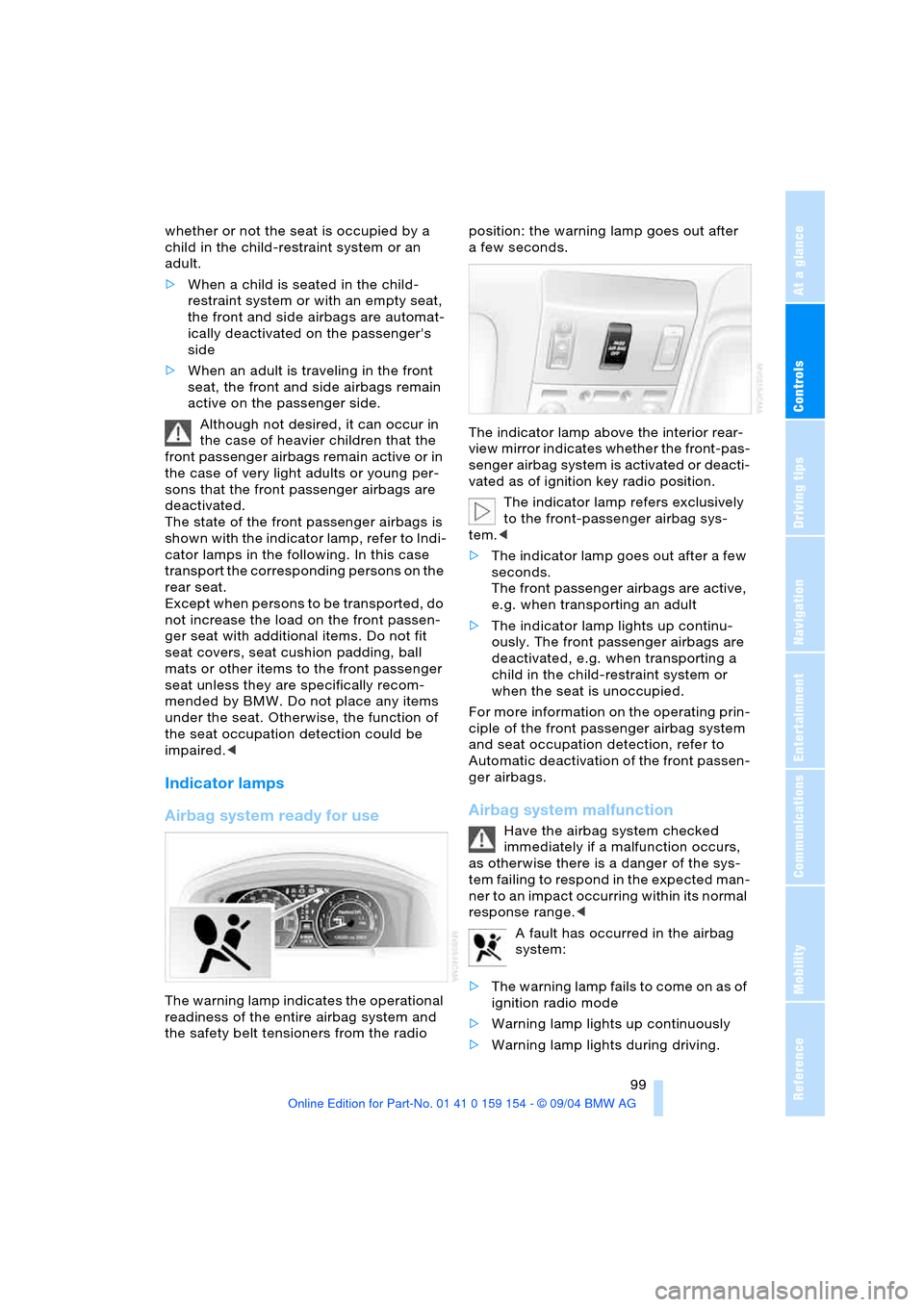
The warning lamp indicates the operational
readiness of the entire airbag system and
the safety belt tensioners from the radio position: the warning lamp goes out after
afew seconds.
The indicator lamp above the interior rear-
view mirror indicates whether the front-pas-
senger airbag system is activated or deacti-
vated as of ignition key radio position.
The indicator lamp refers exclusively
to the front-passenger airbag sys-
tem.<
>The indicator lamp goes out after a few
seconds.
The front passenger airbags are active,
e.g. when transporting an adult
>The indicator lamp lights up continu-
ously. The front passenger airbags are
deactivated, e.g. when transporting a
child in the child-restraint system or
when the seat is unoccupied.
For more information on the operating prin-
ciple of the front passenger airbag system
and seat occupation detection, refer to
Automatic deactivation of the front passen-
ger airbags.
Airbag system malfunction
Have the airbag system checked
immediately if a malfunction occurs,
as otherwise there is a danger of the sys-
tem failing to respond in the expected man-
ner to an impact occurring within its normal
response range.<
A fault has occurred in the airbag
system:
>The warning lamp fails to come on as of
ignition radio mode
>Warning lamp lights up continuously
>Warning lamp lights during driving.
Page 102 of 239
Lamps
100
Lamps
Parking lamps/low beams
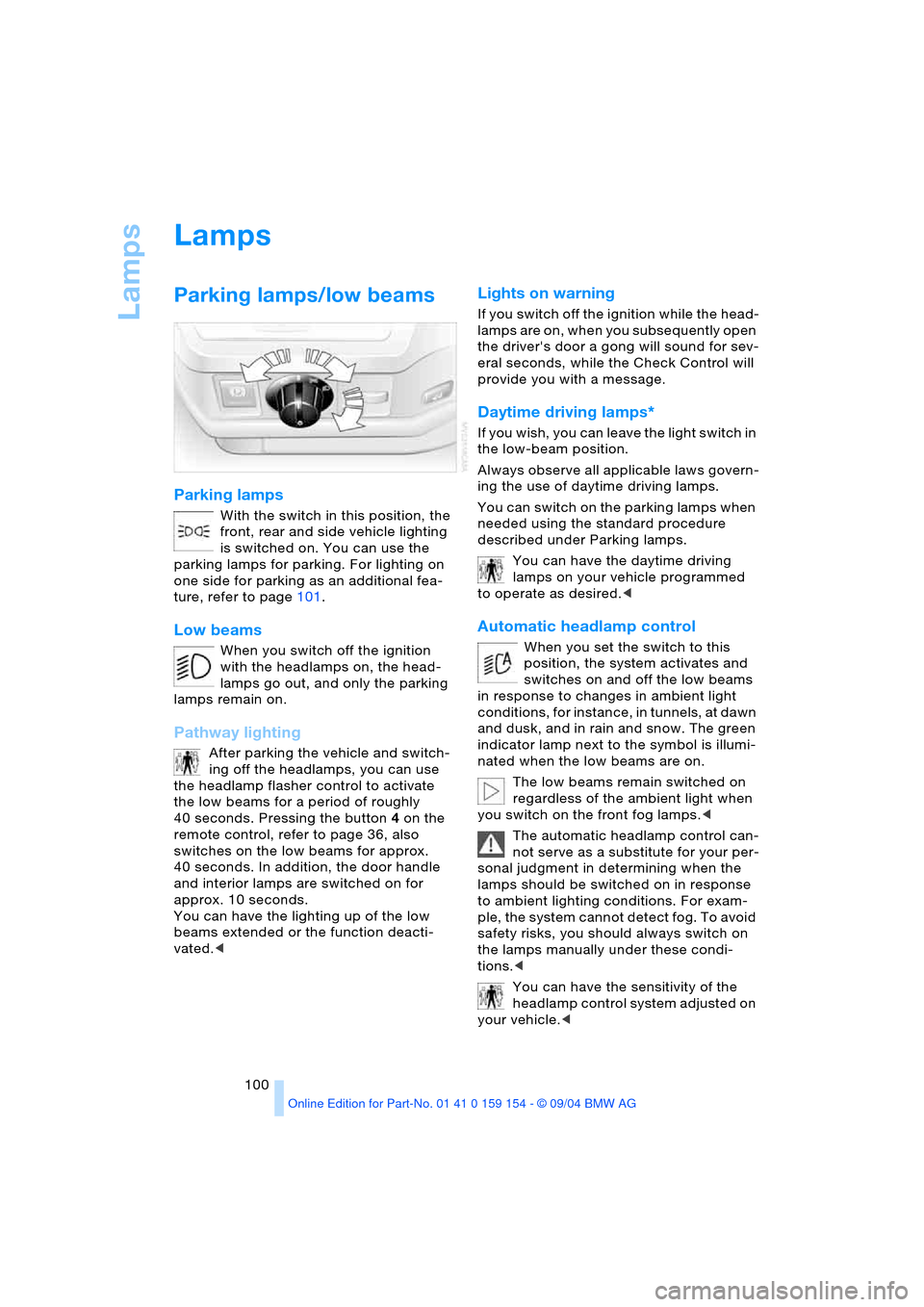
Parking lamps
With the switch in this position, the
front, rear and side vehicle lighting
is switched on. You can use the
parking lamps for parking. For lighting on
one side for parking as an additional fea-
ture, refer to page101.
Low beams
When you switch off the ignition
with the headlamps on, the head-
lamps go out, and only the parking
lamps remain on.
Pathway lighting
After parking the vehicle and switch-
ing off the headlamps, you can use
the headlamp flasher control to activate
the low beams for a period of roughly
40 seconds. Pressing the button 4 on the
remote control, refer to page 36, also
switches on the low beams for approx.
40 seconds. In addition, the door handle
and interior lamps are switched on for
approx. 10 seconds.
You can have the lighting up of the low
beams extended or the function deacti-
vated.<
Lights on warning
If you switch off the ignition while the head-
lamps are on, when you subsequently open
the driver's door a gong will sound for sev-
eral seconds, while the Check Control will
provide you with a message
.
Daytime driving lamps*
If you wish, you can leave the light switch in
the low-beam position.
Always observe all applicable laws govern-
ing the use of daytime driving lamps.
You can switch on the parking lamps when
needed using the standard procedure
described under Parking lamps.
You can have the daytime driving
lamps on your vehicle programmed
to operate as desired.<
Automatic headlamp control
When you set the switch to this
position, the system activates and
switches on and off the low beams
in response to changes in ambient light
conditions, for instance, in tunnels, at dawn
and dusk, and in rain and snow. The green
indicator lamp next to the symbol is illumi-
nated when the low beams are on.
The low beams remain switched on
regardless of the ambient light when
you switch on the front fog lamps.<
The automatic headlamp control can-
not serve as a substitute for your per-
sonal judgment in determining when the
lamps should be switched on in response
to ambient lighting conditions. For exam-
ple, the system cannot detect fog. To avoid
safety risks, you should always switch on
the lamps manually under these condi-
tions.<
You can have the sensitivity of the
headlamp control system adjusted on
your vehicle.<
Page 143 of 239
Navigation
Driving tips
141Reference
At a glance
Controls
Communications
Entertainment
Mobility
stretch.
Select and confirm; the route list
is closed and a new route is calculated
>"Avoid route":
You can also make a detour of up to
20 miles/30 km around selected sec-
tions of the calculated route. Proceed
by turning the controller to enter the
desired detour mileage, then confirm
your selection. To exit the "Avoid route"
mode without modifying your route,
enter 0 miles/0 km and confirm your
entry.
Bypassing traffic congestion
If traffic congestion is present on your pro-
jected travel route, the navigation system
will issue a "Last exit" warning just before
you reach the back-up.
To obtain an alternative route leading
around the traffic congestion:
Select and confirm your selection
or
1.Select "New route" and confirm your
selection
2.Select "Detour" and confirm your selec-
tion.
The GPS navigation system determines a
new route and then returns to the destina-
tion guidance.
The traffic information service might
not be available in some regions,
which means that a traffic congestion can-
not be displayed.<
Selecting destination
At "Information", you can select the corre-
sponding destinations. For details, refer to
'Selecting destination via Information',
page135 and 'Looking for interesting des-
tinations', page136.
Voice instructions
To prevent the navigation system from
interrupting other audio sources, such as a
news program or traffic bulletin, you can
deactivate the voice instructions.
Press the controller and select the desired
symbol during destination guidance:
Select and confirm your selection to
switch the voice output on or off.
Select and confirm your selection to
repeat the last direction announcement or
the last route instruction when the voice
output is switched on.
Volume adjustment
You can adjust the volume for the naviga-
tion voice instructions:
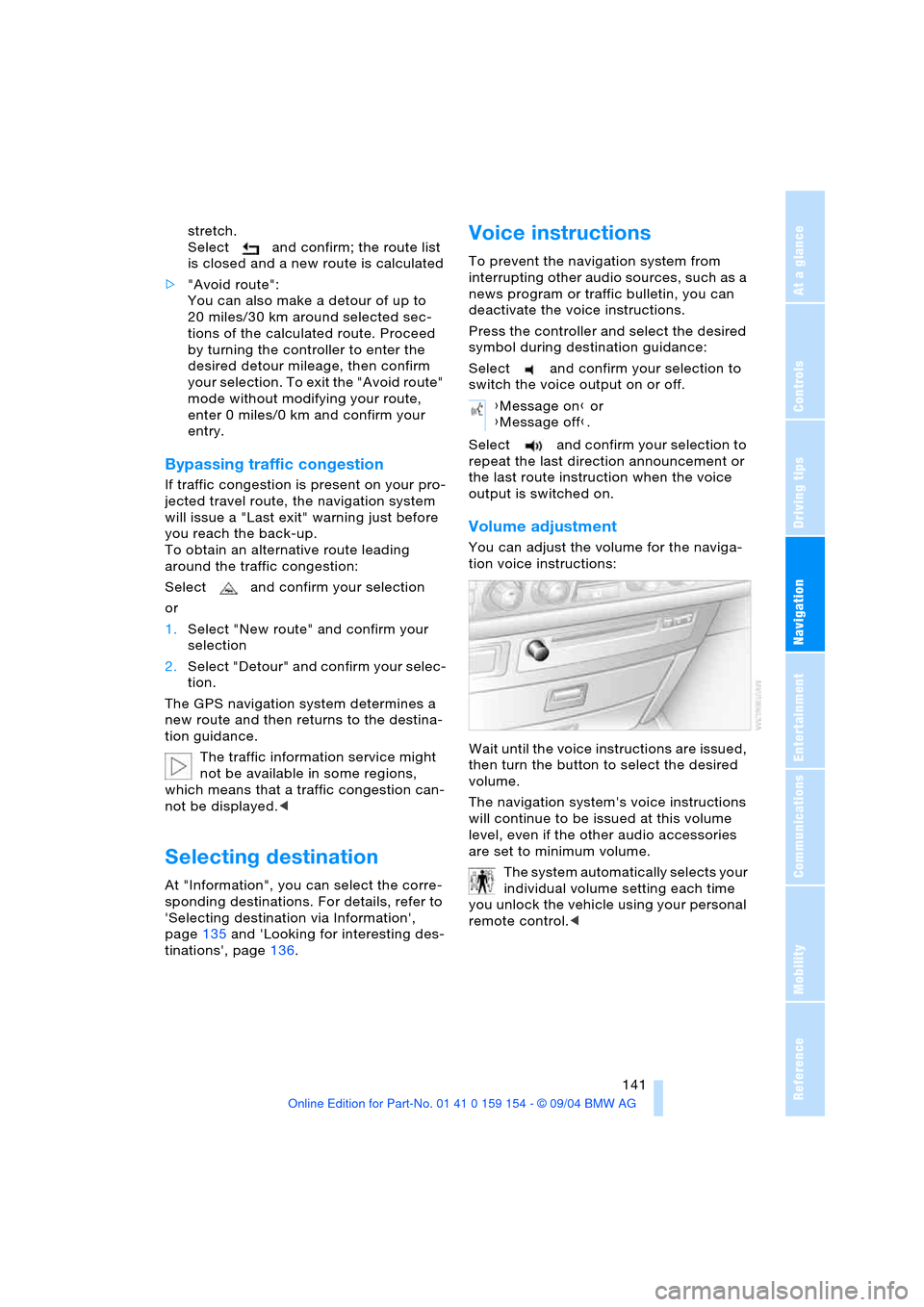
Wait until the voice instructions are issued,
then turn the button to select the desired
volume.
The navigation system's voice instructions
will continue to be issued at this volume
level, even if the other audio accessories
are set to minimum volume.
The system automatically selects your
individual volume setting each time
you unlock the vehicle using your personal
remote control.<
{Message on} or
{Message off}.
Page 157 of 239
Navigation
Entertainment
Driving tips
155Reference
At a glance
Controls
Communications
Mobility
Weather Band
Weather Radio is a service of the National
Oceanic and Atmospheric Administration,
NOAA, of the U.S. Department of Com-
merce. Weather messages are repeated
every four to six minutes and are routinely
revised every one to three hours, or more
frequently if needed. Most of the stations
operate 24 hours daily. During severe
weather, National Weather Service fore-
casters can interrupt the routine weather
broadcasts and substitute special warning
messages. If you have a question concern-
ing NOAA Weather Radio, please contact
your nearest National Weather Service
Office, or write to National Weather Ser-
vice, Attn: W/OM11, National Oceanic and
Atmospheric Administration, 1325 East-
West Highway Silver Spring, MD. 20910.
Selecting Weather Band
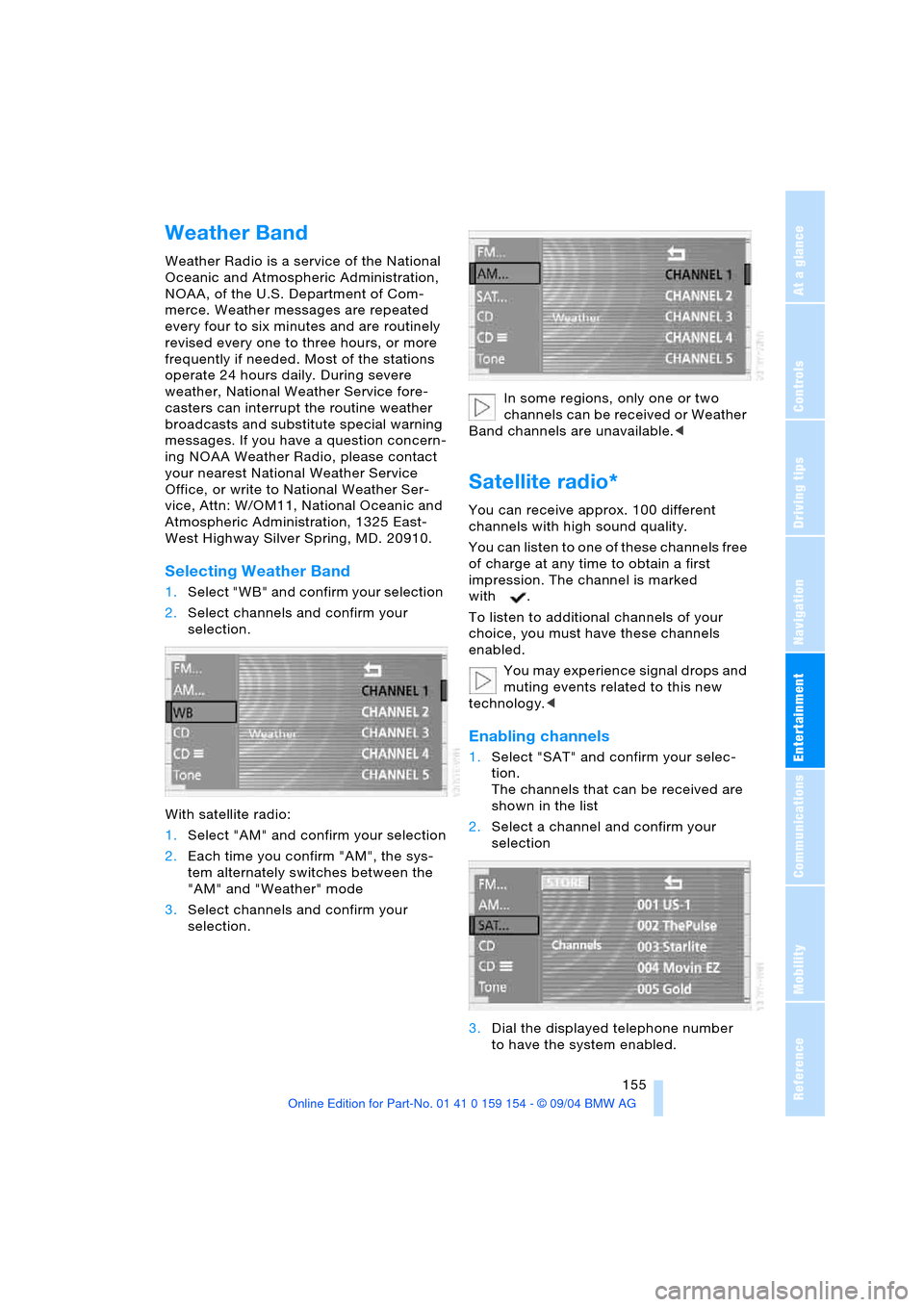
1.Select "WB" and confirm your selection
2.Select channels and confirm your
selection.
With satellite radio:
1.Select "AM" and confirm your selection
2.Each time you confirm "AM", the sys-
tem alternately switches between the
"AM" and "Weather" mode
3.Select channels and confirm your
selection.In some regions, only one or two
channels can be received or Weather
Band channels are unavailable.<
Satellite radio*
You can receive approx. 100 different
channels with high sound quality.
You can listen to one of these channels free
of charge at any time to obtain a first
impression. The channel is marked
with .
To listen to additional channels of your
choice, you must have these channels
enabled.
You may experience signal drops and
muting events related to this new
technology.<
Enabling channels
1.Select "SAT" and confirm your selec-
tion.
The channels that can be received are
shown in the list
2.Select a channel and confirm your
selection
3.Dial the displayed telephone number
to have the system enabled.
Page 198 of 239
Under the hood
196 1.5 liter. Do not fill beyond the upper mark
on the dipstick. Excess oil can damage the
engine.
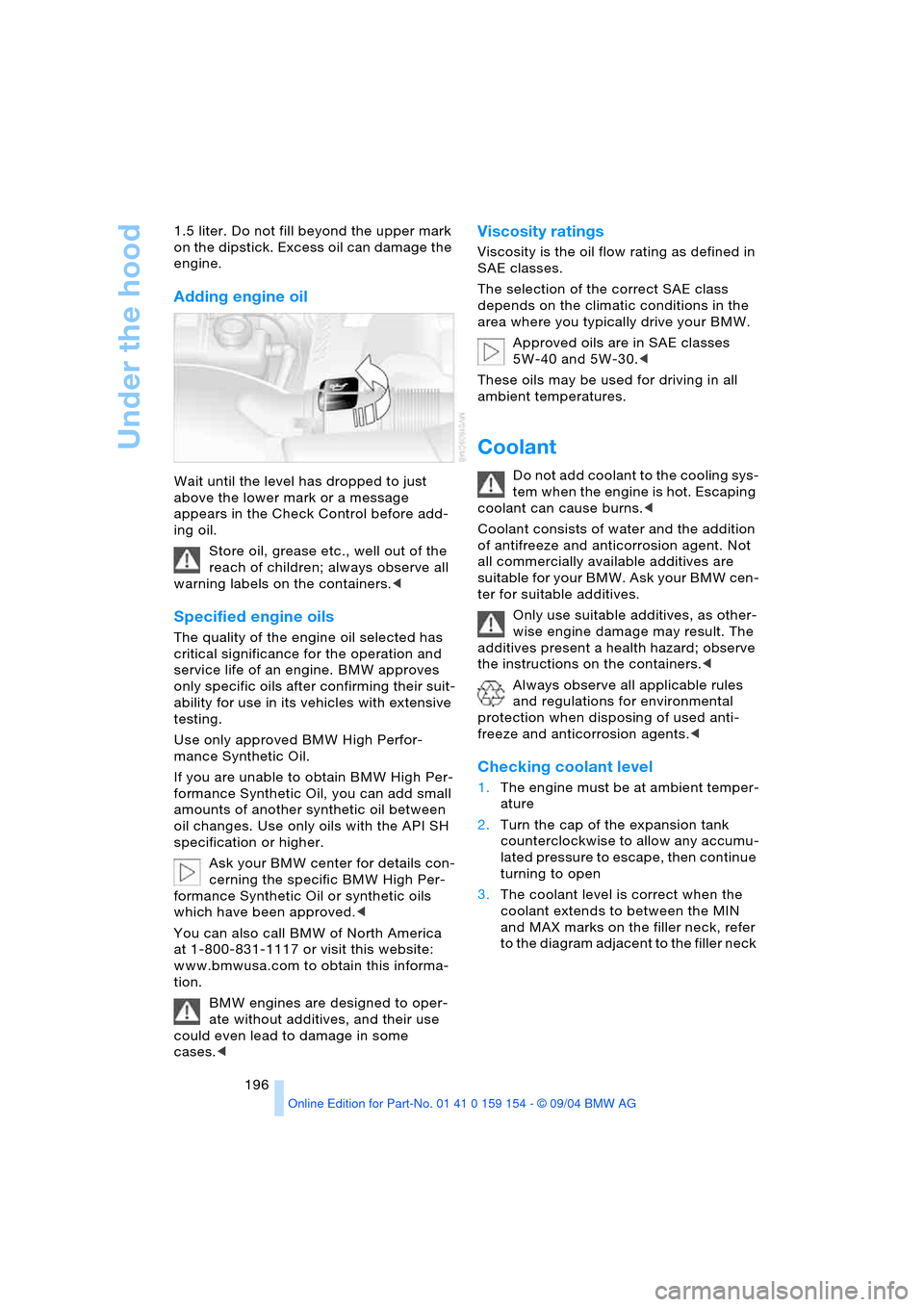
Adding engine oil
Wait until the level has dropped to just
above the lower mark or a message
appears in the Check Control before add-
ing oil.
Store oil, grease etc., well out of the
reach of children; always observe all
warning labels on the containers.<
Specified engine oils
The quality of the engine oil selected has
critical significance for the operation and
service life of an engine. BMW approves
only specific oils after confirming their suit-
ability for use in its vehicles with extensive
testing.
Use only approved BMW High Perfor-
mance Synthetic Oil.
If you are unable to obtain BMW High Per-
formance Synthetic Oil, you can add small
amounts of another synthetic oil between
oil changes. Use only oils with the API SH
specification or higher.
Ask your BMW center for details con-
cerning the specific BMW High Per-
formance Synthetic Oil or synthetic oils
which have been approved.<
You can also call BMW of North America
at 1-800-831-1117 or visit this website:
www.bmwusa.com to obtain this informa-
tion.
BMW engines are designed to oper-
ate without additives, and their use
could even lead to damage in some
cases.<
Viscosity ratings
Viscosity is the oil flow rating as defined in
SAE classes.
The selection of the correct SAE class
depends on the climatic conditions in the
area where you typically drive your BMW.
Approved oils are in SAE classes
5W-40 and 5W-30.<
These oils may be used for driving in all
ambient temperatures.
Coolant
Do not add coolant to the cooling sys-
tem when the engine is hot. Escaping
coolant can cause burns.<
Coolant consists of water and the addition
of antifreeze and anticorrosion agent. Not
all commercially available additives are
suitable for your BMW. Ask your BMW cen-
ter for suitable additives.
Only use suitable additives, as other-
wise engine damage may result. The
additives present a health hazard; observe
the instructions on the containers.<
Always observe all applicable rules
and regulations for environmental
protection when disposing of used anti-
freeze and anticorrosion agents.<
Checking coolant level
1.The engine must be at ambient temper-
ature
2.Turn the cap of the expansion tank
counterclockwise to allow any accumu-
lated pressure to escape, then continue
turning to open
3.The coolant level is correct when the
coolant extends to between the MIN
and MAX marks on the filler neck, refer
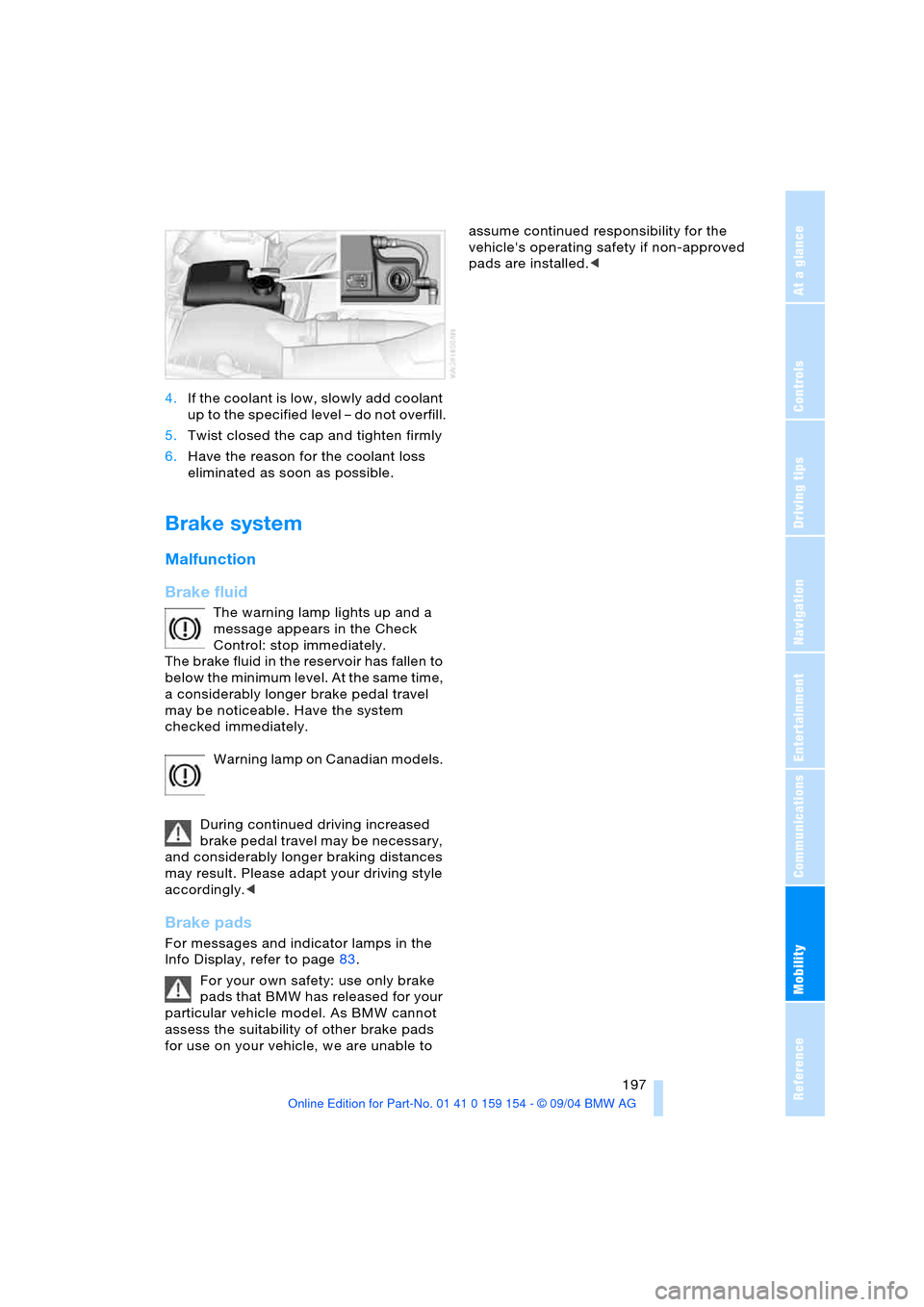
to the diagram adjacent to the filler neck
Page 199 of 239
Mobility
197Reference
At a glance
Controls
Driving tips
Communications
Navigation
Entertainment
4.If the coolant is low, slowly add coolant
up to the specified level – do not overfill.
5.Twist closed the cap and tighten firmly
6.Have the reason for the coolant loss
eliminated as soon as possible.
Brake system
Malfunction
Brake fluid
The warning lamp lights up and a
message appears in the Check
Control: stop immediately.
The brake fluid in the reservoir has fallen to
below the minimum level. At the same time,
a considerably longer brake pedal travel
may be noticeable. Have the system
checked immediately.
Warning lamp on Canadian models.
During continued driving increased
brake pedal travel may be necessary,
and considerably longer braking distances
may result. Please adapt your driving style
accordingly.<
Brake pads
For messages and indicator lamps in the
Info Display, refer to page83.
For your own safety: use only brake
pads that BMW has released for your
particular vehicle model. As BMW cannot
assess the suitability of other brake pads
for use on your vehicle, we are unable to assume continued responsibility for the
vehicle's operating safety if non-approved
pads are installed.<
Page 202 of 239
Rules and regulations
200
Rules and regulations
California laws
Proposition 65 Warning
California laws require us to issue the fol-
lowing warning:
Engine exhaust and a wide variety of
automobile components and parts,
including components found in the interior
furnishings in a vehicle, contain or emit
chemicals known to the State of California
to cause cancer and birth defects and
reproductive harm. In addition, certain flu-
ids contained in vehicles and certain prod-
ucts of component wear contain or emit
chemicals known to the State of California
to cause cancer and birth defects or other
reproductive harm.
Battery posts, terminals and related acces-
sories contain lead and lead compounds.
Wash your hands after handling.
Used engine oil contains chemicals that
have caused cancer in laboratory animals.
Always protect your skin by washing thor-
oughly with soap and water.<
Event Data Recorders
Your vehicle may be equipped with one or
more sensing and diagnostic modules or a
recording device capable of recording or
transmitting certain vehicle data or infor-
mation. In addition, if you have a Subscrip-
tion Service Agreement for the BMW Assist
system, certain vehicle information may be
transmitted or recorded in order to provide
such services.
OBD socket
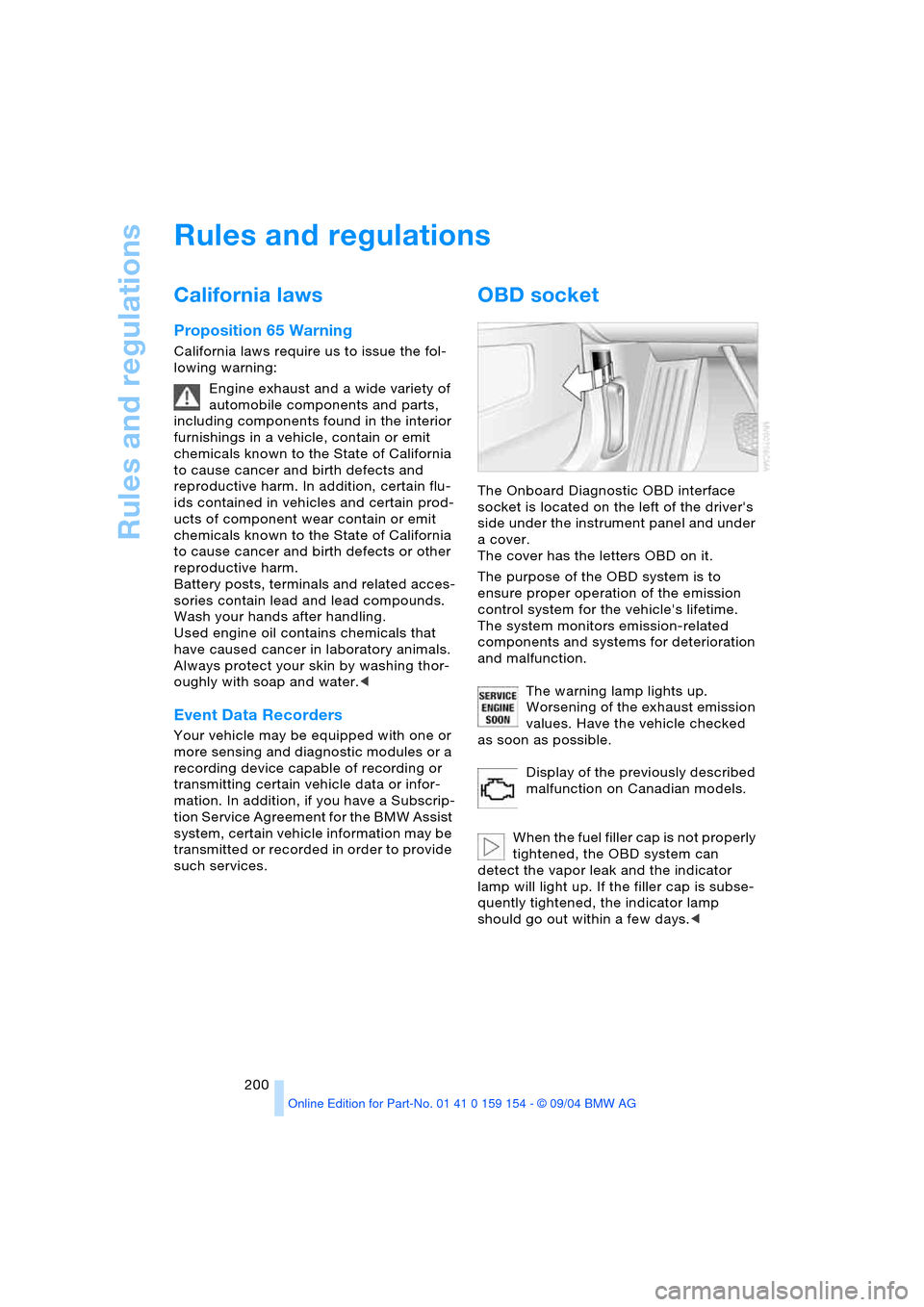
The Onboard Diagnostic OBD interface
socket is located on the left of the driver's
side under the instrument panel and under
a cover.
The cover has the letters OBD on it.
The purpose of the OBD system is to
ensure proper operation of the emission
control system for the vehicle's lifetime.
The system monitors emission-related
components and systems for deterioration
and malfunction.
The warning lamp lights up.
Worsening of the exhaust emission
values. Have the vehicle checked
as soon as possible.
Display of the previously described
malfunction on Canadian models.
When the fuel filler cap is not properly
tightened, the OBD system can
detect the vapor leak and the indicator
lamp will light up. If the filler cap is subse-
quently tightened, the indicator lamp
should go out within a few days.<
Page 206 of 239
Replacing components
204
Light-emitting diodes LEDs
Light-emitting diodes installed behind
translucent lenses serve as the light source
for many of the controls and displays in
your vehicle. These light-emitting diodes,
which operate using a concept similar to
that applied in conventional lasers, are offi-
cially designated as Class 1 light-emitting
diodes.
Do not remove the covers, and never
stare into the unfiltered light for sev-
eral hours, as irritation of the iris could
result.<
Changing wheels
Safety precautions to observe in the
event of a flat and during all tire
changes:
Park the vehicle as far as possible from
passing traffic. Park on a firm, flat, surface.
Switch on the hazard warning flashers.
Engage the parking brake and move the
transmission's selector lever to P.
Have all vehicle occupants get out of the
vehicle and ensure that they remain outside
the immediate area in a safe place, such as
behind a guardrail.
If a warning triangle or portable hazard
warning lamp is required, set it up on the
roadside at an appropriate distance from
the rear of the vehicle. Comply with all
safety guidelines and regulations.
Change the wheel only on a level, firm sur-
face which is not slippery. The vehicle or
the jack could slip to the side if you attempt
to raise the vehicle on a soft or slippery sur-
face such as snow, ice, tiles, etc.
Position the jack on a firm support surface.
Do not use a wooden block or similar
object as a support base for the jack, as
this would prevent it from extending to its
full support height and reduce its load-
carrying capacity.
To avoid serious or fatal injury: never lie
under the vehicle, and never start the
engine while it is supported by the jack.<
What you will need
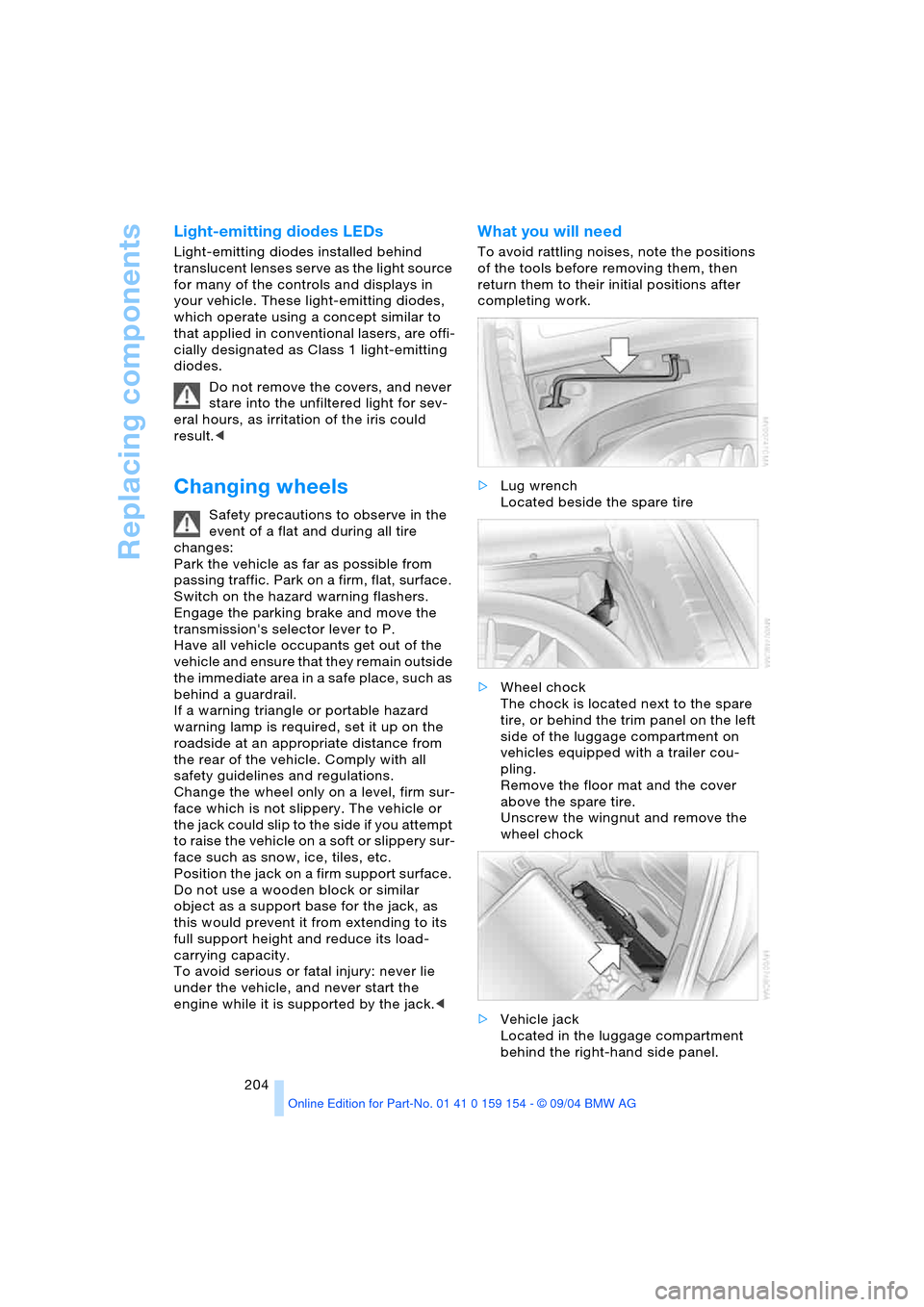
To avoid rattling noises, note the positions
of the tools before removing them, then
return them to their initial positions after
completing work.
>Lug wrench
Located beside the spare tire
>Wheel chock
The chock is located next to the spare
tire, or behind the trim panel on the left
side of the luggage compartment on
vehicles equipped with a trailer cou-
pling.
Remove the floor mat and the cover
above the spare tire.
Unscrew the wingnut and remove the
wheel chock
>Vehicle jack
Located in the luggage compartment
behind the right-hand side panel.
Page 211 of 239
Mobility
209Reference
At a glance
Controls
Driving tips
Communications
Navigation
Entertainment
Giving and receiving assistance
Warning triangle*
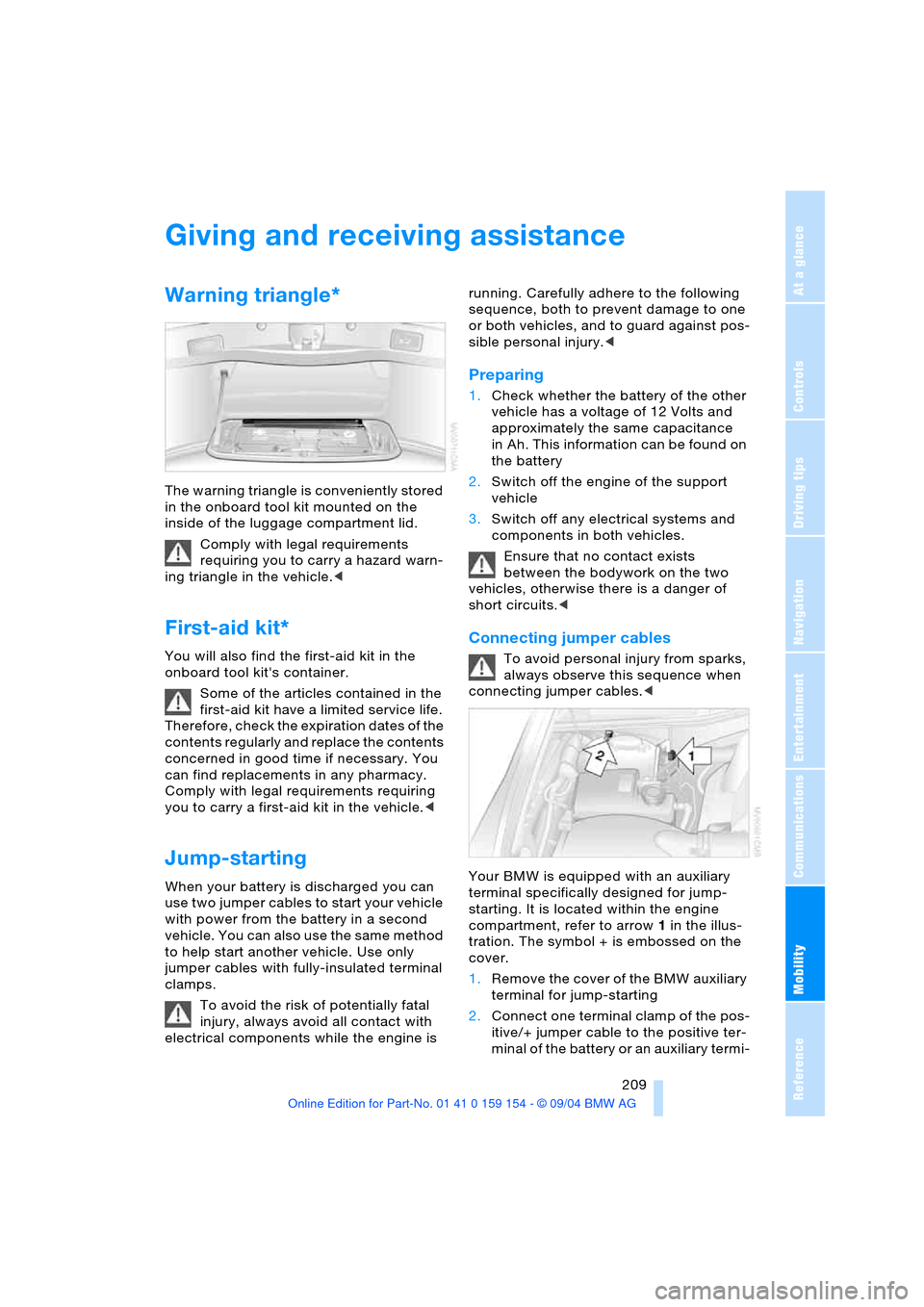
The warning triangle is conveniently stored
in the onboard tool kit mounted on the
inside of the luggage compartment lid.
Comply with legal requirements
requiring you to carry a hazard warn-
ing triangle in the vehicle.<
First-aid kit*
You will also find the first-aid kit in the
onboard tool kit's container.
Some of the articles contained in the
first-aid kit have a limited service life.
Therefore, check the expiration dates of the
contents regularly and replace the contents
concerned in good time if necessary. You
can find replacements in any pharmacy.
Comply with legal requirements requiring
you to carry a first-aid kit in the vehicle.<
Jump-starting
When your battery is discharged you can
use two jumper cables to start your vehicle
with power from the battery in a second
vehicle. You can also use the same method
to help start another vehicle. Use only
jumper cables with fully-insulated terminal
clamps.
To avoid the risk of potentially fatal
injury, always avoid all contact with
electrical components while the engine is running. Carefully adhere to the following
sequence, both to prevent damage to one
or both vehicles, and to guard against pos-
sible personal injury.<
Preparing
1.Check whether the battery of the other
vehicle has a voltage of 12 Volts and
approximately the same capacitance
in Ah. This information can be found on
the battery
2.Switch off the engine of the support
vehicle
3.Switch off any electrical systems and
components in both vehicles.
Ensure that no contact exists
between the bodywork on the two
vehicles, otherwise there is a danger of
short circuits.<
Connecting jumper cables
To avoid personal injury from sparks,
always observe this sequence when
connecting jumper cables.<
Your BMW is equipped with an auxiliary
terminal specifically designed for jump-
starting. It is located within the engine
compartment, refer to arrow 1 in the illus-
tration. The symbol + is embossed on the
cover.
1.Remove the cover of the BMW auxiliary
terminal for jump-starting
2.Connect one terminal clamp of the pos-
itive/+ jumper cable to the positive ter-
minal of the battery or an auxiliary termi-
Page 212 of 239
Giving and receiving assistance
210 nal for jump-starting of the vehicle
providing starting assistance
3.Connect the second terminal clamp of
the positive/+ jumper cable to the posi-
tive terminal of the battery or to an aux-
iliary terminal for jump-starting of the
vehicle to be started
On your BMW, there is a special nut as
body ground on the suspension strut
dome, refer to arrow2 in the illustration.
4.Attach one end of the jumper cable
minus/– to the negative terminal of the
battery or to an engine or body ground
of the vehicle providing assistance
5.Connect the second terminal clamp of
the negative/– jumper cable to the neg-
ative terminal of the battery or to the
engine or body ground of the vehicle to
be started.
Starting engine
1.Start the engine on the support vehicle
and allow it to run for several minutes at
a fast idle
2.Start the engine on the other vehicle in
the usual way.
If the first start attempt is not success-
ful, wait a few minutes before another
attempt in order to allow the discharged
battery to recharge
3.Allow the engines to run for several
minutes
4.Disconnect the jumper cables by
reversing the connection sequence.
If required, have the battery inspected and
recharged at your BMW center.
Never use spray fluids to start the
engine.<
Towing
Using tow fitting
The threaded tow fitting is stored in the
onboard tool kit and must always remain in
the vehicle. It can be screwed in at the front
or rear of the BMW.
To avoid damage to the tow fitting
and the vehicle, observe the follow-
ing: only use the tow fitting that comes with
the vehicle and screw it in as far as it will
go. Only use the tow fitting to tow on roads.
Avoid lateral loading of the tow fitting, e.g.
do not lift the vehicle by the tow fitting.<
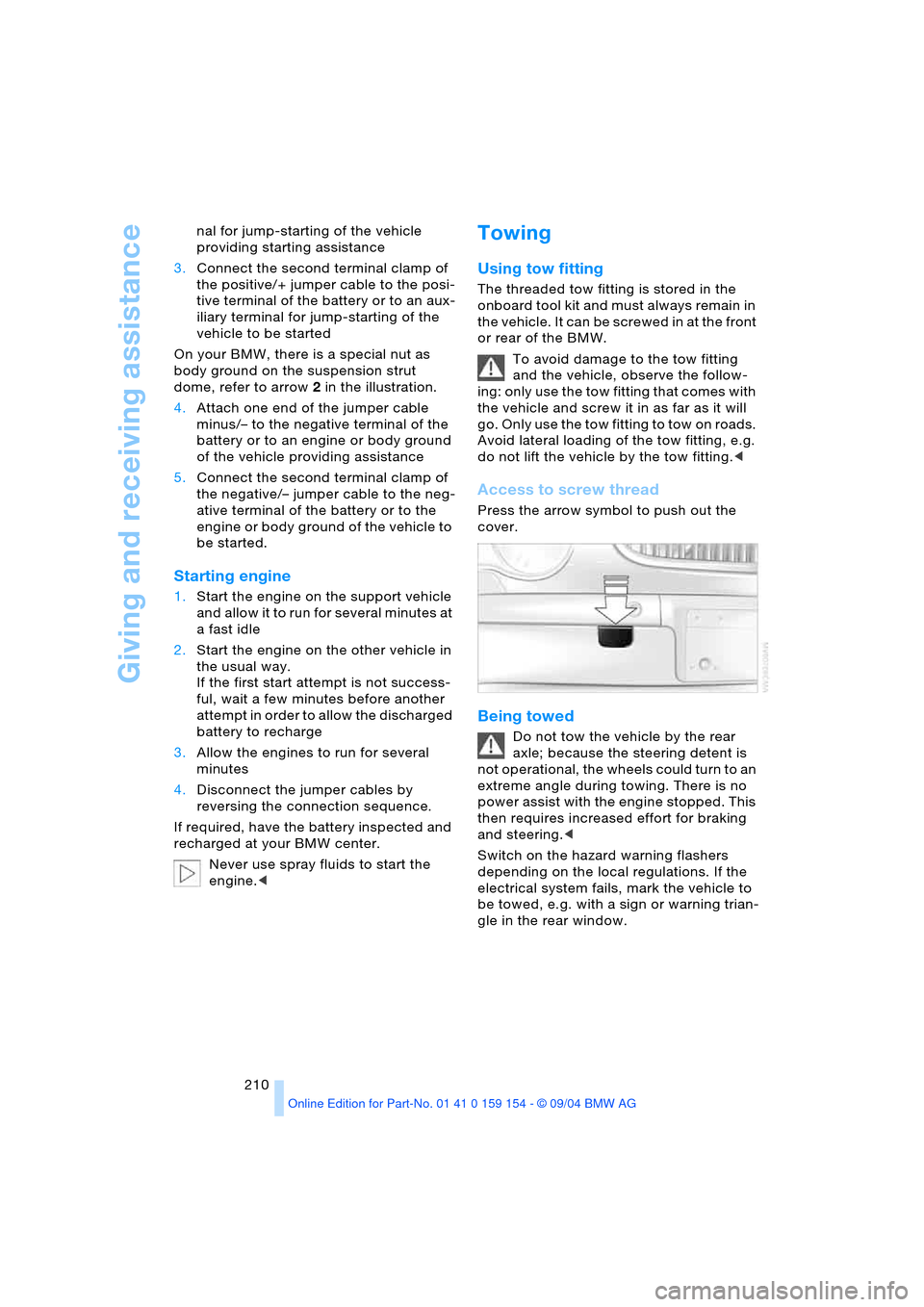
Access to screw thread
Press the arrow symbol to push out the
cover.
Being towed
Do not tow the vehicle by the rear
axle; because the steering detent is
not operational, the wheels could turn to an
extreme angle during towing. There is no
power assist with the engine stopped. This
then requires increased effort for braking
and steering.<
Switch on the hazard warning flashers
depending on the local regulations. If the
electrical system fails, mark the vehicle to
be towed, e.g. with a sign or warning trian-
gle in the rear window.