seats BMW 745Li 2005 E66 User Guide
[x] Cancel search | Manufacturer: BMW, Model Year: 2005, Model line: 745Li, Model: BMW 745Li 2005 E66Pages: 239, PDF Size: 8.03 MB
Page 53 of 239
Controls
51Reference
At a glance
Driving tips
Communications
Navigation
Entertainment
Mobility
You can also adjust the height of the head
restraint electrically.
To prevent possible personal injury
and property damage, always ensure
that the area above the head restraints is
clear and unobstructed before extending
them upward.<
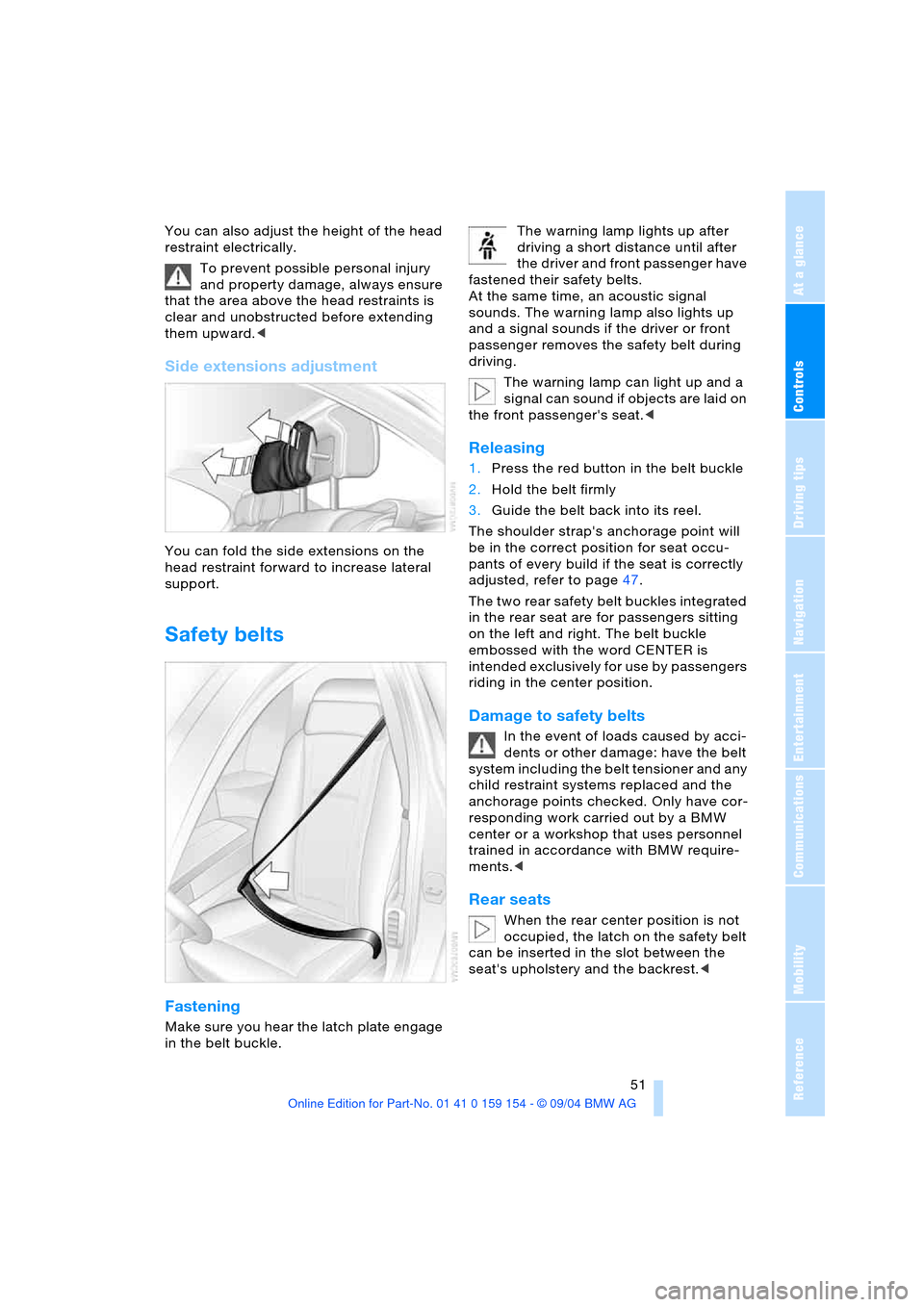
Side extensions adjustment
You can fold the side extensions on the
head restraint forward to increase lateral
support.
Safety belts
Fastening
Make sure you hear the latch plate engage
in the belt buckle. The warning lamp lights up after
driving a short distance until after
the driver and front passenger have
fastened their safety belts.
At the same time, an acoustic signal
sounds. The warning lamp also lights up
and a signal sounds if the driver or front
passenger removes the safety belt during
driving.
The warning lamp can light up and a
signal can sound if objects are laid on
the front passenger's seat.<
Releasing
1.Press the red button in the belt buckle
2.Hold the belt firmly
3.Guide the belt back into its reel.
The shoulder strap's anchorage point will
be in the correct position for seat occu-
pants of every build if the seat is correctly
adjusted, refer to page47.
The two rear safety belt buckles integrated
in the rear seat are for passengers sitting
on the left and right. The belt buckle
embossed with the word CENTER is
intended exclusively for use by passengers
riding in the center position.
Damage to safety belts
In the event of loads caused by acci-
dents or other damage: have the belt
system including the belt tensioner and any
child restraint systems replaced and the
anchorage points checked. Only have cor-
responding work carried out by a BMW
center or a workshop that uses personnel
trained in accordance with BMW require-
ments.<
Rear seats
When the rear center position is not
occupied, the latch on the safety belt
can be inserted in the slot between the
seat's upholstery and the backrest.<
Page 54 of 239
Adjustments
52
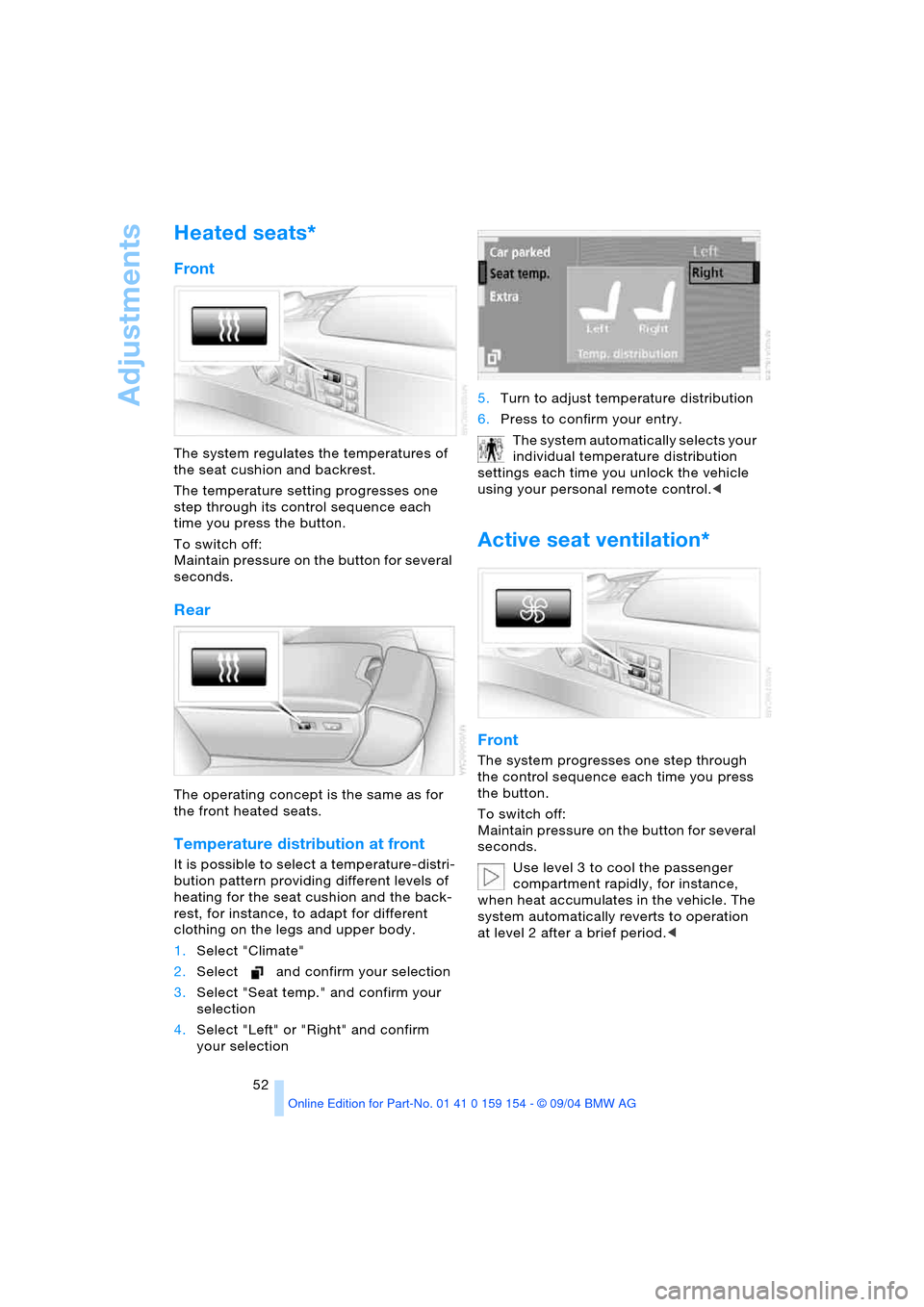
Heated seats*
Front
The system regulates the temperatures of
the seat cushion and backrest.
The temperature setting progresses one
step through its control sequence each
time you press the button.
To switch off:
Maintain pressure on the button for several
seconds.
Rear
The operating concept is the same as for
the front heated seats.
Temperature distribution at front
It is possible to select a temperature-distri-
bution pattern providing different levels of
heating for the seat cushion and the back-
rest, for instance, to adapt for different
clothing on the legs and upper body.
1.Select "Climate"
2.Select and confirm your selection
3.Select "Seat temp." and confirm your
selection
4.Select "Left" or "Right" and confirm
your selection 5.Turn to adjust temperature distribution
6.Press to confirm your entry.
The system automatically selects your
individual temperature distribution
settings each time you unlock the vehicle
using your personal remote control.<
Active seat ventilation*
Front
The system progresses one step through
the control sequence each time you press
the button.
To switch off:
Maintain pressure on the button for several
seconds.
Use level 3 to cool the passenger
compartment rapidly, for instance,
when heat accumulates in the vehicle. The
system automatically reverts to operation
at level 2 after a brief period.<
Page 57 of 239
Controls
55Reference
At a glance
Driving tips
Communications
Navigation
Entertainment
Mobility
Hold refer to Automatic Hold on
page65.
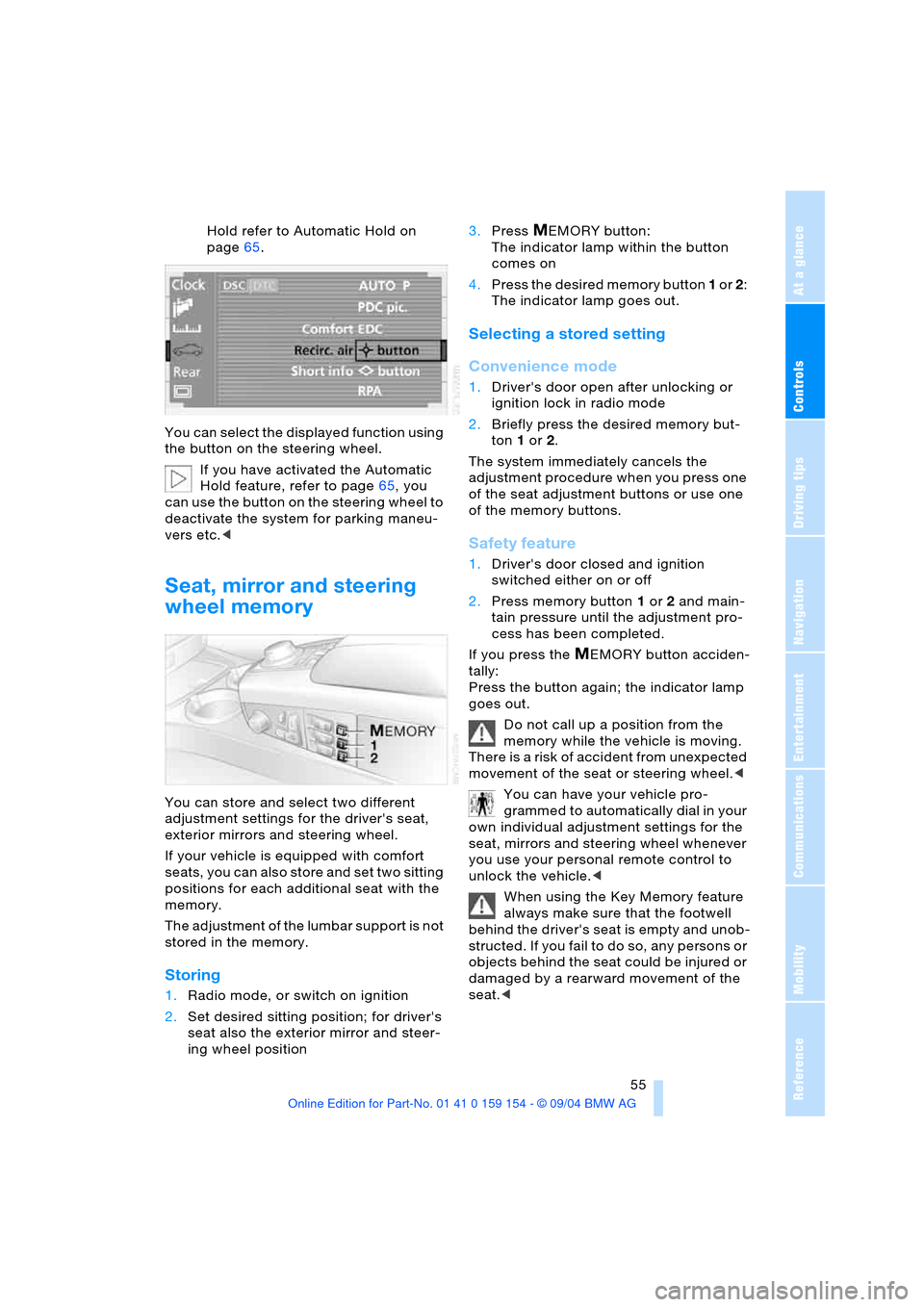
You can select the displayed function using
the button on the steering wheel.
If you have activated the Automatic
Hold feature, refer to page65, you
can use the button on the steering wheel to
deactivate the system for parking maneu-
vers etc.<
Seat, mirror and steering
wheel memory
You can store and select two different
adjustment settings for the driver's seat,
exterior mirrors and steering wheel.
If your vehicle is equipped with comfort
seats, you can also store and set two sitting
positions for each additional seat with the
memory.
The adjustment of the lumbar support is not
stored in the memory.
Storing
1.Radio mode, or switch on ignition
2.Set desired sitting position; for driver's
seat also the exterior mirror and steer-
ing wheel position 3.Press
MEMORY button:
The indicator lamp within the button
comes on
4.Press the desired memory button 1 or 2:
The indicator lamp goes out.
Selecting a stored setting
Convenience mode
1.Driver's door open after unlocking or
ignition lock in radio mode
2.Briefly press the desired memory but-
ton 1 or2.
The system immediately cancels the
adjustment procedure when you press one
of the seat adjustment buttons or use one
of the memory buttons.
Safety feature
1.Driver's door closed and ignition
switched either on or off
2.Press memory button 1 or2 and main-
tain pressure until the adjustment pro-
cess has been completed.
If you press the
MEMORY button acciden-
tally:
Press the button again; the indicator lamp
goes out.
Do not call up a position from the
memory while the vehicle is moving.
There is a risk of accident from unexpected
movement of the seat or steering wheel.<
You can have your vehicle pro-
grammed to automatically dial in your
own individual adjustment settings for the
seat, mirrors and steering wheel whenever
you use your personal remote control to
unlock the vehicle.<
When using the Key Memory feature
always make sure that the footwell
behind the driver's seat is empty and unob-
structed. If you fail to do so, any persons or
objects behind the seat could be injured or
damaged by a rearward movement of the
seat.<
Page 62 of 239
Transporting children safely
60
LATCH child-restraint fixing*
LATCH: Lower Anchor and Tethers for
CHildren.
The rear outer sitting positions are pro-
vided with anchors for a LATCH child-
restraint fixing.
To fit the LATCH child-restraint fixing,
follow the operating and safety
instructions of the manufacturer.<
If the vehicle is equipped with power seats
in the rear, return these to their standard
adjustment setting before using a LATCH
child-restraint fixing, refer to page49.
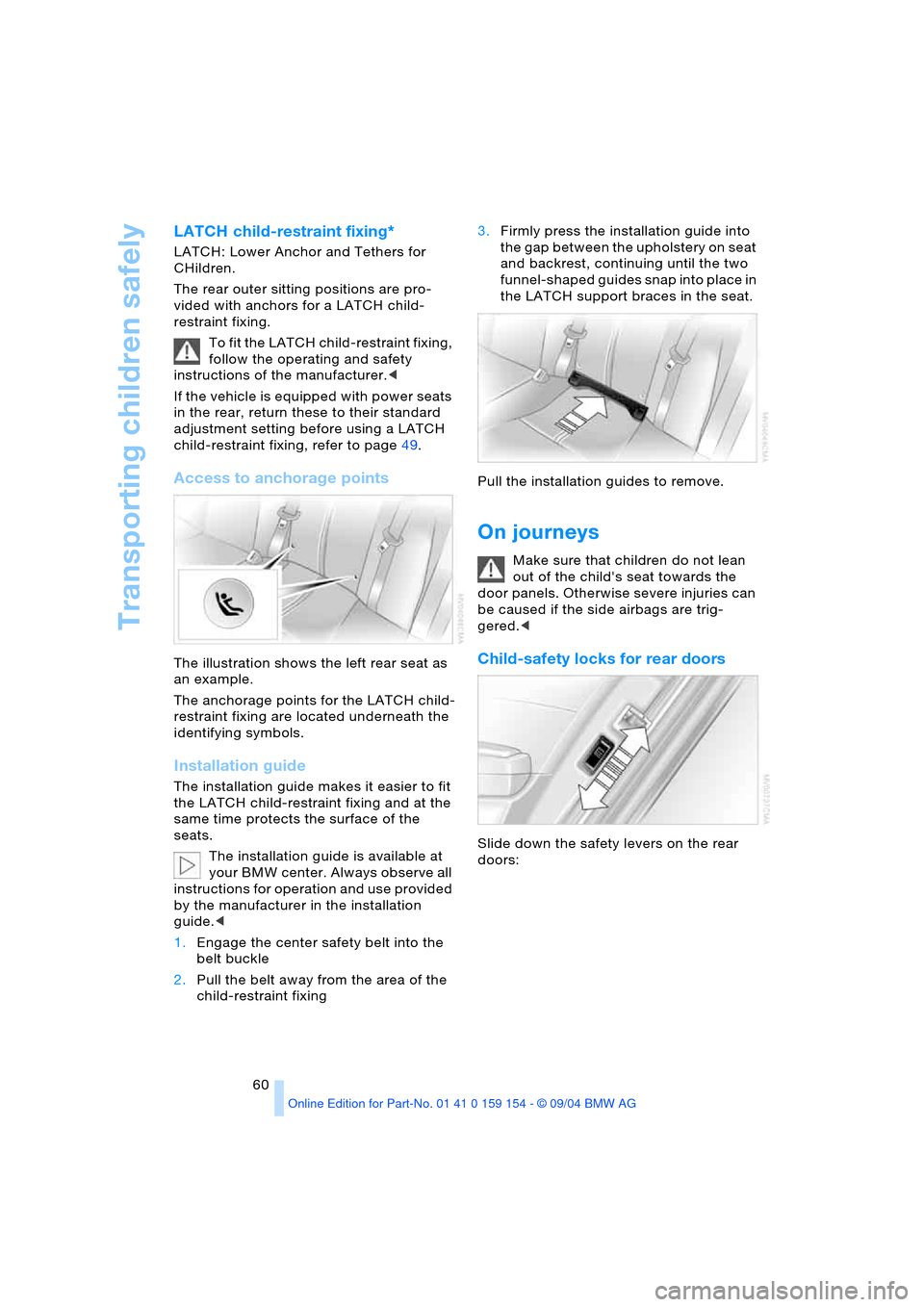
Access to anchorage points
The illustration shows the left rear seat as
an example.
The anchorage points for the LATCH child-
restraint fixing are located underneath the
identifying symbols.
Installation guide
The installation guide makes it easier to fit
the LATCH child-restraint fixing and at the
same time protects the surface of the
seats.
The installation guide is available at
your BMW center. Always observe all
instructions for operation and use provided
by the manufacturer in the installation
guide.<
1.Engage the center safety belt into the
belt buckle
2.Pull the belt away from the area of the
child-restraint fixing3.Firmly press the installation guide into
the gap between the upholstery on seat
and backrest, continuing until the two
funnel-shaped guides snap into place in
the LATCH support braces in the seat.
Pull the installation guides to remove.
On journeys
Make sure that children do not lean
out of the child's seat towards the
door panels. Otherwise severe injuries can
be caused if the side airbags are trig-
gered.<
Child-safety locks for rear doors
Slide down the safety levers on the rear
doors:
Page 63 of 239
Controls
61Reference
At a glance
Driving tips
Communications
Navigation
Entertainment
Mobility
The door can now be opened from the out-
side only.
Safety switch for power windows
and rear seats
If the vehicle is equipped with power seats
in the rear, return these to their standard
adjustment setting before using a child-
restraint system, refer to page49.
Always press the safety switch for the
power windows, refer to page44, when
children are in the rear of the vehicle.
This switch also disables the power rear
seat adjustment.
Incorrect or unsupervised adjustment
of the power seats in the rear could
lead to injuries or damage to the child-
restraint system.<
Page 116 of 239
Practical interior accessories
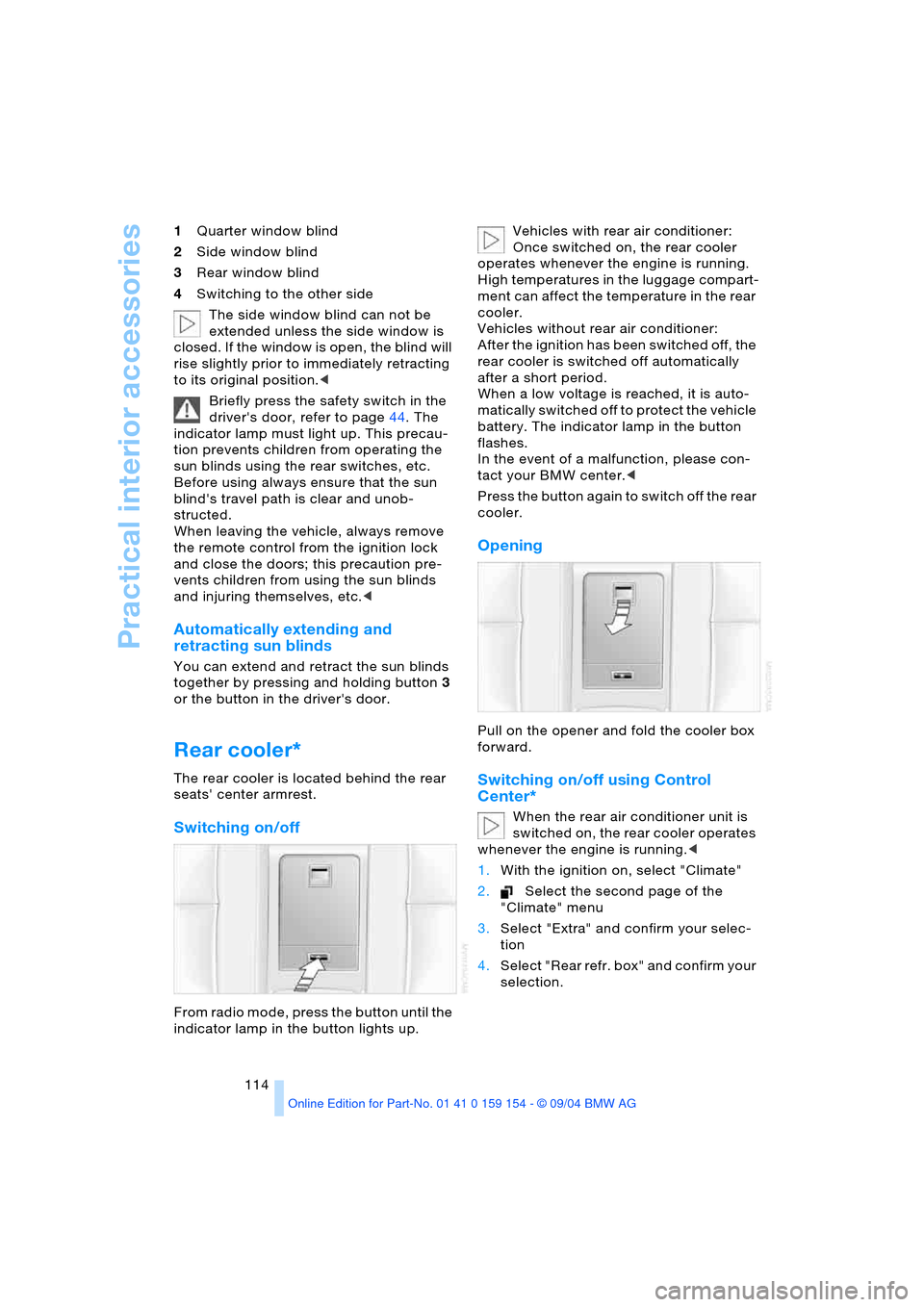
114 1Quarter window blind
2Side window blind
3Rear window blind
4Switching to the other side
The side window blind can not be
extended unless the side window is
closed. If the window is open, the blind will
rise slightly prior to immediately retracting
to its original position.<
Briefly press the safety switch in the
driver's door, refer to page44. The
indicator lamp must light up. This precau-
tion prevents children from operating the
sun blinds using the rear switches, etc.
Before using always ensure that the sun
blind's travel path is clear and unob-
structed.
When leaving the vehicle, always remove
the remote control from the ignition lock
and close the doors; this precaution pre-
vents children from using the sun blinds
and injuring themselves, etc.<
Automatically extending and
retracting sun blinds
You can extend and retract the sun blinds
together by pressing and holding button3
or the button in the driver's door.
Rear cooler*
The rear cooler is located behind the rear
seats' center armrest.
Switching on/off
From radio mode, press the button until the
indicator lamp in the button lights up. Vehicles with rear air conditioner:
Once switched on, the rear cooler
operates whenever the engine is running.
High temperatures in the luggage compart-
ment can affect the temperature in the rear
cooler.
Vehicles without rear air conditioner:
After the ignition has been switched off, the
rear cooler is switched off automatically
after a short period.
When a low voltage is reached, it is auto-
matically switched off to protect the vehicle
battery. The indicator lamp in the button
flashes.
In the event of a malfunction, please con-
tact your BMW center.<
Press the button again to switch off the rear
cooler.
Opening
Pull on the opener and fold the cooler box
forward.
Switching on/off using Control
Center*
When the rear air conditioner unit is
switched on, the rear cooler operates
whenever the engine is running.<
1.With the ignition on, select "Climate"
2.Select the second page of the
"Climate" menu
3.Select "Extra" and confirm your selec-
tion
4.Select "Rear refr. box" and confirm your
selection.
Page 117 of 239
Controls
115Reference
At a glance
Driving tips
Communications
Navigation
Entertainment
Mobility
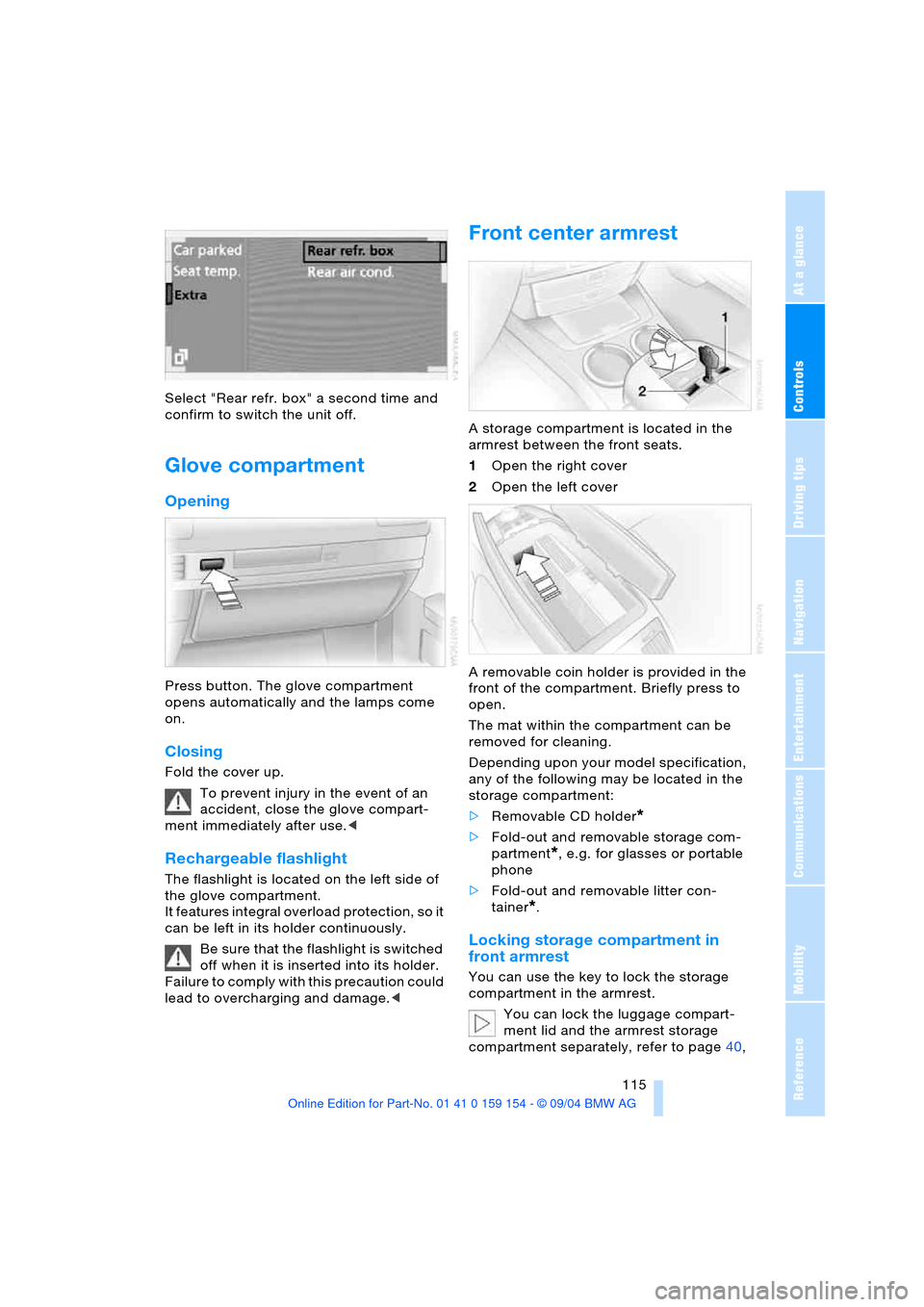
Select "Rear refr. box" a second time and
confirm to switch the unit off.
Glove compartment
Opening
Press button. The glove compartment
opens automatically and the lamps come
on.
Closing
Fold the cover up.
To prevent injury in the event of an
accident, close the glove compart-
ment immediately after use.<
Rechargeable flashlight
The flashlight is located on the left side of
the glove compartment.
It features integral overload protection, so it
can be left in its holder continuously.
Be sure that the flashlight is switched
off when it is inserted into its holder.
Failure to comply with this precaution could
lead to overcharging and damage.<
Front center armrest
A storage compartment is located in the
armrest between the front seats.
1Open the right cover
2Open the left cover
A removable coin holder is provided in the
front of the compartment. Briefly press to
open.
The mat within the compartment can be
removed for cleaning.
Depending upon your model specification,
any of the following may be located in the
storage compartment:
>Removable CD holder
*
>Fold-out and removable storage com-
partment
*, e.g. for glasses or portable
phone
>Fold-out and removable litter con-
tainer
*.
Locking storage compartment in
front armrest
You can use the key to lock the storage
compartment in the armrest.
You can lock the luggage compart-
ment lid and the armrest storage
compartment separately, refer to page40,
Page 121 of 239
Controls
119Reference
At a glance
Driving tips
Communications
Navigation
Entertainment
Mobility
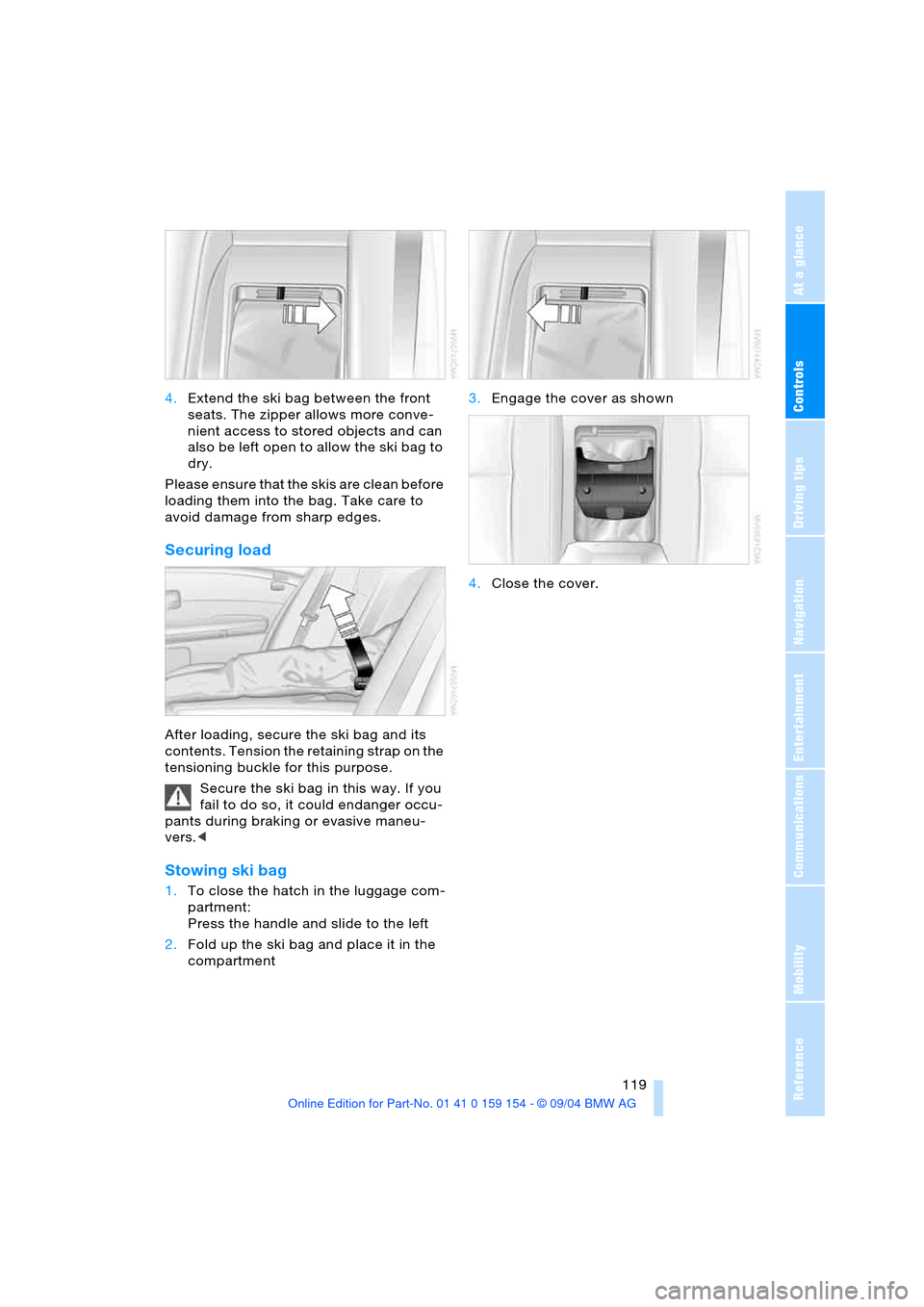
4.Extend the ski bag between the front
seats. The zipper allows more conve-
nient access to stored objects and can
also be left open to allow the ski bag to
dry.
Please ensure that the skis are clean before
loading them into the bag. Take care to
avoid damage from sharp edges.
Securing load
After loading, secure the ski bag and its
contents. Tension the retaining strap on the
tensioning buckle for this purpose.
Secure the ski bag in this way. If you
fail to do so, it could endanger occu-
pants during braking or evasive maneu-
vers.<
Stowing ski bag
1.To close the hatch in the luggage com-
partment:
Press the handle and slide to the left
2.Fold up the ski bag and place it in the
compartment 3.Engage the cover as shown
4.Close the cover.
Page 126 of 239
Things to remember when driving
124 ensured that the radiation which results
during transmission will be discharged
from the vehicle interior.<
Cargo loading
To avoid loading the tires beyond
their approved carrying capacity,
never overload the vehicle. Overloading
can lead to overheating and increases the
rate at which damage develops inside the
tires. The ultimate result can assume the
form of a sudden air loss.<
Determine loading limit
1.Locate the following statement on your
vehicle's door pillar
*:
The combined weight of occu-
pants and cargo should never
exceed XXX lbs. or YYY kg, as other-
wise the vehicle may be damaged and
unstable driving conditions may
result.<
2.Determine the combined weight of the
driver and passenger that will be riding
in your vehicle
3.Subtract the combined weight of the
driver and passenger from XXX lbs. or
YYY kg
4.The resulting figure equals the available
amount of cargo and luggage load
capacity.
For example, if the XXX amount equals
1,400 lbs. and there will be five 150-lbs.
passengers in your vehicle, the amount
of available cargo and luggage load
capacity is 650 lbs.:
1,400 Ibs. minus 750 Ibs. = 650 Ibs.5.Determine the combined weight of lug-
gage and cargo being loaded on the
vehicle. That weight should not exceed
the available cargo and luggage load
capacity calculated in step 4
6.If your vehicle will be towing a trailer,
part of the load from your trailer will be
transferred to your vehicle. Consult the
manual for transporting a trailer to
determine how this may reduce the
available cargo and luggage load
capacity of your vehicle.
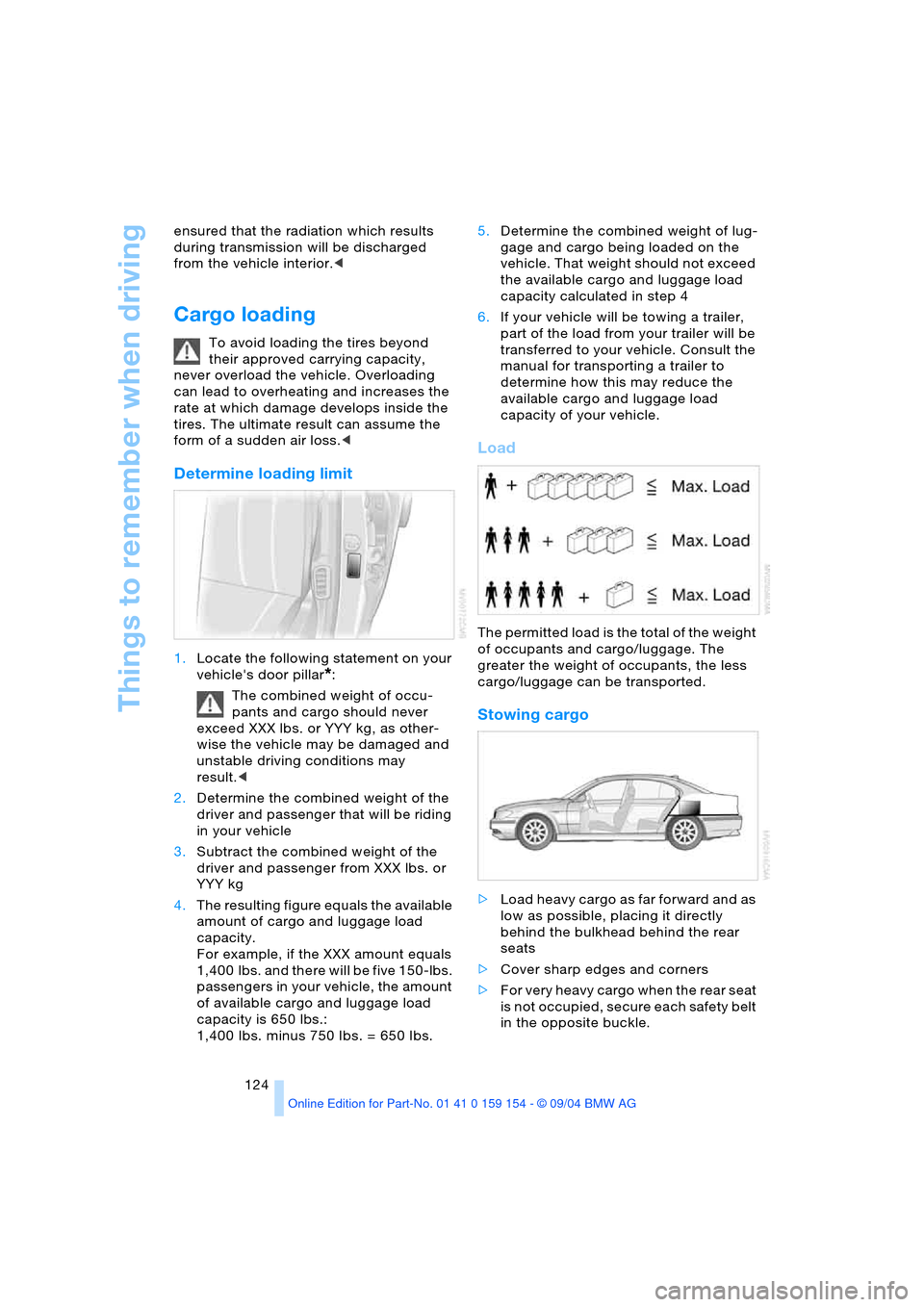
Load
The permitted load is the total of the weight
of occupants and cargo/luggage. The
greater the weight of occupants, the less
cargo/luggage can be transported.
Stowing cargo
>Load heavy cargo as far forward and as
low as possible, placing it directly
behind the bulkhead behind the rear
seats
>Cover sharp edges and corners
>For very heavy cargo when the rear seat
is not occupied, secure each safety belt
in the opposite buckle.
Page 220 of 239
Everything from A to Z
218
Everything from A to Z
Index
A
A/C operation
– automatic climate
control105
"ABC..." for navigation132
ABS Antilock Brake
System92
– indicator lamp13
ACC, refer to Active cruise
control75
"ACCEPT" for
navigation137,143
Accepting call
– automatic177
– during a call179
Accessories, refer to Your
individual vehicle5
Accident, refer to
– Giving and receiving
assistance209
– Roadside Assistance182
"ACTIVATE",
BMW Assist182
Activated-charcoal
filter108
Active cruise control75
– malfunction80
Active head restraints,
front49
Active seat53
Active seat ventilation52
Adapter for spare key35
Adaptive Head Light101
Address
– deleting143
– displaying142
– entering143
– storing142
– storing current
position143
"Address book" for
navigation142
Adjust cooling capacity of
rear air conditioner109Adjusting interior
temperature105
Adjusting seats47
Air, drying, refer to
A/C operation105
Airbags98
– indicator lamp13
– safe sitting position46
Air conditioner in the
rear109
Air conditioner mode105
Air conditioning in rear109
Air conditioning while
parked110
Air distribution
– automatic climate
control104,107
– individual108
Airing, refer to
Ventilation106,110
Air jets, refer to
Ventilation106,110
Air pressure, refer to Tire
inflation pressure188
Air recirculation, refer to
Recirculated air105
Air supply
– automatic climate
control105
– rear air conditioner109
Air vents, refer to
Ventilation106
AKI, refer to Fuel
specifications187
Alarm system42
– avoiding unintentional
alarms43
All-season tires, refer to
Winter tires193
Altering stretch of road140
Alternate route, refer to
Detour140
"AM..."
– audio mode148
– radio152,154AM waveband152
"ANGLE" for
DVD mode169
Antenna174
Antenna for portable
phone174
Antifreeze
– coolant196
– washer fluid73
Antilock Brake System ABS
– indicator lamp13
Anti-theft alarm system35
– refer to Alarm system42
Anti-trapping mechanism
– glass roof, electric45
– power windows44
Armrest, refer to Center
armrest115,118
"Arrow display" for
navigation139,140
Arrow display for
navigation140
"AS ADDRESS", navigation
– creating directory142
– current position143
– destination entry133
– destination list137
– home address142
– recent destinations136
"AS DEST.", navigation
– recent destinations136
Ashtray117
– front117
– rear117
Assist182
Assistance system, refer to
DSC Dynamic Stability
Control93
Assistance window
– help texts22
– refer to Control Center22
– status lines23
AUC Automatic
recirculated-air
control105