ABS BMW 745LI SEDAN 2002 User Guide
[x] Cancel search | Manufacturer: BMW, Model Year: 2002, Model line: 745LI SEDAN, Model: BMW 745LI SEDAN 2002Pages: 208, PDF Size: 6.33 MB
Page 136 of 208
At a glanceControlsDriving tipsCommunicationsNavigationEntertainmentMobilityReference
135
>To scroll back: >>Back<<
>To repeat: >>Repeat<<
>To import to destination list: >>Select<<
(>>Destination selection<<)
3.To delete an entry: >>Delete entry<<
(>>Delete name<<).
Select and confirm.
>"AS DEST." adopts the current home
address as the destination
>You can enter and edit the home
address using the "ABC..." function
>"LOCATION" imports your current loca-
tion as the home address
>"AS ADDRESS" stores the entered
address or current location as your home
address.
Using the voice command system:
1.>>Navigation (menu)<<
(>>Navi (menu)<<)
2.>>Route guidance to home<<.
(>>Navi (menu)<<)
2.>>Delete entry<<
(>>Delete name<<, >>Delete destina-
tion<<).<
3.Select name.
To delete all current entries:
Select and confirm your selection
or
1.>>Navigation (menu)<<
(>>Navi (menu)<<)
2.>>Delete address book<<.<
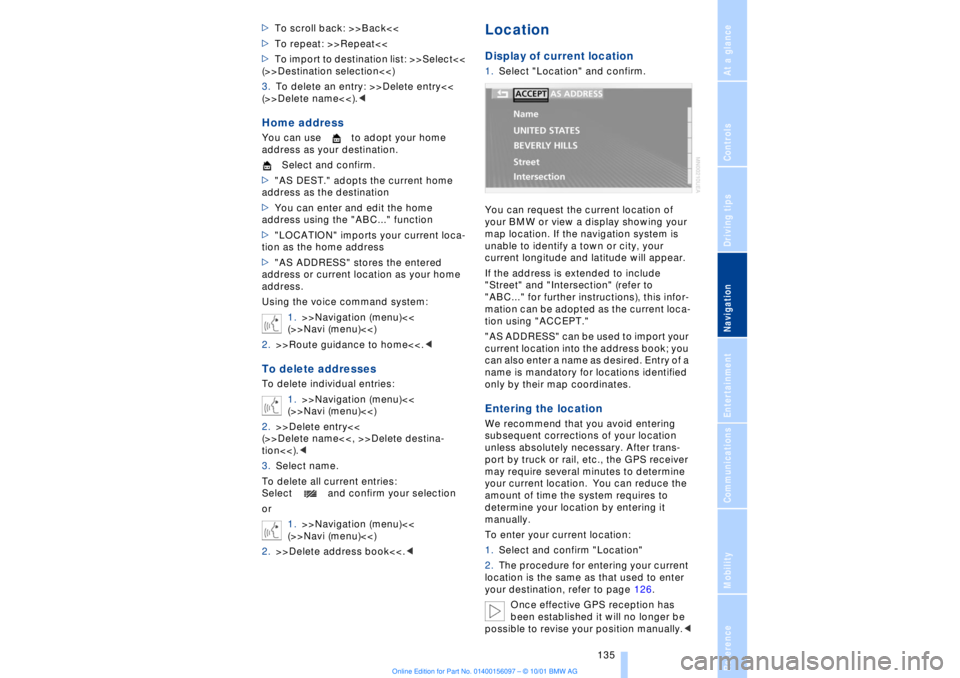
LocationDisplay of current location1.Select "Location" and confirm.
You can request the current location of
your BMW or view a display showing your
map location. If the navigation system is
unable to identify a town or city, your
current longitude and latitude will appear.
If the address is extended to include
"Street" and "Intersection" (refer to
"ABC..." for further instructions), this infor-
mation can be adopted as the current loca-
tion using "ACCEPT."
"AS ADDRESS" can be used to import your
current location into the address book; you
can also enter a name as desired. Entry of a
name is mandatory for locations identified
only by their map coordinates.Entering the location We recommend that you avoid entering
subsequent corrections of your location
unless absolutely necessary. After trans-
port by truck or rail, etc., the GPS receiver
may require several minutes to determine
your current location. You can reduce the
amount of time the system requires to
determine your location by entering it
manually.
To enter your current location:
1.Select and confirm "Location"
2.The procedure for entering your current
location is the same as that used to enter
your destination, refer to page 126.
Once effective GPS reception has
been established it will no longer be
possible to revise your position manually.<
Page 160 of 208
At a glanceControlsDriving tipsCommunicationsNavigationEntertainmentMobilityReference
159
Batteries
Never attempt to open your BMW
mobile phone or its battery. Use only
approved battery types Ð the wrong battery
can destroy your cell phone.
To avoid possible short circuits, after
removing a battery you should never allow
it to come into contact with metallic
surfaces of any kind.<
Disposing of used batteries
Return used batteries to a recycling
collection point or to your BMW
center.<
Care instructionsYou can find everything you need to know
about caring for your mobile phone in the
separate "Mobile Phone" manual and in our
supplementary publication on "Car care." Operation
For information on operating your
mobile phone please consult the
separate manual.<
You can also operate your BMW mobile
phone using the
>controls on the steering wheel, refer to
page 18
>Control Display
>Key Pad
>voice command system.
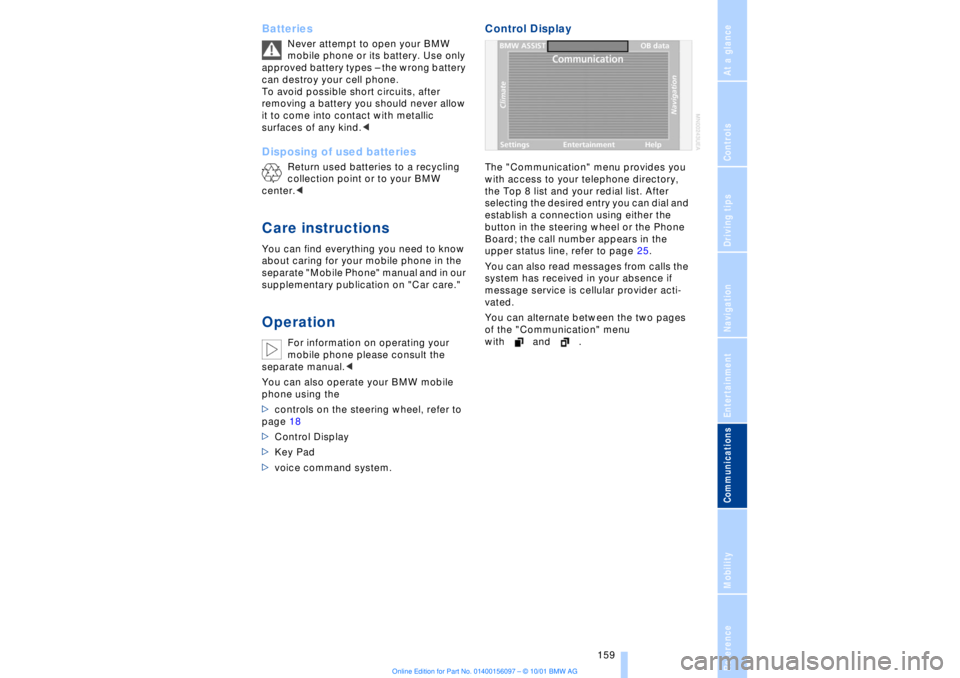
Control DisplayThe "Communication" menu provides you
with access to your telephone directory,
the Top 8 list and your redial list. After
selecting the desired entry you can dial and
establish a connection using either the
button in the steering wheel or the Phone
Board; the call number appears in the
upper status line, refer to page 25.
You can also read messages from calls the
system has received in your absence if
message service is cellular provider acti-
vated.
You can alternate between the two pages
of the "Communication" menu
with and .
Page 165 of 208
Using your mobile phone
164
Redialing, including
numbers not initially
reachedBoth numbers that you reached on your
earlier attempt and numbers that were
unavailable are automatically stored in your
redialing list. The last number dialed is at
the top of the list.
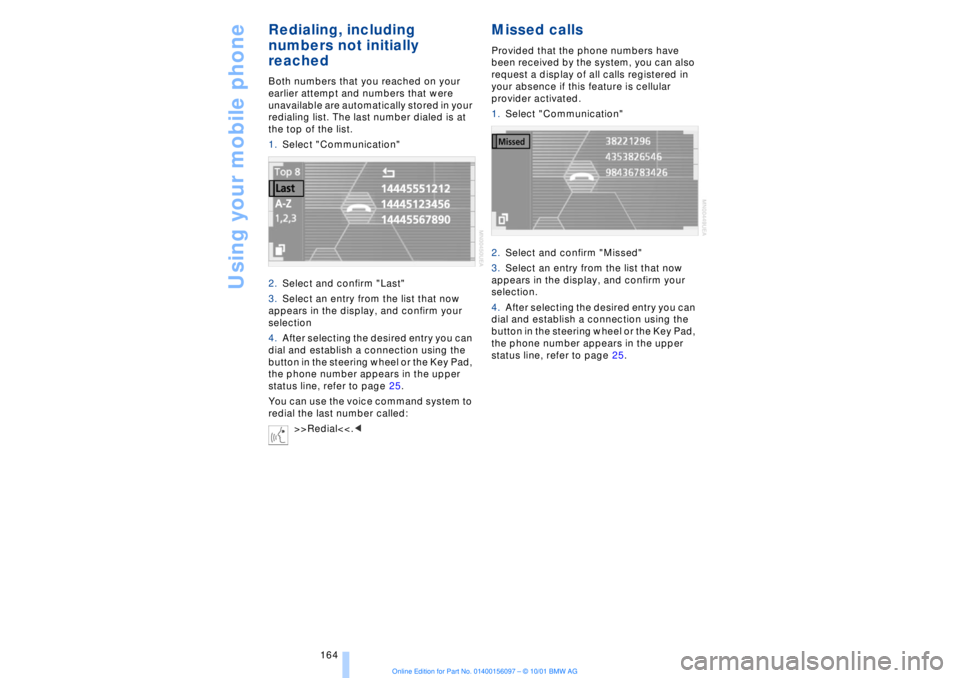
1.Select "Communication"
2.Select and confirm "Last"
3.Select an entry from the list that now
appears in the display, and confirm your
selection
4.After selecting the desired entry you can
dial and establish a connection using the
button in the steering wheel or the Key Pad,
the phone number appears in the upper
status line, refer to page 25.
You can use the voice command system to
redial the last number called:
>>Redial<<.<
Missed calls Provided that the phone numbers have
been received by the system, you can also
request a display of all calls registered in
your absence if this feature is cellular
provider activated.
1.Select "Communication"
2.Select and confirm "Missed"
3.Select an entry from the list that now
appears in the display, and confirm your
selection.
4.After selecting the desired entry you can
dial and establish a connection using the
button in the steering wheel or the Key Pad,
the phone number appears in the upper
status line, refer to page 25.
Page 174 of 208
At a glanceControlsDriving tipsCommunicationsNavigationEntertainmentMobilityReference
173
Wheel and tire
combinationsThe right choice
Use only wheel and tire combinations
that BMW has approved for your
particular vehicle. Variations in factors such
as manufacturing tolerances mean that
even wheels and tires with identical official
size ratings could actually have different
dimensions than the approved units. These
differences could lead to body contact, and
with it the risk of severe accidents . If non-
approved wheels and tires are used, BMW
cannot evaluate their suitability, and there-
fore cannot be held liable for driving
safety.<
BMW tests certain tire brands for each tire
size, classifies them as road-safe and
approves them. Consult your BMW center
for more information. Observe any country-
specific regulations, e.g. on making a
corresponding entry in the vehicle
documents.
The correct combination of wheels
and tires is a vital factor in ensuring
reliable operation of various vehicle
systems such as ABS and DSC.
It is therefore important to ensure that tires
from a single manufacturer with a single
tread configuration are always mounted on
all vehicle wheels. After a flat tire, always
remember to have the specified wheel and
tire combination remounted on the vehicle
as soon as possible.<
Storage Always store wheels and tires in a cool, dry
place with as little exposure to light as
possible. Always protect tires against all
contact with oil, grease and fuels.
Special characteristics of
winter tires Choosing the right tire BMW recommends winter tires Ð M+S
radial tires for use in cold winter driving
conditions. Although all-season M+S tires
provide better winter traction than standard
summer tires with H, V, W and ZR speed
ratings, they generally fail to provide the
same levels of cold-weather performance
as winter tires.
When mounting, always install winter tires
of a single tread configuration and from a
single manufacturer on all four wheels to
ensure safe tracking and secure steering
response. Observe speed ratings
Never exceed the maximum speed for
which the tires are rated.
Unprofessional attempts by laymen to
service tires can lead to damage and acci-
dents.
Have this work performed by skilled
professionals only. The technicians at your
BMW center will be glad to assist you with
the required professional knowledge and
specialized equipment.<
Tire condition, tire pressure Because winter tires display a noticeable
loss in their ability to cope with cold-
weather driving conditions once the tread
wears to below 0.16 in (4 mm), to ensure
continued safety you should always have
such tires replaced.
Always maintain the specified inflation
pressures in all tires, and remember to
have the wheel and tire assemblies
balanced every time either a wheel or a tire
is replaced. Snow chains*
BMW narrow-link snow chains
are
approved exclusively for use in pairs on
the rear wheels, and should only be
Page 179 of 208
Under the hood
178
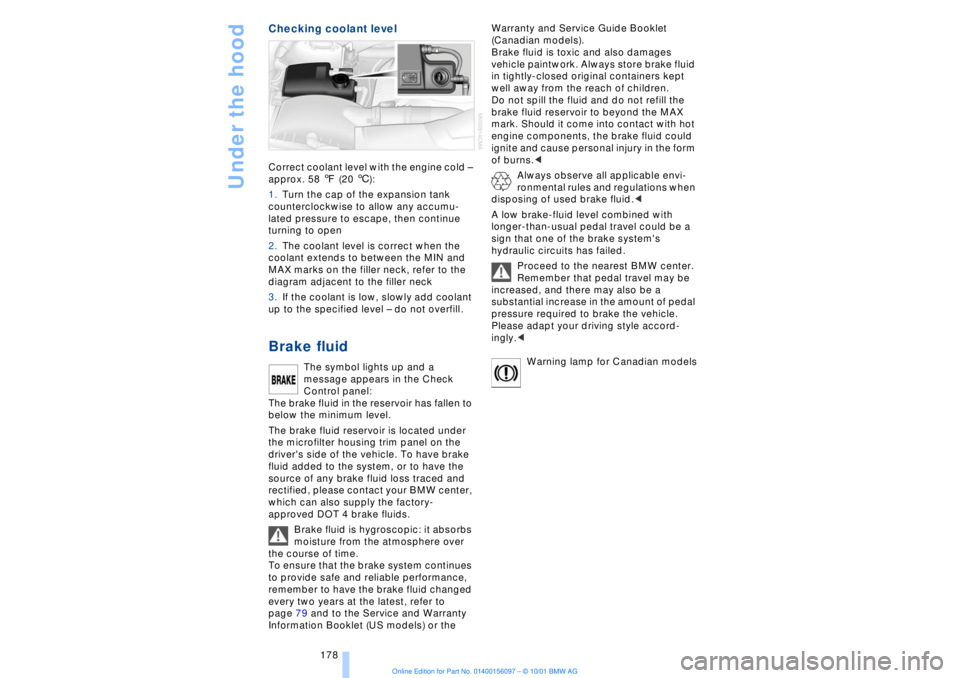
Checking coolant level Correct coolant level with the engine cold Ð
approx. 58 7 (20 6):
1.Turn the cap of the expansion tank
counterclockwise to allow any accumu-
lated pressure to escape, then continue
turning to open
2.The coolant level is correct when the
coolant extends to between the MIN and
MAX marks on the filler neck, refer to the
diagram adjacent to the filler neck
3.If the coolant is low, slowly add coolant
up to the specified level Ð do not overfill. Brake fluid
The symbol lights up and a
message appears in the Check
Control panel:
The brake fluid in the reservoir has fallen to
below the minimum level.
The brake fluid reservoir is located under
the microfilter housing trim panel on the
driver's side of the vehicle. To have brake
fluid added to the system, or to have the
source of any brake fluid loss traced and
rectified, please contact your BMW center,
which can also supply the factory-
approved DOT 4 brake fluids.
Brake fluid is hygroscopic: it absorbs
moisture from the atmosphere over
the course of time.
To ensure that the brake system continues
to provide safe and reliable performance,
remember to have the brake fluid changed
every two years at the latest, refer to
page 79 and to the Service and Warranty
Information Booklet (US models) or the Warranty and Service Guide Booklet
(Canadian models).
Brake fluid is toxic and also damages
vehicle paintwork. Always store brake fluid
in tightly-closed original containers kept
well away from the reach of children.
Do not spill the fluid and do not refill the
brake fluid reservoir to beyond the MAX
mark. Should it come into contact with hot
engine components, the brake fluid could
ignite and cause personal injury in the form
of burns.<
Always observe all applicable envi-
ronmental rules and regulations when
disposing of used brake fluid.<
A low brake-fluid level combined with
longer-than-usual pedal travel could be a
sign that one of the brake system's
hydraulic circuits has failed.
Proceed to the nearest BMW center.
Remember that pedal travel may be
increased, and there may also be a
substantial increase in the amount of pedal
pressure required to brake the vehicle.
Please adapt your driving style accord-
ingly.<
Warning lamp for Canadian models
Page 196 of 208
195
At a glanceControlsDriving tipsCommunicationsNavigationEntertainmentMobilityReference
A"ABC..." for
navigation 126, 127
ABS (Antilock Brake
System) 91
"ACCEPT" for
navigation 130
Accessories 8
Activated-charcoal
filter 104
Activation
Ð mobile phone 162
Activation time 106
Active head restraints,
front 48
Active seat 52
Active seat ventilation 51
Adapter for spare key 34
Adaptive brake lamp 94
Adding oil to engine 176
Adding washer fluid 73
"Address book" 134
Adjusting thigh support 46
Airbags 55
Air distribution 100, 103
Airflow
Ð rear air conditioner 105
Air outlet vents 99
Air pressure 170
Ð see also tire inflation
pressure 170
Air supply 101
AKI, refer to Fuel
specifications 169
Alarm system 40
Ð avoiding unintentional
alarms 41
All-season tires 173
"AM..." 140, 143
AM waveband 143
Anchorages 120
Antifreeze 177
Ð coolant 177
Ð washer fluid 73Antilock Brake System
(ABS) 91
Anti-theft system 35
Approved gross vehicle
weight 194
Aquaplaning 118, 171
Armrest, see Center
armrest 113
Arrival time 83
"Arrow display" with navi-
gation system 132
"AS ADDRESS" at current
location 135
"AS ADDRESS" in address
directory 134, 135
"AS ADDRESS" with desti-
nation list 130
"AS ADDRESS" with
manual destination
entry 126
"AS ADDRESS" with map-
guided destination
selection 129
"AS ADDRESS" with recent
destinations 130
"AS DEST." with address
directory 134
"AS DEST." with manual
destination entry 126
"AS DEST." with map-
guided destination
selection 129
"AS DEST." with recent
destinations 130
Ashtray
Ð front 112
Assistance window, refer to
Control Center 23
Ð help texts 23
Ð status lines 24
AUC (Automatic recircula-
ted-air control) 101
Audio 140
"AUTO," refer to Automatic
climate control 103Automatic
Ð cruise control 73
Ð headlamp control 96
Ð luggage compartment lid
operation 36, 39
Ð steering wheel
adjustment 53
Automatic air
distribution 100
Automatic climate
control 99
Ð automatic air
distribution 100
Ð rear air conditioner 105
Ð rear cooler 110
Ð settings in Control
Display 103
Automatic curb monitor 54
Automatic Hold
Ð parking 64
Ð parking brake 63
Automatic recirculated-air
control (AUC) 101
Automatic transmission
with L mode 66
Automatic transmission
with Steptronic 69
"Auto P" 54, 64
"Auxiliary heater" 106
Average fuel
consumption 83
Average speed 83
Avoid false alarms 41
"Avoid motorway" 131
"Avoid route" 133
"Avoid sect." 133
"Avoid tolls" 131
Avoid unintentional
alarms 41
"A-Z" 163
BBackrest, adjusting 46, 47
Backrests, see Seats 45
Everything from A to ZContents