hood BMW 750LI 2008 E66 Owner's Manual
[x] Cancel search | Manufacturer: BMW, Model Year: 2008, Model line: 750LI, Model: BMW 750LI 2008 E66Pages: 254, PDF Size: 7.98 MB
Page 5 of 254
Reference
At a glance
Controls
Driving tips
Communications
Navigation
Entertainment
Mobility
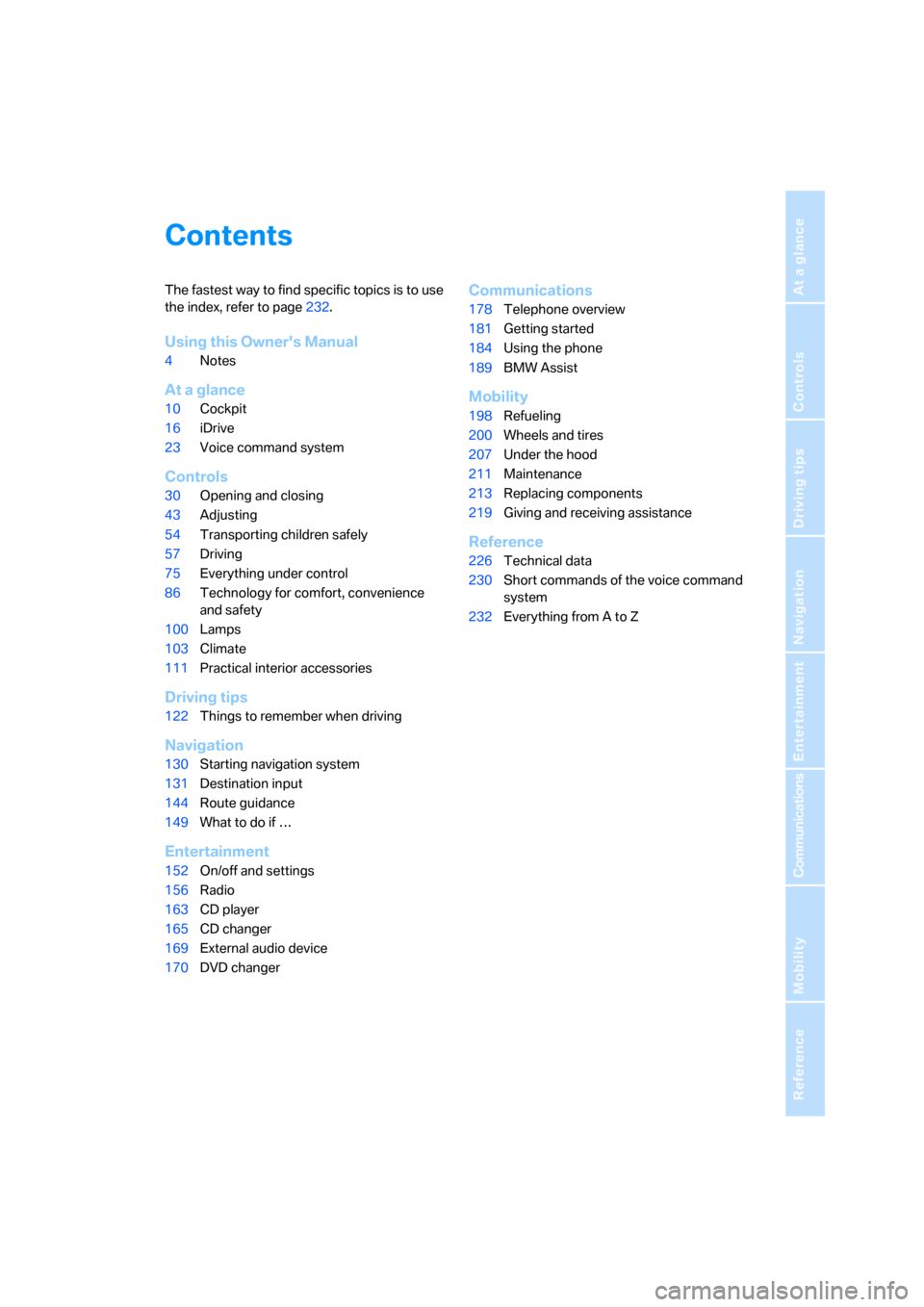
Contents
The fastest way to find specific topics is to use
the index, refer to page232.
Using this Owner's Manual
4Notes
At a glance
10Cockpit
16iDrive
23Voice command system
Controls
30Opening and closing
43Adjusting
54Transporting children safely
57Driving
75Everything under control
86Technology for comfort, convenience
and safety
100Lamps
103Climate
111Practical interior accessories
Driving tips
122Things to remember when driving
Navigation
130Starting navigation system
131Destination input
144Route guidance
149What to do if …
Entertainment
152On/off and settings
156Radio
163CD player
165CD changer
169External audio device
170DVD changer
Communications
178Telephone overview
181Getting started
184Using the phone
189BMW Assist
Mobility
198Refueling
200Wheels and tires
207Under the hood
211Maintenance
213Replacing components
219Giving and receiving assistance
Reference
226Technical data
230Short commands of the voice command
system
232Everything from A to Z
Page 13 of 254
At a glance
11Reference
Controls
Driving tips
Communications
Navigation
Entertainment
Mobility
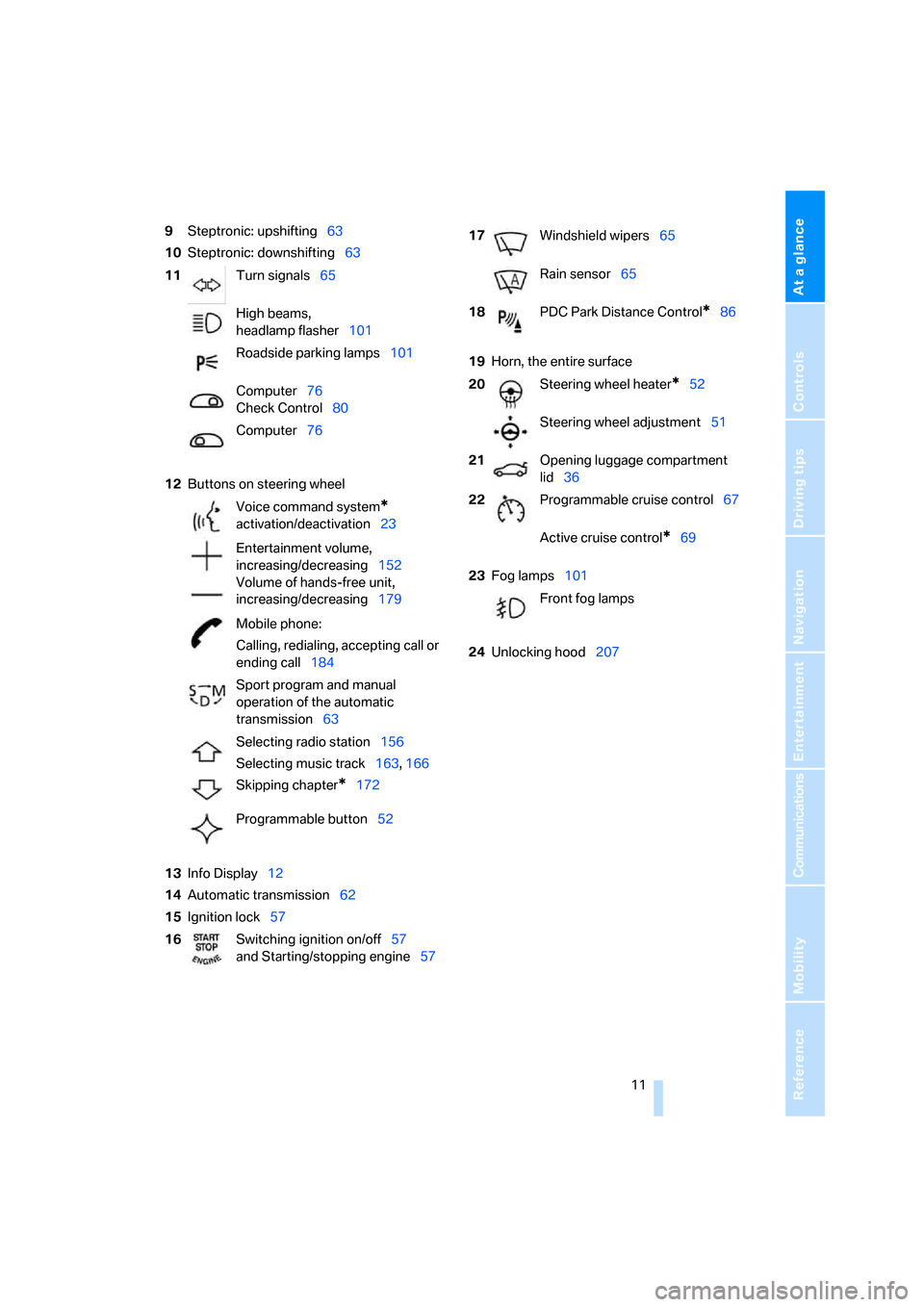
9Steptronic: upshifting63
10Steptronic: downshifting63
12Buttons on steering wheel
13Info Display12
14Automatic transmission62
15Ignition lock5719Horn, the entire surface
23Fog lamps101
24Unlocking hood207 11Turn signals65
High beams,
headlamp flasher101
Roadside parking lamps101
Computer76
Check Control80
Computer76
Voice command system
*
activation/deactivation23
Entertainment volume,
increasing/decreasing152
Volume of hands-free unit,
increasing/decreasing179
Mobile phone:
Calling, redialing, accepting call or
ending call184
Sport program and manual
operation of the automatic
transmission63
Selecting radio station156
Selecting music track163, 166
Skipping chapter
*172
Programmable button52
16Switching ignition on/off57
and Starting/stopping engine57
17Windshield wipers65
Rain sensor65
18PDC Park Distance Control
*86
20Steering wheel heater
*52
Steering wheel adjustment51
21Opening luggage compartment
lid36
22Programmable cruise control67
Active cruise control
*69
Front fog lamps
Page 39 of 254
Controls
37Reference
At a glance
Driving tips
Communications
Navigation
Entertainment
Mobility
Manual operation
In the case of an electrical malfunction, you can
unlock the luggage compartment lid with the
key, refer to page35, and slowly open and close
it without sudden movements.
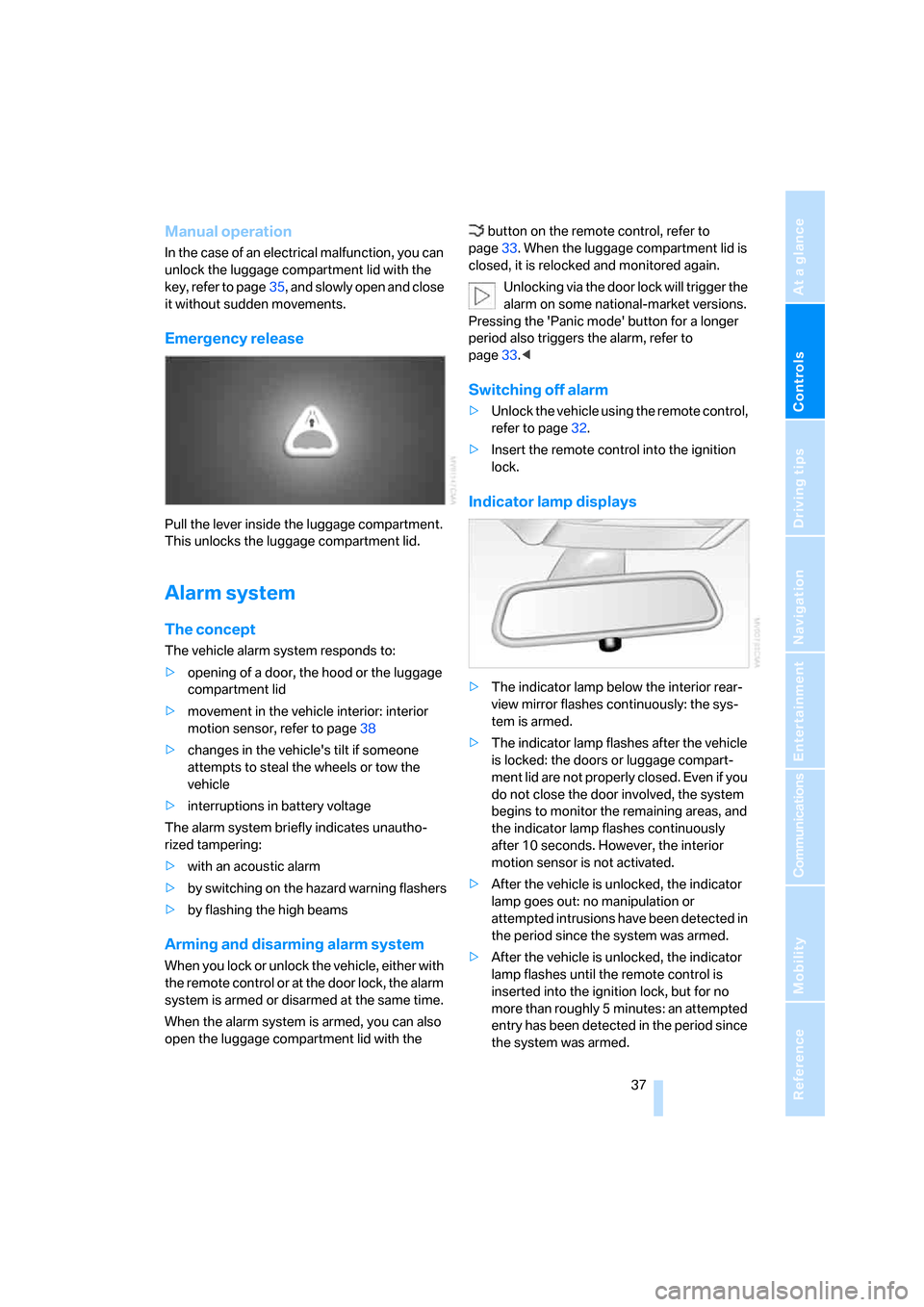
Emergency release
Pull the lever inside the luggage compartment.
This unlocks the luggage compartment lid.
Alarm system
The concept
The vehicle alarm system responds to:
>opening of a door, the hood or the luggage
compartment lid
>movement in the vehicle interior: interior
motion sensor, refer to page38
>changes in the vehicle's tilt if someone
attempts to steal the wheels or tow the
vehicle
>interruptions in battery voltage
The alarm system briefly indicates unautho-
rized tampering:
>with an acoustic alarm
>by switching on
the hazard warning flashers
>by flashing the high beams
Arming and disarming alarm system
When you lock or unlock the vehicle, either with
the remote control or at the door lock, the alarm
system is armed or disarmed at the same time.
When the alarm system is armed, you can also
open the luggage compartment lid with the button on the remote control, refer to
page33. When the luggage compartment lid is
closed, it is relocked and monitored again.
Unlocking via the door lock will trigger the
alarm on some national-market versions.
Pressing the 'Panic mode' button for a longer
period also triggers the alarm, refer to
page33.<
Switching off alarm
>Unlock the vehicle using the remote control,
refer to page32.
>Insert the remote control into the ignition
lock.
Indicator lamp displays
>The indicator lamp below the interior rear-
view mirror flashes continuously: the sys-
tem is armed.
>The indicator lamp flashes after the vehicle
is locked: the doors or luggage compart-
ment lid are not properly closed. Even if you
do not close the door involved, the system
begins to monitor the remaining areas, and
the indicator lamp flashes continuously
after 10 seconds. However, the interior
motion sensor is not activated.
>After the vehicle is unlocked, the indicator
lamp goes out: no manipulation or
attempted intrusions have been detected in
the period since the system was armed.
>After the vehicle is unlocked, the indicator
lamp flashes until the remote control is
inserted into the ignition lock, but for no
more than roughly 5 minutes: an attempted
entry has been detected in the period since
the system was armed.
Page 62 of 254
Driving
60 engage the parking brake the moment the vehi-
cle comes to a stop.<
Parking
The parking brake engages automatically when
you stop the vehicle and switch off the engine.
The indicator lamp changes from green to
red.
You can also release the parking brake
manually after the engine is switched off,
as long as the remote control is in the ignition
lock, refer to page59. You can use this function,
for example, in a car wash.
Automatic Hold is deactivated.<
When leaving the vehicle, release the
remote control from the detent in the igni-
tion lock; this precaution prevents children from
disengaging the parking brake etc.<
For your safety
Automatic Hold is automatically deactivated
when:
>the engine is switched off
>the system detects that the driver's seat is
not occupied while the engine is running
>the hood is opened while the engine is run-
ning
>the luggage compartment is opened while
the engine is running and the transmission
is in reverse
>and when the parking brake is used to brake
the vehicle to a stop during driving
The indicator lamp changes from green to
red, and the indication AUTO P on the Info Dis-
play disappears.
Before starting off again, briefly press the but-
ton to disengage the parking brake manually,
refer to page59, or reactivate Automatic Hold,
refer to page59.
Before leaving the vehicle with the engine
running, always move the automatic
transmission's selector lever to position P and
make sure that the parking brake is engaged.
The vehicle could start to roll if you fail to take
these precautions.
tendency for the wheels to spin in response to
slippery road surfaces.
Pay attention to the messages on the Info Dis-
play. For additional information, refer to Check
Control on page80.<
Releasing parking brake manually
In the event of an electrical power loss or elec-
trical malfunction, you can release the parking
brake manually.
Before manually releasing the parking
brake and each time you park the vehicle
without engaging the parking brake, make sure
that the automatic transmission is in position P,
refer to page62. Be sure to pay attention to the
information on the Info Display.
If circumstances should force you to park on a
steeply inclined road surface, it is essential to
take additional precautions against inadvertent
rolling, e.g. by using the chock, refer to
page216. Otherwise, there is the danger of the
vehicle rolling, depending on the incline.<
If it becomes necessary to also unlock the
transmission lock of the automatic transmis-
sion, follow this sequence:
1.If necessary, start by releasing the parking
brake manually.
2.Then release the automatic transmission's
transmission lock manually, refer to
page64.
Jump starting and tow starting information,
refer to section starting on page220.
Page 209 of 254
Mobility
207Reference
At a glance
Controls
Driving tips
Communications
Navigation
Entertainment
Under the hood
Never attempt to perform any service or
repair operations on your vehicle without
the required, professional technical training.
If you are unfamiliar with the regulations to be
observed, only have work on your vehicle car-
ried out by a BMW center or a repair shop that
works in accordance with BMW guidelines and
uses appropriately trained personnel. If this
work is not carried out properly, there is a dan-
ger of subsequent damage and related safety
hazards.<
Hood
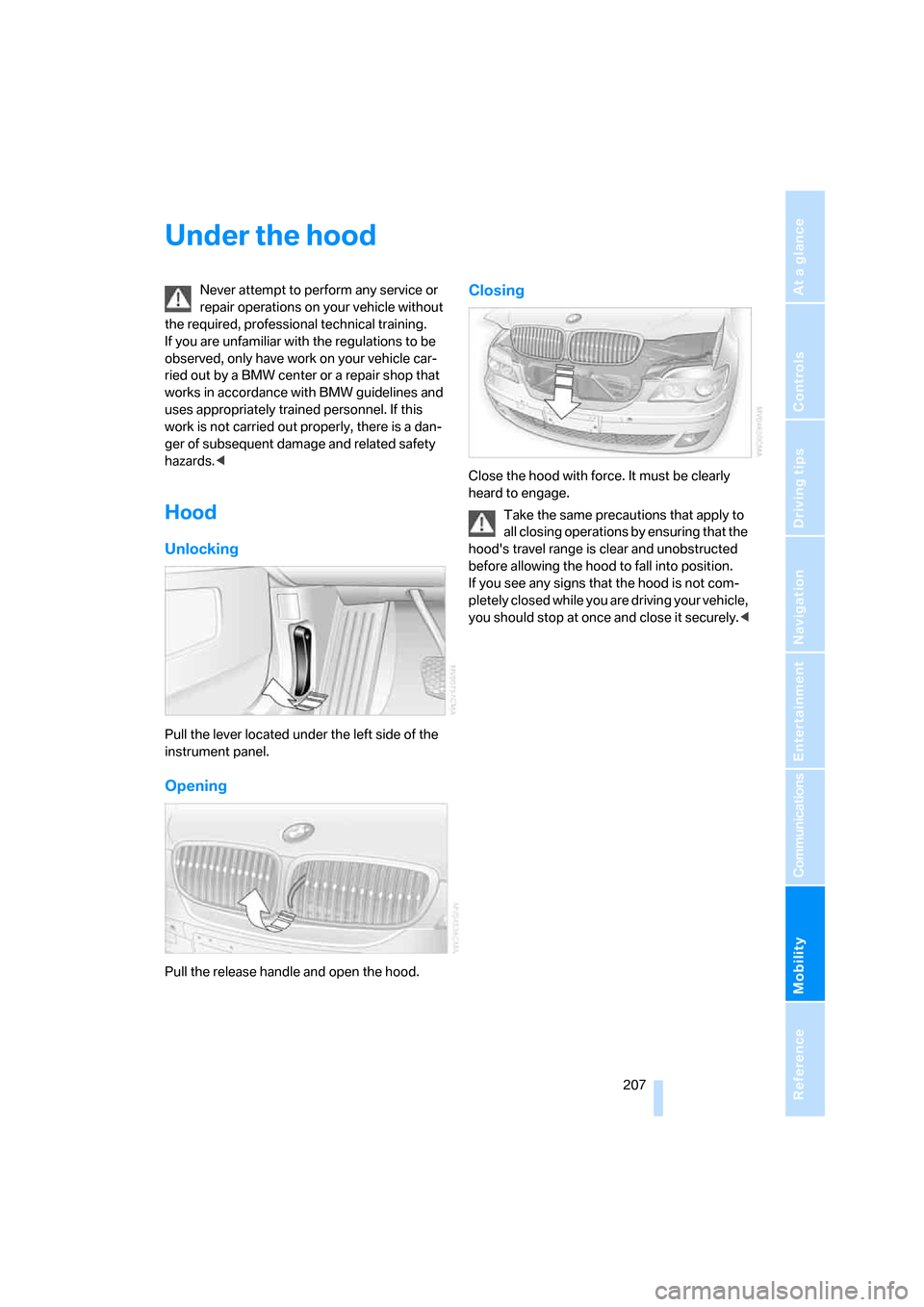
Unlocking
Pull the lever located under the left side of the
instrument panel.
Opening
Pull the release handle and open the hood.
Closing
Close the hood with force. It must be clearly
heard to engage.
Take the same precautions that apply to
all closing operations by ensuring that the
hood's travel range is clear and unobstructed
before allowing the hood to fall into position.
If you see any signs that the hood is not com-
pletely closed while you are driving your vehicle,
you should stop at once and close it securely.<
Page 210 of 254
Under the hood
208
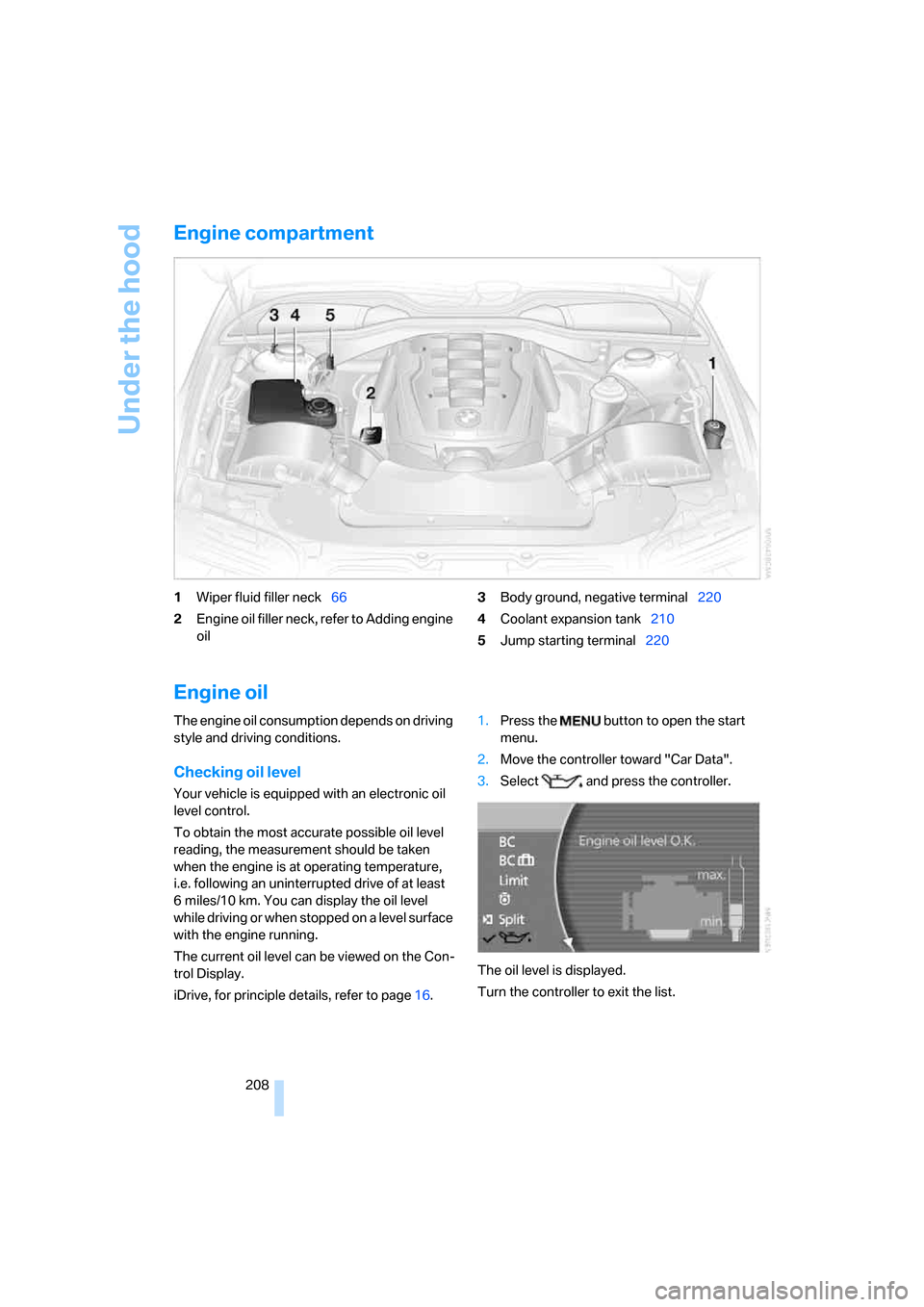
Engine compartment
1Wiper fluid filler neck66
2Engine oil filler neck, refer to Adding engine
oil3Body ground, negative terminal220
4Coolant expansion tank210
5Jump starting terminal220
Engine oil
The engine oil consumption depends on driving
style and driving conditions.
Checking oil level
Your vehicle is equipped with an electronic oil
level control.
To obtain the most accurate possible oil level
reading, the measurement should be taken
when the engine is at operating temperature,
i.e. following an uninterrupted drive of at least
6 miles/10 km. You can display the oil level
while driving or when stopped on a level surface
with the engine running.
The current oil level can be viewed on the Con-
trol Display.
iDrive, for principle details, refer to page16.1.Press the button to open the start
menu.
2.Move the controller toward "Car Data".
3.Select and press the controller.
The oil level is displayed.
Turn the controller to exit the list.
Page 212 of 254
Under the hood
210
Coolant
Do not open the cooling system when the
engine is hot. Escaping coolant can cause
burns.<
Coolant consists of water and supplemental
antifreeze and anticorrosion agents. Not all
commercially available additives are suitable for
your BMW. Ask your BMW center for suitable
additives.
Only use suitable additives; otherwise,
engine damage may result. The additives
present a health hazard; follow the instructions
on the containers.<
Always follow all applicable environmen-
tal laws and regulations when disposing
of used coolant additives.<
Checking coolant level
1.Allow engine to cool.
2.Turn the cap of the expansion tank counter-
clockwise to allow any accumulated pres-
sure to escape, then continue turning to
open.
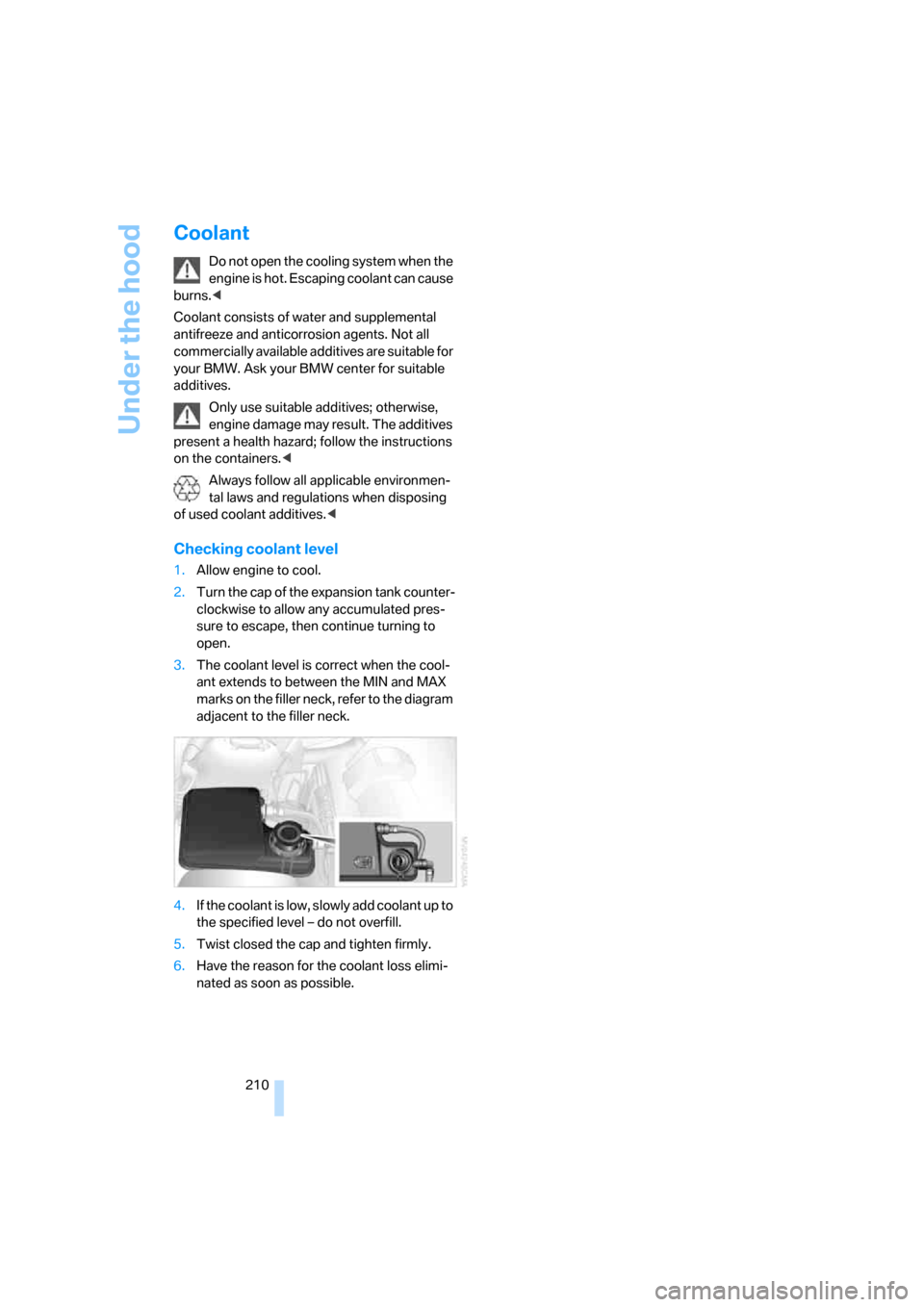
3.The coolant level is correct when the cool-
ant extends to between the MIN and MAX
marks on the filler neck, refer to the diagram
adjacent to the filler neck.
4.If the coolant is low, slowly add coolant up to
the specified level – do not overfill.
5.Twist closed the cap and tighten firmly.
6.Have the reason for the coolant loss elimi-
nated as soon as possible.
Page 241 of 254
Reference 239
At a glance
Controls
Driving tips
Communications
Navigation
Entertainment
Mobility
H
Handbrake, refer to Parking
brake58
– Automatic Hold59
– manual operation58
Hands-free system179
Hazard warning flashers15
"HD", High Definition
Radio162
Head airbags95
Headlamp control,
automatic100
Headlamp flasher65
– indicator lamp13
Headlamps100
– care, refer to Caring for your
vehicle brochure
– cleaning, refer to Wiper
system65
– replacing bulbs213
Head light, refer to Adaptive
Head Light100
Headphones22
Head restraints46
– front head restraints,
active47
– installation, front47
– removal, front46
– sitting safely43
Heating103
– exterior mirrors51
– mirrors51
– rear window, refer to Rear
window defroster107
– residual heat106
– seats49
– steering wheel52
– when parked, refer to
Residual heat106
– windshield, refer to
Defrosting windows and
removing condensation106
– windshield washer
nozzles66
Heating and ventilation103Heavy cargo, refer to Stowing
cargo124
Height, refer to
Dimensions227
Height adjustment
– seats44
– steering wheel51
"Help"
– assistance window21
– menu guidance19
"Help text", assistance
window21
Help text on Control
Display21
"Hide map icons",
navigation137
"high", automatic climate
control105
High beams101
– headlamp flasher101
– indicator lamp11
High Definition Radio162
Hills123
Holder for cups115
Home address
– selecting141
– storing140
Hood207
Horn11
Hotel function, refer to
Locking separately35
Hot exhaust system122
Hour signal activation85
"House number",
navigation134
Hydraulic brake assistant,
refer to Brake assistant87
Hydroplaning123
I
ID3 tag, refer to Displaying
track information167
iDrive16
– assistance window20
– automatic climate
control104
– changing date and time84
– changing language84
– changing settings84
– changing units of measure
and display format84
– confirming selection or
entry19
– controller16
– controls16
– displays, menus17
– menus17
– rear seat screen21
– selecting menu item19
– setting brightness85
– showing help text21
– start menu18
– status lines20
– symbols19
Ignition key30
Ignition lock57
Illuminated vanity mirror51
Imitation leather, refer to
Caring for your vehicle
brochure
"Indep. ventil.", automatic
climate control109
Indicator/warning lamps13
– airbags96
– alarm system37
– DSC88
– DTC88
– Flat Tire Monitor91
– fog lamps101
– safety belt warning48
– Tire Pressure Monitor93
Individually programmable
buttons11,52
Individual settings, refer to
Key Memory31
Page 250 of 254
Everything from A to Z
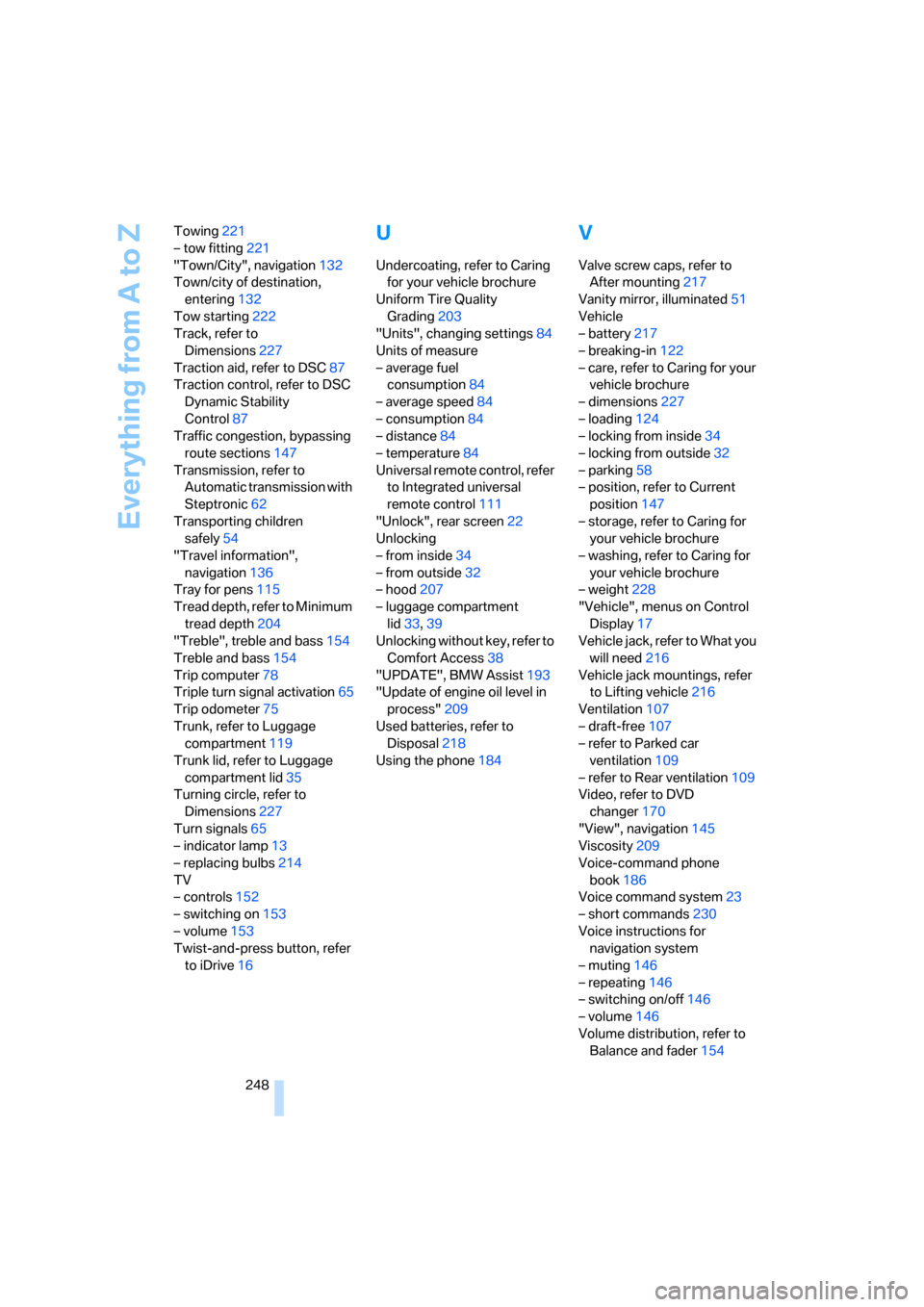
248 Towing221
– tow fitting221
"Town/City", navigation132
Town/city of destination,
entering132
Tow starting222
Track, refer to
Dimensions227
Traction aid, refer to DSC87
Traction control, refer to DSC
Dynamic Stability
Control87
Traffic congestion, bypassing
route sections147
Transmission, refer to
Automatic transmission with
Steptronic62
Transporting children
safely54
"Travel information",
navigation136
Tray for pens115
Tread depth, refer to Minimum
tread depth204
"Treble", treble and bass154
Treble and bass154
Trip computer78
Triple turn signal activation65
Trip odometer75
Trunk, refer to Luggage
compartment119
Trunk lid, refer to Luggage
compartment lid35
Turning circle, refer to
Dimensions227
Turn signals65
– indicator lamp13
– replacing bulbs214
TV
– controls152
– switching on153
– volume153
Twist-and-press button, refer
to iDrive16
U
Undercoating, refer to Caring
for your vehicle brochure
Uniform Tire Quality
Grading203
"Units", changing settings84
Units of measure
– average fuel
consumption84
– average speed84
– consumption84
– distance84
– temperature84
Universal remote control, refer
to Integrated universal
remote control111
"Unlock", rear screen22
Unlocking
– from inside34
– from outside32
– hood207
– luggage compartment
lid33,39
Unlocking without key, refer to
Comfort Access38
"UPDATE", BMW Assist193
"Update of engine oil level in
process"209
Used batteries, refer to
Disposal218
Using the phone184
V
Valve screw caps, refer to
After mounting217
Vanity mirror, illuminated51
Vehicle
– battery217
– breaking-in122
– care, refer to Caring for your
vehicle brochure
– dimensions227
– loading124
– locking from inside34
– locking from outside32
– parking58
– position, refer to Current
position147
– storage, refer to Caring for
your vehicle brochure
– washing, refer to Caring for
your vehicle brochure
– weight228
"Vehicle", menus on Control
Display17
Vehicle jack, refer to What you
will need216
Vehicle jack mountings, refer
to Lifting vehicle216
Ventilation107
– draft-free107
– refer to Parked car
ventilation109
– refer to Rear ventilation109
Video, refer to DVD
changer170
"View", navigation145
Viscosity209
Voice-command phone
book186
Voice command system23
– short commands230
Voice instructions for
navigation system
– muting146
– repeating146
– switching on/off146
– volume146
Volume distribution, refer to
Balance and fader154