ABS BMW 760Li 2005 E66 User Guide
[x] Cancel search | Manufacturer: BMW, Model Year: 2005, Model line: 760Li, Model: BMW 760Li 2005 E66Pages: 239, PDF Size: 8.03 MB
Page 125 of 239
Driving tips
123Reference
At a glance
Controls
Communications
Navigation
Entertainment
Mobility
Hydroplaning
When driving on wet or slushy roads,
reduce road speed. If you do not, a
wedge of water can form between tires and
road surface. This phenomenon is referred
to as hydroplaning, and is characterized by
a partial or complete loss of contact
between tires and road surface, ultimately
undermining your ability to steer and brake
the vehicle.<
Driving through water
Only drive through water with a maxi-
mum depth of 1 ft/30 cm, and then
only at walking speed at the most. Other-
wise, the vehicle's engine, the electrical
systems and the transmission may be dam-
aged.<
Safe braking
Your BMW is equipped with ABS as stan-
dard equipment. The best way to brake is
to apply maximum pressure to the brake
pedal during emergency: full brake applica-
tion. Since the vehicle maintains steering
responsiveness, you can nevertheless
avoid possible obstacles with a minimum
of steering effort.
Pulsation at the brake pedal combines with
sounds from the hydraulic circuits to indi-
cate to the driver that ABS is in its active
mode.
Driving in wet conditions
While driving in wet conditions and in heavy
rain, it is a good idea to apply light pressure
to the brake pedal every few miles. Monitor
traffic conditions to ensure that this maneu-
ver does not endanger other road users.
The heat generated in this process helps
dry the pads and rotors to ensure that full
braking efficiency will then be available
when you need it.
Hills
To prevent overheating and reduced
efficiency of the brake system, drive
long or steep downhill gradients in the gear
in which the least braking is required. Otherwise, even light but consistent pedal
pressure can lead to high temperatures,
brake wear and possibly even brake fail-
ure.<
You can further enhance the engine's brak-
ing effect by selecting a lower gear in the
automatic transmission's manual mode,
downshifting as far as first gear on
extremely steep stretches, refer to
page70. This strategy helps you avoid
placing excessive loads on the brake sys-
tem.
Never allow the vehicle to coast with
the transmission in Neutral – or with
the engine switched off – as there is no
engine braking when the transmission is in
Neutral, and no power-assist for brakes
and steering when the engine is not run-
ning.
Never allow floor mats, carpets or any other
objects to protrude into the area around the
accelerator and brake pedals and obstruct
their movement.<
Corrosion on brake rotors
When the vehicle is driven only occasion-
ally, during extended periods when the
vehicle is not used at all, and in operating
conditions where brake applications are
less frequent, there is an increased ten-
dency for corrosion to form on rotors, while
contaminants accumulate on the brake
pads. This occurs because the minimal
pressure which must be exerted by the
pads during brake applications to clean the
rotors is not reached.
Should corrosion form on the brake rotors,
the brakes will tend to respond with a pul-
sating effect that even extended applica-
tion will fail to cure.
Mobile communications devices in
vehicle
BMW does not recommend using
mobile communications devices, e.g.
portable phones, in the interior of the vehi-
cle without a direct connection to an out-
side antenna. Otherwise the vehicle elec-
tronics and mobile communications device
can affect each other. In addition, it is not
Page 145 of 239
Navigation
Driving tips
143Reference
At a glance
Controls
Communications
Entertainment
Mobility
Voice command system address
book
Storing addresses
The first destination in the destination list
can be stored in this address book:
It is always the case that only the first entry
in the destination list can be saved. To save
other addresses, change the destination
list accordingly, refer to page 137.
The house number is not stored in the
address book of the voice command
system.<
Selecting an address
Home address
Deleting addresses
To delete individual entries:To delete all current entries:
Current position
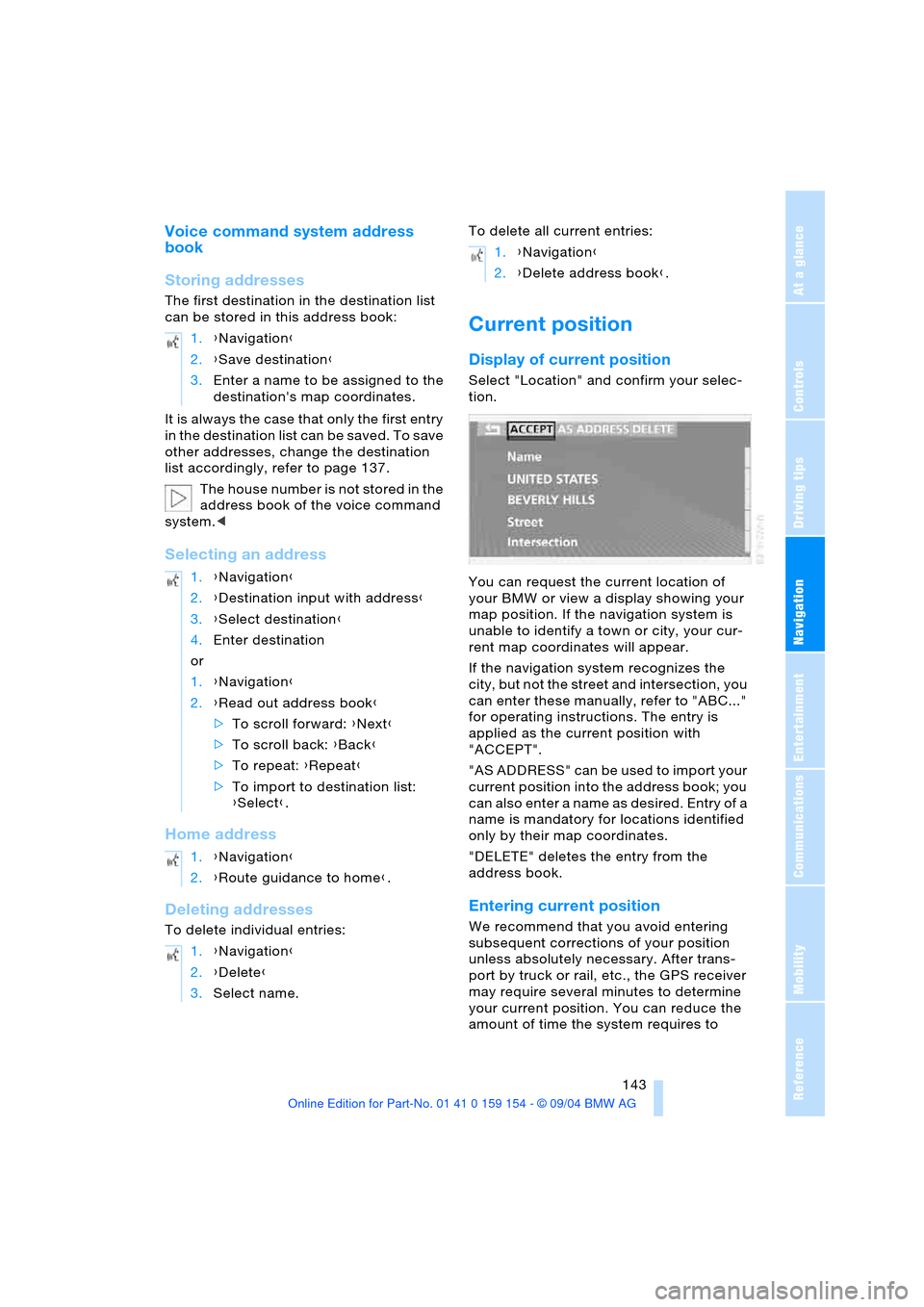
Display of current position
Select "Location" and confirm your selec-
tion.
You can request the current location of
your BMW or view a display showing your
map position. If the navigation system is
unable to identify a town or city, your cur-
rent map coordinates will appear.
If the navigation system recognizes the
city, but not the street and intersection, you
can enter these manually, refer to "ABC..."
for operating instructions. The entry is
applied as the current position with
"ACCEPT".
" A S A D D R E S S " c a n b e u s e d t o i m p o r t y o u r
current position into the address book; you
can also enter a name as desired. Entry of a
name is mandatory for locations identified
only by their map coordinates.
"DELETE" deletes the entry from the
address book.
Entering current position
We recommend that you avoid entering
subsequent corrections of your position
unless absolutely necessary. After trans-
port by truck or rail, etc., the GPS receiver
may require several minutes to determine
your current position. You can reduce the
amount of time the system requires to 1.{Navigation}
2.{Save destination}
3.Enter a name to be assigned to the
destination's map coordinates.
1.{Navigation}
2.{Destination input with address}
3.{Select destination}
4.Enter destination
or
1.{Navigation}
2.{Read out address book}
>To scroll forward: {Next}
>To scroll back: {Back}
>To repeat: {Repeat}
>To import to destination list:
{Select}.
1.{Navigation}
2.{Route guidance to home}.
1.{Navigation}
2.{Delete}
3.Select name.
1.{Navigation}
2.{Delete address book}.
Page 183 of 239
181
Entertainment
Reference
At a glance
Controls
Driving tips Communications
Navigation
Mobility
You can use the voice command system to
redial the last number called:
Select and confirm to end the call.
Missed calls
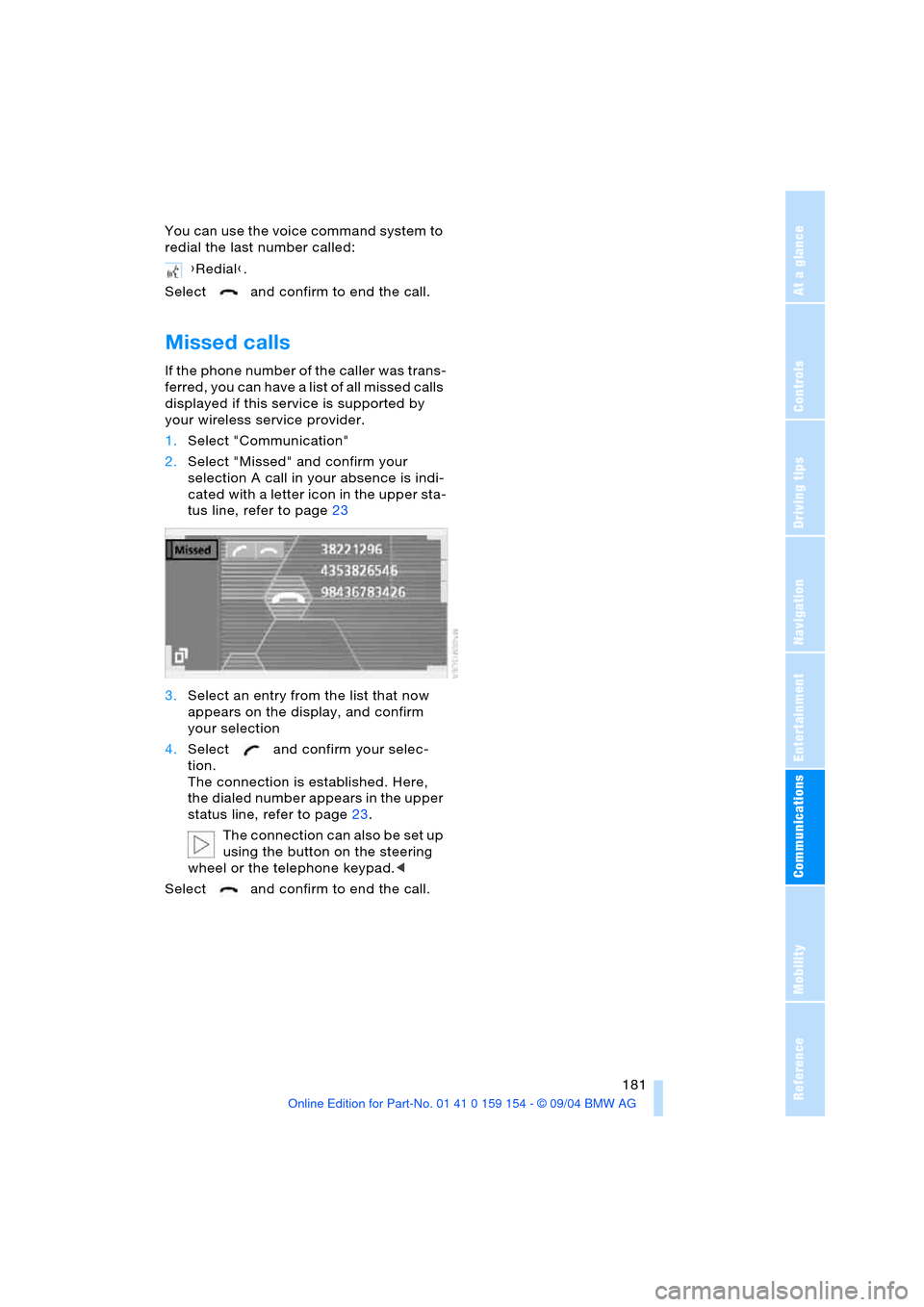
If the phone number of the caller was trans-
ferred, you can have a list of all missed calls
displayed if this service is supported by
your wireless service provider.
1.Select "Communication"
2.Select "Missed" and confirm your
selection A call in your absence is indi-
cated with a letter icon in the upper sta-
tus line, refer to page23
3.Select an entry from the list that now
appears on the display, and confirm
your selection
4.Select and confirm your selec-
tion.
The connection is established. Here,
the dialed number appears in the upper
status line, refer to page23.
The connection can also be set up
using the button on the steering
wheel or the telephone keypad.<
Select and confirm to end the call.{Redial}.
Page 194 of 239
Wheels and tires
192
Run-flat tires*
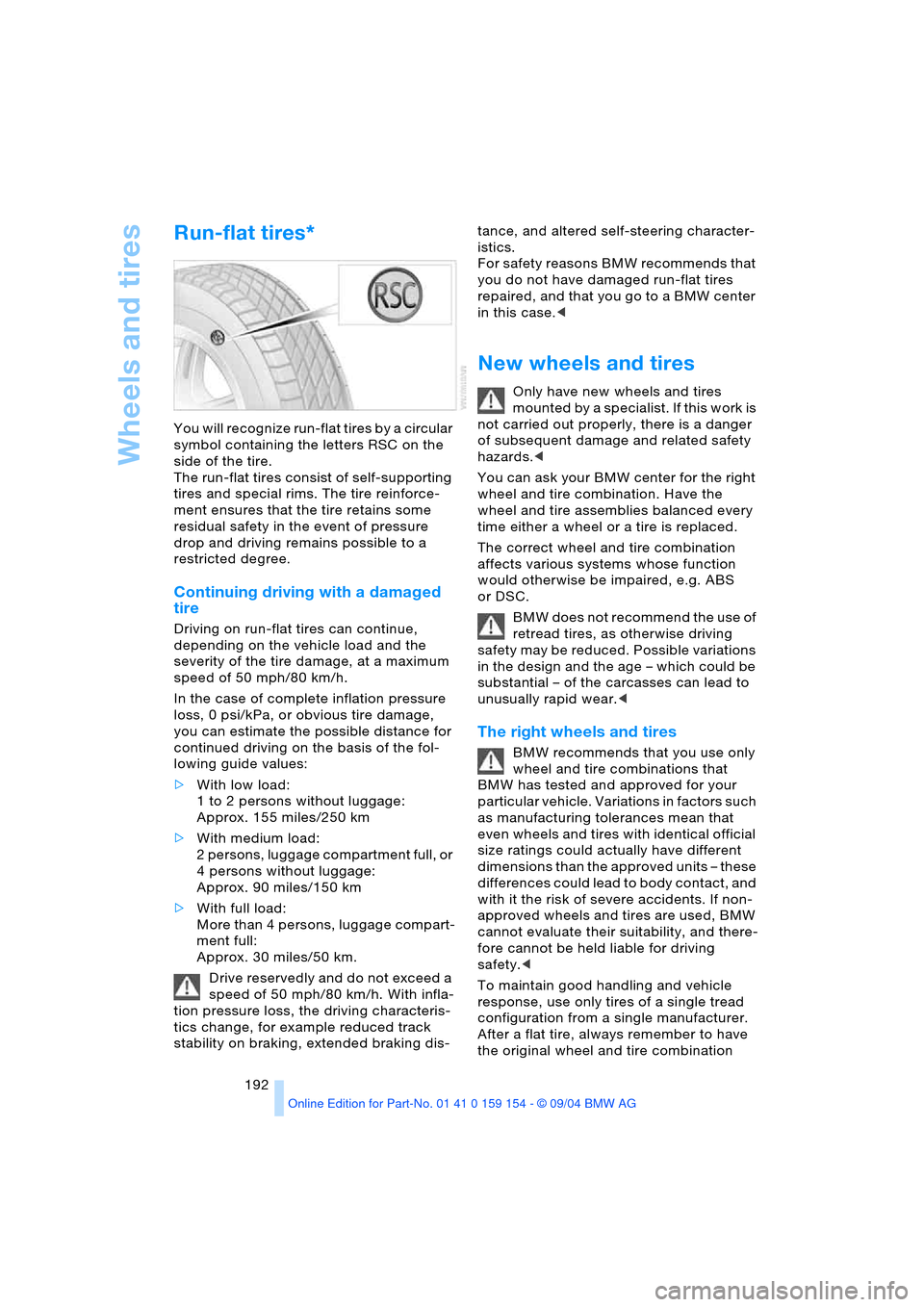
You will recognize run-flat tires by a circular
symbol containing the letters RSC on the
side of the tire.
The run-flat tires consist of self-supporting
tires and special rims. The tire reinforce-
ment ensures that the tire retains some
residual safety in the event of pressure
drop and driving remains possible to a
restricted degree.
Continuing driving with a damaged
tire
Driving on run-flat tires can continue,
depending on the vehicle load and the
severity of the tire damage, at a maximum
speed of 50 mph/80 km/h.
In the case of complete inflation pressure
loss, 0 psi/kPa, or obvious tire damage,
you can estimate the possible distance for
continued driving on the basis of the fol-
lowing guide values:
>With low load:
1 to 2 persons without luggage:
Approx. 155 miles/250 km
>With medium load:
2 persons, luggage compartment full, or
4 persons without luggage:
Approx. 90 miles/150 km
>With full load:
More than 4 persons, luggage compart-
ment full:
Approx. 30 miles/50 km.
Drive reservedly and do not exceed a
speed of 50 mph/80 km/h. With infla-
tion pressure loss, the driving characteris-
tics change, for example reduced track
stability on braking, extended braking dis-tance, and altered self-steering character-
istics.
For safety reasons BMW recommends that
you do not have damaged run-flat tires
repaired, and that you go to a BMW center
in this case.<
New wheels and tires
Only have new wheels and tires
mounted by a specialist. If this work is
not carried out properly, there is a danger
of subsequent damage and related safety
hazards.<
You can ask your BMW center for the right
wheel and tire combination. Have the
wheel and tire assemblies balanced every
time either a wheel or a tire is replaced.
The correct wheel and tire combination
affects various systems whose function
would otherwise be impaired, e.g. ABS
or DSC.
BMW does not recommend the use of
retread tires, as otherwise driving
safety may be reduced. Possible variations
in the design and the age – which could be
substantial – of the carcasses can lead to
unusually rapid wear.<
The right wheels and tires
BMW recommends that you use only
wheel and tire combinations that
BMW has tested and approved for your
particular vehicle. Variations in factors such
as manufacturing tolerances mean that
even wheels and tires with identical official
size ratings could actually have different
dimensions than the approved units – these
differences could lead to body contact, and
with it the risk of severe accidents. If non-
approved wheels and tires are used, BMW
cannot evaluate their suitability, and there-
fore cannot be held liable for driving
safety.<
To maintain good handling and vehicle
response, use only tires of a single tread
configuration from a single manufacturer.
After a flat tire, always remember to have
the original wheel and tire combination
Page 220 of 239
Everything from A to Z
218
Everything from A to Z
Index
A
A/C operation
– automatic climate
control105
"ABC..." for navigation132
ABS Antilock Brake
System92
– indicator lamp13
ACC, refer to Active cruise
control75
"ACCEPT" for
navigation137,143
Accepting call
– automatic177
– during a call179
Accessories, refer to Your
individual vehicle5
Accident, refer to
– Giving and receiving
assistance209
– Roadside Assistance182
"ACTIVATE",
BMW Assist182
Activated-charcoal
filter108
Active cruise control75
– malfunction80
Active head restraints,
front49
Active seat53
Active seat ventilation52
Adapter for spare key35
Adaptive Head Light101
Address
– deleting143
– displaying142
– entering143
– storing142
– storing current
position143
"Address book" for
navigation142
Adjust cooling capacity of
rear air conditioner109Adjusting interior
temperature105
Adjusting seats47
Air, drying, refer to
A/C operation105
Airbags98
– indicator lamp13
– safe sitting position46
Air conditioner in the
rear109
Air conditioner mode105
Air conditioning in rear109
Air conditioning while
parked110
Air distribution
– automatic climate
control104,107
– individual108
Airing, refer to
Ventilation106,110
Air jets, refer to
Ventilation106,110
Air pressure, refer to Tire
inflation pressure188
Air recirculation, refer to
Recirculated air105
Air supply
– automatic climate
control105
– rear air conditioner109
Air vents, refer to
Ventilation106
AKI, refer to Fuel
specifications187
Alarm system42
– avoiding unintentional
alarms43
All-season tires, refer to
Winter tires193
Altering stretch of road140
Alternate route, refer to
Detour140
"AM..."
– audio mode148
– radio152,154AM waveband152
"ANGLE" for
DVD mode169
Antenna174
Antenna for portable
phone174
Antifreeze
– coolant196
– washer fluid73
Antilock Brake System ABS
– indicator lamp13
Anti-theft alarm system35
– refer to Alarm system42
Anti-trapping mechanism
– glass roof, electric45
– power windows44
Armrest, refer to Center
armrest115,118
"Arrow display" for
navigation139,140
Arrow display for
navigation140
"AS ADDRESS", navigation
– creating directory142
– current position143
– destination entry133
– destination list137
– home address142
– recent destinations136
"AS DEST.", navigation
– recent destinations136
Ashtray117
– front117
– rear117
Assist182
Assistance system, refer to
DSC Dynamic Stability
Control93
Assistance window
– help texts22
– refer to Control Center22
– status lines23
AUC Automatic
recirculated-air
control105
Page 221 of 239
Reference 219
At a glance
Controls
Driving tips
Communications
Navigation
Entertainment
Mobility
"Audio"
– audio mode148
– radio152
Audio148
– adjusting tone149
– controls148
– switching on/off149
– volume149
"AUDIO" for
DVD mode169
Audio mode148
"AUTO", automatic climate
control107
Automatic
– air distribution104
– air supply104
– headlamp control100
– luggage compartment lid
operation36,41
– steering wheel
adjustment54
– windshield washer72
Automatic car wash, refer
to the Caring for your
vehicle brochure
Automatic climate
control103
– rear air conditioner109
– rear cooler114
– settings in Control
Display107
Automatic curb monitor56
Automatic Hold
– parking65
– parking brake65
Automatic recirculated-air
control AUC105
Automatic soft closing
– doors39
– luggage compartment
lid40
Automatic station
search152
Automatic station
storage153Automatic transmission
with Steptronic68
– ignition62
– interlock62
– selector lever interlock68
– shiftlock69
– towing210
"AUTO P"
– function button54
– vehicle65
AUTO program, refer to
Automatic air
distribution104
"AUTOSTOR" for radio154
Average fuel
consumption86
– setting units89
Average speed86
– setting units89
"Avoid highway"137
Avoiding tolls137
"Avoid route"141
"Avoid sect."140
"Avoid tolls"137
Axle loads, refer to
Weights216
"A-Z", telephone179
B
Backrests, refer to Seat
adjustment47,48
Backrest width
adjustment47
Backup lamps, bulb
replacement203
"Balance" in audio
mode150
Bandages, refer to
First-aid kit209
Bar, towing211
"Bass" in audio mode150
Battery207
– indicator lamp207
– jump-starting209
– remote control34
– switch207
"BC", refer to Computer87
Belts, refer to Safety
belts51
Beverage holders116Blower, automatic climate
control103
BMW active seat53
"BMW Assist"182
BMW Assist182
BMW Maintenance
System198
"BMW Services",
BMW Assist182
Bottle holder, refer to
Beverage holders116
Brake fluid197
– indicator lamp13
– level197
Brake Force Display97
Brake hydraulic
systems197
Brake lamps
– adaptive, refer to Brake
force display97
– bulb replacement203
– indicator lamp, defective
lamp83
Brake pad wear indicator,
indicator lamp13
Brake rotors
– brake system123
– break-in122
Brakes123
– ABS92
– brake fluid197
– break-in122
– indicator/warning
lamps13,92,94
– parking brake64
Brake system197
– brake fluid level197
– brake pads82
– break-in122
– disc brakes123
– indicator lamp13
Breakdown recovery, refer
to Roadside
Assistance182
Breakdown service, refer to
Roadside Assistance182
Break-in procedures122
"Brief info", Control
Center22
Page 222 of 239
Everything from A to Z
220 "Brightness"
– in the Control Center90
– in TV mode164
Brightness90
– in TV mode164
– on Control Display90
Bulb replacement, refer to
Lamps and bulbs201
Buttons on multi-function
steering wheel16
– automatic transmission
with Steptronic70
Bypassing traffic
congestion140
C
Calculating distance86
California laws
– Event Data Recorders200
– Proposition 65
Warning200
Call
– beginning178
– during a call179
– ending178
– replacing179
– when absent181
Calling
– from phone book179
– from the Top 8 list180
– redialing180
– with telephone keypad,
folding176
Calls, switching between
two calls179
Can holder, refer to
Beverage holders116
Capacities217
Car care, refer to the Caring
for your vehicle brochure
Car-care products, refer to
the Caring for your vehicle
brochure
"Car data", vehicle84
Care, refer to the Caring for
your vehicle brochure
Caring for the vehicle finish,
refer to the Caring for
your vehicle brochure
Car jack points205Car key, refer to
Key/remote control34
Carpet care, refer to the
Caring for your vehicle
brochure
Car phone, refer to
separate portable phone
Owner's Manual174
Car radio, refer to
Radio152
Car wash122
– refer to the Caring for your
vehicle brochure
– with Comfort Access122
Catalytic converter, refer to
High temperatures122
CBC Cornering Brake
Control92
– warning lamp13
CBS Condition Based
Service198
"CD"
– in audio mode148
– in CD player mode158
CD changer160
– adjusting tone149
– controls148
– fast forward, reverse162
– location160
– random sequence161
– sampling161
– selecting a CD161
– selecting track162
– starting160
– volume149
CD player158
– adjusting tone149
– controls148
– fast forward, reverse159
– random sequence158
– sampling158
– selecting tracks158
– starting158
– volume149
Center armrest115,118
Center brake lamp, bulb
replacement203
Center console, refer to
Comfort features14Central locking system35
– Comfort Access37
– interior38
"CHANGE" for
navigation137
Changes, technical, refer to
For your own safety5
Changing language89
Changing navigation CDs/
DVDs130
Changing scale140
Changing settings on the
Control Display89
Changing time display89
Changing units of measure
in Control Display89
Changing wheels204
Charge current indicator
lamp83
CHECK button84
Check Control83
– "Check"84
Child's seats, refer to Child-
restraint systems58
Child-restraint systems58
Child-safety lock60
Chrome parts, refer to the
Caring for your vehicle
brochure
Chrome-plated parts, care,
refer to the Caring for
your vehicle brochure
Cigarette lighter117,118
Cleaning, vehicle, refer to
the Caring for your vehicle
brochure
Cleaning windshield72
Climate comfort
windshield126
"Climate" for seat
heating52
"Clock"90
Clock81
– 12/24-hour mode89
– setting90
– setting time and date90
Closing
– from inside38
– from outside35
Clothes hooks116
Cockpit10,14
Page 231 of 239
Reference 229
At a glance
Controls
Driving tips
Communications
Navigation
Entertainment
Mobility
Rear seats
– adjusting48
– adjusting passenger seat
from the rear48
– head restraint
adjustment50
– heating52
Rear seats, power48
Rear TV24
Rearview mirror53
Rear window blind, refer to
Sun blinds113
Rear window defroster,
automatic climate
control104
Rear window safety
switch44
Recent destinations,
navigation136
Reception
– radio station152
– TV programs163
"Recirc. air", function
button54
Recirculated-air mode,
automatic climate
control105
Recirculating air, refer to
Recirculated-air
mode105
Reclining seat, refer to
Backrest tilt47,48
Redialing list, display
persons not reached180
Refueling186
– fuel filler door186
"Release",
Control Center24
Releasing
– from outside36
– luggage compartment
lid36,37
Remaining distance, refer
to Cruising range86
Remaining distance for
service82,83Remote control34
– changing battery37
– Comfort Access37
– garage door opener112
– luggage compartment
lid36
– malfunctions37
Replacement fuses207
Replacement keys34
Replacement of tires
– changing wheels204
– tire replacement192
Replacement tire205
Replacing lamps, refer to
Lamps and bulbs201
Replacing light bulbs201
Replacing tires192
Replacing windshield
wipers201
Reservoir, washer
system73
Reset, resetting tone
settings151
"RESET" in audio mode151
Residual heat105
Restraint systems
– for children58
– refer to Safety belts51
Returning to starting
point143
Reverse
– CD159,162
– DVD167
Reverse gear, automatic
transmission with
Steptronic69
"Right"
– for seat heating52
– with the automatic climate
control107
"RND"
– CD changer161
– CD player158
Road map135
"Roadside Assistance",
BMW Assist182
Rod antenna, refer to the
Caring for your vehicle
brochure
Roller sun blind, refer to
Sun blinds113Roof-mounted luggage
rack125
Rope, refer to Having
vehicle towed210
Route
– altering140
– displaying139
– displaying map139
– list140
– new140
– selecting137
– selecting criteria137
"Route" for
navigation139,140
"Route guid." for
navigation139,142
Route instruction, refer to
Voice instructions141
"Route selec." for
navigation137
"RPA", vehicle96
RSC Run-flat System
Component, refer to
Run-flat tires206
Run-flat System
Component RSC, refer to
Run-flat tires206
Run-flat tires192
– flat tire206
– tire inflation pressure188
– tire replacement192,193
– winter tires193
S
Safety belts51
– care, refer to the Caring
for your vehicle brochure
– sitting safely46
– warning lamp13,51
Safety belt tensioners, refer
to Safety belts51
Safety systems, refer to
– ABS Antilock Brake
System92
– Brake system94
– DSC Dynamic Stability
Control93
Safety tires, refer to
Run-flat tires206