lights BMW 760Li 2005 E66 Owner's Guide
[x] Cancel search | Manufacturer: BMW, Model Year: 2005, Model line: 760Li, Model: BMW 760Li 2005 E66Pages: 239, PDF Size: 8.03 MB
Page 108 of 239
A congenial climate
106 air into the interior in accordance with the
selected distribution pattern while the igni-
tion is off.
Provided that the engine has warmed
to its normal operating temperature
and the battery is charged, you can use this
function for up to 15 minutes after switch-
ing off the ignition. The LED within the but-
ton lights up to confirm compliance with
both of these conditions.<
Front ventilation
You can adjust the vent outlets for the
upper body to suit your personal require-
ments.
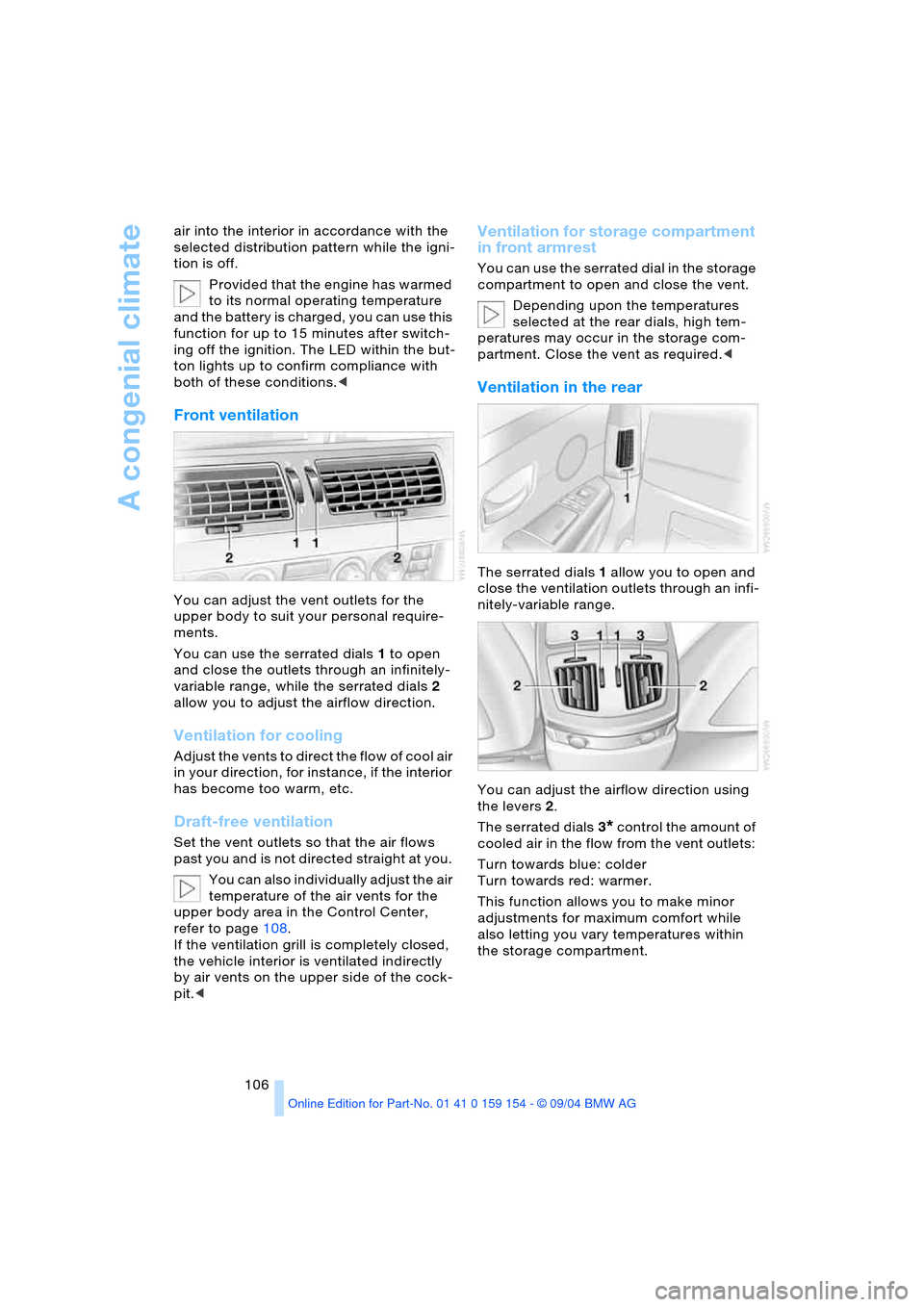
You can use the serrated dials 1 to open
and close the outlets through an infinitely-
variable range, while the serrated dials 2
allow you to adjust the airflow direction.
Ventilation for cooling
A d j u s t t h e v e n t s t o d i r e c t t h e f l o w o f c o o l a i r
in your direction, for instance, if the interior
has become too warm, etc.
Draft-free ventilation
Set the vent outlets so that the air flows
past you and is not directed straight at you.
You can also individually adjust the air
temperature of the air vents for the
upper body area in the Control Center,
refer to page108.
If the ventilation grill is completely closed,
the vehicle interior is ventilated indirectly
by air vents on the upper side of the cock-
pit.<
Ventilation for storage compartment
in front armrest
You can use the serrated dial in the storage
compartment to open and close the vent.
Depending upon the temperatures
selected at the rear dials, high tem-
peratures may occur in the storage com-
partment. Close the vent as required.<
Ventilation in the rear
The serrated dials 1 allow you to open and
close the ventilation outlets through an infi-
nitely-variable range.
You can adjust the airflow direction using
the levers 2.
The serrated dials3
* control the amount of
cooled air in the flow from the vent outlets:
Turn towards blue: colder
Turn towards red: warmer.
This function allows you to make minor
adjustments for maximum comfort while
also letting you vary temperatures within
the storage compartment.
Page 116 of 239
Practical interior accessories
114 1Quarter window blind
2Side window blind
3Rear window blind
4Switching to the other side
The side window blind can not be
extended unless the side window is
closed. If the window is open, the blind will
rise slightly prior to immediately retracting
to its original position.<
Briefly press the safety switch in the
driver's door, refer to page44. The
indicator lamp must light up. This precau-
tion prevents children from operating the
sun blinds using the rear switches, etc.
Before using always ensure that the sun
blind's travel path is clear and unob-
structed.
When leaving the vehicle, always remove
the remote control from the ignition lock
and close the doors; this precaution pre-
vents children from using the sun blinds
and injuring themselves, etc.<
Automatically extending and
retracting sun blinds
You can extend and retract the sun blinds
together by pressing and holding button3
or the button in the driver's door.
Rear cooler*
The rear cooler is located behind the rear
seats' center armrest.
Switching on/off
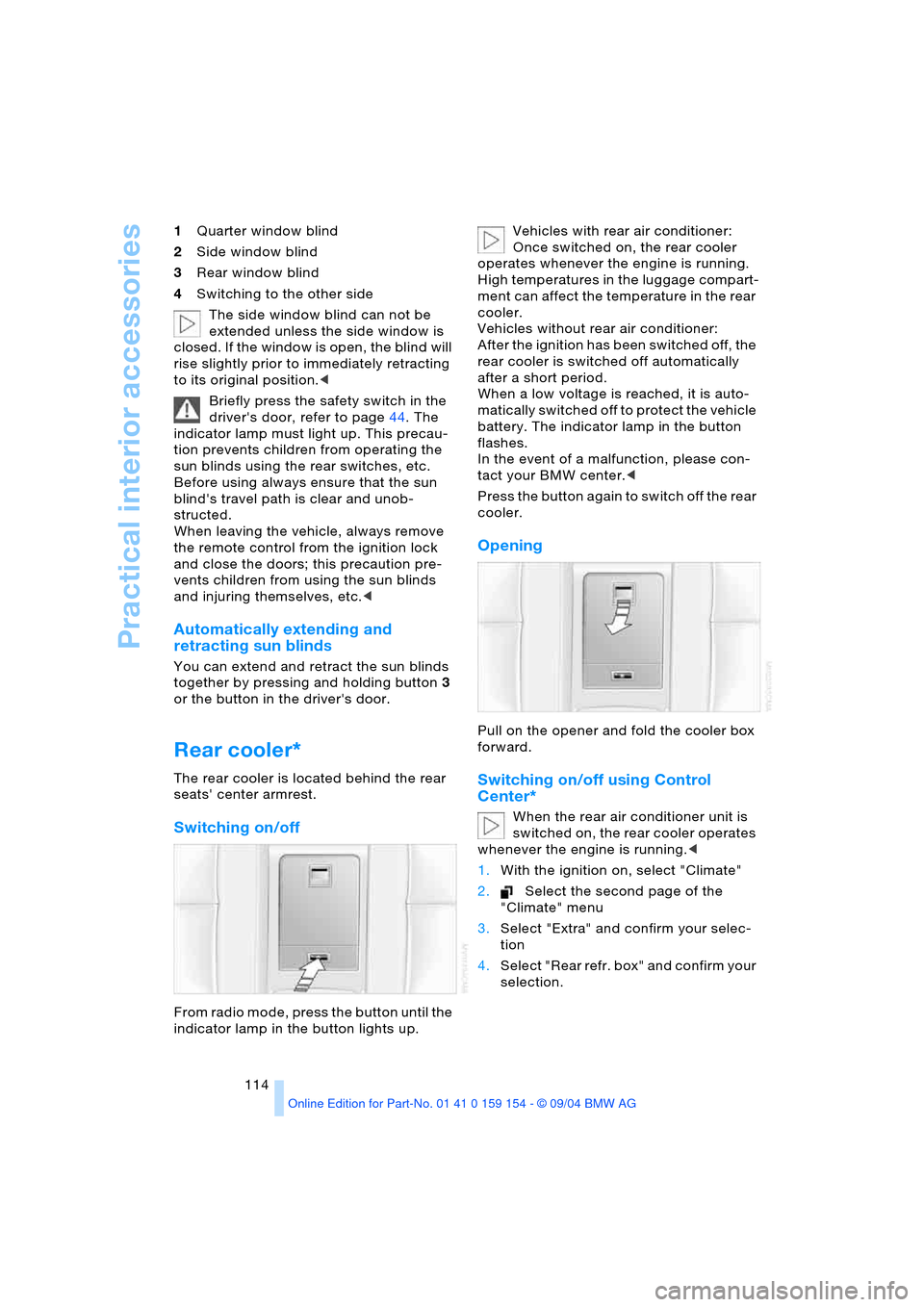
From radio mode, press the button until the
indicator lamp in the button lights up. Vehicles with rear air conditioner:
Once switched on, the rear cooler
operates whenever the engine is running.
High temperatures in the luggage compart-
ment can affect the temperature in the rear
cooler.
Vehicles without rear air conditioner:
After the ignition has been switched off, the
rear cooler is switched off automatically
after a short period.
When a low voltage is reached, it is auto-
matically switched off to protect the vehicle
battery. The indicator lamp in the button
flashes.
In the event of a malfunction, please con-
tact your BMW center.<
Press the button again to switch off the rear
cooler.
Opening
Pull on the opener and fold the cooler box
forward.
Switching on/off using Control
Center*
When the rear air conditioner unit is
switched on, the rear cooler operates
whenever the engine is running.<
1.With the ignition on, select "Climate"
2.Select the second page of the
"Climate" menu
3.Select "Extra" and confirm your selec-
tion
4.Select "Rear refr. box" and confirm your
selection.
Page 119 of 239
Controls
117Reference
At a glance
Driving tips
Communications
Navigation
Entertainment
Mobility
Ashtray, front
Opening
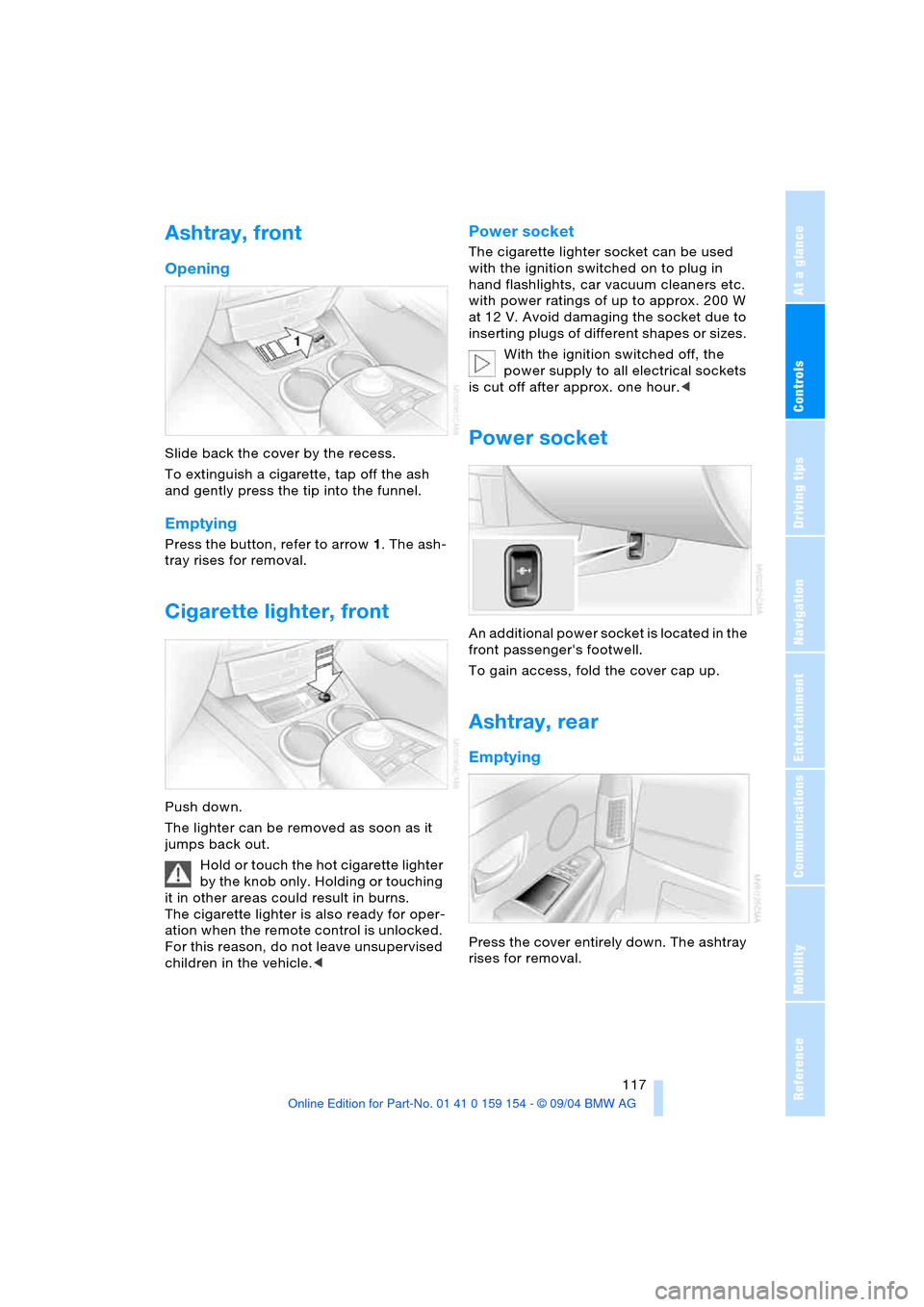
Slide back the cover by the recess.
To extinguish a cigarette, tap off the ash
and gently press the tip into the funnel.
Emptying
Press the button, refer to arrow1. The ash-
tray rises for removal.
Cigarette lighter, front
Push down.
The lighter can be removed as soon as it
jumps back out.
Hold or touch the hot cigarette lighter
by the knob only. Holding or touching
it in other areas could result in burns.
The cigarette lighter is also ready for oper-
ation when the remote control is unlocked.
For this reason, do not leave unsupervised
children in the vehicle.<
Power socket
The cigarette lighter socket can be used
with the ignition switched on to plug in
hand flashlights, car vacuum cleaners etc.
with power ratings of up to approx. 200 W
at 12 V. Avoid damaging the socket due to
inserting plugs of different shapes or sizes.
With the ignition switched off, the
power supply to all electrical sockets
is cut off after approx. one hour.<
Power socket
An additional power socket is located in the
front passenger's footwell.
To gain access, fold the cover cap up.
Ashtray, rear
Emptying
Press the cover entirely down. The ashtray
rises for removal.
Page 179 of 239
177
Entertainment
Reference
At a glance
Controls
Driving tips Communications
Navigation
Mobility
Hands-free system
The hands-free microphone is located on
the left-hand side on the headliner.
The hands-free system is activated when-
ever you establish or receive a call using
the following:
>Buttons on the steering wheel, page16
>Voice command system, page26,
except for incoming calls
>Control Center, page175
>Telephone keypad, folding, page176.
Volume adjustment
You can adjust the volume for the hands-
free unit:
Turn this button during a call to select the
desired volume.
The hands-free unit will remain at this vol-
ume level, even if the other audio sources
are set to minimum volume.
The system automatically selects your
individual volume setting each time
you unlock the vehicle using your personal
remote control.<
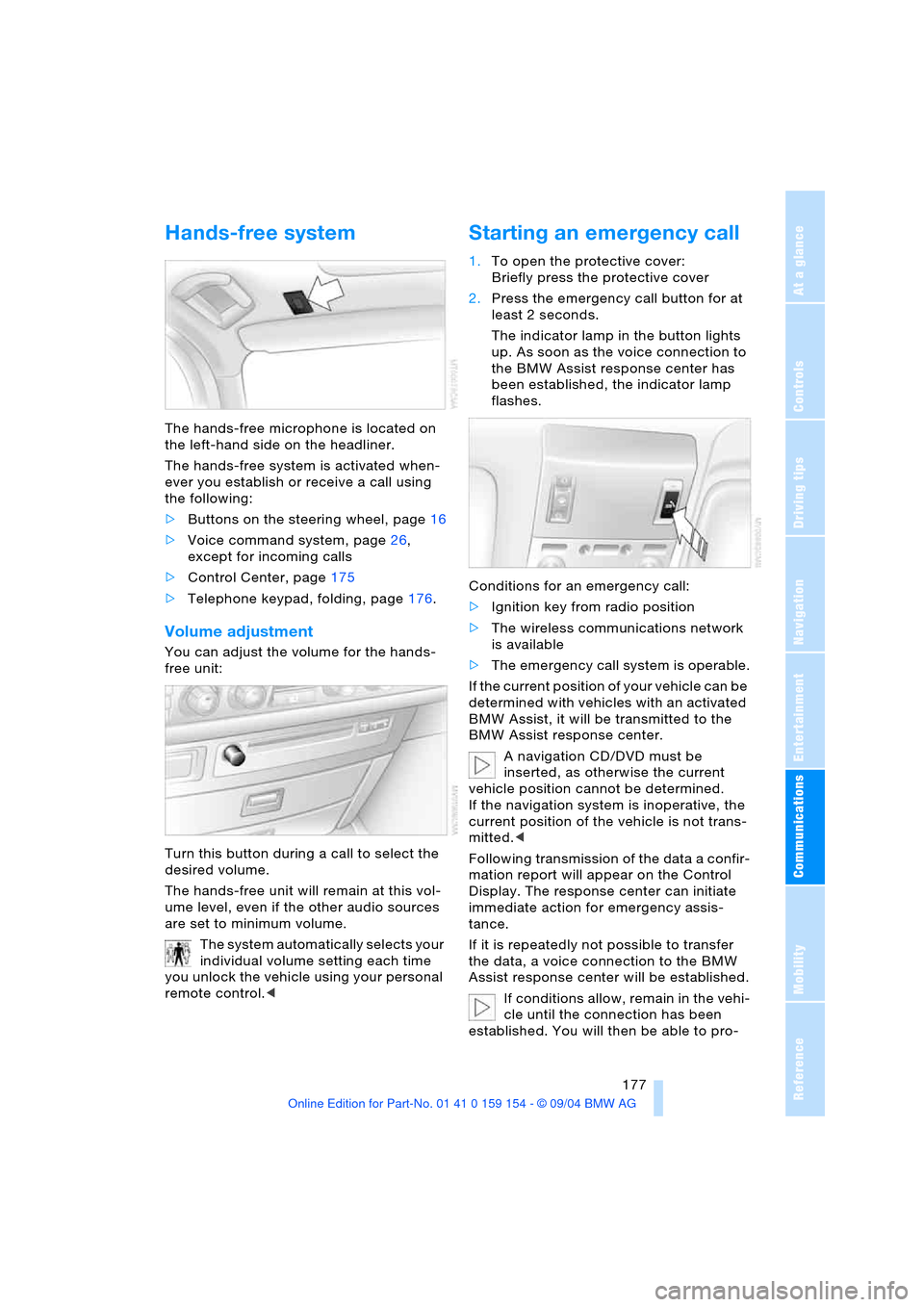
Starting an emergency call
1.To open the protective cover:
Briefly press the protective cover
2.Press the emergency call button for at
least 2 seconds.
The indicator lamp in the button lights
up. As soon as the voice connection to
the BMW Assist response center has
been established, the indicator lamp
flashes.
Conditions for an emergency call:
>Ignition key from radio position
>The wireless communications network
is available
>The emergency call system is operable.
If the current position of your vehicle can be
determined with vehicles with an activated
BMW Assist, it will be transmitted to the
BMW Assist response center.
A navigation CD/DVD must be
inserted, as otherwise the current
vehicle position cannot be determined.
If the navigation system is inoperative, the
current position of the vehicle is not trans-
mitted.<
Following transmission of the data a confir-
mation report will appear on the Control
Display. The response center can initiate
immediate action for emergency assis-
tance.
If it is repeatedly not possible to transfer
the data, a voice connection to the BMW
Assist response center will be established.
If conditions allow, remain in the vehi-
cle until the connection has been
established. You will then be able to pro-
Page 199 of 239
Mobility
197Reference
At a glance
Controls
Driving tips
Communications
Navigation
Entertainment
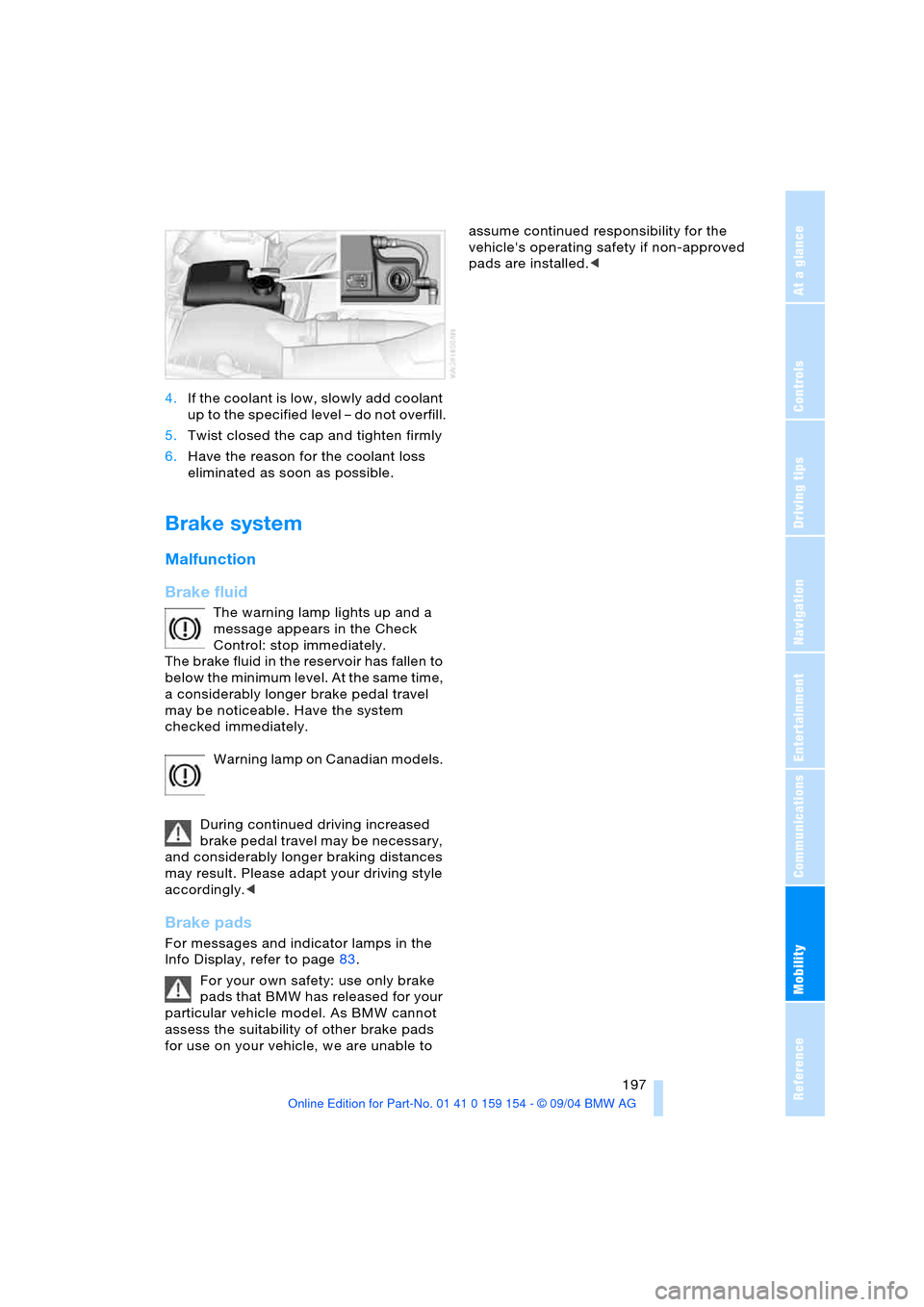
4.If the coolant is low, slowly add coolant
up to the specified level – do not overfill.
5.Twist closed the cap and tighten firmly
6.Have the reason for the coolant loss
eliminated as soon as possible.
Brake system
Malfunction
Brake fluid
The warning lamp lights up and a
message appears in the Check
Control: stop immediately.
The brake fluid in the reservoir has fallen to
below the minimum level. At the same time,
a considerably longer brake pedal travel
may be noticeable. Have the system
checked immediately.
Warning lamp on Canadian models.
During continued driving increased
brake pedal travel may be necessary,
and considerably longer braking distances
may result. Please adapt your driving style
accordingly.<
Brake pads
For messages and indicator lamps in the
Info Display, refer to page83.
For your own safety: use only brake
pads that BMW has released for your
particular vehicle model. As BMW cannot
assess the suitability of other brake pads
for use on your vehicle, we are unable to assume continued responsibility for the
vehicle's operating safety if non-approved
pads are installed.<
Page 202 of 239
Rules and regulations
200
Rules and regulations
California laws
Proposition 65 Warning
California laws require us to issue the fol-
lowing warning:
Engine exhaust and a wide variety of
automobile components and parts,
including components found in the interior
furnishings in a vehicle, contain or emit
chemicals known to the State of California
to cause cancer and birth defects and
reproductive harm. In addition, certain flu-
ids contained in vehicles and certain prod-
ucts of component wear contain or emit
chemicals known to the State of California
to cause cancer and birth defects or other
reproductive harm.
Battery posts, terminals and related acces-
sories contain lead and lead compounds.
Wash your hands after handling.
Used engine oil contains chemicals that
have caused cancer in laboratory animals.
Always protect your skin by washing thor-
oughly with soap and water.<
Event Data Recorders
Your vehicle may be equipped with one or
more sensing and diagnostic modules or a
recording device capable of recording or
transmitting certain vehicle data or infor-
mation. In addition, if you have a Subscrip-
tion Service Agreement for the BMW Assist
system, certain vehicle information may be
transmitted or recorded in order to provide
such services.
OBD socket
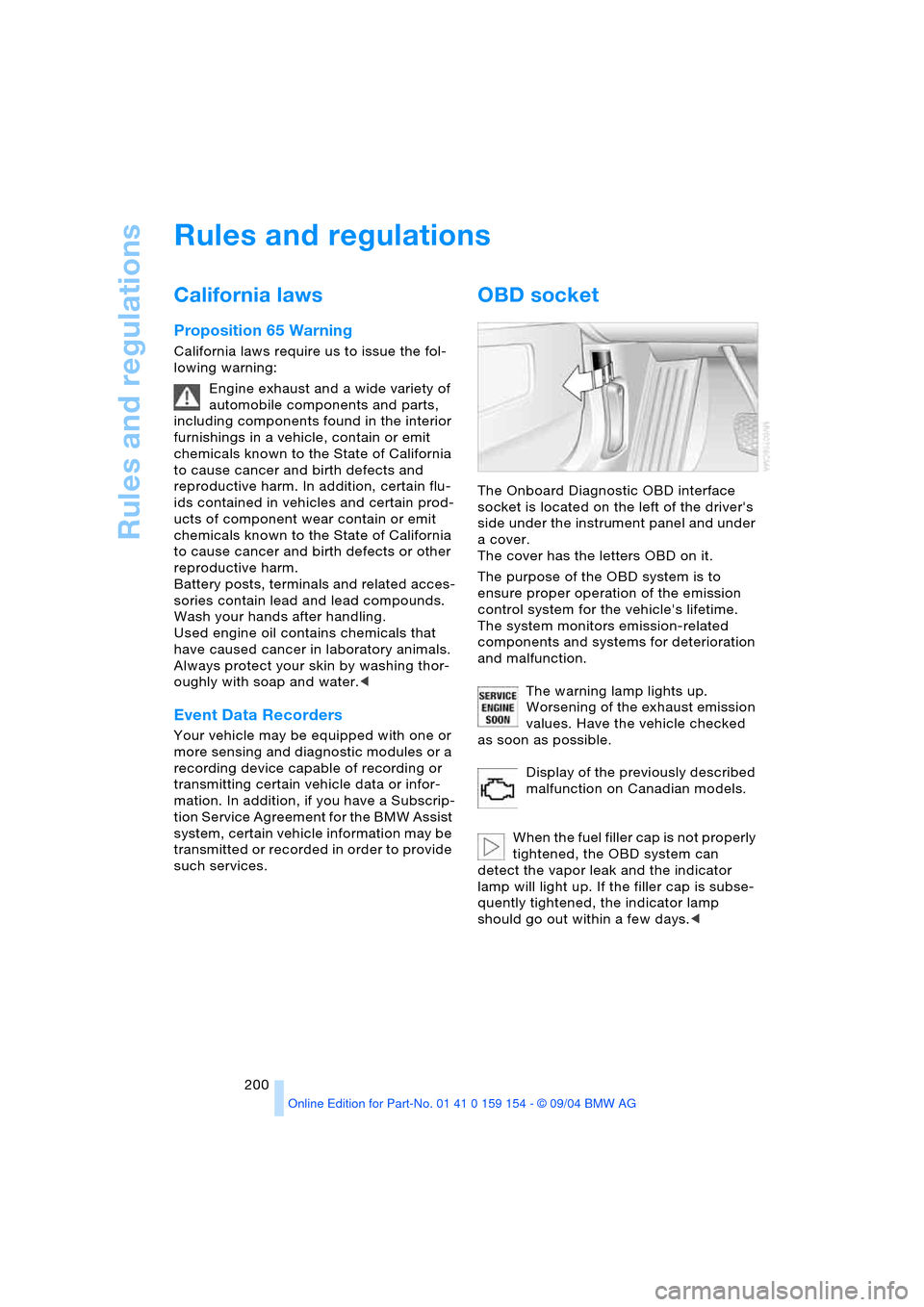
The Onboard Diagnostic OBD interface
socket is located on the left of the driver's
side under the instrument panel and under
a cover.
The cover has the letters OBD on it.
The purpose of the OBD system is to
ensure proper operation of the emission
control system for the vehicle's lifetime.
The system monitors emission-related
components and systems for deterioration
and malfunction.
The warning lamp lights up.
Worsening of the exhaust emission
values. Have the vehicle checked
as soon as possible.
Display of the previously described
malfunction on Canadian models.
When the fuel filler cap is not properly
tightened, the OBD system can
detect the vapor leak and the indicator
lamp will light up. If the filler cap is subse-
quently tightened, the indicator lamp
should go out within a few days.<
Page 227 of 239
Reference 225
At a glance
Controls
Driving tips
Communications
Navigation
Entertainment
Mobility
Imitation leather, refer to
the Caring for your vehicle
brochure
Independent ventilation
– entering switch-on
times110
– switching on and off110
"Indep. ventil",
independent
ventilation110
Index218
Indicator/warning lamp
– airbags99
– alarm system42
– brakes13
– coolant temperature83
– DSC93
– engine temperature83
– fasten safety belt51
– Flat Tire Monitor96
– fog lamps101
– reserve86
Indicator and warning
lamps, overview13
"Individual", automatic
climate control108
Individual adjustments,
refer to Vehicle Memory,
Key Memory56
Individual air
distribution108
Individual button
assignment17
– on steering wheel54
Inflation pressure, tires188
Inflation pressure
monitoring, refer to Flat
Tire Monitor95
Info Display12
Info menu22
Information
– on country135
– on current position135
– on destination
location135
"Information" for
navigation135,136
Information on travel
direction, refer to Voice
instructions141Infrared windshield, refer to
Entry/pass tags126
Instrument cluster, refer to
Info Display12
Instrument illumination,
refer to Instrument
lighting101
Instrument lighting101
Instrument panel, refer to
Cockpit10,14
Integrated universal remote
control112
Interesting destination136
Interior lamps102
– remote control36
Interior mirror, automatic
dimming feature53
Interior motion sensor43
– switching off43
Interior rearview mirror53
Interlock, refer to Steering
locked62
Intermittent operation,
wiper72
J
Jacking points for vehicle
jack205
Joystick, refer to Control
Center17
Jumpering, refer to Jump-
starting209
Jump-starting209
K
Keyless Go, refer to
Comfort Access37
Keyless opening and
closing, refer to
Comfort Access37
Key Memory56
Keys34
– adapter for spare key34
Kick-down69
Knock control187
L
Lamps, refer to Parking
lamps/low beams100
Lamps and bulbs201
Lashing eyes, refer to
Securing cargo125
"Last dest." for
navigation136
"Last" for telephone180
LATCH child-restraint
fixing60
Leather care, refer to the
Caring for your vehicle
brochure
LEDs light-emitting
diodes204
"Left"
– for seat heating52
– with the automatic climate
control107
Length, refer to
Dimensions215
Level control system97
License plate lamp, bulb
replacement203
Light alloy wheels, care,
refer to the Caring for
your vehicle brochure
Light-emitting diodes204
Lighter117,118
Lighter socket117
Lighting
– of instruments101
– of vehicle100
Lights on warning100
Light switch100
Limit87
"Limit", refer to Setting
speed limit88
"Limited Release",
Control Center24
Lists in Control Display19
Litter container115
Load, refer to Loading124
Loading, vehicle124
Location
– CD changer160
– DVD changer165
– navigation drive130
– telephone176,178