brake light BMW 760LI 2006 User Guide
[x] Cancel search | Manufacturer: BMW, Model Year: 2006, Model line: 760LI, Model: BMW 760LI 2006Pages: 247, PDF Size: 8.66 MB
Page 90 of 247
Technology for comfort, convenience and safety
88 detects unstable driving conditions such as
fishtailing or sliding of the vehicle's front
wheels. In these cases, DSC helps the vehicle
safely stay on course within the physical limits
by reducing the engine output and by applying
the brakes in the individual wheels.
The laws of physics cannot be repealed,
even with DSC. An appropriate driving
style always remains the responsibility of the
driver. Do not reduce the additional safety mar-
gin by taking unnecessary risks.<
Deactivating DSC
1.Press the button to open the start
menu.
2.Move the controller toward "Settings".
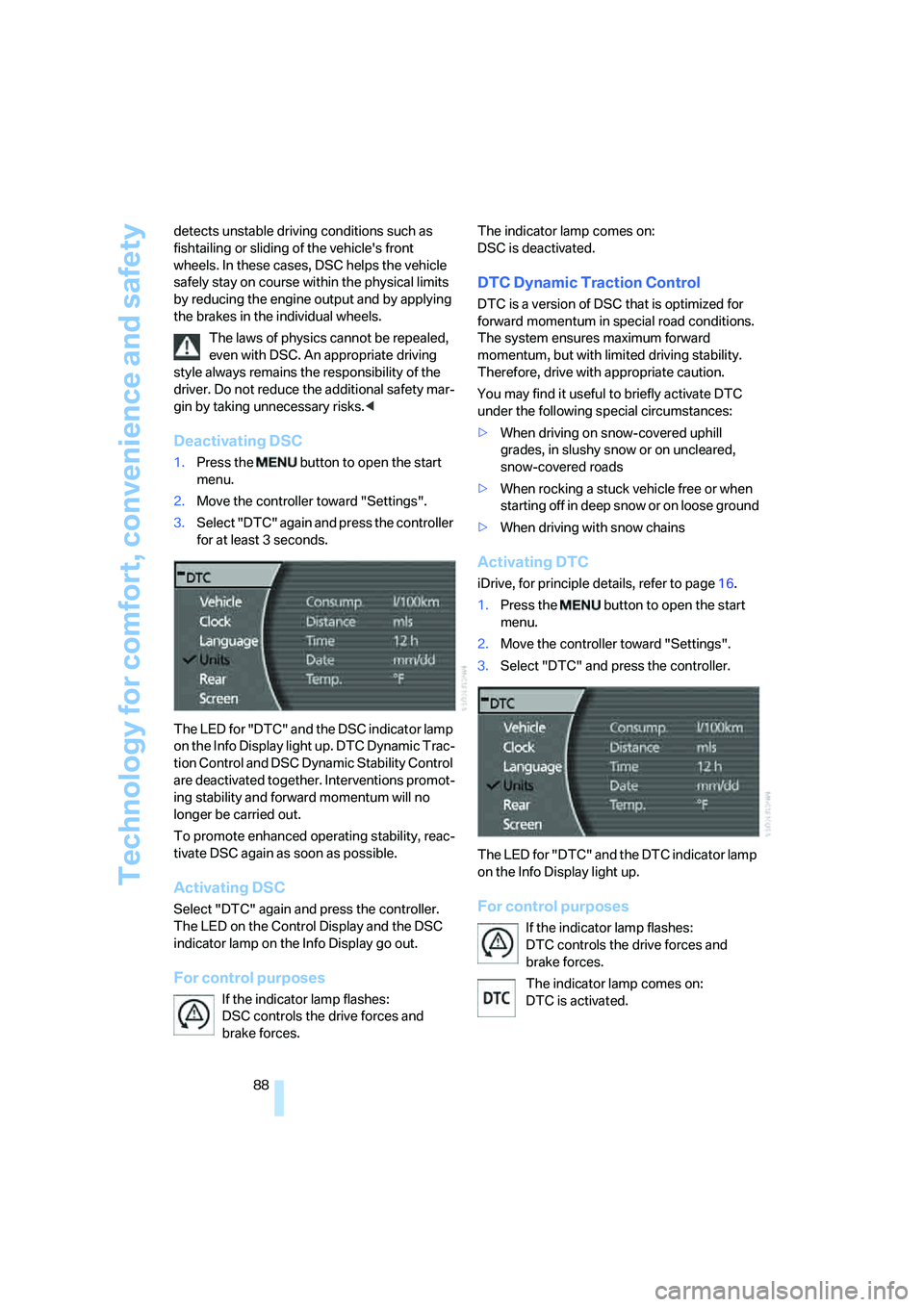
3.Select "DTC" again and press the controller
for at least 3 seconds.
The LED for "DTC" and the DSC indicator lamp
on the Info Display light up. DTC Dynamic Trac-
tion Control and DSC Dynamic Stability Control
are deactivated together. Interventions promot-
ing stability and forward momentum will no
longer be carried out.
To promote enhanced operating stability, reac-
tivate DSC again as soon as possible.
Activating DSC
Select "DTC" again and press the controller.
The LED on the Control Display and the DSC
indicator lamp on the Info Display go out.
For control purposes
If the indicator lamp flashes:
DSC controls the drive forces and
brake forces. The indicator lamp comes on:
DSC is deactivated.
DTC Dynamic Traction Control
DTC is a version of DSC that is optimized for
forward momentum in special road conditions.
The system ensures maximum forward
momentum, but with limited driving stability.
Therefore, drive with appropriate caution.
You may find it useful to briefly activate DTC
under the following special circumstances:
>When driving on snow-covered uphill
grades, in slushy snow or on uncleared,
snow-covered roads
>When rocking a stuck vehicle free or when
starting off in deep snow or on loose ground
>When driving with snow chains
Activating DTC
iDrive, for principle details, refer to page16.
1.Press the button to open the start
menu.
2.Move the controller toward "Settings".
3.Select "DTC" and press the controller.
The LED for "DTC" and the DTC indicator lamp
on the Info Display light up.
For control purposes
If the indicator lamp flashes:
DTC controls the drive forces and
brake forces.
The indicator lamp comes on:
DTC is activated.
Page 125 of 247
Driving tips
123Reference
At a glance
Controls
Communications
Navigation
Entertainment
Mobility
Interior and exterior mirrors,
automatic dimming feature*
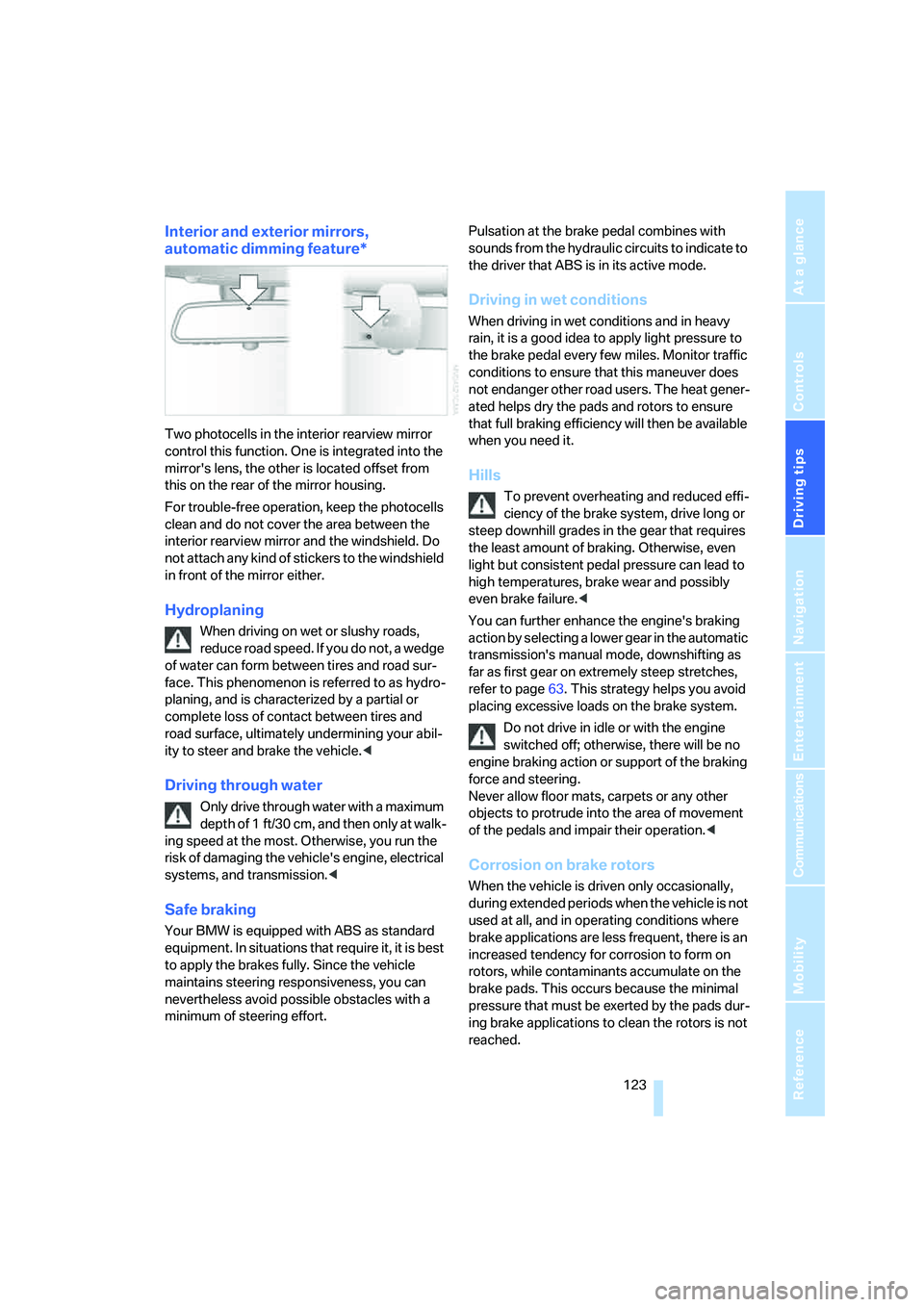
Two photocells in the interior rearview mirror
control this function. One is integrated into the
mirror's lens, the other is located offset from
this on the rear of the mirror housing.
For trouble-free operation, keep the photocells
clean and do not cover the area between the
interior rearview mirror and the windshield. Do
not attach any kind of stickers to the windshield
in front of the mirror either.
Hydroplaning
When driving on wet or slushy roads,
reduce road speed. If you do not, a wedge
of water can form between tires and road sur-
face. This phenomenon is referred to as hydro-
planing, and is characterized by a partial or
complete loss of contact between tires and
road surface, ultimately undermining your abil-
ity to steer and brake the vehicle.<
Driving through water
Only drive through water with a maximum
depth of 1 ft/30 cm, and then only at walk-
ing speed at the most. Otherwise, you run the
risk of damaging the vehicle's engine, electrical
systems, and transmission.<
Safe braking
Your BMW is equipped with ABS as standard
equipment. In situations that require it, it is best
to apply the brakes fully. Since the vehicle
maintains steering responsiveness, you can
nevertheless avoid possible obstacles with a
minimum of steering effort.Pulsation at the brake pedal combines with
sounds from the hydraulic circuits to indicate to
the driver that ABS is in its active mode.
Driving in wet conditions
When driving in wet conditions and in heavy
rain, it is a good idea to apply light pressure to
the brake pedal every few miles. Monitor traffic
conditions to ensure that this maneuver does
not endanger other road users. The heat gener-
ated helps dry the pads and rotors to ensure
that full braking efficiency will then be available
when you need it.
Hills
To prevent overheating and reduced effi-
ciency of the brake system, drive long or
steep downhill grades in the gear that requires
the least amount of braking. Otherwise, even
light but consistent pedal pressure can lead to
high temperatures, brake wear and possibly
even brake failure.<
You can further enhance the engine's braking
action by selecting a lower gear in the automatic
transmission's manual mode, downshifting as
far as first gear on extremely steep stretches,
refer to page63. This strategy helps you avoid
placing excessive loads on the brake system.
Do not drive in idle or with the engine
switched off; otherwise, there will be no
engine braking action or support of the braking
force and steering.
Never allow floor mats, carpets or any other
objects to protrude into the area of movement
of the pedals and impair their operation.<
Corrosion on brake rotors
When the vehicle is driven only occasionally,
during extended periods when the vehicle is not
used at all, and in operating conditions where
brake applications are less frequent, there is an
increased tendency for corrosion to form on
rotors, while contaminants accumulate on the
brake pads. This occurs because the minimal
pressure that must be exerted by the pads dur-
ing brake applications to clean the rotors is not
reached.
Page 206 of 247
Under the hood
204 Always observe all applicable environ-
mental laws and regulations when dis-
posing of used coolant additives.<
Checking coolant level
1.The engine must be at ambient tempera-
ture.
2.Turn the cap of the expansion tank counter-
clockwise to allow any accumulated pres-
sure to escape, then continue turning to
open.
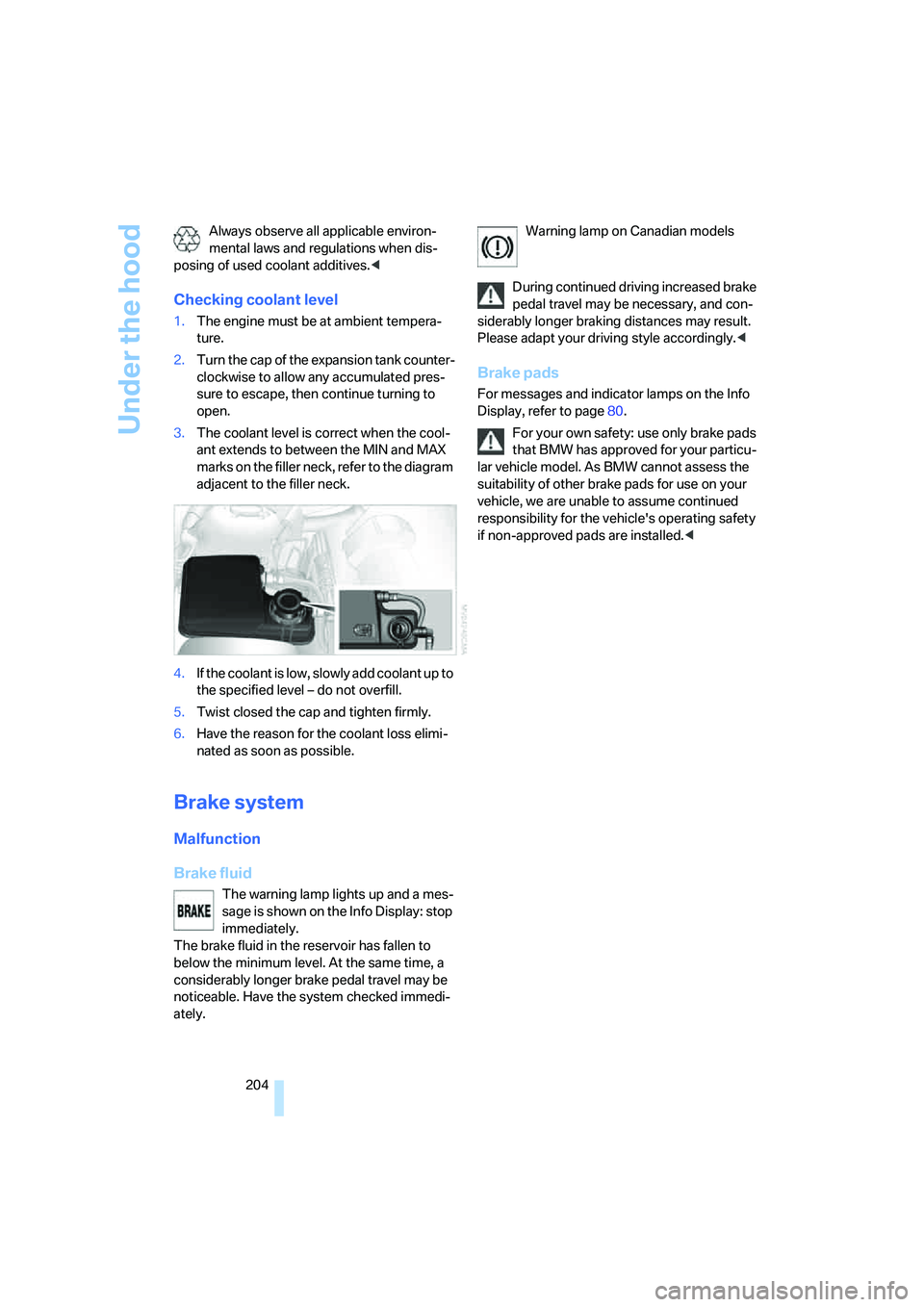
3.The coolant level is correct when the cool-
ant extends to between the MIN and MAX
marks on the filler neck, refer to the diagram
adjacent to the filler neck.
4.If the coolant is low, slowly add coolant up to
the specified level – do not overfill.
5.Twist closed the cap and tighten firmly.
6.Have the reason for the coolant loss elimi-
nated as soon as possible.
Brake system
Malfunction
Brake fluid
The warning lamp lights up and a mes-
sage is shown on the Info Display: stop
immediately.
The brake fluid in the reservoir has fallen to
below the minimum level. At the same time, a
considerably longer brake pedal travel may be
noticeable. Have the system checked immedi-
ately.Warning lamp on Canadian models
During continued driving increased brake
pedal travel may be necessary, and con-
siderably longer braking distances may result.
Please adapt your driving style accordingly.<
Brake pads
For messages and indicator lamps on the Info
Display, refer to page80.
For your own safety: use only brake pads
that BMW has approved for your particu-
lar vehicle model. As BMW cannot assess the
suitability of other brake pads for use on your
vehicle, we are unable to assume continued
responsibility for the vehicle's operating safety
if non-approved pads are installed.<
Page 210 of 247
Replacing components
208 1.Turn the bulb holder to the left and remove.
2.Apply gentle pressure to the bulb while
turning it to the left for removal and replace-
ment.
Side-mounted turn signals
Bulb 5 watts, W 5 W
1.Press against the front edge of the lamp
with the tip of your finger, then push it to the
rear and release the detent at the front.
2.Turn the lamp by 903 and remove.
3.Turn the bulb holder to the left and remove.
4.Extract the bulb for replacement.
Side marker lamps, front and rear
Please contact your BMW center for replace-
ment.
Tail lamps
>Turn signals:
Bulb 21 watts, P 21 W or PY 21 W
*
>Backup lamp:
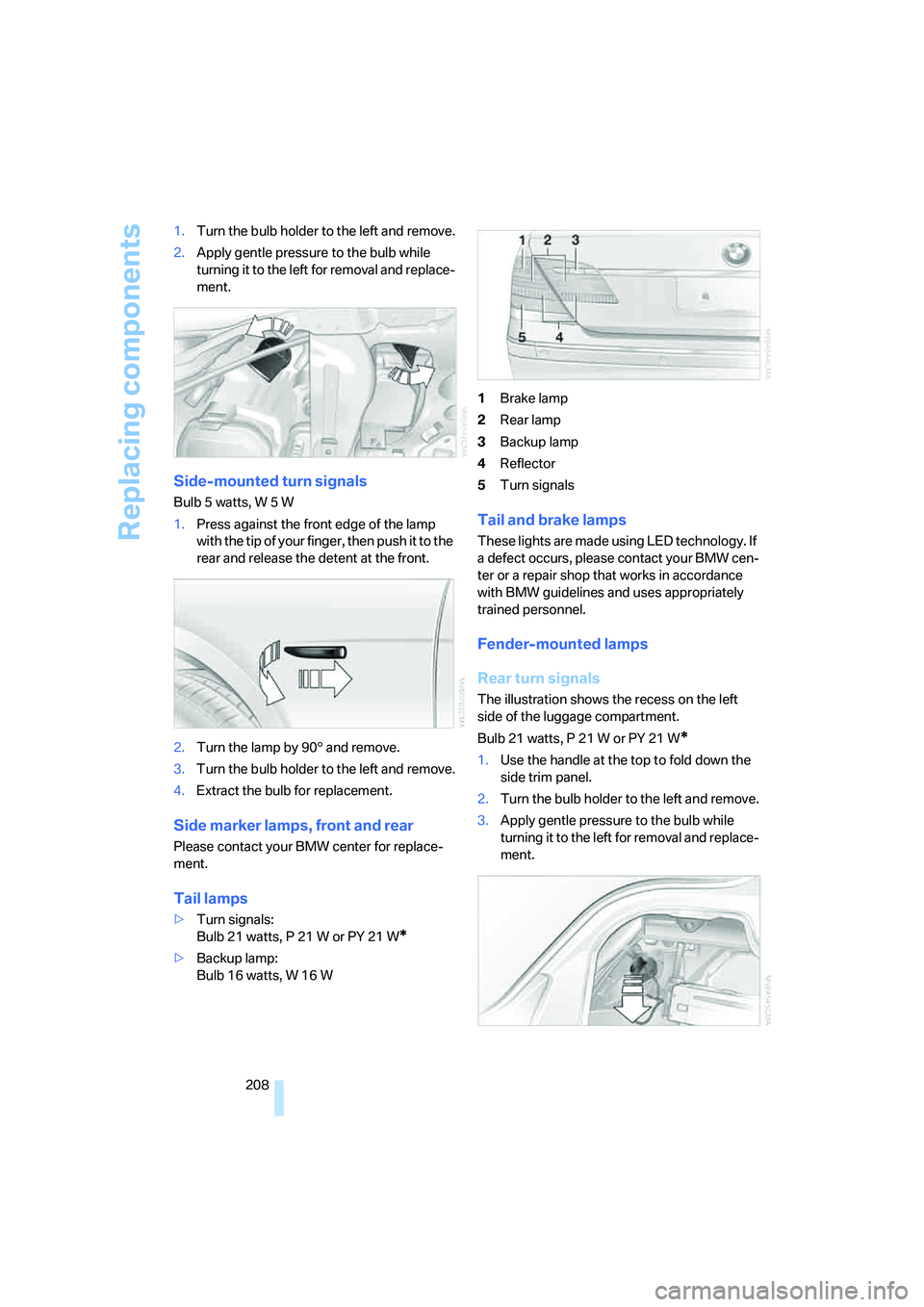
Bulb 16 watts, W 16 W1Brake lamp
2Rear lamp
3Backup lamp
4Reflector
5Turn signals
Tail and brake lamps
These lights are made using LED technology. If
a defect occurs, please contact your BMW cen-
ter or a repair shop that works in accordance
with BMW guidelines and uses appropriately
trained personnel.
Fender-mounted lamps
Rear turn signals
The illustration shows the recess on the left
side of the luggage compartment.
Bulb 21 watts, P 21 W or PY 21 W
*
1.Use the handle at the top to fold down the
side trim panel.
2.Turn the bulb holder to the left and remove.
3.Apply gentle pressure to the bulb while
turning it to the left for removal and replace-
ment.
Page 226 of 247
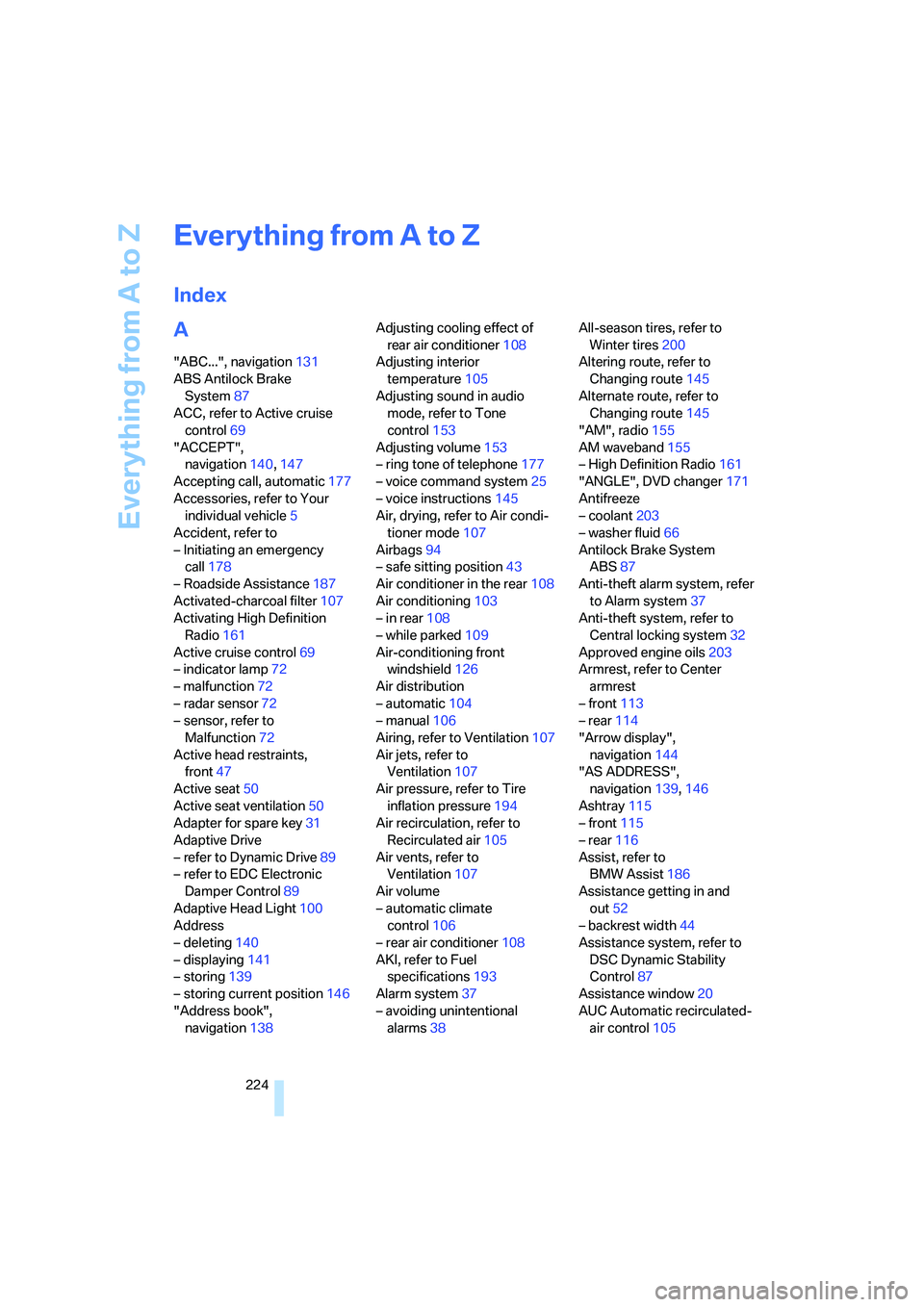
Everything from A to Z
224
Everything from A to Z
Index
A
"ABC...", navigation131
ABS Antilock Brake
System87
ACC, refer to Active cruise
control69
"ACCEPT",
navigation140,147
Accepting call, automatic177
Accessories, refer to Your
individual vehicle5
Accident, refer to
– Initiating an emergency
call178
– Roadside Assistance187
Activated-charcoal filter107
Activating High Definition
Radio161
Active cruise control69
– indicator lamp72
– malfunction72
– radar sensor72
– sensor, refer to
Malfunction72
Active head restraints,
front47
Active seat50
Active seat ventilation50
Adapter for spare key31
Adaptive Drive
– refer to Dynamic Drive89
– refer to EDC Electronic
Damper Control89
Adaptive Head Light100
Address
– deleting140
– displaying141
– storing139
– storing current position146
"Address book",
navigation138Adjusting cooling effect of
rear air conditioner108
Adjusting interior
temperature105
Adjusting sound in audio
mode, refer to Tone
control153
Adjusting volume153
– ring tone of telephone177
– voice command system25
– voice instructions145
Air, drying, refer to Air condi-
tioner mode107
Airbags94
– safe sitting position43
Air conditioner in the rear108
Air conditioning103
– in rear108
– while parked109
Air-conditioning front
windshield126
Air distribution
– automatic104
– manual106
Airing, refer to Ventilation107
Air jets, refer to
Ventilation107
Air pressure, refer to Tire
inflation pressure194
Air recirculation, refer to
Recirculated air105
Air vents, refer to
Ventilation107
Air volume
– automatic climate
control106
– rear air conditioner108
AKI, refer to Fuel
specifications193
Alarm system37
– avoiding unintentional
alarms38All-season tires, refer to
Winter tires200
Altering route, refer to
Changing route145
Alternate route, refer to
Changing route145
"AM", radio155
AM waveband155
– High Definition Radio161
"ANGLE", DVD changer171
Antifreeze
– coolant203
– washer fluid66
Antilock Brake System
ABS87
Anti-theft alarm system, refer
to Alarm system37
Anti-theft system, refer to
Central locking system32
Approved engine oils203
Armrest, refer to Center
armrest
– front113
– rear114
"Arrow display",
navigation144
"AS ADDRESS",
navigation139,146
Ashtray115
– front115
– rear116
Assist, refer to
BMW Assist186
Assistance getting in and
out52
– backrest width44
Assistance system, refer to
DSC Dynamic Stability
Control87
Assistance window20
AUC Automatic recirculated-
air control105
Page 229 of 247
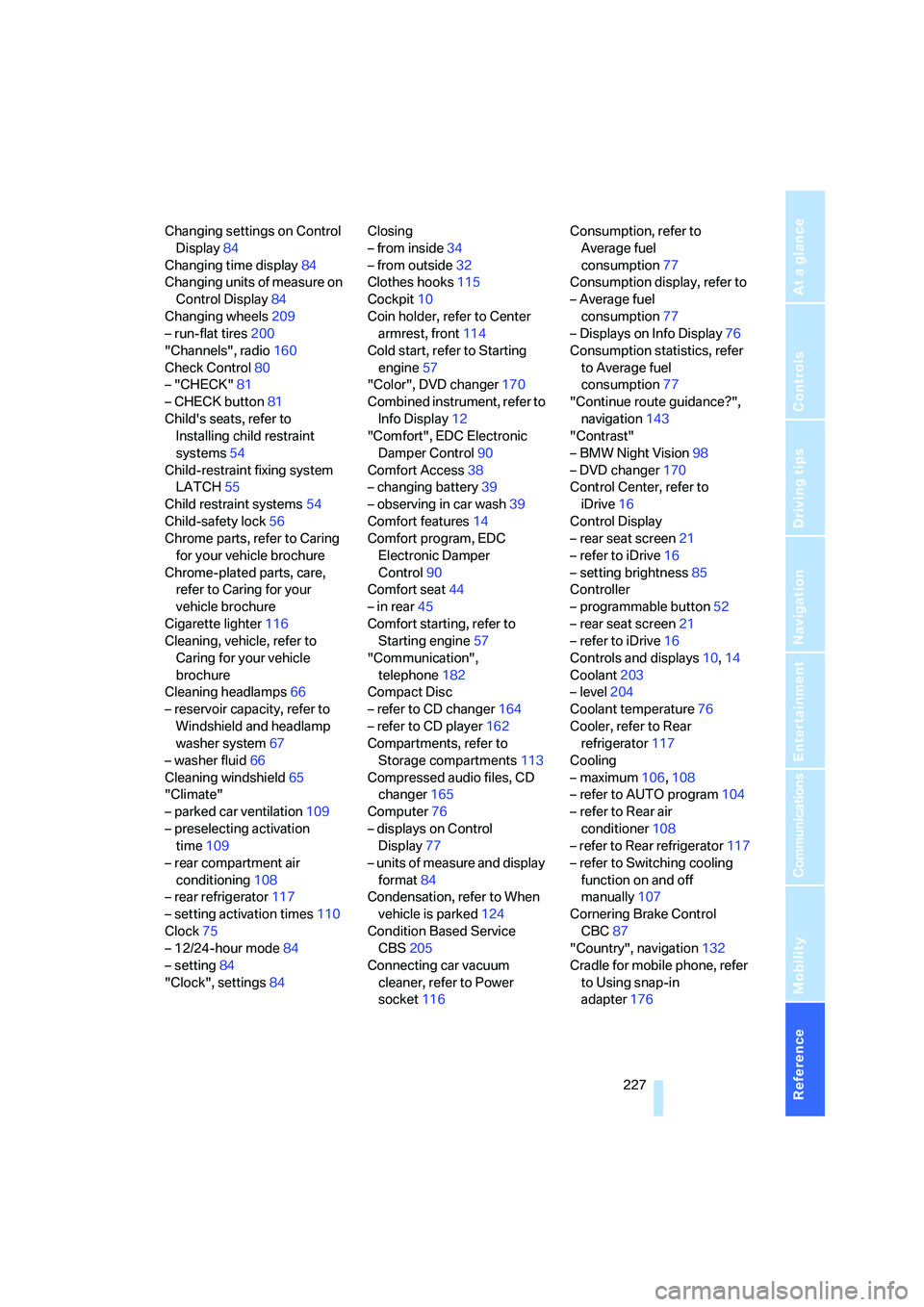
Reference 227
At a glance
Controls
Driving tips
Communications
Navigation
Entertainment
Mobility
Changing settings on Control
Display84
Changing time display84
Changing units of measure on
Control Display84
Changing wheels209
– run-flat tires200
"Channels", radio160
Check Control80
– "CHECK"81
– CHECK button81
Child's seats, refer to
Installing child restraint
systems54
Child-restraint fixing system
LATCH55
Child restraint systems54
Child-safety lock56
Chrome parts, refer to Caring
for your vehicle brochure
Chrome-plated parts, care,
refer to Caring for your
vehicle brochure
Cigarette lighter116
Cleaning, vehicle, refer to
Caring for your vehicle
brochure
Cleaning headlamps66
– reservoir capacity, refer to
Windshield and headlamp
washer system67
– washer fluid66
Cleaning windshield65
"Climate"
– parked car ventilation109
– preselecting activation
time109
– rear compartment air
conditioning108
– rear refrigerator117
– setting activation times110
Clock75
– 12/24-hour mode84
– setting84
"Clock", settings84Closing
– from inside34
– from outside32
Clothes hooks115
Cockpit10
Coin holder, refer to Center
armrest, front114
Cold start, refer to Starting
engine57
"Color", DVD changer170
Combined instrument, refer to
Info Display12
"Comfort", EDC Electronic
Damper Control90
Comfort Access38
– changing battery39
– observing in car wash39
Comfort features
14
Comfort program, EDC
Electronic Damper
Control90
Comfort seat44
– in rear45
Comfort starting, refer to
Starting engine57
"Communication",
telephone182
Compact Disc
– refer to CD changer164
– refer to CD player162
Compartments, refer to
Storage compartments113
Compressed audio files, CD
changer165
Computer76
– displays on Control
Display77
– units of measure and display
format84
Condensation, refer to When
vehicle is parked124
Condition Based Service
CBS205
Connecting car vacuum
cleaner, refer to Power
socket116Consumption, refer to
Average fuel
consumption77
Consumption display, refer to
– Average fuel
consumption77
– Displays on Info Display76
Consumption statistics, refer
to Average fuel
consumption77
"Continue route guidance?",
navigation143
"Contrast"
– BMW Night Vision98
– DVD changer170
Control Center, refer to
iDrive16
Control Display
– rear seat screen21
– refer to iDrive16
– setting brightness85
Controller
– programmable button52
– rear seat screen21
– refer to iDrive16
Controls and displays10,14
Coolant203
– level204
Coolant temperature76
Cooler, refer to Rear
refrigerator117
Cooling
– maximum106,108
– refer to AUTO program104
– refer to Rear air
conditioner108
– refer to Rear refrigerator117
– refer to Switching cooling
function on and off
manually107
Cornering Brake Control
CBC87
"Country", navigation132
Cradle for mobile phone, refer
to Using snap-in
adapter176
Page 230 of 247
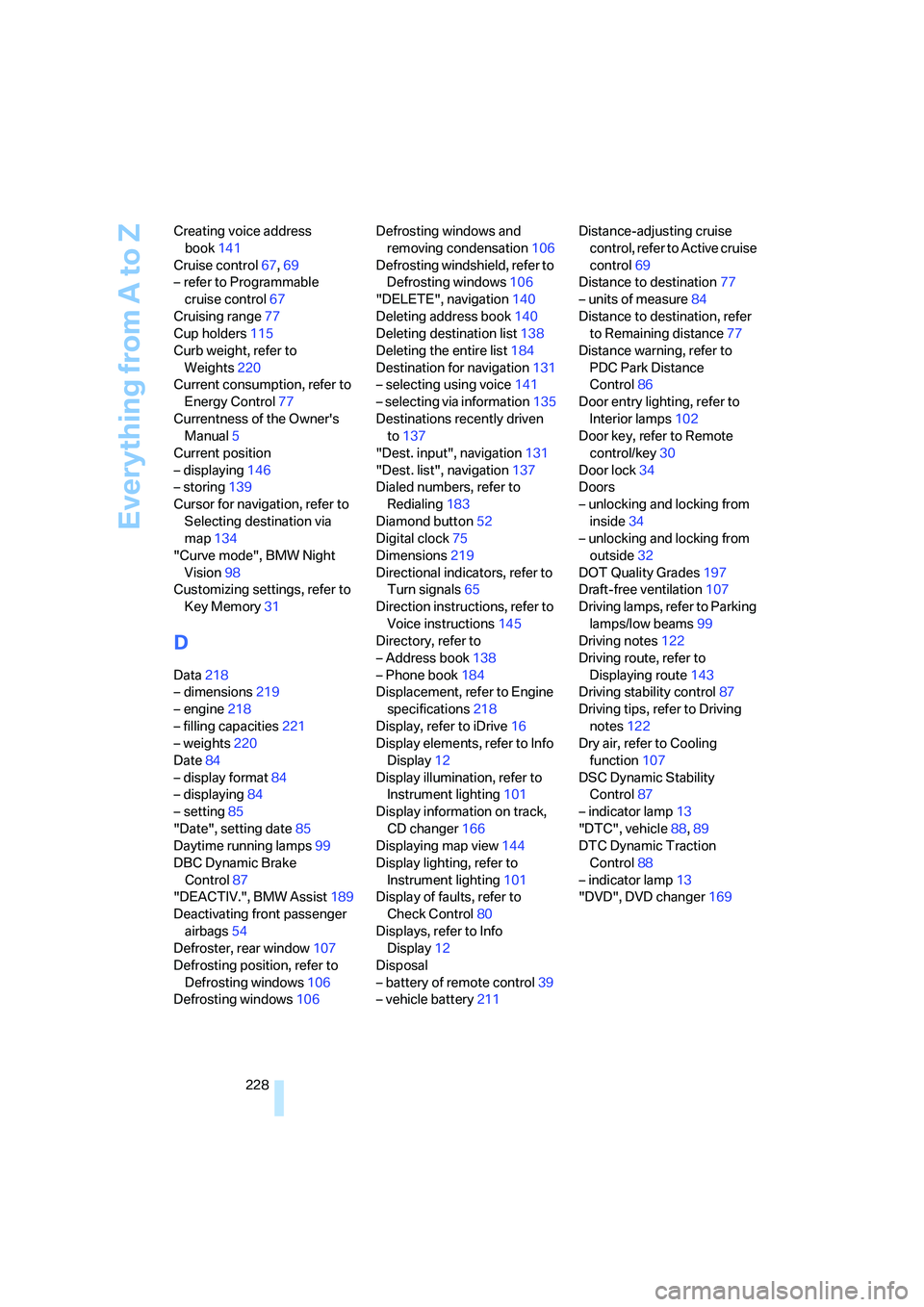
Everything from A to Z
228 Creating voice address
book141
Cruise control67,69
– refer to Programmable
cruise control67
Cruising range77
Cup holders115
Curb weight, refer to
Weights220
Current consumption, refer to
Energy Control77
Currentness of the Owner's
Manual5
Current position
– displaying146
– storing139
Cursor for navigation, refer to
Selecting destination via
map134
"Curve mode", BMW Night
Vision98
Customizing settings, refer to
Key Memory31
D
Data218
– dimensions219
– engine218
– filling capacities221
– weights220
Date84
– display format84
– displaying84
– setting85
"Date", setting date85
Daytime running lamps99
DBC Dynamic Brake
Control87
"DEACTIV.", BMW Assist189
Deactivating front passenger
airbags54
Defroster, rear window107
Defrosting position, refer to
Defrosting windows106
Defrosting windows106Defrosting windows and
removing condensation106
Defrosting windshield, refer to
Defrosting windows106
"DELETE", navigation140
Deleting address book140
Deleting destination list138
Deleting the entire list184
Destination for navigation131
– selecting using voice141
– selecting via information135
Destinations recently driven
to137
"Dest. input", navigation131
"Dest. list", navigation137
Dialed numbers, refer to
Redialing183
Diamond button52
Digital clock75
Dimensions219
Directional indicators, refer to
Turn signals65
Direction instructions, refer to
Voice instructions145
Directory, refer to
– Address book138
– Phone book184
Displacement, refer to Engine
specifications218
Display, refer to iDrive16
Display elements, refer to Info
Display12
Display illumination, refer to
Instrument lighting101
Display information on track,
CD changer166
Displaying map view144
Display lighting, refer to
Instrument lighting101
Display of faults, refer to
Check Control80
Displays, refer to Info
Display12
Disposal
– battery of remote control39
– vehicle battery211Distance-adjusting cruise
control, refer to Active cruise
control69
Distance to destination77
– units of measure84
Distance to destination, refer
to Remaining distance77
Distance warning, refer to
PDC Park Distance
Control86
Door entry lighting, refer to
Interior lamps102
Door key, refer to Remote
control/key30
Door lock34
Doors
– unlocking and locking from
inside34
– unlocking and locking from
outside32
DOT Quality Grades197
Draft-free ventilation107
Driving lamps, refer to Parking
lamps/low beams99
Driving notes122
Driving route, refer to
Displaying route143
Driving stability control87
Driving tips, refer to Driving
notes122
Dry air, refer to Cooling
function107
DSC Dynamic Stability
Control87
– indicator lamp13
"DTC", vehicle88,89
DTC Dynamic Traction
Control88
– indicator lamp13
"DVD", DVD changer169
Page 232 of 247
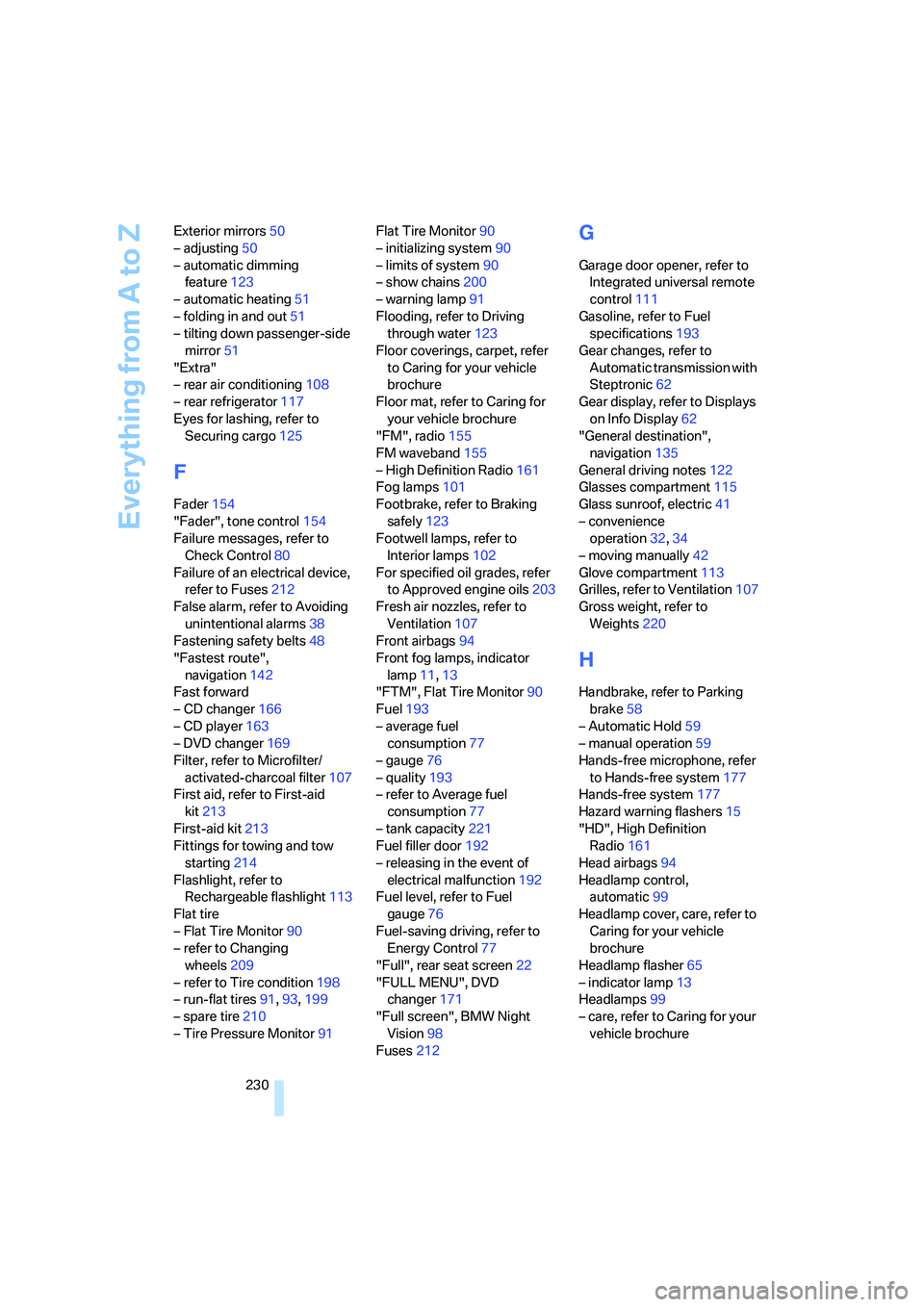
Everything from A to Z
230 Exterior mirrors50
– adjusting50
– automatic dimming
feature123
– automatic heating51
– folding in and out51
– tilting down passenger-side
mirror51
"Extra"
– rear air conditioning108
– rear refrigerator117
Eyes for lashing, refer to
Securing cargo125
F
Fader154
"Fader", tone control154
Failure messages, refer to
Check Control80
Failure of an electrical device,
refer to Fuses212
False alarm, refer to Avoiding
unintentional alarms38
Fastening safety belts48
"Fastest route",
navigation142
Fast forward
– CD changer166
– CD player163
– DVD changer169
Filter, refer to Microfilter/
activated-charcoal filter107
First aid, refer to First-aid
kit213
First-aid kit213
Fittings for towing and tow
starting214
Flashlight, refer to
Rechargeable flashlight113
Flat tire
– Flat Tire Monitor90
– refer to Changing
wheels209
– refer to Tire condition198
– run-flat tires91,93,199
– spare tire210
– Tire Pressure Monitor91Flat Tire Monitor90
– initializing system90
– limits of system90
– show chains200
– warning lamp91
Flooding, refer to Driving
through water123
Floor coverings, carpet, refer
to Caring for your vehicle
brochure
Floor mat, refer to Caring for
your vehicle brochure
"FM", radio155
FM waveband155
– High Definition Radio161
Fog lamps101
Footbrake, refer to Braking
safely123
Footwell lamps, refer to
Interior lamps102
For specified oil grades, refer
to Approved engine oils203
Fresh air nozzles, refer to
Ventilation107
Front airbags94
Front fog lamps, indicator
lamp11,13
"FTM", Flat Tire Monitor90
Fuel193
– average fuel
consumption77
– gauge76
– quality193
– refer to Average fuel
consumption77
– tank capacity221
Fuel filler door192
– releasing in the event of
electrical malfunction192
Fuel level, refer to Fuel
gauge76
Fuel-saving driving, refer to
Energy Control77
"Full", rear seat screen22
"FULL MENU", DVD
changer171
"Full screen", BMW Night
Vision98
Fuses212
G
Garage door opener, refer to
Integrated universal remote
control111
Gasoline, refer to Fuel
specifications193
Gear changes, refer to
Automatic transmission with
Steptronic62
Gear display, refer to Displays
on Info Display62
"General destination",
navigation135
General driving notes122
Glasses compartment115
Glass sunroof, electric41
– convenience
operation32,34
– moving manually42
Glove compartment113
Grilles, refer to Ventilation107
Gross weight, refer to
Weights220
H
Handbrake, refer to Parking
brake58
– Automatic Hold59
– manual operation59
Hands-free microphone, refer
to Hands-free system177
Hands-free system177
Hazard warning flashers15
"HD", High Definition
Radio161
Head airbags94
Headlamp control,
automatic99
Headlamp cover, care, refer to
Caring for your vehicle
brochure
Headlamp flasher65
– indicator lamp13
Headlamps99
– care, refer to Caring for your
vehicle brochure
Page 233 of 247
Reference 231
At a glance
Controls
Driving tips
Communications
Navigation
Entertainment
Mobility
Head light, refer to Adaptive
Head Light100
Headphones22
Head restraints46
– front head restraints,
active47
– sitting safely43
Heated
– mirrors51
– seats49
Heated rear window, refer to
Rear window defroster107
Heated steering wheel52
Heater, windshield, refer to
Defrosting windows and
removing condensation106
Heating103
– exterior mirrors51
– residual heat106
– seats49
– steering wheel52
– windshield washer
nozzles66
Heating and ventilation103
Heating when parked, refer to
Residual heat106
Heavy cargo, refer to Stowing
cargo125
Height, refer to
Dimensions219
Height adjustment
– seats44
– steering wheel52
"Help"
– assistance window20
– menu navigation19
"Help text", assistance
window20
Help text on Control
Display20
"Hide map icons",
navigation137
"high", automatic climate
control105
High-beam assistant100
High beams100
– headlamp flasher100
– indicator lamp11High Definition Radio161
High temperatures122
Hills123
Holder for cups115
Home address
– selecting140
– storing140
Hood201
Horn11
Hour signal activation85
"House Number",
navigation134
Hydraulic brake assistant,
refer to DBC87
Hydroplaning123
I
ID3 tag, refer to Displaying
information on track166
iDrive16
– assistance window20
– automatic climate
control104
– changing date and time84
– changing language84
– changing settings84
– changing units of measure
and display format84
– confirming selection or
entry19
– controller16
– controls16
– displays, menus17
– menus17
– rear seat screen21
– selecting menu item19
– setting brightness85
– showing help text20
– start menu18
– status lines20
– symbols20
Ignition key30
Ignition lock57
Illuminated vanity mirror51
Imitation leather, refer to
Caring for your vehicle
brochure"Indep. ventil.", automatic
climate control109
Indicator/warning lamps12
– airbags95
– alarm system37
– DSC88
– DTC88
– Flat Tire Monitor91
– fog lamps101
– safety belt warning49
– Tire Pressure Monitor93
Individually programmable
buttons11,52
Individual settings, refer to
Key Memory31
Inflation pressure, refer to Tire
inflation pressure194
Inflation pressure monitoring,
refer to Flat Tire Monitor90
Inflation pressure monitoring,
refer to Tire Pressure
Monitor91
Info Display12
Info menu, refer to Assistance
window20
"Information",
navigation135,136
Information, navigation
– "On country"135
– "On dest."135
– "On location"135
– "On town/city"135
Information on travel direction,
refer to Voice
instructions145
Infrared windshield, refer to
Entry/pass tags126
"INITIALIZE", BMW
Assist186
Initializing BMW Assist186
Inserting navigation CD/
DVD130
Installation location
– CD changer164
– DVD changer168
– mobile phone, refer to
Inserting mobile phone179
– navigation drive130
Page 237 of 247
Reference 235
At a glance
Controls
Driving tips
Communications
Navigation
Entertainment
Mobility
P
"PAIRING", phone179
Panic mode33
Park Distance Control PDC86
"Parked car", parked car
ventilation109
Parked car ventilation
– activating activation
time110
– preselecting activation
time109
– switching on and off
directly109
Parking, vehicle58
Parking aid, refer to PDC Park
Distance Control86
Parking assistant, refer to
PDC Park Distance
Control86
Parking brake58
– Automatic Hold59
Parking lamps99
Parking lamps/low beams99
Parking with Automatic
Hold60
Park lock, refer to Parking62
Parts and accessories, refer to
Your individual vehicle5
Passenger airbag status
lamp95
Passenger-side exterior
mirror, tilting down51
Pathway lighting99
PDC Park Distance Control86
"PDC pic."87
Pen tray, refer to Storage
compartment in center
console115
Perimeter lighting, refer to
Interior lamps102
Permissible axle load, refer to
Weights220
Permissible gross weight,
refer to Weights220
"Perspective",
navigation144,145"Phone"179,180,181
Phone book184
– creating entry in voice
command phone book184
– deleting all entries185
– deleting entry185
– displaying entry185
– having entries read185
– selecting name185
– via iDrive183
Phone number
– deleting individual entry185
– dialing from phone book183
– dialing via retracting
telephone keypad
177
– redialing183
– Top 8 list184
"Pict.format", DVD
changer171
"Picture", DVD changer170
Pinch protection system
– glass sunroof, electric41
– power windows40
Plasters, refer to First-aid
kit213
Plastic, refer to Caring for your
vehicle brochure
Playing music tracks in
random sequence
– CD changer166
– CD player163
Pollen, refer to Microfilter/
activated-charcoal filter107
Position
– displaying146
– storing139
Power failure211
Power output, refer to Engine
specifications218
Power rear backrests45
Power seat, rear45
Power socket116
Power windows39
– convenience operation32
– safety switch40
Precious wood, refer to Caring
for your vehicle brochurePreparation package for
phone, refer to Hands-free
system177
"Presets", radio155,160
Pressure, tires194
Pressure monitoring, tires,
refer to Flat Tire Monitor90
Pressure monitoring, tires,
refer to Tire Pressure
Monitor91
"Profile", BMW Assist189
Programmable
– buttons52
– cruise control67
Protective function
– glass sunroof, electric41
– power windows40
"Public places, business and
shopping", navigation136
Puncture, Flat Tire Monitor90
R
Radiator, refer to Coolant203
Radiator fluid, refer to
Coolant203
Radio155
– Autostore157
– controls152
– High Definition Radio161
– sampling stations156
– satellite radio159
– selecting the waveband155
– storing stations158
– switching on/off153
– tone control153
– updating selection of
stations in receiving
range157
– volume153
– weather reports159
Radio Data System RDS158
Radio key, refer to Remote
control/key30
Radio ready state57
– with Comfort Access39
Rain sensor65