manual transmission BMW 760LI 2014 User Guide
[x] Cancel search | Manufacturer: BMW, Model Year: 2014, Model line: 760LI, Model: BMW 760LI 2014Pages: 251, PDF Size: 5.75 MB
Page 146 of 251
Display
Signal tones When approaching an object, an intermittent
tone is sounded that indicates the position of
the object. For example, if an object is de‐
tected to the left rear of the vehicle, a signal
tone sounds from the left rear speaker.
The shorter the distance to the object be‐
comes, the shorter the intervals.
If the distance to a detected object is less than
approx. 10 in/25 cm, a continuous tone is
sounded.
If objects are located both in front of and be‐
hind the vehicle, an alternating continuous sig‐
nal is sounded.
The intermittent tone is interrupted after ap‐
prox. 3 seconds:▷If the vehicle stops in front of an object that
is detected by only one of the corner sen‐
sors.▷If moving parallel to a wall.
The signal tone is switched off:
▷When the vehicle moves away from an ob‐
ject by more than approx. 4 in/10 cm.▷When transmission position P is engaged.
Volume
The volume of the PDC signal can be adjusted,
refer to user's manual for Navigation, Enter‐
tainment, Communication.
The setting is stored for the remote control
currently in use.
Visual warning
The approach of the vehicle to an object can
be shown on the Control Display. Objects that
are farther away are displayed on the Control
Display before a signal tone sounds.
A display appears as soon as Park Distance
Control (PDC) is activated.
The range of the sensors is represented in the
colors red, green and yellow.
If the rearview camera image was selected last,
it again appears on the display. To switch to
PDC:1. "Rear view camera" Select the symbol
on the Control Display.2.Press the controller.
The setting is stored for the remote control
currently in use.
System limits
Limits of ultrasonic measurement
The detection of objects can reach the physi‐
cal limits of ultrasonic measurement, e.g.:
▷With tow bars and trailer hitches.▷With thin or wedge-shaped objects.▷With low objects.▷With objects with corners and sharp edges.
Low objects already displayed, e.g., curbs, can
move into the blind area of the sensors before
or after a continuous tone sounds.
High, protruding objects such as ledges may
not be detected.
False warnings
PDC may issue a warning under the following
conditions even though there is no obstacle
within the detection range:
▷In heavy rain.▷When sensors are very dirty or covered in
ice.▷When sensors are covered in snow.▷On rough road surfaces.▷In large buildings with right angles and
smooth walls, e.g., in underground ga‐
rages.▷In heavy exhaust.Seite 146ControlsDriving comfort146
Online Edition for Part no. 01 40 2 909 749 - VI/13
Page 148 of 251
Automatic deactivation during forward
travel
The system switches off when a certain driving
distance or speed is exceeded.
Switch the system back on if necessary.
Switching on/off manually Press the button.▷On: the LED lights up.▷Off: the LED goes out.
The PDC is shown on the Control Display.
Switching on the rearview camera via
the iDrive
With PDC activated or Top View switched on:
"Rear view camera"
The rearview camera image is displayed. The
setting is stored for the remote control cur‐
rently in use.
Display on the Control Display
Functional requirement
▷The rearview camera is switched on.▷The trunk lid is fully closed.
Activating the assistance functions
More than one assistance function can be ac‐
tive at the same time.
▷Parking aid lines
"Parking aid lines"
Pathway and turning circle lines are dis‐
played.
▷Obstacle marking
"Obstacle marking"
Spatially-shaped markings are displayed.
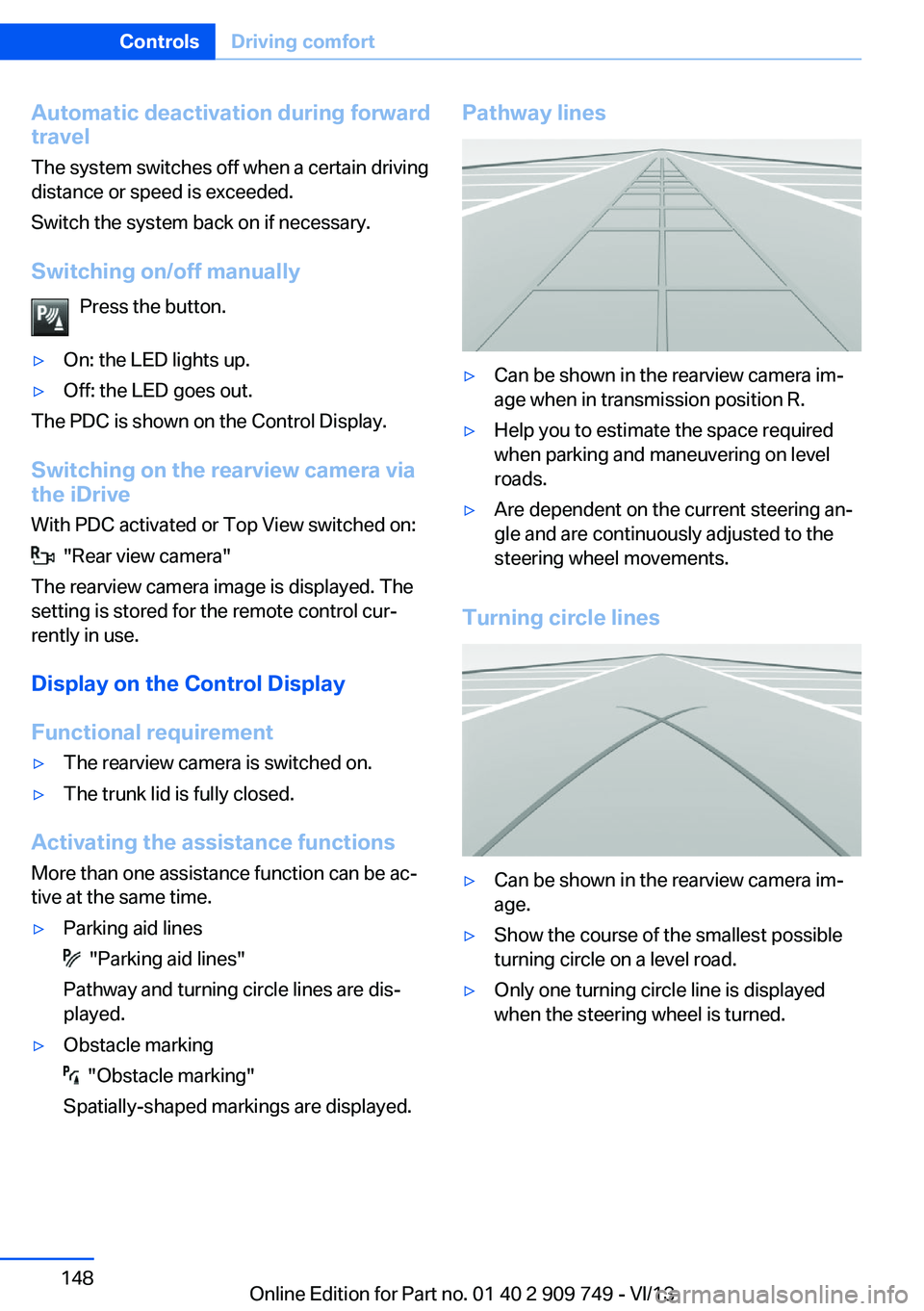
Pathway lines▷Can be shown in the rearview camera im‐
age when in transmission position R.▷Help you to estimate the space required
when parking and maneuvering on level
roads.▷Are dependent on the current steering an‐
gle and are continuously adjusted to the
steering wheel movements.
Turning circle lines
▷Can be shown in the rearview camera im‐
age.▷Show the course of the smallest possible
turning circle on a level road.▷Only one turning circle line is displayed
when the steering wheel is turned.Seite 148ControlsDriving comfort148
Online Edition for Part no. 01 40 2 909 749 - VI/13
Page 151 of 251
System limits
The cameras capture a maximum range of
330 ft/100 m.
Top View
The concept Top View assists you in parking and maneu‐
vering. The area around the doors and the road
area around the vehicle are shown on the Con‐
trol Display for this purpose.
General information
The image is captured by two cameras integrated in the exterior mirrors and by the
backup camera.
The range is at least 7 ft/2 m to the side and
rear.
In this way, obstacles up to the height of the
exterior mirrors are detected early.
Notes Check the traffic situation as well
Check the traffic situation around the ve‐
hicle with your own eyes. Otherwise, an acci‐
dent could result from road users or objects lo‐
cated outside the picture area of the
cameras.◀
At a glance
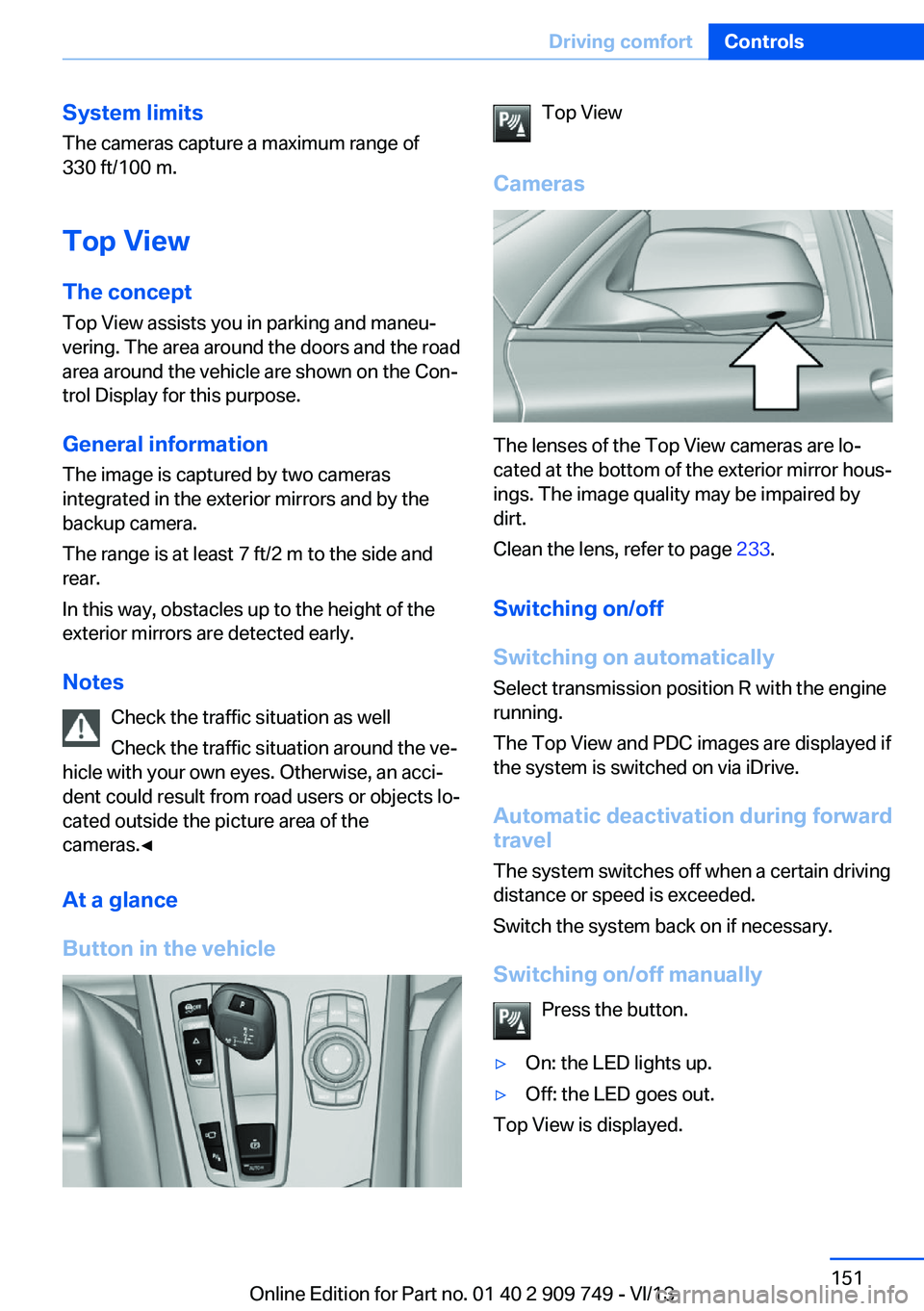
Button in the vehicleTop View
Cameras
The lenses of the Top View cameras are lo‐
cated at the bottom of the exterior mirror hous‐
ings. The image quality may be impaired by
dirt.
Clean the lens, refer to page 233.
Switching on/off
Switching on automatically Select transmission position R with the engine
running.
The Top View and PDC images are displayed if
the system is switched on via iDrive.
Automatic deactivation during forward
travel
The system switches off when a certain driving
distance or speed is exceeded.
Switch the system back on if necessary.
Switching on/off manually Press the button.
▷On: the LED lights up.▷Off: the LED goes out.
Top View is displayed.
Seite 151Driving comfortControls151
Online Edition for Part no. 01 40 2 909 749 - VI/13
Page 191 of 251

Driving style
In the tachometer, a mark in the bar display in‐
dicates the current efficiency of the driving
style.
Mark in the CHARGE area, arrow 1: display for
energy recovered by coasting or when braking.
Mark in the POWER area, arrow 2: display
when accelerating.
The efficiency of the driving style is shown by
the color of the bar:
▷Blue display: efficient driving style as long
as the mark moves within the blue range.▷Gray display: adjust driving style, e. g. by
backing off the accelerator pedal.
The display switches to blue as soon as all
conditions for fuel-economy-optimized driving
are met.
ECO PRO Tip - driving instruction The arrow indicates that the
driving style can be adjusted to
be more fuel efficient by backing off the accelerator for instance.
Note The driving style display and ECO PRO tips in
the instrument cluster appear when the ECO
PRO display is activated.
Activating driving style and ECO PRO tips:
1."Settings"2."Info display"3."ECO PRO Info"
In the instrument display:
1."Settings"2."Info display"3."Driving mode view"
ECO PRO tip - Symbols An additional symbol and a text instruction are
displayed.
SymbolMeasureFor efficient driving style, back off
the accelerator or delay accelerating
to allow time to assess road condi‐
tions.Reduce speed to the selected ECO
PRO speed.Automatic transmission: switch
from M/S to D and avoid manual
shift interventions.
Indications on the Control Display
EfficientDynamics Information on fuel consumption and technol‐
ogy can be displayed during driving.
1."Vehicle Info"2."EfficientDynamics"
Displaying fuel consumption history
The average fuel consumption can be dis‐
played within an adjustable time frame.
Vertical bars show consumption for the se‐
lected time frame.
Trip interruptions are represented below the
bar on the time axis.
"Consumption history"
Seite 191Saving fuelDriving tips191
Online Edition for Part no. 01 40 2 909 749 - VI/13
Page 230 of 251
CareVehicle equipmentAll standard, country-specific and optional
equipment that is offered in the model series is
described in this chapter. Therefore, equip‐
ment is also described that is not available in a
vehicle, e. g., because of the selected optional
equipment or country variant. This also applies
for safety-related functions and systems.
Car washes Hints Steam jets or high-pressure washers
When using steam jets or high-pressure
washers, hold them a sufficient distance away and use a maximum temperature of
140 ℉/60 ℃.
If the vehicle has a glass sunroof, ensure that a distance of at least 31.5 inches/80 cm is main‐
tained. Holding them too close or using exces‐
sively high pressures or temperatures can
cause damage or preliminary damage that may
then lead to long-term damage.
Follow the user's manual for the high-pressure
washer.◀
Cleaning sensors/cameras with high-
pressure washers
When using high-pressure washers, do not
spray the exterior sensors and cameras, e.g., Park Distance Control, for extended periods of
time and only from a distance of at least
12 in/30 cm.◀
Regularly remove foreign items such as leaves
in the area below the windshield when the
hood is raised.
Wash your vehicle frequently, particularly in
winter.Intense soiling and road salt can damage the
vehicle.
Automatic car washes
Hints
Note the following:▷Give preference to cloth car washes or
those that use soft brushes in order to
avoid paint damage.▷Make sure that the wheels and tires are not
damaged by the transport mechanisms.▷Fold in the exterior mirrors; otherwise, they
may be damaged, depending on the width
of the vehicle.▷Deactivate the rain sensor, refer to
page 75, to avoid unintentional wiper acti‐
vation.▷In some cases, an unintentional alarm can
be triggered by the interior motion sensor
of the alarm system. Follow the instruc‐
tions on avoiding an unintentional alarm,
refer to page 44.
Guide rails in car washes
Avoid car washes with guide rails higher
than 4 in/10 cm; otherwise, the vehicle body
could be damaged.◀
Before driving into a car wash In order to ensure that the vehicle can roll in a
car wash, take the following steps:
1.Drive into the car wash.2.Engage transmission position N.3.Switch the engine off.
In this way, the ignition remains switched
on, and a Check-Control message is dis‐
played.Seite 230MobilityCare230
Online Edition for Part no. 01 40 2 909 749 - VI/13
Page 240 of 251
Everything from A to Z
IndexA ABS, Antilock Brake Sys‐ tem 125
ACC, Active Cruise Control with Stop & Go 133
Activated-charcoal filter 163
Active Blind Spot Detec‐ tion 121
Active Cruise Control with Stop & Go, ACC 133
Active Protection 122
Active roll stabilization, see Dynamic Drive 128
Active seat, front 50
Active seat ventilation, front 50
Active seat ventilation, rear 53
Active Steering, integral 129
Adaptive brake assistant 125
Adaptive brake lights, refer to Brake force display 122
Adaptive drive 128
Adaptive light control 96
Adaptive Light Control, bulb replacement 220
Additives, oil 213
Adjust front seat 48
Adjusting, steering wheel 60
Adjustments, seats/head re‐ straints 48
After washing vehicle 231
Airbags 100
Airbags, indicator/warning light 101
Air circulation, refer to Recir‐ culated-air mode 162
Air distribution, manual 161
Air drying, refer to Cooling function 162 Air flow, automatic climate
control 161
Air pressure, tires 199
Air vents, refer to Ventila‐ tion 163
Alarm system 42
Alarm, unintentional 44
All around the center con‐ sole 14
All around the headliner 15
All around the steering wheel 12
All-season tires, refer to Win‐ ter tires 207
All-wheel-drive 127
Alternating-code hand-held transmitter 169
Alternative oil types 213
Ambient light 99
Antifreeze, washer fluid 76
Antilock Brake System, ABS 125
Anti-slip control, refer to DSC 125
Approved engine oils 213
Armrest, refer to Center arm‐ rest 177
Arrival time 92
Ashtray 170
Assistance, Roadside Assis‐ tance 226
Assistance when driving off 125
Attentiveness assistant 123
AUTO H button, refer to Au‐ tomatic Hold 72
AUTO intensity 161
Automatic car wash 230
Automatic climate con‐ trol 160 Automatic Cruise Control
with Stop & Go 133
Automatic Curb Monitor 59
Automatic deactivation, front passenger airbags 102
Automatic headlamp con‐ trol 96
Automatic Hold 72
Automatic locking 42
Automatic recirculated-air control 162
Automatic Soft Closing, doors 36
Automatic Soft Closing, trunk lid 37
Automatic tailgate 37
Automatic transmission with Steptronic 76
AUTO program, automatic cli‐ mate control 161
AUTO program, intensity 161
Auto Start/Stop function 68
Average fuel consumption 91
Average speed 91
Axle loads, weights 237
B Backrest curvature, refer to Lumbar support 49
Backrest, width 49
Back seats, adjusting 51
Backup camera 147
Band-aids, refer to First aid kit 226
Bar for tow-starting/ towing 228
Basic position, rear seats 52
Battery replacement, vehicle battery 223 Seite 240ReferenceEverything from A to Z240
Online Edition for Part no. 01 40 2 909 749 - VI/13
Page 247 of 251
Reset, Tire Pressure MonitorTPM 106
Residual heat, automatic cli‐ mate control 162
Retaining straps, securing cargo 186
Retreaded tires 207
Reversing lamp, bulb replace‐ ment 221
Roadside parking lamps 96
Roller sunblinds 45
Roll stabilization, refer to Adaptive Drive 128
Roll stabilization, see Dy‐ namic Drive 128
RON gasoline quality 198
Roof load capacity 237
Roof-mounted luggage rack 186
Rope for tow-starting/ towing 228
RSC Run Flat System Com‐ ponent, refer to Run-flat
tires 208
Rubber components, care 232
Run-flat tires 208
S Safe braking 183
Safety 7
Safety belt reminder for driv‐ er's seat and front passen‐
ger seat 54
Safety belts 54
Safety belts, care 232
Safety Package, refer to Ac‐ tive Protection 122
Safety switch, windows 45
Safety systems, airbags 100
Saving fuel 188
Screen, refer to Control Dis‐ play 16
Screwdriver 218 Screw thread for tow fit‐
ting 229
Seat belts, refer to Safety belts 54
Seat heating, front 50
Seat heating, rear 53
Seating position for chil‐ dren 62
Seat, mirror, and steering wheel memory 57
Seats 48
Seats, rear, adjusting 51
Seat ventilation, front 50
Seat ventilation, rear 53
See lamp and bulb replace‐ ment 218
Selection list in instrument cluster 90
Selector lever, automatic transmission 77
Self-leveling suspension, air suspension 129
Self-leveling suspension, malfunction 130
Sensors, care 233
Service and warranty 7
Service history 88
Service requirements, Condi‐ tion Based Service
CBS 216
Service requirements, dis‐ play 87
Service, Roadside Assis‐ tance 226
Services, ConnectedDrive
Settings, locking/unlock‐ ing 41
Settings on Control Dis‐ play 93
Settings, storing for seat, mir‐ rors, steering wheel 57
Shifting, automatic transmis‐ sion 76
Shift paddles on steering wheel 78
Shoulder support 49 Side airbags 100
Side View 149
Signaling, horn 12
Signals when unlocking 42
Sitting safely 48
Size 236
Ski bag 174
Slide/tilt glass roof 46
Smallest turning circle 237
Smoker's package 170
Snow chains 208
Socket 171
Socket, OBD Onboard Diag‐ nostics 217
SOS button 225
Spare fuse 224
Speaker lighting 99
Specified engine oil types 213
Speed, average 91
Speed limit detection, on‐ board computer 92
Speed limiter, display 89
Speed Limit Information 89
Speed limit in the com‐ puter 92
Split screen 20
SPORT+ - program, Dynamic Driving Control 131
Sport automatic transmis‐ sion 78
SPORT program, driving dy‐ namics 131
Sport program, transmis‐ sion 78
Stability control systems 125
Start/stop, automatic func‐ tion 68
Start/Stop button 66
Start function during malfunc‐ tion 31
Starting the engine 67
Status display, tires 105
Status information, iDrive 20
Status of Owner's Manual 6 Seite 247Everything from A to ZReference247
Online Edition for Part no. 01 40 2 909 749 - VI/13
Page 248 of 251
Steering, Integral ActiveSteering 129
Steering wheel, adjusting 60
Steering wheel heating 61
Steering wheel memory 57
Steptronic, automatic trans‐ mission 76
Stopping the engine 67
Storage compartments 176
Storage compartments, loca‐ tions 176
Storage, tires 208
Storing the vehicle 233
Summer tires, tread 206
Supplementary text mes‐ sage 84
Surround View 147
Suspension settings 130
Switch for Dynamic Driving Control 130
Switch, refer to Cockpit 12
Symbols 6
SYNC program, automatic cli‐ mate control 162
T Tachometer 85
Tail and brake lamps 221
Tailgate 36
Tailgate, automatic 37
Tailgate opening/closing with no-touch activation 40
Tailgate via remote con‐ trol 34
Tail lamps 221
Tail lamps, bulb replace‐ ment 221
Technical changes, refer to Safety 7
Technical data 236
Telephone, see user's manual for Navigation, Entertain‐
ment and Communication
Temperature, automatic cli‐ mate control 161 Temperature display, external
temperature 86
Temperature, engine oil 85
Tempomat, refer to Active Cruise Control 133
Terminal, starting aid 227
Text message, supplemen‐ tary 84
Theft alarm system, refer to Alarm system 42
Theft protection, lug bolts 222
Theft protection, refer to Central locking system 33
Thermal camera, refer to Night Vision 116
Tilt alarm sensor 43
Time of arrival 92
Tire damage 206
Tire identification marks 204
Tire inflation pressure 199
Tire inflation pressure moni‐ tor, refer to FTM 103
Tire Pressure Monitor TPM 105
Tires, changing 206
Tires, everything on wheels and tires 199
Tires, run-flat tires 208
Tire tread 206
Tone, see user's manual for Navigation, Entertainment
and Communication
Tools 218
Top View 151
Total vehicle weight 237
Touchpad 18
Tow fitting 229
Towing 228
Tow-starting 228
TPM Tire Pressure Moni‐ tor 105
Traction control 126
TRACTION program, Dy‐ namic Driving Control 130
Transmission, automatic 76 Transporting children
safely 62
Tread, tires 206
Trip computer 92
Triple turn signal activa‐ tion 74
Trip odometer 86
Trunk lid 36
Trunk lid, automatic 37
Trunk lid, emergency unlock‐ ing 39
Trunk lid, hotel function 39
Trunk lid, manual opera‐ tion 37
Trunk lid opening/closing with no-touch activation 40
Trunk lid via remote con‐ trol 34
Turning circle 237
Turning circle lines, rearview camera 148
Turn signals, operation 73
Turn signals, rear, bulb re‐ placement 221
U
Unintentional alarm 44
Units of measure 93
Universal remote control 168
Unlock button, automatic transmission 77
Unlocking/locking from in‐ side 36
Unlocking/locking via door lock 35
Unlocking/locking with re‐ mote control 34
Unlocking, settings 41
Updates made after the edito‐ rial deadline 7
Upholstery care 232
USB interface 172 Seite 248ReferenceEverything from A to Z248
Online Edition for Part no. 01 40 2 909 749 - VI/13