steering BMW 760LI SEDAN 2003 Owner's Manual
[x] Cancel search | Manufacturer: BMW, Model Year: 2003, Model line: 760LI SEDAN, Model: BMW 760LI SEDAN 2003Pages: 229, PDF Size: 4.35 MB
Page 100 of 229
Technology for comfort, convenience and safety
98
Flat Tire Monitor*
The concept
The Flat Tire Monitor keeps track of the
inflation pressures in your tires as you
drive. The system provides an alert when-
ever the inflation pressure drops signifi-
cantly below the specified pressure in one
or more tires.
In order for the Flat Tire Monitor to 'learn'
the correct tire inflation pressure, check the
inflation pressure in all tires against the
inflation pressure table on page 185 and
make corrections as necessary. Then pro-
ceed to initialize the system.
This symbol will appear in the
Check Control to inform you that
the inflation pressure of a tire has
fallen significantly. A text message appears
at the same time.
Please take note of the additional informa-
tion in the Control Display.
You can find more information on the
Check Control starting on page 85.
The Flat Tire Monitor cannot indicate
sudden severe tire damage caused
by outside factors and does not detect a
natural, even pressure drop in all four
tires.<
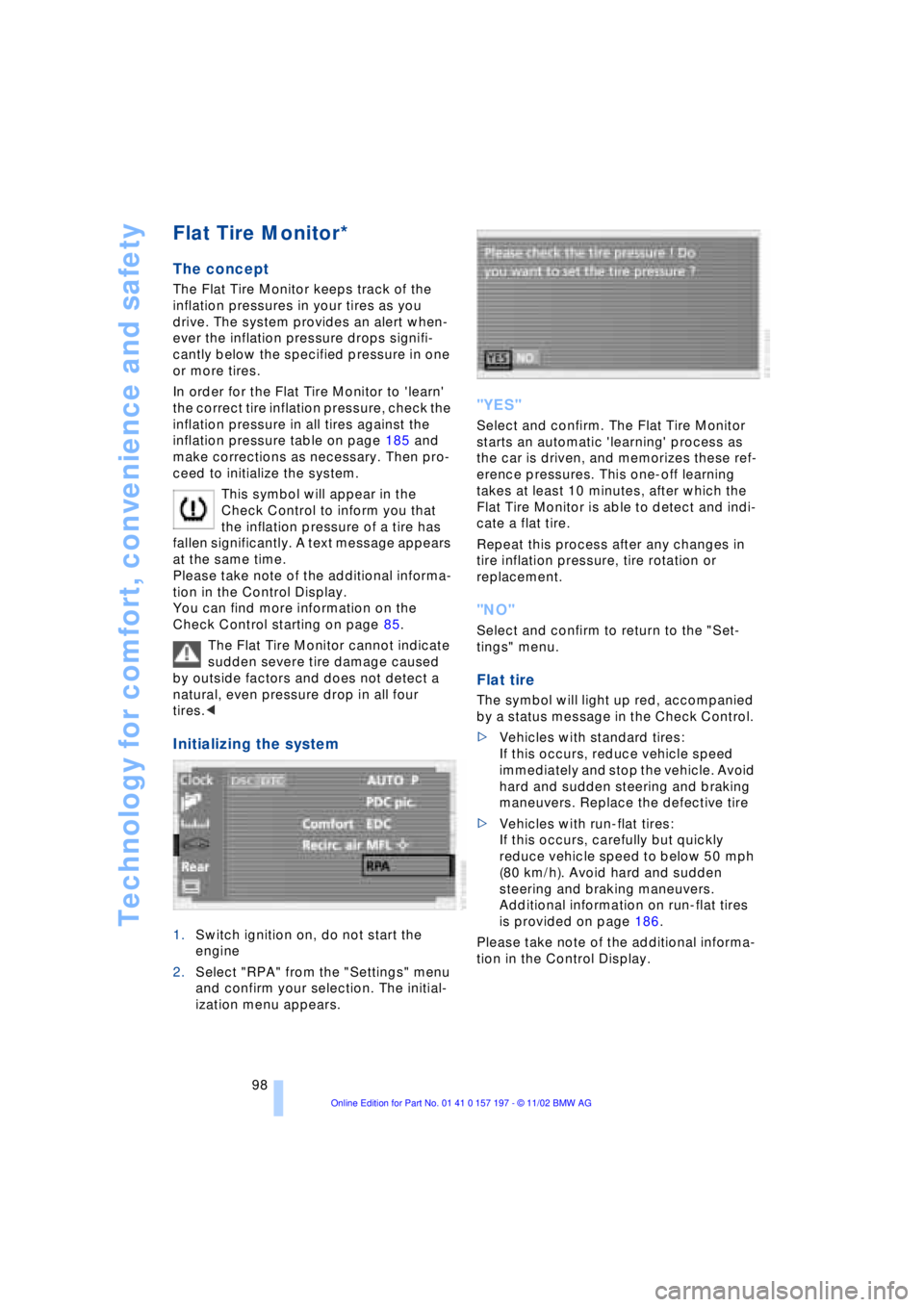
Initializing the system
1.Switch ignition on, do not start the
engine
2.Select "RPA" from the "Settings" menu
and confirm your selection. The initial-
ization menu appears.
"YES"
Select and confirm. The Flat Tire Monitor
starts an automatic 'learning' process as
the car is driven, and memorizes these ref-
erence pressures. This one-off learning
takes at least 10 minutes, after which the
Flat Tire Monitor is able to detect and indi-
cate a flat tire.
Repeat this process after any changes in
tire inflation pressure, tire rotation or
replacement.
"NO"
Select and confirm to return to the "Set-
tings" menu.
Flat tire
The symbol will light up red, accompanied
by a status message in the Check Control.
>Vehicles with standard tires:
If this occurs, reduce vehicle speed
immediately and stop the vehicle. Avoid
hard and sudden steering and braking
maneuvers. Replace the defective tire
>Vehicles with run-flat tires:
If this occurs, carefully but quickly
reduce vehicle speed to below 50 mph
(80 km/h). Avoid hard and sudden
steering and braking maneuvers.
Additional information on run-flat tires
is provided on page 186.
Please take note of the additional informa-
tion in the Control Display.
Page 102 of 229
Technology for comfort, convenience and safety
100
Do not start the initialization
Select and confirm to return to the
"Settings" menu.
Status indicators in the Control
Display
The status of the system is indicated by the
color of the tires.
TPM takes into account that the tire pres-
sure changes during driving. A correction is
only required when the TPM requests that
the driver takes action by changing the
color.
Green
Tire inflation pressures correspond to the
initialized level.
Yellow
The inflation pressures in the tires have
fallen to below the specified level, which is
normal in every tire after a certain amount
of time.
This alerts you to have the tires inflated to
the specified pressures as soon as pos-
sible.
Red
Pressure loss in indicated tire.
If this occurs, reduce vehicle speed imme-
diately and stop the vehicle. Avoid hard
and sudden steering and braking maneu-
vers.
Black
The system is being initialized.
The system needs several minutes to com-
plete the initialization process, after which
it is ready to detect and report tire prob-
lems.
In the event of loss in tire pressure
If the indicator lamp symbol in the Check
Control lights up in yellow, and a message
also appears, this indicates that the infla-
tion pressures in the tires have fallen to
below the specified level, which is normal
in every tire after a certain amount of time. This alerts you to have the tires inflated to
the specified pressures as soon as pos-
sible.
Please take note of the additional informa-
tion in the Control Display.
If you are prompted to check the tire
pressure shortly after a correction has
been made, this indicates that the cor-
rected values were not accurate. Please
check the inflation pressure again and
make corrections according to the inflation
pressure table. Then reinitialize the
system.<
Flat tire
If you have a flat tire, the indicator lamp
symbol in the Check Control will light up in
red, and a message will appear. In addition,
a gong sounds.
>Vehicles with standard tires:
If this occurs, reduce vehicle speed
immediately and stop the vehicle. Avoid
hard and sudden steering and braking
maneuvers. Replace the defective tire
>Vehicles with run-flat tires:
If this occurs, carefully but quickly
reduce vehicle speed to below 50 mph
(80 km/h). Avoid hard and sudden
steering and braking maneuvers.
Additional information on run-flat tires
is provided on page 186.
The spare tire provided with your
vehicle is equipped with the elec-
tronics required to support TPM operation;
once the spare is installed, the pressure in
this tire will also be monitored following
system initialization.
Have the tires changed at your BMW
center.
Your BMW center has the information
needed for working with TPM and is
equipped with the necessary special
tools.<
System malfunctions
Other equipment operating on the same
radio frequency as TPM can generate inter-
ference signals that may prevent the
system from operating as intended.
Page 127 of 229
At a glance
Controls
Driving tips
Communications
Navigation
Entertainment
Mobility
Reference
125
undermining your ability to steer and brake
the vehicle.<
Driving through water
Do not drive through water on the
road if it is deeper than 1 ft (30 cm),
and then only at walking speed at the most.
Otherwise, the vehicle's engine, the elec-
trical systems and the transmission may be
damaged.<
Brake system
Braking with ABS
The best way to achieve optimal response
from the ABS is to apply maximum pres-
sure to the brake pedal during emergencyÐ
panic stops. Since the vehicle maintains
steering responsiveness, you can never-
theless avoid possible obstacles with a
minimum of steering effort.
Pulsation at the brake pedal combines with
sounds from the hydraulic circuits to indi-
cate to the driver that ABS is in its active
mode.
Do not drive with your foot resting on
the brake pedal. Even light but con-
sistent pedal pressure can lead to high
temperatures, brake wear and possibly
even brake failure.<
Disc brakes
Driving in wet conditions
While driving in wet conditions and in
heavy rain, it is a good idea to apply light
pressure to the brake pedal every few
miles. Monitor traffic conditions to ensure
that this maneuver does not endanger
other road users. The heat generated in this
process helps dry the pads and rotors to
ensure that full braking efficiency will then
be available when you need it.
Hills
You can retain full and unimpaired braking
efficiency by downshifting to a gear in
which only minimal brake applications are
needed when descending long or steep
downhill stretches.
You can further enhance the engine's bra-
king effect by selecting a lower gear in the
automatic transmission's manual mode,
downshifting as far as first gear on extre-
mely steep stretches, refer to page 68. This
strategy helps you avoid placing excessive
loads on the brake system.
Never allow the vehicle to coast with
the transmission in Neutral Ð or with
the engine switched off Ð there is no engine
braking when the transmission is in Neu-
tral, and no power-assist for brakes and
steering when the engine is not running.
Never allow floor mats, carpets or any other
objects to protrude into the area around the
accelerator and brake pedals and obstruct
their movement.<
Corrosion
When the vehicle is driven only occasio-
nally, during extended periods when the
vehicle is not used at all, and in operating
conditions where brake applications are
less frequent, there is an increased ten-
dency for corrosion to form on rotors, while
contaminants accumulate on the brake
pads. This occurs because the minimal
pressure which must be exerted by the
pads during brake applications to clean the
rotors is not reached.
Should corrosion form on the brake rotors,
the brakes will tend to respond with a pul-
sating effect that even extended applica-
tion will fail to cure.
Brake pads
If the brake pad wear warning lamp
appears in the Check Control,
accompanied by a text: please take
careful note of the additional information in
the Control Display.
Page 129 of 229
At a glance
Controls
Driving tips
Communications
Navigation
Entertainment
Mobility
Reference
127
Roof-mounted luggage
rack*
Anchorage points
The anchorage points are located within
the door openings.
A special rack system is available as an
option for your BMW. Please comply with
the precautions included with the installa-
tion instructions.
Because roof racks raise the vehicle's
center of gravity when loaded, they have a
major effect on its handling and steering
response.
You should therefore always remember not
to exceed the approved roof weight, the
approved gross vehicle weight or the axle
loads when loading the rack.
You can find the specified weights in the
Technical data section on page 210.
Make sure that the load is not too heavy,
and that it does not extend outward to
beyond the limits of the loading surface.
Always load the heaviest pieces first Ð on
the bottom. Be sure that adequate clea-
rance is maintained for raising the sliding/
tilt sunroof, and that objects do not project
into the opening path of the luggage com-
partment lid.
Secure roof-mounted cargo correctly and
securely to prevent it from shifting or being
lost during the trip.
Drive smoothly. Avoid sudden acceleration
and braking maneuvers. Take corners
gently.
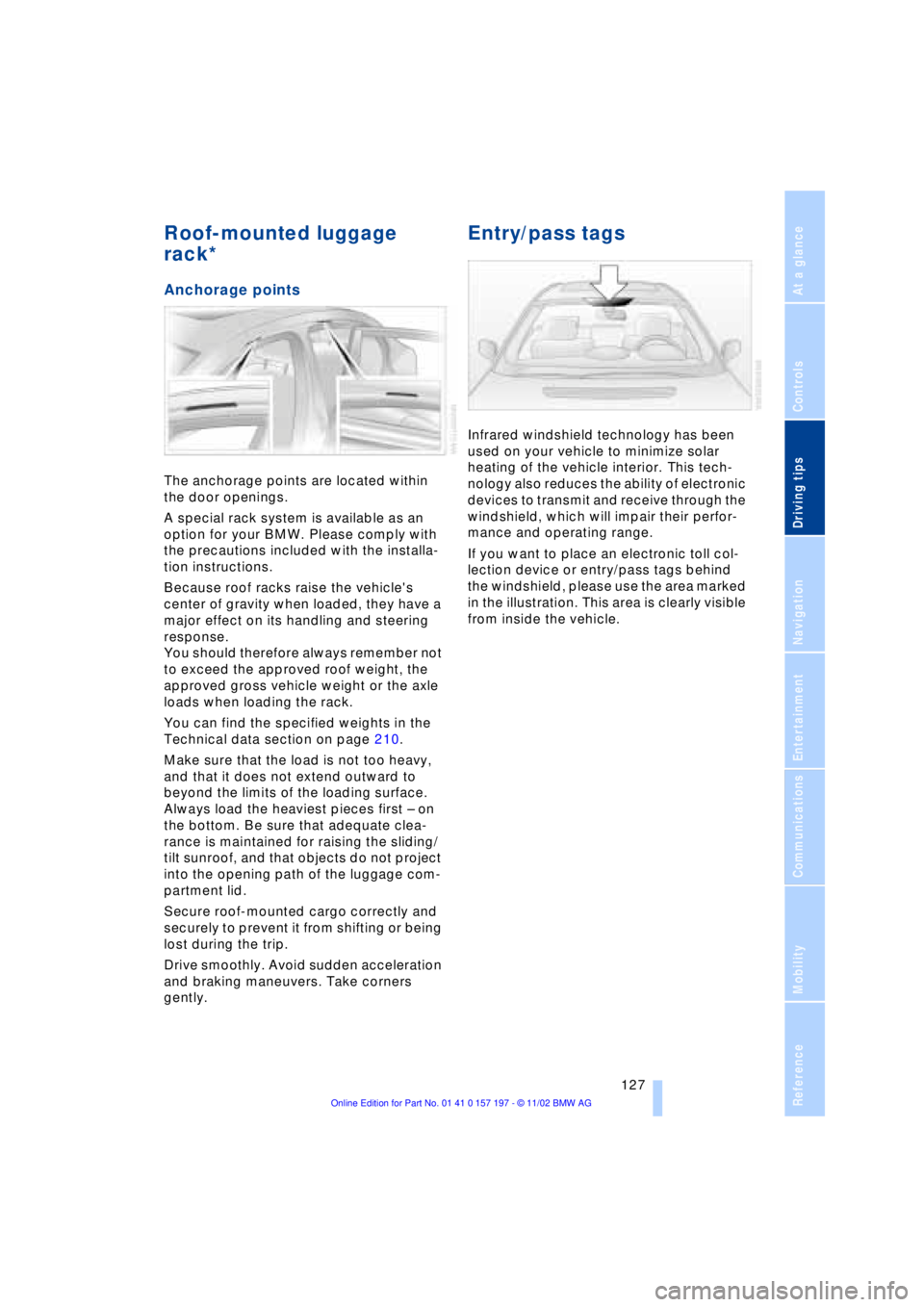
Entry/pass tags
Infrared windshield technology has been
used on your vehicle to minimize solar
heating of the vehicle interior. This tech-
nology also reduces the ability of electronic
devices to transmit and receive through the
windshield, which will impair their perfor-
mance and operating range.
If you want to place an electronic toll col-
lection device or entry/pass tags behind
the windshield, please use the area marked
in the illustration. This area is clearly visible
from inside the vehicle.
Page 148 of 229
Entertainment
146
Entertainment
Controls
Operation using buttons
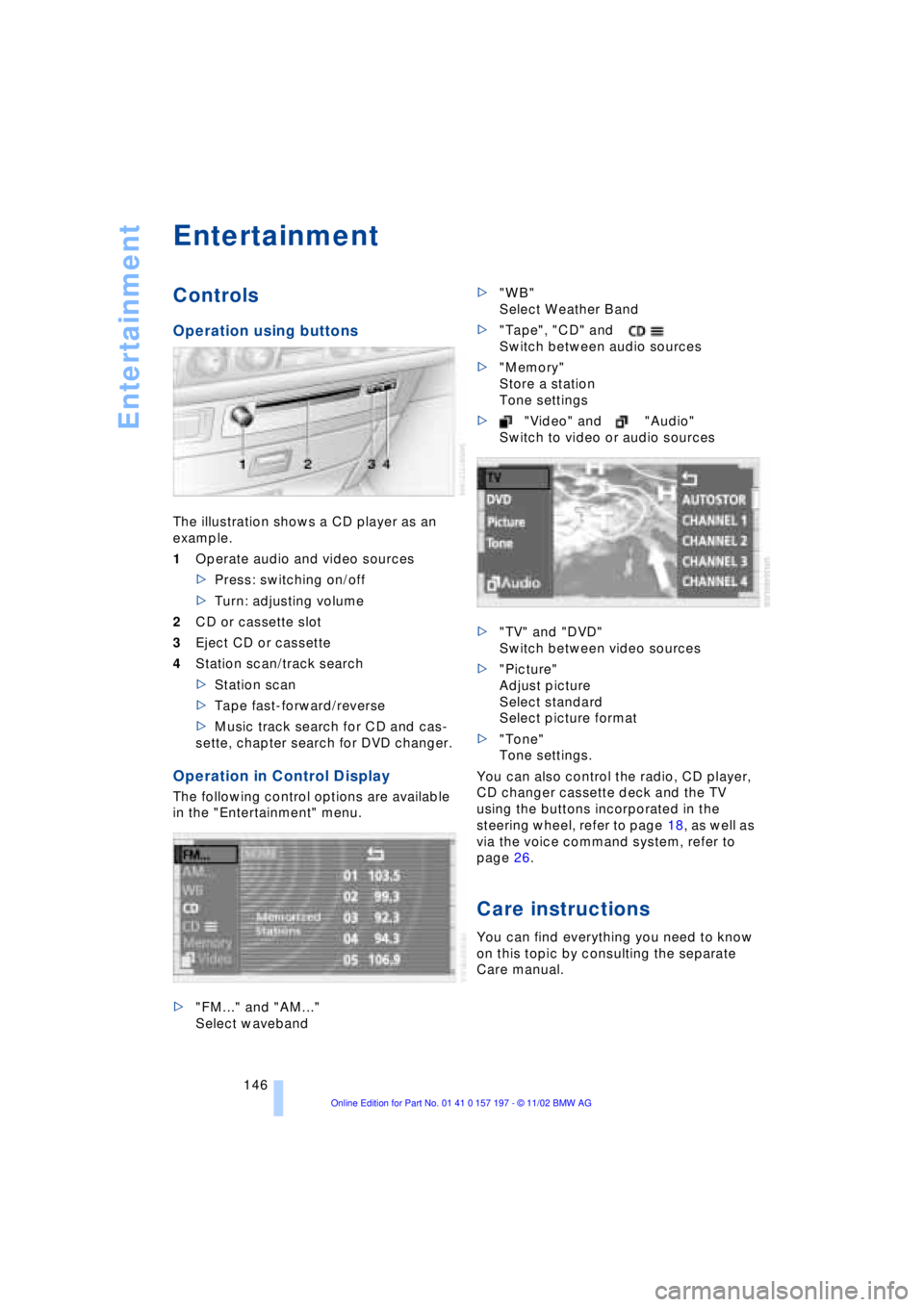
The illustration shows a CD player as an
example.
1Operate audio and video sources
>Press: switching on/off
>Turn: adjusting volume
2CD or cassette slot
3Eject CD or cassette
4Station scan/track search
>Station scan
>Tape fast-forward/reverse
>Music track search for CD and cas-
sette, chapter search for DVD changer.
Operation in Control Display
The following control options are available
in the "Entertainment" menu.
>"FM..." and "AM..."
Select waveband>"WB"
Select Weather Band
>"Tape", "CD" and
Switch between audio sources
>"Memory"
Store a station
Tone settings
>"Video" and "Audio"
Switch to video or audio sources
>"TV" and "DVD"
Switch between video sources
>"Picture"
Adjust picture
Select standard
Select picture format
>"Tone"
Tone settings.
You can also control the radio, CD player,
CD changer cassette deck and the TV
using the buttons incorporated in the
steering wheel, refer to page 18, as well as
via the voice command system, refer to
page 26.
Care instructions
You can find everything you need to know
on this topic by consulting the separate
Care manual.
Page 173 of 229
At a glance
Controls
Driving tips Communications
Navigation
Entertainment
Mobility
Reference
171
Batteries
Never attempt to open your BMW
portable phone or its battery. Use
only approved battery types Ð the wrong
battery can destroy your portable phone.
To avoid possible short circuits, after
removing a battery you should never allow
it to come into contact with metallic sur-
faces of any kind.<
Disposing of used batteries
Return used batteries to a recycling
collection point or to your BMW
center.<
Care instructions
You can find useful information on caring
for your portable phone in the separate
Portable phone manual and in the separate
Care manual.
Controls
You have the option of making phone calls
with the car phone or the BMW portable
phone.
If there is no BMW portable phone in the
cradle, Personal calling can be made with
the car phone.
Your car phone must be activated to
support his feature. Please see your
BMW center for further instructions to acti-
vate your car phone with the wireless car-
rier.<
The upper status line will indicate which
phone is currently active and connected to
the network.
For information on operating your
portable phone, please consult the
separate manual.<
The portable phone can be operated by
means of
>controls on the steering wheel, refer to
page 18
>Control Display
>the folding telephone keypad >and the voice command system, not for
incoming calls.
Control Display
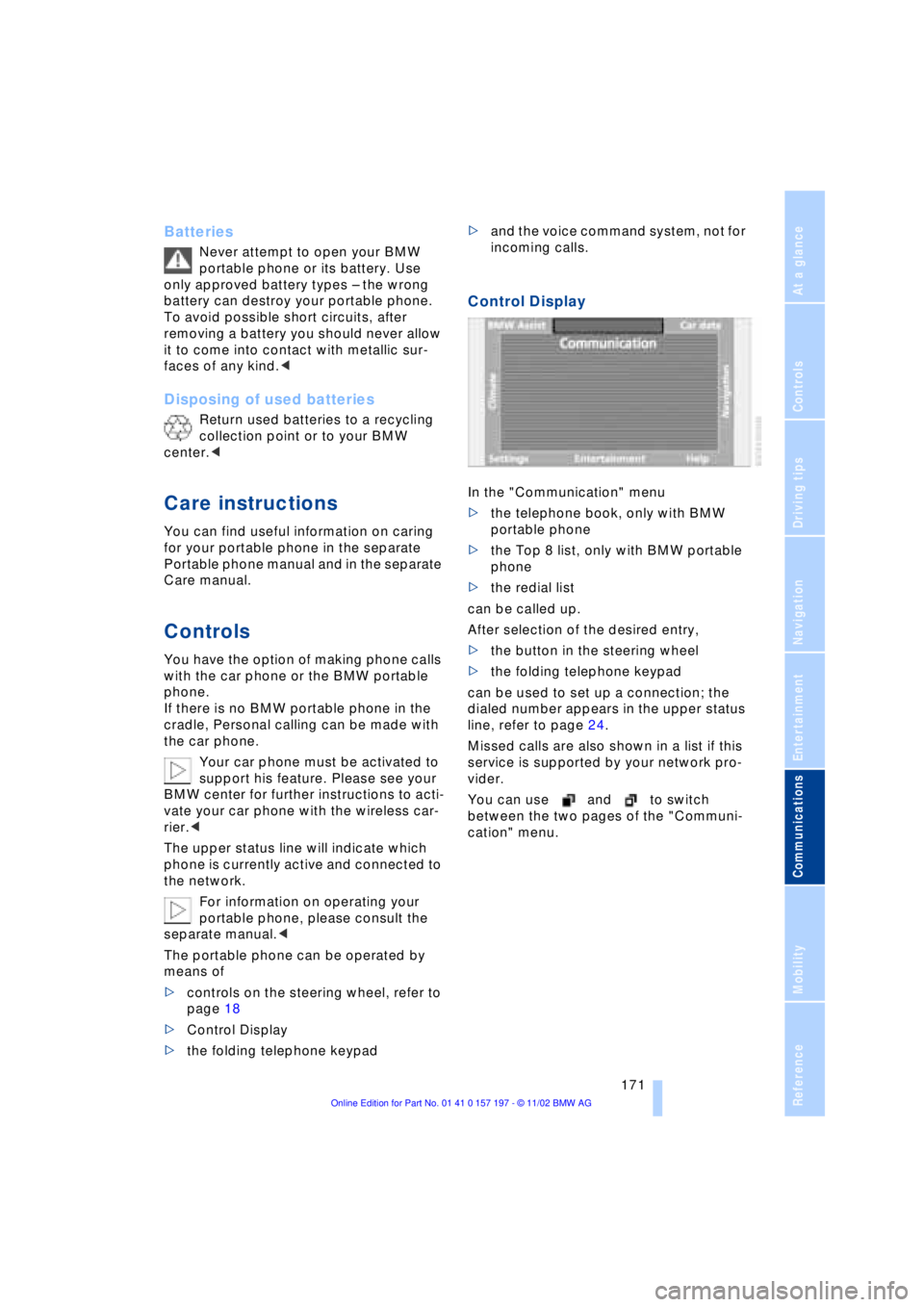
In the "Communication" menu
>the telephone book, only with BMW
portable phone
>the Top 8 list, only with BMW portable
phone
>the redial list
can be called up.
After selection of the desired entry,
>the button in the steering wheel
>the folding telephone keypad
can be used to set up a connection; the
dialed number appears in the upper status
line, refer to page 24.
Missed calls are also shown in a list if this
service is supported by your network pro-
vider.
You can use and to switch
between the two pages of the "Communi-
cation" menu.
Page 175 of 229
At a glance
Controls
Driving tips Communications
Navigation
Entertainment
Mobility
Reference
173
Hands-free system
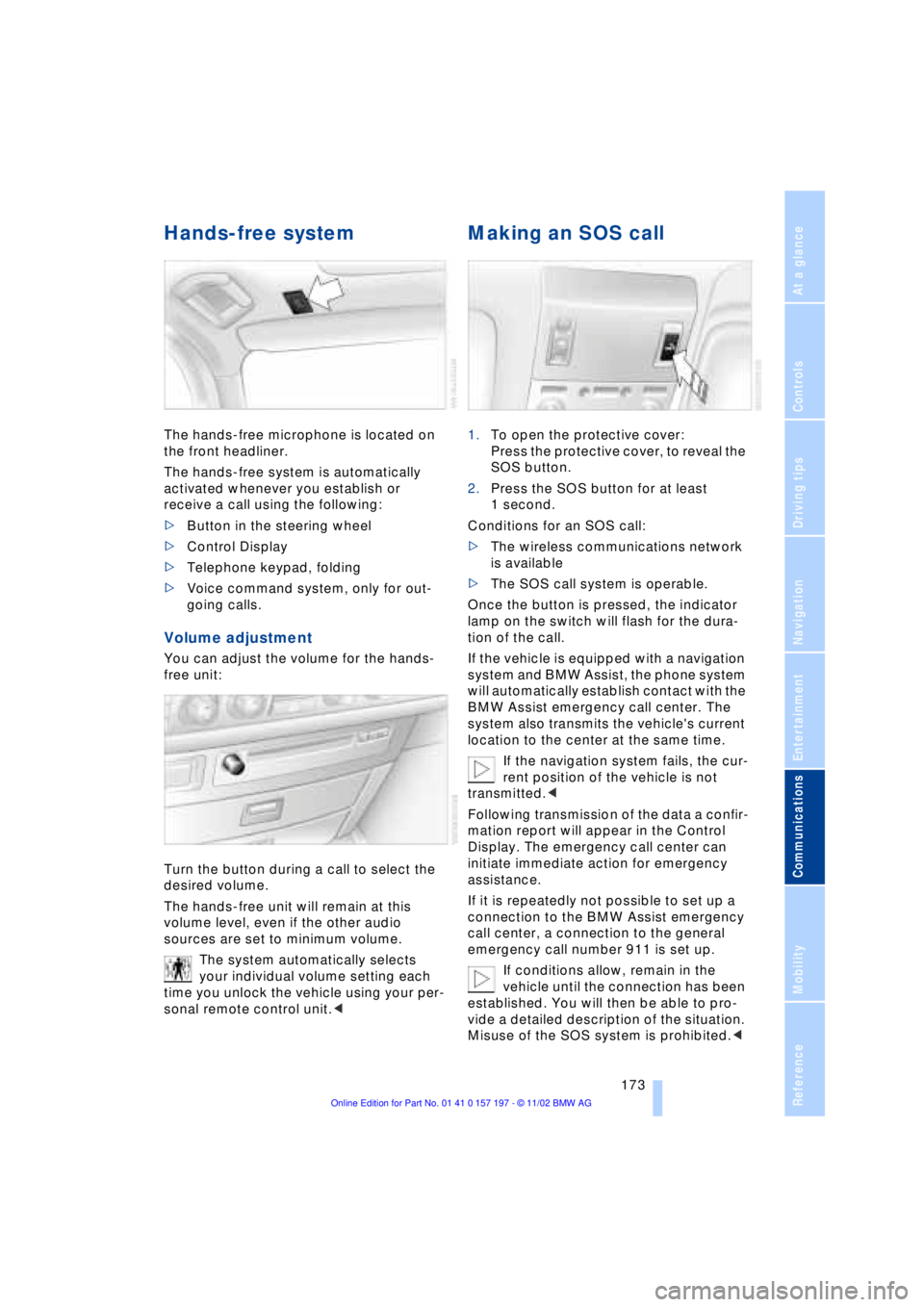
The hands-free microphone is located on
the front headliner.
The hands-free system is automatically
activated whenever you establish or
receive a call using the following:
>Button in the steering wheel
>Control Display
>Telephone keypad, folding
>Voice command system, only for out-
going calls.
Volume adjustment
You can adjust the volume for the hands-
free unit:
Turn the button during a call to select the
desired volume.
The hands-free unit will remain at this
volume level, even if the other audio
sources are set to minimum volume.
The system automatically selects
your individual volume setting each
time you unlock the vehicle using your per-
sonal remote control unit.<
Making an SOS call
1.To open the protective cover:
Press the protective cover, to reveal the
SOS button.
2.Press the SOS button for at least
1 second.
Conditions for an SOS call:
>The wireless communications network
is available
>The SOS call system is operable.
Once the button is pressed, the indicator
lamp on the switch will flash for the dura-
tion of the call.
If the vehicle is equipped with a navigation
system and BMW Assist, the phone system
will automatically establish contact with the
BMW Assist emergency call center. The
system also transmits the vehicle's current
location to the center at the same time.
If the navigation system fails, the cur-
rent position of the vehicle is not
transmitted.<
Following transmission of the data a confir-
mation report will appear in the Control
Display. The emergency call center can
initiate immediate action for emergency
assistance.
If it is repeatedly not possible to set up a
connection to the BMW Assist emergency
call center, a connection to the general
emergency call number 911 is set up.
If conditions allow, remain in the
vehicle until the connection has been
established. You will then be able to pro-
vide a detailed description of the situation.
Misuse of the SOS system is prohibited.<
Page 176 of 229
Using the phone in your vehicle
174 Under certain conditions, an SOS call is
triggered automatically immediately after a
severe accident. The automatic SOS call is
not affected by the SOS call button being
pressed.
Telephoning with the
car phone
If the BMW portable phone is not in the
cradle, you can telephone using the car
phone via the hands-free unit.
The telephone that can be used to set up a
connection is shown in the upper status
line in the Control Display.
The car phone must be enabled prior
to initial use. To do so, please consult
your BMW center.<
Calls can be set up or accepted using the
following equipment:
>Button in the steering wheel
>Control Display
Calls can only be set up via redi-
aling or missed calls.<
>Telephone keypad, folding
>Voice command system, only for out-
going calls.
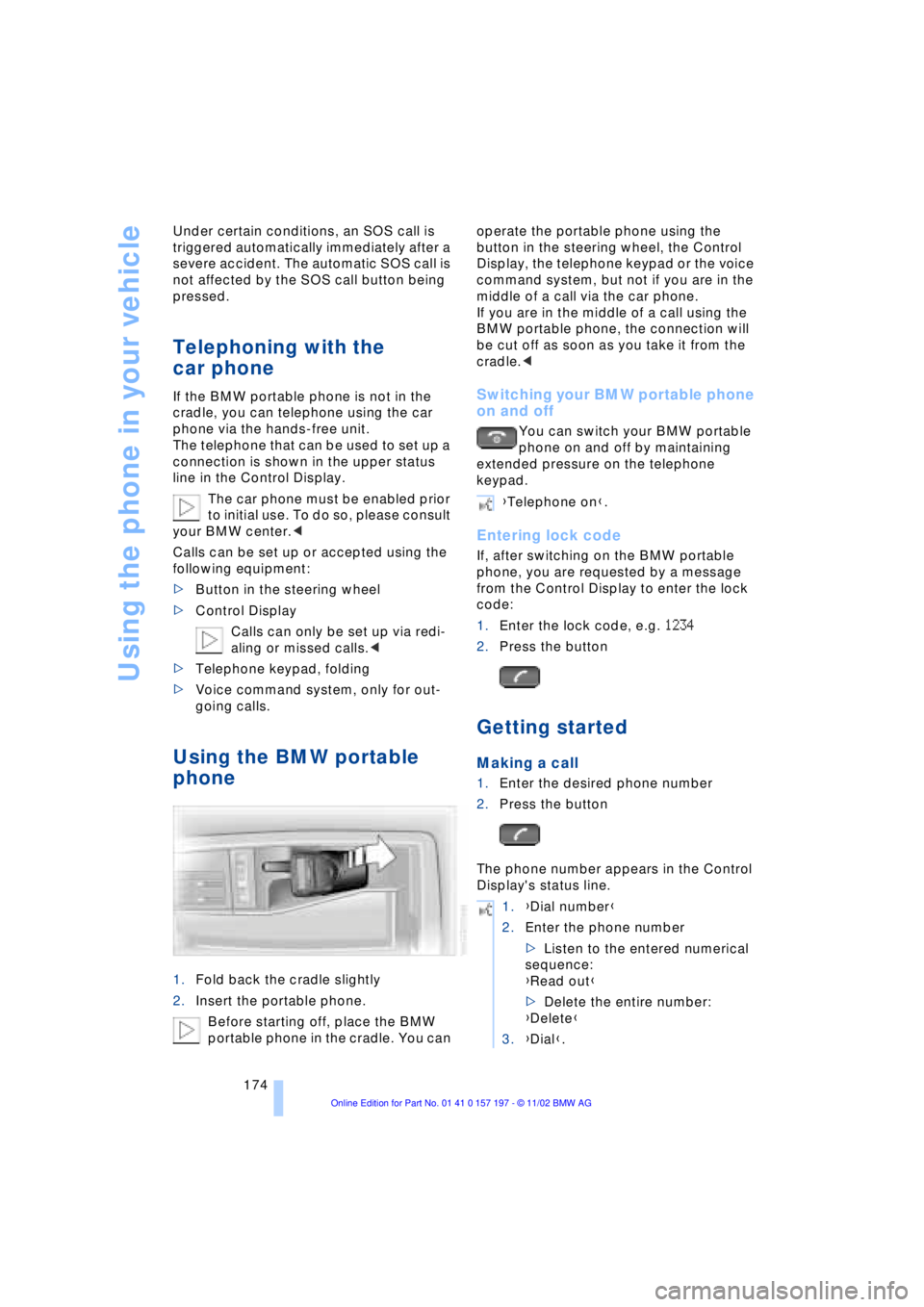
Using the BMW portable
phone
1.Fold back the cradle slightly
2.Insert the portable phone.
Before starting off, place the BMW
portable phone in the cradle. You can operate the portable phone using the
button in the steering wheel, the Control
Display, the telephone keypad or the voice
command system, but not if you are in the
middle of a call via the car phone.
If you are in the middle of a call using the
BMW portable phone, the connection will
be cut off as soon as you take it from the
cradle.<
Switching your BMW portable phone
on and off
You can switch your BMW portable
phone on and off by maintaining
extended pressure on the telephone
keypad.
Entering lock code
If, after switching on the BMW portable
phone, you are requested by a message
from the Control Display to enter the lock
code:
1.Enter the lock code, e.g. 1234
2.Press the button
Getting started
Making a call
1.Enter the desired phone number
2.Press the button
The phone number appears in the Control
Display's status line.
{Telephone on}.
1.{Dial number}
2.Enter the phone number
>Listen to the entered numerical
sequence:
{Read out}
>Delete the entire number:
{Delete}
3.{Dial}.
Page 177 of 229
At a glance
Controls
Driving tips Communications
Navigation
Entertainment
Mobility
Reference
175
Always remember to enter the com-
plete telephone number, including the
area code, even if you are currently in the
same area as the number that you wish to
contact.<
Ending call
Press the button
Telephone directory
You must enter your portable phone's tele-
phone directory in the voice command
system before it will be available for access
using voice commands. This creates a spe-
cial voice command telephone directory. If
changes are then made to the directory
using the voice command system, these
modifications will apply exclusively to the
voice directory, and not to the directory in
the portable phone.
Creating and updating voice
command telephone directory*
The entries in the portable phone's tele-
phone directory appear sequentially in the
Info Display.
You must assign a specific name to each
number that you wish to transfer to the
voice command telephone directory. These
numbers will no longer be requested during
updates.
Making a new entry in the voice
command directory
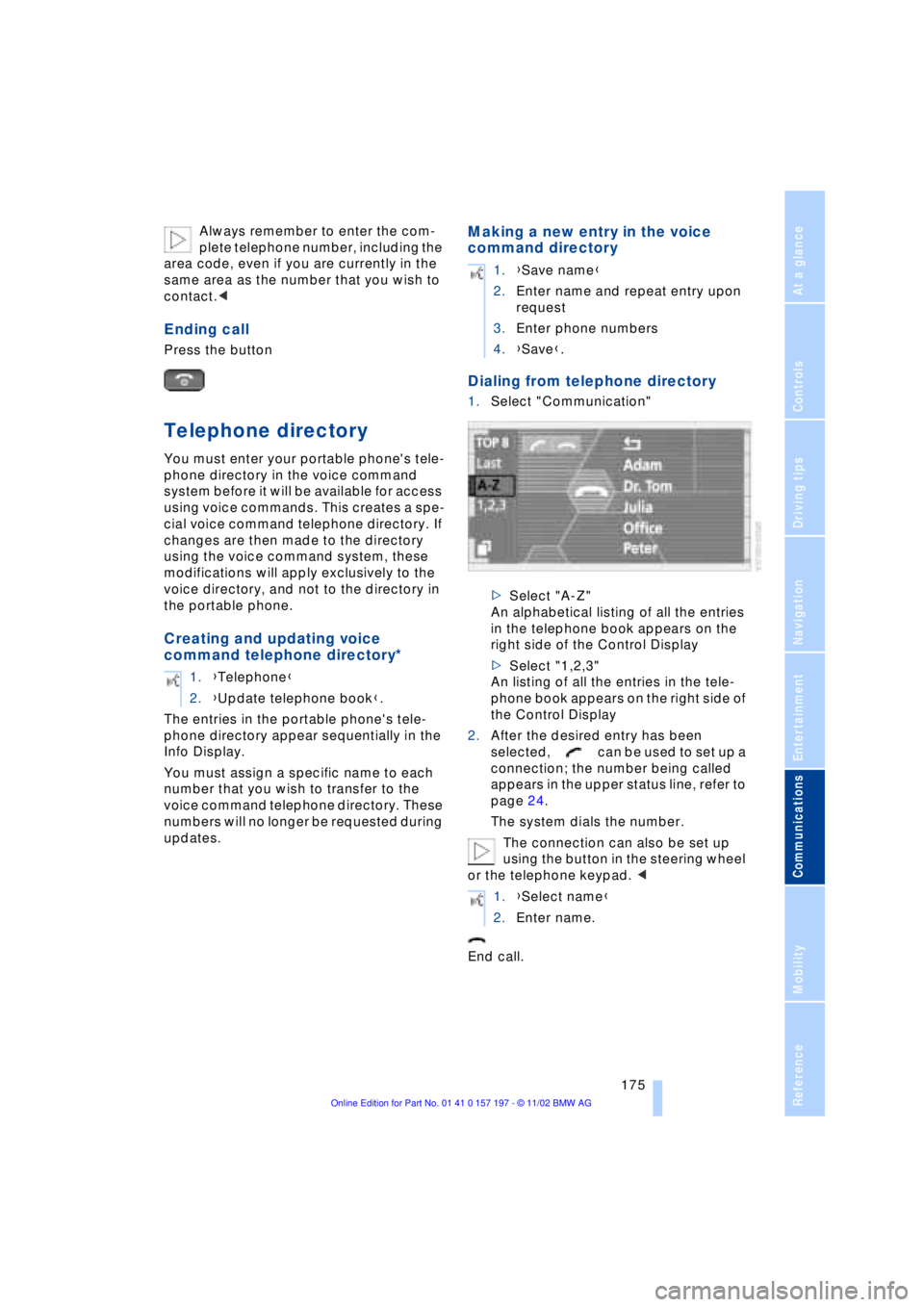
Dialing from telephone directory
1.Select "Communication"
>Select "A-Z"
An alphabetical listing of all the entries
in the telephone book appears on the
right side of the Control Display
>Select "1,2,3"
An listing of all the entries in the tele-
phone book appears on the right side of
the Control Display
2.After the desired entry has been
selected, can be used to set up a
connection; the number being called
appears in the upper status line, refer to
page 24.
The system dials the number.
The connection can also be set up
using the button in the steering wheel
or the telephone keypad. <
End call. 1.{Telephone}
2.{Update telephone book}.
1.{Save name}
2.Enter name and repeat entry upon
request
3.Enter phone numbers
4.{Save}.
1.{Select name}
2.Enter name.
Page 178 of 229
Using the phone in your vehicle
176
Viewing entries
Deleting individual entries
Deleting the entire telephone
directory
Selecting a number from
the Top 8 list
The eight numbers that you call most fre-
quently on the BMW portable phone are
automatically stored in the Top 8 list. The
number called most often appears at the
top of the list.
1.In the "Communication" menu, select
"TOP 8" and confirm
2.Select an entry from the list that now
appears in the display, and confirm
3.After the desired entry has been
selected, can be used to set up a
connection; the number being called
appears in the upper status line, refer to
page 24.
The connection can also be set up
using the button in the steering wheel
or the telephone keypad.<
End call.
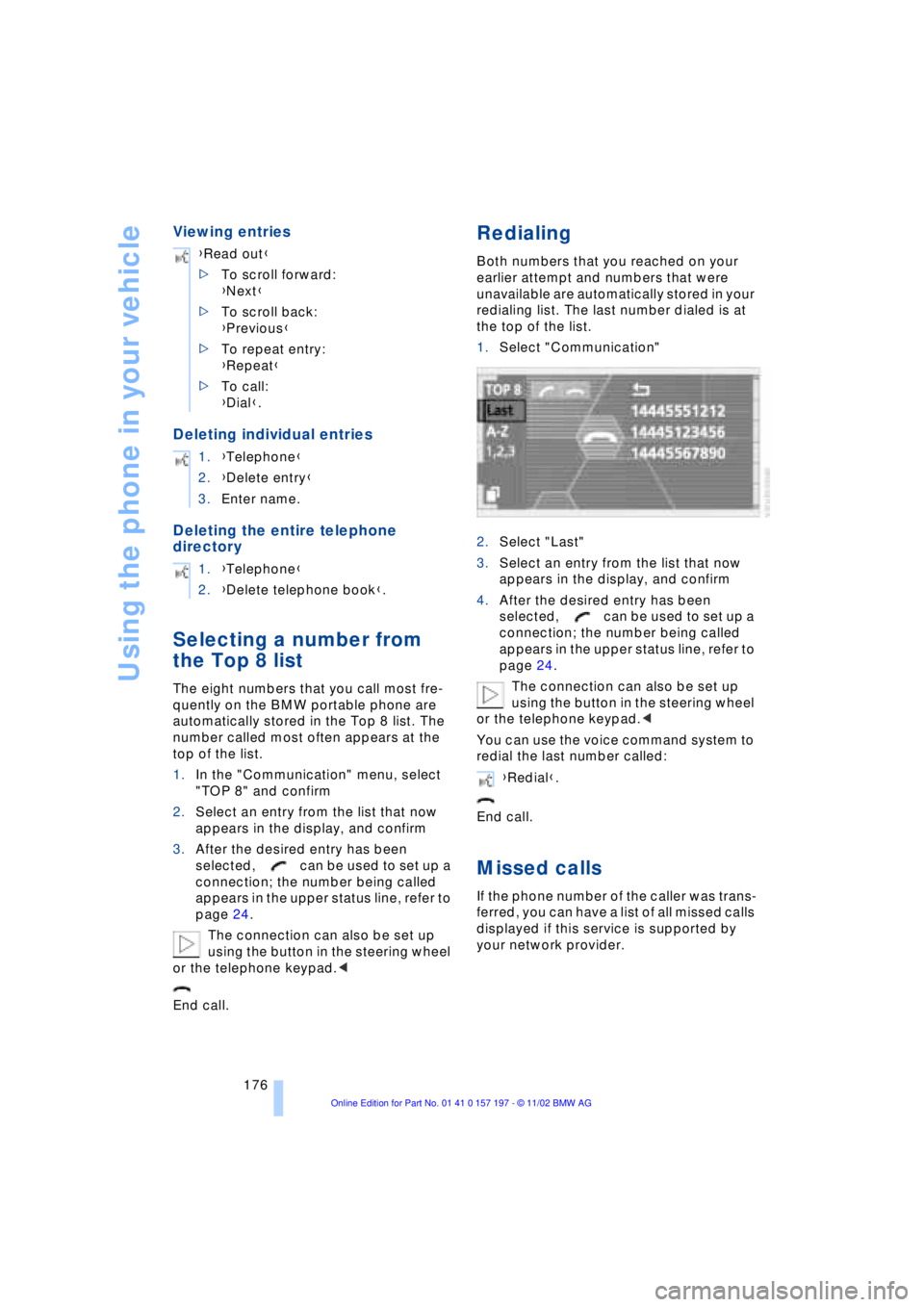
Redialing
Both numbers that you reached on your
earlier attempt and numbers that were
unavailable are automatically stored in your
redialing list. The last number dialed is at
the top of the list.
1.Select "Communication"
2.Select "Last"
3.Select an entry from the list that now
appears in the display, and confirm
4.After the desired entry has been
selected, can be used to set up a
connection; the number being called
appears in the upper status line, refer to
page 24.
The connection can also be set up
using the button in the steering wheel
or the telephone keypad.<
You can use the voice command system to
redial the last number called:
End call.
Missed calls
If the phone number of the caller was trans-
ferred, you can have a list of all missed calls
displayed if this service is supported by
your network provider. {Read out}
>To scroll forward:
{Next}
>To scroll back:
{Previous}
>To repeat entry:
{Repeat}
>To call:
{Dial}.
1.{Telephone}
2.{Delete entry}
3.Enter name.
1.{Telephone}
2.{Delete telephone book}.
{Redial}.