lock BMW 760LI SEDAN 2003 Workshop Manual
[x] Cancel search | Manufacturer: BMW, Model Year: 2003, Model line: 760LI SEDAN, Model: BMW 760LI SEDAN 2003Pages: 229, PDF Size: 4.35 MB
Page 121 of 229
At a glance
Controls
Driving tips
Communications
Navigation
Entertainment
Mobility
Reference
119
To extinguish a cigarette, tap off the ash
and gently press the tip into the funnel.
Emptying
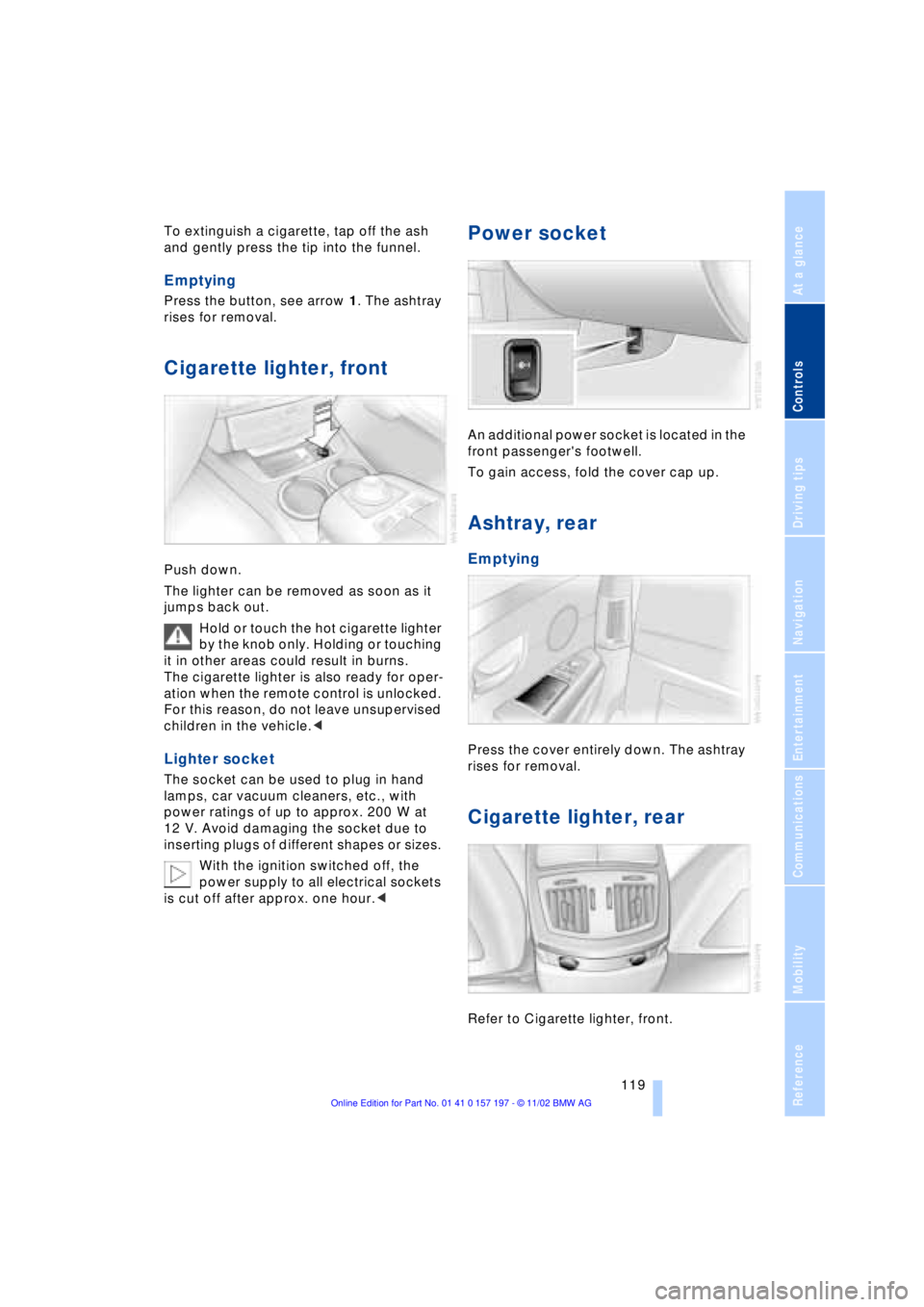
Press the button, see arrow 1. The ashtray
rises for removal.
Cigarette lighter, front
Push down.
The lighter can be removed as soon as it
jumps back out.
Hold or touch the hot cigarette lighter
by the knob only. Holding or touching
it in other areas could result in burns.
The cigarette lighter is also ready for oper-
ation when the remote control is unlocked.
For this reason, do not leave unsupervised
children in the vehicle.<
Lighter socket
The socket can be used to plug in hand
lamps, car vacuum cleaners, etc., with
power ratings of up to approx. 200 W at
12 V. Avoid damaging the socket due to
inserting plugs of different shapes or sizes.
With the ignition switched off, the
power supply to all electrical sockets
is cut off after approx. one hour.<
Power socket
An additional power socket is located in the
front passenger's footwell.
To gain access, fold the cover cap up.
Ashtray, rear
Emptying
Press the cover entirely down. The ashtray
rises for removal.
Cigarette lighter, rear
Refer to Cigarette lighter, front.
Page 126 of 229
Things to remember when driving
124
Things to remember when driving
Break-in procedures
To ensure that your vehicle continues to
furnish optimal economy of operation
throughout an extended service life, we
request that you devote careful attention to
the following section.
Engine and differential
Up to 1,200 miles (2,000 km):
During this initial period you should attempt
to avoid constant, steady-state operation
and vary both vehicle and engine speeds
as often as possible. Until the break-in
period has been completed you should
also refrain from exceeding the following:
>4,500 rpm or 105 mph (170 km/h)
Always obey all official speed limits.
Avoid full-throttle operation and use of the
transmission's kickdown mode during
these initial miles.
Once you have driven 1,200 miles
(2,000 km), the engine and vehicle speeds
can be gradually increased.
You should also comply with these break-in
procedures should the engine or differen-
tial need to be replaced at a later point.
Tires
Due to technical factors associated with
their manufacture, tires do not achieve their
full traction potential until after an initial
break-in period. Therefore, drive reservedly
during the first 200 miles (300 km).
Brake system
Brakes require an initial break-in period of
approx. 300 miles (500 km) to achieve
optimal contact and wear patterns
between brake pads and rotors.
General driving notes
High temperatures
Extreme temperatures occur at the
catalytic converter on this and every
catalyst-equipped vehicle. Do not remove
the heat shields installed adjacent to
various sections of the exhaust system,
and never apply undercoating to them.
When driving, standing at idle and while
parking take care to avoid possible contact
between the hot exhaust system and any
highly flammable materials such as hay,
leaves, grass, etc. Such contact could lead
to a fire, and with it the risk of serious pro-
perty damage as well as personal injury.<
Parking the vehicle
Condensation forms in the air conditioner
system during operation, and then exits
under the vehicle. Traces of condensed
water under the vehicle are thus normal.
Before driving into the car wash
1.Fold in the door mirrors, refer to
page 52, as otherwise they could be
damaged due to the width of the vehicle
2.Leave the remote control in the ignition
lock, as otherwise the P position of the
automatic transmission will automati-
cally be selected when the remote con-
trol is removed. Also refer to page 68
3.Release the parking brake, especially
when you have activated Automatic
Hold. Refer to pages 63 and 64.
Hydroplaning
When driving on wet or slushy roads,
reduce road speed. If you do not, a
wedge of water can form between tires and
road surface. This phenomenon is referred
to as hydroplaning, and is characterized by
a partial or complete loss of contact bet-
ween tires and road surface, ultimately
Page 142 of 229
Navigation
140 To repeat most recent instructions
with information on route or travel direc-
tion, when the voice guidance is activated.
Volume adjustment
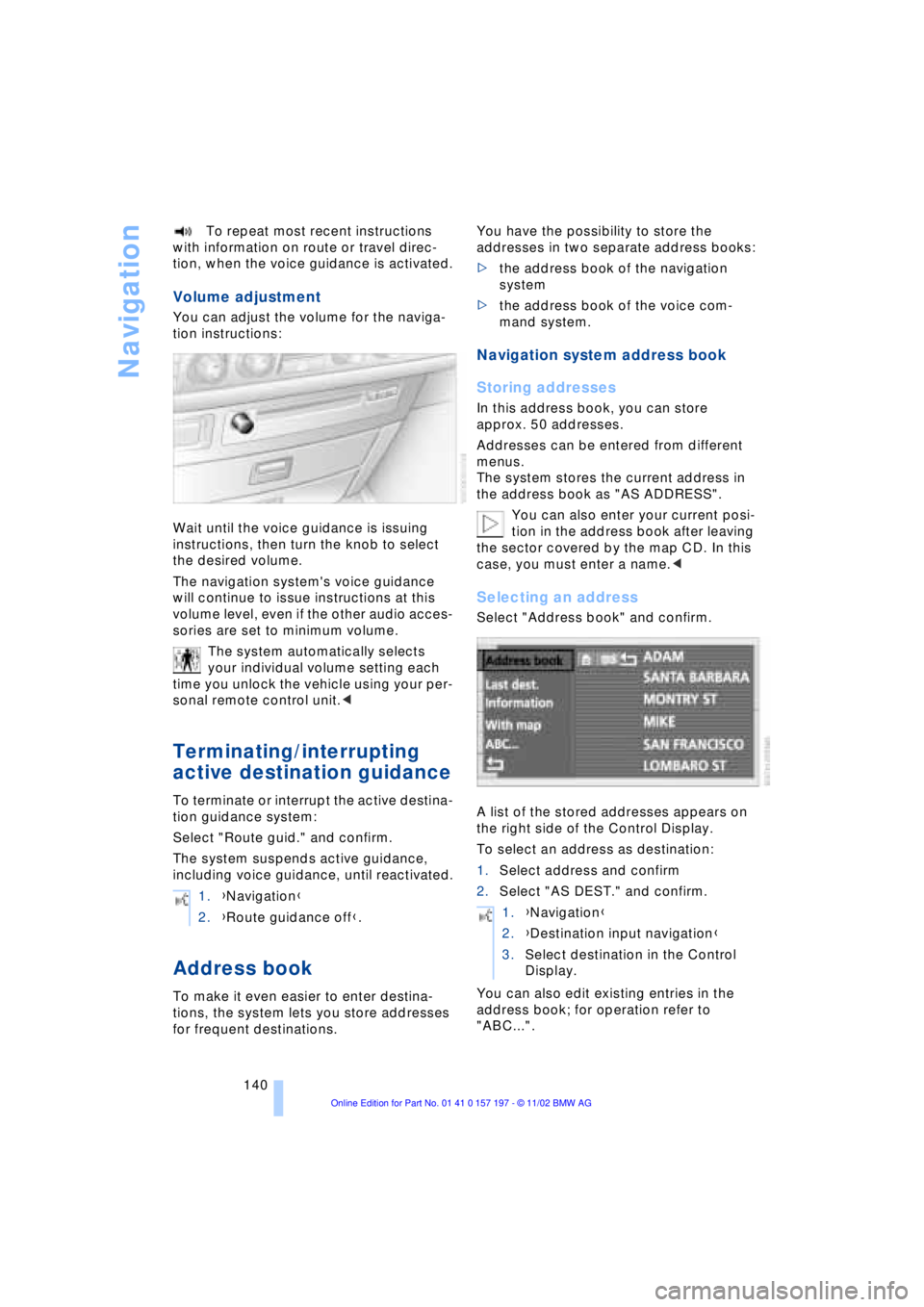
You can adjust the volume for the naviga-
tion instructions:
Wait until the voice guidance is issuing
instructions, then turn the knob to select
the desired volume.
The navigation system's voice guidance
will continue to issue instructions at this
volume level, even if the other audio acces-
sories are set to minimum volume.
The system automatically selects
your individual volume setting each
time you unlock the vehicle using your per-
sonal remote control unit.<
Terminating/interrupting
active destination guidance
To terminate or interrupt the active destina-
tion guidance system:
Select "Route guid." and confirm.
The system suspends active guidance,
including voice guidance, until reactivated.
Address book
To make it even easier to enter destina-
tions, the system lets you store addresses
for frequent destinations.You have the possibility to store the
addresses in two separate address books:
>the address book of the navigation
system
>the address book of the voice com-
mand system.
Navigation system address book
Storing addresses
In this address book, you can store
approx. 50 addresses.
Addresses can be entered from different
menus.
The system stores the current address in
the address book as "AS ADDRESS".
You can also enter your current posi-
tion in the address book after leaving
the sector covered by the map CD. In this
case, you must enter a name.<
Selecting an address
Select "Address book" and confirm.
A list of the stored addresses appears on
the right side of the Control Display.
To select an address as destination:
1.Select address and confirm
2.Select "AS DEST." and confirm.
You can also edit existing entries in the
address book; for operation refer to
"ABC...". 1.{Navigation}
2.{Route guidance off}.
1.{Navigation}
2.{Destination input navigation}
3.Select destination in the Control
Display.
Page 149 of 229
At a glance
Controls
Driving tips
Communications
Navigation
Entertainment
Mobility
Reference
147
Switching on/off
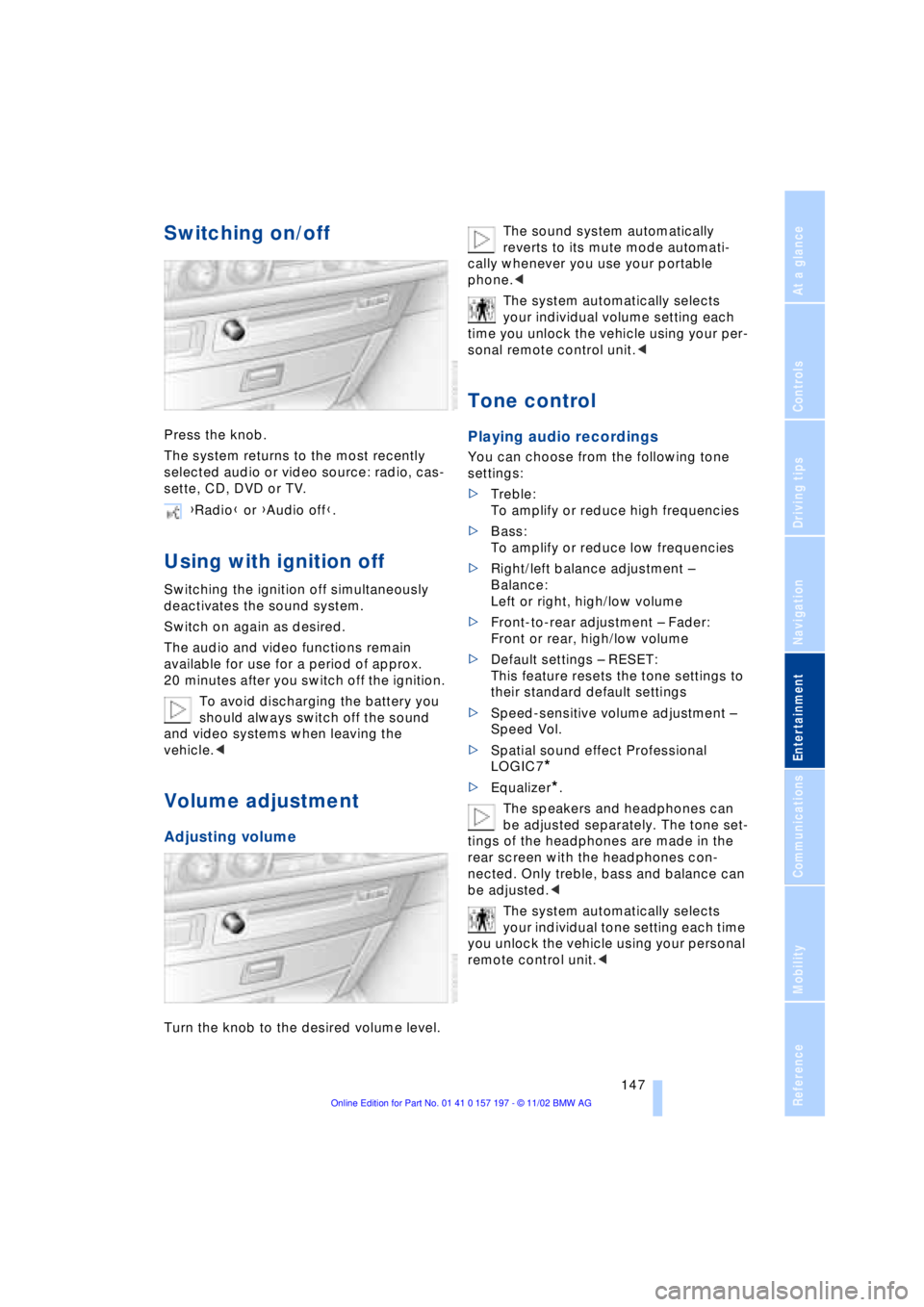
Press the knob.
The system returns to the most recently
selected audio or video source: radio, cas-
sette, CD, DVD or TV.
Using with ignition off
Switching the ignition off simultaneously
deactivates the sound system.
Switch on again as desired.
The audio and video functions remain
available for use for a period of approx.
20 minutes after you switch off the ignition.
To avoid discharging the battery you
should always switch off the sound
and video systems when leaving the
vehicle.<
Volume adjustment
Adjusting volume
Turn the knob to the desired volume level.The sound system automatically
reverts to its mute mode automati-
cally whenever you use your portable
phone.<
The system automatically selects
your individual volume setting each
time you unlock the vehicle using your per-
sonal remote control unit.<
Tone control
Playing audio recordings
You can choose from the following tone
settings:
>Treble:
To amplify or reduce high frequencies
>Bass:
To amplify or reduce low frequencies
>Right/left balance adjustment Ð
Balance:
Left or right, high/low volume
>Front-to-rear adjustment Ð Fader:
Front or rear, high/low volume
>Default settings Ð RESET:
This feature resets the tone settings to
their standard default settings
>Speed-sensitive volume adjustment Ð
Speed Vol.
>Spatial sound effect Professional
LOGIC7
*
>Equalizer*.
The speakers and headphones can
be adjusted separately. The tone set-
tings of the headphones are made in the
rear screen with the headphones con-
nected. Only treble, bass and balance can
be adjusted.<
The system automatically selects
your individual tone setting each time
you unlock the vehicle using your personal
remote control unit.< {Radio} or {Audio off}.
Page 174 of 229
Using the phone in your vehicle
172
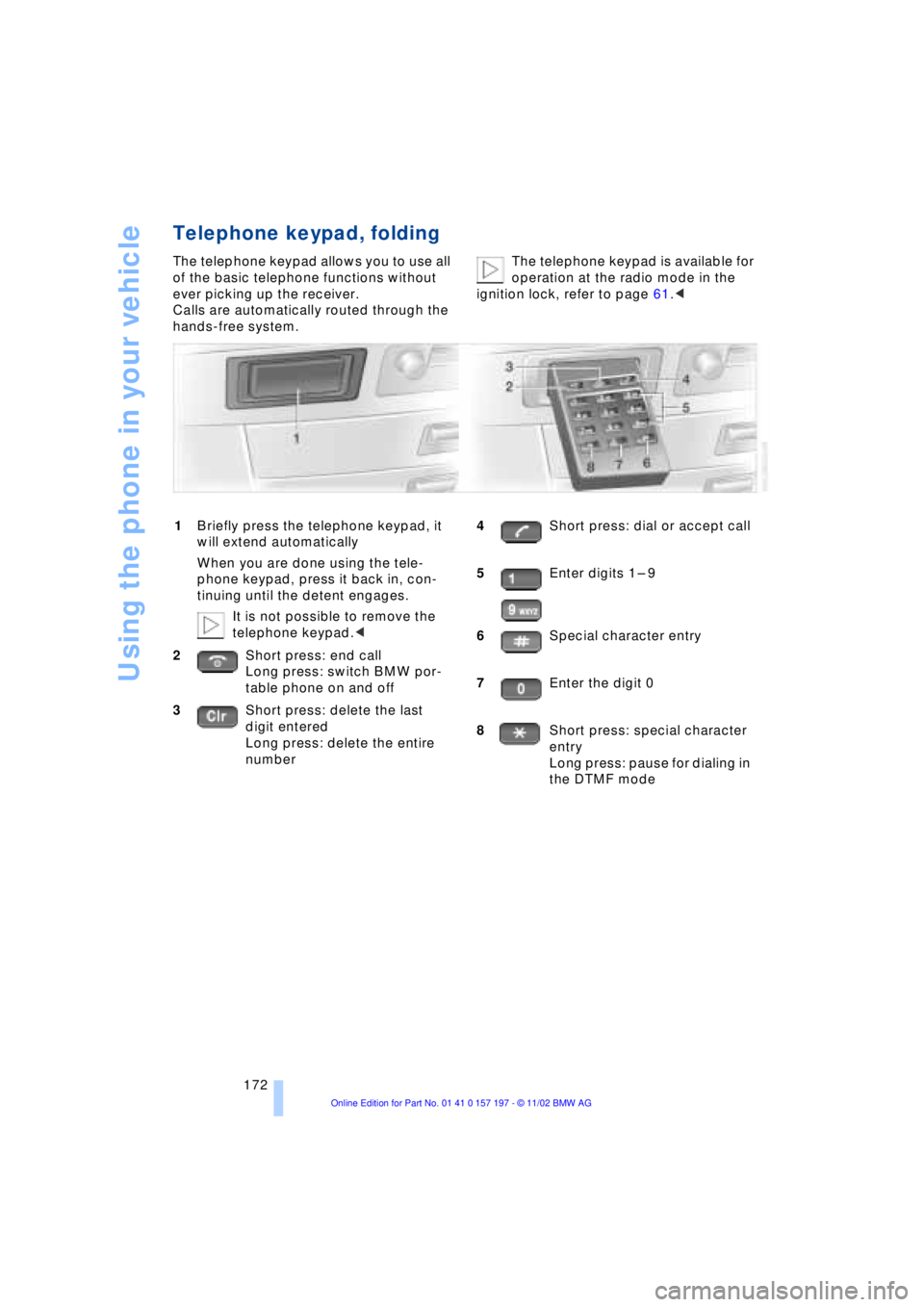
Telephone keypad, folding
The telephone keypad allows you to use all
of the basic telephone functions without
ever picking up the receiver.
Calls are automatically routed through the
hands-free system.The telephone keypad is available for
operation at the radio mode in the
ignition lock, refer to page 61.<
1Briefly press the telephone keypad, it
will extend automatically
When you are done using the tele-
phone keypad, press it back in, con-
tinuing until the detent engages.
It is not possible to remove the
telephone keypad.<
2Short press: end call
Long press: switch BMW por-
table phone on and off
3Short press: delete the last
digit entered
Long press: delete the entire
number4Short press: dial or accept call
5Enter digits 1 Ð 9
6Special character entry
7Enter the digit 0
8Short press: special character
entry
Long press: pause for dialing in
the DTMF mode
Page 175 of 229
At a glance
Controls
Driving tips Communications
Navigation
Entertainment
Mobility
Reference
173
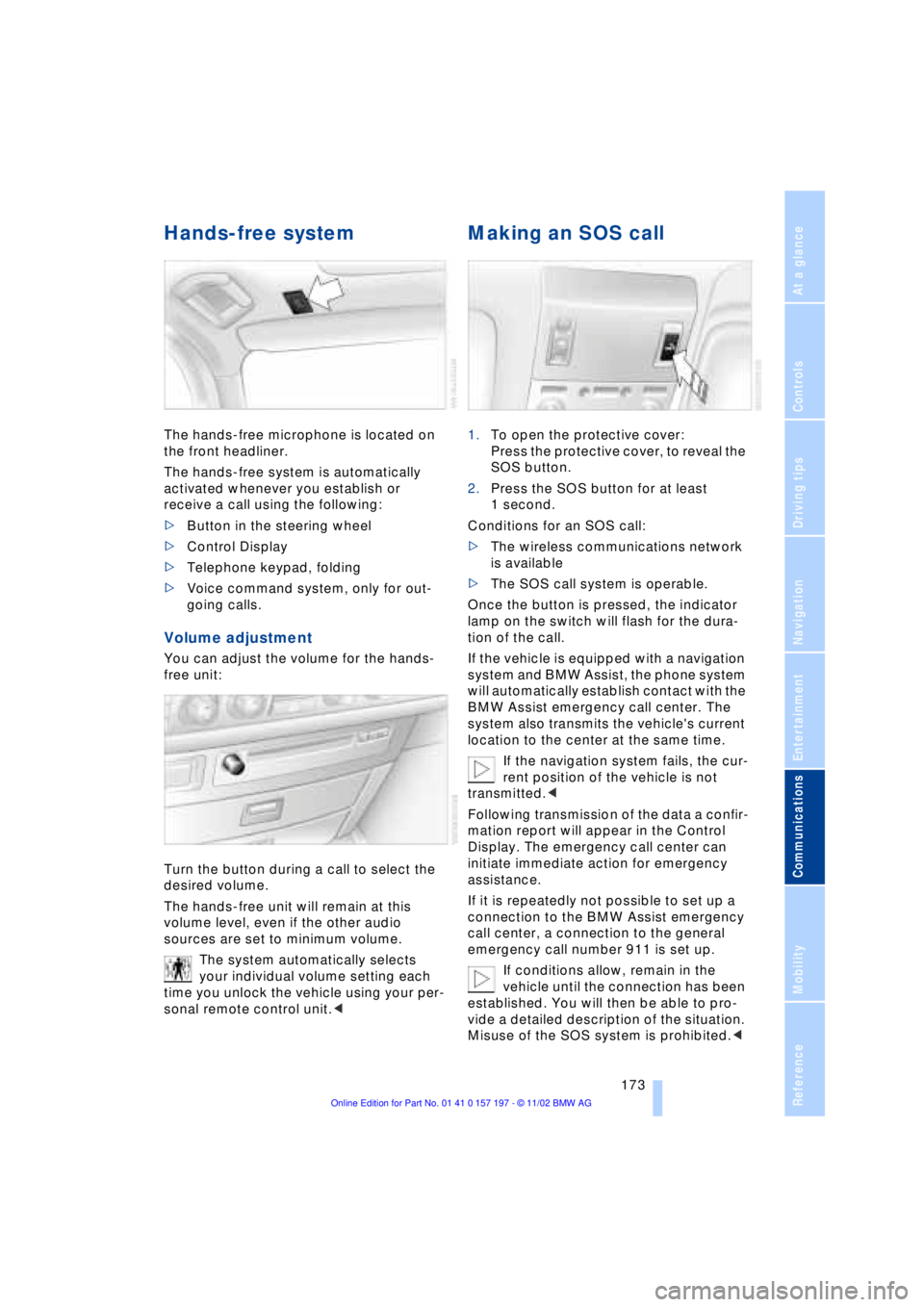
Hands-free system
The hands-free microphone is located on
the front headliner.
The hands-free system is automatically
activated whenever you establish or
receive a call using the following:
>Button in the steering wheel
>Control Display
>Telephone keypad, folding
>Voice command system, only for out-
going calls.
Volume adjustment
You can adjust the volume for the hands-
free unit:
Turn the button during a call to select the
desired volume.
The hands-free unit will remain at this
volume level, even if the other audio
sources are set to minimum volume.
The system automatically selects
your individual volume setting each
time you unlock the vehicle using your per-
sonal remote control unit.<
Making an SOS call
1.To open the protective cover:
Press the protective cover, to reveal the
SOS button.
2.Press the SOS button for at least
1 second.
Conditions for an SOS call:
>The wireless communications network
is available
>The SOS call system is operable.
Once the button is pressed, the indicator
lamp on the switch will flash for the dura-
tion of the call.
If the vehicle is equipped with a navigation
system and BMW Assist, the phone system
will automatically establish contact with the
BMW Assist emergency call center. The
system also transmits the vehicle's current
location to the center at the same time.
If the navigation system fails, the cur-
rent position of the vehicle is not
transmitted.<
Following transmission of the data a confir-
mation report will appear in the Control
Display. The emergency call center can
initiate immediate action for emergency
assistance.
If it is repeatedly not possible to set up a
connection to the BMW Assist emergency
call center, a connection to the general
emergency call number 911 is set up.
If conditions allow, remain in the
vehicle until the connection has been
established. You will then be able to pro-
vide a detailed description of the situation.
Misuse of the SOS system is prohibited.<
Page 176 of 229
Using the phone in your vehicle
174 Under certain conditions, an SOS call is
triggered automatically immediately after a
severe accident. The automatic SOS call is
not affected by the SOS call button being
pressed.
Telephoning with the
car phone
If the BMW portable phone is not in the
cradle, you can telephone using the car
phone via the hands-free unit.
The telephone that can be used to set up a
connection is shown in the upper status
line in the Control Display.
The car phone must be enabled prior
to initial use. To do so, please consult
your BMW center.<
Calls can be set up or accepted using the
following equipment:
>Button in the steering wheel
>Control Display
Calls can only be set up via redi-
aling or missed calls.<
>Telephone keypad, folding
>Voice command system, only for out-
going calls.
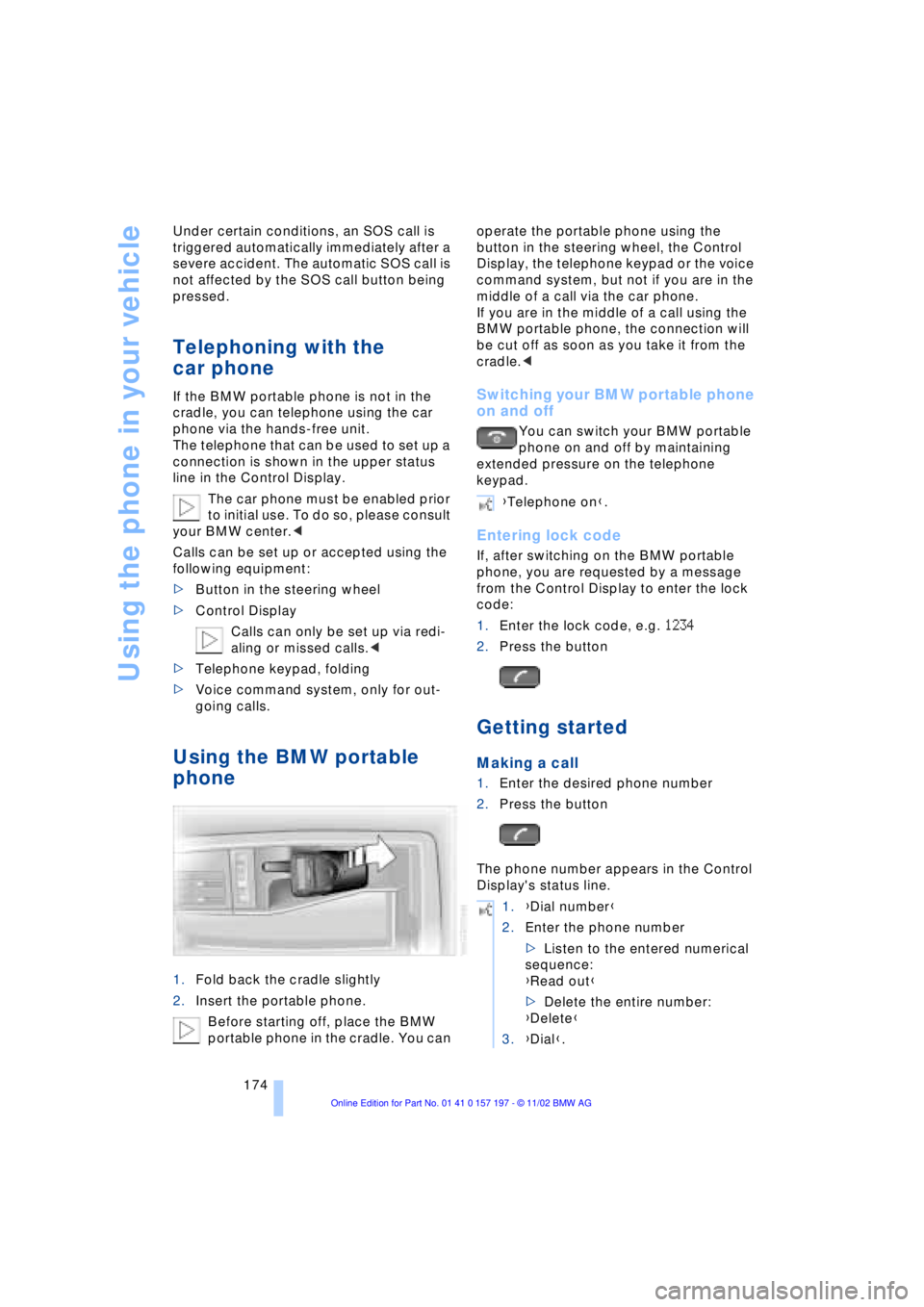
Using the BMW portable
phone
1.Fold back the cradle slightly
2.Insert the portable phone.
Before starting off, place the BMW
portable phone in the cradle. You can operate the portable phone using the
button in the steering wheel, the Control
Display, the telephone keypad or the voice
command system, but not if you are in the
middle of a call via the car phone.
If you are in the middle of a call using the
BMW portable phone, the connection will
be cut off as soon as you take it from the
cradle.<
Switching your BMW portable phone
on and off
You can switch your BMW portable
phone on and off by maintaining
extended pressure on the telephone
keypad.
Entering lock code
If, after switching on the BMW portable
phone, you are requested by a message
from the Control Display to enter the lock
code:
1.Enter the lock code, e.g. 1234
2.Press the button
Getting started
Making a call
1.Enter the desired phone number
2.Press the button
The phone number appears in the Control
Display's status line.
{Telephone on}.
1.{Dial number}
2.Enter the phone number
>Listen to the entered numerical
sequence:
{Read out}
>Delete the entire number:
{Delete}
3.{Dial}.
Page 180 of 229
BMW Assist
178
BMW Assist
To avoid posing an unnecessary
hazard, both to your own vehicle's
occupants and to other road users: never
attempt to use the controls or make adjust-
ments while operating the vehicle.<
Requirements
If the following requirements are met, you
can call up BMW Assist:
>Telephone is connected and switched
on
>The lock code has been entered
>The mobile communications network is
available
>GPS reception is assured.
The position of the vehicle can influ-
ence the mobile communications/
GPS reception. As a rule, mobile communi-
cations/GPS reception is only possible
under a clear sky.
When vehicle data is exchanged with the
BMW Service Center, a corresponding
message appears in the Control Display.<
Roadside Assistance of the
BMW Group
Here, you automatically dial the number of
the Roadside Assistance of the BMW
Group, your BMW center or BMW Cus-
tomer Relations.
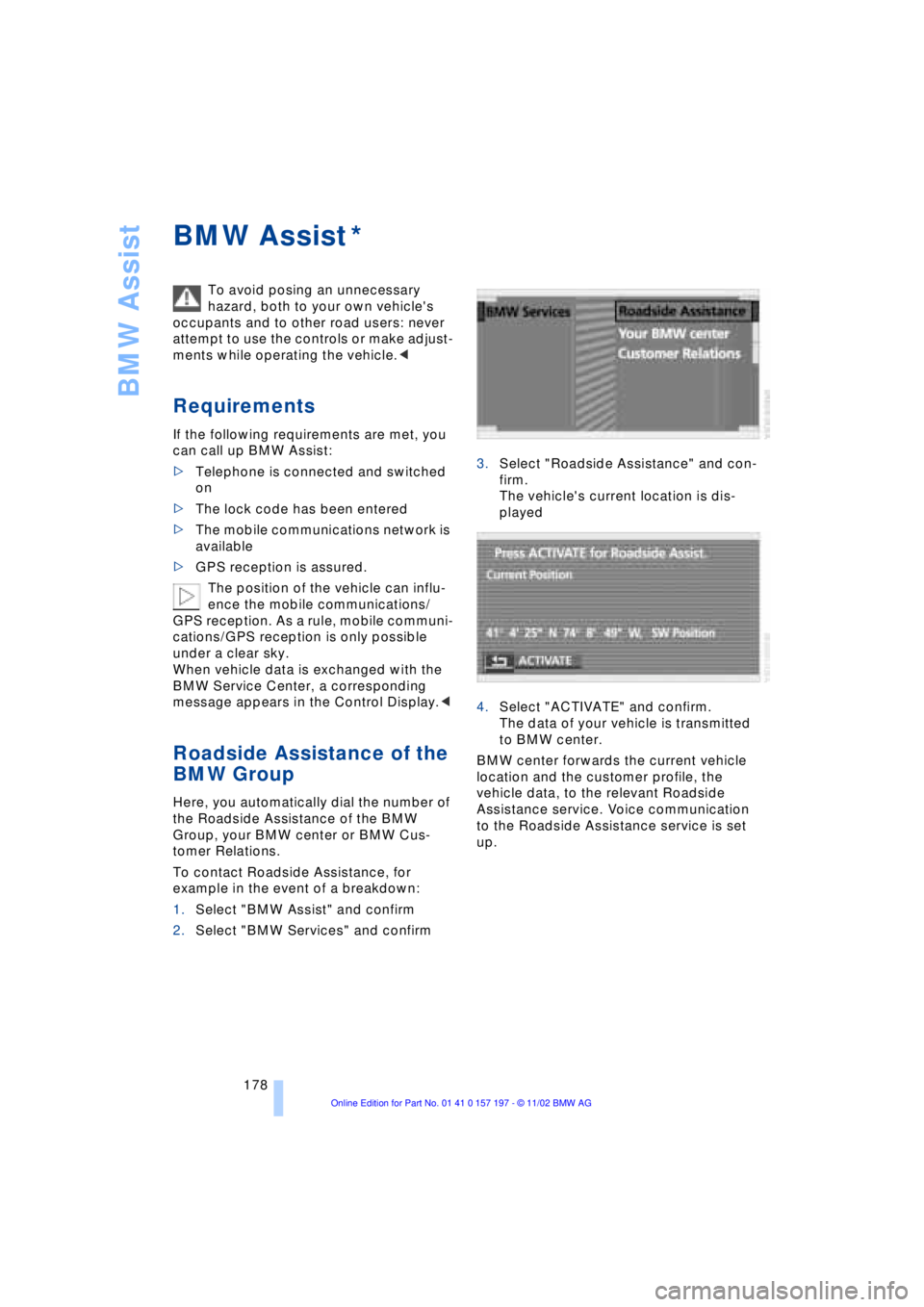
To contact Roadside Assistance, for
example in the event of a breakdown:
1.Select "BMW Assist" and confirm
2.Select "BMW Services" and confirm3.Select "Roadside Assistance" and con-
firm.
The vehicle's current location is dis-
played
4.Select "ACTIVATE" and confirm.
The data of your vehicle is transmitted
to BMW center.
BMW center forwards the current vehicle
location and the customer profile, the
vehicle data, to the relevant Roadside
Assistance service. Voice communication
to the Roadside Assistance service is set
up.
*
Page 184 of 229
Refueling
182
Refueling
Fuel filler door
Always switch off the engine before
refueling. If you do not, fuel cannot be
filled into the tank and a message in the
Check Control will appear.<
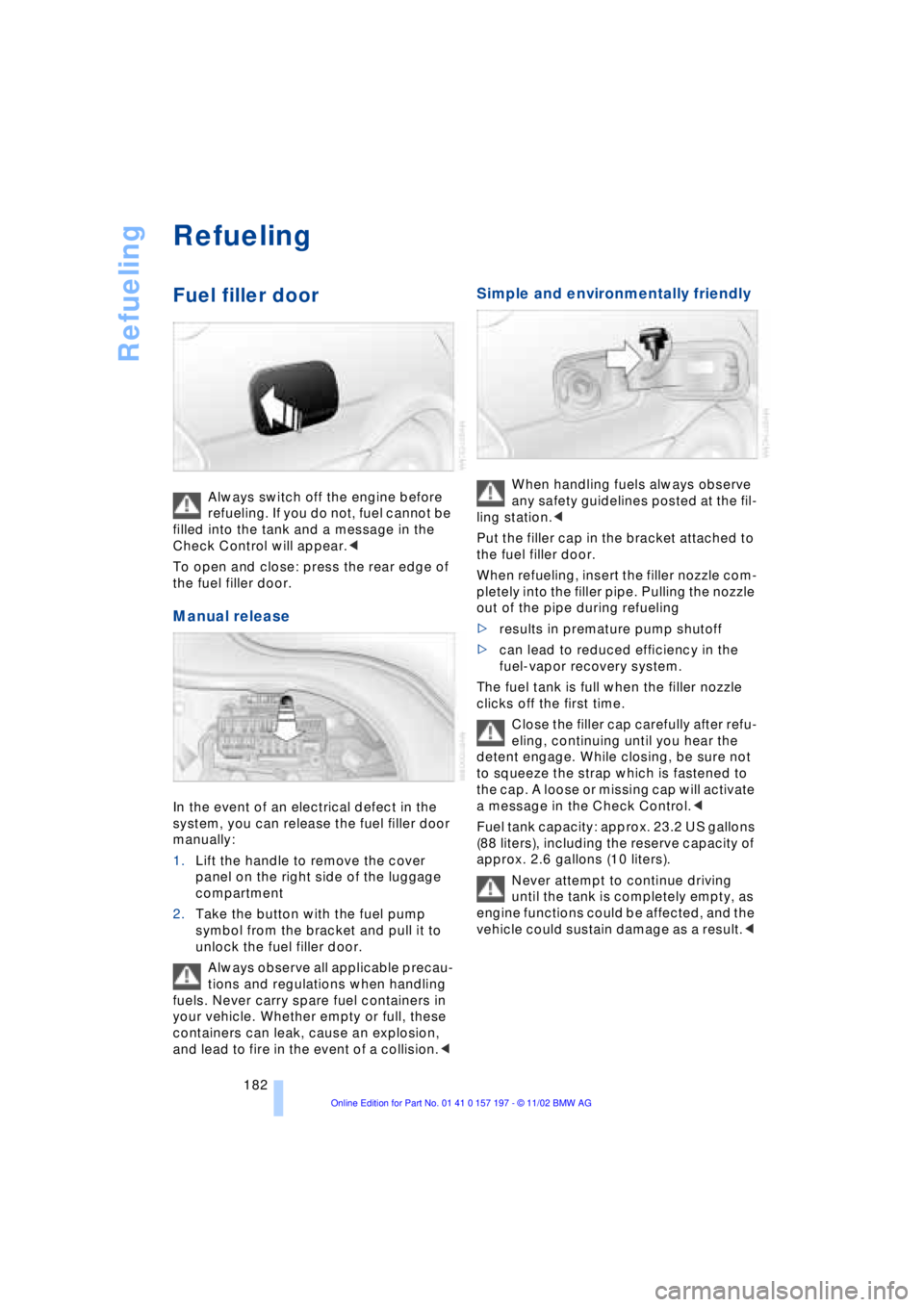
To open and close: press the rear edge of
the fuel filler door.
Manual release
In the event of an electrical defect in the
system, you can release the fuel filler door
manually:
1.Lift the handle to remove the cover
panel on the right side of the luggage
compartment
2.Take the button with the fuel pump
symbol from the bracket and pull it to
unlock the fuel filler door.
Always observe all applicable precau-
tions and regulations when handling
fuels. Never carry spare fuel containers in
your vehicle. Whether empty or full, these
containers can leak, cause an explosion,
and lead to fire in the event of a collision.<
Simple and environmentally friendly
When handling fuels always observe
any safety guidelines posted at the fil-
ling station.<
Put the filler cap in the bracket attached to
the fuel filler door.
When refueling, insert the filler nozzle com-
pletely into the filler pipe. Pulling the nozzle
out of the pipe during refueling
>results in premature pump shutoff
>can lead to reduced efficiency in the
fuel-vapor recovery system.
The fuel tank is full when the filler nozzle
clicks off the first time.
Close the filler cap carefully after refu-
eling, continuing until you hear the
detent engage. While closing, be sure not
to squeeze the strap which is fastened to
the cap. A loose or missing cap will activate
a message in the Check Control.<
Fuel tank capacity: approx. 23.2 US gallons
(88 liters), including the reserve capacity of
approx. 2.6 gallons (10 liters).
Never attempt to continue driving
until the tank is completely empty, as
engine functions could be affected, and the
vehicle could sustain damage as a result.<
Page 194 of 229
Under the hood
192
Checking coolant level
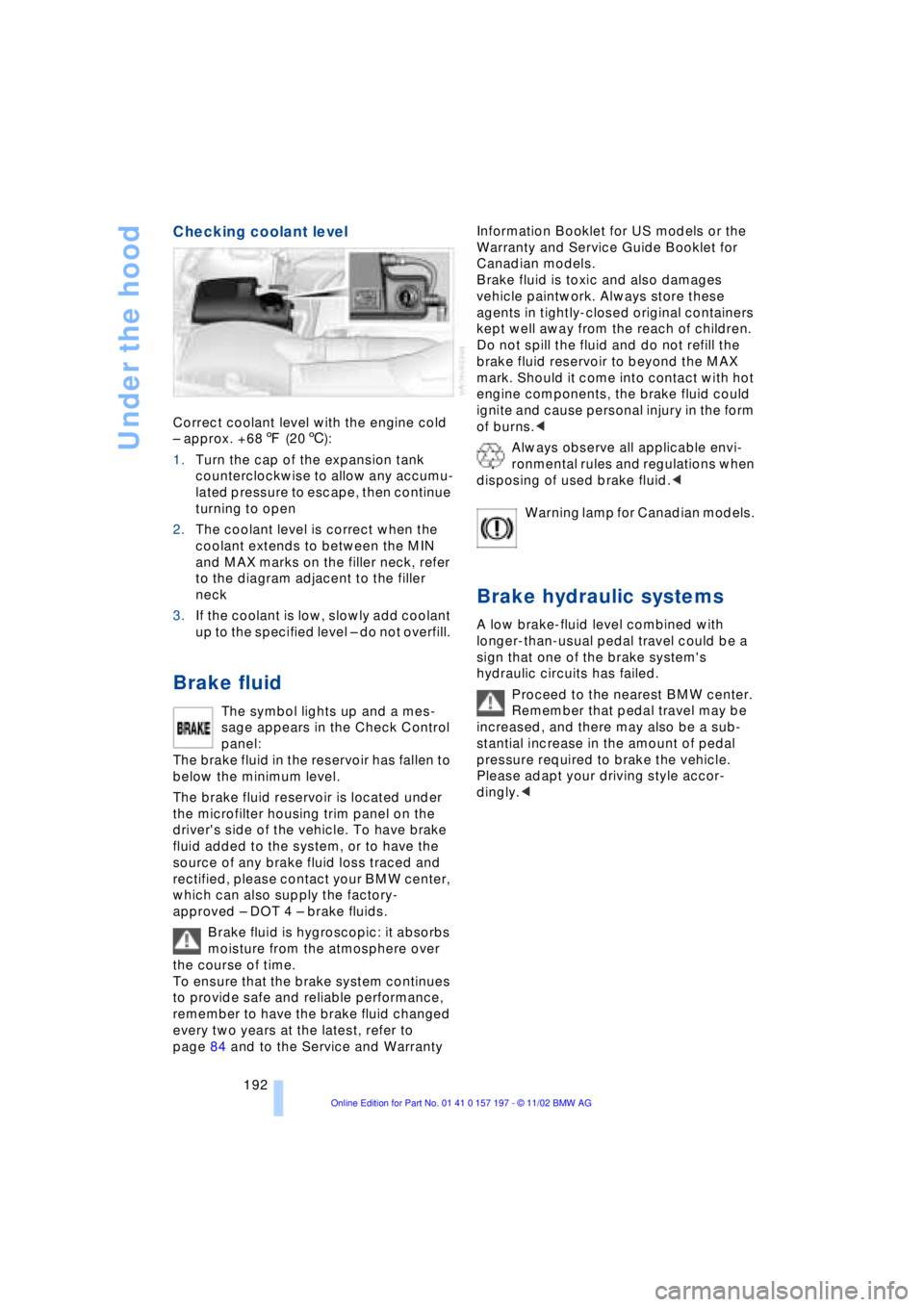
Correct coolant level with the engine cold
Ð approx. +687 (206):
1.Turn the cap of the expansion tank
counterclockwise to allow any accumu-
lated pressure to escape, then continue
turning to open
2.The coolant level is correct when the
coolant extends to between the MIN
and MAX marks on the filler neck, refer
to the diagram adjacent to the filler
neck
3.If the coolant is low, slowly add coolant
up to the specified level Ð do not overfill.
Brake fluid
The symbol lights up and a mes-
sage appears in the Check Control
panel:
The brake fluid in the reservoir has fallen to
below the minimum level.
The brake fluid reservoir is located under
the microfilter housing trim panel on the
driver's side of the vehicle. To have brake
fluid added to the system, or to have the
source of any brake fluid loss traced and
rectified, please contact your BMW center,
which can also supply the factory-
approved Ð DOT 4 Ð brake fluids.
Brake fluid is hygroscopic: it absorbs
moisture from the atmosphere over
the course of time.
To ensure that the brake system continues
to provide safe and reliable performance,
remember to have the brake fluid changed
every two years at the latest, refer to
page 84 and to the Service and Warranty Information Booklet for US models or the
Warranty and Service Guide Booklet for
Canadian models.
Brake fluid is toxic and also damages
vehicle paintwork. Always store these
agents in tightly-closed original containers
kept well away from the reach of children.
Do not spill the fluid and do not refill the
brake fluid reservoir to beyond the MAX
mark. Should it come into contact with hot
engine components, the brake fluid could
ignite and cause personal injury in the form
of burns.<
Always observe all applicable envi-
ronmental rules and regulations when
disposing of used brake fluid.<
Warning lamp for Canadian models.
Brake hydraulic systems
A low brake-fluid level combined with
longer-than-usual pedal travel could be a
sign that one of the brake system's
hydraulic circuits has failed.
Proceed to the nearest BMW center.
Remember that pedal travel may be
increased, and there may also be a sub-
stantial increase in the amount of pedal
pressure required to brake the vehicle.
Please adapt your driving style accor-
dingly.<