display BMW 760LI SEDAN 2003 Repair Manual
[x] Cancel search | Manufacturer: BMW, Model Year: 2003, Model line: 760LI SEDAN, Model: BMW 760LI SEDAN 2003Pages: 229, PDF Size: 4.35 MB
Page 108 of 229
A congenial climate
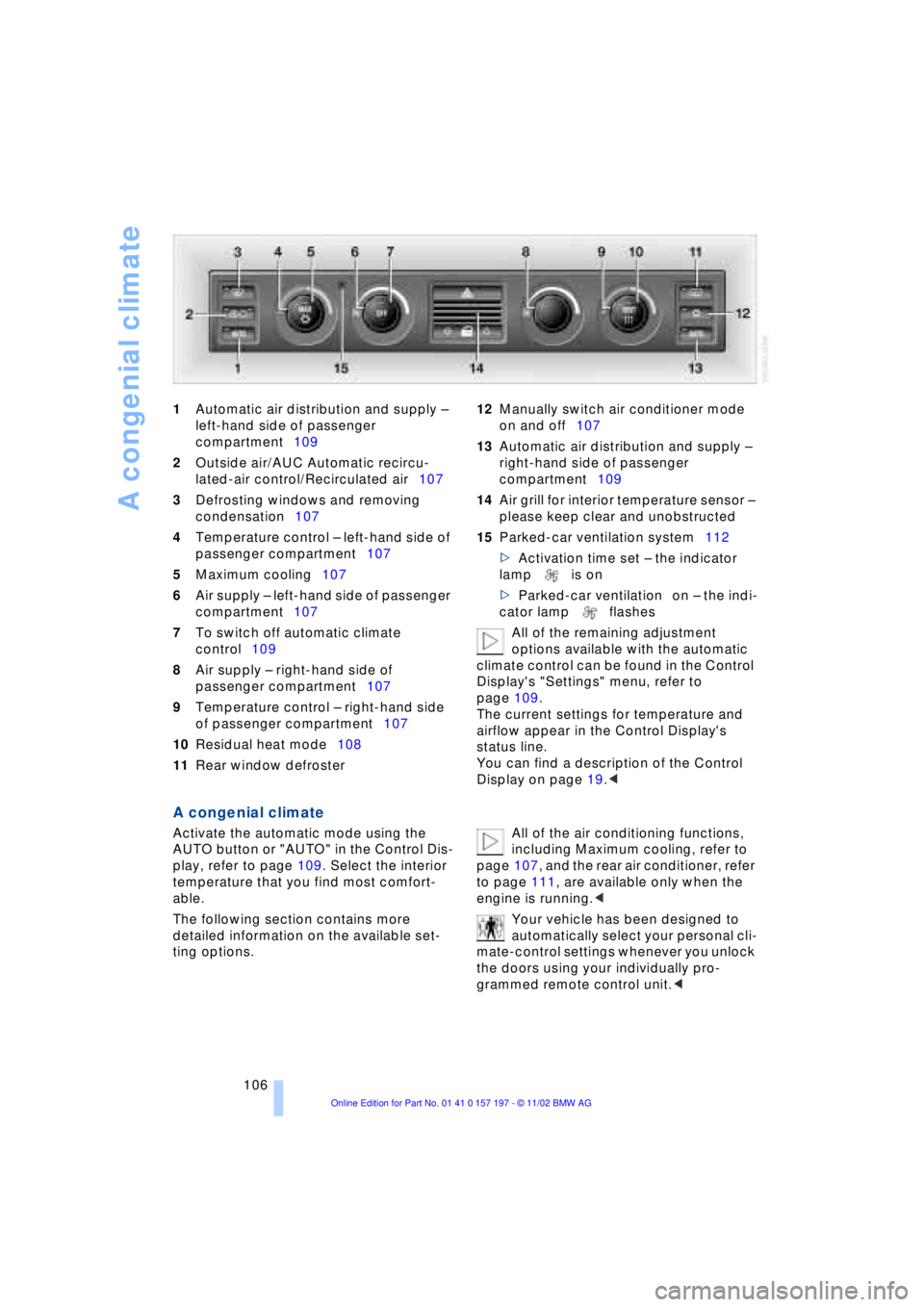
106 1Automatic air distribution and supply Ð
left-hand side of passenger
compartment109
2Outside air/AUC Automatic recircu-
lated-air control/Recirculated air107
3Defrosting windows and removing
condensation107
4Temperature control Ð left-hand side of
passenger compartment107
5Maximum cooling107
6Air supply Ð left-hand side of passenger
compartment107
7To switch off automatic climate
control109
8Air supply Ð right-hand side of
passenger compartment107
9Temperature control Ð right-hand side
of passenger compartment107
10Residual heat mode108
11Rear window defroster 12Manually switch air conditioner mode
on and off107
13Automatic air distribution and supply Ð
right-hand side of passenger
compartment109
14Air grill for interior temperature sensor Ð
please keep clear and unobstructed
15Parked-car ventilation system112
>Activation time set Ð the indicator
lamp is on
>Parked-car ventilation on Ð the indi-
cator lamp flashes
All of the remaining adjustment
options available with the automatic
climate control can be found in the Control
Display's "Settings" menu, refer to
page 109.
The current settings for temperature and
airflow appear in the Control Display's
status line.
You can find a description of the Control
Display on page 19.<
A congenial climate
Activate the automatic mode using the
AUTO button or "AUTO" in the Control Dis-
play, refer to page 109. Select the interior
temperature that you find most comfort-
able.
The following section contains more
detailed information on the available set-
ting options. All of the air conditioning functions,
including Maximum cooling, refer to
page 107, and the rear air conditioner, refer
to page 111, are available only when the
engine is running.<
Your vehicle has been designed to
automatically select your personal cli-
mate-control settings whenever you unlock
the doors using your individually pro-
grammed remote control unit.<
Page 109 of 229
At a glance
Controls
Driving tips
Communications
Navigation
Entertainment
Mobility
Reference
107
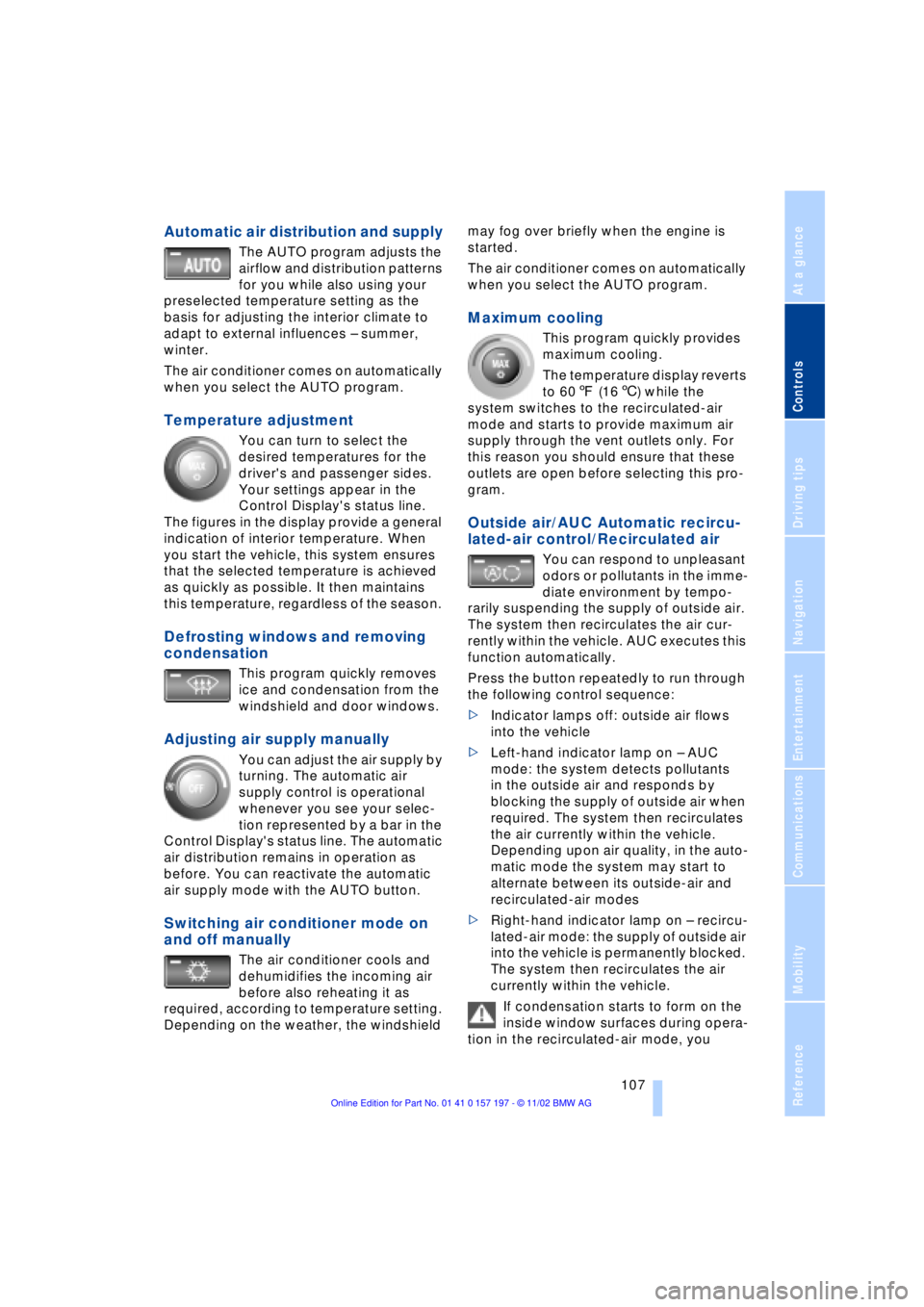
Automatic air distribution and supply
The AUTO program adjusts the
airflow and distribution patterns
for you while also using your
preselected temperature setting as the
basis for adjusting the interior climate to
adapt to external influences Ð summer,
winter.
The air conditioner comes on automatically
when you select the AUTO program.
Temperature adjustment
You can turn to select the
desired temperatures for the
driver's and passenger sides.
Your settings appear in the
Control Display's status line.
The figures in the display provide a general
indication of interior temperature. When
you start the vehicle, this system ensures
that the selected temperature is achieved
as quickly as possible. It then maintains
this temperature, regardless of the season.
Defrosting windows and removing
condensation
This program quickly removes
ice and condensation from the
windshield and door windows.
Adjusting air supply manually
You can adjust the air supply by
turning. The automatic air
supply control is operational
whenever you see your selec-
tion represented by a bar in the
Control Display's status line. The automatic
air distribution remains in operation as
before. You can reactivate the automatic
air supply mode with the AUTO button.
Switching air conditioner mode on
and off manually
The air conditioner cools and
dehumidifies the incoming air
before also reheating it as
required, according to temperature setting.
Depending on the weather, the windshield may fog over briefly when the engine is
started.
The air conditioner comes on automatically
when you select the AUTO program.
Maximum cooling
This program quickly provides
maximum cooling.
The temperature display reverts
to 607 (166) while the
system switches to the recirculated-air
mode and starts to provide maximum air
supply through the vent outlets only. For
this reason you should ensure that these
outlets are open before selecting this pro-
gram.
Outside air/AUC Automatic recircu-
lated-air control/Recirculated air
You can respond to unpleasant
odors or pollutants in the imme-
diate environment by tempo-
rarily suspending the supply of outside air.
The system then recirculates the air cur-
rently within the vehicle. AUC executes this
function automatically.
Press the button repeatedly to run through
the following control sequence:
>Indicator lamps off: outside air flows
into the vehicle
>Left-hand indicator lamp on Ð AUC
mode: the system detects pollutants
in the outside air and responds by
blocking the supply of outside air when
required. The system then recirculates
the air currently within the vehicle.
Depending upon air quality, in the auto-
matic mode the system may start to
alternate between its outside-air and
recirculated-air modes
>Right-hand indicator lamp on Ð recircu-
lated-air mode: the supply of outside air
into the vehicle is permanently blocked.
The system then recirculates the air
currently within the vehicle.
If condensation starts to form on the
inside window surfaces during opera-
tion in the recirculated-air mode, you
Page 110 of 229
A congenial climate
108 should switch it off while also increasing air
supply as required.<
Residual heat mode
The system uses the warmth
stored in the engine to heat the
interior when the ignition is off,
for instance, while the vehicle
is stopped at a school to pick
up a child.
You can adjust the automatic climate con-
trol's settings when the ignition lock is in
the radio mode. The system blows heated
air into the interior in accordance with the
selected distribution pattern while the igni-
tion is off.
Provided that the engine has warmed
to its normal operating temperature
and the battery is charged, you can use this
function for up to 15 minutes after
switching off the ignition. The LED within
the button lights up to confirm compliance
with both of these conditions.<
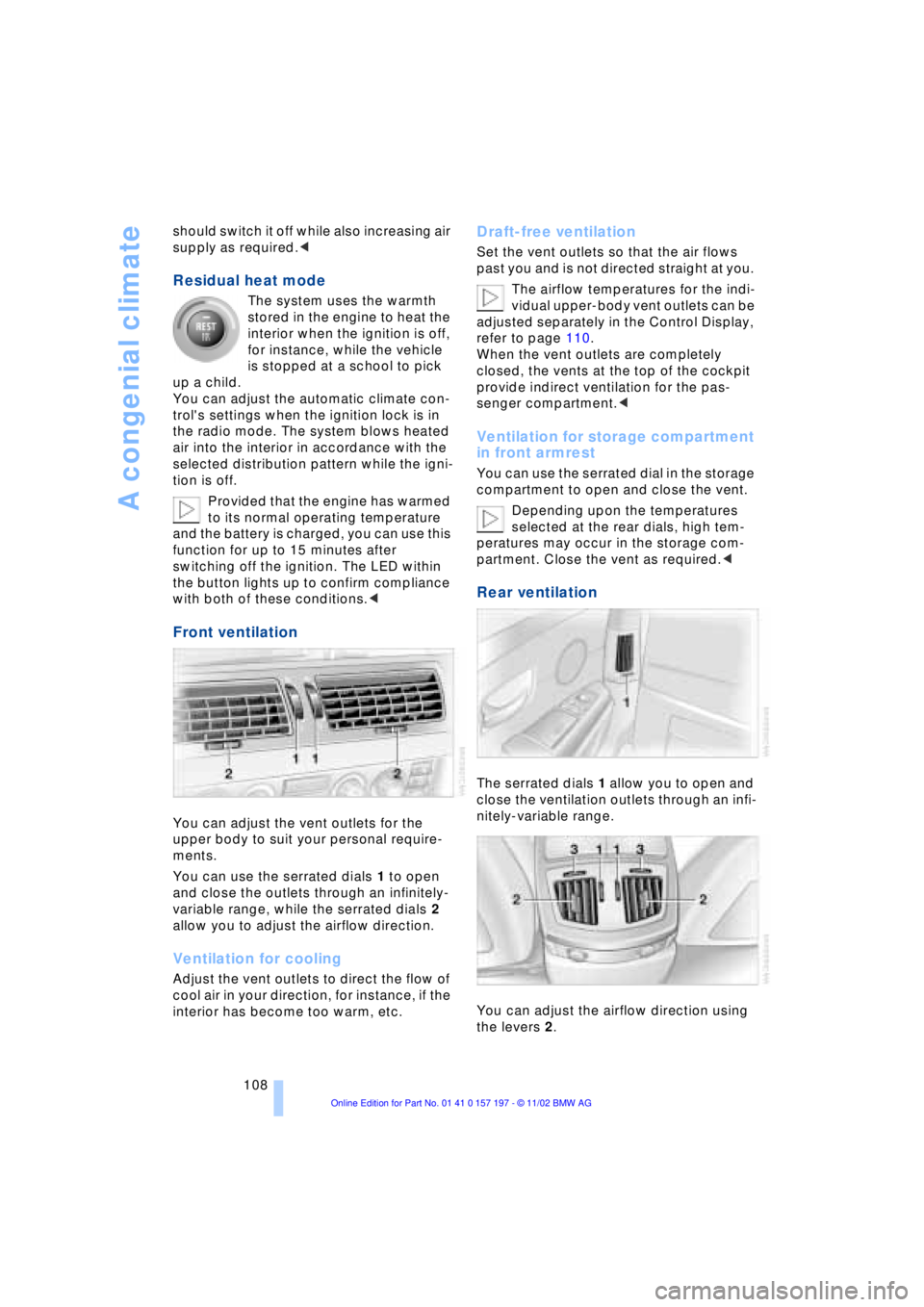
Front ventilation
You can adjust the vent outlets for the
upper body to suit your personal require-
ments.
You can use the serrated dials 1 to open
and close the outlets through an infinitely-
variable range, while the serrated dials 2
allow you to adjust the airflow direction.
Ventilation for cooling
Adjust the vent outlets to direct the flow of
cool air in your direction, for instance, if the
interior has become too warm, etc.
Draft-free ventilation
Set the vent outlets so that the air flows
past you and is not directed straight at you.
The airflow temperatures for the indi-
vidual upper-body vent outlets can be
adjusted separately in the Control Display,
refer to page 110.
When the vent outlets are completely
closed, the vents at the top of the cockpit
provide indirect ventilation for the pas-
senger compartment.<
Ventilation for storage compartment
in front armrest
You can use the serrated dial in the storage
compartment to open and close the vent.
Depending upon the temperatures
selected at the rear dials, high tem-
peratures may occur in the storage com-
partment. Close the vent as required.<
Rear ventilation
The serrated dials 1 allow you to open and
close the ventilation outlets through an infi-
nitely-variable range.
You can adjust the airflow direction using
the levers 2.
Page 111 of 229
At a glance
Controls
Driving tips
Communications
Navigation
Entertainment
Mobility
Reference
109
The serrated dials 3* control the amount of
cooled air in the flow from the vent outlets:
Turn toward blue sector Ð colder
Turn toward red sector Ð warmer.
This function allows you to make minor
adjustments for maximum comfort while
also letting you vary temperatures within
the storage compartment.
Switching off automatic climate
control*
The air supply, the heater and
the air conditioner are all
switched off. You can restart
the automatic climate control
by pressing any of its buttons
except the REST button.
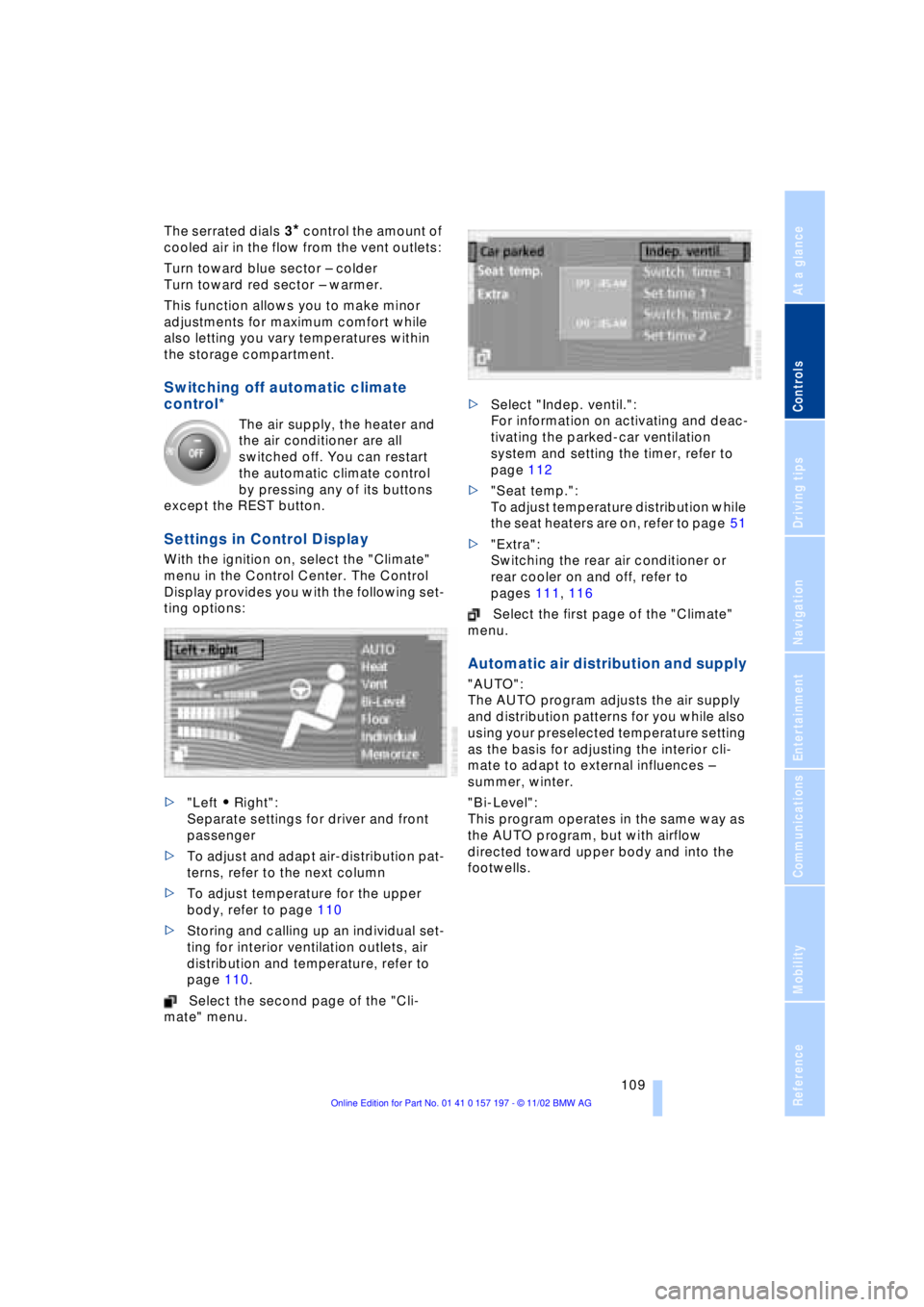
Settings in Control Display
With the ignition on, select the "Climate"
menu in the Control Center. The Control
Display provides you with the following set-
ting options:
>"Left A Right":
Separate settings for driver and front
passenger
>To adjust and adapt air-distribution pat-
terns, refer to the next column
>To adjust temperature for the upper
body, refer to page 110
>Storing and calling up an individual set-
ting for interior ventilation outlets, air
distribution and temperature, refer to
page 110.
Select the second page of the "Cli-
mate" menu. >Select "Indep. ventil.":
For information on activating and deac-
tivating the parked-car ventilation
system and setting the timer, refer to
page 112
>"Seat temp.":
To adjust temperature distribution while
the seat heaters are on, refer to page 51
>"Extra":
Switching the rear air conditioner or
rear cooler on and off, refer to
pages 111, 116
Select the first page of the "Climate"
menu.
Automatic air distribution and supply
"AUTO":
The AUTO program adjusts the air supply
and distribution patterns for you while also
using your preselected temperature setting
as the basis for adjusting the interior cli-
mate to adapt to external influences Ð
summer, winter.
"Bi-Level":
This program operates in the same way as
the AUTO program, but with airflow
directed toward upper body and into the
footwells.
Page 113 of 229
At a glance
Controls
Driving tips
Communications
Navigation
Entertainment
Mobility
Reference
111
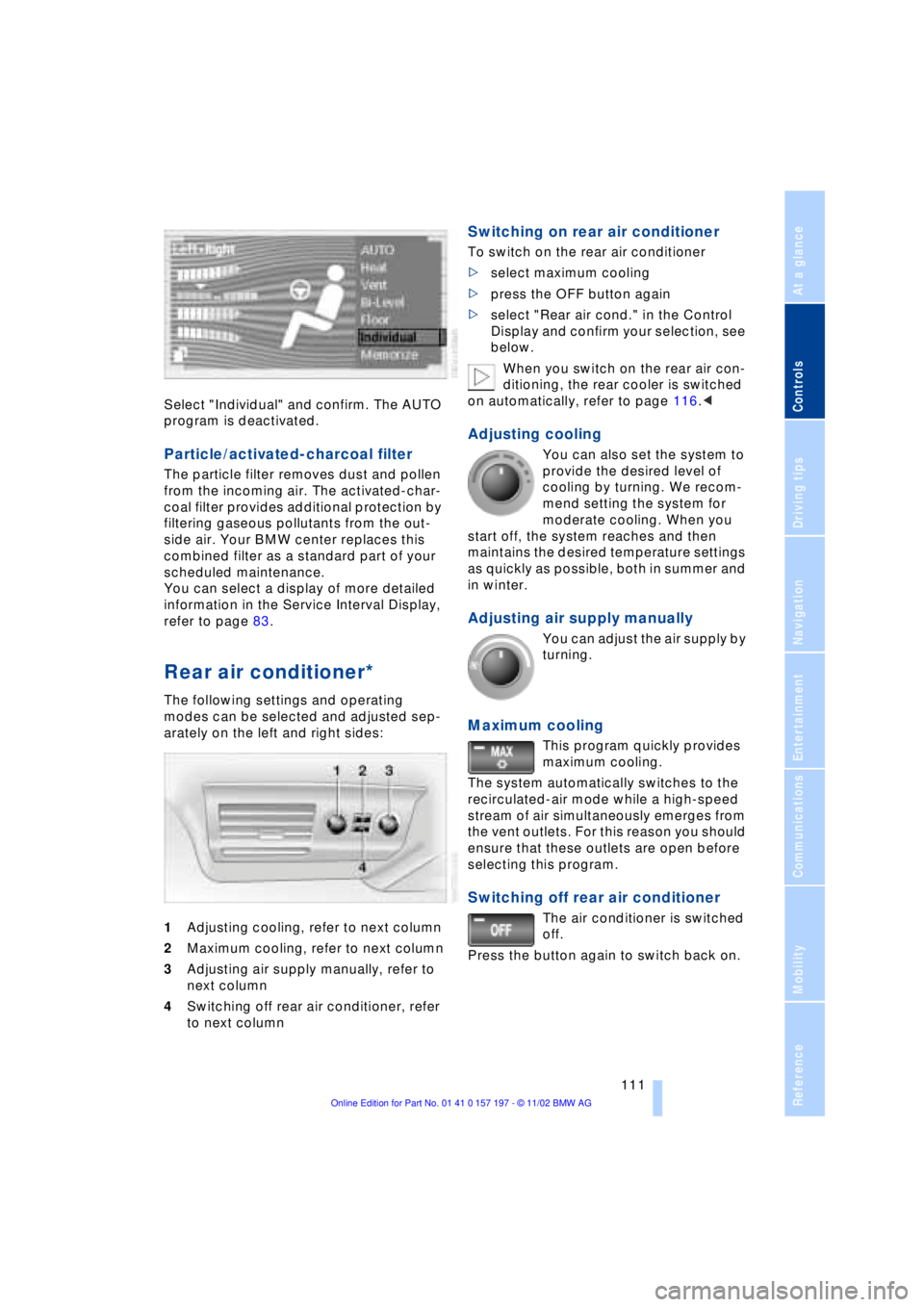
Select "Individual" and confirm. The AUTO
program is deactivated.
Particle/activated-charcoal filter
The particle filter removes dust and pollen
from the incoming air. The activated-char-
coal filter provides additional protection by
filtering gaseous pollutants from the out-
side air. Your BMW center replaces this
combined filter as a standard part of your
scheduled maintenance.
You can select a display of more detailed
information in the Service Interval Display,
refer to page 83.
Rear air conditioner*
The following settings and operating
modes can be selected and adjusted sep-
arately on the left and right sides:
1Adjusting cooling, refer to next column
2Maximum cooling, refer to next column
3Adjusting air supply manually, refer to
next column
4Switching off rear air conditioner, refer
to next column
Switching on rear air conditioner
To switch on the rear air conditioner
>select maximum cooling
>press the OFF button again
>select "Rear air cond." in the Control
Display and confirm your selection, see
below.
When you switch on the rear air con-
ditioning, the rear cooler is switched
on automatically, refer to page 116.<
Adjusting cooling
You can also set the system to
provide the desired level of
cooling by turning. We recom-
mend setting the system for
moderate cooling. When you
start off, the system reaches and then
maintains the desired temperature settings
as quickly as possible, both in summer and
in winter.
Adjusting air supply manually
You can adjust the air supply by
turning.
Maximum cooling
This program quickly provides
maximum cooling.
The system automatically switches to the
recirculated-air mode while a high-speed
stream of air simultaneously emerges from
the vent outlets. For this reason you should
ensure that these outlets are open before
selecting this program.
Switching off rear air conditioner
The air conditioner is switched
off.
Press the button again to switch back on.
Page 114 of 229
A congenial climate
112
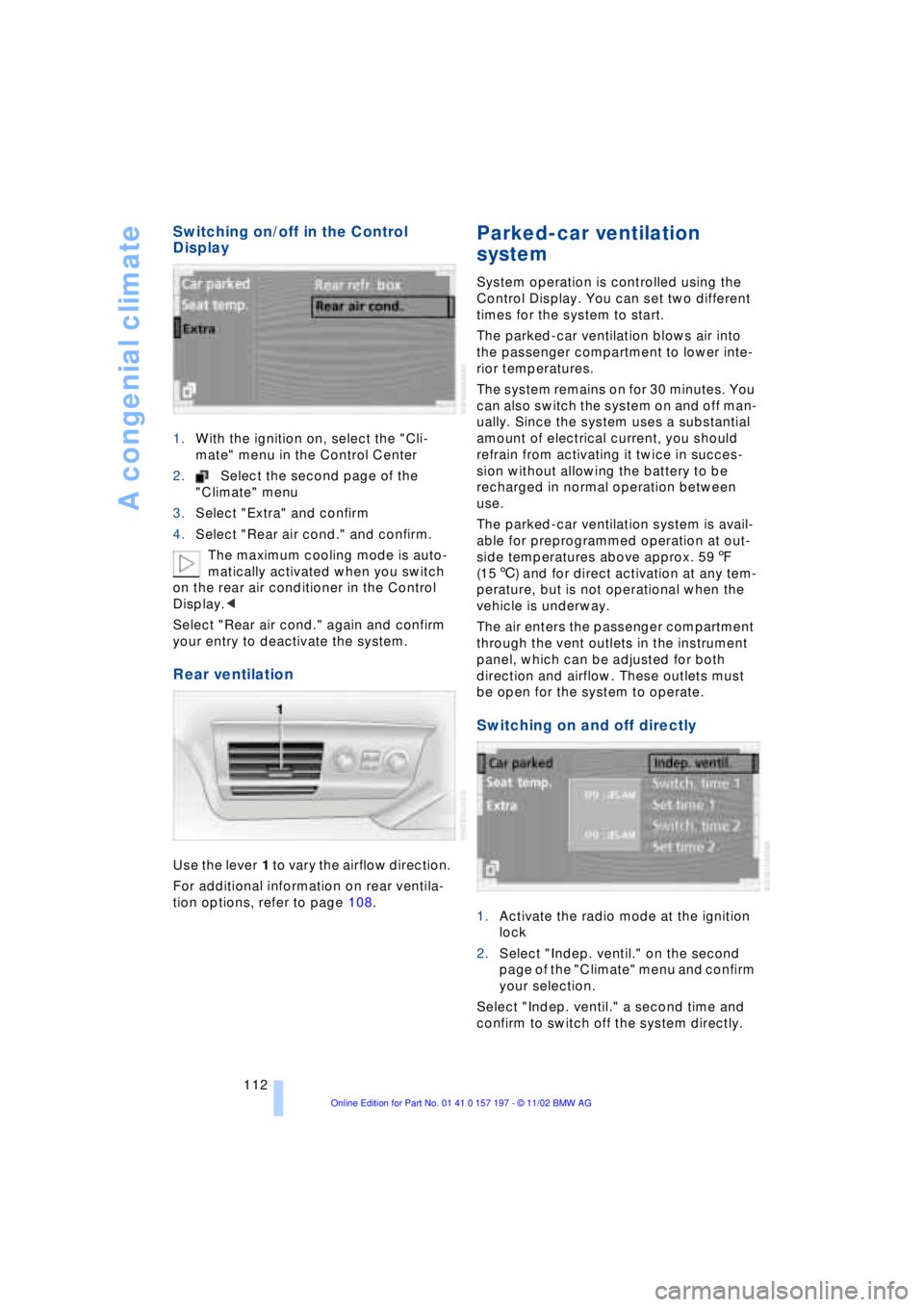
Switching on/off in the Control
Display
1.With the ignition on, select the "Cli-
mate" menu in the Control Center
2.Select the second page of the
"Climate" menu
3.Select "Extra" and confirm
4.Select "Rear air cond." and confirm.
The maximum cooling mode is auto-
matically activated when you switch
on the rear air conditioner in the Control
Display.<
Select "Rear air cond." again and confirm
your entry to deactivate the system.
Rear ventilation
Use the lever 1 to vary the airflow direction.
For additional information on rear ventila-
tion options, refer to page 108.
Parked-car ventilation
system
System operation is controlled using the
Control Display. You can set two different
times for the system to start.
The parked-car ventilation blows air into
the passenger compartment to lower inte-
rior temperatures.
The system remains on for 30 minutes. You
can also switch the system on and off man-
ually. Since the system uses a substantial
amount of electrical current, you should
refrain from activating it twice in succes-
sion without allowing the battery to be
recharged in normal operation between
use.
The parked-car ventilation system is avail-
able for preprogrammed operation at out-
side temperatures above approx. 597
(156) and for direct activation at any tem-
perature, but is not operational when the
vehicle is underway.
The air enters the passenger compartment
through the vent outlets in the instrument
panel, which can be adjusted for both
direction and airflow. These outlets must
be open for the system to operate.
Switching on and off directly
1.Activate the radio mode at the ignition
lock
2.Select "Indep. ventil." on the second
page of the "Climate" menu and confirm
your selection.
Select "Indep. ventil." a second time and
confirm to switch off the system directly.
Page 118 of 229
Practical interior accessories
116 3Rear window blind
4Switching to the other side
The side window blind can not be
extended unless the side window is
closed. If the window is open, the blind will
rise slightly prior to immediately retracting
to its original position.<
Briefly press the safety switch in the
driver's door, refer to page 43. The
indicator lamp must light up. This precau-
tion prevents children from operating the
sun blinds using the rear switches, etc.
Before using always ensure that the sun
blind's travel path is clear and unob-
structed.
When leaving the vehicle, always remove
the remote control unit from the ignition
lock and close the doors; this precaution
prevents children from using the sun blinds
and injuring themselves, etc.<
Automatically extending and
retracting the sun blinds
You can extend and retract the sun blinds
together by pressing and holding button 3
or the button in the driver's door.
Rear cooler*
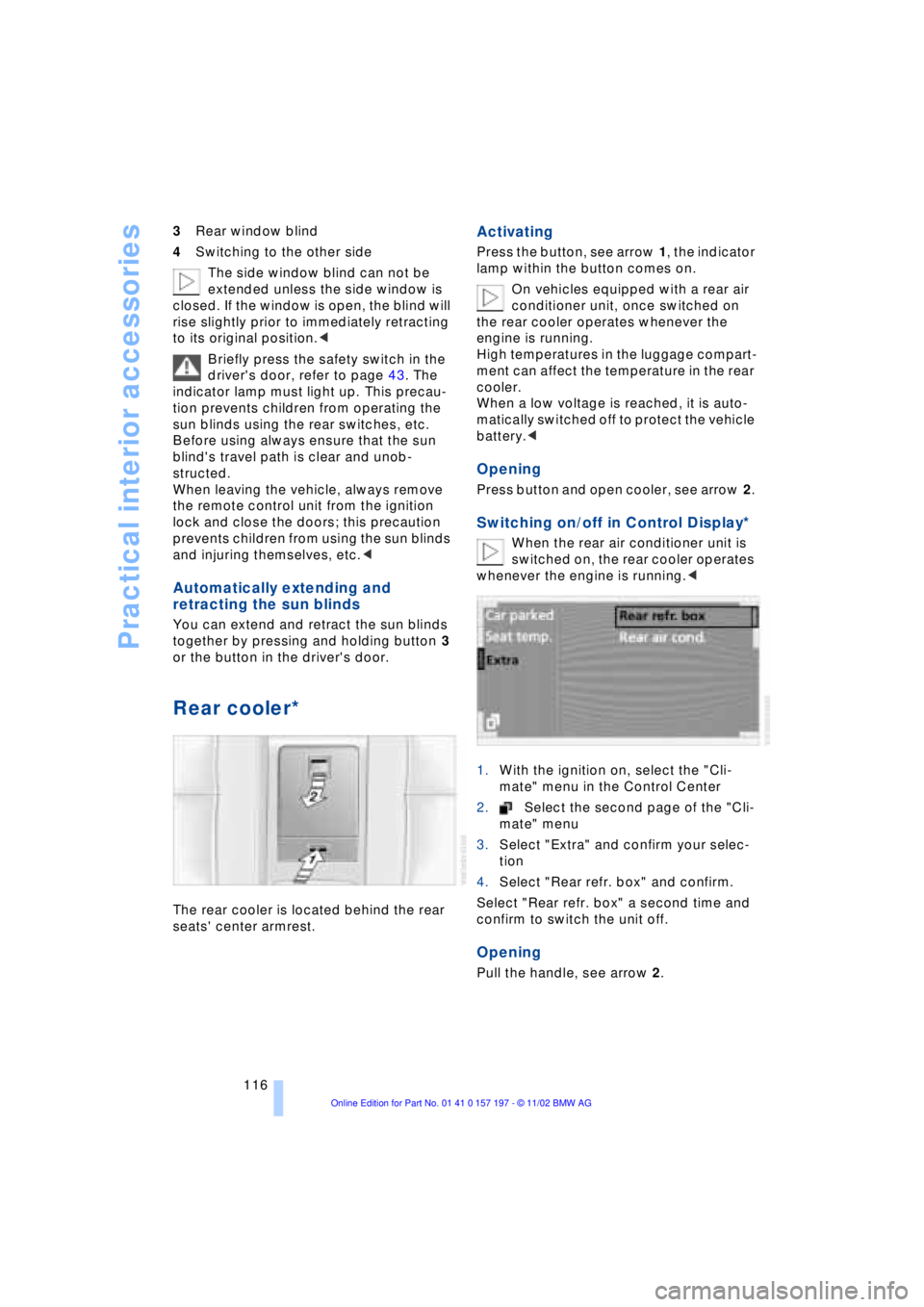
The rear cooler is located behind the rear
seats' center armrest.
Activating
Press the button, see arrow 1, the indicator
lamp within the button comes on.
On vehicles equipped with a rear air
conditioner unit, once switched on
the rear cooler operates whenever the
engine is running.
High temperatures in the luggage compart-
ment can affect the temperature in the rear
cooler.
When a low voltage is reached, it is auto-
matically switched off to protect the vehicle
battery.<
Opening
Press button and open cooler, see arrow 2.
Switching on/off in Control Display*
When the rear air conditioner unit is
switched on, the rear cooler operates
whenever the engine is running.<
1.With the ignition on, select the "Cli-
mate" menu in the Control Center
2.Select the second page of the "Cli-
mate" menu
3.Select "Extra" and confirm your selec-
tion
4.Select "Rear refr. box" and confirm.
Select "Rear refr. box" a second time and
confirm to switch the unit off.
Opening
Pull the handle, see arrow 2.
Page 127 of 229
At a glance
Controls
Driving tips
Communications
Navigation
Entertainment
Mobility
Reference
125
undermining your ability to steer and brake
the vehicle.<
Driving through water
Do not drive through water on the
road if it is deeper than 1 ft (30 cm),
and then only at walking speed at the most.
Otherwise, the vehicle's engine, the elec-
trical systems and the transmission may be
damaged.<
Brake system
Braking with ABS
The best way to achieve optimal response
from the ABS is to apply maximum pres-
sure to the brake pedal during emergencyÐ
panic stops. Since the vehicle maintains
steering responsiveness, you can never-
theless avoid possible obstacles with a
minimum of steering effort.
Pulsation at the brake pedal combines with
sounds from the hydraulic circuits to indi-
cate to the driver that ABS is in its active
mode.
Do not drive with your foot resting on
the brake pedal. Even light but con-
sistent pedal pressure can lead to high
temperatures, brake wear and possibly
even brake failure.<
Disc brakes
Driving in wet conditions
While driving in wet conditions and in
heavy rain, it is a good idea to apply light
pressure to the brake pedal every few
miles. Monitor traffic conditions to ensure
that this maneuver does not endanger
other road users. The heat generated in this
process helps dry the pads and rotors to
ensure that full braking efficiency will then
be available when you need it.
Hills
You can retain full and unimpaired braking
efficiency by downshifting to a gear in
which only minimal brake applications are
needed when descending long or steep
downhill stretches.
You can further enhance the engine's bra-
king effect by selecting a lower gear in the
automatic transmission's manual mode,
downshifting as far as first gear on extre-
mely steep stretches, refer to page 68. This
strategy helps you avoid placing excessive
loads on the brake system.
Never allow the vehicle to coast with
the transmission in Neutral Ð or with
the engine switched off Ð there is no engine
braking when the transmission is in Neu-
tral, and no power-assist for brakes and
steering when the engine is not running.
Never allow floor mats, carpets or any other
objects to protrude into the area around the
accelerator and brake pedals and obstruct
their movement.<
Corrosion
When the vehicle is driven only occasio-
nally, during extended periods when the
vehicle is not used at all, and in operating
conditions where brake applications are
less frequent, there is an increased ten-
dency for corrosion to form on rotors, while
contaminants accumulate on the brake
pads. This occurs because the minimal
pressure which must be exerted by the
pads during brake applications to clean the
rotors is not reached.
Should corrosion form on the brake rotors,
the brakes will tend to respond with a pul-
sating effect that even extended applica-
tion will fail to cure.
Brake pads
If the brake pad wear warning lamp
appears in the Check Control,
accompanied by a text: please take
careful note of the additional information in
the Control Display.
Page 133 of 229
At a glance
Controls
Driving tips
Communications
Navigation
Entertainment
Mobility
Reference
131
Allow approx. eight seconds for the
system to scan the data from the new
CD.
Starting the navigation
system
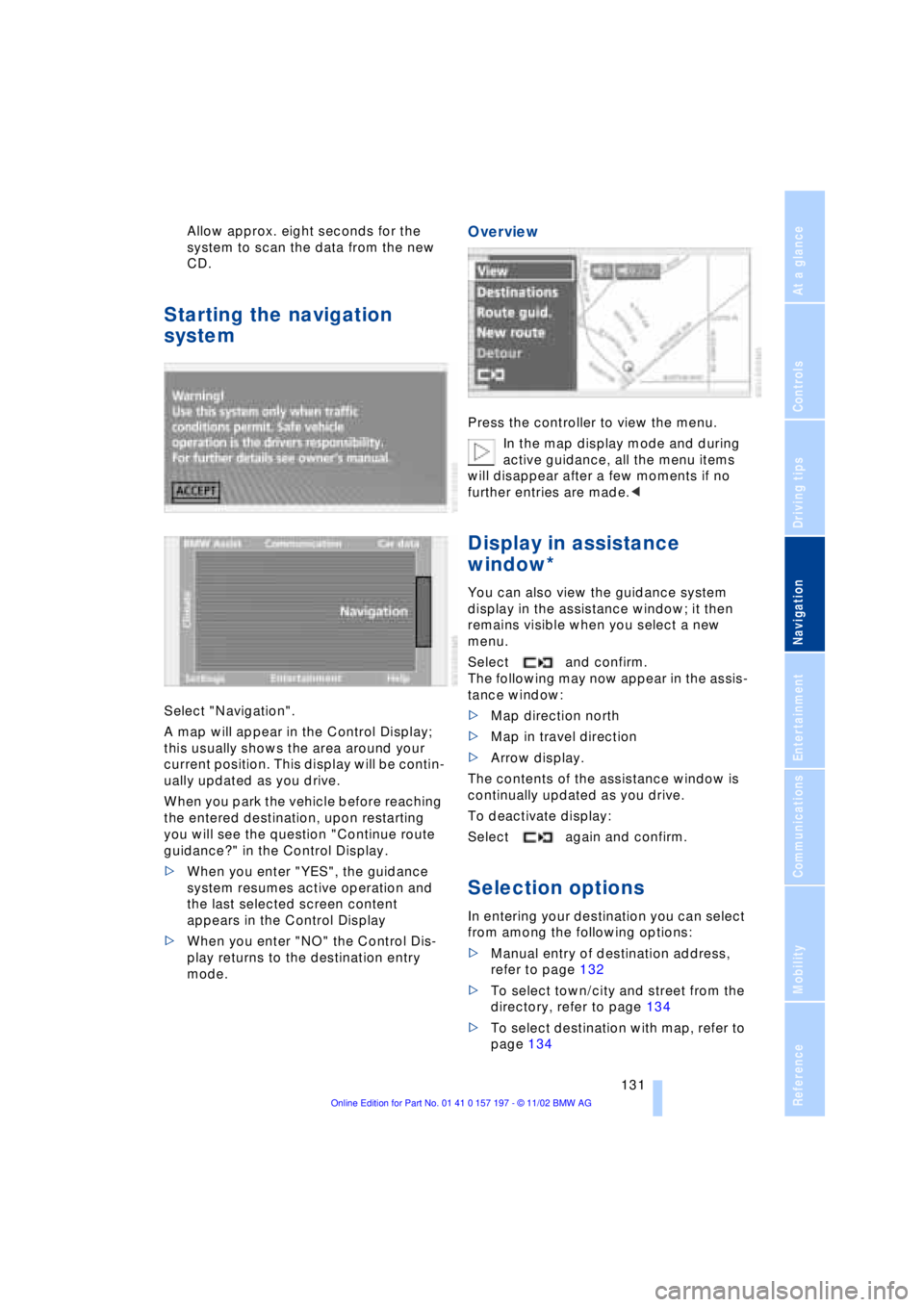
Select "Navigation".
A map will appear in the Control Display;
this usually shows the area around your
current position. This display will be contin-
ually updated as you drive.
When you park the vehicle before reaching
the entered destination, upon restarting
you will see the question "Continue route
guidance?" in the Control Display.
>When you enter "YES", the guidance
system resumes active operation and
the last selected screen content
appears in the Control Display
>When you enter "NO" the Control Dis-
play returns to the destination entry
mode.
Overview
Press the controller to view the menu.
In the map display mode and during
active guidance, all the menu items
will disappear after a few moments if no
further entries are made.<
Display in assistance
window*
You can also view the guidance system
display in the assistance window; it then
remains visible when you select a new
menu.
Select and confirm.
The following may now appear in the assis-
tance window:
>Map direction north
>Map in travel direction
>Arrow display.
The contents of the assistance window is
continually updated as you drive.
To deactivate display:
Select again and confirm.
Selection options
In entering your destination you can select
from among the following options:
>Manual entry of destination address,
refer to page 132
>To select town/city and street from the
directory, refer to page 134
>To select destination with map, refer to
page 134
Page 135 of 229
At a glance
Controls
Driving tips
Communications
Navigation
Entertainment
Mobility
Reference
133
The example shows how to use the naviga-
tion system to find the following destina-
tion:
United States
Beverly Hills, Ca
455 N Rexford Drive
To enter the destination address:
Select "ABC..." and confirm.
Entering name
The name is not required for the destination
guidance system or storage in the list, how-
ever can simplify the assignment of
addresses.
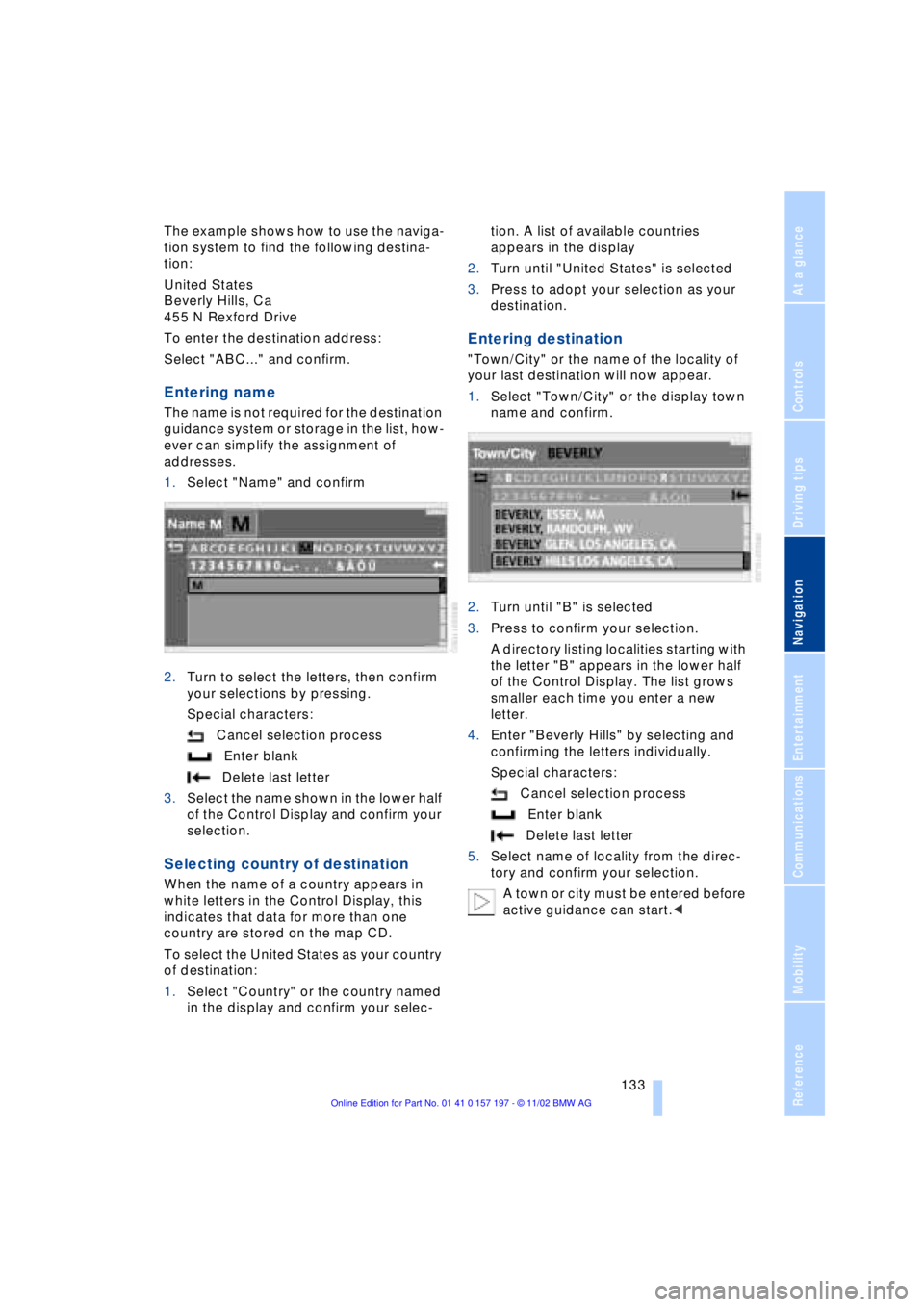
1.Select "Name" and confirm
2.Turn to select the letters, then confirm
your selections by pressing.
Special characters:
Cancel selection process
Enter blank
Delete last letter
3.Select the name shown in the lower half
of the Control Display and confirm your
selection.
Selecting country of destination
When the name of a country appears in
white letters in the Control Display, this
indicates that data for more than one
country are stored on the map CD.
To select the United States as your country
of destination:
1.Select "Country" or the country named
in the display and confirm your selec-tion. A list of available countries
appears in the display
2.Turn until "United States" is selected
3.Press to adopt your selection as your
destination.
Entering destination
"Town/City" or the name of the locality of
your last destination will now appear.
1.Select "Town/City" or the display town
name and confirm.
2.Turn until "B" is selected
3.Press to confirm your selection.
A directory listing localities starting with
the letter "B" appears in the lower half
of the Control Display. The list grows
smaller each time you enter a new
letter.
4.Enter "Beverly Hills" by selecting and
confirming the letters individually.
Special characters:
Cancel selection process
Enter blank
Delete last letter
5.Select name of locality from the direc-
tory and confirm your selection.
A town or city must be entered before
active guidance can start.<