oil change BMW 760LI SEDAN 2003 Owners Manual
[x] Cancel search | Manufacturer: BMW, Model Year: 2003, Model line: 760LI SEDAN, Model: BMW 760LI SEDAN 2003Pages: 229, PDF Size: 4.35 MB
Page 99 of 229
At a glance
Controls
Driving tips
Communications
Navigation
Entertainment
Mobility
Reference
97
Check Control messages, refer to page 85.
Please note the supplementary information
provided in the Control Display.
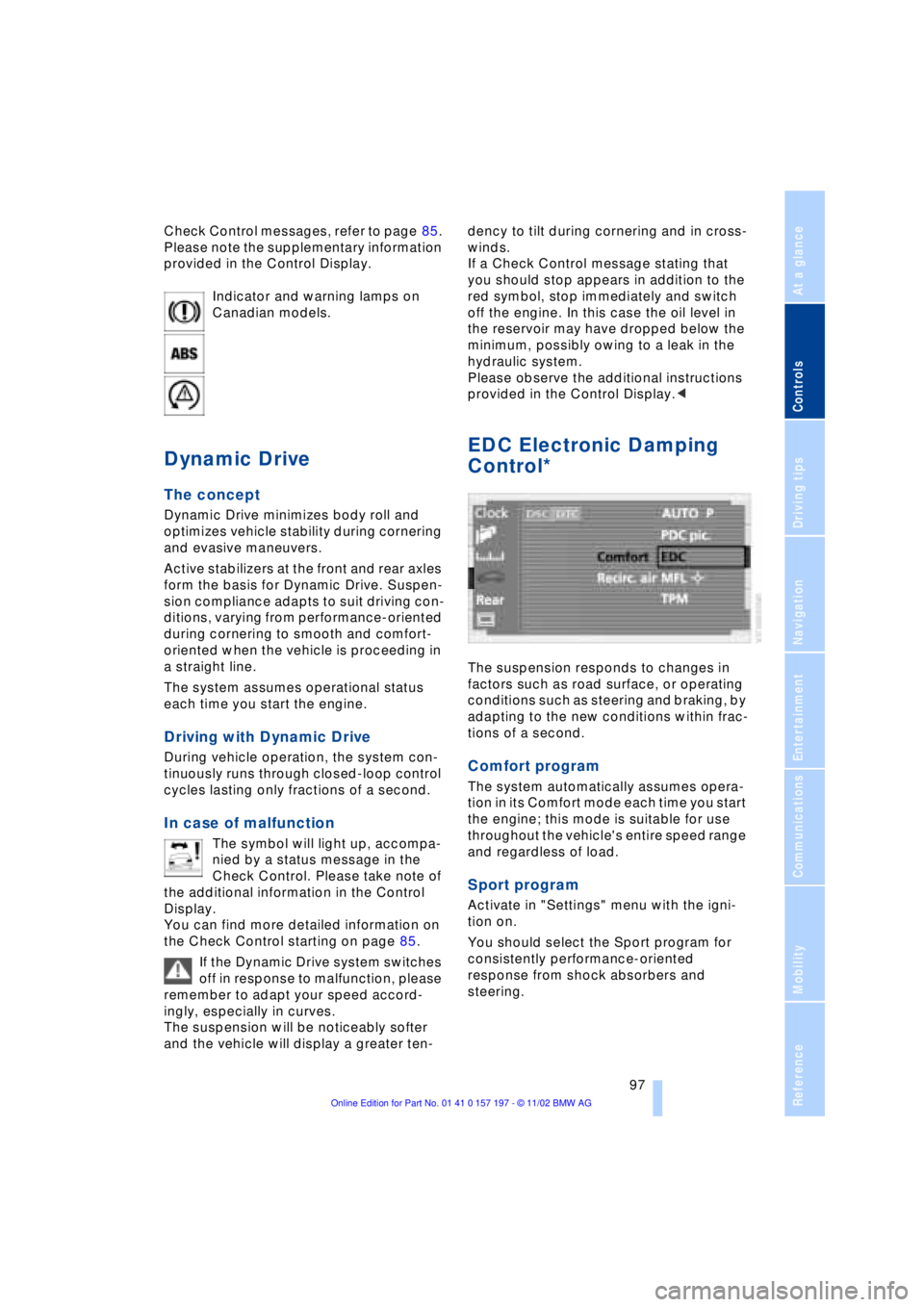
Indicator and warning lamps on
Canadian models.
Dynamic Drive
The concept
Dynamic Drive minimizes body roll and
optimizes vehicle stability during cornering
and evasive maneuvers.
Active stabilizers at the front and rear axles
form the basis for Dynamic Drive. Suspen-
sion compliance adapts to suit driving con-
ditions, varying from performance-oriented
during cornering to smooth and comfort-
oriented when the vehicle is proceeding in
a straight line.
The system assumes operational status
each time you start the engine.
Driving with Dynamic Drive
During vehicle operation, the system con-
tinuously runs through closed-loop control
cycles lasting only fractions of a second.
In case of malfunction
The symbol will light up, accompa-
nied by a status message in the
Check Control. Please take note of
the additional information in the Control
Display.
You can find more detailed information on
the Check Control starting on page 85.
If the Dynamic Drive system switches
off in response to malfunction, please
remember to adapt your speed accord-
ingly, especially in curves.
The suspension will be noticeably softer
and the vehicle will display a greater ten-dency to tilt during cornering and in cross-
winds.
If a Check Control message stating that
you should stop appears in addition to the
red symbol, stop immediately and switch
off the engine. In this case the oil level in
the reservoir may have dropped below the
minimum, possibly owing to a leak in the
hydraulic system.
Please observe the additional instructions
provided in the Control Display.<
EDC Electronic Damping
Control*
The suspension responds to changes in
factors such as road surface, or operating
conditions such as steering and braking, by
adapting to the new conditions within frac-
tions of a second.
Comfort program
The system automatically assumes opera-
tion in its Comfort mode each time you start
the engine; this mode is suitable for use
throughout the vehicle's entire speed range
and regardless of load.
Sport program
Activate in "Settings" menu with the igni-
tion on.
You should select the Sport program for
consistently performance-oriented
response from shock absorbers and
steering.
Page 193 of 229
At a glance
Controls
Driving tips
Communications
Navigation
Entertainment
Mobility
Reference
191
The oil quantity between the two marks on
the dipstick is approx. 1.1 US quarts
(1 liter). Do not fill beyond the upper mark
on the dipstick. Excess oil can damage the
engine.
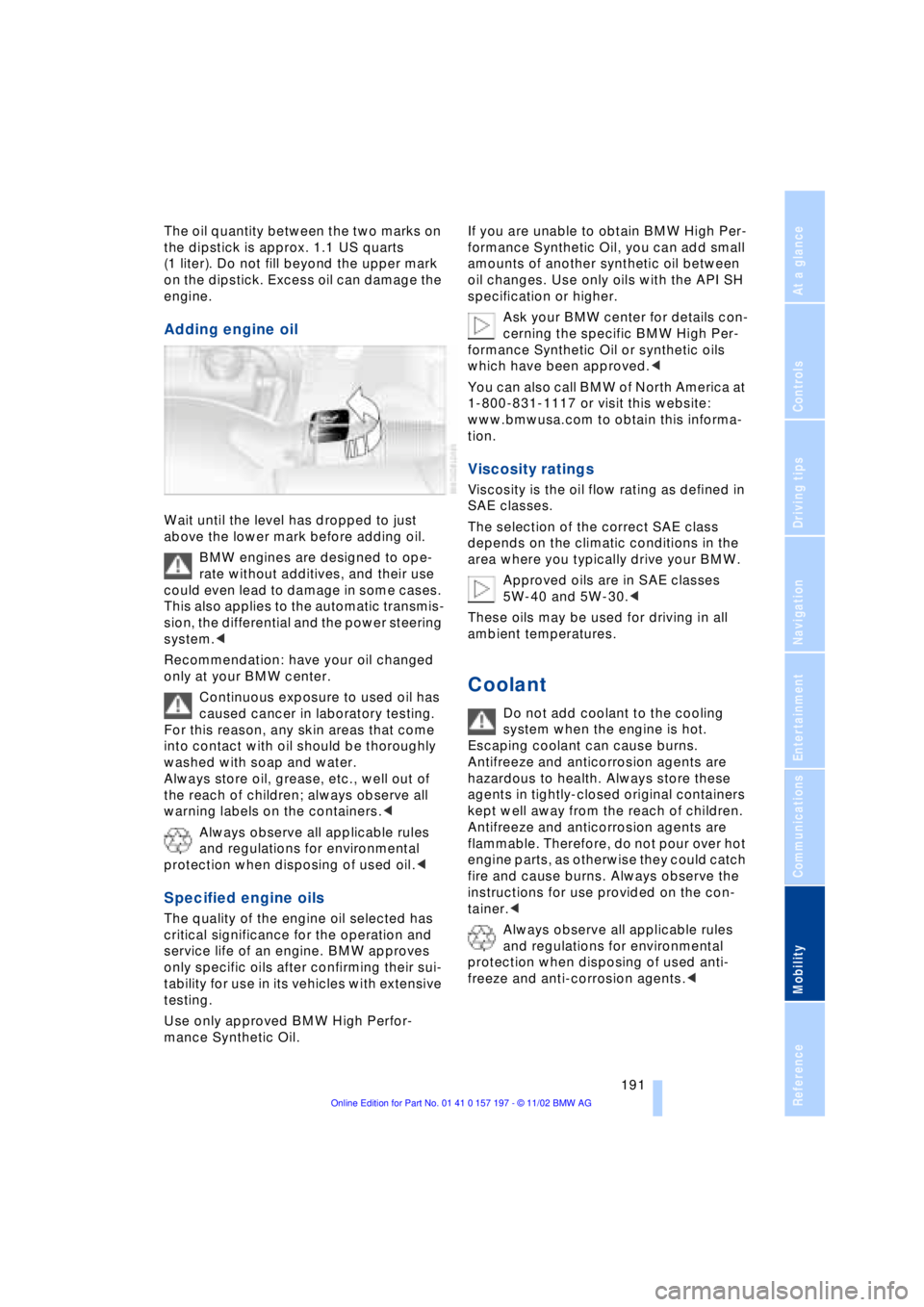
Adding engine oil
Wait until the level has dropped to just
above the lower mark before adding oil.
BMW engines are designed to ope-
rate without additives, and their use
could even lead to damage in some cases.
This also applies to the automatic transmis-
sion, the differential and the power steering
system.<
Recommendation: have your oil changed
only at your BMW center.
Continuous exposure to used oil has
caused cancer in laboratory testing.
For this reason, any skin areas that come
into contact with oil should be thoroughly
washed with soap and water.
Always store oil, grease, etc., well out of
the reach of children; always observe all
warning labels on the containers.<
Always observe all applicable rules
and regulations for environmental
protection when disposing of used oil.<
Specified engine oils
The quality of the engine oil selected has
critical significance for the operation and
service life of an engine. BMW approves
only specific oils after confirming their sui-
tability for use in its vehicles with extensive
testing.
Use only approved BMW High Perfor-
mance Synthetic Oil.If you are unable to obtain BMW High Per-
formance Synthetic Oil, you can add small
amounts of another synthetic oil between
oil changes. Use only oils with the API SH
specification or higher.
Ask your BMW center for details con-
cerning the specific BMW High Per-
formance Synthetic Oil or synthetic oils
which have been approved.<
You can also call BMW of North America at
1-800-831-1117 or visit this website:
www.bmwusa.com to obtain this informa-
tion.
Viscosity ratings
Viscosity is the oil flow rating as defined in
SAE classes.
The selection of the correct SAE class
depends on the climatic conditions in the
area where you typically drive your BMW.
Approved oils are in SAE classes
5W-40 and 5W-30.<
These oils may be used for driving in all
ambient temperatures.
Coolant
Do not add coolant to the cooling
system when the engine is hot.
Escaping coolant can cause burns.
Antifreeze and anticorrosion agents are
hazardous to health. Always store these
agents in tightly-closed original containers
kept well away from the reach of children.
Antifreeze and anticorrosion agents are
flammable. Therefore, do not pour over hot
engine parts, as otherwise they could catch
fire and cause burns. Always observe the
instructions for use provided on the con-
tainer.<
Always observe all applicable rules
and regulations for environmental
protection when disposing of used anti-
freeze and anti-corrosion agents.<
Page 213 of 229
At a glance
Controls
Driving tips
Communications
Navigation
Entertainment
Mobility
Reference
211
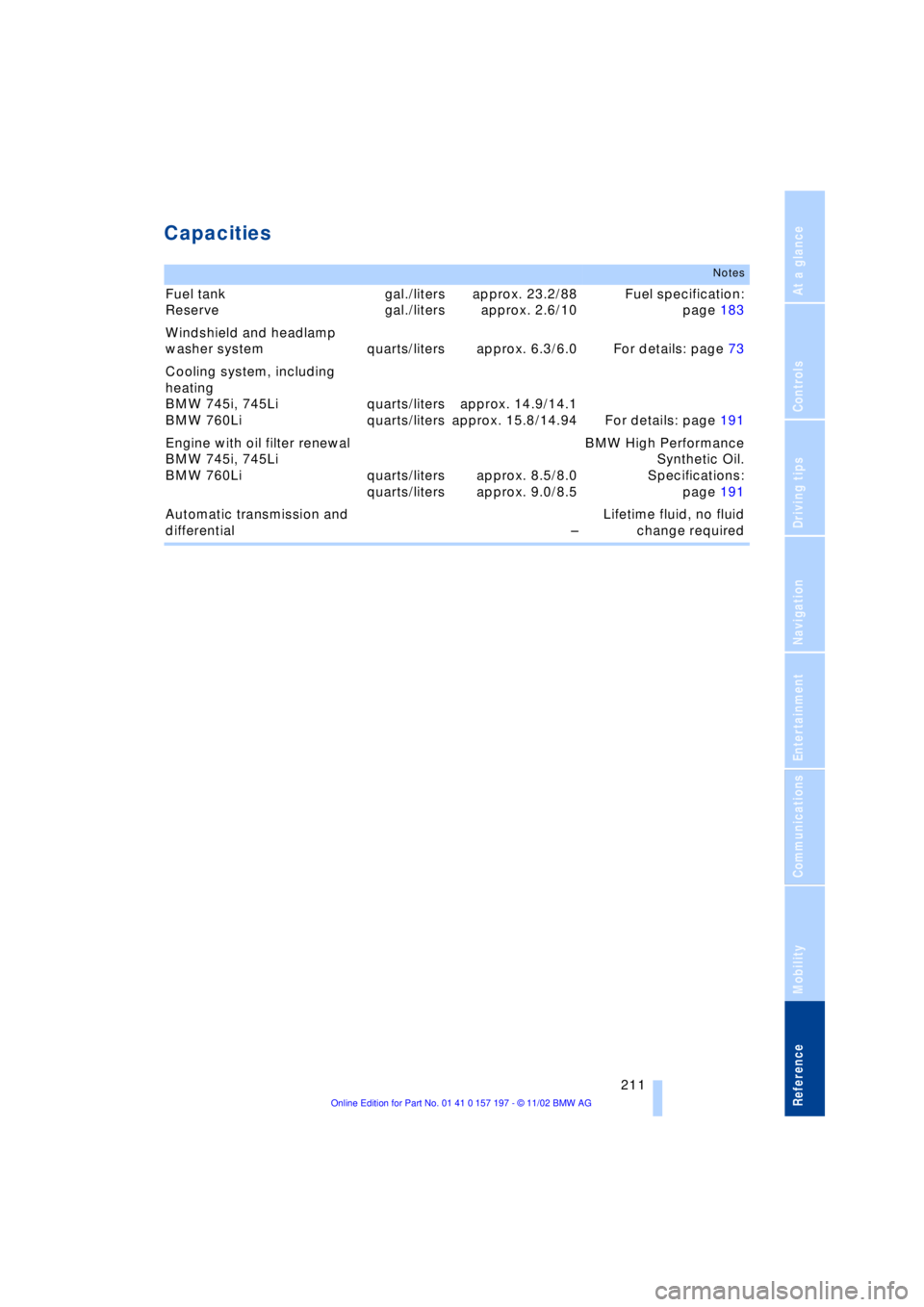
Capacities
Notes
Fuel tank
Reserve gal./liters
gal./litersapprox. 23.2/88
approx. 2.6/10Fuel specification:
page 183
Windshield and headlamp
washer system quarts/liters approx. 6.3/6.0 For details: page 73
Cooling system, including
heating
BMW 745i, 745Li
BMW 760Liquarts/liters
quarts/litersapprox. 14.9/14.1
approx. 15.8/14.94 For details: page 191
Engine with oil filter renewal
BMW 745i, 745Li
BMW 760Li quarts/liters
quarts/litersapprox. 8.5/8.0
approx. 9.0/8.5BMW High Performance
Synthetic Oil.
Specifications:
page 191
Automatic transmission and
differential ÐLifetime fluid, no fluid
change required
Page 216 of 229
Everything from A to Z
214 CD changer 155, 156
Ð adjusting the tone 147
Ð controls 146
Ð copy protection 155
Ð fast forward 157
Ð humidity 156
Ð operating
temperatures 156
Ð random play 157
Ð reverse 157
Ð safety 155
Ð sampling 157
Ð scan 157
Ð selecting CD 157
Ð selecting track 157
Ð skipping tracks 157
Ð switching on 156
Ð temperature range 156
Ð track search 157
Ð volume 147
CD player 153
Ð adjusting the tone 147
Ð atmospheric humidity 153
Ð controls 146
Ð fast forward 154
Ð operating
temperatures 153
Ð random play 154
Ð reverse 154
Ð sampling 154
Ð scan 154
Ð selecting track 154
Ð skipping tracks 154
Ð switching on 153
Ð temperature range 153
Ð track search 154
Ð volume 147
Cell phone, refer to
separate Portable phone
manual 170
"Center" 110
Center armrest 120
Center console, refer to
Comfort features 16
Central locking system 35
Ð button 38
Ð remote control 35"CHANGE" for
navigation 136
Changing bulbs, refer to
Lamps and bulbs 195
Changing language 91
Changing settings in the
Control Display 91
Changing units of measure
in Control Display 91
Check Control 85
Ð "Check" 86
Checking engine oil
level 190, 190
Checking tire
pressures 184
Child's seat 57
Child-restraint system 57
Child-safety lock 59
Cigarette lighter 119
Cleaning, refer to Care
manual
Cleaning windshield 72, 73
"Climate" 19, 22
Climate control
Ð automatic air
distribution 107
"Clock" 91
Clock 82
Ð setting time and date 91
Closing
Ð from inside 37
Ð from outside 35
Closing assist
Ð doors 38
Ð luggage compartment
lid 39
Cockpit 12, 16
Coin holder, refer to
Storage
compartments 117
Coin tray, refer to Storage
compartments 117
Cold start 62
"Color" during
TV operation 161
"Comfort"
Ð "EDC" 97
Comfort features 16Comfort seat 46
Ð in rear 47
"Communication"
19, 22, 171
Compact Disc, refer to
CD 153
Compartments, refer to
Storage
compartments 117
Computer 86
Computer, refer to Control
Center 19
Ð automatic climate
control 109
Ð "BC" 89
Ð changing settings 91
Ð display, menus 22
Ð displays in the Control
Display 88
Ð language selection 91
Ð setting time and date 91
Ð status lines 24
Ð symbols 21
Condition Based Service
CBS 193
Confirming a menu item in
the Control Display 20
Connecting car vacuum
cleaner 119
Consumption display 87
"Contrast" during
TV operation 161
Page 218 of 229
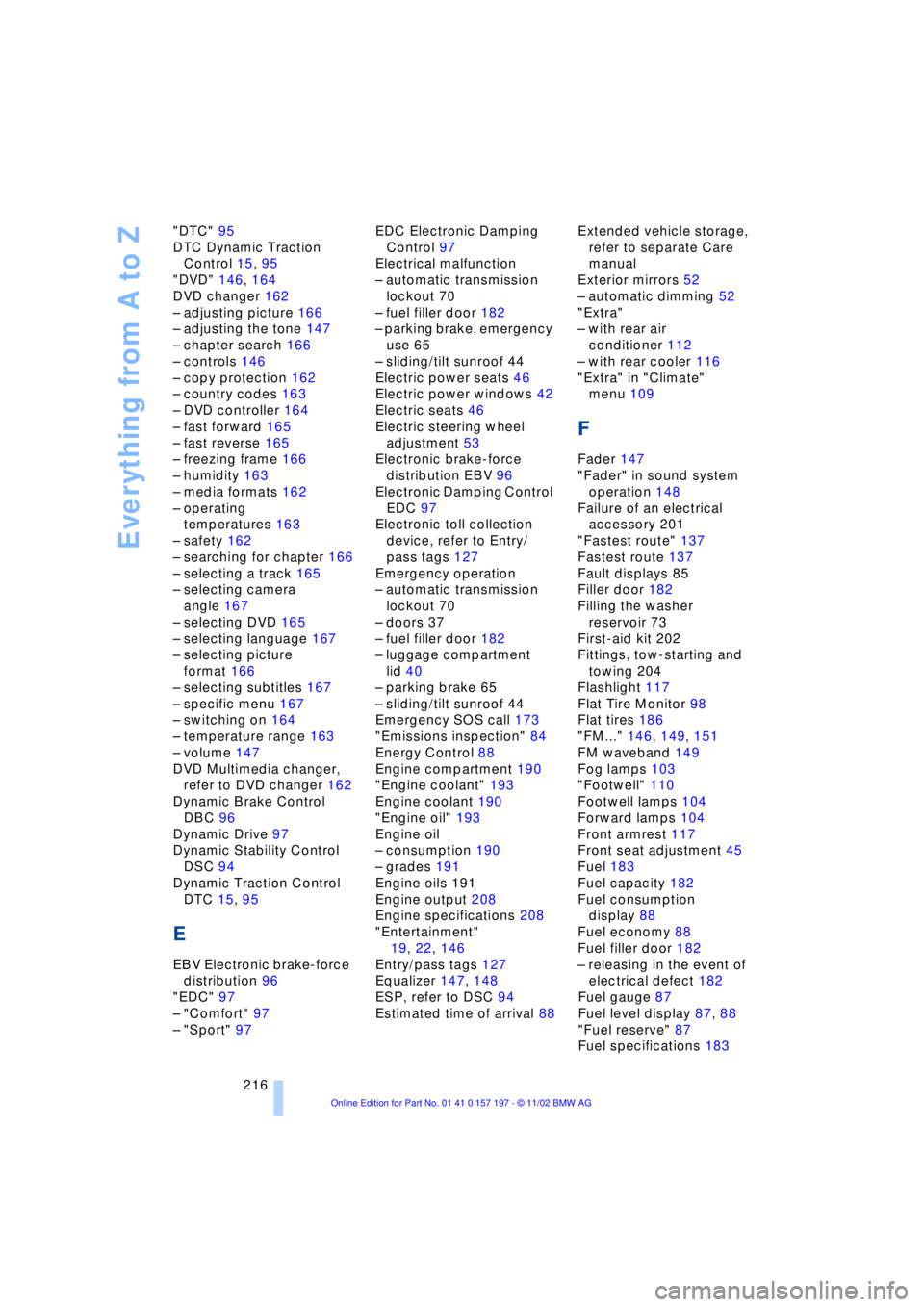
Everything from A to Z
216 "DTC" 95
DTC Dynamic Traction
Control 15, 95
"DVD" 146, 164
DVD changer 162
Ð adjusting picture 166
Ð adjusting the tone 147
Ð chapter search 166
Ð controls 146
Ð copy protection 162
Ð country codes 163
Ð DVD controller 164
Ð fast forward 165
Ð fast reverse 165
Ð freezing frame 166
Ð humidity 163
Ð media formats 162
Ð operating
temperatures 163
Ð safety 162
Ð searching for chapter 166
Ð selecting a track 165
Ð selecting camera
angle 167
Ð selecting DVD 165
Ð selecting language 167
Ð selecting picture
format 166
Ð selecting subtitles 167
Ð specific menu 167
Ð switching on 164
Ð temperature range 163
Ð volume 147
DVD Multimedia changer,
refer to DVD changer 162
Dynamic Brake Control
DBC 96
Dynamic Drive 97
Dynamic Stability Control
DSC 94
Dynamic Traction Control
DTC 15, 95
E
EBV Electronic brake-force
distribution 96
"EDC" 97
Ð "Comfort" 97
Ð "Sport" 97EDC Electronic Damping
Control 97
Electrical malfunction
Ð automatic transmission
lockout 70
Ð fuel filler door 182
Ð parking brake, emergency
use 65
Ð sliding/tilt sunroof 44
Electric power seats 46
Electric power windows 42
Electric seats 46
Electric steering wheel
adjustment 53
Electronic brake-force
distribution EBV 96
Electronic Damping Control
EDC 97
Electronic toll collection
device, refer to Entry/
pass tags 127
Emergency operation
Ð automatic transmission
lockout 70
Ð doors 37
Ð fuel filler door 182
Ð luggage compartment
lid 40
Ð parking brake 65
Ð sliding/tilt sunroof 44
Emergency SOS call 173
"Emissions inspection" 84
Energy Control 88
Engine compartment 190
"Engine coolant" 193
Engine coolant 190
"Engine oil" 193
Engine oil
Ð consumption 190
Ð grades 191
Engine oils 191
Engine output 208
Engine specifications 208
"Entertainment"
19, 22, 146
Entry/pass tags 127
Equalizer 147, 148
ESP, refer to DSC 94
Estimated time of arrival 88Extended vehicle storage,
refer to separate Care
manual
Exterior mirrors 52
Ð automatic dimming 52
"Extra"
Ð with rear air
conditioner 112
Ð with rear cooler 116
"Extra" in "Climate"
menu 109
F
Fader 147
"Fader" in sound system
operation 148
Failure of an electrical
accessory 201
"Fastest route" 137
Fastest route 137
Fault displays 85
Filler door 182
Filling the washer
reservoir 73
First-aid kit 202
Fittings, tow-starting and
towing 204
Flashlight 117
Flat Tire Monitor 98
Flat tires 186
"FM..." 146, 149, 151
FM waveband 149
Fog lamps 103
"Footwell" 110
Footwell lamps 104
Forward lamps 104
Front armrest 117
Front seat adjustment 45
Fuel 183
Fuel capacity 182
Fuel consumption
display 88
Fuel economy 88
Fuel filler door 182
Ð releasing in the event of
electrical defect 182
Fuel gauge 87
Fuel level display 87, 88
"Fuel reserve" 87
Fuel specifications 183
Page 221 of 229
219
At a glance
Controls
Driving tips
Communications
Navigation
Entertainment
Mobility
Reference
Navigation computer
Ð installation location 130
Navigation destination
Ð manual entry 132
Ð selecting from the
directory 134
Ð selecting with map 134
Navigation system 130
Ð "ACCEPT" command 142
Ð current location 142
Ð destination entry 132
Ð destination guidance in
assistance window 131
Ð destination list 136
Ð digital coverage area 130
Ð directory 134
Ð "Hotel / Motel" 135
Ð "Information"
feature 135, 136
Ð manual entry of
destination address 132
Ð map CD 130
Ð map-guided destination
selection 134
Ð new route 139
Ð "On location" 135
Ð recent destinations 136
Ð route display 138
Ð route list 139
Ð route selection 137
Ð safety 130
Ð selecting points of
interest 135
Ð selection options 131
Ð start active guidance 137
Ð starting 131
Ð switching off, refer to
Terminating/interrupting
active guidance 140
Ð terminating/interrupting
active guidance 140
Ð town and city centers 143
Ð "View" function 138, 139
Ð voice guidance 139
Ð volume adjustment 140
Ð what to do if ... 143
Ð wordmatch principle 142
Navigation system GPS,
refer to Navigation
system 130Navigation target
cursor 134, 135
Navigation "With
map" 134, 135
"Navi info" 54
"New route" 139
"Next"
Ð map-guided destination
selection 135
Ð searching for points of
interest 136
"None Release" 25
Notebook of voice
command system 28
Nozzles 105
NTSC during TV
operation 161
O
OBD interface socket 194
Occupant-restraint
systems 50, 55
Odometer 82
Oil additives 191
Oil change intervals, refer
to Service Interval
Display 83
Oil consumption 190
Oil dipstick 190
Oil specifications 191
"OK" for DVD
operation 167
"ON / OFF" speed limit 89
Onboard computer, refer to
Computer 92
Onboard Diagnostic OBD
Ð interface socket 194
Onboard tool kit 195
"On country" 136
"1,2,3" 175
"On location" 135
"On town/city" 136
Opening and closing
Ð from inside 37
Ð from outside 35Operating temperatures
Ð in cassette deck
mode 158
Ð in CD changer mode 156
Ð in CD player mode 153
Ð in DVD mode 163
Ð in radio mode 149
Oral note 28
Orientation
Ð changing the display 138
Orientation menu 19
Orientation to north 138
Outside temperature
display 82
P
Paint and finish care, refer
to Care manual
PAL during TV
operation 161
Panic mode 36
Park detent, refer to
Transmission
lockout 68, 70
Park Distance Control
PDC 93
Parked-car ventilation 112
Ð "Indep. ventil." 112
Ð "Set time 1" 113
Ð "Set time 2" 113
Ð "Switch. time 1" 113
Ð "Switch. time 2" 113
Parking aid 93
Parking brake 62
Ð Automatic Hold 63
Ð manual operation 65
Parking lamp
Ð bulb replacement 196
Parking lamps 102
Parking with
Automatic Hold 64
Particle filter 111
Passenger-side mirror tilt
function 55
PDC Park Distance
Control 93
"PDC pic." 94
Personal Calling 171
Phone directory, refer to
Telephone directory 175
Page 223 of 229
221
At a glance
Controls
Driving tips
Communications
Navigation
Entertainment
Mobility
Reference
Route
Ð display 138
Ð list 139
Ð map cancellation 138
Ð map display 138
Ð selection 137
"Route guid." 137, 140
Route map 138
"Route selec." 137
Route selection 137
"RPA" 98
Run-flat tires 186, 200
S
S 154
Safety belts 50
Safety belt tensioners 50
Safety lock buttons 38
Safety precautions to
observe when using your
phone 170
Safety switch for rear
windows 43
"Save dest." 135
"SCAN"
Ð CD changer 157
Ð CD player 154
Ð radio 150
Scan
Ð CD changer 157
Ð CD player 154
Ð radio 150
Scan sampling
Ð CD changer 157
Ð CD player 154
Ð radio 150
Screen
Ð rear 24
Seat, mirror and steering
wheel memory 54
Seat heating 51
Seat memory 54
Seats
Ð adjusting 45
Ð sitting safely 45
"Seat temp." 51, 109
Seat ventilation, refer to
Active seat ventilation 51
SECAM during
TV operation 161Securing cargo, refer to
Cargo loading 126
Securing the load, ski
bag 121
Selecting new route with
navigation system 139
Selecting new scale for
navigation system
display 138
Selecting stored radio
stations 151
Selection options for
navigation 131
Selector lever, automatic
transmission 67
Self-defrosting mirrors 52
Self-leveling
suspension 101
"Service" 83, 193
Ð "Emissions inspection" 84
Ð "Spark plugs" 83
Ð Vehicle inspection 84
Service and Warranty
Information Booklet for
US models 193
Service brakes 125
Service Guide Booklet for
Canadian models 193
Service Interval
Display 83, 193
Service Requirement
Display, refer to Service
Interval Display 83, 193
"SET", refer to Setting
speed limit 89
Set time 113
"Set time 1" 113
"Set time 2" 113
"Settings" 19, 22, 25
Setting the brightness 92
Setting the speed limit 89
Setting time and date 91
Setting timer 113
Shifting, refer to Automatic
transmission with
Steptronic 69
Shiftlock 67
Short commands for voice
command system 29
Shortest distance 137
"Shortest route" 137Shoulder support 46
"Side" in sound system
operation 158
Side window blind, refer to
Sun blinds 115
Sitting safely 45
Ski bag 120
Sliding/tilt sunroof 43
Ð closing in the event of an
electrical defect 44
Ð convenience mode 37
Ð convenience operation 36
Snow chains 188, 188
Soft Close Automatic
Ð doors 38
Ð luggage compartment
lid 39
SOS call
Ð using SOS button 173
Sound system
Ð "MANUAL" selection
mode 151
Sound system adjustments
Ð "Balance" 148
Ð balance left/right 147
Ð "Bass" 148
Ð equalizer 147
Ð "Fader" 148
Ð fader front/rear 147
Ð "LOGIC7" 148
Ð LOGIC7 147
Ð midrange setting 148
Ð "RESET" 148
Ð speed-sensitive
volume 147
Ð "Speed Vol." 148
Ð "Treble" 148
Spare fuses 201
Spare key 34
Ð adapter 34
Spare tire 198
"Spark plugs" 83, 193
Specifications for engine
oil 191
Speed limit
Ð "Limit" 89
Speed limit selection,
revision 89
Speedometer 14
"Speed Vol." in audio
mode 148