service interval BMW 760LI SEDAN 2003 Owners Manual
[x] Cancel search | Manufacturer: BMW, Model Year: 2003, Model line: 760LI SEDAN, Model: BMW 760LI SEDAN 2003Pages: 229, PDF Size: 4.35 MB
Page 5 of 229
At a glance
Operation
Driving tips
Communications
Navigation
Entertainment
Mobility
Reference
71Turn signal indicators/headlamp
flasher
72Wiper system
73Washer fluid
73Programmable cruise control
75Active cruise control
*
Everything under control
82Odometer, outside temperature
display, clock
82Tachometer
83Service Interval Display
85Check Control
86Computer
91Changing settings
Technology for comfort,
convenience and safety
93PDC Park Distance Control
*
94Driving stability control/
DSC Dynamic Stability Control
96Driving stability control/ABS Antilock
Braking System
97Dynamic Drive
97EDC Electronic Damping Control
*
98Flat Tire Monitor
*
99TPM Tire Pressure Monitor
*
101Self-leveling suspension
*
101Adaptive brake lamp
Lamps
102Parking lamps/low beams
103Instrument lighting
103High beams/standing lamps
103Front fog lamps
103Interior lamps
A congenial climate
105Automatic climate control
111Rear air conditioner
*
112Parked-car ventilation system
Practical interior accessories
114Integrated universal remote control
*
115Sun blinds
*
116Rear cooler
*
117Glove compartment
117Storage compartments118Beverage holders
118Ashtray, front
119Cigarette lighter, front
119Power socket
119Ashtray, rear
119Cigarette lighter, rear
120Center armrest
120Ski bag
*
Things to remember when driving
124Break-in procedures
124General driving notes
125Brake system
126Cargo loading
127Roof-mounted luggage rack
*
127Entry/pass tags
Navigation
130GPS
130Map CD
131Starting the navigation system
131Display in assistance window
*
131Selection options
132Destination entry
132Manual entry of destination address
134Selecting the town or city and the
street from the directory
134Map-guided destination selection
135Selecting destination in "Information"
135Selecting interesting destinations
136Recent destinations
136Destination list
137Selecting route
137Starting the destination guidance
system
138Displaying route
139Selecting new route
139Voice guidance
140Terminating/interrupting active
destination guidance
140Address book
142Location
142Wordmatch principle
143What to do if É
Page 24 of 229
Control Center
22
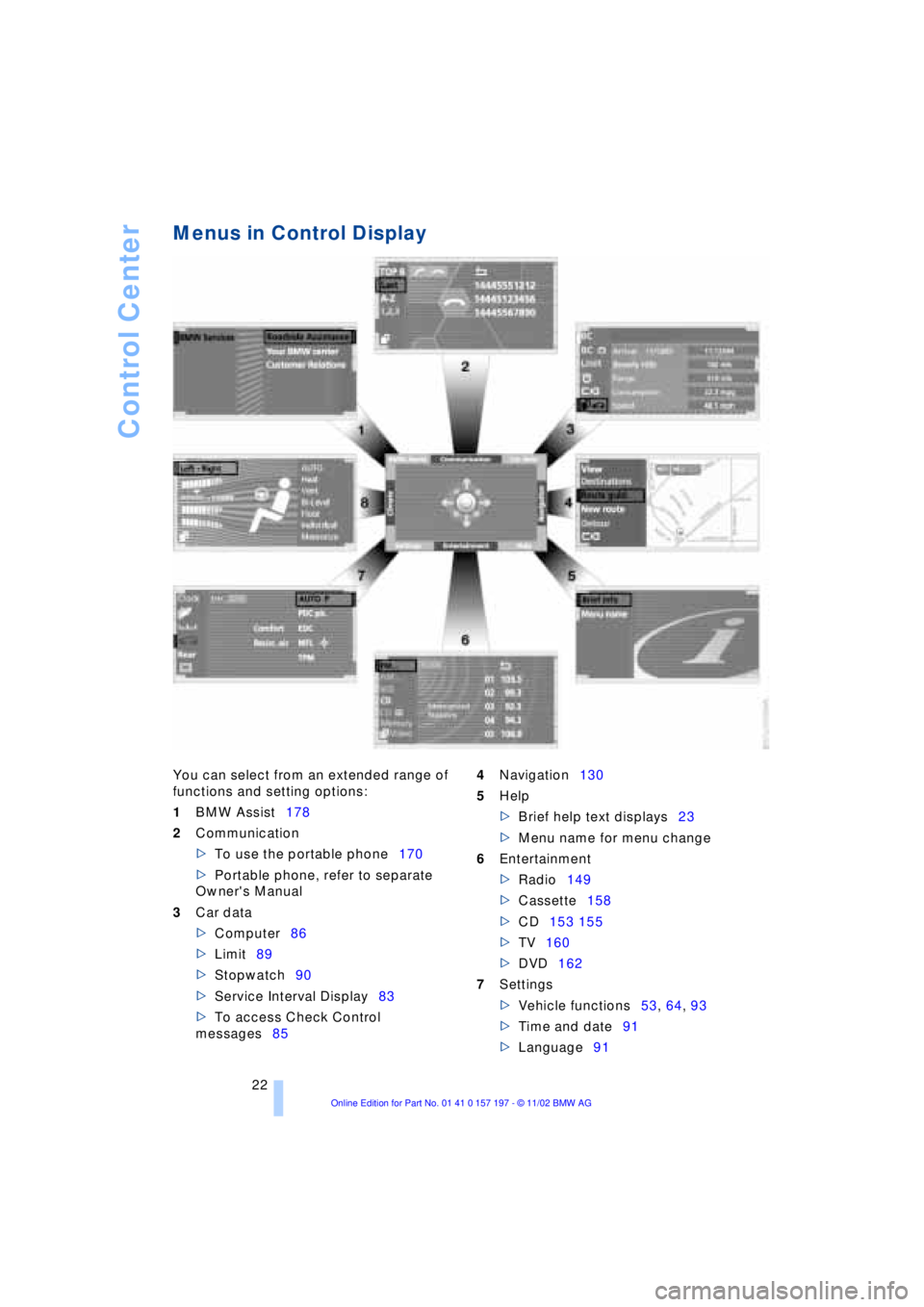
Menus in Control Display
You can select from an extended range of
functions and setting options:
1BMW Assist178
2Communication
>To use the portable phone170
>Portable phone, refer to separate
Owner's Manual
3Car data
>Computer86
>Limit89
>Stopwatch90
>Service Interval Display83
>To access Check Control
messages854Navigation130
5Help
>Brief help text displays23
>Menu name for menu change
6Entertainment
>Radio149
>Cassette158
>CD153 155
>TV160
>DVD162
7Settings
>Vehicle functions53, 64, 93
>Time and date91
>Language91
Page 26 of 229
Control Center
24
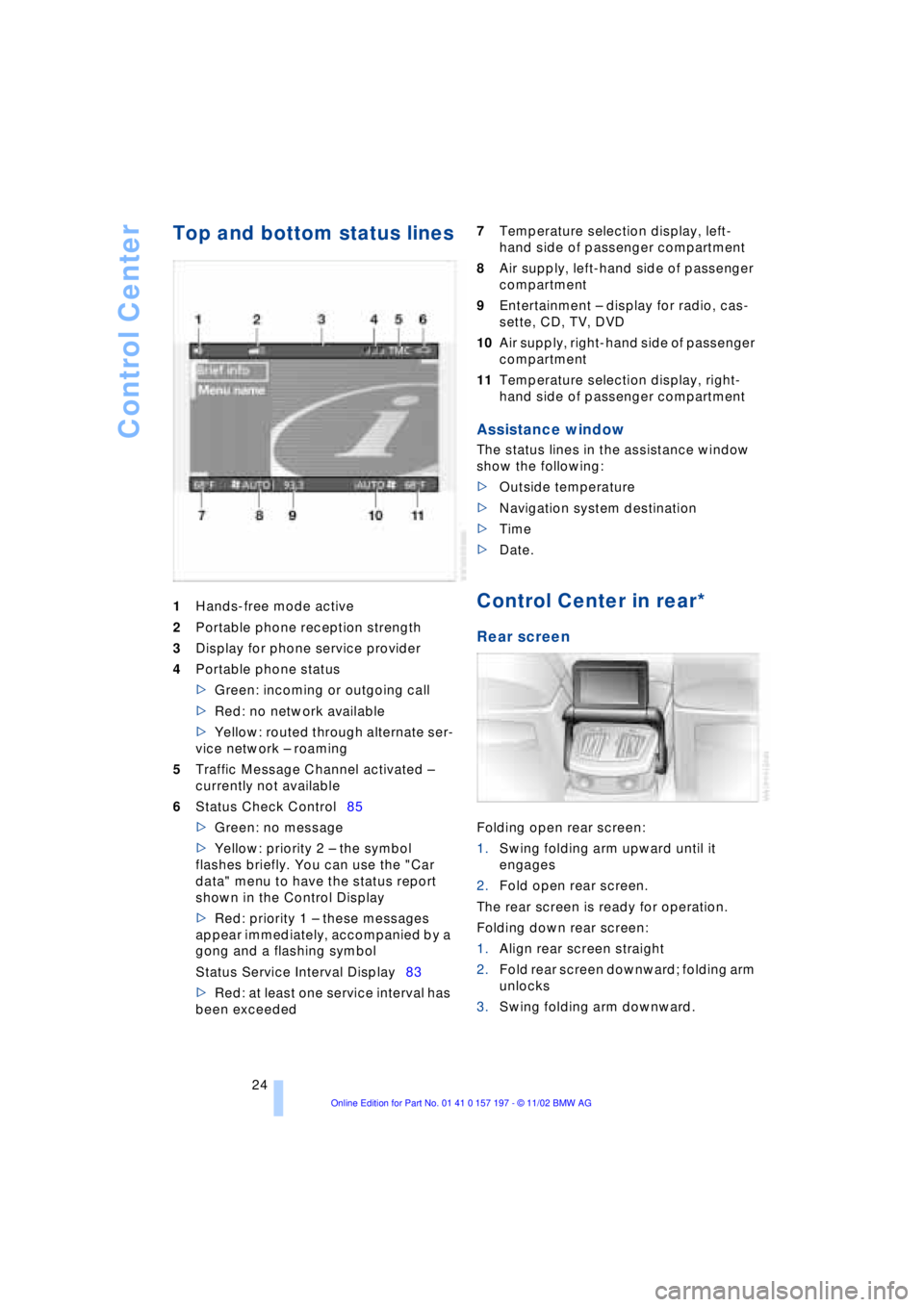
Top and bottom status lines
1Hands-free mode active
2Portable phone reception strength
3Display for phone service provider
4Portable phone status
>Green: incoming or outgoing call
>Red: no network available
>Yellow: routed through alternate ser-
vice network Ð roaming
5Traffic Message Channel activated Ð
currently not available
6Status Check Control85
>Green: no message
>Yellow: priority 2 Ð the symbol
flashes briefly. You can use the "Car
data" menu to have the status report
shown in the Control Display
>Red: priority 1 Ð these messages
appear immediately, accompanied by a
gong and a flashing symbol
Status Service Interval Display83
>Red: at least one service interval has
been exceeded 7Temperature selection display, left-
hand side of passenger compartment
8Air supply, left-hand side of passenger
compartment
9Entertainment Ð display for radio, cas-
sette, CD, TV, DVD
10Air supply, right-hand side of passenger
compartment
11Temperature selection display, right-
hand side of passenger compartment
Assistance window
The status lines in the assistance window
show the following:
>Outside temperature
>Navigation system destination
>Time
>Date.
Control Center in rear*
Rear screen
Folding open rear screen:
1.Swing folding arm upward until it
engages
2.Fold open rear screen.
The rear screen is ready for operation.
Folding down rear screen:
1.Align rear screen straight
2.Fold rear screen downward; folding arm
unlocks
3.Swing folding arm downward.
Page 85 of 229
At a glance
Controls
Driving tips
Communications
Navigation
Entertainment
Mobility
Reference
83
normal operating temperature. The seg-
ments disappear in sequence as the engine
warms to its normal operating temperature.
Avoid allowing the engine speed to rise as
far as the orange warning sector whenever
possible.
Service Interval Display
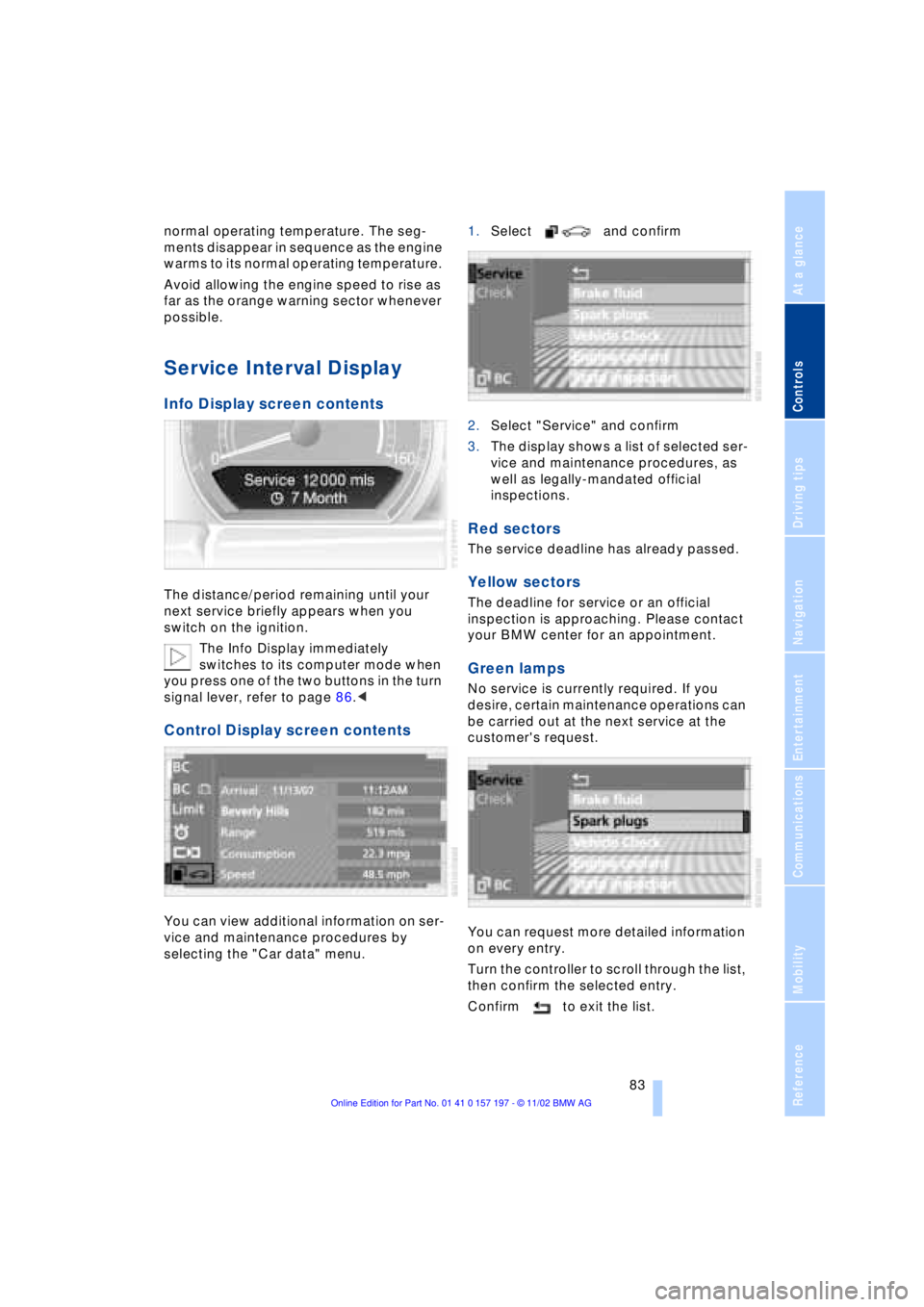
Info Display screen contents
The distance/period remaining until your
next service briefly appears when you
switch on the ignition.
The Info Display immediately
switches to its computer mode when
you press one of the two buttons in the turn
signal lever, refer to page 86.<
Control Display screen contents
You can view additional information on ser-
vice and maintenance procedures by
selecting the "Car data" menu. 1.Select and confirm
2.Select "Service" and confirm
3.The display shows a list of selected ser-
vice and maintenance procedures, as
well as legally-mandated official
inspections.
Red sectors
The service deadline has already passed.
Yellow sectors
The deadline for service or an official
inspection is approaching. Please contact
your BMW center for an appointment.
Green lamps
No service is currently required. If you
desire, certain maintenance operations can
be carried out at the next service at the
customer's request.
You can request more detailed information
on every entry.
Turn the controller to scroll through the list,
then confirm the selected entry.
Confirm to exit the list.
Page 86 of 229
Everything under control
84 Confirm to exit the display.
The Service Interval Display does not
continue counting down to the next
service during periods when the vehicle is
stored with the battery disconnected or the
battery switch OFF.
Please remember that brake fluid should
be changed every two years at the latest,
even if the display does not yet indicate
that service is required, refer to page 192.
This same precaution applies to all of the
other service and maintenance operations
scheduled according to periodic intervals,
as opposed to mileage.<
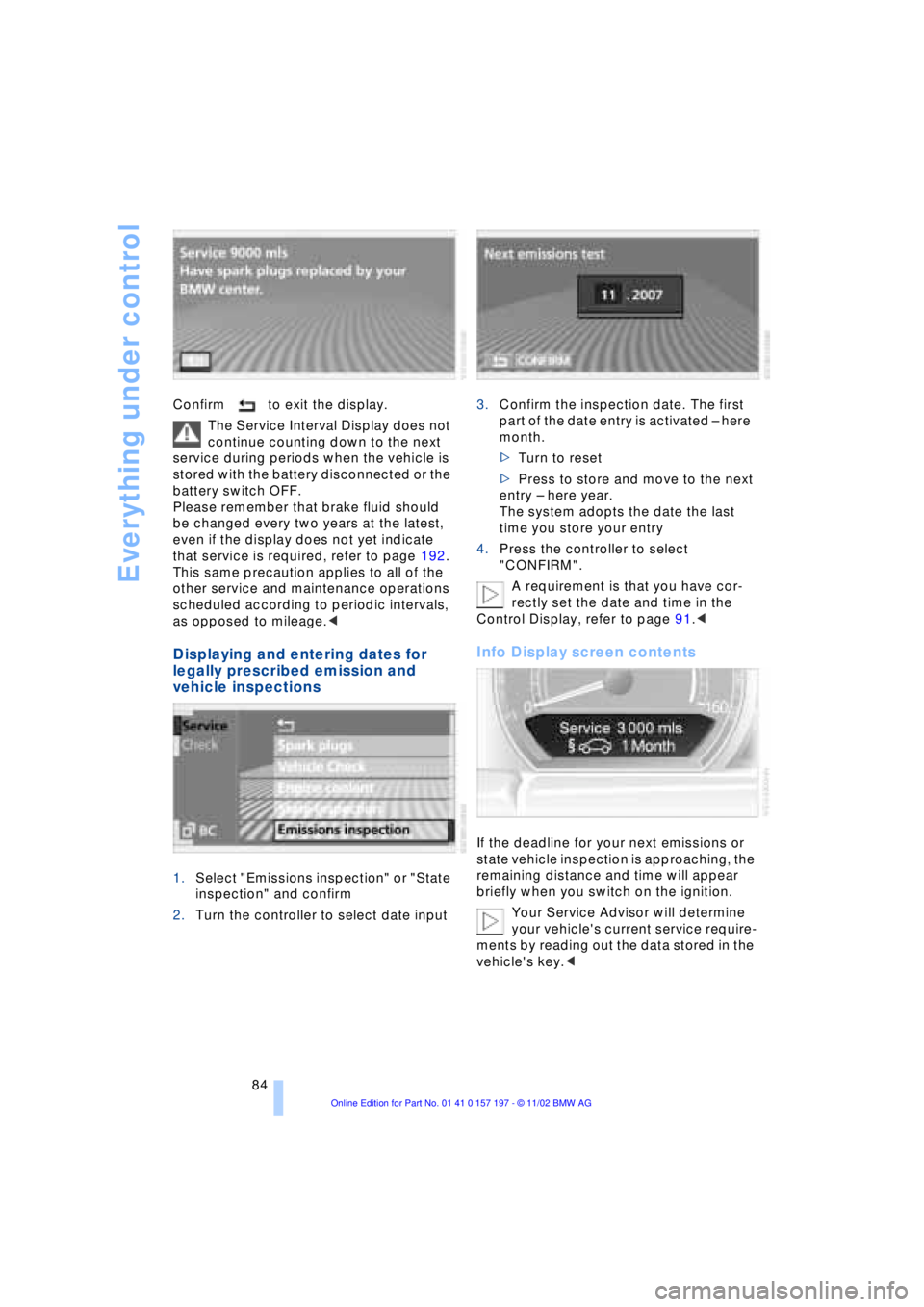
Displaying and entering dates for
legally prescribed emission and
vehicle inspections
1.Select "Emissions inspection" or "State
inspection" and confirm
2.Turn the controller to select date input3.Confirm the inspection date. The first
part of the date entry is activated Ð here
month.
>Turn to reset
>Press to store and move to the next
entry Ð here year.
The system adopts the date the last
time you store your entry
4.Press the controller to select
"CONFIRM".
A requirement is that you have cor-
rectly set the date and time in the
Control Display, refer to page 91.<
Info Display screen contents
If the deadline for your next emissions or
state vehicle inspection is approaching, the
remaining distance and time will appear
briefly when you switch on the ignition.
Your Service Advisor will determine
your vehicle's current service require-
ments by reading out the data stored in the
vehicle's key.<
Page 87 of 229
At a glance
Controls
Driving tips
Communications
Navigation
Entertainment
Mobility
Reference
85
Check Control
Info Display screen contents
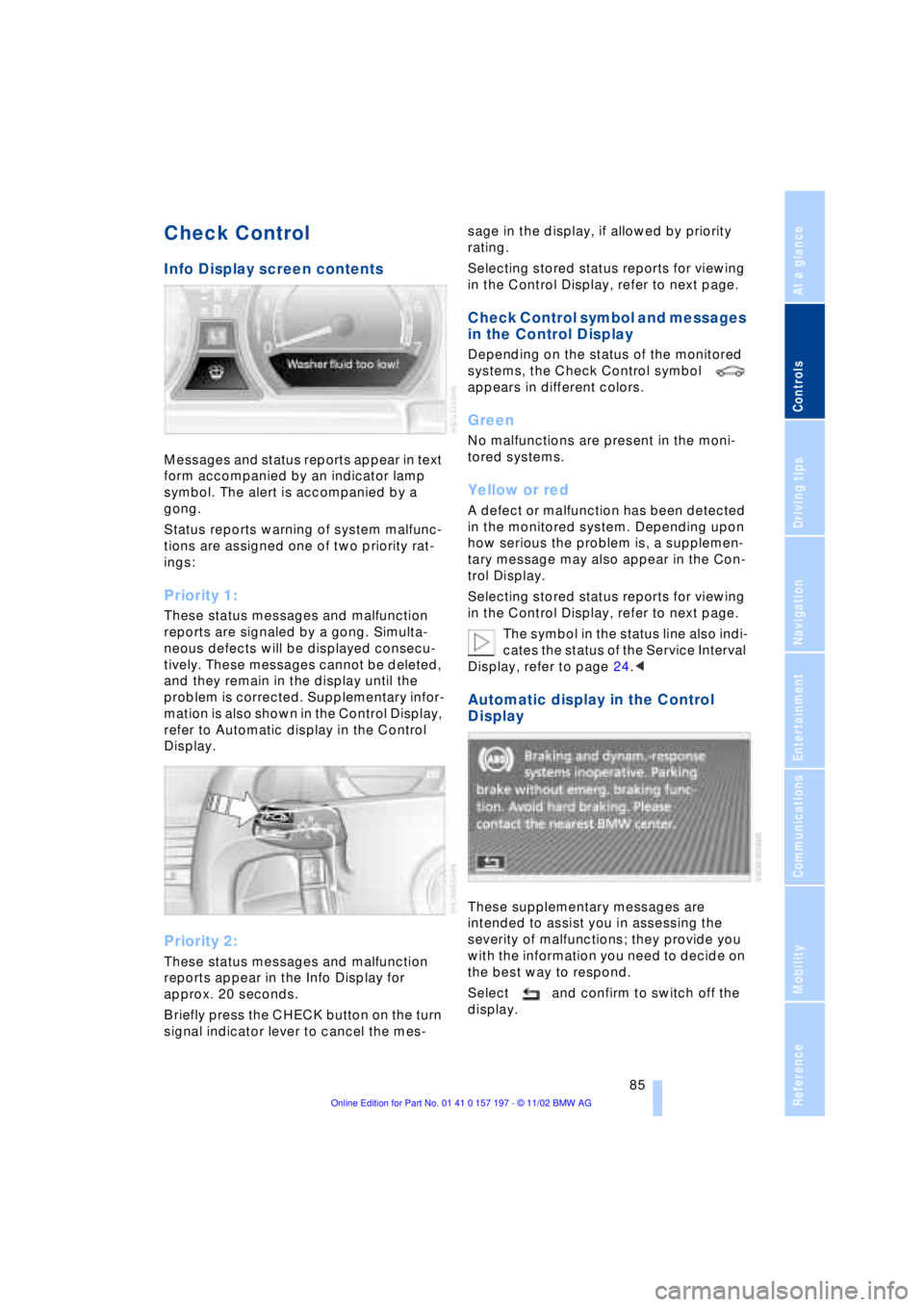
Messages and status reports appear in text
form accompanied by an indicator lamp
symbol. The alert is accompanied by a
gong.
Status reports warning of system malfunc-
tions are assigned one of two priority rat-
ings:
Priority 1:
These status messages and malfunction
reports are signaled by a gong. Simulta-
neous defects will be displayed consecu-
tively. These messages cannot be deleted,
and they remain in the display until the
problem is corrected. Supplementary infor-
mation is also shown in the Control Display,
refer to Automatic display in the Control
Display.
Priority 2:
These status messages and malfunction
reports appear in the Info Display for
approx. 20 seconds.
Briefly press the CHECK button on the turn
signal indicator lever to cancel the mes-sage in the display, if allowed by priority
rating.
Selecting stored status reports for viewing
in the Control Display, refer to next page.
Check Control symbol and messages
in the Control Display
Depending on the status of the monitored
systems, the Check Control symbol
appears in different colors.
Green
No malfunctions are present in the moni-
tored systems.
Yellow or red
A defect or malfunction has been detected
in the monitored system. Depending upon
how serious the problem is, a supplemen-
tary message may also appear in the Con-
trol Display.
Selecting stored status reports for viewing
in the Control Display, refer to next page.
The symbol in the status line also indi-
cates the status of the Service Interval
Display, refer to page 24.<
Automatic display in the Control
Display
These supplementary messages are
intended to assist you in assessing the
severity of malfunctions; they provide you
with the information you need to decide on
the best way to respond.
Select and confirm to switch off the
display.
Page 113 of 229
At a glance
Controls
Driving tips
Communications
Navigation
Entertainment
Mobility
Reference
111
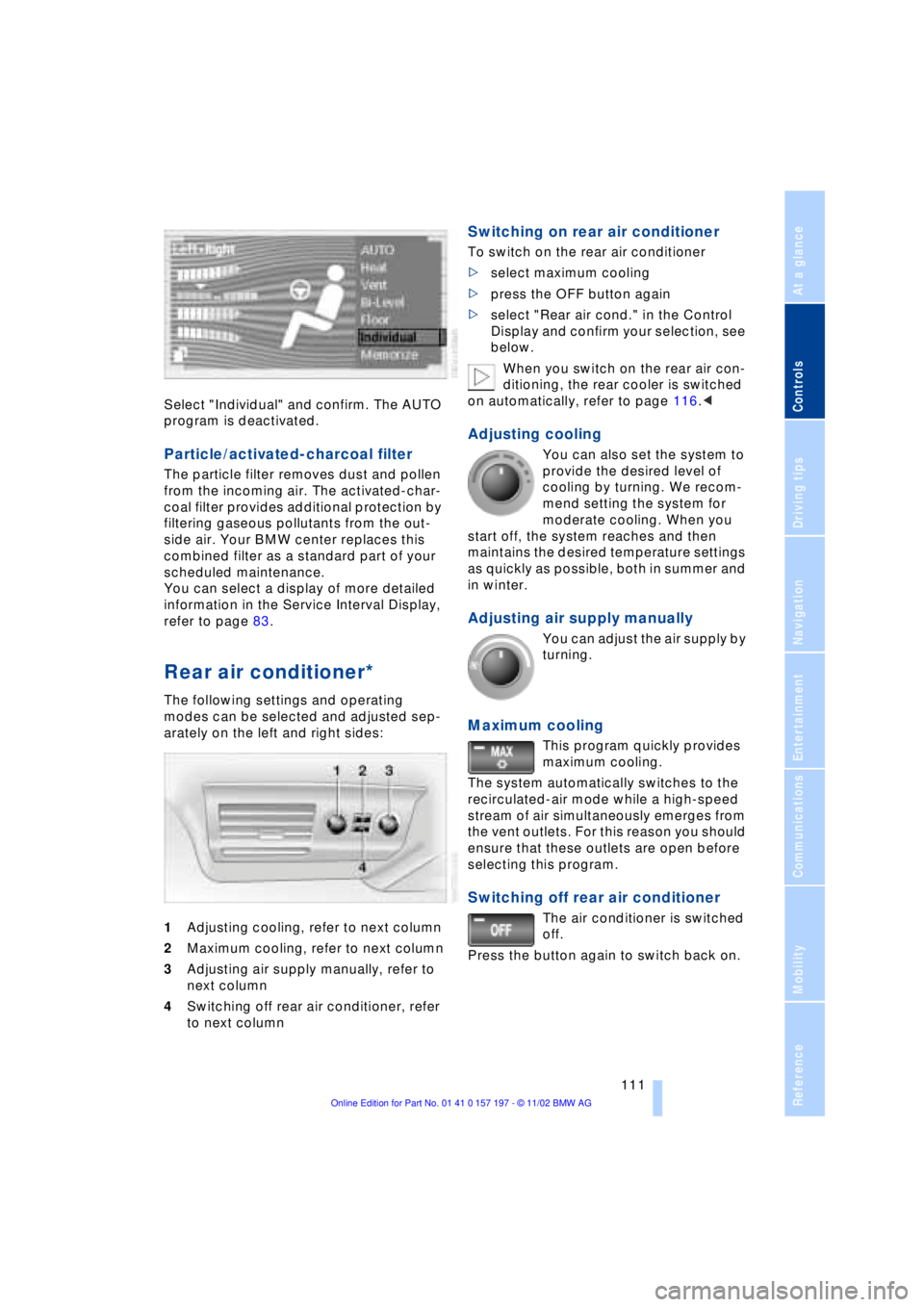
Select "Individual" and confirm. The AUTO
program is deactivated.
Particle/activated-charcoal filter
The particle filter removes dust and pollen
from the incoming air. The activated-char-
coal filter provides additional protection by
filtering gaseous pollutants from the out-
side air. Your BMW center replaces this
combined filter as a standard part of your
scheduled maintenance.
You can select a display of more detailed
information in the Service Interval Display,
refer to page 83.
Rear air conditioner*
The following settings and operating
modes can be selected and adjusted sep-
arately on the left and right sides:
1Adjusting cooling, refer to next column
2Maximum cooling, refer to next column
3Adjusting air supply manually, refer to
next column
4Switching off rear air conditioner, refer
to next column
Switching on rear air conditioner
To switch on the rear air conditioner
>select maximum cooling
>press the OFF button again
>select "Rear air cond." in the Control
Display and confirm your selection, see
below.
When you switch on the rear air con-
ditioning, the rear cooler is switched
on automatically, refer to page 116.<
Adjusting cooling
You can also set the system to
provide the desired level of
cooling by turning. We recom-
mend setting the system for
moderate cooling. When you
start off, the system reaches and then
maintains the desired temperature settings
as quickly as possible, both in summer and
in winter.
Adjusting air supply manually
You can adjust the air supply by
turning.
Maximum cooling
This program quickly provides
maximum cooling.
The system automatically switches to the
recirculated-air mode while a high-speed
stream of air simultaneously emerges from
the vent outlets. For this reason you should
ensure that these outlets are open before
selecting this program.
Switching off rear air conditioner
The air conditioner is switched
off.
Press the button again to switch back on.
Page 195 of 229
At a glance
Controls
Driving tips
Communications
Navigation
Entertainment
Mobility
Reference
193
Maintenance
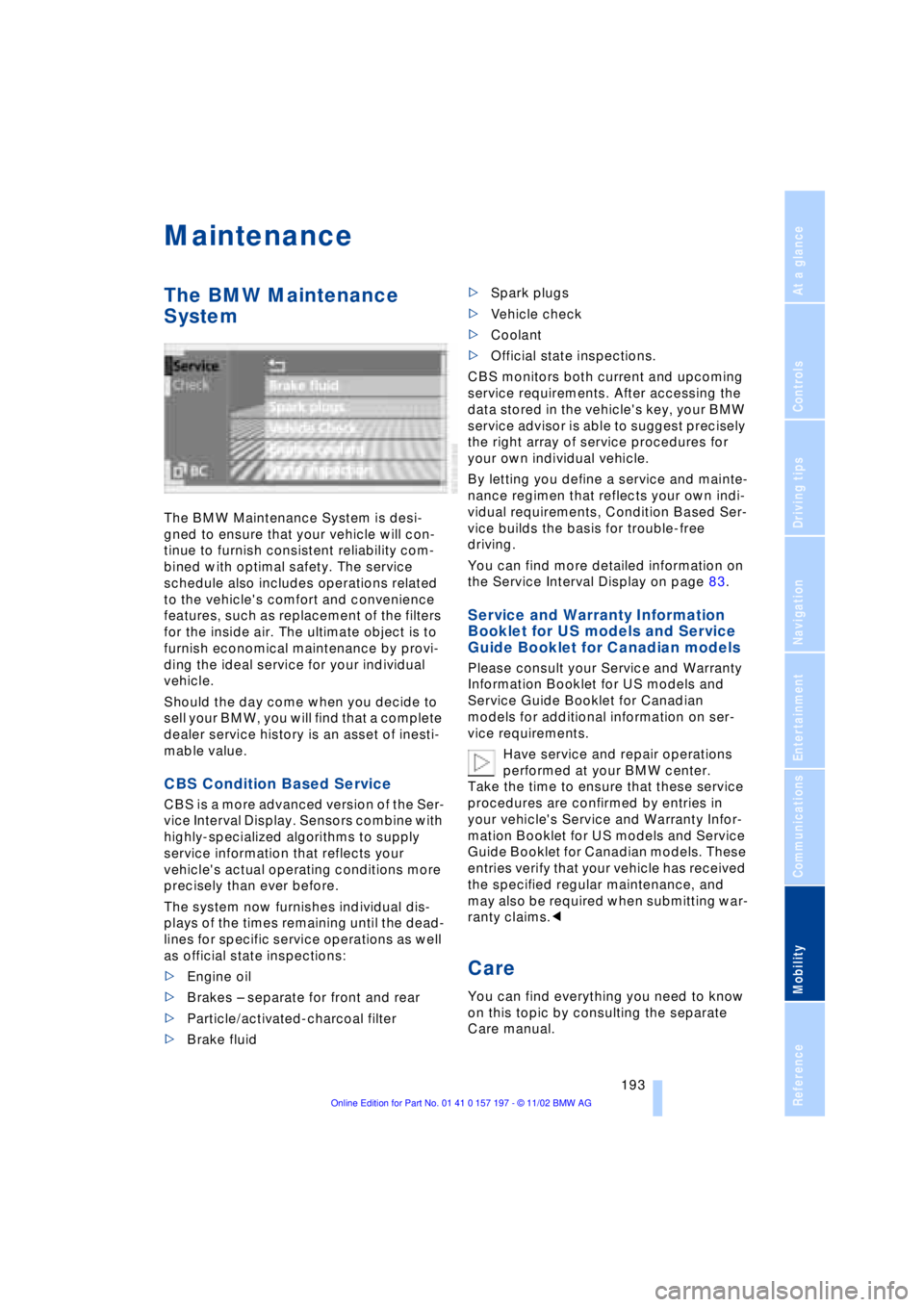
The BMW Maintenance
System
The BMW Maintenance System is desi-
gned to ensure that your vehicle will con-
tinue to furnish consistent reliability com-
bined with optimal safety. The service
schedule also includes operations related
to the vehicle's comfort and convenience
features, such as replacement of the filters
for the inside air. The ultimate object is to
furnish economical maintenance by provi-
ding the ideal service for your individual
vehicle.
Should the day come when you decide to
sell your BMW, you will find that a complete
dealer service history is an asset of inesti-
mable value.
CBS Condition Based Service
CBS is a more advanced version of the Ser-
vice Interval Display. Sensors combine with
highly-specialized algorithms to supply
service information that reflects your
vehicle's actual operating conditions more
precisely than ever before.
The system now furnishes individual dis-
plays of the times remaining until the dead-
lines for specific service operations as well
as official state inspections:
>Engine oil
>Brakes Ð separate for front and rear
>Particle/activated-charcoal filter
>Brake fluid >Spark plugs
>Vehicle check
>Coolant
>Official state inspections.
CBS monitors both current and upcoming
service requirements. After accessing the
data stored in the vehicle's key, your BMW
service advisor is able to suggest precisely
the right array of service procedures for
your own individual vehicle.
By letting you define a service and mainte-
nance regimen that reflects your own indi-
vidual requirements, Condition Based Ser-
vice builds the basis for trouble-free
driving.
You can find more detailed information on
the Service Interval Display on page 83.
Service and Warranty Information
Booklet for US models and Service
Guide Booklet for Canadian models
Please consult your Service and Warranty
Information Booklet for US models and
Service Guide Booklet for Canadian
models for additional information on ser-
vice requirements.
Have service and repair operations
performed at your BMW center.
Take the time to ensure that these service
procedures are confirmed by entries in
your vehicle's Service and Warranty Infor-
mation Booklet for US models and Service
Guide Booklet for Canadian models. These
entries verify that your vehicle has received
the specified regular maintenance, and
may also be required when submitting war-
ranty claims.<
Care
You can find everything you need to know
on this topic by consulting the separate
Care manual.
Page 221 of 229
219
At a glance
Controls
Driving tips
Communications
Navigation
Entertainment
Mobility
Reference
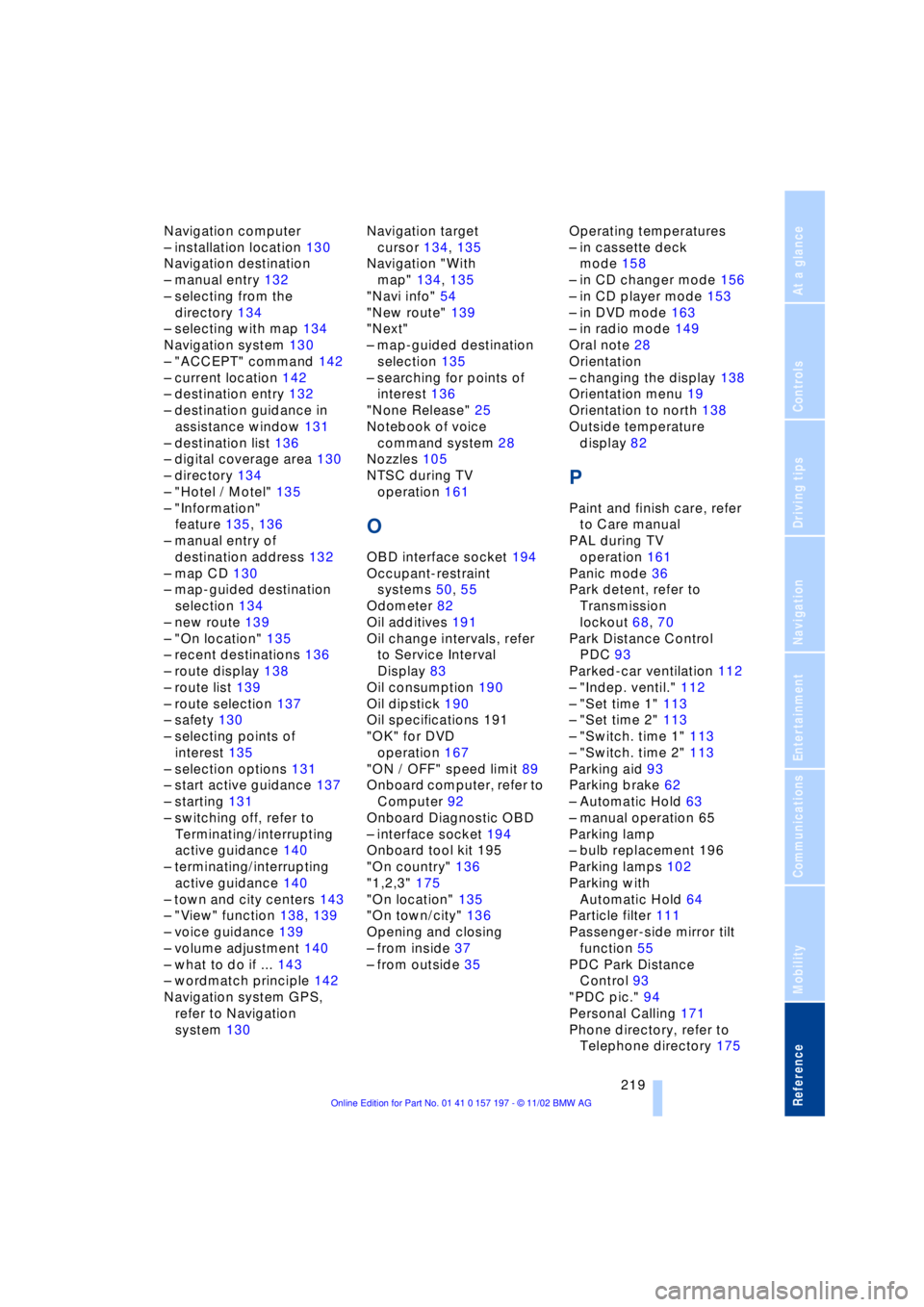
Navigation computer
Ð installation location 130
Navigation destination
Ð manual entry 132
Ð selecting from the
directory 134
Ð selecting with map 134
Navigation system 130
Ð "ACCEPT" command 142
Ð current location 142
Ð destination entry 132
Ð destination guidance in
assistance window 131
Ð destination list 136
Ð digital coverage area 130
Ð directory 134
Ð "Hotel / Motel" 135
Ð "Information"
feature 135, 136
Ð manual entry of
destination address 132
Ð map CD 130
Ð map-guided destination
selection 134
Ð new route 139
Ð "On location" 135
Ð recent destinations 136
Ð route display 138
Ð route list 139
Ð route selection 137
Ð safety 130
Ð selecting points of
interest 135
Ð selection options 131
Ð start active guidance 137
Ð starting 131
Ð switching off, refer to
Terminating/interrupting
active guidance 140
Ð terminating/interrupting
active guidance 140
Ð town and city centers 143
Ð "View" function 138, 139
Ð voice guidance 139
Ð volume adjustment 140
Ð what to do if ... 143
Ð wordmatch principle 142
Navigation system GPS,
refer to Navigation
system 130Navigation target
cursor 134, 135
Navigation "With
map" 134, 135
"Navi info" 54
"New route" 139
"Next"
Ð map-guided destination
selection 135
Ð searching for points of
interest 136
"None Release" 25
Notebook of voice
command system 28
Nozzles 105
NTSC during TV
operation 161
O
OBD interface socket 194
Occupant-restraint
systems 50, 55
Odometer 82
Oil additives 191
Oil change intervals, refer
to Service Interval
Display 83
Oil consumption 190
Oil dipstick 190
Oil specifications 191
"OK" for DVD
operation 167
"ON / OFF" speed limit 89
Onboard computer, refer to
Computer 92
Onboard Diagnostic OBD
Ð interface socket 194
Onboard tool kit 195
"On country" 136
"1,2,3" 175
"On location" 135
"On town/city" 136
Opening and closing
Ð from inside 37
Ð from outside 35Operating temperatures
Ð in cassette deck
mode 158
Ð in CD changer mode 156
Ð in CD player mode 153
Ð in DVD mode 163
Ð in radio mode 149
Oral note 28
Orientation
Ð changing the display 138
Orientation menu 19
Orientation to north 138
Outside temperature
display 82
P
Paint and finish care, refer
to Care manual
PAL during TV
operation 161
Panic mode 36
Park detent, refer to
Transmission
lockout 68, 70
Park Distance Control
PDC 93
Parked-car ventilation 112
Ð "Indep. ventil." 112
Ð "Set time 1" 113
Ð "Set time 2" 113
Ð "Switch. time 1" 113
Ð "Switch. time 2" 113
Parking aid 93
Parking brake 62
Ð Automatic Hold 63
Ð manual operation 65
Parking lamp
Ð bulb replacement 196
Parking lamps 102
Parking with
Automatic Hold 64
Particle filter 111
Passenger-side mirror tilt
function 55
PDC Park Distance
Control 93
"PDC pic." 94
Personal Calling 171
Phone directory, refer to
Telephone directory 175
Page 223 of 229
221
At a glance
Controls
Driving tips
Communications
Navigation
Entertainment
Mobility
Reference
Route
Ð display 138
Ð list 139
Ð map cancellation 138
Ð map display 138
Ð selection 137
"Route guid." 137, 140
Route map 138
"Route selec." 137
Route selection 137
"RPA" 98
Run-flat tires 186, 200
S
S 154
Safety belts 50
Safety belt tensioners 50
Safety lock buttons 38
Safety precautions to
observe when using your
phone 170
Safety switch for rear
windows 43
"Save dest." 135
"SCAN"
Ð CD changer 157
Ð CD player 154
Ð radio 150
Scan
Ð CD changer 157
Ð CD player 154
Ð radio 150
Scan sampling
Ð CD changer 157
Ð CD player 154
Ð radio 150
Screen
Ð rear 24
Seat, mirror and steering
wheel memory 54
Seat heating 51
Seat memory 54
Seats
Ð adjusting 45
Ð sitting safely 45
"Seat temp." 51, 109
Seat ventilation, refer to
Active seat ventilation 51
SECAM during
TV operation 161Securing cargo, refer to
Cargo loading 126
Securing the load, ski
bag 121
Selecting new route with
navigation system 139
Selecting new scale for
navigation system
display 138
Selecting stored radio
stations 151
Selection options for
navigation 131
Selector lever, automatic
transmission 67
Self-defrosting mirrors 52
Self-leveling
suspension 101
"Service" 83, 193
Ð "Emissions inspection" 84
Ð "Spark plugs" 83
Ð Vehicle inspection 84
Service and Warranty
Information Booklet for
US models 193
Service brakes 125
Service Guide Booklet for
Canadian models 193
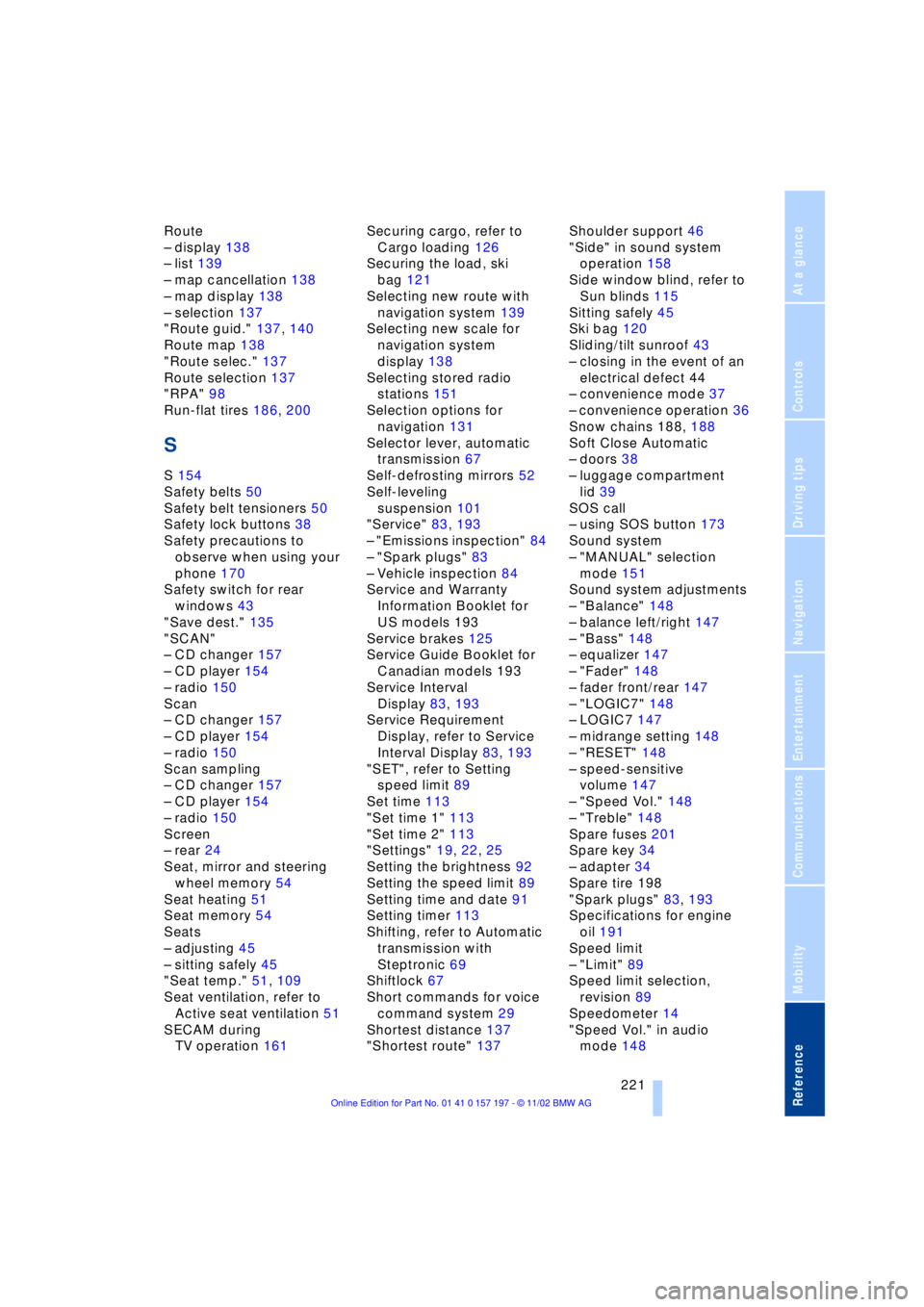
Service Interval
Display 83, 193
Service Requirement
Display, refer to Service
Interval Display 83, 193
"SET", refer to Setting
speed limit 89
Set time 113
"Set time 1" 113
"Set time 2" 113
"Settings" 19, 22, 25
Setting the brightness 92
Setting the speed limit 89
Setting time and date 91
Setting timer 113
Shifting, refer to Automatic
transmission with
Steptronic 69
Shiftlock 67
Short commands for voice
command system 29
Shortest distance 137
"Shortest route" 137Shoulder support 46
"Side" in sound system
operation 158
Side window blind, refer to
Sun blinds 115
Sitting safely 45
Ski bag 120
Sliding/tilt sunroof 43
Ð closing in the event of an
electrical defect 44
Ð convenience mode 37
Ð convenience operation 36
Snow chains 188, 188
Soft Close Automatic
Ð doors 38
Ð luggage compartment
lid 39
SOS call
Ð using SOS button 173
Sound system
Ð "MANUAL" selection
mode 151
Sound system adjustments
Ð "Balance" 148
Ð balance left/right 147
Ð "Bass" 148
Ð equalizer 147
Ð "Fader" 148
Ð fader front/rear 147
Ð "LOGIC7" 148
Ð LOGIC7 147
Ð midrange setting 148
Ð "RESET" 148
Ð speed-sensitive
volume 147
Ð "Speed Vol." 148
Ð "Treble" 148
Spare fuses 201
Spare key 34
Ð adapter 34
Spare tire 198
"Spark plugs" 83, 193
Specifications for engine
oil 191
Speed limit
Ð "Limit" 89
Speed limit selection,
revision 89
Speedometer 14
"Speed Vol." in audio
mode 148