AC System BMW 760LI SEDAN 2004 Owners Manual
[x] Cancel search | Manufacturer: BMW, Model Year: 2004, Model line: 760LI SEDAN, Model: BMW 760LI SEDAN 2004Pages: 232, PDF Size: 5.27 MB
Page 150 of 232
On/off, tone
148
On/off, tone
Controls
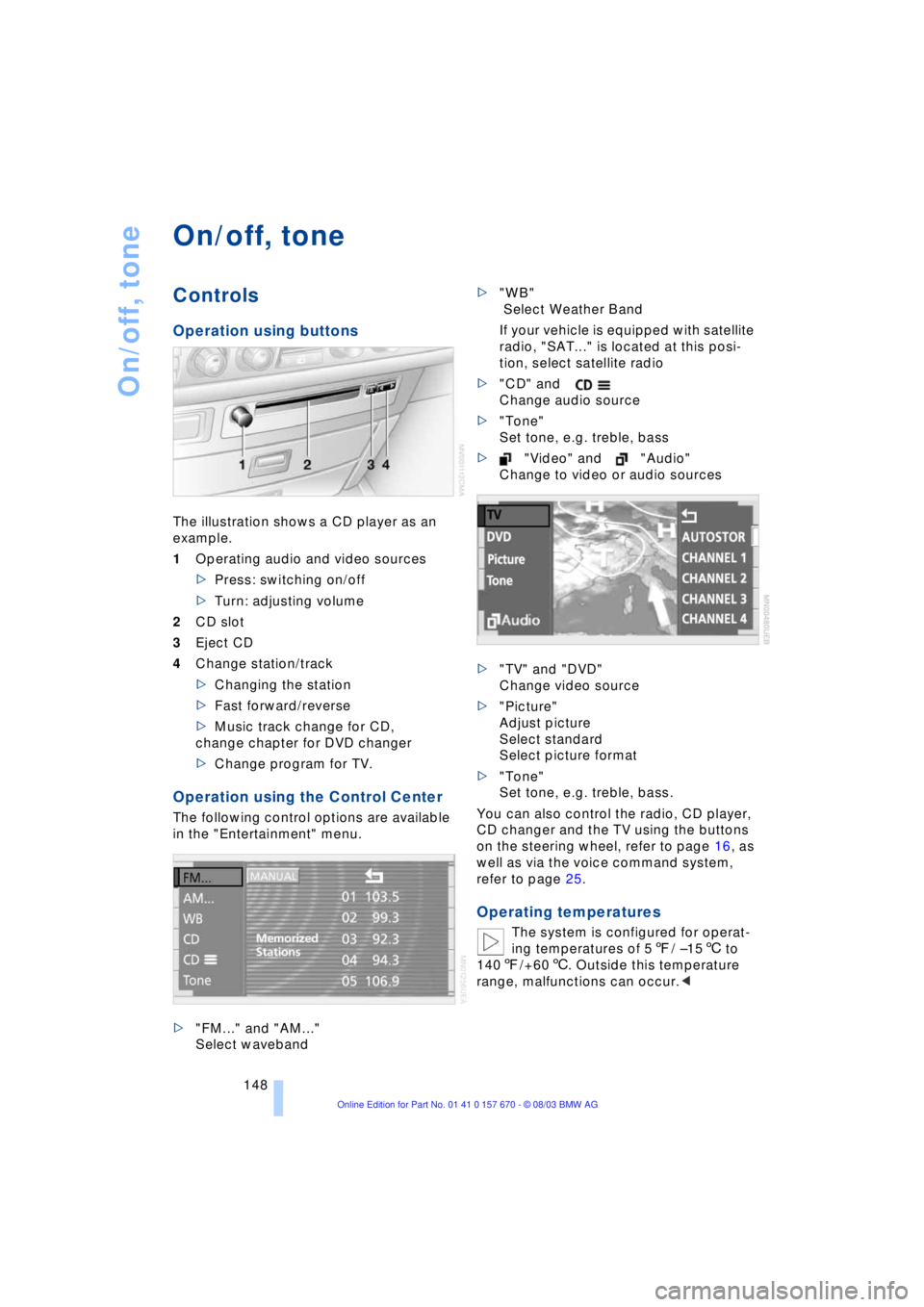
Operation using buttons
The illustration shows a CD player as an
example.
1Operating audio and video sources
>Press: switching on/off
>Turn: adjusting volume
2CD slot
3Eject CD
4Change station/track
>Changing the station
>Fast forward/reverse
>Music track change for CD,
change chapter for DVD changer
>Change program for TV.
Operation using the Control Center
The following control options are available
in the "Entertainment" menu.
>"FM..." and "AM..."
Select waveband>"WB"
Select Weather Band
If your vehicle is equipped with satellite
radio, "SAT..." is located at this posi-
tion, select satellite radio
>"CD" and
Change audio source
>"Tone"
Set tone, e.g. treble, bass
>"Video" and "Audio"
Change to video or audio sources
>"TV" and "DVD"
Change video source
>"Picture"
Adjust picture
Select standard
Select picture format
>"Tone"
Set tone, e.g. treble, bass.
You can also control the radio, CD player,
CD changer and the TV using the buttons
on the steering wheel, refer to page 16, as
well as via the voice command system,
refer to page 25.
Operating temperatures
The system is configured for operat-
ing temperatures of 57/ Ð156 to
1407/+606. Outside this temperature
range, malfunctions can occur.<
Page 151 of 232
Navigation
Entertainment
Driving tips
149Reference
At a glance
Controls
Communications
Mobility
Care instructions
You can find everything you need to know
on this topic by consulting the separate
Caring for your vehicle brochure.
Switching on/off
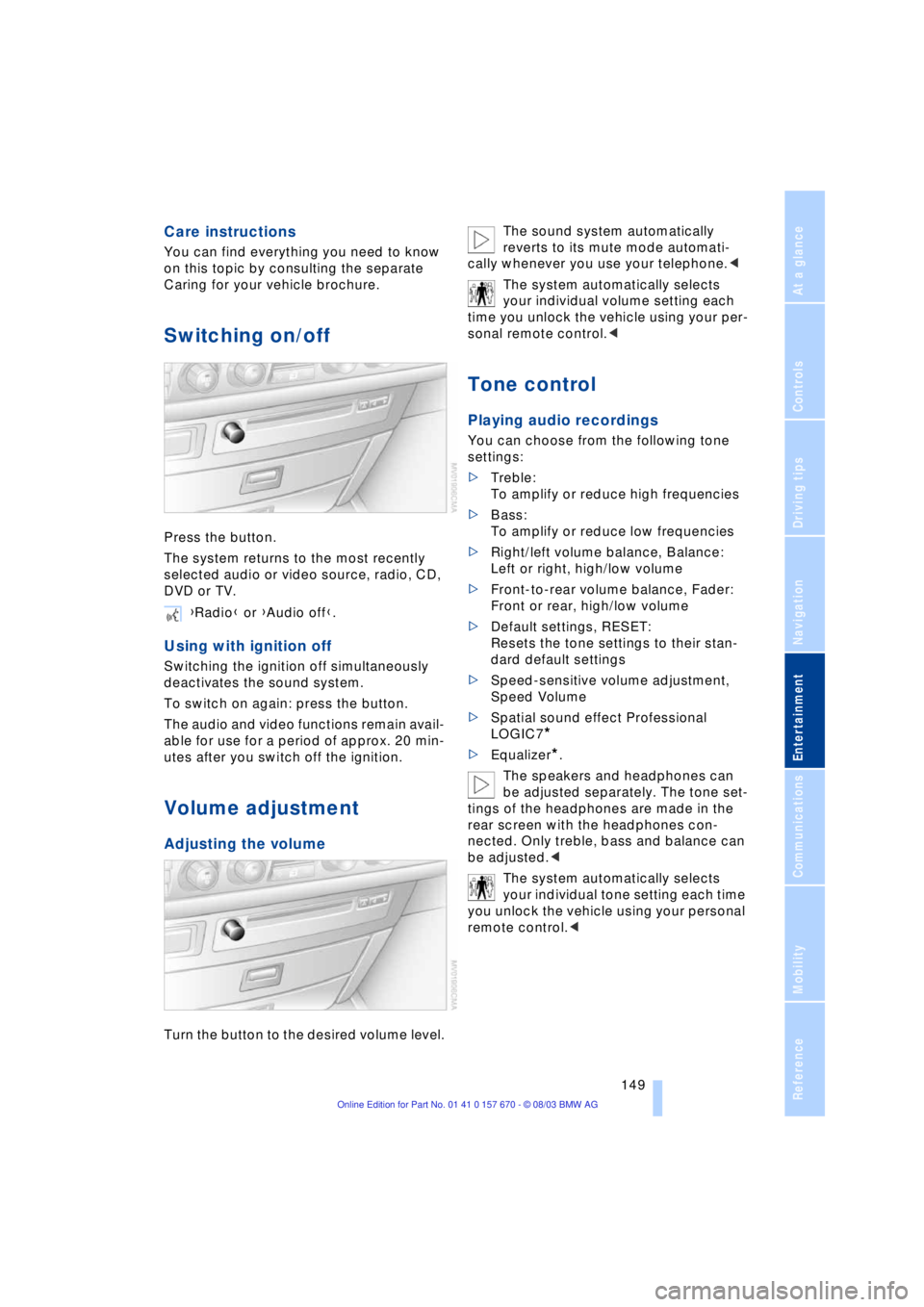
Press the button.
The system returns to the most recently
selected audio or video source, radio, CD,
DVD or TV.
Using with ignition off
Switching the ignition off simultaneously
deactivates the sound system.
To switch on again: press the button.
The audio and video functions remain avail-
able for use for a period of approx. 20 min-
utes after you switch off the ignition.
Volume adjustment
Adjusting the volume
Turn the button to the desired volume level.The sound system automatically
reverts to its mute mode automati-
cally whenever you use your telephone.<
The system automatically selects
your individual volume setting each
time you unlock the vehicle using your per-
sonal remote control.<
Tone control
Playing audio recordings
You can choose from the following tone
settings:
>Treble:
To amplify or reduce high frequencies
>Bass:
To amplify or reduce low frequencies
>Right/left volume balance, Balance:
Left or right, high/low volume
>Front-to-rear volume balance, Fader:
Front or rear, high/low volume
>Default settings, RESET:
Resets the tone settings to their stan-
dard default settings
>Speed-sensitive volume adjustment,
Speed Volume
>Spatial sound effect Professional
LOGIC7
*
>Equalizer*.
The speakers and headphones can
be adjusted separately. The tone set-
tings of the headphones are made in the
rear screen with the headphones con-
nected. Only treble, bass and balance can
be adjusted.<
The system automatically selects
your individual tone setting each time
you unlock the vehicle using your personal
remote control.< {Radio} or {Audio off}.
Page 154 of 232
Radio
152
Radio
Listening to the radio
1.Switch on audio or video sources, refer
to page 149
If a video source is switched on,
select "Audio" and confirm.<
2.If another audio source is switched on,
select "FM..." or "AM..." and confirm.
Volume adjustment, refer to page 149.
Tone control, refer to page 149.
Waveband selection
Your radio provides reception of the FM
and AM wavebands.
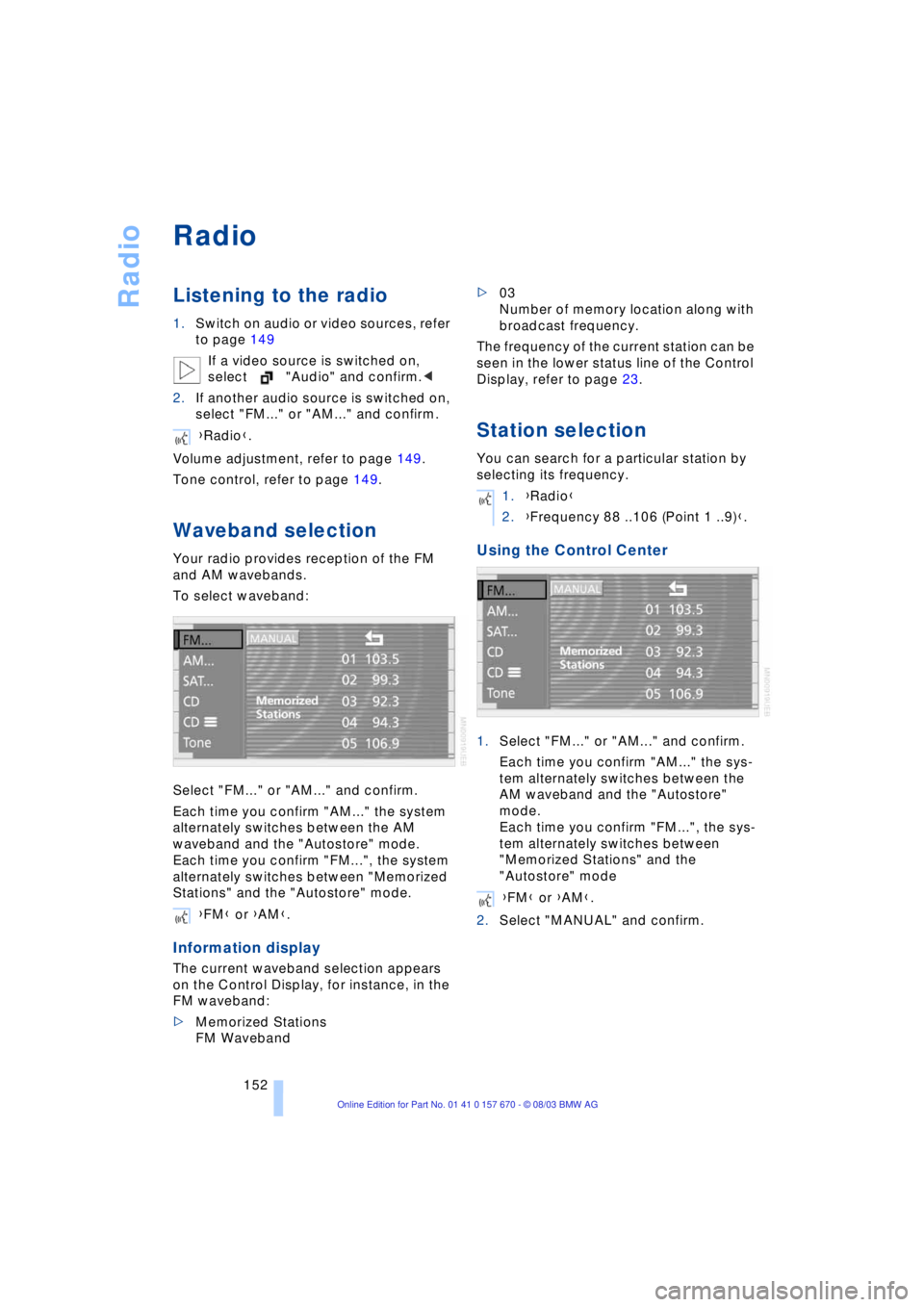
To select waveband:
Select "FM..." or "AM..." and confirm.
Each time you confirm "AM..." the system
alternately switches between the AM
waveband and the "Autostore" mode.
Each time you confirm "FM...", the system
alternately switches between "Memorized
Stations" and the "Autostore" mode.
Information display
The current waveband selection appears
on the Control Display, for instance, in the
FM waveband:
>Memorized Stations
FM Waveband>03
Number of memory location along with
broadcast frequency.
The frequency of the current station can be
seen in the lower status line of the Control
Display, refer to page 23.
Station selection
You can search for a particular station by
selecting its frequency.
Using the Control Center
1.Select "FM..." or "AM..." and confirm.
Each time you confirm "AM..." the sys-
tem alternately switches between the
AM waveband and the "Autostore"
mode.
Each time you confirm "FM...", the sys-
tem alternately switches between
"Memorized Stations" and the
"Autostore" mode
2.Select "MANUAL" and confirm. {Radio}.
{FM} or {AM}.
1.{Radio}
2.{Frequency 88 ..106 (Point 1 ..9)}.
{FM} or {AM}.
Page 155 of 232
Navigation
Entertainment
Driving tips
153Reference
At a glance
Controls
Communications
Mobility
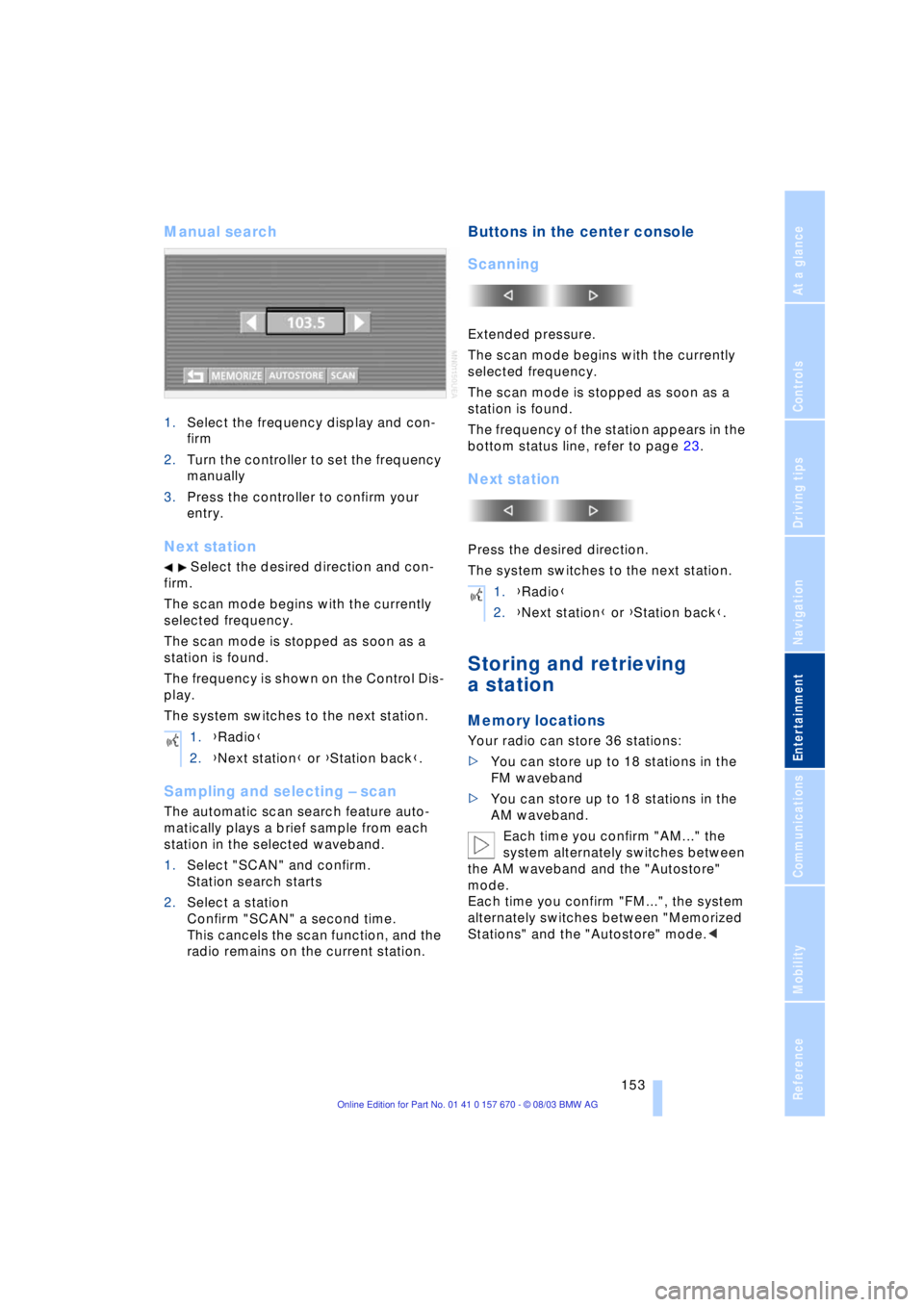
Manual search
1.Select the frequency display and con-
firm
2.Turn the controller to set the frequency
manually
3.Press the controller to confirm your
entry.
Next station
Select the desired direction and con-
firm.
The scan mode begins with the currently
selected frequency.
The scan mode is stopped as soon as a
station is found.
The frequency is shown on the Control Dis-
play.
The system switches to the next station.
Sampling and selecting Ð scan
The automatic scan search feature auto-
matically plays a brief sample from each
station in the selected waveband.
1.Select "SCAN" and confirm.
Station search starts
2.Select a station
Confirm "SCAN" a second time.
This cancels the scan function, and the
radio remains on the current station.
Buttons in the center console
Scanning
Extended pressure.
The scan mode begins with the currently
selected frequency.
The scan mode is stopped as soon as a
station is found.
The frequency of the station appears in the
bottom status line, refer to page 23.
Next station
Press the desired direction.
The system switches to the next station.
Storing and retrieving
a station
Memory locations
Your radio can store 36 stations:
>You can store up to 18 stations in the
FM waveband
>You can store up to 18 stations in the
AM waveband.
Each time you confirm "AM..." the
system alternately switches between
the AM waveband and the "Autostore"
mode.
Each time you confirm "FM...", the system
alternately switches between "Memorized
Stations" and the "Autostore" mode.< 1.{Radio}
2.{Next station} or {Station back}.
1.{Radio}
2.{Next station} or {Station back}.
Page 158 of 232
Radio
156
Enabling channels
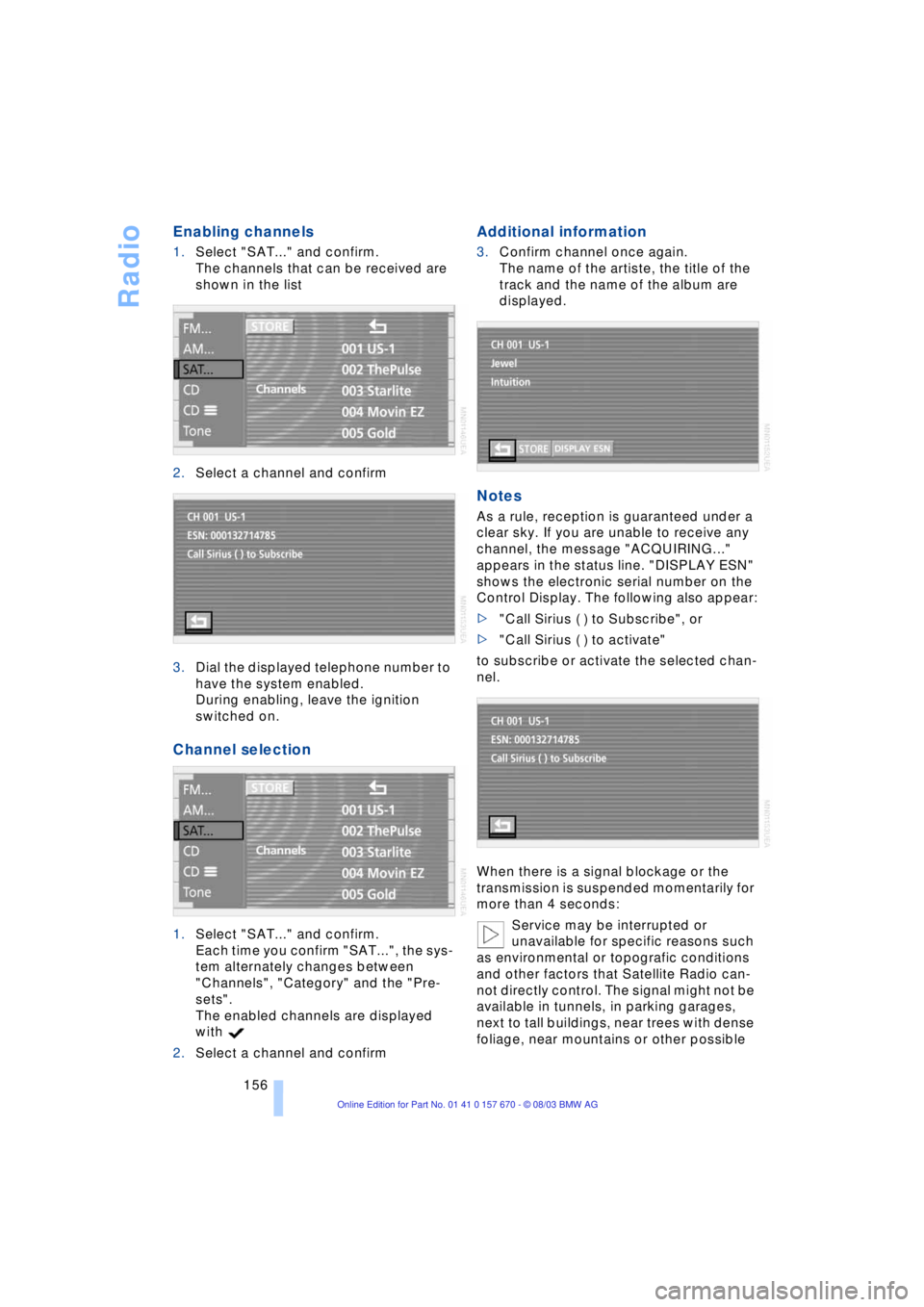
1.Select "SAT..." and confirm.
The channels that can be received are
shown in the list
2.Select a channel and confirm
3.Dial the displayed telephone number to
have the system enabled.
During enabling, leave the ignition
switched on.
Channel selection
1.Select "SAT..." and confirm.
Each time you confirm "SAT...", the sys-
tem alternately changes between
"Channels", "Category" and the "Pre-
sets".
The enabled channels are displayed
with
2.Select a channel and confirm
Additional information
3.Confirm channel once again.
The name of the artiste, the title of the
track and the name of the album are
displayed.
Notes
As a rule, reception is guaranteed under a
clear sky. If you are unable to receive any
channel, the message "ACQUIRING..."
appears in the status line. "DISPLAY ESN"
shows the electronic serial number on the
Control Display. The following also appear:
>"Call Sirius ( ) to Subscribe", or
>"Call Sirius ( ) to activate"
to subscribe or activate the selected chan-
nel.
When there is a signal blockage or the
transmission is suspended momentarily for
more than 4 seconds:
Service may be interrupted or
unavailable for specific reasons such
as environmental or topografic conditions
and other factors that Satellite Radio can-
not directly control. The signal might not be
available in tunnels, in parking garages,
next to tall buildings, near trees with dense
foliage, near mountains or other possible
Page 160 of 232
CD Compact Disc
158
CD Compact Disc
Listening to CDs
Insert the CD in the slot.
If a CD is already inserted in the CD player:
Start playback
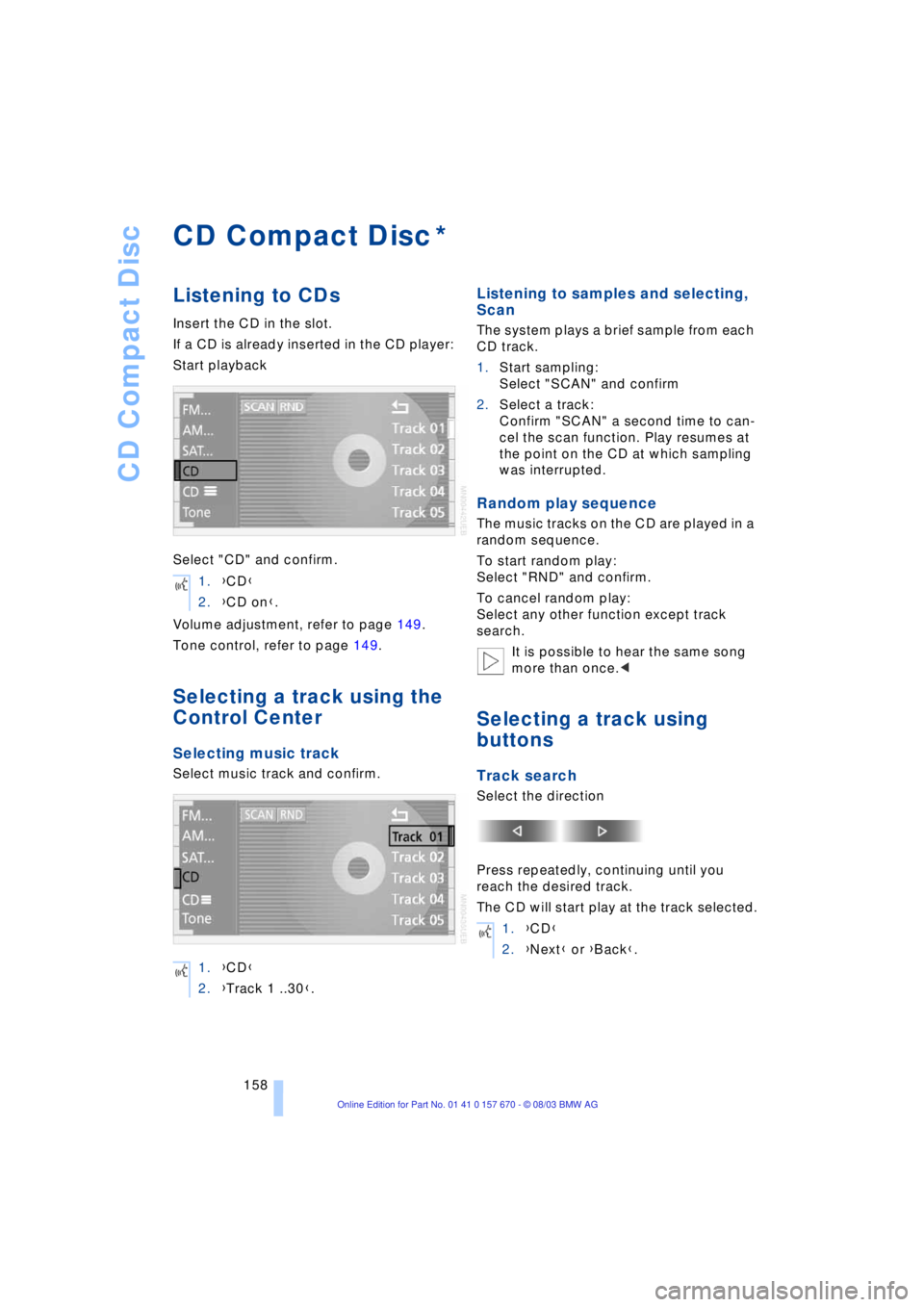
Select "CD" and confirm.
Volume adjustment, refer to page 149.
Tone control, refer to page 149.
Selecting a track using the
Control Center
Selecting music track
Select music track and confirm.
Listening to samples and selecting,
Scan
The system plays a brief sample from each
CD track.
1.Start sampling:
Select "SCAN" and confirm
2.Select a track:
Confirm "SCAN" a second time to can-
cel the scan function. Play resumes at
the point on the CD at which sampling
was interrupted.
Random play sequence
The music tracks on the CD are played in a
random sequence.
To start random play:
Select "RND" and confirm.
To cancel random play:
Select any other function except track
search.
It is possible to hear the same song
more than once.<
Selecting a track using
buttons
Track search
Select the direction
Press repeatedly, continuing until you
reach the desired track.
The CD will start play at the track selected.
*
1.{CD}
2.{CD on}.
1.{CD}
2.{Track 1 ..30}.
1.{CD}
2.{Next} or {Back}.
Page 163 of 232

Navigation
Entertainment
Driving tips
161Reference
At a glance
Controls
Communications
Mobility
If the CD magazine has been newly filled,
playback begins with the lowest CD, e.g.
CD 1, track 1.
Volume adjustment, refer to page 149.
Tone control, refer to page 149.
If you play self-recorded audio CDs,
faults, e.g. drop-outs, can occur, or
the CD is not played at all.<
Status displays
The CD magazine's load status is indicated
on the Control Display.
If the display fails to detect a CD that
you have loaded in the magazine,
check to ensure that the CD has been
inserted correctly and inspect it for signs
of defects.<
Selecting a track using the
Control Center
Selecting a CD
Select CD and confirm.
Playback starts on the first track. At the
end of the last track, the next CD will be
selected.
Sampling and selecting Ð scan
The system automatically plays a brief
sample from each of the tracks on the cur-
rent CD.1.Start sampling:
Select "SCAN" and confirm.
The scan function starts with the next
track. Once all tracks have been played
once, the next track is played
2.Select a track:
Confirm "SCAN" a second time to can-
cel the scan function. Play resumes at
the point on the CD at which sampling
was interrupted.
Random play sequence
In this mode the music tracks on the cur-
rent CD are played in a random sequence.
To start random play:
Select "RND" and confirm.
To cancel random play:
Select any other function except track
search.
Selecting a track using
buttons
Track search
Select the direction
Press repeatedly, continuing until you
reach the desired track on the current CD.
The CD will start play at the track selected.
Fast forward/reverse
1.Select the direction
Press and hold the button. The tracks
can be heard, but the sound is distorted
2.To interrupt the fast forward/reverse
function, release the button.
The system will continue play at the 1.{CD changer}
2.{CD on}.
{CD 1 ..6}.
1.{CD changer}
2.{Next} or {Back}.
Page 165 of 232

Navigation
Entertainment
Driving tips
163Reference
At a glance
Controls
Communications
Mobility
TV
For your own safety, the TV picture is only
shown on the rear screen.
The system is designed for reception
of analog television. Due to the quality
of mobile reception, reduced picture qual-
ity can result depending on the position
and network coverage in spite of the highly
advanced reception technology used.
A change in vehicle positions can result
in improved reception quality in many
cases.<
Television
1.Switch on audio or video sources, refer
to page 149
If an audio source is switched on,
select "Video" and confirm.<
2.Select "TV" and confirm.
The device selects the last program set.
Volume adjustment, refer to page 149.
Tone control, refer to page 149.
All menu items will disappear from the
screen after a brief pause if you do
not make any additional entries.<
Storing programs
The programs with the strongest reception
are automatically stored and continuously
adjusted to the respective reception situa-
tion.
Selecting programs
Using the Control Center
1.Press controller to view the programs
2.Select program and confirm
Button in the rear
Press the button in the desired direction
the number of times required to reach pro-
gram you want.
*
{TV on}.
1.{TV}
2.{Next} or {Back}.
Page 169 of 232

Navigation
Entertainment
Driving tips
167Reference
At a glance
Controls
Communications
Mobility
The DVD control disappears again after a
short time if you have not selected a func-
tion.
During playback the DVD control
is displayed by pressing the control-
ler.<
Selecting a track
Several tracks can be stored on a DVD.
1.Select DVD and confirm.
Playback begins after a few seconds2.Display DVD control, refer to page 166
3.Select "FULL MENU" and confirm
4.Select "TITLE" and confirm
5.Turn and press the controller to select
the desired track.
Playback begins at the track selected.
Fast forward/reverse
1.Display DVD control, refer to page 166
2.Select the direction
and confirm
3.To increase the fast forward/reverse
speed, press the controller several
times.
The DVD playback will be distorted
4.End fast forward/reverse:
Select and confirm.
The DVD will start play at the point
selected.
When the DVD is playing, fast for-
ward/reverse is started by turning the
controller. The speed can be increased by
turning the controller further. To interrupt
the fast forward/reverse function, release
the controller. The system will continue
play at the point on the DVD at which the
controller was released.<
Searching for chapter
You can change to the next or previ-
ous chapter during playback.<
1.Display DVD control, refer to page 166
2.Select the direction
SoftkeyFunction
Start playback
Stop playback
Close DVD controller
Activate and deactivate
freezing frame
Searching for chapter
Fast forward/reverse
DVD-specific menu:
Select functions
DVD-specific menu:
Return to previous menu
Page 172 of 232

DVD changer
170 The DVD Audio format is not sup-
ported by the DVD changer. However,
many audio DVDs available in stores also
contain a video track in the DVD Video for-
mat in addition to the audio track. These
DVDs can be played back by the DVD
changer. Please refer to the information on
your DVD to determine whether your audio
DVD contains an additional video track.
DVDs are usually divided into tracks and
chapters and can contain different subti-
tles, camera angles or sound tracks, lan-
guages and sound formats. Depending on
the version of the DVD, these functions can
be selected either directly with the DVD
control system or only via the DVD-specific
menu. Refer to the information on your DVD
for possible selections.
High levels of humidity inside the player
can condense on the laser's scan lens and
prevent it from reading the DVD.<