mirror BMW 760LI SEDAN 2007 User Guide
[x] Cancel search | Manufacturer: BMW, Model Year: 2007, Model line: 760LI SEDAN, Model: BMW 760LI SEDAN 2007Pages: 253, PDF Size: 8.59 MB
Page 125 of 253
Driving tips
123Reference
At a glance
Controls
Communications
Navigation
Entertainment
Mobility
Hydroplaning
When driving on wet or slushy roads,
reduce road speed. If you do not, a wedge
of water can form between tires and road sur-
face. This phenomenon is referred to as hydro-
planing, and is characterized by a partial or
complete loss of contact between tires and
road surface, ultimately undermining your abil-
ity to steer and brake the vehicle.<
Driving through water
Only drive through water with a maximum
depth of 1 ft/30 cm and then, at no more
than walking speed. Otherwise, you run the risk
of damaging the vehicle's engine, electrical sys-
tems, and transmission.<
Safe braking
Your BMW is equipped with ABS as standard
equipment. In situations that require it, it is best
to apply the brakes fully. Since the vehicle
maintains steering responsiveness, you can
nevertheless avoid possible obstacles with a
minimum of steering effort.
Pulsation at the brake pedal combines with
sounds from the hydraulic circuits to indicate to
the driver that ABS is in its active mode.
Driving in wet conditions
When driving in wet conditions and in heavy
rain, it is a good idea to apply light pressure to
the brake pedal every few miles. Monitor traffic
conditions to ensure that this maneuver does
not endanger other road users. The heat gener-
ated helps dry the pads and rotors to ensure
that full braking efficiency will then be available
when you need it.
Hills
To prevent overheating and reduced effi-
ciency of the brake system, drive long or
steep downhill grades in the gear that requires
the least amount of braking. Otherwise, even
light but consistent pedal pressure can lead to
high temperatures, brake wear, and possibly
even failure of the brake system.
transmission's manual mode, downshifting as
far as first gear on extremely steep stretches,
refer to page63. This strategy helps you avoid
placing excessive loads on the brake system.
Do not drive in idle or with the engine
switched off; otherwise, there will be no
engine braking action or power-assist for the
brakes and steering.
Never allow floor mats, carpets or any other
objects to protrude into the area of movement
of the pedals and impair their operation.<
Corrosion on brake rotors
When the vehicle is driven only occasionally,
during extended periods when the vehicle is not
used at all, and in operating conditions where
brake applications are less frequent, there is an
increased tendency for corrosion to form on
rotors, while contaminants accumulate on the
brake pads. This occurs because the minimal
pressure that must be exerted by the pads dur-
ing brake applications to clean the rotors is not
reached.
Should corrosion form on the brake rotors, the
brakes will tend to respond with a pulsating
effect that even extended application will fail to
cure.
When vehicle is parked
Condensation forms in the automatic climate
control during operation, and then exits under
the vehicle. Traces of condensed water under
the vehicle are therefore normal.
Before driving into a car wash
1.Fold in the exterior mirrors, refer to page50;
otherwise, they could be damaged due to
the width of the vehicle.
To permit the vehicle to roll, follow the
instructions on page58.
2.Release the parking brake, especially when
you have activated Automatic Hold. Refer to
page59.
Page 219 of 253
Mobility
217Reference
At a glance
Controls
Driving tips
Communications
Navigation
Entertainment
Battery switch
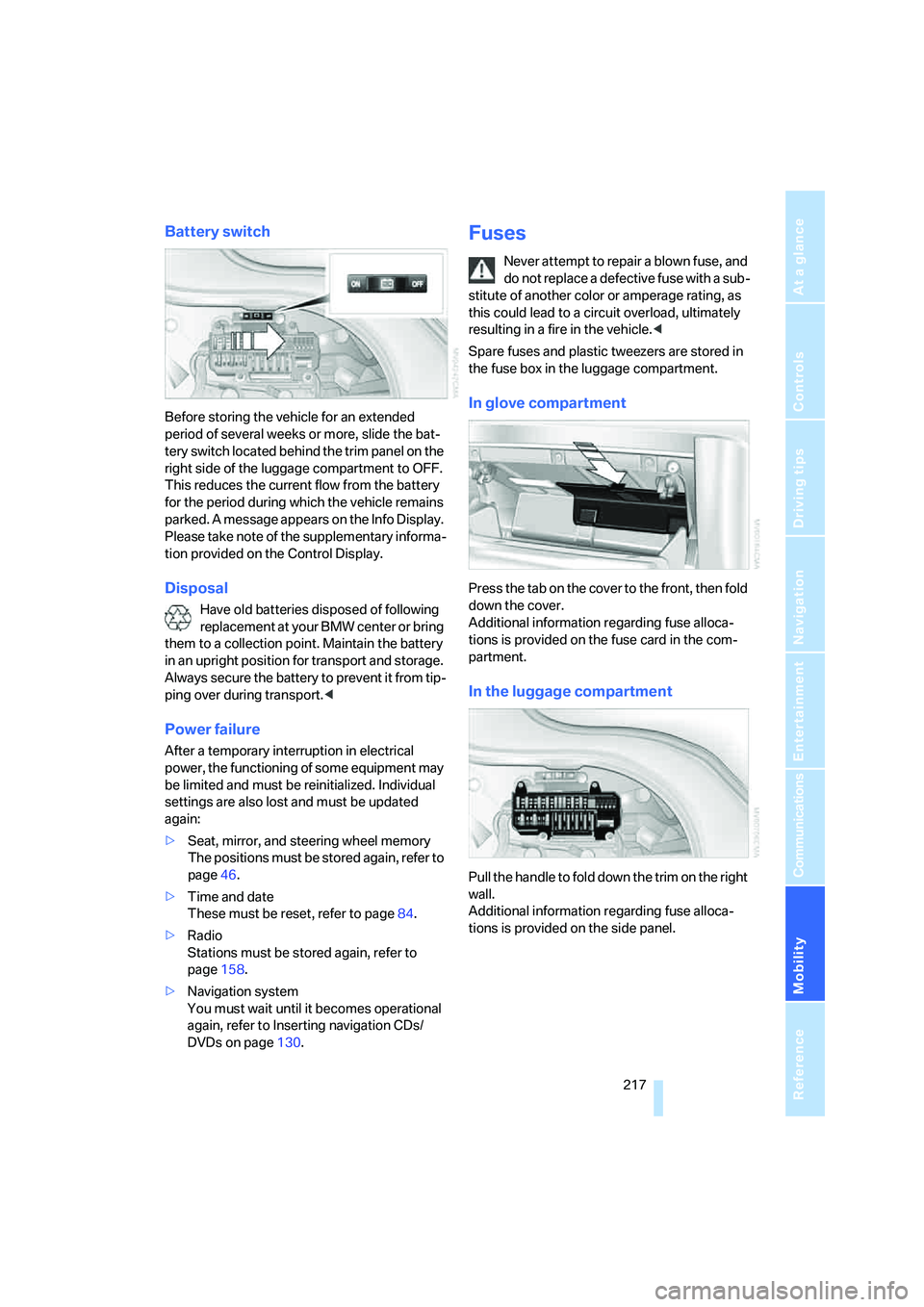
Before storing the vehicle for an extended
period of several weeks or more, slide the bat-
tery switch located behind the trim panel on the
right side of the luggage compartment to OFF.
This reduces the current flow from the battery
for the period during which the vehicle remains
parked. A message appears on the Info Display.
Please take note of the supplementary informa-
tion provided on the Control Display.
Disposal
Have old batteries disposed of following
replacement at your BMW center or bring
them to a collection point. Maintain the battery
in an upright position for transport and storage.
Always secure the battery to prevent it from tip-
ping over during transport.<
Power failure
After a temporary interruption in electrical
power, the functioning of some equipment may
be limited and must be reinitialized. Individual
settings are also lost and must be updated
again:
>Seat, mirror, and steering wheel memory
The positions must be stored again, refer to
page46.
>Time and date
These must be reset, refer to page84.
>Radio
Stations must be stored again, refer to
page158.
>Navigation system
You must wait until it becomes operational
again, refer to Inserting navigation CDs/
DVDs on page130.
Fuses
Never attempt to repair a blown fuse, and
do not replace a defective fuse with a sub-
stitute of another color or amperage rating, as
this could lead to a circuit overload, ultimately
resulting in a fire in the vehicle.<
Spare fuses and plastic tweezers are stored in
the fuse box in the luggage compartment.
In glove compartment
Press the tab on the cover to the front, then fold
down the cover.
Additional information regarding fuse alloca-
tions is provided on the fuse card in the com-
partment.
In the luggage compartment
Pull the handle to fold down the trim on the right
wall.
Additional information regarding fuse alloca-
tions is provided on the side panel.
Page 238 of 253
Everything from A to Z
236 ESP Electronic Stability
Program, refer to DSC
Dynamic Stability
Control87
Event Data Recorders211
Exhaust system, refer to Hot
exhaust system122
Exterior mirrors50
– adjusting50
– automatic dimming
feature51
– automatic heating51
– folding in and out51
– tilting down passenger-side
mirror51
External audio
device114,169
"Extra"
– rear air conditioner108
– rear refrigerator117
Eyes for lashing, refer to
Securing cargo125
F
"Fader", balance and
fader154
Failure messages, refer to
Check Control80
Failure of an electrical device,
refer to Fuses217
False alarm, refer to Avoiding
unintentional alarms38
Fastening safety belts48
"Fastest route",
navigation141
Fast forward
– CD changer167
– CD player164
– DVD changer172
Filter, refer to Microfilter/
activated-charcoal filter107
First-aid kit219
Fittings for towing and tow
starting220
Flashlight, refer to
Rechargeable flashlight113Flat tire
– Flat Tire Monitor90
– refer to Changing
wheels214
– refer to Tire condition203
– run-flat tires91,93,204
– spare tire215
– Tire Pressure Monitor91
Flat Tire Monitor90
– initializing system90
– limits of system90
– show chains205
– warning lamp91
Flooding, refer to Driving
through water123
Floor coverings, carpet, refer
to Caring for your vehicle
brochure
Floor mat, refer to Caring for
your vehicle brochure
"FM", radio156
FM, refer to Radio156
Fog lamps, refer to Front fog
lamps101
Footbrake, refer to Braking
safely123
Footwell lamps, refer to
Interior lamps102
For specified oil grades, refer
to Approved engine oils208
Fresh air vents, refer to
Ventilation107
Front airbags95
Front fog lamps, indicator
lamp11,13
Fuel197
– average fuel
consumption77
– gauge76
– quality197
– refer to Average fuel
consumption77
– reserve, refer to Fuel
gauge76
– tank capacity227
Fuel consumption display,
refer to Energy control/
current consumption77Fuel filler door196
– manually unlocking196
Fuel level, refer to Fuel
gauge76
Fuel-saving driving, refer to
Energy Control77
"Full", rear seat screen22
"FULL MENU", DVD
changer173
"Full screen", BMW Night
Vision98
Fuses217
G
Garage door opener, refer to
Integrated universal remote
control111
Gas
– display, refer to Fuel
gauge76
– fuel quality197
Gear changes, refer to
Automatic transmission with
Steptronic62
Gear display, refer to Displays
on Info Display62
"General destination",
navigation135
General driving notes122
Glasses compartment115
Glass sunroof, electric41
– convenience operation32
– moving manually42
Glove compartment113
Grilles, refer to Ventilation107
Gross weight, refer to
Weights226
Page 239 of 253
Reference 237
At a glance
Controls
Driving tips
Communications
Navigation
Entertainment
Mobility
H
Handbrake, refer to Parking
brake58
Hands-free system179
Hazard warning flashers15
"HD", High Definition
Radio162
Head airbags95
Headlamp control,
automatic100
Headlamp flasher65
– indicator lamp13
Headlamps100
– care, refer to Caring for your
vehicle brochure
– cleaning, refer to Wiper
system65
– replacing bulbs212
Head light, refer to Adaptive
Head Light101
Headphones22
Head restraints46
– front head restraints,
active47
– installation, front47
– removal, front47
– sitting safely43
Heater, windshield, refer to
Defrosting windows and
removing condensation106
Heating103
– exterior mirrors51
– mirrors51
– rear window, refer to Rear
window defroster107
– residual heat106
– seats49
– steering wheel52
– windshield washer
nozzles66
Heating and ventilation103
Heating when parked, refer to
Residual heat106
Heavy cargo, refer to Stowing
cargo124
Height, refer to
Dimensions225Height adjustment
– seats44
– steering wheel52
"Help"
– assistance window21
– menu guidance19
"Help text", assistance
window21
Help text on Control
Display21
"Hide map icons",
navigation137
"high", automatic climate
control105
High beams101
– headlamp flasher101
– indicator lamp11
High Definition Radio162
Hills123
Holder for cups115
Home address
– selecting140
– storing140
Hood206
Horn11
Hotel function, refer to
Locking separately35
Hot exhaust system122
Hour signal activation85
"House number",
navigation134
Hydraulic brake assistant,
refer to DBC87
Hydroplaning123
I
ID3 tag, refer to Displaying
track information167
iDrive16
– assistance window21
– automatic climate
control104
– changing date and time84
– changing language84
– changing settings84
– changing units of measure
and display format84
– confirming selection or
entry19
– controller16
– controls16
– displays, menus17
– menus17
– rear seat screen21
– selecting menu item19
– setting brightness85
– showing help text21
– start menu18
– status lines20
– symbols19
Ignition key30
Ignition lock57
Illuminated vanity mirror52
Imitation leather, refer to
Caring for your vehicle
brochure
"Indep. ventil.", automatic
climate control109
Indicator/warning lamps12
– airbags96
– alarm system37
– DSC88
– DTC88
– Flat Tire Monitor91
– fog lamps101
– safety belt warning49
– Tire Pressure Monitor93
Individually programmable
buttons11,52
Individual settings, refer to
Key Memory31
Page 240 of 253
Everything from A to Z
238 Inflation pressure, refer to Tire
inflation pressure198
Inflation pressure monitoring
– refer to Flat Tire Monitor90
– refer to Tire Pressure
Monitor91
Info Display12
"Information", navigation135
Information, navigation
– "On country"135
– "On dest."135
– "On location"135
– "On town/city"135
Info service191
Infrared windshield, refer to
Entry/pass tags126
"INITIALIZE", BMW
Assist193
Inserting navigation CD/
DVD130
Installation location
– CD changer165
– DVD changer170
– mobile phone, refer to
Inserting mobile phone181
– navigation drive130
Instructions, navigation
system, refer to Route
guidance by voice
instructions145
Instrument cluster, refer to
Info Display12
Instrument lighting102
Instrument panel, refer to
Cockpit
– all around the steering
wheel10
– comfort features14
Integrated universal remote
control111
Interior lamps102
– switching on with remote
control32
Interior motion sensor38
– switching off38
Interior rearview mirror,
automatic dimming
feature51Interlock, refer to Switching
off engine58
"INTERM. TIME",
stopwatch83
Interval Display, refer to
Service requirements78
J
Joystick, refer to iDrive16
Jump starting219
K
Keyless-Go, refer to Comfort
Access38
Keyless opening and closing,
refer to Comfort Access38
Key Memory31
Keys30
– adapter for spare key30
– key-related settings, refer to
Key Memory31
Kick-down63
Knock control197
L
Lamps and bulbs212
"Language", settings84
Lashing eyes, refer to
Securing cargo125
"Last", phone186
"Last dest.", navigation137
Last destination driven to,
refer to Destination list137
Last numbers on mobile
phone, refer to Dialing
numbers stored in a list186
LATCH child restraint fixing
system55
Leather care, refer to Caring
for your vehicle brochure
LEDs light-emitting
diodes212
"Left", seat heating49
Length, refer to
Dimensions225Level control system89
Light, refer to Parking lamps/
low beams100
Light alloy wheels, care and
maintenance, refer to Caring
for your vehicle brochure
Light-emitting diodes
LEDs212
Lighter116
Lighter socket, refer to Power
socket116
Lighting
– of instruments102
– of vehicle100
Light switch100
"Limit"82
Limit, refer to Speed limit82
"Limited", rear seat screen22
Load, refer to Loading124
Loading
– securing cargo125
– vehicle124
"LOC.", navigation140
"Location",
navigation139,146,147
Lock buttons in the doors,
refer to Locking34
Locking
– from inside34
– from outside32
Locking without key, refer to
Comfort Access38
Locking without remote
control, refer to Comfort
Access38
"LOGIC7", tone control154
Longlife oils, approved
oils208
"low", automatic climate
control105
Low beams100
– automatic100
– changing bulb, refer to
Xenon light212
Lower back support, refer to
Lumbar support
adjustment45
Page 241 of 253
Reference 239
At a glance
Controls
Driving tips
Communications
Navigation
Entertainment
Mobility
Lug bolts
– refer to Preparing for a wheel
change215
– tightening torque, refer to
After mounting216
– wrench, refer to What you
will need214
Luggage compartment119
– capacity226
– convenient access39
– locking separately35
– net119
– opening/closing, refer to
Luggage compartment
lid35
– opening from inside36
– opening from outside35
– opening with remote
control33
– refer to Luggage
compartment lid35
Luggage compartment lid
– automatic operation33,36
– Comfort Access39
– emergency actuation, refer
to Manual operation36
– emergency release37
– locking separately35
– opening from inside36
– opening from outside35
– opening separately35
– opening with remote
control33
– remote control33
– unlocking manually, refer to
Opening separately35
Luggage rack, refer to Roof-
mounted luggage rack125
Lumbar support
adjustment45
M
M+S tires, refer to Winter
tires205
Maintenance210
– refer to Service required78
Maintenance System210Make-up mirror, refer to
Illuminated vanity mirror52
Malfunction
– door lock34
– fuel filler door196
– glass sunroof42
– luggage compartment lid37
Malfunction displays, refer to
Check Control80
"MANUAL",
radio157,159,162
Manually releasing
transmission lock64
Manual operation
– door lock34
– driver's door34
– fuel filler door196
– glass sunroof42
– luggage compartment lid36
– parking brake60
– transmission lock for
automatic transmission with
Steptronic64
Manual station scan157
Map CD, refer to Navigation
CD/DVD130
"Map dir. travel",
navigation144
"Map facing N.",
navigation144
Map for navigation
– changing scale25,144
– destination entry134
Map view facing north144
Master key, refer to Remote
control/key30
Maximum cooling106,108
"medium", automatic climate
control105
"Memo", hour signal85
Memory, refer to
– Key Memory31
– Seat, mirror and steering
wheel memory46
"MENU", DVD changer174
"menu", rear seat screen22
"Menu name"19
Menus, Control Display17Microfilter, automatic climate
control107
Microphone for voice
command179
Mirror dimming feature51
Mirrors50
– automatic curb monitor51
– folding in and out51
– heating51
– memory, refer to Seat, mirror
and steering wheel
memory46
"Missed", phone186
Missed calls, refer to Dialing
numbers stored in a list186
Mobile phone
– changing between mobile
phone and hands-free
system187
– changing from hands-free
system to mobile phone187
– changing from mobile phone
to hands-free system187
– dialing a number from Top 8
list186
– hands-free system179
– initiating an emergency
call218
– inserting181
– inserting phone cradle181
– logging off from vehicle183
– logging onto vehicle182
– missed calls186
– operating181
– operating via retracting
telephone keypad179
– operating with buttons on
steering wheel11
– overview178
– phone book185
– redialing185
– refer to Telephone
overview178
– removing182
– removing phone cradle181
– snap-in adapter178
– volume adjustment179
Page 243 of 253
Reference 241
At a glance
Controls
Driving tips
Communications
Navigation
Entertainment
Mobility
"On town/city",
navigation136
Opening and closing
– from inside34
– from outside32
– via door lock34
– with remote control32
Oral note26
Orientation menu, refer to
Opening start menu18
Outlet slits, refer to
Ventilation107
Outside air, refer to Automatic
recirculated-air control
AUC/recirculated-air
mode105
Outside temperature
display75
– changing units of
measure84
Overview
– all around the steering
wheel10
– comfort area14
– iDrive16
– radio control152
P
"PAIRING", phone182
Panic mode33
Park Distance Control PDC86
"Parked car", parked car
ventilation109
Parked car ventilation109
– activating activation
time110
– preselecting activation
time109
– switching on and off
directly109
Parking, vehicle58
Parking aid, refer to PDC Park
Distance Control86
Parking assistant, refer to
PDC Park Distance
Control86Parking brake58
– Automatic Hold59
– manual operation59
Parking lamps100
Parking lamps/low beams100
Parking with Automatic
Hold60
Park lock, refer to Parking63
Partial distance odometer,
refer to Trip odometer75
Parts and accessories, refer to
Your individual vehicle5
Passenger airbag status
lamp96
Passenger-side exterior
mirror, tilting down51
Pathway lighting100
PDC Park Distance Control86
"PDC pic."87
Pen tray, refer to Storage
compartment in center
console115
Perimeter lighting, refer to
Interior lamps102
Permissible axle load, refer to
Weights226
Permissible gross weight,
refer to Weights226
"Perspective", navigation144
"Phone"182
Phone book185
– deleting all entries186
– deleting entry186
– displaying entry185
– on the Control Display185
– select entry186
– via iDrive185
Phone book, refer to Voice
command phone book186
– creating entry186
– deleting all entries187
– deleting entry
187
– reading entry aloud187
– selecting entry187
– updating186Phone number
– deleting individual entry187
– dialing from phone book185
– dialing via retracting
telephone keypad179
– redialing185
– Top 8 list186
Phone preparation package,
refer to Preparation package
mobile phone178
"Pict.format", DVD
changer173
"Picture", DVD
changer172,173
Pinch protection system
– glass sunroof, electric41
– power windows40
Plasters, refer to First-aid
kit219
Plastic, refer to Caring for your
vehicle brochure
Playing music tracks in
random sequence
– CD changer167
– CD player164
Pollen, refer to Microfilter/
activated-charcoal filter107
Position, refer to
– displaying current
position146
– saving current position139
Power failure217
Power output, refer to Engine
specifications224
Power rear backrests45
Power seat, rear45
Power socket116
Power windows39
– convenience operation32
– safety switch40
Precious wood, refer to Caring
for your vehicle brochure
Preparedness services, refer
to Roadside Assistance218
"Presets", radio156,161
Pressure, tires198
Pressure monitoring, tires,
refer to Flat Tire Monitor90
Page 244 of 253
Everything from A to Z
242 Pressure monitoring, tires,
refer to Tire Pressure
Monitor91
"Profile", BMW Assist193
Programmable
– buttons52
– cruise control67
Protective function
– glass sunroof, electric41
– power windows40
"Public places, business and
shopping", navigation136
Puncture, Flat Tire Monitor90
R
Radiator, refer to Coolant208
Radiator fluid, refer to
Coolant208
Radio156
– Autostore158
– controls152
– High Definition Radio162
– sampling stations157
– satellite radio160
– selecting the waveband156
– storing stations158
– switching on/off153
– tone control153
– updating selection of
stations in receiving
range158
– volume153
– weather reports159
Radio Data System RDS159
Radio key, refer to Remote
control/key30
Radio ready state57
– with Comfort Access39
Rain sensor65
"RDS", radio159
RDS Radio Data System159
Reading lamps102
"Rear", rear seat screen22
Rear air conditioner
– cooling adjustment108
– switching off108
– switching on/off via
iDrive108Rear armrest, refer to Center
armrest114
Rear climate control108
"Rear climate control", rear air
conditioner108
Rear climate control, rear
refrigerator117
Rear lamps
– refer to Tail lamps213
– replacing bulbs213
Rear lock, rear seat screen22
"Rear refrigerator"117
Rear refrigerator117
Rear-seat area ventilation107
Rear seat backrests, electric,
refer to Rear comfort seat
adjustment45
Rear seats
– adjusting45
– adjusting passenger seat
from rear45
– head restraint adjustment47
– heating50
Rear seat screen21
Rearview mirror50
Rear window blind, refer to
Sun blinds112
Rear window defroster107
Rear window safety switch40
Reception, radio
– refer to Changing
station156
– refer to Updating stations in
receiving range158
Rechargeable flashlight113
"Recirc. air", programmable
buttons52
Recirculated-air mode,
automatic climate
control105
Reclining seat, refer to Seat
adjustment44
Recording time, refer to
Stopwatch83
Reflectors, refer to Tail
lamps213
Refueling196Remaining distance
– for service required78
– refer to Cruising range77
Remaining distance to
destination77
Remote control30
– changing battery39
– Comfort Access38
– garage door opener111
– luggage compartment lid33
– malfunction33
Removing fog on the
windows106
Removing head restraints,
rear seats47
Replacement fuses217
Replacement key, refer to
New remote controls30
Replacement of tires204
– changing wheels214
– tire replacement204
Replacing bulbs, refer to
Lamps and bulbs212
Reporting an accident, refer
Initiating an emergency
call218
Reserve, fuel, refer to Fuel
gauge76
Reservoir for washer
systems67
"RESET"
– Tire Pressure Monitor92
– tone control155
Reset, resetting tone
settings155
"Reset tire pressure", Flat Tire
Monitor90
Residual heat106
Restraint systems
– for children54
– refer to Safety belts
48
Retaining straps, refer to
Securing cargo125
Retracting telephone
keypad179
Reverse
– CD changer167
– CD player164
– DVD changer172
Page 245 of 253
Reference 243
At a glance
Controls
Driving tips
Communications
Navigation
Entertainment
Mobility
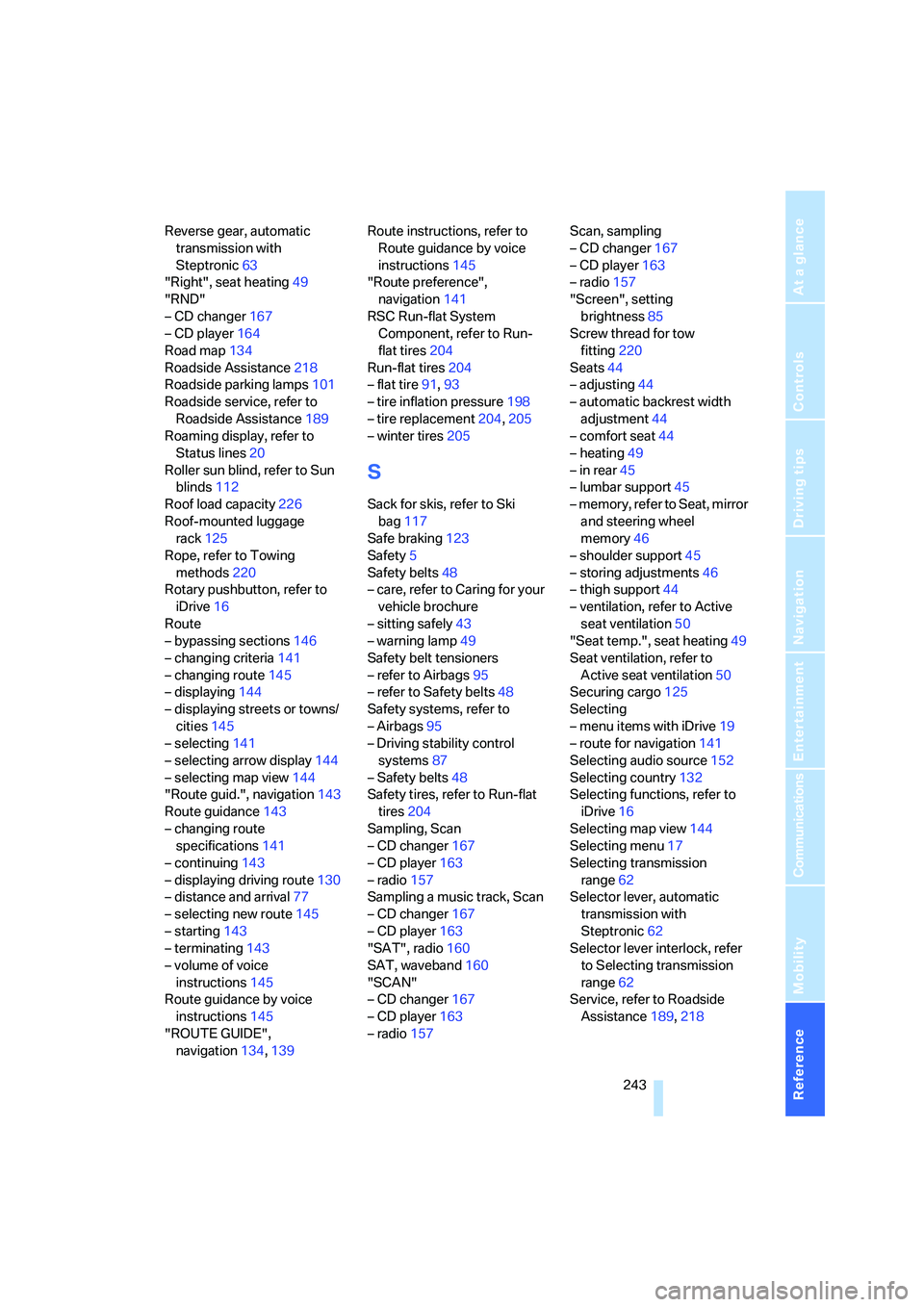
Reverse gear, automatic
transmission with
Steptronic63
"Right", seat heating49
"RND"
– CD changer167
– CD player164
Road map134
Roadside Assistance218
Roadside parking lamps101
Roadside service, refer to
Roadside Assistance189
Roaming display, refer to
Status lines20
Roller sun blind, refer to Sun
blinds112
Roof load capacity226
Roof-mounted luggage
rack125
Rope, refer to Towing
methods220
Rotary pushbutton, refer to
iDrive16
Route
– bypassing sections146
– changing criteria141
– changing route145
– displaying144
– displaying streets or towns/
cities145
– selecting141
– selecting arrow display144
– selecting map view144
"Route guid.", navigation143
Route guidance143
– changing route
specifications141
– continuing143
– displaying driving route130
– distance and arrival77
– selecting new route145
– starting143
– terminating143
– volume of voice
instructions145
Route guidance by voice
instructions145
"ROUTE GUIDE",
navigation134,139Route instructions, refer to
Route guidance by voice
instructions145
"Route preference",
navigation141
RSC Run-flat System
Component, refer to Run-
flat tires204
Run-flat tires204
– flat tire91,93
– tire inflation pressure198
– tire replacement204,205
– winter tires205
S
Sack for skis, refer to Ski
bag117
Safe braking123
Safety5
Safety belts48
– care, refer to Caring for your
vehicle brochure
– sitting safely43
– warning lamp49
Safety belt tensioners
– refer to Airbags95
– refer to Safety belts48
Safety systems, refer to
– Airbags95
– Driving stability control
systems87
– Safety belts48
Safety tires, refer to Run-flat
tires204
Sampling, Scan
– CD changer167
– CD player163
– radio157
Sampling a music track, Scan
– CD changer167
– CD player163
"SAT", radio160
SAT, waveband160
"SCAN"
– CD changer167
– CD player163
– radio157Scan, sampling
– CD changer167
– CD player163
– radio157
"Screen", setting
brightness85
Screw thread for tow
fitting220
Seats44
– adjusting44
– automatic backrest width
adjustment44
– comfort seat44
– heating49
– in rear45
– lumbar support45
– memory, refer to Seat, mirror
and steering wheel
memory46
– shoulder support45
– storing adjustments46
– thigh support44
– ventilation, refer to Active
seat ventilation50
"Seat temp.", seat heating49
Seat ventilation, refer to
Active seat ventilation50
Securing cargo125
Selecting
– menu items with iDrive19
– route for navigation141
Selecting audio source152
Selecting country132
Selecting functions, refer to
iDrive16
Selecting map view144
Selecting menu17
Selecting transmission
range62
Selector lever, automatic
transmission with
Steptronic62
Selector lever interlock, refer
to Selecting transmission
range62
Service, refer to Roadside
Assistance189,218
Page 247 of 253
Reference 245
At a glance
Controls
Driving tips
Communications
Navigation
Entertainment
Mobility
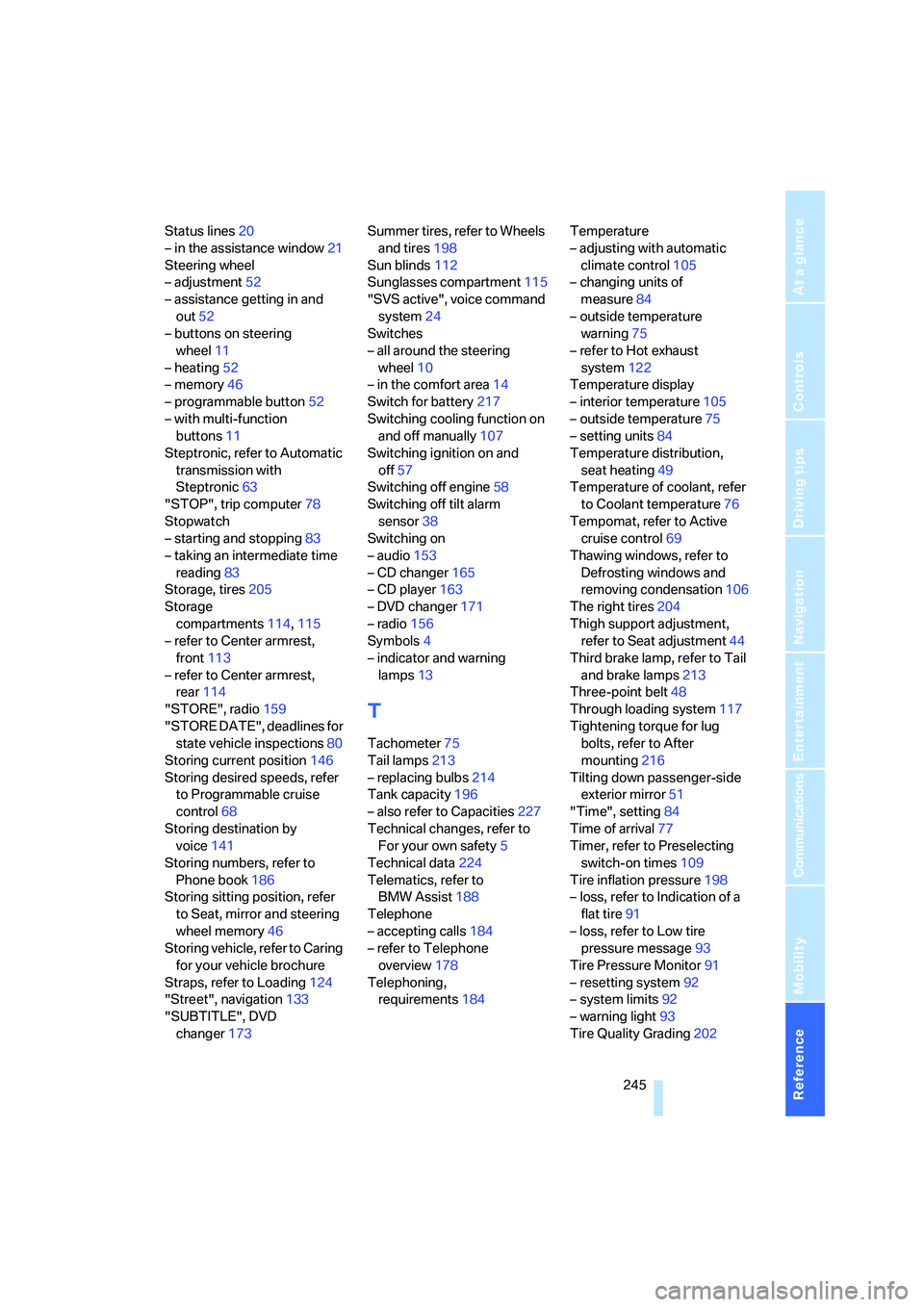
Status lines20
– in the assistance window21
Steering wheel
– adjustment52
– assistance getting in and
out52
– buttons on steering
wheel11
– heating52
– memory46
– programmable button52
– with multi-function
buttons11
Steptronic, refer to Automatic
transmission with
Steptronic63
"STOP", trip computer78
Stopwatch
– starting and stopping83
– taking an intermediate time
reading83
Storage, tires205
Storage
compartments114,115
– refer to Center armrest,
front113
– refer to Center armrest,
rear114
"STORE", radio159
"STORE DATE", deadlines for
state vehicle inspections80
Storing current position146
Storing desired speeds, refer
to Programmable cruise
control68
Storing destination by
voice141
Storing numbers, refer to
Phone book186
Storing sitting position, refer
to Seat, mirror and steering
wheel memory46
Storing vehicle, refer to Caring
for your vehicle brochure
Straps, refer to Loading124
"Street", navigation133
"SUBTITLE", DVD
changer173Summer tires, refer to Wheels
and tires198
Sun blinds112
Sunglasses compartment115
"SVS active", voice command
system24
Switches
– all around the steering
wheel10
– in the comfort area14
Switch for battery217
Switching cooling function on
and off manually107
Switching ignition on and
off57
Switching off engine
58
Switching off tilt alarm
sensor38
Switching on
– audio153
– CD changer165
– CD player163
– DVD changer171
– radio156
Symbols4
– indicator and warning
lamps13
T
Tachometer75
Tail lamps213
– replacing bulbs214
Tank capacity196
– also refer to Capacities227
Technical changes, refer to
For your own safety5
Technical data224
Telematics, refer to
BMW Assist188
Telephone
– accepting calls184
– refer to Telephone
overview178
Telephoning,
requirements184Temperature
– adjusting with automatic
climate control105
– changing units of
measure84
– outside temperature
warning75
– refer to Hot exhaust
system122
Temperature display
– interior temperature105
– outside temperature75
– setting units84
Temperature distribution,
seat heating49
Temperature of coolant, refer
to Coolant temperature76
Tempomat, refer to Active
cruise control69
Thawing windows, refer to
Defrosting windows and
removing condensation106
The right tires204
Thigh support adjustment,
refer to Seat adjustment44
Third brake lamp, refer to Tail
and brake lamps213
Three-point belt48
Through loading system117
Tightening torque for lug
bolts, refer to After
mounting216
Tilting down passenger-side
exterior mirror51
"Time", setting84
Time of arrival77
Timer, refer to Preselecting
switch-on times109
Tire inflation pressure198
– loss, refer to Indication of a
flat tire91
– loss, refer to Low tire
pressure message93
Tire Pressure Monitor91
– resetting system92
– system limits92
– warning light93
Tire Quality Grading202