check oil BMW 760LI SEDAN 2007 Owners Manual
[x] Cancel search | Manufacturer: BMW, Model Year: 2007, Model line: 760LI SEDAN, Model: BMW 760LI SEDAN 2007Pages: 253, PDF Size: 8.59 MB
Page 19 of 253
At a glance
17Reference
Controls
Driving tips
Communications
Navigation
Entertainment
Mobility
Menus on Control Display
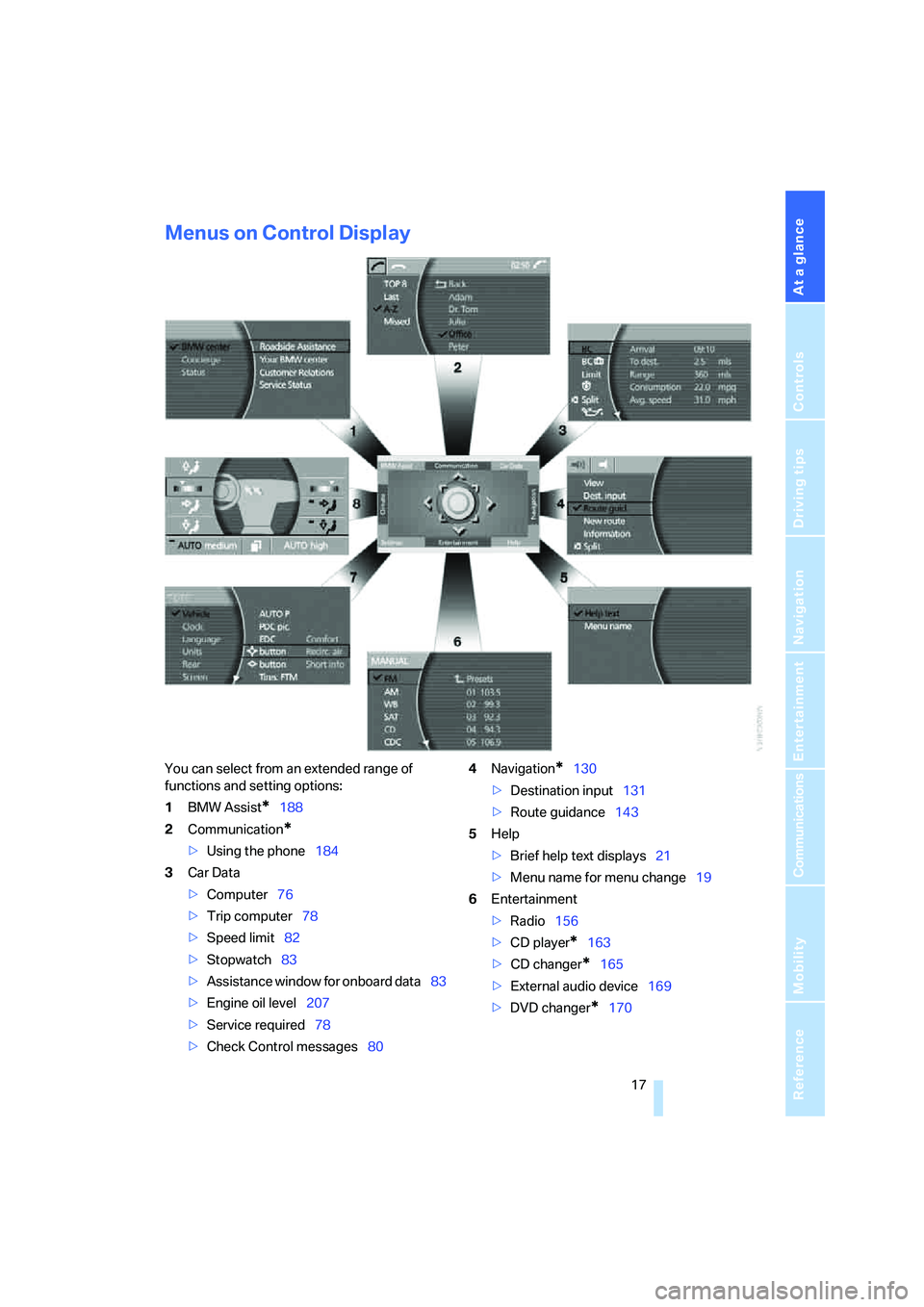
You can select from an extended range of
functions and setting options:
1BMW Assist
*188
2Communication
*
>Using the phone184
3Car Data
>Computer76
>Trip computer78
>Speed limit82
>Stopwatch83
>Assistance window
for onboard data83
>Engine oil level207
>Service required78
>Check Control messages804Navigation
*130
>Destination input131
>Route guidance143
5Help
>Brief help text displays21
>Menu name for menu change19
6Entertainment
>Radio156
>CD player
*163
>CD changer
*165
>External audio device169
>DVD changer
*170
Page 91 of 253
Controls
89Reference
At a glance
Driving tips
Communications
Navigation
Entertainment
Mobility
Deactivating DTC
Select "DTC" and press the controller.
The LED on the Control Display and the DTC
indicator lamp on the Info Display go out.
Dynamic Drive
The concept
Dynamic Drive minimizes body roll and opti-
mizes vehicle stability during cornering and
evasive maneuvers.
Active stabilizers at the front and rear axles form
the basis for Dynamic Drive. Suspension com-
pliance adapts to suit driving conditions, vary-
ing from performance-oriented during corner-
ing to smooth and comfort-oriented when the
vehicle is traveling in a straight line. During vehi-
cle operation, the system continuously runs
through closed-loop control cycles lasting only
fractions of a second.
The system assumes operational status each
time you start the engine.
Malfunction
The warning lamp lights up yellow and
a message appears on the Info Display.
A malfunction has occurred in the
Dynamic Drive system. Have the system
checked as soon as possible.
If a malfunction occurs, please remember
to adapt your speed accordingly, espe-
cially in curves.
The suspension will be noticeably softer and
the vehicle will display a greater tendency to tilt
during cornering and in crosswinds.<
If a Check Control message indicates an oil loss,
stop as soon as possible at a suitable location
and switch off the engine. Do not continue driv-
ing, contact your BMW center.
Self-leveling suspension*
Malfunction
The warning lamp for self-leveling sus-
pension lights up yellow and a message
appears on the Info Display.
A malfunction has occurred in the level control
system.
Stop driving and check the vehicle:
>The vehicle is considerably lower at the rear
than at the front, possibly also on one side,
at the rear left compared to the rear right.
>The ground clearance is reduced or the
driving comfort is noticeably reduced.
>The position of the vehicle is normal, but a
malfunction is indicated.
Drive to the nearest BMW center or a workshop
that works in accordance with BMW guidelines
and uses appropriately trained personnel. Drive
with appropriate caution in the meantime.
EDC Electronic Damping
Control*
If the influencing variables such as road surface
quality or operating conditions such as steer-
ing, braking etc. change, the damping automat-
ically adjusts to the new conditions.
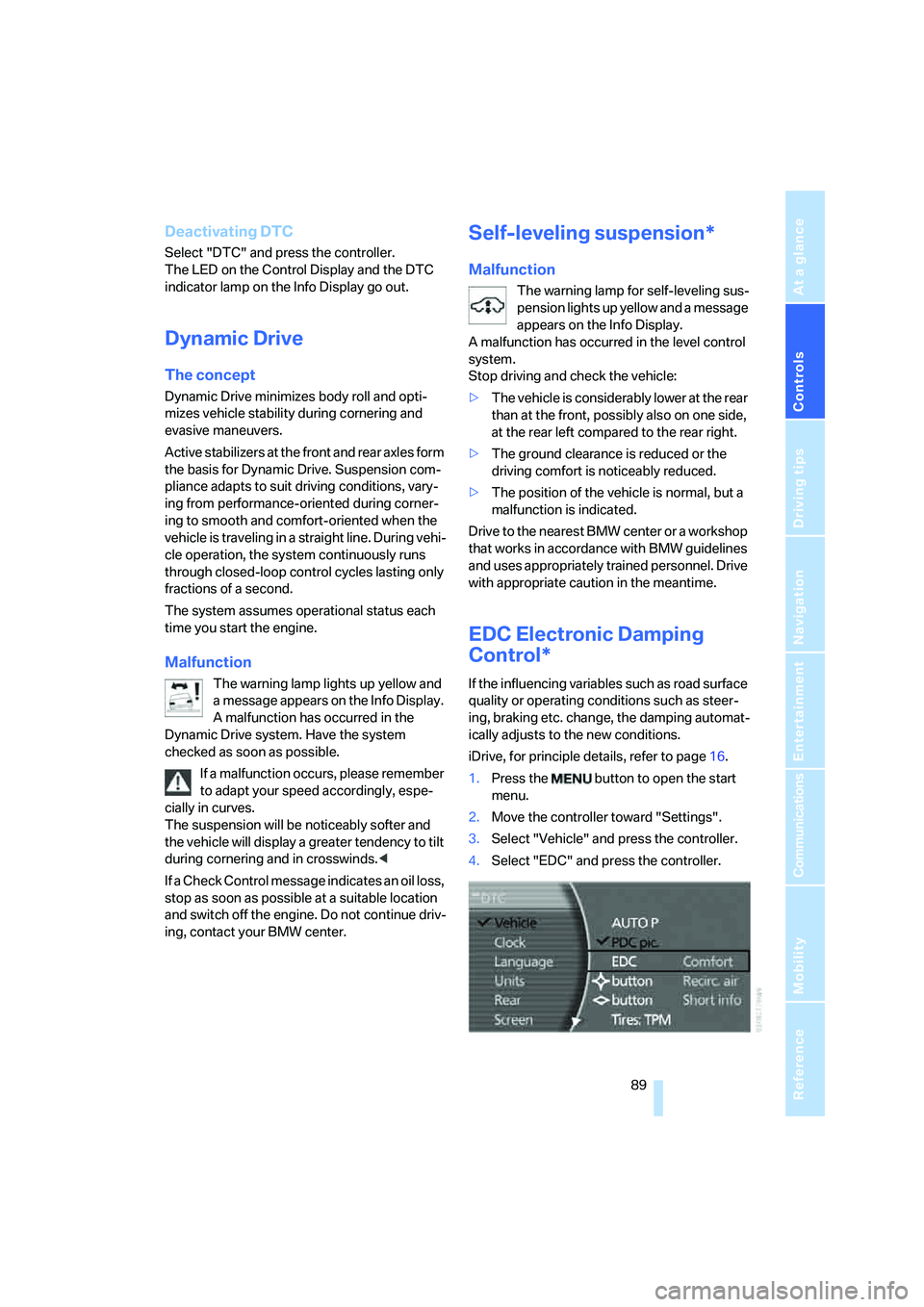
iDrive, for principle details, refer to page16.
1.Press the button to open the start
menu.
2.Move the controller toward "Settings".
3.Select "Vehicle" and press the controller.
4.Select "EDC" and press the controller.
Page 209 of 253
Mobility
207Reference
At a glance
Controls
Driving tips
Communications
Navigation
Entertainment
Engine compartment
1Reservoir for windshield and headlamp
washer system66
2Engine oil filler neck, refer to Adding engine
oil3Body ground, negative terminal219
4Coolant expansion tank209
5Jump starting terminal219
Engine oil
The engine oil consumption depends on driving
style and driving conditions.
Checking oil level
Your vehicle is equipped with an electronic oil
level control.
To obtain the most accurate possible oil level
reading, the measurement should be taken
when the engine is at operating temperature,
i.e. following an uninterrupted drive of at least
6 miles/10 km. You can display the oil level
while driving or when stopped on a level surface
with the engine running.
The current oil level can be viewed on the Con-
trol Display.
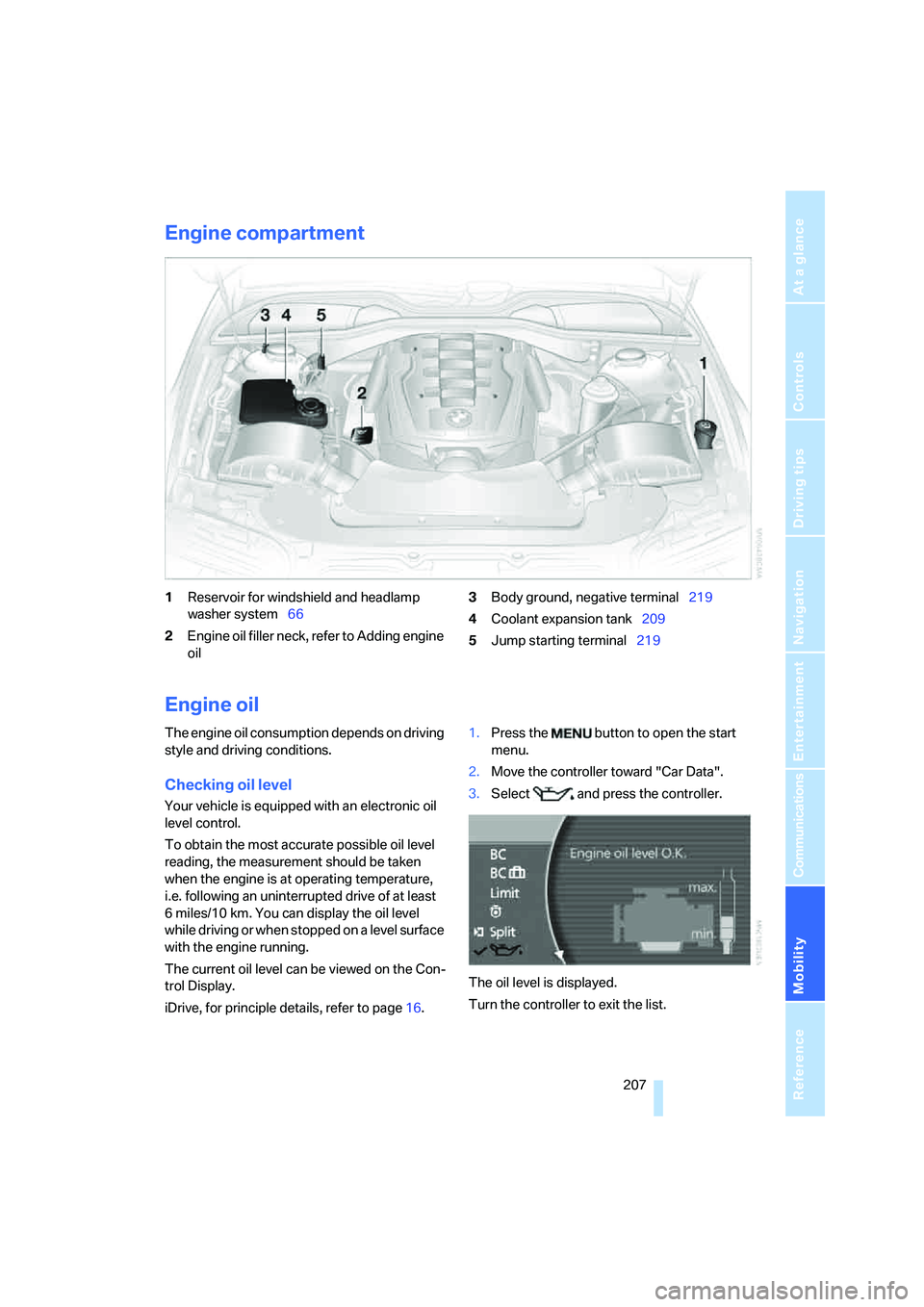
iDrive, for principle details, refer to page16.1.Press the button to open the start
menu.
2.Move the controller toward "Car Data".
3.Select and press the controller.
The oil level is displayed.
Turn the controller to exit the list.
Page 210 of 253
Under the hood
208
Possible displays
>"Update of engine oil level in process".
>"Engine oil level O.K.".
>"Oil level at minimum! Add 1 quart engine
oil": add a maximum of 1 quart/1 liter of
engine oil at the earliest opportunity, refer
to Adding engine oil.
>"Oil level under min.! Add 1 quart engine
oil": add a maximum of 1 quart/1 liter of
engine oil at the earliest opportunity, refer
to Adding engine oil.
>"Engine oil level too high".
Have vehicle checked immediately;
otherwise, overfilled oil can lead to
engine damage.<
>"No measurement possible at this time".
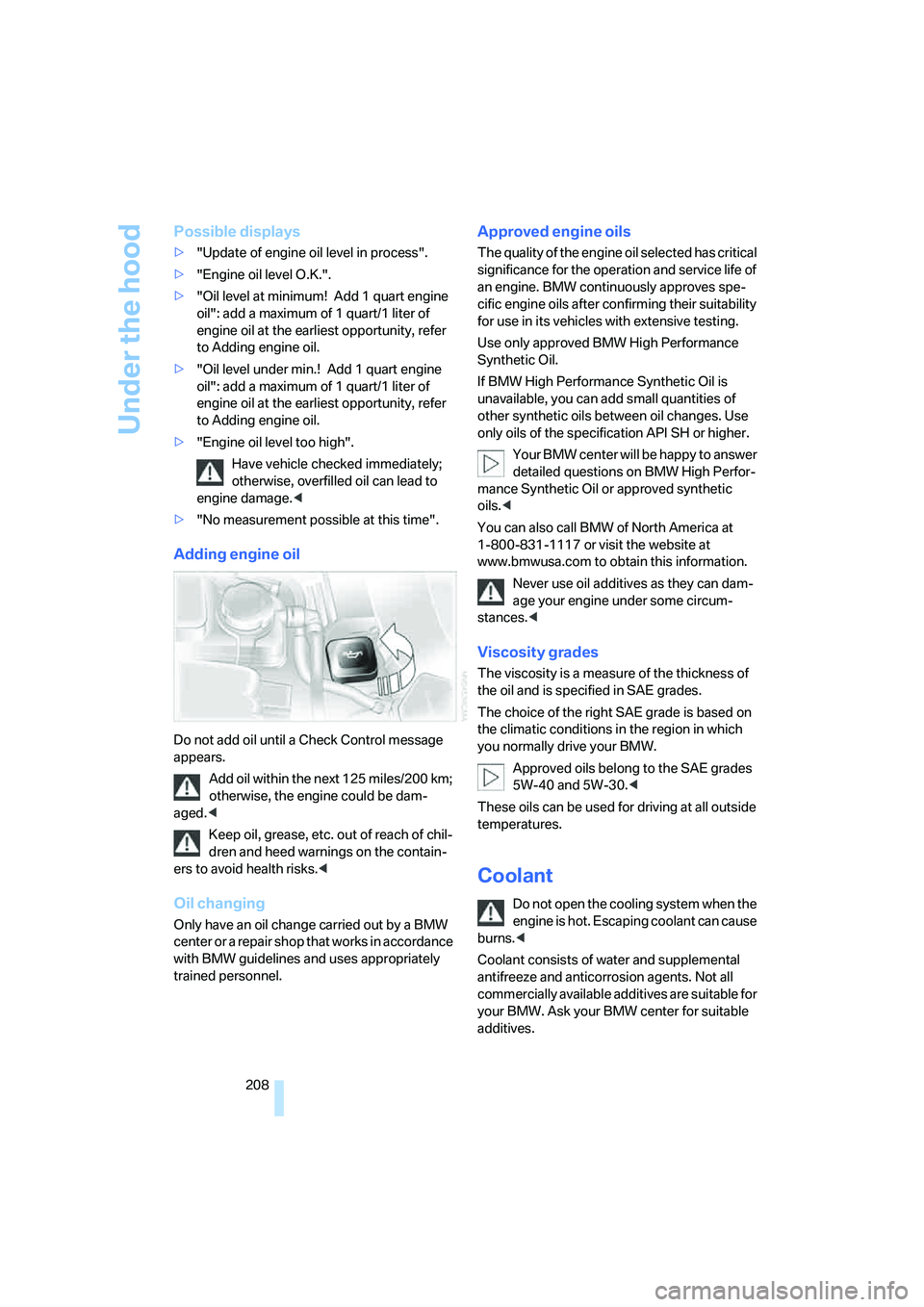
Adding engine oil
Do not add oil until a Check Control message
appears.
Add oil within the next 125 miles/200 km;
otherwise, the engine could be dam-
aged.<
Keep oil, grease, etc. out of reach of chil-
dren and heed warnings on the contain-
ers to avoid health risks.<
Oil changing
Only have an oil change carried out by a BMW
center or a repair shop that works in accordance
with BMW guidelines and uses appropriately
trained personnel.
Approved engine oils
The quality of the engine oil selected has critical
significance for the operation and service life of
an engine. BMW continuously approves spe-
cific engine oils after confirming their suitability
for use in its vehicles with extensive testing.
Use only approved BMW High Performance
Synthetic Oil.
If BMW High Performance Synthetic Oil is
unavailable, you can add small quantities of
other synthetic oils between oil changes. Use
only oils of the specification API SH or higher.
Your BMW center will be happy to answer
detailed questions on BMW High Perfor-
mance Synthetic Oil or approved synthetic
oils.<
You can also call BMW of North America at
1-800-831-1117 or visit the website at
www.bmwusa.com to obtain this information.
Never use oil additives as they can dam-
age your engine under some circum-
stances.<
Viscosity grades
The viscosity is a measure of the thickness of
the oil and is specified in SAE grades.
The choice of the right SAE grade is based on
the climatic conditions in the region in which
you normally drive your BMW.
Approved oils belong to the SAE grades
5W-40 and 5W-30.<
These oils can be used for driving at all outside
temperatures.
Coolant
Do not open the cooling system when the
engine is hot. Escaping coolant can cause
burns.<
Coolant consists of water and supplemental
antifreeze and anticorrosion agents. Not all
commercially available additives are suitable for
your BMW. Ask your BMW center for suitable
additives.
Page 212 of 253
Maintenance
210
Maintenance
BMW Maintenance System
The BMW Maintenance System serves to
retain the operating and road safety of your
BMW. The service schedule also includes oper-
ations related to the vehicle's comfort and con-
venience features, such as replacement of the
filters for the inside air. The aim is to optimize
maintenance procedures with a view to reduc-
ing the cost of running the vehicle.
Should the day come when you decide to sell
your BMW, you will find that a complete dealer
service history is an asset of inestimable value.
CBS Condition Based Service
Sensors and special algorithms take the differ-
ent driving conditions of your BMW into
account. As a result, Condition Based Service
determines the current and future maintenance
requirements. By letting you define a service
and maintenance regimen that reflects your
own individual requirements, the system forms
the basis for trouble-free driving.
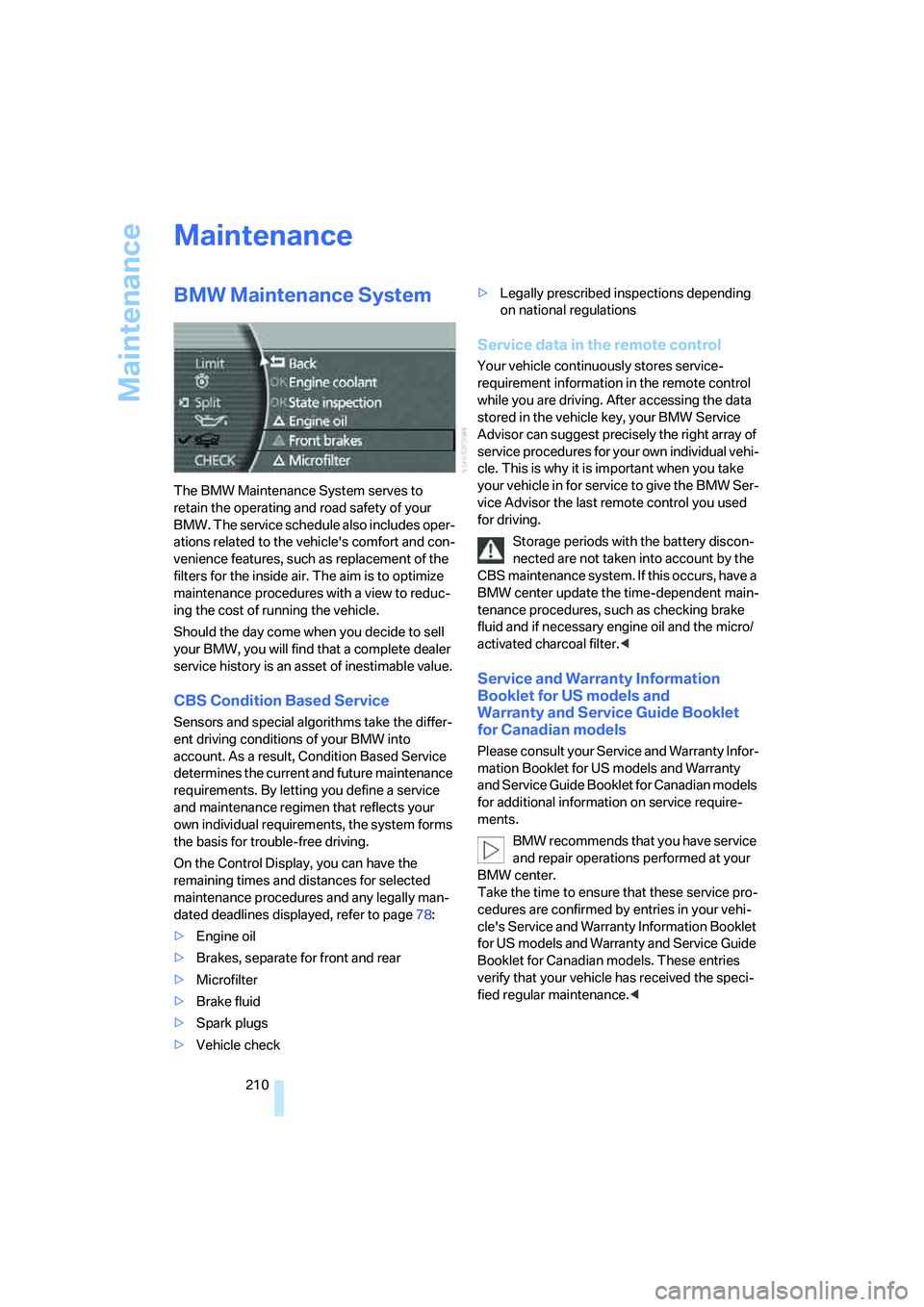
On the Control Display, you can have the
remaining times and distances for selected
maintenance procedures and any legally man-
dated deadlines displayed, refer to page78:
>Engine oil
>Brakes, separate for front and rear
>Microfilter
>Brake fluid
>Spark plugs
>Vehicle check>Legally prescribed inspections depending
on national regulations
Service data in the remote control
Your vehicle continuously stores service-
requirement information in the remote control
while you are driving. After accessing the data
stored in the vehicle key, your BMW Service
Advisor can suggest precisely the right array of
service procedures for your own individual vehi-
cle. This is why it is important when you take
your vehicle in for service to give the BMW Ser-
vice Advisor the last remote control you used
for driving.
Storage periods with the battery discon-
nected are not taken into account by the
CBS maintenance system. If this occurs, have a
BMW center update the time-dependent main-
tenance procedures, such as checking brake
fluid and if necessary engine oil and the micro/
activated charcoal filter.<
Service and Warranty Information
Booklet for US models and
Warranty and Service Guide Booklet
for Canadian models
Please consult your Service and Warranty Infor-
mation Booklet for US models and Warranty
and Service Guide Booklet for Canadian models
for additional information on service require-
ments.
BMW recommends that you have service
and repair operations performed at your
BMW center.
Take the time to ensure that these service pro-
cedures are confirmed by entries in your vehi-
cle's Service and Warranty Information Booklet
for US models and Warranty and Service Guide
Booklet for Canadian models. These entries
verify that your vehicle has received the speci-
fied regular maintenance.<
Page 237 of 253
Reference 235
At a glance
Controls
Driving tips
Communications
Navigation
Entertainment
Mobility
DVD changer170
– adjusting picture172
– adjusting volume153
– controls152
– country codes171
– DVD controller171
– fast forward172
– freeze frame173
– opening specific menu174
– playing DVD171
– reverse172
– searching for chapter172
– selecting language173
– selecting picture format173
– selecting subtitles173
– starting171
– tone control153
DVD multimedia changer,
refer to DVD changer170
Dynamic Brake Control
DBC87
Dynamic Drive89
Dynamic Stability Control
DSC87
– indicator lamp13
Dynamic Traction Control
DTC88
– indicator lamp13
E
"EDC"89
EDC Electronic Damping
Control89
Eject button, refer to Buttons
on CD player152
Electrical malfunction
– door lock34
– driver's door34
– fuel filler door196
– glass sunroof, electric42
– luggage compartment lid36
– parking brake60
Electric steering wheel
adjustment52
Electronic brake-force
distribution87Electronic Damping Control
EDC89
Electronic Stability Program
ESP, refer to DSC Dynamic
Stability Control87
Electronic toll collection
device, refer to Entry/pass
tags126
Emergency actuation, refer to
Manual operation
– door lock34
– driver's door34
– fuel filler door196
– glass sunroof42
– luggage compartment lid36
– parking brake60
– transmission lock for
automatic transmission with
Steptronic64
Emergency call218
Emergency release of luggage
compartment lid from inside
the luggage
compartment37
Emergency services, refer to
Roadside
Assistance189,218
Energy-conscious driving,
refer to Energy Control/
current fuel consumption77
Energy Control77
Engine
– breaking-in122
– data224
– overheated, refer to Coolant
temperature76
– speed75,224
– starting57
– starting difficulties58
– switching off58
Engine compartment207
Engine coolant208Engine oil
– additives, refer to Approved
engine oils208
– approved oils208
– checking oil level207
– electronic oil level check207
– oil types, also refer to
Approved engine oils208
– possible displays of oil level
check208
"Engine oil level O.K."208
"Engine oil level too high"208
Engine output, refer to Engine
specifications224
Engine overheating, refer to
Coolant temperature76
Engine speed224
"Enter", navigation134
Entering activation time of
parked car ventilation109
– "Time 1"110
– "Time 2"110
Entering destination
address133
Entering destination town/
city132
Entering house number or
intersection, navigation133
Entering intersection,
navigation133
Entering name, destination in
navigation132
Entering street,
navigation133
"Entertainment", tone
control153
Entertainment sound output
on/off153
Entry/pass tags126
Entry for current position and
destination, refer to Entering
destination manually131
Environmentally friendly
driving, refer to Energy
Control77
Erasing entire list, refer to
Deleting entries in lists186
Page 238 of 253
Everything from A to Z
236 ESP Electronic Stability
Program, refer to DSC
Dynamic Stability
Control87
Event Data Recorders211
Exhaust system, refer to Hot
exhaust system122
Exterior mirrors50
– adjusting50
– automatic dimming
feature51
– automatic heating51
– folding in and out51
– tilting down passenger-side
mirror51
External audio
device114,169
"Extra"
– rear air conditioner108
– rear refrigerator117
Eyes for lashing, refer to
Securing cargo125
F
"Fader", balance and
fader154
Failure messages, refer to
Check Control80
Failure of an electrical device,
refer to Fuses217
False alarm, refer to Avoiding
unintentional alarms38
Fastening safety belts48
"Fastest route",
navigation141
Fast forward
– CD changer167
– CD player164
– DVD changer172
Filter, refer to Microfilter/
activated-charcoal filter107
First-aid kit219
Fittings for towing and tow
starting220
Flashlight, refer to
Rechargeable flashlight113Flat tire
– Flat Tire Monitor90
– refer to Changing
wheels214
– refer to Tire condition203
– run-flat tires91,93,204
– spare tire215
– Tire Pressure Monitor91
Flat Tire Monitor90
– initializing system90
– limits of system90
– show chains205
– warning lamp91
Flooding, refer to Driving
through water123
Floor coverings, carpet, refer
to Caring for your vehicle
brochure
Floor mat, refer to Caring for
your vehicle brochure
"FM", radio156
FM, refer to Radio156
Fog lamps, refer to Front fog
lamps101
Footbrake, refer to Braking
safely123
Footwell lamps, refer to
Interior lamps102
For specified oil grades, refer
to Approved engine oils208
Fresh air vents, refer to
Ventilation107
Front airbags95
Front fog lamps, indicator
lamp11,13
Fuel197
– average fuel
consumption77
– gauge76
– quality197
– refer to Average fuel
consumption77
– reserve, refer to Fuel
gauge76
– tank capacity227
Fuel consumption display,
refer to Energy control/
current consumption77Fuel filler door196
– manually unlocking196
Fuel level, refer to Fuel
gauge76
Fuel-saving driving, refer to
Energy Control77
"Full", rear seat screen22
"FULL MENU", DVD
changer173
"Full screen", BMW Night
Vision98
Fuses217
G
Garage door opener, refer to
Integrated universal remote
control111
Gas
– display, refer to Fuel
gauge76
– fuel quality197
Gear changes, refer to
Automatic transmission with
Steptronic62
Gear display, refer to Displays
on Info Display62
"General destination",
navigation135
General driving notes122
Glasses compartment115
Glass sunroof, electric41
– convenience operation32
– moving manually42
Glove compartment113
Grilles, refer to Ventilation107
Gross weight, refer to
Weights226
Page 242 of 253
Everything from A to Z
240 Modifications, technical, refer
to For your own safety5
Monitor, refer to
– iDrive16
– rear seat screen21
Mounting for vehicle jack,
refer to Lifting vehicle215
MP3, refer to Compressed
audio files166
Multi-function steering wheel,
refer to Buttons on steering
wheel11
Multifunction switch
– refer to Turn signals/
headlamp flasher65
– refer to Wiper/washer
system65
N
"Name", navigation132
"Navigation"130,143
Navigation announcements,
refer to Switching voice
instructions on/off145
Navigation destination
– manual entry131
– selecting via map134
Navigation drive, installation
location130Navigation system130
– address book138
– adjusting volume26,145
– changing route145
– current position146
– destination input131
– destination list137
– displaying route144
– manually entering
destination address131
– navigation CD/DVD130
– recent destinations137
– route guidance in assistance
window130
– route list145
– selecting destination via
information135
– selecting destination via
map134
– selecting route criteria141
– starting route guidance143
– switching off, refer to
Terminating/continuing
route guidance143
– terminating/continuing route
guidance143
– voice instructions145
"Navi info", programmable
buttons52
Neck supports, refer to Head
restraints46
Nets, refer to Securing
cargo125
"New dest.",
navigation131,134
"New information",
BMW Assist191
New remote control for
vehicle30
"New route",
navigation141,145
"Next", navigation135
Night vision device, refer to
BMW Night Vision96
"No measurement possible at
this time", checking engine
oil level208
"None", rear seat screen
22Non-smokers' equipment
package, refer to Power
socket116
Notepad of voice command
system26
Nozzles, refer to
Ventilation107
Number of cylinders, refer to
Engine specifications224
Nylon rope, refer to Towing
and tow starting220
O
OBD socket211
Octane numbers, refer to Fuel
specifications197
Odometer75
Oil
– additives, refer to Approved
engine oils208
– approved engine oils208
– consumption, refer to
Engine oil, checking207
– level207
– topping up, refer to Adding
engine oil208
– viscosity ratings208
Oil change interval, refer to
Service requirements78
Oil consumption, refer to
Checking engine oil207
"Oil level at minimum! Add
1 quart engine oil", checking
engine oil level208
"Oil level under min.! Add
1 quart engine oil", checking
engine oil level208
"OK", DVD changer174
"ON / OFF", speed limit82
Onboard monitor, refer to
iDrive16
Onboard tool kit212
"On country", navigation136
"On dest.", navigation136
Online help, refer to Roadside
Assistance189
"On location", navigation136