sat nav BMW 760LI SEDAN 2007 Owners Manual
[x] Cancel search | Manufacturer: BMW, Model Year: 2007, Model line: 760LI SEDAN, Model: BMW 760LI SEDAN 2007Pages: 253, PDF Size: 8.59 MB
Page 17 of 253
At a glance
15Reference
Controls
Driving tips
Communications
Navigation
Entertainment
Mobility
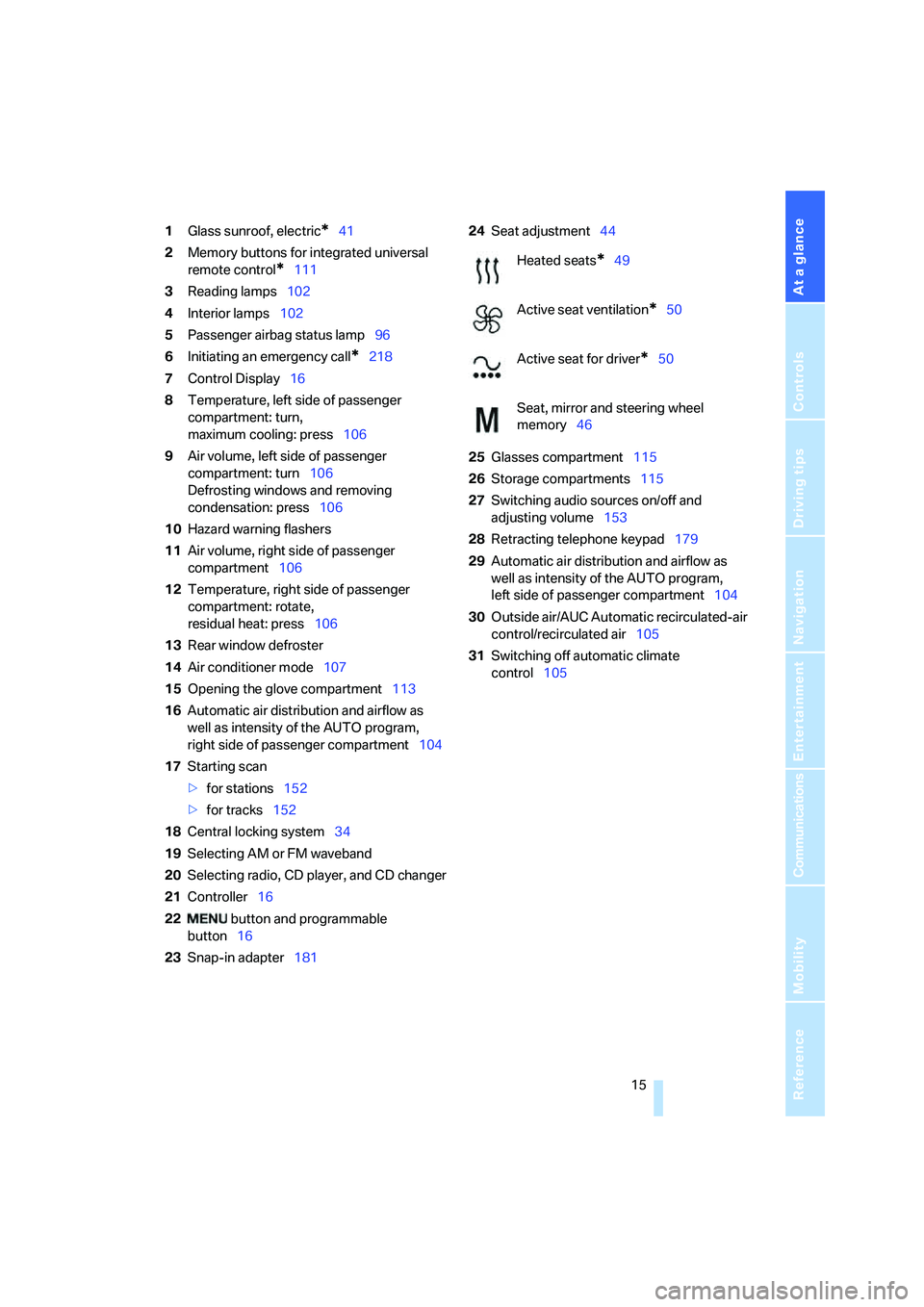
1Glass sunroof, electric*41
2Memory buttons for integrated universal
remote control
*111
3Reading lamps102
4Interior lamps102
5Passenger airbag status lamp96
6Initiating an emergency call
*218
7Control Display16
8Temperature, left side of passenger
compartment: turn,
maximum cooling: press106
9Air volume, left side of passenger
compartment: turn106
Defrosting windows and removing
condensation: press106
10Hazard warning flashers
11Air volume, right side of passenger
compartment106
12Temperature, right side of passenger
compartment: rotate,
residual heat: press106
13Rear window defroster
14Air conditioner mode107
15Opening the glove compartment113
16Automatic air distribution and airflow as
well as intensity of the AUTO program,
right side of passenger compartment104
17Starting scan
>for stations152
>for tracks152
18Central locking system34
19Selecting AM or FM waveband
20Selecting radio, CD player, and CD changer
21Controller16
22 button and programmable
button16
23Snap-in adapter18124Seat adjustment44
25Glasses compartment115
26Storage compartments115
27Switching audio sources on/off and
adjusting volume153
28Retracting telephone keypad179
29Automatic air distribution and airflow as
well as intensity of the AUTO program,
left side of passenger compartment104
30Outside air/AUC Automatic recirculated-air
control/recirculated air105
31Switching off automatic climate
control105
Heated seats*49
Active seat ventilation
*50
Active seat for driver
*50
Seat, mirror and steering wheel
memory46
Page 107 of 253
Controls
105Reference
At a glance
Driving tips
Communications
Navigation
Entertainment
Mobility
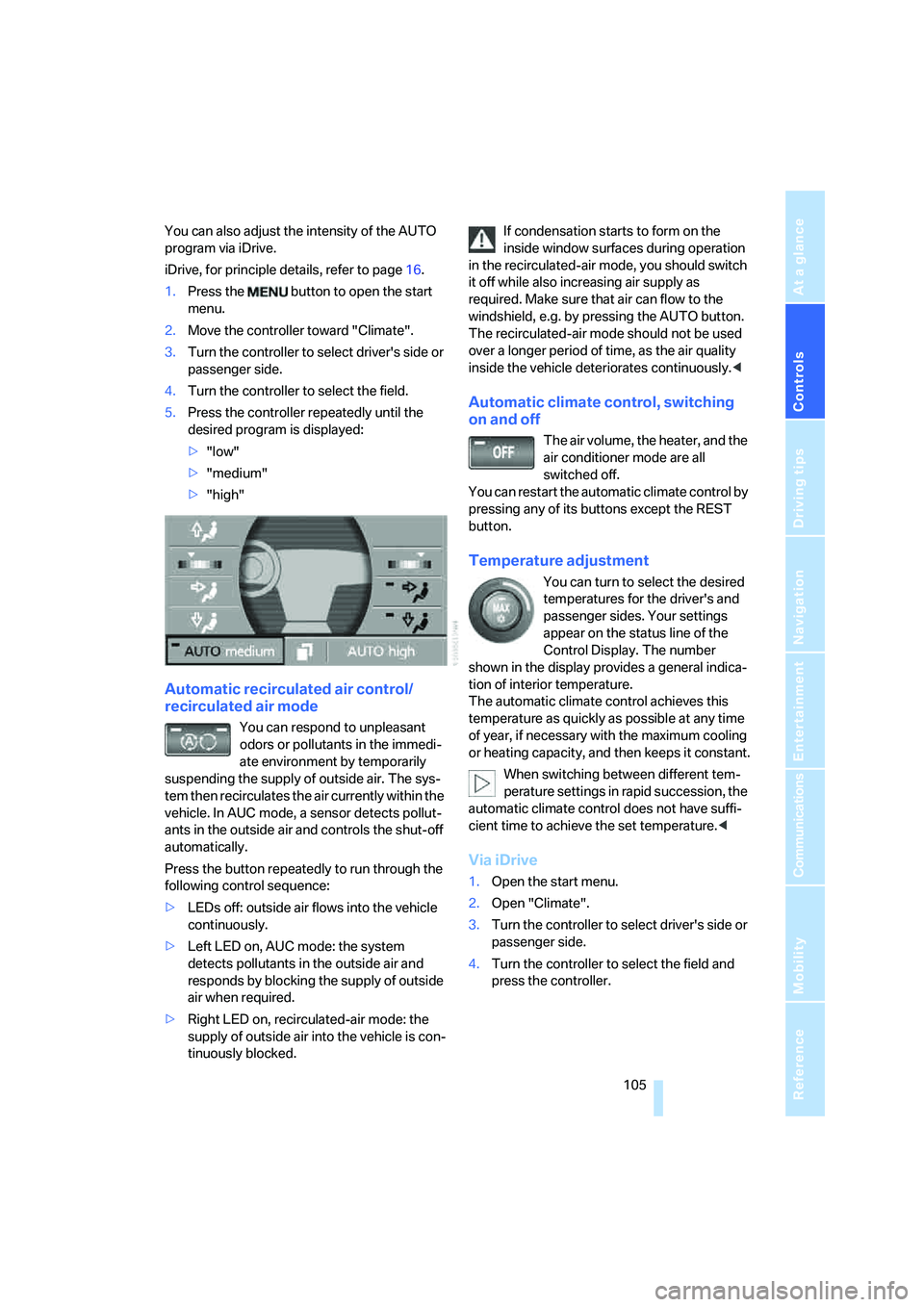
You can also adjust the intensity of the AUTO
program via iDrive.
iDrive, for principle details, refer to page16.
1.Press the button to open the start
menu.
2.Move the controller toward "Climate".
3.Turn the controller to select driver's side or
passenger side.
4.Turn the controller to select the field.
5.Press the controller repeatedly until the
desired program is displayed:
>"low"
>"medium"
>"high"
Automatic recirculated air control/
recirculated air mode
You can respond to unpleasant
odors or pollutants in the immedi-
ate environment by temporarily
suspending the supply of outside air. The sys-
tem then recirculates the air currently within the
vehicle. In AUC mode, a sensor detects pollut-
ants in the outside air and controls the shut-off
automatically.
Press the button repeatedly to run through the
following control sequence:
>LEDs off: outside air flows into the vehicle
continuously.
>Left LED on, AUC mode: the system
detects pollutants in the outside air and
responds by blocking the supply of outside
air when required.
>Right LED on, recirculated-air mode: the
supply of outside air into the vehicle is con-
tinuously blocked.If condensation starts to form on the
inside window surfaces during operation
in the recirculated-air mode, you should switch
it off while also increasing air supply as
required. Make sure that air can flow to the
windshield, e.g. by pressing the AUTO button.
The recirculated-air mode should not be used
over a longer period of time, as the air quality
inside the vehicle deteriorates continuously.<
Automatic climate control, switching
on and off
The air volume, the heater, and the
air conditioner mode are all
switched off.
You can restart the automatic climate control by
pressing any of its buttons except the REST
button.
Temperature adjustment
You can turn to select the desired
temperatures for the driver's and
passenger sides. Your settings
appear on the status line of the
Control Display. The number
shown in the display provides a general indica-
tion of interior temperature.
The automatic climate control achieves this
temperature as quickly as possible at any time
of year, if necessary with the maximum cooling
or heating capacity, and then keeps it constant.
When switching between different tem-
perature settings in rapid succession, the
automatic climate control does not have suffi-
cient time to achieve the set temperature.<
Via iDrive
1.Open the start menu.
2.Open "Climate".
3.Turn the controller to select driver's side or
passenger side.
4.Turn the controller to select the field and
press the controller.
Page 125 of 253
Driving tips
123Reference
At a glance
Controls
Communications
Navigation
Entertainment
Mobility
Hydroplaning
When driving on wet or slushy roads,
reduce road speed. If you do not, a wedge
of water can form between tires and road sur-
face. This phenomenon is referred to as hydro-
planing, and is characterized by a partial or
complete loss of contact between tires and
road surface, ultimately undermining your abil-
ity to steer and brake the vehicle.<
Driving through water
Only drive through water with a maximum
depth of 1 ft/30 cm and then, at no more
than walking speed. Otherwise, you run the risk
of damaging the vehicle's engine, electrical sys-
tems, and transmission.<
Safe braking
Your BMW is equipped with ABS as standard
equipment. In situations that require it, it is best
to apply the brakes fully. Since the vehicle
maintains steering responsiveness, you can
nevertheless avoid possible obstacles with a
minimum of steering effort.
Pulsation at the brake pedal combines with
sounds from the hydraulic circuits to indicate to
the driver that ABS is in its active mode.
Driving in wet conditions
When driving in wet conditions and in heavy
rain, it is a good idea to apply light pressure to
the brake pedal every few miles. Monitor traffic
conditions to ensure that this maneuver does
not endanger other road users. The heat gener-
ated helps dry the pads and rotors to ensure
that full braking efficiency will then be available
when you need it.
Hills
To prevent overheating and reduced effi-
ciency of the brake system, drive long or
steep downhill grades in the gear that requires
the least amount of braking. Otherwise, even
light but consistent pedal pressure can lead to
high temperatures, brake wear, and possibly
even failure of the brake system.
transmission's manual mode, downshifting as
far as first gear on extremely steep stretches,
refer to page63. This strategy helps you avoid
placing excessive loads on the brake system.
Do not drive in idle or with the engine
switched off; otherwise, there will be no
engine braking action or power-assist for the
brakes and steering.
Never allow floor mats, carpets or any other
objects to protrude into the area of movement
of the pedals and impair their operation.<
Corrosion on brake rotors
When the vehicle is driven only occasionally,
during extended periods when the vehicle is not
used at all, and in operating conditions where
brake applications are less frequent, there is an
increased tendency for corrosion to form on
rotors, while contaminants accumulate on the
brake pads. This occurs because the minimal
pressure that must be exerted by the pads dur-
ing brake applications to clean the rotors is not
reached.
Should corrosion form on the brake rotors, the
brakes will tend to respond with a pulsating
effect that even extended application will fail to
cure.
When vehicle is parked
Condensation forms in the automatic climate
control during operation, and then exits under
the vehicle. Traces of condensed water under
the vehicle are therefore normal.
Before driving into a car wash
1.Fold in the exterior mirrors, refer to page50;
otherwise, they could be damaged due to
the width of the vehicle.
To permit the vehicle to roll, follow the
instructions on page58.
2.Release the parking brake, especially when
you have activated Automatic Hold. Refer to
page59.
Page 132 of 253
Starting navigation system
130
Starting navigation system
Your navigation system can use satellites to
ascertain the precise position of your vehicle
and guide you reliably to any destination you
enter.
Navigation CD/DVD
Installation location navigation drive
Behind the left side panel in the luggage com-
partment.
You can use navigation CDs, versions 2001-1
and later, and navigation DVDs in your naviga-
tion computer.
To ensure that your vehicle's navigation system
has access to the latest highway system infor-
mation, always load the most recent CD/DVD
version of the digital road map.
As is the case with conventional road maps, the
navigation CDs/DVDs are subject to periodic
updates to ensure that they reflect the latest
information and surveys.
Navigation CDs/DVDs are available at
your BMW center.<
Inserting navigation CDs/DVDs
Navigation CDs/DVDs are to be inserted into
the navigation player.
1.Insert the navigation CD/DVD with the
labeled side up.
2.Wait a few seconds until the CD/DVD con-
tents are read.
Removing navigation CD/DVD
1.Press the button.
2.Remove navigation CD/DVD.
Display in assistance
window*
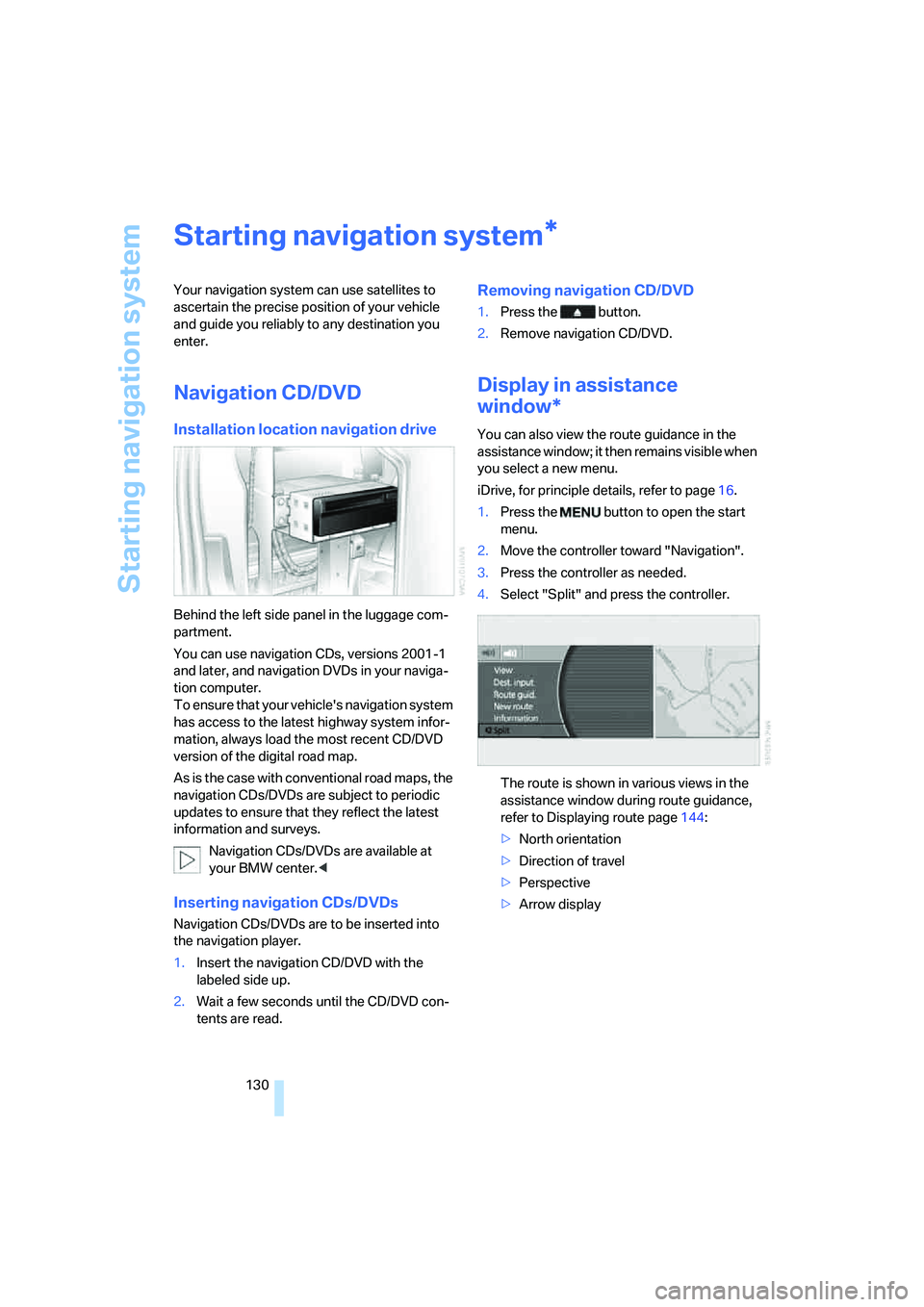
You can also view the route guidance in the
assistance window; it then remains visible when
you select a new menu.
iDrive, for principle details, refer to page16.
1.Press the button to open the start
menu.
2.Move the controller toward "Navigation".
3.Press the controller as needed.
4.Select "Split" and press the controller.
The route is shown in various views in the
assistance window during route guidance,
refer to Displaying route page144:
>North orientation
>Direction of travel
>Perspective
>Arrow display
*
Page 162 of 253
Radio
160 Weather Service or write to the National
Weather Service at: W/OM1, National Oceanic
and Atmospheric Administration, 1325 East-
West Highway, Silver Spring, MD 20910.
Calling up weather reports
iDrive, for principle details, refer to page16.
1.Press the button to open the start
menu.
2.Move the controller toward "Entertain-
ment".
3.Select "WB" and press the controller.
A list of the available channels is displayed.
4.Turn the controller until the desired channel
is selected and press the controller.
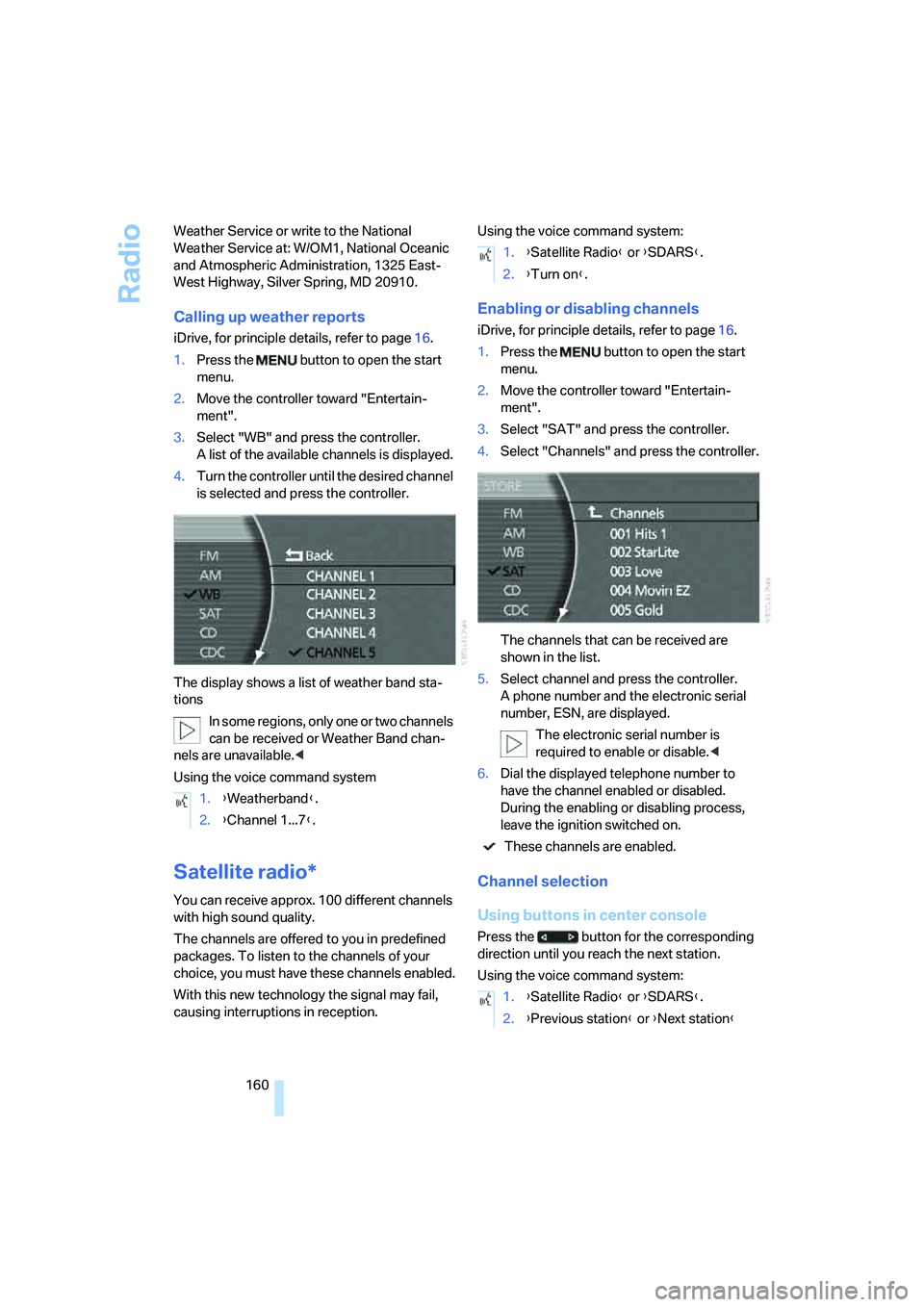
The display shows a list of weather band sta-
tions
In some regions, only one or two channels
can be received or Weather Band chan-
nels are unavailable.<
Using the voice command system
Satellite radio*
You can receive approx. 100 different channels
with high sound quality.
The channels are offered to you in predefined
packages. To listen to the channels of your
choice, you must have these channels enabled.
With this new technology the signal may fail,
causing interruptions in reception.Using the voice command system:
Enabling or disabling channels
iDrive, for principle details, refer to page16.
1.Press the button to open the start
menu.
2.Move the controller toward "Entertain-
ment".
3.Select "SAT" and press the controller.
4.Select "Channels" and press the controller.
The channels that can be received are
shown in the list.
5.Select channel and press the controller.
A phone number and the electronic serial
number, ESN, are displayed.
The electronic serial number is
required to enable or disable.<
6.Dial the displayed telephone number to
have the channel enabled or disabled.
During the enabling or disabling process,
leave the ignition switched on.
These channels are enabled.
Channel selection
Using buttons in center console
Press the button for the corresponding
direction until you reach the next station.
Using the voice command system: 1.{Weatherband}.
2.{Channel 1...7}.
1.{Satellite Radio} or {SDARS}.
2.{Turn on}.
1.{Satellite Radio} or {SDARS}.
2.{Previous station} or {Next station}
Page 163 of 253
Navigation
Entertainment
Driving tips
161Reference
At a glance
Controls
Communications
Mobility
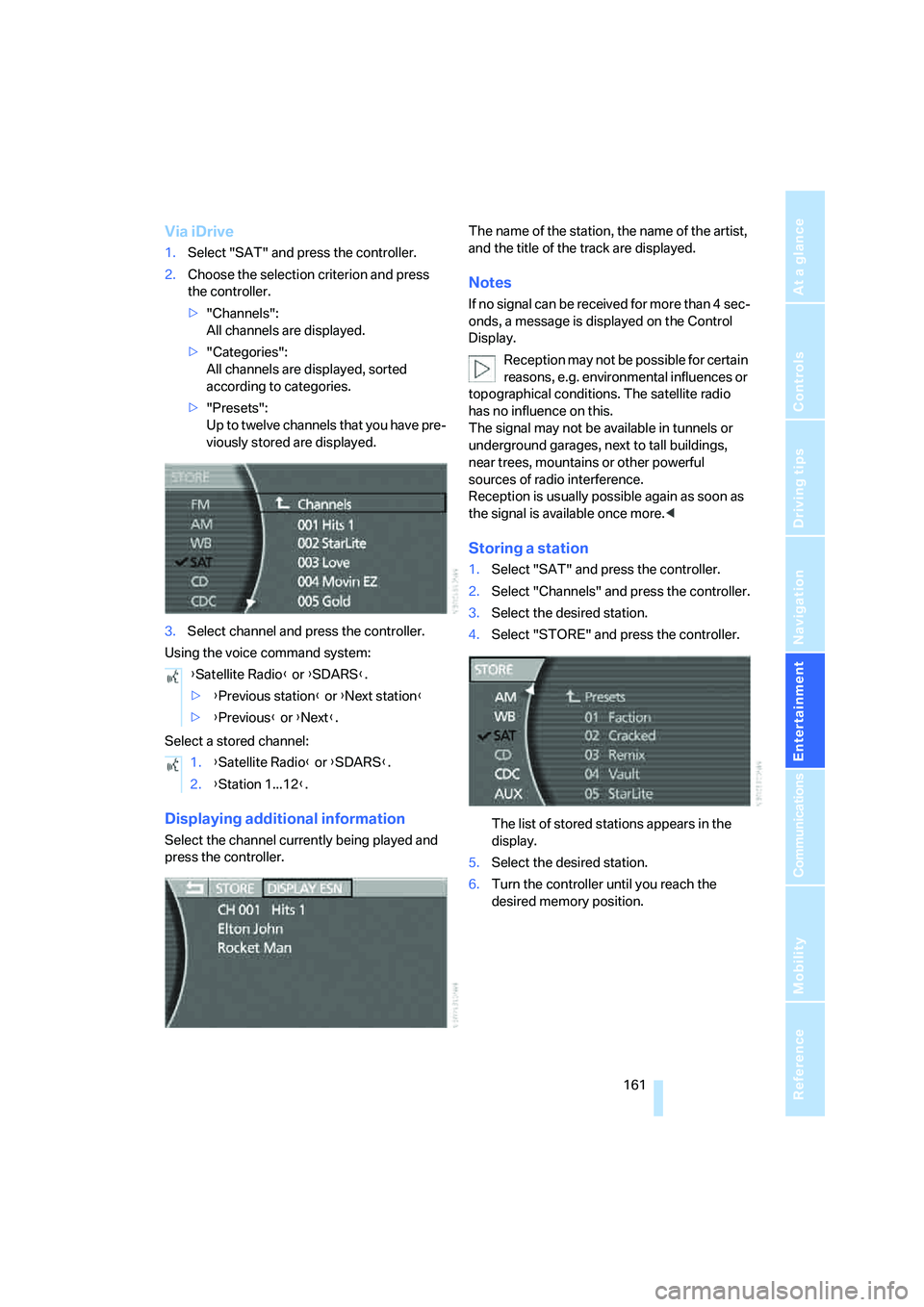
Via iDrive
1.Select "SAT" and press the controller.
2.Choose the selection criterion and press
the controller.
>"Channels":
All channels are displayed.
>"Categories":
All channels are displayed, sorted
according to categories.
>"Presets":
Up to twelve channels that you have pre-
viously stored are displayed.
3.Select channel and press the controller.
Using the voice command system:
Select a stored channel:
Displaying additional information
Select the channel currently being played and
press the controller.The name of the station, the name of the artist,
and the title of the track are displayed.
Notes
If no signal can be received for more than 4 sec-
onds, a message is displayed on the Control
Display.
Reception may not be possible for certain
reasons, e.g. environmental influences or
topographical conditions. The satellite radio
has no influence on this.
The signal may not be available in tunnels or
underground garages, next to tall buildings,
near trees, mountains or other powerful
sources of radio interference.
Reception is usually possible again as soon as
the signal is available once more.<
Storing a station
1.Select "SAT" and press the controller.
2.Select "Channels" and press the controller.
3.Select the desired station.
4.Select "STORE" and press the controller.
The list of stored stations appears in the
display.
5.Select the desired station.
6.Turn the controller until you reach the
desired memory position. {Satellite Radio} or {SDARS}.
>{Previous station} or {Next station}
>{Previous} or {Next}.
1.{Satellite Radio} or {SDARS}.
2.{Station 1...12}.
Page 189 of 253
187
Entertainment
Reference
At a glance
Controls
Driving tips Communications
Navigation
Mobility
Having entries read
You can have all the entries of your voice-com-
mand phone book read aloud in the order of
their input and select a certain entry to establish
a connection:
Dialing from voice-command phone
book
You can recall a saved entry by the name and
dial the phone number:
Deleting entry of voice-command
phone book
You can delete individual entries from the
voice-command phone book:
Deleting all entries of voice-command
phone book
You can delete all entries in the phone book:
Switching between mobile
phone and hands-free system
If you insert the mobile phone into or remove it
from the snap-in adapter during a call, this can
cause the call to be disconnected.
From mobile phone to hands-free
system
You can continue calls begun outside the Blue-
tooth range of the vehicle via the hands-free
system when the motor is running or the igni-
tion is switched on.
Depending on your mobile phone, the switch to
hands-free mode occurs automatically.
With mobile phones that do not switch over
automatically to hands-free operation:
>Press the button in the upper area of
the snap-in adapter.
>Depending on the mobile phone model
used, the conversation can also be contin-
ued via the hands-free system if necessary.
Follow the instructions given on the mobile
phone display, refer to the operating
instructions of your mobile phone.
From hands-free system to mobile
phone
When you telephone via the hands-free system,
you can also continue the call via the mobile
phone if necessary, depending on the mobile
phone model. Follow the instructions given on
the mobile phone display, refer to the operating
instructions of your mobile phone. {Read out}.
>To scroll forward:
{Next}
>To scroll back:
{Previous}
>To repeat entry:
{Repeat}
>To call:
{Dial}
1.{Dial name}.
2.Say the name.
3.{Dial}.
1.{Telephone}.
2.{Delete entry}.
3.Say the name.
4.Confirm the prompt with {Yes}.
1.{Telephone}.
2.{Delete telephone book}.
3.Confirm the prompt twice with {Yes}.
Page 230 of 253
Short commands of the voice command system
228
Short commands of the voice command
system
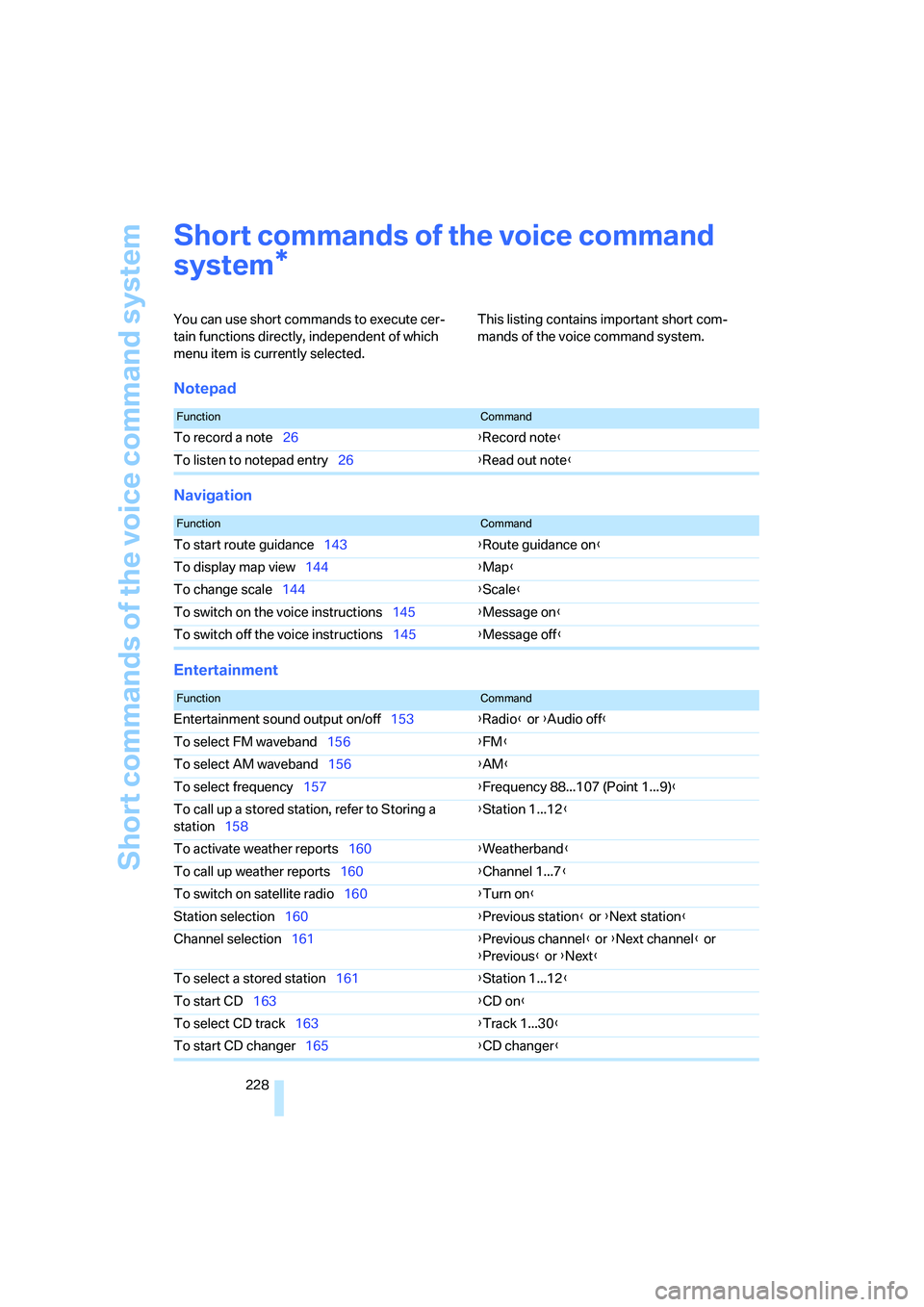
You can use short commands to execute cer-
tain functions directly, independent of which
menu item is currently selected. This listing contains important short com-
mands of the voice command system.
Notepad
Navigation
Entertainment
*
FunctionCommand
To record a note26{Record note}
To listen to notepad entry26{Read out note}
FunctionCommand
To start route guidance143{Route guidance on}
To display map view144{Map}
To change scale144{Scale}
To switch on the voice instructions145{Message on}
To switch off the voice instructions145{Message off}
FunctionCommand
Entertainment sound output on/off153{Radio} or {Audio off}
To select FM waveband156{FM}
To select AM waveband156{AM}
To select frequency157{Frequency 88...107 (Point 1...9)}
To call up a stored station, refer to Storing a
station158{Station 1...12}
To activate weather reports160{Weatherband}
To call up weather reports160{Channel 1...7}
To switch on satellite radio160{Turn on}
Station selection160{Previous station} or {Next station}
Channel selection161{Previous channel} or {Next channel} or
{Previous} or {Next}
To select a stored station161{Station 1...12}
To start CD163{CD on}
To select CD track163{Track 1...30}
To start CD changer165{CD changer}
Page 233 of 253
Reference 231
At a glance
Controls
Driving tips
Communications
Navigation
Entertainment
Mobility
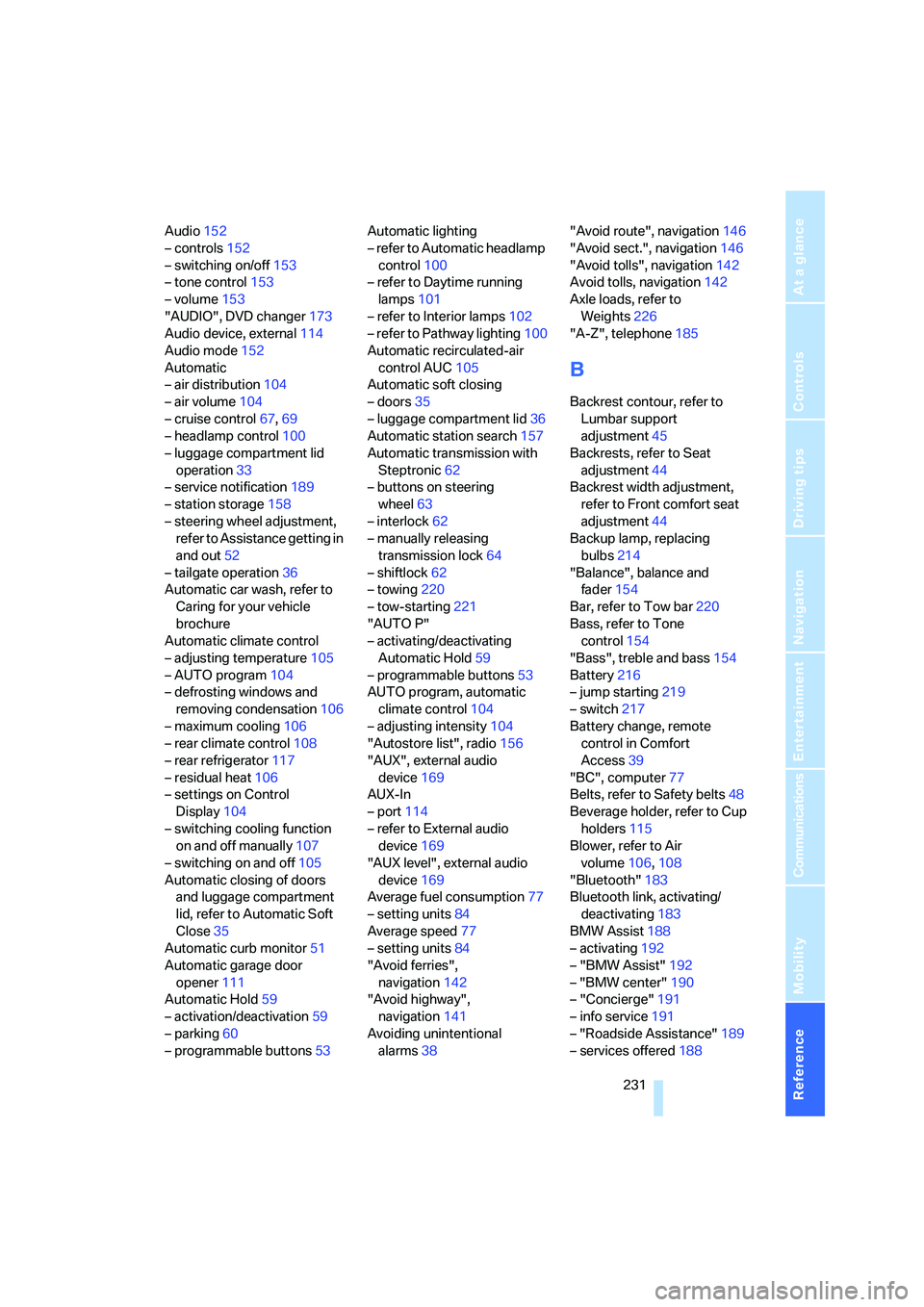
Audio152
– controls152
– switching on/off153
– tone control153
– volume153
"AUDIO", DVD changer173
Audio device, external114
Audio mode152
Automatic
– air distribution104
– air volume104
– cruise control67,69
– headlamp control100
– luggage compartment lid
operation33
– service notification189
– station storage158
– steering wheel adjustment,
refer to Assistance getting in
and out52
– tailgate operation36
Automatic car wash, refer to
Caring for your vehicle
brochure
Automatic climate control
– adjusting temperature105
– AUTO program104
– defrosting windows and
removing condensation106
– maximum cooling106
– rear climate control108
– rear refrigerator117
– residual heat106
– settings on Control
Display104
– switching cooling function
on and off manually107
– switching on and off105
Automatic closing of doors
and luggage compartment
lid, refer to Automatic Soft
Close35
Automatic curb monitor51
Automatic garage door
opener111
Automatic Hold59
– activation/deactivation59
– parking60
– programmable buttons53Automatic lighting
– refer to Automatic headlamp
control100
– refer to Daytime running
lamps101
– refer to Interior lamps102
– refer to Pathway lighting100
Automatic recirculated-air
control AUC105
Automatic soft closing
– doors35
– luggage compartment lid
36
Automatic station search157
Automatic transmission with
Steptronic62
– buttons on steering
wheel63
– interlock62
– manually releasing
transmission lock64
– shiftlock62
– towing220
– tow-starting221
"AUTO P"
– activating/deactivating
Automatic Hold59
– programmable buttons53
AUTO program, automatic
climate control104
– adjusting intensity104
"Autostore list", radio156
"AUX", external audio
device169
AUX-In
– port114
– refer to External audio
device169
"AUX level", external audio
device169
Average fuel consumption77
– setting units84
Average speed77
– setting units84
"Avoid ferries",
navigation142
"Avoid highway",
navigation141
Avoiding unintentional
alarms38"Avoid route", navigation146
"Avoid sect.", navigation146
"Avoid tolls", navigation142
Avoid tolls, navigation142
Axle loads, refer to
Weights226
"A-Z", telephone185
B
Backrest contour, refer to
Lumbar support
adjustment45
Backrests, refer to Seat
adjustment44
Backrest width adjustment,
refer to Front comfort seat
adjustment44
Backup lamp, replacing
bulbs214
"Balance", balance and
fader154
Bar, refer to Tow bar220
Bass, refer to Tone
control154
"Bass", treble and bass154
Battery216
– jump starting219
– switch217
Battery change, remote
control in Comfort
Access39
"BC", computer77
Belts, refer to Safety belts48
Beverage holder, refer to Cup
holders115
Blower, refer to Air
volume106,108
"Bluetooth"183
Bluetooth link, activating/
deactivating183
BMW Assist188
– activating192
– "BMW Assist"192
– "BMW center"190
– "Concierge"191
– info service191
– "Roadside Assistance"189
– services offered188
Page 235 of 253
Reference 233
At a glance
Controls
Driving tips
Communications
Navigation
Entertainment
Mobility
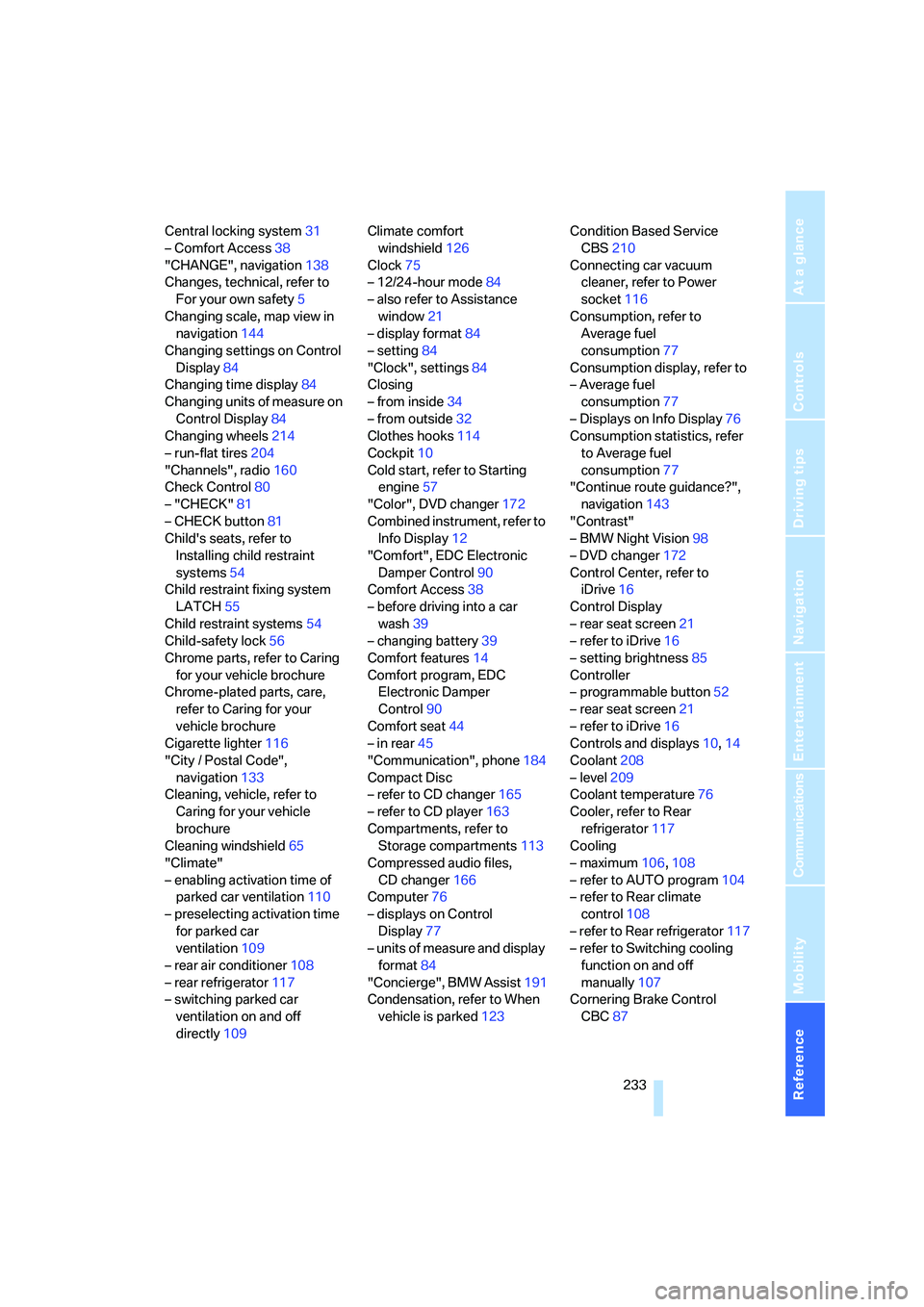
Central locking system31
– Comfort Access38
"CHANGE", navigation138
Changes, technical, refer to
For your own safety5
Changing scale, map view in
navigation144
Changing settings on Control
Display84
Changing time display84
Changing units of measure on
Control Display84
Changing wheels214
– run-flat tires204
"Channels", radio160
Check Control80
– "CHECK"81
– CHECK button81
Child's seats, refer to
Installing child restraint
systems54
Child restraint fixing system
LATCH55
Child restraint systems54
Child-safety lock56
Chrome parts, refer to Caring
for your vehicle brochure
Chrome-plated parts, care,
refer to Caring for your
vehicle brochure
Cigarette lighter116
"City / Postal Code",
navigation133
Cleaning, vehicle, refer to
Caring for your vehicle
brochure
Cleaning windshield65
"Climate"
– enabling activation time of
parked car ventilation110
– preselecting activation time
for parked car
ventilation109
– rear air conditioner108
– rear refrigerator117
– switching parked car
ventilation on and off
directly109Climate comfort
windshield126
Clock75
– 12/24-hour mode84
– also refer to Assistance
window21
– display format84
– setting84
"Clock", settings84
Closing
– from inside34
– from outside32
Clothes hooks114
Cockpit10
Cold start, refer to Starting
engine57
"Color", DVD changer172
Combined instrument, refer to
Info Display
12
"Comfort", EDC Electronic
Damper Control90
Comfort Access38
– before driving into a car
wash39
– changing battery39
Comfort features14
Comfort program, EDC
Electronic Damper
Control90
Comfort seat44
– in rear45
"Communication", phone184
Compact Disc
– refer to CD changer165
– refer to CD player163
Compartments, refer to
Storage compartments113
Compressed audio files,
CD changer166
Computer76
– displays on Control
Display77
– units of measure and display
format84
"Concierge", BMW Assist191
Condensation, refer to When
vehicle is parked123Condition Based Service
CBS210
Connecting car vacuum
cleaner, refer to Power
socket116
Consumption, refer to
Average fuel
consumption77
Consumption display, refer to
– Average fuel
consumption77
– Displays on Info Display76
Consumption statistics, refer
to Average fuel
consumption77
"Continue route guidance?",
navigation143
"Contrast"
– BMW Night Vision98
– DVD changer172
Control Center, refer to
iDrive16
Control Display
– rear seat screen21
– refer to iDrive16
– setting brightness85
Controller
– programmable button52
– rear seat screen21
– refer to iDrive16
Controls and displays10,14
Coolant208
– level209
Coolant temperature76
Cooler, refer to Rear
refrigerator117
Cooling
– maximum106,108
– refer to AUTO program104
– refer to Rear climate
control108
– refer to Rear refrigerator117
– refer to Switching cooling
function on and off
manually107
Cornering Brake Control
CBC87