manual transmission BMW ACTIVE HYBRID 5 2016 F10H Owner's Manual
[x] Cancel search | Manufacturer: BMW, Model Year: 2016, Model line: ACTIVE HYBRID 5, Model: BMW ACTIVE HYBRID 5 2016 F10HPages: 263, PDF Size: 6.12 MB
Page 81 of 263
Automatic release in cars with
Steptronic transmission
For automatic release, step on the accelerator
pedal.
The LED and indicator lamp go out.
The parking brake is automatically released
when you step on the accelerator:▷Drive readiness on.▷Drive mode engaged.▷Driver buckled in and doors closed.
Automatic Hold
The concept This system assists the driver by automatically
setting and releasing the brake, such as when
moving in stop-and-go traffic.
The vehicle is automatically held in place when
it is stationary.
On inclines, the system prevents the vehicle
from rolling backward when driving off.
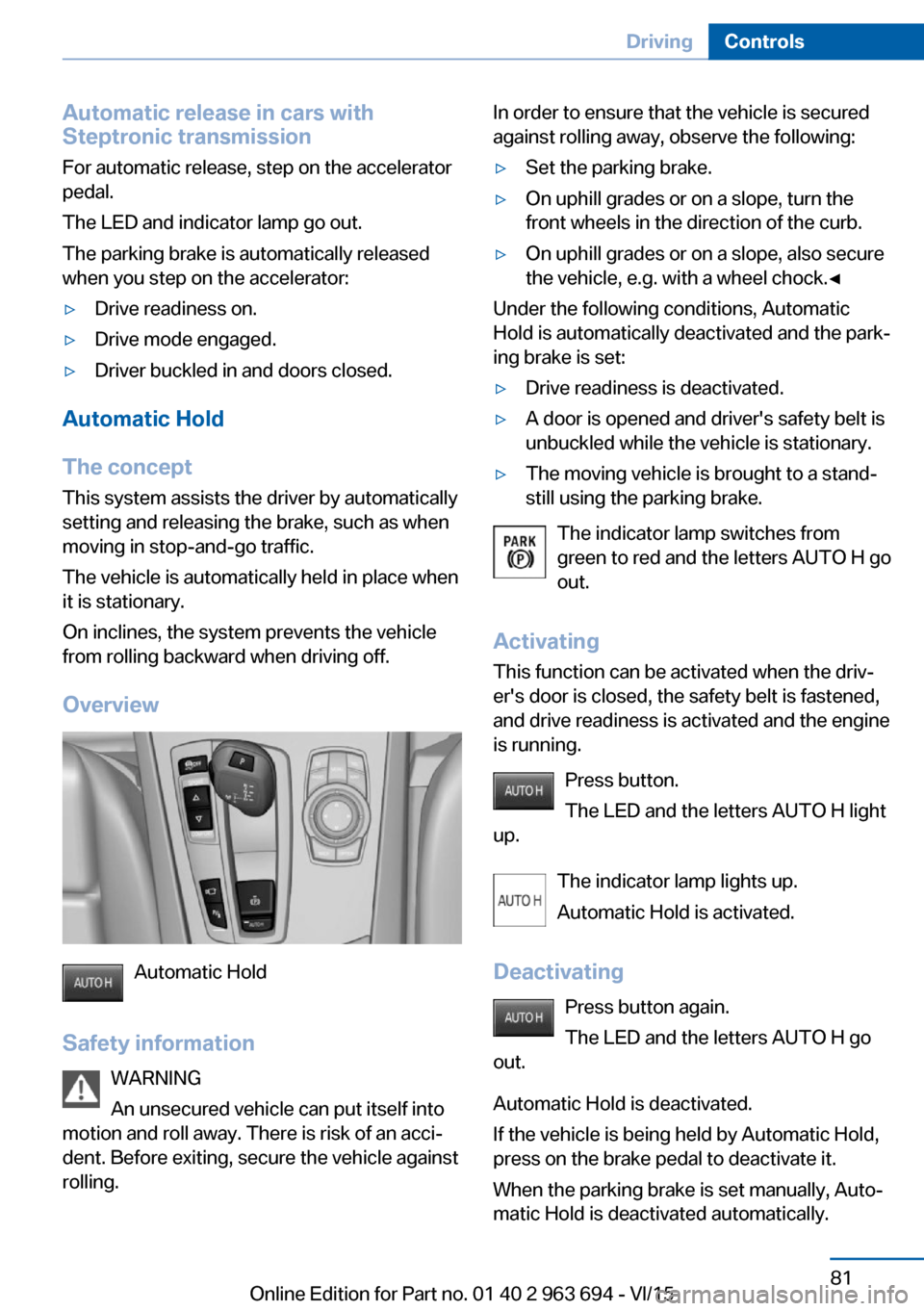
Overview
Automatic Hold
Safety information WARNING
An unsecured vehicle can put itself into
motion and roll away. There is risk of an acci‐
dent. Before exiting, secure the vehicle against
rolling.
In order to ensure that the vehicle is secured
against rolling away, observe the following:▷Set the parking brake.▷On uphill grades or on a slope, turn the
front wheels in the direction of the curb.▷On uphill grades or on a slope, also secure
the vehicle, e.g. with a wheel chock.◀
Under the following conditions, Automatic
Hold is automatically deactivated and the park‐
ing brake is set:
▷Drive readiness is deactivated.▷A door is opened and driver's safety belt is
unbuckled while the vehicle is stationary.▷The moving vehicle is brought to a stand‐
still using the parking brake.
The indicator lamp switches from
green to red and the letters AUTO H go out.
Activating
This function can be activated when the driv‐
er's door is closed, the safety belt is fastened,
and drive readiness is activated and the engine
is running.
Press button.
The LED and the letters AUTO H light
up.
The indicator lamp lights up.
Automatic Hold is activated.
Deactivating Press button again.
The LED and the letters AUTO H go
out.
Automatic Hold is deactivated.
If the vehicle is being held by Automatic Hold,
press on the brake pedal to deactivate it.
When the parking brake is set manually, Auto‐
matic Hold is deactivated automatically.
Seite 81DrivingControls81
Online Edition for Part no. 01 40 2 963 694 - VI/15
Page 87 of 263
Engaging selector lever positions
General information
To prevent the vehicle from creeping after you
select a gear, maintain pressure on the brake
pedal until you are ready to start.▷Selector lever position P can only be disen‐
gaged when the vehicle drive readiness is
engaged and the brake pedal is depressed.▷With the vehicle is stationary, press on the
brake pedal before shifting out of selector
lever position P or N; otherwise, the shift
command will not be executed: shift lock.
A block prevents the inadvertent switching to
selector lever position P or R or the inadvertent
change from selector lever position P.
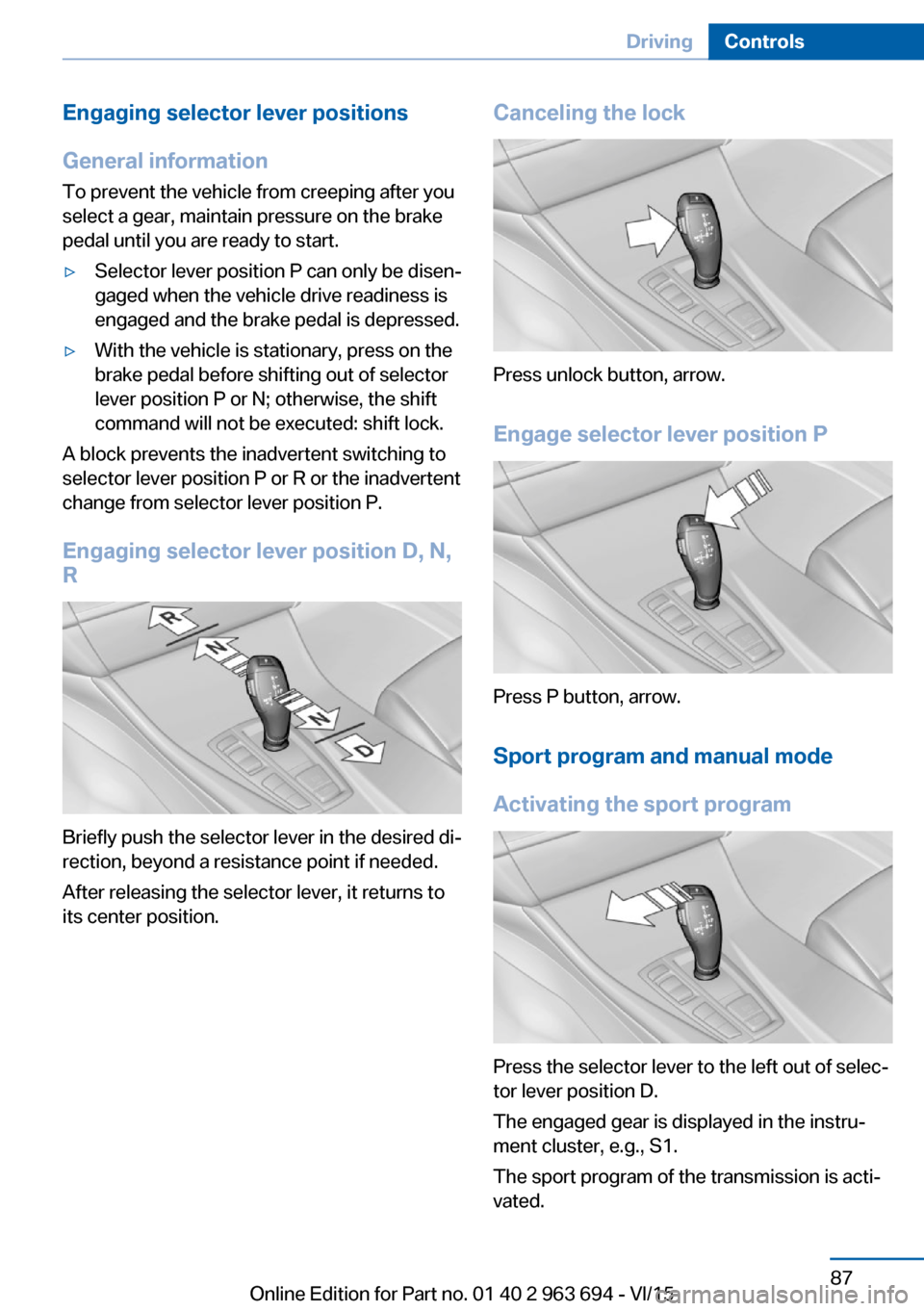
Engaging selector lever position D, N,
R
Briefly push the selector lever in the desired di‐
rection, beyond a resistance point if needed.
After releasing the selector lever, it returns to
its center position.
Canceling the lock
Press unlock button, arrow.
Engage selector lever position P
Press P button, arrow.
Sport program and manual mode
Activating the sport program
Press the selector lever to the left out of selec‐
tor lever position D.
The engaged gear is displayed in the instru‐
ment cluster, e.g., S1.
The sport program of the transmission is acti‐
vated.
Seite 87DrivingControls87
Online Edition for Part no. 01 40 2 963 694 - VI/15
Page 88 of 263
eDRIVE electric driving and the Auto Start
Stop function are deactivated. Coasting to a
standstill and braking phases will be used
more often to recover energy. The high-volt‐
age battery will be charged more quickly.
Activating the M/S manual mode1.Press the selector lever to the left out of
selector lever position D.2.Push the selector lever forward or pull it
backward.
Manual mode becomes active and the gear is
changed.
The engaged gear is displayed in the instru‐
ment cluster, e.g., M1.
If the situation requires, the Steptronic trans‐
mission continues to shift automatically.
Example: once maximum engine speed is at‐
tained, M/S manual mode is automatically up‐
shifted as needed.
Switching to manual mode
▷To shift down: press the selector lever for‐
ward.▷To shift up: pull the selector lever rear‐
wards.
Gears will only be shifted at appropriate engine
and road speeds, for example downshifting is
not possible if the engine speed is too high.
The selected gear is briefly displayed in the in‐
strument cluster, followed by the currently se‐
lected gear.
Steptronic Sport transmission:
prevent automatic upshifting in M/S
manual mode
The Steptronic Sport transmission does not
automatically upshift in M/S manual mode
once the maximum speed is reached, if one of
the following conditions is met:
▷DSC deactivated.▷TRACTION activated.▷SPORT+ activated.
In addition, there is no downshift for kickdown.
With the respective transmission version, the
lowest possible gear can be selected by simul‐
taneously operating the kickdown and the left
shift paddle. However, this effect is not pro‐
duced via the shift paddles when switching
briefly from selector lever position D to manual
mode.
Ending the sport program/manual
mode
Push the selector lever to the right.
D is displayed in the instrument cluster.
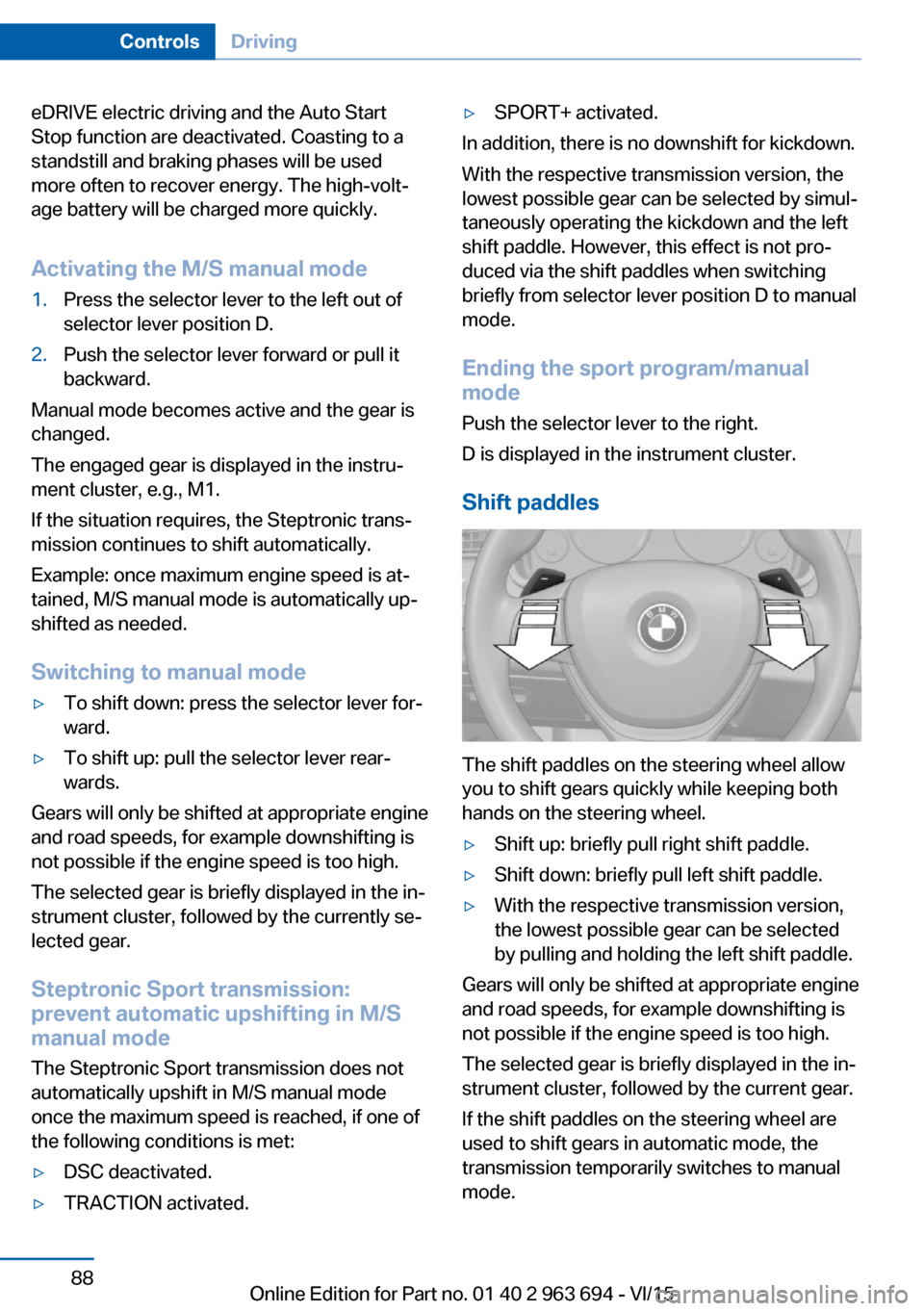
Shift paddles
The shift paddles on the steering wheel allow
you to shift gears quickly while keeping both
hands on the steering wheel.
▷Shift up: briefly pull right shift paddle.▷Shift down: briefly pull left shift paddle.▷With the respective transmission version,
the lowest possible gear can be selected
by pulling and holding the left shift paddle.
Gears will only be shifted at appropriate engine
and road speeds, for example downshifting is
not possible if the engine speed is too high.
The selected gear is briefly displayed in the in‐
strument cluster, followed by the current gear.
If the shift paddles on the steering wheel are
used to shift gears in automatic mode, the
transmission temporarily switches to manual
mode.
Seite 88ControlsDriving88
Online Edition for Part no. 01 40 2 963 694 - VI/15
Page 89 of 263
If the selector lever is still in selector lever po‐
sition D with the respective transmission ver‐
sion, it is possible to switch back into the auto‐
matic mode:▷Pull and hold right shift paddle.
or▷In addition to the briefly pulled right shift
paddle, briefly pull the left shift paddle.
In the manual mode, after conservative driving
for a certain amount of time or if there has
been no acceleration or shifting of the shift
paddles within a certain amount of time, the
transmission switches back to automatic
mode.
Displays in the instrument cluster The selector lever position is dis‐
played, e.g.: P.
Electronic unlocking of the
transmission lock
General information
Electronically unlock the transmission lock to
maneuver vehicle from the danger area.
Unlocking is possible, if the started can spin
the engine.
Engaging selector lever position N
1.Depress the brake pedal.2.Press the Start/Stop button. The starter
must audibly start.3.Press and hold the selector lever into posi‐
tion N.
A corresponding Check Control message
is displayed.4.Press the selector lever again into posi‐
tion N within approx. 6 seconds.
Selector lever position N is displayed in the
instrument cluster.5.Release brake, as soon as the starter
stops.6.Maneuver the vehicle from the danger area
and secure it against moving on its own.Seite 89DrivingControls89
Online Edition for Part no. 01 40 2 963 694 - VI/15
Page 100 of 263
Gear shift indicatorThe conceptThe system recommends the most fuel effi‐
cient gear for the current driving situation.
General information
Depending on the vehicle's features and coun‐
try version of the vehicle, the gear shift indica‐
tor is active in the manual mode of the Step‐
tronic transmission and with manual
transmission.
Suggestions to shift gear up or down are dis‐
played in the instrument cluster.
On vehicles without a gear shift indicator, the
engaged gear is displayed.
Steptronic transmission: displaysExampleDescriptionFuel efficient gear is set.Shift into fuel efficient gear.
Speed limit detection
The concept
Speed limit detection
Speed limit detection shows the current maxi‐
mum permitted speed in the instrument clus‐
ter. The camera in the area of the interior rear‐
view mirror detects traffic signs at the edge of
the road as well as variable overhead sign
posts. Traffic signs with extra symbols for wet
road conditions, etc. are also detected and
compared with the vehicle's onboard data,
such as for the rain sensor, and will be dis‐
played depending on the situation. The system
takes into account the information stored in
the navigation system and also displays speed
limits present on routes without signs.
Information WARNING
The system does not relieve from the
personal responsibility to correctly assess visi‐
bility and traffic situation. There is risk of an ac‐
cident. Adjust the driving style to the traffic
conditions. Watch traffic closely and actively
interfere in the respective situations.◀
Overview
Camera
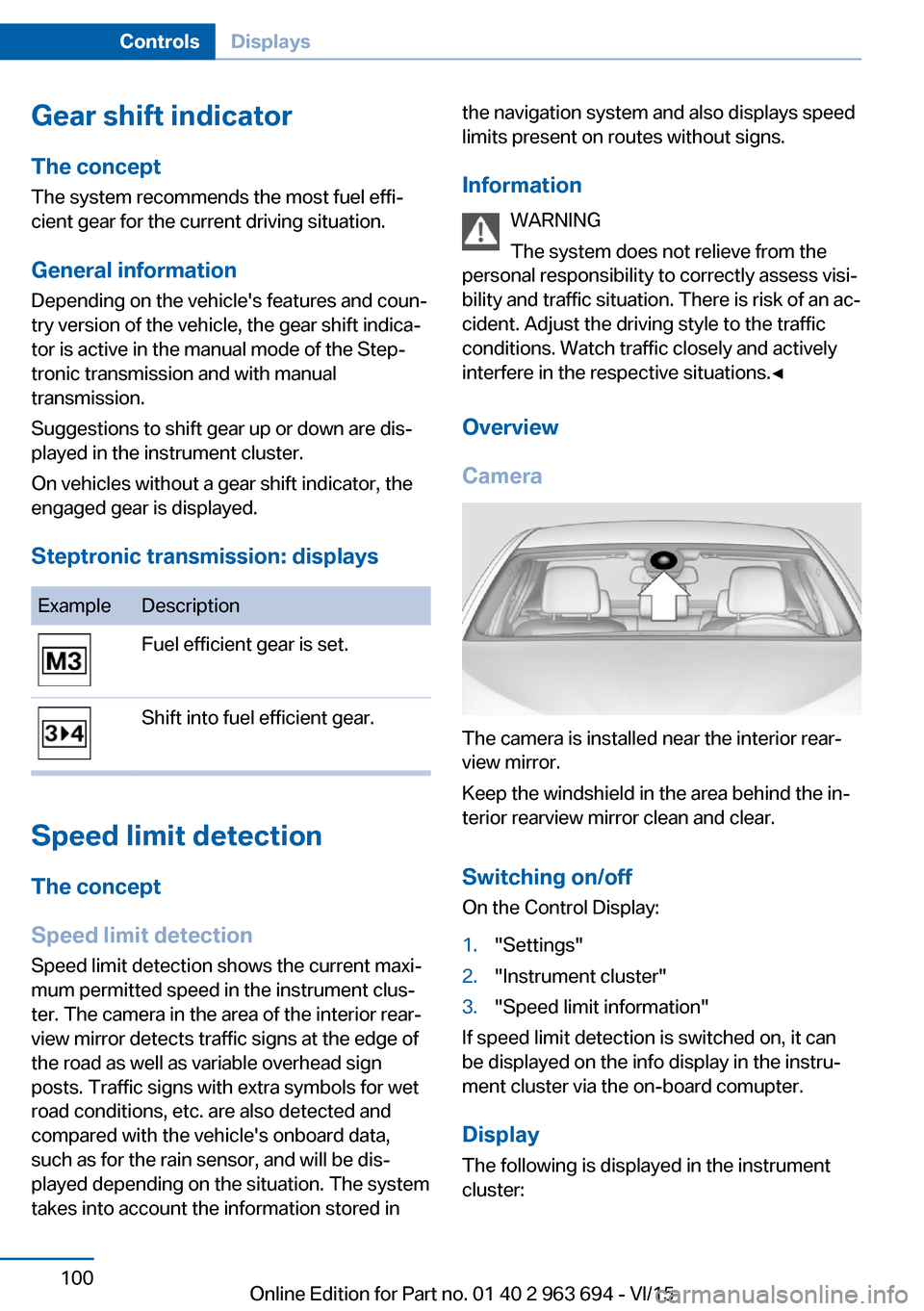
The camera is installed near the interior rear‐
view mirror.
Keep the windshield in the area behind the in‐
terior rearview mirror clean and clear.
Switching on/offOn the Control Display:
1."Settings"2."Instrument cluster"3."Speed limit information"
If speed limit detection is switched on, it can
be displayed on the info display in the instru‐
ment cluster via the on-board comupter.
Display The following is displayed in the instrument
cluster:
Seite 100ControlsDisplays100
Online Edition for Part no. 01 40 2 963 694 - VI/15
Page 163 of 263
Parking assistantThe concept
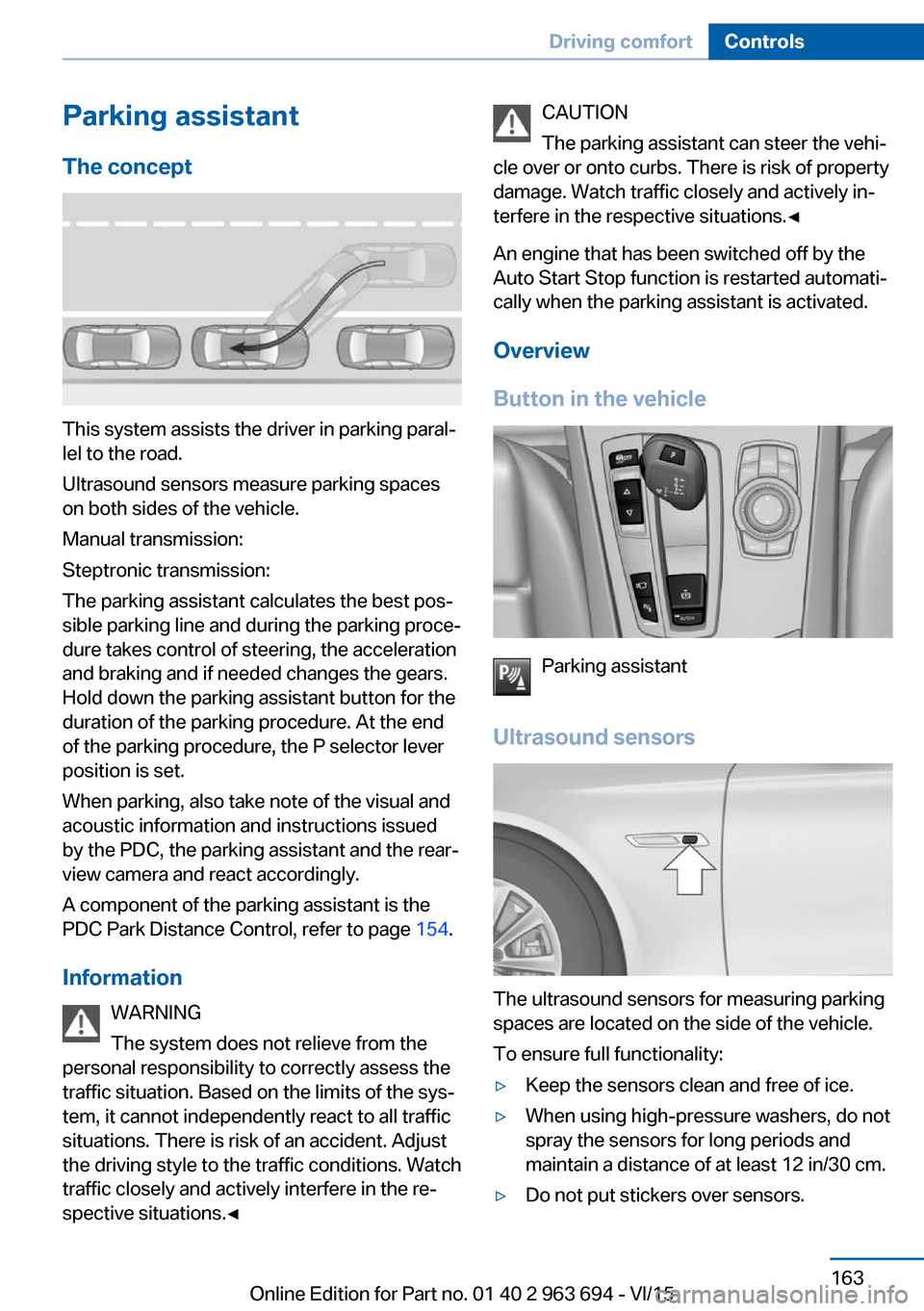
This system assists the driver in parking paral‐
lel to the road.
Ultrasound sensors measure parking spaces
on both sides of the vehicle.
Manual transmission:
Steptronic transmission:
The parking assistant calculates the best pos‐
sible parking line and during the parking proce‐
dure takes control of steering, the acceleration
and braking and if needed changes the gears.
Hold down the parking assistant button for the
duration of the parking procedure. At the end
of the parking procedure, the P selector lever
position is set.
When parking, also take note of the visual and
acoustic information and instructions issued
by the PDC, the parking assistant and the rear‐
view camera and react accordingly.
A component of the parking assistant is the
PDC Park Distance Control, refer to page 154.
Information WARNING
The system does not relieve from the
personal responsibility to correctly assess the
traffic situation. Based on the limits of the sys‐
tem, it cannot independently react to all traffic
situations. There is risk of an accident. Adjust
the driving style to the traffic conditions. Watch
traffic closely and actively interfere in the re‐
spective situations.◀
CAUTION
The parking assistant can steer the vehi‐
cle over or onto curbs. There is risk of property
damage. Watch traffic closely and actively in‐
terfere in the respective situations.◀
An engine that has been switched off by the
Auto Start Stop function is restarted automati‐
cally when the parking assistant is activated.
Overview
Button in the vehicle
Parking assistant
Ultrasound sensors
The ultrasound sensors for measuring parking
spaces are located on the side of the vehicle.
To ensure full functionality:
▷Keep the sensors clean and free of ice.▷When using high-pressure washers, do not
spray the sensors for long periods and
maintain a distance of at least 12 in/30 cm.▷Do not put stickers over sensors.Seite 163Driving comfortControls163
Online Edition for Part no. 01 40 2 963 694 - VI/15
Page 165 of 263
Parking using the parking assistantWARNING
The system does not relieve from the
personal responsibility to correctly assess the
traffic situation. There is risk of an accident.
Adjust the driving style to the traffic condi‐
tions. Watch traffic and vehicle surroundings
closely and actively interfere in the respective
situations.◀1.Switch on the parking assistant and acti‐
vate it if needed.
The status of the parking space search is
indicated on the Control Display.2.Follow the instructions on the Control Dis‐
play.
The end of the parking procedure is indi‐
cated on the Control Display.3.Adjust the parking position yourself if
needed.
Interrupting manually
The parking assistant can be interrupted at any
time:
▷ "Parking Assistant" Select the symbol
on the Control Display.▷Press button.
Interrupting automatically
The system is interrupted automatically in the
following situations:
▷If the driver grasps the steering wheel or if
he takes over steering.▷Possible on snow-covered or slippery road
surfaces.▷When there are obstacles that are hard to
overcome, such as curbs.▷When there are obstacles that suddenly
arise.▷If the Park Distance Control PDC displays
clearances that are too small.▷If a maximum number of parking attempts
or the time taken for parking is exceeded.▷When switching to another function on the
Control Display.
Steptronic transmission:
▷When the button is released.▷If the tailgate is open.▷If doors are open.▷When setting the parking brake.▷During acceleration.▷When braking.▷When unfastening the driver's safety belt.
A Check Control message is displayed.
Resume An interrupted parking procedure can be con‐
tinued if needed.
Follow the instructions on the Control Display
to do this.
System limits
No parking assistance
The parking assistant does not offer assis‐
tance in the following situations:
▷In tight curves.
Functional limitations
The system may not be fully functional in the
following situations:
▷On bumpy road surfaces such as gravel
roads.▷On slippery ground.▷On steep uphill or downhill grades.▷With accumulations of leaves/snow in the
parking space.
Limits of ultrasonic measurement
Ultrasonic measuring might not function under
the following circumstances:
Seite 165Driving comfortControls165
Online Edition for Part no. 01 40 2 963 694 - VI/15
Page 252 of 263
Everything from A to Z
IndexA ABS, Antilock Brake Sys‐ tem 141
ACC, Active Cruise Control with Stop & Go 146
Accessories and parts 8
Activated-charcoal filter 170
Activate drive readiness 76
Active Blind Spot Detec‐ tion 137
Active Cruise Control with Stop & Go, ACC 146
ActiveHybrid, system 31
Active Protection 139
Active seat, front 61
Active seat ventilation, front 62
Adapting to the course of the road, hybrid system 93
Adaptive brake assistant 141
Adaptive brake lights, see Brake force display 138
Adaptive Light Control 110
Additives, oil 221
Adjustments, seats/head re‐ straints 58
After washing vehicle 242
Airbags 114
Airbags, indicator/warning light 115
Air circulation, refer to Recir‐ culated-air mode 169
Air, dehumidifying, see Cool‐ ing function 168
Air distribution, manual 169
Air flow, automatic climate control 169
Air outlets, see ventila‐ tion 170
Air pressure, tires 206 Alarm system 51
Alarm, unintentional 52
All around the center con‐ sole 16
All around the roofliner 17
All around the steering wheel 14
All-season tires, see Winter tires 211
Alternating-code hand-held transmitter 176
Alternative oil types 221
Ambient light 112
Animal detection, see Night Vision 132
Antifreeze, washer fluid 85
Antilock Brake System, ABS 141
Anti-slip control, see DSC 141
Approved axle load 249
Armrest, refer to Center arm‐ rest 182
Arrival time 103
Ashtray 177
Ashtray, front 177
Ashtray, rear 178
Assistance for the combus‐ tion engine, ASSIST 79
Assistance for the combus‐ tion engine, eBOOST 79
Assistance when driving off 141
ASSIST, assistance for the combustion engine 79
Attentiveness assistant 139
AUTO H button 81
AUTO H button, refer to Au‐ tomatic Hold 81
AUTO intensity 169
Automatic car wash 241 Automatic climate con‐
trol 167
Automatic Cruise Control with Stop & Go 146
Automatic Curb Monitor 68
Automatic deactivation, Front-seat passenger air‐
bags 116
Automatic deactivation of the hybrid system 34
Automatic headlight con‐ trol 109
Automatic Hold 81
Automatic locking 51
Automatic recirculated-air control 169
Automatic Soft Closing, doors 44
Automatic transmission, see Steptronic transmission 86
Automatic trunk lid 45
AUTO program, automatic cli‐ mate control 168
AUTO program, intensity 169
Auto Start/Stop function 77
Auxiliary air conditioning 173
Average fuel consump‐ tion 102
Average speed 102
Axle loads, weights 249
B Backrest curvature, see Lum‐ bar support 60
Backrest, width 61
Band-aids, see First-aid kit 236
Bar for tow-starting/ towing 238 Seite 252ReferenceEverything from A to Z252
Online Edition for Part no. 01 40 2 963 694 - VI/15
Page 257 of 263
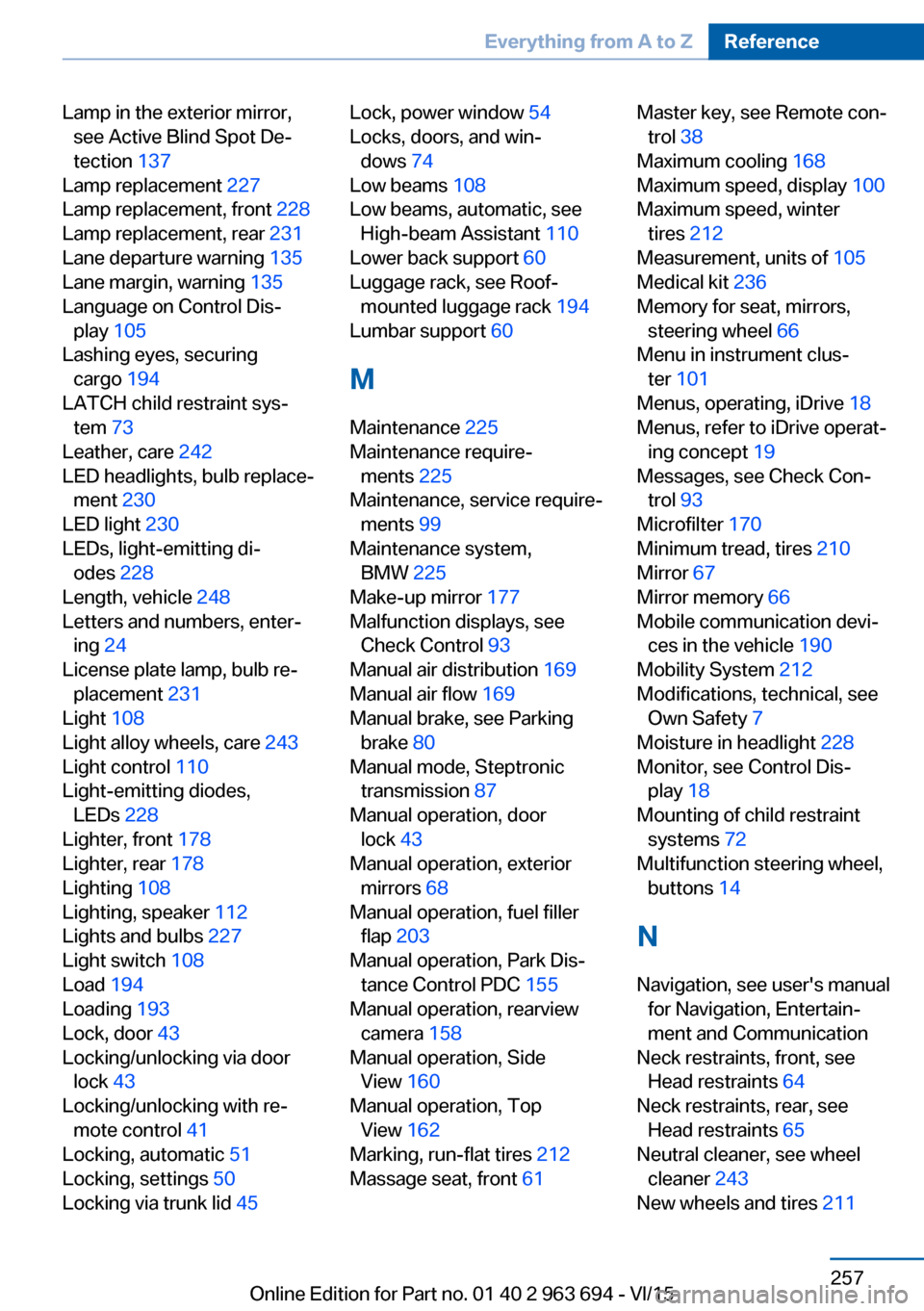
Lamp in the exterior mirror,see Active Blind Spot De‐
tection 137
Lamp replacement 227
Lamp replacement, front 228
Lamp replacement, rear 231
Lane departure warning 135
Lane margin, warning 135
Language on Control Dis‐ play 105
Lashing eyes, securing cargo 194
LATCH child restraint sys‐ tem 73
Leather, care 242
LED headlights, bulb replace‐ ment 230
LED light 230
LEDs, light-emitting di‐ odes 228
Length, vehicle 248
Letters and numbers, enter‐ ing 24
License plate lamp, bulb re‐ placement 231
Light 108
Light alloy wheels, care 243
Light control 110
Light-emitting diodes, LEDs 228
Lighter, front 178
Lighter, rear 178
Lighting 108
Lighting, speaker 112
Lights and bulbs 227
Light switch 108
Load 194
Loading 193
Lock, door 43
Locking/unlocking via door lock 43
Locking/unlocking with re‐ mote control 41
Locking, automatic 51
Locking, settings 50
Locking via trunk lid 45 Lock, power window 54
Locks, doors, and win‐ dows 74
Low beams 108
Low beams, automatic, see High-beam Assistant 110
Lower back support 60
Luggage rack, see Roof- mounted luggage rack 194
Lumbar support 60
M
Maintenance 225
Maintenance require‐ ments 225
Maintenance, service require‐ ments 99
Maintenance system, BMW 225
Make-up mirror 177
Malfunction displays, see Check Control 93
Manual air distribution 169
Manual air flow 169
Manual brake, see Parking brake 80
Manual mode, Steptronic transmission 87
Manual operation, door lock 43
Manual operation, exterior mirrors 68
Manual operation, fuel filler flap 203
Manual operation, Park Dis‐ tance Control PDC 155
Manual operation, rearview camera 158
Manual operation, Side View 160
Manual operation, Top View 162
Marking, run-flat tires 212
Massage seat, front 61 Master key, see Remote con‐
trol 38
Maximum cooling 168
Maximum speed, display 100
Maximum speed, winter tires 212
Measurement, units of 105
Medical kit 236
Memory for seat, mirrors, steering wheel 66
Menu in instrument clus‐ ter 101
Menus, operating, iDrive 18
Menus, refer to iDrive operat‐ ing concept 19
Messages, see Check Con‐ trol 93
Microfilter 170
Minimum tread, tires 210
Mirror 67
Mirror memory 66
Mobile communication devi‐ ces in the vehicle 190
Mobility System 212
Modifications, technical, see Own Safety 7
Moisture in headlight 228
Monitor, see Control Dis‐ play 18
Mounting of child restraint systems 72
Multifunction steering wheel, buttons 14
N
Navigation, see user's manual for Navigation, Entertain‐
ment and Communication
Neck restraints, front, see Head restraints 64
Neck restraints, rear, see Head restraints 65
Neutral cleaner, see wheel cleaner 243
New wheels and tires 211 Seite 257Everything from A to ZReference257
Online Edition for Part no. 01 40 2 963 694 - VI/15
Page 260 of 263
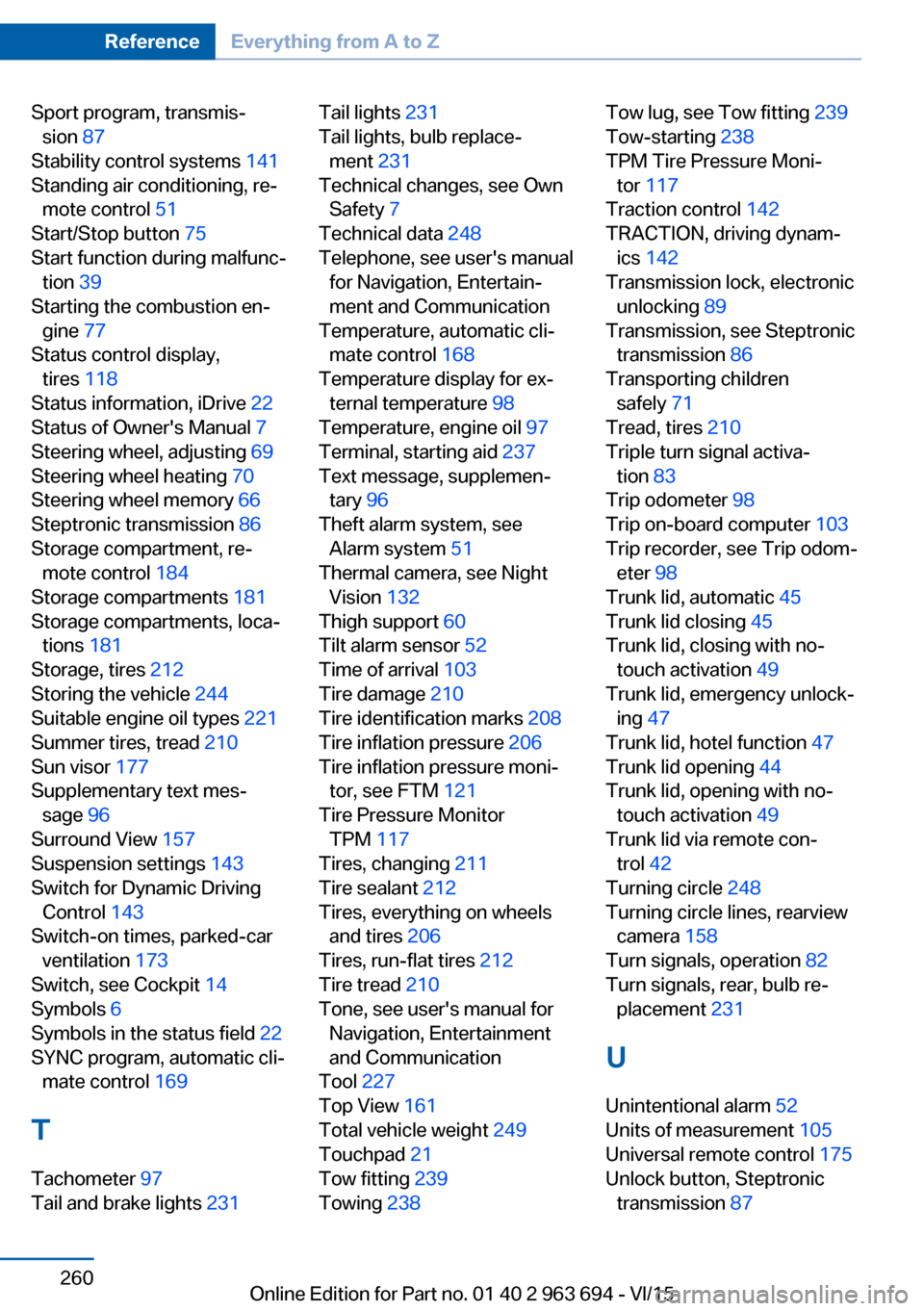
Sport program, transmis‐sion 87
Stability control systems 141
Standing air conditioning, re‐ mote control 51
Start/Stop button 75
Start function during malfunc‐ tion 39
Starting the combustion en‐ gine 77
Status control display, tires 118
Status information, iDrive 22
Status of Owner's Manual 7
Steering wheel, adjusting 69
Steering wheel heating 70
Steering wheel memory 66
Steptronic transmission 86
Storage compartment, re‐ mote control 184
Storage compartments 181
Storage compartments, loca‐ tions 181
Storage, tires 212
Storing the vehicle 244
Suitable engine oil types 221
Summer tires, tread 210
Sun visor 177
Supplementary text mes‐ sage 96
Surround View 157
Suspension settings 143
Switch for Dynamic Driving Control 143
Switch-on times, parked-car ventilation 173
Switch, see Cockpit 14
Symbols 6
Symbols in the status field 22
SYNC program, automatic cli‐ mate control 169
T Tachometer 97
Tail and brake lights 231 Tail lights 231
Tail lights, bulb replace‐ ment 231
Technical changes, see Own Safety 7
Technical data 248
Telephone, see user's manual for Navigation, Entertain‐
ment and Communication
Temperature, automatic cli‐ mate control 168
Temperature display for ex‐ ternal temperature 98
Temperature, engine oil 97
Terminal, starting aid 237
Text message, supplemen‐ tary 96
Theft alarm system, see Alarm system 51
Thermal camera, see Night Vision 132
Thigh support 60
Tilt alarm sensor 52
Time of arrival 103
Tire damage 210
Tire identification marks 208
Tire inflation pressure 206
Tire inflation pressure moni‐ tor, see FTM 121
Tire Pressure Monitor TPM 117
Tires, changing 211
Tire sealant 212
Tires, everything on wheels and tires 206
Tires, run-flat tires 212
Tire tread 210
Tone, see user's manual for Navigation, Entertainment
and Communication
Tool 227
Top View 161
Total vehicle weight 249
Touchpad 21
Tow fitting 239
Towing 238 Tow lug, see Tow fitting 239
Tow-starting 238
TPM Tire Pressure Moni‐ tor 117
Traction control 142
TRACTION, driving dynam‐ ics 142
Transmission lock, electronic unlocking 89
Transmission, see Steptronic transmission 86
Transporting children safely 71
Tread, tires 210
Triple turn signal activa‐ tion 83
Trip odometer 98
Trip on-board computer 103
Trip recorder, see Trip odom‐ eter 98
Trunk lid, automatic 45
Trunk lid closing 45
Trunk lid, closing with no- touch activation 49
Trunk lid, emergency unlock‐ ing 47
Trunk lid, hotel function 47
Trunk lid opening 44
Trunk lid, opening with no- touch activation 49
Trunk lid via remote con‐ trol 42
Turning circle 248
Turning circle lines, rearview camera 158
Turn signals, operation 82
Turn signals, rear, bulb re‐ placement 231
U
Unintentional alarm 52
Units of measurement 105
Universal remote control 175
Unlock button, Steptronic transmission 87 Seite 260ReferenceEverything from A to Z260
Online Edition for Part no. 01 40 2 963 694 - VI/15