maintenance BMW ACTIVEHYBRID3 2013 User Guide
[x] Cancel search | Manufacturer: BMW, Model Year: 2013, Model line: ACTIVEHYBRID3, Model: BMW ACTIVEHYBRID3 2013Pages: 220, PDF Size: 5.09 MB
Page 181 of 220
MaintenanceVehicle equipment
All standard, country-specific and optional
equipment that is offered in the model series is
described in this chapter. Therefore, equipment
is also described that is not available in a vehicle,
e. g., because of the selected optional equip‐
ment or country variant. This also applies for
safety-related functions and systems.
BMW Maintenance System
The maintenance system directs you to re‐
quired maintenance measures and thereby sup‐
ports you in maintaining road safety and the op‐
erational reliability of the vehicle.
Condition Based Service CBS
Sensors and special algorithms take into ac‐
count the driving conditions of your vehicle.
Based on this, Condition Based Service deter‐
mines the maintenance requirements.
The system makes it possible to adapt the
amount of maintenance you need to your user
profile.
Detailed information on service requirements,
refer to page 81, can be displayed on the Control
Display.
Service data in the remote control
Information on the required maintenance is con‐
tinuously stored in the remote control. Your
service center will read out this data and suggest
the right array of service procedures for your ve‐
hicle.
Therefore, hand your service specialist the re‐
mote control that you used most recently.Storage periods
Storage periods during which the vehicle bat‐
tery was disconnected are not taken into ac‐
count.
If this occurs, have a service center update the
time-dependent maintenance procedures,
such as checking brake fluid and, if necessary,
changing the engine oil and the microfilter/acti‐
vated-charcoal filter.
Service history
Perform maintenance work at the service center
and have them recorded in the vehicle data. The
entries are like a service booklet of the docu‐
mentation of regular maintenance.
Displaying entered maintenance work on the
Control Display, refer to page 82.
Service and Warranty
Information Booklet for US
models and Warranty and
Service Guide Booklet for
Canadian models
Please consult your Service and Warranty Infor‐
mation Booklet for US models and Warranty and
Service Guide Booklet for Canadian models for
additional information on service requirements.
Maintenance and repair should be performed by
your service center. Make sure to have regular
maintenance procedures recorded in the vehi‐
cle's Service and Warranty Information Booklet
for US models, and in the Warranty and Service
Guide Booklet for Canadian models. These en‐
tries are proof of regular maintenance.Seite 181MaintenanceMobility181
Online Edition for Part no. 01 40 2 917 825 - II/13
Page 182 of 220
Socket for OBD Onboard
Diagnosis
Position
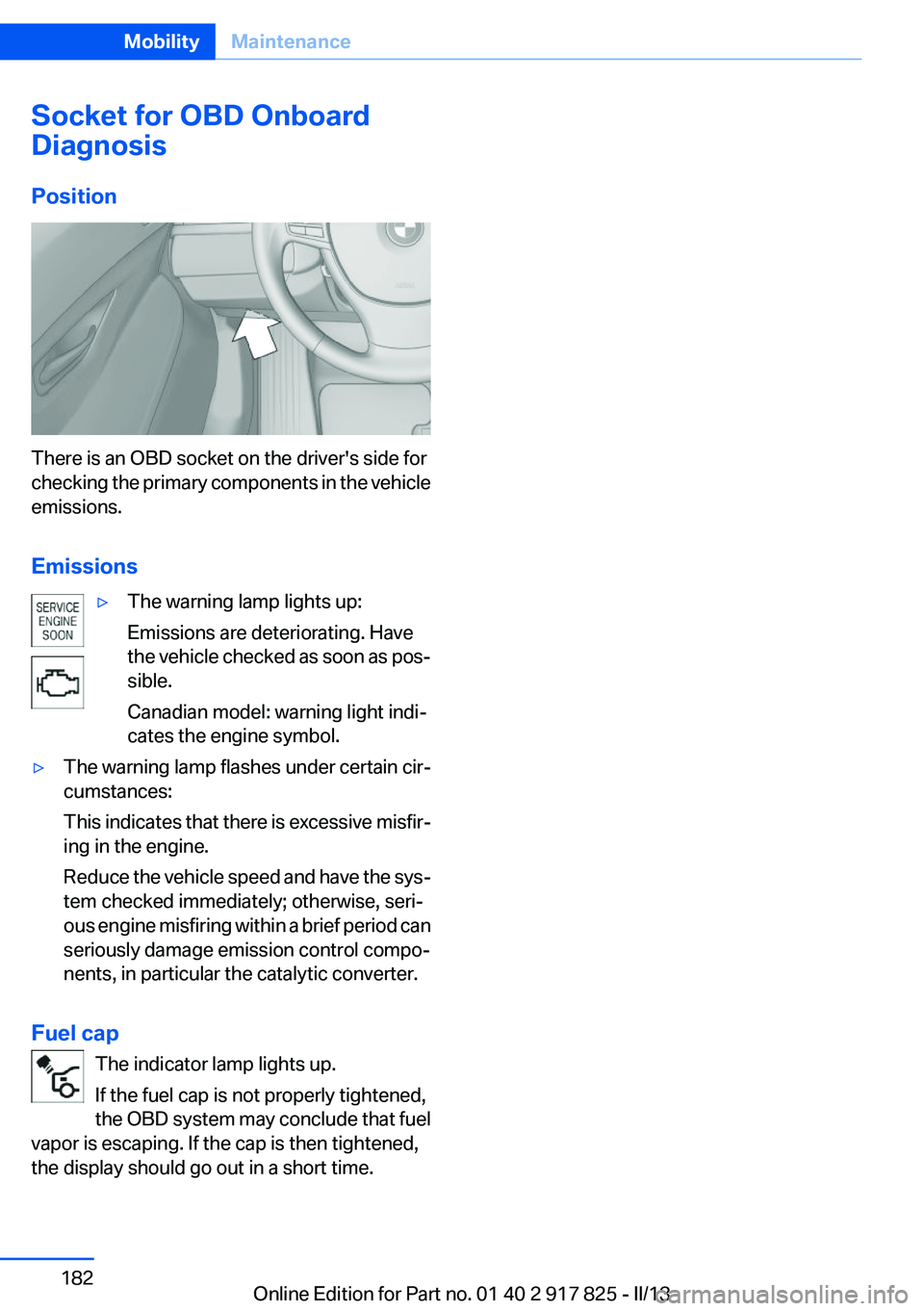
There is an OBD socket on the driver's side for
checking the primary components in the vehicle
emissions.
Emissions
▷The warning lamp lights up:
Emissions are deteriorating. Have
the vehicle checked as soon as pos‐
sible.
Canadian model: warning light indi‐
cates the engine symbol.▷The warning lamp flashes under certain cir‐
cumstances:
This indicates that there is excessive misfir‐
ing in the engine.
Reduce the vehicle speed and have the sys‐
tem checked immediately; otherwise, seri‐
ous engine misfiring within a brief period can
seriously damage emission control compo‐
nents, in particular the catalytic converter.
Fuel cap
The indicator lamp lights up.
If the fuel cap is not properly tightened,
the OBD system may conclude that fuel
vapor is escaping. If the cap is then tightened,
the display should go out in a short time.
Seite 182MobilityMaintenance182
Online Edition for Part no. 01 40 2 917 825 - II/13
Page 191 of 220
Replacing the reversing lamp and inner
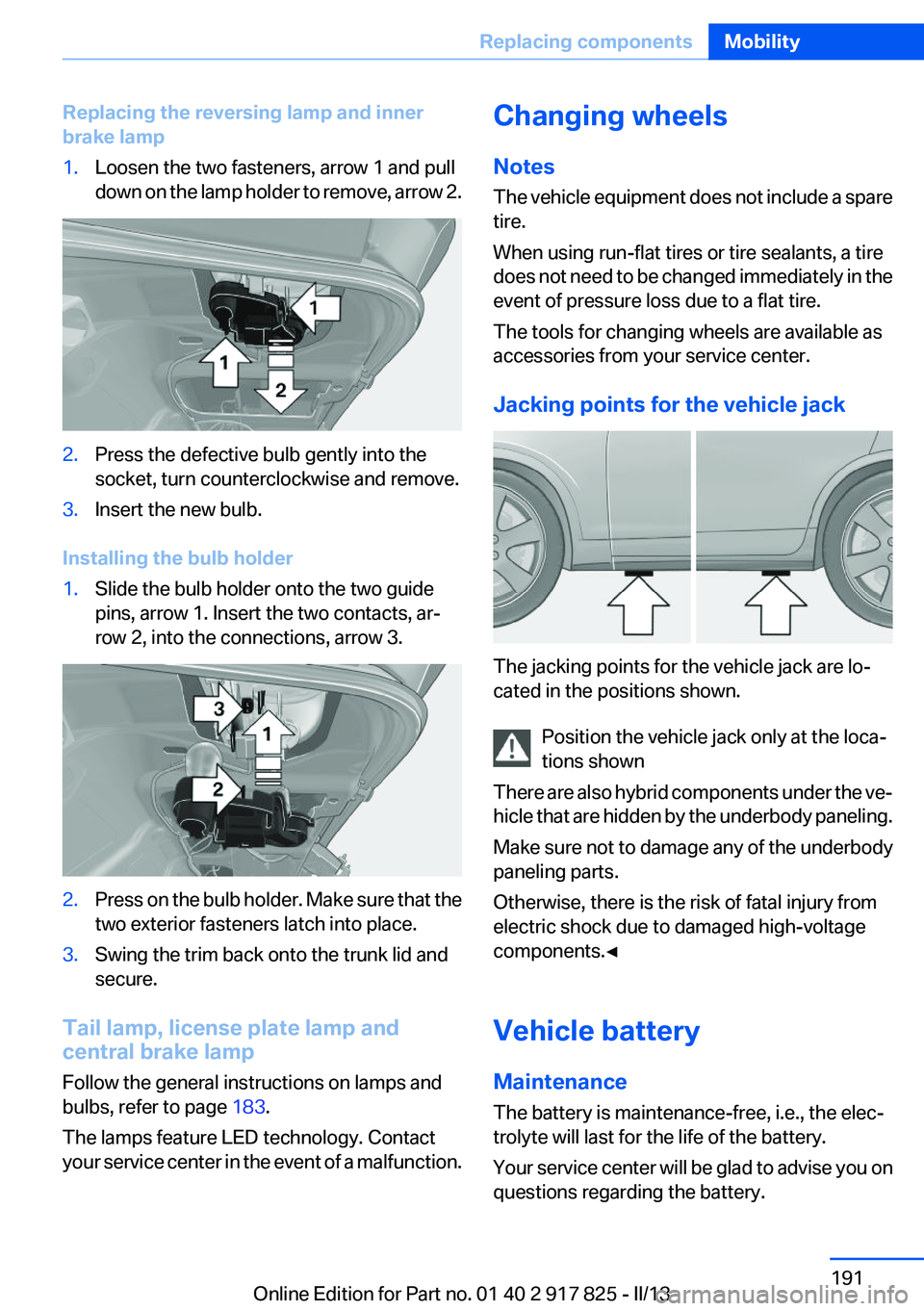
brake lamp1.Loosen the two fasteners, arrow 1 and pull
down on the lamp holder to remove, arrow 2.2.Press the defective bulb gently into the
socket, turn counterclockwise and remove.3.Insert the new bulb.
Installing the bulb holder
1.Slide the bulb holder onto the two guide
pins, arrow 1. Insert the two contacts, ar‐
row 2, into the connections, arrow 3.2.Press on the bulb holder. Make sure that the
two exterior fasteners latch into place.3.Swing the trim back onto the trunk lid and
secure.
Tail lamp, license plate lamp and
central brake lamp
Follow the general instructions on lamps and
bulbs, refer to page 183.
The lamps feature LED technology. Contact
your service center in the event of a malfunction.
Changing wheels
Notes
The vehicle equipment does not include a spare
tire.
When using run-flat tires or tire sealants, a tire
does not need to be changed immediately in the
event of pressure loss due to a flat tire.
The tools for changing wheels are available as
accessories from your service center.
Jacking points for the vehicle jack
The jacking points for the vehicle jack are lo‐
cated in the positions shown.
Position the vehicle jack only at the loca‐
tions shown
There are also hybrid components under the ve‐
hicle that are hidden by the underbody paneling.
Make sure not to damage any of the underbody
paneling parts.
Otherwise, there is the risk of fatal injury from
electric shock due to damaged high-voltage
components.◀
Vehicle battery
Maintenance
The battery is maintenance-free, i.e., the elec‐
trolyte will last for the life of the battery.
Your service center will be glad to advise you on
questions regarding the battery.
Seite 191Replacing componentsMobility191
Online Edition for Part no. 01 40 2 917 825 - II/13
Page 198 of 220
Should it prove impossible to avoid mounting
the tow bar at an offset angle, please observe
the following:▷Maneuvering capability is limited during cor‐
nering.▷The tow bar will generate lateral forces if it
is secured with an offset.
Tow rope
When starting to tow the vehicle, make sure that
the tow rope is taut.
To avoid jerking and the associated stresses on
the vehicle components when towing, always
use nylon ropes or nylon straps.
Attaching the tow rope correctly
Only secure the tow rope on the tow fit‐
ting; otherwise, damage can occur when it is se‐
cured on other parts of the vehicle.◀
Tow fitting
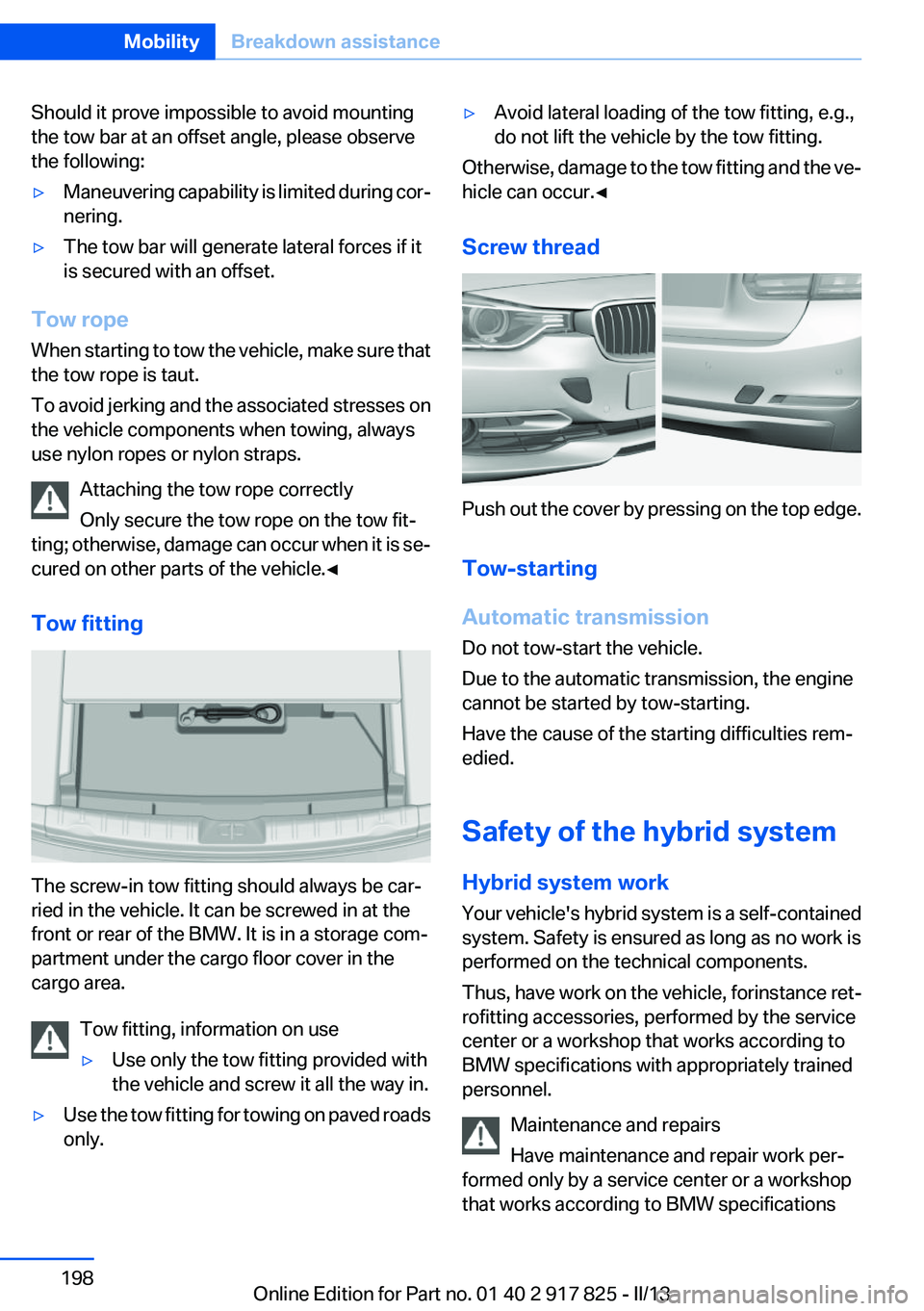
The screw-in tow fitting should always be car‐
ried in the vehicle. It can be screwed in at the
front or rear of the BMW. It is in a storage com‐
partment under the cargo floor cover in the
cargo area.
Tow fitting, information on use
▷Use only the tow fitting provided with
the vehicle and screw it all the way in.▷Use the tow fitting for towing on paved roads
only.▷Avoid lateral loading of the tow fitting, e.g.,
do not lift the vehicle by the tow fitting.
Otherwise, damage to the tow fitting and the ve‐
hicle can occur.◀
Screw thread
Push out the cover by pressing on the top edge.
Tow-starting
Automatic transmission
Do not tow-start the vehicle.
Due to the automatic transmission, the engine
cannot be started by tow-starting.
Have the cause of the starting difficulties rem‐
edied.
Safety of the hybrid system
Hybrid system work
Your vehicle's hybrid system is a self-contained
system. Safety is ensured as long as no work is
performed on the technical components.
Thus, have work on the vehicle, for instance ret‐
rofitting accessories, performed by the service
center or a workshop that works according to
BMW specifications with appropriately trained
personnel.
Maintenance and repairs
Have maintenance and repair work per‐
formed only by a service center or a workshop
that works according to BMW specifications
Seite 198MobilityBreakdown assistance198
Online Edition for Part no. 01 40 2 917 825 - II/13
Page 210 of 220
Everything from A to Z
IndexA
ABS, Antilock Brake Sys‐ tem 111
Activated-charcoal filter 134
Activate drive readiness 64
Active Blind Spot Detec‐ tion 106
ActiveHybrid, system 30
Active Protection 108
Adaptive brake lights, refer to Brake force display 108
Adaptive light control 92
Additives, oil 179
Adjustments, seats/head re‐ straints 49
After washing vehicle 201
Airbags 95
Airbags, indicator/warning light 96
Air circulation, refer to Recir‐ culated-air mode 133
Air, dehumidifying, refer to Cooling function 133
Air distribution, manual 134
Air flow, automatic climate control 134
Air pressure, tires 169
Air vents, refer to Ventila‐ tion 135
Alarm system 44
Alarm, unintentional 45
All around the center con‐ sole 16
All around the headliner 17
All around the steering wheel 14
All-season tires, refer to Win‐ ter tires 174
Alternating-code hand-held transmitter 139 Alternative oil types 179
Antifreeze, washer fluid 70
Antilock Brake System, ABS 111
Anti-slip control, refer to DSC 111
Approved axle load 207
Approved engine oils 179
Arrival time 85
Ash tray 142
Assistance for the combustion engine 67
Assistance, Roadside Assis‐ tance 195
Assistance when driving off 115
ASSIST, Hybrid system 67
Assist system information, on Control Display 88
Attentiveness assistant 108
AUTO intensity 133
Automatic car wash 200
Automatic climate control with enhanced features 132
Automatic Curb Monitor 57
Automatic deactivation, front passenger airbags 97
Automatic deactivation of the hybrid system 199
Automatic engine start-stop function 65
Automatic headlamp con‐ trol 91
Automatic locking 41
Automatic recirculated-air control 133
Automatic transmission with Steptronic 71
AUTO program, automatic cli‐ mate control 133
AUTO program, intensity 133 Auxiliary air conditioning 136
Average fuel consumption 85
Average speed 85
Axle loads, weights 207
B
Backrest curvature, refer to Lumbar support 51
Backrest, width 51
Backup camera 120
Band-aids, refer to First aid kit 195
Bar for tow-starting/tow‐ ing 197
Battery replacement, vehicle battery 192
Battery replacement, vehicle remote control 34
Battery, vehicle 191
Belts, safety belts 52
Beverage holder, cu‐ pholder 148
Blinds, sun protection 47
BMW ActiveHybrid 30
BMW Assist, see user's manual for Navigation, Enter‐
tainment and Communica‐
tion
BMW Homepage 6
BMW Internet page 6
BMW maintenance sys‐ tem 181
Bonus range, ECO PRO 161
Bottle holder, refer to Cu‐ pholder 148
Brake assistant 111
Brake discs, breaking in 152
Brake force display 108
Brake lamps, brake force dis‐ play 108 Seite 210ReferenceEverything from A to Z210
Online Edition for Part no. 01 40 2 917 825 - II/13
Page 214 of 220
Inflation pressure warningFTM, tires 101
Info display, refer to Com‐ puter 84
Initialize, Tire Pressure Moni‐ tor TPM 99
Initializing, Flat Tire Monitor FTM 102
Instrument cluster 74
Instrument cluster, electronic displays 75
Instrument lighting 93
Integrated key 34
Integrated universal remote control 138
Intensity, AUTO program 133
Interior equipment 138
Interior lamps 94
Interior lamps via remote con‐ trol 39
Interior motion sensor 45
Interior rearview mirror 57
Interior rearview mirror, auto‐ matic dimming feature 57
Interior rearview mirror, com‐ pass 140
Internet page 6
Interval display, service re‐ quirements 81
J
Jacking points for the vehicle jack 191
Jack, refer to Vehicle jack 191
Joystick, automatic transmis‐ sion 72
Jump-starting 195
K
Key/remote control 34
Keyless Go, refer to Comfort Access 42
Key Memory, refer to Personal Profile 35 Kickdown, automatic trans‐
mission 71
Knee airbag 95
L
Lamp replacement 183
Lamp replacement, front 184
Lamp replacement, rear 189
Lamps 90
Lamps and bulbs 183
Lane departure warning 105
Lane margin, warning 105
Language on Control Dis‐ play 88
Lashing eyes, securing cargo 157
LATCH child restraint fixing system 60
Leather, care 201
LEDs, light-emitting di‐ odes 184
Length, vehicle 207
Letters and numbers, enter‐ ing 24
Light-alloy wheels, care 202
Light control 92
Light-emitting diodes, LEDs 184
Lighter 142
Lighting 90
Lighting via remote control 39
Light switch 90
Load 156
Loading 156
Lock, door 40
Locking/unlocking from in‐ side 41
Locking/unlocking via door lock 40
Locking/unlocking with re‐ mote control 38
Locking, automatic 41
Locking, central 37
Lock, power window 46 Locks, doors, and win‐
dows 62
Low beams 90
Low beams, automatic, refer to High-beam Assistant 92
Lower back support 51
Luggage rack, refer to Roof- mounted luggage rack 157
Lumbar support 51
M
Maintenance 181
Maintenance require‐ ments 181
Maintenance, service require‐ ments 81
Maintenance system, BMW 181
Malfunction displays, refer to Check Control 75
Manual air distribution 134
Manual air flow 134
Manual mode, transmis‐ sion 72
Manual operation, backup camera 121
Manual operation, door lock 41
Manual operation, exterior mir‐ rors 57
Manual operation, fuel filler flap 166
Manual operation, Park Dis‐ tance Control PDC 119
Manual operation, Side View 125
Manual operation, Top View 124
Marking on approved tires 174
Marking, run-flat tires 175
Master key, refer to Remote control 34
Maximum cooling 133
Maximum speed, display 82 Seite 214ReferenceEverything from A to Z214
Online Edition for Part no. 01 40 2 917 825 - II/13