heating BMW ACTIVEHYBRID3 2013 Owners Manual
[x] Cancel search | Manufacturer: BMW, Model Year: 2013, Model line: ACTIVEHYBRID3, Model: BMW ACTIVEHYBRID3 2013Pages: 220, PDF Size: 5.09 MB
Page 15 of 220
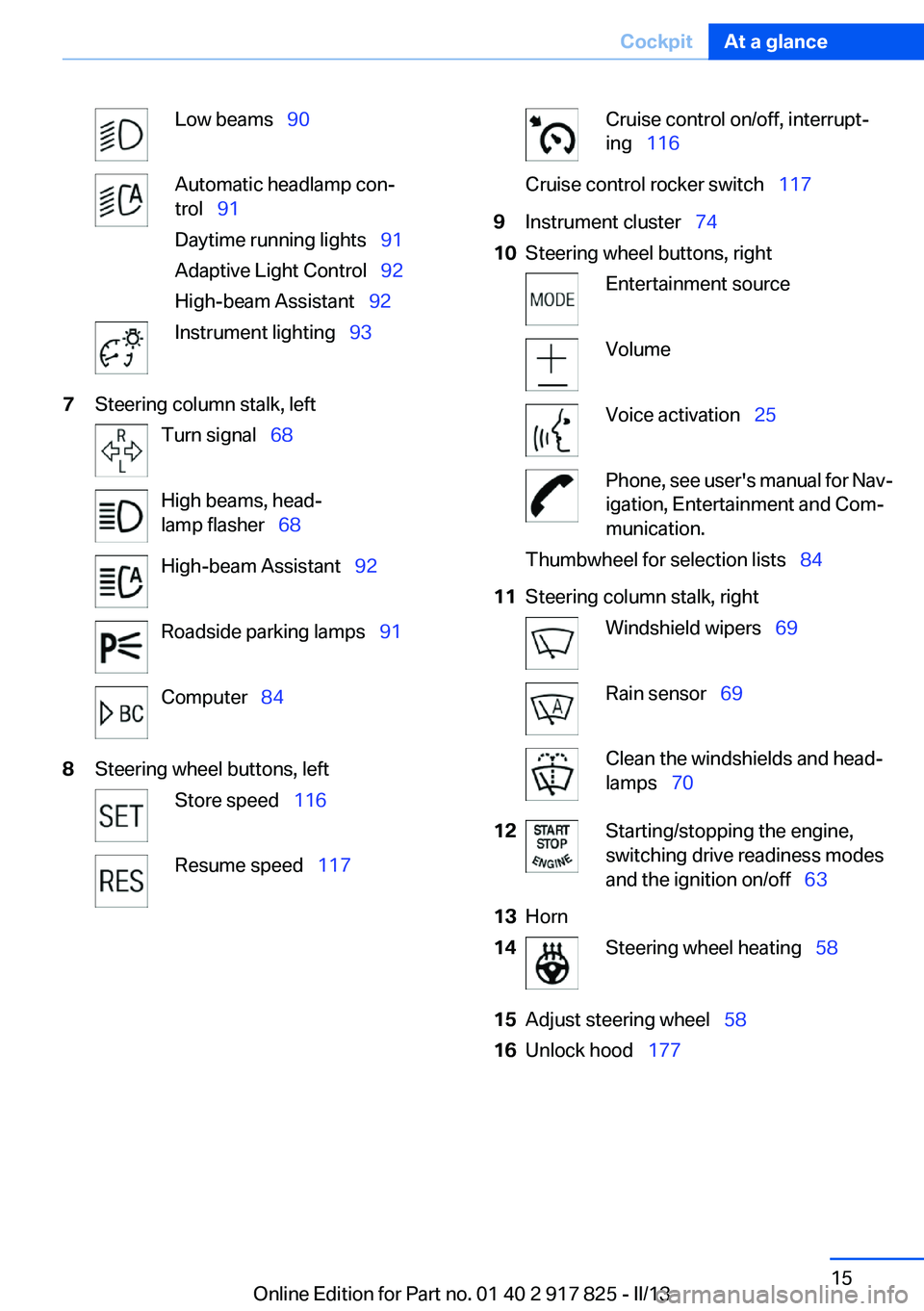
Low beams 90Automatic headlamp con‐
trol 91
Daytime running lights 91
Adaptive Light Control 92
High-beam Assistant 92Instrument lighting 937Steering column stalk, leftTurn signal 68High beams, head‐
lamp flasher 68High-beam Assistant 92Roadside parking lamps 91Computer 848Steering wheel buttons, leftStore speed 116Resume speed 117Cruise control on/off, interrupt‐
ing 116Cruise control rocker switch 1179Instrument cluster 7410Steering wheel buttons, rightEntertainment sourceVolumeVoice activation 25Phone, see user's manual for Nav‐
igation, Entertainment and Com‐
munication.Thumbwheel for selection lists 8411Steering column stalk, rightWindshield wipers 69Rain sensor 69Clean the windshields and head‐
lamps 7012Starting/stopping the engine,
switching drive readiness modes
and the ignition on/off 6313Horn14Steering wheel heating 5815Adjust steering wheel 5816Unlock hood 177Seite 15CockpitAt a glance15
Online Edition for Part no. 01 40 2 917 825 - II/13
Page 52 of 220
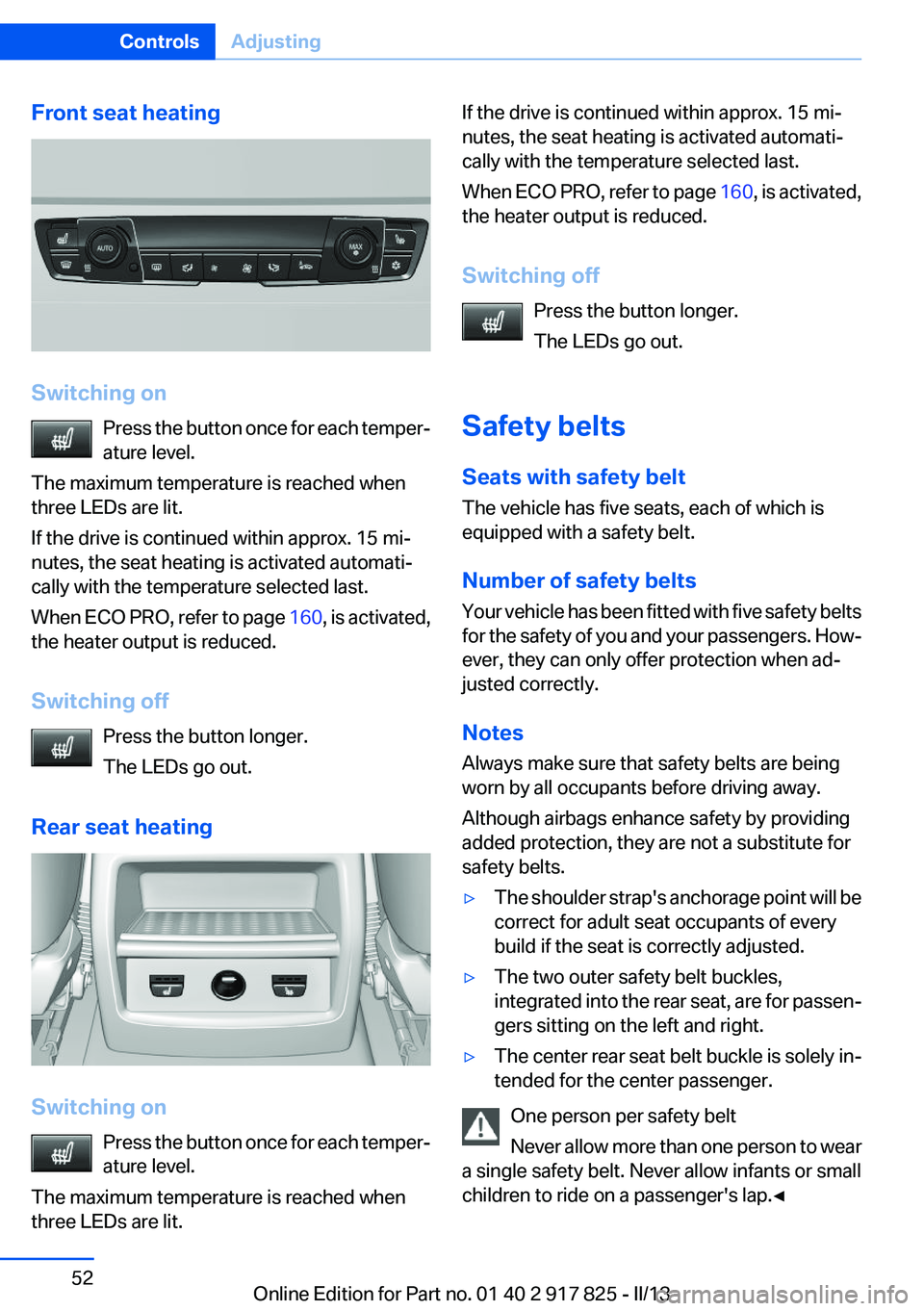
Front seat heating
Switching onPress the button once for each temper‐
ature level.
The maximum temperature is reached when
three LEDs are lit.
If the drive is continued within approx. 15 mi‐
nutes, the seat heating is activated automati‐
cally with the temperature selected last.
When ECO PRO, refer to page 160, is activated,
the heater output is reduced.
Switching off Press the button longer.
The LEDs go out.
Rear seat heating
Switching on Press the button once for each temper‐
ature level.
The maximum temperature is reached when
three LEDs are lit.
If the drive is continued within approx. 15 mi‐
nutes, the seat heating is activated automati‐
cally with the temperature selected last.
When ECO PRO, refer to page 160, is activated,
the heater output is reduced.
Switching off Press the button longer.
The LEDs go out.
Safety belts
Seats with safety belt
The vehicle has five seats, each of which is
equipped with a safety belt.
Number of safety belts
Your vehicle has been fitted with five safety belts
for the safety of you and your passengers. How‐
ever, they can only offer protection when ad‐
justed correctly.
Notes
Always make sure that safety belts are being
worn by all occupants before driving away.
Although airbags enhance safety by providing
added protection, they are not a substitute for
safety belts.▷The shoulder strap's anchorage point will be
correct for adult seat occupants of every
build if the seat is correctly adjusted.▷The two outer safety belt buckles,
integrated into the rear seat, are for passen‐
gers sitting on the left and right.▷The center rear seat belt buckle is solely in‐
tended for the center passenger.
One person per safety belt
Never allow more than one person to wear
a single safety belt. Never allow infants or small
children to ride on a passenger's lap.◀
Seite 52ControlsAdjusting52
Online Edition for Part no. 01 40 2 917 825 - II/13
Page 57 of 220
Saving positions
Seat and mirror memory, refer to page 55
Adjusting manually
If an electrical malfunction occurs, for example,
press the edges of the mirror glass.
Automatic Curb Monitor
When the reverse gear is engaged, the mirror
glass tilts downward slightly on the front pas‐
senger side. This improves your view of the curb
and other low-lying obstacles when parking, for
example.
Activating1. Slide the mirror changeover switch
to the driver's side mirror position.2.Engage transmission position R.
Deactivating
Slide the mirror changeover switch to the pas‐
senger's side mirror position.
Fold in and out Press the button.
Possible up to approx. 15 mph/20 km/h.
For example, this is advantageous
▷In car washes.▷In narrow streets.▷For folding back mirrors that were folded
away manually.
Mirrors that were folded in are folded out auto‐
matically at a speed of approx. 25 mph/40 km/h.
Fold in the mirror in a car wash
Before entering an automatic car wash,
fold in the exterior mirrors by hand or with the
button; otherwise, they could be damaged, de‐
pending on the width of the vehicle.◀
Automatic heating
Both exterior mirrors are automatically heated
whenever the engine is running.
Automatic dimming feature
Both exterior mirrors are automatically dimmed.
Photocells are used for control in the Interior rear
view mirror, refer to page 57.
Interior rearview mirror
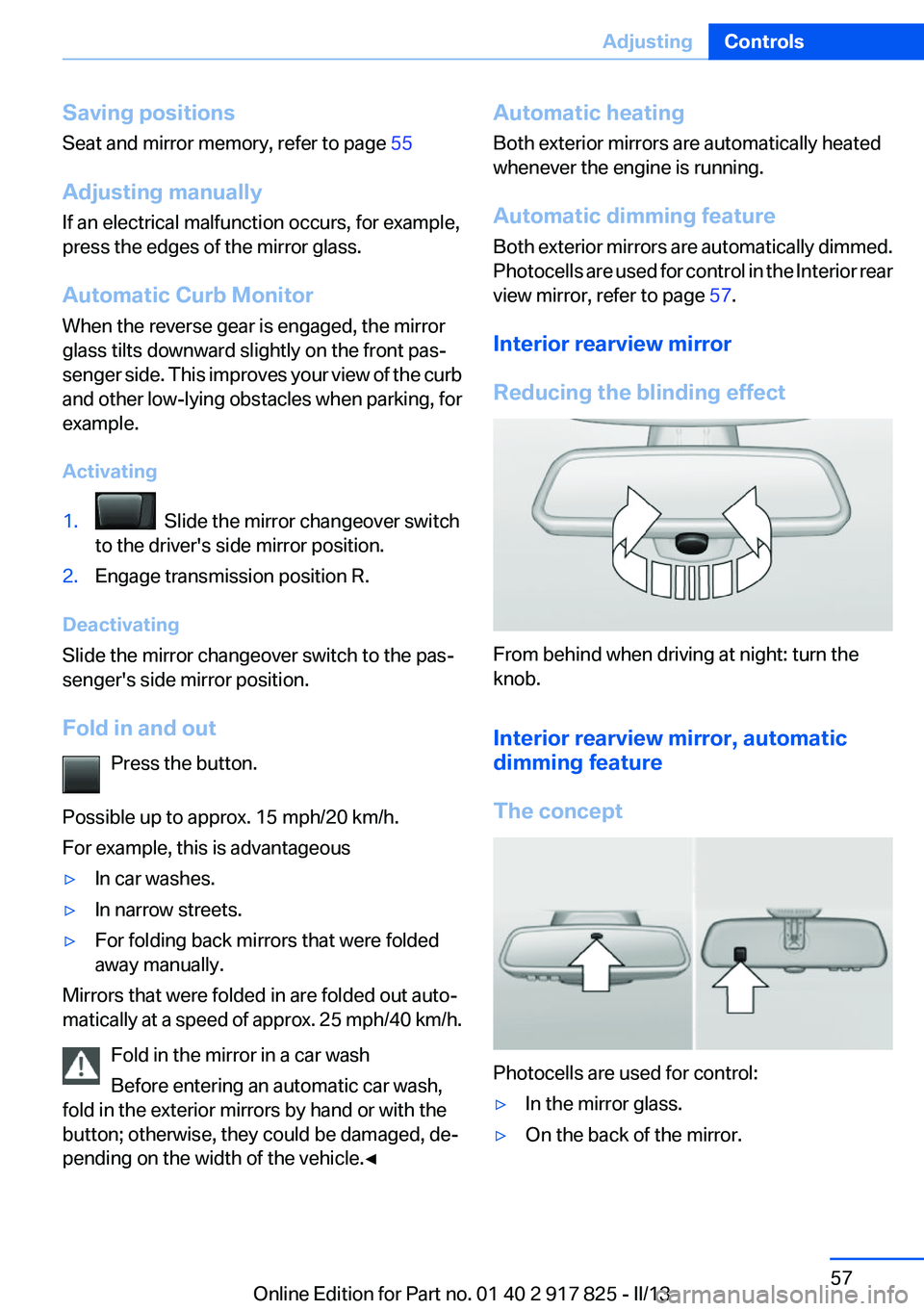
Reducing the blinding effect
From behind when driving at night: turn the
knob.
Interior rearview mirror, automatic
dimming feature
The concept
Photocells are used for control:
▷In the mirror glass.▷On the back of the mirror.Seite 57AdjustingControls57
Online Edition for Part no. 01 40 2 917 825 - II/13
Page 58 of 220
Functional requirement
For proper operation:▷Keep the photocells clean.▷Do not cover the area between the inside
rearview mirror and the windshield.
Steering wheel
General information Do not adjust while driving
Do not adjust the steering wheel while
driving; otherwise, an unexpected movement
could result in an accident.◀
Adjusting
1.Fold the lever down.2.Move the steering wheel to the preferred
height and angle to suit your seating posi‐
tion.3.Fold the lever back.
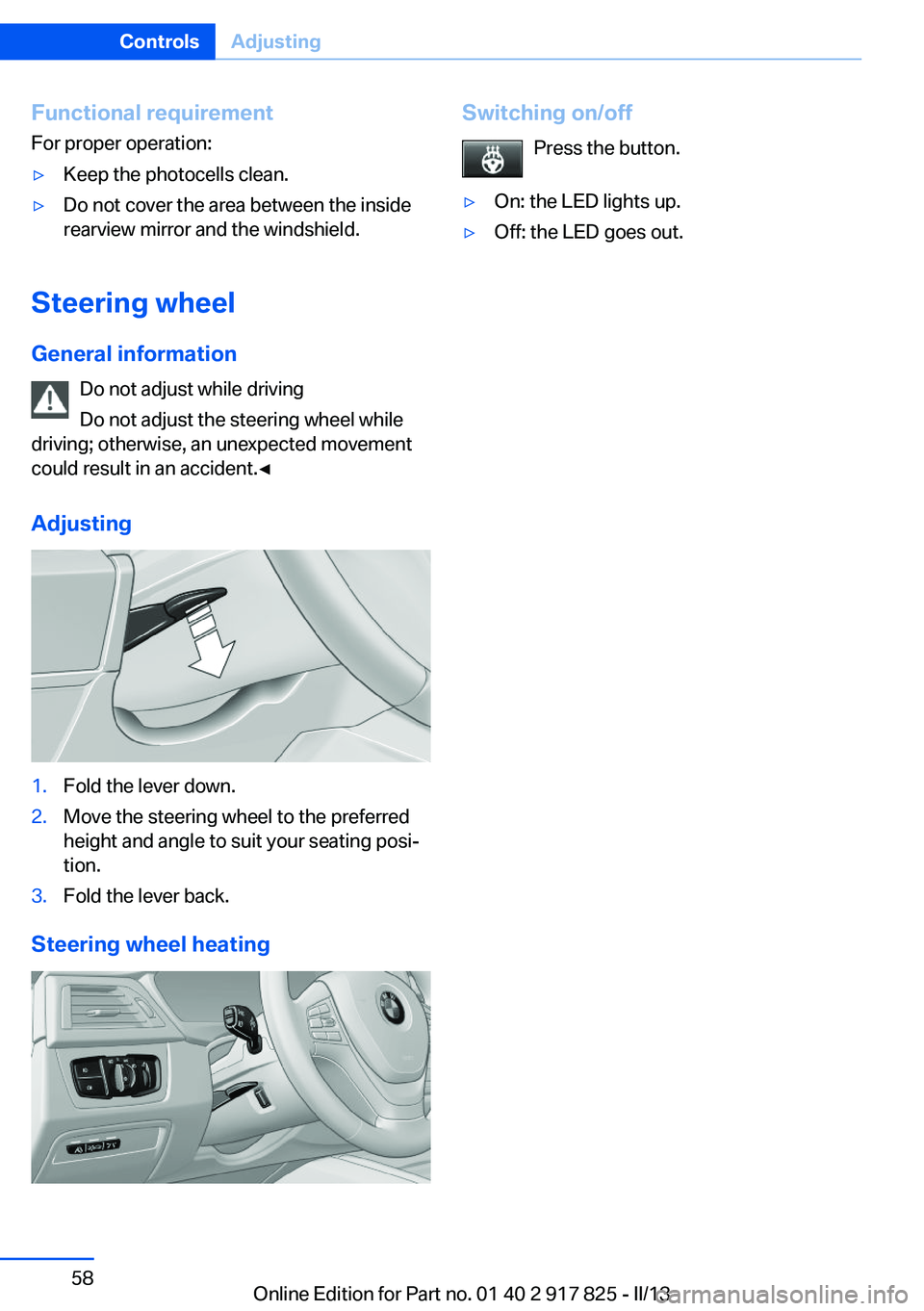
Steering wheel heating
Switching on/off
Press the button.▷On: the LED lights up.▷Off: the LED goes out.Seite 58ControlsAdjusting58
Online Edition for Part no. 01 40 2 917 825 - II/13
Page 65 of 220
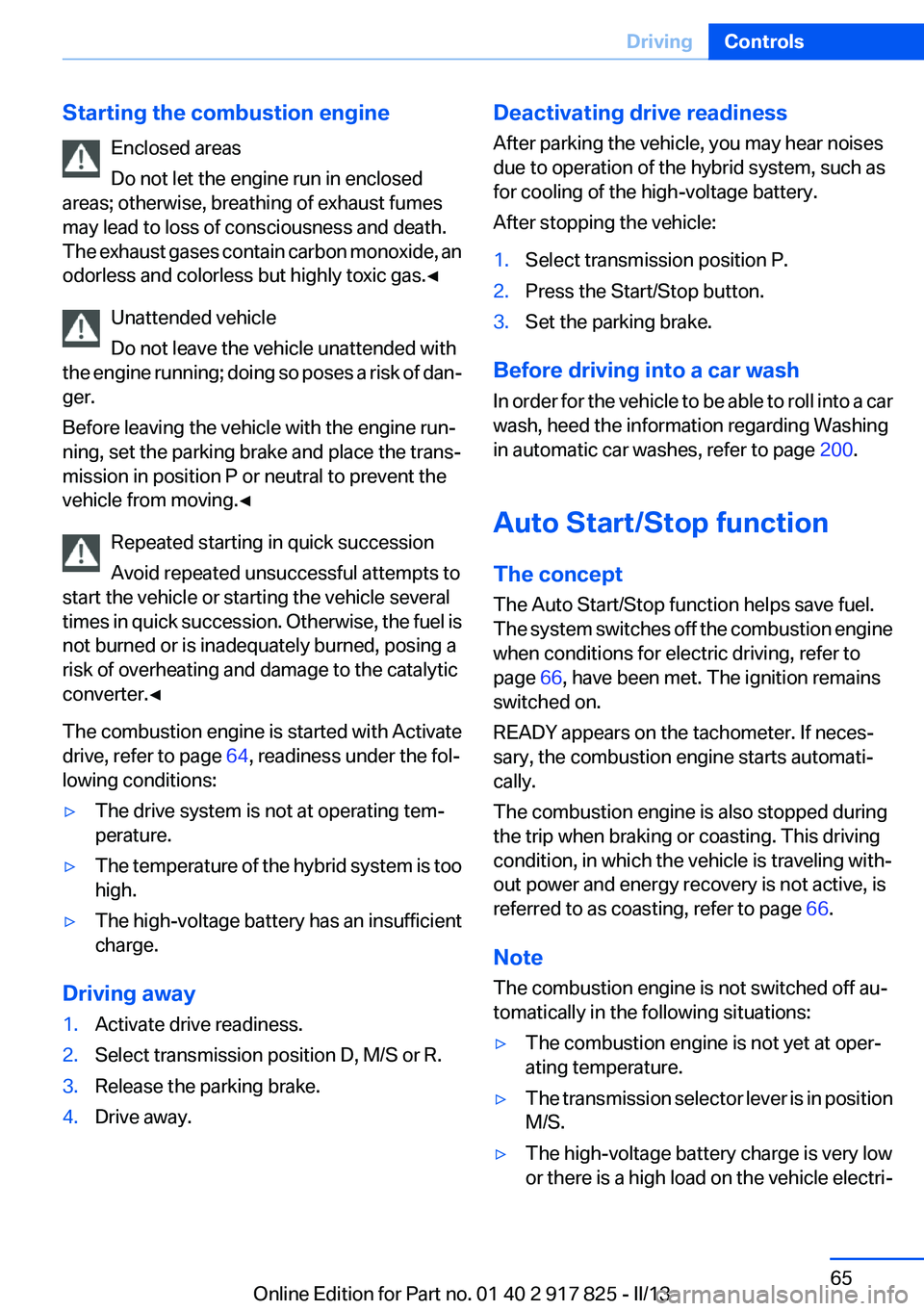
Starting the combustion engineEnclosed areas
Do not let the engine run in enclosed
areas; otherwise, breathing of exhaust fumes
may lead to loss of consciousness and death.
The exhaust gases contain carbon monoxide, an
odorless and colorless but highly toxic gas.◀
Unattended vehicle
Do not leave the vehicle unattended with
the engine running; doing so poses a risk of dan‐
ger.
Before leaving the vehicle with the engine run‐
ning, set the parking brake and place the trans‐
mission in position P or neutral to prevent the
vehicle from moving.◀
Repeated starting in quick succession
Avoid repeated unsuccessful attempts to
start the vehicle or starting the vehicle several
times in quick succession. Otherwise, the fuel is
not burned or is inadequately burned, posing a
risk of overheating and damage to the catalytic
converter.◀
The combustion engine is started with Activate
drive, refer to page 64, readiness under the fol‐
lowing conditions:▷The drive system is not at operating tem‐
perature.▷The temperature of the hybrid system is too
high.▷The high-voltage battery has an insufficient
charge.
Driving away
1.Activate drive readiness.2.Select transmission position D, M/S or R.3.Release the parking brake.4.Drive away.Deactivating drive readiness
After parking the vehicle, you may hear noises
due to operation of the hybrid system, such as
for cooling of the high-voltage battery.
After stopping the vehicle:1.Select transmission position P.2.Press the Start/Stop button.3.Set the parking brake.
Before driving into a car wash
In order for the vehicle to be able to roll into a car
wash, heed the information regarding Washing
in automatic car washes, refer to page 200.
Auto Start/Stop function
The concept
The Auto Start/Stop function helps save fuel.
The system switches off the combustion engine
when conditions for electric driving, refer to
page 66, have been met. The ignition remains
switched on.
READY appears on the tachometer. If neces‐
sary, the combustion engine starts automati‐
cally.
The combustion engine is also stopped during
the trip when braking or coasting. This driving
condition, in which the vehicle is traveling with‐
out power and energy recovery is not active, is
referred to as coasting, refer to page 66.
Note
The combustion engine is not switched off au‐
tomatically in the following situations:
▷The combustion engine is not yet at oper‐
ating temperature.▷The transmission selector lever is in position
M/S.▷The high-voltage battery charge is very low
or there is a high load on the vehicle electri‐Seite 65DrivingControls65
Online Edition for Part no. 01 40 2 917 825 - II/13
Page 66 of 220
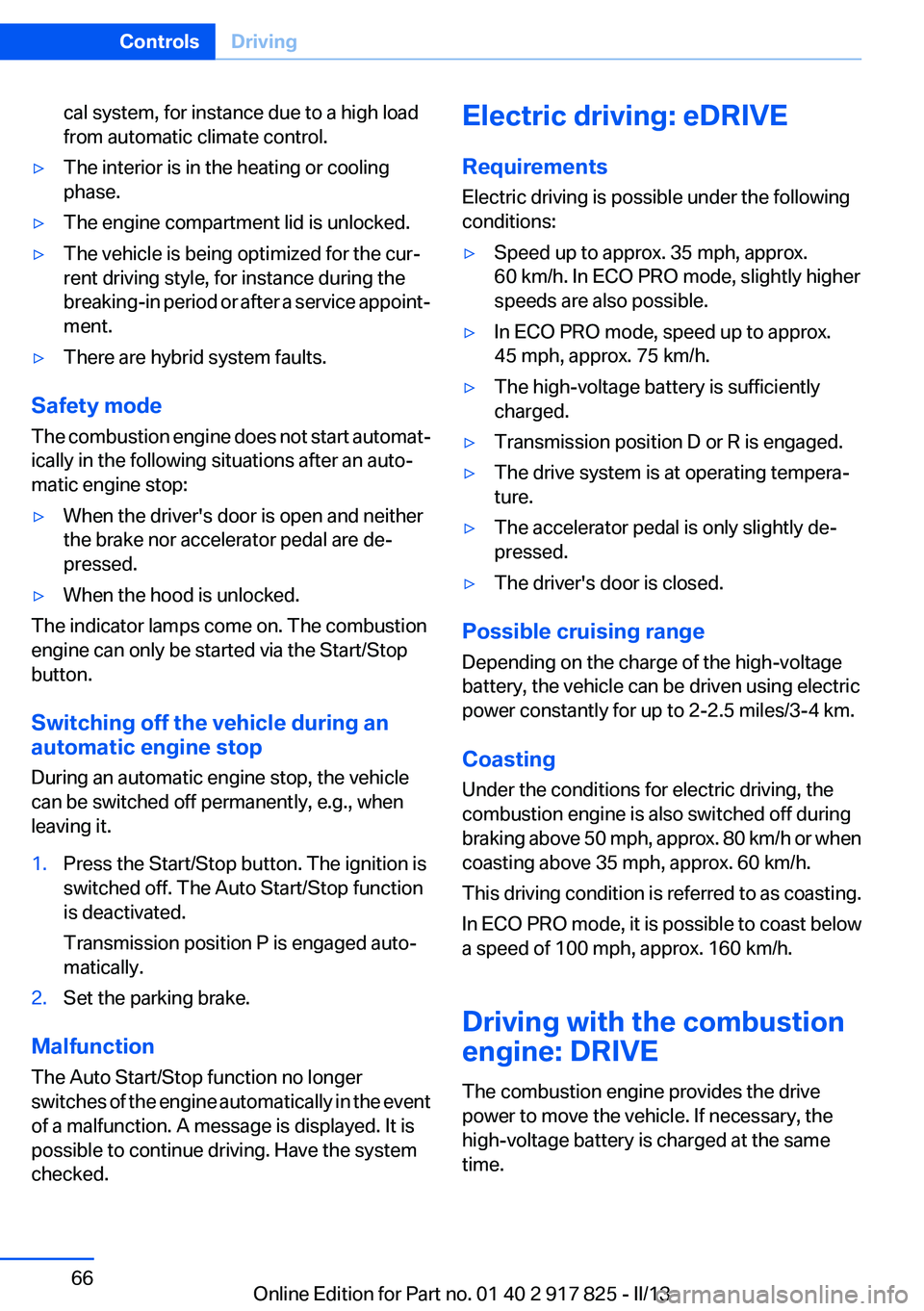
cal system, for instance due to a high load
from automatic climate control.▷The interior is in the heating or cooling
phase.▷The engine compartment lid is unlocked.▷The vehicle is being optimized for the cur‐
rent driving style, for instance during the
breaking-in period or after a service appoint‐
ment.▷There are hybrid system faults.
Safety mode
The combustion engine does not start automat‐
ically in the following situations after an auto‐
matic engine stop:
▷When the driver's door is open and neither
the brake nor accelerator pedal are de‐
pressed.▷When the hood is unlocked.
The indicator lamps come on. The combustion
engine can only be started via the Start/Stop
button.
Switching off the vehicle during an
automatic engine stop
During an automatic engine stop, the vehicle
can be switched off permanently, e.g., when
leaving it.
1.Press the Start/Stop button. The ignition is
switched off. The Auto Start/Stop function
is deactivated.
Transmission position P is engaged auto‐
matically.2.Set the parking brake.
Malfunction
The Auto Start/Stop function no longer
switches of the engine automatically in the event
of a malfunction. A message is displayed. It is
possible to continue driving. Have the system
checked.
Electric driving: eDRIVE
Requirements
Electric driving is possible under the following
conditions:▷Speed up to approx. 35 mph, approx.
60 km/h. In ECO PRO mode, slightly higher
speeds are also possible.▷In ECO PRO mode, speed up to approx.
45 mph, approx. 75 km/h.▷The high-voltage battery is sufficiently
charged.▷Transmission position D or R is engaged.▷The drive system is at operating tempera‐
ture.▷The accelerator pedal is only slightly de‐
pressed.▷The driver's door is closed.
Possible cruising range
Depending on the charge of the high-voltage
battery, the vehicle can be driven using electric
power constantly for up to 2-2.5 miles/3-4 km.
Coasting
Under the conditions for electric driving, the
combustion engine is also switched off during
braking above 50 mph, approx. 80 km/h or when
coasting above 35 mph, approx. 60 km/h.
This driving condition is referred to as coasting.
In ECO PRO mode, it is possible to coast below
a speed of 100 mph, approx. 160 km/h.
Driving with the combustion
engine: DRIVE
The combustion engine provides the drive
power to move the vehicle. If necessary, the
high-voltage battery is charged at the same
time.
Seite 66ControlsDriving66
Online Edition for Part no. 01 40 2 917 825 - II/13
Page 132 of 220
Climate controlVehicle equipment
All standard, country-specific and optional
equipment that is offered in the model series is
described in this chapter. Therefore, equipmentis also described that is not available in a vehicle,
e. g., because of the selected optional equip‐
ment or country variant. This also applies for
safety-related functions and systems.
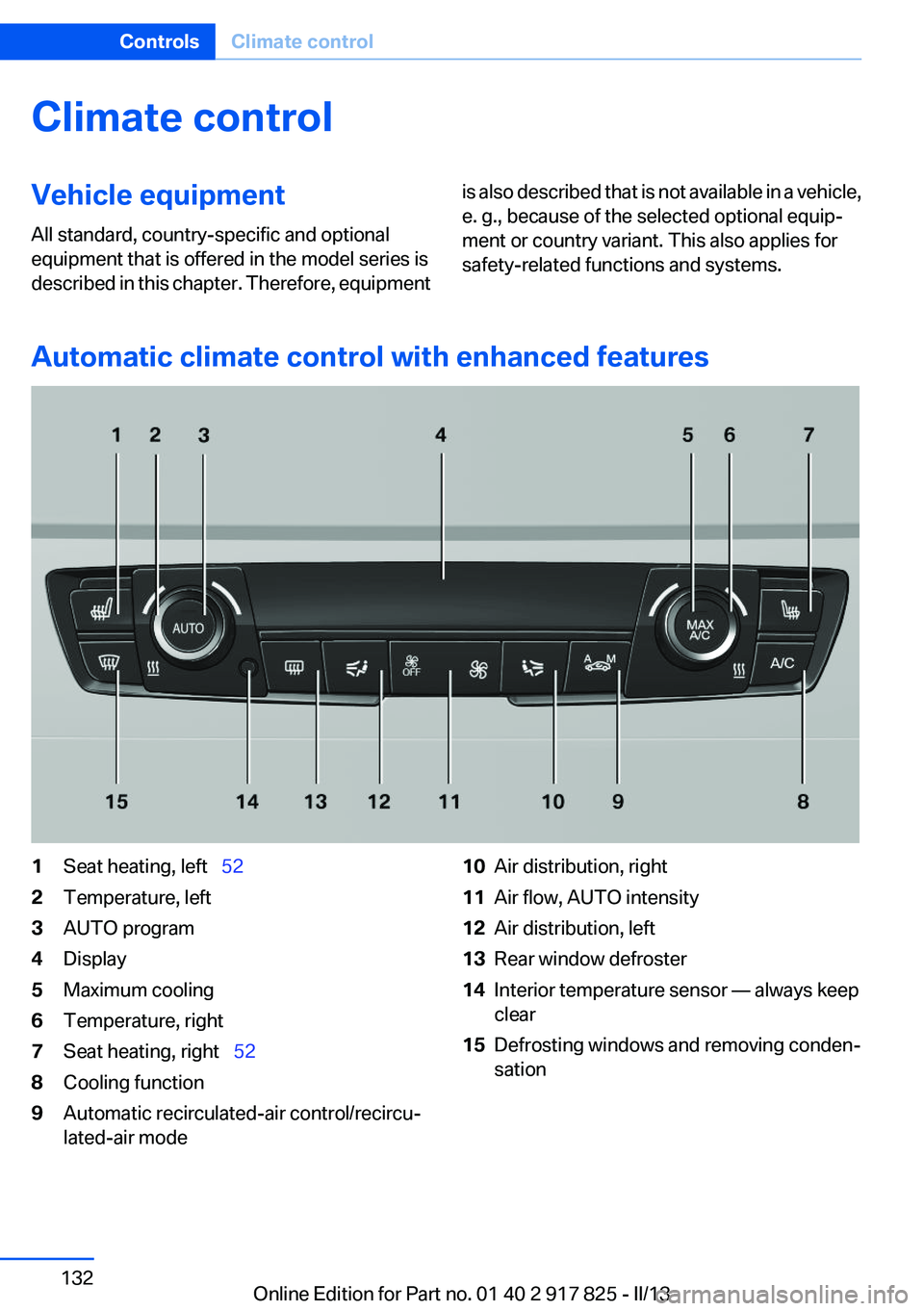
Automatic climate control with enhanced features
1Seat heating, left 522Temperature, left3AUTO program4Display5Maximum cooling6Temperature, right7Seat heating, right 528Cooling function9Automatic recirculated-air control/recircu‐
lated-air mode10Air distribution, right11Air flow, AUTO intensity12Air distribution, left13Rear window defroster14Interior temperature sensor — always keep
clear15Defrosting windows and removing conden‐
sationSeite 132ControlsClimate control132
Online Edition for Part no. 01 40 2 917 825 - II/13
Page 133 of 220
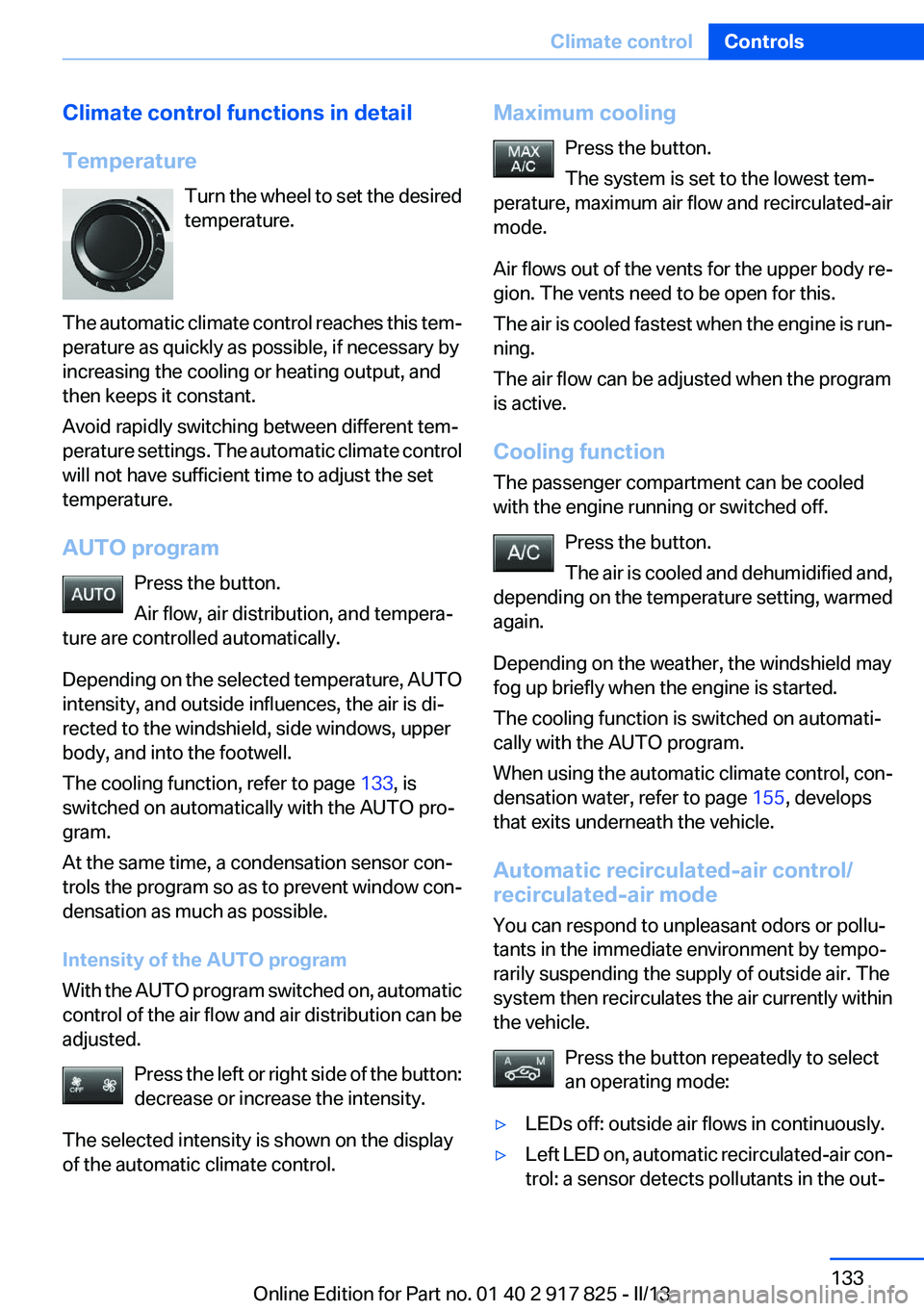
Climate control functions in detail
Temperature Turn the wheel to set the desired
temperature.
The automatic climate control reaches this tem‐
perature as quickly as possible, if necessary by
increasing the cooling or heating output, and
then keeps it constant.
Avoid rapidly switching between different tem‐
perature settings. The automatic climate control
will not have sufficient time to adjust the set
temperature.
AUTO program Press the button.
Air flow, air distribution, and tempera‐
ture are controlled automatically.
Depending on the selected temperature, AUTO
intensity, and outside influences, the air is di‐
rected to the windshield, side windows, upper
body, and into the footwell.
The cooling function, refer to page 133, is
switched on automatically with the AUTO pro‐
gram.
At the same time, a condensation sensor con‐
trols the program so as to prevent window con‐
densation as much as possible.
Intensity of the AUTO program
With the AUTO program switched on, automatic
control of the air flow and air distribution can be
adjusted.
Press the left or right side of the button:
decrease or increase the intensity.
The selected intensity is shown on the display
of the automatic climate control.Maximum cooling
Press the button.
The system is set to the lowest tem‐
perature, maximum air flow and recirculated-air
mode.
Air flows out of the vents for the upper body re‐
gion. The vents need to be open for this.
The air is cooled fastest when the engine is run‐
ning.
The air flow can be adjusted when the program
is active.
Cooling function
The passenger compartment can be cooled
with the engine running or switched off.
Press the button.
The air is cooled and dehumidified and,
depending on the temperature setting, warmed
again.
Depending on the weather, the windshield may
fog up briefly when the engine is started.
The cooling function is switched on automati‐
cally with the AUTO program.
When using the automatic climate control, con‐
densation water, refer to page 155, develops
that exits underneath the vehicle.
Automatic recirculated-air control/
recirculated-air mode
You can respond to unpleasant odors or pollu‐
tants in the immediate environment by tempo‐
rarily suspending the supply of outside air. The
system then recirculates the air currently within
the vehicle.
Press the button repeatedly to select
an operating mode:▷LEDs off: outside air flows in continuously.▷Left LED on, automatic recirculated-air con‐
trol: a sensor detects pollutants in the out‐Seite 133Climate controlControls133
Online Edition for Part no. 01 40 2 917 825 - II/13
Page 134 of 220
side air and controls the shutoff automati‐
cally.▷Right LED on, recirculated-air mode: the
supply of outside air into the vehicle is per‐
manently blocked.
If the windows are fogged over, switch off the
recirculated-air mode and press the AUTO but‐
ton to utilize the condensation sensor. Make
sure that air can flow onto the windshield.
Continuous recirculated-air mode
The recirculated-air mode should not be
used for an extended period of time, as the air
quality inside the vehicle deteriorates steadily. ◀
Manual air distribution Press the button repeatedly to select a
program:
▷Upper body region.▷Upper body region and footwell.▷Footwell.▷Windows and footwell: driver's side only.▷Windows, upper body region and footwell:
driver's side only.
If the windows are fogged over, press the AUTO
button to utilize the condensation sensor.
Air flow, manual
To be able to manually adjust the air flow, switch
off the AUTO program first.
Press the left or right side of the button:
decrease or increase air flow.
The selected air flow is shown on the display of
the automatic climate control.
The air flow of the automatic climate control may
be reduced automatically to save battery power.
Rear window defroster Press the button.
The rear window defroster switches off auto‐
matically after a certain period of time.
Defrosting windows and removing
condensation
Press the button.
Ice and condensation are quickly re‐
moved from the windshield and the front side
windows.
The air flow can be adjusted when the program
is active.
If the windows are fogged over, you can also
switch on the cooling function or press the
AUTO button to utilize the condensation sensor.
Switching the system on/off
Switching off Press the left button for the minimum
speed.
Switching on
Press any button except▷Rear window defroster.▷Seat heating.
Microfilter/activated-charcoal filter
In external and recirculated air mode the micro‐
filter/activated charcoal filter filters dust, pollen,
and gaseous pollutants out of the air.
This filter should be replaced during scheduled
maintenance, refer to page 181, of your vehicle.
Seite 134ControlsClimate control134
Online Edition for Part no. 01 40 2 917 825 - II/13
Page 156 of 220
LoadingVehicle equipment
All standard, country-specific and optional
equipment that is offered in the model series is
described in this chapter. Therefore, equipment
is also described that is not available in a vehicle,
e. g., because of the selected optional equip‐
ment or country variant. This also applies for
safety-related functions and systems.
Hints Overloading the vehicle
To avoid exceeding the approved carrying
capacity of the tires, never overload the vehicle.
Overloading can lead to overheating and in‐
creases the rate at which damage develops in‐
side the tires. This could result in a sudden loss
of tire inflation pressure.◀
No fluids in the trunk
Make sure that fluids do not leak into the
trunk; otherwise, the vehicle may be damaged. ◀
Determining the load limit1.Locate the following statement on your ve‐
hicle’s placard:▷The combined weight of occupants and
cargo should never exceed XXX kg or
YYY lbs. Otherwise, damage to the ve‐hicle and unstable driving situations may
result.2.Determine the combined weight of the
driver and passengers that will be riding in
your vehicle.3.Subtract the combined weight of the driver
and passengers from XXX kilograms or YYY
pounds.4.The resulting figure equals the available
amount of cargo and luggage load capacity.
For example, if the YYY amount equals
1,000 lbs and there will be four 150 lbs pas‐
sengers in your vehicle, the amount of avail‐
able cargo and luggage load capacity is
400 lbs: 1,000 lbs minus 600 lbs = 400 lbs.5.Determine the combined weight of luggage
and cargo being loaded on the vehicle. That
weight may not safely exceed the available
cargo and luggage load capacity calculated
in Step 4.
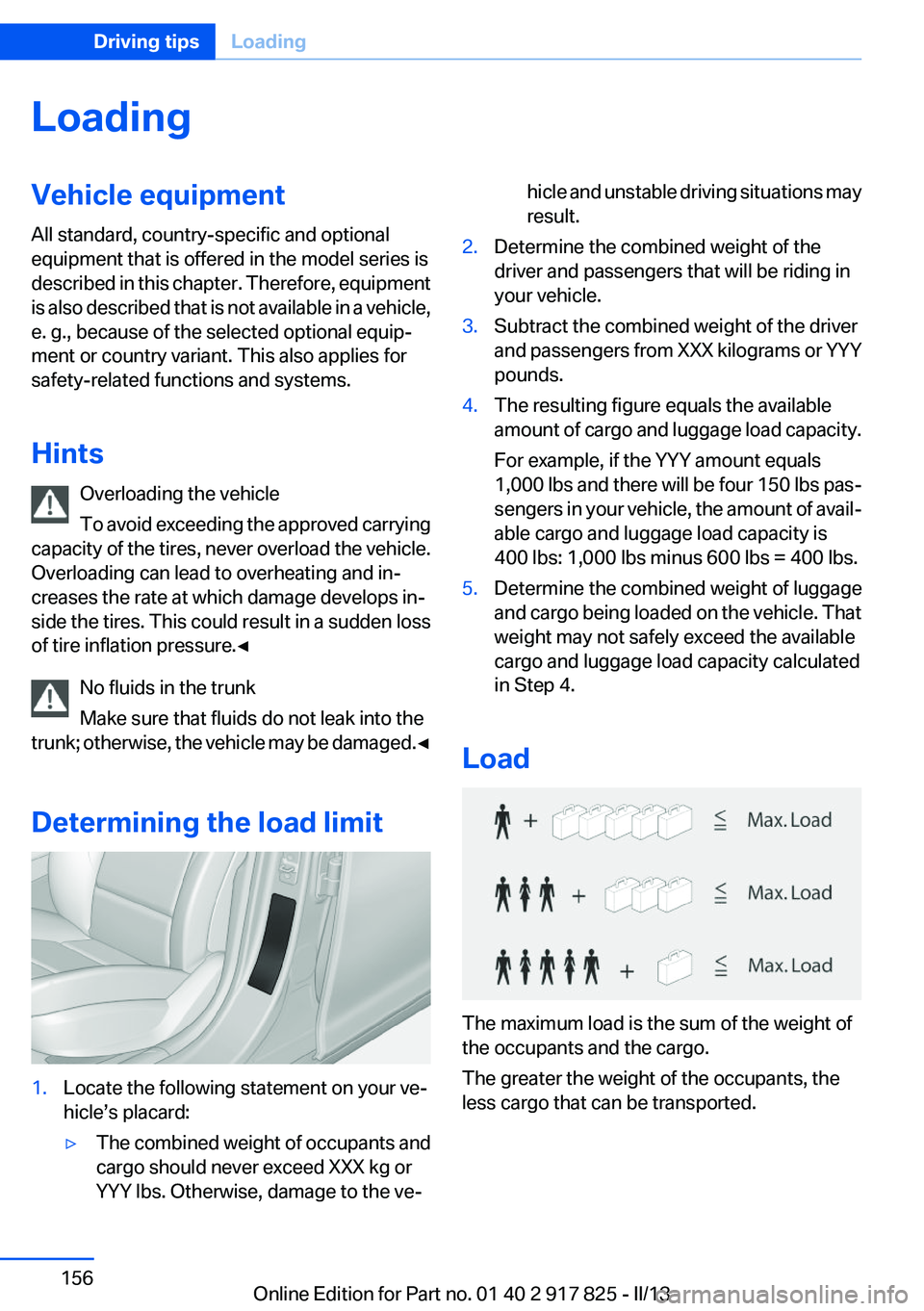
Load
The maximum load is the sum of the weight of
the occupants and the cargo.
The greater the weight of the occupants, the
less cargo that can be transported.
Seite 156Driving tipsLoading156
Online Edition for Part no. 01 40 2 917 825 - II/13