seat memory BMW ACTIVEHYBRID5 2013 Owners Manual
[x] Cancel search | Manufacturer: BMW, Model Year: 2013, Model line: ACTIVEHYBRID5, Model: BMW ACTIVEHYBRID5 2013Pages: 224, PDF Size: 4.96 MB
Page 37 of 224
Exporting profiles
Most settings of the active profile and the saved
contacts can be exported.
This can be helpful for securing and retrieving
personal settings, before delivering the vehicle
to a workshop for example.1."Settings"2."Profiles"3."Export profile"4.USB interface, refer to page 150: "USB
device"
Using the guest profile
The guest profile can be used to make individual
settings without affecting the three Personal
Profiles.
This can be useful for drivers who are using the
vehicle temporarily and do not have their own
profile.
1."Settings"2."Profiles"3.The current profile is selected.4.Open "Guest".5.Adjust the settings.
Note: the guest profile cannot be renamed.
Display profile list during start
The profile list can be displayed during each
start for selecting the desired profile.
1."Settings"2."Profiles"3.Open "Options".4."Display user list at startup"
Personal Profile settings
The following functions and settings can be
stored in a profile.
More information on the settings can be found
under:
▷Collision warning: warning time, last setting
on/off.▷Exterior mirror position.▷CD/Multimedia: audio source listened to
last.▷Unlocking/locking of the vehicle: settings.▷Driving Dynamics Control: sport program.▷Driver's seat position: automatic retrieval af‐
ter unlocking.▷Programmable memory buttons: assign‐
ment.▷Head-up Display: selection, brightness, po‐
sition and rotation of the display.▷Headlamp courtesy delay feature: time set‐
ting.▷Tone: tone settings.▷Automatic climate control: settings.▷Steering wheel position.▷Navigation: map views, route criteria, voice
output on/off.▷Night Vision with pedestrian detection: se‐
lection of functions and type of display.▷Park Distance Control PDC: adjusting the
signal tone volume.▷Radio: stored stations, station listened to
last, special settings.▷Backup camera: selection of functions and
type of display.▷Side View: selection of the display type.▷Language on the Control Display.▷Lane departure warning: last setting, on/off.▷Active Blind Spot Detection: last setting, on/
off.▷Daytime running lights: current setting.▷Triple turn signal activation.▷Locking the vehicle: after a brief period or
after starting to drive.Seite 37Opening and closingControls37
Online Edition for Part no. 01 40 2 917 574 - II/13
Page 39 of 224
Depending on how the vehicle is equipped or the
country-specific variant, you can set whether
the doors are also unlocked with the
but‐
ton on the remote control.
Convenient opening
The remote control can be used to simultane‐
ously open the windows and the glass sunroof.
Press and hold the button on the re‐
mote control.
The windows and the glass sunroof open.
Releasing the button stops the motion.
Locking Press the button on the remote control.
Locking from the outside
Do not lock the vehicle from the outside if
there are people in it, as the vehicle cannot be
unlocked from inside without special knowl‐
edge.◀
Switching on interior lamps and
courtesy lamps
Press the button on the remote control
with the vehicle locked.
Panic mode
You can trigger the alarm system if you find
yourself in a dangerous situation.
Press the button on the remote control
for at least 3 seconds.
To switch off the alarm: press any button.
Opening the trunk lid Press the button on the remote control
for approx. 1 second.
The trunk lid opens, regardless of whether it was
previously locked or unlocked.
During opening, the trunk lid pivots back and up.
Ensure that adequate clearance is available be‐
fore opening.
In some vehicle equipment variants, the trunk lid
can only be opened using the remote control if
the vehicle has been unlocked.
Do not place the remote control in the
cargo area
Take the remote control with you and do not
leave it in the cargo area; otherwise, the remote
control is locked inside the vehicle when the
trunk lid is closed.◀
The trunk lid is locked again as soon as it is
pushed closed.
Confirmation signals from the vehicle1."Settings"2."Doors/key"3.Deactivate or activate the desired confirma‐
tion signals.▷"Acoustic sig. lock/unlock"▷"Flash when lock/unlock"
Retrieving the seat, mirror, and
steering wheel settings
The driver's seat, exterior mirror, and steering
wheel positions selected last are stored for the
currently used remote control.
When the vehicle is unlocked, these positions
are automatically retrieved if this function was
activated.
Pinch hazard when moving back the seat
If this function is used, first make sure that
the footwell behind the driver's seat is empty.
Otherwise, people can be injured or objects
damaged when the seat is moved back.◀
The adjustment procedure is interrupted:
▷When a seat position switch is pressed.▷When a button of the seat, mirror, and steer‐
ing wheel memory is pressed briefly.Seite 39Opening and closingControls39
Online Edition for Part no. 01 40 2 917 574 - II/13
Page 58 of 224
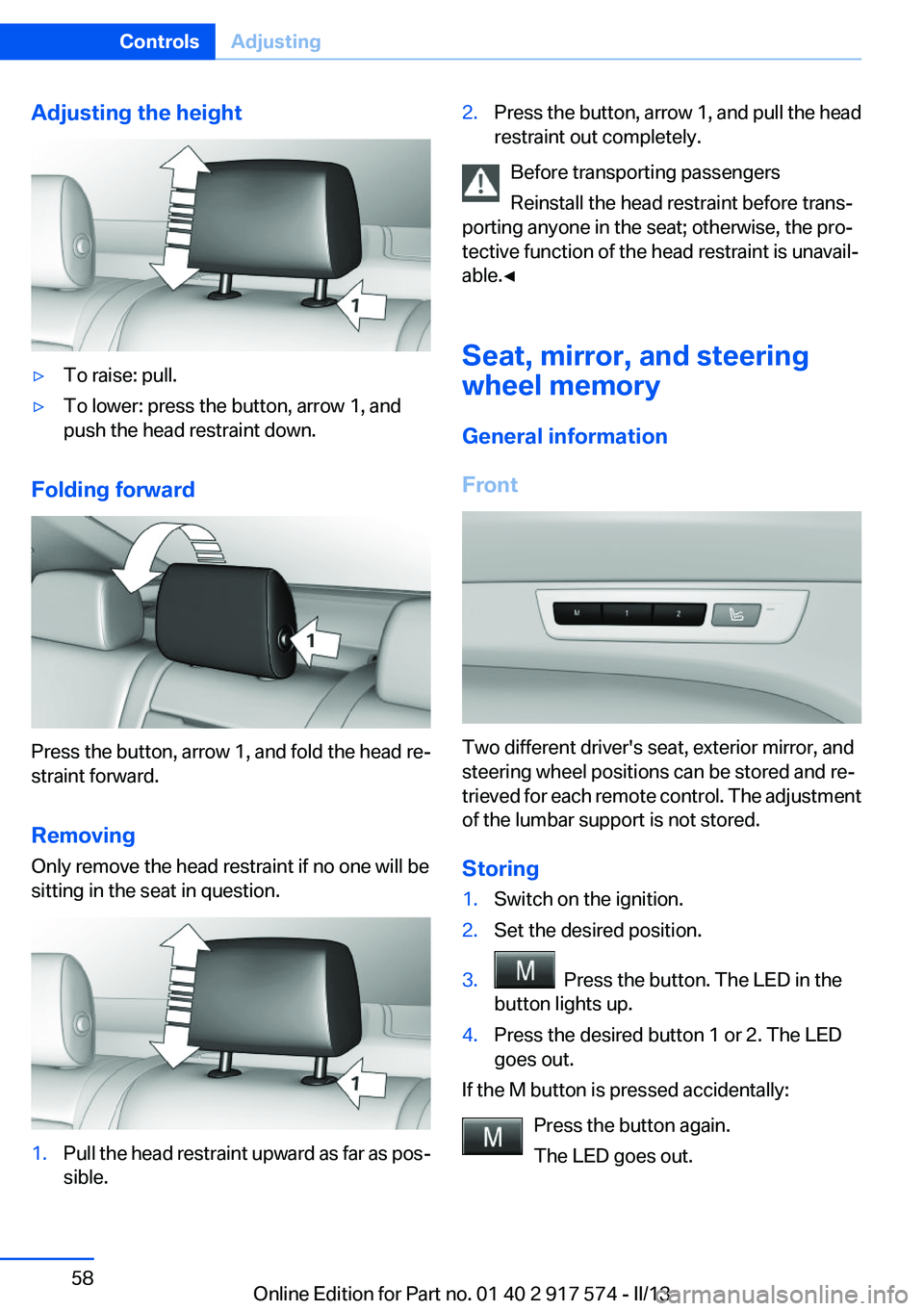
Adjusting the height▷To raise: pull.▷To lower: press the button, arrow 1, and
push the head restraint down.
Folding forward
Press the button, arrow 1, and fold the head re‐
straint forward.
Removing
Only remove the head restraint if no one will be
sitting in the seat in question.
1.Pull the head restraint upward as far as pos‐
sible.2.Press the button, arrow 1, and pull the head
restraint out completely.
Before transporting passengers
Reinstall the head restraint before trans‐
porting anyone in the seat; otherwise, the pro‐
tective function of the head restraint is unavail‐
able.◀
Seat, mirror, and steering
wheel memory
General information
Front
Two different driver's seat, exterior mirror, and
steering wheel positions can be stored and re‐
trieved for each remote control. The adjustment
of the lumbar support is not stored.
Storing
1.Switch on the ignition.2.Set the desired position.3. Press the button. The LED in the
button lights up.4.Press the desired button 1 or 2. The LED
goes out.
If the M button is pressed accidentally:
Press the button again.
The LED goes out.
Seite 58ControlsAdjusting58
Online Edition for Part no. 01 40 2 917 574 - II/13
Page 59 of 224
Calling up settingsDo not retrieve the memory while driving
Do not retrieve the memory setting while
driving, as an unexpected movement of the seat
or steering wheel could result in an accident.◀
Comfort function1.Open the driver's door.2.Switch off the ignition.3.Briefly press the desired button 1 or 2.
The corresponding seat position is performed
automatically.
The procedure stops when a switch for adjust‐
ing the seat or one of the buttons is pressed.
Safety mode
1.Close the driver's door or switch on the ig‐
nition.2.Press and hold the desired button 1 or 2 until
the adjustment procedure is completed.
Calling up of a seat position
deactivated
After a brief period, the calling up of stored seat
positions is deactivated to save battery power.
To reactivate calling up of a seat position:
▷Open or close the door or trunk lid.▷Press a button on the remote control.▷Press the Start/Stop button.Mirrors
Exterior mirrors
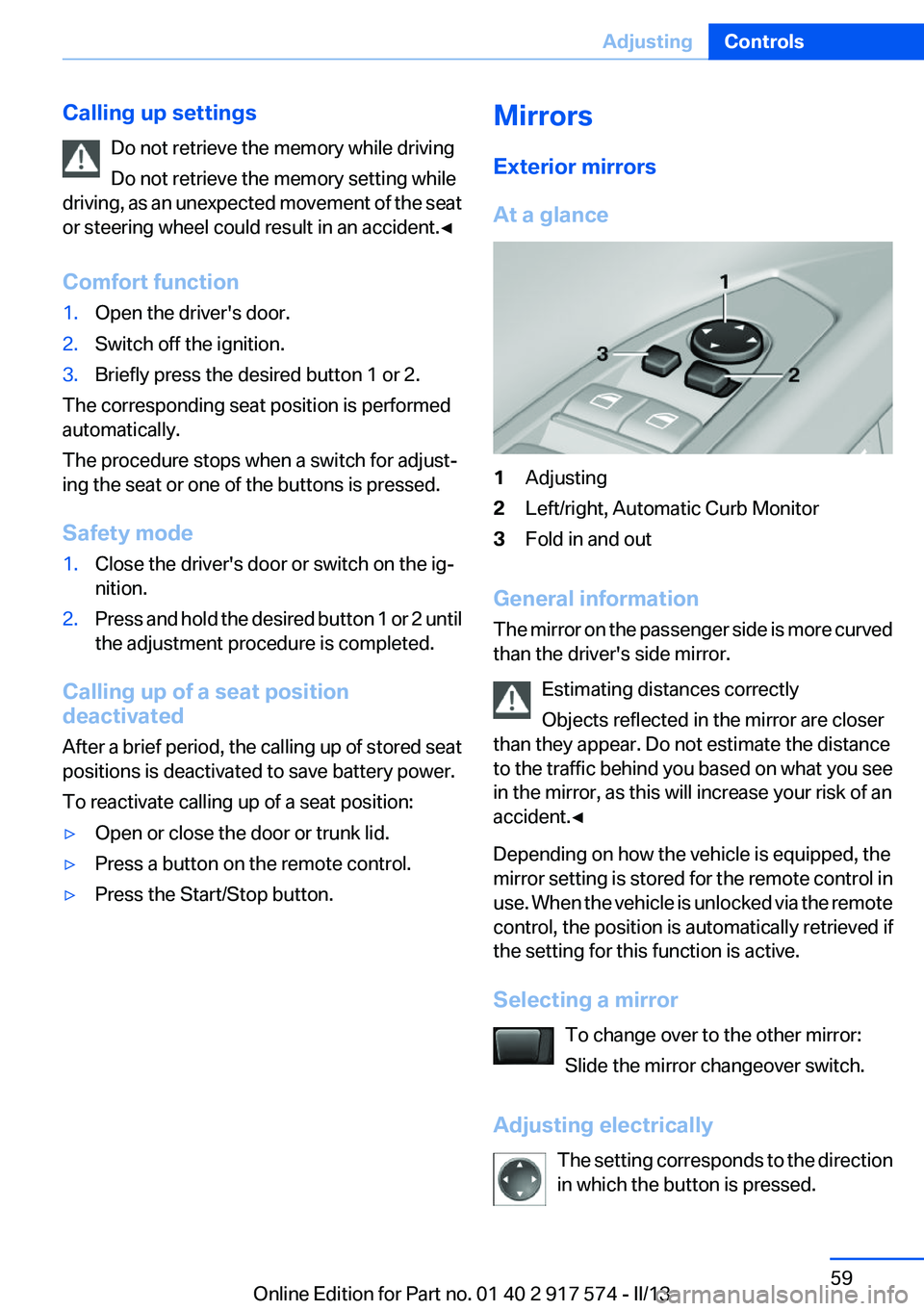
At a glance1Adjusting2Left/right, Automatic Curb Monitor3Fold in and out
General information
The mirror on the passenger side is more curved
than the driver's side mirror.
Estimating distances correctly
Objects reflected in the mirror are closer
than they appear. Do not estimate the distance
to the traffic behind you based on what you see
in the mirror, as this will increase your risk of an
accident.◀
Depending on how the vehicle is equipped, the
mirror setting is stored for the remote control in
use. When the vehicle is unlocked via the remote
control, the position is automatically retrieved if
the setting for this function is active.
Selecting a mirror To change over to the other mirror:
Slide the mirror changeover switch.
Adjusting electrically The setting corresponds to the direction
in which the button is pressed.
Seite 59AdjustingControls59
Online Edition for Part no. 01 40 2 917 574 - II/13
Page 60 of 224
Saving positions
Seat, mirror, and steering wheel memory, refer
to page 58.
Adjusting manually
If an electrical malfunction occurs, for example,
press the edges of the mirror glass.
Automatic Curb Monitor
When the reverse gear is engaged, the mirror
glass tilts downward slightly on the front pas‐
senger side. This improves your view of the curb
and other low-lying obstacles when parking, for
example.
Activating1. Slide the mirror changeover switch
to the driver's side mirror position.2.Engage transmission position R.
Deactivating
Slide the mirror changeover switch to the pas‐
senger's side mirror position.
Fold in and out Press the button.
Possible up to approx. 15 mph/20 km/h.
For example, this is advantageous
▷In car washes.▷In narrow streets.▷For folding back mirrors that were folded
away manually.
Mirrors that were folded in are folded out auto‐
matically at a speed of approx. 25 mph/40 km/h.
Fold in the mirror in a car wash
Before entering an automatic car wash,
fold in the exterior mirrors by hand or with the
button; otherwise, they could be damaged, de‐
pending on the width of the vehicle.◀
Automatic heating
Both exterior mirrors are automatically heated
whenever the engine is running.
Automatic dimming feature
Both exterior mirrors are automatically dimmed.
Photocells are used for control in the Interior rear
view mirror, refer to page 60.
Interior rearview mirror
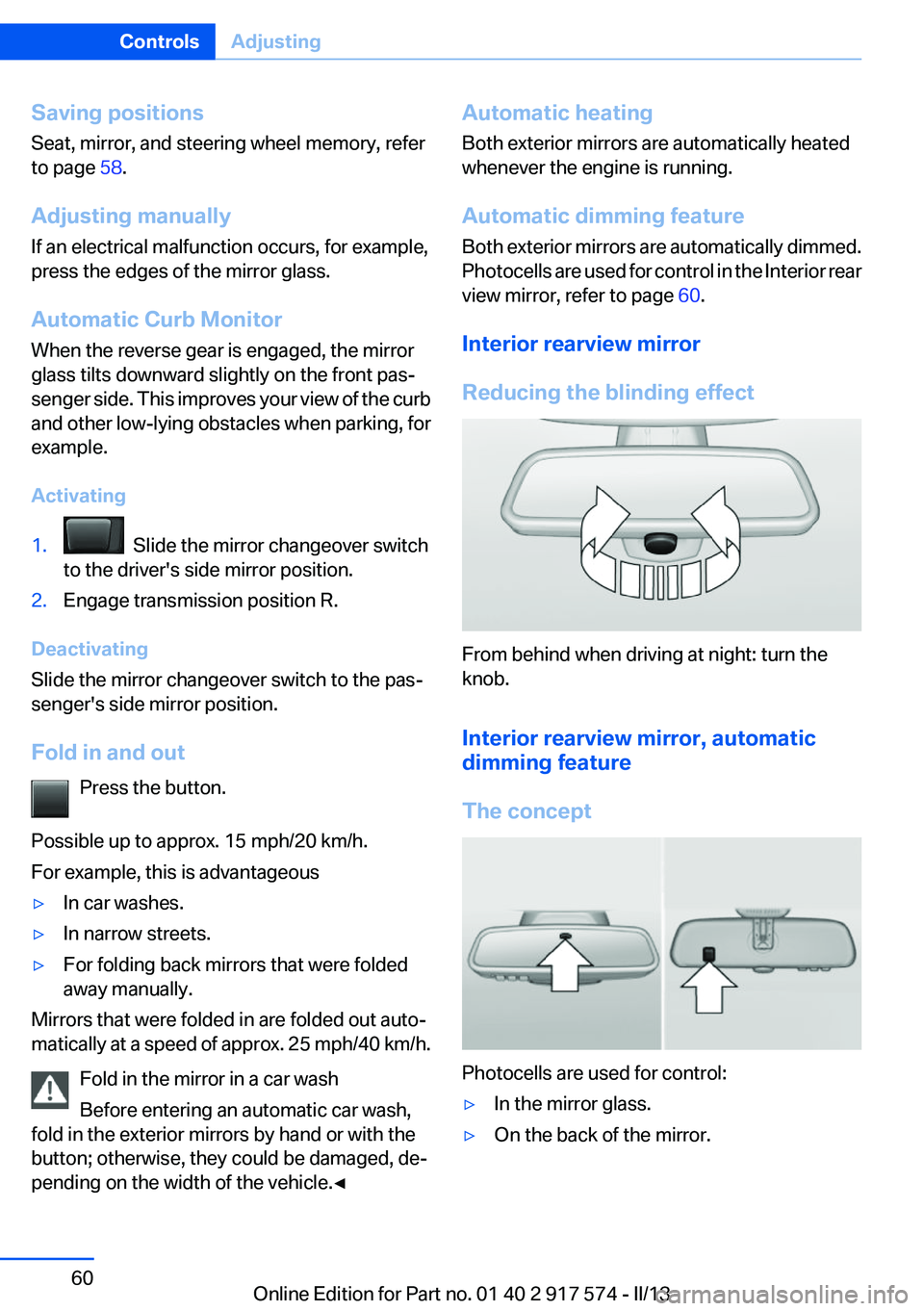
Reducing the blinding effect
From behind when driving at night: turn the
knob.
Interior rearview mirror, automatic
dimming feature
The concept
Photocells are used for control:
▷In the mirror glass.▷On the back of the mirror.Seite 60ControlsAdjusting60
Online Edition for Part no. 01 40 2 917 574 - II/13
Page 61 of 224
Functional requirement
For proper operation:▷Keep the photocells clean.▷Do not cover the area between the inside
rearview mirror and the windshield.
Steering wheel
General information Do not adjust while driving
Do not adjust the steering wheel while
driving; otherwise, an unexpected movement
could result in an accident.◀
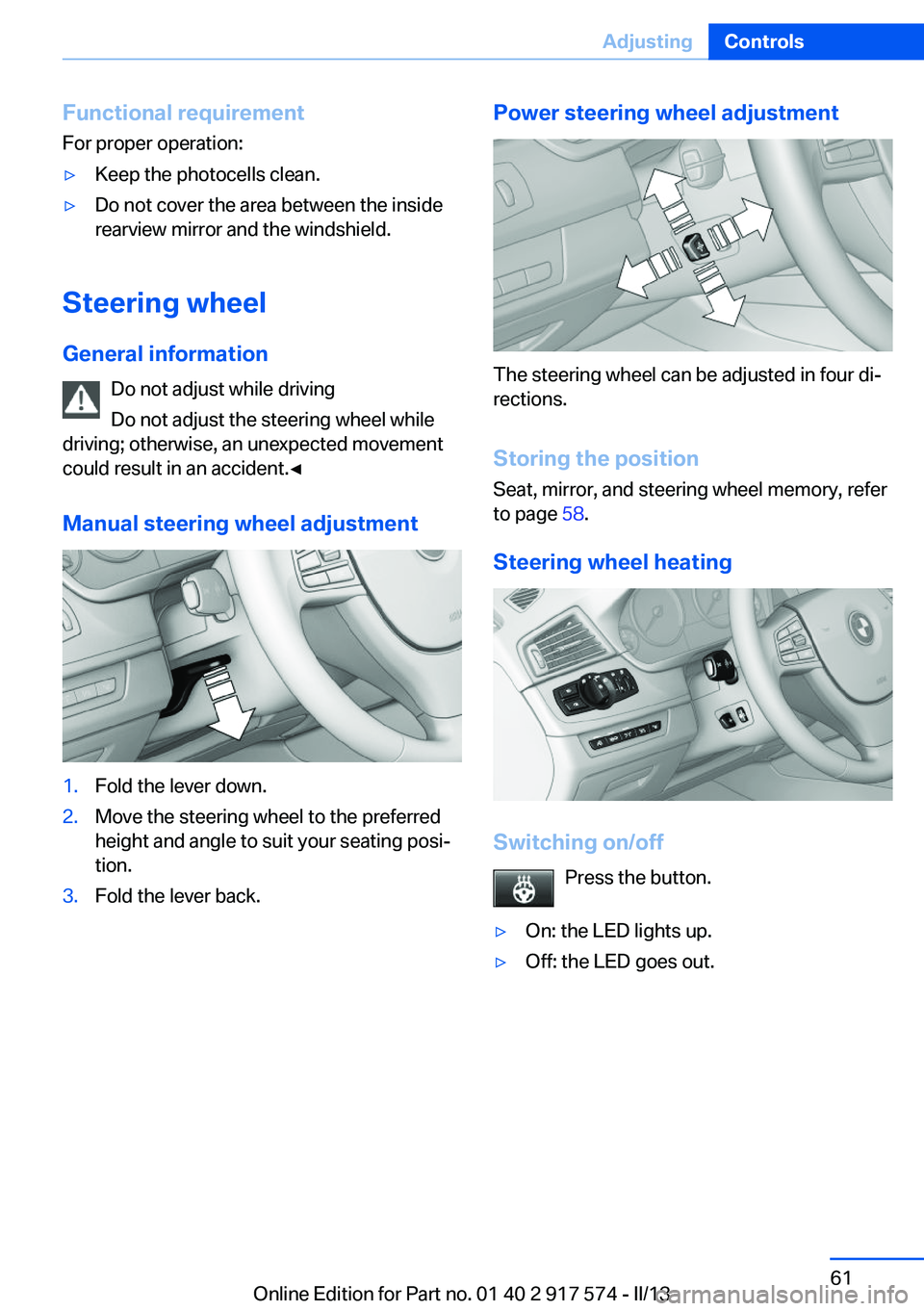
Manual steering wheel adjustment
1.Fold the lever down.2.Move the steering wheel to the preferred
height and angle to suit your seating posi‐
tion.3.Fold the lever back.Power steering wheel adjustment
The steering wheel can be adjusted in four di‐
rections.
Storing the position
Seat, mirror, and steering wheel memory, refer
to page 58.
Steering wheel heating
Switching on/off Press the button.
▷On: the LED lights up.▷Off: the LED goes out.Seite 61AdjustingControls61
Online Edition for Part no. 01 40 2 917 574 - II/13
Page 197 of 224
▷When making frequent short-distance
drives.▷If the vehicle is not used for prolonged peri‐
ods, longer than a month.
Starting aid terminals
In the vehicle, only charge the battery via the
starting aid terminals, refer to page 200, in the
engine compartment with the engine off.
Power failure
After a temporary power loss, some equipment
needs to be reinitialized.
Individual settings need to be reprogrammed:
▷Seat, mirror, and steering wheel memory:
store the positions again.▷Time: update.▷Date: update.▷Radio station: save again.▷Navigation system: wait for the operability of
the navigation.
Disposing of old batteries
Have old batteries disposed of by your
service center or bring them to a recy‐
cling center.
Maintain the battery in an upright position for
transport and storage. Secure the battery so
that it does not tip over during transport.
Fuses
Notes Replacing fuses
Never attempt to repair a blown fuse and
do not replace a defective fuse with a substitute
of another color or amperage rating; this could
lead to a circuit overload, ultimately resulting in
a fire in the vehicle.◀
Plastic tweezers and information on the fuse
types and locations are stored in the fuse box in
the cargo area.
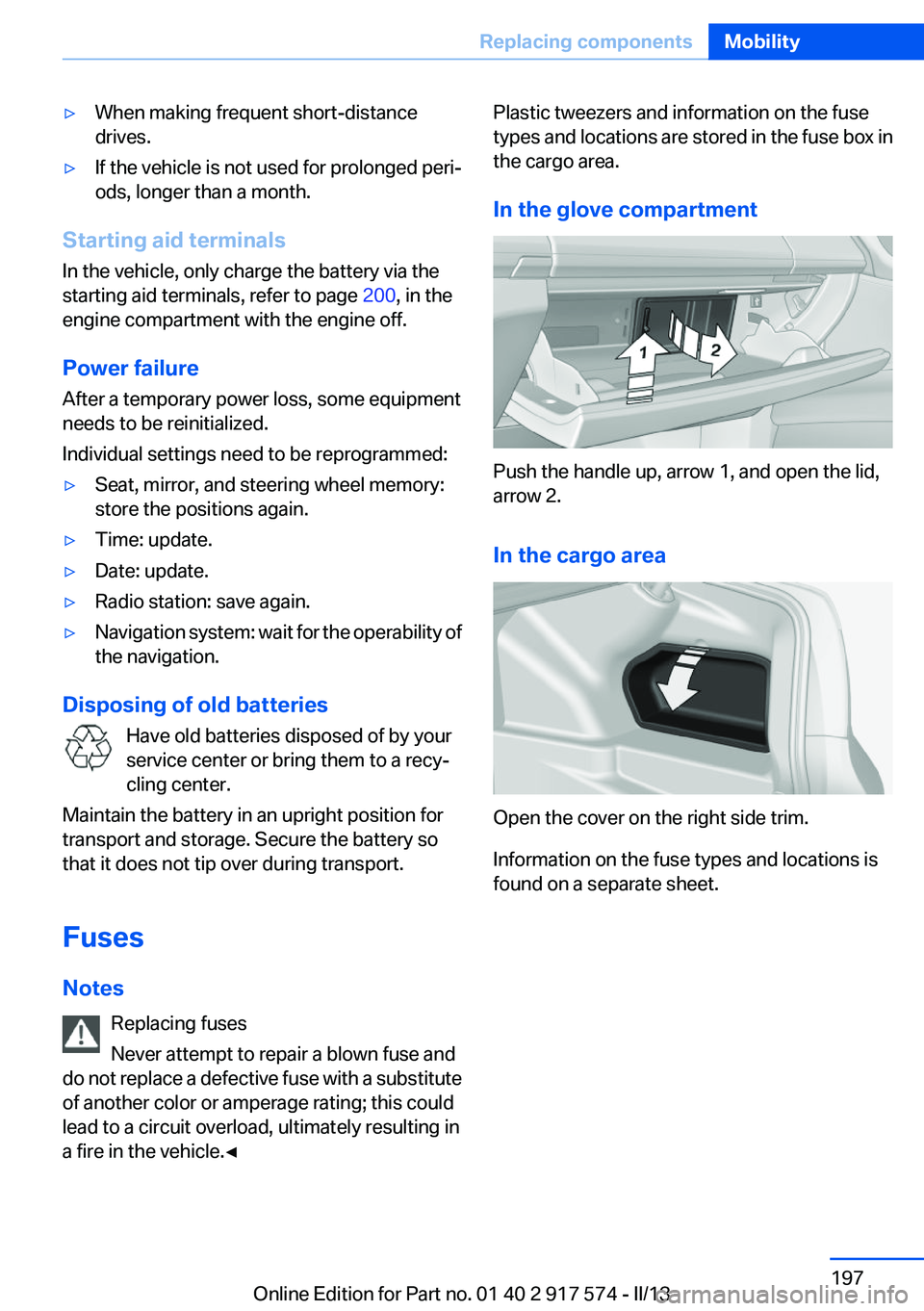
In the glove compartment
Push the handle up, arrow 1, and open the lid,
arrow 2.
In the cargo area
Open the cover on the right side trim.
Information on the fuse types and locations is
found on a separate sheet.
Seite 197Replacing componentsMobility197
Online Edition for Part no. 01 40 2 917 574 - II/13
Page 219 of 224
Manual operation, doorlock 41
Manual operation, exterior mir‐ rors 60
Manual operation, fuel filler flap 172
Manual operation, Park Dis‐ tance Control PDC 125
Manual operation, Side View 131
Manual operation, Top View 129
Marking on approved tires 180
Marking, run-flat tires 181
Massage seat, front 53
Master key, refer to Remote control 34
Maximum cooling 139
Maximum speed, display 87
Maximum speed, winter tires 180
Measure, units of 92
Medical kit 199
Memory for seat, mirrors, steering wheel 58
Menu in instrument cluster 88
Menus, operating, iDrive 18
Menus, refer to iDrive operat‐ ing concept 19
Messages, refer to Check Control 80
Microfilter 141
Minimum tread, tires 179
Mirror 59
Mirror memory 58
Mobile communication devi‐ ces in the vehicle 160
Modifications, technical, refer to Safety 7
Moisture in headlamp 191
Monitor, refer to Control Dis‐ play 18
Mounting of child restraint fix‐ ing systems 62 Multifunction steering wheel,
buttons 14
N
Navigation, see user's manual for Navigation, Entertain‐
ment and Communication
Neck restraints, front, refer to Head restraints 56
Neck restraints, rear, refer to Head restraints 57
New wheels and tires 179
Night Vision with pedestrian detection 109
No Passing Information 87
Nylon rope for tow-starting/ towing 202
O
OBD Onboard Diagnos‐ tics 189
Obstacle marking, backup camera 128
Octane rating, refer to Gaso‐ line quality 174
Odometer 83
Office, see user's manual for Navigation, Entertainment
and Communication
Oil 184
Oil, adding 185
Oil additives 185
Oil change 185
Oil change interval, service re‐ quirements 86
Oil filler neck 185
Oil types, alternative 185
Oil types, approved 185
Old batteries, disposal 197
Onboard Diagnostics OBD 189
Onboard monitor, refer to Control Display 18
Onboard vehicle tool kit 190 Opening/closing from in‐
side 41
Opening/closing via door lock 40
Opening/closing with remote control 38
Opening the trunk lid with no- touch activation 45
Operating concept, iDrive 18
Optional equipment, standard equipment 6
Outside air, refer to Automatic recirculated-air control 140
Overheating of engine, refer to Coolant temperature 83
Overtaking prohibitions 87
P
Paint, vehicle 205
Parallel parking assistant 132
Park Distance Control PDC 124
Parked-car ventilation 144
Parked vehicle, condensa‐ tion 162
Parking aid, refer to PDC 124
Parking assistant 132
Parking brake 70
Parking lamps 94
Parking with Auto Hold 71
Passenger side mirror, tilting downward 60
Pathway lines, backup cam‐ era 127
PDC Park Distance Con‐ trol 124
Pedestrian detection, refer to Night Vision 109
People detection, refer to Night Vision 109
Personal Profile 35
Pinch protection system, glass sunroof 50
Pinch protection system, win‐ dows 48 Seite 219Everything from A to ZReference219
Online Edition for Part no. 01 40 2 917 574 - II/13
Page 220 of 224
Plastic, care 206
Power failure 197
Power sunroof, glass 49
Power windows 47
Pressure, tire air pres‐ sure 175
Pressure warning FTM, tires 105
Profile, refer to Personal Pro‐ file 35
Programmable memory but‐ tons, iDrive 22
Protective function, glass sun‐ roof 50
Protective function, win‐ dows 48
Push-and-turn switch, refer to Controller 18
R
Radiator fluid 187
Radio-operated key, refer to Remote control 34
Radio ready state 66
Radio, see user's manual for Navigation, Entertainment
and Communication
Rain sensor 74
Rear automatic climate con‐ trol 142
Rear lamps 194
Rear socket 150
Rearview mirror 59
Rear window defroster 140
Recirculated-air mode 140
Recommended tire brands 180
Refueling 172
Remaining range 84
Remote control/key 34
Remote control, auxiliary air conditioning, key 145
Remote control, button as‐ signment 34 Remote control, malfunc‐
tion 40
Remote control, universal 146
Replacement fuse 197
Replacing parts 190
Replacing wheels/tires 179
Reporting safety defects 9
Reserve warning, refer to Range 84
Reset, Tire Pressure Monitor TPM 103
Residual cooling 143
Residual heat, automatic cli‐ mate control 140
Retaining straps, securing cargo 164
Retreaded tires 180
Reversing lamp, bulb replace‐ ment 195
Roadside parking lamps 95
Roller sunblinds 48
RON gasoline quality 174
Roof load capacity 211
Roof-mounted luggage rack 164
Rope for tow-starting/tow‐ ing 202
RSC Run Flat System Compo‐ nent, refer to Run-flat
tires 181
Rubber components, care 206
Run-flat tires 181
S
Safe braking 161
Safety 7
Safety belt reminder for driv‐ er's seat and front passenger
seat 56
Safety belts 55
Safety belts, care 206
Safety of the hybrid sys‐ tem 202 Safety Package, refer to Active
Protection 115
Safety switch, windows 48
Safety systems, airbags 99
Saving fuel 166
Screen, refer to Control Dis‐ play 18
Screwdriver 190
Screw thread for tow fit‐ ting 202
Seat belts, refer to Safety belts 55
Seat heating, front 54
Seat heating, rear 54
Seating position for chil‐ dren 62
Seat, mirror, and steering wheel memory 58
Seats 51
Seat ventilation, front 54
Selection list in instrument cluster 88
Selector lever, automatic transmission 76
Sensors, care 207
Service and warranty 8
Service requirements, Condi‐ tion Based Service CBS 188
Service requirements, dis‐ play 86
Service, Roadside Assis‐ tance 199
Settings on Control Dis‐ play 91
Settings, storing for seat, mir‐ rors, steering wheel 58
Shifting, automatic transmis‐ sion 76
Shift paddles on steering wheel 78
Shoulder support 53
Side airbags 99
Side View 130
Signaling, horn 14
Signals when unlocking 39 Seite 220ReferenceEverything from A to Z220
Online Edition for Part no. 01 40 2 917 574 - II/13