warning BMW CONVERTIBLE 1998 User Guide
[x] Cancel search | Manufacturer: BMW, Model Year: 1998, Model line: CONVERTIBLE, Model: BMW CONVERTIBLE 1998Pages: 179, PDF Size: 3.51 MB
Page 70 of 179
69
At a glanceControls Car careRepairsTechnicalDataIndex
Memo modePress the MEMO key to activate or
deactivate the signal. When MEMO is
active, a tone symbol appears in the
right display. The signal sounds every
hour at the pre-programmed time or
without programming 15 seconds
before each full hour.Outside temperatureData request: Press TEMP key.
If the outside temperature drops below
37.5 5F (+36), a warning signal sounds,
the temperature display automatically
appears and the unit of measure flashes
for 8 seconds.
The warning is repeated whenever the
temperature has increased to 43 5F
(+66) at least once before falling to
37.5 5F (+36) again.a
The temperature warning device
does nothing to alter the fact that sur-
face ice can still form at temperatures
above 37.5 5F (+36), e.g., on bridges
and on shade-covered road surfaces.c
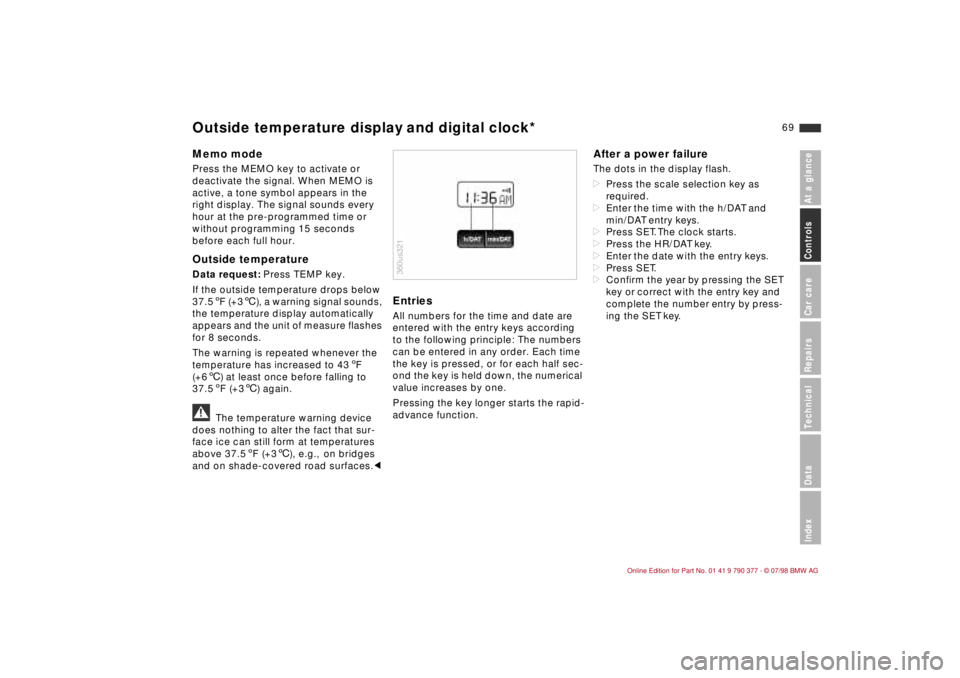
EntriesAll numbers for the time and date are
entered with the entry keys according
to the following principle: The numbers
can be entered in any order. Each time
the key is pressed, or for each half sec-
ond the key is held down, the numerical
value increases by one.
Pressing the key longer starts the rapid-
advance function.
After a power failureThe dots in the display flash.
dPress the scale selection key as
required.
dEnter the time with the h/DAT and
min/DAT entry keys.
dPress SET. The clock starts.
dPress the HR/DAT key.
dEnter the date with the entry keys.
dPress SET.
dConfirm the year by pressing the SET
key or correct with the entry key and
complete the number entry by press-
ing the SET key.
360us321
Outside temperature display and digital clock*
Page 72 of 179
71
At a glanceControls Car careRepairsTechnicalDataIndex
Texts with messages and warnings are
used to alert the driver to defective sys-
tems. In addition, there is a warning
lamp in the instrument panel.
The time and date can be displayed
with the digital clock.
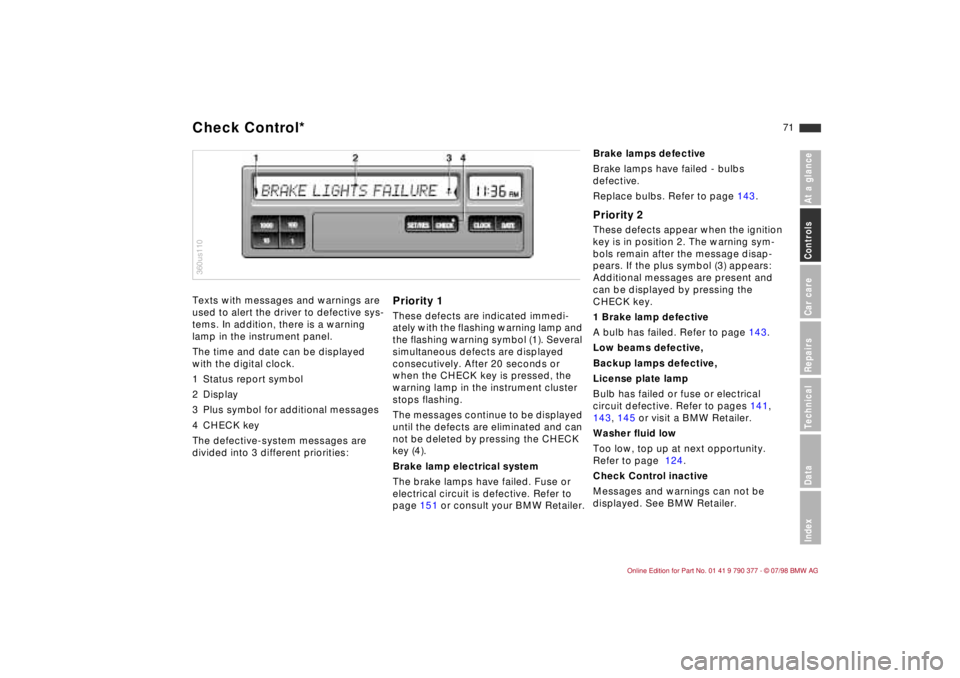
1 Status report symbol
2 Display
3 Plus symbol for additional messages
4 CHECK key
The defective-system messages are
divided into 3 different priorities:
Priority 1These defects are indicated immedi-
ately with the flashing warning lamp and
the flashing warning symbol (1). Several
simultaneous defects are displayed
consecutively. After 20 seconds or
when the CHECK key is pressed, the
warning lamp in the instrument cluster
stops flashing.
The messages continue to be displayed
until the defects are eliminated and can
not be deleted by pressing the CHECK
key (4).
Brake lamp electrical system
The brake lamps have failed. Fuse or
electrical circuit is defective. Refer to
page 151 or consult your BMW Retailer.
360us110Check Control*
Brake lamps defective
Brake lamps have failed - bulbs
defective.
Replace bulbs. Refer to page 143.Priority 2These defects appear when the ignition
key is in position 2. The warning sym-
bols remain after the message disap-
pears. If the plus symbol (3) appears:
Additional messages are present and
can be displayed by pressing the
CHECK key.
1 Brake lamp defective
A bulb has failed. Refer to page 143.
Low beams defective,
Backup lamps defective,
License plate lamp
Bulb has failed or fuse or electrical
circuit defective. Refer to pages 141,
143, 145 or visit a BMW Retailer.
Washer fluid low
Too low, top up at next opportunity.
Refer to page 124.
Check Control inactive
Messages and warnings can not be
displayed. See BMW Retailer.
Page 73 of 179
72
Priority 3These status reports usually appear
after the car is parked and the ignition
key returned to position 0 (if several
messages have been recorded, they will
appear consecutively, with Priority 3
messages following Priority 1 and 2
messages).
Messages remain available for a period
of approx. two minutes after the display
goes out and the ignition key has been
removed, and can be displayed by
pressing the CHECK key.
The messages can also be displayed
before you start driving with the ignition
key in position 2. The texts then go out
after a short time or when you start driv-
ing, and no warning symbols remain.
Messages are not displayed again until
the ignition key is turned to position 0.
If a plus symbol appears: display addi-
tional messages by pressing the CHECK
key.Check coolant levelIndicates that coolant is almost down to
minimum level. Top up at the next
opportunity. Refer to page 127.To check the Check Control display
(only when no messages are displayed):
Press the CHECK key with the ignition
key in position 2: CHECK CONTROL
OK appears in the display.
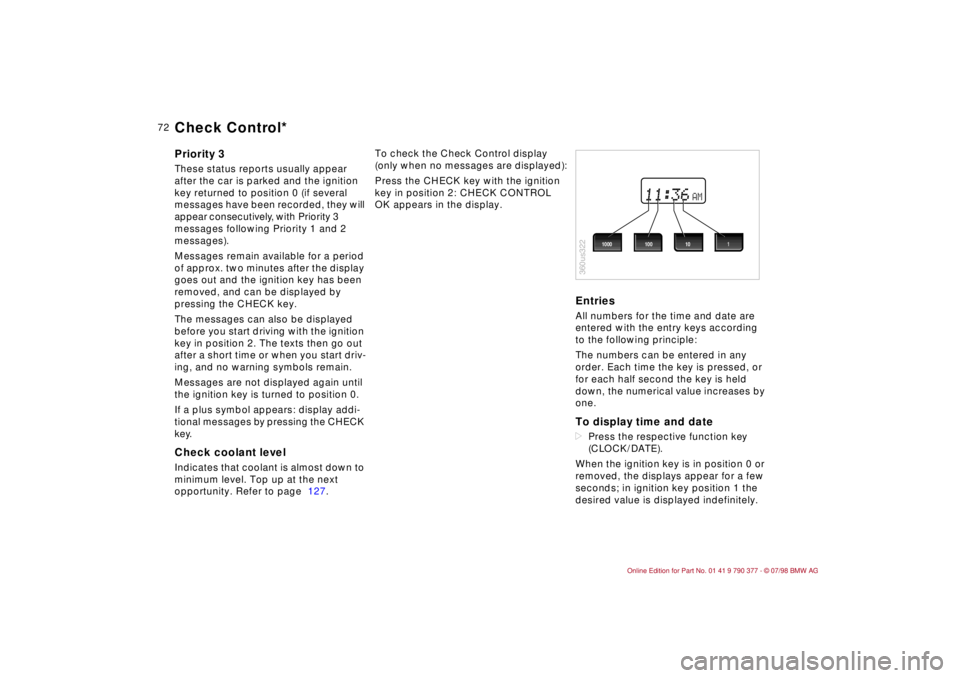
EntriesAll numbers for the time and date are
entered with the entry keys according
to the following principle:
The numbers can be entered in any
order. Each time the key is pressed, or
for each half second the key is held
down, the numerical value increases by
one.To display time and datedPress the respective function key
(CLOCK/DATE).
When the ignition key is in position 0 or
removed, the displays appear for a few
seconds; in ignition key position 1 the
desired value is displayed indefinitely.
AM
360us322
1000 1001 10
Check Control*
Page 75 of 179
74
The Check Control uses texts with mes-
sages and warnings to alert the driver
to defective systems. In addition, an
indicator lamp is provided in the instru-
ment cluster. For details and operating
instructions, refer to pages 71, 72.
The outside temperature can also be
displayed.
With the digital clock you can
ddisplay the time and date,
dpre-program an hourly reminder sig-
nal (memo) e.g., a reminder of the
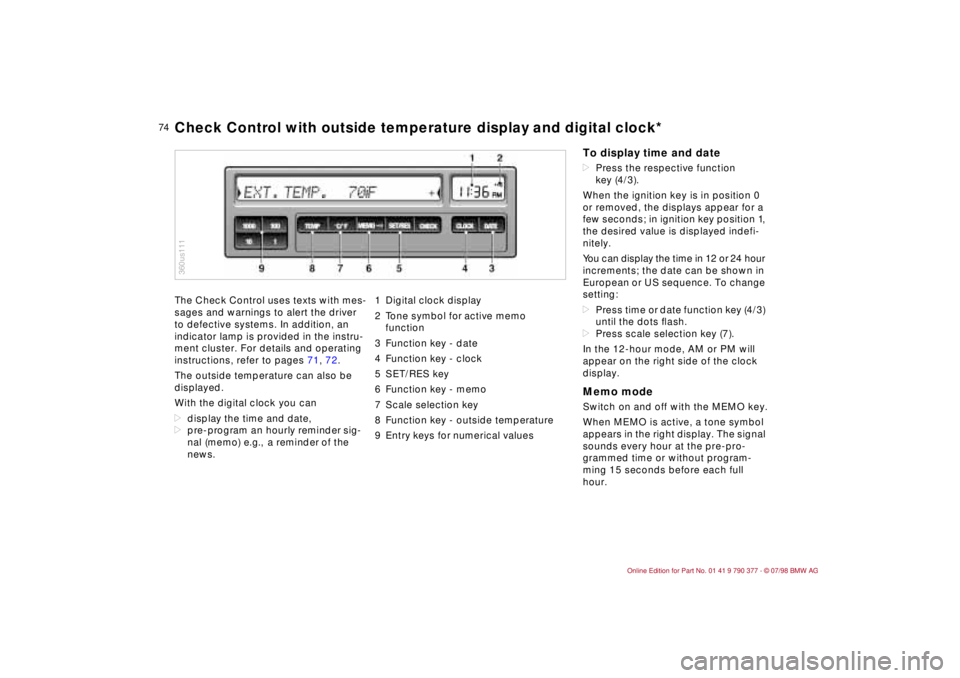
news.1 Digital clock display
2 Tone symbol for active memo
function
3 Function key - date
4 Function key - clock
5 SET/RES key
6 Function key - memo
7 Scale selection key
8 Function key - outside temperature
9 Entry keys for numerical values
360us111Check Control with outside temperature display and digital clock*
To display time and datedPress the respective function
key (4/3).
When the ignition key is in position 0
or removed, the displays appear for a
few seconds; in ignition key position 1,
the desired value is displayed indefi-
nitely.
You can display the time in 12 or 24 hour
increments; the date can be shown in
European or US sequence. To change
setting:
dPress time or date function key (4/3)
until the dots ßash.
dPress scale selection key (7).
In the 12-hour mode, AM or PM will
appear on the right side of the clock
display.Memo modeSwitch on and off with the MEMO key.
When MEMO is active, a tone symbol
appears in the right display. The signal
sounds every hour at the pre-pro-
grammed time or without program-
ming 15 seconds before each full
hour.
Page 76 of 179
75
At a glanceControls Car careRepairsTechnicalDataIndex
Display outside temperaturePress TEMP key.
If the outside temperature drops below
37.5 5F (+36), a warning signal sounds,
the temperature display automatically
appears and flashes for 8 seconds.
The warning is repeated whenever the
temperature has increased to 43 5F
(+66) at least once before falling to
37.5 5F (+36) again.a
The temperature warning device
does nothing to alter the fact that sur-
face ice can still form at temperatures
above 37.5 5F (+36), e.g., on bridges
and on shade-covered road surfaces.c
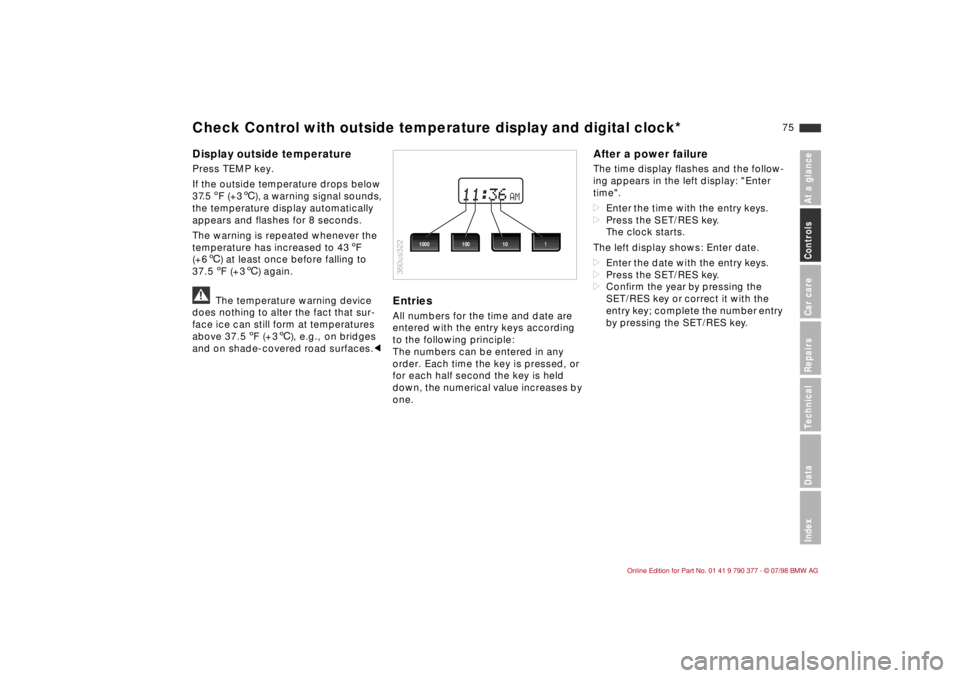
EntriesAll numbers for the time and date are
entered with the entry keys according
to the following principle:
The numbers can be entered in any
order. Each time the key is pressed, or
for each half second the key is held
down, the numerical value increases by
one.
After a power failureThe time display flashes and the follow-
ing appears in the left display: "Enter
time".
dEnter the time with the entry keys.
dPress the SET/RES key.
The clock starts.
The left display shows: Enter date.
dEnter the date with the entry keys.
dPress the SET/RES key.
dConfirm the year by pressing the
SET/RES key or correct it with the
entry key; complete the number entry
by pressing the SET/RES key.
AM
360us322
1000 1001 10
Check Control with outside temperature display and digital clock*
Page 78 of 179
77
At a glanceControls Car careRepairsTechnicalDataIndex
Allows you to select display data for
safe and economical driving.
If your car is equipped with the Check
Control option, texts with information
and warnings are used to alert the
driver to system malfunctions. In addi-
tion, an indicator lamp is provided in the
instrument cluster. For details and
operating instructions, refer to
pages 71 and 72.
With the digital clock you can
ddisplay the time and date,
dpre-program a reminder signal
(memo), e.g., to remind you of news
broadcasts.
Refer to page 74 for information and
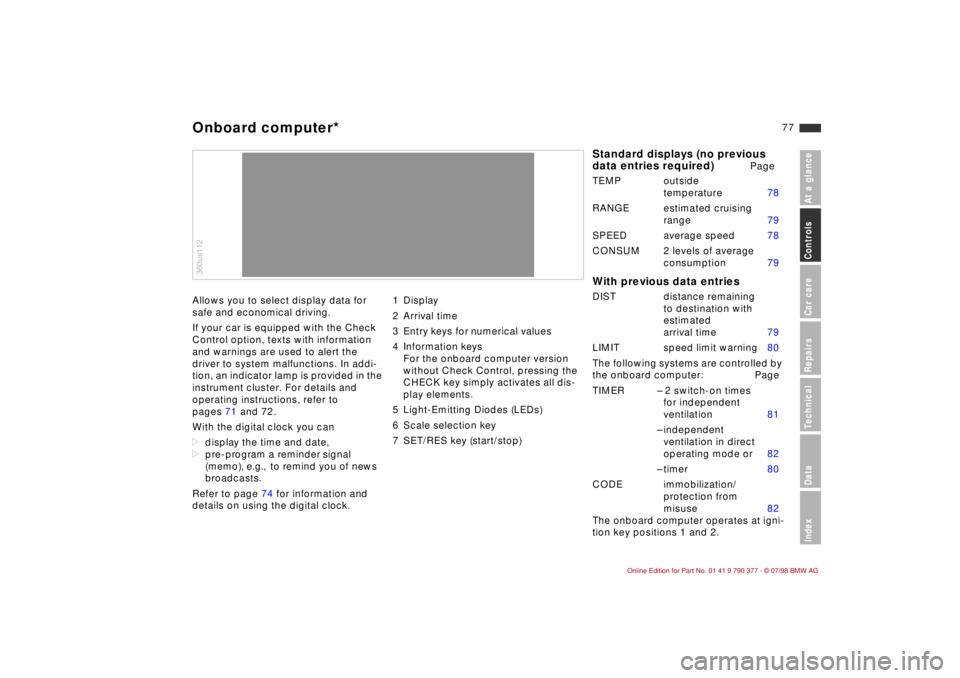
details on using the digital clock.1 Display
2 Arrival time
3 Entry keys for numerical values
4 Information keys
For the onboard computer version
without Check Control, pressing the
CHECK key simply activates all dis-
play elements.
5 Light-Emitting Diodes (LEDs)
6 Scale selection key
7 SET/RES key (start/stop)360us112Onboard computer*
Standard displays (no previous
data entries required)
Page
TEMP outside
temperature 78
RANGE estimated cruising
range 79
SPEED average speed 78
CONSUM 2 levels of average
consumption 79
With previous data entriesDIST distance remaining
to destination with
estimated
arrival time 79
LIMIT speed limit warning 80
The following systems are controlled by
the onboard computer: Page
TIMER Ð 2 switch-on times
for independent
ventilation 81
Ð independent
ventilation in direct
operating mode or 82
Ð timer 80
CODE immobilization/
protection from
misuse 82
The onboard computer operates at igni-
tion key positions 1 and 2.
Page 79 of 179
78
In the interest of driving safety, you
should always enter data with the vehi-
cle parked/stationary. The on-board
computer starts its calculations as soon
as the vehicle starts to move.
You can also use the remote control to
select information for display, refer to
page 83.
The scale selection key (6) allows you to
display all information in either metric or
US units.
b
Messages of the Check Control
system override the display of the
onboard computer.
With the exception of Priority 1 mes-
sages, the display can be cleared by
pressing the CHECK key.c
If the malfunction display "PPPP"
appears, consult your BMW Retailer.
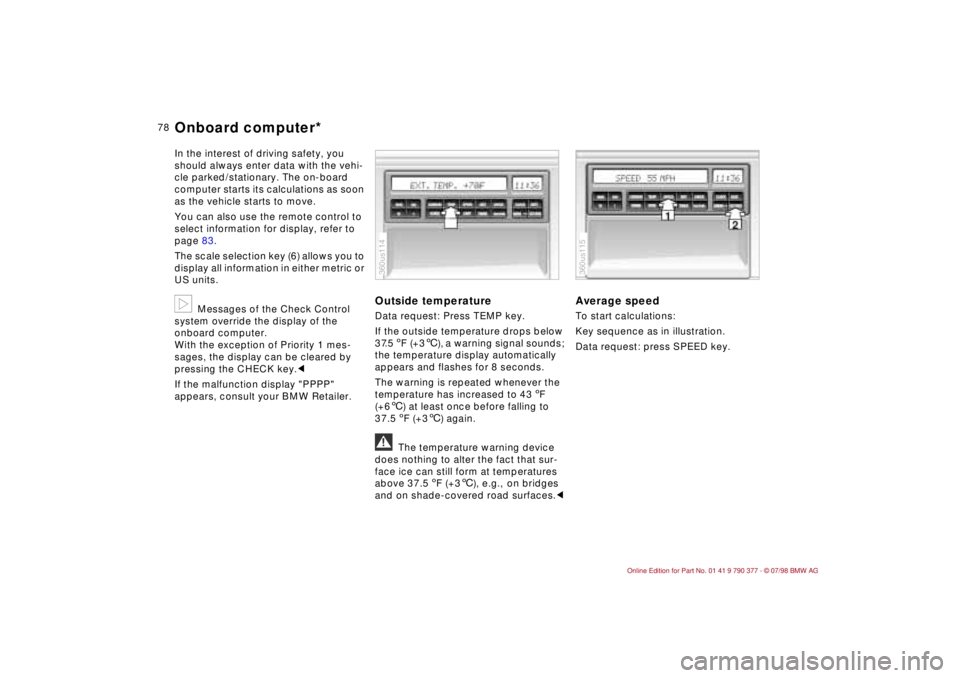
Outside temperature Data request: Press TEMP key.
If the outside temperature drops below
37.5 5F (+36), a warning signal sounds;
the temperature display automatically
appears and flashes for 8 seconds.
The warning is repeated whenever the
temperature has increased to 43 5F
(+66) at least once before falling to
37.5 5F (+36) again.a
The temperature warning device
does nothing to alter the fact that sur-
face ice can still form at temperatures
above 37.5 5F (+36), e.g., on bridges
and on shade-covered road surfaces.c
Average speedTo start calculations:
Key sequence as in illustration.
Data request: press SPEED key.
360us114
360us115
Onboard computer*
Page 81 of 179
80
Speed limit warning (Limit)You are alerted when you exceed the
maximum speed that you entered ear-
lier (e.g., posted speed limit). An acous-
tic signal sounds, the corresponding
LED flashes and the stored limit briefly
appears in the display.
Vehicle speed must drop back to at
least 3 mph (5 km/h) below the pro-
grammed speed to reset the system for
repeat warnings.
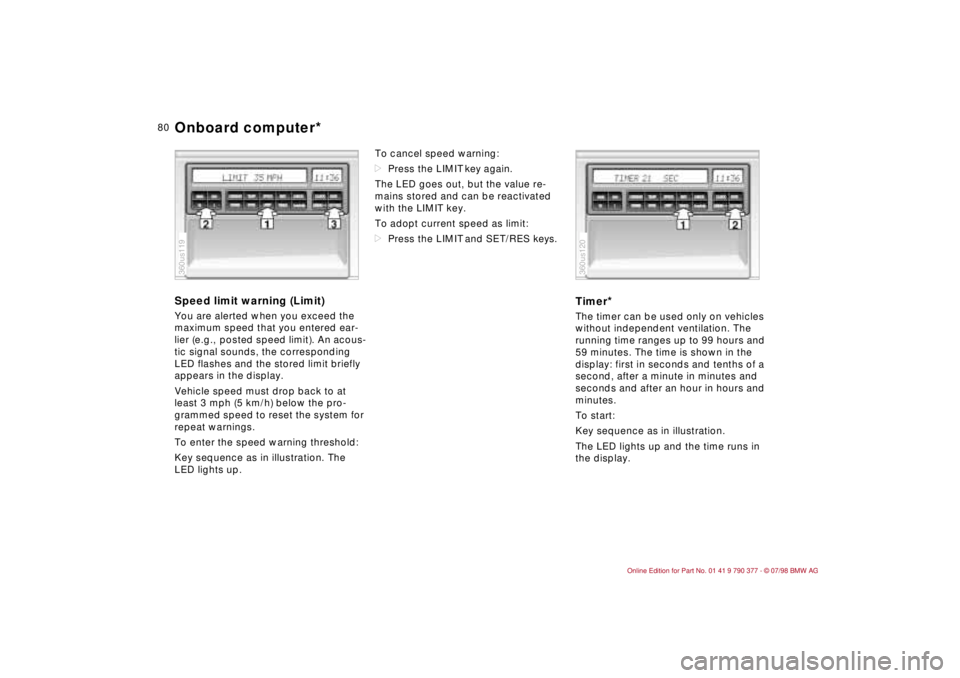
To enter the speed warning threshold:
Key sequence as in illustration. The
LED lights up.To cancel speed warning:
dPress the LIMIT key again.
The LED goes out, but the value re-
mains stored and can be reactivated
with the LIMIT key.
To adopt current speed as limit:
dPress the LIMIT and SET/RES keys.
Timer
*
The timer can be used only on vehicles
without independent ventilation. The
running time ranges up to 99 hours and
59 minutes. The time is shown in the
display: first in seconds and tenths of a
second, after a minute in minutes and
seconds and after an hour in hours and
minutes.
To start:
Key sequence as in illustration.
The LED lights up and the time runs in
the display.
360us119
360us120
Onboard computer*
Page 86 of 179
85
At a glanceControls Car careRepairsTechnicalDataIndex
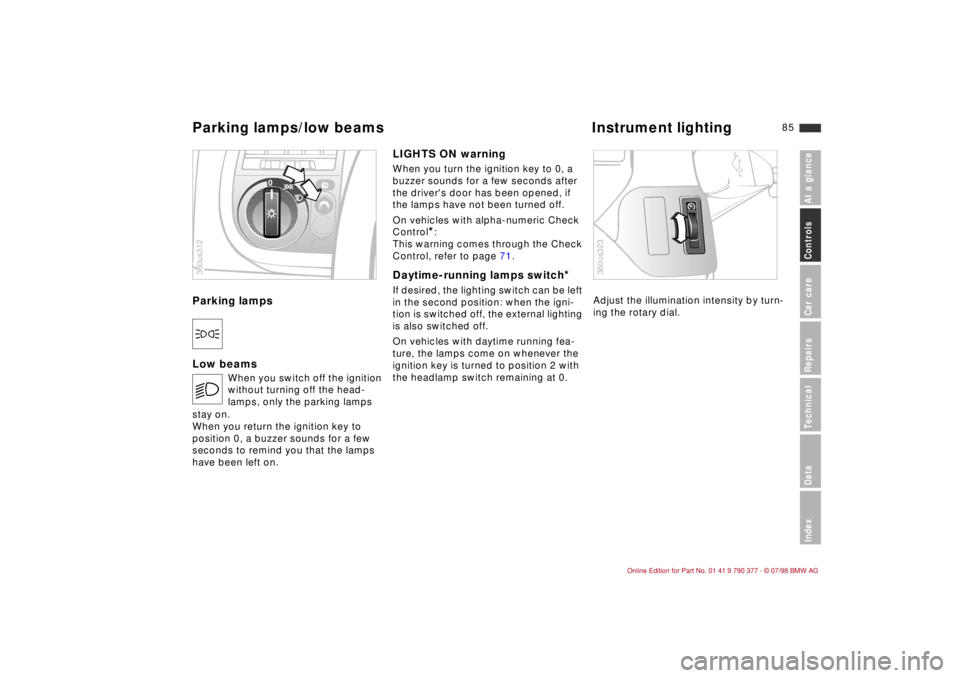
Parking lampsDLow beamsLIGHTS ON warning
When you turn the ignition key to 0, a
buzzer sounds for a few seconds after
the driver's door has been opened, if
the lamps have not been turned off.
On vehicles with alpha-numeric Check
Control
*:
This warning comes through the Check
Control, refer to page 71.
Daytime-running lamps switch
*
If desired, the lighting switch can be left
in the second position: when the igni-
tion is switched off, the external lighting
is also switched off.
On vehicles with daytime running fea-
ture, the lamps come on whenever the
ignition key is turned to position 2 with
the headlamp switch remaining at 0.Adjust the illumination intensity by turn-
ing the rotary dial.
E
When you switch off the ignition
without turning off the head-
lamps, only the parking lamps
stay on.
When you return the ignition key to
position 0, a buzzer sounds for a few
seconds to remind you that the lamps
have been left on.
0
360us312
360us323
Parking lamps/low beams Instrument lighting
Page 104 of 179

10 3
At a glanceControlsCar careRepairsTechnicalDataIndex
ABS enhances active safety by helping
to prevent the wheels from locking under
braking. When the front wheels slide, the
driver loses steering control over the
vehicle. Traction loss at the rear wheels
can cause the rear end to break into
uncontrolled oversteer.
ABS is designed to meet two essential
requirements during every application:
dto help provide vehicle stability on all
types of road surface (asphalt,
cement, dirt, moisture, snow and ice).
dto help to retain steering and maneu-
vering capability under the same con-
ditions.
However, certain important consider-
ations must be borne in mind in connec-
tion with these requirements:
Not even ABS can suspend the normal
laws of physics. ABS alone can not pre-
vent accidents when the brakes are
applied without an adequate safety
interval between vehicles, when the car
reaches excessive rates of lateral accel-
eration in curves, or if aquaplaning
occurs. Responsibility for these types of
situations remains in the hands (and feet)
of the driver. You should never allow the
added safety of ABS to lull you into a
false sense of security, or mislead you
into taking increased risks that could
affect your own safety and that of others.
Driving with ABSThe yellow ABS warning in the instru-
ment panel goes out as soon as the
engine is started.
The system becomes operative once the
vehicle exceeds a speed of 5 mph
(8 km/h). The ABS is deactivated when-
ever the vehicle's speed drops below
approx. 2 mph (3 km/h). This means that
the wheels can lock in the Þnal phase of
a braking action - a factor of no signiÞ-
cance in actual practice.
The ABS system closed-loop control cir-
cuit cycles in fractions of a second. A
pulsation at the brake pedal indicates to
the driver that ABS is active, that is, that
the car is within its maximum braking
range. In addition, the audible pulsation
that accompanies the control operation
calls your attention to the reduced trac-
tion between tires and road surface
(marginal adhesion), and reminds you
that the vehicle's speed should be
reduced to adapt to road conditions.On road surfaces featuring a loose top
layer on a Þrmer substratum, e.g., on
gravel or snow, the braking distances
with ABS may be longer than with the
wheels locked. However, ABS continues
to provide enhanced vehicle and steer-
ing control under these conditions.
a
To ensure that the system remains
completely operational, never modify the
ABS. Service procedures on ABS are to
be performed by authorized technicians
only.c
ABS may fail to function with maximum
efÞciency when tires of different sizes
are mounted (e.g., winter tires/spare tire;
remount the correct tires at all wheels as
soon as possible).
In the event of a fault, the ABS warning
lamp in the instrument cluster lights up,
refer to page 18. The braking system
then reverts to conventional operation as
on a vehicle without ABS. However,
have the brake system checked by your
BMW Retailer as soon as possible. To
prevent undetected defects and cumu-
lative faults from adversely affecting the
brake system, refer any problems to
your authorized BMW Retailer at the
earliest opportunity.
Antilock Brake System (ABS)