ignition BMW CONVERTIBLE 1998 Owner's Manual
[x] Cancel search | Manufacturer: BMW, Model Year: 1998, Model line: CONVERTIBLE, Model: BMW CONVERTIBLE 1998Pages: 179, PDF Size: 3.51 MB
Page 64 of 179
63
At a glanceControls Car careRepairsTechnicalDataIndex
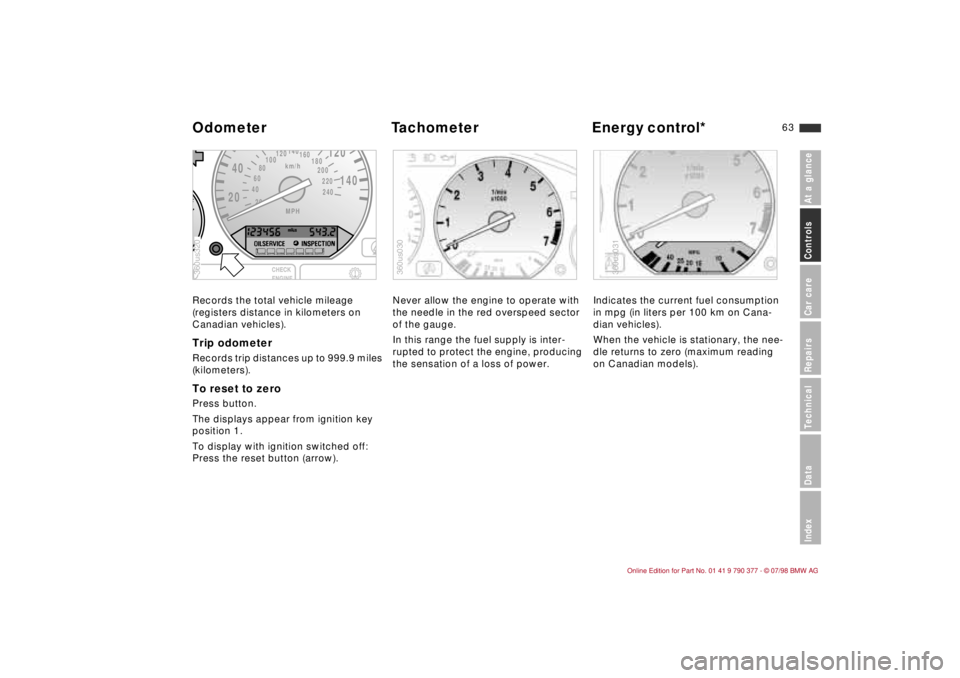
Records the total vehicle mileage
(registers distance in kilometers on
Canadian vehicles).Trip odometerRecords trip distances up to 999.9 miles
(kilometers).To reset to zeroPress button.
The displays appear from ignition key
position 1.
To display with ignition switched off:
Press the reset button (arrow).Never allow the engine to operate with
the needle in the red overspeed sector
of the gauge.
In this range the fuel supply is inter-
rupted to protect the engine, producing
the sensation of a loss of power.Indicates the current fuel consumption
in mpg (in liters per 100 km on Cana-
dian vehicles).
When the vehicle is stationary, the nee-
dle returns to zero (maximum reading
on Canadian models).
2040
120
140
km/h
240 220 200 180 160
140
120
100
80
60
40
20MPH
F360us320
360us030
360us031
Odometer Tachometer Energy control*
Page 65 of 179
64
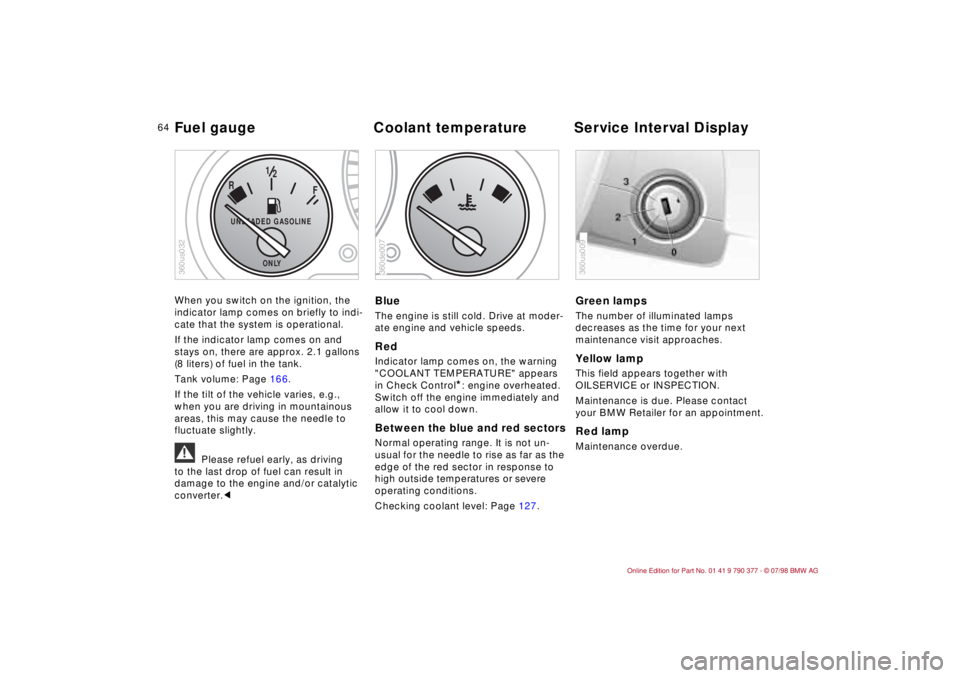
When you switch on the ignition, the
indicator lamp comes on briefly to indi-
cate that the system is operational.
If the indicator lamp comes on and
stays on, there are approx. 2.1 gallons
(8 liters) of fuel in the tank.
Tank volume: Page 166.
If the tilt of the vehicle varies, e.g.,
when you are driving in mountainous
areas, this may cause the needle to
fluctuate slightly.
a
Please refuel early, as driving
to the last drop of fuel can result in
damage to the engine and/or catalytic
converter.c
BlueThe engine is still cold. Drive at moder-
ate engine and vehicle speeds.RedIndicator lamp comes on, the warning
"COOLANT TEMPERATURE" appears
in Check Control
*: engine overheated.
Switch off the engine immediately and
allow it to cool down.
Between the blue and red sectorsNormal operating range. It is not un-
usual for the needle to rise as far as the
edge of the red sector in response to
high outside temperatures or severe
operating conditions.
Checking coolant level: Page 127.
Green lampsThe number of illuminated lamps
decreases as the time for your next
maintenance visit approaches.Yellow lamp This field appears together with
OILSERVICE or INSPECTION.
Maintenance is due. Please contact
your BMW Retailer for an appointment.Red lampMaintenance overdue.
F
R
12
UNLEADED GASOLINE
ONLY
360us032
360de007
360us009
Fuel gauge Coolant temperature Service Interval Display
Page 69 of 179
68
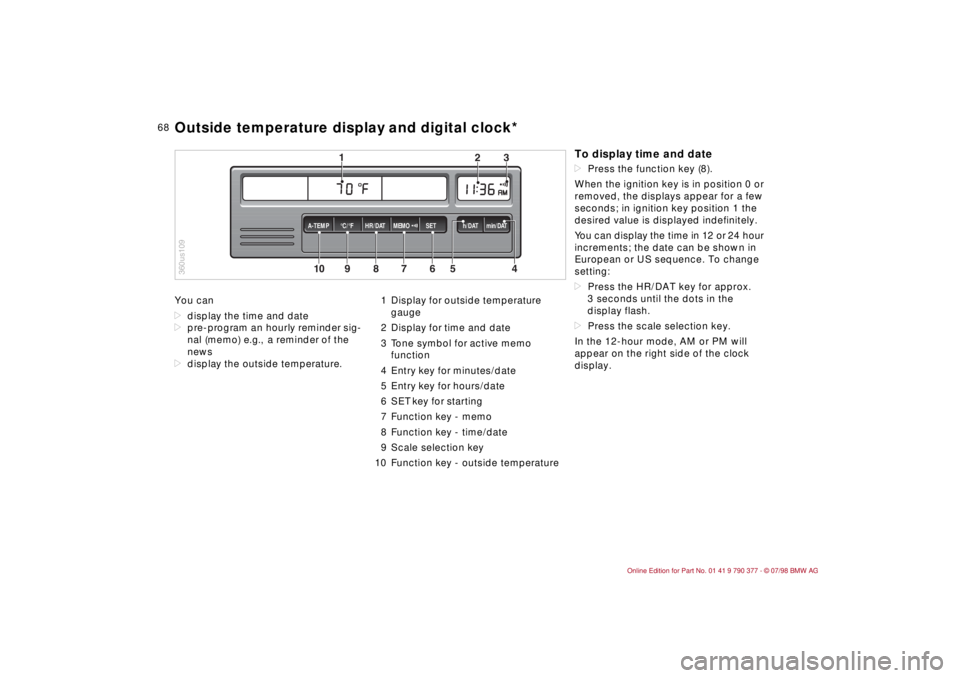
You can
ddisplay the time and date
dpre-program an hourly reminder sig-
nal (memo) e.g., a reminder of the
news
ddisplay the outside temperature.1 Display for outside temperature
gauge
2 Display for time and date
3 Tone symbol for active memo
function
4 Entry key for minutes/date
5 Entry key for hours/date
6 SET key for starting
7 Function key - memo
8 Function key - time/date
9 Scale selection key
10 Function key - outside temperature
10
MEMO
9
8
7
6
5
43
2
1
HR/DAT A-TEMP°C/°F SET h/DAT min/DAT
360us109Outside temperature display and digital clock*
To display time and datedPress the function key (8).
When the ignition key is in position 0 or
removed, the displays appear for a few
seconds; in ignition key position 1 the
desired value is displayed indefinitely.
You can display the time in 12 or 24 hour
increments; the date can be shown in
European or US sequence. To change
setting:
dPress the HR/DAT key for approx.
3 seconds until the dots in the
display flash.
dPress the scale selection key.
In the 12-hour mode, AM or PM will
appear on the right side of the clock
display.
Page 72 of 179
71
At a glanceControls Car careRepairsTechnicalDataIndex
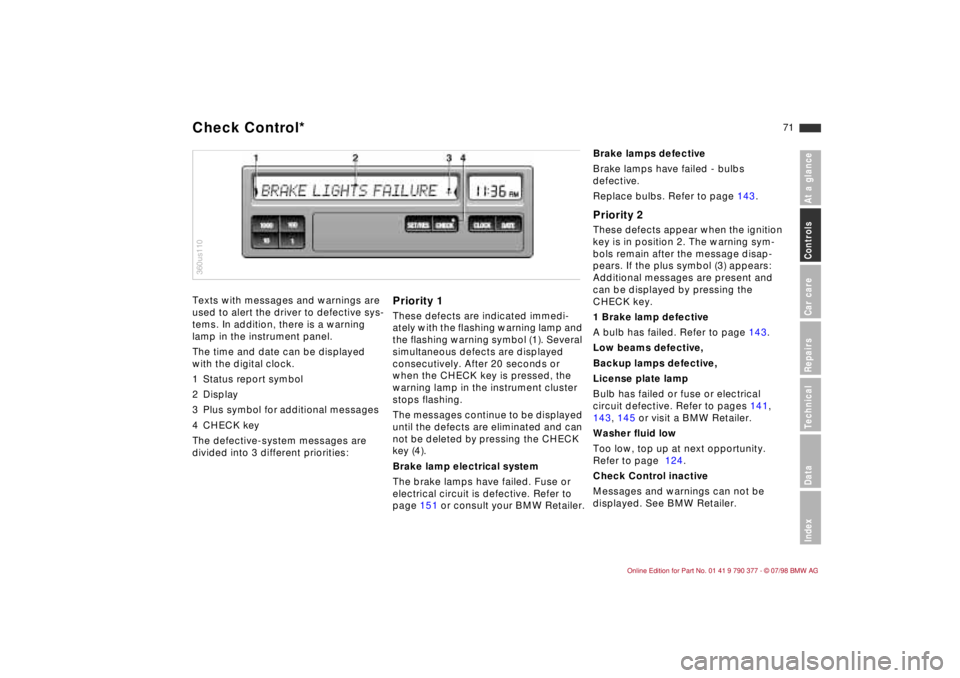
Texts with messages and warnings are
used to alert the driver to defective sys-
tems. In addition, there is a warning
lamp in the instrument panel.
The time and date can be displayed
with the digital clock.
1 Status report symbol
2 Display
3 Plus symbol for additional messages
4 CHECK key
The defective-system messages are
divided into 3 different priorities:
Priority 1These defects are indicated immedi-
ately with the flashing warning lamp and
the flashing warning symbol (1). Several
simultaneous defects are displayed
consecutively. After 20 seconds or
when the CHECK key is pressed, the
warning lamp in the instrument cluster
stops flashing.
The messages continue to be displayed
until the defects are eliminated and can
not be deleted by pressing the CHECK
key (4).
Brake lamp electrical system
The brake lamps have failed. Fuse or
electrical circuit is defective. Refer to
page 151 or consult your BMW Retailer.
360us110Check Control*
Brake lamps defective
Brake lamps have failed - bulbs
defective.
Replace bulbs. Refer to page 143.Priority 2These defects appear when the ignition
key is in position 2. The warning sym-
bols remain after the message disap-
pears. If the plus symbol (3) appears:
Additional messages are present and
can be displayed by pressing the
CHECK key.
1 Brake lamp defective
A bulb has failed. Refer to page 143.
Low beams defective,
Backup lamps defective,
License plate lamp
Bulb has failed or fuse or electrical
circuit defective. Refer to pages 141,
143, 145 or visit a BMW Retailer.
Washer fluid low
Too low, top up at next opportunity.
Refer to page 124.
Check Control inactive
Messages and warnings can not be
displayed. See BMW Retailer.
Page 73 of 179
72
Priority 3These status reports usually appear
after the car is parked and the ignition
key returned to position 0 (if several
messages have been recorded, they will
appear consecutively, with Priority 3
messages following Priority 1 and 2
messages).
Messages remain available for a period
of approx. two minutes after the display
goes out and the ignition key has been
removed, and can be displayed by
pressing the CHECK key.
The messages can also be displayed
before you start driving with the ignition
key in position 2. The texts then go out
after a short time or when you start driv-
ing, and no warning symbols remain.
Messages are not displayed again until
the ignition key is turned to position 0.
If a plus symbol appears: display addi-
tional messages by pressing the CHECK
key.Check coolant levelIndicates that coolant is almost down to
minimum level. Top up at the next
opportunity. Refer to page 127.To check the Check Control display
(only when no messages are displayed):
Press the CHECK key with the ignition
key in position 2: CHECK CONTROL
OK appears in the display.
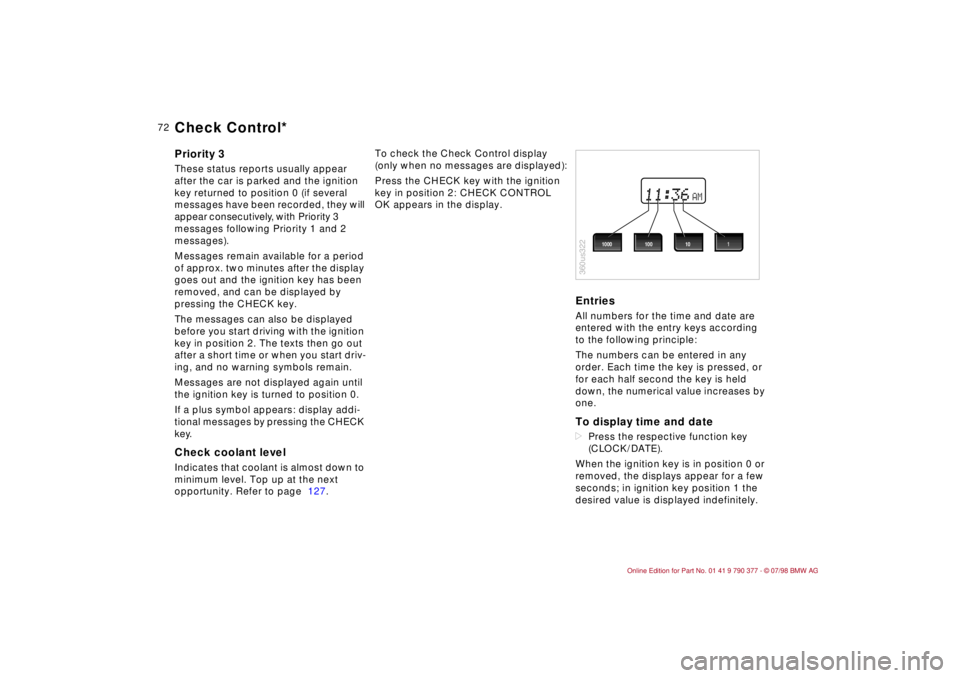
EntriesAll numbers for the time and date are
entered with the entry keys according
to the following principle:
The numbers can be entered in any
order. Each time the key is pressed, or
for each half second the key is held
down, the numerical value increases by
one.To display time and datedPress the respective function key
(CLOCK/DATE).
When the ignition key is in position 0 or
removed, the displays appear for a few
seconds; in ignition key position 1 the
desired value is displayed indefinitely.
AM
360us322
1000 1001 10
Check Control*
Page 75 of 179
74
The Check Control uses texts with mes-
sages and warnings to alert the driver
to defective systems. In addition, an
indicator lamp is provided in the instru-
ment cluster. For details and operating
instructions, refer to pages 71, 72.
The outside temperature can also be
displayed.
With the digital clock you can
ddisplay the time and date,
dpre-program an hourly reminder sig-
nal (memo) e.g., a reminder of the
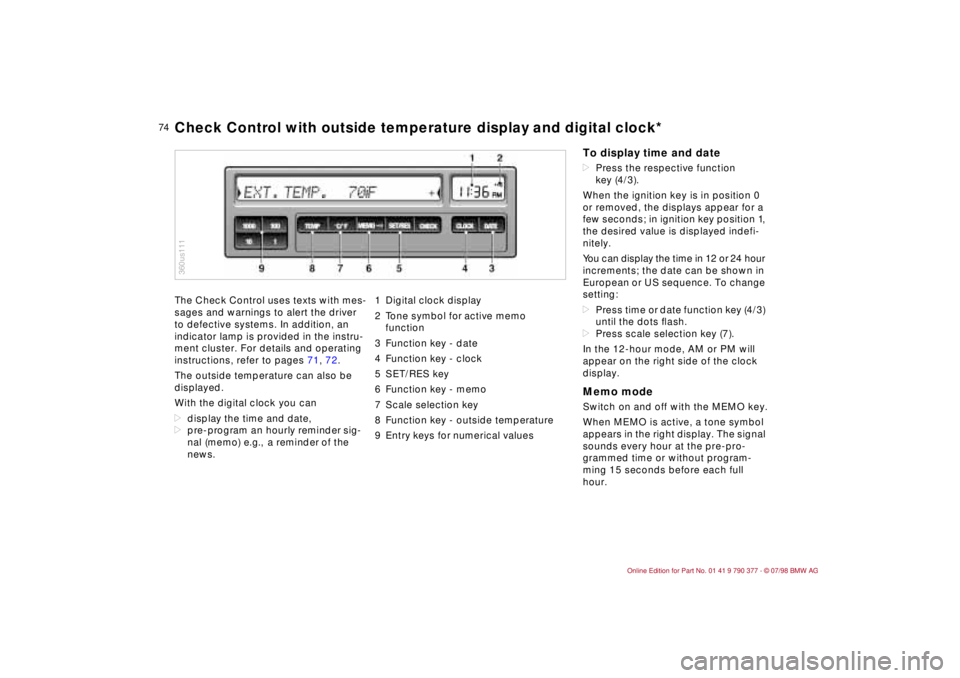
news.1 Digital clock display
2 Tone symbol for active memo
function
3 Function key - date
4 Function key - clock
5 SET/RES key
6 Function key - memo
7 Scale selection key
8 Function key - outside temperature
9 Entry keys for numerical values
360us111Check Control with outside temperature display and digital clock*
To display time and datedPress the respective function
key (4/3).
When the ignition key is in position 0
or removed, the displays appear for a
few seconds; in ignition key position 1,
the desired value is displayed indefi-
nitely.
You can display the time in 12 or 24 hour
increments; the date can be shown in
European or US sequence. To change
setting:
dPress time or date function key (4/3)
until the dots ßash.
dPress scale selection key (7).
In the 12-hour mode, AM or PM will
appear on the right side of the clock
display.Memo modeSwitch on and off with the MEMO key.
When MEMO is active, a tone symbol
appears in the right display. The signal
sounds every hour at the pre-pro-
grammed time or without program-
ming 15 seconds before each full
hour.
Page 82 of 179
81
At a glanceControls Car careRepairsTechnicalDataIndex
To stop:
When the time is displayed:
dPress the SET/RES key.
If other information is displayed:
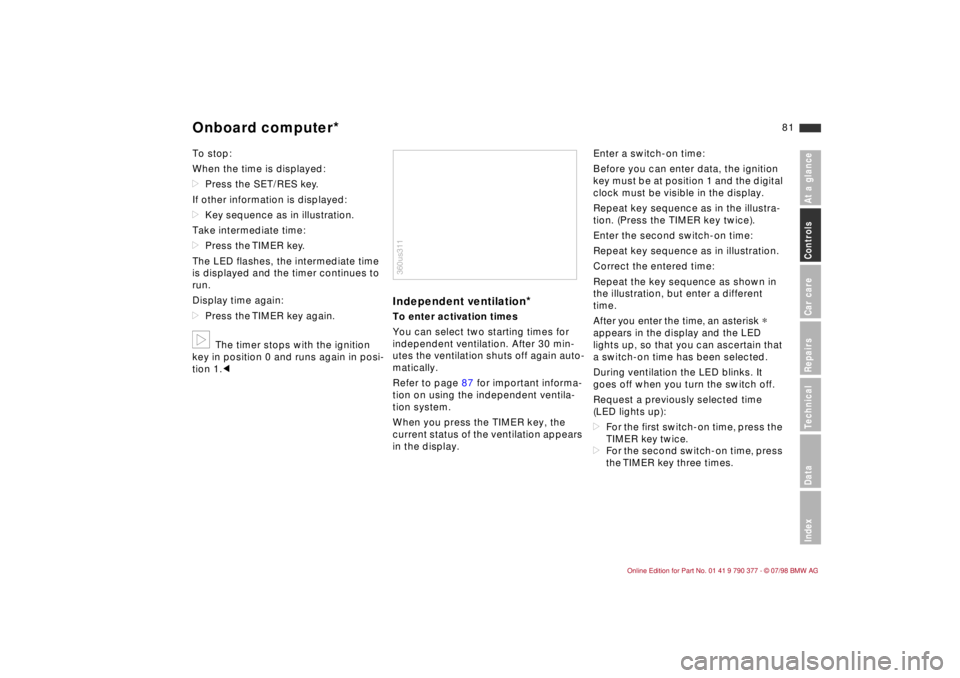
dKey sequence as in illustration.
Take intermediate time:
dPress the TIMER key.
The LED flashes, the intermediate time
is displayed and the timer continues to
run.
Display time again:
dPress the TIMER key again.b
The timer stops with the ignition
key in position 0 and runs again in posi-
tion 1.c
Independent ventilation
*
To enter activation times
You can select two starting times for
independent ventilation. After 30 min-
utes the ventilation shuts off again auto-
matically.
Refer to page 87 for important informa-
tion on using the independent ventila-
tion system.
When you press the TIMER key, the
current status of the ventilation appears
in the display.Enter a switch-on time:
Before you can enter data, the ignition
key must be at position 1 and the digital
clock must be visible in the display.
Repeat key sequence as in the illustra-
tion. (Press the TIMER key twice).
Enter the second switch-on time:
Repeat key sequence as in illustration.
Correct the entered time:
Repeat the key sequence as shown in
the illustration, but enter a different
time.
After you enter the time, an asterisk
*
appears in the display and the LED
lights up, so that you can ascertain that
a switch-on time has been selected.
During ventilation the LED blinks. It
goes off when you turn the switch off.
Request a previously selected time
(LED lights up):
dFor the first switch-on time, press the
TIMER key twice.
dFor the second switch-on time, press
the TIMER key three times.
360us311
Onboard computer*
Page 83 of 179
82
Switch on directlyAvailable only with ignition key at posi-
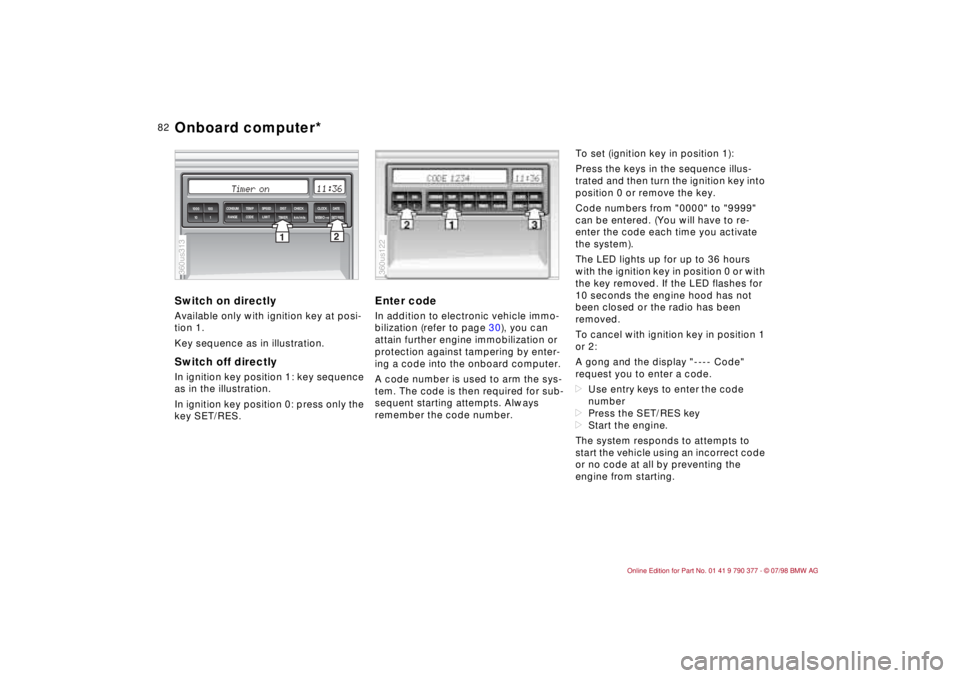
tion 1.
Key sequence as in illustration.Switch off directlyIn ignition key position 1: key sequence
as in the illustration.
In ignition key position 0: press only the
key SET/RES.
Enter codeIn addition to electronic vehicle immo-
bilization (refer to page 30), you can
attain further engine immobilization or
protection against tampering by enter-
ing a code into the onboard computer.
A code number is used to arm the sys-
tem. The code is then required for sub-
sequent starting attempts. Always
remember the code number.To set (ignition key in position 1):
Press the keys in the sequence illus-
trated and then turn the ignition key into
position 0 or remove the key.
Code numbers from "0000" to "9999"
can be entered. (You will have to re-
enter the code each time you activate
the system).
The LED lights up for up to 36 hours
with the ignition key in position 0 or with
the key removed. If the LED flashes for
10 seconds the engine hood has not
been closed or the radio has been
removed.
To cancel with ignition key in position 1
or 2:
A gong and the display "---- Code"
request you to enter a code.
dUse entry keys to enter the code
number
dPress the SET/RES key
dStart the engine.
The system responds to attempts to
start the vehicle using an incorrect code
or no code at all by preventing the
engine from starting.
2
1TIMER
km/mls
MEMOSET/RES 1000 100
10 1
SPEED CONSUM TEMP DIST CHECK CLOCK
DATE
LIMIT RANGE CODE
360us313
360us122
Onboard computer*
Page 85 of 179
84
Automatic Stability Control plus
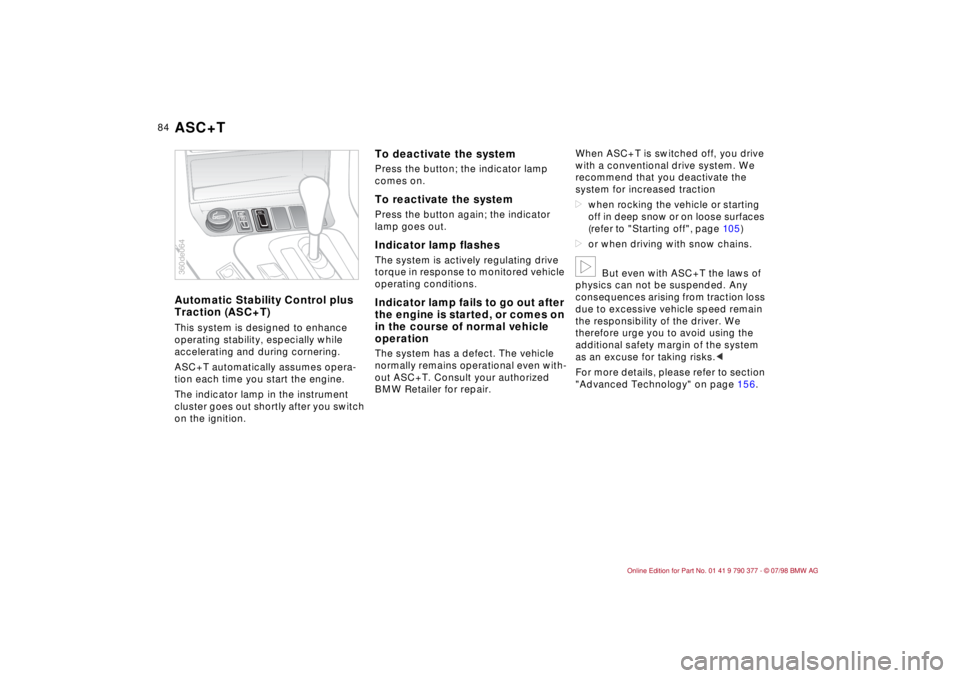
Traction (ASC+T)This system is designed to enhance
operating stability, especially while
accelerating and during cornering.
ASC+T automatically assumes opera-
tion each time you start the engine.
The indicator lamp in the instrument
cluster goes out shortly after you switch
on the ignition.
To deactivate the systemPress the button; the indicator lamp
comes on.To reactivate the systemPress the button again; the indicator
lamp goes out.Indicator lamp flashesThe system is actively regulating drive
torque in response to monitored vehicle
operating conditions.Indicator lamp fails to go out after
the engine is started, or comes on
in the course of normal vehicle
operationThe system has a defect. The vehicle
normally remains operational even with-
out ASC+T. Consult your authorized
BMW Retailer for repair.When ASC+T is switched off, you drive
with a conventional drive system. We
recommend that you deactivate the
system for increased traction
dwhen rocking the vehicle or starting
off in deep snow or on loose surfaces
(refer to "Starting off", page 10 5)
dor when driving with snow chains.
b
But even with ASC+T the laws of
physics can not be suspended. Any
consequences arising from traction loss
due to excessive vehicle speed remain
the responsibility of the driver. We
therefore urge you to avoid using the
additional safety margin of the system
as an excuse for taking risks.c
For more details, please refer to section
"Advanced Technology" on page 156.
ASC
360de064ASC+T
Page 86 of 179
85
At a glanceControls Car careRepairsTechnicalDataIndex
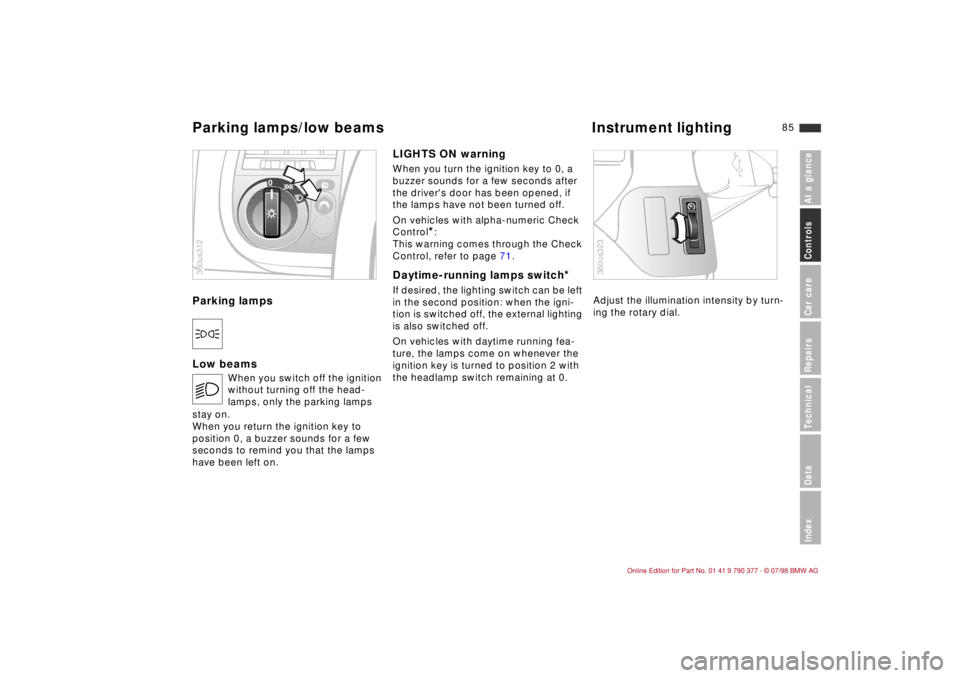
Parking lampsDLow beamsLIGHTS ON warning
When you turn the ignition key to 0, a
buzzer sounds for a few seconds after
the driver's door has been opened, if
the lamps have not been turned off.
On vehicles with alpha-numeric Check
Control
*:
This warning comes through the Check
Control, refer to page 71.
Daytime-running lamps switch
*
If desired, the lighting switch can be left
in the second position: when the igni-
tion is switched off, the external lighting
is also switched off.
On vehicles with daytime running fea-
ture, the lamps come on whenever the
ignition key is turned to position 2 with
the headlamp switch remaining at 0.Adjust the illumination intensity by turn-
ing the rotary dial.
E
When you switch off the ignition
without turning off the head-
lamps, only the parking lamps
stay on.
When you return the ignition key to
position 0, a buzzer sounds for a few
seconds to remind you that the lamps
have been left on.
0
360us312
360us323
Parking lamps/low beams Instrument lighting