light BMW I3 2014 I01 Owner's Guide
[x] Cancel search | Manufacturer: BMW, Model Year: 2014, Model line: I3, Model: BMW I3 2014 I01Pages: 230, PDF Size: 29.93 MB
Page 59 of 230
Door lock and armed alarm systemThe alarm system is triggered when the door is
opened, when the vehicle is unlocked via the
door lock.
Tailgate and armed alarm system
The tailgate can be opened even when the alarm system is armed.
After the tailgate is closed, it is locked and
monitored again when the doors are locked.
The hazard warning system flashes once.
Panic mode
You can trigger the alarm system if you find
yourself in a dangerous situation.
Press button on the remote control for
at least 3 seconds.
To reel off the alarm: press any button.
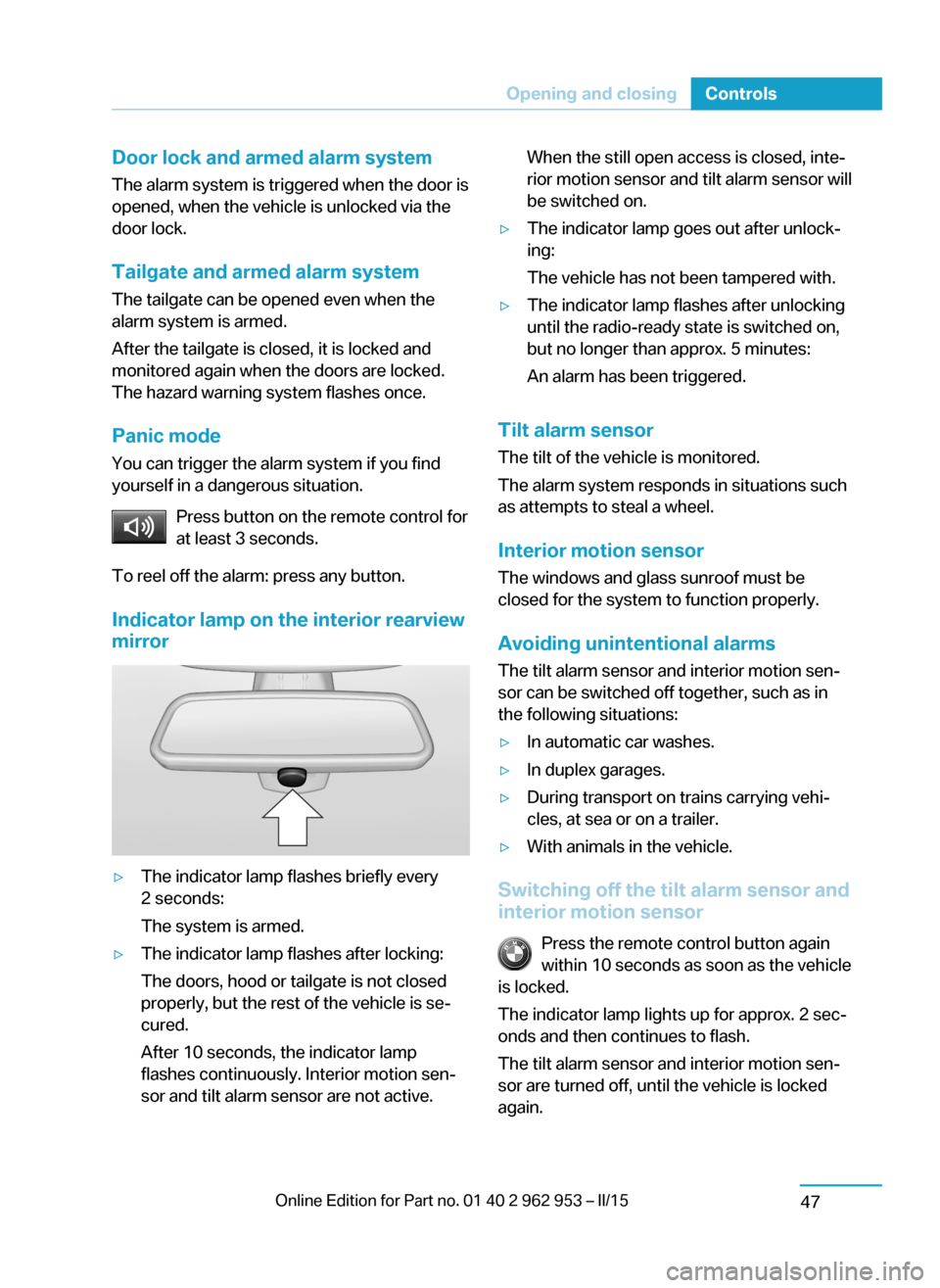
Indicator lamp on the interior rearview
mirror▷The indicator lamp flashes briefly every
2 seconds:
The system is armed.▷The indicator lamp flashes after locking:
The doors, hood or tailgate is not closed
properly, but the rest of the vehicle is se‐
cured.
After 10 seconds, the indicator lamp
flashes continuously. Interior motion sen‐
sor and tilt alarm sensor are not active.When the still open access is closed, inte‐
rior motion sensor and tilt alarm sensor will
be switched on.▷The indicator lamp goes out after unlock‐
ing:
The vehicle has not been tampered with.▷The indicator lamp flashes after unlocking
until the radio-ready state is switched on,
but no longer than approx. 5 minutes:
An alarm has been triggered.
Tilt alarm sensor The tilt of the vehicle is monitored.
The alarm system responds in situations such
as attempts to steal a wheel.
Interior motion sensor The windows and glass sunroof must be
closed for the system to function properly.
Avoiding unintentional alarms The tilt alarm sensor and interior motion sen‐
sor can be switched off together, such as in
the following situations:
▷In automatic car washes.▷In duplex garages.▷During transport on trains carrying vehi‐
cles, at sea or on a trailer.▷With animals in the vehicle.
Switching off the tilt alarm sensor and
interior motion sensor
Press the remote control button again
within 10 seconds as soon as the vehicle
is locked.
The indicator lamp lights up for approx. 2 sec‐
onds and then continues to flash.
The tilt alarm sensor and interior motion sen‐
sor are turned off, until the vehicle is locked again.
Seite 45Opening and closingControls47
Page 60 of 230
Switching off the alarm▷Unlock vehicle with the remote control or
establish radio-ready state, if needed
through emergency detection of remote
control, refer to page 37.▷With Comfort Access: If you are carrying
the remote control on your person, grasp
the driver side or front passenger side door
handle completely.
Power windows
General information Take the remote control with you
Take the remote control with you when
leaving the vehicle so that children, e.g., can‐
not operate the power windows and injure
themselves.◀
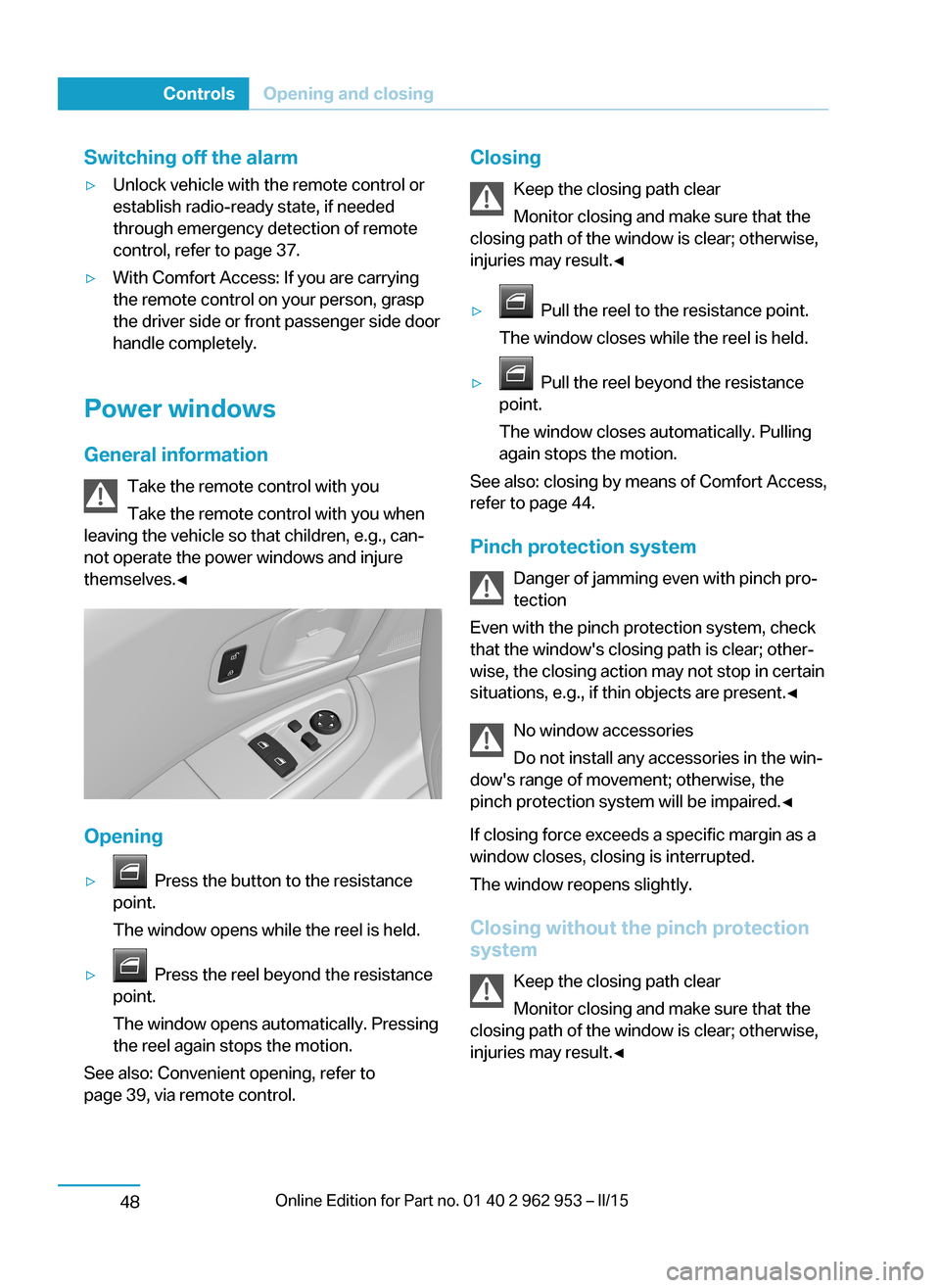
Opening
▷ Press the button to the resistance
point.
The window opens while the reel is held.▷ Press the reel beyond the resistance
point.
The window opens automatically. Pressing
the reel again stops the motion.
See also: Convenient opening, refer to
page 39, via remote control.
Closing
Keep the closing path clear
Monitor closing and make sure that the
closing path of the window is clear; otherwise,
injuries may result.◀▷ Pull the reel to the resistance point.
The window closes while the reel is held.▷ Pull the reel beyond the resistance
point.
The window closes automatically. Pulling
again stops the motion.
See also: closing by means of Comfort Access,
refer to page 44.
Pinch protection system Danger of jamming even with pinch pro‐
tection
Even with the pinch protection system, check
that the window's closing path is clear; other‐
wise, the closing action may not stop in certain
situations, e.g., if thin objects are present.◀
No window accessories
Do not install any accessories in the win‐
dow's range of movement; otherwise, the
pinch protection system will be impaired.◀
If closing force exceeds a specific margin as a
window closes, closing is interrupted.
The window reopens slightly.
Closing without the pinch protection
system
Keep the closing path clear
Monitor closing and make sure that the
closing path of the window is clear; otherwise,
injuries may result.◀
Seite 46ControlsOpening and closing48
Page 61 of 230
E.g. danger from the outside or ice might pre‐
vent window from closing properly - proceed
as follows:1.Pull the reel past the resistance point and
hold it there.
The pinch protection is limited and the
window reopens slightly if the closing force
exceeds a certain margin.2.Pull the reel past the resistance point again
within approx. 4 seconds and hold it there.
The window closes without jam protection.
Glass sunroof, powered
General information
The glass sunroof is operational when the igni‐
tion is switched on.
Keep the closing path clear
Monitor closing and make sure that the
closing path of the glass sunroof is clear; oth‐
erwise, injuries may result.◀
Take the remote control with youTake the remote control with you when
leaving the vehicle so that children, e.g., can‐
not operate the glass sunroof and injure them‐
selves.◀
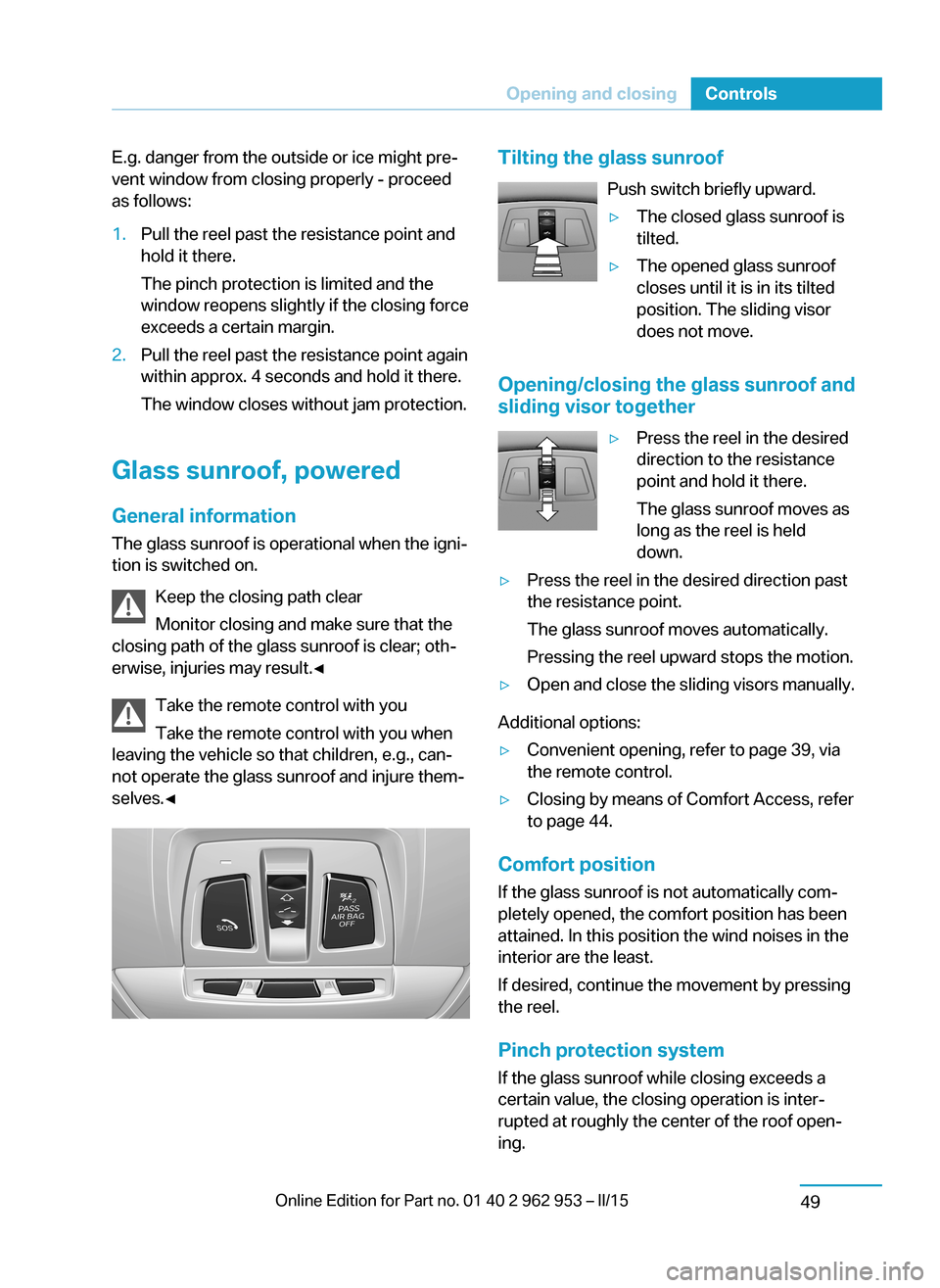
Tilting the glass sunroof
Push switch briefly upward.▷The closed glass sunroof is
tilted.▷The opened glass sunroof
closes until it is in its tilted
position. The sliding visor
does not move.
Opening/closing the glass sunroof and
sliding visor together
▷Press the reel in the desired
direction to the resistance
point and hold it there.
The glass sunroof moves as
long as the reel is held
down.▷Press the reel in the desired direction past
the resistance point.
The glass sunroof moves automatically.
Pressing the reel upward stops the motion.▷Open and close the sliding visors manually.
Additional options:
▷Convenient opening, refer to page 39, via
the remote control.▷Closing by means of Comfort Access, refer
to page 44.
Comfort position
If the glass sunroof is not automatically com‐
pletely opened, the comfort position has been
attained. In this position the wind noises in the
interior are the least.
If desired, continue the movement by pressing
the reel.
Pinch protection system
If the glass sunroof while closing exceeds a
certain value, the closing operation is inter‐
rupted at roughly the center of the roof open‐
ing.
Seite 47Opening and closingControls49
Page 62 of 230
The glass sunroof reopens slightly.Danger of jamming even with pinch pro‐
tection
Despite the pinch protection system, check
that the glass sunroof's closing path is clear;
otherwise, the closing action may not be inter‐
rupted in certain extreme situations, such as
when thin objects are present.◀
Closing from the open position
without pinch protection
E. g. if there is an external danger, proceed as
follows:1.Press the reel forward beyond the resist‐
ance point and hold.
The pinch protection is limited and the
glass sunroof reopens slightly if the closing
force exceeds a certain margin.2.Press the reel forward again beyond the re‐
sistance point and hold until the glass sun‐
roof closes without jam protection. Make
sure that the closing area is clear.
Closing from the raised position
without pinch protection
If there is an external danger, push the reel for‐
ward past the resistance point and hold it.
The glass sunroof closes without jam protec‐
tion.
Initializing after a power failure After a power failure during the opening or
closing process, the glass sunroof can only be
operated to a limited extent.
Initializing the system
The system can be initialized when the vehicle
is stationary and drive readiness is established.
During the initialization, the glass sunroof
closes without jam protection.
Keep the closing path clear
Monitor closing and make sure that the
closing path of the glass sunroof is clear; oth‐
erwise, injuries may result.◀
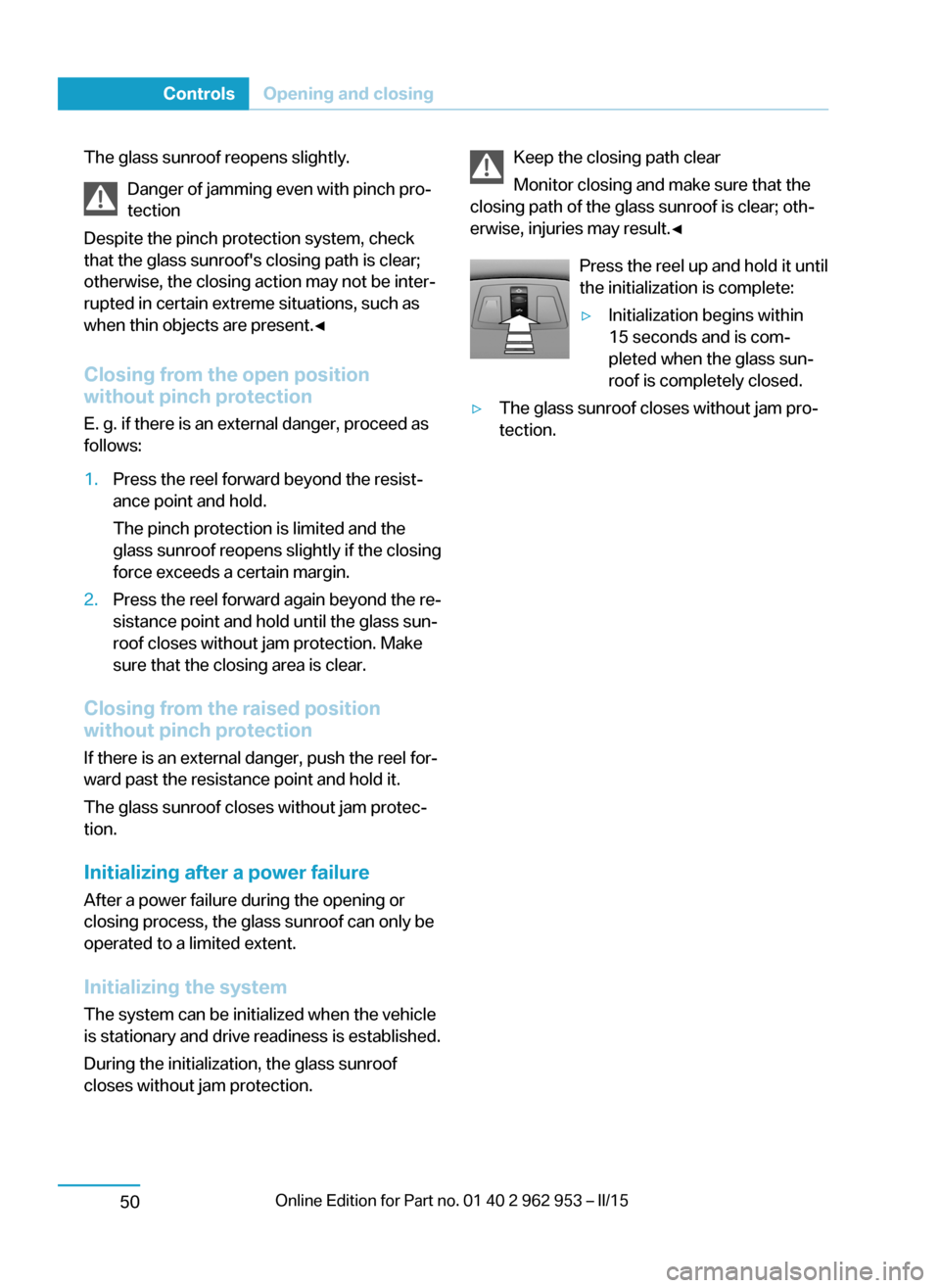
Press the reel up and hold it until
the initialization is complete:▷Initialization begins within
15 seconds and is com‐
pleted when the glass sun‐
roof is completely closed.▷The glass sunroof closes without jam pro‐
tection.Seite 48ControlsOpening and closing50
Page 63 of 230
AdjustingVehicle features and options
This chapter describes all standard, country-
specific and optional features offered with the
series. It also describes features that are not
necessarily available in your car, e. g., due to
the selected options or country versions. This
also applies to safety-related functions and
systems.
Sitting safely
The ideal seating position can make a vital
contribution to relaxed, fatigue-free driving.
The seating position plays an important role in
an accident in combination with:▷Safety belts, refer to page 53.▷Head restraints, refer to page 54.▷Airbags, refer to page 92.
Seats
Hints Do not adjust the seat while driving
Do not adjust the driver's seat while driv‐
ing, or the seat could respond with unexpected
movement and the ensuing loss of vehicle
control could lead to an accident.◀
Do not incline the backrest too far to the
rear
Also on the front passenger side, do not incline
the backrest on the front passenger side too far to the rear while driving, or there is a risk of
slipping under the safety belt in the event of an
accident. This would eliminate the protection
normally provided by the belt.◀
Keep the movement area unobstructed
When changing the seat position, keep
the seat's area of movement unobstructed;
otherwise, people might get injured or objects
damaged.◀
Adjusting seats
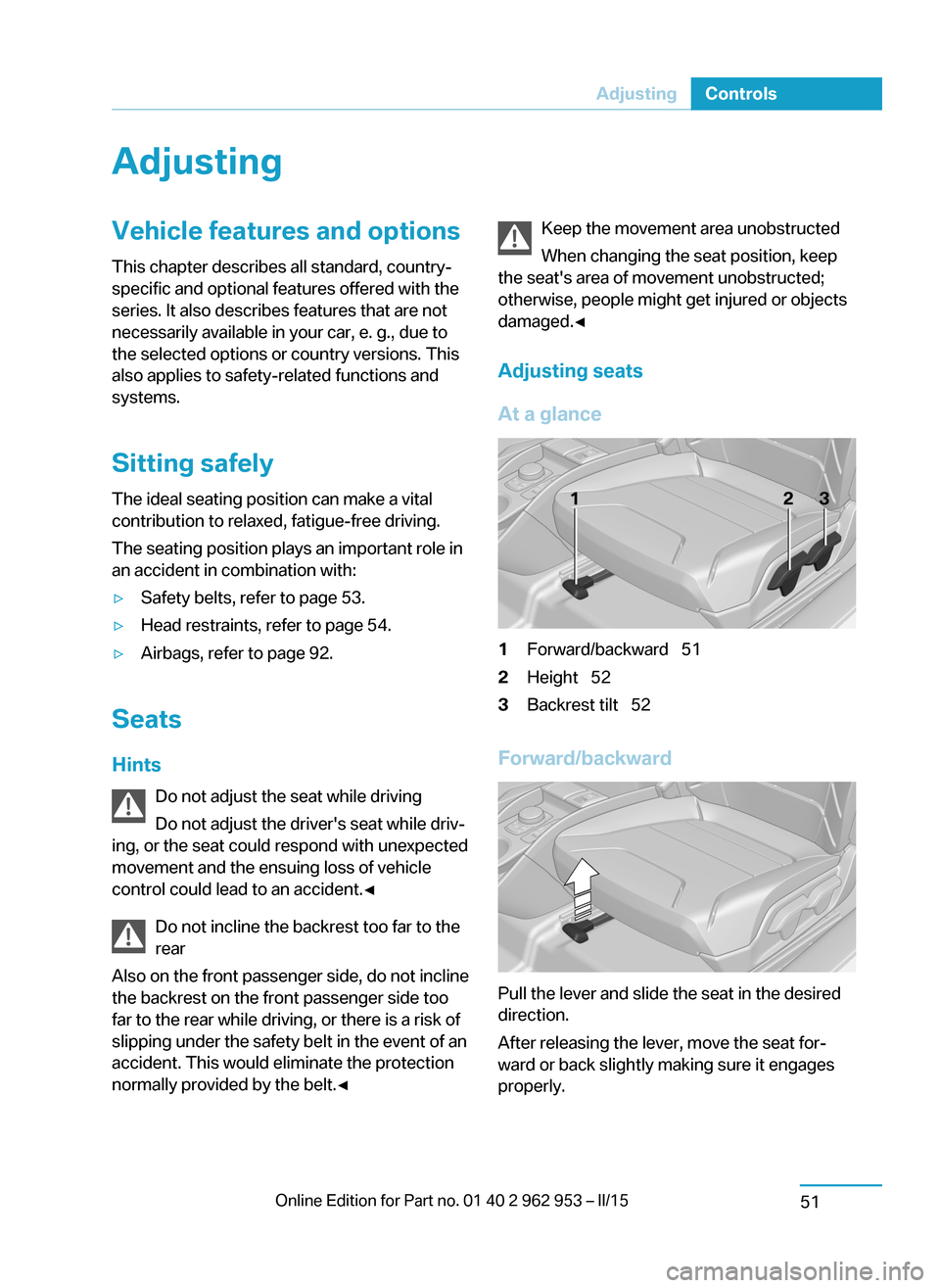
At a glance1Forward/backward 512Height 523Backrest tilt 52
Forward/backward
Pull the lever and slide the seat in the desired
direction.
After releasing the lever, move the seat for‐
ward or back slightly making sure it engages
properly.
Seite 49AdjustingControls51
Page 65 of 230
Safety beltsSeats with safety belt
The vehicle has four seats, each of which is
equipped with a safety belt.
Number of safety belts
Your vehicle has been fitted with four safety
belts for your and your passengers' safety.
However, they can only offer protection when
adjusted correctly.
General information Always make sure that safety belts are being
worn by all occupants before driving off.
For the occupants' safety the belt locking
mechanism triggers early. Slowly guide the
belt out of the holder when applying it.
Although airbags enhance safety by providing
added protection, they are not a substitute for
safety belts.
The upper shoulder strap's anchorage point
will be correct for adult seat occupants of ev‐
ery build if the seat is correctly adjusted.
Hints One person per safety belt
Never allow more than one person to
wear a single safety belt. Never allow infants or
small children to ride on a passenger's lap.◀
Putting on the belt
Lay the belt, without twisting, snugly
across the lap and shoulders, as close to the
body as possible. Make sure that the belt lies
low around the hips in the lap area and does
not press on the abdomen. Otherwise, the belt
can slip over the hips in a frontal impact and in‐
jure the abdomen.
The safety belt must not lie across the neck, rub on sharp edges, be routed over breakable
objects, or be pinched.◀What reduces the restraining effect
Avoid wearing bulky clothing, and pull
the shoulder belt periodically to readjust the
tension. Make sure that the belt is not jammed;
otherwise, the belt can be damaged and the
restraining effect is reduced.◀
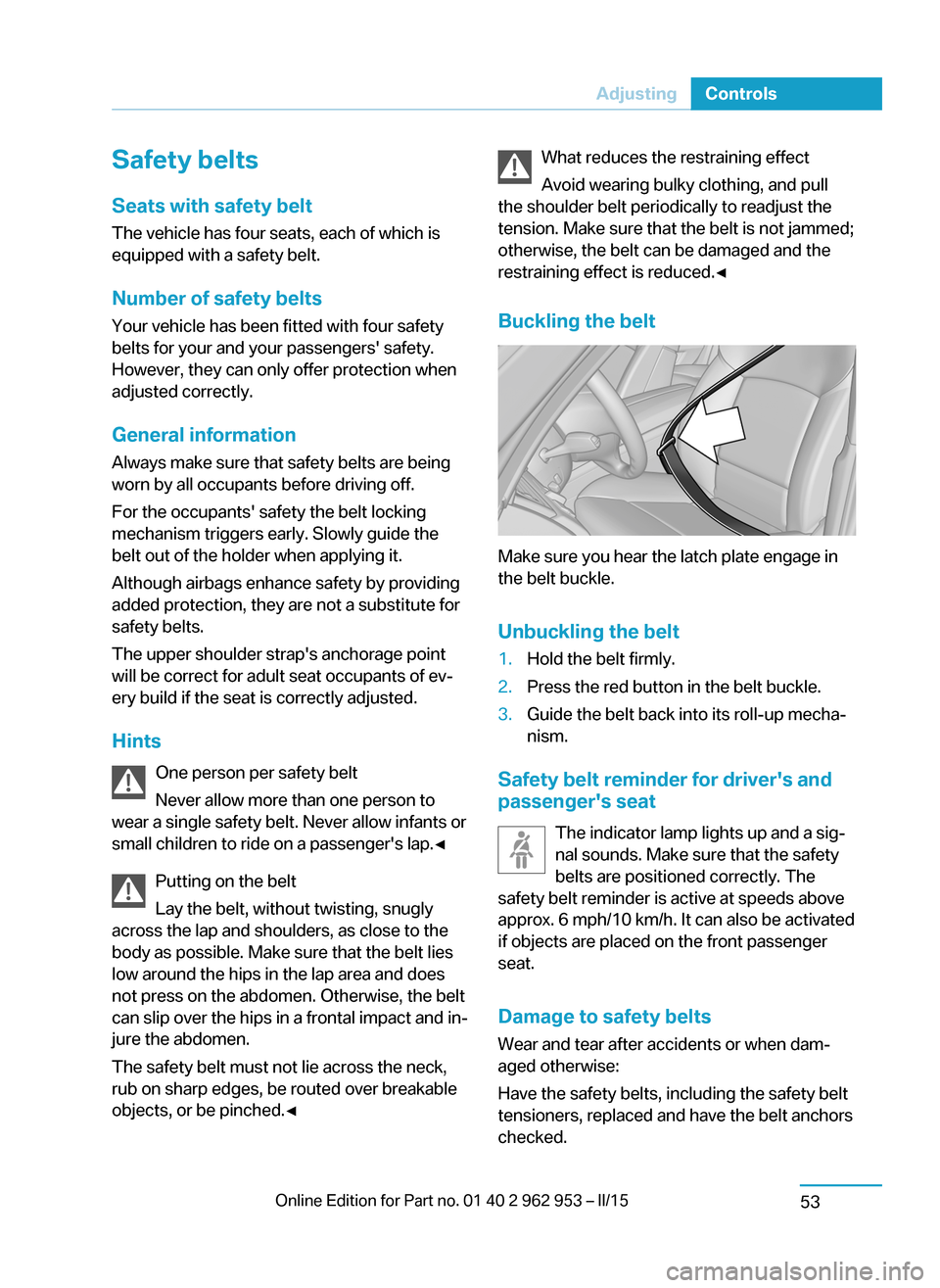
Buckling the belt
Make sure you hear the latch plate engage in
the belt buckle.
Unbuckling the belt
1.Hold the belt firmly.2.Press the red button in the belt buckle.3.Guide the belt back into its roll-up mecha‐
nism.
Safety belt reminder for driver's and
passenger's seat
The indicator lamp lights up and a sig‐
nal sounds. Make sure that the safety
belts are positioned correctly. The
safety belt reminder is active at speeds above
approx. 6 mph/10 km/h. It can also be activated
if objects are placed on the front passenger
seat.
Damage to safety belts Wear and tear after accidents or when dam‐
aged otherwise:
Have the safety belts, including the safety belt
tensioners, replaced and have the belt anchors
checked.
Seite 51AdjustingControls53
Page 74 of 230
DrivingVehicle features and options
This chapter describes all standard, country-
specific and optional features offered with the
series. It also describes features that are not
necessarily available in your car, e. g., due to
the selected options or country versions. This
also applies to safety-related functions and
systems.
Start/Stop button
At a glance
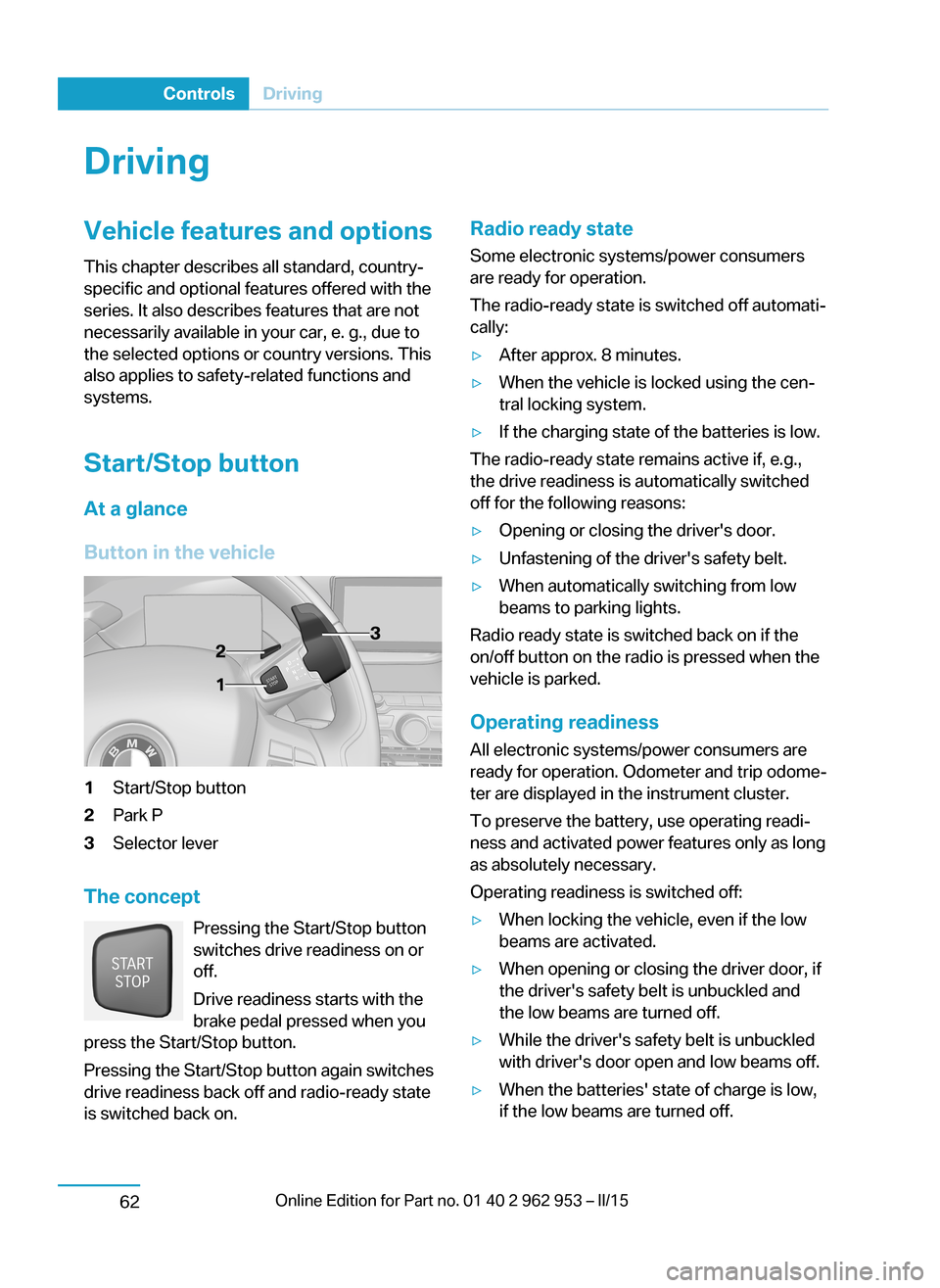
Button in the vehicle1Start/Stop button2Park P3Selector lever
The concept Pressing the Start/Stop button
switches drive readiness on or
off.
Drive readiness starts with the
brake pedal pressed when you
press the Start/Stop button.
Pressing the Start/Stop button again switches
drive readiness back off and radio-ready state is switched back on.
Radio ready state
Some electronic systems/power consumers
are ready for operation.
The radio-ready state is switched off automati‐ cally:▷After approx. 8 minutes.▷When the vehicle is locked using the cen‐
tral locking system.▷If the charging state of the batteries is low.
The radio-ready state remains active if, e.g.,
the drive readiness is automatically switched
off for the following reasons:
▷Opening or closing the driver's door.▷Unfastening of the driver's safety belt.▷When automatically switching from low
beams to parking lights.
Radio ready state is switched back on if the
on/off button on the radio is pressed when the
vehicle is parked.
Operating readiness
All electronic systems/power consumers are
ready for operation. Odometer and trip odome‐
ter are displayed in the instrument cluster.
To preserve the battery, use operating readi‐
ness and activated power features only as long
as absolutely necessary.
Operating readiness is switched off:
▷When locking the vehicle, even if the low
beams are activated.▷When opening or closing the driver door, if
the driver's safety belt is unbuckled and
the low beams are turned off.▷While the driver's safety belt is unbuckled
with driver's door open and low beams off.▷When the batteries' state of charge is low,
if the low beams are turned off.Seite 60ControlsDriving62
Page 75 of 230
▷The low beams reel to parking lights after
approx. 15 minutes of no use.
Drive readiness
If drive readiness is switched on, the vehicle
ready to drive and the READY signal, refer to
page 63, is displayed in the instrument clus‐
ter.
All vehicle systems are ready for operation.
Most of the indicator and warning lights in the
instrument cluster light up for a varied length
of time.
Activated drive readiness is the equivalent of a
running engine in conventional vehicles. Deac‐
tivated engine readiness is equivalent to
switching the ignition off.
To save battery power when parking, reel off
drive readiness and any unnecessary elec‐
tronic systems/power consumers.
Drive readiness is switched off automatically:
▷When opening or closing the driver door, if
the driver's safety belt is unbuckled.
Note
If drive readiness is switched on, the system
automatically switches to the radio-ready state
when the door is opened and the driver's
safety belt is unbuckled, or if the lights are
turned off or the daytime running lights are ac‐
tivated.
Selector lever position P with drive readi‐
ness switched off
When drive readiness is switched off, selector
lever position P is automatically engaged.
When in an automatic car wash, e.g., ensure
that the drive readiness is not switched off ac‐
cidentally, otherwise, wheels can lock up.◀
Drive readiness in detail
Hints Do not leave the vehicle unattended
Do not leave the vehicle unattended with
drive readiness switched on; otherwise, it may
pose a risk.◀
Before leaving the vehicle
Before leaving the vehicle, with drive
readiness switched on engage lever in position
P P and set the parking brake; otherwise, the
vehicle is not secured against rolling away.◀
Switching on drive readiness1.Close the driver's door.2.Depress the brake pedal.3.Press the Start/Stop button.
Drive readiness is switched on.
Display in the instrument cluster The READY display indicates
that the vehicle is ready for driv‐
ing.
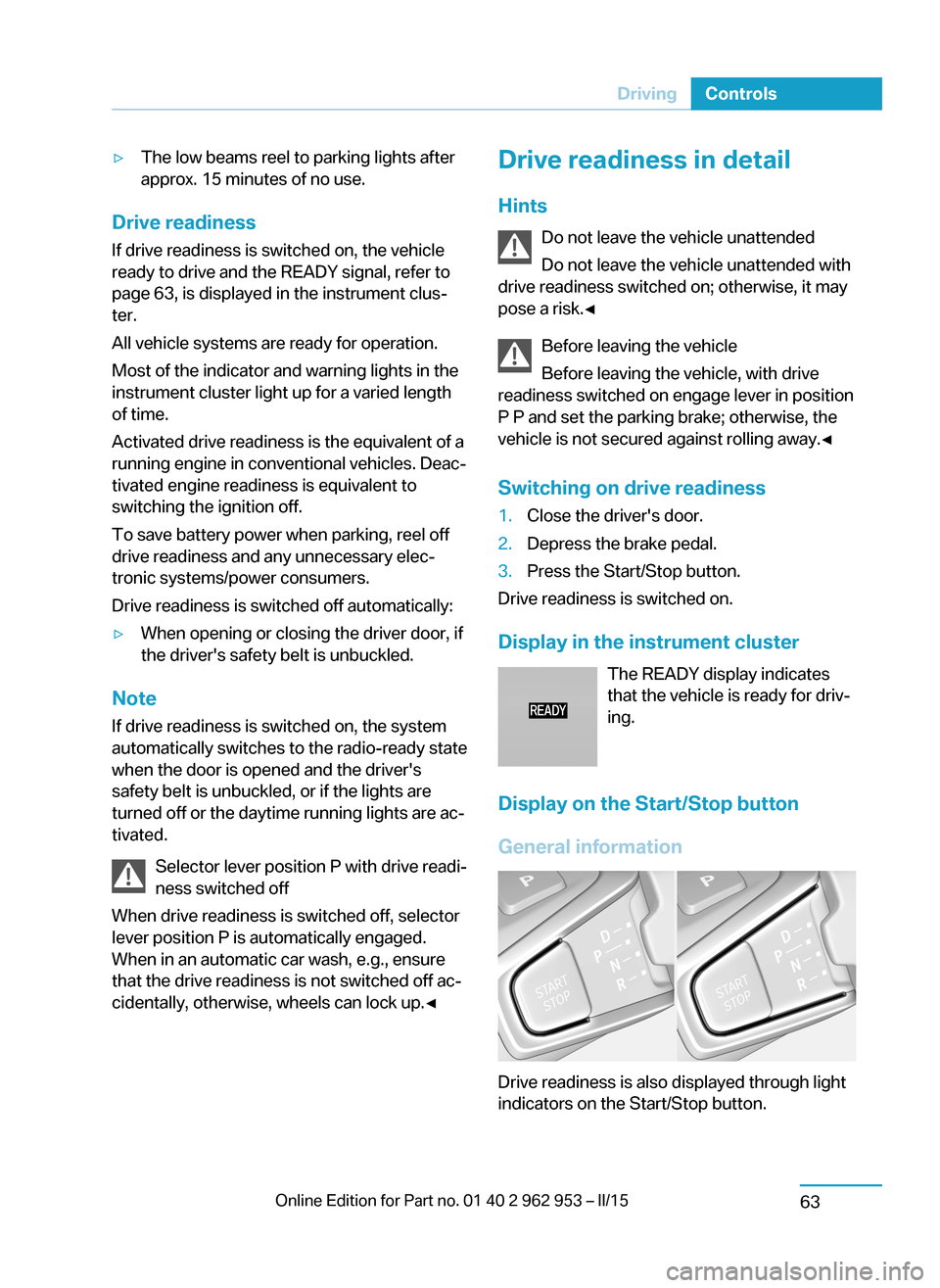
Display on the Start/Stop button
General information
Drive readiness is also displayed through light
indicators on the Start/Stop button.
Seite 61DrivingControls63
Page 76 of 230
Lighting pulses orange▷After unlocking and opening the door.▷After switching off drive readiness.
When the brake pedal is depressed, the light‐
ing becomes more intense.
Lighting lights up steady blue
After drive readiness is switched on, light turns
blue. The vehicle is ready to drive. The READY
indicator lights up in the instrument cluster. In
addition, a signal sounds.
Lighting off
Drive readiness, operating readiness and
radio-ready state are turned off. The vehicle is
in the idle state. The charging cable may be
connected.
Driving off
Requirements
Driving is possible under the following condi‐
tions:
▷The high-voltage battery is sufficiently
charged.▷The driver's door is closed.
sDriving
1.Switch on drive readiness.2.Apply the brake and engage lever in posi‐
tion P D or R.3.Release the parking brake.4.Depress the accelerator pedal to drive.Selector lever positions
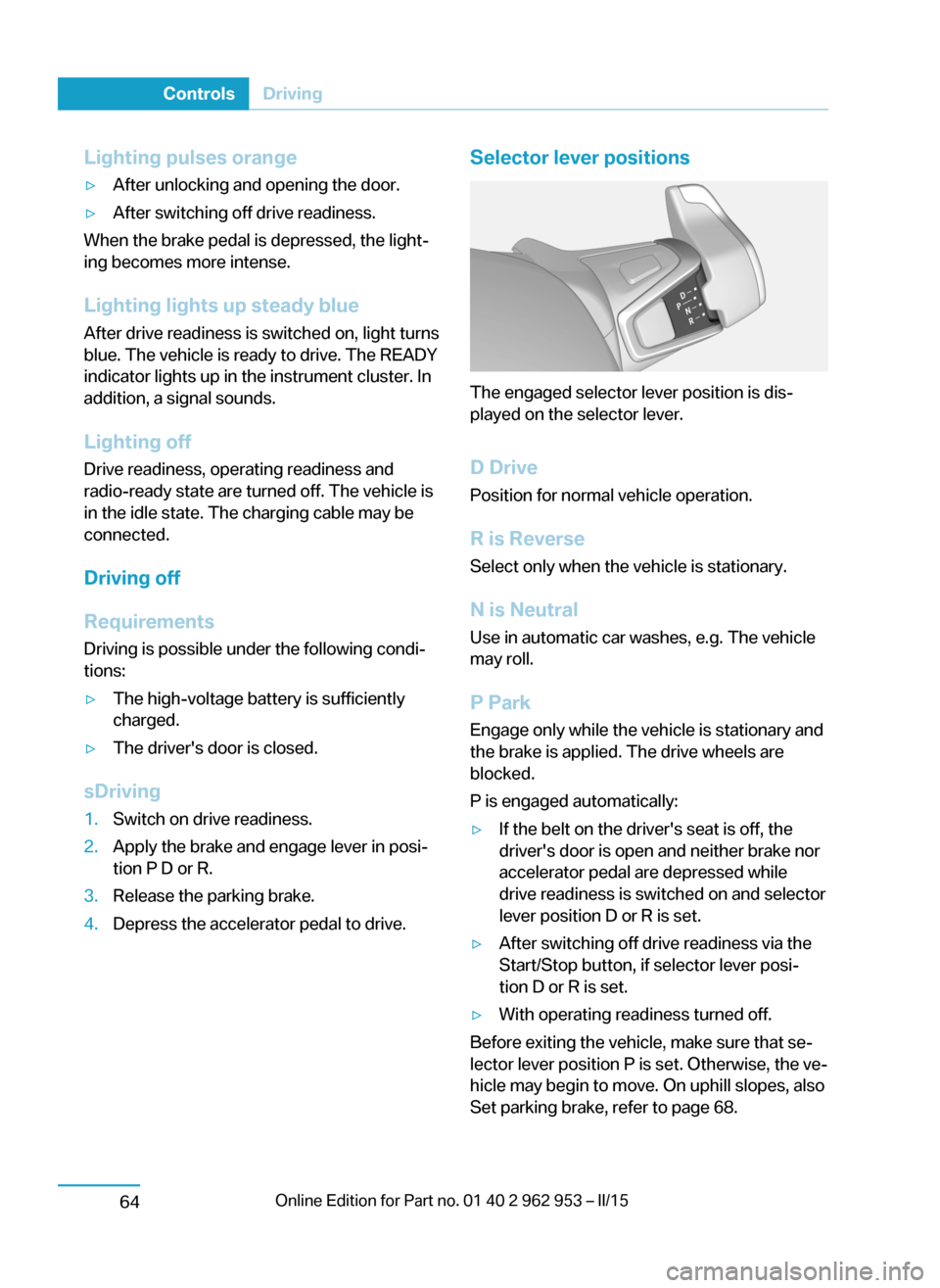
The engaged selector lever position is dis‐
played on the selector lever.
D Drive
Position for normal vehicle operation.
R is Reverse
Select only when the vehicle is stationary.
N is NeutralUse in automatic car washes, e.g. The vehicle
may roll.
P Park Engage only while the vehicle is stationary and
the brake is applied. The drive wheels are
blocked.
P is engaged automatically:
▷If the belt on the driver's seat is off, the
driver's door is open and neither brake nor
accelerator pedal are depressed while
drive readiness is switched on and selector
lever position D or R is set.▷After switching off drive readiness via the
Start/Stop button, if selector lever posi‐
tion D or R is set.▷With operating readiness turned off.
Before exiting the vehicle, make sure that se‐
lector lever position P is set. Otherwise, the ve‐
hicle may begin to move. On uphill slopes, also
Set parking brake, refer to page 68.
Seite 62ControlsDriving64
Page 78 of 230
Before driving into a car wash
So that the vehicle can roll into a car wash ob‐
serve instructions for going into an automatic
car wash, refer to page 198.
Driving in detail: eDRIVE
Hints Awareness of vehicle reduced when
driven in electric mode
When driving in electric mode, note that, due
to the lack of engine noise, pedestrians and
other traffic might pay less attention to the ve‐
hicle due to missing engine noises. Please
take special care when parking or leaving a
parking space.◀
Cautiously remove your foot from the ac‐
celerator pedal
Cautiously remove your foot from the acceler‐
ator pedal because the braking effect of the
electric motor can be stronger than with a
combustion engine. Otherwise, abrupt braking
and slow-down may confuse other traffic.◀
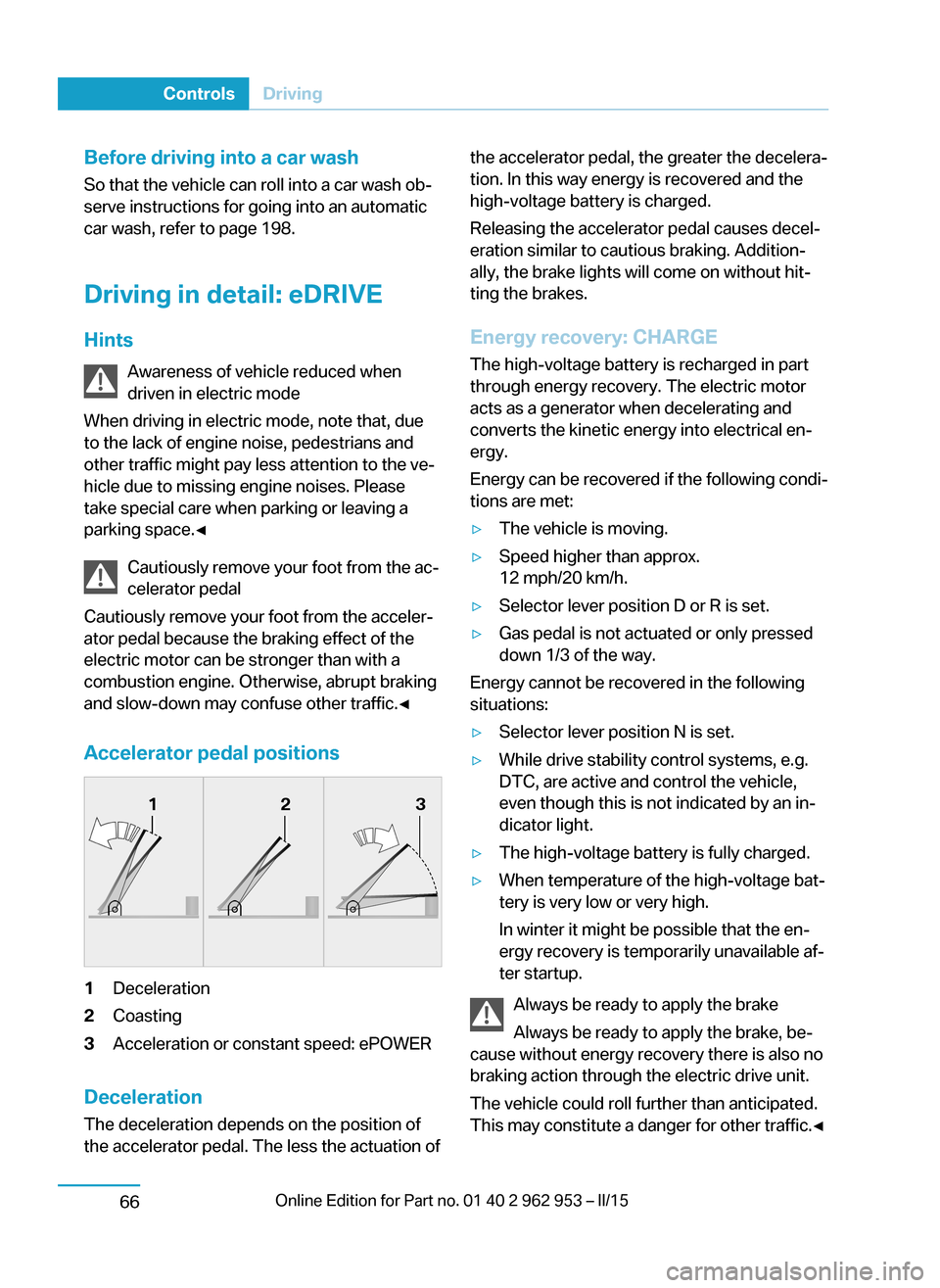
Accelerator pedal positions1Deceleration2Coasting3Acceleration or constant speed: ePOWER
Deceleration
The deceleration depends on the position of
the accelerator pedal. The less the actuation of
the accelerator pedal, the greater the decelera‐
tion. In this way energy is recovered and the
high-voltage battery is charged.
Releasing the accelerator pedal causes decel‐
eration similar to cautious braking. Addition‐
ally, the brake lights will come on without hit‐
ting the brakes.
Energy recovery: CHARGE The high-voltage battery is recharged in part
through energy recovery. The electric motor
acts as a generator when decelerating and
converts the kinetic energy into electrical en‐
ergy.
Energy can be recovered if the following condi‐
tions are met:▷The vehicle is moving.▷Speed higher than approx.
12 mph/20 km/h.▷Selector lever position D or R is set.▷Gas pedal is not actuated or only pressed
down 1/3 of the way.
Energy cannot be recovered in the following
situations:
▷Selector lever position N is set.▷While drive stability control systems, e.g.
DTC, are active and control the vehicle,
even though this is not indicated by an in‐
dicator light.▷The high-voltage battery is fully charged.▷When temperature of the high-voltage bat‐
tery is very low or very high.
In winter it might be possible that the en‐
ergy recovery is temporarily unavailable af‐
ter startup.
Always be ready to apply the brake
Always be ready to apply the brake, be‐
cause without energy recovery there is also no
braking action through the electric drive unit.
The vehicle could roll further than anticipated.
This may constitute a danger for other traffic.◀
Seite 64ControlsDriving66