light BMW I3 2015 I01 User Guide
[x] Cancel search | Manufacturer: BMW, Model Year: 2015, Model line: I3, Model: BMW I3 2015 I01Pages: 236, PDF Size: 17.6 MB
Page 39 of 236
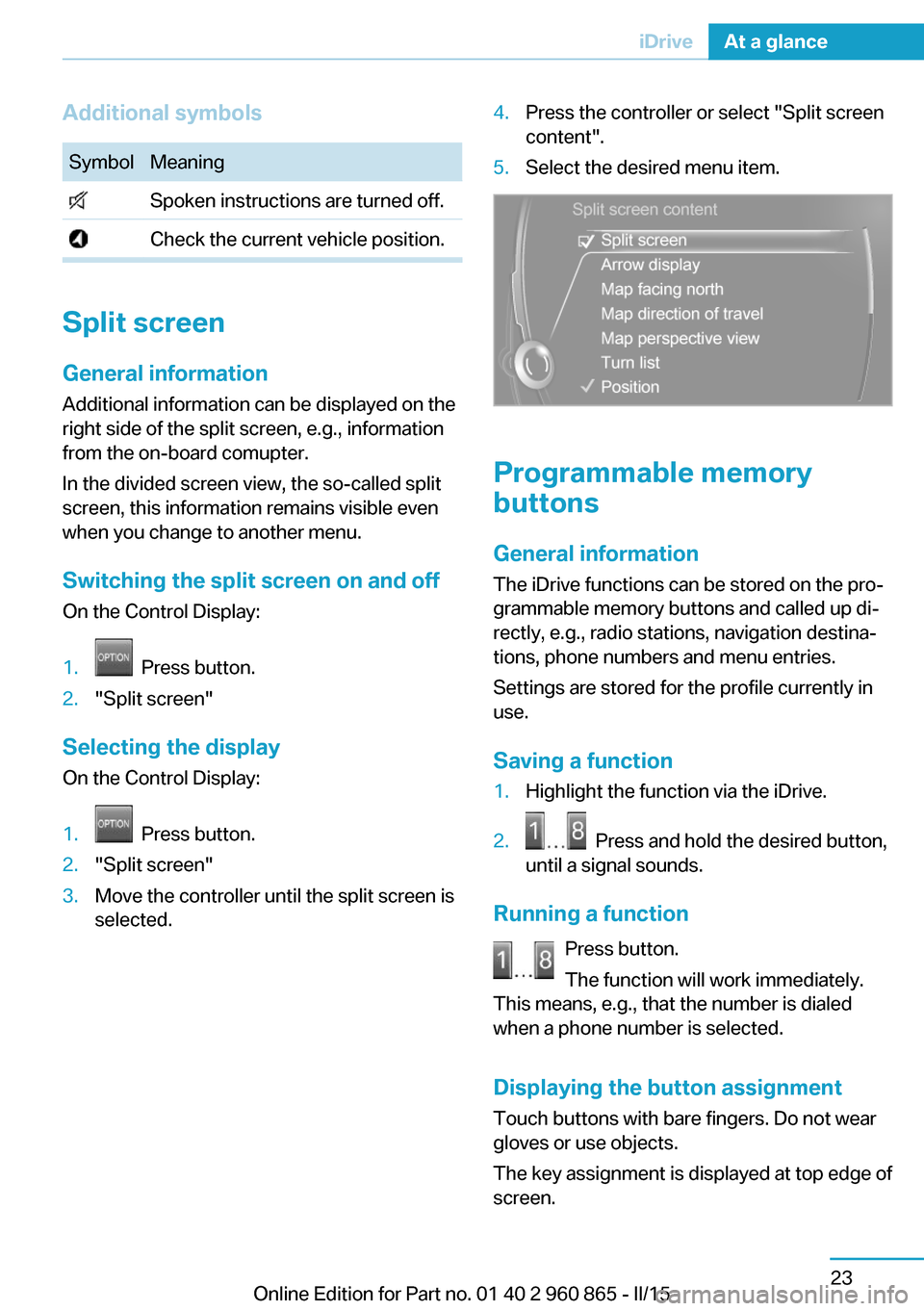
Additional symbolsSymbolMeaning Spoken instructions are turned off. Check the current vehicle position.
Split screen
General information Additional information can be displayed on the
right side of the split screen, e.g., information
from the on-board comupter.
In the divided screen view, the so-called split
screen, this information remains visible even when you change to another menu.
Switching the split screen on and off On the Control Display:
1. Press button.2."Split screen"
Selecting the display
On the Control Display:
1. Press button.2."Split screen"3.Move the controller until the split screen is
selected.4.Press the controller or select "Split screen
content".5.Select the desired menu item.
Programmable memory
buttons
General information
The iDrive functions can be stored on the pro‐
grammable memory buttons and called up di‐
rectly, e.g., radio stations, navigation destina‐
tions, phone numbers and menu entries.
Settings are stored for the profile currently in
use.
Saving a function
1.Highlight the function via the iDrive.2. Press and hold the desired button,
until a signal sounds.
Running a function
Press button.
The function will work immediately.
This means, e.g., that the number is dialed
when a phone number is selected.
Displaying the button assignment Touch buttons with bare fingers. Do not wear
gloves or use objects.
The key assignment is displayed at top edge of
screen.
Seite 23iDriveAt a glance23
Online Edition for Part no. 01 40 2 960 865 - II/15
Page 45 of 236
Integrated Owner's Manual in the vehicleVehicle features and optionsThis chapter describes all standard, country-
specific and optional features offered with the
series. It also describes features that are not
necessarily available in your car, e. g., due to
the selected options or country versions. This
also applies to safety-related functions and
systems. The respectively applicable country
provisions must be observed when using the
respective features and systems.
Integrated Owner's Manual
in the vehicle
The Integrated Owner's Manual can be dis‐
played on the Control Display. It specifically
describes features and functions found in the
vehicle.
Components of the Integrated
Owner's Manual
The Integrated Owner's Manual consists of
three parts, which offer various levels of infor‐
mation or possible access.
Quick Reference Guide The Quick Reference Guide provides informa‐
tion how to operate the car, how to use basic
vehicle functions or what to do in case of a
breakdown. This information can also be dis‐
played while driving.
Search by images
Image search provides information and de‐
scriptions. This is helpful when the terminol‐
ogy for a feature is not at hand.
Owner's Manual Search for information and descriptions by en‐
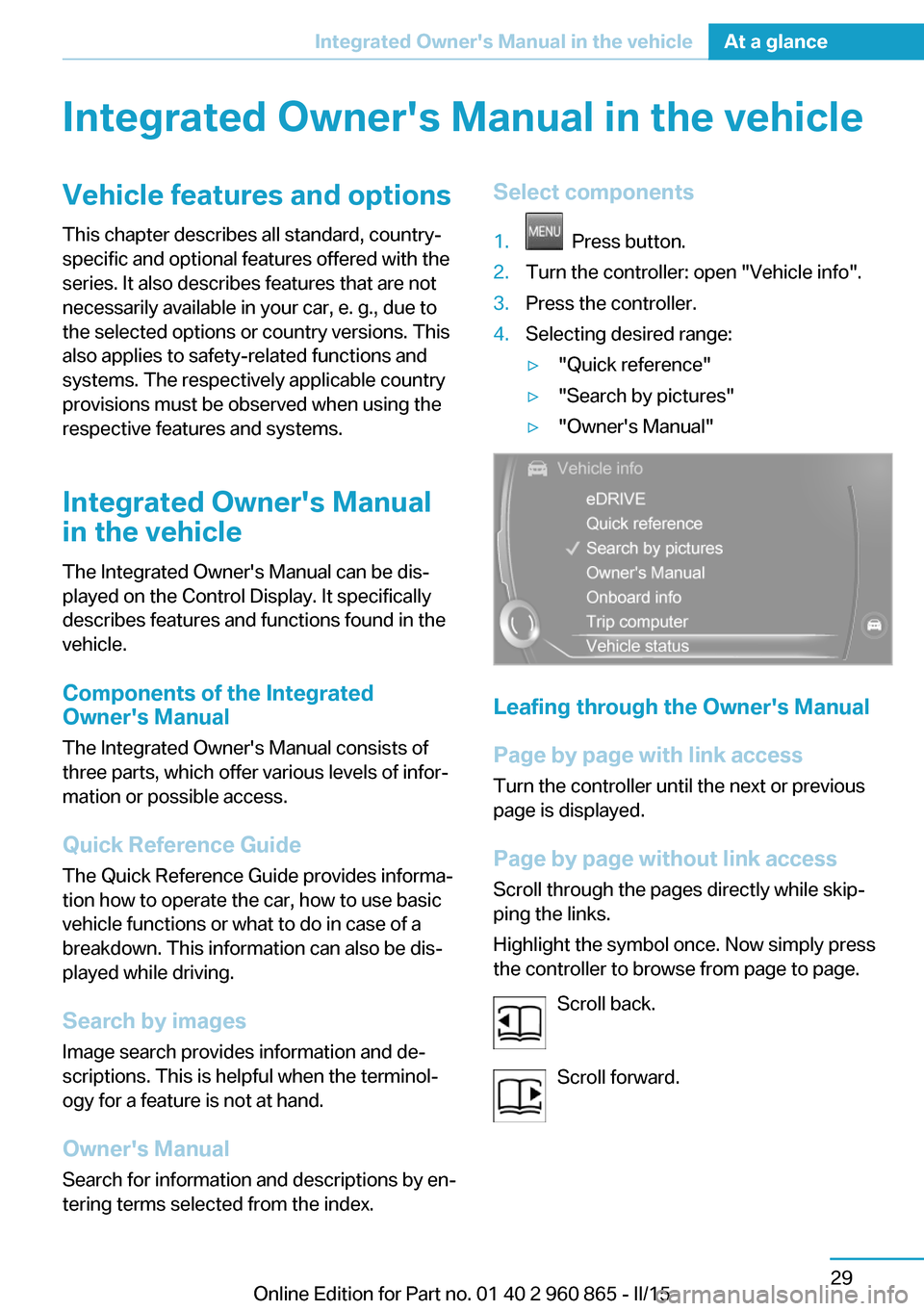
tering terms selected from the index.Select components1. Press button.2.Turn the controller: open "Vehicle info".3.Press the controller.4.Selecting desired range:▷"Quick reference"▷"Search by pictures"▷"Owner's Manual"
Leafing through the Owner's Manual
Page by page with link access
Turn the controller until the next or previous
page is displayed.
Page by page without link access
Scroll through the pages directly while skip‐
ping the links.
Highlight the symbol once. Now simply press
the controller to browse from page to page.
Scroll back.
Scroll forward.
Seite 29Integrated Owner's Manual in the vehicleAt a glance29
Online Edition for Part no. 01 40 2 960 865 - II/15
Page 48 of 236
An optional Range Extender can supply the
drive system with power and thus increase the
range of the vehicle.
Functions
Electric driving: eDRIVE
The vehicle is powered exclusively by the elec‐
tric motor. The accelerator pedal can be used
not just for acceleration, but also for decelera‐
tion. In this case, the electric motor works like
a generator and charges the high voltage bat‐
tery. With a sensible driving style, this function
can be used for especially efficient energy re‐
covery and comfortable driving, using just the
accelerator pedal.
Coasting
An especially efficient operating point is so-
called coasting. In this case, the vehicle is de‐
celerated only by driving resistance and no en‐
ergy flows between high-voltage battery and
electric motor. In order to coast, depress the
accelerator pedal far enough that the mark in
the instrument cluster, refer to page 75, is
exactly in the center.
Energy recovery: CHARGE
The high-voltage battery is charged while driv‐
ing through energy recovery.
The electric motor acts as a generator and
converts the kinetic energy of the vehicle into
electric current.
Charging can take place in various situations
while the vehicle is in motion:▷As soon as the gas pedal is only slightly
depressed.▷During vehicle braking.
The mark in the instrument cluster is located
within the CHARGE range.
Sensible driving and early speed reduction are
important to make full use of the energy recov‐
ery feature.
Display
The eDRIVE displays, refer to page 75, pro‐
vide information about the current state of the
drive and visualize the system's use in a dia‐
gram.
Maximize energy-saving driving and
range
Energy-saving driving is the basic prerequisite
for as large a range as possible. eDRIVE pro‐ vides various functions that assist with an en‐
ergy-saving driving style and in the process
help to monitor the range and if needed to in‐
crease it. The following instructions provide an
overview of the available functions and the per‐
sonal measures.
Before driving
eDRIVE allows using the air conditioner even
before driving off. The stationary climate con‐
trol, refer to page 133, provides more range
than full air conditioning while driving.
Parked car ventilation during the charging
process can provide maximum range when
driving off.
Trip planning and special functions of
the navigation system
Several special functions of the navigation sys‐
tem support trip planning taking into account
the electric range:▷Range assistant, refer to Integrated Own‐
er's Manual. Checks whether an entered
navigation destination can be reached. If
the range is not sufficient, various recom‐
mendations to help increase the range are
displayed automatically, e.g. an alternative
ECO PRO route is displayed.▷Intermodal routing oder intermodal infor‐
mation, refer to Integrated Owner's
Manual, as route criterion support trip
planning using public transportation.Seite 32At a glanceBMW eDRIVE32
Online Edition for Part no. 01 40 2 960 865 - II/15
Page 54 of 236
Opening and closingVehicle features and options
This chapter describes all standard, country-
specific and optional features offered with the
series. It also describes features that are not
necessarily available in your car, e. g., due to
the selected options or country versions. This
also applies to safety-related functions and
systems. The respectively applicable country
provisions must be observed when using the
respective features and systems.
Remote control/key General information
The vehicle is supplied with two remote con‐
trols with integrated key.
Every remote control holds a replaceable bat‐
tery.
You may set the key functions depending on
the optional features and country-specific ver‐
sion. For Settings, refer to page 48.
The vehicle stores personal settings for every
remote control. Personal Profile, refer to
page 39.
The remote controls hold information on re‐
quired maintenance. Service data in the re‐
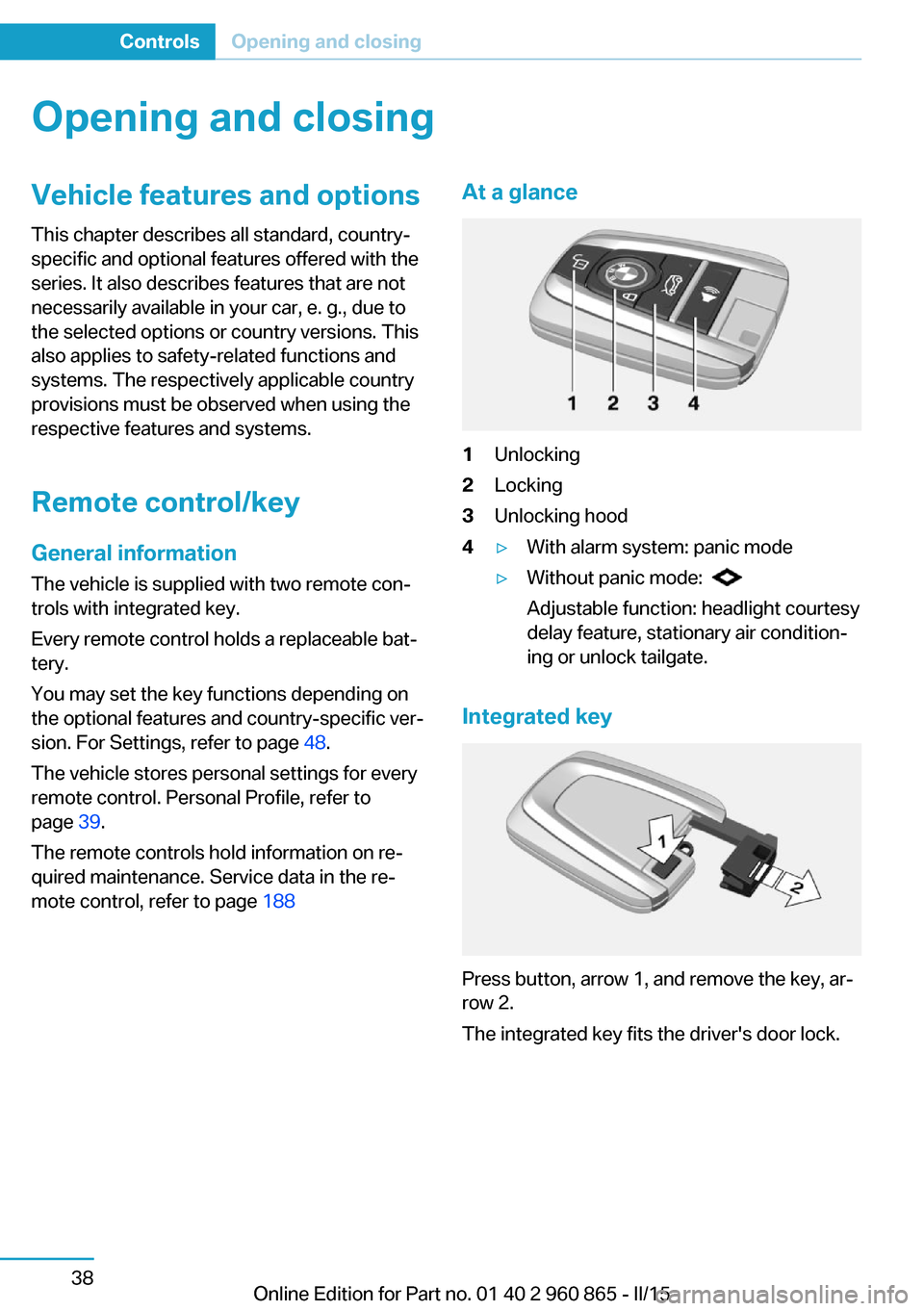
mote control, refer to page 188At a glance1Unlocking2Locking3Unlocking hood4▷With alarm system: panic mode▷Without panic mode:
Adjustable function: headlight courtesy
delay feature, stationary air condition‐
ing or unlock tailgate.
Integrated key
Press button, arrow 1, and remove the key, ar‐
row 2.
The integrated key fits the driver's door lock.
Seite 38ControlsOpening and closing38
Online Edition for Part no. 01 40 2 960 865 - II/15
Page 55 of 236
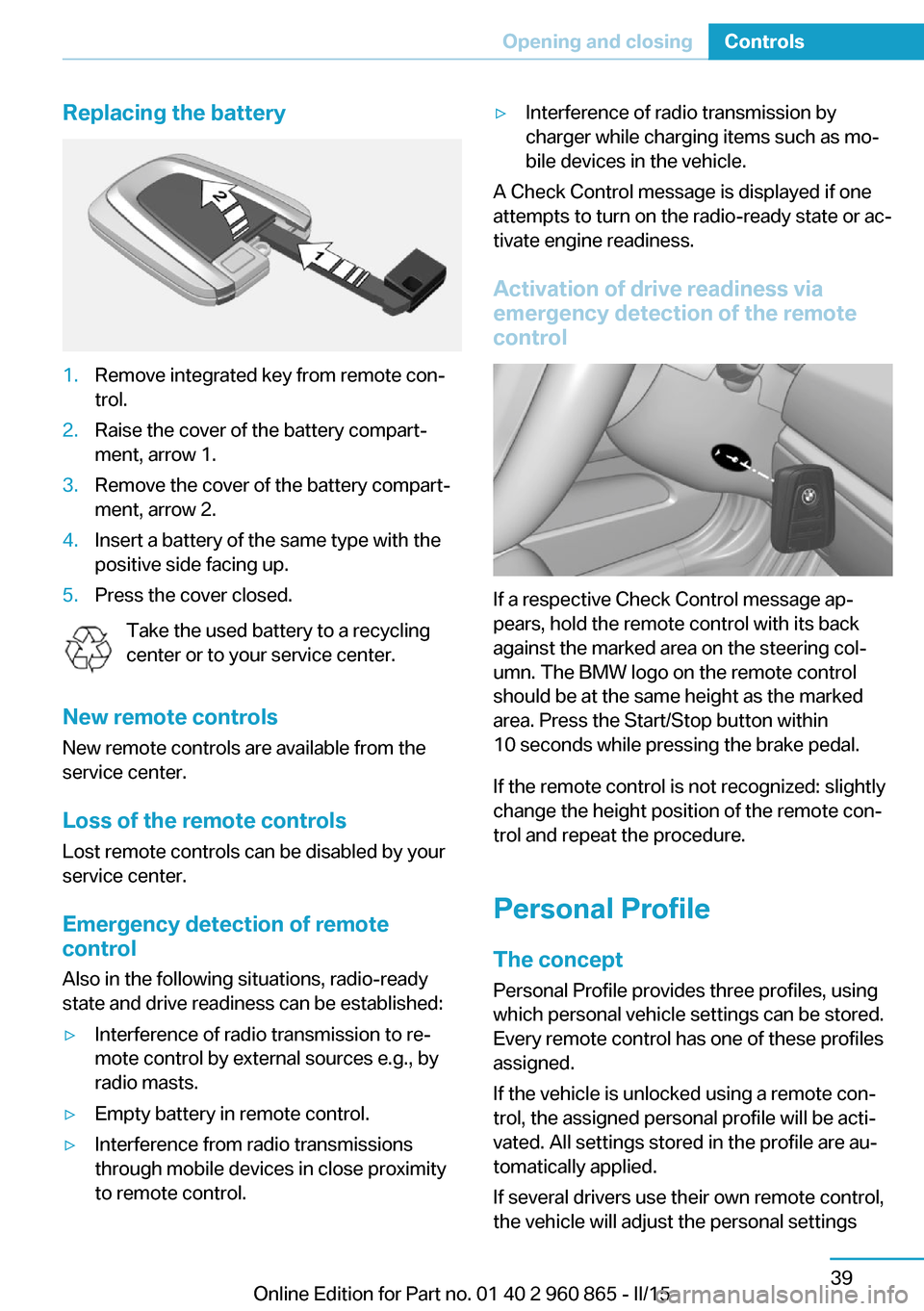
Replacing the battery1.Remove integrated key from remote con‐
trol.2.Raise the cover of the battery compart‐
ment, arrow 1.3.Remove the cover of the battery compart‐
ment, arrow 2.4.Insert a battery of the same type with the
positive side facing up.5.Press the cover closed.
Take the used battery to a recycling
center or to your service center.
New remote controls New remote controls are available from the
service center.
Loss of the remote controls Lost remote controls can be disabled by your
service center.
Emergency detection of remote
control
Also in the following situations, radio-ready
state and drive readiness can be established:
▷Interference of radio transmission to re‐
mote control by external sources e.g., by
radio masts.▷Empty battery in remote control.▷Interference from radio transmissions
through mobile devices in close proximity
to remote control.▷Interference of radio transmission by
charger while charging items such as mo‐
bile devices in the vehicle.
A Check Control message is displayed if one
attempts to turn on the radio-ready state or ac‐
tivate engine readiness.
Activation of drive readiness via
emergency detection of the remote
control
If a respective Check Control message ap‐
pears, hold the remote control with its back
against the marked area on the steering col‐
umn. The BMW logo on the remote control
should be at the same height as the marked
area. Press the Start/Stop button within
10 seconds while pressing the brake pedal.
If the remote control is not recognized: slightly
change the height position of the remote con‐
trol and repeat the procedure.
Personal Profile
The concept Personal Profile provides three profiles, using
which personal vehicle settings can be stored.
Every remote control has one of these profiles
assigned.
If the vehicle is unlocked using a remote con‐
trol, the assigned personal profile will be acti‐
vated. All settings stored in the profile are au‐
tomatically applied.
If several drivers use their own remote control,
the vehicle will adjust the personal settings
Seite 39Opening and closingControls39
Online Edition for Part no. 01 40 2 960 865 - II/15
Page 56 of 236
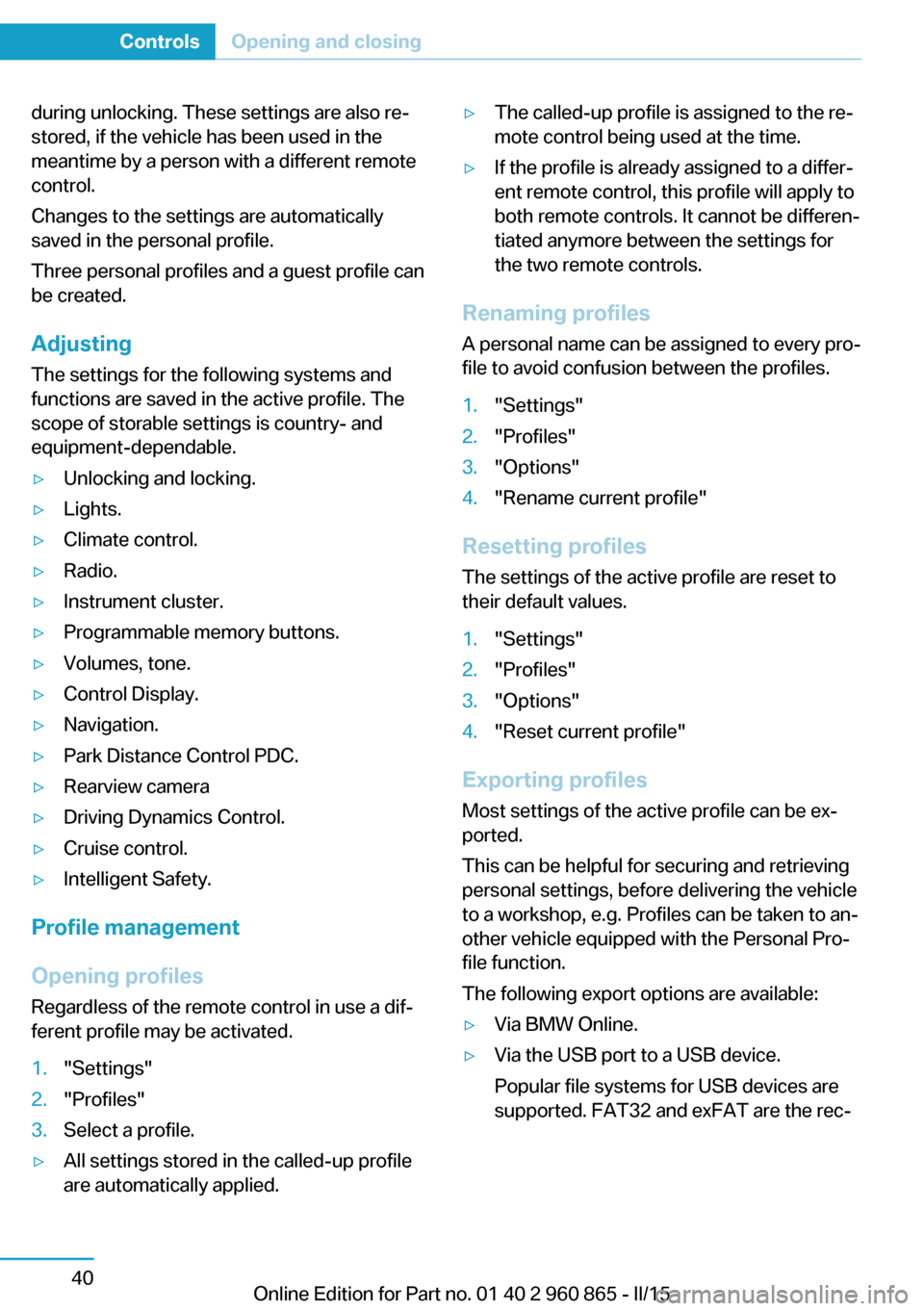
during unlocking. These settings are also re‐
stored, if the vehicle has been used in the
meantime by a person with a different remote
control.
Changes to the settings are automatically
saved in the personal profile.
Three personal profiles and a guest profile can
be created.
Adjusting
The settings for the following systems and
functions are saved in the active profile. The
scope of storable settings is country- and
equipment-dependable.▷Unlocking and locking.▷Lights.▷Climate control.▷Radio.▷Instrument cluster.▷Programmable memory buttons.▷Volumes, tone.▷Control Display.▷Navigation.▷Park Distance Control PDC.▷Rearview camera▷Driving Dynamics Control.▷Cruise control.▷Intelligent Safety.
Profile management
Opening profiles Regardless of the remote control in use a dif‐
ferent profile may be activated.
1."Settings"2."Profiles"3.Select a profile.▷All settings stored in the called-up profile
are automatically applied.▷The called-up profile is assigned to the re‐
mote control being used at the time.▷If the profile is already assigned to a differ‐
ent remote control, this profile will apply to
both remote controls. It cannot be differen‐
tiated anymore between the settings for
the two remote controls.
Renaming profiles
A personal name can be assigned to every pro‐
file to avoid confusion between the profiles.
1."Settings"2."Profiles"3."Options"4."Rename current profile"
Resetting profiles
The settings of the active profile are reset to
their default values.
1."Settings"2."Profiles"3."Options"4."Reset current profile"
Exporting profiles
Most settings of the active profile can be ex‐
ported.
This can be helpful for securing and retrieving
personal settings, before delivering the vehicle
to a workshop, e.g. Profiles can be taken to an‐
other vehicle equipped with the Personal Pro‐
file function.
The following export options are available:
▷Via BMW Online.▷Via the USB port to a USB device.
Popular file systems for USB devices are
supported. FAT32 and exFAT are the rec‐Seite 40ControlsOpening and closing40
Online Edition for Part no. 01 40 2 960 865 - II/15
Page 58 of 236
LockingLocking from the outside
Do not lock the vehicle from the outside
with people inside the car, as the vehicle can‐
not be unlocked from inside without special
knowledge.◀
The driver's door must be closed. Press button on the remote control.
All doors and the tailgate are being locked.
The alarm system, refer to page 49, is armed.
Switching on interior lights and
courtesy lights
Press button on the remote control with
the vehicle locked.
This function is not available, if the interior
lamps were switched off manually.
If the button is pressed again within 10 sec‐
onds after vehicle was locked, the interior mo‐
tion sensor and tilt alarm sensor of the anti-
theft warning system, refer to page 50, are
turned off. After locking, wait 10 seconds be‐
fore pressing the button again.
Unlocking hood Press button on the remote control for
approx. 1 second.
Depending on the features and the country
version, it is also possible to have door un‐
locked. Create the settings, refer to page 48.
If the doors were not unlocked, the hood is
locked again as soon as it is pushed closed.
Do not place the remote control under
the hood
Take the remote control with you and do not
leave it under the hood; otherwise, the remote
control is locked inside the vehicle when the
hood is closed.◀Without alarm system: unlocking the
tailgate
The Tailgate function must be set for the re‐
mote control button. For Settings, refer to
page 48.
Press button on the remote control for
approx. 1 second.
The tailgate opens slightly, regardless of
whether the vehicle was previously locked or
unlocked.
Depending on the features and the country
version, it is also possible to have door un‐
locked. Create the settings, refer to page 48.
If the doors were not unlocked, the tailgate is
locked again as soon as it closes.
Do not place the remote control in the
cargo area
Take the remote control with you and do not
leave it in the cargo area; otherwise, the re‐
mote control is locked inside the vehicle when
the tailgate is closed.◀
Provide edge protection
Sharp objects or those with edges can
hit the rear window while driving and damage the heat conductors of the rear window. Pro‐
vide edge protection.◀
Without alarm system: switching the
headlamp courtesy delay feature on
The headlight courtesy delay feature function
must be set for the remote control button. For
Settings, refer to page 48.
Briefly press the button on the remote
control.
The duration can be set in the Control Display.
With alarm system: panic mode You can trigger the alarm system if you find
yourself in a dangerous situation.Seite 42ControlsOpening and closing42
Online Edition for Part no. 01 40 2 960 865 - II/15
Page 60 of 236
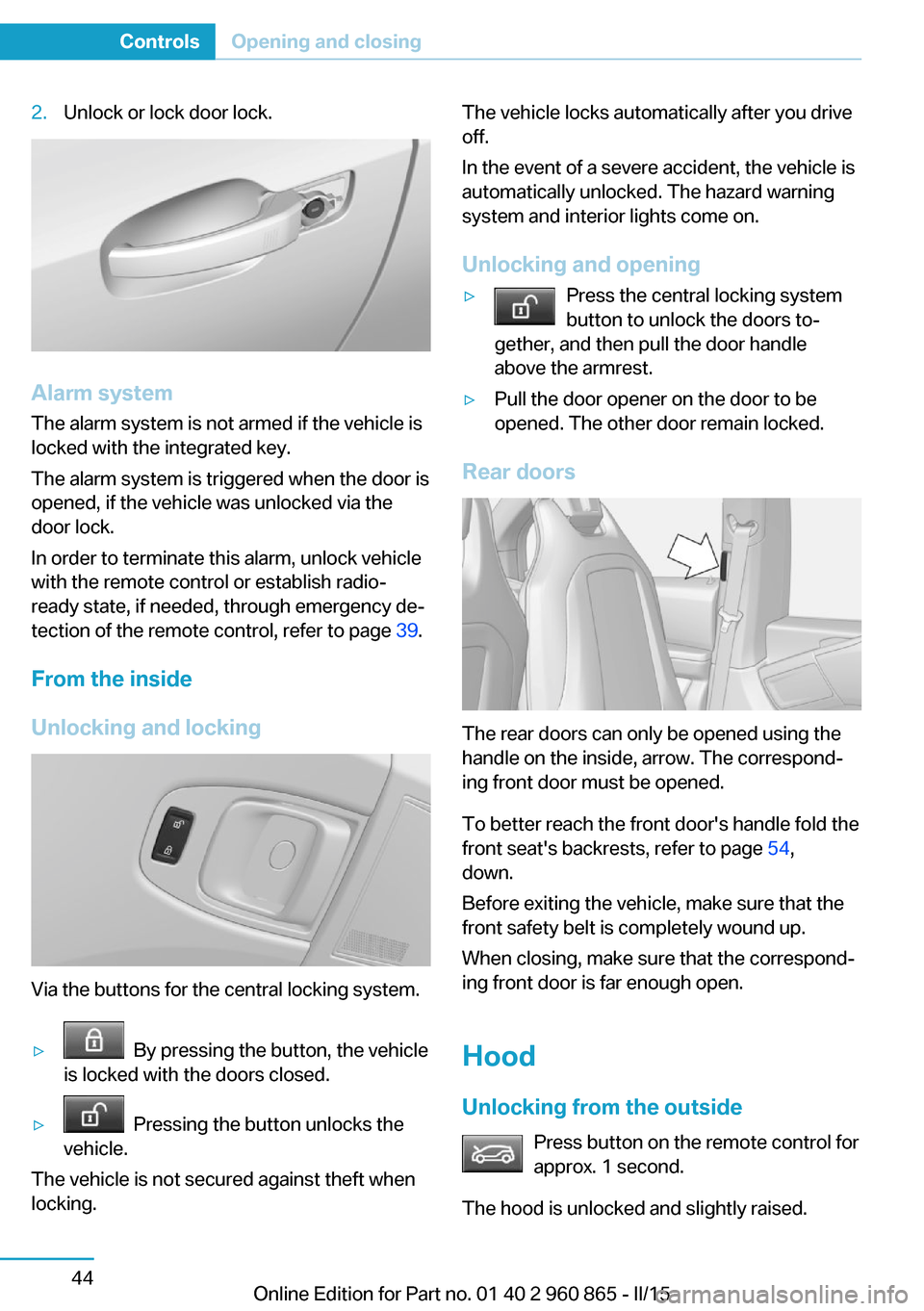
2.Unlock or lock door lock.
Alarm system
The alarm system is not armed if the vehicle is
locked with the integrated key.
The alarm system is triggered when the door is
opened, if the vehicle was unlocked via the
door lock.
In order to terminate this alarm, unlock vehicle
with the remote control or establish radio-
ready state, if needed, through emergency de‐
tection of the remote control, refer to page 39.
From the inside
Unlocking and locking
Via the buttons for the central locking system.
▷ By pressing the button, the vehicle
is locked with the doors closed.▷ Pressing the button unlocks the
vehicle.
The vehicle is not secured against theft when
locking.
The vehicle locks automatically after you drive
off.
In the event of a severe accident, the vehicle is
automatically unlocked. The hazard warning
system and interior lights come on.
Unlocking and opening▷Press the central locking system
button to unlock the doors to‐
gether, and then pull the door handle
above the armrest.▷Pull the door opener on the door to be
opened. The other door remain locked.
Rear doors
The rear doors can only be opened using the
handle on the inside, arrow. The correspond‐
ing front door must be opened.
To better reach the front door's handle fold the
front seat's backrests, refer to page 54,
down.
Before exiting the vehicle, make sure that the
front safety belt is completely wound up.
When closing, make sure that the correspond‐
ing front door is far enough open.
Hood
Unlocking from the outside Press button on the remote control for
approx. 1 second.
The hood is unlocked and slightly raised.
Seite 44ControlsOpening and closing44
Online Edition for Part no. 01 40 2 960 865 - II/15
Page 61 of 236
As the case may be, the doors are also un‐
locked. Unlocking with the remote control, re‐
fer to page 42.
Unlocking from the inside With the vehicle is stationary, press
the button in the driver's footwell.
The hood is unlocked and slightly raised.
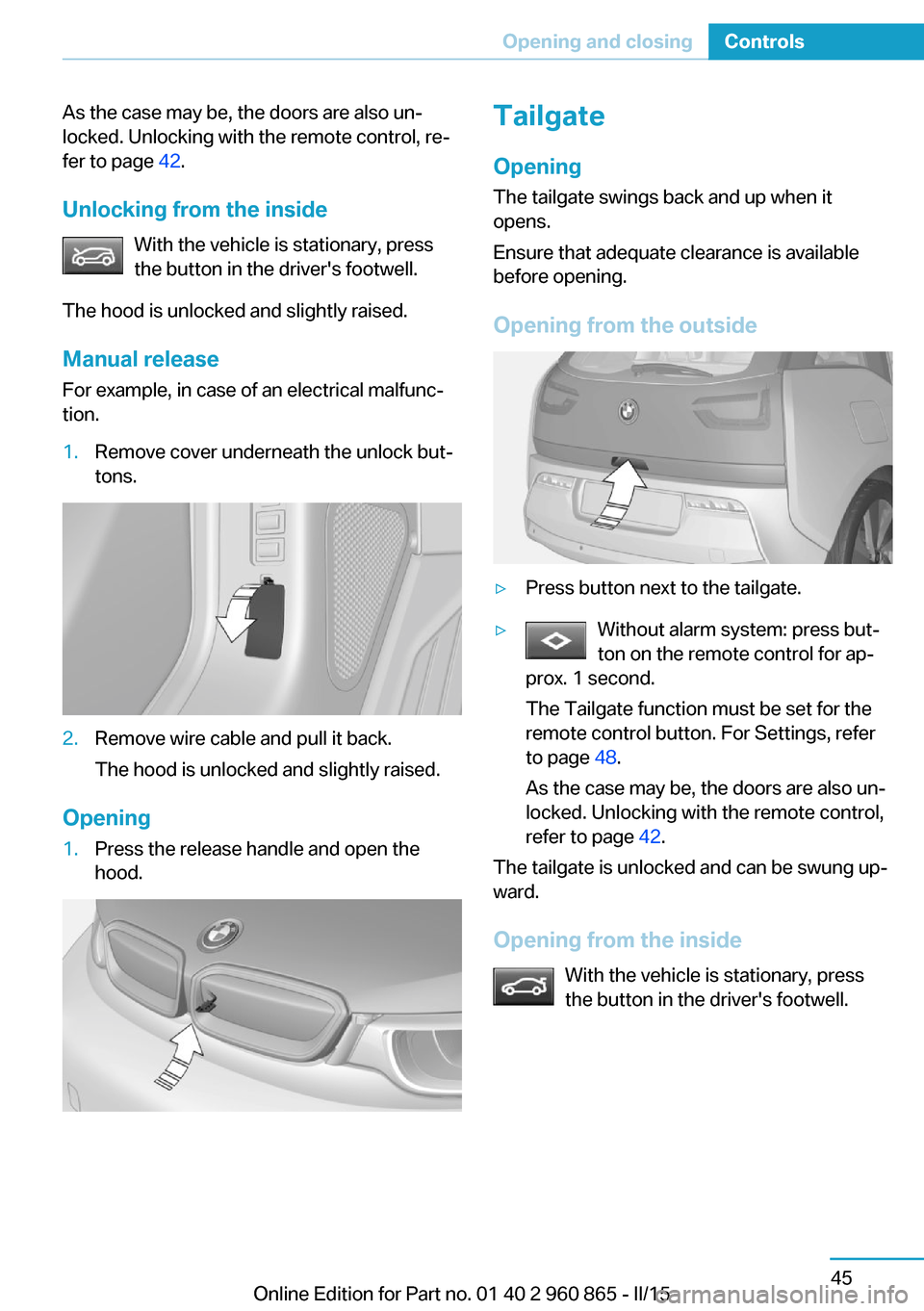
Manual release For example, in case of an electrical malfunc‐
tion.1.Remove cover underneath the unlock but‐
tons.2.Remove wire cable and pull it back.
The hood is unlocked and slightly raised.
Opening
1.Press the release handle and open the
hood.Tailgate
Opening
The tailgate swings back and up when it
opens.
Ensure that adequate clearance is available
before opening.
Opening from the outside▷Press button next to the tailgate.▷Without alarm system: press but‐
ton on the remote control for ap‐
prox. 1 second.
The Tailgate function must be set for the
remote control button. For Settings, refer
to page 48.
As the case may be, the doors are also un‐
locked. Unlocking with the remote control,
refer to page 42.
The tailgate is unlocked and can be swung up‐
ward.
Opening from the inside With the vehicle is stationary, press
the button in the driver's footwell.
Seite 45Opening and closingControls45
Online Edition for Part no. 01 40 2 960 865 - II/15
Page 64 of 236
Adjusting
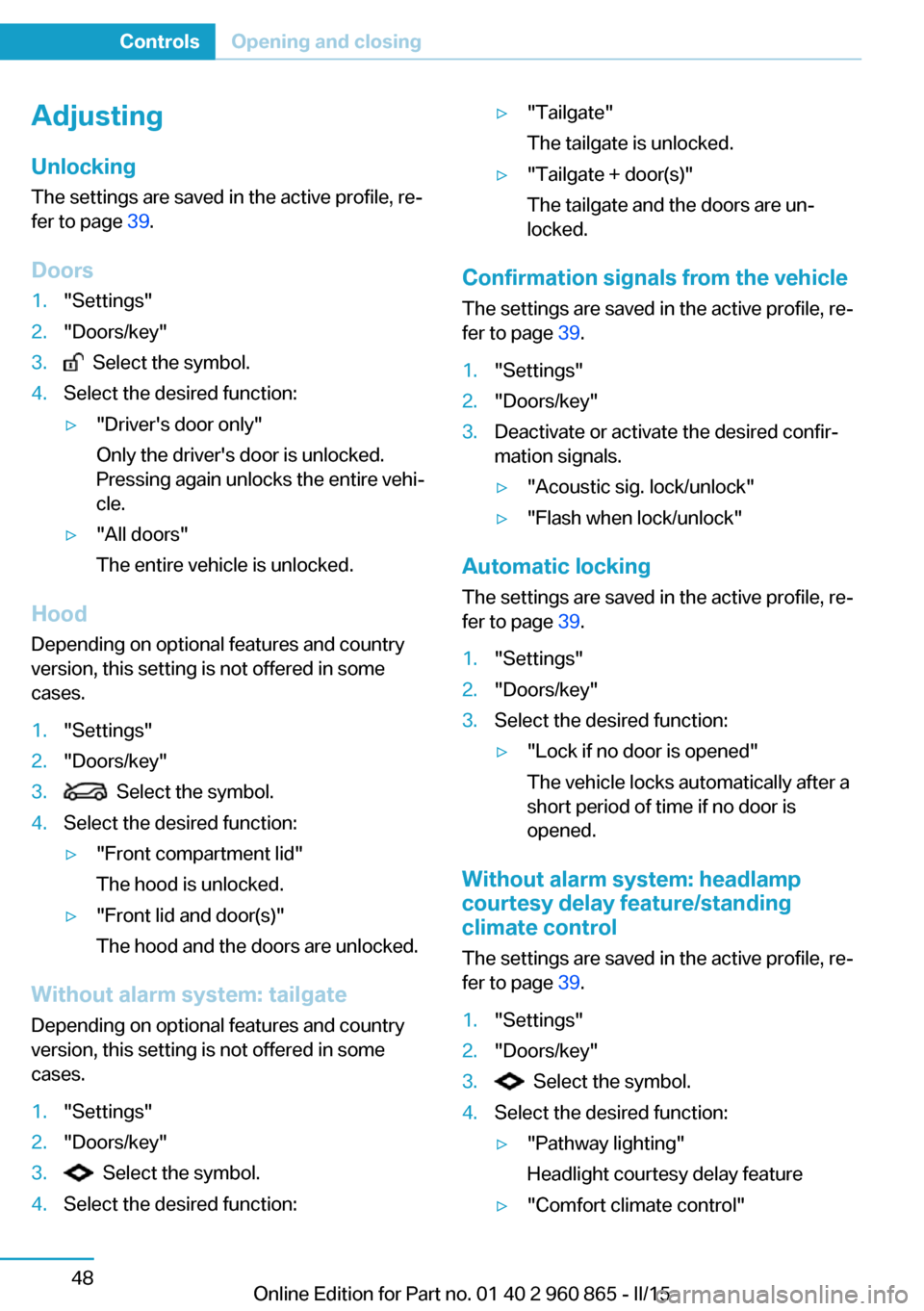
Unlocking The settings are saved in the active profile, re‐
fer to page 39.
Doors1."Settings"2."Doors/key"3. Select the symbol.4.Select the desired function:▷"Driver's door only"
Only the driver's door is unlocked.
Pressing again unlocks the entire vehi‐
cle.▷"All doors"
The entire vehicle is unlocked.
Hood Depending on optional features and country
version, this setting is not offered in some cases.
1."Settings"2."Doors/key"3. Select the symbol.4.Select the desired function:▷"Front compartment lid"
The hood is unlocked.▷"Front lid and door(s)"
The hood and the doors are unlocked.
Without alarm system: tailgate Depending on optional features and country
version, this setting is not offered in some cases.
1."Settings"2."Doors/key"3. Select the symbol.4.Select the desired function:▷"Tailgate"
The tailgate is unlocked.▷"Tailgate + door(s)"
The tailgate and the doors are un‐
locked.
Confirmation signals from the vehicle
The settings are saved in the active profile, re‐
fer to page 39.
1."Settings"2."Doors/key"3.Deactivate or activate the desired confir‐
mation signals.▷"Acoustic sig. lock/unlock"▷"Flash when lock/unlock"
Automatic locking
The settings are saved in the active profile, re‐fer to page 39.
1."Settings"2."Doors/key"3.Select the desired function:▷"Lock if no door is opened"
The vehicle locks automatically after a
short period of time if no door is
opened.
Without alarm system: headlamp
courtesy delay feature/standing
climate control
The settings are saved in the active profile, re‐
fer to page 39.
1."Settings"2."Doors/key"3. Select the symbol.4.Select the desired function:▷"Pathway lighting"
Headlight courtesy delay feature▷"Comfort climate control"Seite 48ControlsOpening and closing48
Online Edition for Part no. 01 40 2 960 865 - II/15