belt BMW M2 2016 User Guide
[x] Cancel search | Manufacturer: BMW, Model Year: 2016, Model line: M2, Model: BMW M2 2016Pages: 220, PDF Size: 4.71 MB
Page 80 of 220
▷Messages, e.g. Check Control, refer to
page 80.▷Range, refer to page 84.▷Status, Driving Dynamics Control, refer to
page 116.▷Service requirements, refer to page 85.▷Speed limit detection, refer to page 86.▷Time, refer to page 84.
Check Control
The concept The Check Control system monitors functions
in the vehicle and notifies you of malfunctions
in the monitored systems.
A Check Control message is displayed as a
combination of indicator or warning lights and
text messages in the instrument cluster.
In addition, an acoustic signal may sound and atext message may appear on the Control Dis‐
play.
Indicator/warning lights
General information
The indicator and warning lights in the instru‐
ment cluster can light up in a variety of combi‐
nations and colors.
Several of the lights are checked for proper
functioning and light up temporarily when the
engine is started or the ignition is switched on.
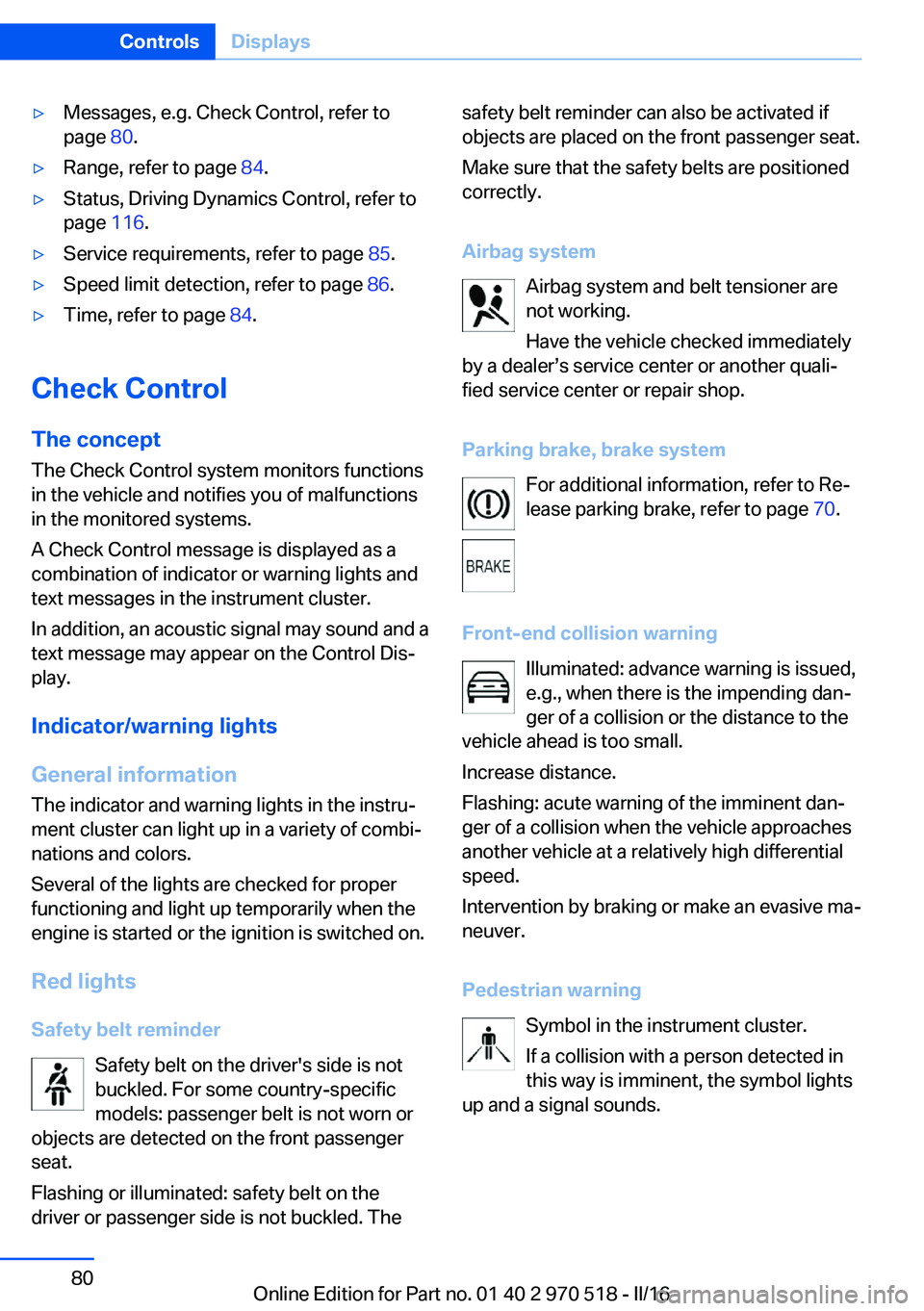
Red lights Safety belt reminder Safety belt on the driver's side is not
buckled. For some country-specific
models: passenger belt is not worn or
objects are detected on the front passenger
seat.
Flashing or illuminated: safety belt on the
driver or passenger side is not buckled. The
safety belt reminder can also be activated if
objects are placed on the front passenger seat.
Make sure that the safety belts are positioned
correctly.
Airbag system Airbag system and belt tensioner are
not working.
Have the vehicle checked immediately
by a dealer’s service center or another quali‐
fied service center or repair shop.
Parking brake, brake system For additional information, refer to Re‐lease parking brake, refer to page 70.
Front-end collision warning Illuminated: advance warning is issued,
e.g., when there is the impending dan‐
ger of a collision or the distance to the
vehicle ahead is too small.
Increase distance.
Flashing: acute warning of the imminent dan‐
ger of a collision when the vehicle approaches
another vehicle at a relatively high differential
speed.
Intervention by braking or make an evasive ma‐
neuver.
Pedestrian warning Symbol in the instrument cluster.
If a collision with a person detected in
this way is imminent, the symbol lights
up and a signal sounds.Seite 80ControlsDisplays80
Online Edition for Part no. 01 40 2 970 518 - II/16
Page 98 of 220
SafetyVehicle features and options
This chapter describes all standard, country-
specific and optional features offered with the
series. It also describes features that are not
necessarily available in your car, e. g., due tothe selected options or country versions. This
also applies to safety-related functions and
systems. The respectively applicable country
provisions must be observed when using the
respective features and systems.
Airbags
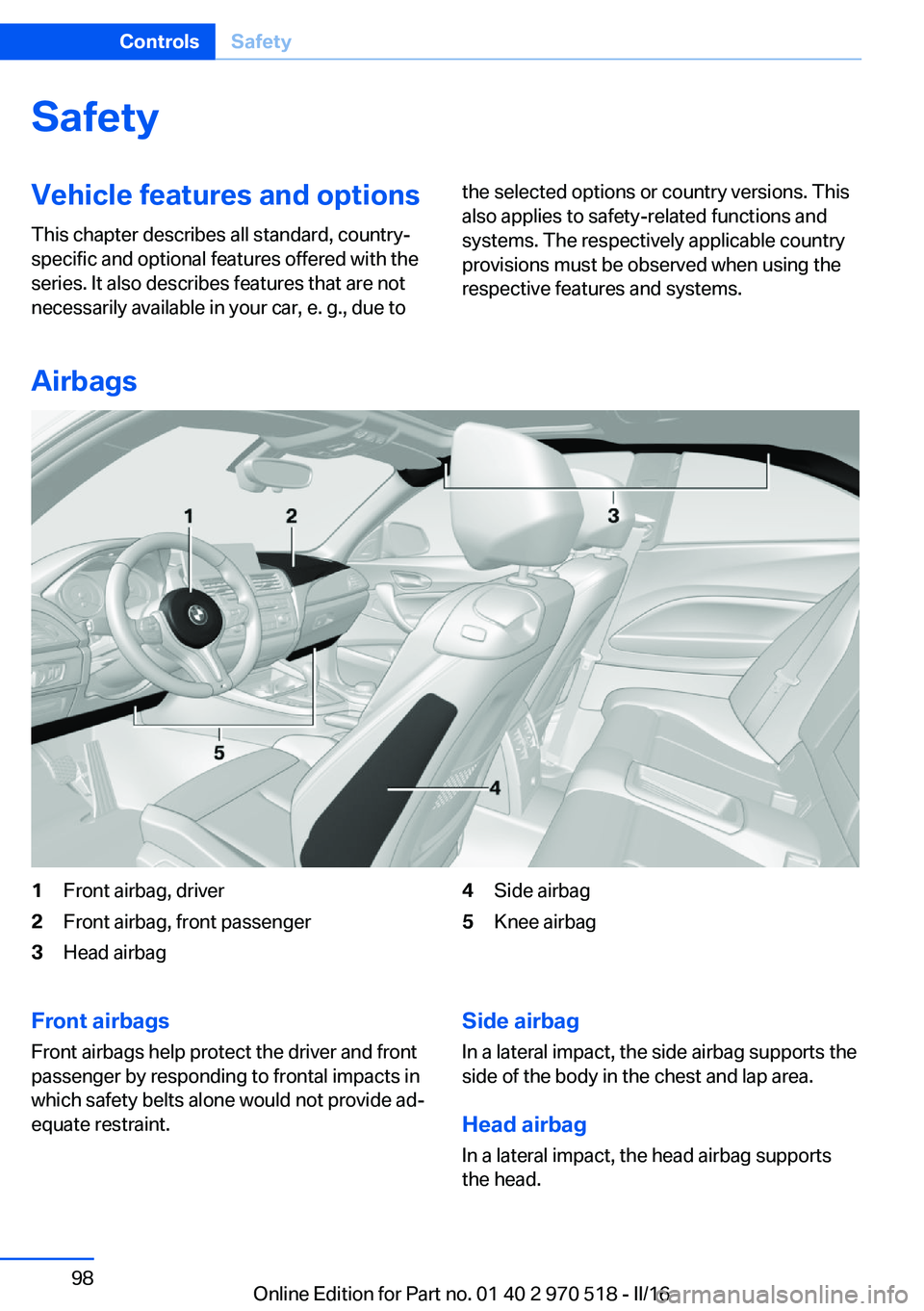
1Front airbag, driver2Front airbag, front passenger3Head airbag4Side airbag5Knee airbagFront airbags
Front airbags help protect the driver and front
passenger by responding to frontal impacts in
which safety belts alone would not provide ad‐
equate restraint.Side airbag
In a lateral impact, the side airbag supports the
side of the body in the chest and lap area.
Head airbag In a lateral impact, the head airbag supports
the head.Seite 98ControlsSafety98
Online Edition for Part no. 01 40 2 970 518 - II/16
Page 100 of 220
WARNING
Improperly executed work can lead to
failure, malfunction or unintentional triggering
of the airbag system. In the case of a malfunc‐
tion, the airbag system could not trigger as in‐
tended in the event of an accident despite re‐
spective accident severity. There is a risk of
injury or danger to life. Have the airbag system
checked, repaired, dismantled and scrapped
by a dealer’s service center or another quali‐
fied service center or repair shop.◀
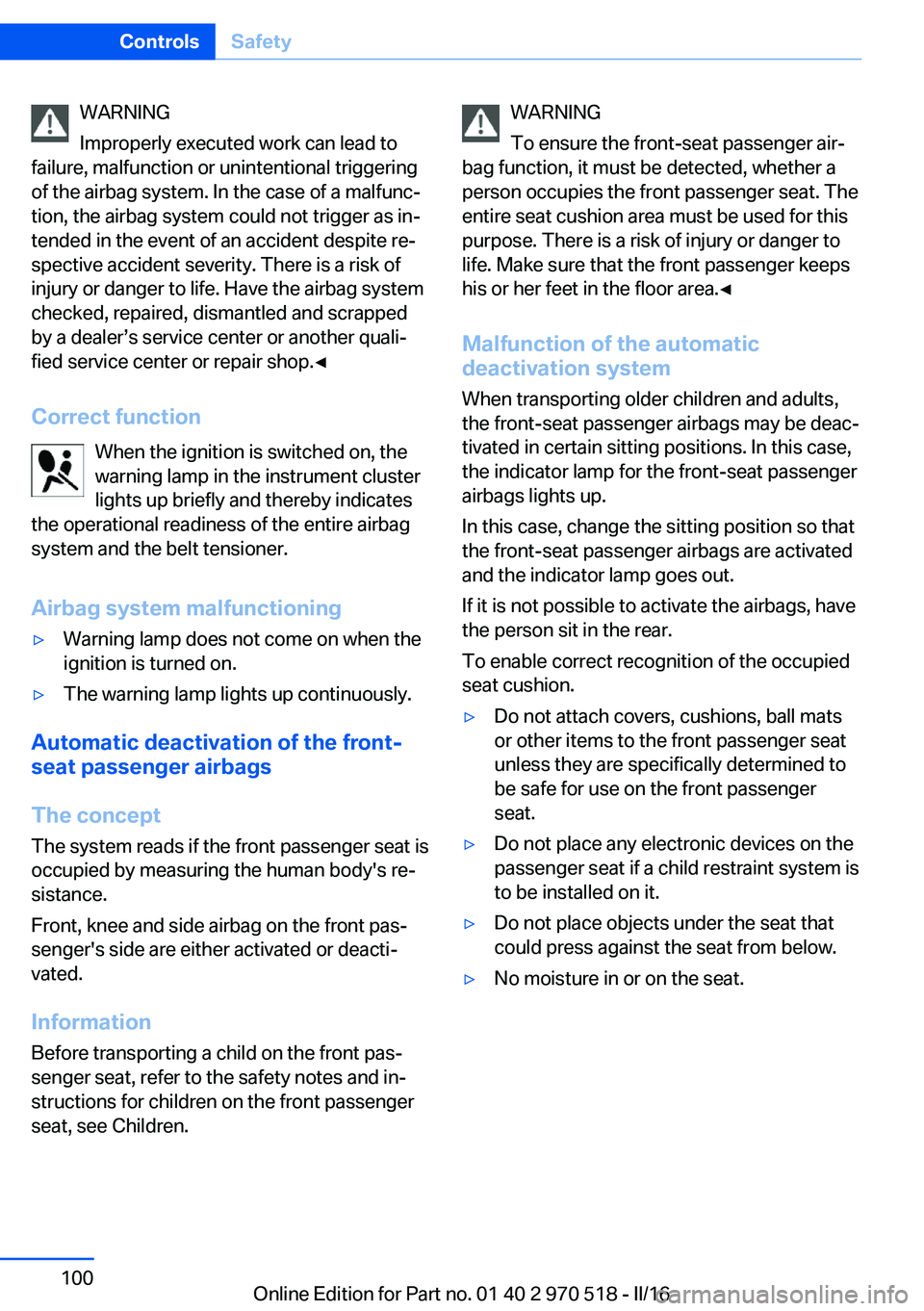
Correct function When the ignition is switched on, the
warning lamp in the instrument cluster
lights up briefly and thereby indicates
the operational readiness of the entire airbag
system and the belt tensioner.
Airbag system malfunctioning▷Warning lamp does not come on when the
ignition is turned on.▷The warning lamp lights up continuously.
Automatic deactivation of the front-
seat passenger airbags
The concept The system reads if the front passenger seat is
occupied by measuring the human body's re‐
sistance.
Front, knee and side airbag on the front pas‐
senger's side are either activated or deacti‐
vated.
Information Before transporting a child on the front pas‐
senger seat, refer to the safety notes and in‐
structions for children on the front passenger
seat, see Children.
WARNING
To ensure the front-seat passenger air‐
bag function, it must be detected, whether a
person occupies the front passenger seat. The
entire seat cushion area must be used for this
purpose. There is a risk of injury or danger to
life. Make sure that the front passenger keeps
his or her feet in the floor area.◀
Malfunction of the automatic
deactivation system
When transporting older children and adults,
the front-seat passenger airbags may be deac‐
tivated in certain sitting positions. In this case,
the indicator lamp for the front-seat passenger
airbags lights up.
In this case, change the sitting position so that
the front-seat passenger airbags are activated
and the indicator lamp goes out.
If it is not possible to activate the airbags, have
the person sit in the rear.
To enable correct recognition of the occupied
seat cushion.▷Do not attach covers, cushions, ball mats
or other items to the front passenger seat
unless they are specifically determined to
be safe for use on the front passenger
seat.▷Do not place any electronic devices on the
passenger seat if a child restraint system is
to be installed on it.▷Do not place objects under the seat that
could press against the seat from below.▷No moisture in or on the seat.Seite 100ControlsSafety100
Online Edition for Part no. 01 40 2 970 518 - II/16
Page 157 of 220
Load
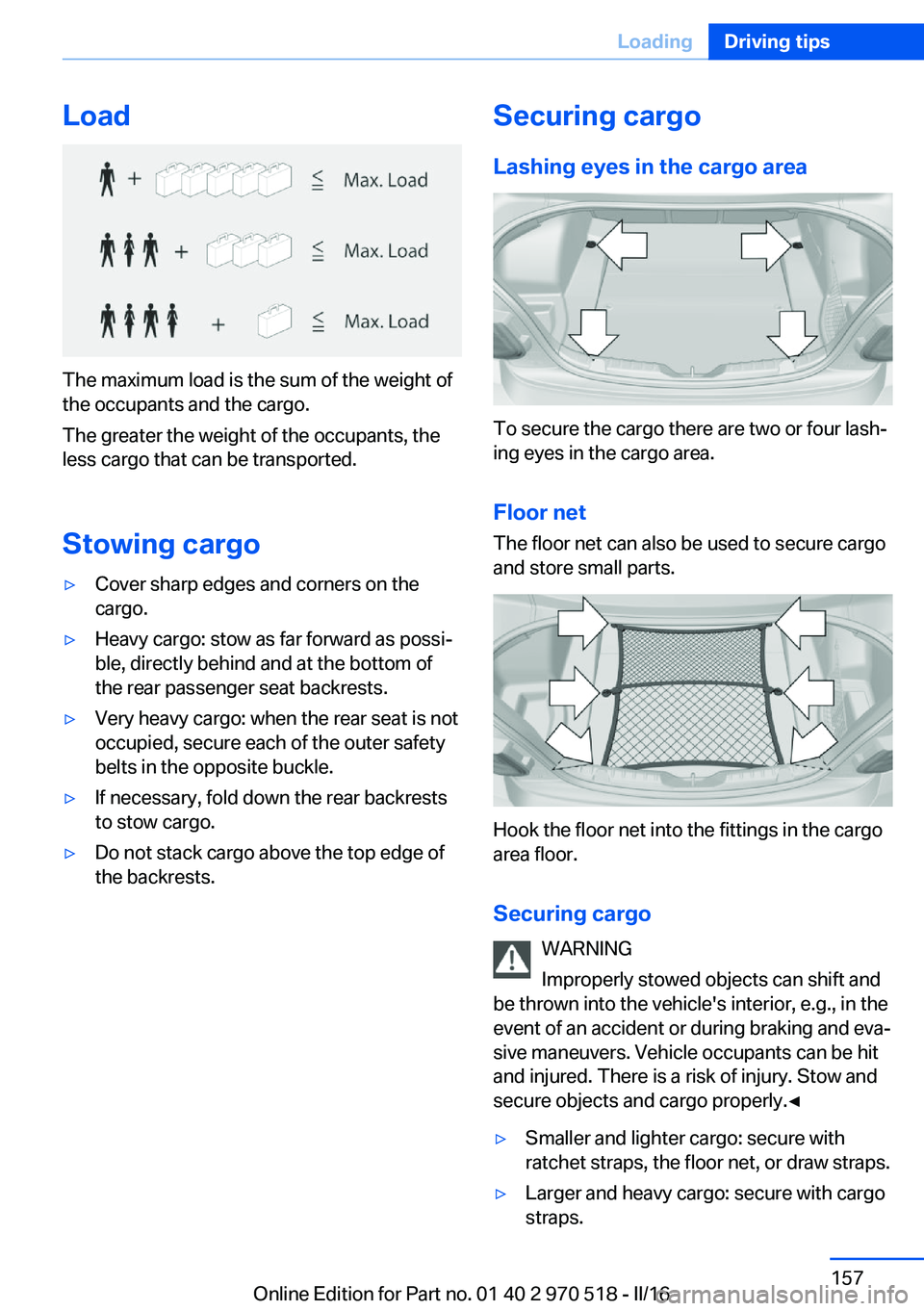
The maximum load is the sum of the weight of
the occupants and the cargo.
The greater the weight of the occupants, the
less cargo that can be transported.
Stowing cargo
▷Cover sharp edges and corners on the
cargo.▷Heavy cargo: stow as far forward as possi‐
ble, directly behind and at the bottom of
the rear passenger seat backrests.▷Very heavy cargo: when the rear seat is not
occupied, secure each of the outer safety
belts in the opposite buckle.▷If necessary, fold down the rear backrests
to stow cargo.▷Do not stack cargo above the top edge of
the backrests.Securing cargo
Lashing eyes in the cargo area
To secure the cargo there are two or four lash‐
ing eyes in the cargo area.
Floor net The floor net can also be used to secure cargo
and store small parts.
Hook the floor net into the fittings in the cargo
area floor.
Securing cargo WARNING
Improperly stowed objects can shift and
be thrown into the vehicle's interior, e.g., in the
event of an accident or during braking and eva‐
sive maneuvers. Vehicle occupants can be hit
and injured. There is a risk of injury. Stow and
secure objects and cargo properly.◀
▷Smaller and lighter cargo: secure with
ratchet straps, the floor net, or draw straps.▷Larger and heavy cargo: secure with cargo
straps.Seite 157LoadingDriving tips157
Online Edition for Part no. 01 40 2 970 518 - II/16
Page 202 of 220
▷Instrument cluster cover.▷Matt black spray-coated components.▷Painted parts in the interior.
Safety belts
Dirty belt straps impede the reeling action and
thus have a negative impact on safety.
WARNING
Chemical cleansers can destroy the
safety belt webbing. Missing protective effect
of the safety belts. There is a risk of injury or
danger to life. Use only a mild soapy solution
for cleaning the safety belts.◀
Use only a mild soapy solution, with the safety
belts clipped into their buckles.
Do not allow the switchs to retract the safety
belts until they are dry.
Carpets and floor mats WARNING
Objects in the driver's floor area can limit
the pedal distance or block a depressed pedal.
There is risk of an accident. Stow objects in
the vehicle such that they are secured and
cannot enter into the driver's floor area. Use
floor mats that are suitable for the vehicle and
can be safely attached to the floor. Do not use
loose floor mats and do not layer several floor
mats. Make sure that there is sufficient clear‐
ance for the pedals. Ensure that the floor mats
are securely fastened again after they were re‐
moved, e.g., for cleaning.◀
Floor mats can be removed from the car's inte‐
rior for cleaning.
If the floor carpets are very dirty, clean with a
microfiber cloth and water or a textile cleaner.
To prevent matting of the carpet, rub back and
forth in the direction of travel only.
Sensor/camera lenses
To clean sensors and camera lenses, use a
cloth moistened with a small amount of glass
detergent.
Displays/screens ATTENTION
Chemical cleansers, moisture or fluids of
any kind can damage the surface of displays
and screens. There is a risk of damage to prop‐
erty. Clean with a clean, antistatic microfiber
cloth.◀
ATTENTION
The surface of displays can be damaged
with improper cleaning. There is a risk of dam‐
age to property. Avoid pressure that is too high
and do not use any scratching materials.◀
Clean with a clean, antistatic microfiber cloth.
Long-term vehicle storage When the vehicle is shut down for longer than
three months, special measures must be
taken. Further information is available from a
dealer’s service center or another qualified
service center or repair shop.Seite 202MobilityCare202
Online Edition for Part no. 01 40 2 970 518 - II/16
Page 210 of 220
Everything from A to Z
IndexA ABS, Antilock Brake Sys‐ tem 114
Acceleration Assistant, see Launch Control 78
Accessories and parts 8
Activated-charcoal filter 132
Activation times, parked-car ventilation 133
Active M differential 116
Adaptive brake lights, see Brake force display 112
Adaptive Light Control 95
Additional information, iDrive 23
Additives, oil 181
Adjustments, seats/head re‐ straints 49
After washing vehicle 200
Airbags 98
Airbags, indicator/warning light 99
Air circulation, see Recircu‐ lated-air mode 128, 131
Air, dehumidifying, see Cool‐ ing function 128, 130
Air distribution, man‐ ual 129 , 131
Air flow, air conditioner 128
Air flow, automatic climate control 131
Air pressure, tires 168
Air vents, see Ventilation 132
Alarm system 44
Alarm, unintentional 45
All around the center con‐ sole 16
All around the roofliner 17
All around the steering wheel 14 All-season tires, see Winter
tires 172
Alternating-code hand-held transmitter 135
Alternative oil types 181
Ambient light 97
Antifreeze, washer fluid 73
Antilock Brake System, ABS 114
Anti-slip control, see DSC 114
App, BMW Driver’s Guide 6
Approved axle load 207
Arrival time 90
Ashtray 138
Assistance, Roadside Assis‐ tance 194
Assistance when driving off 118
Attentiveness assistant 112
AUTO intensity 131
Automatic car wash 199
Automatic climate con‐ trol 127
Automatic climate control with enhanced features 129
Automatic Curb Monitor 58
Automatic deactivation, Front-seat passenger air‐
bags 100
Automatic headlamp con‐ trol 94
Automatic locking 43
Automatic recirculated-air control 131
AUTO program, automatic cli‐ mate control 130
AUTO program, climate con‐ trol 128
AUTO program, intensity 131
Auto Start/Stop function 67 AUX-IN port, general informa‐
tion 139
Average fuel consumption 89
Average speed 89
Axle loads, weights 207
B Backrest curvature, see Lum‐ bar support 51
Backrest, width 52
Band-aids, see First-aid kit 194
Battery replacement, vehicle battery 190
Battery replacement, vehicle remote control 35
Battery, vehicle 190
Being towed, see Tow-start‐ ing and towing 196
Belts, safety belts 53
Beverage holder, cup holder 145
BMW Assist 6
BMW Driver’s Guide app 6
BMW Homepage 6
BMW Internet page 6
BMW maintenance sys‐ tem 184
BMW M technology 150
Bottle holder, see Cup holder 145
Brake assistant 114
Brake discs, break-in 152
Brake force display 112
Brake lights, adaptive 112
Brake lights, brake force dis‐ play 112
Brake pads, break-in 152
Braking, information 153 Seite 210ReferenceEverything from A to Z210
Online Edition for Part no. 01 40 2 970 518 - II/16
Page 216 of 220
Remote control, malfunc‐tion 39
Remote control, univer‐ sal 134
Replacement fuse 191
Replacing parts 186
Replacing wheels/tires 171
Reporting safety malfunc‐ tions 10
RES button, see Cruise con‐ trol 119
Reserve warning, see Range 84
Reset, Tire Pressure Monitor TPM 102
Retreaded tires 172
Roadside parking lights 93
RON recommended fuel grade 167
Roofliner 17
Roof load capacity 207
Roof-mounted luggage rack 158
Rubber components, care 201
S Safe braking 153
Safety belt reminder for driv‐ er's seat and front passen‐
ger seat 54
Safety belts 53
Safety belts, care 202
Safety systems, airbags 98
Saving fuel 159
Screen, see Control Dis‐ play 18
Screwdriver, see Onboard ve‐ hicle tool kit 186
Sealant 173
Seat and mirror memory 56
Seat belts, see Safety belts 53
Seat heating, front 52 Seating position for chil‐
dren 61
Seats 49
Securing cargo 157
Selection list in instrument cluster 88
Selector lever 75
Selector lever position 75
Sensors, care 202
Sequential mode 76
Service and warranty 8
Service requirements, Condi‐ tion Based Service
CBS 184
Service requirements, dis‐ play 85
Service, Roadside Assis‐ tance 194
Services, ConnectedDrive 6
Servotronic 116
SET button, see Cruise con‐ trol 119
Settings, locking/unlock‐ ing 43
Settings on Control Dis‐ play 91
Settings, storing for seat, mir‐ ror 56
Side airbags 98
Signaling, horn 14
Signals when unlocking 43
Sitting safely 49
Size 206
Slide/tilt glass roof 47
Snow chains 176
Socket 138
Socket, OBD Onboard Diag‐ nostics 185
SOS button 193
Spare fuse 191
Speed, average 89
Speed limit detection 86
Speed limit detection, com‐ puter 90
Speed limits, display 86
Speed warning 90 Split screen 24
SPORT+ - program, Dynamic Driving Control 117
Sport displays, torque dis‐ play, performance dis‐
play 90
SPORT program, Dynamic Driving Control 117
Stability control systems 114
Standard equipment 7
Start/stop, automatic func‐ tion 67
Start/Stop button 65
Start function during malfunc‐ tion 35
Starting the engine 66
Status control display, tires 102
Status of Owner's Manual 7
Steering assistance 116
Steering wheel, adjusting 59
Steering wheel heating 60
Stopping the engine 67
Storage compartment in the rear 145
Storage compartments 143
Storage, tires 172
Storing the vehicle 202
Suitable engine oil types 181
Summer tires, tread 171
Sun visor 138
Supplementary text mes‐ sages 82
Switch for Dynamic Driv‐ ing 116
Switch, see Cockpit 14
Symbols 6
Symbols in the status field 23
T Tachometer 83
Tailgate closing 41
Tailgate, emergency unlock‐ ing 41
Tailgate, hotel function 41 Seite 216ReferenceEverything from A to Z216
Online Edition for Part no. 01 40 2 970 518 - II/16