flat tire BMW M2 2016 User Guide
[x] Cancel search | Manufacturer: BMW, Model Year: 2016, Model line: M2, Model: BMW M2 2016Pages: 220, PDF Size: 4.71 MB
Page 169 of 220
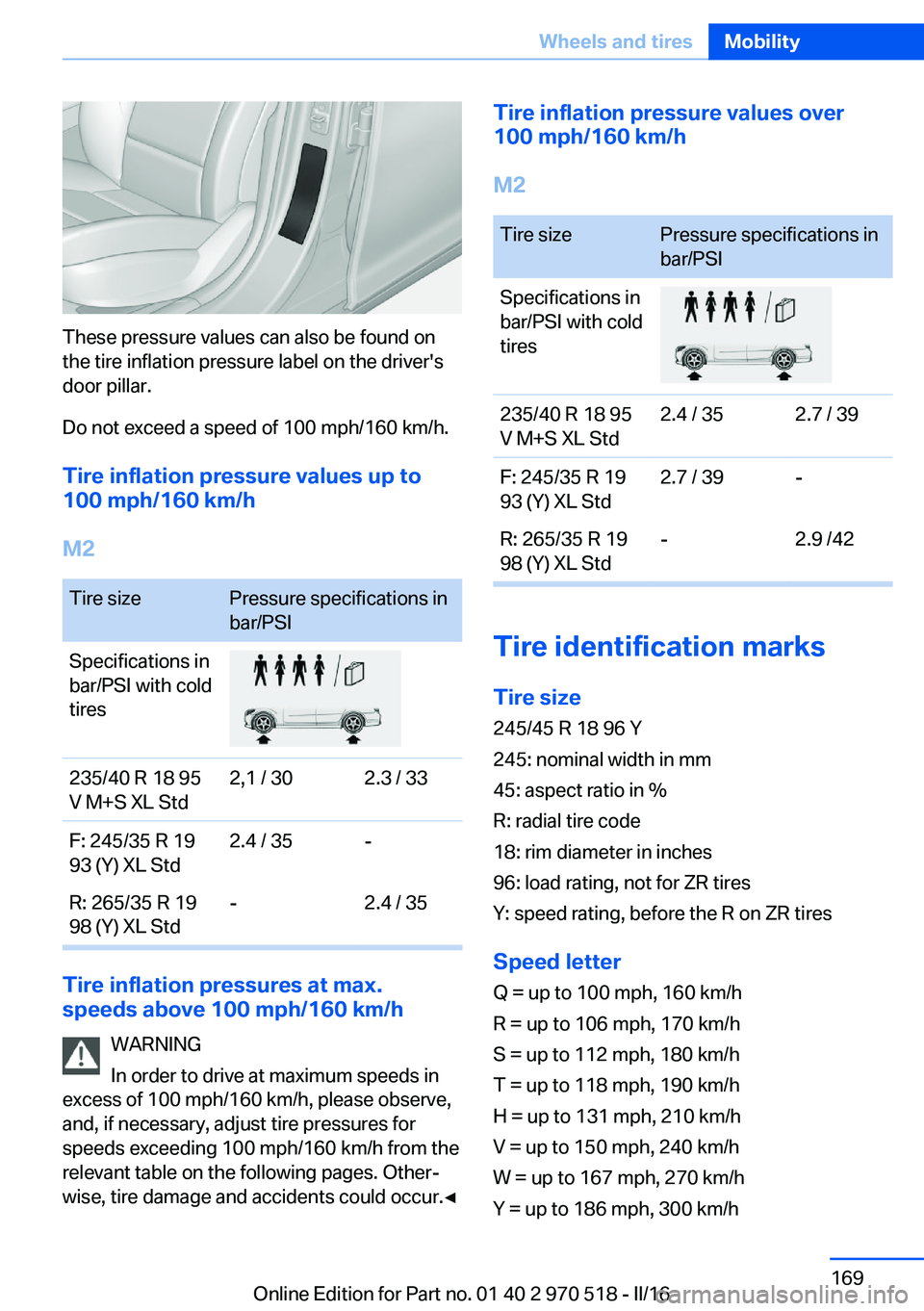
These pressure values can also be found on
the tire inflation pressure label on the driver's
door pillar.
Do not exceed a speed of 100 mph/160 km/h.
Tire inflation pressure values up to
100 mph/160 km/h
M2
Tire sizePressure specifications in
bar/PSISpecifications in
bar/PSI with cold
tires235/40 R 18 95
V M+S XL Std2,1 / 302.3 / 33F: 245/35 R 19
93 (Y) XL Std2.4 / 35-R: 265/35 R 19
98 (Y) XL Std-2.4 / 35
Tire inflation pressures at max.
speeds above 100 mph/160 km/h
WARNING
In order to drive at maximum speeds in
excess of 100 mph/160 km/h, please observe,
and, if necessary, adjust tire pressures for
speeds exceeding 100 mph/160 km/h from the
relevant table on the following pages. Other‐
wise, tire damage and accidents could occur.◀
Tire inflation pressure values over
100 mph/160 km/h
M2Tire sizePressure specifications in
bar/PSISpecifications in
bar/PSI with cold
tires235/40 R 18 95
V M+S XL Std2.4 / 352.7 / 39F: 245/35 R 19
93 (Y) XL Std2.7 / 39-R: 265/35 R 19
98 (Y) XL Std-2.9 /42
Tire identification marks
Tire size 245/45 R 18 96 Y
245: nominal width in mm
45: aspect ratio in %
R: radial tire code
18: rim diameter in inches
96: load rating, not for ZR tires
Y: speed rating, before the R on ZR tires
Speed letter
Q = up to 100 mph, 160 km/h
R = up to 106 mph, 170 km/h
S = up to 112 mph, 180 km/h
T = up to 118 mph, 190 km/h
H = up to 131 mph, 210 km/h
V = up to 150 mph, 240 km/h
W = up to 167 mph, 270 km/h
Y = up to 186 mph, 300 km/h
Seite 169Wheels and tiresMobility169
Online Edition for Part no. 01 40 2 970 518 - II/16
Page 170 of 220
Tire Identification NumberDOT code: DOT xxxx xxx 0116
xxxx: manufacturer code for the tire brand
xxx: tire size and tire design
0116: tire age
Tires with DOT codes meet the guidelines of
the U.S. Department of Transportation.
Tire age DOT … 0116: the tire was manufactured in the
1st week of 2016.
Recommendation
Regardless of wear and tear, replace tires at
least every 6 years.
Uniform Tire Quality Grading Quality grades can be found where applicable
on the tire sidewall between tread shoulder
and maximum section width.
For example: Treadwear 200; Traction AA;
Temperature A
DOT Quality Grades
Treadwear
Traction AA A B C
Temperature A B C
All passenger car tires must conform to Fed‐
eral Safety Requirements in addition to these
grades.
TreadwearThe treadwear grade is a comparative rating
based on the wear rate of the tire when tested
under controlled conditions on a specified gov‐
ernment test course. For example, a tire
graded 150 would wear one and one-half, 1 g,
times as well on the government course as a
tire graded 100. The relative performance of
tires depends upon the actual conditions of
their use, however, and may depart signifi‐
cantly from the norm due to variations in driv‐ing habits, service practices and differences in
road characteristics and climate.
Traction
The traction grades, from highest to lowest,
are AA, A, B, and C.
Those grades represent the tire's ability to
stop on wet pavement as measured under
controlled conditions on specified government
test surfaces of asphalt and concrete. A tire
marked C may have poor traction performance.
The traction grade assigned to this tire is
based on straight-ahead braking traction tests,
and does not include acceleration, cornering,
hydroplaning, or peak traction characteristics.
Temperature
The temperature grades are A, the highest, B, and C, representing the tire's resistance to the
generation of heat and its ability to dissipate
heat when tested under controlled conditions
on a specified indoor laboratory test wheel.
Sustained high temperature can cause the ma‐
terial of the tire to degenerate and reduce tire
life, and excessive temperature can lead to
sudden tire failure. The grade C corresponds
to a level of performance which all passenger
car tires must meet under the Federal Motor
Vehicle Safety Standard No. 109. Grades Band
A represent higher levels of performance on
the laboratory test wheel than the minimum re‐
quired by law.
WARNING
The temperature grade for this tire is es‐
tablished for a tire that is properly inflated and
not overloaded. Excessive speed, underinfla‐
tion, or excessive loading, either separately or
in combination, can cause heat buildup and
possible tire failure.◀
M+S
Winter and all-season tires with better cold
weather performance than summer tires.Seite 170MobilityWheels and tires170
Online Edition for Part no. 01 40 2 970 518 - II/16
Page 171 of 220
Tire treadSummer tires
Do not drive with a tire tread depth of less than
0.12 inches/3 mm.
There is an increased danger of hydroplaning if
the tire tread depth is less than 0.12 in‐
ches/3 mm.
Winter tires
Do not drive with a tire tread depth of less than
0.16 inches/4 mm.
Below a tread depth of 0.16 inches/4 mm, tires
are less suitable for winter operation.
Minimum tread depth
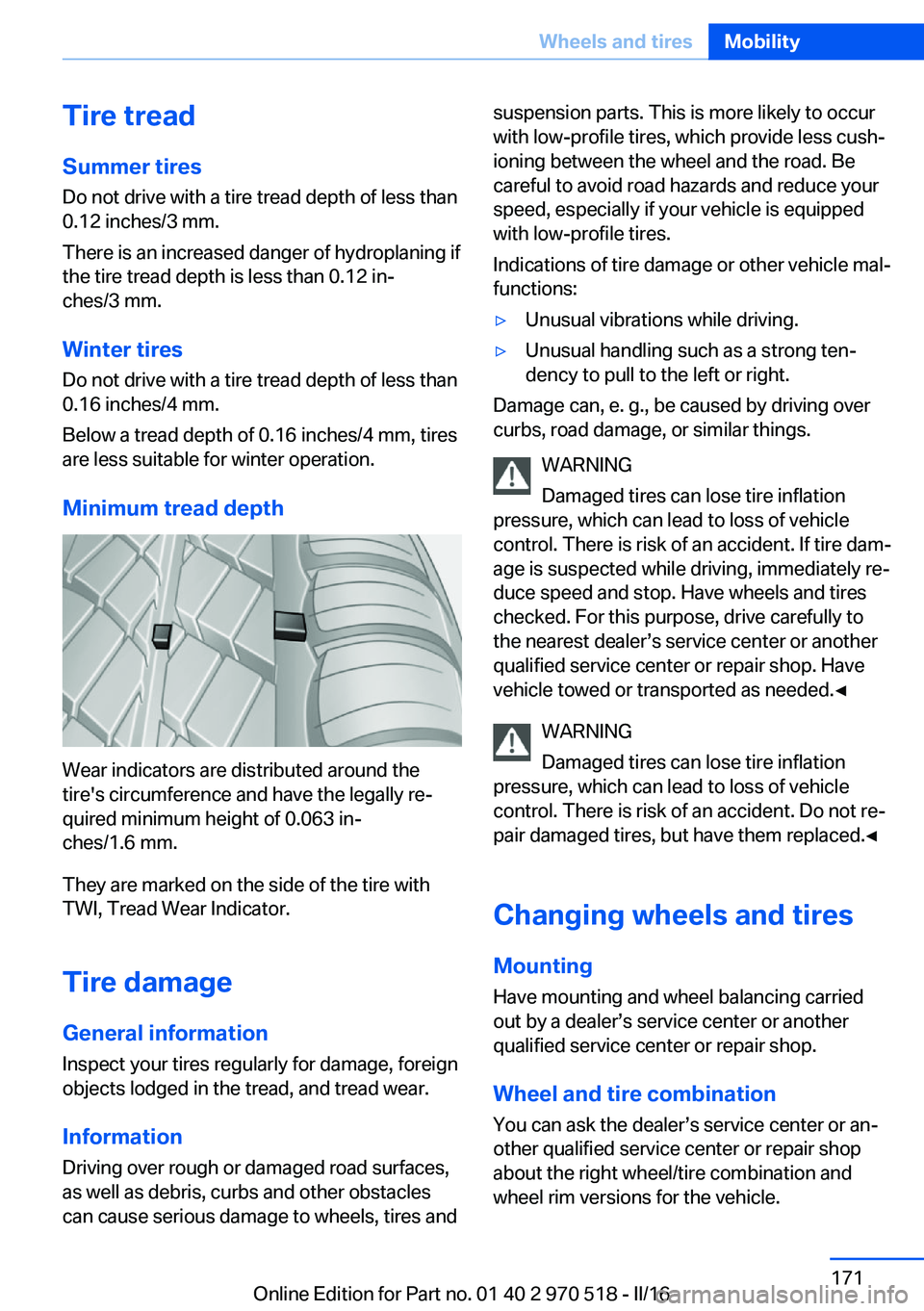
Wear indicators are distributed around the
tire's circumference and have the legally re‐
quired minimum height of 0.063 in‐
ches/1.6 mm.
They are marked on the side of the tire with
TWI, Tread Wear Indicator.
Tire damage
General information
Inspect your tires regularly for damage, foreign
objects lodged in the tread, and tread wear.
Information Driving over rough or damaged road surfaces,
as well as debris, curbs and other obstacles
can cause serious damage to wheels, tires and
suspension parts. This is more likely to occur
with low-profile tires, which provide less cush‐
ioning between the wheel and the road. Be
careful to avoid road hazards and reduce your
speed, especially if your vehicle is equipped
with low-profile tires.
Indications of tire damage or other vehicle mal‐
functions:▷Unusual vibrations while driving.▷Unusual handling such as a strong ten‐
dency to pull to the left or right.
Damage can, e. g., be caused by driving over
curbs, road damage, or similar things.
WARNING
Damaged tires can lose tire inflation
pressure, which can lead to loss of vehicle
control. There is risk of an accident. If tire dam‐
age is suspected while driving, immediately re‐
duce speed and stop. Have wheels and tires
checked. For this purpose, drive carefully to
the nearest dealer’s service center or another
qualified service center or repair shop. Have
vehicle towed or transported as needed.◀
WARNING
Damaged tires can lose tire inflation
pressure, which can lead to loss of vehicle
control. There is risk of an accident. Do not re‐
pair damaged tires, but have them replaced.◀
Changing wheels and tires
Mounting Have mounting and wheel balancing carriedout by a dealer’s service center or another
qualified service center or repair shop.
Wheel and tire combination
You can ask the dealer’s service center or an‐
other qualified service center or repair shop
about the right wheel/tire combination and
wheel rim versions for the vehicle.
Seite 171Wheels and tiresMobility171
Online Edition for Part no. 01 40 2 970 518 - II/16
Page 173 of 220
Do not exceed the maximum tire inflation pres‐
sure indicated on the side wall of the tire.
Repairing a flat tire
Safety measures▷Park the vehicle as far away as possible
from passing traffic and on solid ground.▷Switch on the hazard warning system.▷Secure the vehicle against rolling away by
setting the parking brake.▷Turn the steering wheel until the front
wheels are in the straight-ahead position
and engage the steering wheel lock.▷Have all vehicle occupants get out of the
vehicle and ensure that they remain out‐
side the immediate area in a safe place,
such as behind a guardrail.▷If necessary, set up a warning triangle at an
appropriate distance.
Mobility System
The concept
With the Mobility System, minor tire damage
can be sealed temporarily to enable continued
travel. To accomplish this, sealant is pumped
into the tires, which seals the damage from the
inside.
The compressor can be used to check the tire
inflation pressure.
Information
▷Follow the instructions on using the Mobi‐
lity System found on the compressor and
sealant container.▷Use of the Mobility System may be ineffec‐
tive if the tire puncture measures approx.
1/8 in/4 mm or more.▷Contact a dealer’s service center or an‐
other qualified service center or repair
shop if the tire cannot be made drivable.▷If possible, do not remove foreign bodies
that have penetrated the tire.▷Pull the speed limit sticker off the sealant
container and apply it to the steering
wheel.▷The use of a sealant can damage the TPM
wheel electronics. In this case, have the
electronics checked at the next opportu‐
nity and have them replaced if needed.
DANGER
If the exhaust pipe is blocked or ventila‐
tion is insufficient, harmful exhaust gases can
enter into the vehicle. The exhaust gases con‐
tain carbon monoxide, an odorless and color‐
less but highly toxic gas. In enclosed areas, ex‐
haust gases can also accumulate outside of
the vehicle. There is danger to life. Keep the
exhaust pipe free and ensure sufficient ventila‐
tion.◀
Storage
The Mobility System is located under the cargo floor panel.
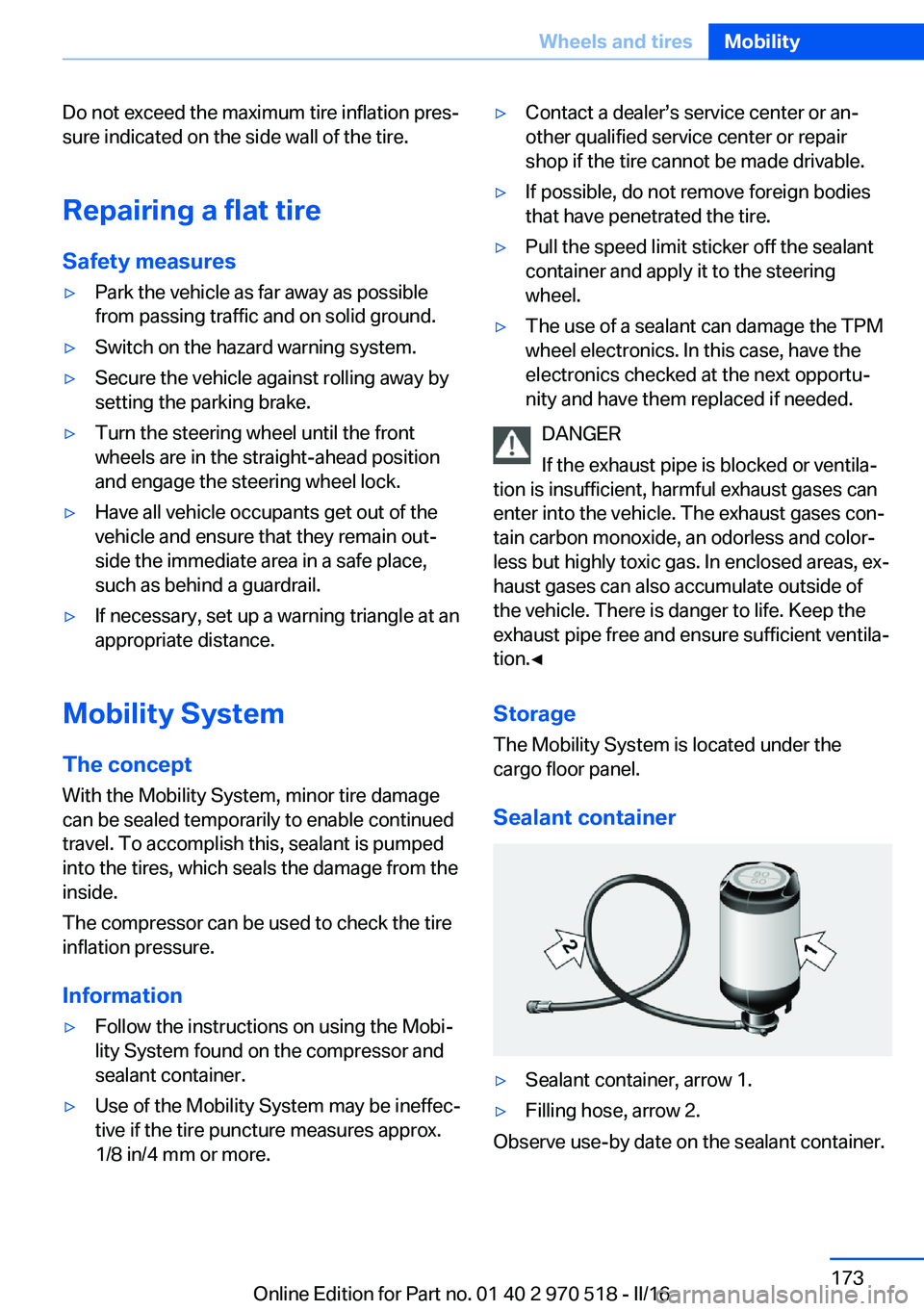
Sealant container
▷Sealant container, arrow 1.▷Filling hose, arrow 2.
Observe use-by date on the sealant container.
Seite 173Wheels and tiresMobility173
Online Edition for Part no. 01 40 2 970 518 - II/16
Page 174 of 220
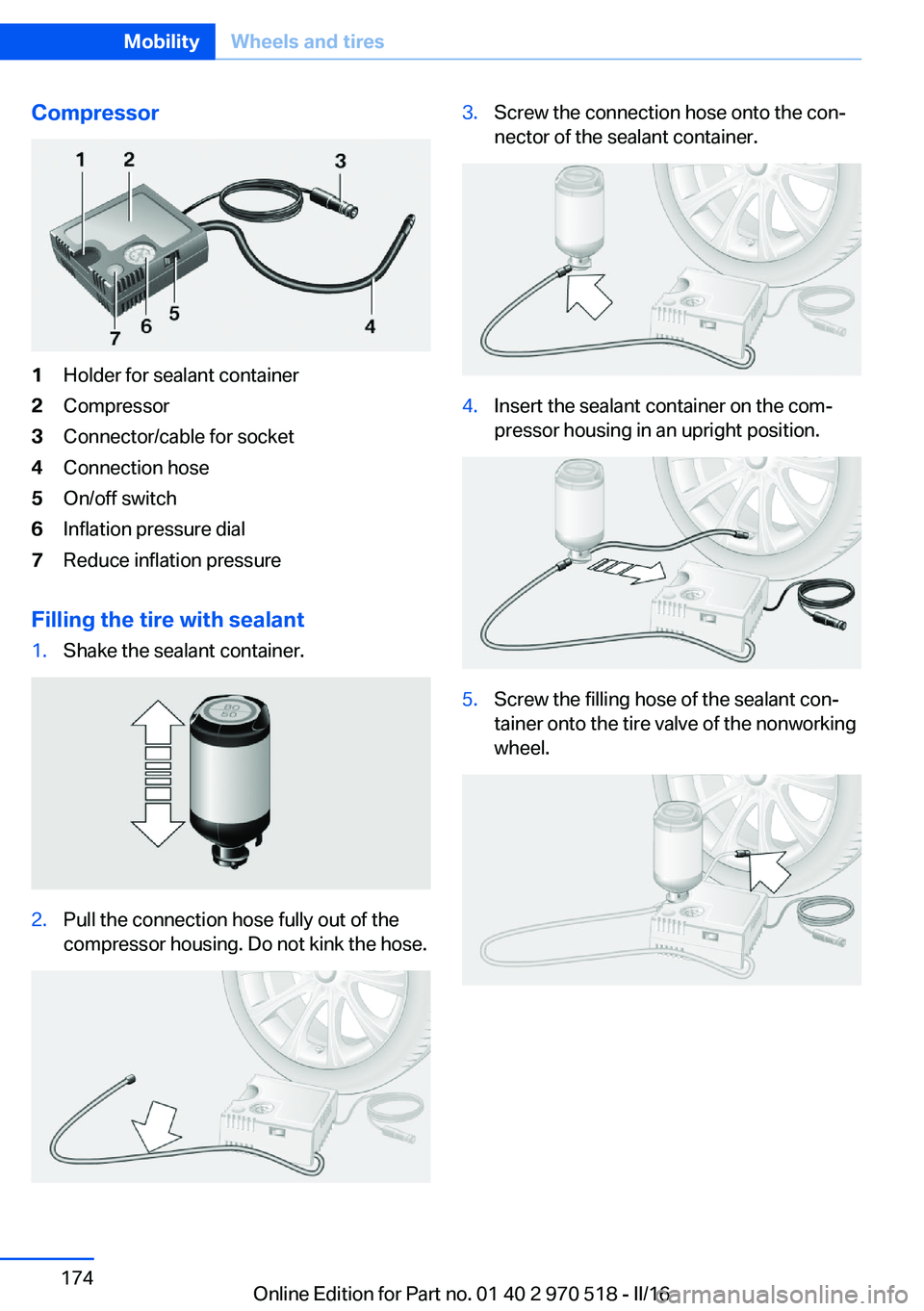
Compressor1Holder for sealant container2Compressor3Connector/cable for socket4Connection hose5On/off switch6Inflation pressure dial7Reduce inflation pressure
Filling the tire with sealant
1.Shake the sealant container.2.Pull the connection hose fully out of the
compressor housing. Do not kink the hose.3.Screw the connection hose onto the con‐
nector of the sealant container.4.Insert the sealant container on the com‐
pressor housing in an upright position.5.Screw the filling hose of the sealant con‐
tainer onto the tire valve of the nonworking
wheel.Seite 174MobilityWheels and tires174
Online Edition for Part no. 01 40 2 970 518 - II/16
Page 175 of 220
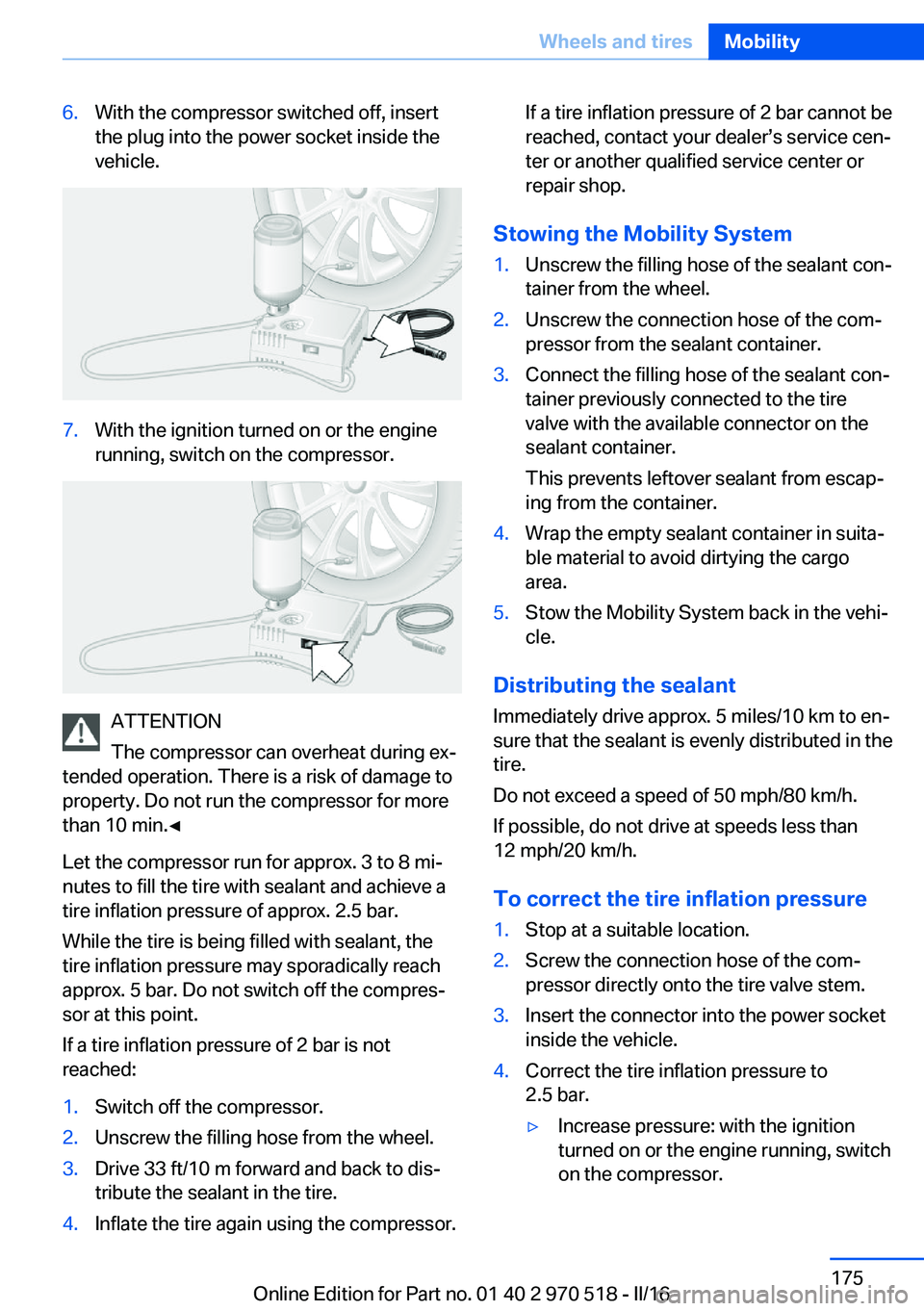
6.With the compressor switched off, insert
the plug into the power socket inside the
vehicle.7.With the ignition turned on or the engine
running, switch on the compressor.
ATTENTION
The compressor can overheat during ex‐
tended operation. There is a risk of damage to
property. Do not run the compressor for more
than 10 min.◀
Let the compressor run for approx. 3 to 8 mi‐
nutes to fill the tire with sealant and achieve a
tire inflation pressure of approx. 2.5 bar.
While the tire is being filled with sealant, the
tire inflation pressure may sporadically reach
approx. 5 bar. Do not switch off the compres‐
sor at this point.
If a tire inflation pressure of 2 bar is not
reached:
1.Switch off the compressor.2.Unscrew the filling hose from the wheel.3.Drive 33 ft/10 m forward and back to dis‐
tribute the sealant in the tire.4.Inflate the tire again using the compressor.If a tire inflation pressure of 2 bar cannot be
reached, contact your dealer’s service cen‐
ter or another qualified service center or
repair shop.
Stowing the Mobility System
1.Unscrew the filling hose of the sealant con‐
tainer from the wheel.2.Unscrew the connection hose of the com‐
pressor from the sealant container.3.Connect the filling hose of the sealant con‐
tainer previously connected to the tire
valve with the available connector on the
sealant container.
This prevents leftover sealant from escap‐
ing from the container.4.Wrap the empty sealant container in suita‐
ble material to avoid dirtying the cargo
area.5.Stow the Mobility System back in the vehi‐
cle.
Distributing the sealant
Immediately drive approx. 5 miles/10 km to en‐
sure that the sealant is evenly distributed in the
tire.
Do not exceed a speed of 50 mph/80 km/h.
If possible, do not drive at speeds less than
12 mph/20 km/h.
To correct the tire inflation pressure
1.Stop at a suitable location.2.Screw the connection hose of the com‐
pressor directly onto the tire valve stem.3.Insert the connector into the power socket
inside the vehicle.4.Correct the tire inflation pressure to
2.5 bar.▷Increase pressure: with the ignition
turned on or the engine running, switch
on the compressor.Seite 175Wheels and tiresMobility175
Online Edition for Part no. 01 40 2 970 518 - II/16
Page 176 of 220
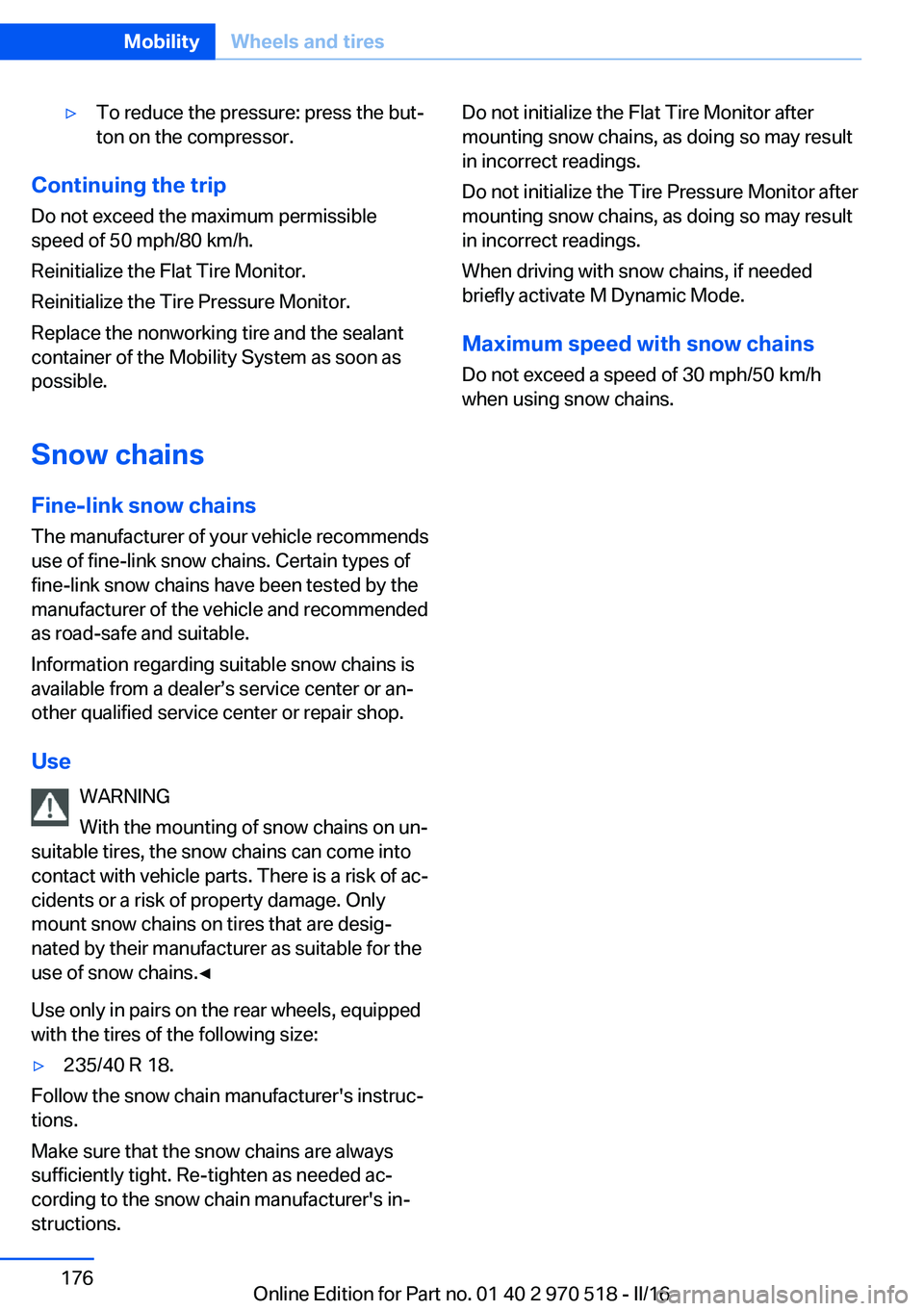
▷To reduce the pressure: press the but‐
ton on the compressor.
Continuing the trip
Do not exceed the maximum permissible
speed of 50 mph/80 km/h.
Reinitialize the Flat Tire Monitor.
Reinitialize the Tire Pressure Monitor.
Replace the nonworking tire and the sealant
container of the Mobility System as soon as
possible.
Snow chains
Fine-link snow chains
The manufacturer of your vehicle recommends
use of fine-link snow chains. Certain types of
fine-link snow chains have been tested by the
manufacturer of the vehicle and recommended
as road-safe and suitable.
Information regarding suitable snow chains is
available from a dealer’s service center or an‐
other qualified service center or repair shop.
Use WARNING
With the mounting of snow chains on un‐
suitable tires, the snow chains can come into
contact with vehicle parts. There is a risk of ac‐
cidents or a risk of property damage. Only
mount snow chains on tires that are desig‐
nated by their manufacturer as suitable for the
use of snow chains.◀
Use only in pairs on the rear wheels, equipped
with the tires of the following size:
▷235/40 R 18.
Follow the snow chain manufacturer's instruc‐
tions.
Make sure that the snow chains are always
sufficiently tight. Re-tighten as needed ac‐
cording to the snow chain manufacturer's in‐
structions.
Do not initialize the Flat Tire Monitor after
mounting snow chains, as doing so may result
in incorrect readings.
Do not initialize the Tire Pressure Monitor after
mounting snow chains, as doing so may result
in incorrect readings.
When driving with snow chains, if needed
briefly activate M Dynamic Mode.
Maximum speed with snow chains
Do not exceed a speed of 30 mph/50 km/h
when using snow chains.Seite 176MobilityWheels and tires176
Online Edition for Part no. 01 40 2 970 518 - II/16
Page 190 of 220
3.Proceed in the reverse order to insert the
new bulb and attach the bulb holder to the
tail lamp. Make sure that the bulb holder
engages in all fasteners.
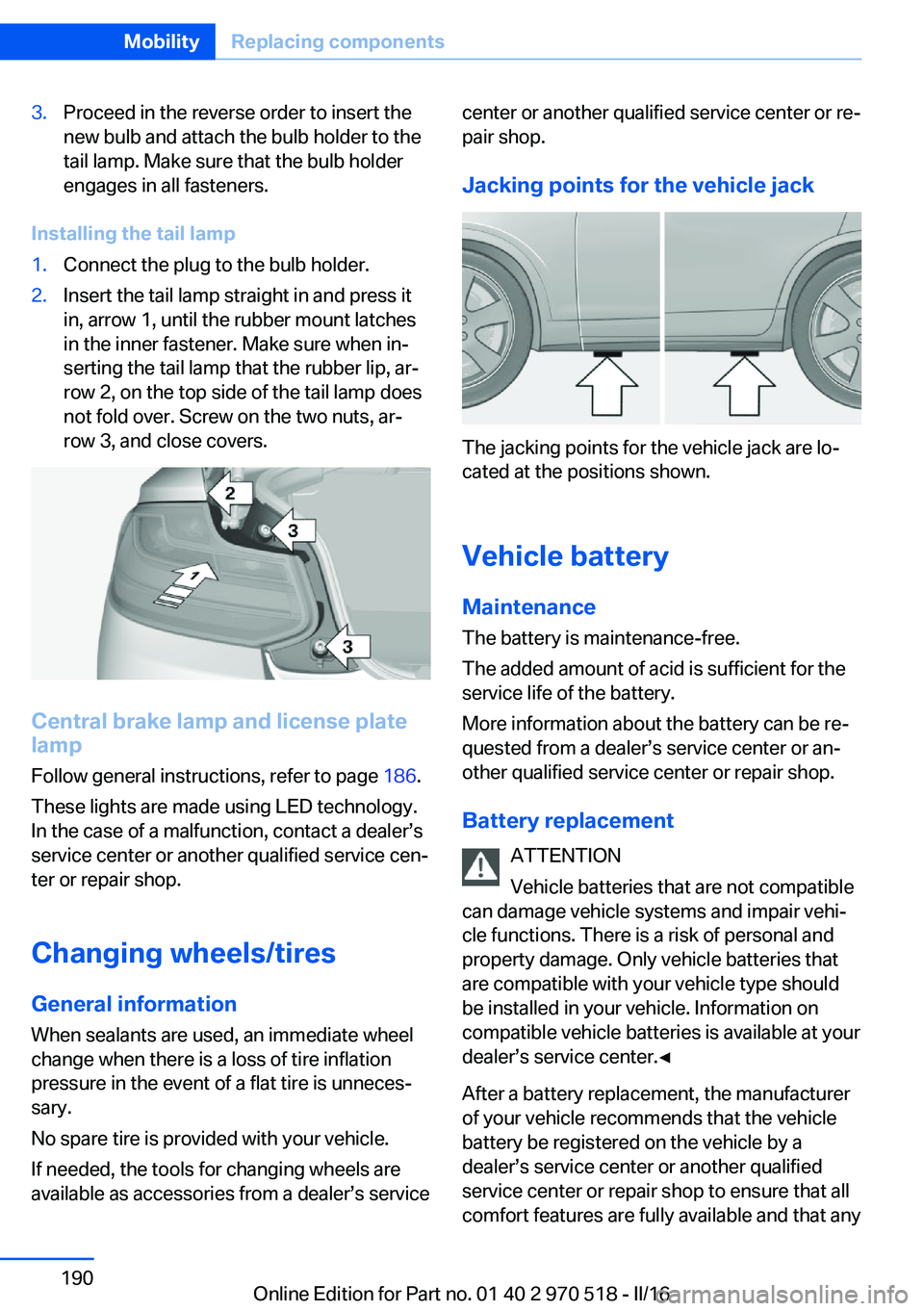
Installing the tail lamp
1.Connect the plug to the bulb holder.2.Insert the tail lamp straight in and press it
in, arrow 1, until the rubber mount latches
in the inner fastener. Make sure when in‐
serting the tail lamp that the rubber lip, ar‐
row 2, on the top side of the tail lamp does
not fold over. Screw on the two nuts, ar‐
row 3, and close covers.
Central brake lamp and license plate
lamp
Follow general instructions, refer to page 186.
These lights are made using LED technology.
In the case of a malfunction, contact a dealer’s
service center or another qualified service cen‐
ter or repair shop.
Changing wheels/tires General information
When sealants are used, an immediate wheel
change when there is a loss of tire inflation
pressure in the event of a flat tire is unneces‐
sary.
No spare tire is provided with your vehicle.
If needed, the tools for changing wheels are
available as accessories from a dealer’s service
center or another qualified service center or re‐
pair shop.
Jacking points for the vehicle jack
The jacking points for the vehicle jack are lo‐
cated at the positions shown.
Vehicle battery Maintenance
The battery is maintenance-free.
The added amount of acid is sufficient for the
service life of the battery.
More information about the battery can be re‐
quested from a dealer’s service center or an‐
other qualified service center or repair shop.
Battery replacement ATTENTION
Vehicle batteries that are not compatible
can damage vehicle systems and impair vehi‐
cle functions. There is a risk of personal and
property damage. Only vehicle batteries that
are compatible with your vehicle type should
be installed in your vehicle. Information on
compatible vehicle batteries is available at your
dealer’s service center.◀
After a battery replacement, the manufacturer
of your vehicle recommends that the vehicle
battery be registered on the vehicle by a
dealer’s service center or another qualified
service center or repair shop to ensure that all
comfort features are fully available and that any
Seite 190MobilityReplacing components190
Online Edition for Part no. 01 40 2 970 518 - II/16
Page 212 of 220
Defrosting, see defrosting thewindows 129
Defrosting, see Windows, de‐ frosting 131
Defrosting the windows 129
Dehumidifying, air 128, 130
Deleting personal data 25
Deletion of personal data 25
Destination distance 89
Differential lock 116
Digital clock 84
Digital compass 136
Dimensions 206
Dimmable exterior mirrors 58
Dimmable interior mirror 59
Direction indicator, see Turn signals 70
Display EfficientDynamics 85
Display, electronic, instru‐ ment cluster 79
Display, engine tempera‐ ture 89
Display lighting, see Instru‐ ment lighting 96
Displays, cleaning 202
Disposal, coolant 183
Disposal, vehicle battery 191
Distance control, see PDC 121
Distance to destination 89
Divided screen view, split screen 24
Door lock 39
Door lock, see Remote con‐ trol 34
Double-clutch transmis‐ sion 75
Drivelogic 77
Drive mode 76
Drive-off assistant 118
Drive-off assistant, see DSC 114
Driver assistance, see Intelli‐ gent Safety 105
Driving Assistant, see Intelli‐ gent Safety 105 Driving Dynamics Con‐
trol 116
Driving instructions, break- in 152
Driving mode 116
Driving notes, general 153
Driving on racetracks 150
Driving program, see Drive‐ logic 77
Driving stability control sys‐ tems 114
Driving tips 153
DSC Dynamic Stability Con‐ trol 114
Dynamic Stability Control DSC 114
E
EfficientDynamics 85
Electronic displays, instru‐ ment cluster 79
Electronic oil measure‐ ment 179
Electronic Stability Program ESP, see DSC 114
Emergency detection, remote control 35
Emergency Request 193
Emergency service, see Roadside Assistance 194
Emergency start function, en‐ gine start 35
Emergency unlocking, tail‐ gate 41
Energy Control 84
Energy recovery 84
Engine, automatic Start/Stop function 67
Engine, automatic switch- off 67
Engine compartment 177
Engine compartment, work‐ ing in 177
Engine coolant 182
Engine oil 179 Engine oil, adding 180
Engine oil additives 181
Engine oil change 181
Engine oil filler neck 180
Engine oil types, alterna‐ tive 181
Engine oil types, suitable 181
Engine start during malfunc‐ tion 35
Engine start, jump-start‐ ing 194
Engine start, see Starting the engine 66
Engine stop 67
Engine temperature, dis‐ play 89
Entering a car wash 199
Equipment, interior 134
Error displays, see Check Control 80
ESP Electronic Stability Pro‐ gram, see DSC 114
Exchanging wheels/tires 171
Exhaust system 153
Exterior mirror, automatic dimming feature 58
Exterior mirrors 57
External start 194
External temperature dis‐ play 84
External temperature warn‐ ing 84
Eyes for securing cargo 157
F
Failure message, see Check Control 80
False alarm, see Unintentional alarm 45
Fan, see Air flow 128, 131
Filler neck for engine oil 180
Fine wood, care 201
First-aid kit 194
Flat tire, changing wheels 190 Seite 212ReferenceEverything from A to Z212
Online Edition for Part no. 01 40 2 970 518 - II/16
Page 213 of 220
Flat Tire Monitor FTM 104
Flat tire, repairing 173
Flat tire, Tire Pressure Moni‐ tor TPM 101
Flat tire, warning lamp 102, 105
Flooding 153
Floor carpet, care 202
Floor mats, care 202
Fogged up windows 129
Fold-away position, wiper 73
Fold down the rear seat back‐ rest, see Though-loading
system 141
Foot brake 153
Front airbags 98
Front-end collision warning with City Braking func‐
tion 106
Front lights 187
Front-seat passenger airbags, automatic deactivation 100
Front-seat passenger airbags, indicator lamp 101
FTM Flat Tire Monitor 104
Fuel 166
Fuel cap 164
Fuel consumption, see Aver‐ age fuel consumption 89
Fuel filler flap 164
Fuel gauge 83
Fuel quality 166
Fuel recommendation 166
Fuel, tank capacity 207
Fuse 191
G
Garage door opener, see Uni‐ versal Integrated Remote
Control 134
Gasoline 166
Gear change 77
Gear shift indicator 86
General driving notes 153
Glare shield 138 Glass sunroof, powered 47
Glove compartment 143
GPS location, vehicle posi‐ tion 92
Gross vehicle weight, ap‐ proved 207
Ground clearance 155
H
Handbrake, see parking brake 70
Hand-held transmitter, alter‐ nating code 135
Hazard warning flashers 193
Head airbags 98
Headlamp control, auto‐ matic 94
Headlight courtesy delay fea‐ ture 94
Headlight flasher 71
Headlight glass 187
Headlights 187
Headlights, care 200
Head restraints 49
Head restraints, front 54
Head restraints, rear 55
Heavy cargo, stowing 157
High-beam Assistant 95
High beams 71
High beams/low beams, see High-beam Assistant 95
High-performance en‐ gine 150
Hills 154
Hill start assistant, see Drive- off assistant 118
Holder for beverages 145
Homepage 6
Hood 177
Horn 14
Hotel function, tailgate 41
Hot exhaust system 153
Hydroplaning 153 I
Ice warning, see External temperature warning 84
Icy roads, see External tem‐ perature warning 84
Identification marks, tires 169
Identification number, see Ve‐ hicle identification num‐
ber 10
iDrive 18
Ignition key, see Remote con‐ trol 34
Ignition off 65
Ignition on 65
Indication of a flat tire 102 , 105
Indicator and alarm lamps, see Check Control 80
Indicator lamp, see Check Control 80
Individual air distribu‐ tion 129, 131
Individual settings, see Per‐ sonal Profile 36
Inflation pressure, tires 168
Inflation pressure warning, tires 104
Info display, see On-Board computer 88
Information 6
Initialize, Tire Pressure Moni‐ tor TPM 102
Initializing, Flat Tire Monitor FTM 104
Instrument cluster 79
Instrument cluster, electronic displays 79
Instrument lighting 96
Integrated key 34
Integrated Owner's Manual in the vehicle 30
Intelligent emergency call 193
Intelligent Safety 105 Seite 213Everything from A to ZReference213
Online Edition for Part no. 01 40 2 970 518 - II/16