turn signal BMW M2 2016 User Guide
[x] Cancel search | Manufacturer: BMW, Model Year: 2016, Model line: M2, Model: BMW M2 2016Pages: 220, PDF Size: 4.71 MB
Page 111 of 220
Functional limitations
The system may not be fully functional or may
not be available in the following situations:▷In heavy fog, rain, sprayed water or snow‐
fall.▷In tight curves.▷If the driving stability control systems are
deactivated, for example DSC OFF.▷If the field of view of the camera or the
windshield are dirty or covered.▷Up to 10 seconds after the start of the en‐
gine, via the Start/Stop button.▷During calibration of the camera immedi‐
ately after vehicle delivery.▷If there are constant blinding effects be‐
cause of oncoming light, e.g., from the sun
low in the sky.▷When it is dark outside.
Lane departure warning
The concept Starting at a specific speed, this system alerts
you when the vehicle on streets with lane
markings is about to leave the lane. This
speed, depending on the country version, is
between 35 mph/55 km/h and
45 mph/70 km/h.
When switching on the system below this
speed, a message is displayed in the instru‐
ment cluster.
The steering wheel begins vibrating gently in
the event of warnings. The time of the warning
may vary depending on the current driving sit‐
uation.
The system does not provide a warning if the
turn signal is set before leaving the lane.
Information
WARNING
The system does not release the driver
from the personal responsibility to correctly
assess route and traffic situation. There is risk
of an accident. Adjust the driving style to the
traffic conditions. Watch traffic closely and ac‐
tively intervene in the respective situations. In
the event of a warning, do not unnecessarily
jerk the steering wheel.◀
Overview
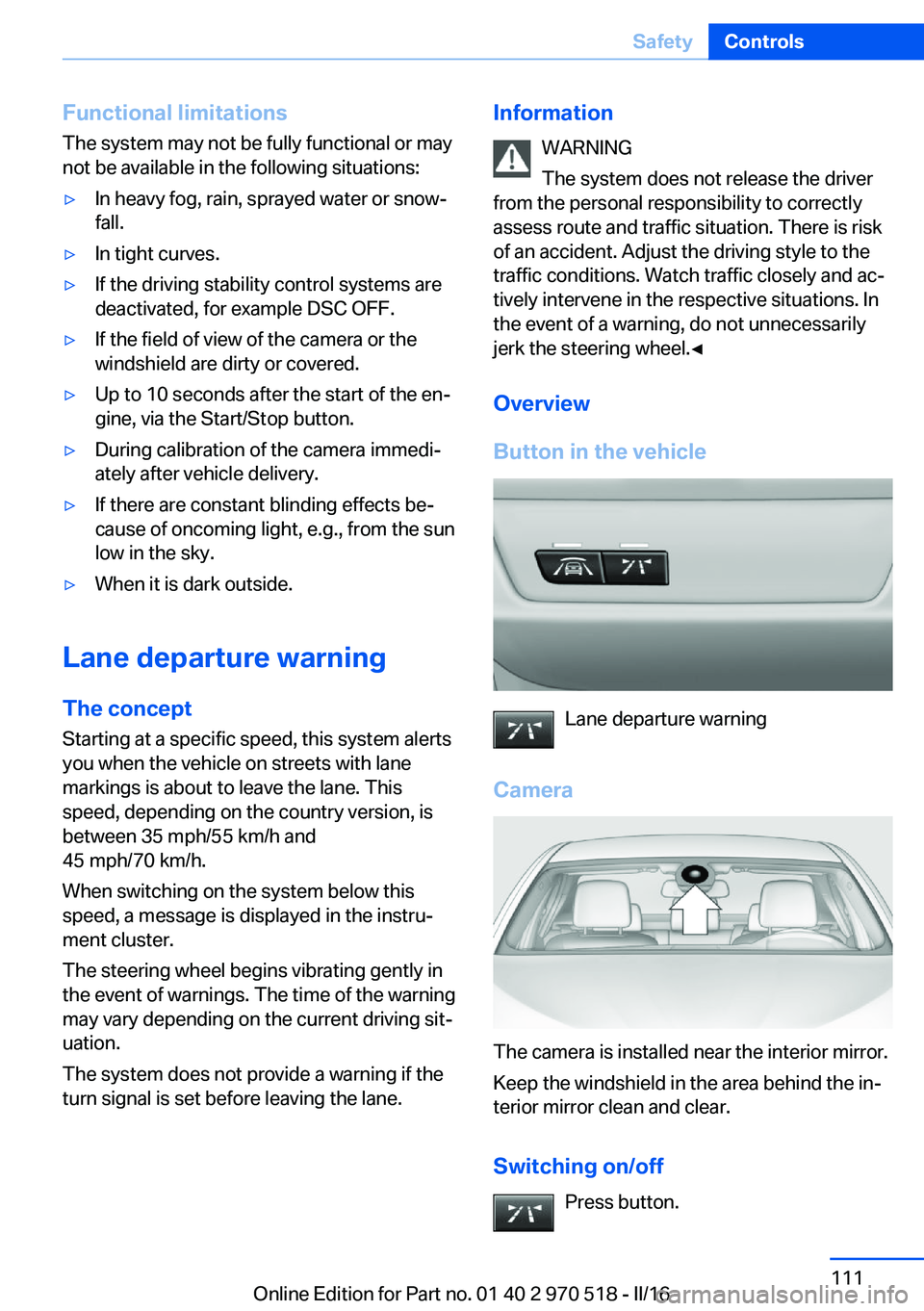
Button in the vehicle
Lane departure warning
Camera
The camera is installed near the interior mirror.
Keep the windshield in the area behind the in‐
terior mirror clean and clear.
Switching on/off Press button.
Seite 111SafetyControls111
Online Edition for Part no. 01 40 2 970 518 - II/16
Page 112 of 220
▷On: the LED lights up.▷Off: the LED goes out.
Settings are stored for the profile currently
used.
Display in the instrument cluster
▷Lines: system is activated.▷Arrows: at least one lane marking
was detected and warnings can be
issued.
Issued warning
If you leave the lane and if a lane marking has
been detected, the steering wheel begins vi‐
brating.
If the turn signal is set before changing the
lane, a warning is not issued.
End of warning
The warning is canceled in the following situa‐
tions:
▷Automatically after approx. 3 seconds.▷When returning to your own lane.▷When braking hard.▷When using the turn signal.
System limits
Information WARNING
The system can react incorrectly or not
at all due to the system limits. There is risk of
accidents or risk of property damage. Observe
the information regarding the system limits
and actively intervene, if needed.◀
Functional limitations
The system may not be fully functional in the
following situations:
▷In heavy fog, rain or snowfall.▷In the event of missing, worn, poorly visi‐
ble, merging, diverging, or multiple lane
markings such as in construction areas.▷When lane markings are covered in snow,
ice, dirt or water.▷In tight curves or on narrow lanes.▷When the lane markings are covered by
objects.▷When driving very close to the vehicle in
front of you.▷When driving toward bright lights.▷When the windshield in front of the interior
mirror is fogged over, dirty or covered with
stickers, etc.▷During calibration of the camera immedi‐
ately after vehicle delivery.
Brake force display
The concept
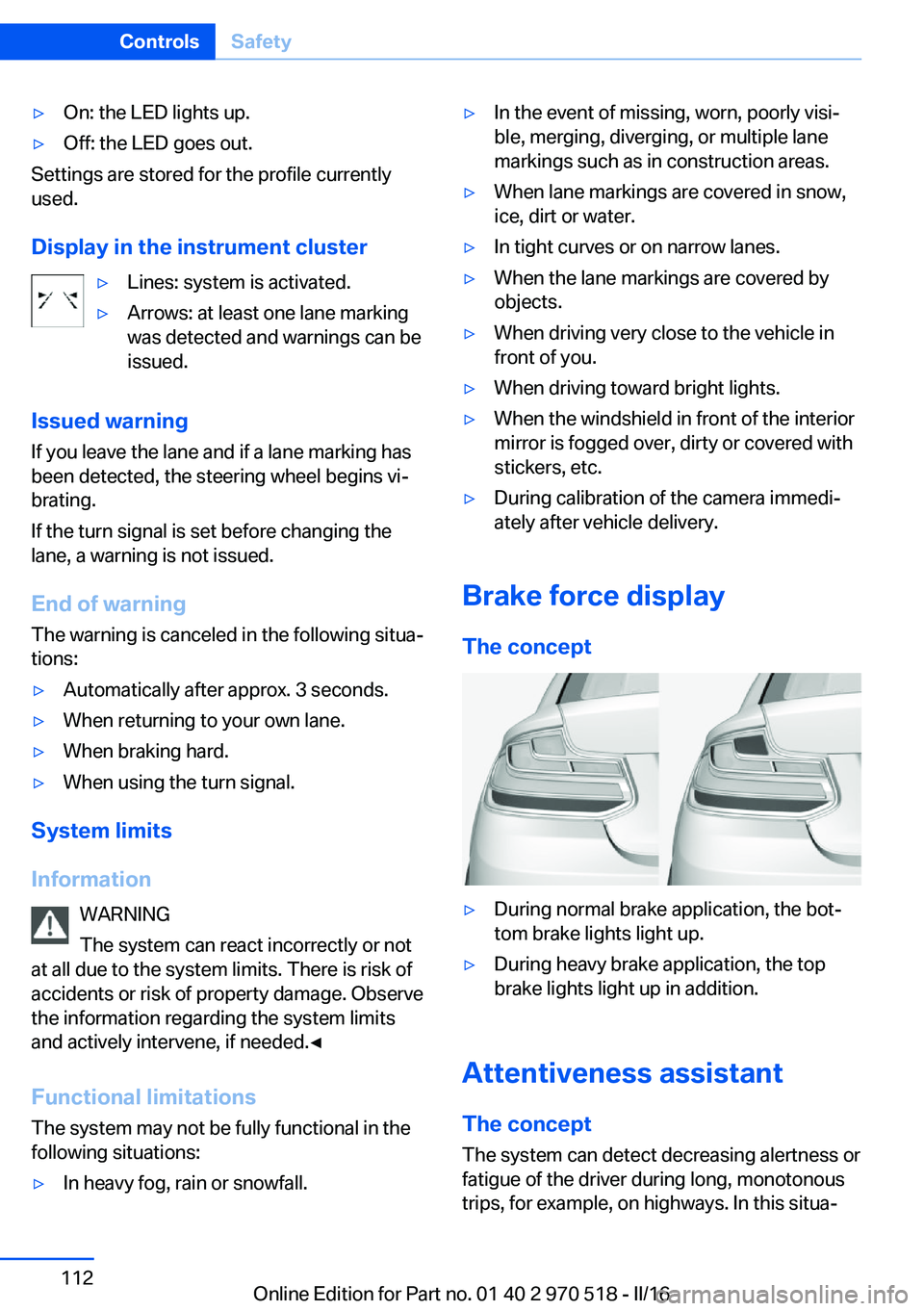
▷During normal brake application, the bot‐
tom brake lights light up.▷During heavy brake application, the top
brake lights light up in addition.
Attentiveness assistant
The concept The system can detect decreasing alertness or
fatigue of the driver during long, monotonous
trips, for example, on highways. In this situa‐
Seite 112ControlsSafety112
Online Edition for Part no. 01 40 2 970 518 - II/16
Page 123 of 220
3."Volume settings"4."PDC"5.Turn the Controller until the desired set‐
ting is selected.6.Press the Controller.
Settings are stored for the profile currently
used.
Visual warning
The approach of the vehicle to an object can
be shown on the Control Display. Objects that
are farther away are already displayed on the
Control Display before a signal sounds.
A display appears as soon as Park Distance
Control (PDC) is activated.
The range of the sensors is represented in the
colors green, yellow and red.
When the image of the rearview camera is dis‐
played, the switch can be made to PDC:
"Rear view camera"
System limits
Information WARNING
The system can react incorrectly or not
at all due to the system limits. There is risk of
accidents or risk of property damage. Observe
the information regarding the system limits
and actively intervene, if needed.◀
Limits of ultrasonic measurement Ultrasonic measuring might not function under
the following circumstances:
▷For small children and animals.▷For persons with certain clothing, for ex‐
ample coats.▷With external interference of the ultra‐
sound, for example from passing vehicles
or loud machines.▷When sensors are dirty, iced over, dam‐
aged or out of position.▷Under certain weather conditions such as
high relative humidity, rain, snowfall, ex‐
treme heat or strong wind.▷With tow bars and trailer couplings of other
vehicles.▷With thin or wedge-shaped objects.▷With moving objects.▷With elevated, protruding objects such as
ledges or cargo.▷With objects with corners and sharp edges.▷With objects with a fine surface structure
such as fences.▷For objects with porous surfaces.▷If cargo protrudes.
Low objects already displayed, for example,
curbs, can move into the blind area of the sen‐
sors before or after a continuous tone sounds.
False warnings
PDC may issue a warning under the following
conditions even though there is no obstacle
within the detection range:
▷In heavy rain.▷When sensors are very dirty or covered
with ice.▷When sensors are covered in snow.▷On rough road surfaces.▷On uneven surfaces, such as speed
bumps.▷In large buildings with right angles and
smooth walls, for example, in underground
garages.▷In automatic car washes.▷Through heavy pollution.▷Due to other ultrasound sources, for exam‐
ple, sweeping machines, high pressure
steam cleaners or neon lights.Seite 123Driving comfortControls123
Online Edition for Part no. 01 40 2 970 518 - II/16
Page 136 of 220
4.Likewise, press and hold the button of the
desired function on the hand-held trans‐
mitter.5.Release both buttons as soon as the inte‐
rior mirror LED flashes more rapidly. The
LED flashing faster indicates that the but‐
ton on the interior mirror has been pro‐
grammed. The system can then be con‐
trolled by the button on the interior mirror.
If the LED does not flash faster after at
least 60 seconds, change the distance and
repeat the step. Several more attempts at
different distances may be necessary. Wait
at least 15 seconds between attempts.
Canada: if programming with the hand-
held transmitter was interrupted, hold
down the interior mirror button and repeat‐
edly press and release the hand-held
transmitter button for 2 seconds.
Controls
WARNING
Body parts can be jammed when operat‐
ing remote-controlled systems, e.g., the ga‐
rage door, using the integrated universal re‐
mote control. There is a risk of injury or risk of
property damage. Make sure that the area of
movement of the respective system is clear
during programming and operation. Also follow
the safety instructions of the hand-held trans‐
mitter.◀
The system, such as the garage door, can be
operated using the button on the interior mirror
while the engine is running or when the ignition is started. To do this, hold down the button
within receiving range of the system until the
function is activated. The interior mirror LED
stays lit while the wireless signal is being
transmitted.
Deleting stored functions Press and hold the left and right button on the
interior mirror simultaneously for approxi‐
mately 20 seconds until the LED flashes rap‐
idly. All stored functions will be deleted. The
functions cannot be deleted individually.
Digital compass
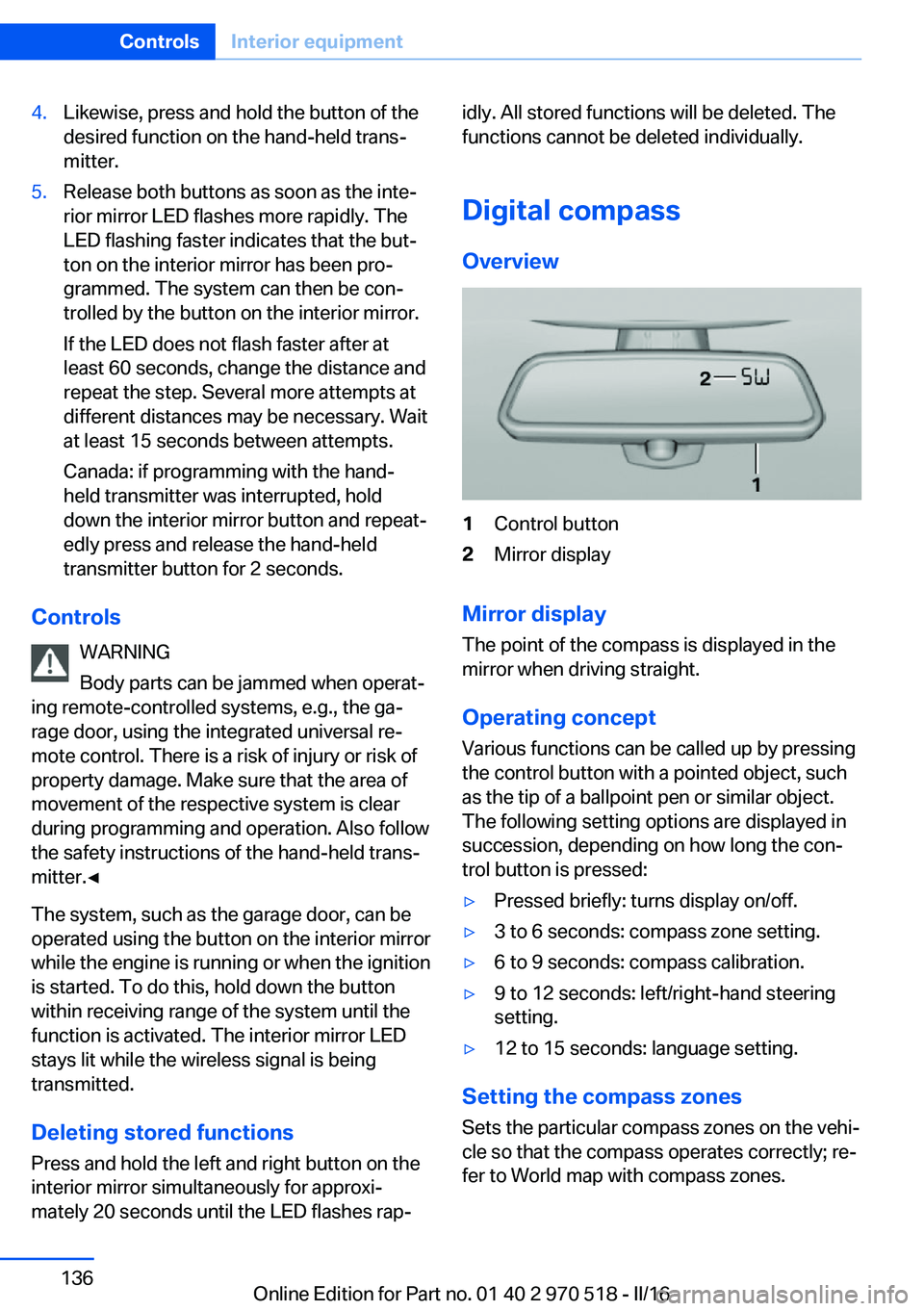
Overview1Control button2Mirror display
Mirror display
The point of the compass is displayed in the
mirror when driving straight.
Operating concept
Various functions can be called up by pressing
the control button with a pointed object, such
as the tip of a ballpoint pen or similar object.
The following setting options are displayed in
succession, depending on how long the con‐
trol button is pressed:
▷Pressed briefly: turns display on/off.▷3 to 6 seconds: compass zone setting.▷6 to 9 seconds: compass calibration.▷9 to 12 seconds: left/right-hand steering
setting.▷12 to 15 seconds: language setting.
Setting the compass zones
Sets the particular compass zones on the vehi‐
cle so that the compass operates correctly; re‐
fer to World map with compass zones.
Seite 136ControlsInterior equipment136
Online Edition for Part no. 01 40 2 970 518 - II/16
Page 188 of 220
For checking and adjusting headlamp aim,
contact a dealer’s service center or another
qualified service center or repair shop.
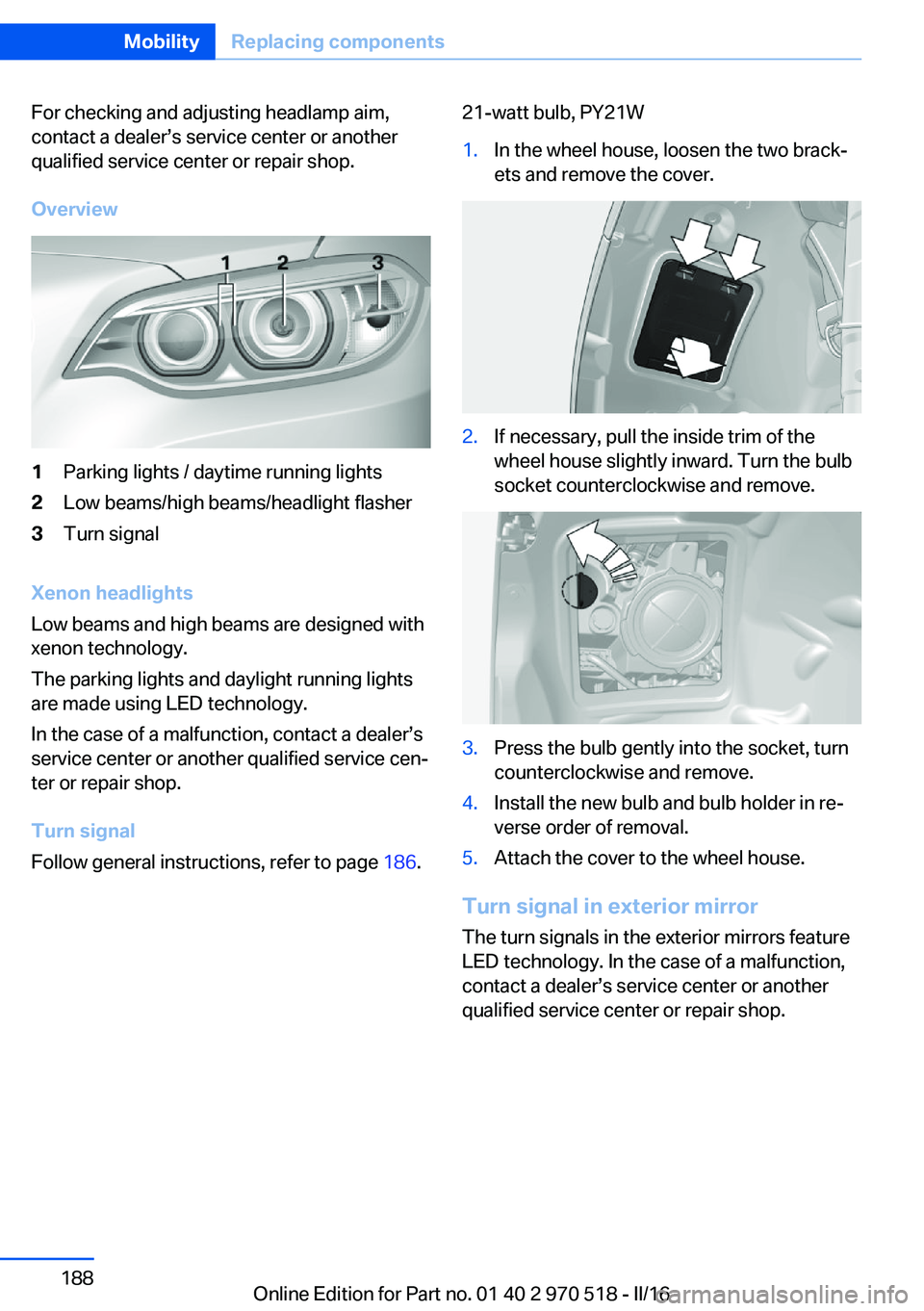
Overview1Parking lights / daytime running lights2Low beams/high beams/headlight flasher3Turn signal
Xenon headlights
Low beams and high beams are designed with
xenon technology.
The parking lights and daylight running lights
are made using LED technology.
In the case of a malfunction, contact a dealer’s
service center or another qualified service cen‐
ter or repair shop.
Turn signal
Follow general instructions, refer to page 186.
21-watt bulb, PY21W1.In the wheel house, loosen the two brack‐
ets and remove the cover.2.If necessary, pull the inside trim of the
wheel house slightly inward. Turn the bulb
socket counterclockwise and remove.3.Press the bulb gently into the socket, turn
counterclockwise and remove.4.Install the new bulb and bulb holder in re‐
verse order of removal.5.Attach the cover to the wheel house.
Turn signal in exterior mirror
The turn signals in the exterior mirrors feature
LED technology. In the case of a malfunction,
contact a dealer’s service center or another
qualified service center or repair shop.
Seite 188MobilityReplacing components188
Online Edition for Part no. 01 40 2 970 518 - II/16
Page 189 of 220
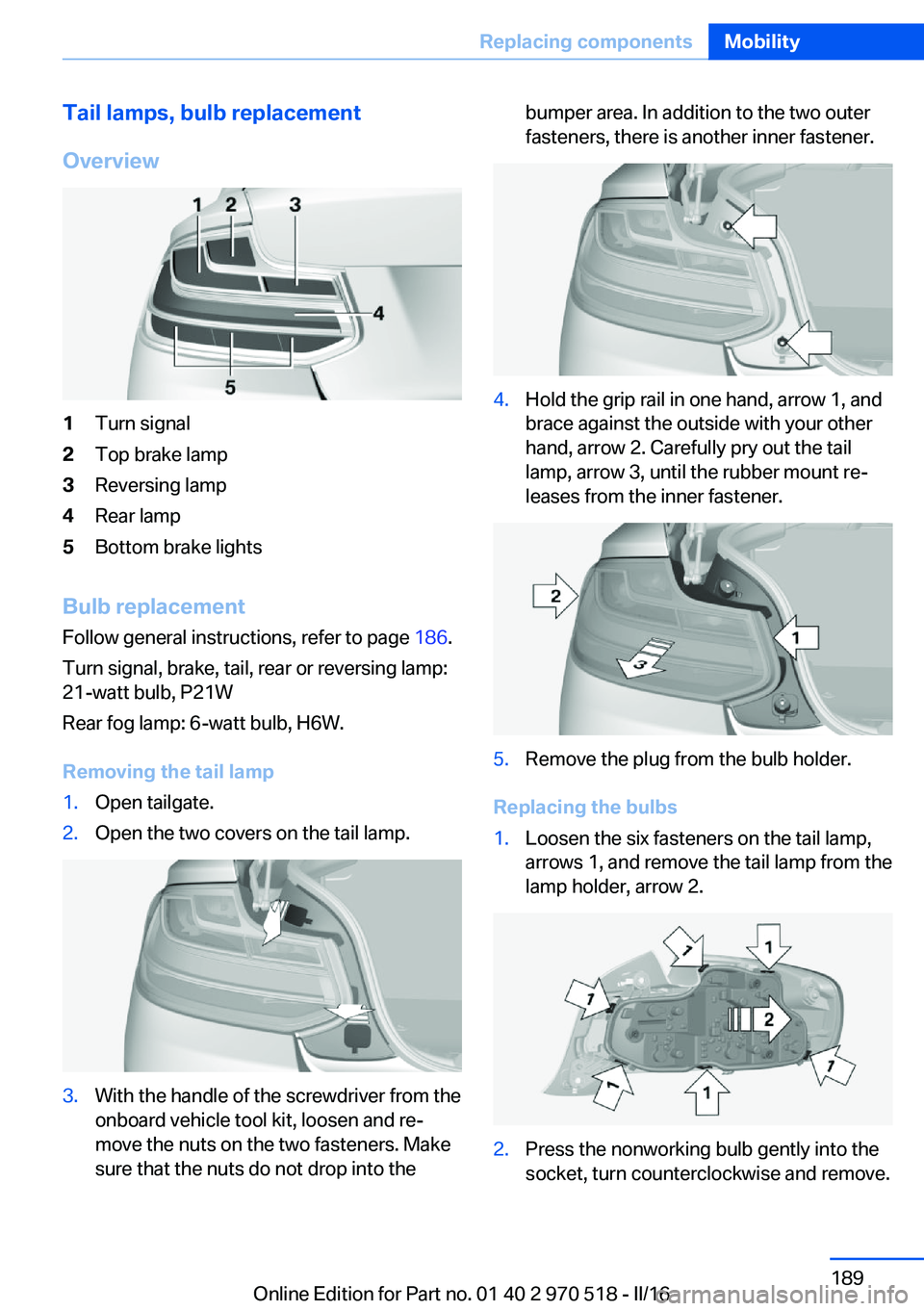
Tail lamps, bulb replacement
Overview1Turn signal2Top brake lamp3Reversing lamp4Rear lamp5Bottom brake lights
Bulb replacement Follow general instructions, refer to page 186.
Turn signal, brake, tail, rear or reversing lamp:
21-watt bulb, P21W
Rear fog lamp: 6-watt bulb, H6W.
Removing the tail lamp
1.Open tailgate.2.Open the two covers on the tail lamp.3.With the handle of the screwdriver from the
onboard vehicle tool kit, loosen and re‐
move the nuts on the two fasteners. Make
sure that the nuts do not drop into thebumper area. In addition to the two outer
fasteners, there is another inner fastener.4.Hold the grip rail in one hand, arrow 1, and
brace against the outside with your other
hand, arrow 2. Carefully pry out the tail
lamp, arrow 3, until the rubber mount re‐
leases from the inner fastener.5.Remove the plug from the bulb holder.
Replacing the bulbs
1.Loosen the six fasteners on the tail lamp,
arrows 1, and remove the tail lamp from the
lamp holder, arrow 2.2.Press the nonworking bulb gently into the
socket, turn counterclockwise and remove.Seite 189Replacing componentsMobility189
Online Edition for Part no. 01 40 2 970 518 - II/16
Page 196 of 220
corresponding engine or body ground of
the vehicle to be started.
Starting the engine
Never use spray fluids to start the engine.
1.Start the engine of the assisting vehicle
and let it run for several minutes at an in‐
creased idle speed.2.Start the engine of the vehicle that is to be
started in the usual way.
If the first starting attempt is not success‐
ful, wait a few minutes before making an‐
other attempt in order to allow the dis‐
charged battery to recharge.3.Let both engines run for several minutes.4.Disconnect the jumper cables in the re‐
verse order.
Check the battery and recharge if needed.
Tow-starting and towing Information WARNING
Due to system limits, individual functions
can malfunction during tow-starting/towing
with the Intelligent Safety systems activated,
e.g., approach control warning with light brak‐
ing function. There is risk of an accident.
Switch all Intelligent Safety systems off prior to
tow-starting/towing.◀
Manual transmission
Gearshift lever in neutral position.
Towing Follow the following instructions:
▷Make sure that the ignition is switched on;
otherwise, the low beams, tail lamps, turn
signals, and wipers may be unavailable.▷Do not tow the vehicle with the rear axle
tilted, as the front wheels could turn.▷When the engine is stopped, there is no
power assist. Consequently, more force
needs to be applied when braking and
steering.▷Larger steering wheel movements are re‐
quired.▷The towing vehicle must not be lighter
than the vehicle being towed; otherwise,
it will not be possible to control the vehi‐
cle's response.▷Do not exceed a towing speed of
30 mph/50 km/h.▷Do not exceed a towing distance of
30 miles/50 km.
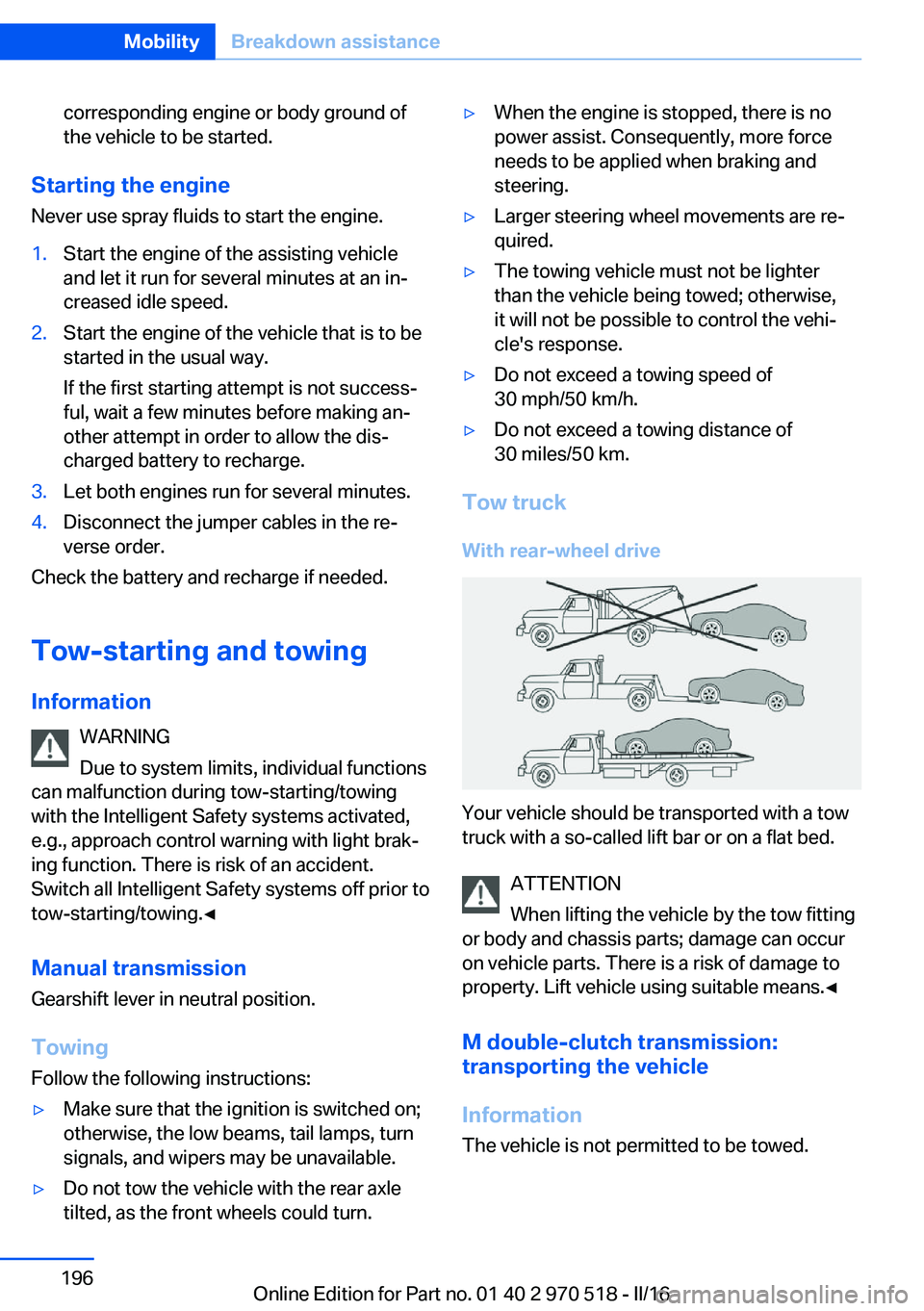
Tow truck
With rear-wheel drive
Your vehicle should be transported with a tow
truck with a so-called lift bar or on a flat bed.
ATTENTION
When lifting the vehicle by the tow fitting
or body and chassis parts; damage can occur
on vehicle parts. There is a risk of damage to
property. Lift vehicle using suitable means.◀
M double-clutch transmission:
transporting the vehicle
Information The vehicle is not permitted to be towed.
Seite 196MobilityBreakdown assistance196
Online Edition for Part no. 01 40 2 970 518 - II/16
Page 200 of 220
Manual transmission:1.Drive into the car wash.2.Shift to neutral.3.Switch the engine off.4.Switch on the ignition.
M double-clutch transmission:
1.Drive into the car wash.2.Engage selector lever position N.3.Switch the engine off.
In this way, the ignition remains switched
on, and a Check-Control message is dis‐
played.
CAUTION
Selector lever position P is automati‐
cally engaged when the ignition is
switched off. There is a risk of property
damage. Do not switch ignition off in car
washes.◀
The vehicle cannot be locked from the outside
when in selector lever position N. A signal
sounds when an attempt is made to lock the
vehicle.
To start the engine with manual transmission:
1.Press on the clutch pedal.2.Press the Start/Stop button.
To start the engine with a M double clutch
transmission:
1.Depress the brake pedal.2.Press the Start/Stop button.
Pressing the Start/Stop button without step‐
ping on the brake turns the ignition off.
Transmission position
Transmission position P is engaged automati‐
cally:
▷When the ignition is switched off.▷After approx. 15 minutes.Headlights▷Do not rub dry and do not use abrasive or
acidic cleansers.▷Soak areas that have been dirtied e. g.,
from insects, with shampoo and wash off
with water.▷Thaw ice with de-icing spray; do not use an
ice scraper.
After washing the vehicle
After washing the vehicle, apply the brakes
briefly to dry them; otherwise, braking action
can be reduced and corrosion of the brake
discs can occur.
Completely remove all residues on the win‐
dows, to minimize loss of visibility due to
smearing and to reduce wiper noises and
wiper blade wear.
Vehicle care
Vehicle care products BMW recommends using vehicle care and
cleaning products from BMW.
WARNING
Cleansers can contain substances that
are dangerous and harmful to your health. There is a risk of injury. When cleaning the in‐
terior, open the doors or windows. Only use
products intended for cleaning vehicles. Fol‐
low the instructions on the container.◀
Vehicle paint
Regular care contributes to driving safety and
value retention. Environmental influences in
areas with elevated air pollution or natural con‐
taminants, such as tree resin or pollen can af‐
fect the vehicle's paintwork. Tailor the fre‐
quency and extent of your vehicle care to
these influences.
Aggressive substances such as spilled fuel, oil,
grease or bird droppings, must be removed im‐
Seite 200MobilityCare200
Online Edition for Part no. 01 40 2 970 518 - II/16
Page 211 of 220
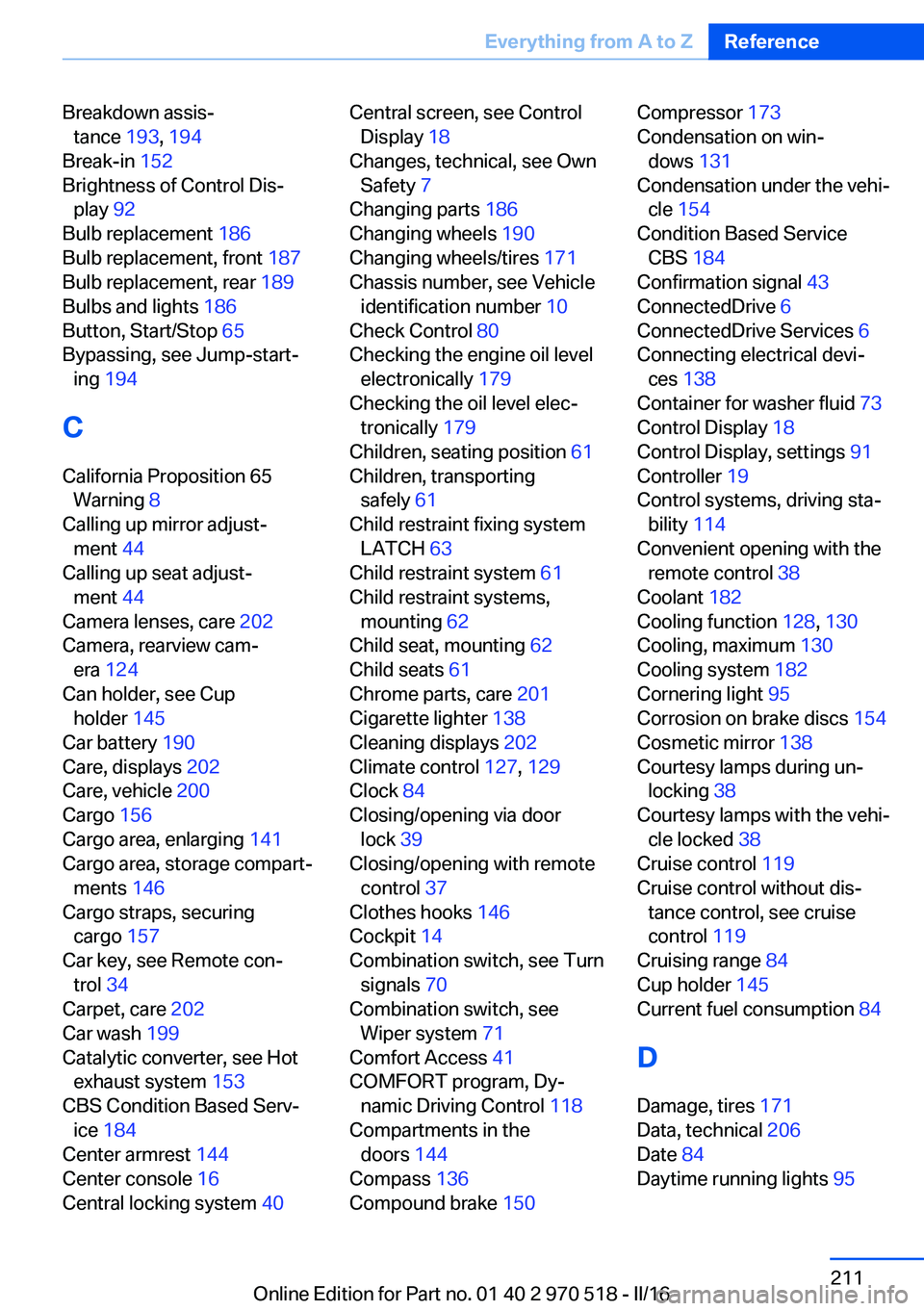
Breakdown assis‐tance 193, 194
Break-in 152
Brightness of Control Dis‐ play 92
Bulb replacement 186
Bulb replacement, front 187
Bulb replacement, rear 189
Bulbs and lights 186
Button, Start/Stop 65
Bypassing, see Jump-start‐ ing 194
C
California Proposition 65 Warning 8
Calling up mirror adjust‐ ment 44
Calling up seat adjust‐ ment 44
Camera lenses, care 202
Camera, rearview cam‐ era 124
Can holder, see Cup holder 145
Car battery 190
Care, displays 202
Care, vehicle 200
Cargo 156
Cargo area, enlarging 141
Cargo area, storage compart‐ ments 146
Cargo straps, securing cargo 157
Car key, see Remote con‐ trol 34
Carpet, care 202
Car wash 199
Catalytic converter, see Hot exhaust system 153
CBS Condition Based Serv‐ ice 184
Center armrest 144
Center console 16
Central locking system 40 Central screen, see Control
Display 18
Changes, technical, see Own Safety 7
Changing parts 186
Changing wheels 190
Changing wheels/tires 171
Chassis number, see Vehicle identification number 10
Check Control 80
Checking the engine oil level electronically 179
Checking the oil level elec‐ tronically 179
Children, seating position 61
Children, transporting safely 61
Child restraint fixing system LATCH 63
Child restraint system 61
Child restraint systems, mounting 62
Child seat, mounting 62
Child seats 61
Chrome parts, care 201
Cigarette lighter 138
Cleaning displays 202
Climate control 127, 129
Clock 84
Closing/opening via door lock 39
Closing/opening with remote control 37
Clothes hooks 146
Cockpit 14
Combination switch, see Turn signals 70
Combination switch, see Wiper system 71
Comfort Access 41
COMFORT program, Dy‐ namic Driving Control 118
Compartments in the doors 144
Compass 136
Compound brake 150 Compressor 173
Condensation on win‐ dows 131
Condensation under the vehi‐ cle 154
Condition Based Service CBS 184
Confirmation signal 43
ConnectedDrive 6
ConnectedDrive Services 6
Connecting electrical devi‐ ces 138
Container for washer fluid 73
Control Display 18
Control Display, settings 91
Controller 19
Control systems, driving sta‐ bility 114
Convenient opening with the remote control 38
Coolant 182
Cooling function 128, 130
Cooling, maximum 130
Cooling system 182
Cornering light 95
Corrosion on brake discs 154
Cosmetic mirror 138
Courtesy lamps during un‐ locking 38
Courtesy lamps with the vehi‐ cle locked 38
Cruise control 119
Cruise control without dis‐ tance control, see cruise
control 119
Cruising range 84
Cup holder 145
Current fuel consumption 84
D
Damage, tires 171
Data, technical 206
Date 84
Daytime running lights 95 Seite 211Everything from A to ZReference211
Online Edition for Part no. 01 40 2 970 518 - II/16
Page 212 of 220
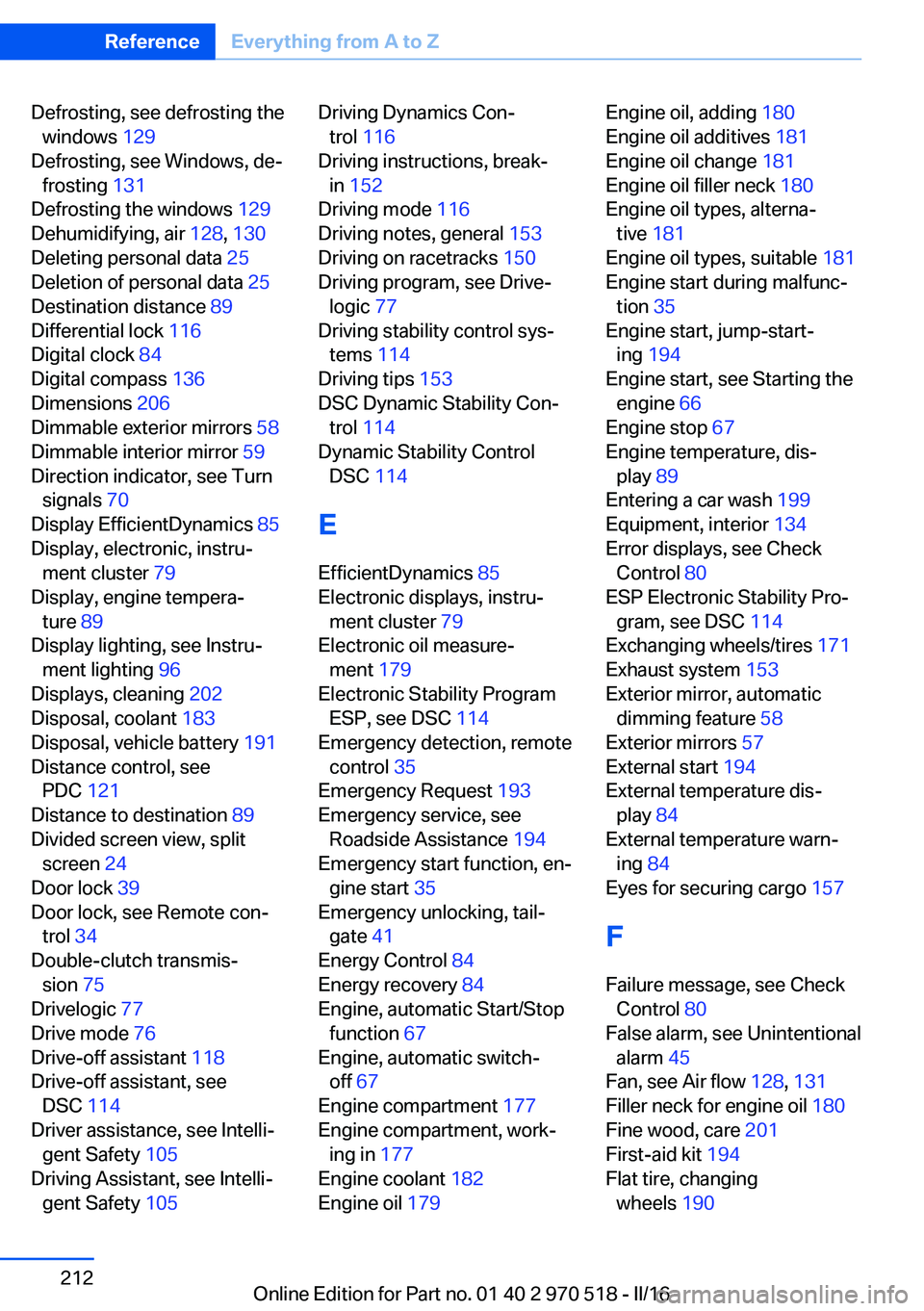
Defrosting, see defrosting thewindows 129
Defrosting, see Windows, de‐ frosting 131
Defrosting the windows 129
Dehumidifying, air 128, 130
Deleting personal data 25
Deletion of personal data 25
Destination distance 89
Differential lock 116
Digital clock 84
Digital compass 136
Dimensions 206
Dimmable exterior mirrors 58
Dimmable interior mirror 59
Direction indicator, see Turn signals 70
Display EfficientDynamics 85
Display, electronic, instru‐ ment cluster 79
Display, engine tempera‐ ture 89
Display lighting, see Instru‐ ment lighting 96
Displays, cleaning 202
Disposal, coolant 183
Disposal, vehicle battery 191
Distance control, see PDC 121
Distance to destination 89
Divided screen view, split screen 24
Door lock 39
Door lock, see Remote con‐ trol 34
Double-clutch transmis‐ sion 75
Drivelogic 77
Drive mode 76
Drive-off assistant 118
Drive-off assistant, see DSC 114
Driver assistance, see Intelli‐ gent Safety 105
Driving Assistant, see Intelli‐ gent Safety 105 Driving Dynamics Con‐
trol 116
Driving instructions, break- in 152
Driving mode 116
Driving notes, general 153
Driving on racetracks 150
Driving program, see Drive‐ logic 77
Driving stability control sys‐ tems 114
Driving tips 153
DSC Dynamic Stability Con‐ trol 114
Dynamic Stability Control DSC 114
E
EfficientDynamics 85
Electronic displays, instru‐ ment cluster 79
Electronic oil measure‐ ment 179
Electronic Stability Program ESP, see DSC 114
Emergency detection, remote control 35
Emergency Request 193
Emergency service, see Roadside Assistance 194
Emergency start function, en‐ gine start 35
Emergency unlocking, tail‐ gate 41
Energy Control 84
Energy recovery 84
Engine, automatic Start/Stop function 67
Engine, automatic switch- off 67
Engine compartment 177
Engine compartment, work‐ ing in 177
Engine coolant 182
Engine oil 179 Engine oil, adding 180
Engine oil additives 181
Engine oil change 181
Engine oil filler neck 180
Engine oil types, alterna‐ tive 181
Engine oil types, suitable 181
Engine start during malfunc‐ tion 35
Engine start, jump-start‐ ing 194
Engine start, see Starting the engine 66
Engine stop 67
Engine temperature, dis‐ play 89
Entering a car wash 199
Equipment, interior 134
Error displays, see Check Control 80
ESP Electronic Stability Pro‐ gram, see DSC 114
Exchanging wheels/tires 171
Exhaust system 153
Exterior mirror, automatic dimming feature 58
Exterior mirrors 57
External start 194
External temperature dis‐ play 84
External temperature warn‐ ing 84
Eyes for securing cargo 157
F
Failure message, see Check Control 80
False alarm, see Unintentional alarm 45
Fan, see Air flow 128, 131
Filler neck for engine oil 180
Fine wood, care 201
First-aid kit 194
Flat tire, changing wheels 190 Seite 212ReferenceEverything from A to Z212
Online Edition for Part no. 01 40 2 970 518 - II/16