warning BMW M2 2016 User Guide
[x] Cancel search | Manufacturer: BMW, Model Year: 2016, Model line: M2, Model: BMW M2 2016Pages: 220, PDF Size: 4.71 MB
Page 44 of 220
▷"Lock after start driving"
The vehicle locks automatically after
you drive off.
Retrieving the seat and mirror settings
The driver's seat and exterior mirror positions
used last are stored for the remote control cur‐
rently used.
When the vehicle is unlocked, these positions
are automatically retrieved if this function was
activated.
WARNING
There is risk of jamming when moving
the seats. There is a risk of injury or risk of
property damage. Make sure that the area of
movement of the seat is clear prior to any ad‐
justment.◀
The adjustment procedure is interrupted:
▷When a seat position switch is pressed.▷When a button of the seat and mirror mem‐
ory is pressed.
Activating the setting
1."Settings"2."Doors/key"3."Last seat position autom."
Alarm system
The conceptWhen the vehicle is locked, the vehicle alarm
system responds to:
▷Opening a door, the hood or the tailgate.▷Movements in the interior.▷Changes in the vehicle tilt, e.g., during at‐
tempts at stealing a wheel or when towing
the car.▷Disconnected battery voltage.
The alarm system briefly signals tampering:
▷Acoustic alarm.▷By switching on the hazard warning sys‐
tem.▷By flashing the daytime running lights.
Switching on and off
When you unlock or lock the vehicle, either
with the remote control or with Comfort Ac‐
cess, the alarm system is switched on and off
at the same time.
Door lock with the alarm system
switched on
The alarm system is triggered when the door is
opened, when the vehicle is unlocked via the
door lock.
Switching off the alarm, refer to page 45.
Tailgate with the alarm system
switched on
The tailgate can be opened even when the alarm system is switched on.
After the tailgate is closed, it is locked and
monitored again when the doors are locked.
The hazard warning system flashes once.
Panic mode You can trigger the alarm system if you find
yourself in a dangerous situation.
Press button on the remote control for
at least 3 seconds.
To switch off the alarm: press any button.
Seite 44ControlsOpening and closing44
Online Edition for Part no. 01 40 2 970 518 - II/16
Page 45 of 220
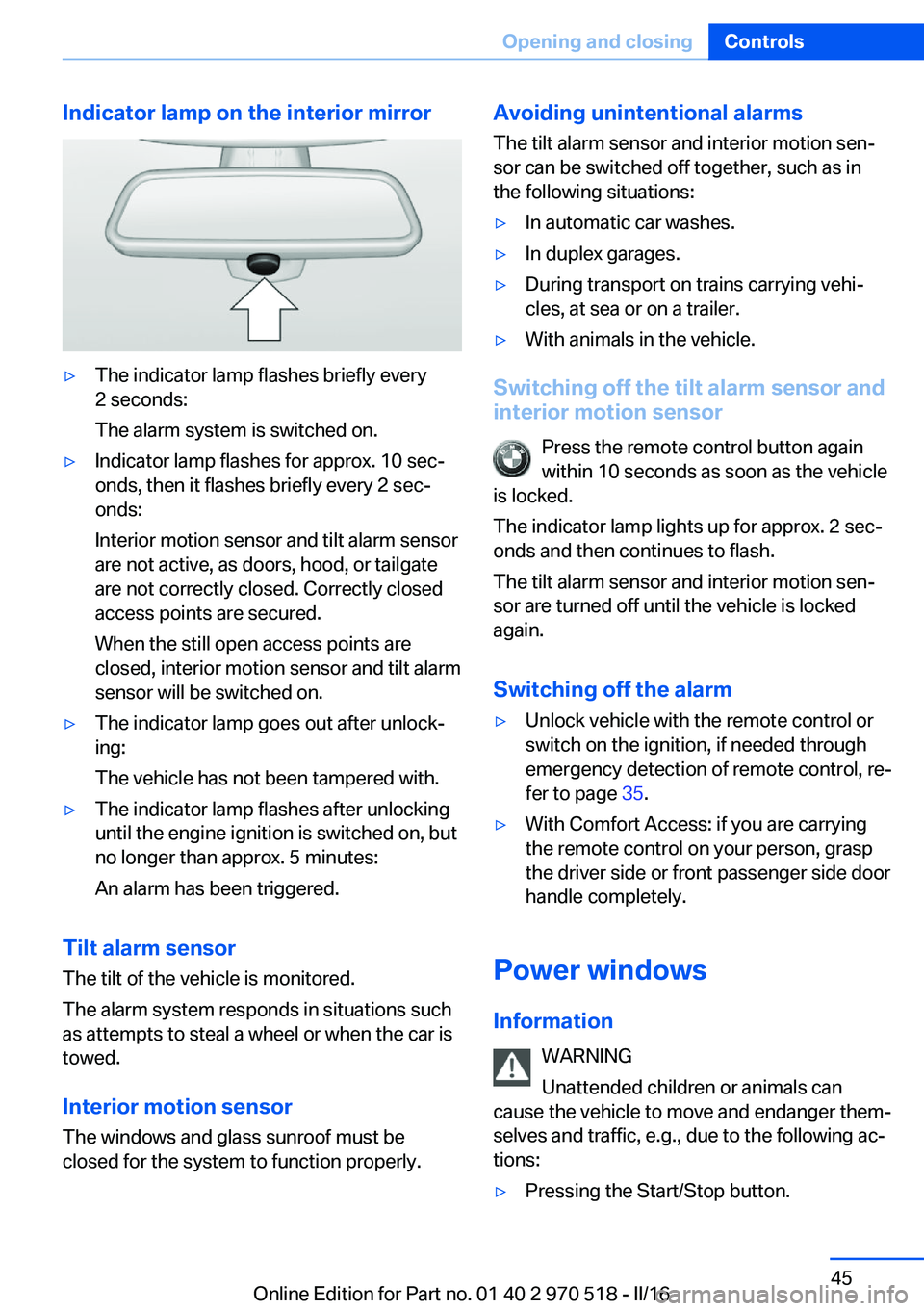
Indicator lamp on the interior mirror▷The indicator lamp flashes briefly every
2 seconds:
The alarm system is switched on.▷Indicator lamp flashes for approx. 10 sec‐
onds, then it flashes briefly every 2 sec‐
onds:
Interior motion sensor and tilt alarm sensor
are not active, as doors, hood, or tailgate
are not correctly closed. Correctly closed
access points are secured.
When the still open access points are
closed, interior motion sensor and tilt alarm
sensor will be switched on.▷The indicator lamp goes out after unlock‐
ing:
The vehicle has not been tampered with.▷The indicator lamp flashes after unlocking
until the engine ignition is switched on, but
no longer than approx. 5 minutes:
An alarm has been triggered.
Tilt alarm sensor The tilt of the vehicle is monitored.
The alarm system responds in situations such
as attempts to steal a wheel or when the car is
towed.
Interior motion sensor The windows and glass sunroof must be
closed for the system to function properly.
Avoiding unintentional alarms
The tilt alarm sensor and interior motion sen‐
sor can be switched off together, such as in
the following situations:▷In automatic car washes.▷In duplex garages.▷During transport on trains carrying vehi‐
cles, at sea or on a trailer.▷With animals in the vehicle.
Switching off the tilt alarm sensor and
interior motion sensor
Press the remote control button again
within 10 seconds as soon as the vehicle
is locked.
The indicator lamp lights up for approx. 2 sec‐
onds and then continues to flash.
The tilt alarm sensor and interior motion sen‐
sor are turned off until the vehicle is locked
again.
Switching off the alarm
▷Unlock vehicle with the remote control or
switch on the ignition, if needed through
emergency detection of remote control, re‐
fer to page 35.▷With Comfort Access: if you are carrying
the remote control on your person, grasp
the driver side or front passenger side door
handle completely.
Power windows
Information WARNING
Unattended children or animals can
cause the vehicle to move and endanger them‐
selves and traffic, e.g., due to the following ac‐
tions:
▷Pressing the Start/Stop button.Seite 45Opening and closingControls45
Online Edition for Part no. 01 40 2 970 518 - II/16
Page 46 of 220
▷Releasing the parking brake.▷Opening and closing the doors or win‐
dows.▷Engaging selector lever position N.▷Using vehicle equipment.
There is risk of accidents or injuries. Do not
leave children or animals unattended in the ve‐
hicle. Take the remote control with you when
exiting and lock the vehicle.◀
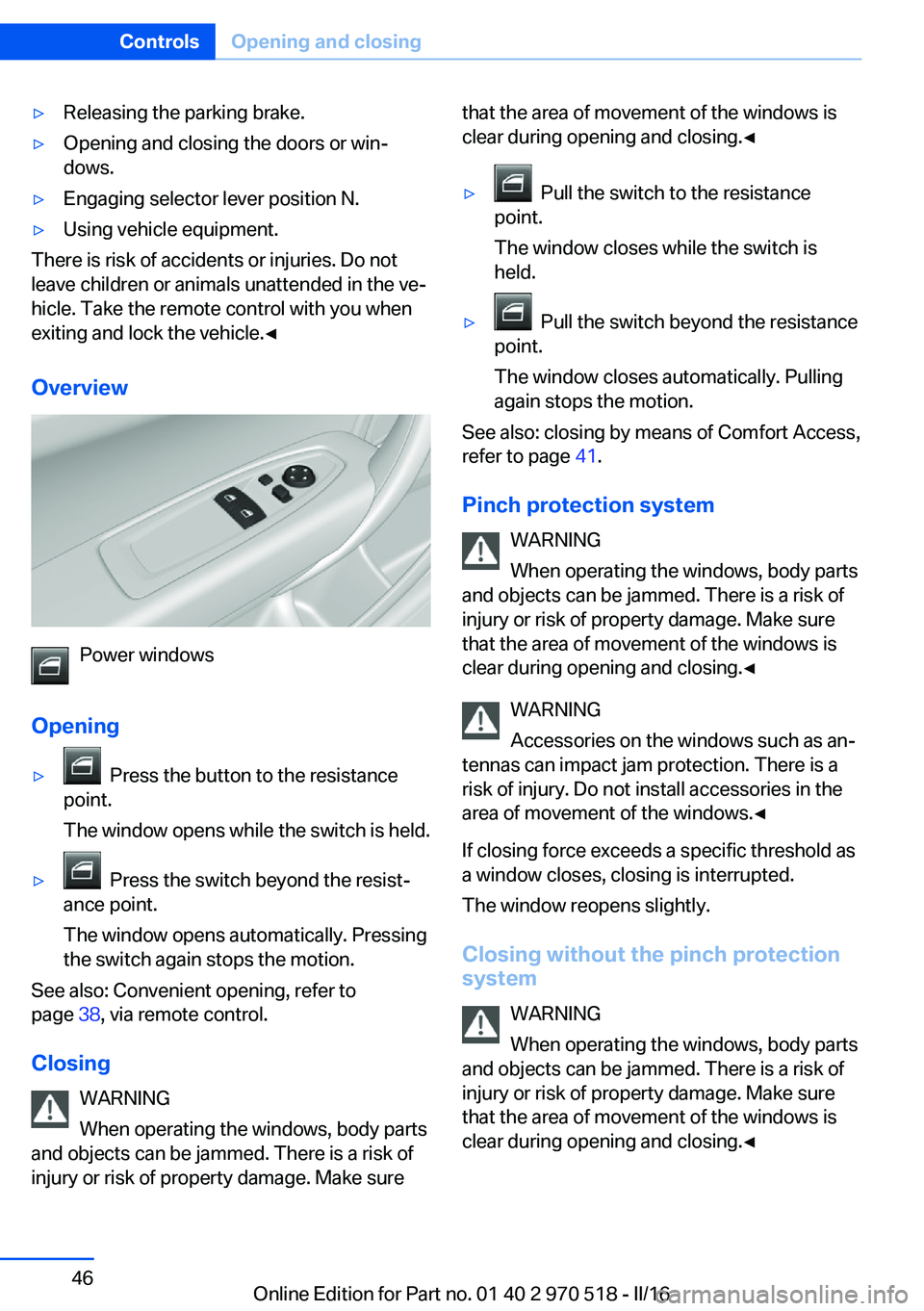
Overview
Power windows
Opening
▷ Press the button to the resistance
point.
The window opens while the switch is held.▷ Press the switch beyond the resist‐
ance point.
The window opens automatically. Pressing
the switch again stops the motion.
See also: Convenient opening, refer to
page 38, via remote control.
Closing WARNING
When operating the windows, body parts
and objects can be jammed. There is a risk of
injury or risk of property damage. Make sure
that the area of movement of the windows is
clear during opening and closing.◀▷ Pull the switch to the resistance
point.
The window closes while the switch is
held.▷ Pull the switch beyond the resistance
point.
The window closes automatically. Pulling
again stops the motion.
See also: closing by means of Comfort Access,
refer to page 41.
Pinch protection system WARNING
When operating the windows, body parts
and objects can be jammed. There is a risk of
injury or risk of property damage. Make sure
that the area of movement of the windows is
clear during opening and closing.◀
WARNING
Accessories on the windows such as an‐
tennas can impact jam protection. There is a
risk of injury. Do not install accessories in the
area of movement of the windows.◀
If closing force exceeds a specific threshold as
a window closes, closing is interrupted.
The window reopens slightly.
Closing without the pinch protection
system
WARNING
When operating the windows, body parts
and objects can be jammed. There is a risk of
injury or risk of property damage. Make sure
that the area of movement of the windows is
clear during opening and closing.◀
Seite 46ControlsOpening and closing46
Online Edition for Part no. 01 40 2 970 518 - II/16
Page 47 of 220
In case of danger from the outside or if ice
might prevent normal closing, proceed as fol‐
lows:1.Pull the switch past the resistance point
and hold it there.
The pinch protection is limited and the
window opens slightly if the closing force
exceeds a certain threshold.2.Pull the switch past the resistance point
again within approx. 4 seconds and hold it
there.
The window closes without jam protection.
Glass sunroof, powered
General information
The glass sunroof and the sliding visor can be
operated together or separately, using the
same switch.
The glass sunroof is operational when the igni‐
tion is switched on.
Information
WARNING
Body parts can be jammed when operat‐
ing the glass sunroof. There is a risk of injury.
Make sure that the area of movement of the
glass sunroof is clear during opening and clos‐
ing.◀
WARNING
Unattended children or animals can
cause the vehicle to move and endanger them‐
selves and traffic, e.g., due to the following ac‐
tions:▷Pressing the Start/Stop button.▷Releasing the parking brake.▷Opening and closing the doors or win‐
dows.▷Engaging selector lever position N.▷Using vehicle equipment.
There is risk of accidents or injuries. Do not
leave children or animals unattended in the ve‐
hicle. Take the remote control with you when
exiting and lock the vehicle.◀
Tilting the glass sunroof Push switch briefly upward.
▷The closed glass sunroof is
tilted.▷The opened glass sunroof
closes until it is in its tilted
position. The sliding visor
does not move.
Opening/closing the glass sunroof and
sliding visor together
▷Press the switch in the de‐
sired direction to the resist‐
ance point and hold it there.
Glass sunroof and sliding vi‐
sor open together as long as
the switch is held down.
The glass sunroof closes as
long as the switch is held
down. The sliding visor can
be manually closed.▷Press the switch in the desired direction
past the resistance point.
The glass sunroof and sliding visor open
automatically.Seite 47Opening and closingControls47
Online Edition for Part no. 01 40 2 970 518 - II/16
Page 48 of 220
The glass sunroof closes automatically.
The sliding visor can be manually closed.
Pressing the switch upward stops the mo‐
tion.
Additional options:
▷Convenient opening, refer to page 38, via
the remote control.▷Closing by means of Comfort Access, refer
to page 41.
Comfort position
If the glass sunroof is not automatically com‐
pletely opened, the comfort position has been
attained. In this position the wind noises in the
interior are the least.
If desired, continue the movement by Pressing
the switch.
Pinch protection system
If the closing force when closing the glass sun‐
roof exceeds a certain value, the closing move‐
ment is stopped, beginning at approximately
the middle of the opening in the roof, or from
the tilted position during closing. The glass
sunroof reopens slightly.
WARNING
Body parts can be jammed when operat‐
ing the glass sunroof. There is a risk of injury.
Make sure that the area of movement of the
glass sunroof is clear during opening and clos‐
ing.◀
Closing from the open position
without pinch protection
If there is an external danger, proceed as fol‐
lows:
1.Press the switch forward past the resist‐
ance point and hold.
The pinch protection is limited and the
glass sunroof reopens slightly if the closing
force exceeds a certain margin.2.Press the switch forward again past the re‐
sistance point and hold until the glass sun‐
roof closes without jam protection. Make
sure that the closing area is clear.
Closing from the raised position
without pinch protection
If there is an external danger, push the switch
forward past the resistance point and hold it.
The glass sunroof closes without jam protec‐
tion.
Initializing after a power failure After a power failure during the opening or
closing process, the glass sunroof can only be
operated to a limited extent.
Initializing the system
The system can be initialized when the vehicle
is stationary and the engine is running.
During the initialization, the glass sunroof
closes without jam protection.
WARNING
Body parts can be jammed when operat‐
ing the glass sunroof. There is a risk of injury.
Make sure that the area of movement of the
glass sunroof is clear during opening and clos‐
ing.◀
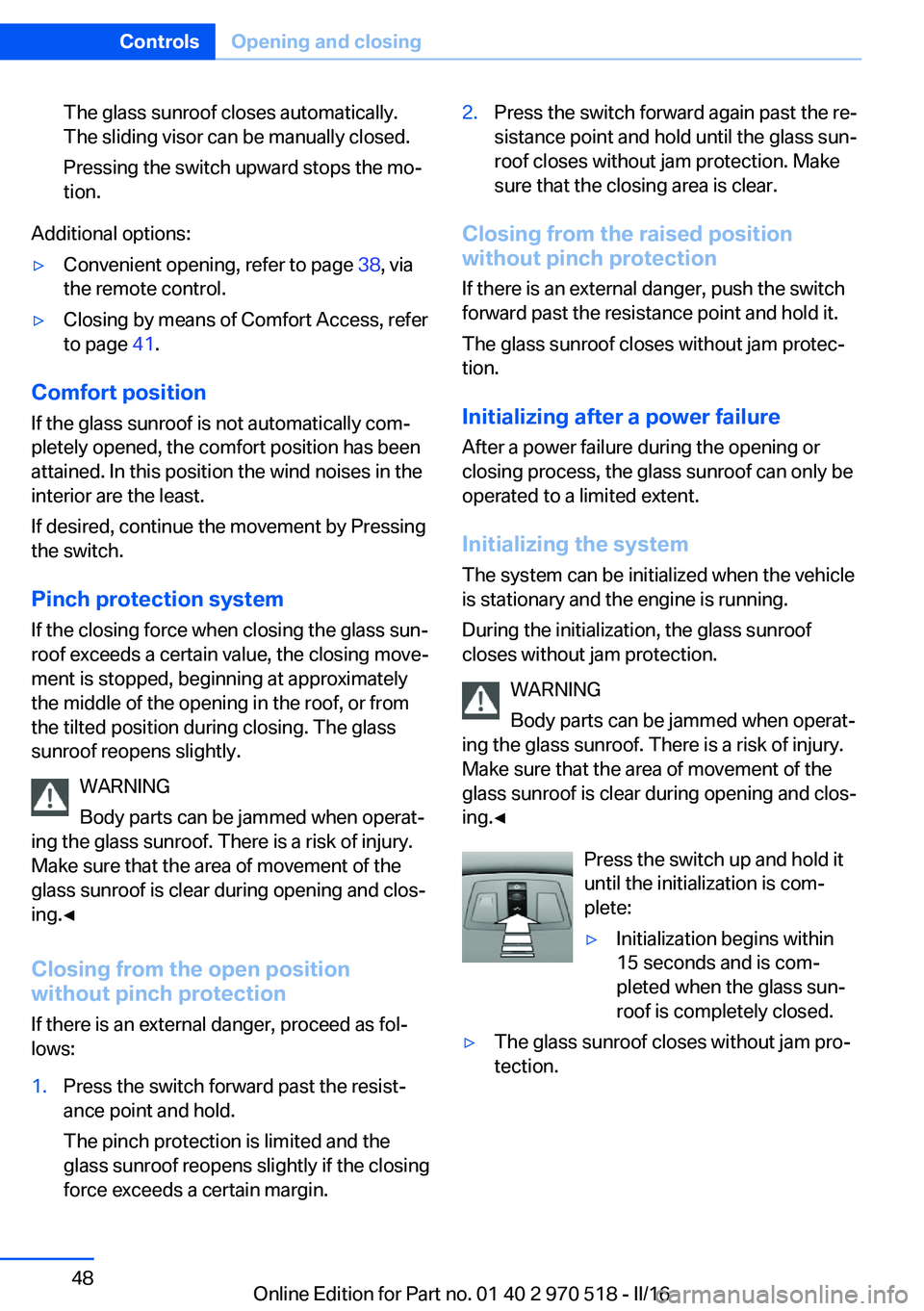
Press the switch up and hold it
until the initialization is com‐
plete:
▷Initialization begins within
15 seconds and is com‐
pleted when the glass sun‐
roof is completely closed.▷The glass sunroof closes without jam pro‐
tection.Seite 48ControlsOpening and closing48
Online Edition for Part no. 01 40 2 970 518 - II/16
Page 49 of 220
AdjustingVehicle features and options
This chapter describes all standard, country-
specific and optional features offered with the
series. It also describes features that are not
necessarily available in your car, e. g., due to
the selected options or country versions. This
also applies to safety-related functions and
systems. The respectively applicable country
provisions must be observed when using the
respective features and systems.
Sitting safely The ideal seating position meeting the needs
of the occupants can make a vital contribution
to relaxed, fatigue-free driving.
The seating position plays an important role in
an accident in combination with:▷Safety belts, refer to page 53.▷Head restraints, refer to page 54.▷Airbags.
Seats
Information WARNING
Seat adjustments while driving can lead
to unexpected movements of the seat. Vehicle
control could be lost. There is risk of an acci‐
dent. Only adjust the seat on the driver's side
when the vehicle is stationary.◀
WARNING
With a backrest inclined too far to the
rear, the protective effect of the safety belt
cannot be ensured anymore. There is a danger
of sliding under the safety belt in an accident.
There is a risk of injury or danger to life. Adjust
the seat prior to starting the trip. Adjust the
backrest so that it is in the most upright posi‐
tion as possible and do not adjust again while
driving.◀
WARNING
There is risk of jamming when moving
the seats. There is a risk of injury or risk of
property damage. Make sure that the area of
movement of the seat is clear prior to any ad‐
justment.◀
Manually adjustable seats
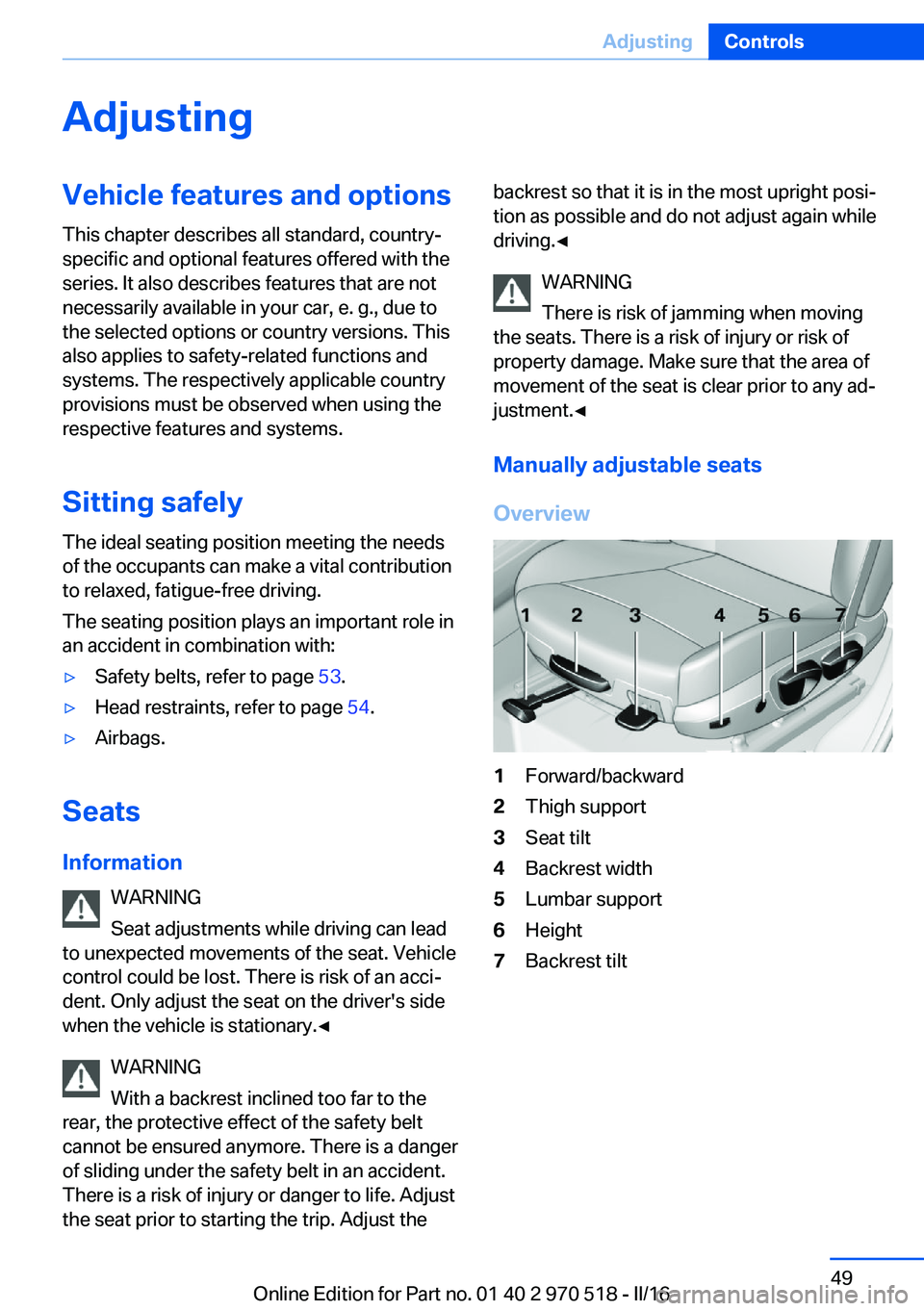
Overview1Forward/backward2Thigh support3Seat tilt4Backrest width5Lumbar support6Height7Backrest tiltSeite 49AdjustingControls49
Online Edition for Part no. 01 40 2 970 518 - II/16
Page 52 of 220
Backrest widthChange the width of the back‐
rest using the side wings to ad‐
just the lateral support.
Front seat heating
Overview
Seat heating
Switching on Press button once for each tempera‐
ture level.
The maximum temperature is reached when
three LEDs are lit.
If the trip is continued within approx. 15 mi‐
nutes after a stop, seat heating is activated au‐
tomatically with the temperature selected last.
Switching off Press and hold the button, until the
LEDs go out.
Entering the rear
Information WARNING
There is risk of jamming when moving
the seats. There is a risk of injury or risk of
property damage. Make sure that the area of
movement of the seat is clear prior to any ad‐
justment.◀
WARNING
Unexpected movements of the backrest
while driving may occur due to an unlocked
backrest. Vehicle control could be lost. There
is a risk of injuries. Fold back and lock the
backrests before driving.◀
Manual length adjustment
Comfort entry
The comfort entry contains a memory function for forward/backward and backrest adjust‐
ment.1.Pull lever up to the stop.2.Fold backrest forward.3.Push the seat forward.
Original position
1.Push the seat back into the original posi‐
tion.2.Fold back the backrest to lock the seat.Seite 52ControlsAdjusting52
Online Edition for Part no. 01 40 2 970 518 - II/16
Page 53 of 220
Electric forward/backward adjustment
Comfort entry
The comfort entry contains a memory function
for forward/backward and backrest adjust‐
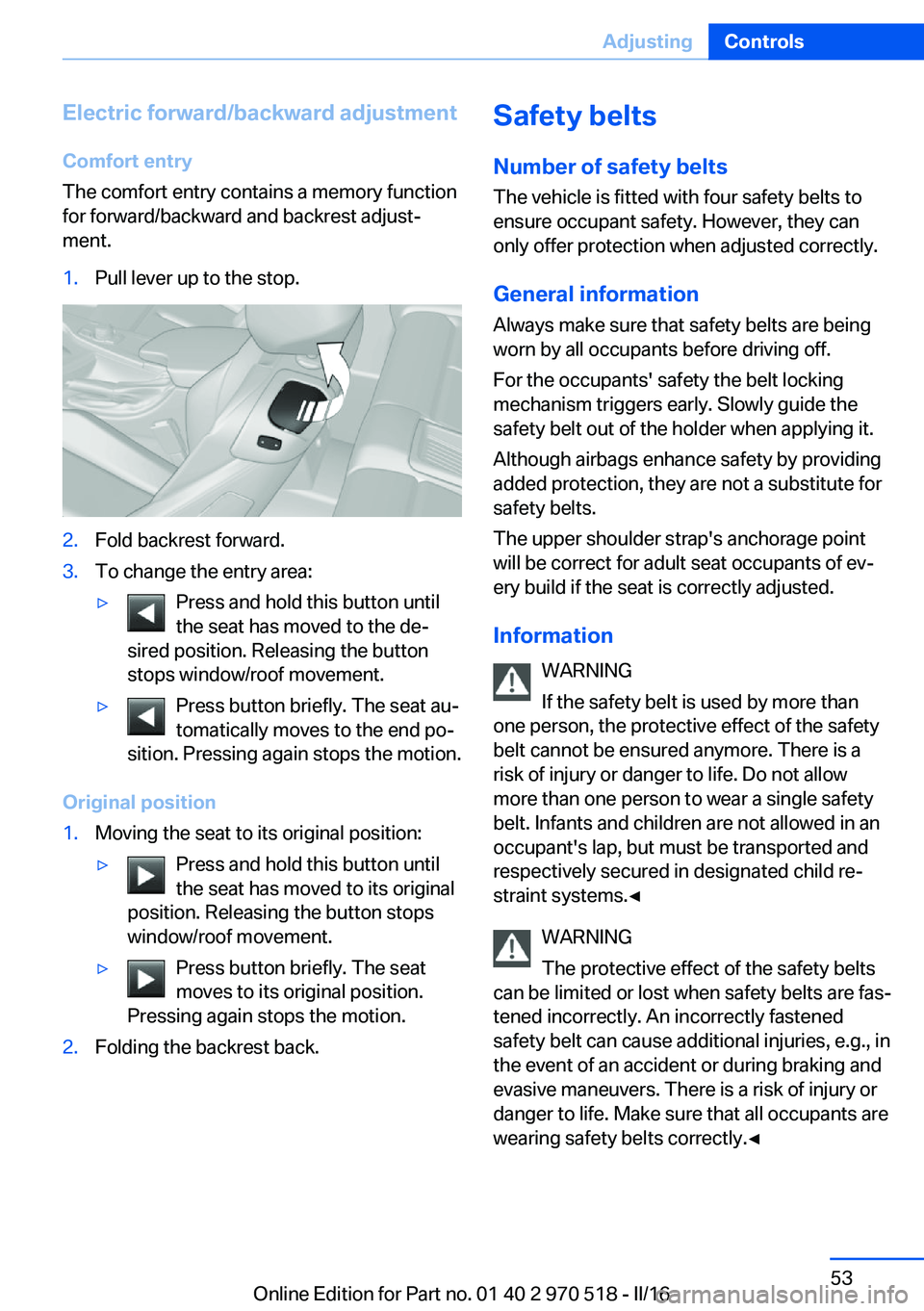
ment.1.Pull lever up to the stop.2.Fold backrest forward.3.To change the entry area:▷Press and hold this button until
the seat has moved to the de‐
sired position. Releasing the button
stops window/roof movement.▷Press button briefly. The seat au‐
tomatically moves to the end po‐
sition. Pressing again stops the motion.
Original position
1.Moving the seat to its original position:▷Press and hold this button until
the seat has moved to its original
position. Releasing the button stops
window/roof movement.▷Press button briefly. The seat
moves to its original position.
Pressing again stops the motion.2.Folding the backrest back.Safety belts
Number of safety belts
The vehicle is fitted with four safety belts to
ensure occupant safety. However, they can
only offer protection when adjusted correctly.
General information
Always make sure that safety belts are being
worn by all occupants before driving off.
For the occupants' safety the belt locking
mechanism triggers early. Slowly guide the
safety belt out of the holder when applying it.
Although airbags enhance safety by providing
added protection, they are not a substitute for
safety belts.
The upper shoulder strap's anchorage point
will be correct for adult seat occupants of ev‐
ery build if the seat is correctly adjusted.
Information WARNING
If the safety belt is used by more than
one person, the protective effect of the safety
belt cannot be ensured anymore. There is a
risk of injury or danger to life. Do not allow
more than one person to wear a single safety
belt. Infants and children are not allowed in an
occupant's lap, but must be transported and
respectively secured in designated child re‐
straint systems.◀
WARNING
The protective effect of the safety belts
can be limited or lost when safety belts are fas‐
tened incorrectly. An incorrectly fastened
safety belt can cause additional injuries, e.g., in
the event of an accident or during braking and
evasive maneuvers. There is a risk of injury or
danger to life. Make sure that all occupants are
wearing safety belts correctly.◀Seite 53AdjustingControls53
Online Edition for Part no. 01 40 2 970 518 - II/16
Page 54 of 220
Correct use of safety belts▷Wear the safety belt twist-free and as tight
to your body as possible over your lap and
shoulders.▷Wear the safety belt deep on your hips
over your lap. The safety belt may not
press on your stomach.▷Do not wear the safety belt on your throat,
rub it on sharp edges, guide it or jam it in
across hard or fragile objects.▷Avoid thick clothing.▷Re-tighten the safety belt frequently up‐
ward around your upper body.
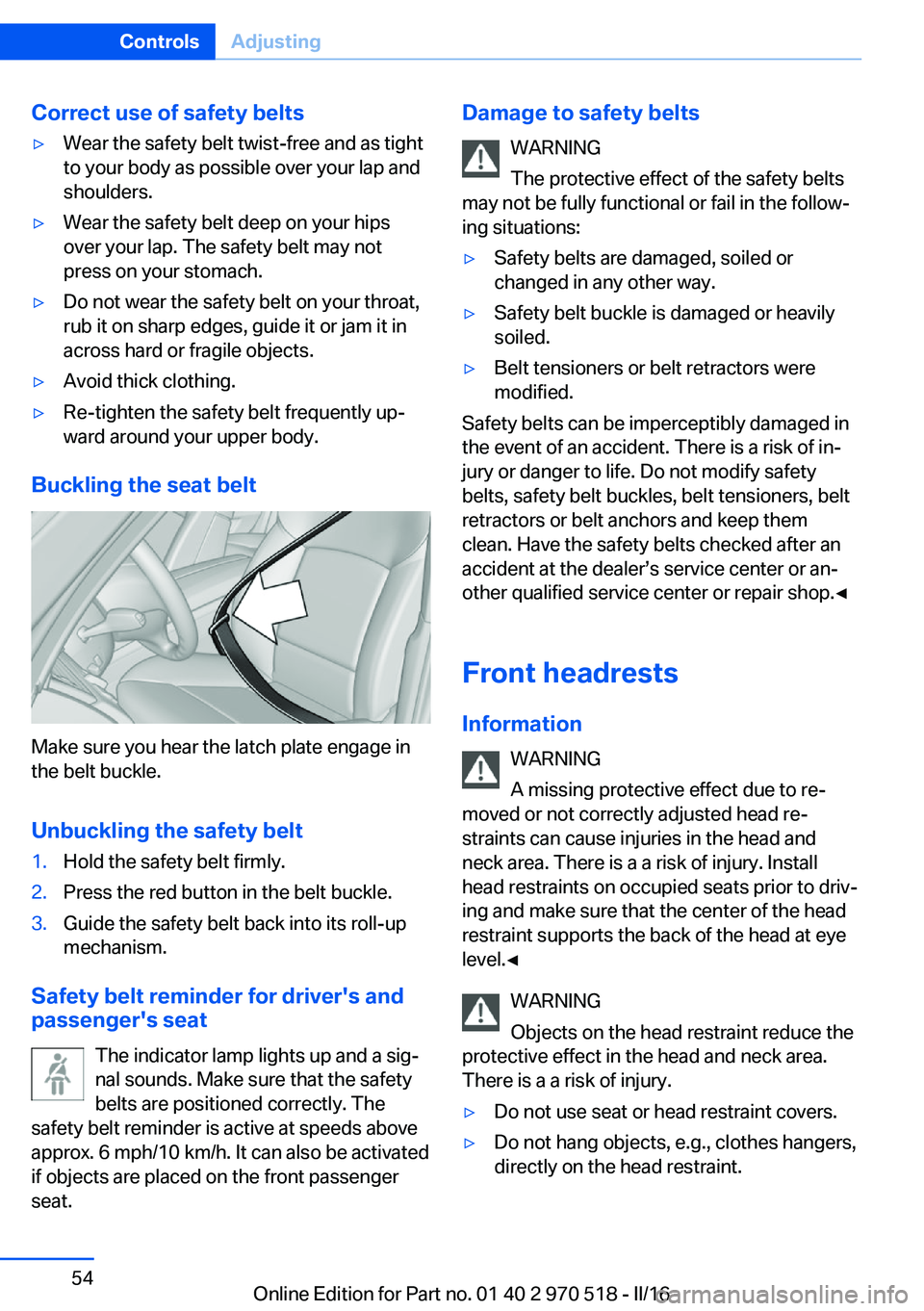
Buckling the seat belt
Make sure you hear the latch plate engage in
the belt buckle.
Unbuckling the safety belt
1.Hold the safety belt firmly.2.Press the red button in the belt buckle.3.Guide the safety belt back into its roll-up
mechanism.
Safety belt reminder for driver's and
passenger's seat
The indicator lamp lights up and a sig‐
nal sounds. Make sure that the safety
belts are positioned correctly. The
safety belt reminder is active at speeds above
approx. 6 mph/10 km/h. It can also be activated
if objects are placed on the front passenger
seat.
Damage to safety belts
WARNING
The protective effect of the safety belts
may not be fully functional or fail in the follow‐
ing situations:▷Safety belts are damaged, soiled or
changed in any other way.▷Safety belt buckle is damaged or heavily
soiled.▷Belt tensioners or belt retractors were
modified.
Safety belts can be imperceptibly damaged in
the event of an accident. There is a risk of in‐
jury or danger to life. Do not modify safety
belts, safety belt buckles, belt tensioners, belt
retractors or belt anchors and keep them
clean. Have the safety belts checked after an
accident at the dealer’s service center or an‐
other qualified service center or repair shop.◀
Front headrests Information WARNING
A missing protective effect due to re‐
moved or not correctly adjusted head re‐
straints can cause injuries in the head and
neck area. There is a a risk of injury. Install
head restraints on occupied seats prior to driv‐
ing and make sure that the center of the head
restraint supports the back of the head at eye
level.◀
WARNING
Objects on the head restraint reduce the
protective effect in the head and neck area.
There is a a risk of injury.
▷Do not use seat or head restraint covers.▷Do not hang objects, e.g., clothes hangers,
directly on the head restraint.Seite 54ControlsAdjusting54
Online Edition for Part no. 01 40 2 970 518 - II/16
Page 55 of 220
▷Only use accessories that have been de‐
termined to be safe for attachment to a
head restraint.▷Do not use any accessories, e.g., pillows,
while driving.◀
Correctly adjusted head restraint
General information
A correctly adjusted head restraint reduces the
risk of injury to cervical vertebrae in the event
of an accident.
Height Adjust the head restraint so that its center is
approximately at eye level.
Distance
Adjust the distance so that the head restraint is as close as possible to the back of the head.
If necessary, adjust the distance by adjusting
the tilt of the backrest.
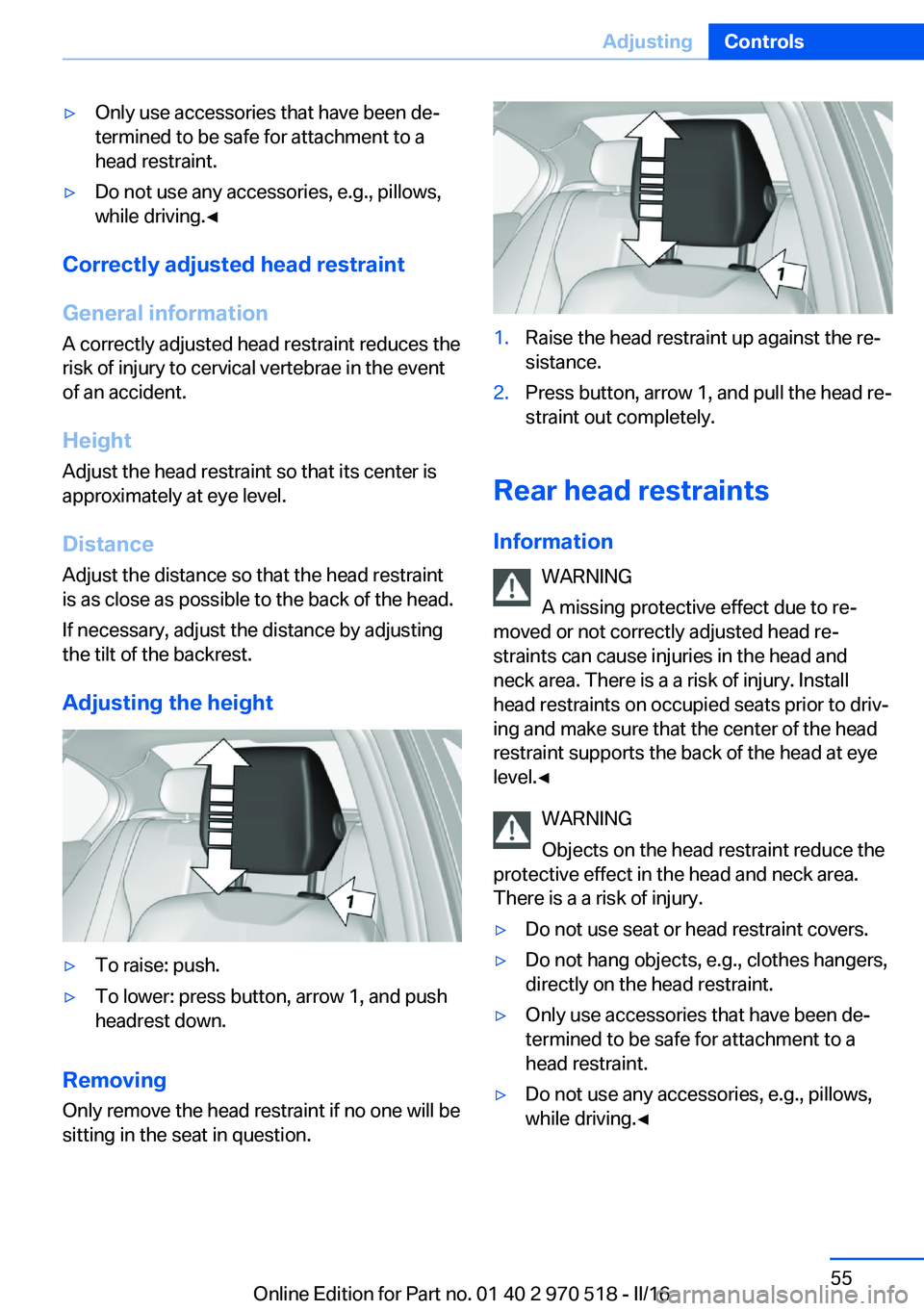
Adjusting the height
▷To raise: push.▷To lower: press button, arrow 1, and push
headrest down.
Removing
Only remove the head restraint if no one will be
sitting in the seat in question.
1.Raise the head restraint up against the re‐
sistance.2.Press button, arrow 1, and pull the head re‐
straint out completely.
Rear head restraints
Information WARNING
A missing protective effect due to re‐
moved or not correctly adjusted head re‐
straints can cause injuries in the head and
neck area. There is a a risk of injury. Install
head restraints on occupied seats prior to driv‐
ing and make sure that the center of the head
restraint supports the back of the head at eye
level.◀
WARNING
Objects on the head restraint reduce the
protective effect in the head and neck area.
There is a a risk of injury.
▷Do not use seat or head restraint covers.▷Do not hang objects, e.g., clothes hangers,
directly on the head restraint.▷Only use accessories that have been de‐
termined to be safe for attachment to a
head restraint.▷Do not use any accessories, e.g., pillows,
while driving.◀Seite 55AdjustingControls55
Online Edition for Part no. 01 40 2 970 518 - II/16