high beam BMW M2 2016 Owners Manual
[x] Cancel search | Manufacturer: BMW, Model Year: 2016, Model line: M2, Model: BMW M2 2016Pages: 220, PDF Size: 4.71 MB
Page 15 of 220
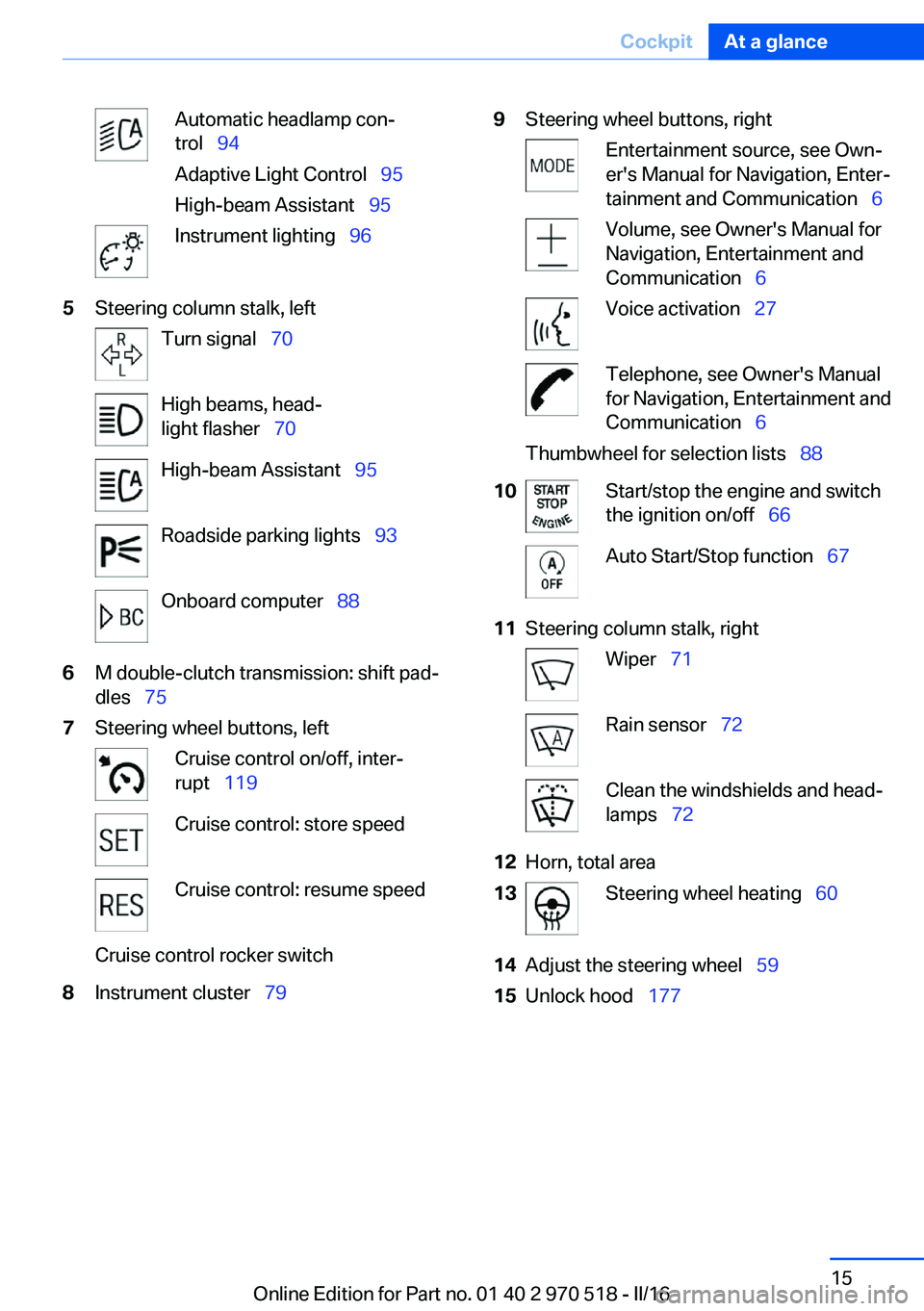
Automatic headlamp con‐
trol 94
Adaptive Light Control 95
High-beam Assistant 95Instrument lighting 965Steering column stalk, leftTurn signal 70High beams, head‐
light flasher 70High-beam Assistant 95Roadside parking lights 93Onboard computer 886M double-clutch transmission: shift pad‐
dles 757Steering wheel buttons, leftCruise control on/off, inter‐
rupt 119Cruise control: store speedCruise control: resume speedCruise control rocker switch8Instrument cluster 799Steering wheel buttons, rightEntertainment source, see Own‐
er's Manual for Navigation, Enter‐
tainment and Communication 6Volume, see Owner's Manual for
Navigation, Entertainment and
Communication 6Voice activation 27Telephone, see Owner's Manual
for Navigation, Entertainment and
Communication 6Thumbwheel for selection lists 8810Start/stop the engine and switch
the ignition on/off 66Auto Start/Stop function 6711Steering column stalk, rightWiper 71Rain sensor 72Clean the windshields and head‐
lamps 7212Horn, total area13Steering wheel heating 6014Adjust the steering wheel 5915Unlock hood 177Seite 15CockpitAt a glance15
Online Edition for Part no. 01 40 2 970 518 - II/16
Page 66 of 220
▷After approx. 8 minutes.▷When the vehicle is locked using the cen‐
tral locking system.▷Shortly before the battery is discharged
completely, so that the engine can still be
started.
The radio-ready state remains active if, for ex‐
ample, the ignition is automatically switched
off for the following reasons:
▷Opening or closing the driver's door.▷Unfastening of the driver's safety belt.▷When automatically switching from low
beams to parking lights.
If the engine is switched off and the ignition is
switched on, the system automatically
switches to the radio-ready state if the lights
are turned off or, if correspondingly equipped,
the daytime running lights are activated.
Starting the engine
Information DANGER
If the exhaust pipe is blocked or ventila‐
tion is insufficient, harmful exhaust gases can
enter into the vehicle. The exhaust gases con‐
tain carbon monoxide, an odorless and color‐
less but highly toxic gas. In enclosed areas, ex‐
haust gases can also accumulate outside of
the vehicle. There is danger to life. Keep the
exhaust pipe free and ensure sufficient ventila‐
tion.◀
WARNING
An unsecured vehicle can begin to move
and possibly roll away. There is risk of an acci‐
dent. Before exiting, secure the vehicle against
rolling.
In order to ensure that the vehicle is secured
against rolling away, observe the following:
▷Set the parking brake.▷On uphill grades or on a downhill slope,
turn the front wheels in the direction of the
curb.▷On uphill grades or on a downhill slope,
also secure the vehicle, e.g., with a wheel
chock.◀
ATTENTION
In the case of repeated starting attempts
or repeated starting in quick succession, the
fuel is not burned or is inadequately burned.
The catalytic converter can overheat. There is
a risk of damage to property. Avoid repeated
starting in quick succession.◀
M double-clutch transmission
Starting the engine
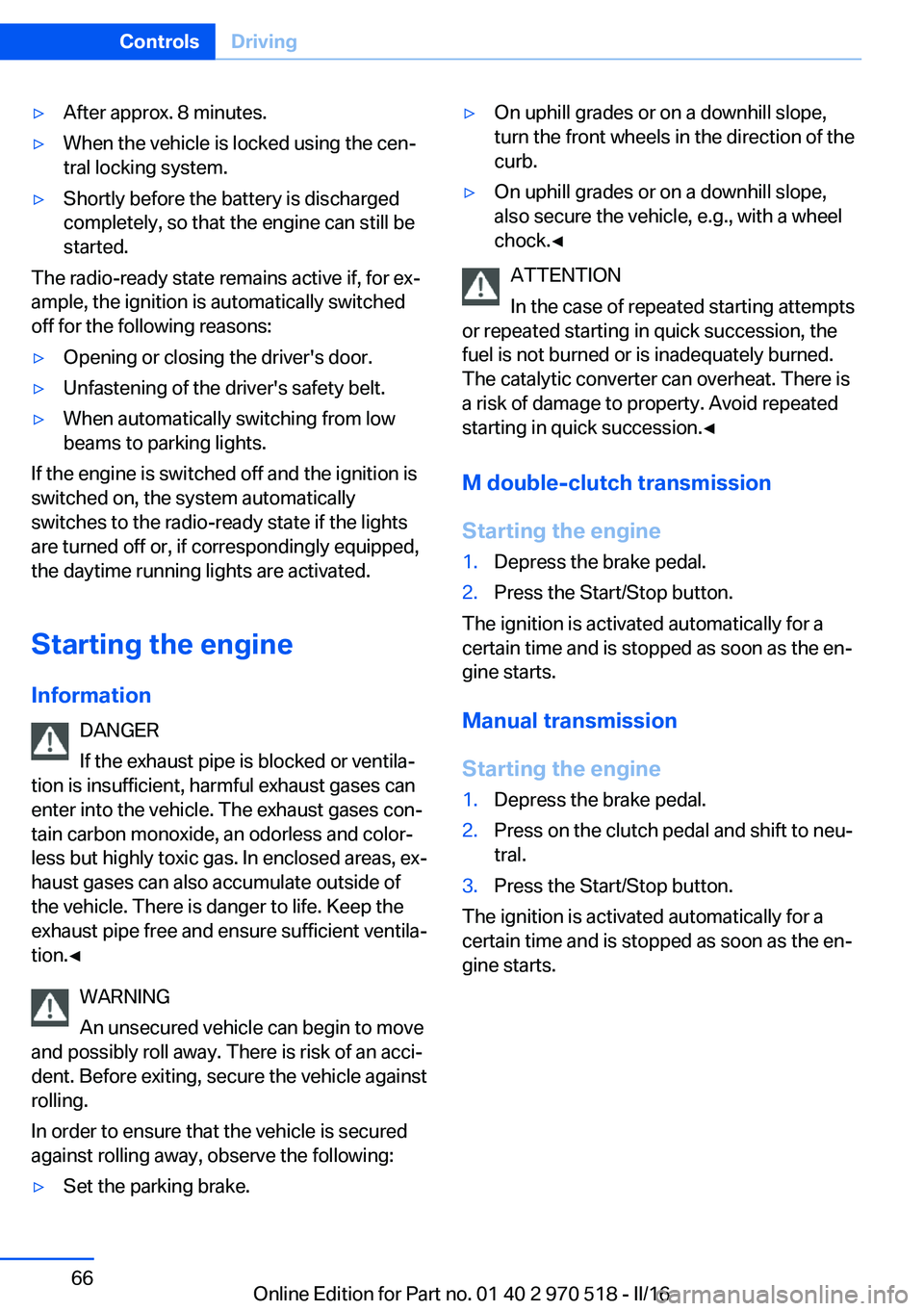
1.Depress the brake pedal.2.Press the Start/Stop button.
The ignition is activated automatically for a
certain time and is stopped as soon as the en‐
gine starts.
Manual transmission
Starting the engine
1.Depress the brake pedal.2.Press on the clutch pedal and shift to neu‐
tral.3.Press the Start/Stop button.
The ignition is activated automatically for a
certain time and is stopped as soon as the en‐
gine starts.
Seite 66ControlsDriving66
Online Edition for Part no. 01 40 2 970 518 - II/16
Page 70 of 220
Parking brake
Information WARNING
An unsecured vehicle can begin to move
and possibly roll away. There is risk of an acci‐
dent. Before exiting, secure the vehicle against
rolling.
In order to ensure that the vehicle is secured
against rolling away, observe the following:▷Set the parking brake.▷On uphill grades or on a downhill slope,
turn the front wheels in the direction of the
curb.▷On uphill grades or on a downhill slope,
also secure the vehicle, e.g., with a wheel
chock.◀
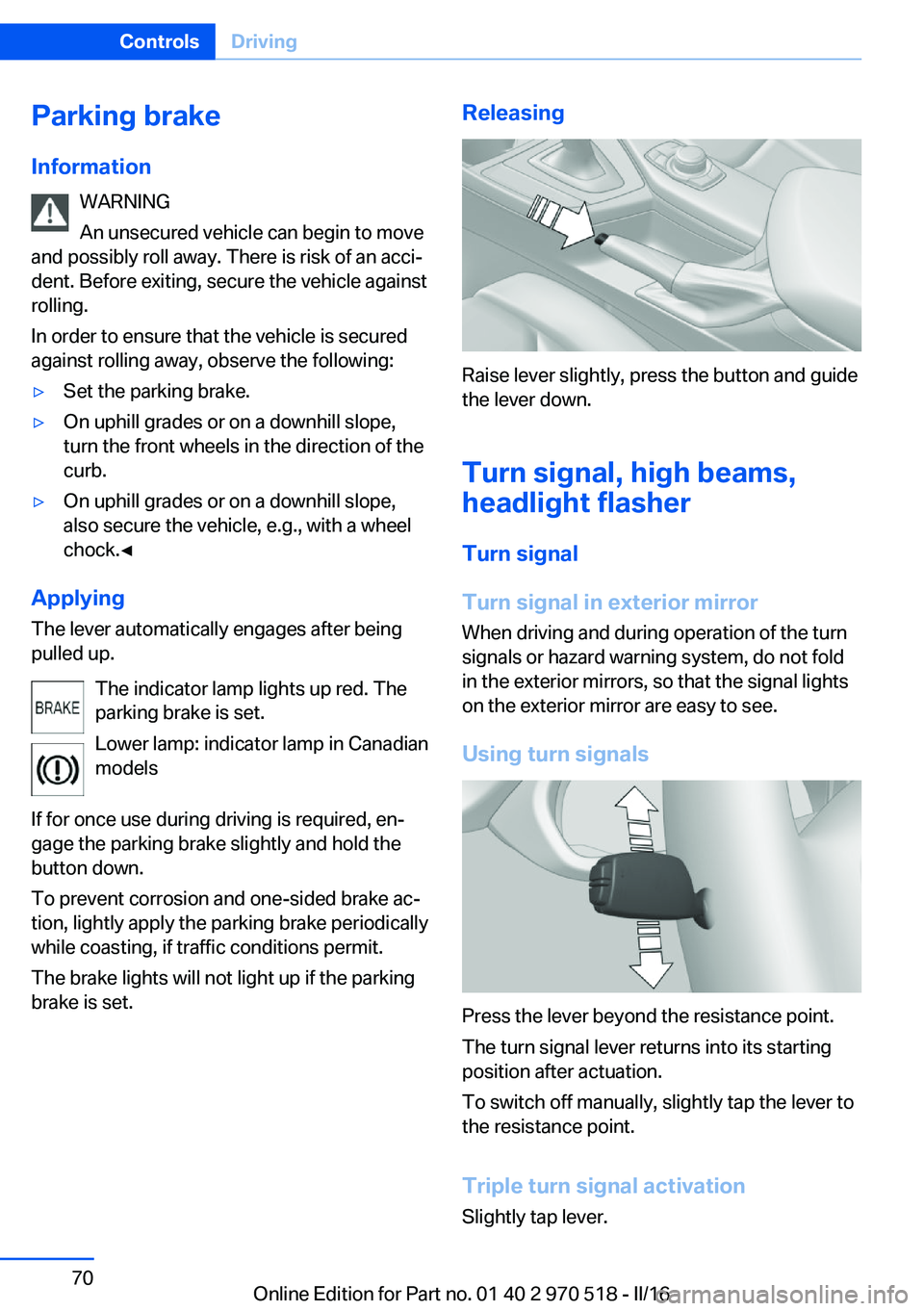
Applying
The lever automatically engages after being
pulled up.
The indicator lamp lights up red. The
parking brake is set.
Lower lamp: indicator lamp in Canadian
models
If for once use during driving is required, en‐
gage the parking brake slightly and hold the
button down.
To prevent corrosion and one-sided brake ac‐ tion, lightly apply the parking brake periodically
while coasting, if traffic conditions permit.
The brake lights will not light up if the parking brake is set.
Releasing
Raise lever slightly, press the button and guide
the lever down.
Turn signal, high beams,headlight flasher
Turn signal
Turn signal in exterior mirror When driving and during operation of the turn
signals or hazard warning system, do not fold
in the exterior mirrors, so that the signal lights
on the exterior mirror are easy to see.
Using turn signals
Press the lever beyond the resistance point.
The turn signal lever returns into its starting
position after actuation.
To switch off manually, slightly tap the lever to
the resistance point.
Triple turn signal activation
Slightly tap lever.
Seite 70ControlsDriving70
Online Edition for Part no. 01 40 2 970 518 - II/16
Page 71 of 220
The turn signal flashes three times.
The function can be activated or deactivated.
On the Control Display:1."Settings"2."Lighting"3."Triple turn signal"
Settings are stored for the profile currently
used.
Signaling briefly
Press the lever to the resistance point and hold
it there for as long as you want the turn signal
to flash.
Malfunction
Unusually rapid flashing of the indicator lamp
indicates that a turn signal bulb has failed.
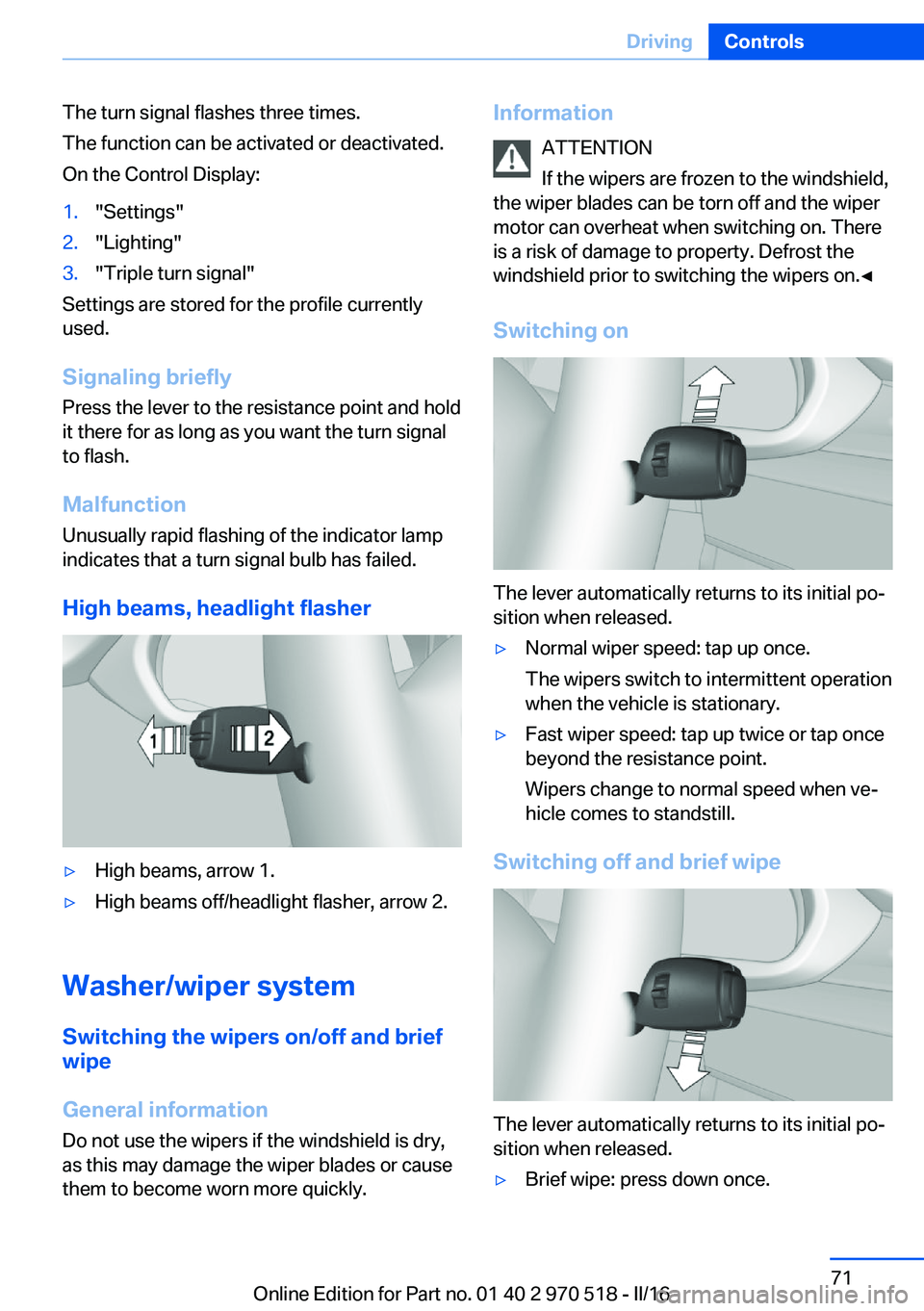
High beams, headlight flasher
▷High beams, arrow 1.▷High beams off/headlight flasher, arrow 2.
Washer/wiper system Switching the wipers on/off and brief
wipe
General information
Do not use the wipers if the windshield is dry,
as this may damage the wiper blades or cause them to become worn more quickly.
Information
ATTENTION
If the wipers are frozen to the windshield,
the wiper blades can be torn off and the wiper
motor can overheat when switching on. There
is a risk of damage to property. Defrost the
windshield prior to switching the wipers on.◀
Switching on
The lever automatically returns to its initial po‐
sition when released.
▷Normal wiper speed: tap up once.
The wipers switch to intermittent operation
when the vehicle is stationary.▷Fast wiper speed: tap up twice or tap once
beyond the resistance point.
Wipers change to normal speed when ve‐
hicle comes to standstill.
Switching off and brief wipe
The lever automatically returns to its initial po‐
sition when released.
▷Brief wipe: press down once.Seite 71DrivingControls71
Online Edition for Part no. 01 40 2 970 518 - II/16
Page 82 of 220
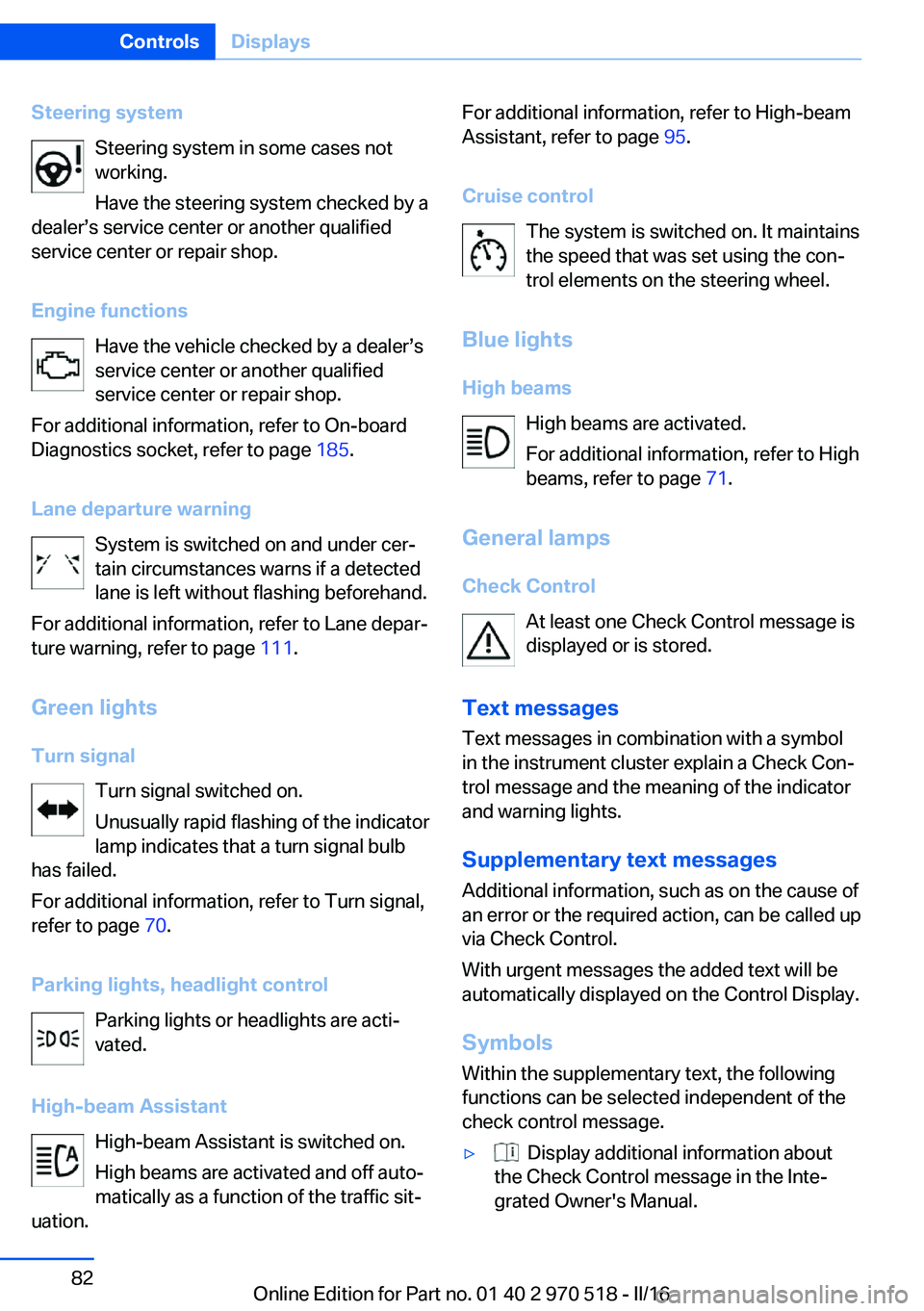
Steering systemSteering system in some cases not
working.
Have the steering system checked by a
dealer’s service center or another qualified
service center or repair shop.
Engine functions Have the vehicle checked by a dealer’s
service center or another qualified
service center or repair shop.
For additional information, refer to On-board
Diagnostics socket, refer to page 185.
Lane departure warning System is switched on and under cer‐
tain circumstances warns if a detected
lane is left without flashing beforehand.
For additional information, refer to Lane depar‐
ture warning, refer to page 111.
Green lights Turn signal Turn signal switched on.
Unusually rapid flashing of the indicator
lamp indicates that a turn signal bulb
has failed.
For additional information, refer to Turn signal,
refer to page 70.
Parking lights, headlight control Parking lights or headlights are acti‐
vated.
High-beam Assistant High-beam Assistant is switched on.
High beams are activated and off auto‐
matically as a function of the traffic sit‐
uation.For additional information, refer to High-beam
Assistant, refer to page 95.
Cruise control The system is switched on. It maintains
the speed that was set using the con‐
trol elements on the steering wheel.
Blue lights
High beams High beams are activated.
For additional information, refer to High
beams, refer to page 71.
General lamps
Check Control At least one Check Control message is
displayed or is stored.
Text messages Text messages in combination with a symbol
in the instrument cluster explain a Check Con‐
trol message and the meaning of the indicator
and warning lights.
Supplementary text messages
Additional information, such as on the cause of
an error or the required action, can be called up
via Check Control.
With urgent messages the added text will be
automatically displayed on the Control Display.
Symbols
Within the supplementary text, the following
functions can be selected independent of the
check control message.▷ Display additional information about
the Check Control message in the Inte‐
grated Owner's Manual.Seite 82ControlsDisplays82
Online Edition for Part no. 01 40 2 970 518 - II/16
Page 95 of 220
E.g. the sensors are unable to detect fog or
hazy weather. To avoid safety risks under
these conditions, you should always switch on
the lights manually.
Daytime running lights General information
Position of switch:
, ,
The daytime running lights light up when the
ignition is switched on. After the ignition is
switched off, the parking lights light up in posi‐
tion
.
Activating/deactivating In some countries, daytime running lights are
mandatory, so it may not be possible to deacti‐
vate the daytime running lights.
On the Control Display:
1."Settings"2."Lighting"3."Daytime running lamps"
Settings are stored for the profile currently
used.
Adaptive Light Control
The concept Adaptive Light Control is a variable headlight
control system that enables dynamic illumina‐
tion of the road surface.
General information
Depending on the steering angle and other pa‐
rameters, the light from the headlamp follows
the course of the road.
To avoid blinding oncoming traffic, the Adap‐
tive Light Control does not swivel to the driv‐
er's side when the vehicle is at a standstill.
Depending on the equipment version, Adap‐
tive Light Control consists of one or several
systems:▷Cornering light, refer to page 95.
Activating
Position of switch
with the ignition
switched on.
Cornering lights
The cornering lights are automatically
switched on depending on the steering angle
or the use of turn signals.
When driving in reverse, the cornering lights
may be automatically switched on regardless
of the steering angle.
Malfunction
A Check Control message is displayed.
Adaptive Light Control is malfunctioning or has
failed. Have the system immediately checked
by a dealer’s service center or another quali‐
fied service center or repair shop.
High-beam Assistant
The concept The high-beam Assistant detects other traffic
participants early on and automatically
switches the high beams on or off depending
on the traffic situation. The assistant ensures
that the high beams are switched on, when‐
ever the traffic situation allows. In the low
speed range, the high beams are not switched
on by the system.
General information The system responds to light from oncoming
traffic and traffic driving ahead of you, and to
adequate illumination, for example, in towns
and cities.
The driver can intervene at any time and switch
the high beams on and off as usual.
Seite 95LightsControls95
Online Edition for Part no. 01 40 2 970 518 - II/16
Page 96 of 220
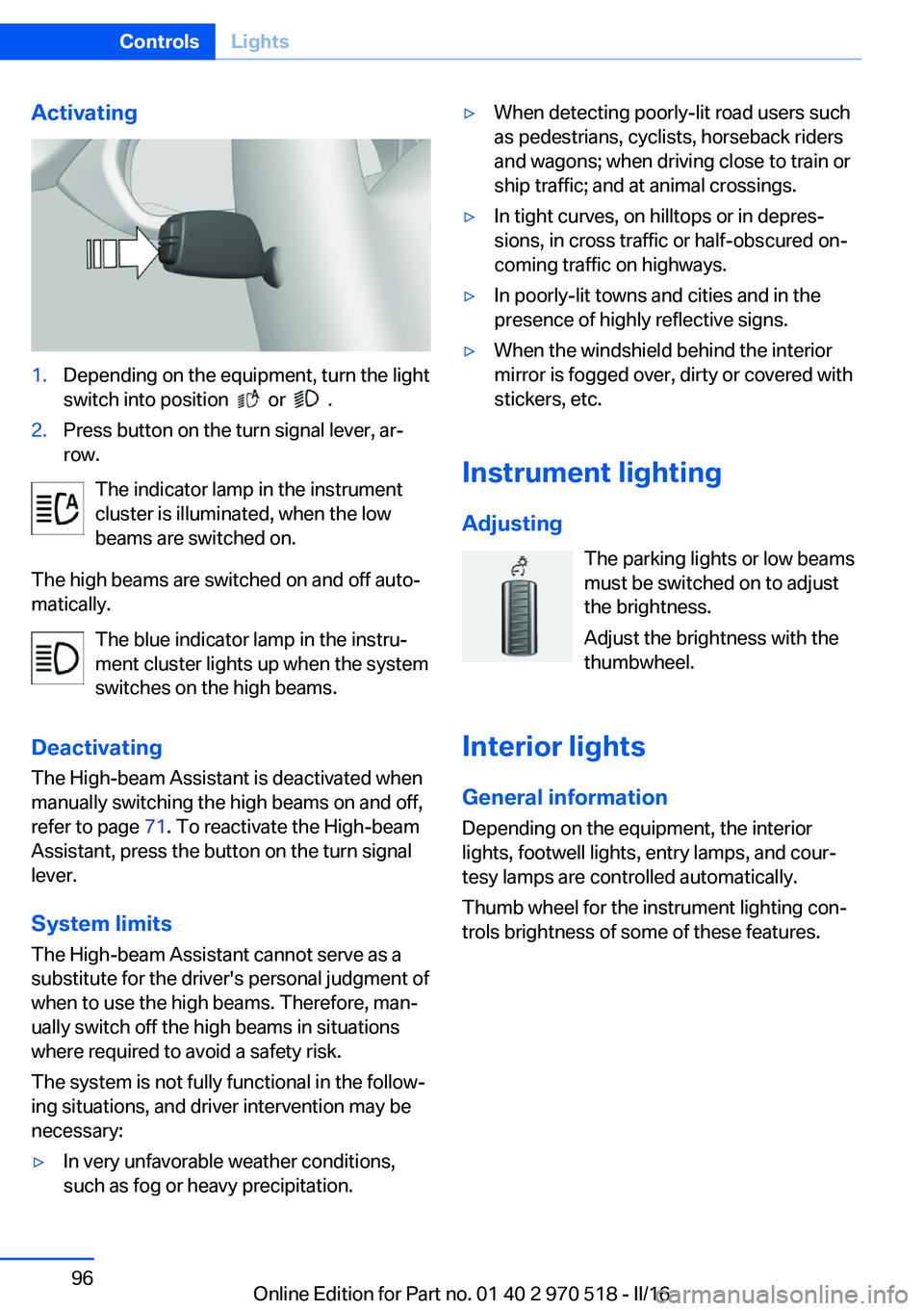
Activating1.Depending on the equipment, turn the light
switch into position
or .
2.Press button on the turn signal lever, ar‐
row.
The indicator lamp in the instrument
cluster is illuminated, when the low
beams are switched on.
The high beams are switched on and off auto‐
matically.
The blue indicator lamp in the instru‐
ment cluster lights up when the system
switches on the high beams.
Deactivating The High-beam Assistant is deactivated when
manually switching the high beams on and off,
refer to page 71. To reactivate the High-beam
Assistant, press the button on the turn signal
lever.
System limits
The High-beam Assistant cannot serve as a
substitute for the driver's personal judgment of
when to use the high beams. Therefore, man‐
ually switch off the high beams in situations
where required to avoid a safety risk.
The system is not fully functional in the follow‐
ing situations, and driver intervention may be
necessary:
▷In very unfavorable weather conditions,
such as fog or heavy precipitation.▷When detecting poorly-lit road users such
as pedestrians, cyclists, horseback riders
and wagons; when driving close to train or
ship traffic; and at animal crossings.▷In tight curves, on hilltops or in depres‐
sions, in cross traffic or half-obscured on‐
coming traffic on highways.▷In poorly-lit towns and cities and in the
presence of highly reflective signs.▷When the windshield behind the interior
mirror is fogged over, dirty or covered with
stickers, etc.
Instrument lighting
Adjusting The parking lights or low beams
must be switched on to adjust
the brightness.
Adjust the brightness with the
thumbwheel.
Interior lights
General information
Depending on the equipment, the interior
lights, footwell lights, entry lamps, and cour‐
tesy lamps are controlled automatically.
Thumb wheel for the instrument lighting con‐
trols brightness of some of these features.
Seite 96ControlsLights96
Online Edition for Part no. 01 40 2 970 518 - II/16
Page 188 of 220
For checking and adjusting headlamp aim,
contact a dealer’s service center or another
qualified service center or repair shop.
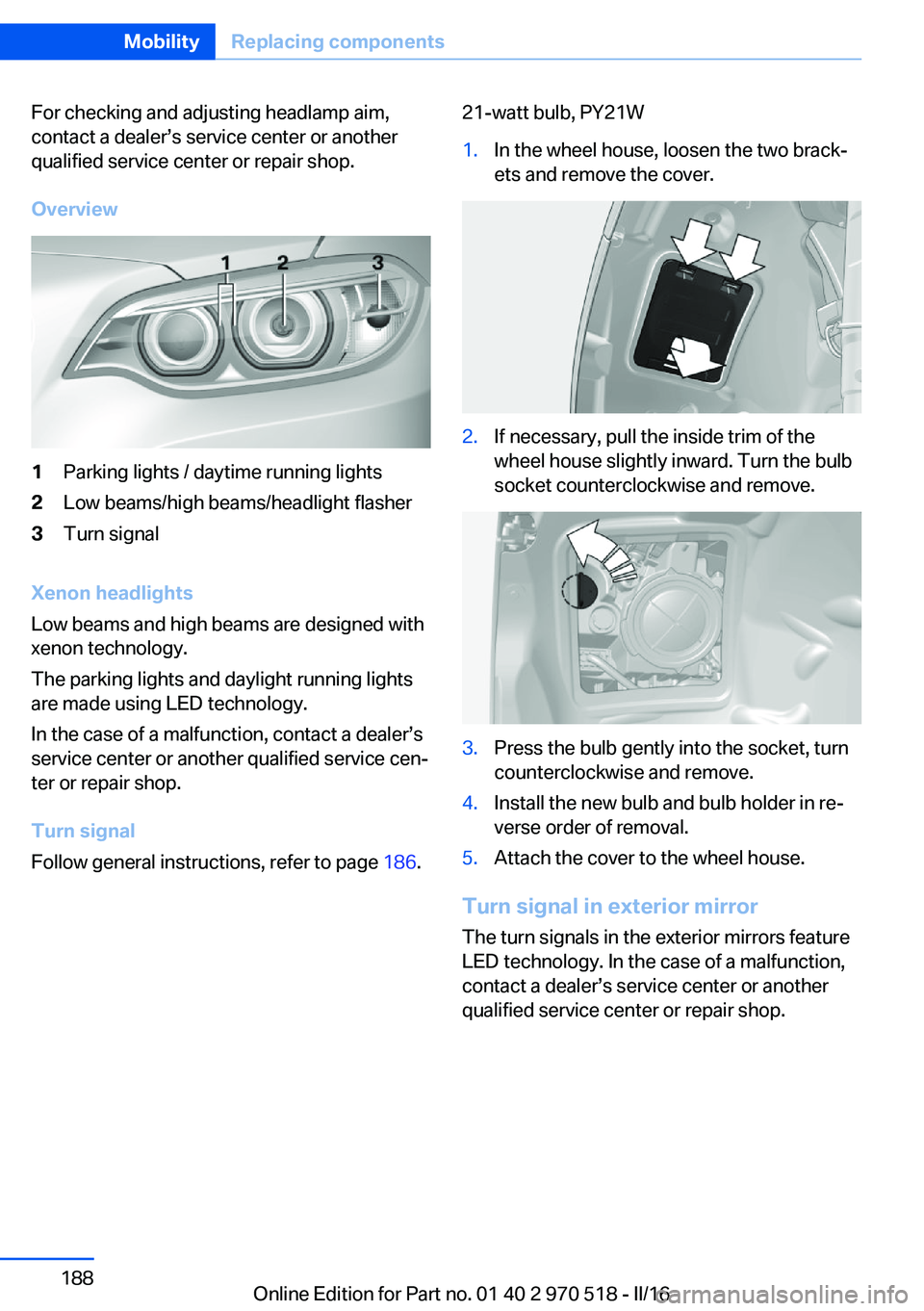
Overview1Parking lights / daytime running lights2Low beams/high beams/headlight flasher3Turn signal
Xenon headlights
Low beams and high beams are designed with
xenon technology.
The parking lights and daylight running lights
are made using LED technology.
In the case of a malfunction, contact a dealer’s
service center or another qualified service cen‐
ter or repair shop.
Turn signal
Follow general instructions, refer to page 186.
21-watt bulb, PY21W1.In the wheel house, loosen the two brack‐
ets and remove the cover.2.If necessary, pull the inside trim of the
wheel house slightly inward. Turn the bulb
socket counterclockwise and remove.3.Press the bulb gently into the socket, turn
counterclockwise and remove.4.Install the new bulb and bulb holder in re‐
verse order of removal.5.Attach the cover to the wheel house.
Turn signal in exterior mirror
The turn signals in the exterior mirrors feature
LED technology. In the case of a malfunction,
contact a dealer’s service center or another
qualified service center or repair shop.
Seite 188MobilityReplacing components188
Online Edition for Part no. 01 40 2 970 518 - II/16
Page 213 of 220
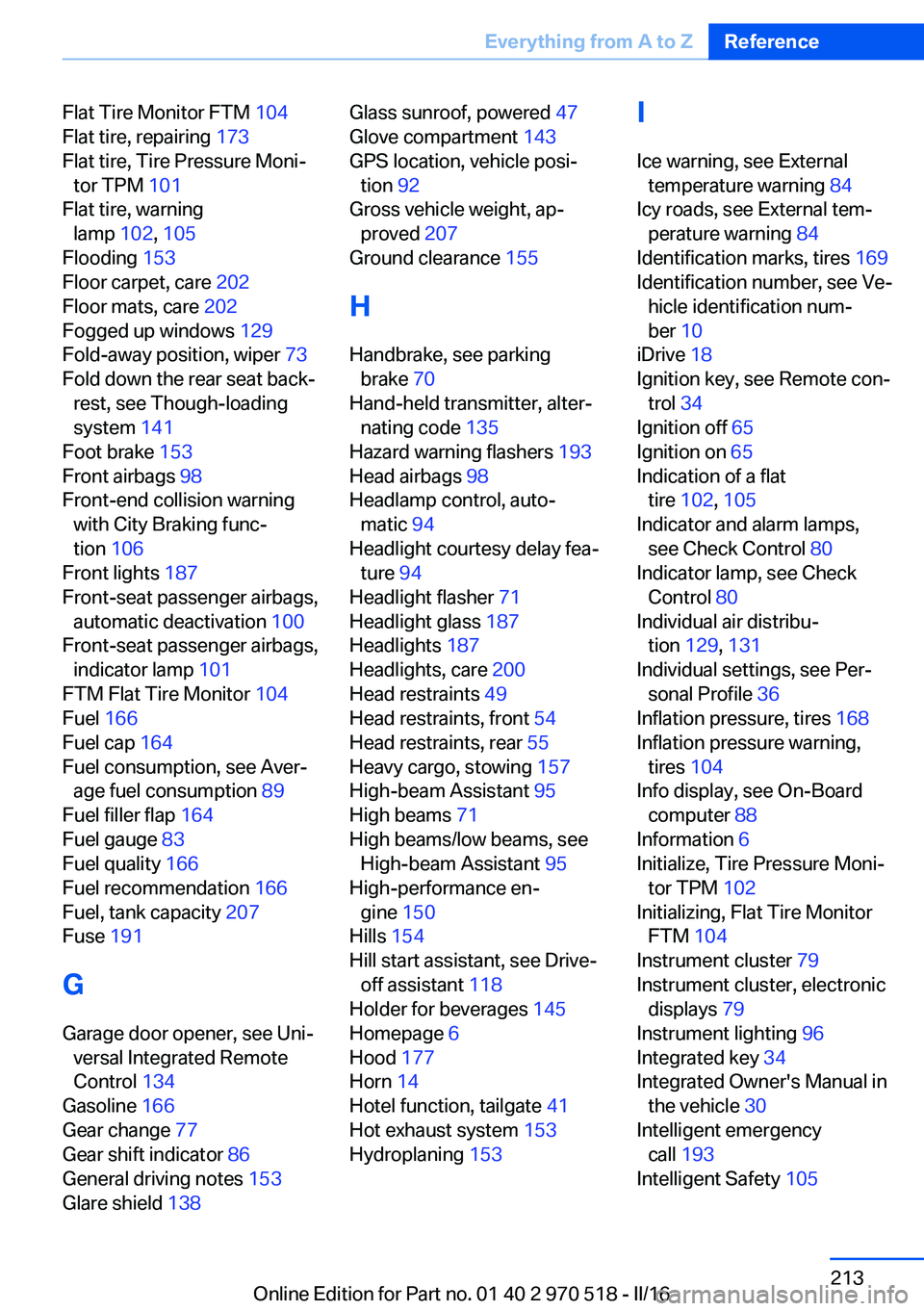
Flat Tire Monitor FTM 104
Flat tire, repairing 173
Flat tire, Tire Pressure Moni‐ tor TPM 101
Flat tire, warning lamp 102, 105
Flooding 153
Floor carpet, care 202
Floor mats, care 202
Fogged up windows 129
Fold-away position, wiper 73
Fold down the rear seat back‐ rest, see Though-loading
system 141
Foot brake 153
Front airbags 98
Front-end collision warning with City Braking func‐
tion 106
Front lights 187
Front-seat passenger airbags, automatic deactivation 100
Front-seat passenger airbags, indicator lamp 101
FTM Flat Tire Monitor 104
Fuel 166
Fuel cap 164
Fuel consumption, see Aver‐ age fuel consumption 89
Fuel filler flap 164
Fuel gauge 83
Fuel quality 166
Fuel recommendation 166
Fuel, tank capacity 207
Fuse 191
G
Garage door opener, see Uni‐ versal Integrated Remote
Control 134
Gasoline 166
Gear change 77
Gear shift indicator 86
General driving notes 153
Glare shield 138 Glass sunroof, powered 47
Glove compartment 143
GPS location, vehicle posi‐ tion 92
Gross vehicle weight, ap‐ proved 207
Ground clearance 155
H
Handbrake, see parking brake 70
Hand-held transmitter, alter‐ nating code 135
Hazard warning flashers 193
Head airbags 98
Headlamp control, auto‐ matic 94
Headlight courtesy delay fea‐ ture 94
Headlight flasher 71
Headlight glass 187
Headlights 187
Headlights, care 200
Head restraints 49
Head restraints, front 54
Head restraints, rear 55
Heavy cargo, stowing 157
High-beam Assistant 95
High beams 71
High beams/low beams, see High-beam Assistant 95
High-performance en‐ gine 150
Hills 154
Hill start assistant, see Drive- off assistant 118
Holder for beverages 145
Homepage 6
Hood 177
Horn 14
Hotel function, tailgate 41
Hot exhaust system 153
Hydroplaning 153 I
Ice warning, see External temperature warning 84
Icy roads, see External tem‐ perature warning 84
Identification marks, tires 169
Identification number, see Ve‐ hicle identification num‐
ber 10
iDrive 18
Ignition key, see Remote con‐ trol 34
Ignition off 65
Ignition on 65
Indication of a flat tire 102 , 105
Indicator and alarm lamps, see Check Control 80
Indicator lamp, see Check Control 80
Individual air distribu‐ tion 129, 131
Individual settings, see Per‐ sonal Profile 36
Inflation pressure, tires 168
Inflation pressure warning, tires 104
Info display, see On-Board computer 88
Information 6
Initialize, Tire Pressure Moni‐ tor TPM 102
Initializing, Flat Tire Monitor FTM 104
Instrument cluster 79
Instrument cluster, electronic displays 79
Instrument lighting 96
Integrated key 34
Integrated Owner's Manual in the vehicle 30
Intelligent emergency call 193
Intelligent Safety 105 Seite 213Everything from A to ZReference213
Online Edition for Part no. 01 40 2 970 518 - II/16
Page 214 of 220
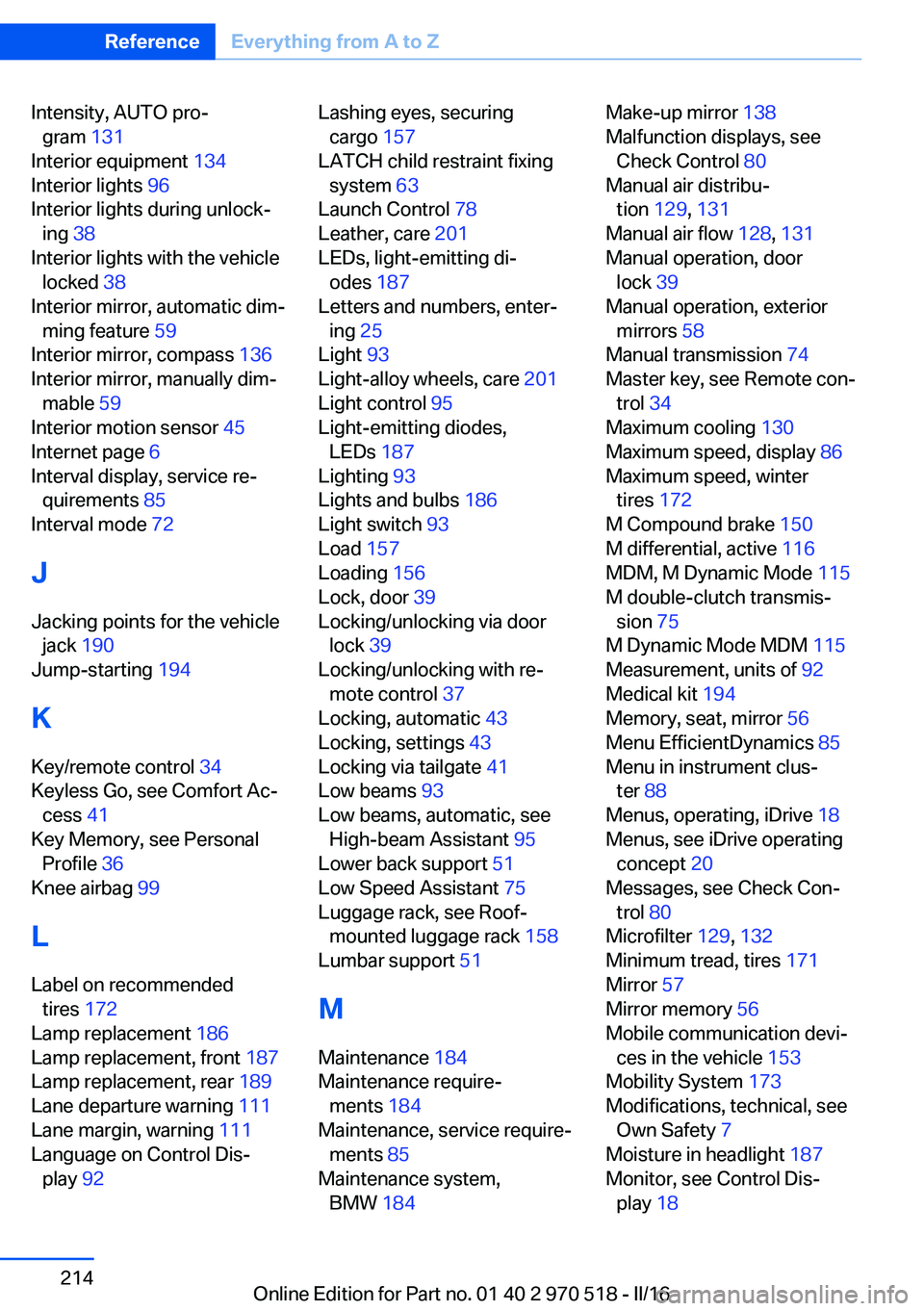
Intensity, AUTO pro‐gram 131
Interior equipment 134
Interior lights 96
Interior lights during unlock‐ ing 38
Interior lights with the vehicle locked 38
Interior mirror, automatic dim‐ ming feature 59
Interior mirror, compass 136
Interior mirror, manually dim‐ mable 59
Interior motion sensor 45
Internet page 6
Interval display, service re‐ quirements 85
Interval mode 72
J Jacking points for the vehicle jack 190
Jump-starting 194
K
Key/remote control 34
Keyless Go, see Comfort Ac‐ cess 41
Key Memory, see Personal Profile 36
Knee airbag 99
L Label on recommended tires 172
Lamp replacement 186
Lamp replacement, front 187
Lamp replacement, rear 189
Lane departure warning 111
Lane margin, warning 111
Language on Control Dis‐ play 92 Lashing eyes, securing
cargo 157
LATCH child restraint fixing system 63
Launch Control 78
Leather, care 201
LEDs, light-emitting di‐ odes 187
Letters and numbers, enter‐ ing 25
Light 93
Light-alloy wheels, care 201
Light control 95
Light-emitting diodes, LEDs 187
Lighting 93
Lights and bulbs 186
Light switch 93
Load 157
Loading 156
Lock, door 39
Locking/unlocking via door lock 39
Locking/unlocking with re‐ mote control 37
Locking, automatic 43
Locking, settings 43
Locking via tailgate 41
Low beams 93
Low beams, automatic, see High-beam Assistant 95
Lower back support 51
Low Speed Assistant 75
Luggage rack, see Roof- mounted luggage rack 158
Lumbar support 51
M
Maintenance 184
Maintenance require‐ ments 184
Maintenance, service require‐ ments 85
Maintenance system, BMW 184 Make-up mirror 138
Malfunction displays, see Check Control 80
Manual air distribu‐ tion 129, 131
Manual air flow 128, 131
Manual operation, door lock 39
Manual operation, exterior mirrors 58
Manual transmission 74
Master key, see Remote con‐ trol 34
Maximum cooling 130
Maximum speed, display 86
Maximum speed, winter tires 172
M Compound brake 150
M differential, active 116
MDM, M Dynamic Mode 115
M double-clutch transmis‐ sion 75
M Dynamic Mode MDM 115
Measurement, units of 92
Medical kit 194
Memory, seat, mirror 56
Menu EfficientDynamics 85
Menu in instrument clus‐ ter 88
Menus, operating, iDrive 18
Menus, see iDrive operating concept 20
Messages, see Check Con‐ trol 80
Microfilter 129, 132
Minimum tread, tires 171
Mirror 57
Mirror memory 56
Mobile communication devi‐ ces in the vehicle 153
Mobility System 173
Modifications, technical, see Own Safety 7
Moisture in headlight 187
Monitor, see Control Dis‐ play 18 Seite 214ReferenceEverything from A to Z214
Online Edition for Part no. 01 40 2 970 518 - II/16