parking brake BMW M235I 2014 F22 Owner's Manual
[x] Cancel search | Manufacturer: BMW, Model Year: 2014, Model line: M235I, Model: BMW M235I 2014 F22Pages: 218, PDF Size: 6.6 MB
Page 16 of 218
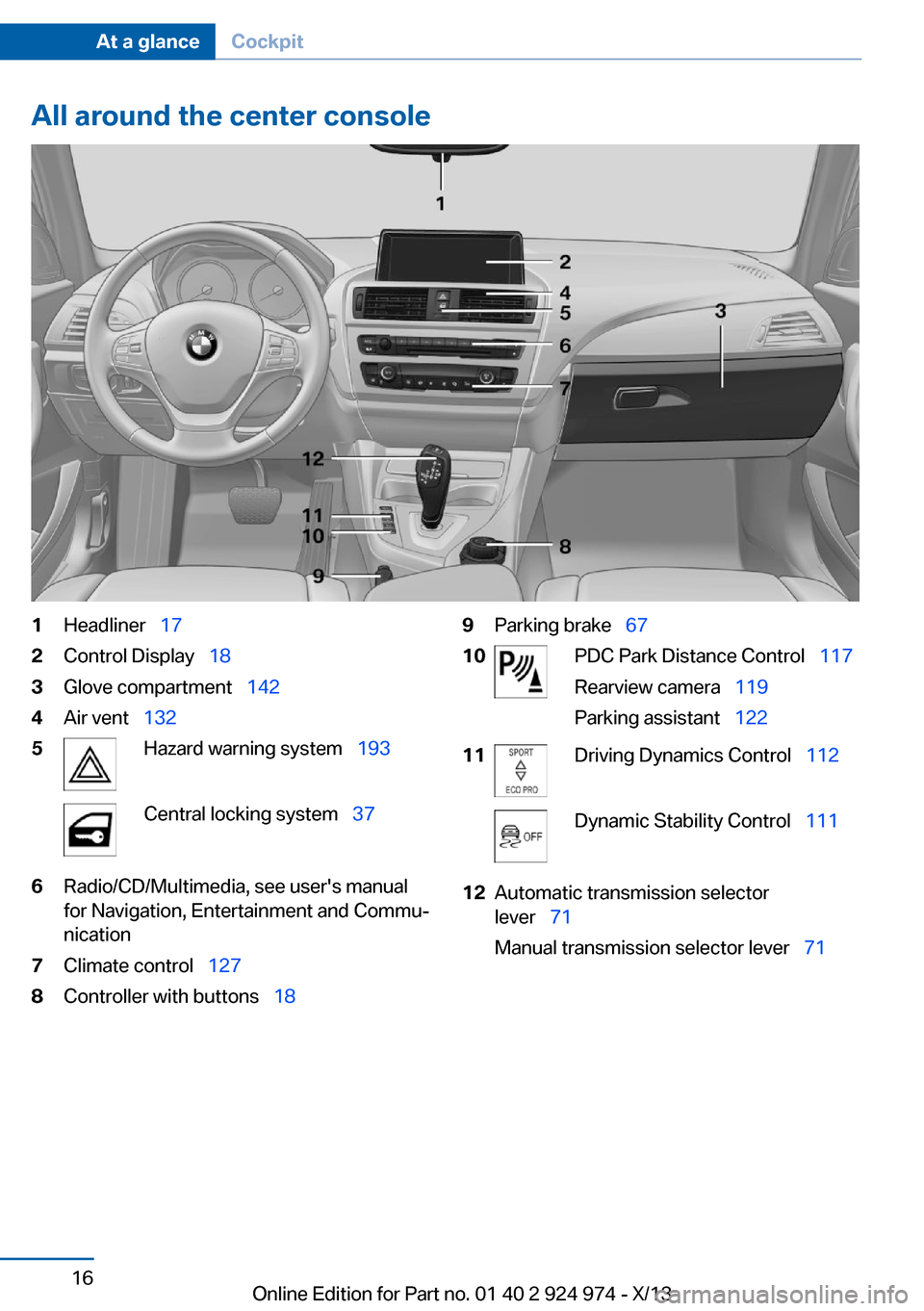
All around the center console1Headliner 172Control Display 183Glove compartment 1424Air vent 1325Hazard warning system 193Central locking system 376Radio/CD/Multimedia, see user's manual
for Navigation, Entertainment and Commu‐
nication7Climate control 1278Controller with buttons 189Parking brake 6710PDC Park Distance Control 117
Rearview camera 119
Parking assistant 12211Driving Dynamics Control 112Dynamic Stability Control 11112Automatic transmission selector
lever 71
Manual transmission selector lever 71Seite 16At a glanceCockpit16
Online Edition for Part no. 01 40 2 924 974 - X/13
Page 64 of 218
When the ignition is switched off, by opening
or closing the driver's door or unbuckling the
driver's seat belt, the radio ready state remains
active.
Radio ready state
Activate radio ready state:▷When the engine is running: press the
Start/Stop button.
Some electronic systems/power consumers
remain ready for operation.
The radio ready state switches off automati‐
cally:
▷After approx. 8 minutes.▷When the vehicle is locked using the cen‐
tral locking system.▷Shortly before the battery is discharged
completely, so that the engine can still be
started.
Starting the engine
Hints Enclosed areas
Do not let the engine run in enclosed
areas, since breathing in exhaust fumes may
lead to loss of consciousness and death. The
exhaust gases contain carbon monoxide, an
odorless and colorless, but highly toxic gas.◀
Unattended vehicle
Do not leave the vehicle unattended with
the engine running; doing so poses a risk of
danger.
Before leaving the vehicle with the engine run‐
ning, set the parking brake and place the trans‐
mission in selector lever position P or neutral
to prevent the vehicle from moving.◀
Repeated starting in quick succession
Avoid repeated unsuccessful attempts to
start the vehicle or starting the vehicle several
times in quick succession. Otherwise, the fuel
is not burned or is inadequately burned, posing
a risk of overheating and damage to the cata‐
lytic converter.◀
Do not wait for the engine to warm-up while
the vehicle remains stationary. Start driving at
moderate engine speeds.
Automatic transmission
Starting the engine1.Depress the brake pedal.2.Press the Start/Stop button.
The ignition is activated automatically for a
certain time and is stopped as soon as the en‐
gine starts.
Manual transmission
Starting the engine
1.Depress the brake pedal.2.Press on the clutch pedal and shift to neu‐
tral.3.Press the Start/Stop button.
The ignition is activated automatically for a
certain time and is stopped as soon as the en‐
gine starts.
Engine stop
Hints Take the remote control with you
Take the remote control with you when
leaving the vehicle so that children, for exam‐
ple, cannot start the engine.◀
Seite 64ControlsDriving64
Online Edition for Part no. 01 40 2 924 974 - X/13
Page 65 of 218
Set the parking brake and further secure
the vehicle as required
Set the parking brake firmly when parking; oth‐
erwise, the vehicle could roll. On steep upward
and downward inclines, further secure the ve‐
hicle, for example, by turning the steering
wheel in the direction of the curb. ◀
Before driving into a car wash In order for the vehicle to be able to roll into a
car wash, pay attention to the information re‐
garding Washing in automatic car washes, re‐
fer to page 199.
Automatic transmission
Switching off the engine1.Engage transmission position P with the
vehicle stopped.2.Press the Start/Stop button.
The engine is switched off.
The radio ready state is switched on.3.Set the parking brake.
Manual transmission
Switching off the engine
1.With the vehicle at a standstill, press the
Start/Stop button.2.Shift into first gear or reverse.3.Set the parking brake.
Automatic Engine Start/Stop
Function
The concept The Auto Start/Stop function helps save fuel.
The system switches off the engine during a
stop, e.g., in traffic congestion or at traffic
lights. The ignition remains switched on. The
engine starts again automatically for driving
off.
Certain vehicle components may experience
additional wear as a result of this system.
Automatic mode
The Auto Start/Stop function is operational af‐
ter each engine start.
This function is activated at speeds faster than
about 3 mph, approx. 5 km/h.
Engine stop
The engine is switched off automatically dur‐
ing a stop under the following conditions:
Manual transmission:▷Neutral is engaged and the clutch pedal is
not pressed.▷The driver's seat belt is buckled or the driv‐
er's door is closed.
Automatic transmission:
▷The selector lever is in transmission posi‐
tion D.▷Brake pedal remains depressed while the
vehicle is stopped.▷The driver's seat belt is buckled or the driv‐
er's door is closed.
The air volume of the air conditioner is reduced
when the engine is switched off.
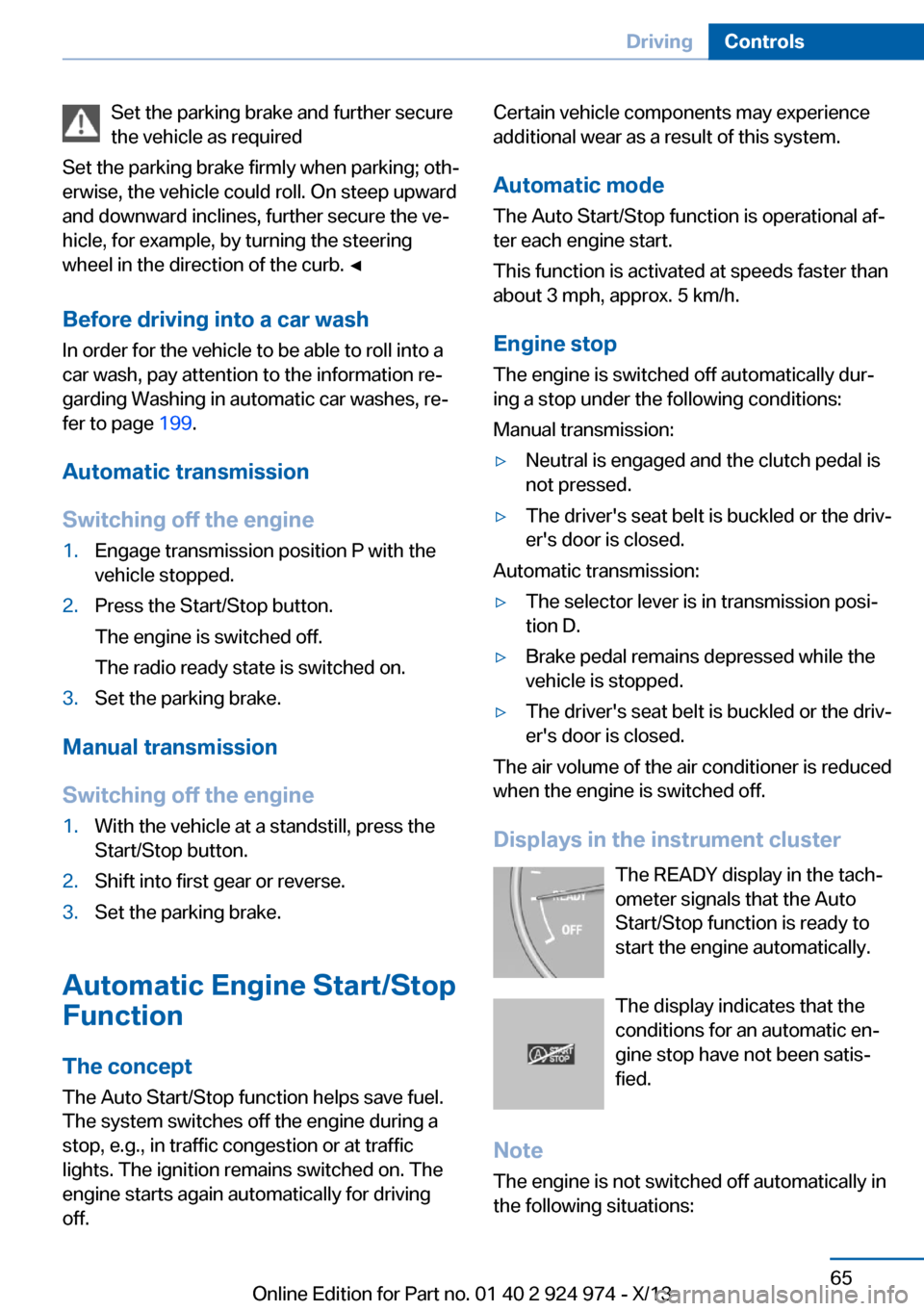
Displays in the instrument cluster The READY display in the tach‐
ometer signals that the Auto
Start/Stop function is ready to
start the engine automatically.
The display indicates that the
conditions for an automatic en‐
gine stop have not been satis‐
fied.
Note The engine is not switched off automatically in
the following situations:
Seite 65DrivingControls65
Online Edition for Part no. 01 40 2 924 974 - X/13
Page 66 of 218
▷External temperature too low.▷The external temperature is high and auto‐
matic climate control is running.▷The passenger compartment has not yet
been heated or cooled to the required
level.▷The engine is not yet at operating temper‐
ature.▷The wheels are at a sharp angle or the
steering wheel is being turned.▷After driving in reverse.▷Fogging of the windows when the auto‐
matic climate control is switched on.▷Vehicle battery is heavily discharged.▷The engine compartment lid is unlocked.▷The parking assistant is activated.▷Stop-and-go traffic.▷The transmission selector lever is in posi‐
tion N or M/S.▷Use of fuel with high ethanol content.
Starting the engine
The engine starts automatically under the fol‐
lowing conditions:
▷Manual transmission:
The clutch pedal is pressed.▷Automatic transmission:
By releasing the brake pedal.
After the engine starts, accelerate as usual.
Safety mode
After the engine switches off automatically, it
will not start again automatically if any one of
the following conditions are met.
▷The driver's safety belt is unbuckled and
the driver's door is open.▷The hood was unlocked.
Some indicator lamps light up for varying
lengths of time.
The engine can only be started via the Start/
Stop button.
Note Even if driving away was not intended, the de‐
activated engine starts up automatically in the
following situations:▷Excessive warming of the passenger com‐
partment when the cooling function is
switched on.▷The steering wheel is turned.▷Automatic transmission: the transmission
position is changed from D to N, R, or M/S.▷Automatic transmission: the transmission
position is changed from P to N, D, R or
M/S.▷The vehicle begins rolling.▷Fogging of the windows when the auto‐
matic climate control is switched on.▷Vehicle battery is heavily discharged.▷Excessive cooling of the passenger com‐
partment when the heating is switched on.▷Low brake vacuum pressure; this can oc‐
cur, for example, if the brake pedal is de‐
pressed a number of times in succession.
Activating/deactivating the system
manually
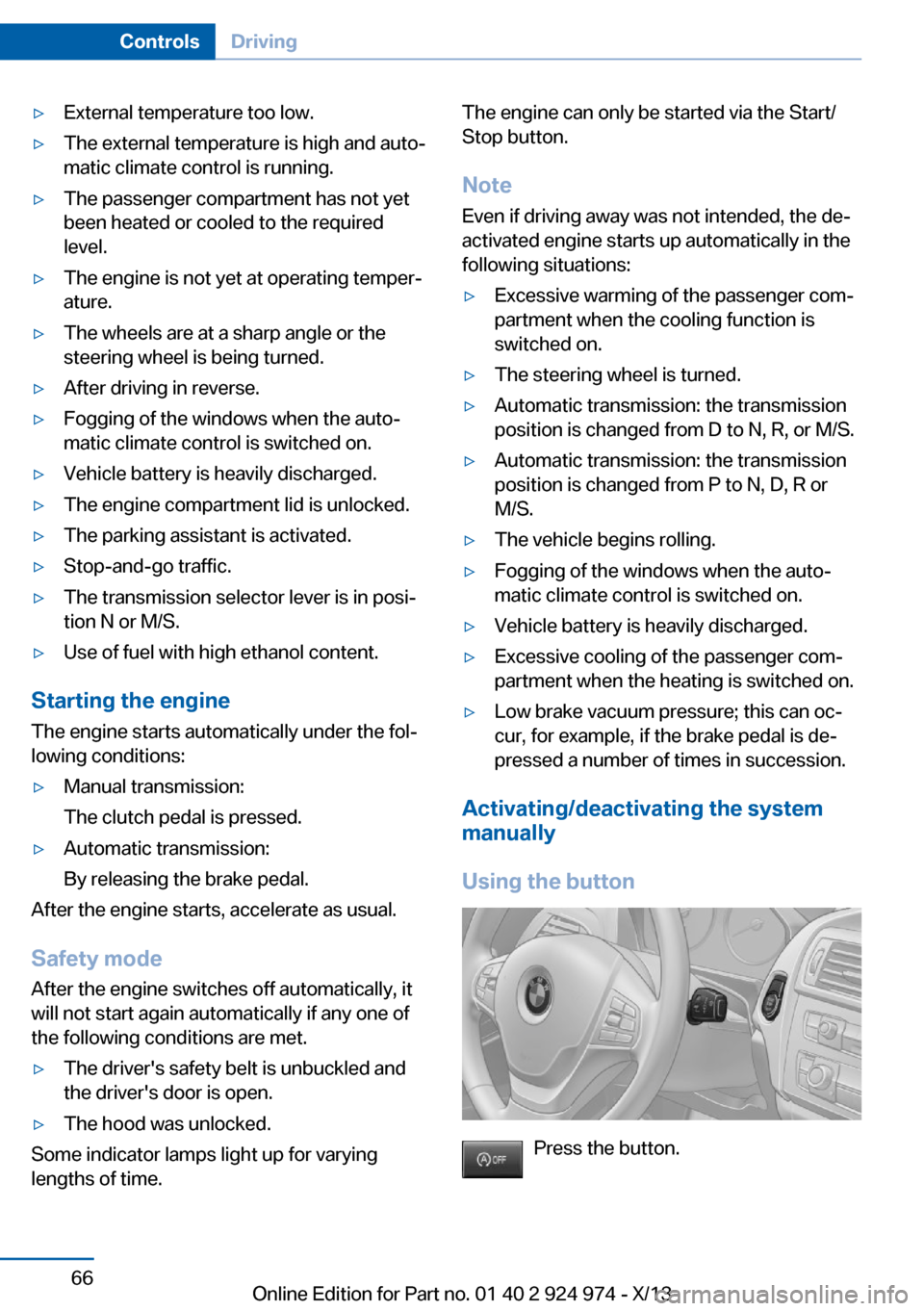
Using the button
Press the button.
Seite 66ControlsDriving66
Online Edition for Part no. 01 40 2 924 974 - X/13
Page 67 of 218
▷LED comes on: Auto Start Stop function is
deactivated.
The engine is started during an automatic
engine stop.
The engine can only be stopped or started
via the Start/Stop button.▷LED goes out: Auto Start Stop function is
activated.
Switching off the vehicle during an
automatic engine stop
During an automatic engine stop, the vehicle
can be switched off permanently, e.g., when
leaving it.
1.Press the Start/Stop button. The ignition is
switched off. The Auto Start/Stop function
is deactivated.
Transmission position P is engaged auto‐
matically.2.Set the parking brake.
Engine start as usual via Start/Stop button.
Automatic deactivation
In certain situations, the Auto Start/Stop func‐
tion is deactivated automatically for safety rea‐
sons, such as when the driver is detected to be
absent.
Malfunction
The Auto Start/Stop function no longer
switches of the engine automatically. A Check
Control message is displayed. It is possible to
continue driving. Have the system checked.
Parking brake
Applying The lever automatically engages after being
pulled up.
The indicator lamp lights up red. The
parking brake is set.
Lower lamp: indicator lamp in Canadian
models
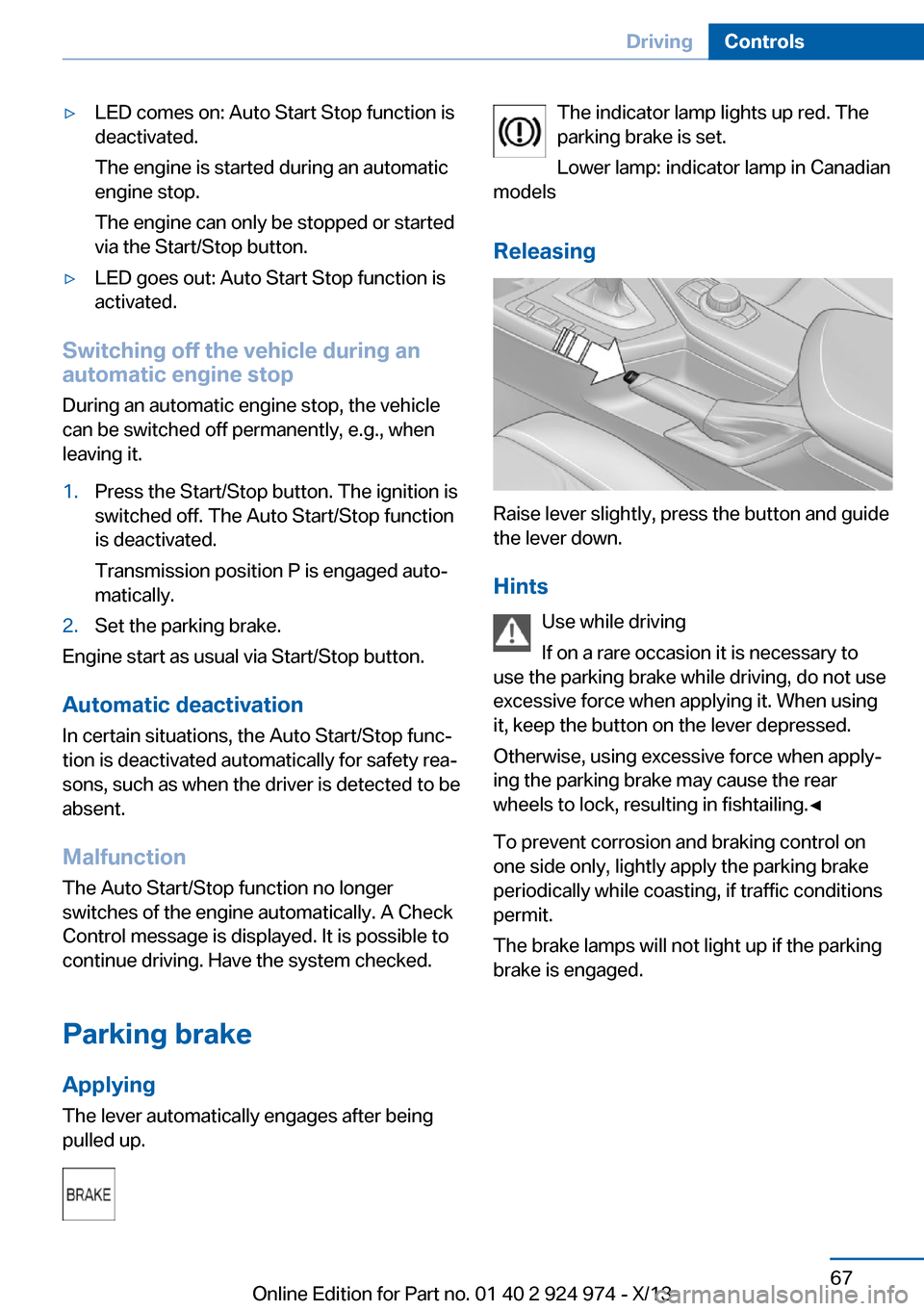
Releasing
Raise lever slightly, press the button and guide
the lever down.
Hints Use while driving
If on a rare occasion it is necessary to
use the parking brake while driving, do not use
excessive force when applying it. When using
it, keep the button on the lever depressed.
Otherwise, using excessive force when apply‐
ing the parking brake may cause the rear
wheels to lock, resulting in fishtailing.◀
To prevent corrosion and braking control on
one side only, lightly apply the parking brake
periodically while coasting, if traffic conditions
permit.
The brake lamps will not light up if the parking
brake is engaged.
Seite 67DrivingControls67
Online Edition for Part no. 01 40 2 924 974 - X/13
Page 79 of 218
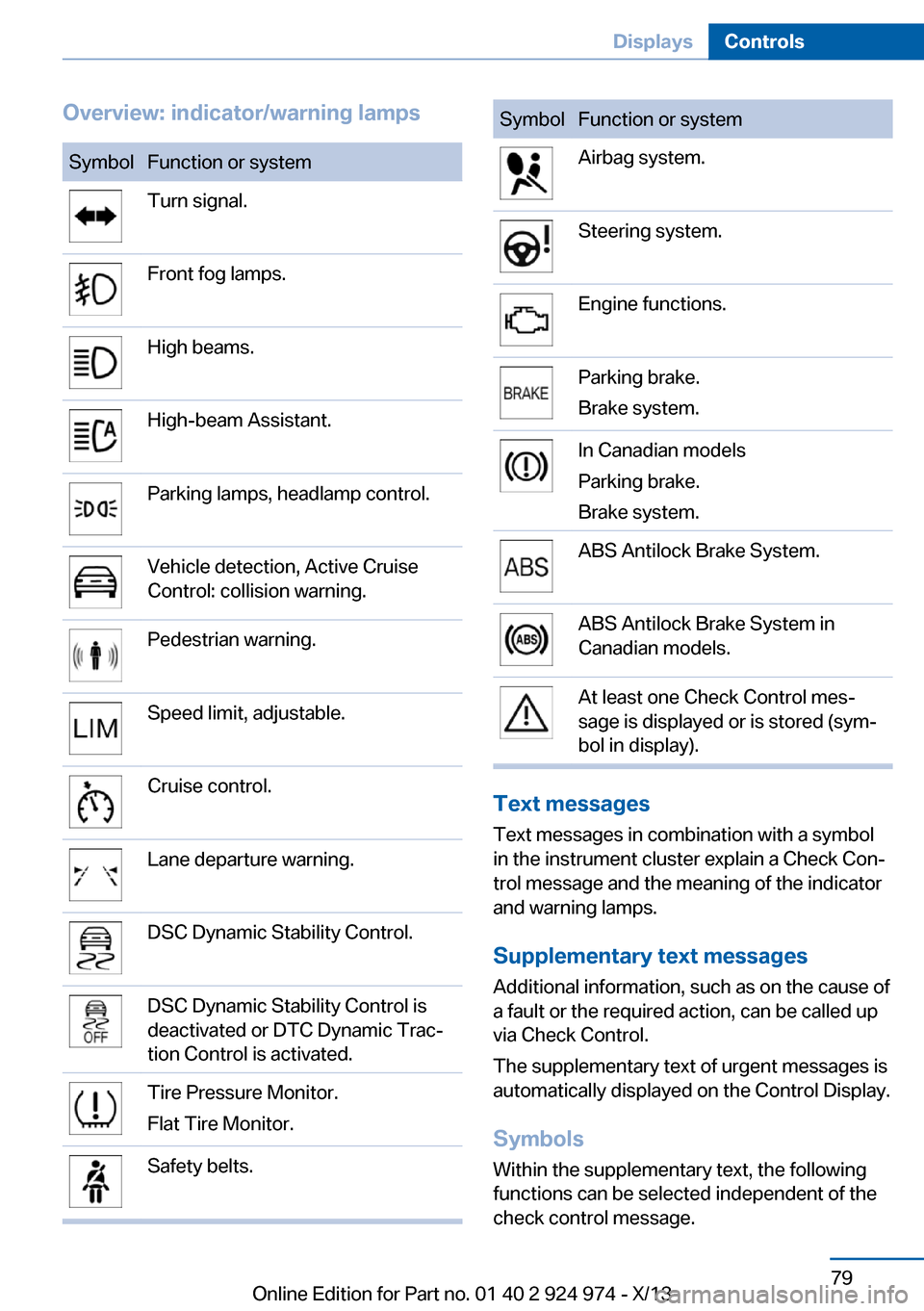
Overview: indicator/warning lampsSymbolFunction or systemTurn signal.Front fog lamps.High beams.High-beam Assistant.Parking lamps, headlamp control.Vehicle detection, Active Cruise
Control: collision warning.Pedestrian warning.Speed limit, adjustable.Cruise control.Lane departure warning.DSC Dynamic Stability Control.DSC Dynamic Stability Control is
deactivated or DTC Dynamic Trac‐
tion Control is activated.Tire Pressure Monitor.
Flat Tire Monitor.Safety belts.SymbolFunction or systemAirbag system.Steering system.Engine functions.Parking brake.
Brake system.In Canadian models
Parking brake.
Brake system.ABS Antilock Brake System.ABS Antilock Brake System in
Canadian models.At least one Check Control mes‐
sage is displayed or is stored (sym‐
bol in display).
Text messages
Text messages in combination with a symbol
in the instrument cluster explain a Check Con‐ trol message and the meaning of the indicator
and warning lamps.
Supplementary text messages
Additional information, such as on the cause of
a fault or the required action, can be called up
via Check Control.
The supplementary text of urgent messages is
automatically displayed on the Control Display.
Symbols
Within the supplementary text, the following
functions can be selected independent of the
check control message.
Seite 79DisplaysControls79
Online Edition for Part no. 01 40 2 924 974 - X/13
Page 114 of 218
In certain situations, the system automatically
changes to the NORMAL program, automatic
program change, refer to page 113.
ECO PRO ECO PRO, refer to page 155, provides consis‐
tent tuning to minimize fuel consumption for
maximum range with maximum driving stabili‐
zation.
Comfort functions and the engine controller
are adjusted.
The program can be configured to individual
specifications.
Activating ECO PRO Press button repeatedly until ECO
PRO is displayed in the instrument
cluster.
Configuring ECO PRO1.Activate ECO PRO.2."Configure ECO PRO"
Make the desired settings.
Configuring drive program
Settings can be made for the following driving
programs in Driving mode:
▷SPORT, refer to page 113.▷ECO PRO, refer to page 156.
Displays
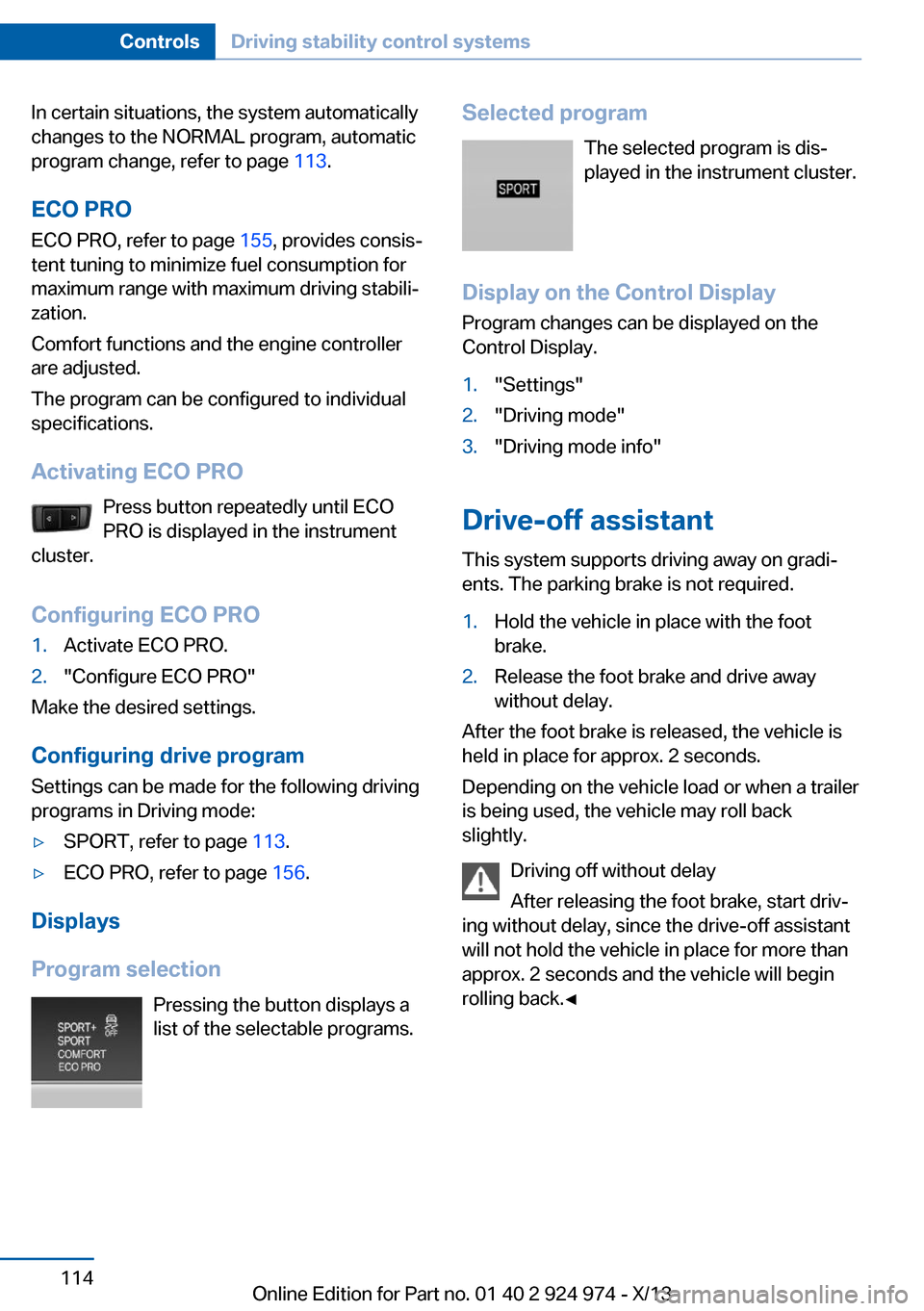
Program selection Pressing the button displays a
list of the selectable programs.
Selected program
The selected program is dis‐
played in the instrument cluster.
Display on the Control Display Program changes can be displayed on the
Control Display.1."Settings"2."Driving mode"3."Driving mode info"
Drive-off assistant
This system supports driving away on gradi‐
ents. The parking brake is not required.
1.Hold the vehicle in place with the foot
brake.2.Release the foot brake and drive away
without delay.
After the foot brake is released, the vehicle is
held in place for approx. 2 seconds.
Depending on the vehicle load or when a trailer
is being used, the vehicle may roll back
slightly.
Driving off without delay
After releasing the foot brake, start driv‐
ing without delay, since the drive-off assistant
will not hold the vehicle in place for more than
approx. 2 seconds and the vehicle will begin
rolling back.◀
Seite 114ControlsDriving stability control systems114
Online Edition for Part no. 01 40 2 924 974 - X/13
Page 123 of 218
Changes to the parking space
Changes to the parking space after it was
measured are not taken into account by the
system.
Therefore, always be alert and ready to inter‐
vene; otherwise, there is the danger of an acci‐
dent occurring.◀
Transporting loads
Loads that extend beyond the perimeter
of the vehicle are not taken into account by the
system during the parking procedure.
Therefore, always be alert and ready to inter‐
vene; otherwise, there is the danger of an acci‐
dent occurring.◀
Curbs
The parking assistant may steer the vehi‐
cle over or onto curbs.
Therefore, always be alert and ready to inter‐
vene; otherwise, the wheels, tires, or the vehi‐
cle may become damaged.◀
An engine that has been switched off by the
Auto Start Stop function is restarted automati‐
cally when the parking assistant is activated.
Requirements
For measuring parking spaces▷Maximum speed while driving forward ap‐
prox. 22 mph/35 km/h.▷Maximum distance to row of parked vehi‐
cles: 5 ft/1.5 m.
Suitable parking space
▷Gap between two objects with a minimum
length of approx. 5 ft/1.5 m.▷Minimum length of the gap: own vehicle's
length plus approx. 4 ft/1.2 m.▷Minimum depth: approx. 5 ft/1.5 m.
For parking procedure
▷Doors and trunk lid closed.▷Parking brake released.▷When parking in parking spaces on the
driver's side, the corresponding turn signal
must be set where applicable.
At a glance
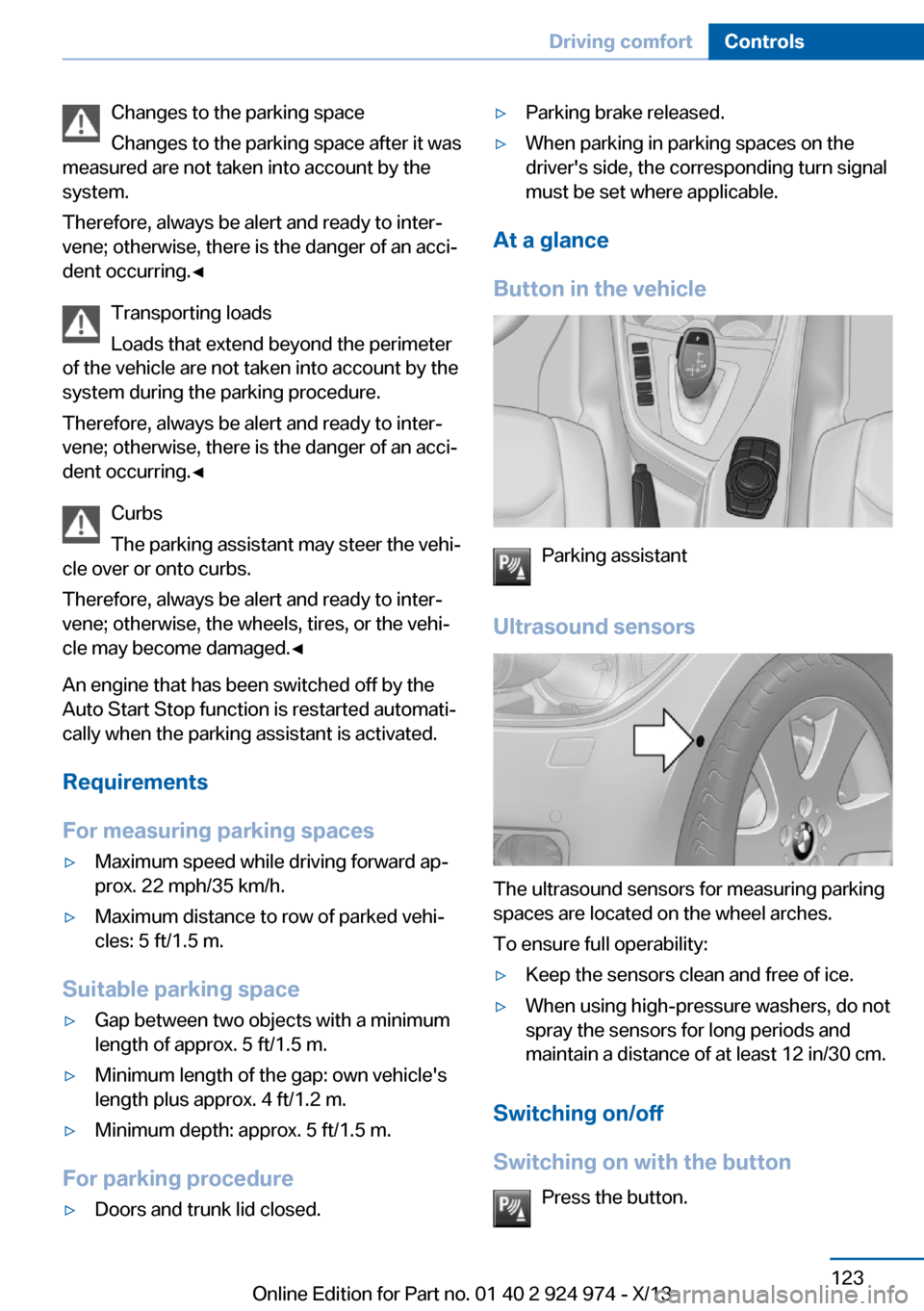
Button in the vehicle
Parking assistant
Ultrasound sensors
The ultrasound sensors for measuring parking
spaces are located on the wheel arches.
To ensure full operability:
▷Keep the sensors clean and free of ice.▷When using high-pressure washers, do not
spray the sensors for long periods and
maintain a distance of at least 12 in/30 cm.
Switching on/off
Switching on with the button Press the button.
Seite 123Driving comfortControls123
Online Edition for Part no. 01 40 2 924 974 - X/13
Page 211 of 218
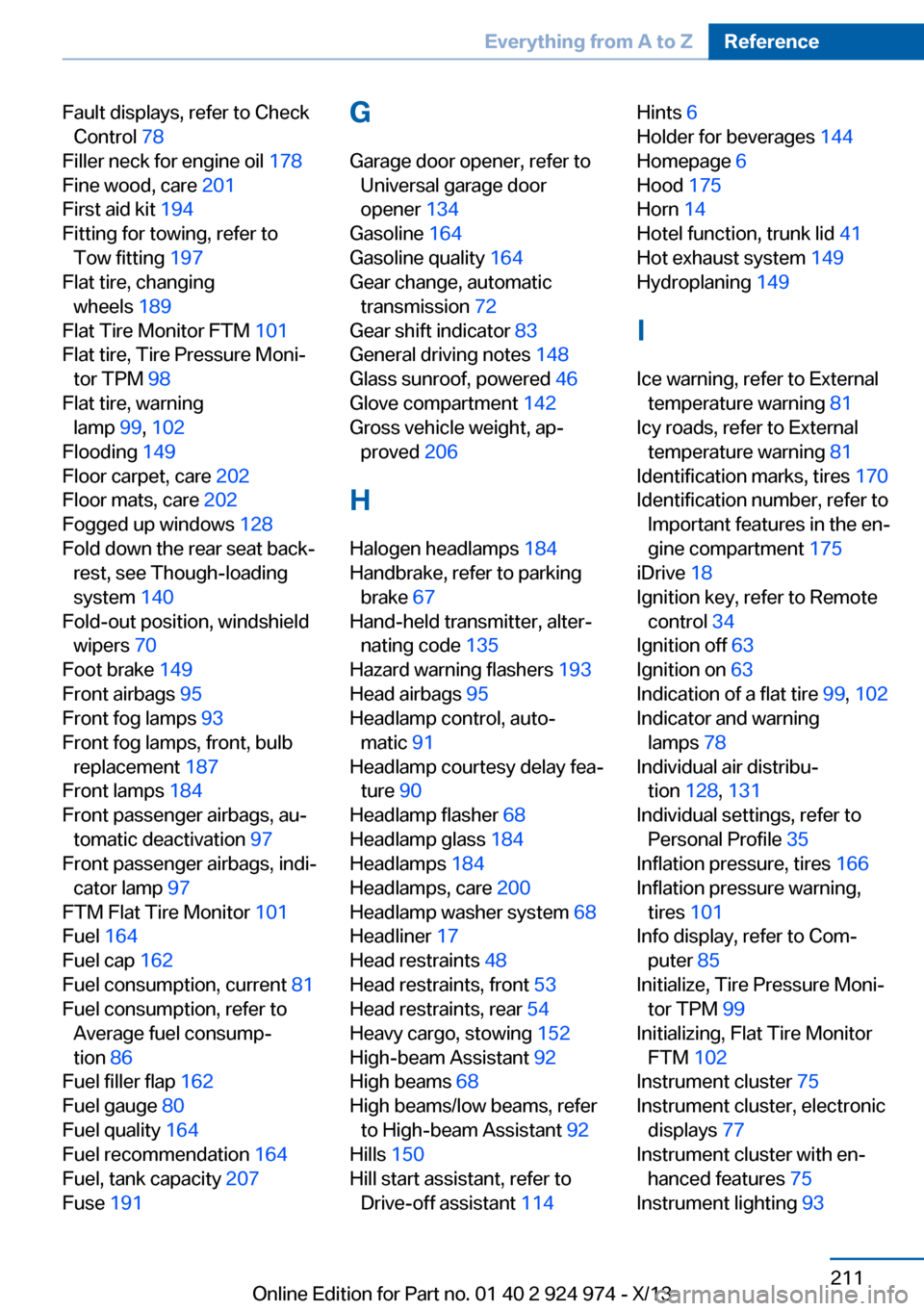
Fault displays, refer to CheckControl 78
Filler neck for engine oil 178
Fine wood, care 201
First aid kit 194
Fitting for towing, refer to Tow fitting 197
Flat tire, changing wheels 189
Flat Tire Monitor FTM 101
Flat tire, Tire Pressure Moni‐ tor TPM 98
Flat tire, warning lamp 99, 102
Flooding 149
Floor carpet, care 202
Floor mats, care 202
Fogged up windows 128
Fold down the rear seat back‐ rest, see Though-loading
system 140
Fold-out position, windshield wipers 70
Foot brake 149
Front airbags 95
Front fog lamps 93
Front fog lamps, front, bulb replacement 187
Front lamps 184
Front passenger airbags, au‐ tomatic deactivation 97
Front passenger airbags, indi‐ cator lamp 97
FTM Flat Tire Monitor 101
Fuel 164
Fuel cap 162
Fuel consumption, current 81
Fuel consumption, refer to Average fuel consump‐
tion 86
Fuel filler flap 162
Fuel gauge 80
Fuel quality 164
Fuel recommendation 164
Fuel, tank capacity 207
Fuse 191 G
Garage door opener, refer to Universal garage door
opener 134
Gasoline 164
Gasoline quality 164
Gear change, automatic transmission 72
Gear shift indicator 83
General driving notes 148
Glass sunroof, powered 46
Glove compartment 142
Gross vehicle weight, ap‐ proved 206
H
Halogen headlamps 184
Handbrake, refer to parking brake 67
Hand-held transmitter, alter‐ nating code 135
Hazard warning flashers 193
Head airbags 95
Headlamp control, auto‐ matic 91
Headlamp courtesy delay fea‐ ture 90
Headlamp flasher 68
Headlamp glass 184
Headlamps 184
Headlamps, care 200
Headlamp washer system 68
Headliner 17
Head restraints 48
Head restraints, front 53
Head restraints, rear 54
Heavy cargo, stowing 152
High-beam Assistant 92
High beams 68
High beams/low beams, refer to High-beam Assistant 92
Hills 150
Hill start assistant, refer to Drive-off assistant 114 Hints 6
Holder for beverages 144
Homepage 6
Hood 175
Horn 14
Hotel function, trunk lid 41
Hot exhaust system 149
Hydroplaning 149
I Ice warning, refer to External temperature warning 81
Icy roads, refer to External temperature warning 81
Identification marks, tires 170
Identification number, refer to Important features in the en‐
gine compartment 175
iDrive 18
Ignition key, refer to Remote control 34
Ignition off 63
Ignition on 63
Indication of a flat tire 99, 102
Indicator and warning lamps 78
Individual air distribu‐ tion 128, 131
Individual settings, refer to Personal Profile 35
Inflation pressure, tires 166
Inflation pressure warning, tires 101
Info display, refer to Com‐ puter 85
Initialize, Tire Pressure Moni‐ tor TPM 99
Initializing, Flat Tire Monitor FTM 102
Instrument cluster 75
Instrument cluster, electronic displays 77
Instrument cluster with en‐ hanced features 75
Instrument lighting 93 Seite 211Everything from A to ZReference211
Online Edition for Part no. 01 40 2 924 974 - X/13
Page 213 of 218
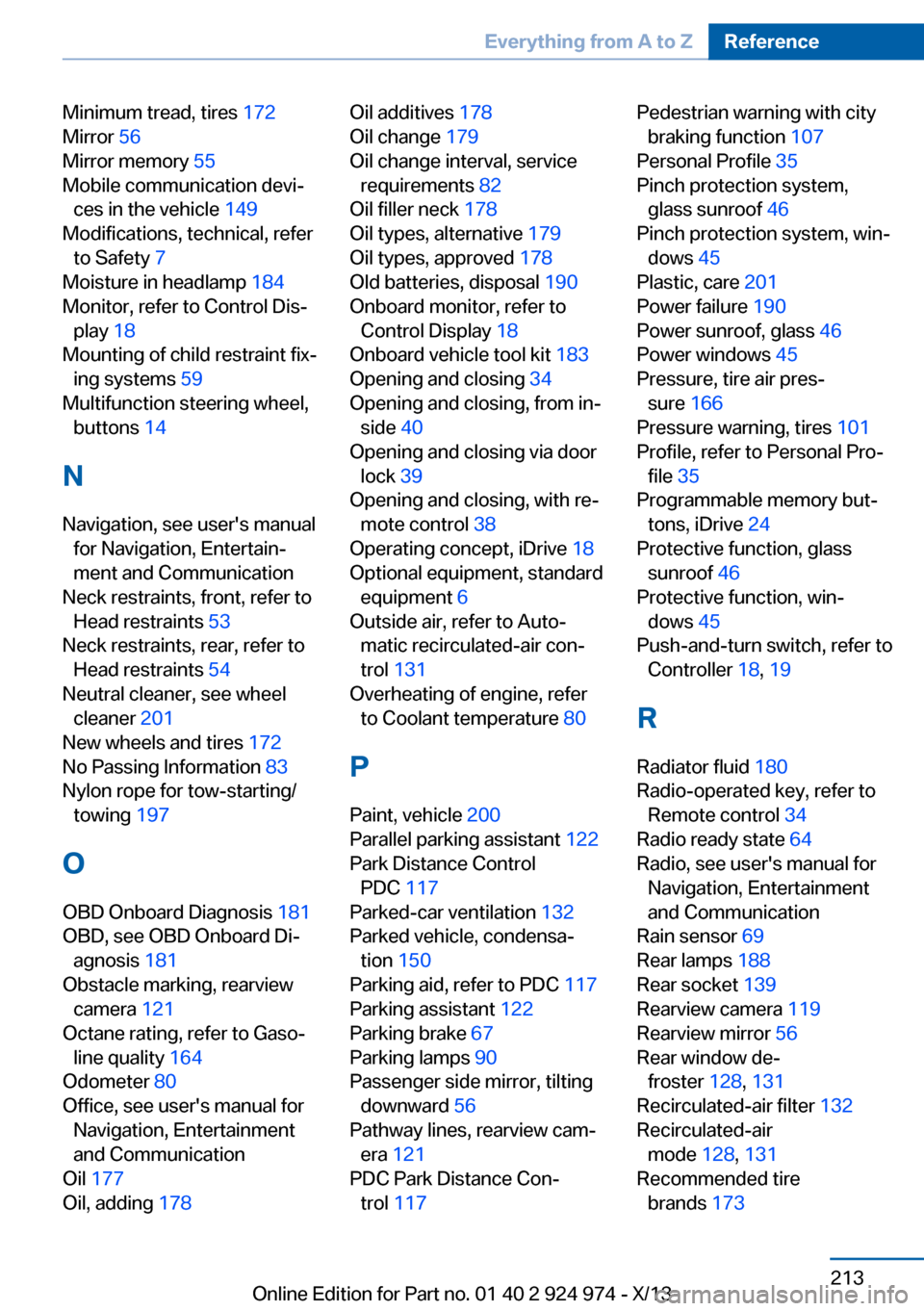
Minimum tread, tires 172
Mirror 56
Mirror memory 55
Mobile communication devi‐ ces in the vehicle 149
Modifications, technical, refer to Safety 7
Moisture in headlamp 184
Monitor, refer to Control Dis‐ play 18
Mounting of child restraint fix‐ ing systems 59
Multifunction steering wheel, buttons 14
N Navigation, see user's manual for Navigation, Entertain‐
ment and Communication
Neck restraints, front, refer to Head restraints 53
Neck restraints, rear, refer to Head restraints 54
Neutral cleaner, see wheel cleaner 201
New wheels and tires 172
No Passing Information 83
Nylon rope for tow-starting/ towing 197
O OBD Onboard Diagnosis 181
OBD, see OBD Onboard Di‐ agnosis 181
Obstacle marking, rearview camera 121
Octane rating, refer to Gaso‐ line quality 164
Odometer 80
Office, see user's manual for Navigation, Entertainment
and Communication
Oil 177
Oil, adding 178 Oil additives 178
Oil change 179
Oil change interval, service requirements 82
Oil filler neck 178
Oil types, alternative 179
Oil types, approved 178
Old batteries, disposal 190
Onboard monitor, refer to Control Display 18
Onboard vehicle tool kit 183
Opening and closing 34
Opening and closing, from in‐ side 40
Opening and closing via door lock 39
Opening and closing, with re‐ mote control 38
Operating concept, iDrive 18
Optional equipment, standard equipment 6
Outside air, refer to Auto‐ matic recirculated-air con‐
trol 131
Overheating of engine, refer to Coolant temperature 80
P Paint, vehicle 200
Parallel parking assistant 122
Park Distance Control PDC 117
Parked-car ventilation 132
Parked vehicle, condensa‐ tion 150
Parking aid, refer to PDC 117
Parking assistant 122
Parking brake 67
Parking lamps 90
Passenger side mirror, tilting downward 56
Pathway lines, rearview cam‐ era 121
PDC Park Distance Con‐ trol 117 Pedestrian warning with city
braking function 107
Personal Profile 35
Pinch protection system, glass sunroof 46
Pinch protection system, win‐ dows 45
Plastic, care 201
Power failure 190
Power sunroof, glass 46
Power windows 45
Pressure, tire air pres‐ sure 166
Pressure warning, tires 101
Profile, refer to Personal Pro‐ file 35
Programmable memory but‐ tons, iDrive 24
Protective function, glass sunroof 46
Protective function, win‐ dows 45
Push-and-turn switch, refer to Controller 18, 19
R Radiator fluid 180
Radio-operated key, refer to Remote control 34
Radio ready state 64
Radio, see user's manual for Navigation, Entertainment
and Communication
Rain sensor 69
Rear lamps 188
Rear socket 139
Rearview camera 119
Rearview mirror 56
Rear window de‐ froster 128, 131
Recirculated-air filter 132
Recirculated-air mode 128, 131
Recommended tire brands 173 Seite 213Everything from A to ZReference213
Online Edition for Part no. 01 40 2 924 974 - X/13