brake light BMW M3 2008 User Guide
[x] Cancel search | Manufacturer: BMW, Model Year: 2008, Model line: M3, Model: BMW M3 2008Pages: 266, PDF Size: 8.85 MB
Page 86 of 266
Technology for driving comfort and safety
84
For better control
If the indicator lamp flashes:
DSC is regulating the drive and brak-
ing forces.
If the indicator lamps are on:
DSC is deactivated.
Electronic Damper Control
EDC*
The concept
Whenever there is a change in any significant
parameter such as road surface quality or in an
operating condition such as steering, braking,
etc., the damping automatically adjusts to the
new conditions in fractions of a second.
You can select between three programs.
"Comfort" program
Select the "Comfort" program if you want com-
fort-oriented control of the shock absorbers.
"Normal" program
The "Normal" program offers control that is bal-
anced between comfort and sportiness.
"Sport" program
Select the "Sport" program if you want consis-
tently sporty control of the shock absorbers.
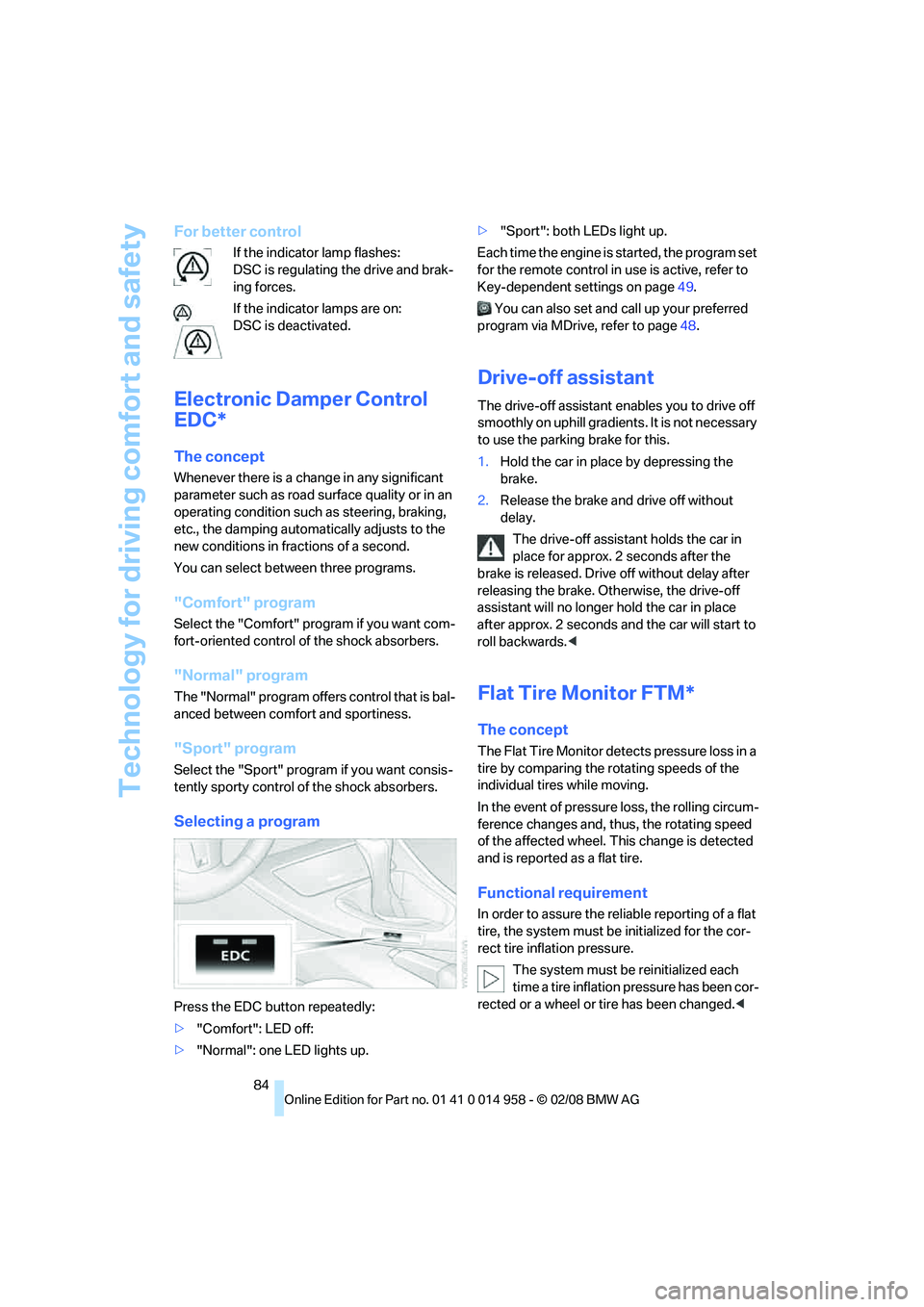
Selecting a program
Press the EDC button repeatedly:
>"Comfort": LED off:
>"Normal": one LED lights up.>"Sport": both LEDs light up.
Each time the engine is started, the program set
for the remote control in use is active, refer to
Key-dependent settings on page49.
You can also set and call up your preferred
program via MDrive, refer to page48.
Drive-off assistant
The drive-off assistant enables you to drive off
smoothly on uphill gradients. It is not necessary
to use the parking brake for this.
1.Hold the car in place by depressing the
brake.
2.Release the brake and drive off without
delay.
The drive-off assistant holds the car in
place for approx. 2 seconds after the
brake is released. Drive off without delay after
releasing the brake. Otherwise, the drive-off
assistant will no longer hold the car in place
after approx. 2 seconds and the car will start to
roll backwards.<
Flat Tire Monitor FTM*
The concept
The Flat Tire Monitor detects pressure loss in a
tire by comparing the rotating speeds of the
individual tires while moving.
In the event of pressure loss, the rolling circum-
ference changes and, thus, the rotating speed
of the affected wheel. This change is detected
and is reported as a flat tire.
Functional requirement
In order to assure the reliable reporting of a flat
tire, the system must be initialized for the cor-
rect tire inflation pressure.
The system must be reinitialized each
time a tire inflation pressure has been cor-
rected or a wheel or tire has been changed.<
Page 117 of 266
Driving tips
115Reference
At a glance
Controls
Communications
Navigation
Entertainment
Mobility
ing, take care to avoid possible contact
between the hot exhaust system and any highly
flammable materials such as hay, leaves, grass,
etc. Such contact could lead to a fire, with the
risk of serious personal injuries and property
damage. Do not touch hot exhaust pipes, e. g.
when loading the cargo bay, otherwise there is a
risk of burn injuries.<
Hydroplaning
When driving on wet or slushy roads,
reduce road speed. If you do not, a wedge
of water can form between tires and road sur-
face. This situation, known as hydroplaning,
means that the tire can completely lose contact
with the road surface, so that neither the car can
be steered nor the brake be properly applied.<
The risk of hydroplaning increases with declin-
ing tread depth on the tires, refer also to Mini-
mum tread depth on page209.
Driving through water
Drive through water on the road only if it is
not deeper than 1 ft/30 cm, and then only
at walking speed at the most. Otherwise, the
vehicle's engine, the electrical systems and the
transmission may be damaged.<
Use the parking brake on inclines
On inclines, do not hold the vehicle for a
lengthy period using the clutch; use the
parking brake instead. Otherwise greater clutch
wear will result.<
For more information about the drive-off assis-
tant, refer to page84.
Braking safely
Your BMW is equipped with ABS as a standard
feature. Applying the brakes fully is the most
effective way of braking in situations in which
this is necessary. Since the vehicle maintains
steering responsiveness, you can still avoid
possible obstacles with a minimum of steering
effort.
Pulsation of the brake pedal, combined with
sounds from the hydraulic circuits, indicate that
ABS is in its active mode.
Driving in wet conditions
When roads are wet or there is heavy rain,
briefly exert gentle pressure on the brake pedal
every few miles. Monitor traffic conditions to
ensure that this maneuver does not endanger
other road users. The heat generated in this
process helps dry the pads and rotors to ensure
that full braking efficiency will then be available
when you need it.
Hills
To prevent overheating and the resulting
reduced efficiency of the brake system,
drive long or steep downhill gradients in the
gear in which the least braking is required. Even
light but consistent brake pressure can lead to
high temperatures, brake wear and possibly
even brake failure.<
You can increase the engine's braking effect by
shifting down, all the way to first gear if neces-
sary. This strategy helps you avoid placing
excessive loads on the brake system.
M dual clutch transmission: never drive
with the transmission in neutral or with
the engine switched off; otherwise, engine
braking action will not be present or there will be
no power assistance to the brakes or steering.
Manual transmission: never drive with the
clutch held down, with the transmission in neu-
tral or with the engine switched off; otherwise,
engine braking action will not be present or
there will be no power assistance to the brakes
or steering.
Never allow floor mats, carpets or any other
objects to protrude into the area around the
pedals, otherwise pedal function could be
impaired.<
Corrosion on brake rotors
When the vehicle is driven only occasionally,
during extended periods when the vehicle is not
used at all, and in operating conditions where
brake applications are less frequent, there is an
increased tendency for corrosion to form on
rotors, while contaminants accumulate on the
brake pads. This occurs because the minimum
pressure which must be exerted by the pads
Page 121 of 266
Driving tips
119Reference
At a glance
Controls
Communications
Navigation
Entertainment
Mobility
BMW M3 engineering
High performance V8 engine
The high-revving V8 engine draws a maximum
power of 420 hp/309 kW and a peak torque of
295 lb ft/400 Nm from a displacement of
244 cu in/4 liters. Its spontaneous response
results in a very wide effective rpm range. The
maximum engine speed lies at 8,400 rpm and is
electronically controlled. Due to the high engine
dynamics, the maximum engine speed is lim-
ited to 7,000 rpm when the vehicle is standing.
Warming up the engine
During the warm-up phase, the high-perfor-
mance V8 engine runs a little more roughly due
to its emissions control system.
For technical reasons, the exhaust system
sounds slightly metallic when the engine is
cold.
For further information on warming up the
engine, refer to Tachometer on page67 and
Engine oil temperature on page68.
Compound brake
Your BMW M3 is equipped with a high-perfor-
mance brake system with perforated com-
pound brake discs.
Due to special design features of the perforated
compound brake discs, operating noise is audi-
ble during braking. However, this does not
affect the brake's performance, safe operation
or stability under load.
Braking correctly
To keep the brake system in optimal condition,
it is advisable to apply the brakes at regular
intervals as appropriate for the character of the
vehicle.
Refer also to Corrosion on brake rotors on
page115.
Drive train
In your BMW M3, special emphasis was placed
on the direct connection between the engine
and drive. The torsionally rigid execution of the
drive train results in acoustic feedback of the
torque, as is typical in sports cars. Clacking
sounds can arise during load changes. They do
not impair functionality or shorten the lifespan
of any component.
Page 248 of 266
Everything from A - Z
246
Everything from A - Z
Index
"..." Identifies Control Display
texts used to select
individual functions and
refers you to the page where
these texts can be found.
A
ABS Antilock Brake
System82
Acceleration assistant, refer to
Launch Control62
Accident, refer to Sending an
Emergency Request230
Activated-charcoal filter for
automatic climate
control100
"Activation time"100
Adaptive Head Light94
"Add digits" on the mobile
phone186
Additives
– coolant222
"Address book" in
navigation134
Address for navigation
– deleting136
– entering126,134
– selecting135
– storing134
– storing current position135
"Add to destination list"129
Adjusting temperature inside
the car, refer to Automatic
climate control97
Adjusting the thigh support41
Adjusting the tone during
audio operation, refer to
Tone control153
Airbags89
– indicator/warning lamp91
– sitting safely40Air conditioning mode
– automatic climate control97
– ventilation99
Air distribution
– automatic98
– individual97
Air flow rate98
Airing, refer to Ventilation99
Air pressure, refer to Tire
inflation pressure206
Air recirculation, refer to
Recirculated-air mode98
"Air recirculation on / off"47
Air supply
– automatic climate control97
– ventilation99
Air vents96
AKI, refer to Fuel
specifications204
Alarm system34
– avoiding unintentional
alarms35
– interior motion sensor35
– switching off an alarm34
– tilt alarm sensor35
"All channels" for satellite
radio163
All-season tires, refer to
Winter tires
210
"All stations", displaying with
the radio156
"AM", waveband152,156
Ambient air, refer to
Recirculated-air mode98
Antenna for mobile phone178
Antifreeze
– coolant222
– washer fluid65
Antilock Brake System
ABS82
Anti-theft alarm system, refer
to Alarm system34
Anti-theft system29Approved axle loads, refer to
Weights240
Approved gross vehicle
weight, refer to Weights240
Armrest, refer to Center
armrest106
Arrival time, refer to
Computer69
Arrival time, refer to Starting
destination guidance139
Arrow display for
navigation140
"Arrow display" in
navigation140
Ashtray
– front107
– rear108
Assist193
Assistance systems, refer to
Driving stability control
systems82
Assistance window20
– refer to iDrive20
"Assist profile"199
AUC Automatic recirculated-
air control98
"Audio"155,159
Audio152
– controls152
– switching on/off152
– tone control153
– volume153
"Audio", refer to Tone
control153
Audio device, external106
Automatic
– air distribution98
– air flow rate98
– BMW Teleservice Call195
– cruise control65
– headlamp control92
– storing of stations157
Automatic car washes214
Page 250 of 266
Everything from A - Z
248 Brightness of the Control
Display80
"Brightness" on the Control
Display80
Bulb changing, refer to Lamps
and bulbs223
Button for starting the engine,
refer to Start/stop button54
Buttons on the steering
wheel11
C
California Proposition 65
warning6
"Call"186,197
Call
– accepting184
– displaying accepted186
– ending185
– missed186
– starting185
Calling
– from phone book185
– from Top 8 list186
– redialing186
Can holders, refer to Cup
holders107
Capacities241
Capacity of the cargo bay240
Car battery, refer to Vehicle
battery228
Car care, refer to Care214
"Car Data"69Care214
– automatic car washes214
– care products214
– carpets216
– CD/DVD drives216
– chrome parts215
– displays216
– exterior214
– fine wood parts216
– headlamps215
– high-pressure washer214
– interior216
– leather216
– light-alloy wheels215
– paintwork215
– plastic parts216
– rubber seals215
– safety belts216
– sensors and cameras216
– upholstery and cloth
trim216
– washing the car
manually215
– windows215
– wiper blades215
Cargo, securing117
Cargo bay
– capacity240
– convenient access36
– folding up the floor
panel110
– lamp, refer to Interior
lamps95
– opening from inside33
– opening from outside
33
Cargo loading
– securing cargo117
– stowing cargo117
– vehicle116
Car jack
– jacking points228
Car key, refer to Remote
control28
Car phone178
– installation location, refer to
Center armrest106
– refer to Mobile phone178
– refer to separate Owner's
ManualCar radio, refer to Radio156
Car shampoo216
Car wash
– before driving into56
Catalytic converter, refer to
Hot exhaust system114
"Categories" for satellite
radio163
CBS Condition Based
Service212
"CD"152,165
CD changer165
– compressed audio files165
– controls152
– fast forward/reverse169
– installation location169
– playing a track167
– random order168
– repeating a track168
– selecting a CD165
– selecting a track166
– switching on/off152
– tone control153
– volume153
CD player165
– compressed audio files165
– controls152
– fast forward/reverse169
– playing a track167
– random order168
– repeating a track168
– selecting a track166
– switching on/off152
– tone control153
– volume153
Center armrest106
Center brake lamp, replacing
bulb226
Center console, refer to
Around the center
console14
"Central locking"
30
Central locking
– from inside32
– from outside29
Central locking system29
– convenient access35
– hotel function33
Page 254 of 266
Everything from A - Z
252 Filter
– refer to Microfilter/activated-
charcoal filter for automatic
climate control100
First aid pouch231
Fixture for remote control,
refer to Ignition lock54
Flashlight, refer to LED hand
lamp106
Flash when locking/
unlocking31
Flat tire
– Tire Pressure Monitor
TPM86
Flat tire, repairing226
Flat Tire Monitor FTM84
– indicating a flat tire86
– indicator/warning lamp86
– initializing the system85
– malfunction86
– snow chains85,211
– system limits85
Flat tires, refer to Tire
condition209
Fluid reservoir, refer to
Washer fluid reservoir65
"FM", waveband152,156
FM, waveband156
Folding in the mirrors, before
driving into a car wash45
Folding up the floor panel110
Footbrake, refer to Braking
safely115
Footwell lamps, refer to
Interior lamps95
Forward position, engaging,
refer to Selector lever
positions57
For your own safety5
Frequency, selecting
manually157
Front airbags89
FTM, refer to Flat Tire
Monitor84Fuel204
– average consumption69
– gauge68
– high-quality brands204
– quality204
– specifications204
– tank contents, refer to
Capacities241
Fuel clock, refer to Fuel
gauge68
Fuel display, refer to Fuel
gauge68
Fuel filler door204
– releasing in the event of
electrical malfunction
204
Fuses229
G
Garage door opener, refer to
Integrated universal remote
control102
Gasoline
– refer to Average
consumption69
Gasoline, refer to Required
fuel204
Gasoline display, refer to Fuel
gauge68
Gasoline engine, checking
engine oil level219
Gear
– neutral58
Gear change59
Gear display, refer to Displays
in the instrument cluster59
Gearshift lever
– manual transmission56
Gearshifts
– manual transmission56
General driving notes114Glass roof, electric38
– closing after electrical
malfunction39
– convenient operation30,31
– initializing39
– opening, closing38
– operation with convenient
access36
– pinch protection system38
– power failure39
– raising38
– remote control30
Glove compartment105
– LED hand lamp106
GPS navigation, refer to
Navigation system124
Grills96
Gross vehicle weight, refer to
Weights240
H
Handbrake, refer to Parking
brake56
Hand lamp, refer to LED hand
lamp106
Hands-free system14
Hazard warning flashers14
"HD radio"159
HD radio, refer to High
Definition Radio159
Head airbags89
Headlamp control,
automatic92
Headlamp flasher63
– indicator lamp11,13
Head restraints42
– front, removing42
– rear, removing42
– sitting safely40
Heated
– mirrors46
– rear window99
– seats43
Heating
– mirrors46
– rear window99
– residual heat99
– seats43
Page 255 of 266
Reference 253
At a glance
Controls
Driving tips
Communications
Navigation
Entertainment
Mobility
Heating and ventilation, refer
to Climate96
Heating while at a standstill,
refer to Using residual
heat99
Heavy loads, refer to Stowing
cargo117
Height, refer to
Dimensions239
Height adjustment
– seats41
– steering wheel46
High beams94
– headlamp flasher94
– indicator lamp13
High Definition Radio159
High-pressure
washer214,215
High water, refer to Driving
through water115
Highways, refer to Route
criteria137
Hills115
Holders for cups107
Home address136
"Home address" in
navigation137
Homepage BMW4
Hood218
Hooks for shopping bags109
Horn10,11
Hotel function33
Hot exhaust system114
"Hour memo"76
"House number" in
destination entry129
Hydraulic brake assist, refer to
Brake assist82
Hydroplaning115
I
IBOC, refer to High Definition
Radio159
Ice warning, refer to Outside
temperature warning67
ID3 tag, refer to Information
about the track167Identification marks, tire
coding208
iDrive16
– adjusting brightness80
– assistance window20
– automatic climate control97
– changing language79
– changing units of measure
and display format71
– confirming selection or
entry19
– controls16
– displays, menus17
– menu guidance17
– operating principle16
– overview16
– selecting a menu item19
– setting the date and time74
– start menu17
– status information20
– switching menu pages19
– symbols18
iDrive operating principle16
Ignition54
– switched off55
– switched on54
Ignition key, refer to Remote
control28
Ignition key position 1, refer to
Radio readiness54
Ignition key position 2, refer to
Ignition on54
Ignition lock54
i menu18
Imprint2
Indicator and warning
lamps13
– MDrive49
– M Dynamic Mode83
– Tire Pressure Monitor
TPM88
Individual air distribution97
Individually programmable
buttons on steering
wheel47
Inflation pressure, refer to Tire
inflation pressure206Inflation pressure monitoring,
refer to Tire Pressure
Monitor TPM86
Information
– on another location132
– on country132
– on current position132
– on destination location132
Information menu, refer to
i menu18
"Information on
destination"134
"Info sources"73
Initializing
– after power failure228
– compass, refer to Digital
compass, calibrating104
– Flat Tire Monitor FTM85
– glass roof39
"Input map"131
Installation location
– CD changer169
– navigation DVD drive124
– telephone106
Instructions for navigation
system, refer to Voice
instructions142
Instrument cluster12
Instrument lighting94
Instrument panel, refer to
Cockpit10
Integrated key28
Integrated universal remote
control102
Interesting destination for
navigation132
"Interim time"79
Interior lamps95
– remote control30
Interior motion sensor35
Interior rearview mirror46
– automatic dimming
feature46
– compass104
Intermittent mode of the
wipers64
Page 258 of 266
Everything from A - Z
256 "New address" in
navigation135
"New destination"127,131
"New route"143
New tires209
"Next entertainment
source"47
"Normal"63
"Normal" with EDC84
North-facing map141
Nozzles96
Number of cylinders, refer to
Engine data238
Nylon rope, refer to Tow
rope233
O
OBD socket, refer to Socket
for On-Board Diagnosis213
Octane ratings, refer to Fuel
specifications204
Odometer67
Oil, refer to Engine oil219
Oil consumption219
Oil level219
Old batteries, refer to
Disposal228
"On a new destination" in
navigation133
"Onboard info"69
Onboard tool kit223
"On destination"133
"On location"133
Opening and closing
– convenient access35
– from inside32
– from outside29
– using the door lock31
– via the remote control29Operation by voice for mobile
phone189
– adjusting volume190
– canceling189
– correcting phone
number190
– dialing phone number190
– placing a call190
– redialing190
– voice commands189
– voice phone book190
"Options"197,198
Orientation menu, refer to
Start menu17
Outlets
– refer to Ventilation99
Output, refer to Engine
data238
Outside-air mode
– automatic climate control98
Outside temperature
display67
– changing units of
measure71
– in computer71
Outside temperature
warning67
Overheated engine, refer to
Coolant temperature68
P
Paintwork care215
Park assistant, refer to Park
Distance Control81
Park Distance Control PDC81
"Parked car operation"100
"Parked car ventilation"100
Parked car ventilation100
– activating switch-on
times101
– preselecting switch-on
times100
– switching on and off
directly100
Parking
– vehicle55
Parking aid, refer to Park
Distance Control PDC81Parking brake56
– indicator lamp56
Parking lamps92
Parking lamps/low beams92
Passenger-side mirror tilt
function46
"Pathway lighting"93
Pathway lighting93
"PDC"81
Personal Profile28
"Perspective"141
Phone book183
Phone numbers
– deleting from phone
book187
– dialing185
– most recent numbers186
– selecting in phone book186
– Top 8186
Pinch protection system
– glass roof, electric38
– windows37
Placing a call, refer to
telephone owner's manual
"Play" for satellite radio163
Polish216
Pollen
– refer to Microfilter/activated-
charcoal filter for automatic
climate control100
Position
– displaying147
– saving, refer to Storing
current position135
"POWER"48,49
Power failure228
Power windows37
– safety switch38
Power windows, refer to
Windows37
"Presets", displaying with the
radio156
"Presets" for satellite
radio
163
Pressure, tires206
Pressure monitoring, tires84
– Flat Tire Monitor84
Page 260 of 266
Everything from A - Z
258 Roof load capacity240
Roof-mounted luggage
rack117
Rope, refer to Tow-starting,
towing away233
Rotary/pushbutton, refer to
iDrive16
Route137
– arrow display140
– changing143
– display140
– displaying streets and
towns/cities142
– displaying town142
– list142
– map display141
– selecting137
– selecting criteria137
S
Safety-belt height
adjustment45
Safety belts44
– damage45
– indicator/warning lamp45
– reminder45
– sitting safely40
Safety systems
– airbags89
– Antilock Brake System
ABS82
– brake system82
– driving stability control
systems82
– Dynamic Stability Control
DSC82
– safety belts44
"SAT"152,162
Satellite radio162
– displaying additional
information163
– enabling162
– selecting channel163
– storing channel163
"Scan"
– sampling radio stations157
– sampling tracks on CD167Scan
– CD changer167
– CD player167
– radio157
"Scan all" for audio mode167
"Scan directory" for audio
mode167
Screen, refer to iDrive
controls16
Screw thread for tow
fitting232
SDARS, refer to Satellite
radio162
Sealant, filling227
Seat adjustment
– electric41
– mechanical41
Seat and mirror memory43
Seat belt reminder, refer to
'Fasten safety belts'
reminder45
Seat heating43
Seats40
– adjusting electrically41
– adjusting the seats41
– heating43
– memory, refer to Seat and
mirror memory43
– saving a setting, refer to Seat
and mirror memory43
– sitting safely40
Securing cargo111
Securing the vehicle
– from inside32
– from outside29
"Select as
destination"133,197
"Select current speed"79
Selecting a country for
navigation127
Selecting an audio source152
Selecting menu items19
Selecting new scale for
navigation141
Selector lever positions57
Sequential M Gearbox with
Drivelogic
– Drivelogic drive programs60
Sequential mode58Service, refer to Roadside
Assistance230
Service car, refer to Roadside
Assistance230
Service data in the remote
control212
"Service Info"73,195,221
Service Interval Display, refer
to Condition Based Service
CBS212
"Service Request"188,195
Service requirement display,
refer to Condition Based
Service CBS212
"Service
requirements"73,195,221
Service requirements72
"Servotronic"48
"Set date"76
"Set time"75
"Settings"199
Settings
– changing settings on the
Control Display79
– clock, 12h/24h format76
– configuring, refer to
MDrive48
– date format76
– language79
Settings and information71
"Settings" for MDrive48,49
"Settings" for unlocking30
Settings menu, refer to
imenu17
Setting times, refer to
Preselecting switch-on
times
100
Shifting59
Shifting gears
– manual transmission56
Shift lever57
Shift Lights61
"Shift lights"48
Shiftlock58
Shift paddles on steering
wheel59
Shift-up display, refer to Shift
Lights61