high beam BMW M3 2008 Owners Manual
[x] Cancel search | Manufacturer: BMW, Model Year: 2008, Model line: M3, Model: BMW M3 2008Pages: 266, PDF Size: 8.85 MB
Page 13 of 266
At a glance
11Reference
Controls
Driving tips
Communications
Navigation
Entertainment
Mobility
7Instrument cluster12
10Ignition lock54
11Buttons on the steering wheel12Horn: the entire surface
13Adjusting the steering wheel46
15Releasing the hood218
16Opening the luggage compartment lid33 6
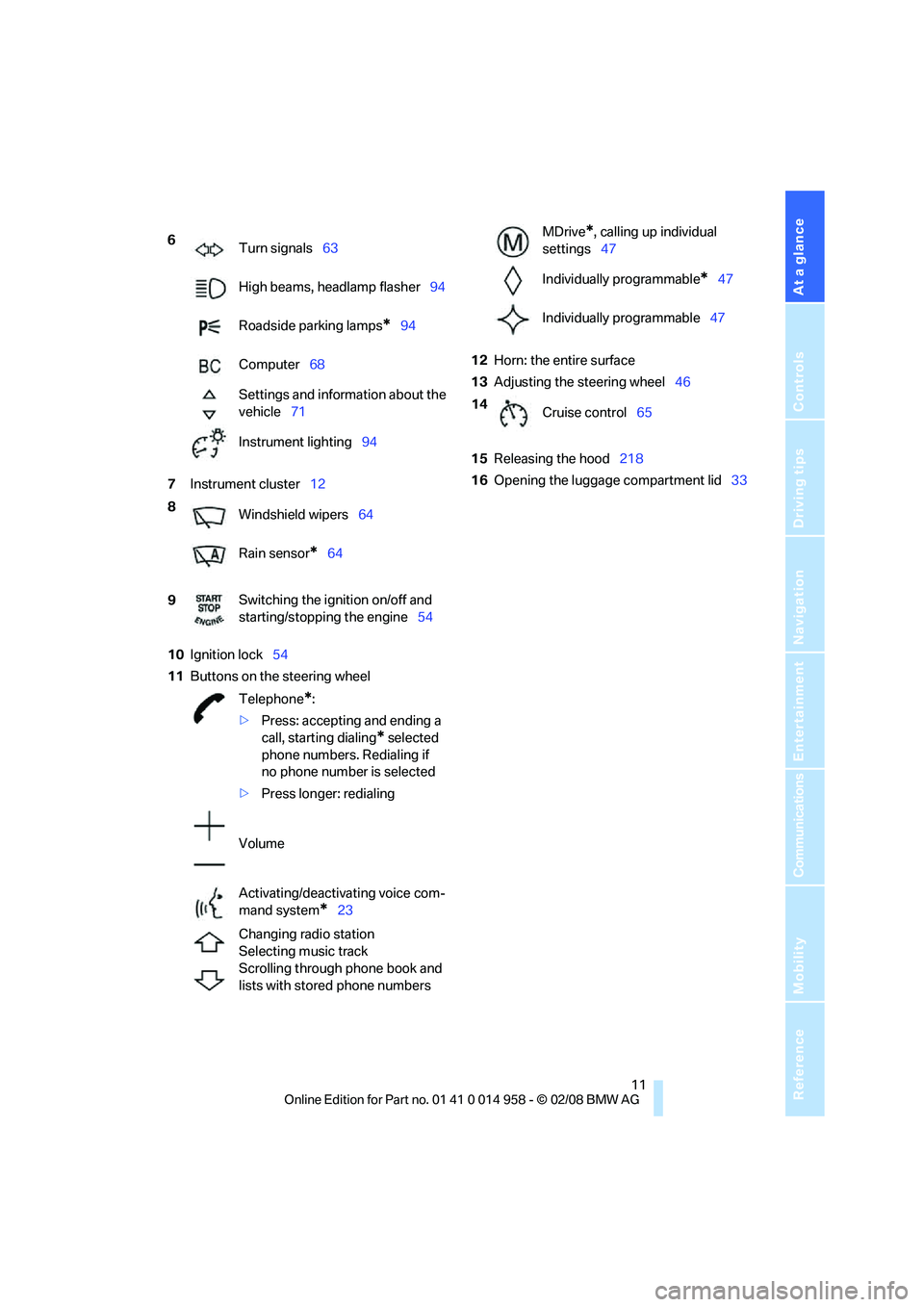
Turn signals63
High beams, headlamp flasher94
Roadside parking lamps
*94
Computer68
Settings and information about the
vehicle71
Instrument lighting94
8
Windshield wipers64
Rain sensor
*64
9Switching the ignition on/off and
starting/stopping the engine54
Telephone
*:
>Press: accepting and ending a
call, starting dialing
* selected
phone numbers. Redialing if
no phone number is selected
>Press longer: redialing
Volume
Activating/deactivating voice com-
mand system
*23
Changing radio station
Selecting music track
Scrolling through phone book and
lists with stored phone numbers
MDrive*, calling up individual
settings47
Individually programmable
*47
Individually programmable47
14
Cruise control65
Page 15 of 266
At a glance
13Reference
Controls
Driving tips
Communications
Navigation
Entertainment
Mobility
Indicator and warning lamps
The concept
Indicator and warning lamps can light up in a
variety of combinations and colors.
Some lamps are checked for proper functioning
and thus come on briefly when the engine is
started or the ignition is switched on.
Explanatory text messages
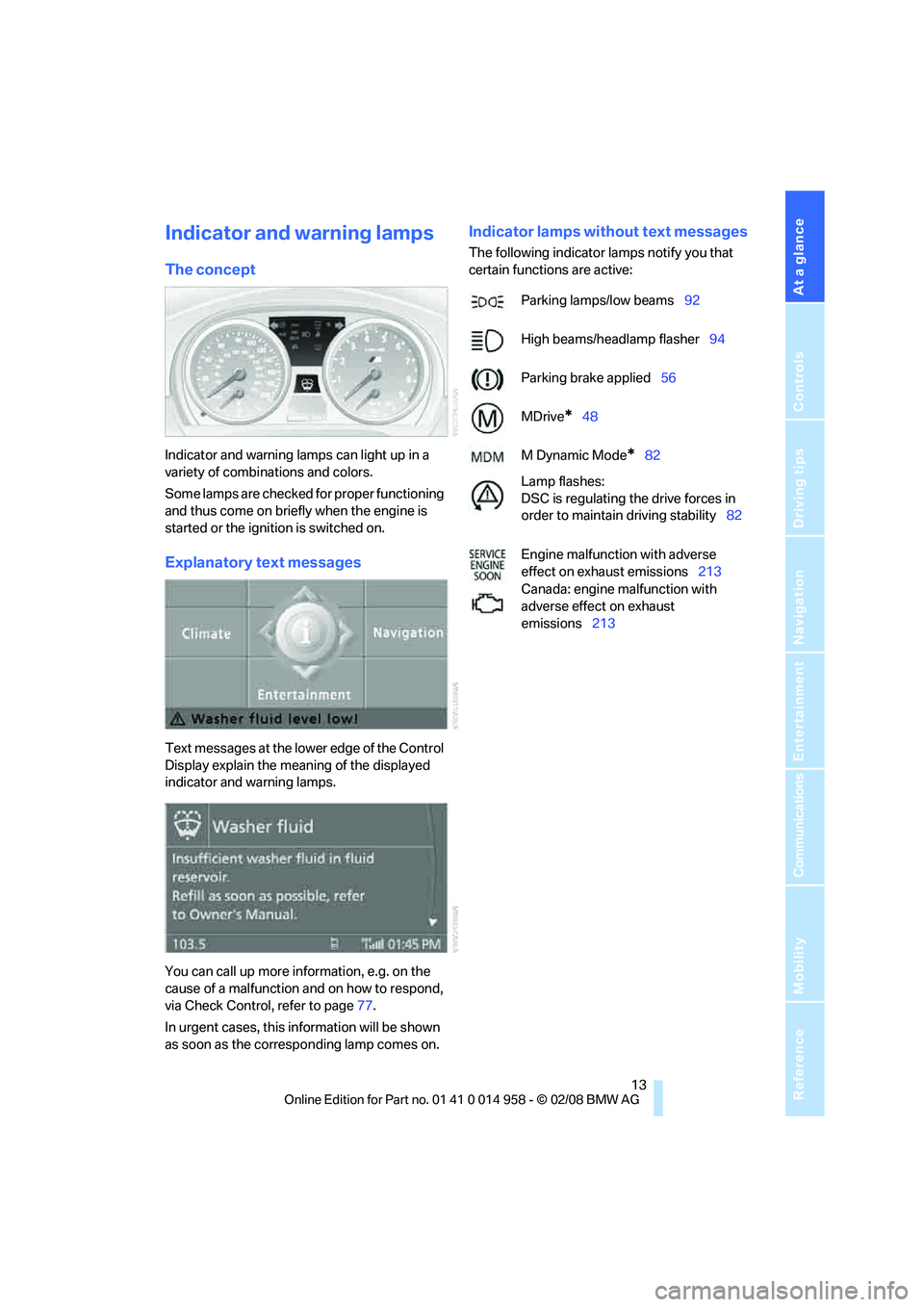
Text messages at the lower edge of the Control
Display explain the meaning of the displayed
indicator and warning lamps.
You can call up more information, e.g. on the
cause of a malfunction and on how to respond,
via Check Control, refer to page77.
In urgent cases, this information will be shown
as soon as the corresponding lamp comes on.
Indicator lamps without text messages
The following indicator lamps notify you that
certain functions are active:
Parking lamps/low beams92
High beams/headlamp flasher94
Parking brake applied56
MDrive
*48
M Dynamic Mode
*82
Lamp flashes:
DSC is regulating the drive forces in
order to maintain driving stability82
Engine malfunction with adverse
effect on exhaust emissions213
Canada: engine malfunction with
adverse effect on exhaust
emissions213
Page 36 of 266
Opening and closing
34
Unlocking separately
Push the switch in the direction of arrow 2.
Emergency release
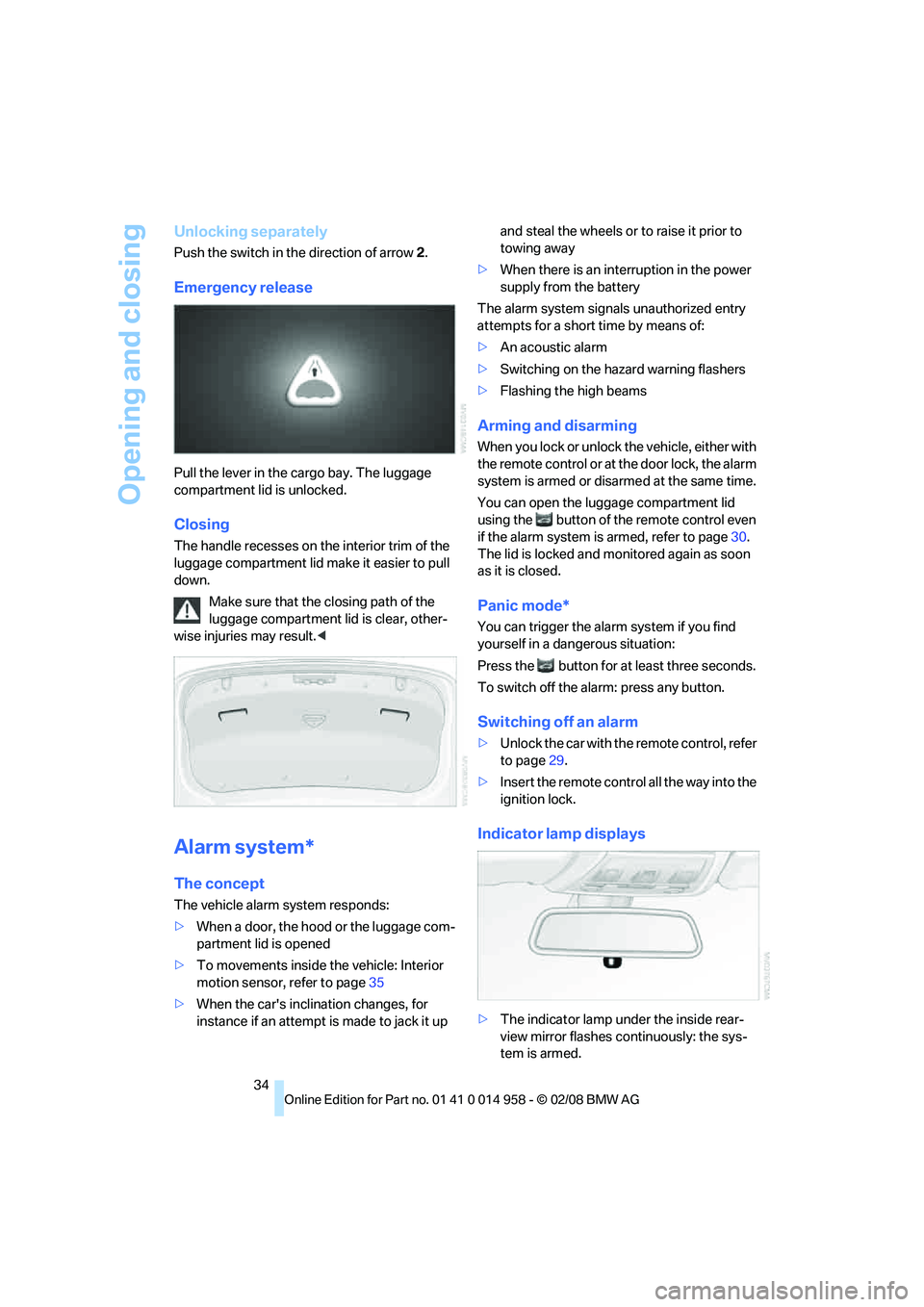
Pull the lever in the cargo bay. The luggage
compartment lid is unlocked.
Closing
The handle recesses on the interior trim of the
luggage compartment lid make it easier to pull
down.
Make sure that the closing path of the
luggage compartment lid is clear, other-
wise injuries may result.<
Alarm system*
The concept
The vehicle alarm system responds:
>When a door, the hood or the luggage com-
partment lid is opened
>To movements inside the vehicle: Interior
motion sensor, refer to page35
>When the car's inclination changes, for
instance if an attempt is made to jack it up and steal the wheels or to raise it prior to
towing away
>When there is an interruption in the power
supply from the battery
The alarm system signals unauthorized entry
attempts for a short time by means of:
>An acoustic alarm
>Switching on the hazard warning flashers
>Flashing the high beams
Arming and disarming
When you lock or unlock the vehicle, either with
the remote control or at the door lock, the alarm
system is armed or disarmed at the same time.
You can open the luggage compartment lid
using the button of the remote control even
if the alarm system is armed, refer to page30.
The lid is locked and monitored again as soon
as it is closed.
Panic mode*
You can trigger the alarm system if you find
yourself in a dangerous situation:
Press the button for at least three seconds.
To switch off the alarm: press any button.
Switching off an alarm
>Unlock the car with the remote control, refer
to page29.
>Insert the remote control all the way into the
ignition lock.
Indicator lamp displays
>The indicator lamp under the inside rear-
view mirror flashes continuously: the sys-
tem is armed.
Page 65 of 266
Controls
63Reference
At a glance
Driving tips
Communications
Navigation
Entertainment
Mobility
M Engine Dynamics Control
With M Engine Dynamics Control you can influ-
ence how sportily your vehicle should respond
to movements of the accelerator. Three pro-
grams are available to you.
"Normal" program
In the "Normal" program, the engine responds
gently to accelerator movements, which is ideal
for city traffic or on snow, for example.
"Sport" program
The "Sport" program provides for a more spon-
taneous response of the engine to accelerator
movements.
"Sport Plus"* program
In the "Sport Plus" program, the engine
responds to accelerator movements with high
spontaneity and uncompromising sportiness.
The "Sport Plus" program can only be activated
via MDrive, refer to MDrive on page48.
Selecting a program
Press the POWER button to switch between
the "Normal" and "Sport" programs.
In the "Sport" and "Sport Plus" programs, the
LED in the POWER button lights up.
You can also set and call up your preferred
program via MDrive, refer to page48.
After the ignition is switched off and the engine
is restarted, the program set for the remote
control in use is active, refer to Key-dependent
settings on page49.
Turn signals/
headlamp flasher
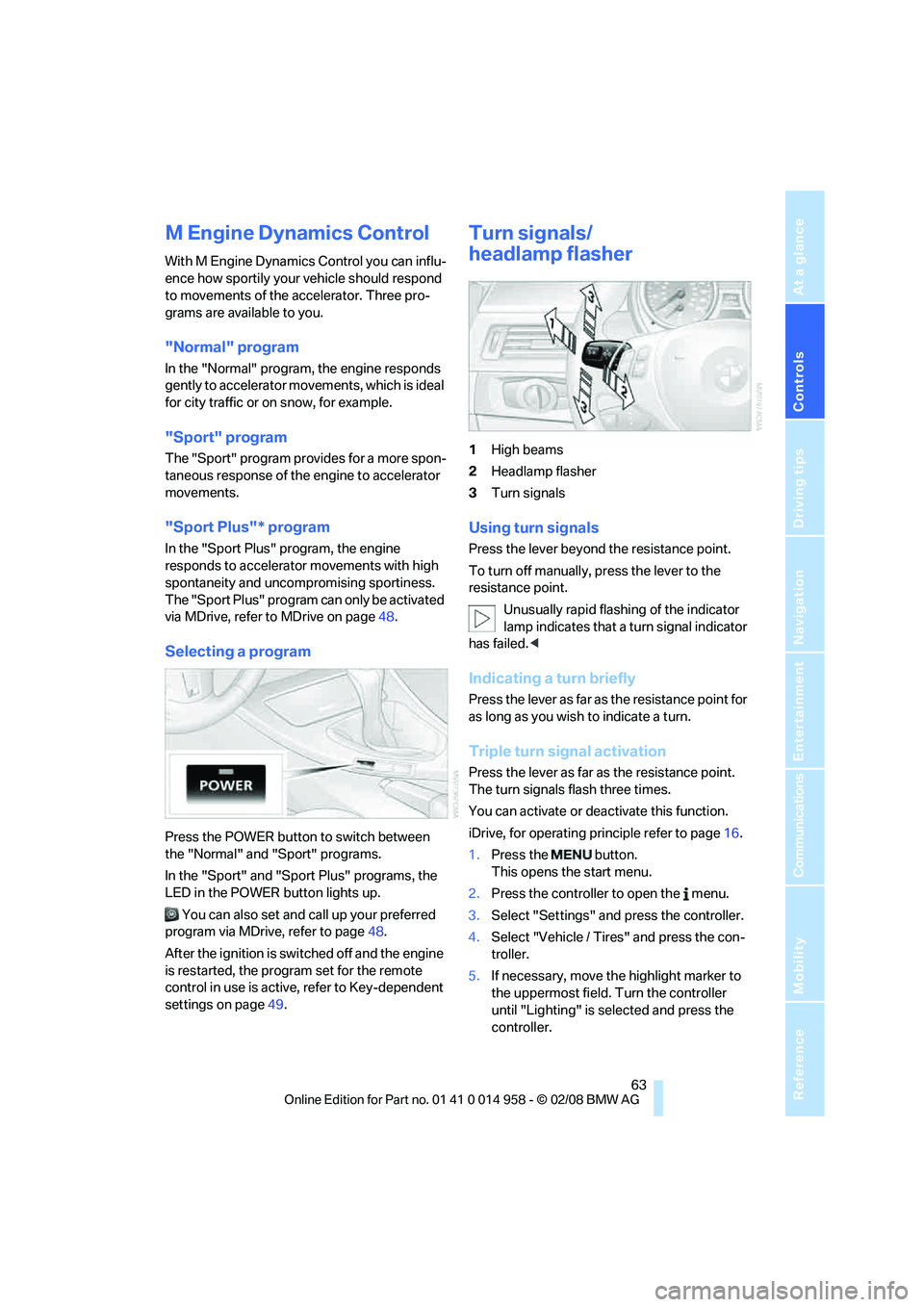
1High beams
2Headlamp flasher
3Turn signals
Using turn signals
Press the lever beyond the resistance point.
To turn off manually, press the lever to the
resistance point.
Unusually rapid flashing of the indicator
lamp indicates that a turn signal indicator
has failed.<
Indicating a turn briefly
Press the lever as far as the resistance point for
as long as you wish to indicate a turn.
Triple turn signal activation
Press the lever as far as the resistance point.
The turn signals flash three times.
You can activate or deactivate this function.
iDrive, for operating principle refer to page16.
1.Press the button.
This opens the start menu.
2.Press the controller to open the menu.
3.Select "Settings" and press the controller.
4.Select "Vehicle / Tires" and press the con-
troller.
5.If necessary, move the highlight marker to
the uppermost field. Turn the controller
until "Lighting" is selected and press the
controller.
Page 82 of 266
Everything under control
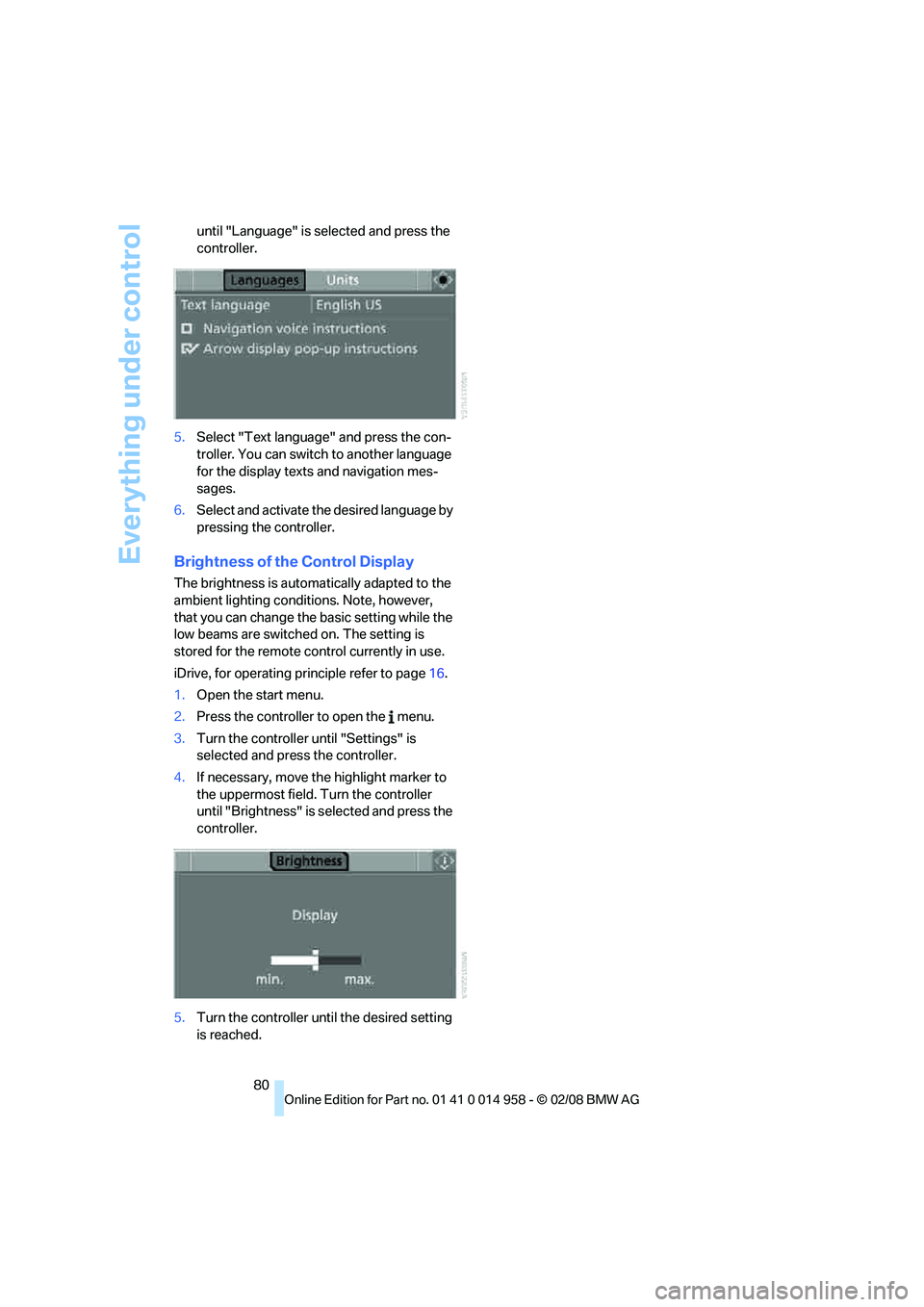
80 until "Language" is selected and press the
controller.
5.Select "Text language" and press the con-
troller. You can switch to another language
for the display texts and navigation mes-
sages.
6.Select and activate the desired language by
pressing the controller.
Brightness of the Control Display
The brightness is automatically adapted to the
ambient lighting conditions. Note, however,
that you can change the basic setting while the
low beams are switched on. The setting is
stored for the remote control currently in use.
iDrive, for operating principle refer to page16.
1.Open the start menu.
2.Press the controller to open the menu.
3.Turn the controller until "Settings" is
selected and press the controller.
4.If necessary, move the highlight marker to
the uppermost field. Turn the controller
until "Brightness" is selected and press the
controller.
5.Turn the controller until the desired setting
is reached.
Page 95 of 266
Controls
93Reference
At a glance
Driving tips
Communications
Navigation
Entertainment
Mobility
4.Select "Vehicle / Tires" and press the con-
troller.
5.If necessary, move the highlight marker to
the uppermost field. Turn the controller
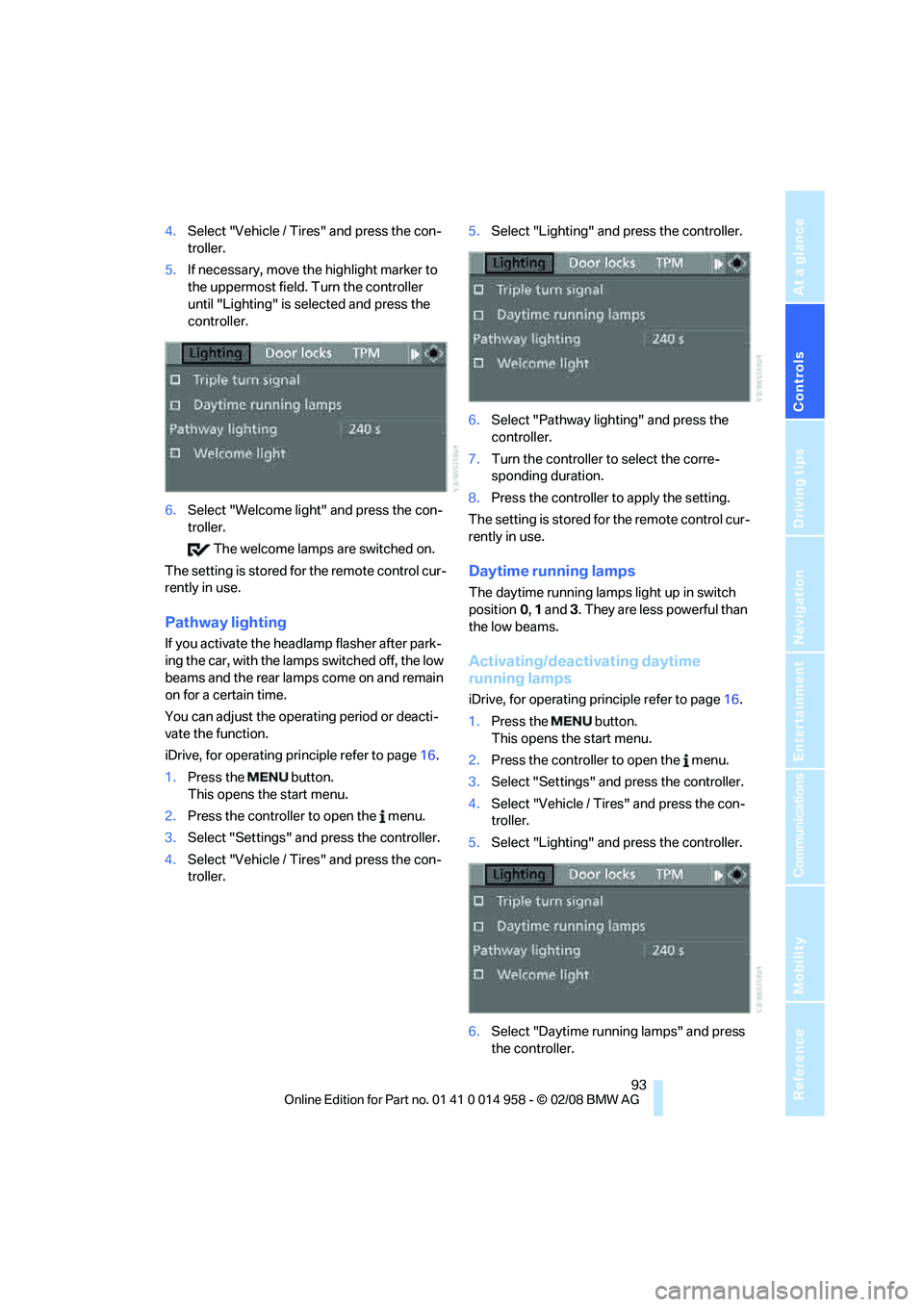
until "Lighting" is selected and press the
controller.
6.Select "Welcome light" and press the con-
troller.
The welcome lamps are switched on.
The setting is stored for the remote control cur-
rently in use.
Pathway lighting
If you activate the headlamp flasher after park-
ing the car, with the lamps switched off, the low
beams and the rear lamps come on and remain
on for a certain time.
You can adjust the operating period or deacti-
vate the function.
iDrive, for operating principle refer to page16.
1.Press the button.
This opens the start menu.
2.Press the controller to open the menu.
3.Select "Settings" and press the controller.
4.Select "Vehicle / Tires" and press the con-
troller.5.Select "Lighting" and press the controller.
6.Select "Pathway lighting" and press the
controller.
7.Turn the controller to select the corre-
sponding duration.
8.Press the controller to apply the setting.
The setting is stored for the remote control cur-
rently in use.
Daytime running lamps
The daytime running lamps light up in switch
position0, 1 and 3. They are less powerful than
the low beams.
Activating/deactivating daytime
running lamps
iDrive, for operating principle refer to page16.
1.Press the button.
This opens the start menu.
2.Press the controller to open the menu.
3.Select "Settings" and press the controller.
4.Select "Vehicle / Tires" and press the con-
troller.
5.Select "Lighting" and press the controller.
6.Select "Daytime running lamps" and press
the controller.
Page 96 of 266
Lamps
94 The daytime running lamps are
switched on.
The setting is stored for the remote control cur-
rently in use.
Adaptive Head Light*
The concept
Adaptive Head Light is a variable headlamp
control system that enables better illumination
of the road surface. Depending on the steering
angle and other parameters, the light from the
headlamp follows the course of the road.
In tight curves at speeds up to 40 mph/70 km/h,
e.g. on mountainous roads or when turning, an
additional, corner-illuminating lamp is switched
on that lights up the inside area of the curve.
Activating Adaptive Head Light
With the ignition switched on, turn the light
switch to position 3, refer to page92.
The corner-illuminating lamp is switched on
automatically, depending on the steering wheel
angle or turn signal indicator.
To avoid blinding oncoming traffic, the Adaptive
Head Light directs light towards the front pas-
senger side when the vehicle is at a standstill.
When you are reversing, only the corner-illumi-
nating lamps are active and switched on on
both sides.
Malfunction
The LED next to the symbol for automatic head-
lamp control flashes. Adaptive Head Light is
malfunctioning or has failed. Have the system
checked as soon as possible.
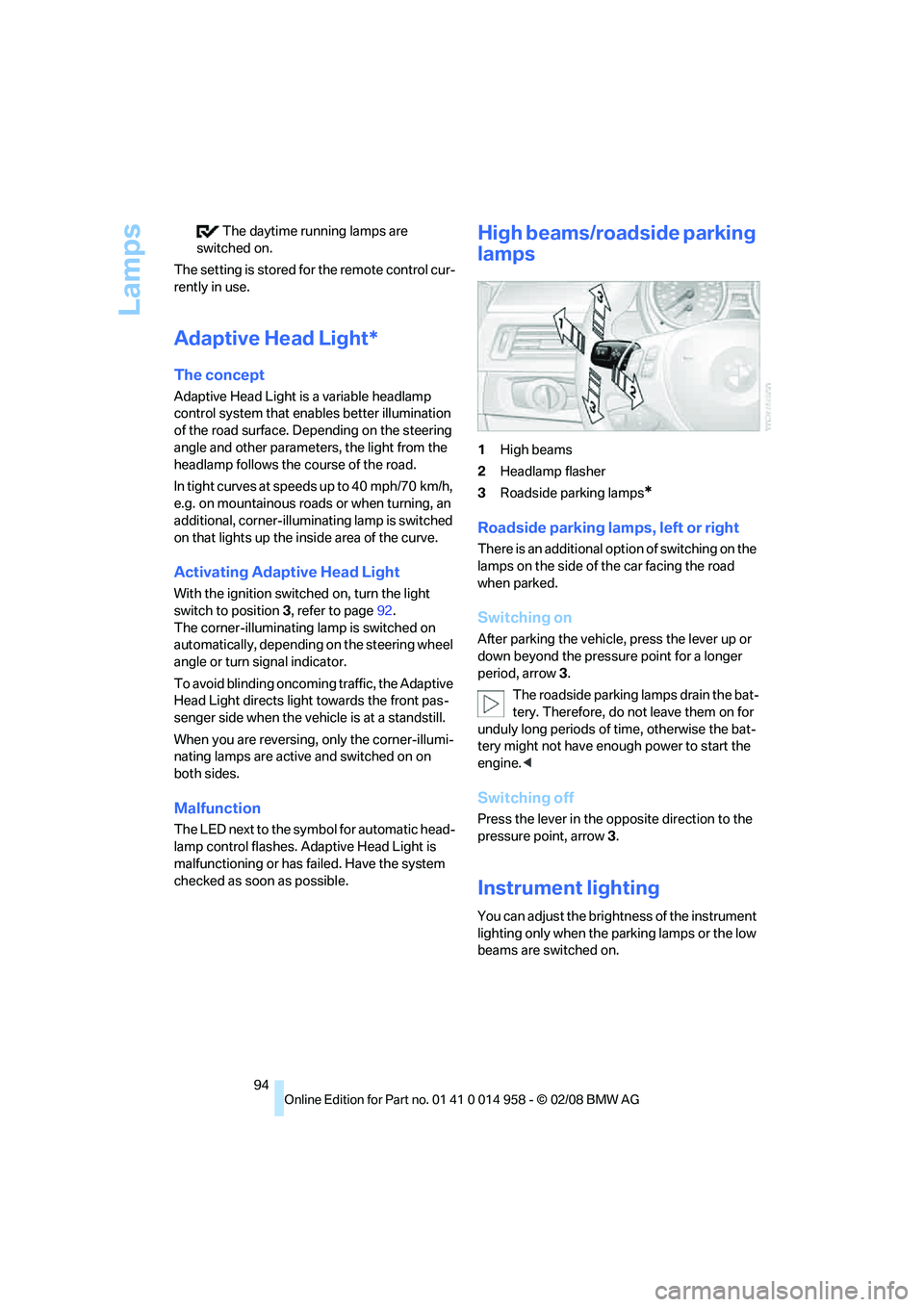
High beams/roadside parking
lamps
1High beams
2Headlamp flasher
3Roadside parking lamps
*
Roadside parking lamps, left or right
There is an additional option of switching on the
lamps on the side of the car facing the road
when parked.
Switching on
After parking the vehicle, press the lever up or
down beyond the pressure point for a longer
period, arrow 3.
The roadside parking lamps drain the bat-
tery. Therefore, do not leave them on for
unduly long periods of time, otherwise the bat-
tery might not have enough power to start the
engine.<
Switching off
Press the lever in the opposite direction to the
pressure point, arrow 3.
Instrument lighting
You can adjust the brightness of the instrument
lighting only when the parking lamps or the low
beams are switched on.
Page 218 of 266
Care
216
Outside sensors / cameras
Keep the sensors and cameras on the
outside of the vehicle, e.g. Park Distance
Control, clean and free of ice to ensure that they
remain fully functional.<
Interior care
Upholstery / cloth trim
Vacuum regularly with a vacuum cleaner to
remove superficial dirt.
To treat severe stains, e.g. from beverages, use
a soft sponge or lint-free microfiber cloth in
combination with suitable interior cleaners. Fol-
low the instructions on the packaging.
Clean the upholstery down to the seams
using a sweeping motion. Avoid strong
rubbing.<
Opened Velcro fasteners on pants or
other articles of clothing can damage the
seat covers. Ensure that Velcro fasteners are
closed.<
Leather / leather trim
The leather used by BMW is a high quality
natural product. Slight irregularities in the
leather are a typical characteristic of natural
leather.<
Dust and road grit in the pores and folds of the
leather have an abrasive effect, leading to
increased wear and causing the leather surface
to become brittle prematurely. Therefore, fre-
quently clean the leather of dust using a cloth or
vacuum cleaner.
In particular, ensure that light-colored leather is
cleaned regularly as it has a tendency to soil
more easily.
Treat the leather twice a year using a leather
lotion as dirt and grease will gradually attack the
leather's protective layer.
Carpets / cargo bay
You can vacuum the carpets and floor mats or
clean them with interior cleaner if heavily soiled.The floor mats can be removed for cleaning.
When replacing the mats, ensure that the seat
rails do not extend over the floor mats, as this
may damage the mats.
Lint on the floor mats occurs for technical rea-
sons and can be removed by vacuuming
repeatedly.
Interior plastic parts
>Imitation leather surfaces
>Lamp glasses
>Display pane of instrument cluster
>Matt parts
Clean with water and solvent-free plastic
cleaner if necessary.
Fine wood parts
Clean fine wood trim and fine wood parts with a
damp cloth. Wipe dry with a soft cloth.
Safety belts
Do not clean with cleaning agents as
these may destroy the fabric.<
Interior sensors / cameras
To clean interior sensors and cameras, e.g. of
the High-Beam Assistant, use a lint-free cloth
moistened with glass cleaner.
Displays
To clean the displays, e.g. of the radio or instru-
ment cluster, use a display cleaning cloth or a
soft, non-abrasive, lint-free cloth.
Avoid applying excessive pressure when
cleaning the displays, otherwise damage
may occur.<
Do not use chemical or abrasive house-
hold cleaning agents. Keep all types of
fluid away from the device. Otherwise, surfaces
or electrical components may be corroded or
damaged.<
CD/DVD drives
Do not use a cleaning CD, as it may dam-
age parts of the drive.<
Page 252 of 266
Everything from A - Z
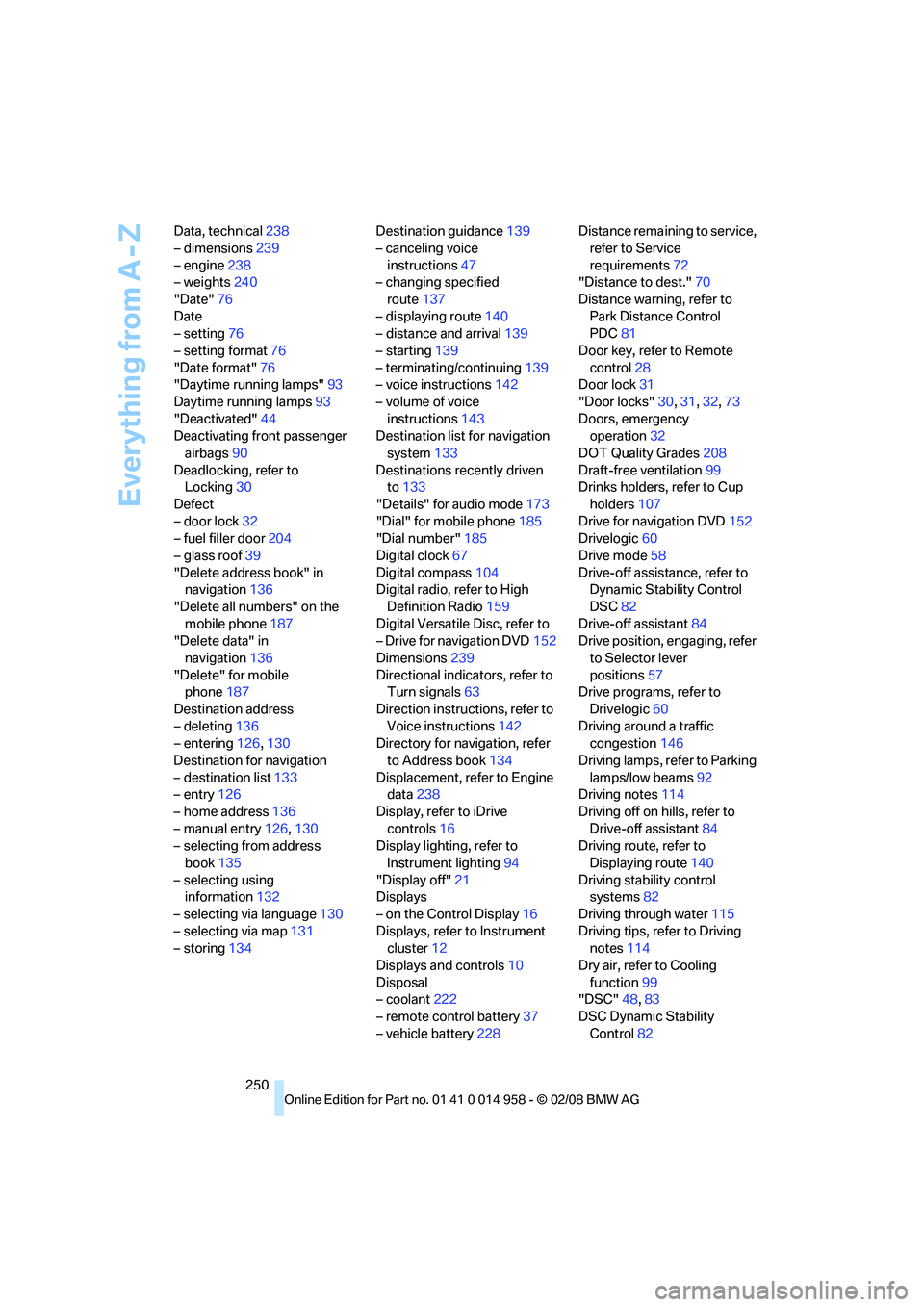
250 Data, technical238
– dimensions239
– engine238
– weights240
"Date"76
Date
– setting76
– setting format76
"Date format"76
"Daytime running lamps"93
Daytime running lamps93
"Deactivated"44
Deactivating front passenger
airbags90
Deadlocking, refer to
Locking30
Defect
– door lock32
– fuel filler door204
– glass roof39
"Delete address book" in
navigation136
"Delete all numbers" on the
mobile phone187
"Delete data" in
navigation136
"Delete" for mobile
phone187
Destination address
– deleting136
– entering126,130
Destination for navigation
– destination list133
– entry126
– home address136
– manual entry126,130
– selecting from address
book135
– selecting using
information132
– selecting via language130
– selecting via map131
– storing134Destination guidance139
– canceling voice
instructions47
– changing specified
route137
– displaying route140
– distance and arrival139
– starting139
– terminating/continuing139
– voice instructions142
– volume of voice
instructions143
Destination list for navigation
system133
Destinations recently driven
to133
"Details" for audio mode173
"Dial" for mobile phone185
"Dial number"185
Digital clock67
Digital compass104
Digital radio, refer to High
Definition Radio159
Digital Versatile Disc, refer to
– Drive for navigation DVD152
Dimensions239
Directional indicators, refer to
Turn signals63
Direction instructions, refer to
Voice instructions142
Directory for navigation, refer
to Address book134
Displacement, refer to Engine
data238
Display, refer to iDrive
controls16
Display lighting, refer to
Instrument lighting94
"Display off"21
Displays
– on the Control Display16
Displays, refer to Instrument
cluster12
Displays and controls10
Disposal
– coolant222
– remote control battery37
– vehicle battery228Distance remaining to service,
refer to Service
requirements72
"Distance to dest."70
Distance warning, refer to
Park Distance Control
PDC81
Door key, refer to Remote
control28
Door lock31
"Door locks"30,31,32,73
Doors, emergency
operation32
DOT Quality Grades208
Draft-free ventilation99
Drinks holders, refer to Cup
holders107
Drive for navigation DVD152
Drivelogic60
Drive mode58
Drive-off assistance, refer to
Dynamic Stability Control
DSC82
Drive-off assistant84
Drive position, engaging, refer
to Selector lever
positions57
Drive programs, refer to
Drivelogic60
Driving around a traffic
congestion146
Driving lamps, refer to Parking
lamps/low beams92
Driving notes114
Driving off on hills, refer to
Drive-off assistant84
Driving route, refer to
Displaying route140
Driving stability control
systems82
Driving through water115
Driving tips, refer to Driving
notes114
Dry air, refer to Cooling
function99
"DSC"48,83
DSC Dynamic Stability
Control82
Page 255 of 266
Reference 253
At a glance
Controls
Driving tips
Communications
Navigation
Entertainment
Mobility
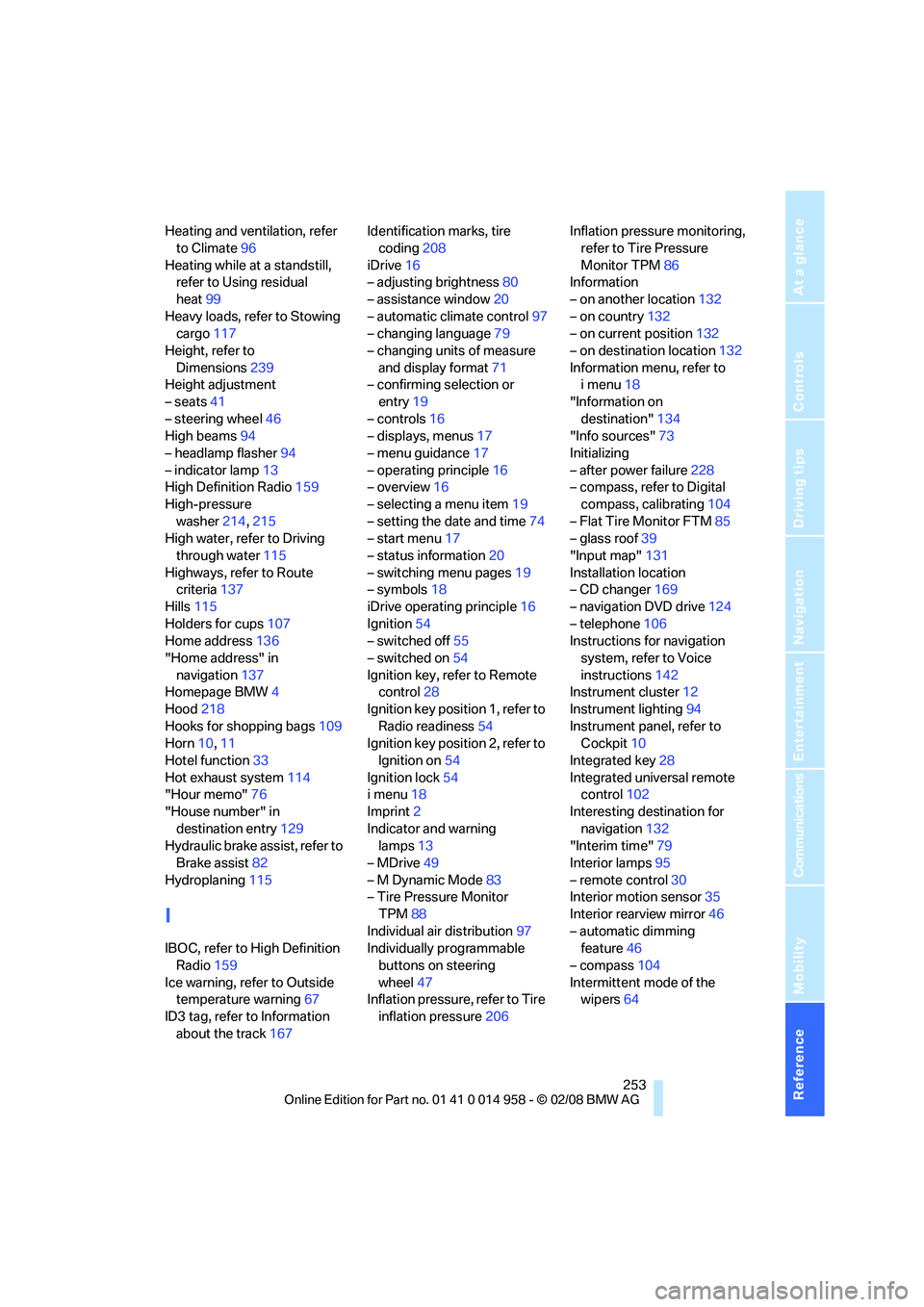
Heating and ventilation, refer
to Climate96
Heating while at a standstill,
refer to Using residual
heat99
Heavy loads, refer to Stowing
cargo117
Height, refer to
Dimensions239
Height adjustment
– seats41
– steering wheel46
High beams94
– headlamp flasher94
– indicator lamp13
High Definition Radio159
High-pressure
washer214,215
High water, refer to Driving
through water115
Highways, refer to Route
criteria137
Hills115
Holders for cups107
Home address136
"Home address" in
navigation137
Homepage BMW4
Hood218
Hooks for shopping bags109
Horn10,11
Hotel function33
Hot exhaust system114
"Hour memo"76
"House number" in
destination entry129
Hydraulic brake assist, refer to
Brake assist82
Hydroplaning115
I
IBOC, refer to High Definition
Radio159
Ice warning, refer to Outside
temperature warning67
ID3 tag, refer to Information
about the track167Identification marks, tire
coding208
iDrive16
– adjusting brightness80
– assistance window20
– automatic climate control97
– changing language79
– changing units of measure
and display format71
– confirming selection or
entry19
– controls16
– displays, menus17
– menu guidance17
– operating principle16
– overview16
– selecting a menu item19
– setting the date and time74
– start menu17
– status information20
– switching menu pages19
– symbols18
iDrive operating principle16
Ignition54
– switched off55
– switched on54
Ignition key, refer to Remote
control28
Ignition key position 1, refer to
Radio readiness54
Ignition key position 2, refer to
Ignition on54
Ignition lock54
i menu18
Imprint2
Indicator and warning
lamps13
– MDrive49
– M Dynamic Mode83
– Tire Pressure Monitor
TPM88
Individual air distribution97
Individually programmable
buttons on steering
wheel47
Inflation pressure, refer to Tire
inflation pressure206Inflation pressure monitoring,
refer to Tire Pressure
Monitor TPM86
Information
– on another location132
– on country132
– on current position132
– on destination location132
Information menu, refer to
i menu18
"Information on
destination"134
"Info sources"73
Initializing
– after power failure228
– compass, refer to Digital
compass, calibrating104
– Flat Tire Monitor FTM85
– glass roof39
"Input map"131
Installation location
– CD changer169
– navigation DVD drive124
– telephone106
Instructions for navigation
system, refer to Voice
instructions142
Instrument cluster12
Instrument lighting94
Instrument panel, refer to
Cockpit10
Integrated key28
Integrated universal remote
control102
Interesting destination for
navigation132
"Interim time"79
Interior lamps95
– remote control30
Interior motion sensor35
Interior rearview mirror46
– automatic dimming
feature46
– compass104
Intermittent mode of the
wipers64