jump start BMW M3 2008 Owners Manual
[x] Cancel search | Manufacturer: BMW, Model Year: 2008, Model line: M3, Model: BMW M3 2008Pages: 266, PDF Size: 8.85 MB
Page 62 of 266
Driving
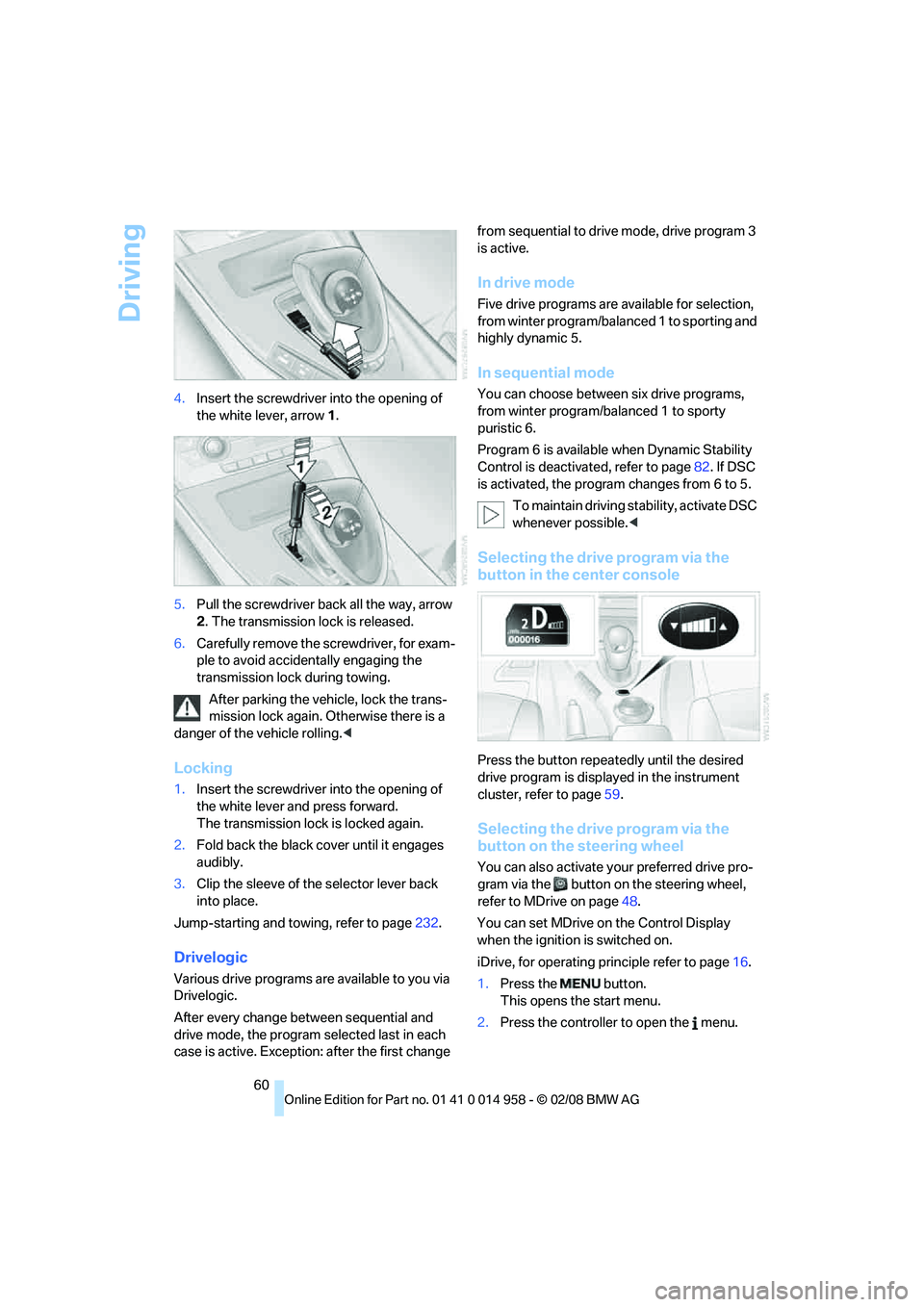
60 4.Insert the screwdriver into the opening of
the white lever, arrow 1.
5.Pull the screwdriver back all the way, arrow
2. The transmission lock is released.
6.Carefully remove the screwdriver, for exam-
ple to avoid accidentally engaging the
transmission lock during towing.
After parking the vehicle, lock the trans-
mission lock again. Otherwise there is a
danger of the vehicle rolling.<
Locking
1.Insert the screwdriver into the opening of
the white lever and press forward.
The transmission lock is locked again.
2.Fold back the black cover until it engages
audibly.
3.Clip the sleeve of the selector lever back
into place.
Jump-starting and towing, refer to page232.
Drivelogic
Various drive programs are available to you via
Drivelogic.
After every change between sequential and
drive mode, the program selected last in each
case is active. Exception: after the first change from sequential to drive mode, drive program 3
is active.
In drive mode
Five drive programs are available for selection,
from winter program/balanced 1 to sporting and
highly dynamic 5.
In sequential mode
You can choose between six drive programs,
from winter program/balanced 1 to sporty
puristic 6.
Program 6 is available when Dynamic Stability
Control is deactivated, refer to page82. If DSC
is activated, the program changes from 6 to 5.
To maintain driving stability, activate DSC
whenever possible.<
Selecting the drive program via the
button in the center console
Press the button repeatedly until the desired
drive program is displayed in the instrument
cluster, refer to page59.
Selecting the drive program via the
button on the steering wheel
You can also activate your preferred drive pro-
gram via the button on the steering wheel,
refer to MDrive on page48.
You can set MDrive on the Control Display
when the ignition is switched on.
iDrive, for operating principle refer to page16.
1.Press the button.
This opens the start menu.
2.Press the controller to open the menu.
Page 221 of 266

Mobility
219Reference
At a glance
Controls
Driving tips
Communications
Navigation
Entertainment
Important parts of the engine compartment
1Expansion tank for coolant, refer to
page222
2Washer fluid filler neck for headlamp clean-
ing system and window washer system,
refer to page653Jump-starting connection, refer to
page231
4Filler neck for engine oil, refer to Adding
engine oil
Engine oil
The engine oil consumption is dependent on
driving style and driving conditions.
Checking oil level
Your car is equipped with an electronic oil-level
monitor.
The oil level can be displayed when the engine
is warm. Continuous short distance travel or a
very sporty driving style may make measure-
ment impossible.
Display in the instrument cluster
1Oil level
2Maximum mark
3Minimum mark
4Computer button
Page 230 of 266
Replacing components
228 4.Adjust the tire inflation pressure to 29 psi/
200 kPa. With the ignition switched on, pro-
ceed as follows:
>To increase the inflation pressure:
Switch on the compressor, position I. To
check the current inflation pressure set-
ting, briefly switch off the compressor.
Do not let the compressor run for
more than 10 minutes, otherwise the
device will overheat and may be dam-
aged.<
>To reduce the inflation pressure: turn
screw 8 on the pressure gauge.
If the inflation pressure is not maintained,
drive the vehicle a second time, refer to
Distributing the sealant. Then repeat steps 1 to
4.
Use of the M Mobility System may be ineffec-
tual for tire damage larger than approx. 0.16 in/
4 mm. Please contact the nearest BMW center,
refer to page230, or a workshop that works
according to BMW repair procedures with cor-
respondingly trained personnel if the tire can-
not be made roadworthy with the M Mobility
System.<
The tire inflation pressure must be at least
29 psi/200 kPa. If it is not, do not continue
driving.<
Continuing your trip
Do not exceed the maximum allowable
speed of 50 mph/80 km/h to avoid the risk
of an accident.<
Reinitialize the Flat Tire Monitor, refer to
page85 for more information.
Have the faulty tire and the sealant bottle of the
M Mobility System replaced as soon as possi-
ble.<
Changing wheels
The tools for changing wheels are avail-
able as optional accessories from your
BMW center.<
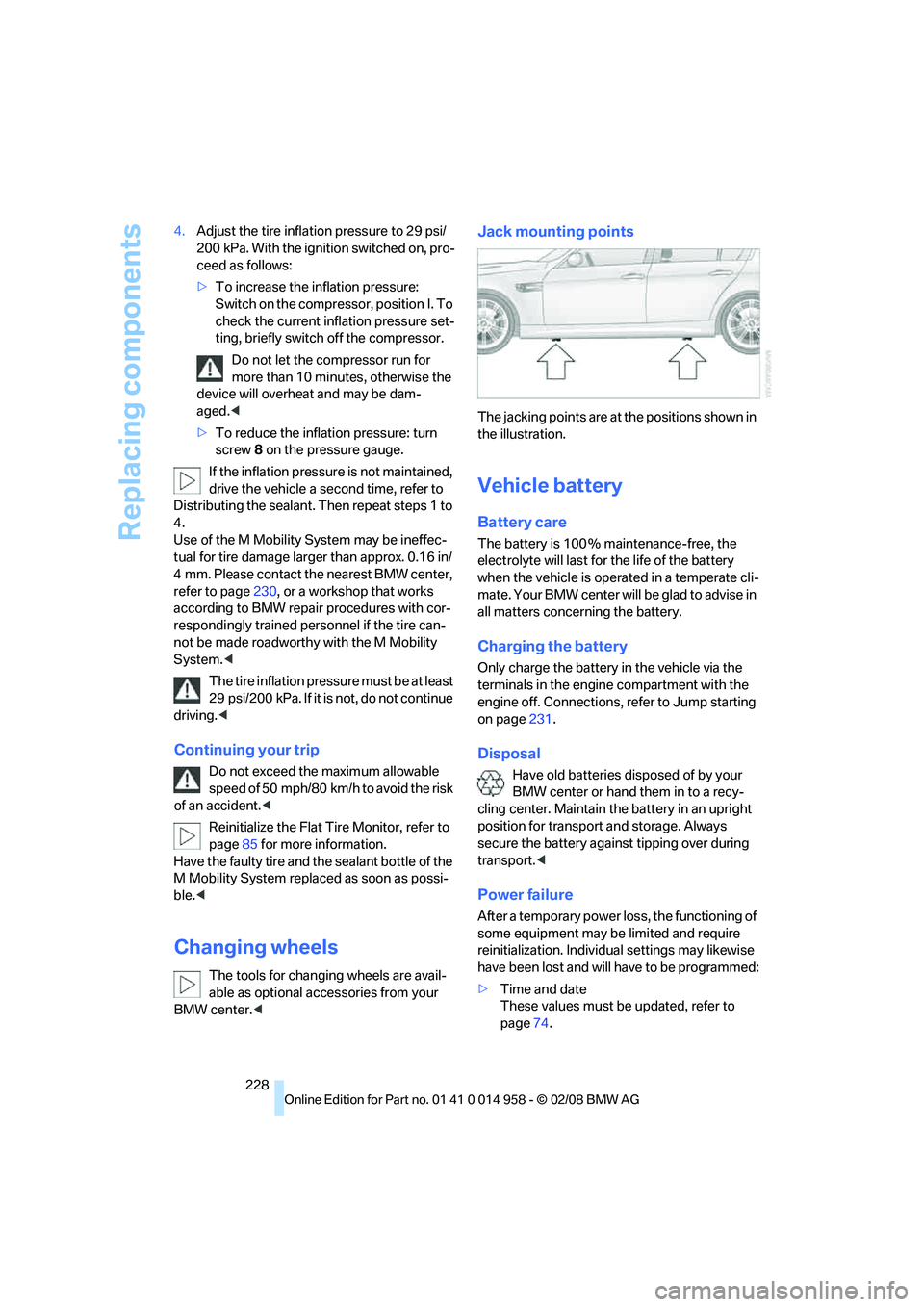
Jack mounting points
The jacking points are at the positions shown in
the illustration.
Vehicle battery
Battery care
The battery is 100 % maintenance-free, the
electrolyte will last for the life of the battery
when the vehicle is operated in a temperate cli-
ma te. Your BM W center will be glad to advise in
all matters concerning the battery.
Charging the battery
Only charge the battery in the vehicle via the
terminals in the engine compartment with the
engine off. Connections, refer to Jump starting
on page231.
Disposal
Have old batteries disposed of by your
BMW center or hand them in to a recy-
cling center. Maintain the battery in an upright
position for transport and storage. Always
secure the battery against tipping over during
transport.<
Power failure
After a temporary power loss, the functioning of
some equipment may be limited and require
reinitialization. Individual settings may likewise
have been lost and will have to be programmed:
>Time and date
These values must be updated, refer to
page74.
Page 233 of 266
Mobility
231Reference
At a glance
Controls
Driving tips
Communications
Navigation
Entertainment
First aid pouch*
Some of the articles contained in the first aid
pouch have a limited service life. Therefore,
check the expiration dates of the contents reg-
ularly and replace any items in good time, if nec-
essary.
The first aid pouch is located on the right-hand
side of the cargo bay in a storage area.
Warning triangle*
The warning triangle is located on the left-hand
side of the cargo bay. Press the tab to take it
out.
Jump starting
If the car's own battery is flat, your BMW's
engine can be started by connecting two
jumper cables to another vehicle's battery. You
can also use the same method to help start
another vehicle. Only use jumper cables with
fully-insulated clamp handles.
Do not touch any electrically live parts
when the engine is running, or a fatal acci-
dent may occur. Carefully adhere to the follow-ing sequence, both to prevent damage to one or
both vehicles, and to guard against possible
personal injuries.<
Preparation
1.Check whether the battery of the other
vehicle has a voltage of 12 volts and
approximately the same capacitance in Ah.
This information can be found on the bat-
tery.
2.Switch off the engine of the assisting vehi-
cle.
3.Switch off any consumers in both vehicles.
There must not be any contact between
the bodies of the two vehicles, otherwise
there is a danger of shorting.<
Connecting jumper cables
Connect the jumper cables in the correct
order, so that no sparks which could
cause injury occur.<
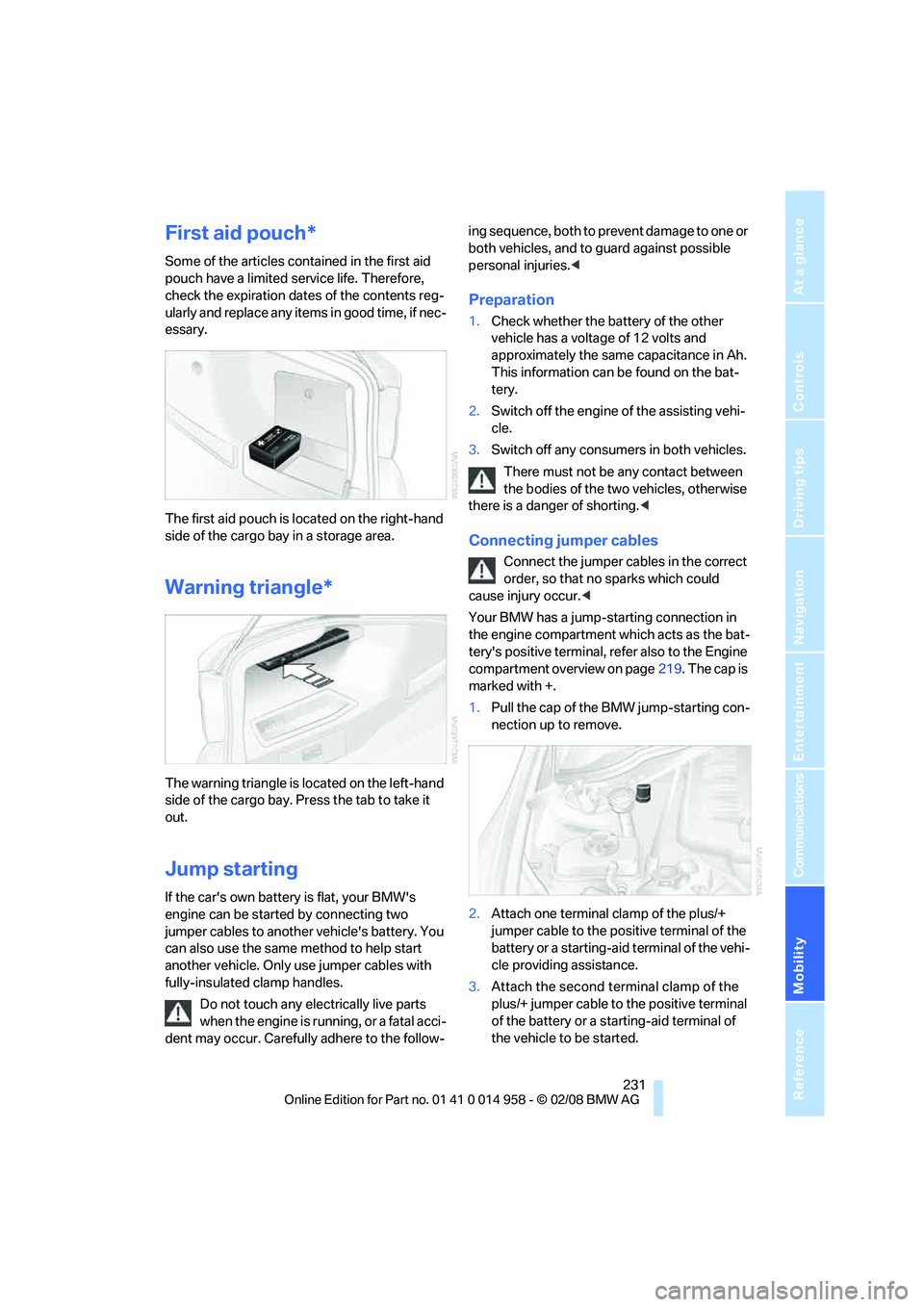
Your BMW has a jump-starting connection in
the engine compartment which acts as the bat-
tery's positive terminal, refer also to the Engine
compartment overview on page219. The cap is
marked with +.
1.Pull the cap of the BMW jump-starting con-
nection up to remove.
2.Attach one terminal clamp of the plus/+
jumper cable to the positive terminal of the
battery or a starting-aid terminal of the vehi-
cle providing assistance.
3.Attach the second terminal clamp of the
plus/+ jumper cable to the positive terminal
of the battery or a starting-aid terminal of
the vehicle to be started.
Page 234 of 266
Giving and receiving assistance
232 4.Attach one terminal clamp of the minus/–
jumper cable to the negative terminal of the
battery or to an engine or body ground of
the assisting vehicle.
Your BMW has a special nut as body ground
or negative pole.
5.Attach the second terminal clamp of the
minus/– jumper cable to the negative termi-
nal of the battery or to the engine or body
ground of the vehicle to be started.
Starting the engine
1.Start the engine of the donor vehicle and
allow it to run for a few minutes at slightly
increased idle speed.
2.Start the engine on the other vehicle in the
usual way.
If the first start attempt is not successful,
wait a few minutes before another attempt
in order to allow the discharged battery to
recharge.
3.Let the engines run for a few minutes.
4.Disconnect the jumper cables by reversing
the above connecting sequence.
If necessary, have the battery checked and
recharged.
Never use spray fluids to start the
engine.<
Tow-starting, towing away
Observe the applicable laws and regula-
tions for tow-starting and towing vehi-
cles.
towed.<
Using a tow fitting
The screw-in tow fitting must always be carried
in the car. It can be screwed in at the front or
rear of the BMW.
It is stored in the onboard tool kit underneath
the cover on the right-hand side of the cargo
bay, refer to page223.
Use only the tow fitting provided with the
vehicle and screw it all the way in. Use the
tow fitting for towing on paved roads only. Avoid
lateral loading of the tow fitting, e.g. do not lift
the vehicle by the tow fitting. Otherwise the tow
fitting and the vehicle could be damaged.<
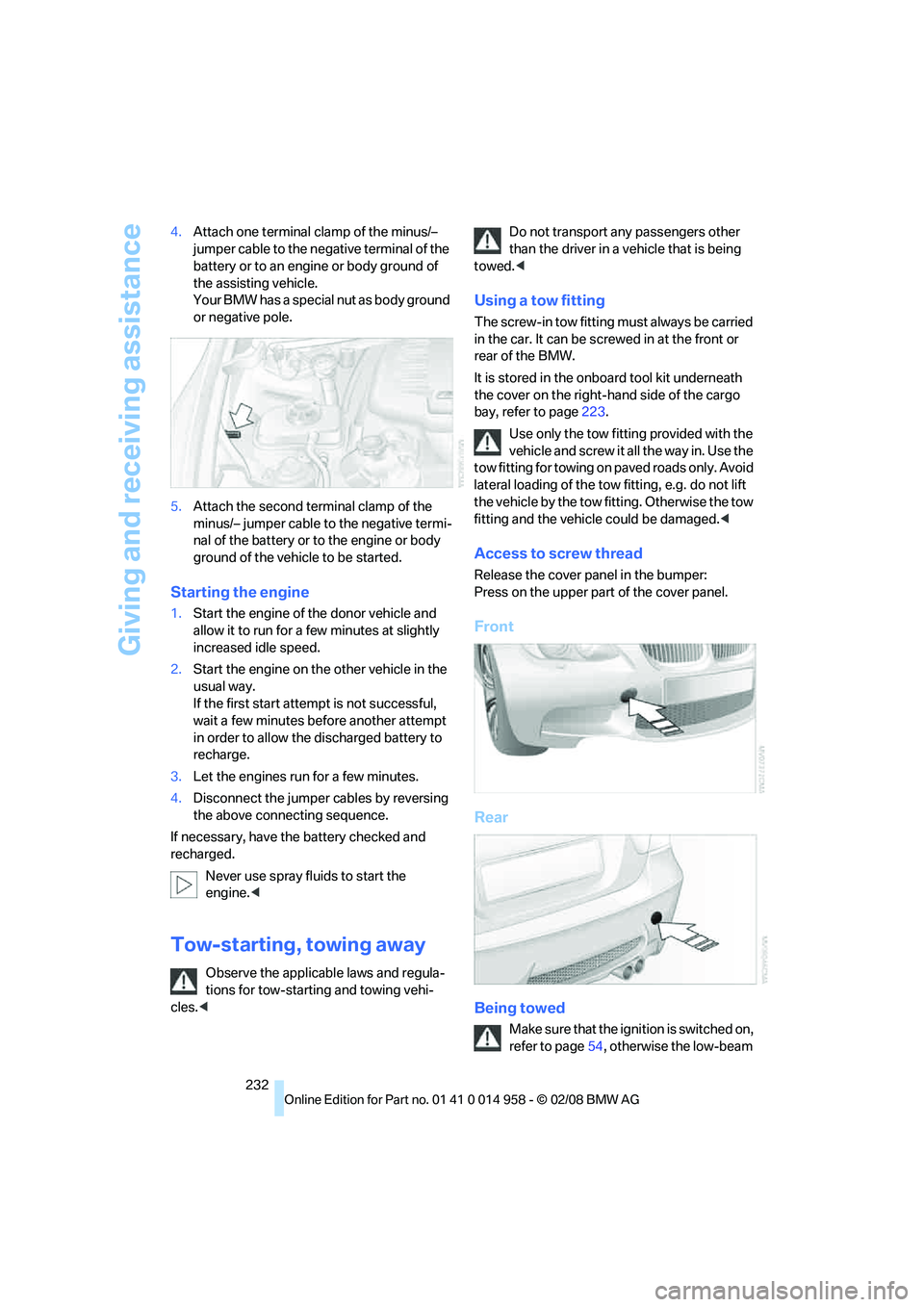
Access to screw thread
Release the cover panel in the bumper:
Press on the upper part of the cover panel.
Front
Rear
Being towed
Make sure that the ignition is switched on,
refer to page54, otherwise the low-beam
Page 235 of 266
Mobility
233Reference
At a glance
Controls
Driving tips
Communications
Navigation
Entertainment
headlamps, tail lamps, turn signal indicators and
windshield wipers may be unavailable.
Power steering assistance is not available when
the engine is not running. Thus, braking and
steering will require increased effort.<
Manual transmission
Gearshift lever in neutral position.
M dual clutch transmission with
Drivelogic
Ensure that the parking lock P is not
engaged as the rear wheels will otherwise
be blocked.
When using the car wash function, refer to
page56, note that the parking lock P is
engaged automatically after approx. 30 min-
utes, blocking the rear wheels.
If an electrical malfunction occurs or if towing
takes longer than approx. 20 minutes, manually
release the parking lock, refer to page59.<
When towing, do not exceed a maximum
speed of 30 mph/50 km/h and a maxi-
mum distance of 30 miles/50 km, otherwise the
transmission can be damaged.<
BMW recommends transporting the vehicle on
a tow truck with a flat bed.
Towing methods
Do not lift the vehicle by a tow fitting or
body and chassis parts, otherwise dam-
age may result.<
With a tow bar
The towing vehicle must not be lighter
than the towed vehicle, otherwise it may
be impossible to maintain control.<
The tow fittings used should be on the same
side on both vehicles. Should it prove impossi-
ble to avoid mounting the tow bar at an angle,
please observe the following:
>Clearance and maneuvering capability will
be sharply limited during cornering.
>The tow bar will generate lateral forces if it is
attached offset.Attach the tow bar to the tow fittings only,
as attaching it to other parts of the vehicle
could result in damage.<
With a tow rope
When starting off in the towing vehicle, make
sure that the tow rope is taut.
To avoid jerking and the associated
stresses on vehicle components when
towing, always use nylon ropes or nylon straps.
Attach the tow rope to the tow fittings only, as
attaching it to other parts of the vehicle could
result in damage.<
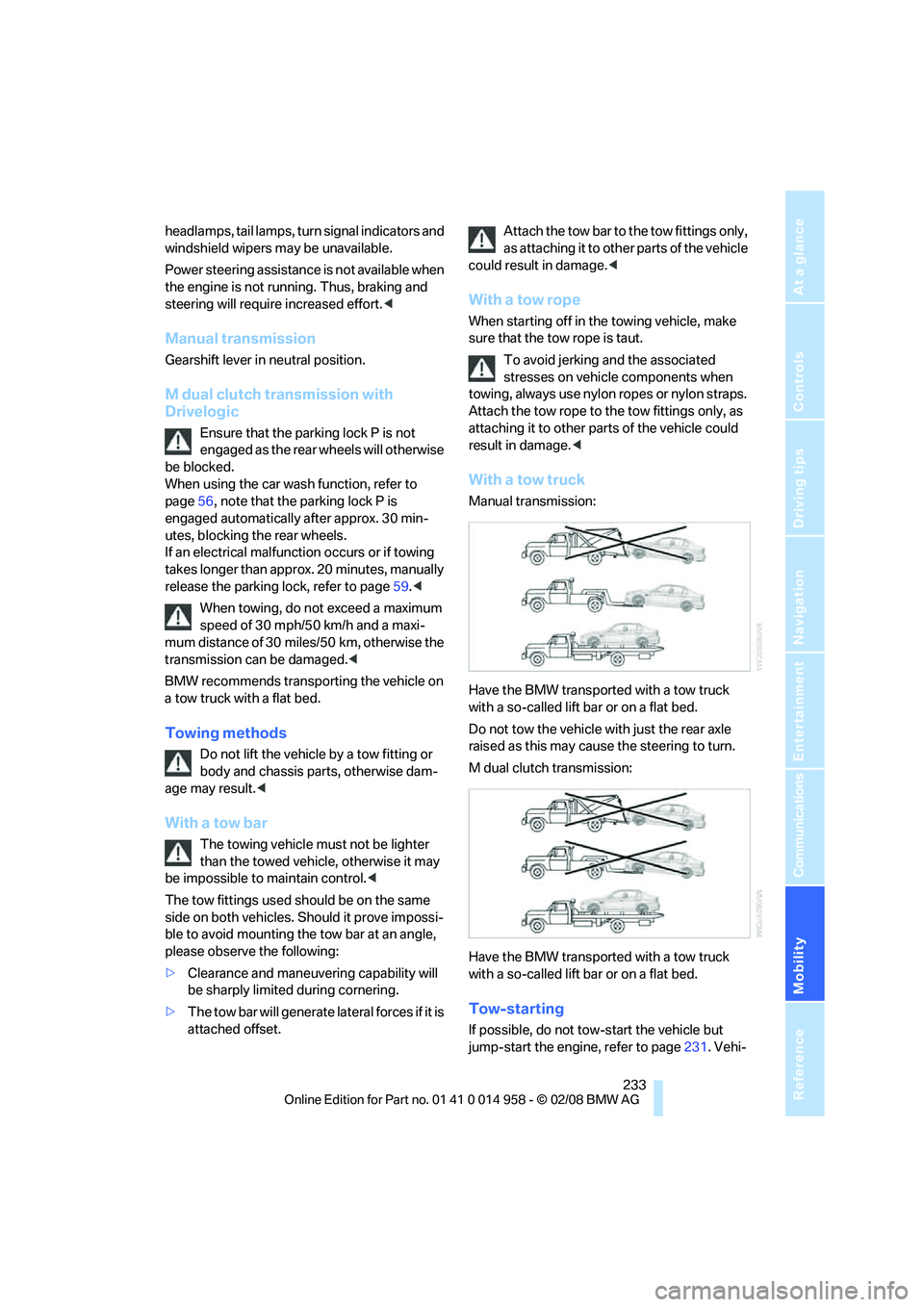
With a tow truck
Manual transmission:
Have the BMW transported with a tow truck
with a so-called lift bar or on a flat bed.
Do not tow the vehicle with just the rear axle
raised as this may cause the steering to turn.
M dual clutch transmission:
Have the BMW transported with a tow truck
with a so-called lift bar or on a flat bed.
Tow-starting
If possible, do not tow-start the vehicle but
jump-start the engine, refer to page231. Vehi-
Page 236 of 266
Giving and receiving assistance
234 cles with a catalytic converter should only be
tow-started when the engine is cold.
Manual transmission
1.Switch on hazard warning flashers, comply
with local regulations.
2.Switch on the ignition, refer to page54.
3.Shift into 3rd gear.
4.Have the vehicle tow-started with the clutch
depressed and slowly release the clutch.
After the engine starts, immediately
depress the clutch completely again.
5.Stop at a suitable location, remove the tow
bar or rope and switch off the hazard warn-
ing flashers.
6.Have the vehicle checked.
M dual clutch transmission with
Drivelogic
Vehicles with an M dual clutch transmission
cannot be tow-started. Jump-starting, refer to
page231.
Page 249 of 266
Reference 247
At a glance
Controls
Driving tips
Communications
Navigation
Entertainment
Mobility
Automatic climate control96
– automatic air distribution98
– settings via iDrive97
Automatic curb monitor46
"Automatic programs" with
automatic climate control98
Automatic recirculated-air
control AUC98
Automatic station search157
Automatic transmission with
Steptronic
– towing232
– tow-starting232
"Automatic ventilation"100
AUTO program for automatic
climate control98
"Auto Request"195
"Autostore"
– on the radio158
"AUX"152,171,173
– AUX-In port171
– USB-audio interface172
AUX-In port171
Average fuel consumption69
– setting the units71
"Avoid ferries" in
navigation137
"Avoid highways" in
navigation137
Avoid highways in
navigation137
Avoiding unintentional
alarms35
"Avoid tollroads" in
navigation137
Axle loads, refer to
Weights240
"A - Z"185,186
B
Backrest contour, refer to
Lumbar support41
Backrests, refer to Seat
adjustment41
Backrest width adjustment42
Back seats
– refer to Rear seats42Backup lamps
– replacing bulb225,226
Backup lamps, refer to Tail
lamps225
Balance, tone control153
Band-aids, refer to First-aid
pouch231
Bar, refer to Towing
methods233
Base plate for telephone or
mobile phone
– refer to Snap-in adapter in
the center armrest storage
compartment106
Bass, tone control153
Bass sounds, refer to Treble
and bass153
Battery228
– charging228
– disposal37,228
– jump starting231
– remote control28
– temporary power failure228
Battery renewal
– remote control37
– remote control for vehicle36
Being towed232
Belts, refer to Safety belts44
Belt tensioner, refer to Safety
belts44
Beverage holders, refer to
Cup holders107
Blower, refer to Air flow
rate98
Bluetooth, refer to separate
Owner's Manual
BMW
– car shampoo216
"BMW
Assist"194,195,196,197
BMW Assist
– activating198
– Concierge service197
– contacting BMW Customer
Relations196
– Roadside Assistance194
– services offered193
– TeleServices195
"BMW Contact"188"BMW Contact
Numbers"188
BMW Homepage4
BMW Maintenance
System212
"BMW Service settings"199
BMW Teleservice Call
– automatic195
– manual195
BMW TeleServices195
– displaying196
– updating196
BMW webpage4
Bottle holders, refer to Cup
holders107
Brake assist82
Brake fluid, refer to Service
requirements72
Brake Force Display89
Brake lamps
– replacing bulb225,226
– two-stage89
Brake pads114
– breaking in114
Brake rotors115
– brakes114
– breaking in114
Brakes
– ABS82
– BMW Maintenance
System212
– breaking in114
– parking brake56
– service requirements72
Brakes, refer to Braking
safely115
Brake system114
– BMW Maintenance
System212
– breaking in114
– disc brakes115
Breakdown services, refer to
Roadside Assistance230
Breaking in the clutch114
Breaking in the differential,
refer to Engine and
differential114
Break-in period114
Page 256 of 266
Everything from A - Z
254
J
Jacking points228
Joystick, refer to iDrive16
Jumpering, refer to Jump
starting231
Jump starting231
K
Key, refer to Remote
control28
Keyless go, refer to
Convenient access35
Keyless opening and closing,
refer to Convenient
access35
Key Memory, refer to Personal
Profile28
Knock control204
L
Lamps
– automatic headlamp
control92
– parking lamps/low beams92
Lamps and bulbs, replacing
bulbs223
"Language / Units"71
"Language / Units" in
navigation125,142
"Language" on the Control
Display79
"Languages" in
navigation125,142
Lap-and-shoulder belt, refer
to Safety belts44
Lashing eyes, refer to
Securing cargo117
Last destinations, refer to
Destination list133
"Last seat pos."44
LATCH child-restraint fixing
system52
Launch Control62
Leather care216
LED hand lamp106
LED light-emitting diodes223Length, refer to
Dimensions239
License plate lamp, replacing
bulb226
Light-alloy wheels215
Light-emitting diodes
LED223
Lighter107
– connecting electrical
appliances108
"Lighting"63
Lighting
– instruments94
– lamps and bulbs223
– vehicle, refer to Lamps92
Light switch92
"Limit"79
Limit, refer to Speed limit78
Load securing equipment,
refer to Securing cargo117
Lock buttons, doors, refer to
Locking32
Locking
– adjusting confirmation
signal31
– from inside32
– from outside30
– without remote control, refer
to Convenient access35
Locking and unlocking doors
– confirmation signals31
– from inside32
– from outside29
Low-beam headlamps
92
– automatic92
Lower back support, refer to
Lumbar support41
Luggage compartment lid33
– convenient access36
– emergency operation, refer
to Opening manually33
– emergency release34
– locking or unlocking
separately33
– opening from inside33
– opening from outside33
– opening manually33
– remote control30Luggage rack, refer to Roof-
mounted luggage rack117
Lumbar support41
M
M+S tires, refer to Winter
tires210
Maintenance, refer to Service
Booklet
Maintenance system212
Malfunction
– luggage compartment lid33
– tires86
Malfunction warnings, refer to
Check Control77
Manual
– BMW Teleservice Call195
Manual car wash215
"Manual" on the radio157
Manual operation
– door lock32
– driver's door32
– fuel filler door204
– glass roof39
– luggage compartment lid33
– transmission lock59
Manual transmission56
– tow-starting234
Map
– changing scale141
– destination entry131
"Map direction of travel"141
"Map facing north"141
Master key, refer to Remote
control28
Maximum cooling98
Maximum speed
– with winter tires210
"M DKG Drivelogic"48
MDM, refer to M Dynamic
Mode82
MDrive48
Page 261 of 266
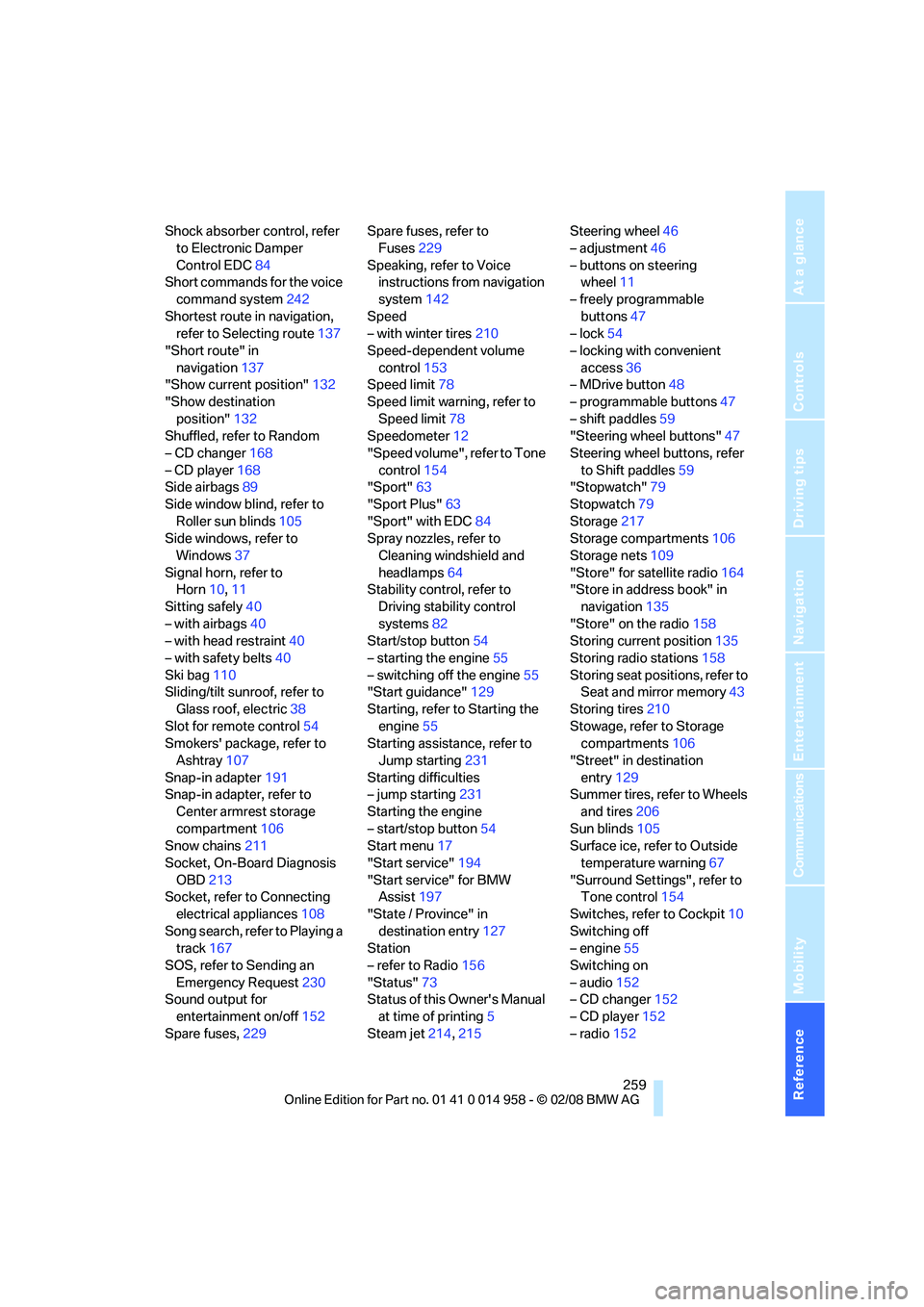
Reference 259
At a glance
Controls
Driving tips
Communications
Navigation
Entertainment
Mobility
Shock absorber control, refer
to Electronic Damper
Control EDC84
Short commands for the voice
command system242
Shortest route in navigation,
refer to Selecting route137
"Short route" in
navigation137
"Show current position"132
"Show destination
position"132
Shuffled, refer to Random
– CD changer168
– CD player168
Side airbags89
Side window blind, refer to
Roller sun blinds105
Side windows, refer to
Windows37
Signal horn, refer to
Horn10,11
Sitting safely40
– with airbags40
– with head restraint40
– with safety belts40
Ski bag110
Sliding/tilt sunroof, refer to
Glass roof, electric38
Slot for remote control54
Smokers' package, refer to
Ashtray107
Snap-in adapter191
Snap-in adapter, refer to
Center armrest storage
compartment106
Snow chains211
Socket, On-Board Diagnosis
OBD213
Socket, refer to Connecting
electrical appliances108
Song search, refer to Playing a
track167
SOS, refer to Sending an
Emergency Request230
Sound output for
entertainment on/off152
Spare fuses,229Spare fuses, refer to
Fuses229
Speaking, refer to Voice
instructions from navigation
system142
Speed
– with winter tires210
Speed-dependent volume
control153
Speed limit78
Speed limit warning, refer to
Speed limit78
Speedometer12
"Speed volume", refer to Tone
control154
"Sport"
63
"Sport Plus"63
"Sport" with EDC84
Spray nozzles, refer to
Cleaning windshield and
headlamps64
Stability control, refer to
Driving stability control
systems82
Start/stop button54
– starting the engine55
– switching off the engine55
"Start guidance"129
Starting, refer to Starting the
engine55
Starting assistance, refer to
Jump starting231
Starting difficulties
– jump starting231
Starting the engine
– start/stop button54
Start menu17
"Start service"194
"Start service" for BMW
Assist197
"State / Province" in
destination entry127
Station
– refer to Radio156
"Status"73
Status of this Owner's Manual
at time of printing5
Steam jet214,215Steering wheel46
– adjustment46
– buttons on steering
wheel11
– freely programmable
buttons47
– lock54
– locking with convenient
access36
– MDrive button48
– programmable buttons47
– shift paddles59
"Steering wheel buttons"47
Steering wheel buttons, refer
to Shift paddles59
"Stopwatch"79
Stopwatch79
Storage217
Storage compartments106
Storage nets109
"Store" for satellite radio164
"Store in address book" in
navigation135
"Store" on the radio158
Storing current position135
Storing radio stations158
Storing seat positions, refer to
Seat and mirror memory
43
Storing tires210
Stowage, refer to Storage
compartments106
"Street" in destination
entry129
Summer tires, refer to Wheels
and tires206
Sun blinds105
Surface ice, refer to Outside
temperature warning67
"Surround Settings", refer to
Tone control154
Switches, refer to Cockpit10
Switching off
– engine55
Switching on
– audio152
– CD changer152
– CD player152
– radio152