clutch BMW M3 2009 User Guide
[x] Cancel search | Manufacturer: BMW, Model Year: 2009, Model line: M3, Model: BMW M3 2009Pages: 246, PDF Size: 11.68 MB
Page 109 of 246
Driving tips
107Reference
At a glance
Controls
Communications
Navigation
Entertainment
Mobility
ing, take care to avoid possible contact
between the hot exhaust system and any highly
flammable materials such as hay, leaves, grass,
etc. Such contact could lead to a fire, with the
risk of serious personal injuries and property
damage. Do not touch hot exhaust pipes, e. g.
when loading the cargo bay, otherwise there is a
risk of burn injuries.<
Hydroplaning
When driving on wet or slushy roads,
reduce road speed. If you do not, a wedge
of water can form between tires and road sur-
face. This situation, known as hydroplaning,
means that the tire can completely lose contact
with the road surface, so that neither the car can
be steered nor the brake be properly applied.<
The risk of hydroplaning increases with declin-
ing tread depth on the tires, refer also to Mini-
mum tread depth on page189.
Driving through water
Drive through water on the road only if it is
not deeper than 1 ft/30 cm, and then only
at walking speed at the most. Otherwise, the
vehicle's engine, the electrical systems and the
transmission may be damaged.<
Use the parking brake on inclines
On inclines, do not hold the vehicle for a
lengthy period using the clutch; use the
parking brake instead. Otherwise greater clutch
wear will result.<
For more information about the drive-off assis-
tant, refer to page78.
Braking safely
Your BMW is equipped with ABS as a standard
feature. Applying the brakes fully is the most
effective way of braking in situations in which
this is necessary. Since the vehicle maintains
steering responsiveness, you can still avoid
possible obstacles with a minimum of steering
effort.
Pulsation of the brake pedal, combined with
sounds from the hydraulic circuits, indicate that
ABS is in its active mode.
Driving in wet conditions
When roads are wet or there is heavy rain,
briefly exert gentle pressure on the brake pedal
every few miles. Monitor traffic conditions to
ensure that this maneuver does not endanger
other road users. The heat generated in this
process helps dry the pads and rotors to ensure
that full braking efficiency will then be available
when you need it.
Hills
To prevent overheating and the resulting
reduced efficiency of the brake system,
drive long or steep downhill gradients in the
gear in which the least braking is required. Even
light but consistent brake pressure can lead to
high temperatures, brake wear and possibly
even brake failure.<
You can increase the engine's braking effect by
shifting down, all the way to first gear if neces-
sary. This strategy helps you avoid placing
excessive loads on the brake system.
M dual clutch transmission: never drive
with the transmission in neutral or with
the engine switched off; otherwise, engine
braking action will not be present or there will be
no power assistance to the brakes or steering.
Manual transmission: never drive with the
clutch held down, with the transmission in neu-
tral or with the engine switched off; otherwise,
engine braking action will not be present or
there will be no power assistance to the brakes
or steering.
Never allow floor mats, carpets or any other
objects to protrude into the area around the
pedals, otherwise pedal function could be
impaired.<
Corrosion on brake rotors
When the vehicle is driven only occasionally,
during extended periods when the vehicle is not
used at all, and in operating conditions where
brake applications are less frequent, there is an
increased tendency for corrosion to form on
rotors, while contaminants accumulate on the
brake pads. This occurs because the minimum
pressure which must be exerted by the pads
ba8_E90M3_cic.book Seite 107 Dienstag, 19. August 2008 11:51 11
Page 165 of 246
163
Entertainment
Reference
At a glance
Controls
Driving tips Communications
Navigation
Mobility
>Bluetooth is activated in the vehicle, refer to
page164, and on the mobile phone.
>Depending on the mobile phone, some
default settings may be necessary for the
mobile phone: e. g. using the following
menu items:
>Bluetooth switched on
>Connection must be allowed without
requiring further confirmation
>Reconnection
>Depending on the mobile phone type, the
power-saving mode setting, for example,
may result in a paired mobile phone not
being detected by the vehicle.
>For pairing purposes, define any 4 to 16-
digit number as a Bluetooth passkey,
e.g. 25081107. A long and complex number
offers the best protection against unautho-
rized access. This Bluetooth passkey is no
longer required after pairing is successful.
>The ignition is switched on.
Pair the mobile phone with the vehicle
only when the car is stationary, to avoid
endangering the car's occupants and other
road users by being distracted.<
Switch on ignition
1.Insert remote control all the way into the
ignition lock.
2.Switch on ignition without operating the
brake or clutch or pressing the start/stop
button.
Preparation via iDrive
iDrive, for operating principle refer to page16.
3."Telephone"
4."Bluetooth"5."Add new phone"
The Bluetooth name of the vehicle is dis-
played.
Preparation via the mobile phone
6.Further steps must be carried out with the
mobile phone and vary depending on the
model. Please refer to your mobile phone's
operating instructions, e.g. under the topics
of Searching for a Bluetooth device, Linking
or Pairing. The Bluetooth name of the vehi-
cle also appears on the mobile phone dis-
play.
7.Select the Bluetooth name of the vehicle on
the mobile phone display.
Pairing
Depending on your mobile phone, you will see
messages, first on the mobile phone display or
on the iDrive, requesting you to enter the same
Bluetooth passkey previously determined by
you.
8.Enter the Bluetooth passkey.
Depending on the mobile phone, you will
have approx. 30 seconds to enter your
Bluetooth passkey on the mobile phone
and the Control Display.
ba8_E90M3_cic.book Seite 163 Dienstag, 19. August 2008 11:51 11
Page 196 of 246
Under the hood
194 Press button 4 in the turn indicator lever repeat-
edly until the oil level display appears in the
instrument cluster.
M dual clutch transmission
*: the oil level
appears in the top display.<
The oil level must be between the two mark-
ings.
A new measurement is taken automatically
each time the engine is started.
Possible displays
1Oil level OK.
2Oil level is being checked.
This can take about 1 minute if the car is at
a standstill on a level surface, or about
5 minutes while the car is moving.
If engine oil was added, it can take up to
30 minutes to get an oil level reading.
3Oil level down to minimum:
Add engine oil at the next opportunity, but
no more than 1 US quart/1 liter, refer also to
Adding engine oil on page195. Add at least
0.5 US quart/0.5 liters, otherwise the oil-
level monitor will be unable to display the
new value reliably.
If the oil level is below the minimum value, add engine oil immediately to avoid engine
damage.
4Oil level is too high.
Have the vehicle checked immedi-
ately, otherwise the excess oil may
lead to engine damage.<
5A value cannot be read at this time. The
engine is not yet warm.
Quick measurement
In addition to the automatic measurement, you
can also determine the current oil level manu-
ally, e. g. after adding engine oil, but such mea-
surements are less accurate.
1.Park the vehicle with a warm engine, i.e.
after an uninterrupted drive of at least
6 miles/10 km, on a horizontal surface.
2.Let the engine idle.
3.Press the computer button in the turn indi-
cator lever repeatedly until the oil level dis-
play appears in the instrument cluster.
4.Press the computer button for at least
2seconds.
The oil level is determined. A clock symbol
appears during measurement.
5.After approx. 1 minute, the current oil level
is displayed.
Display via iDrive
iDrive, for operating principle refer to page16.
1."Vehicle Info"
2."Vehicle status"
ba8_E90M3_cic.book Seite 194 Dienstag, 19. August 2008 11:51 11
Page 201 of 246
Mobility
199Reference
At a glance
Controls
Driving tips
Communications
Navigation
Entertainment
Care
Care products
Regular cleaning and care contributes signifi-
cantly to the value retention of your BMW.
BMW recommends cleaning and caring for your
vehicle with products that are approved by
BMW for this purpose.
Your BMW center will be happy to advise you on
the products and services available for cleaning
and caring for your BMW.
Original BMW CareProducts have been
material tested, laboratory checked and
proven in the field, and offer optimal care and
protection for your vehicle.<
Do not use cleaners that contain alcohol
or solvents as these may result in dam-
age.<
Cleaning agents can contain substances
that are dangerous or hazardous to your
health. Therefore, follow the warning and safety
instructions on the packaging. When cleaning
inside the vehicle, always open the doors or
windows of the vehicle. In enclosed areas, pro-
vide for sufficient ventilation. Only use products
designed for cleaning vehicles.<
Exterior care
Washing the vehicle
Especially during the winter months,
ensure that the vehicle is washed more
frequently. Heavy soiling and road salt can lead
to vehicle damage.<
After washing the vehicle, apply the
brakes briefly to dry them, otherwise
water can reduce braking efficiency over the
short term and the brake discs can corrode.<
Automatic car washes
Preference should be given to cloth car washes.
Before driving into a car wash, ensure that it is
suitable for your BMW. Check the following:>Dimensions of your vehicle, refer to
page219
>If necessary: fold in the exterior mirrors,
refer to page42
>Maximum permissible tire width
Preparations before driving into an automatic
car wash:
>Deactivate the rain sensor
* to prevent unin-
tentional wiping.
>Remove additional attachments, e.g.
spoiler or telephone antennas, if there is a
possibility that they could be damaged.
M dual clutch transmission
Before driving into an automatic car wash, per-
form the following steps to ensure that the vehi-
cle can roll:
1.Insert the remote control, even with conve-
nient access, into the ignition lock.
2.Engage transmission position N.
3.Release the parking brake.
4.Switch off the engine.
5.Leave the remote control in the ignition lock
so that the vehicle can roll.
Steam jets / high-pressure washers
When using steam jets or high-pressure
washers, ensure that you maintain suffi-
cient clearance to the vehicle and do not exceed
a temperature of 1407/606.
Insufficient clearance or excessive pressure or
temperature can lead to component damage or
water penetration. Follow the operating instruc-
tions of the high-pressure washer.<
When using high-pressure washers, do
not spray against the sensors and cam-
eras, e.g. Park Distance Control, for an
extended period and maintain a distance of at
least 12 in/30 cm.<
ba8_E90M3_cic.book Seite 199 Dienstag, 19. August 2008 11:51 11
Page 215 of 246
Mobility
213Reference
At a glance
Controls
Driving tips
Communications
Navigation
Entertainment
headlamps, tail lamps, turn signal indicators and
windshield wipers may be unavailable.
Power steering assistance is not available when
the engine is not running. Thus, braking and
steering will require increased effort.<
Manual transmission
Gearshift lever in neutral position.
M dual clutch transmission with
Drivelogic
Ensure that the parking lock P is not
engaged as the rear wheels will otherwise
be blocked.
When using the car wash function, refer to
page51, note that the parking lock P is
engaged automatically after approx. 30 min-
utes, blocking the rear wheels.
If an electrical malfunction occurs or if towing
takes longer than approx. 20 minutes, manually
release the parking lock, refer to page54.<
When towing, do not exceed a maximum
speed of 30 mph/50 km/h and a maxi-
mum distance of 30 miles/50 km, otherwise the
transmission can be damaged.<
BMW recommends transporting the vehicle on
a tow truck with a flat bed.
Towing methods
Do not lift the vehicle by a tow fitting or
body and chassis parts, otherwise dam-
age may result.<
With a tow bar
The towing vehicle must not be lighter
than the towed vehicle, otherwise it may
be impossible to maintain control.<
The tow fittings used should be on the same
side on both vehicles. Should it prove impossi-
ble to avoid mounting the tow bar at an angle,
please observe the following:
>Clearance and maneuvering capability will
be sharply limited during cornering.
>The tow bar will generate lateral forces if it is
attached offset.Attach the tow bar to the tow fittings only,
as attaching it to other parts of the vehicle
could result in damage.<
With a tow rope
When starting off in the towing vehicle, make
sure that the tow rope is taut.
To avoid jerking and the associated
stresses on vehicle components when
towing, always use nylon ropes or nylon straps.
Attach the tow rope to the tow fittings only, as
attaching it to other parts of the vehicle could
result in damage.<
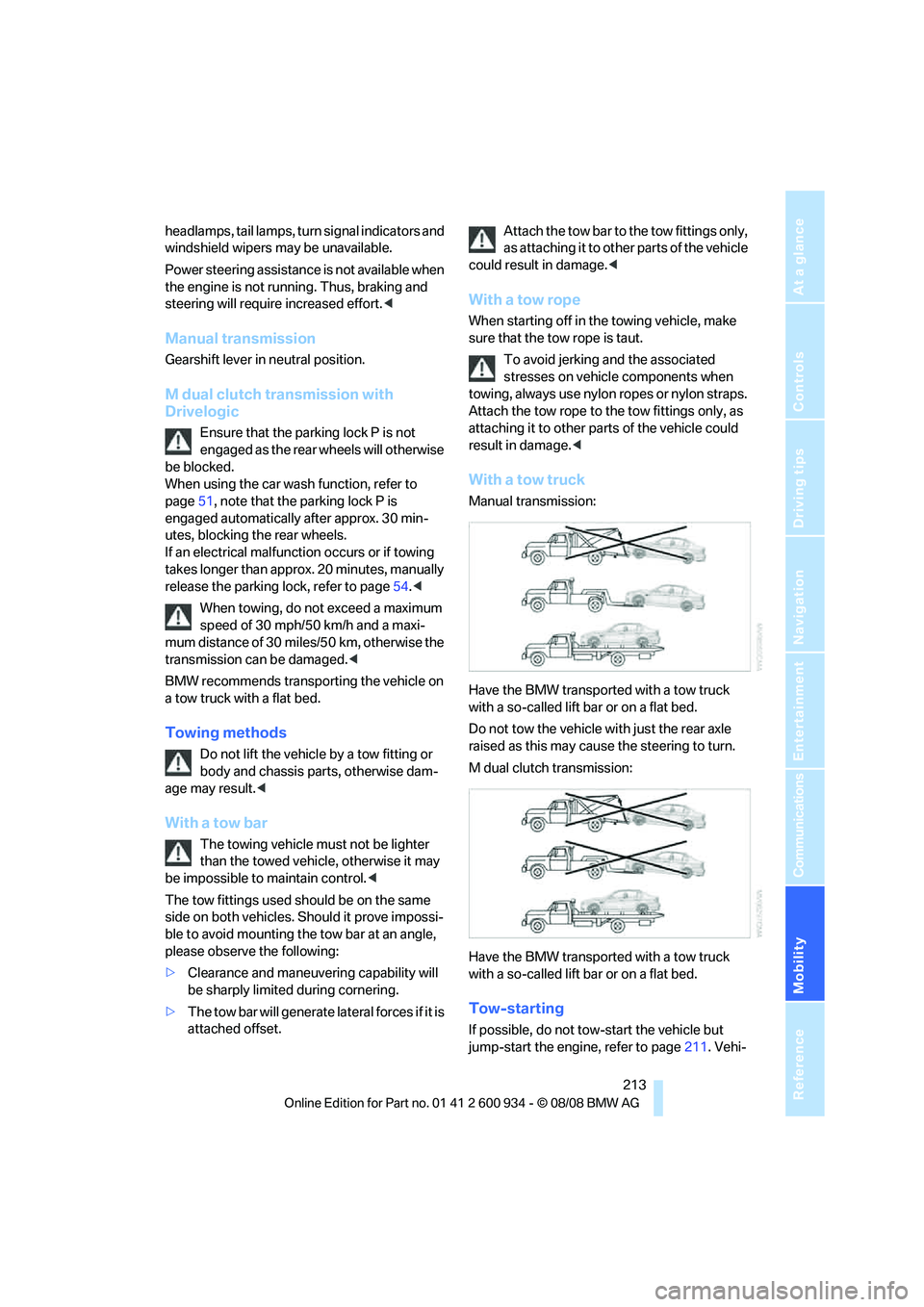
With a tow truck
Manual transmission:
Have the BMW transported with a tow truck
with a so-called lift bar or on a flat bed.
Do not tow the vehicle with just the rear axle
raised as this may cause the steering to turn.
M dual clutch transmission:
Have the BMW transported with a tow truck
with a so-called lift bar or on a flat bed.
Tow-starting
If possible, do not tow-start the vehicle but
jump-start the engine, refer to page211. Vehi-
ba8_E90M3_cic.book Seite 213 Dienstag, 19. August 2008 11:51 11
Page 216 of 246
Giving and receiving assistance
214 cles with a catalytic converter should only be
tow-started when the engine is cold.
Manual transmission
1.Switch on hazard warning flashers, comply
with local regulations.
2.Switch on the ignition, refer to page49.
3.Shift into 3rd gear.
4.Have the vehicle tow-started with the clutch
depressed and slowly release the clutch.
After the engine starts, immediately
depress the clutch completely again.
5.Stop at a suitable location, remove the tow
bar or rope and switch off the hazard warn-
ing flashers.
6.Have the vehicle checked.
M dual clutch transmission with
Drivelogic
Vehicles with an M dual clutch transmission
cannot be tow-started. Jump-starting, refer to
page211.
ba8_E90M3_cic.book Seite 214 Dienstag, 19. August 2008 11:51 11
Page 231 of 246
Reference 229
At a glance
Controls
Driving tips
Communications
Navigation
Entertainment
Mobility
B
Backrest contour, refer to
Lumbar support38
Backrests, refer to Seat
adjustment38
Backrest width adjustment39
Back seats
– refer to Rear seats39
Backup lamps
– replacing bulb205,206
Backup lamps, refer to Tail
lamps205
Band-aids, refer to First-aid
pouch211
Bar, refer to Towing
methods213
Base plate for telephone or
mobile phone
– refer to Snap-in adapter171
– refer to Snap-in adapter in
the center armrest storage
compartment98
Bass, tone setting136
Battery208
– charging208
– disposal34,208
– jump starting211
– remote control26
– temporary power failure209
Battery for mobile phone171
Battery renewal
– remote control34
– remote control for vehicle34
Being towed212
Belts, refer to Safety belts41
Belt tensioner, refer to Safety
belts41
Beverage holders, refer to
Cup holders99
Blower, refer to Air flow
rate91
Bluetooth, activating/
deactivating164
Bluetooth, refer to separate
Owner's Manual
BMW
– car shampoo201
BMW Assist, activating176BMW Assist175
BMW center180
BMW Homepage4
BMW Maintenance
System197
BMW Search176
BMW webpage4
Bottle holders, refer to Cup
holders99
Brake assist76
Brake fluid, refer to Service
requirements66
Brake force display82
Brake lamps
– replacing bulb205,206
Brake lights
– brake force display82
Brake pads106
– breaking in106
Brake rotors107
– brakes106
– breaking in106
Brakes
– ABS76
– BMW Maintenance
System197
– brake force display82
– breaking in106
– parking brake51
– service requirements66
Brakes, refer to Braking
safely107
Brake system106
– BMW Maintenance
System197
– breaking in106
– disc brakes107
Breakdown services, refer to
Roadside Assistance210
Breaking in the clutch106
Breaking in the differential,
refer to Engine and
differential106
Break-in period106
Brightness of the Control
Display73
Bulb changing, refer to Lamps
and bulbs203Button for starting the engine,
refer to Start/stop button49
Buttons on the steering
wheel11
C
California Proposition 65
warning6
Call
– accepting165
– ending166
– rejecting166
Calling, refer to Phone
numbers, dialing166
Can holders, refer to Cup
holders99
Capacities220
Capacity of the cargo bay220
Car battery, refer to Vehicle
battery208
Car care, refer to Care199
Care199
– automatic car washes199
– care products199
– carpets201
– CD/DVD drives201
– chrome parts200
– displays201
– exterior199
– fine wood parts201
– headlamps200
– high-pressure washer199
– interior201
– leather201
– light-alloy wheels200
– paintwork200
– plastic parts201
– rubber seals200
– safety belts201
– sensors and cameras201
– upholstery and cloth
trim201
– washing the car
manually200
– windows200
– wiper blades200
Cargo, securing109
ba8_E90M3_cic.book Seite 229 Dienstag, 19. August 2008 11:51 11
Page 234 of 246
Everything from A - Z
232 Driving lamps, refer to Parking
lamps/low beams85
Driving notes106
Driving off on hills, refer to
Drive-off assistant78
Driving stability control
systems76
Driving through water107
Driving tips, refer to Driving
notes106
Dry air, refer to Cooling
function91
DSC Dynamic Stability
Control76
DVD
– country codes146
– settings147
– video playback146
DVD menu147
DVD video146
Dynamic Stability Control
DSC
– indicator/warning lamp77
– M Dynamic Mode MDM76
E
EDC, refer to Electronic
Damper Control77
Eject button, refer to Buttons
on the CD player136
Electric
– seat adjustment38
Electrical malfunction
– door lock29
– driver's door29
– fuel filler door184
– glass roof36
– M dual clutch transmission
with Drivelogic54
Electric seat38
Electric seat adjustment38
Electric steering wheel lock
– with convenient access33
Electronic brake-force
distribution76
Electronic Damper Control
EDC77
Electronic oil level check193Electronic Stability Program
ESP, refer to Dynamic
Stability Control DSC76
Emergency operation
– fuel filler door, manual
release184
Emergency operation, refer to
Closing manually
– glass roof36
Emergency operation, refer to
Manual operation
– door lock29
Emergency release
– luggage compartment lid
from inside31
Emergency Request210
Emergency services, refer to
Roadside Assistance210
Engine
– breaking in106
– data218
– overheated, refer to Coolant
temperature63
– speed218
– starting50
– starting, convenient
access32
– switching off50
Engine compartment193
Engine coolant, refer to
Coolant196
Engine oil
– adding195
– BMW Maintenance
System197
– checking level193
– intervals between changes,
refer to Service
requirements66
– possible displays194
Engine output, refer to Engine
data218
Engine speed, refer to Engine
data
218
Engine starting, refer to
Starting the engine50
Entry lamps, refer to Interior
lamps87
Entry map for destination122Equalizer, tone setting137
Error messages, refer to
Check Control70
Event data recorders198
Exhaust system, refer to Hot
exhaust system106
Exterior mirrors42
– adjusting42
– automatic dimming
feature43
– automatic heating43
– folding in and out42
External audio device98
Eyes
– for tow-starting and towing
away212
– for tying down loads109
F
Failure messages, refer to
Check Control70
Failure of an electrical
consumer209
False alarm
– avoiding unintentional
alarm32
– switching off an alarm32
Fastening safety belts, refer to
Safety belts41
Fastest route for
navigation127
Fast forward
– CD changer146
– CD player146
Filter
– refer to Microfilter/activated-
charcoal filter for automatic
climate control92
First aid pouch211
Fixture for remote control,
refer to Ignition lock49
Flash when locking/
unlocking28
Flat tire
– Tire Pressure Monitor
TPM79
Flat tire, repairing206
ba8_E90M3_cic.book Seite 232 Dienstag, 19. August 2008 11:51 11
Page 237 of 246
Reference 235
At a glance
Controls
Driving tips
Communications
Navigation
Entertainment
Mobility
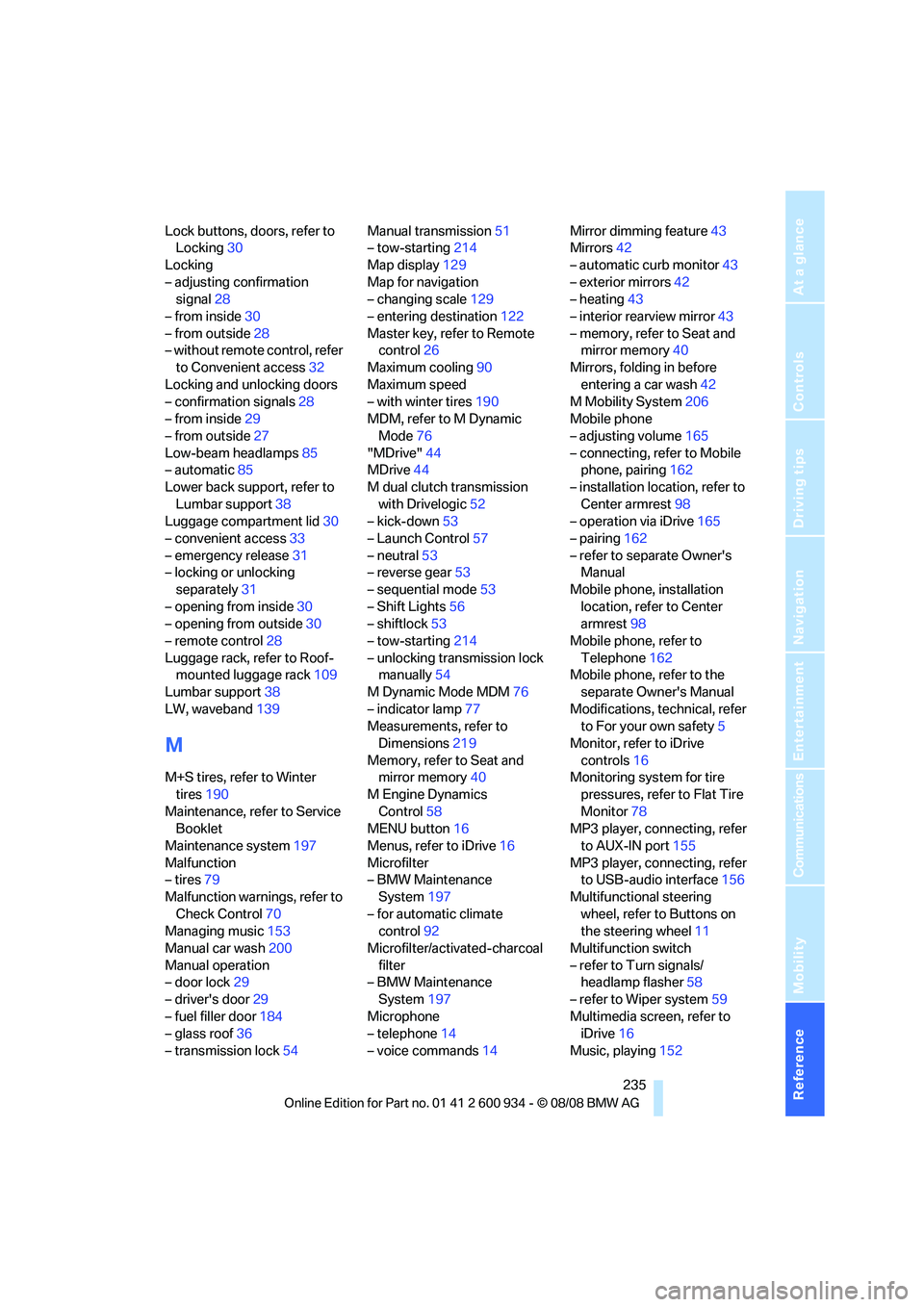
Lock buttons, doors, refer to
Locking30
Locking
– adjusting confirmation
signal28
– from inside30
– from outside28
– without remote control, refer
to Convenient access32
Locking and unlocking doors
– confirmation signals28
– from inside29
– from outside27
Low-beam headlamps85
– automatic85
Lower back support, refer to
Lumbar support38
Luggage compartment lid30
– convenient access33
– emergency release31
– locking or unlocking
separately31
– opening from inside30
– opening from outside30
– remote control28
Luggage rack, refer to Roof-
mounted luggage rack109
Lumbar support38
LW, waveband139
M
M+S tires, refer to Winter
tires190
Maintenance, refer to Service
Booklet
Maintenance system197
Malfunction
– tires79
Malfunction warnings, refer to
Check Control70
Managing music153
Manual car wash200
Manual operation
– door lock29
– driver's door29
– fuel filler door184
– glass roof36
– transmission lock54Manual transmission51
– tow-starting214
Map display129
Map for navigation
– changing scale129
– entering destination122
Master key, refer to Remote
control26
Maximum cooling90
Maximum speed
– with winter tires190
MDM, refer to M Dynamic
Mode76
"MDrive"44
MDrive44
M dual clutch transmission
with Drivelogic52
– kick-down53
– Launch Control57
– neutral53
– reverse gear53
– sequential mode53
– Shift Lights56
– shiftlock53
– tow-starting214
– unlocking transmission lock
manually54
M Dynamic Mode MDM76
– indicator lamp77
Measurements, refer to
Dimensions219
Memory, refer to Seat and
mirror memory40
M Engine Dynamics
Control58
MENU button16
Menus, refer to iDrive16
Microfilter
– BMW Maintenance
System197
– for automatic climate
control92
Microfilter/activated-charcoal
filter
– BMW Maintenance
System197
Microphone
– telephone14
– voice commands14Mirror dimming feature43
Mirrors42
– automatic curb monitor43
– exterior mirrors42
– heating43
– interior rearview mirror43
– memory, refer to Seat and
mirror memory40
Mirrors, folding in before
entering a car wash42
M Mobility System206
Mobile phone
– adjusting volume165
– connecting, refer to Mobile
phone, pairing162
– installation location, refer to
Center armrest98
– operation via iDrive165
– pairing162
– refer to separate Owner's
Manual
Mobile phone, installation
location, refer to Center
armrest98
Mobile phone, refer to
Telephone162
Mobile phone, refer to the
separate Owner's Manual
Modifications, technical, refer
to For your own safety5
Monitor, refer to iDrive
controls16
Monitoring system for tire
pressures, refer to Flat Tire
Monitor78
MP3 player, connecting, refer
to AUX-IN port155
MP3 player, connecting, refer
to USB-audio interface156
Multifunctional steering
wheel, refer to Buttons on
the steering wheel11
Multifunction switch
– refer to Turn signals/
headlamp flasher58
– refer to Wiper system59
Multimedia screen, refer to
iDrive16
Music, playing152
ba8_E90M3_cic.book Seite 235 Dienstag, 19. August 2008 11:51 11
Page 242 of 246
Everything from A - Z
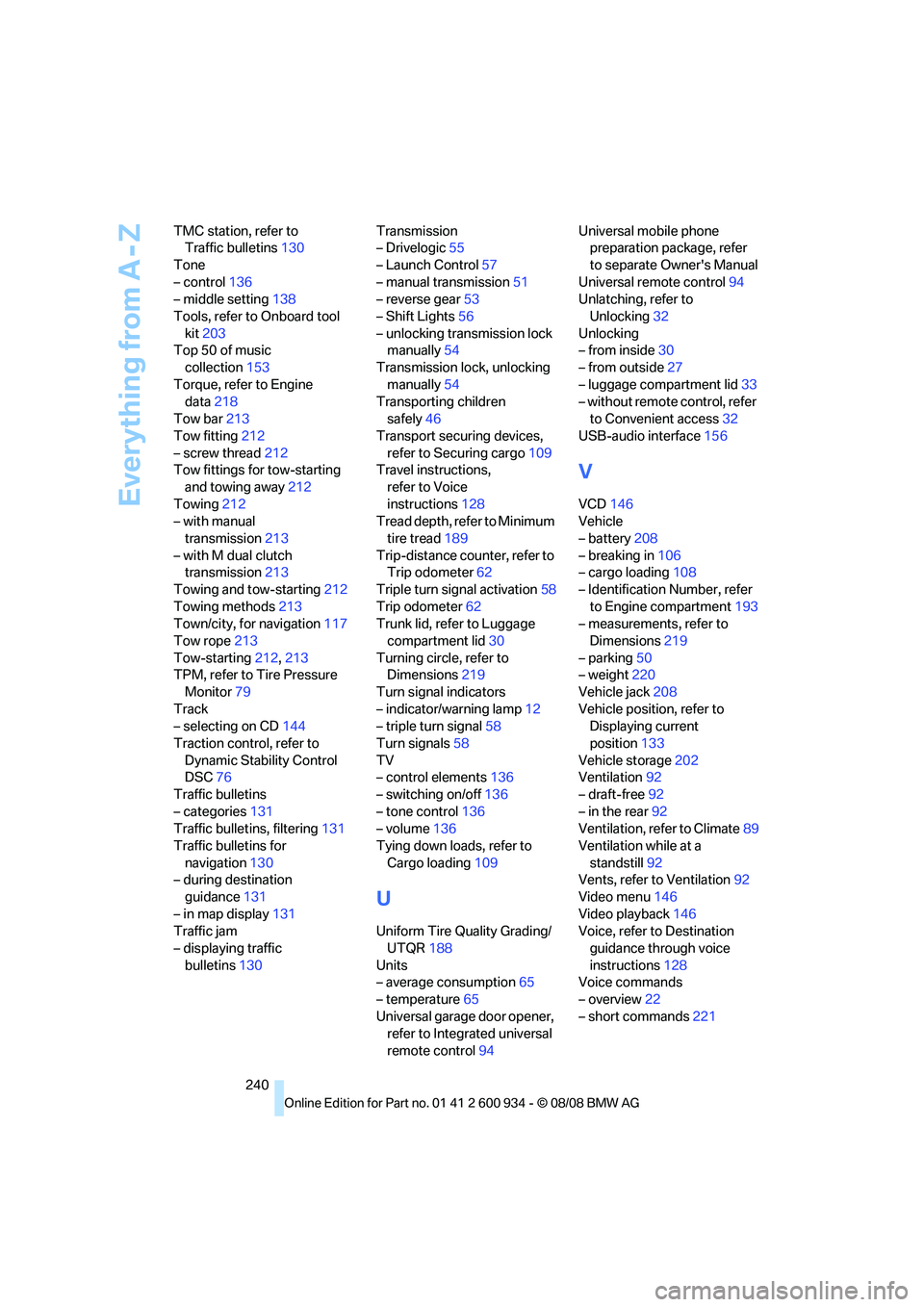
240 TMC station, refer to
Traffic bulletins130
Tone
– control136
– middle setting138
Tools, refer to Onboard tool
kit203
Top 50 of music
collection153
Torque, refer to Engine
data218
Tow bar213
Tow fitting212
– screw thread212
Tow fittings for tow-starting
and towing away212
Towing212
– with manual
transmission213
– with M dual clutch
transmission213
Towing and tow-starting212
Towing methods213
Town/city, for navigation117
Tow rope213
Tow-starting212,213
TPM, refer to Tire Pressure
Monitor79
Track
– selecting on CD144
Traction control, refer to
Dynamic Stability Control
DSC76
Traffic bulletins
– categories131
Traffic bulletins, filtering131
Traffic bulletins for
navigation130
– during destination
guidance131
– in map display131
Traffic jam
– displaying traffic
bulletins130Transmission
– Drivelogic55
– Launch Control57
– manual transmission51
– reverse gear53
– Shift Lights56
– unlocking transmission lock
manually54
Transmission lock, unlocking
manually54
Transporting children
safely46
Transport securing devices,
refer to Securing cargo109
Travel instructions,
refer to Voice
instructions128
Tread depth, refer to Minimum
tire tread189
Trip-distance counter, refer to
Trip odometer62
Triple turn signal activation58
Trip odometer62
Trunk lid, refer to Luggage
compartment lid30
Turning circle, refer to
Dimensions219
Turn signal indicators
– indicator/warning lamp12
– triple turn signal58
Turn signals58
TV
– control elements136
– switching on/off136
– tone control136
– volume136
Tying down loads, refer to
Cargo loading109
U
Uniform Tire Quality Grading/
UTQR188
Units
– average consumption65
– temperature65
Universal garage door opener,
refer to Integrated universal
remote control94Universal mobile phone
preparation package, refer
to separate Owner's Manual
Universal remote control94
Unlatching, refer to
Unlocking32
Unlocking
– from inside30
– from outside27
– luggage compartment lid33
– without remote control, refer
to Convenient access32
USB-audio interface156
V
VCD146
Vehicle
– battery208
– breaking in106
– cargo loading108
– Identification Number, refer
to Engine compartment193
– measurements, refer to
Dimensions219
– parking50
– weight220
Vehicle jack208
Vehicle position, refer to
Displaying current
position133
Vehicle storage202
Ventilation92
– draft-free92
– in the rear92
Ventilation, refer to Climate89
Ventilation while at a
standstill92
Vents, refer to Ventilation92
Video menu146
Video playback146
Voice, refer to Destination
guidance through voice
instructions128
Voice commands
– overview22
– short commands221
ba8_E90M3_cic.book Seite 240 Dienstag, 19. August 2008 11:51 11