change time BMW M3 2012 Owner's Manual
[x] Cancel search | Manufacturer: BMW, Model Year: 2012, Model line: M3, Model: BMW M3 2012Pages: 314, PDF Size: 7.72 MB
Page 183 of 314
182
EntertainmentCD/DVD player and CD changer
Audio playback
Selecting the track using the button
Press the button for the appropriate
direction as often as necessary until the desired
track is reached.
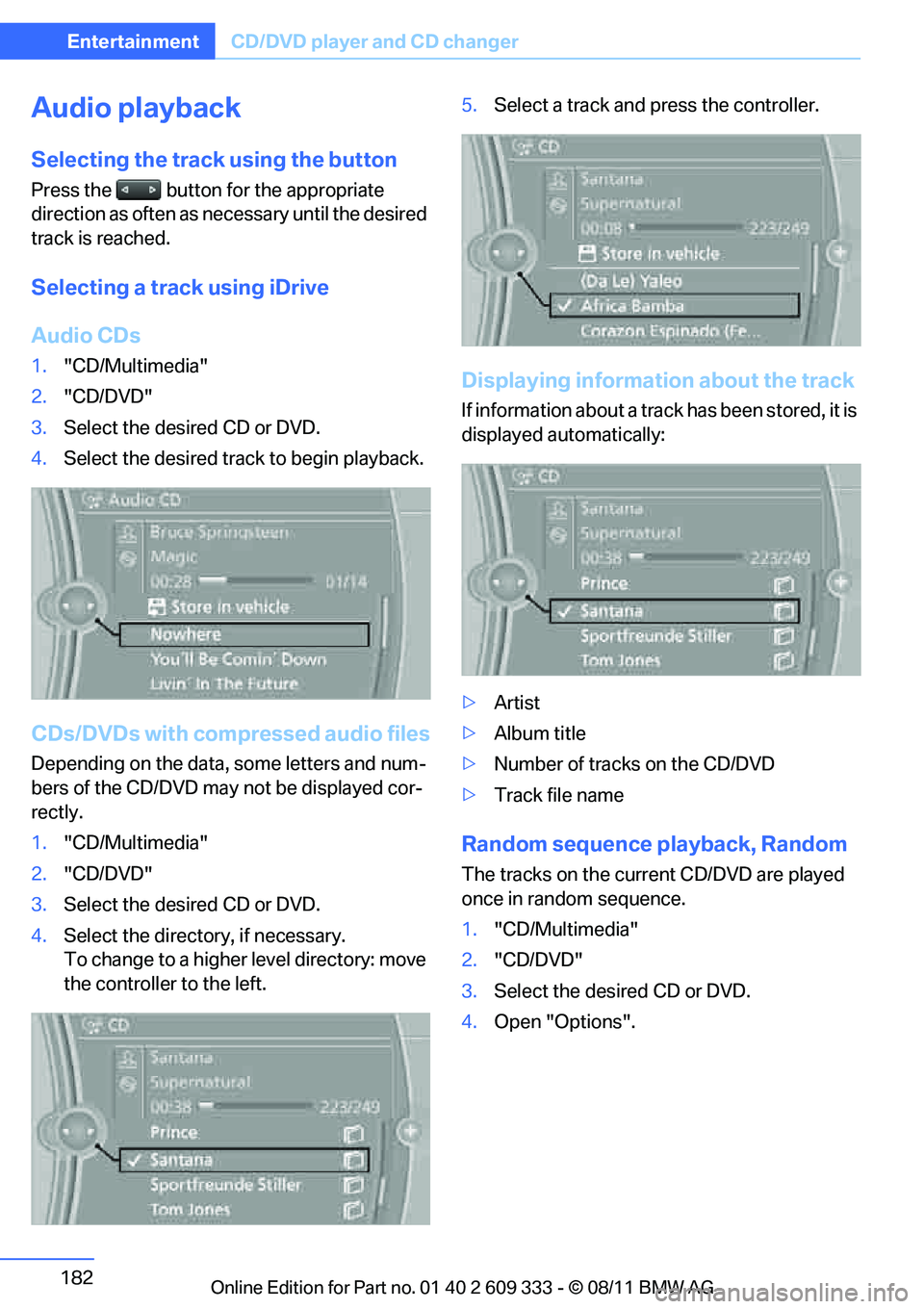
Selecting a track using iDrive
Audio CDs
1."CD/Multimedia"
2. "CD/DVD"
3. Select the desired CD or DVD.
4. Select the desired trac k to begin playback.
CDs/DVDs with comp ressed audio files
Depending on the data, some letters and num-
bers of the CD/DVD may not be displayed cor-
rectly.
1. "CD/Multimedia"
2. "CD/DVD"
3. Select the desired CD or DVD.
4. Select the directory, if necessary.
To change to a higher level directory: move
the controller to the left. 5.
Select a track and press the controller.
Displaying information about the track
If information about a track has been stored, it is
displayed automatically:
>Artist
> Album title
> Number of tracks on the CD/DVD
> Track file name
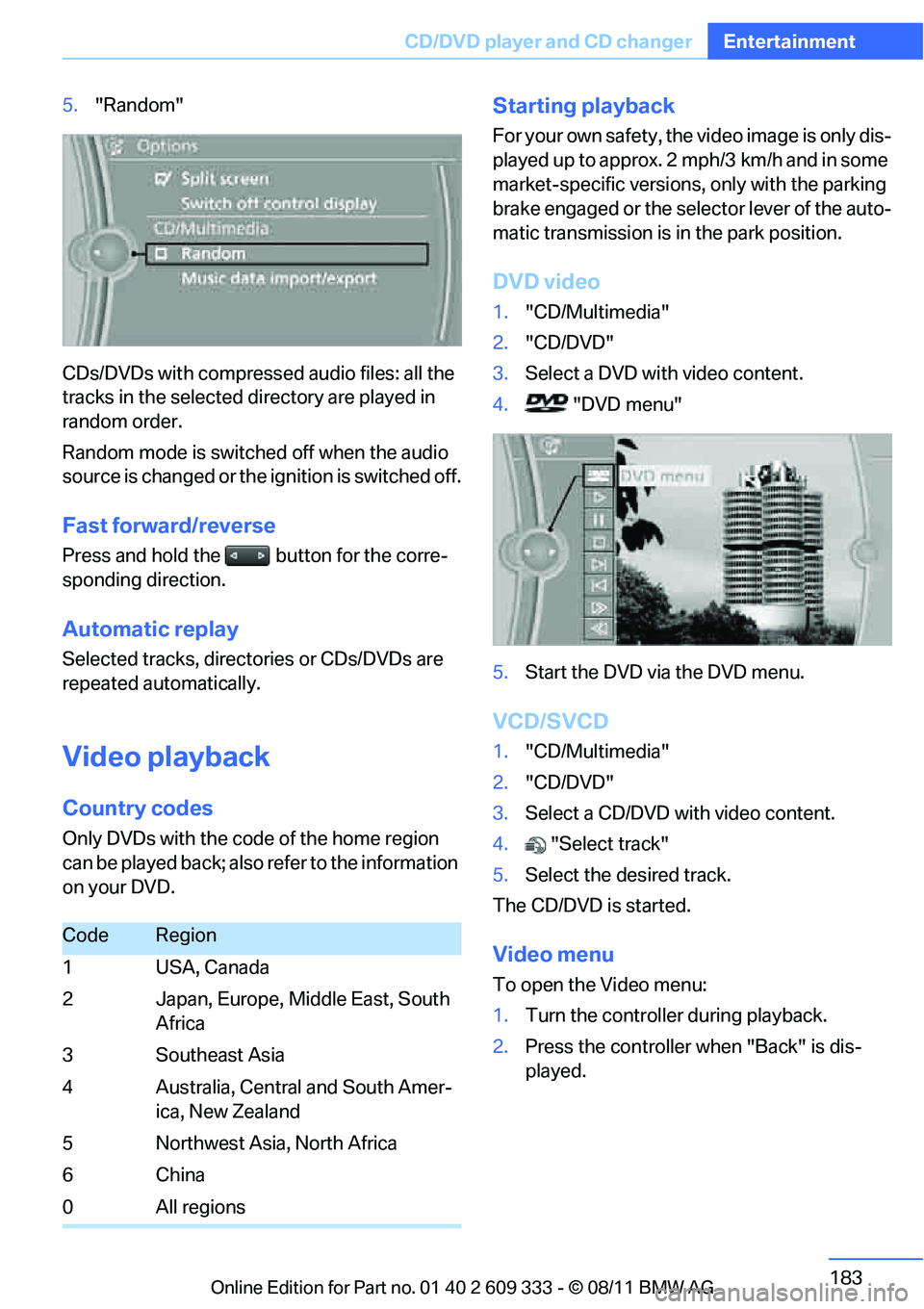
Random sequence playback, Random
The tracks on the current CD/DVD are played
once in random sequence.
1."CD/Multimedia"
2. "CD/DVD"
3. Select the desired CD or DVD.
4. Open "Options".
Online Edition for Part no. 01 40 2 609 333 - \251 08/11 BMW AG
Page 184 of 314
183
CD/DVD player and CD changer
Entertainment
5.
"Random"
CDs/DVDs with compressed audio files: all the
tracks in the selected directory are played in
random order.
Random mode is switched off when the audio
source is changed or the ignition is switched off.
Fast forward/reverse
Press and hold the button for the corre-
sponding direction.
Automatic replay
Selected tracks, directories or CDs/DVDs are
repeated au tomatically.
Video playback
Country codes
Only DVDs with the code of the home region
can be played back; also refer to the information
on your DVD.
Starting playback
For your own safety, the video image is only dis-
played up to approx. 2 mph/3 km/h and in some
market-specific versions, only with the parking
brake engaged or the sele ctor lever of the auto-
matic transmission is in the park position.
DVD video
1. "CD/Multimedia"
2. "CD/DVD"
3. Select a DVD with video content.
4. "DVD menu"
5. Start the DVD via the DVD menu.
VCD/SVCD
1."CD/Multimedia"
2. "CD/DVD"
3. Select a CD/DVD with video content.
4. "Select track"
5. Select the desired track.
The CD/DVD is started.
Video menu
To open the Video menu:
1. Turn the controller during playback.
2. Press the controller when "Back" is dis-
played.
CodeRegion
1USA, Canada
2 Japan, Europe, Middle East, South Africa
3Southeast Asia
4 Australia, Central and South Amer- ica, New Zealand
5 Northwest Asia, North Africa
6China
0 All regions
Online Edition for Part no. 01 40 2 609 333 - \251 08/11 BMW AG
Page 185 of 314
184
EntertainmentCD/DVD player and CD changer
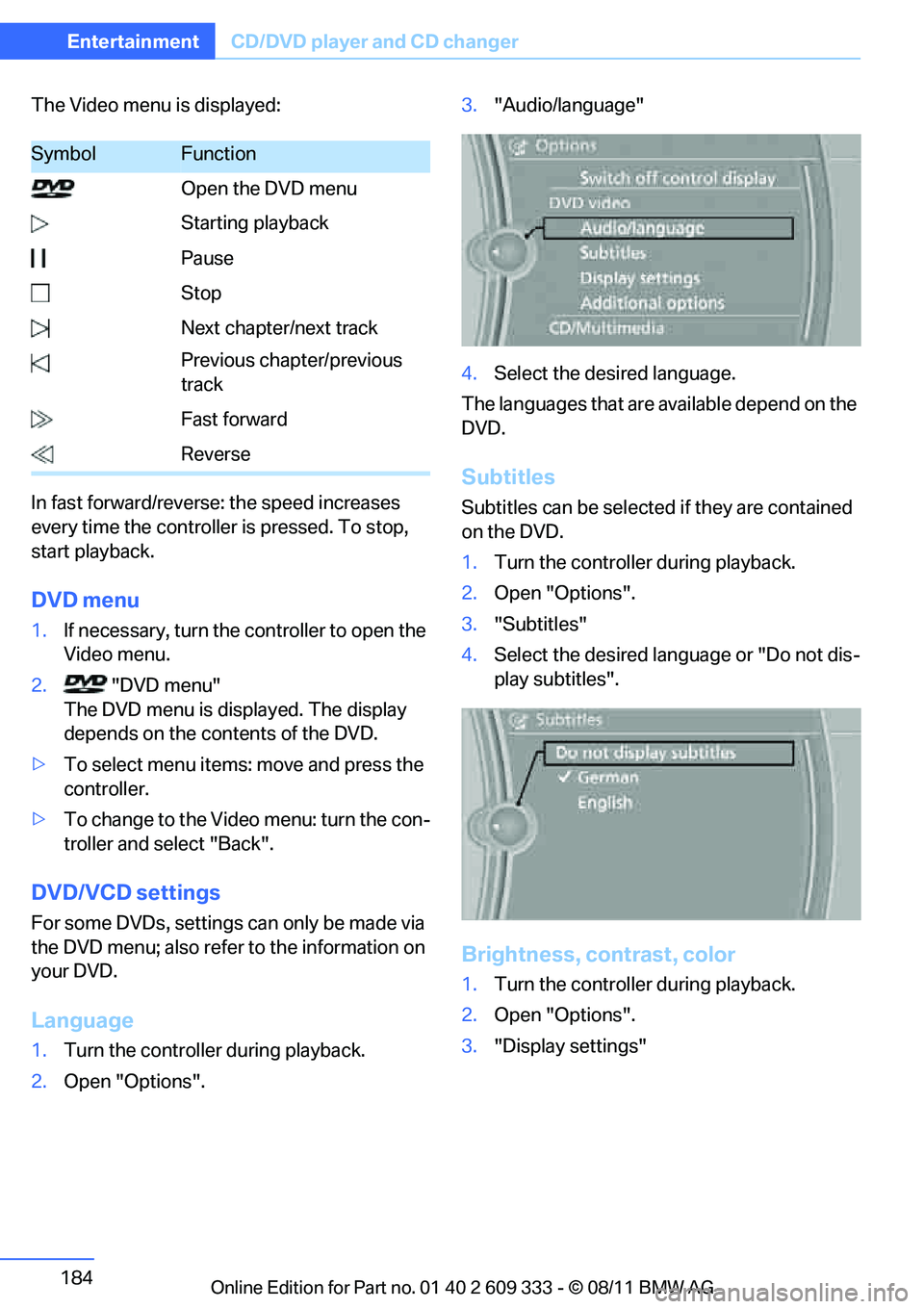
The Video menu is displayed:
In fast forward/reverse: the speed increases
every time the controller is pressed. To stop,
start playback.
DVD menu
1.If necessary, turn the controller to open the
Video menu.
2. "DVD menu"
The DVD menu is displayed. The display
depends on the contents of the DVD.
> To select menu items: move and press the
controller.
> To change to the Vide o menu: turn the con-
troller and select "Back".
DVD/VCD settings
For some DVDs, settings can only be made via
the DVD menu; also refer to the information on
your DVD.
Language
1. Turn the controller during playback.
2. Open "Options". 3.
"Audio/language"
4. Select the desired language.
The languages that are available depend on the
DVD.
Subtitles
Subtitles can be selected if they are contained
on the DVD.
1. Turn the controller during playback.
2. Open "Options".
3. "Subtitles"
4. Select the desired language or "Do not dis-
play subtitles".
Brightness, contrast, color
1.Turn the controller during playback.
2. Open "Options".
3. "Display settings"
SymbolFunction
Open the DVD menu
Starting playback
Pause
Stop
Next chapter/next track
Previous chapter/previous
track
Fast forward
Reverse
Online Edition for Part no. 01 40 2 609 333 - \251 08/11 BMW AG
Page 192 of 314
191
Music collection
Entertainment
Top 50
List of the 50 most frequently played tracks.
1.
"CD/Multimedia"
2. "Music collection"
3. "Top 50"
4. Select the desired track, if necessary.
Albums
All stored albums, listed in order of their storage
dates. Symbols indicate the format.
1. "CD/Multimedia"
2. "Music collection"
3. Select the desired album.
Depending on the album, the tracks or the
subdirectories of the album are displayed.
The first track is play ed automatically, if
possible.
4. To select tracks, ch ange directories if
needed. To go up one level in the directory,
move the controller to the left.
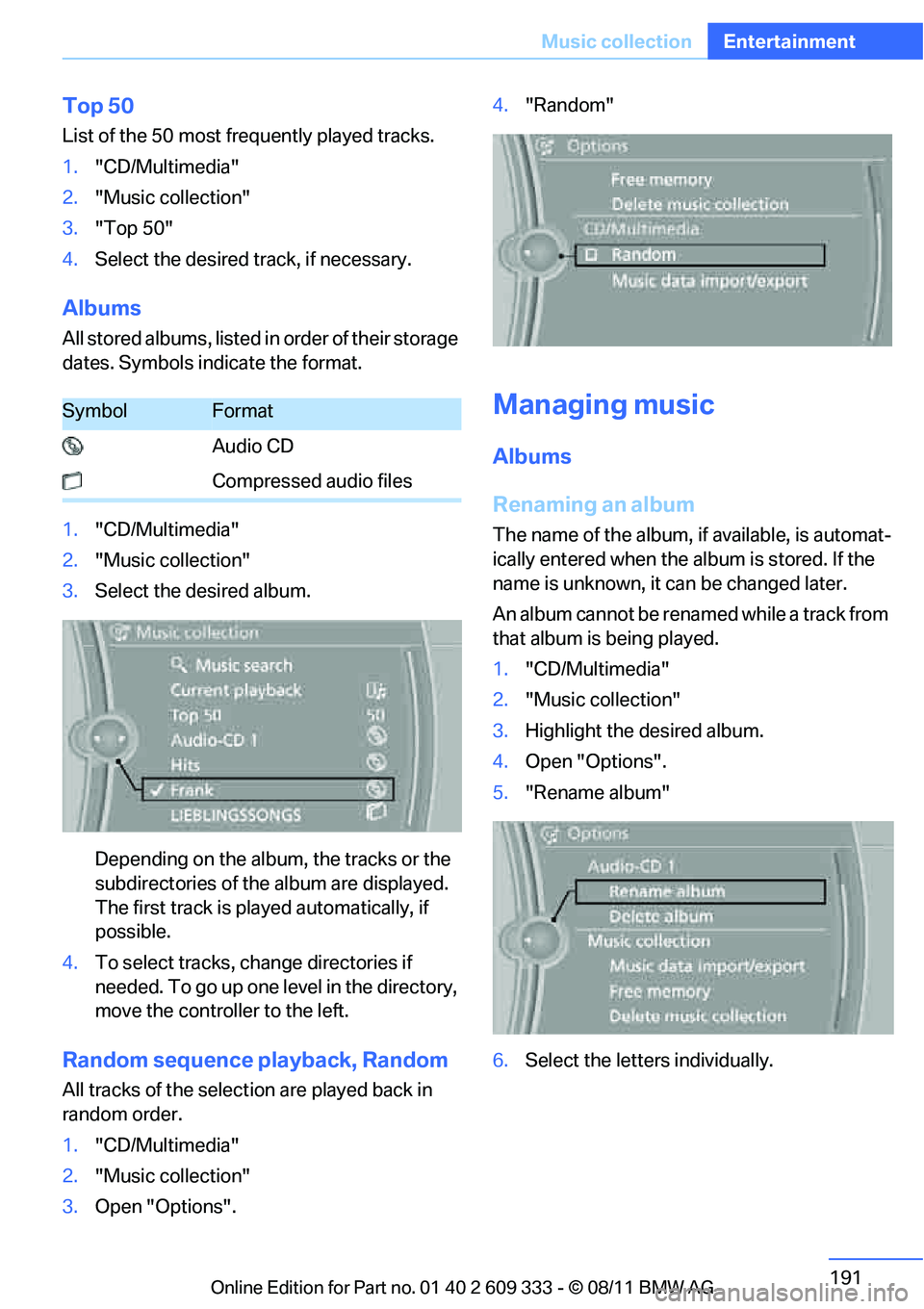
Random sequence playback, Random
All tracks of the select ion are played back in
random order.
1. "CD/Multimedia"
2. "Music collection"
3. Open "Options". 4.
"Random"
Managing music
Albums
Renaming an album
The name of the album, if available, is automat-
ically entered when the album is stored. If the
name is unknown, it can be changed later.
An album cannot be renamed while a track from
that album is being played.
1. "CD/Multimedia"
2. "Music collection"
3. Highlight the desired album.
4. Open "Options".
5. "Rename album"
6. Select the letters individually.
SymbolFormat
Audio CD
Compressed audio files
Online Edition for Part no. 01 40 2 609 333 - \251 08/11 BMW AG
Page 198 of 314
197
External devices
Entertainment
Current playback
List of tracks currently being played.
1.
"CD/Multimedia"
2. "External devices"
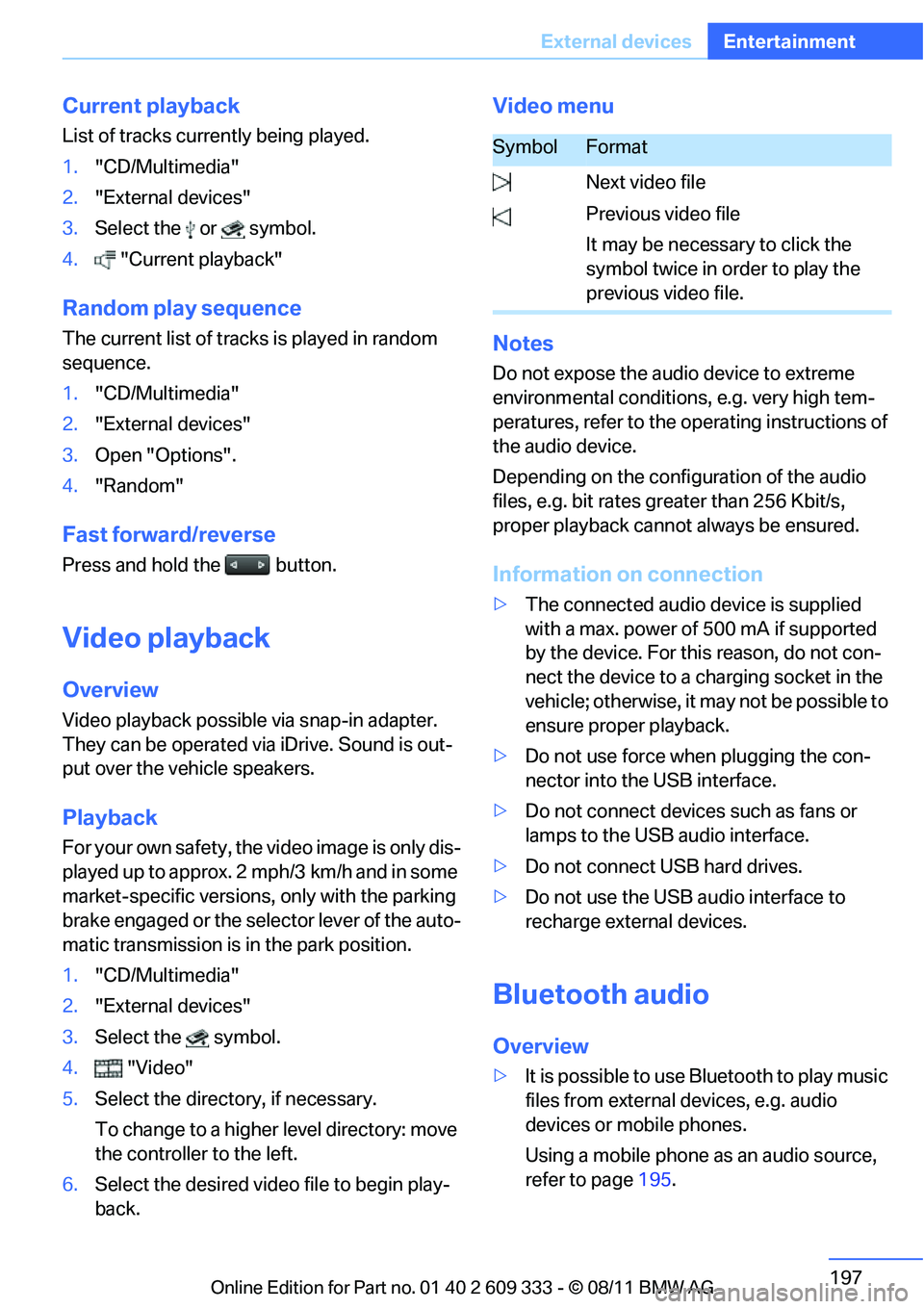
3. Select the or symbol.
4. "Current playback"
Random play sequence
The current list of tracks is played in random
sequence.
1. "CD/Multimedia"
2. "External devices"
3. Open "Options".
4. "Random"
Fast forward/reverse
Press and hold the button.
Video playback
Overview
Video playback possible via snap-in adapter.
They can be operated via iDrive. Sound is out-
put over the vehicle speakers.
Playback
For your own safety, the video image is only dis-
played up to approx. 2 mph/3 km/h and in some
market-specific versions, only with the parking
brake engaged or the sele ctor lever of the auto-
matic transmission is in the park position.
1. "CD/Multimedia"
2. "External devices"
3. Select the symbol.
4. "Video"
5. Select the directory, if necessary.
To change to a higher level directory: move
the controller to the left.
6. Select the desired video file to begin play-
back.
Video menu
Notes
Do not expose the audio device to extreme
environmental conditions , e.g. very high tem-
peratures, refer to the op erating instructions of
the audio device.
Depending on the config uration of the audio
files, e.g. bit rates greater than 256 Kbit/s,
proper playback canno t always be ensured.
Information on connection
>The connected audio device is supplied
with a max. power of 500 mA if supported
by the device. For this reason, do not con-
nect the device to a charging socket in the
vehicle; otherwise, it may not be possible to
ensure proper playback.
> Do not use force when plugging the con-
nector into the USB interface.
> Do not connect devices such as fans or
lamps to the USB audio interface.
> Do not connect USB hard drives.
> Do not use the USB audio interface to
recharge external devices.
Bluetooth audio
Overview
>It is possible to use Bluetooth to play music
files from external devices, e.g. audio
devices or mobile phones.
Using a mobile phone as an audio source,
refer to page 195.
SymbolFormat
Next video file
Previous video file
It may be necessary to click the
symbol twice in order to play the
previous video file.
Online Edition for Part no. 01 40 2 609 333 - \251 08/11 BMW AG
Page 199 of 314
198
EntertainmentExternal devices
>Bluetooth® is a registered trademark of
Bluetooth® SIG, Inc.
> Sound is output over the vehicle speakers.
> The volume of the sound output depends
on the device. If necessary, change the vol-
ume setting on the device.
> Up to four external devices can be paired
with the vehicle.
Requirements
> Suitable device. For information, go to
www.bmwusa.com/bluetooth.
> Device operational.
> Ignition switched on.
> Bluetooth activated in vehicle, refer to
page 205, and in the device.
> Activating Bluetooth audio, refer to
page 205.
> Bluetooth presets in the device are
required, e.g. connection not confirmed or
visible, refer to Owner's Manual for the
device.
> A number with at least 4 and at most
16 digits has been established as the Blue-
tooth passkey. Only requ ired once for pair-
ing.
Pairing and connecting
Only pair the device when the vehicle is
stopped; otherwise, inattention may lead
to endangerment of passengers or other road
users. <
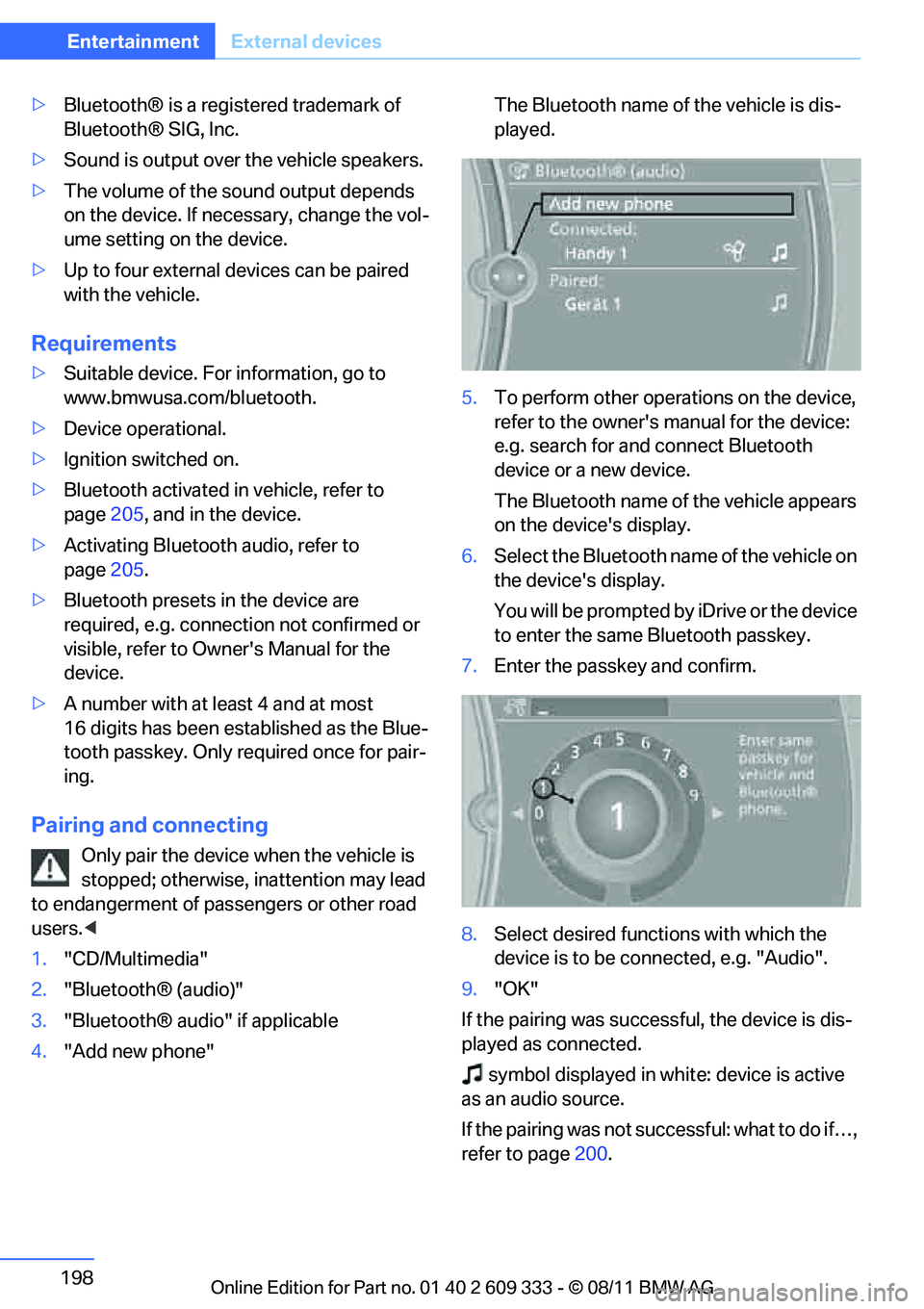
1. "CD/Multimedia"
2. "Bluetooth® (audio)"
3. "Bluetooth® audio" if applicable
4. "Add new phone" The Bluetooth name of the vehicle is dis-
played.
5. To perform other operations on the device,
refer to the owner's manual for the device:
e.g. search for and connect Bluetooth
device or a new device.
The Bluetooth name of the vehicle appears
on the device's display.
6. Select the Bluetooth name of the vehicle on
the device's display.
You will be prompted by iDrive or the device
to enter the same Bluetooth passkey.
7. Enter the passkey and confirm.
8. Select desired functi ons with which the
device is to be connected, e.g. "Audio".
9. "OK"
If the pairing was successful, the device is dis-
played as connected. symbol displayed in whit e: device is active
as an audio source.
If the pairing was not succ essful: what to do if…,
refer to page 200.
Online Edition for Part no. 01 40 2 609 333 - \251 08/11 BMW AG
Page 200 of 314
199
External devices
Entertainment
Connecting a particular device
A device that has already been paired can be
connected as an active audio source.
Connection is not possible
if a data exchange is
currently taking place via a mobile phone that is
connected via Bluetooth.
Prerequisite
If necessary, activate the audio connection of
the desired device from the list of paired
devices.
1. "CD/Multimedia"
2. "Bluetooth® (audio)"
3. "Bluetooth® audio" if applicable
4. Select the desired device from the list of
paired devices.
5. Open "Options".
6. "Configure phone"
7. Activate "Audio".
8. "OK"
Connecting a device
1."CD/Multimedia"
2. "Bluetooth® (audio)"
3. "Bluetooth® audio" if applicable
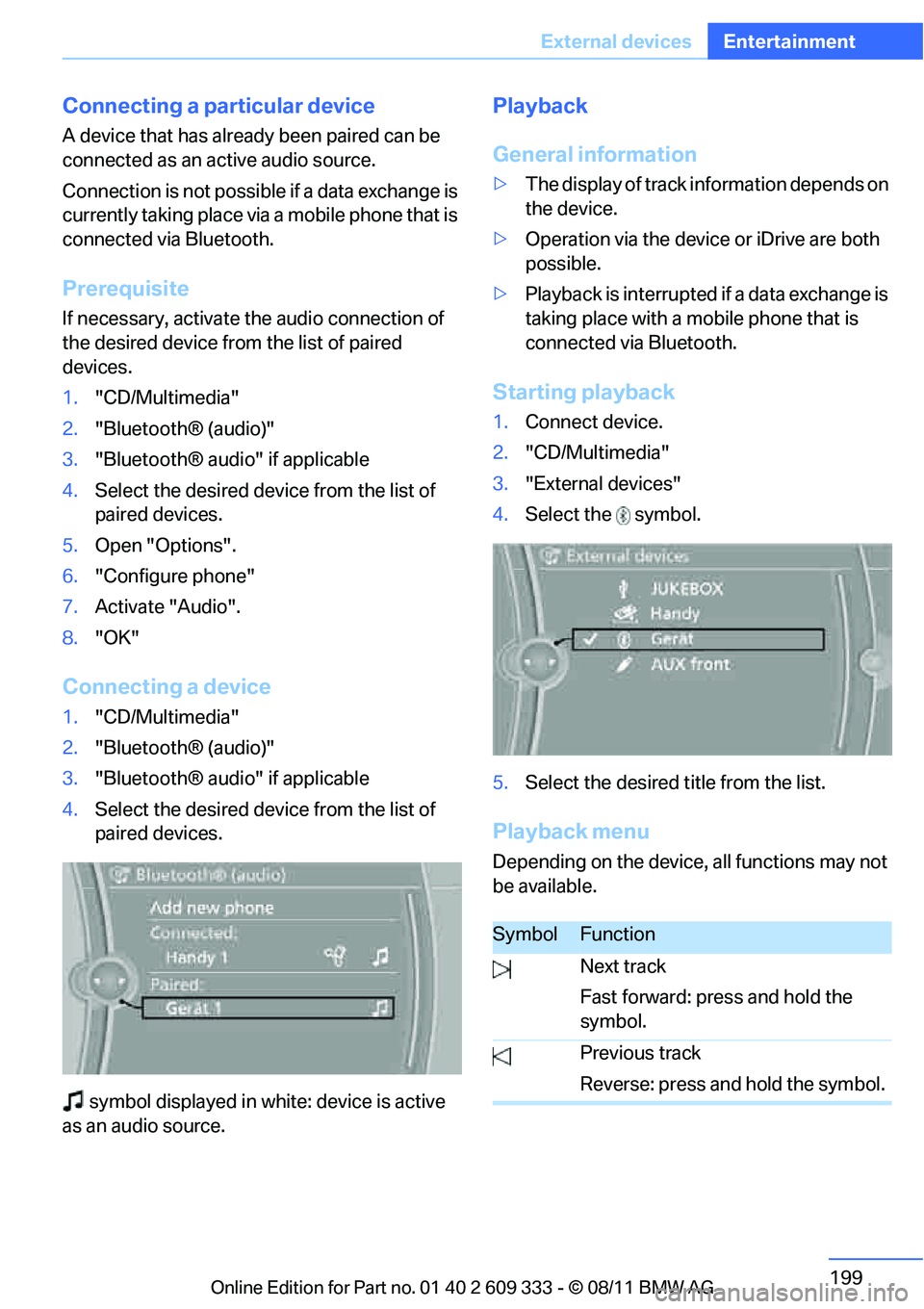
4. Select the desired device from the list of
paired devices.
symbol displayed in white: device is active
as an audio source.
Playback
General information
> The display of track information depends on
the device.
> Operation via the device or iDrive are both
possible.
> Playback is interrupted if a data exchange is
taking place with a mobile phone that is
connected via Bluetooth.
Starting playback
1.Connect device.
2. "CD/Multimedia"
3. "External devices"
4. Select the symbol.
5. Select the desired title from the list.
Playback menu
Depending on the device, all functions may not
be available.
SymbolFunction
Next track
Fast forward: press and hold the
symbol.
Previous track
Reverse: press and hold the symbol.
Online Edition for Part no. 01 40 2 609 333 - \251 08/11 BMW AG
Page 272 of 314
271
Replacing components
Mobility
When working on electrical systems,
always begin by switching off the con-
sumer in question; otherwise, short-circuits
could result. To avoid possible injury or equip-
ment damage when replacing bulbs, observe
any instructions provided by the bulb manufac-
turer. <
For care of the headla mps, please follow the
instructions in the ch apter entitled 'Care'.
To replace lamps not described here,
please contact your BMW center. <
Light-emitting diodes LED
Light-emitting diodes installed behind translu-
cent lenses serve as the light source for many of
the controls, displays, and equipment in your
vehicle. These light-emitting diodes, which
operate using a concept similar to that applied
in conventional lasers, are officially designated
as Class 1 light-emitting diodes.
Do not remove the covers or expose the
eyes directly to the unfiltered light source
for several hours; otherwise, this could cause
irritation of the retina. <
Headlight lenses
In cool or humid weather, condensation may
form on the interior of outside lamps. The con-
densation will disappear after a short time when
driving with the headlamps switched on. The
headlamp glasses do not need to be changed.
If the headlamps do not defrost despite driving
with the headlamps switch ed on, and additional
moisture builds up, for example water droplets
in the lamps, have them checked by your BMW
center.
Xenon lamps
These bulbs have a very lo ng service life and are
highly unlikely to fail. If a xenon lamp fails never-
theless, switch on the fog lamps and continue
the journey with great ca re, provided that local
legislation does not prohibit this. Have all work on the xenon lamp system,
including bulb replacements, performed
only by your BMW center . Due to high voltage,
there is a risk of fatal injury if work on the xenon
lamps is carried out improperly. <
Access to the lamps
1.Switch off the lamps and take the remote
control out of the ignition lock.
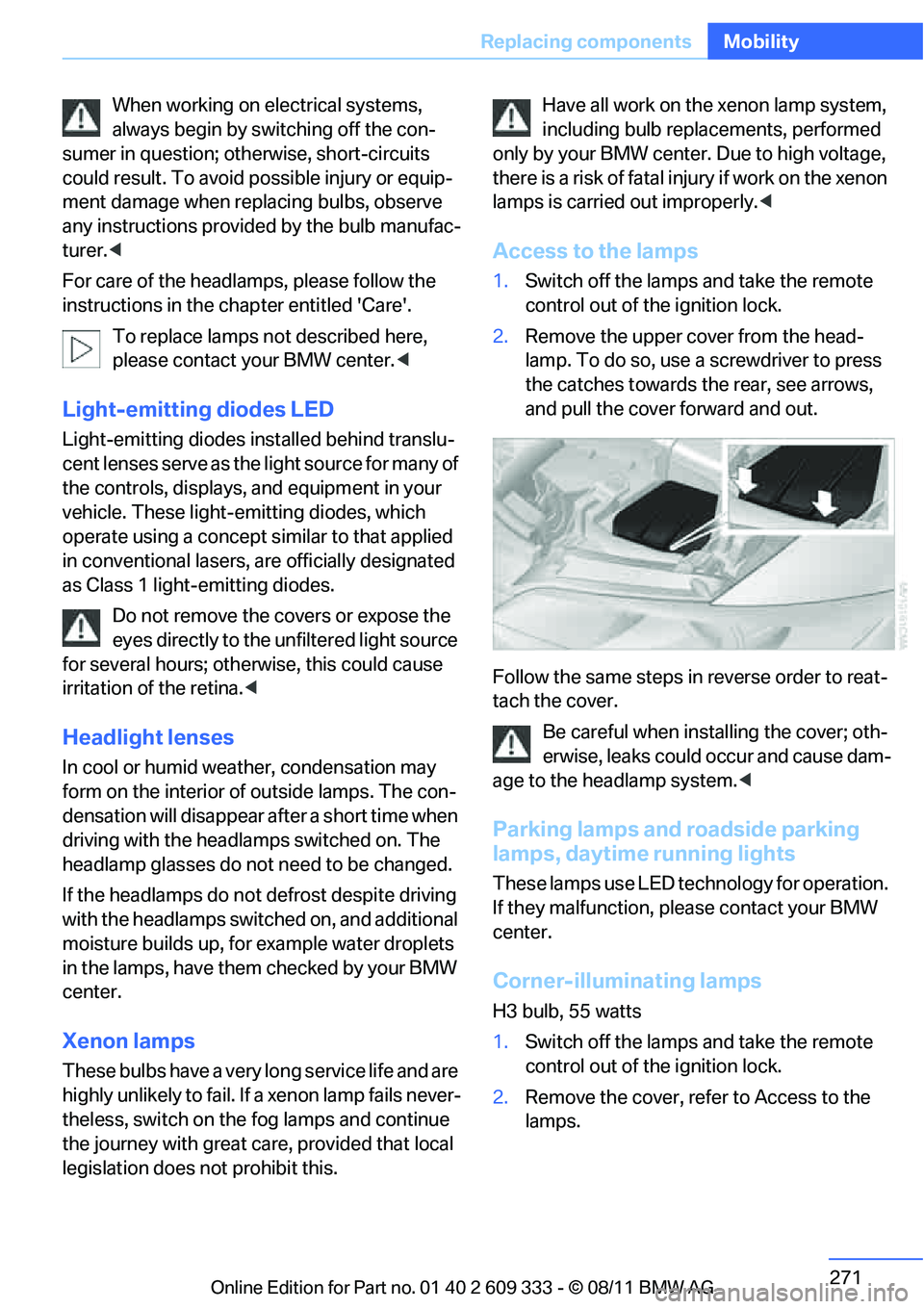
2. Remove the upper co ver from the head-
lamp. To do so, use a screwdriver to press
the catches towards th e rear, see arrows,
and pull the cover forward and out.
Follow the same steps in reverse order to reat-
tach the cover. Be careful when inst alling the cover; oth-
erwise, leaks could occur and cause dam-
age to the headlamp system.<
Parking lamps and roadside parking
lamps, daytime running lights
These lamps use LED technology for operation.
If they malfunction, please contact your BMW
center.
Corner-illuminating lamps
H3 bulb, 55 watts
1. Switch off the lamps and take the remote
control out of the ignition lock.
2. Remove the cover, re fer to Access to the
lamps.
Online Edition for Part no. 01 40 2 609 333 - \251 08/11 BMW AG
Page 301 of 314
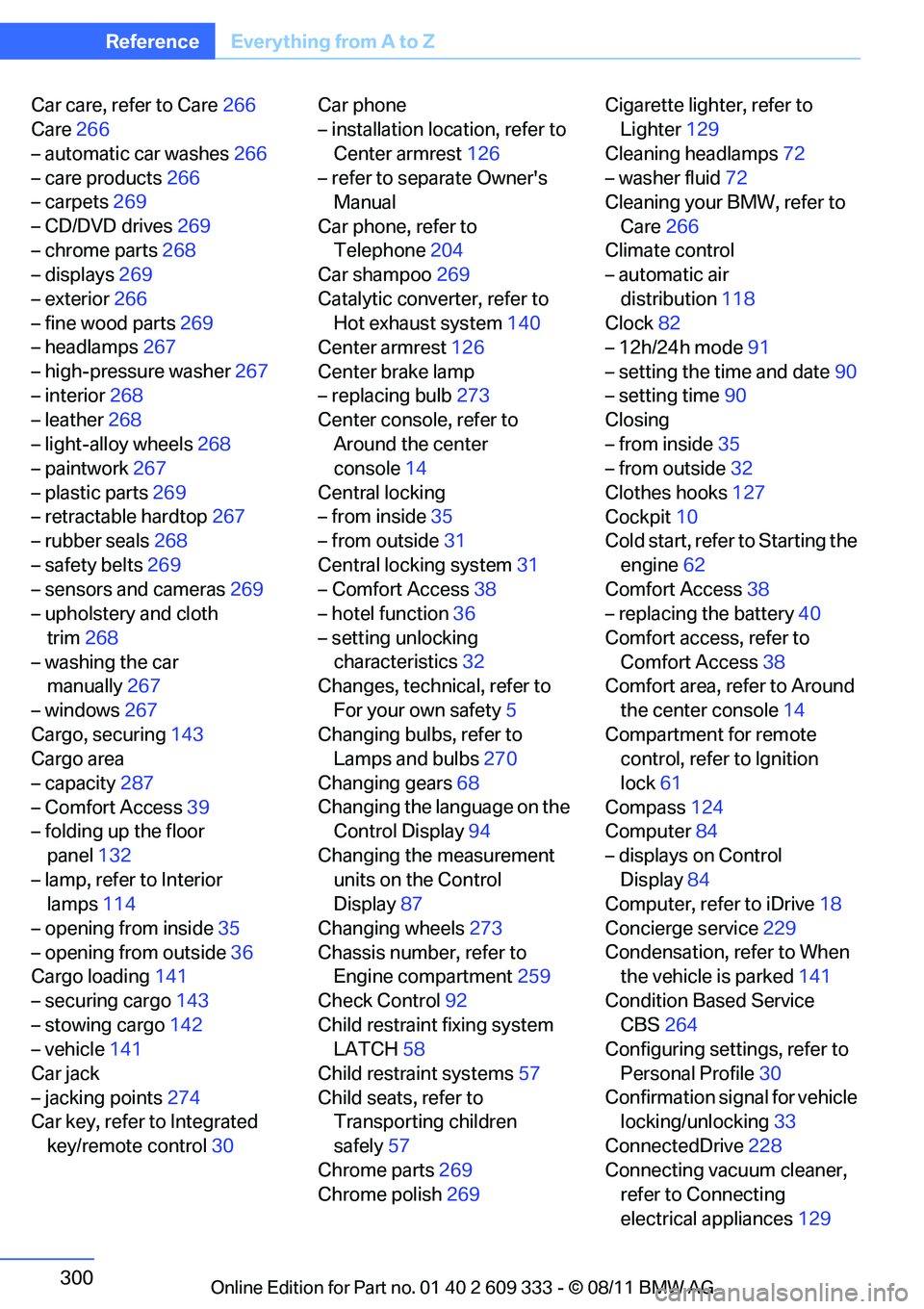
300
ReferenceEverything from A to Z
Car care, refer to Care 266
Care 266
– automatic car washes 266
– care products 266
– carpets 269
– CD/DVD drives 269
– chrome parts 268
– displays 269
– exterior 266
– fine wood parts 269
– headlamps 267
– high-pressure washer 267
– interior 268
– leather 268
– light-alloy wheels 268
– paintwork 267
– plastic parts 269
– retractable hardtop 267
– rubber seals 268
– safety belts 269
– sensors and cameras 269
– upholstery and cloth
trim 268
– washing the car manually 267
– windows 267
Cargo, securing 143
Cargo area
– capacity 287
– Comfort Access 39
– folding up the floor
panel 132
– lamp, refer to Interior lamps 114
– opening from inside 35
– opening from outside 36
Cargo loading 141
– securing cargo 143
– stowing cargo 142
– vehicle 141
Car jack
– jacking points 274
Car key, refer to Integrated
key/remote control 30Car phone
– installation location, refer to
Center armrest 126
– refer to separate Owner's Manual
Car phone, refer to Telephone 204
Car shampoo 269
Catalytic converter, refer to Hot exhaust system 140
Center armrest 126
Center brake lamp
– replacing bulb 273
Center console, refer to
Around the center
co
nsole 14
Central locking
– from inside 35
– from outside 31
Central locking system 31
– Comfort Access 38
– hotel function 36
– setting unlocking characteristics 32
Changes, technical, refer to
For your own safety 5
Changing bulbs, refer to Lamps and bulbs 270
Changing gears 68
Changing the language on the Control Display 94
Changing the measurement units on the Control
Display 87
Changing wheels 273
Chassis number, refer to Engine compartment 259
Check Control 92
Child restraint fixing system LATCH 58
Child restraint systems 57
Child seats, refer to Transporting children
safely 57
Chrome parts 269
Chrome polish 269 Cigarette lighter, refer to
Lighter 129
Cleaning headlamps 72
– washer fluid 72
Cleaning your BMW, refer to
Care 266
Climate control
– automatic air
distribution 118
Clock 82
– 12h/24h mode 91
– setting the time and date 90
– setting time 90
Closing
– from inside 35
– from outside 32
Clothes hooks 127
Cockpit 10
Cold start, refer to Starting the
engine 62
Comfort Access 38
– replacing the battery 40
Comfort access, refer to Comfort Access 38
Comfort area, refer to Around
the center console 14
Compartment for remote control, refer to Ignition
lock 61
Compass 124
Computer 84
– displays on Control Displa
y84
Computer, refer to iDrive 18
Concierge service 229
Condensation, refer to When the vehicle is parked 141
Condition Based Service CBS 264
Configuring settings, refer to
Personal Profile 30
Confirmation signal for vehicle locking/unlocking 33
ConnectedDrive 228
Connecting vacuum cleaner, refer to Connecting
electrical appliances 129
Online Edition for Part no. 01 40 2 609 333 - \251 08/11 BMW AG