lock BMW M3 CONVERTIBLE 2001 E46 Owner's Guide
[x] Cancel search | Manufacturer: BMW, Model Year: 2001, Model line: M3 CONVERTIBLE, Model: BMW M3 CONVERTIBLE 2001 E46Pages: 195, PDF Size: 1.96 MB
Page 47 of 195
47n
IndexDataTechnologyRepairsCar careControlsOverview
Convertible top
During convertible top operation
the rear window moves toward the
passenger compartment and presses
the heads of the rear passengers
slightly forward. As a rule, this is not
dangerous. To avoid possibly being
pinched, passengers in the back seat
should lean their heads slightly forward
while the convertible top is in motion.<
The side windows move downward
somewhat when the button for convert-
ible top operation is pressed, and then
up again after the opening or closing
operation is completed if you continue
to hold the button for longer than
2 seconds after the indicator lamp goes
out.
During convertible top operation the
luggage compartment lid cannot be
opened.
Do not close the side power
windows using the buttons if the
convertible top has been interrupted
while in motion. <
If the convertible top has been
stored in the convertible top
compartment for longer periods, e.g.
during the winter months while the
hardtop is being used, it may be neces-
sary to manually support the first auto-
matic closing operation: if the
convertible top should halt just before
the closing phase is completed, press
against the front part of the convertible
top frame from the outside to help the
closing process along. Keep pressing
the button while doing so until the top
starts up again on its own.<
If the opening or closing operation
is interrupted, the convertible top
remains in the respective position for
15 minutes, and the process can be
continued in the desired direction with
the button. Then the convertible top
can be moved and operated manually,
refer to page 162. This is also possible
in ignition key position 0.
In certain cases, the luggage compart-
ment lid cannot be opened if the
opening or closing operation has been
interrupted.<
One-touch operation from the
driver side door lockRefer to page 34.
Page 51 of 195
51n
IndexDataTechnologyRepairsCar careControlsOverview
Head restraints Entering the rear
Do not remove the rear head
restraints as this would damage
them.<
For further information, please consult
your BMW center.
Do not use the rear head
restraints as storage shelves.
Always keep the travel path clear for
the rollover protection system. Never
attach any type of protective coverings
to the head restraints (refer also to the
labeling on the head restraints).<
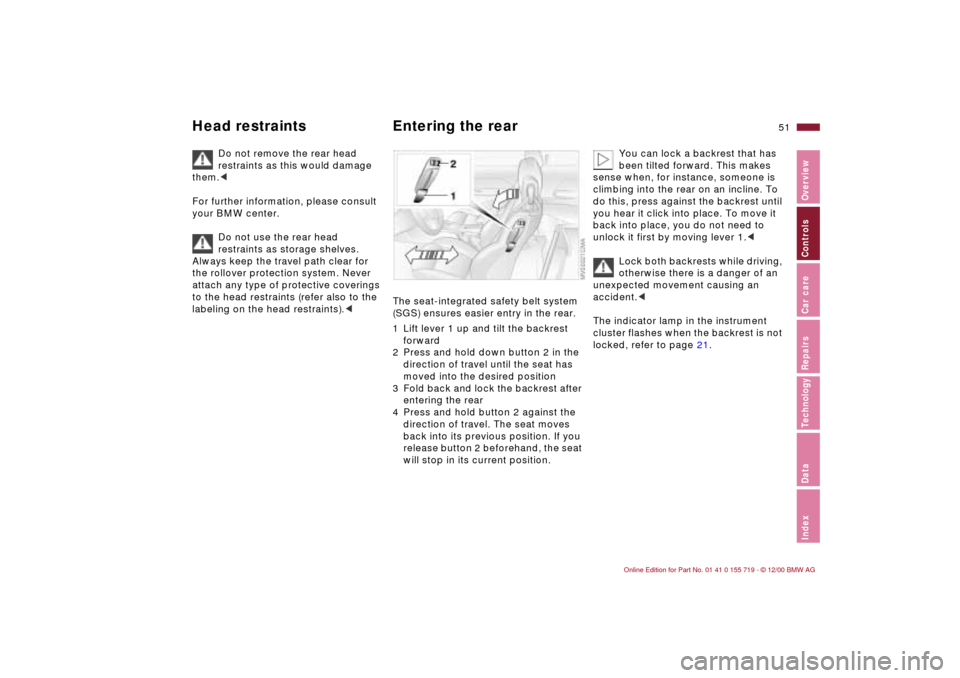
The seat-integrated safety belt system
(SGS) ensures easier entry in the rear.
1 Lift lever 1 up and tilt the backrest
forward
2 Press and hold down button 2 in the
direction of travel until the seat has
moved into the desired position
3 Fold back and lock the backrest after
entering the rear
4 Press and hold button 2 against the
direction of travel. The seat moves
back into its previous position. If you
release button 2 beforehand, the seat
will stop in its current position.
You can lock a backrest that has
been tilted forward. This makes
sense when, for instance, someone is
climbing into the rear on an incline. To
do this, press against the backrest until
you hear it click into place. To move it
back into place, you do not need to
unlock it first by moving lever 1.<
Lock both backrests while driving,
otherwise there is a danger of an
unexpected movement causing an
accident.<
The indicator lamp in the instrument
cluster flashes when the backrest is not
locked, refer to page 21.
Page 54 of 195
54n
Seat and mirror memoryYou can store and recall three different
driver's seat and outside mirror posi-
tions.
Memory will not retain the adjust-
ments made to the lumbar
supports.<
If you press the
M
EMORY button acci-
dentally: press the button again; the
indicator lamp goes out.
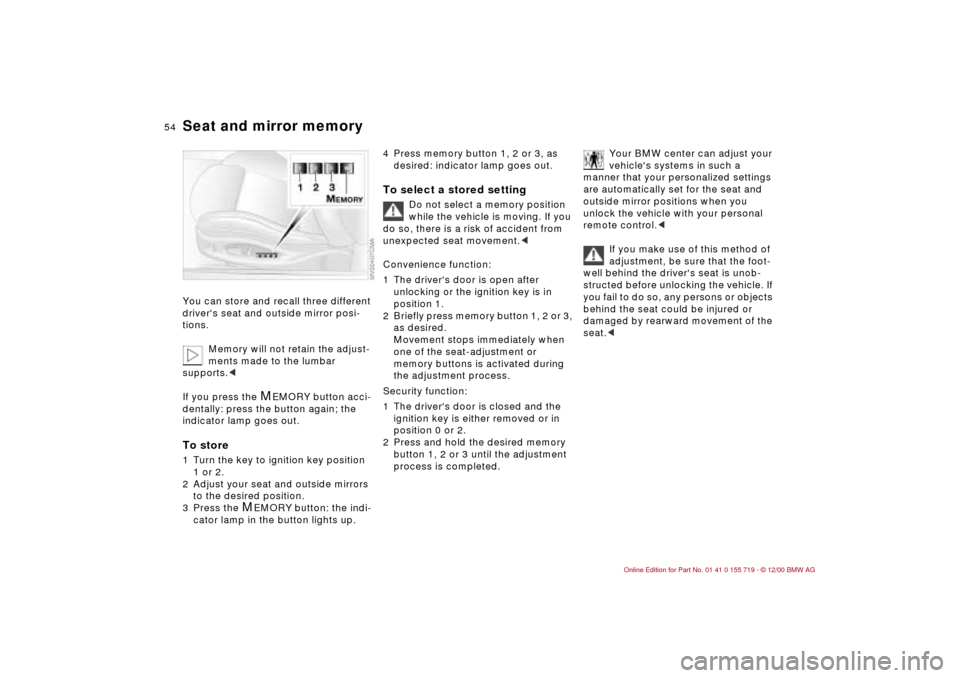
To store1 Turn the key to ignition key position
1 or 2.
2 Adjust your seat and outside mirrors
to the desired position.
3 Press the
M
EMORY button: the indi-
cator lamp in the button lights up.
4 Press memory button 1, 2 or 3, as
desired: indicator lamp goes out.To select a stored setting
Do not select a memory position
while the vehicle is moving. If you
do so, there is a risk of accident from
unexpected seat movement.<
Convenience function:
1 The driver's door is open after
unlocking or the ignition key is in
position 1.
2 Briefly press memory button 1, 2 or 3,
as desired.
Movement stops immediately when
one of the seat-adjustment or
memory buttons is activated during
the adjustment process.
Security function:
1 The driver's door is closed and the
ignition key is either removed or in
position 0 or 2.
2 Press and hold the desired memory
button 1, 2 or 3 until the adjustment
process is completed.
Your BMW center can adjust your
vehicle's systems in such a
manner that your personalized settings
are automatically set for the seat and
outside mirror positions when you
unlock the vehicle with your personal
remote control.<
If you make use of this method of
adjustment, be sure that the foot-
well behind the driver's seat is unob-
structed before unlocking the vehicle. If
you fail to do so, any persons or objects
behind the seat could be injured or
damaged by rearward movement of the
seat.<
Page 55 of 195
55n
IndexDataTechnologyRepairsCar careControlsOverview
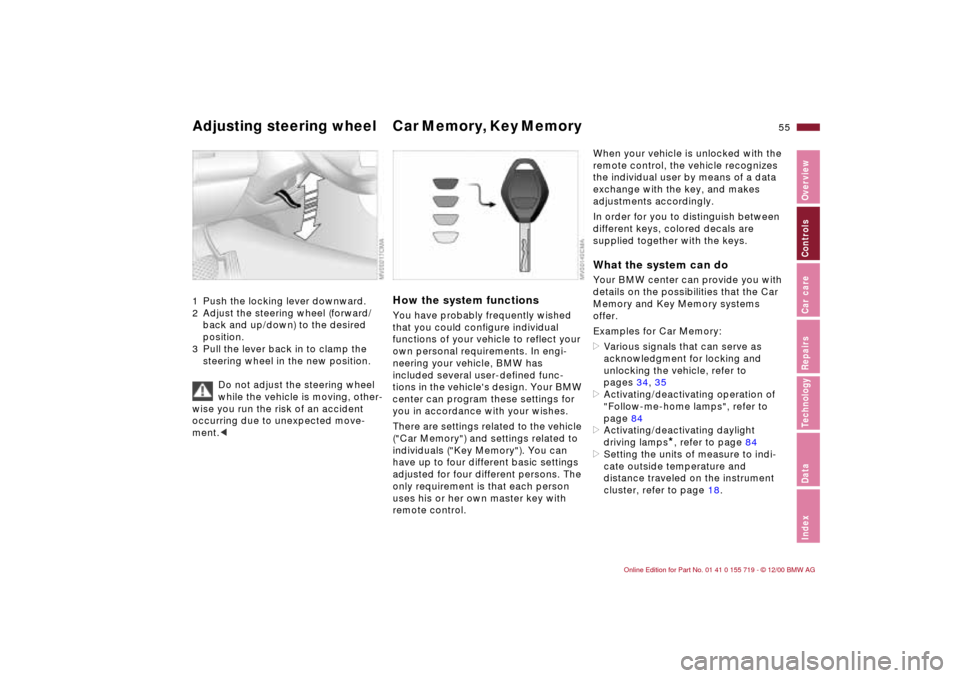
Adjusting steering wheel Car Memory, Key Memory 1 Push the locking lever downward.
2 Adjust the steering wheel (forward/
back and up/down) to the desired
position.
3 Pull the lever back in to clamp the
steering wheel in the new position.
Do not adjust the steering wheel
while the vehicle is moving, other-
wise you run the risk of an accident
occurring due to unexpected move-
ment.<
How the system functionsYou have probably frequently wished
that you could configure individual
functions of your vehicle to reflect your
own personal requirements. In engi-
neering your vehicle, BMW has
included several user-defined func-
tions in the vehicle's design. Your BMW
center can program these settings for
you in accordance with your wishes.
There are settings related to the vehicle
("Car Memory") and settings related to
individuals ("Key Memory"). You can
have up to four different basic settings
adjusted for four different persons. The
only requirement is that each person
uses his or her own master key with
remote control.
When your vehicle is unlocked with the
remote control, the vehicle recognizes
the individual user by means of a data
exchange with the key, and makes
adjustments accordingly.
In order for you to distinguish between
different keys, colored decals are
supplied together with the keys.What the system can doYour BMW center can provide you with
details on the possibilities that the Car
Memory and Key Memory systems
offer.
Examples for Car Memory:
>Various signals that can serve as
acknowledgment for locking and
unlocking the vehicle, refer to
pages 34, 35
>Activating/deactivating operation of
"Follow-me-home lamps", refer to
page 84
>Activating/deactivating daylight
driving lamps
*, refer to page 84
>Setting the units of measure to indi-
cate outside temperature and
distance traveled on the instrument
cluster, refer to page 18.
Page 56 of 195

56n
Car Memory, Key MemoryExamples for Key Memory:
>Locking the vehicle after driving off,
refer to page 38
>Unlocking and simultaneously
lowering the driver's window, refer to
page 36
>Automatically moving the seat and
outside mirror into position for that
particular person when unlocking the
vehicle, refer to page 54
>Calling up customized settings for the
automatic climate control when
unlocking using the remote control,
refer to page 90.
You will see this symbol
throughout the Owner's Manual. It
is to remind you at appropriate places
of the settings that are available to
you.<
Page 60 of 195
60n
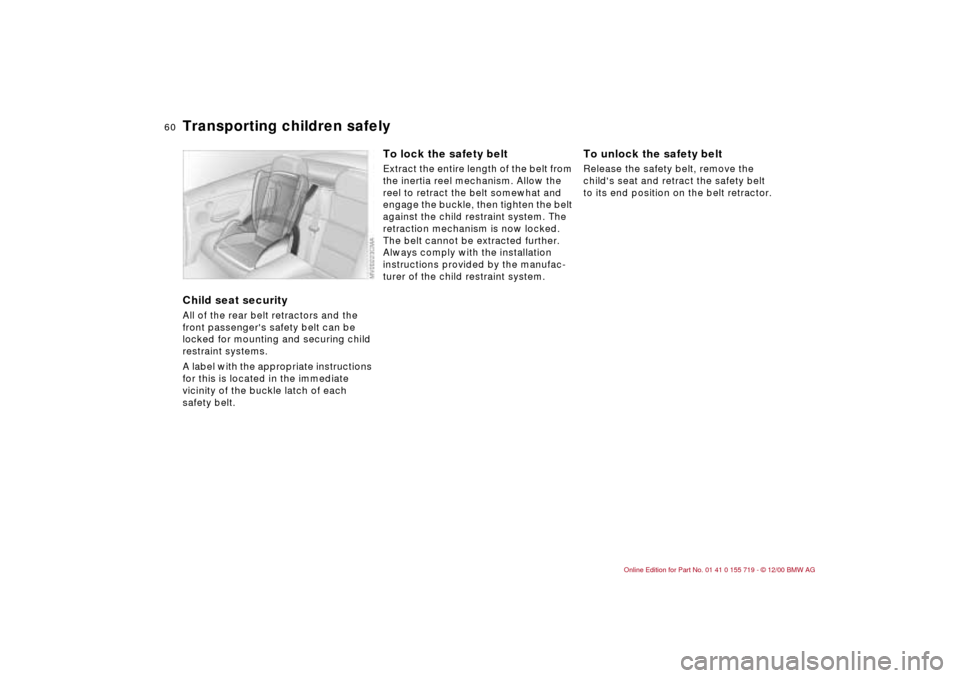
Transporting children safelyChild seat securityAll of the rear belt retractors and the
front passenger's safety belt can be
locked for mounting and securing child
restraint systems.
A label with the appropriate instructions
for this is located in the immediate
vicinity of the buckle latch of each
safety belt.
To lock the safety beltExtract the entire length of the belt from
the inertia reel mechanism. Allow the
reel to retract the belt somewhat and
engage the buckle, then tighten the belt
against the child restraint system. The
retraction mechanism is now locked.
The belt cannot be extracted further.
Always comply with the installation
instructions provided by the manufac-
turer of the child restraint system.
To unlock the safety beltRelease the safety belt, remove the
child's seat and retract the safety belt
to its end position on the belt retractor.
Page 62 of 195

62n
AirbagsSitting correctly with airbags
For your safety, comply with the
following instructions for the
airbags. If you do not, the airbags may
not be able to provide their maximum
protection. All passengers in the vehicle
should be aware of and comply with
this information:
The airbags are supplemental restraint
devices designed to provide extra
protection; they are not a substitute for
safety belts. Wear your safety belt at all
times. The airbags will not be triggered
in the event of a minor accident, a
vehicle rollover, or collisions from the
rear. In these instances, the safety belt
provides optimal protection.
Airbags are located under cover panels
in the steering wheel, in the instrument
panel and in the side trim panels in the
front and rear
*.
Adjust your seat to a position that
provides maximum distance between
you and the steering wheel, the instru-
ment panel and the door while still
allowing comfortable and safe access
to all vehicle controls.
To avoid sustaining hand and arm inju-
ries, always grasp the steering wheel
on the rim with the hands at the 9 and
3 o'clock positions. Do not place your
hands on the center pad.
Never allow any objects to obstruct the
area between the airbag and an occu-
pant.
Do not use the cover panel above the
passenger side airbag as a storage
area.
Do not apply adhesive materials to the
cover panels of the airbags, cover them
or modify them in any other way.
Do not install a rear-facing child
restraint system in the front passenger
seat of this vehicle.
Children under 13 years of age and
children less than 5 feet (150 cm) tall
should ride only in the rear seat.
Infants or small children should never
be held on the lap of a passenger.
If your vehicle is equipped with side
airbags in the rear passenger area
*, be
sure that child restraints are mounted
correctly and provided with the
greatest-possible distance between the
airbags in the side trim panels. Do not
allow children to lean out of the child's
seat in the direction of the side trim
panels. If they do so, serious injuries
can occur if the airbag is triggered.
(infants and small children in appro-
priate child restraint systems; larger
children and adults using the safety
belts). Never let an occupant's head
rest near or on a side airbag because
the inflating airbag could cause a
serious or fatal injury. Please note that
the word "Airbag" imprinted on the door
trim panel indicates the airbag's loca-
tion.
Accident research shows that the
safest place for children in an automo-
bile is in the rear seat. However, a child
sitting in the rear seat and not properly
restrained may place his or her head on
or near the airbag, if so equipped. For
example, a child — even though belted
— may fall asleep with his or her head
against the side airbag. It may be diffi-
cult for a driver to ensure that children
in the rear seat will remain properly
positioned at all times and not place
their heads on or near the side airbag.
Therefore, we recommend that the rear
seat side airbags, if so equipped, be
deactivated if children will travel in the
rear seat.
The rear seat side airbags may already
have been deactivated, either at the
time of manufacture or by a BMW
Page 66 of 195
66n
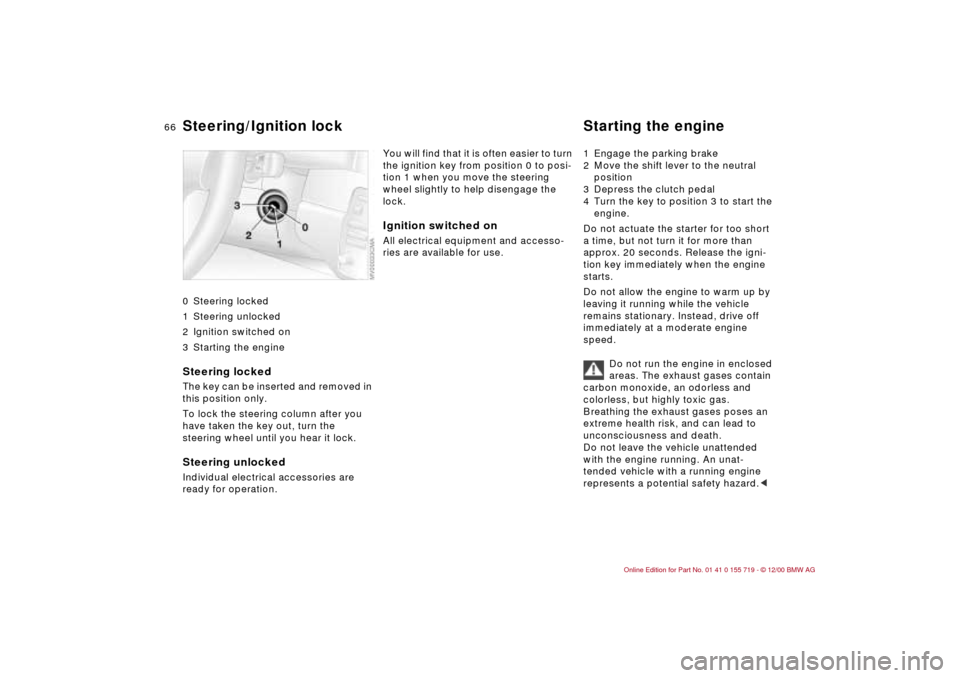
0 Steering locked
1 Steering unlocked
2 Ignition switched on
3 Starting the engine
Steering locked The key can be inserted and removed in
this position only.
To lock the steering column after you
have taken the key out, turn the
steering wheel until you hear it lock.Steering unlocked Individual electrical accessories are
ready for operation.
You will find that it is often easier to turn
the ignition key from position 0 to posi-
tion 1 when you move the steering
wheel slightly to help disengage the
lock. Ignition switched onAll electrical equipment and accesso-
ries are available for use. 1 Engage the parking brake
2 Move the shift lever to the neutral
position
3 Depress the clutch pedal
4 Turn the key to position 3 to start the
engine.
Do not actuate the starter for too short
a time, but not turn it for more than
approx. 20 seconds. Release the igni-
tion key immediately when the engine
starts.
Do not allow the engine to warm up by
leaving it running while the vehicle
remains stationary. Instead, drive off
immediately at a moderate engine
speed.
Do not run the engine in enclosed
areas. The exhaust gases contain
carbon monoxide, an odorless and
colorless, but highly toxic gas.
Breathing the exhaust gases poses an
extreme health risk, and can lead to
unconsciousness and death.
Do not leave the vehicle unattended
with the engine running. An unat-
tended vehicle with a running engine
represents a potential safety hazard.<
Steering/Ignition lock Starting the engine
Page 67 of 195
67n
IndexDataTechnologyRepairsCar careControlsOverview
Starting the engine Switching off the engine Parking brake If the engine does not start on the first
attempt (if it is very hot or cold, for
instance):
>Press the accelerator pedal halfway
down while engaging the starter.
Cold starts at very low temperatures,
starting at approx. 5 7 (–15 6) and at
high altitudes (over 1,000 meters):
>On the first start attempt, engage the
starter for a longer period (approx.
10 seconds)
>Press the accelerator pedal halfway
down while engaging the starter.
Engine idle speed is controlled by the
engine computer system. Increased
speeds at startup are normal and
should decrease as the engine warms
up. If engine speed does not decrease,
service is required.
To prevent the battery from
discharging, always deactivate elec-
trical devices that are not in use. Switch
the ignition off when the vehicle is not
being driven.Turn the ignition key to position 1 or 0.
Do not remove the ignition key
while the vehicle is still moving.
If you did so, the steering lock would
engage when the steering wheel is
turned.
When you leave the vehicle, always
remove the ignition key and engage the
steering lock.
Set the parking brake when parking on
steep hills, because under certain
conditions, putting the vehicle into first
or reverse gear may not be enough to
prevent it from rolling away.
The power assist is not available when
the engine is not on. This means that
more effort is required for braking.<
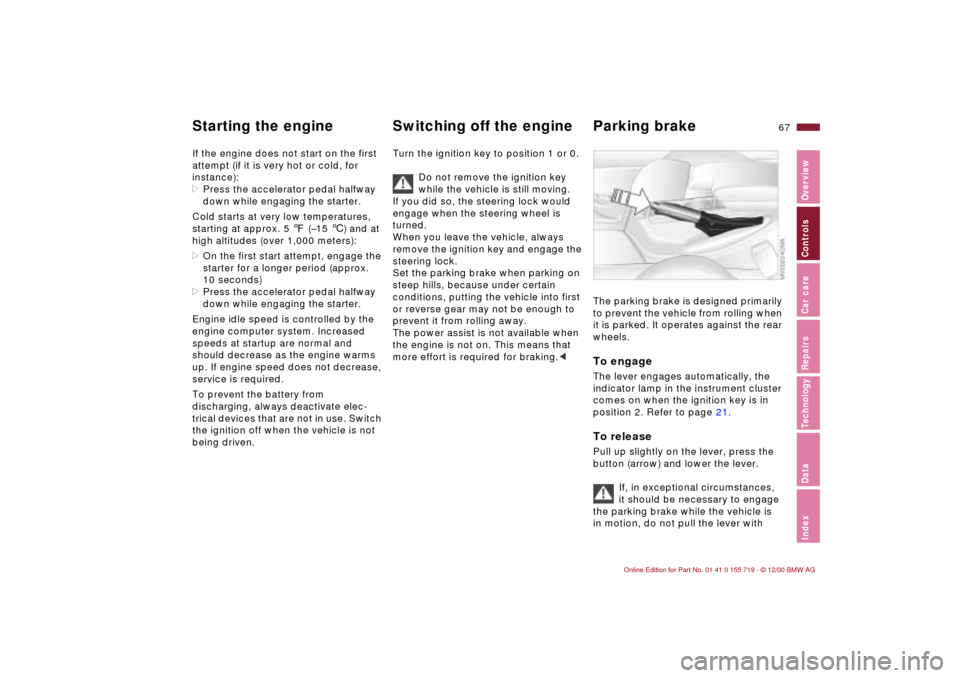
The parking brake is designed primarily
to prevent the vehicle from rolling when
it is parked. It operates against the rear
wheels. To engageThe lever engages automatically, the
indicator lamp in the instrument cluster
comes on when the ignition key is in
position 2. Refer to page 21.To releasePull up slightly on the lever, press the
button (arrow) and lower the lever.
If, in exceptional circumstances,
it should be necessary to engage
the parking brake while the vehicle is
in motion, do not pull the lever with
Page 76 of 195
76n
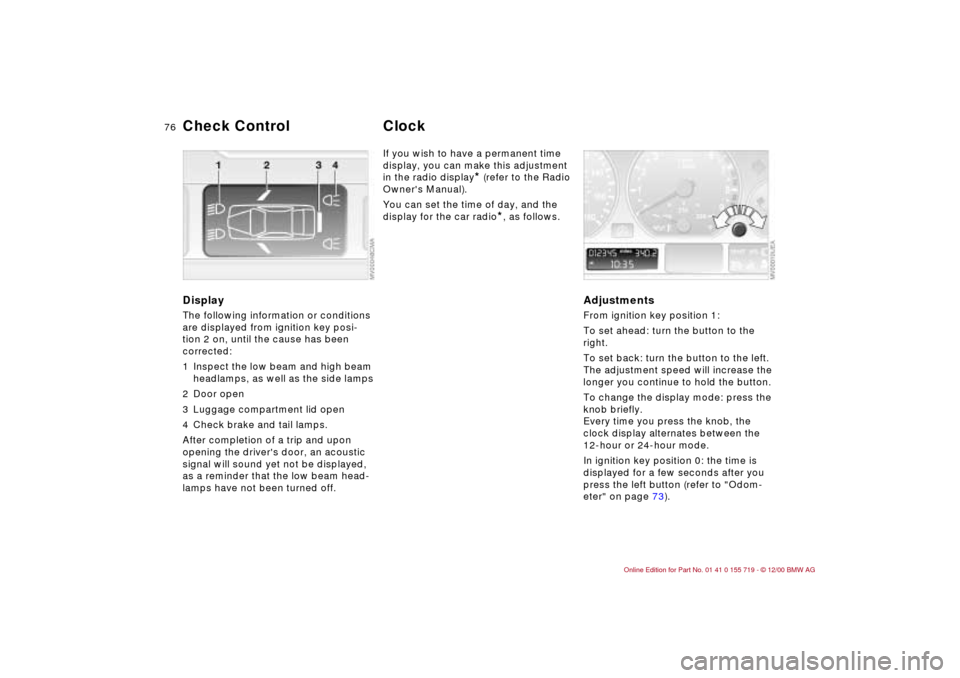
DisplayThe following information or conditions
are displayed from ignition key posi-
tion 2 on, until the cause has been
corrected:
1 Inspect the low beam and high beam
headlamps, as well as the side lamps
2 Door open
3 Luggage compartment lid open
4 Check brake and tail lamps.
After completion of a trip and upon
opening the driver's door, an acoustic
signal will sound yet not be displayed,
as a reminder that the low beam head-
lamps have not been turned off.
If you wish to have a permanent time
display, you can make this adjustment
in the radio display
* (refer to the Radio
Owner's Manual).
You can set the time of day, and the
display for the car radio
*, as follows.
Adjustments From ignition key position 1:
To set ahead: turn the button to the
right.
To set back: turn the button to the left.
The adjustment speed will increase the
longer you continue to hold the button.
To change the display mode: press the
knob briefly.
Every time you press the knob, the
clock display alternates between the
12-hour or 24-hour mode.
In ignition key position 0: the time is
displayed for a few seconds after you
press the left button (refer to "Odom-
eter" on page 73).
Check Control
Clock