warning BMW M3 CONVERTIBLE 2002 E46 User Guide
[x] Cancel search | Manufacturer: BMW, Model Year: 2002, Model line: M3 CONVERTIBLE, Model: BMW M3 CONVERTIBLE 2002 E46Pages: 159, PDF Size: 2.19 MB
Page 28 of 159
28n
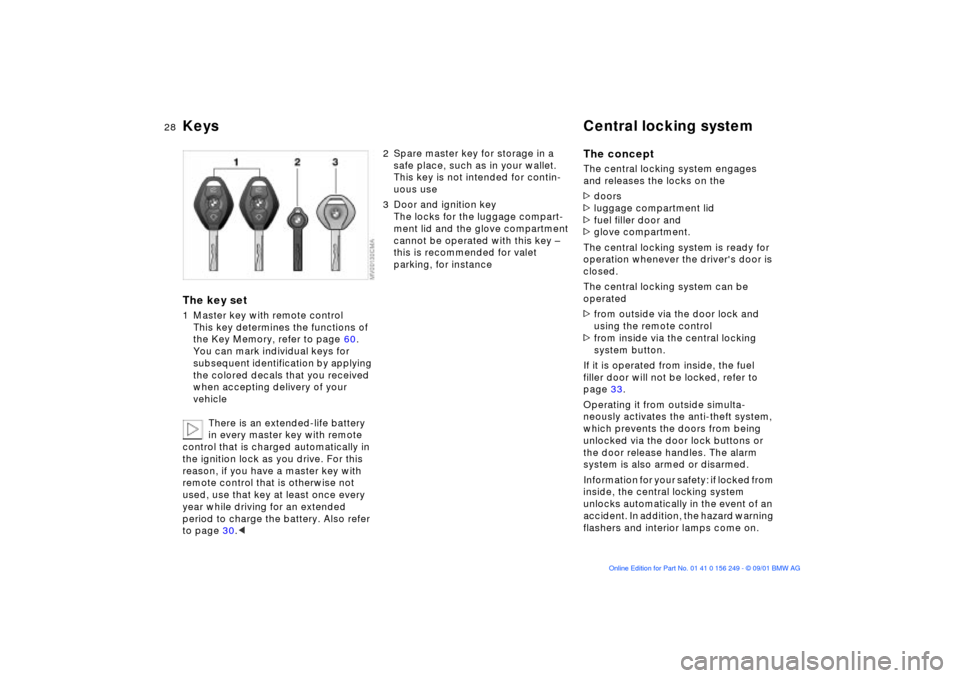
Keys Central locking systemThe key set1 Master key with remote control
This key determines the functions of
the Key Memory, refer to page 60.
You can mark individual keys for
subsequent identification by applying
the colored decals that you received
when accepting delivery of your
vehicle
There is an extended-life battery
in every master key with remote
control that is charged automatically in
the ignition lock as you drive. For this
reason, if you have a master key with
remote control that is otherwise not
used, use that key at least once every
year while driving for an extended
period to charge the battery. Also refer
to page 30.<
2 Spare master key for storage in a
safe place, such as in your wallet.
This key is not intended for contin-
uous use
3 Door and ignition key
The locks for the luggage compart-
ment lid and the glove compartment
cannot be operated with this key Ð
this is recommended for valet
parking, for instance
The conceptThe central locking system engages
and releases the locks on the
>doors
>luggage compartment lid
>fuel filler door and
>glove compartment.
The central locking system is ready for
operation whenever the driver's door is
closed.
The central locking system can be
operated
>from outside via the door lock and
using the remote control
>from inside via the central locking
system button.
If it is operated from inside, the fuel
filler door will not be locked, refer to
page 33.
Operating it from outside simulta-
neously activates the anti-theft system,
which prevents the doors from being
unlocked via the door lock buttons or
the door release handles. The alarm
system is also armed or disarmed.
Information for your safety: if locked from
inside, the central locking system
unlocks automatically in the event of an
accident. In addition, the hazard warning
flashers and interior lamps come on.
Page 37 of 159
37n
OverviewControlsMaintenanceRepairsDataIndex
Luggage compartment Alarm system
*
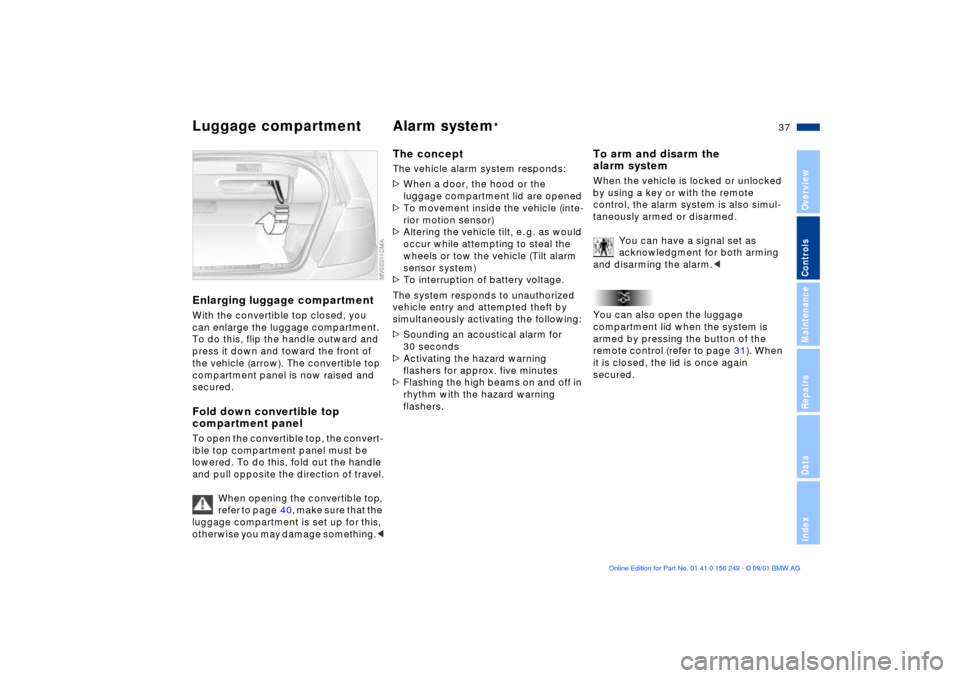
Enlarging luggage compartmentWith the convertible top closed, you
can enlarge the luggage compartment.
To do this, flip the handle outward and
press it down and toward the front of
the vehicle (arrow). The convertible top
compartment panel is now raised and
secured.Fold down convertible top
compartment panelTo open the convertible top, the convert-
ible top compartment panel must be
lowered. To do this, fold out the handle
and pull opposite the direction of travel.
When opening the convertible top,
refer to page 40, make sure that the
luggage compartment is set up for this,
otherwise you may damage something.<
The conceptThe vehicle alarm system responds:
>When a door, the hood or the
luggage compartment lid are opened
>To movement inside the vehicle (inte-
rior motion sensor)
>Altering the vehicle tilt, e. g. as would
occur while attempting to steal the
wheels or tow the vehicle (Tilt alarm
sensor system)
>To interruption of battery voltage.
The system responds to unauthorized
vehicle entry and attempted theft by
simultaneously activating the following:
>Sounding an acoustical alarm for
30 seconds
>Activating the hazard warning
flashers for approx. five minutes
>Flashing the high beams on and off in
rhythm with the hazard warning
flashers.
To arm and disarm the
alarm systemWhen the vehicle is locked or unlocked
by using a key or with the remote
control, the alarm system is also simul-
taneously armed or disarmed.
You can have a signal set as
acknowledgment for both arming
and disarming the alarm.<
You can also open the luggage
compartment lid when the system is
armed by pressing the button of the
remote control (refer to page 31). When
it is closed, the lid is once again
secured.
Page 53 of 159
53n
OverviewControlsMaintenanceRepairsDataIndex
Airbags
At all times, occupants should sit
upright and be properly restrained
(infants and small children in appro-
priate child-restraint systems; larger
children and adults using the safety
belts). Never let an occupant's head
rest near or on a side airbag because
the inflating airbag could cause a
serious or fatal injury. Please note that
the word "Airbag" imprinted on the door
trim panel indicates the airbag's loca-
tion.
Accident research shows that the
safest place for children in an
automobile is in the rear seat. However,
a child sitting in the rear seat and not
properly restrained may place his or her
head on or near the side airbag, if so
equipped. For example, a child Ð even
though belted Ð may fall asleep with his
or her head against the side airbag. It
may be difficult for a driver to ensure
that children in the rear seat will remain
properly positioned at all times and not
place their heads on or near the side
airbag. Therefore, we recommend that
the rear seat side airbags, if provided,
be deactivated if you plan to transport
children in the rear seat.
The rear seat side airbags may already
have been deactivated, either at the
time of manufacture or by a BMW
center. Labels in the rear door opening
should indicate the status of your rear
seat side airbags. If you are uncertain of
their status, or wish to have the airbags
activated or deactivated, please
contact your BMW center.<
Even when all these guidelines are
observed, there is still a small residual
risk of injuries to the face, hands and
arms occurring from airbag deployment
in isolated instances. The ignition and
inflation noise may provoke a mild
temporary hearing loss in extremely
sensitive individuals.
Airbag warning information is also
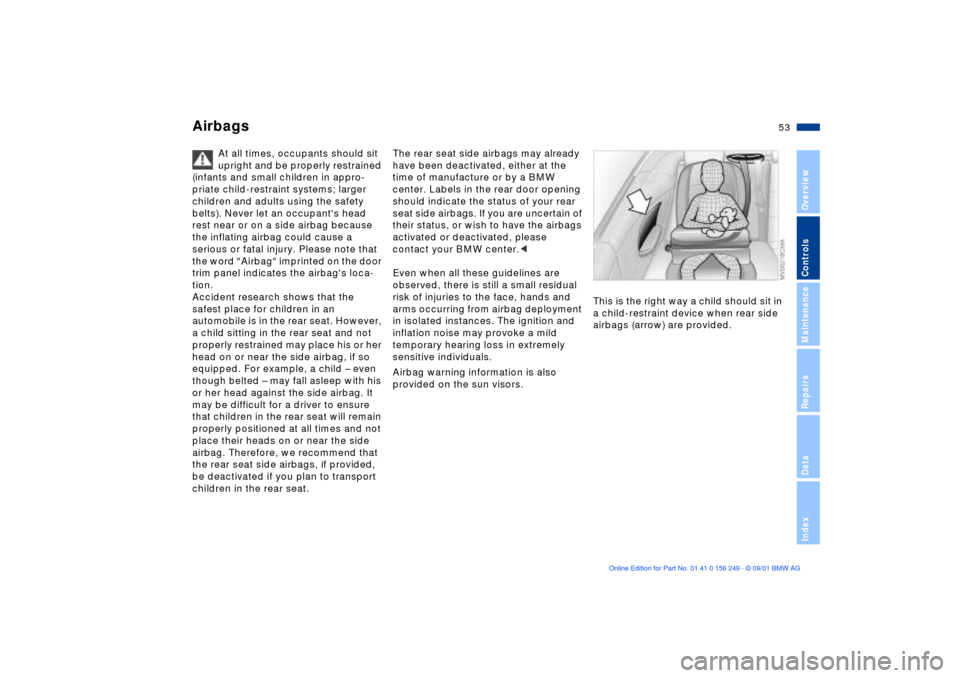
provided on the sun visors. This is the right way a child should sit in
a child-restraint device when rear side
airbags (arrow) are provided.
Page 66 of 159
66n
Sequential M gearbox
* SMG II
The warning stops after approx. 10
seconds. If you move the selector lever
into a forward or reverse position
during this time, a gear is automatically
engaged.
The SMG II has no park position
for securing the vehicle against
rolling.
The ignition key can be removed in any
selector lever position.<
Always engage the parking brake
when parking on downhill roads.
Engaging a gear may not sufficiently
secure the vehicle against rolling.<
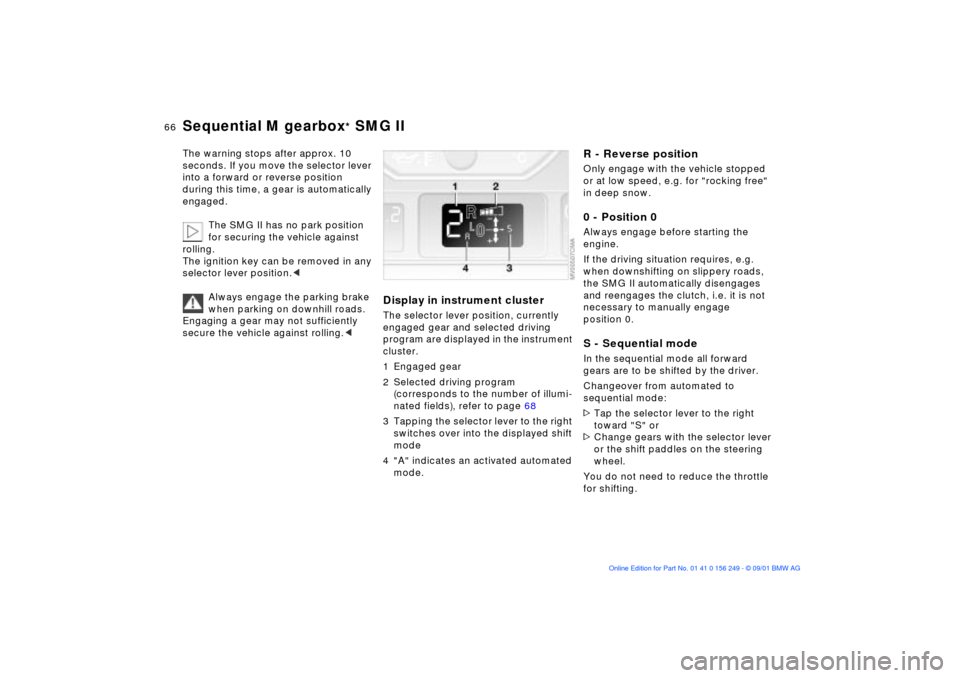
Display in instrument clusterThe selector lever position, currently
engaged gear and selected driving
program are displayed in the instrument
cluster.
1 Engaged gear
2 Selected driving program
(corresponds to the number of illumi-
nated fields), refer to page 68
3 Tapping the selector lever to the right
switches over into the displayed shift
mode
4 "A" indicates an activated automated
mode.
R - Reverse positionOnly engage with the vehicle stopped
or at low speed, e.g. for "rocking free"
in deep snow.0 - Position 0Always engage before starting the
engine.
If the driving situation requires, e.g.
when downshifting on slippery roads,
the SMG II automatically disengages
and reengages the clutch, i.e. it is not
necessary to manually engage
position 0. S - Sequential modeIn the sequential mode all forward
gears are to be shifted by the driver.
Changeover from automated to
sequential mode:
>Tap the selector lever to the right
toward "S" or
>Change gears with the selector lever
or the shift paddles on the steering
wheel.
You do not need to reduce the throttle
for shifting.
Page 75 of 159
75n
OverviewControlsMaintenanceRepairsDataIndex
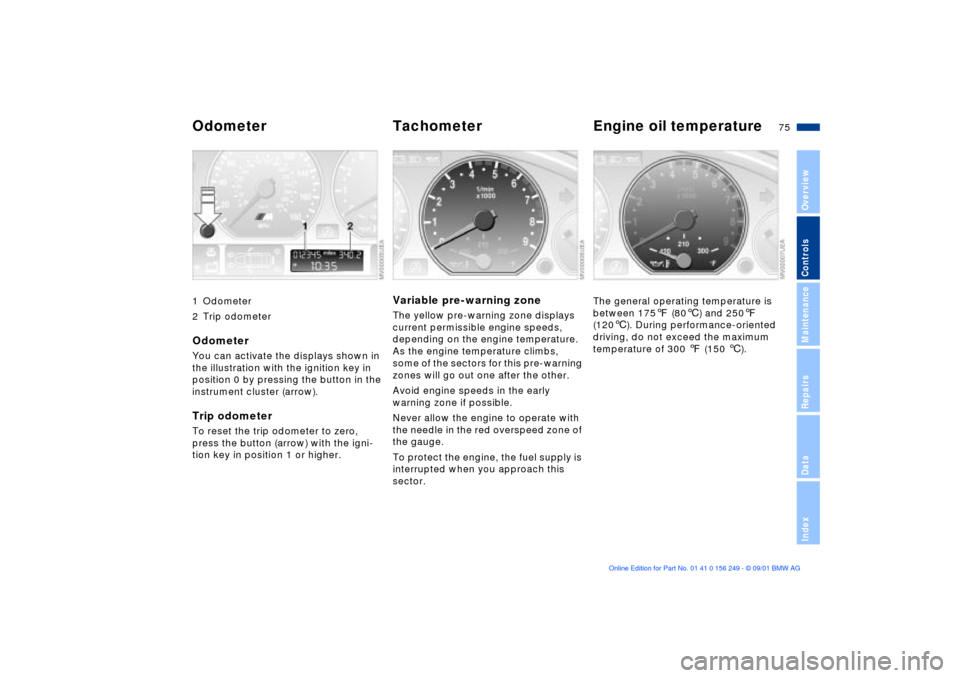
1 Odometer
2 Trip odometerOdometerYou can activate the displays shown in
the illustration with the ignition key in
position 0 by pressing the button in the
instrument cluster (arrow).Trip odometerTo reset the trip odometer to zero,
press the button (arrow) with the igni-
tion key in position 1 or higher.
Variable pre-warning zoneThe yellow pre-warning zone displays
current permissible engine speeds,
depending on the engine temperature.
As the engine temperature climbs,
some of the sectors for this pre-warning
zones will go out one after the other.
Avoid engine speeds in the early
warning zone if possible.
Never allow the engine to operate with
the needle in the red overspeed zone of
the gauge.
To protect the engine, the fuel supply is
interrupted when you approach this
sector.
The general operating temperature is
between 1757 (806) and 2507
(1206). During performance-oriented
driving, do not exceed the maximum
temperature of 300 7 (150 6).
Odometer Tachometer Engine oil temperature
Page 76 of 159
76n
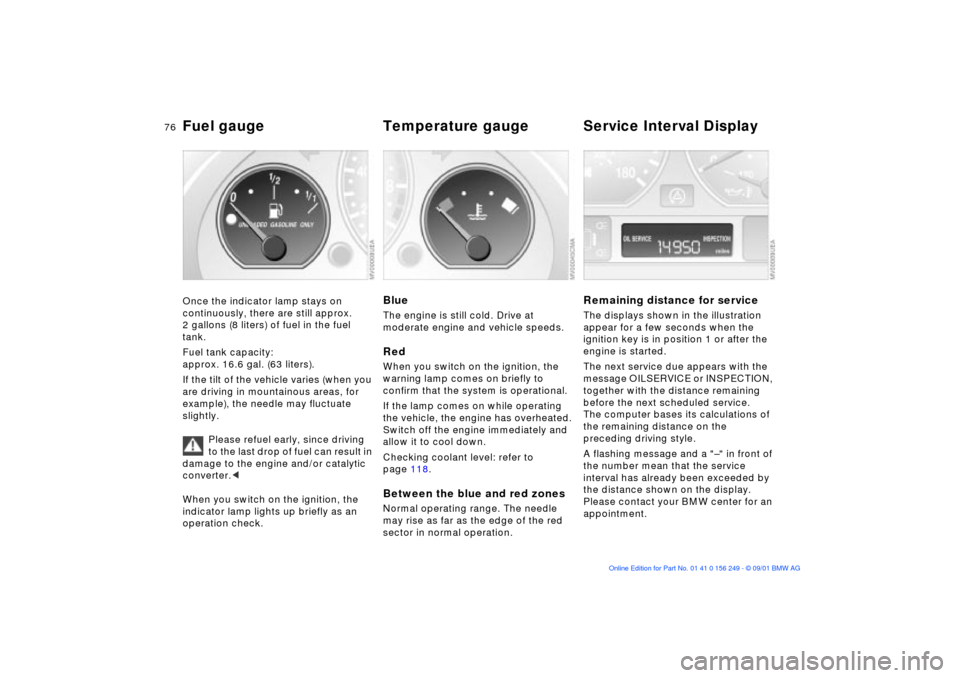
Fuel gauge Temperature gauge Service Interval Display Once the indicator lamp stays on
continuously, there are still approx.
2 gallons (8 liters) of fuel in the fuel
tank.
Fuel tank capacity:
approx. 16.6 gal. (63 liters).
If the tilt of the vehicle varies (when you
are driving in mountainous areas, for
example), the needle may fluctuate
slightly.
Please refuel early, since driving
to the last drop of fuel can result in
damage to the engine and/or catalytic
converter.<
When you switch on the ignition, the
indicator lamp lights up briefly as an
operation check.
BlueThe engine is still cold. Drive at
moderate engine and vehicle speeds. RedWhen you switch on the ignition, the
warning lamp comes on briefly to
confirm that the system is operational.
If the lamp comes on while operating
the vehicle, the engine has overheated.
Switch off the engine immediately and
allow it to cool down.
Checking coolant level: refer to
page 118.Between the blue and red zonesNormal operating range. The needle
may rise as far as the edge of the red
sector in normal operation.
Remaining distance for serviceThe displays shown in the illustration
appear for a few seconds when the
ignition key is in position 1 or after the
engine is started.
The next service due appears with the
message OILSERVICE or INSPECTION,
together with the distance remaining
before the next scheduled service.
The computer bases its calculations of
the remaining distance on the
preceding driving style.
A flashing message and a "Ð" in front of
the number mean that the service
interval has already been exceeded by
the distance shown on the display.
Please contact your BMW center for an
appointment.
Page 78 of 159
78n
Computer
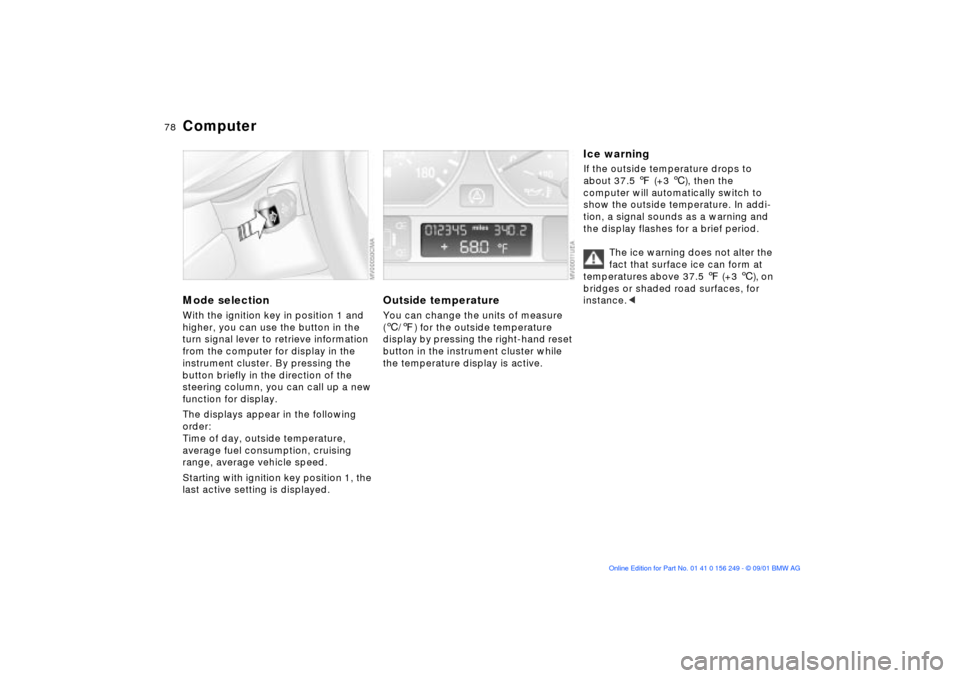
Mode selectionWith the ignition key in position 1 and
higher, you can use the button in the
turn signal lever to retrieve information
from the computer for display in the
instrument cluster. By pressing the
button briefly in the direction of the
steering column, you can call up a new
function for display.
The displays appear in the following
order:
Time of day, outside temperature,
average fuel consumption, cruising
range, average vehicle speed.
Starting with ignition key position 1, the
last active setting is displayed.
Outside temperature You can change the units of measure
(6/7) for the outside temperature
display by pressing the right-hand reset
button in the instrument cluster while
the temperature display is active.
Ice warning If the outside temperature drops to
about 37.5 7 (+3 6), then the
computer will automatically switch to
show the outside temperature. In addi-
tion, a signal sounds as a warning and
the display flashes for a brief period.
The ice warning does not alter the
fact that surface ice can form at
temperatures above 37.5 7 (+3 6), on
bridges or shaded road surfaces, for
instance.<
Page 80 of 159

80n
The conceptThe PDC assists you when you back
into a parking space. A signal warns
you of the distance to an obstacle. To
do this, four ultrasonic sensors in the
rear bumper measure the distance to
the nearest object. The range for the
sensors located at both rear corners
ends approx. 2 ft (60 cm) behind the
bumpers. The range for the two middle
sensors is slightly less than 4.9 ft
(1.50 m).
The system is activated automatically
about one second after you engage
reverse with the ignition key in position
2. PDC is deactivated when you shift
back out of reverse.
Acoustic signalsThe distance to the nearest object is
indicated by a tone sounding at various
intervals. As the distance between
vehicle and object decreases, the inter-
vals between the tones become
shorter. A continuous tone indicates the
presence of an object less than 1 ft
(30 cm) away.
The warning signal is canceled after
approx. three seconds if the distance to
the obstacle remains constant during
this time (if you are moving parallel to a
wall, for instance).
System malfunctions will be indicated
by a continuous high-pitched tone
when the system is activated the first
time. Please have your BMW center
resolve the problem.The PDC does not remove the
driver's personal responsibility
for evaluating the distance between the
vehicle and any obstacles. Even when
sensors are involved, there is a blind
spot in which objects cannot be
detected. This applies especially in
those cases where the system
approaches the physical limits of ultra-
sonic measurement, as occurs with
e. g. tow bars and trailer couplings, and
in the vicinity of thin and wedge-shaped
objects.
Certain sources of sound, such as a
loud radio, could drown the PDC signal
tone.<
Keep the sensors clean and free
of ice or snow in order to ensure
that they will continue to operate effec-
tively.
Do not apply high pressure spray to the
sensors for a prolonged period of time.
Always maintain a distance of more
than 4 in (10 cm).<
Park Distance Control (PDC)
*
Page 84 of 159
84n
Flat Tire Monitor
M Engine dynamics control
Flat tire
The indicator lamp in the instru-
ment cluster will light up red in
the event of a flat tire with
ensuing loss in pressure. In addition, an
acoustic signal is sounded. To come to
an immediate stop, reduce speed, while
avoiding any sudden, jerky braking or
steering maneuvers.
Fix the flat tire using the M Mobility
system (refer to page 132).
Resetting the indicator lamp: the red
indicator lamp has to be switched off
manually after putting on a new wheel.
At this point, hold the Flat Tire Monitor
button down until the indicator lamp
goes out. Reinitialize the system after-
ward.
The Flat Tire Monitor cannot alert
you to severe and sudden tire
damage caused by external factors.
Another factor which the Flat Tire
Monitor does not recognize is the
balanced and very gradual pressure
loss that takes place in all tires over an
extended period of time.<
Check the tire inflation pressure
on a regular basis and correct if
necessary, refer to page 24.
Under certain circumstances, there
may be false warnings or a delayed
detection of losses in pressure when
driving on snow-covered or slippery
road surfaces.
Performance-oriented driving (slip at
the drive wheels, high levels of lateral
acceleration) can also delay the
appearance of status reports in the Flat
Tire Monitor's display panel.<
System malfunctionAs long as there is still a malfunction,
the indicator lamp in the instrument
cluster will stay lit up yellow.
Please contact your BMW center for
additional information.
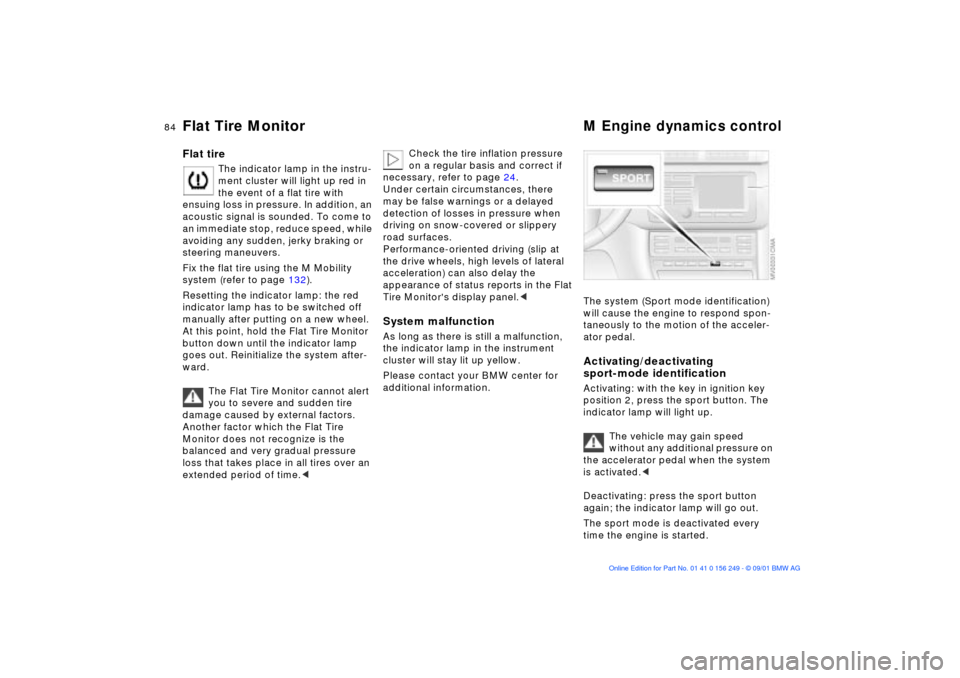
The system (Sport mode identification)
will cause the engine to respond spon-
taneously to the motion of the acceler-
ator pedal. Activating/deactivating
sport-mode identificationActivating: with the key in ignition key
position 2, press the sport button. The
indicator lamp will light up.
The vehicle may gain speed
without any additional pressure on
the accelerator pedal when the system
is activated.<
Deactivating: press the sport button
again; the indicator lamp will go out.
The sport mode is deactivated every
time the engine is started.
Page 85 of 159
85n
OverviewControlsMaintenanceRepairsDataIndex
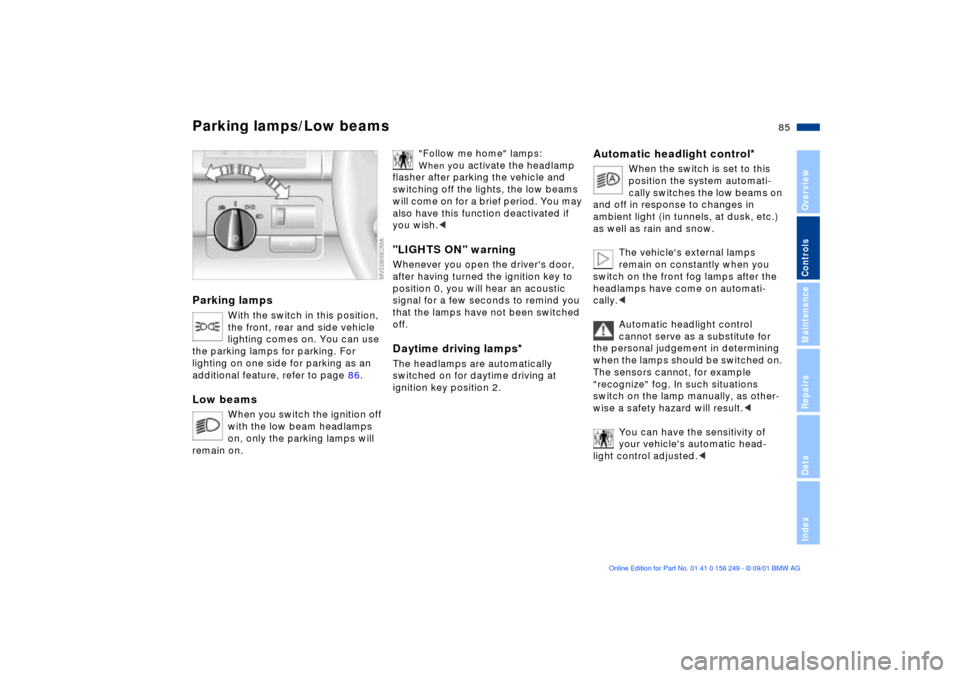
Parking lamps
With the switch in this position,
the front, rear and side vehicle
lighting comes on. You can use
the parking lamps for parking. For
lighting on one side for parking as an
additional feature, refer to page 86.
Low beams
When you switch the ignition off
with the low beam headlamps
on, only the parking lamps will
remain on.
"Follow me home" lamps: When y
ou activate the headlamp
flasher after parking the vehicle and
switching off the lights, the low beams
will come on for a brief period. You may
also have this function deactivated if
you wish.<
"LIGHTS ON" warningWhenever you open the driver's door,
after having turned the ignition key to
position 0, you will hear an acoustic
signal for a few seconds to remind you
that the lamps have not been switched
off.Daytime driving lamps
*
The headlamps are automatically
switched on for daytime driving at
ignition key position 2.
Automatic headlight control
*
When the switch is set to this
position the system automati-
cally switches the low beams on
and off in response to changes in
ambient light ( in tunnels, at dusk, etc.)
as well as rain and snow.
The vehicle's external lamps
remain on constantly when you
switch on the front fog lamps after the
headlamps have come on automati-
cally.<
Automatic headlight control
cannot serve as a substitute for
the personal judgement in determining
when the lamps should be switched on.
The sensors cannot, for example
"recognize" fog. In such situations
switch on the lamp manually, as other-
wise a safety hazard will result.<
You can have the sensitivity of
your vehicle's automatic head-
light control adjusted.<
Parking lamps/Low beams