ECU BMW M3 CONVERTIBLE 2004 E46 User Guide
[x] Cancel search | Manufacturer: BMW, Model Year: 2004, Model line: M3 CONVERTIBLE, Model: BMW M3 CONVERTIBLE 2004 E46Pages: 174, PDF Size: 2.67 MB
Page 72 of 174
72
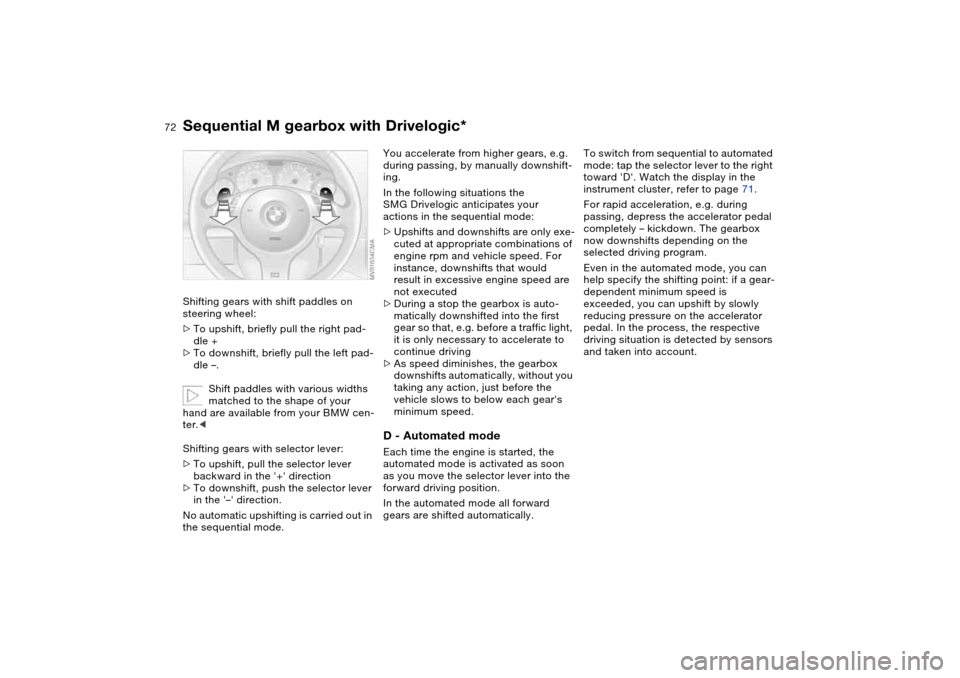
Shifting gears with shift paddles on
steering wheel:
>To upshift, briefly pull the right pad-
dle +
>To downshift, briefly pull the left pad-
dle –.
Shift paddles with various widths
matched to the shape of your
hand are available from your BMW cen-
ter.<
Shifting gears with selector lever:
>To upshift, pull the selector lever
backward in the '+' direction
>To downshift, push the selector lever
in the '–' direction.
No automatic upshifting is carried out in
the sequential mode.
You accelerate from higher gears, e.g.
during passing, by manually downshift-
ing.
In the following situations the
SMG Drivelogic anticipates your
actions in the sequential mode:
>Upshifts and downshifts are only exe-
cuted at appropriate combinations of
engine rpm and vehicle speed. For
instance, downshifts that would
result in excessive engine speed are
not executed
>During a stop the gearbox is auto-
matically downshifted into the first
gear so that, e.g. before a traffic light,
it is only necessary to accelerate to
continue driving
>As speed diminishes, the gearbox
downshifts automatically, without you
taking any action, just before the
vehicle slows to below each gear's
minimum speed.D - Automated modeEach time the engine is started, the
automated mode is activated as soon
as you move the selector lever into the
forward driving position.
In the automated mode all forward
gears are shifted automatically.To switch from sequential to automated
mode: tap the selector lever to the right
toward 'D'. Watch the display in the
instrument cluster, refer to page 71.
For rapid acceleration, e.g. during
passing, depress the accelerator pedal
completely – kickdown. The gearbox
now downshifts depending on the
selected driving program.
Even in the automated mode, you can
help specify the shifting point: if a gear-
dependent minimum speed is
exceeded, you can upshift by slowly
reducing pressure on the accelerator
pedal. In the process, the respective
driving situation is detected by sensors
and taken into account.
Sequential M gearbox with Drivelogic*
Page 74 of 174
74
Indicator lamp
The gearbox indicator lamp in
the instrument cluster goes out
after the engine is started.
>If it does not go out, or if it lights up
during driving, a malfunction has
occurred. The available functions
may be limited under certain circum-
stances.
Drive carefully and with the Dynamic
Stability Control (DSC) activated.
Have the system checked by the
nearest BMW center
>If the indicator lamp flashes while
driving, the system is overloaded.
Avoid high loads until the indicator
lamp goes out again permanently.
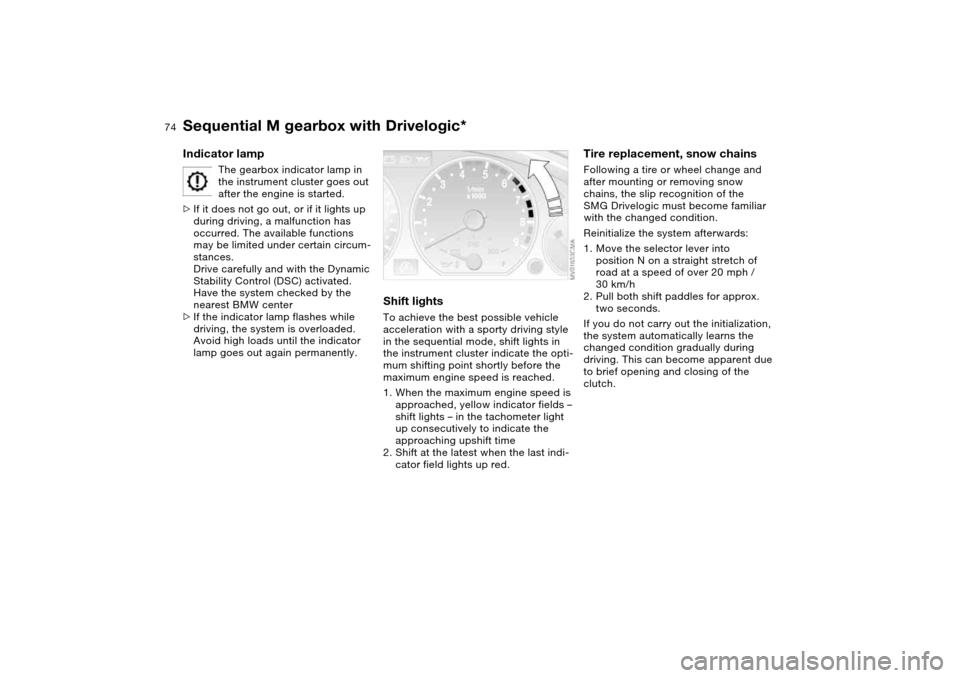
Shift lightsTo achieve the best possible vehicle
acceleration with a sporty driving style
in the sequential mode, shift lights in
the instrument cluster indicate the opti-
mum shifting point shortly before the
maximum engine speed is reached.
1. When the maximum engine speed is
approached, yellow indicator fields –
shift lights – in the tachometer light
up consecutively to indicate the
approaching upshift time
2. Shift at the latest when the last indi-
cator field lights up red.
Tire replacement, snow chainsFollowing a tire or wheel change and
after mounting or removing snow
chains, the slip recognition of the
SMG Drivelogic must become familiar
with the changed condition.
Reinitialize the system afterwards:
1. Move the selector lever into
position N on a straight stretch of
road at a speed of over 20 mph /
30 km/h
2. Pull both shift paddles for approx.
two seconds.
If you do not carry out the initialization,
the system automatically learns the
changed condition gradually during
driving. This can become apparent due
to brief opening and closing of the
clutch.
Sequential M gearbox with Drivelogic*
Page 87 of 174
87
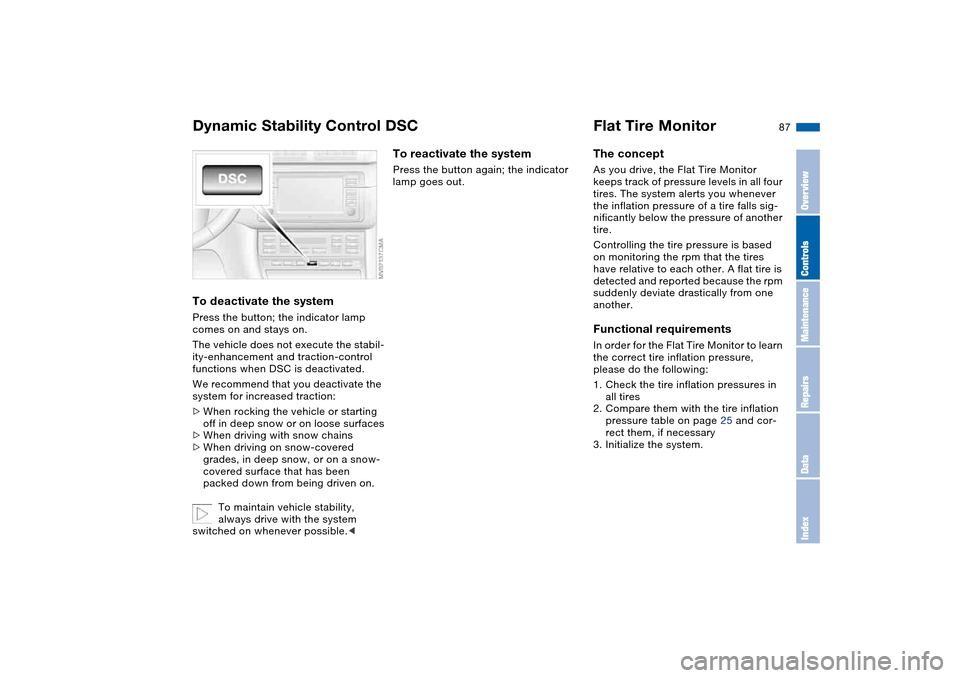
To deactivate the systemPress the button; the indicator lamp
comes on and stays on.
The vehicle does not execute the stabil-
ity-enhancement and traction-control
functions when DSC is deactivated.
We recommend that you deactivate the
system for increased traction:
>When rocking the vehicle or starting
off in deep snow or on loose surfaces
>When driving with snow chains
>When driving on snow-covered
grades, in deep snow, or on a snow-
covered surface that has been
packed down from being driven on.
To maintain vehicle stability,
always drive with the system
switched on whenever possible.<
To reactivate the systemPress the button again; the indicator
lamp goes out.
Flat Tire MonitorThe conceptAs you drive, the Flat Tire Monitor
keeps track of pressure levels in all four
tires. The system alerts you whenever
the inflation pressure of a tire falls sig-
nificantly below the pressure of another
tire.
Controlling the tire pressure is based
on monitoring the rpm that the tires
have relative to each other. A flat tire is
detected and reported because the rpm
suddenly deviate drastically from one
another.Functional requirementsIn order for the Flat Tire Monitor to learn
the correct tire inflation pressure,
please do the following:
1. Check the tire inflation pressures in
all tires
2. Compare them with the tire inflation
pressure table on page 25 and cor-
rect them, if necessary
3. Initialize the system.
Dynamic Stability Control DSC
OverviewControlsMaintenanceRepairsDataIndex
Page 105 of 174
105
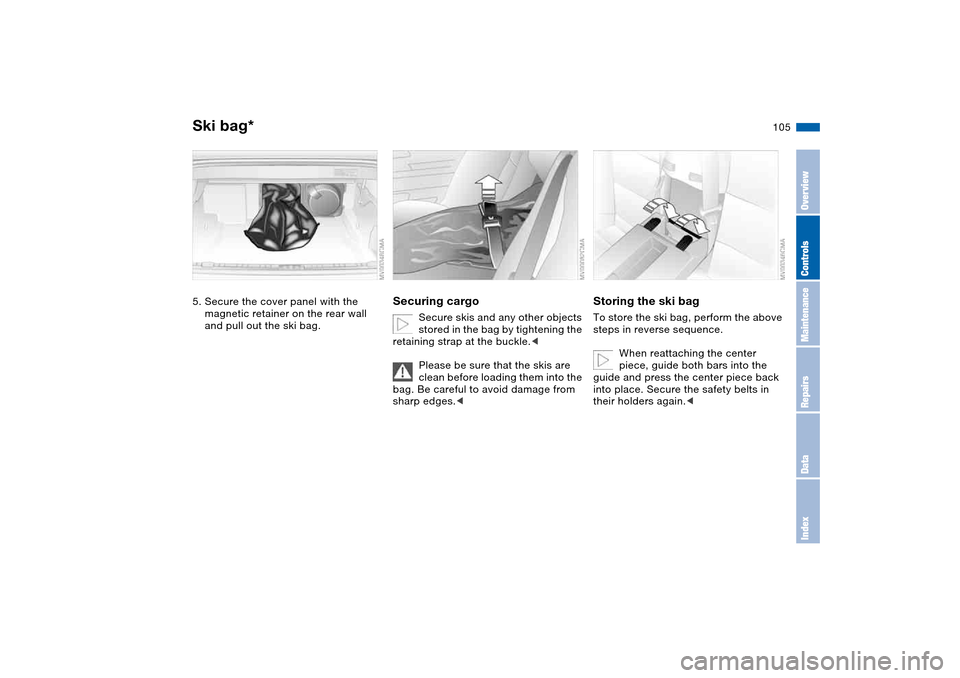
5. Secure the cover panel with the
magnetic retainer on the rear wall
and pull out the ski bag.
Securing cargo
Secure skis and any other objects
stored in the bag by tightening the
retaining strap at the buckle.<
Please be sure that the skis are
clean before loading them into the
bag. Be careful to avoid damage from
sharp edges.<
Storing the ski bagTo store the ski bag, perform the above
steps in reverse sequence.
When reattaching the center
piece, guide both bars into the
guide and press the center piece back
into place. Secure the safety belts in
their holders again.<
Ski bag*
OverviewControlsMaintenanceRepairsDataIndex
Page 107 of 174
107
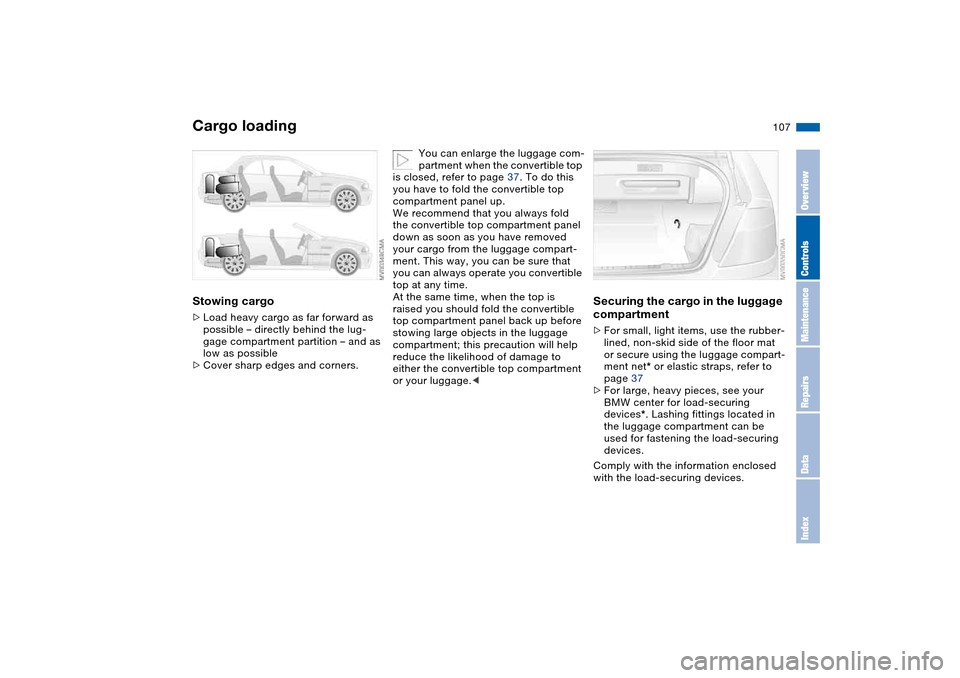
Stowing cargo>Load heavy cargo as far forward as
possible – directly behind the lug-
gage compartment partition – and as
low as possible
>Cover sharp edges and corners.
You can enlarge the luggage com-
partment when the convertible top
is closed, refer to page 37. To do this
you have to fold the convertible top
compartment panel up.
We recommend that you always fold
the convertible top compartment panel
down as soon as you have removed
your cargo from the luggage compart-
ment. This way, you can be sure that
you can always operate you convertible
top at any time.
At the same time, when the top is
raised you should fold the convertible
top compartment panel back up before
stowing large objects in the luggage
compartment; this precaution will help
reduce the likelihood of damage to
either the convertible top compartment
or your luggage.<
Securing the cargo in the luggage
compartment >For small, light items, use the rubber-
lined, non-skid side of the floor mat
or secure using the luggage compart-
ment net* or elastic straps, refer to
page 37
>For large, heavy pieces, see your
BMW center for load-securing
devices*. Lashing fittings located in
the luggage compartment can be
used for fastening the load-securing
devices.
Comply with the information enclosed
with the load-securing devices.
Cargo loading
OverviewControlsMaintenanceRepairsDataIndex
Page 108 of 174
108
Always position and secure the
load correctly. If you do not, it can
endanger the passengers during brak-
ing or evasive maneuvers.
Do not exceed the approved gross
vehicle weight or the approved axle
loads, refer to page 156, otherwise the
vehicle's operating safety is no longer
assured and the vehicle will not be in
compliance with the certification regu-
lations.
Do not stow heavy or hard objects in
the passenger compartment without
first securing them. Otherwise they
would be thrown around during braking
and evasive maneuvers and endanger
the occupants.<
Roof-mounted luggage rack for the hardtop*A special roof-rack system is available
as an optional extra for your BMW.
Please observe the precautions
included with the installation instruc-
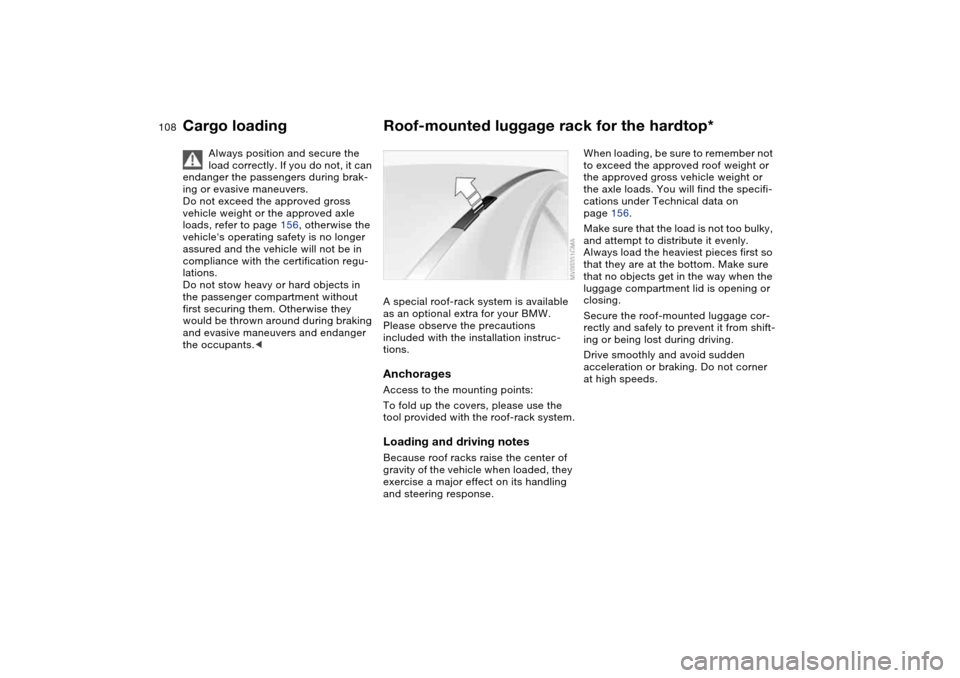
tions.AnchoragesAccess to the mounting points:
To fold up the covers, please use the
tool provided with the roof-rack system.Loading and driving notesBecause roof racks raise the center of
gravity of the vehicle when loaded, they
exercise a major effect on its handling
and steering response.
When loading, be sure to remember not
to exceed the approved roof weight or
the approved gross vehicle weight or
the axle loads. You will find the specifi-
cations under Technical data on
page 156.
Make sure that the load is not too bulky,
and attempt to distribute it evenly.
Always load the heaviest pieces first so
that they are at the bottom. Make sure
that no objects get in the way when the
luggage compartment lid is opening or
closing.
Secure the roof-mounted luggage cor-
rectly and safely to prevent it from shift-
ing or being lost during driving.
Drive smoothly and avoid sudden
acceleration or braking. Do not corner
at high speeds.
Cargo loading
Page 117 of 174
117
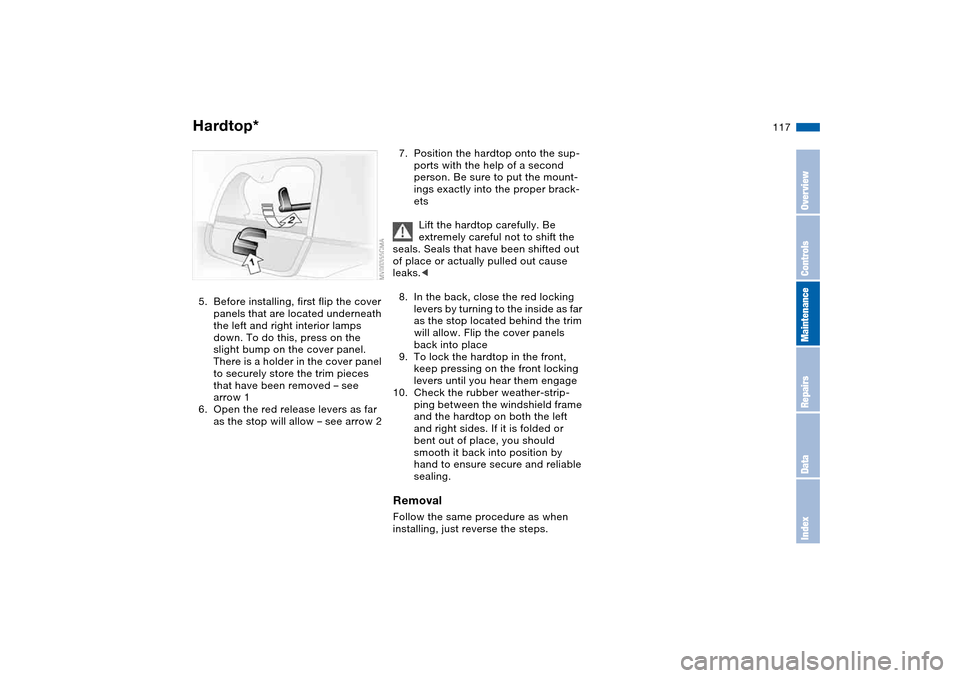
5. Before installing, first flip the cover
panels that are located underneath
the left and right interior lamps
down. To do this, press on the
slight bump on the cover panel.
There is a holder in the cover panel
to securely store the trim pieces
that have been removed – see
arrow 1
6. Open the red release levers as far
as the stop will allow – see arrow 2
7. Position the hardtop onto the sup-
ports with the help of a second
person. Be sure to put the mount-
ings exactly into the proper brack-
ets
Lift the hardtop carefully. Be
extremely careful not to shift the
seals. Seals that have been shifted out
of place or actually pulled out cause
leaks.<
8. In the back, close the red locking
levers by turning to the inside as far
as the stop located behind the trim
will allow. Flip the cover panels
back into place
9. To lock the hardtop in the front,
keep pressing on the front locking
levers until you hear them engage
10. Check the rubber weather-strip-
ping between the windshield frame
and the hardtop on both the left
and right sides. If it is folded or
bent out of place, you should
smooth it back into position by
hand to ensure secure and reliable
sealing.RemovalFollow the same procedure as when
installing, just reverse the steps.
Hardtop*
OverviewControlsMaintenanceRepairsDataIndex
Page 123 of 174
123 In the engine compartment
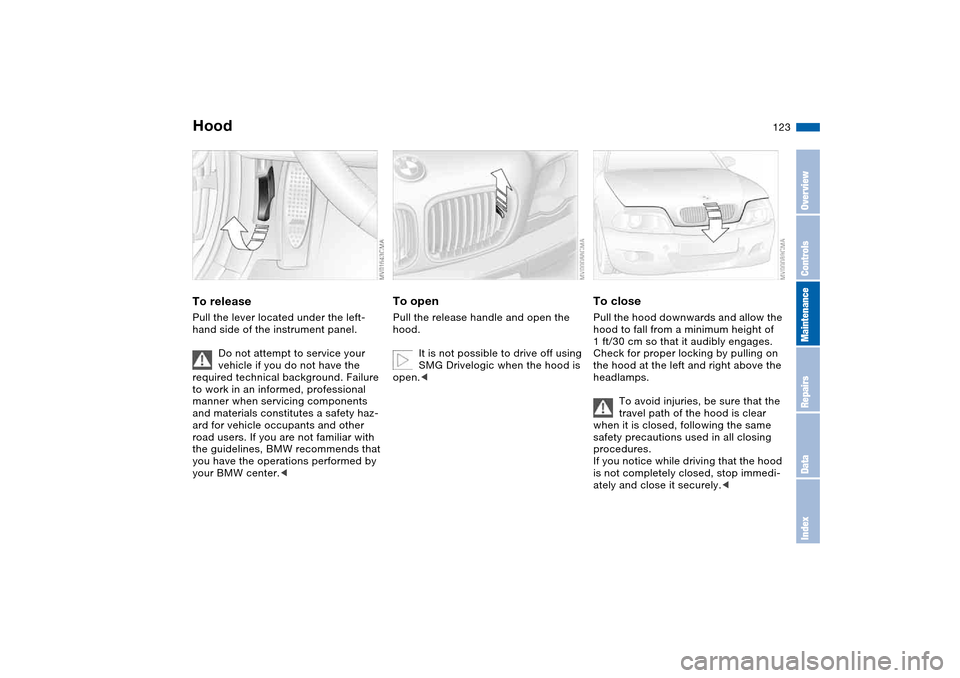
HoodTo releasePull the lever located under the left-
hand side of the instrument panel.
Do not attempt to service your
vehicle if you do not have the
required technical background. Failure
to work in an informed, professional
manner when servicing components
and materials constitutes a safety haz-
ard for vehicle occupants and other
road users. If you are not familiar with
the guidelines, BMW recommends that
you have the operations performed by
your BMW center.<
To openPull the release handle and open the
hood.
It is not possible to drive off using
SMG Drivelogic when the hood is
open.<
To closePull the hood downwards and allow the
hood to fall from a minimum height of
1 ft/30 cm so that it audibly engages.
Check for proper locking by pulling on
the hood at the left and right above the
headlamps.
To avoid injuries, be sure that the
travel path of the hood is clear
when it is closed, following the same
safety precautions used in all closing
procedures.
If you notice while driving that the hood
is not completely closed, stop immedi-
ately and close it securely.<
OverviewControlsMaintenanceRepairsDataIndex
Page 144 of 174
144
Even if the tire fails to hold the
pressure, you should still carry out
Step 3 before proceeding to drive the
vehicle again, refer to Distributing the
sealant for more information. Then
repeat Steps 1 through 3.
The use of the M Mobility system may
be ineffective if the damaged area in
the tire is larger than approx. 1/8 in /
4 mm. Please consult the nearest BMW
center if the tire cannot be temporarily
repaired with the M Mobility system.<
3. Unscrew the hose from the valve and
stow the M Mobility system in the
luggage compartment. Screw the
dust cap onto the valve again.
Do not exceed the maximum
speed limit described below, oth-
erwise it could lead to accidents.<
When you start driving again, do not
exceed the permissible maximum
speed of 45 mph / 80 km/h.
You will find corresponding
instructions for using the
M Mobility system on the device.
Replace the defective tire as soon as
possible and have the new wheel bal-
anced. Reinitialize the Flat Tire Monitor,
and refer to page 88 for further informa-
tion. Have the M Mobility system
refilled. Contact your BMW center for
this.<
Protect valve stems against dirt using
screw-on dust caps. Dirty valve stems
frequently lead to slow pressure loss.
Battery
Battery posts, terminals, and
related accessories contain lead
and lead compounds. Wash hands after
handling.<
MaintenanceThe battery is completely maintenance-
free. That means that the original bat-
tery acid will normally last for the ser-
vice life of the battery under moderate
climate conditions.
Please consult your BMW center
whenever you have any questions
concerning the battery.
connections provided in the engine
compartment. For information on the
connections, see Jump-starting,
page 147.Disposal
Return used batteries to a recy-
cling point or your BMW center.
Maintain the battery in an upright posi-
tion for transport and storage. Secure
the battery against tilting in transit.<
Repairing a flat tire
Page 165 of 174
Everything from A to Z
165
L
Lamp defect 137
Lamps
reading lamps 93
Lamps and bulbs 137
Lashing down loads, refer to
Cargo loading 106
Lashing eyelets, refer to
Securing cargo 107
Lashing fittings, refer to
Securing cargo 107
LATCH child-restraint
mounting system 60
Leather care, refer to the
Caring for your vehicle
brochure
LEDs light-emitting
diodes 94
Length, refer to
Dimensions 155
License plate lamp
bulb replacement 140
Light switch 91
Light-emitting diodes
(LEDs) 94
Lighter 103
LIGHTS ON warning 91
Lights, refer to Parking
lamps/Low beams 91
Load, refer to Cargo
loading 106Loading
vehicle 106
Load-securing devices 107
Lock buttons on doors, refer
to Locking 34
Lock, steering wheel 65
Locking
from inside 34
from outside 31, 33
Locking and unlocking
doors
from inside 34
from outside 31, 33
Low beams 91
automatic 91
bulb replacement 137
indicator lamp, defective
lamp 81Luggage compartment 37
capacity 156
emergency operation,
refer to Manual
operation 35
floor panel 37
increase volume 37
lid 35
lighting 35
opening from outside 35
opening, remote
control 32
opening/closing, refer
to Luggage compartment
lid 35
remote control 32
securing separately 35
volume 156
Luggage compartment lid 35
emergency operation 35
emergency release 36
indicator lamp 81
opening from inside the
vehicle 35
opening from outside 35
remote control 32
unlocking manually 35
Luggage rack, refer to Roof-
mounted luggage rack 108
Lumbar support 48M
M Engine dynamics
control 90
M Mobility system 140
M+S tires, refer to Winter
tires 122
Maintenance 81, 130
Maintenance system 130
Making telephone calls,
refer to the telephone
Owner's Manual
Malfunction
convertible top 42
door lock 33
fuel filler door 24
Malfunction displays 81
Manual operation
convertible top 42
door lock 33
driver's door 33
fuel filler door 24
luggage compartment
lid 35
power convertible top 42
Manual transmission 69
Master keys
with remote control 30
Maximum speed
with winter tires 122
MC operation, refer to the
Owner's Manual for
Radio/Onboard Computer
OverviewControlsMaintenanceRepairsDataIndex