seat BMW M3 CONVERTIBLE 2006 E46 Owner's Guide
[x] Cancel search | Manufacturer: BMW, Model Year: 2006, Model line: M3 CONVERTIBLE, Model: BMW M3 CONVERTIBLE 2006 E46Pages: 174, PDF Size: 2.68 MB
Page 60 of 174
60
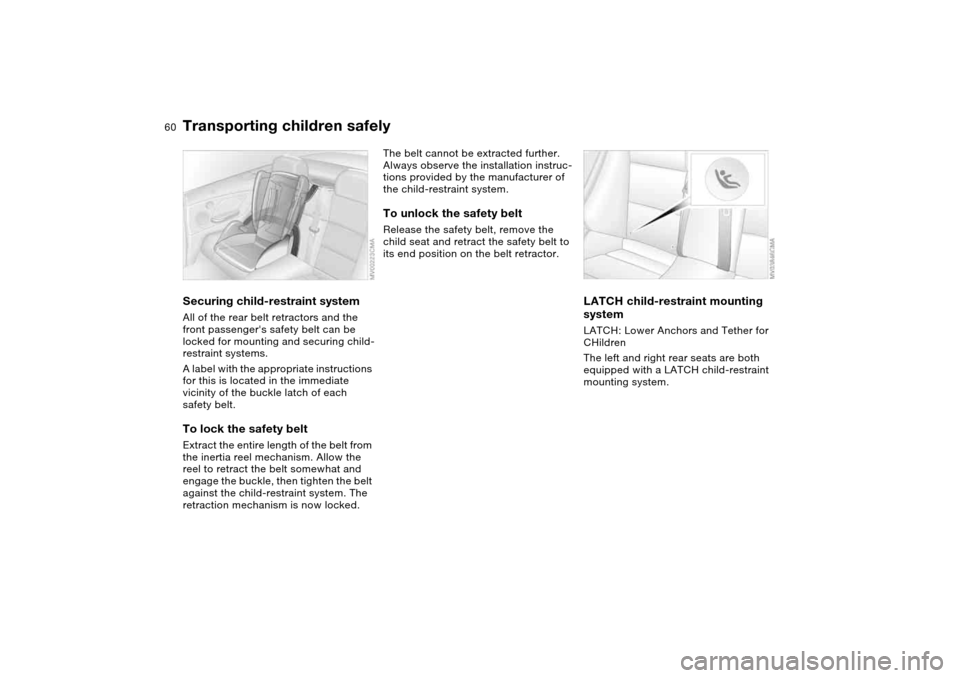
Securing child-restraint systemAll of the rear belt retractors and the
front passenger's safety belt can be
locked for mounting and securing child-
restraint systems.
A label with the appropriate instructions
for this is located in the immediate
vicinity of the buckle latch of each
safety belt.To lock the safety beltExtract the entire length of the belt from
the inertia reel mechanism. Allow the
reel to retract the belt somewhat and
engage the buckle, then tighten the belt
against the child-restraint system. The
retraction mechanism is now locked.
The belt cannot be extracted further.
Always observe the installation instruc-
tions provided by the manufacturer of
the child-restraint system.To unlock the safety beltRelease the safety belt, remove the
child seat and retract the safety belt to
its end position on the belt retractor.
LATCH child-restraint mounting
systemLATCH: Lower Anchors and Tether for
CHildren
The left and right rear seats are both
equipped with a LATCH child-restraint
mounting system.
Transporting children safely
Page 61 of 174
61
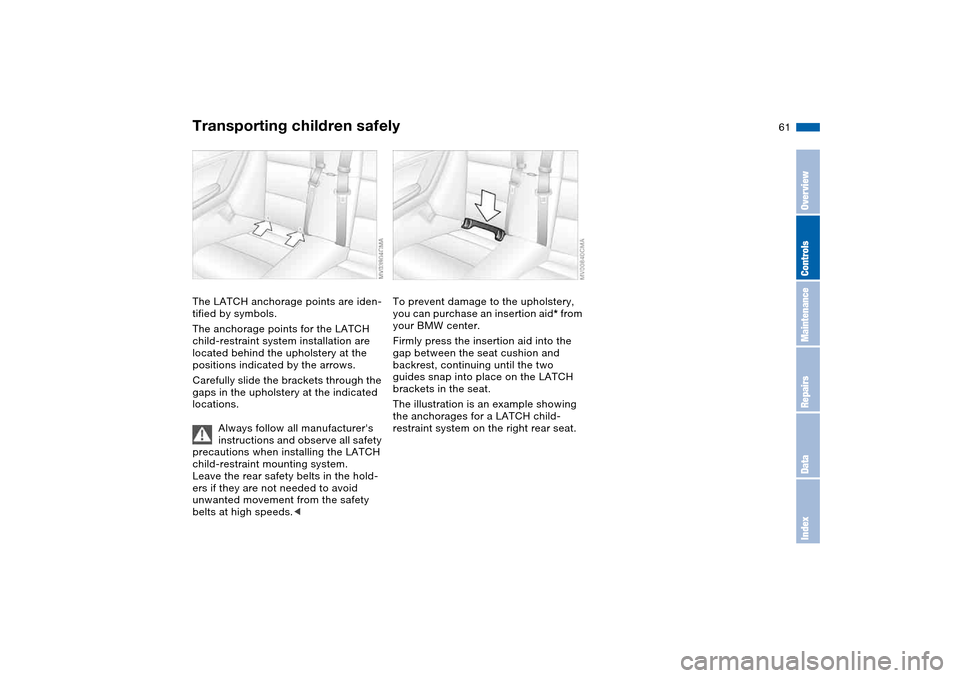
The LATCH anchorage points are iden-
tified by symbols.
The anchorage points for the LATCH
child-restraint system installation are
located behind the upholstery at the
positions indicated by the arrows.
Carefully slide the brackets through the
gaps in the upholstery at the indicated
locations.
Always follow all manufacturer's
instructions and observe all safety
precautions when installing the LATCH
child-restraint mounting system.
Leave the rear safety belts in the hold-
ers if they are not needed to avoid
unwanted movement from the safety
belts at high speeds.<
To prevent damage to the upholstery,
you can purchase an insertion aid* from
your BMW center.
Firmly press the insertion aid into the
gap between the seat cushion and
backrest, continuing until the two
guides snap into place on the LATCH
brackets in the seat.
The illustration is an example showing
the anchorages for a LATCH child-
restraint system on the right rear seat.
Transporting children safely
OverviewControlsMaintenanceRepairsDataIndex
Page 64 of 174
64
Vehicle Memory, Key MemoryHow the system functionsYou have probably frequently wished
that you could configure individual
functions of your vehicles to reflect your
own personal requirements. In engi-
neering your vehicle, BMW has pro-
vided for a number of options for per-
sonal adjustment that can be
programmed into your vehicle at your
BMW center.
The available configuration data fall into
two categories, according to whether
their primary orientation is the vehicle –
Vehicle Memory – or the individual –
Key Memory. You can have up to four
different basic settings adjusted for four
different persons. The only require-
ment is that each person uses his or her
own remote control key.
When your vehicle is unlocked with the
remote control, the vehicle recognizes
the individual user by means of a data
exchange with the key, and makes
adjustments accordingly.
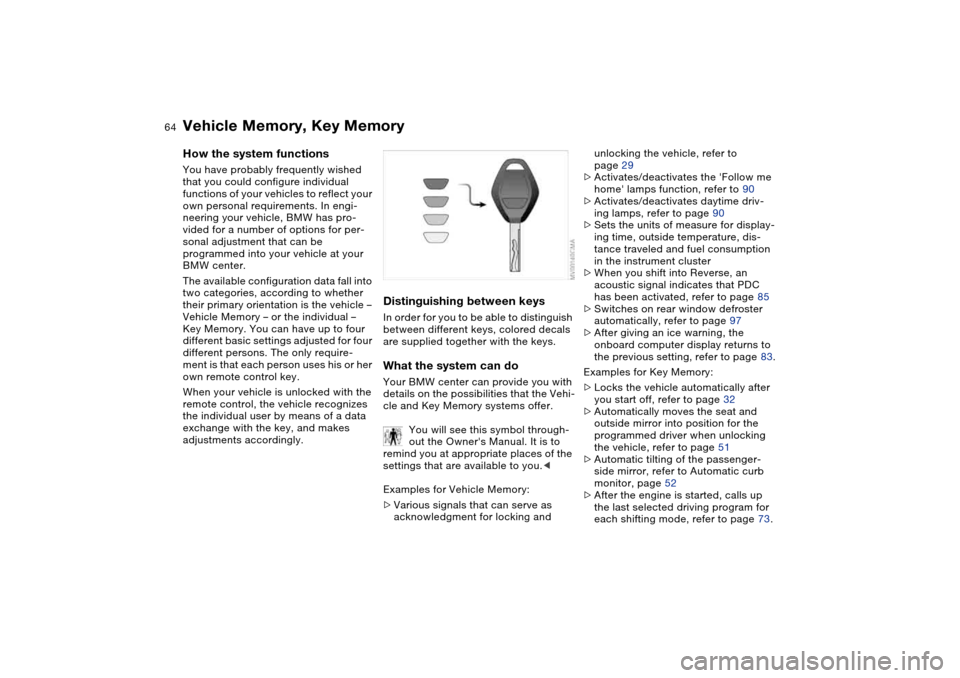
Distinguishing between keysIn order for you to be able to distinguish
between different keys, colored decals
are supplied together with the keys.What the system can doYour BMW center can provide you with
details on the possibilities that the Vehi-
cle and Key Memory systems offer.
You will see this symbol through-
out the Owner's Manual. It is to
remind you at appropriate places of the
settings that are available to you.<
Examples for Vehicle Memory:
>Various signals that can serve as
acknowledgment for locking and
unlocking the vehicle, refer to
page 29
>Activates/deactivates the 'Follow me
home' lamps function, refer to 90
>Activates/deactivates daytime driv-
ing lamps, refer to page 90
>Sets the units of measure for display-
ing time, outside temperature, dis-
tance traveled and fuel consumption
in the instrument cluster
>When you shift into Reverse, an
acoustic signal indicates that PDC
has been activated, refer to page 85
>Switches on rear window defroster
automatically, refer to page 97
>After giving an ice warning, the
onboard computer display returns to
the previous setting, refer to page 83.
Examples for Key Memory:
>Locks the vehicle automatically after
you start off, refer to page 32
>Automatically moves the seat and
outside mirror into position for the
programmed driver when unlocking
the vehicle, refer to page 51
>Automatic tilting of the passenger-
side mirror, refer to Automatic curb
monitor, page 52
>After the engine is started, calls up
the last selected driving program for
each shifting mode, refer to page 73.
Page 99 of 174
99 Interior conveniences
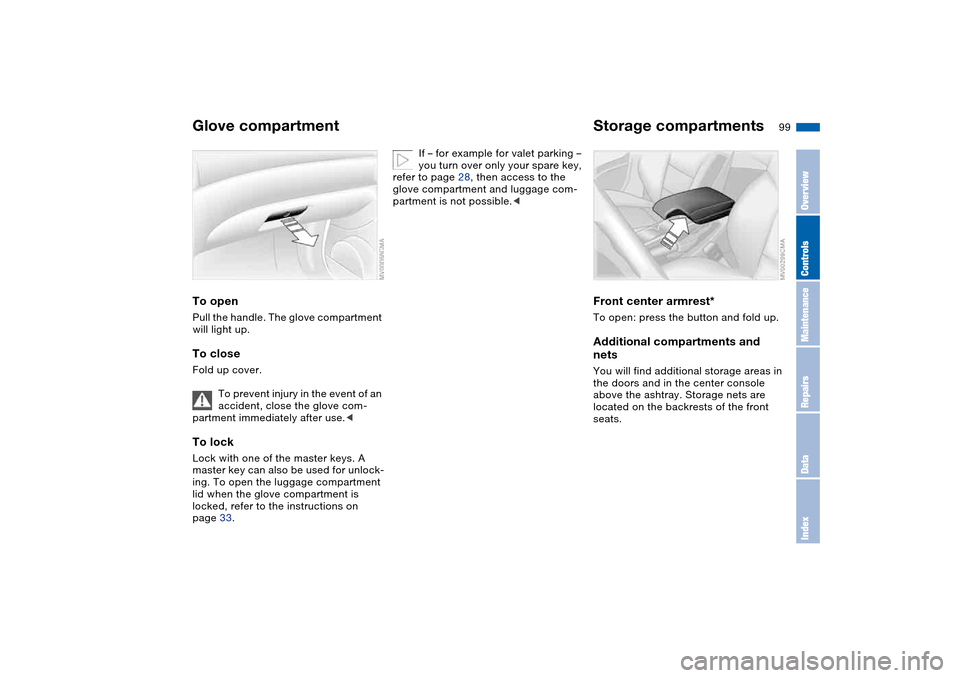
Glove compartmentTo openPull the handle. The glove compartment
will light up.To closeFold up cover.
To prevent injury in the event of an
accident, close the glove com-
partment immediately after use.
ing. To open the luggage compartment
lid when the glove compartment is
locked, refer to the instructions on
page 33.
If – for example for valet parking –
you turn over only your spare key,
refer to page 28, then access to the
glove compartment and luggage com-
partment is not possible.<
Storage compartmentsFront center armrest*To open: press the button and fold up.Additional compartments and
netsYou will find additional storage areas in
the doors and in the center console
above the ashtray. Storage nets are
located on the backrests of the front
seats.
OverviewControlsMaintenanceRepairsDataIndex
Page 102 of 174
102Loading and transporting
Ski bag*The ski bag allows the safe and clean
transport of up to 3 pairs of standard
skis or up to two snowboards.
The length of the ski bag and the addi-
tional space provided in the luggage
compartment make it possible to carry
skis up to 6 ft 10 in / 2.10 m long.
Because of the tapered shape of the
bag, only two pairs of skis longer than
6 ft 10 in / 2.10 m can be carried.
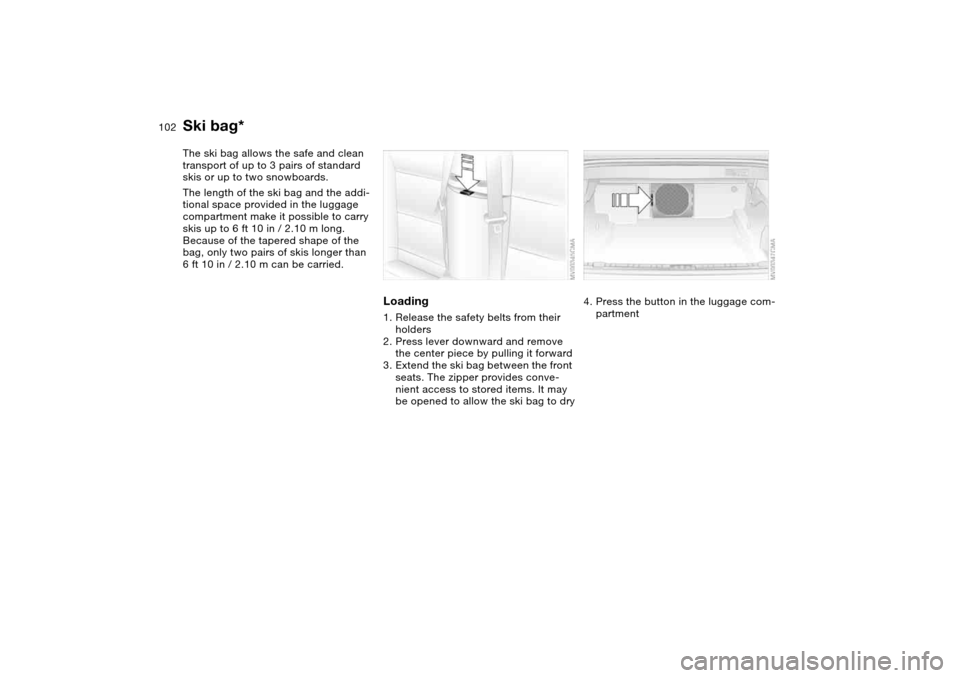
Loading1. Release the safety belts from their
holders
2. Press lever downward and remove
the center piece by pulling it forward
3. Extend the ski bag between the front
seats. The zipper provides conve-
nient access to stored items. It may
be opened to allow the ski bag to dry
4. Press the button in the luggage com-
partment
Page 145 of 174
145
Disposal
After changing the battery, have
the old battery disposed of by
your BMW center or bring it to a recy-
cling point. Maintain the battery in an
upright position for transport and stor-
age. Secure the battery against tilting in
transit.<
Power lossAfter a temporary power loss, e.g. due
to a discharged battery, some equip-
ment will be limited in its use and will
have to be reinitialized. Individual set-
tings are also lost and must be reset:
>Seat and mirror memory
The position settings must be stored
again, refer to page 51
>The trap protection of the electric
power windows must be re-initial-
ized, refer to page 39
>Clock
must be reset, refer to page 82
>Radio
Stations must be reset, refer to the
Owner's Manual for Radio/Onboard
Computer
>Navigation system
The system will not be operable
immediately, refer to the Owner's
Manual for Radio/Onboard Com-
puter.
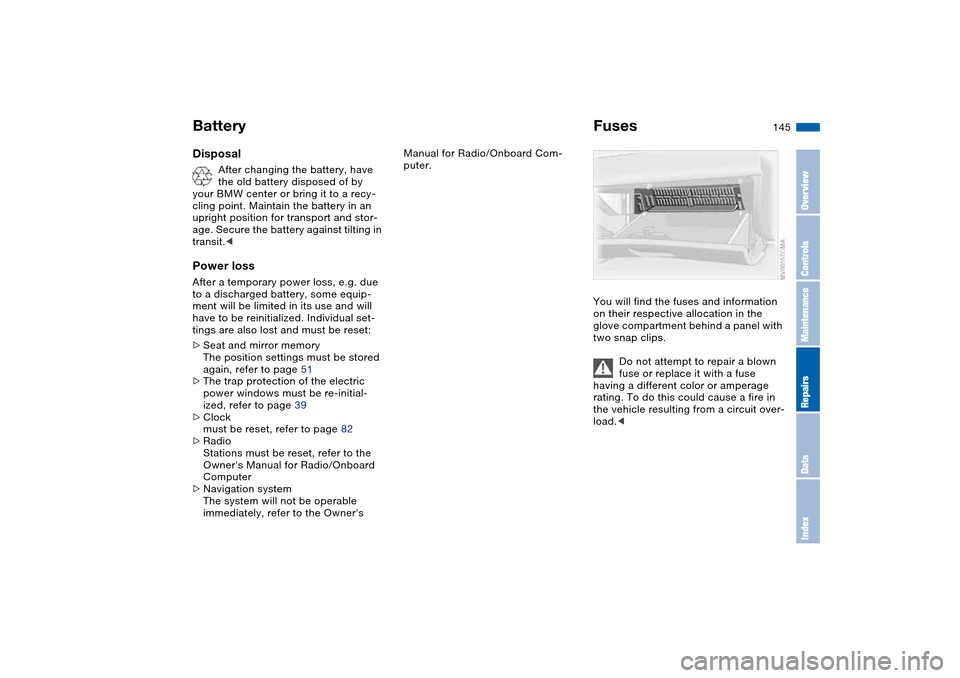
FusesYou will find the fuses and information
on their respective allocation in the
glove compartment behind a panel with
two snap clips.
Do not attempt to repair a blown
fuse or replace it with a fuse
having a different color or amperage
rating. To do this could cause a fire in
the vehicle resulting from a circuit over-
load.<
Battery
OverviewControlsMaintenanceRepairsDataIndex
Page 160 of 174
Everything from A to ZA
ABS Antilock Brake
System 113
indicator lamp 19
Accessories, refer to For
your own safety 6
Accident, refer to Emer-
gency call 146
Activated-charcoal filter 98
Adaptive brake lamp, refer
to Brake force display 89
Adding brake fluid 129
Additional sources of infor-
mation 4
Air conditioning mode
automatic climate
control 96
Air distribution
automatic climate
control 96
individual 96
Air outlets, refer to Ventila-
tion 94
Air pressure, refer to Tire
inflation pressure 116
Air recirculation, refer to
Recirculated-air mode 97
Air supply
automatic climate
control 96
Air, drying, refer to Air con-
ditioning mode 96Airbags 55
deactivating 55
indicator lamp 18, 57
safe seating position 46
Airing out, refer to Ventila-
tion 94
AKI, refer to Fuel specifica-
tions 25
Alarm system 36
avoiding unintentional
alarms 37
All-season tires, refer to
Winter tires 120
Alternative oils 127
Antifreeze
coolant 128
washer fluid 126
Antilock Brake System
(ABS) 113
indicator lamp 19
Anti-theft system 28
Anti-theft warning system,
refer to Alarm system 36
Approved axle loads, refer
to Weights 156
Approved gross weight,
refer to Weights 156
Armrest 99
Artificial leather, refer to the
Caring for your vehicle
brochureAshtray
front 100
rear 101
Assistant systems, refer to
Dynamic Stability Control
(DSC) 86
AUC Automatic recircu-
lated-air control 97
AUTO program 96
Automatic
cruise control 77
headlamp control 90
Automatic air distribution,
refer to AUTO program 96
Automatic air supply, refer
to AUTO program 96
Automatic car wash, refer to
the Caring for your vehicle
brochure
Automatic climate control 94
Automatic curb monitor 52
Automatic dimming, interior
rearview mirror 53
Automatic recirculated-air
control (AUC) 97
Automatic windshield
washer, refer to Rain sen-
sor 76
Average fuel
consumption 84
Average speed 84Avoiding unintentional
alarms 37
Axle loads, refer to
Weights 156
B
Backrest
unlocking 49
Backrest, refer to Seat
adjustment 47
Backup lamps 69
bulb replacement 139
Bandages, refer to First-aid
kit 23
Bar, for towing 149
Battery 144
charge 144
disposal 145
indicator lamp 18
jump-starting 147
remote control 28, 29
Battery charge current 18
Battery charge indicator
lamp 18
Belts, refer to Safety
belts 50
Beverage holders 100
Blower
automatic climate
control 96
BMW Maintenance
System 130
Page 161 of 174
Everything from A to Z
161
BMW sports seat 47
Bore, refer to Engine
data 154
Bottle holders, see Bever-
age holders 100
Brake fluid 129
indicator lamp 18, 129
level 129
Brake force display 89
Brake lamps
bulb replacement 139
indicator lamp, defective
lamp 81
Brake lamps, refer to Brake
force display 89
Brake pads
brake fluid level 18, 129
breaking in 110
Brake rotors
breaking in 110
Brake system
brake pads, indicator
lamp 19
Brake wear warning
indicator lamp 19Brakes
ABS 113
brake fluid 129
brake force display 89
brake pads 112
breaking in 110
driving notes 111
indicator/warning lamp
18, 19
parking brake 68
Break-in procedures 110
Bridging, refer to Jump-
starting 147
Bulb replacement 137
Bulb replacement, refer to
Lamps and bulbs 137
Buttons in steering wheel 22
C
California Proposition 65
warning 6
Can holders, see Beverage
holders 100
Capacities 157
Car battery 144
Car care, refer to the Caring
for your vehicle brochure
Car keys, refer to Keys 28
Car phone hookup
microphone 100
Car radio, refer to the
Owner's Manual for RadioCar telephone, refer to the
separate Owner's Manual
Car vacuum cleaner, con-
necting 101
Car wash, refer to the Caring
for your vehicle brochure
Carpet care, refer to the
Caring for your vehicle
brochure
Cassette operation, refer to
the Owner's Manual for
Radio/Onboard Computer
CBC Cornering Brake Con-
trol 113
warning lamp 19
CD changer, refer to the
Owner's Manual for
Radio/Onboard Computer
CD operation, refer to the
Owner's Manual for
Radio/Onboard Computer
Center armrest
front 99
Center high-mount brake
lamp
bulb replacement 140
Central locking system 28
button 32
passenger
compartment 32
Check Control 81Check Gas Cap
indicator lamp 19
Child seats, refer to Child-
restraint systems 58
Child-restraint mounting
system LATCH 60
Child-restraint systems 58
Cigarette lighter 100
Cleaning chrome parts, refer
to the Caring for your vehi-
cle brochure
Cleaning light alloy wheels,
refer to the Caring for your
vehicle brochure
Cleaning position, convert-
ible top 44
Cleaning the vehicle, refer to
the Caring for your vehicle
brochure
Cleaning windshield 77
Clock 82
12-/24-hour mode 82
setting, refer also to the
Owner's Manual for
Radio/Onboard Computer
Closing
from inside 32
from outside 29
Clutch
breaking in 110
Cockpit 14
OverviewControlsMaintenanceRepairsDataIndex
Page 163 of 174
Everything from A to Z
163
Dynamic Stability Control
(DSC) 19, 86
E
Easy entry, refer to Entering
the rear 49
Electric power windows 38
power loss 39
Electrical accessories, fail-
ure 145
Electrical malfunction
door lock 31
driver's door 31
fuel filler door 24
luggage compartment
lid 33
Electronic Stability Program
(ESP), refer to Dynamic
Stability Control (DSC) 86
Emergency call 146
Emergency operation
doors 31
driver's door 31
fuel filler door 24
luggage compartment
lid 33
Emergency release
luggage compartment
lid 34Engine
breaking in 110
data 154
electronics 19
indicator lamp 19
speed 79, 154
starting 66
switching off 68
Engine compartment 124
Engine coolant 128
refilling 128
Engine oil
adding 127
additives, refer to Adding
engine oil 127
alternative oils 127
capacity 157
consumption 126
dipstick 126
indicator/warning lamp 19
quality 127
specified oils 127
temperature gauge 79
types 127
Engine oil level 19
check 126
indicator/warning lamp 18
Engine oil pressure
indicator/warning lamp 18
Engine oil temperature 79
Engine output, refer to
Engine data 154Engine speed 79, 154
Entering the rear 49
Equipment range, refer to
the Service and Warranty
Information Booklet for US
models / Warranty and
Service Guide Booklet for
Canadian models
ESP Electronic Stability Pro-
gram, refer to Dynamic
Stability Control (DSC) 86
Exterior mirrors 53
Eyelet, towing 149
F
False alarm, refer to
Avoiding unintentional
alarms 37
Fasten safety belts
indicator lamp 18
Fastening the safety belts 50
Fault displays 81
Filling the windshield washer
reservoir 157
Filling with sealant
M Mobility system 143
First aid, refer to First-aid
kit 23
First-aid kit 23
Flat tire 141
Flat Tire Monitor 87
repairing 141Flat Tire Monitor 87
activating/deactivating 88
indicator lamp 18, 19, 88
Floor panel, raising 35
Fluid reservoir for washer
systems 126
Fog lamps
indicator/warning lamp 20
Folding down convertible
top compartment panel 35
Follow me home lamps 90
Footbrake, refer to Braking
safely 111
Front airbags 55
Front fog lamps 92
indicator/warning lamp 20
Front seat adjustment 47
Fuel
display 80
specifications 25
volume 157
Fuel consumption
display 84
Fuel display, refer to Fuel
gauge 80
Fuel filler door 24
release following an elec-
trical malfunction 24
Fuel level indicator, refer to
Fuel gauge 80
Fuel mixture preparation 154
OverviewControlsMaintenanceRepairsDataIndex
Page 164 of 174
Everything from A to ZFuel reserve indicator, refer
to Fuel gauge 80
Fuel tank capacity 157
Fuses 145
G
Gasoline consumption, refer
to Average fuel consump-
tion 84
Gasoline, refer to Fuel spec-
ifications 25
Gear indicator 71
Gearbox
manual transmission 69
Gearbox malfunction
sequential M gearbox with
Drivelogic 74
Gearbox, sequential 70
Gearshift lever
manual transmission 69
sequential M gearbox with
Drivelogic 70
General driving notes 111
Glove compartment 99
Gradient assistance 73
Grills, refer to Ventilation 94
Gross weight, refer to
Weights 156
H
Handbrake, refer to Parking
brake 68Hands-free system 100
Hardtop 113
Hardtop preparation 113
Hardtop, refer to the sepa-
rate Owner's Manual 113
Hazard warning flashers 14
Hazard warning triangle 23
Head restraints 48
Headlamp cleaning system
cleaning headlamps 77
washer fluid 126, 157
Headlamp control, auto-
matic 90
Headlamp flasher 91
indicator lamp 21
Headlamps
bulb replacement 137
care, refer to the Caring
for your vehicle brochure
Heated mirrors 53
Heated rear window
automatic climate
control 97
Heated seats 52
Heating
exterior mirrors 53
rear window 97
seats 52
Heating and ventilation 94
Heavy loads, refer to Cargo
loading 105Height adjustment
seats 47
steering wheel 54
Height, refer to
Dimensions 155
High beams 75, 91
bulb replacement 137
headlamp flasher 91
indicator lamp 21
Holder for beverages 100
Hood release 123
Horn 14
Hydraulic brake assistant,
refer to DBC 113
Hydroplaning 111
I
Ice warning 83
Ignition 65
Ignition key 28
positions 65
Ignition lock 65
Imprint 4
Indicator lamps 18Indicator/warning lamp
airbags 18
alarm system 37
brakes 18, 19
Check Gas Cap 19
convertible top 41
coolant 19, 80
DSC 19
Flat Tire Monitor
18, 19, 88
fog lamps 20
Please fasten safety
belts 18
reserve 80
rollover protection
system 19
Service Engine Soon 19
Individual air distribution 96
Individual settings, refer to
Vehicle Memory, Key
Memory 64
Inflation pressure monitor-
ing, refer to Flat Tire Moni-
tor 87
Inflation pressure, tires 116
INSPECTION 81
Instrument cluster 16
Instrument lighting 91
Instrument panel 14
Interface socket for onboard
diagnostics (OBD) 132
event data recorders 132