brake light BMW M3 CONVERTIBLE 2011 User Guide
[x] Cancel search | Manufacturer: BMW, Model Year: 2011, Model line: M3 CONVERTIBLE, Model: BMW M3 CONVERTIBLE 2011Pages: 174, PDF Size: 2.68 MB
Page 112 of 174
112
Inclines:
To prevent overheating and, as a
result, diminished braking effec-
tiveness, drive down long or steep
downhill grades in a gear which
requires the least braking. Otherwise,
even light but consistent pedal pres-
sure can lead to high temperatures,
brake wear and possibly even brake
failure.<
The braking power of the engine can be
further enhanced by downshifting the
automatic transmission in manual
mode, if necessary, into first gear. This
helps avoid placing excessive loads on
the brake system.
Do not coast with the clutch
depressed or with the transmis-
sion or selector lever in Neutral. Do not
coast with the engine switched off. Oth-
erwise, the engine provides no braking
effect while the transmission is in idling
position, and there is no power-assist
for braking or steering when the engine
is off.
Floor mats, floor carpets or other
objects must not be in the area near the
brake or accelerator pedal, as this
could impair the movement of the ped-
als.<
Corrosion on the brake rotorsLimited vehicle use, extended periods
with the vehicle parked or in storage,
and operating conditions in which brak-
ing is restricted to gentle, low-pressure
applications will all increase the ten-
dency for corrosion to form on the
rotors and contamination to accumulate
on the brake pads. This occurs because
the minimal pressure which must be
exerted by the pads to clean the rotors
by brake applications is not reached.
If the brake rotors are corroded, they
will tend to respond to braking with a
pulsating effect that even extended
brake applications will fail to cure.
Brake pads
For your own safety: use only
brake pads that BMW has
released for your particular vehicle
model. BMW cannot evaluate non-
approved brake pads to determine if
they are suitable for use, and therefore
cannot ensure the operating safety of
the vehicle if they are installed.<
Portable phone in the vehicle
BMW advises against using
mobile equipment, e.g. cellular
phones, inside the vehicle without con-
necting them directly to an outside
antenna. Otherwise, it cannot be ruled
out that vehicle electronics and the
mobile equipment interfere with one
another. In addition, it is not ensured
that the radio waves emitted during
transmission are directed outside of the
vehicle interior.<
General driving notes
Page 139 of 174
139
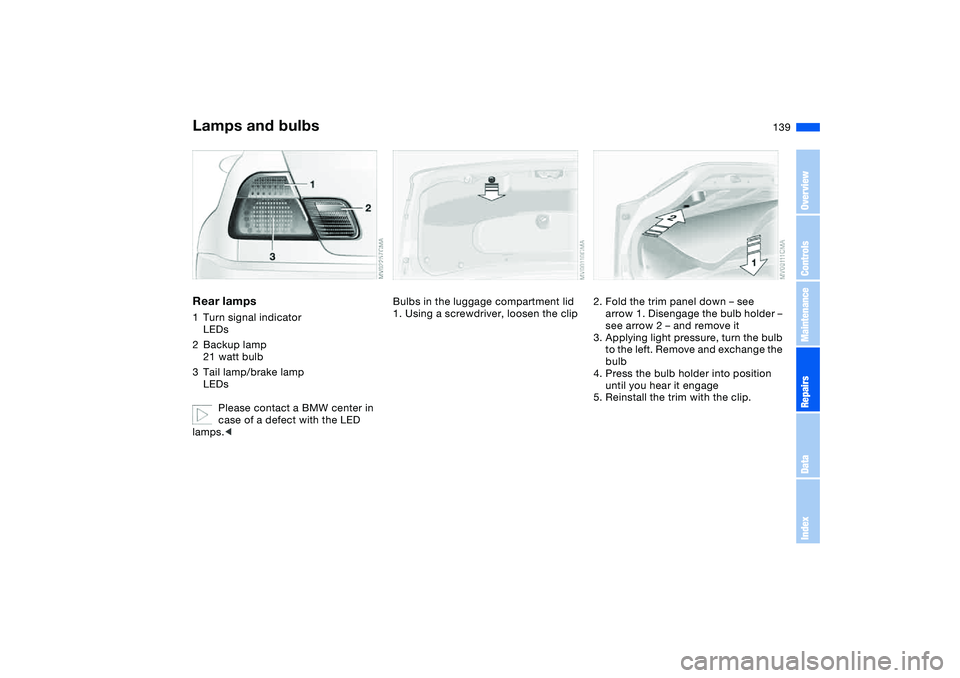
Rear lamps1Turn signal indicator
LEDs
2Backup lamp
21 watt bulb
3Tail lamp/brake lamp
LEDs
Please contact a BMW center in
case of a defect with the LED
lamps.<
Bulbs in the luggage compartment lid
1. Using a screwdriver, loosen the clip
2. Fold the trim panel down – see
arrow 1. Disengage the bulb holder –
see arrow 2 – and remove it
3. Applying light pressure, turn the bulb
to the left. Remove and exchange the
bulb
4. Press the bulb holder into position
until you hear it engage
5. Reinstall the trim with the clip.
Lamps and bulbs
OverviewControlsMaintenanceRepairsDataIndex
Page 140 of 174
140
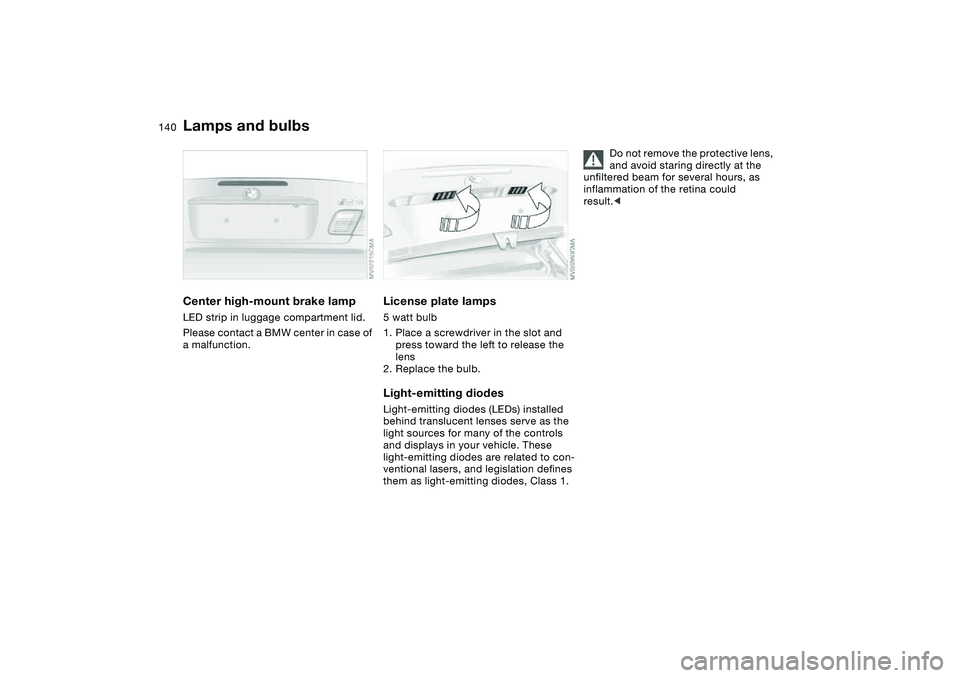
Center high-mount brake lampLED strip in luggage compartment lid.
Please contact a BMW center in case of
a malfunction.
License plate lamps5 watt bulb
1. Place a screwdriver in the slot and
press toward the left to release the
lens
2. Replace the bulb.Light-emitting diodesLight-emitting diodes (LEDs) installed
behind translucent lenses serve as the
light sources for many of the controls
and displays in your vehicle. These
light-emitting diodes are related to con-
ventional lasers, and legislation defines
them as light-emitting diodes, Class 1.
Do not remove the protective lens,
and avoid staring directly at the
unfiltered beam for several hours, as
inflammation of the retina could
result.<
Lamps and bulbs
Page 149 of 174
149
Towing and tow-starting the vehicle
Always observe all applicable
towing laws and regulations.<
Using the towing eyeletThe screw-in towing eyelet is in the lug-
gage compartment under the floor
panel and must remain with the vehicle
at all times. It can be attached at the
front or rear of your BMW.
Observe the following instruc-
tions in order to avoid damaging
the towing eyelet or the vehicle: use
only the towing eyelet supplied with the
vehicle, and screw it in firmly until it
stops. Use the towing eyelet for towing
on paved roads only. Avoid subjecting
the towing eyelet to lateral loads, e.g.
do not lift the vehicle using the towing
eyelet.<
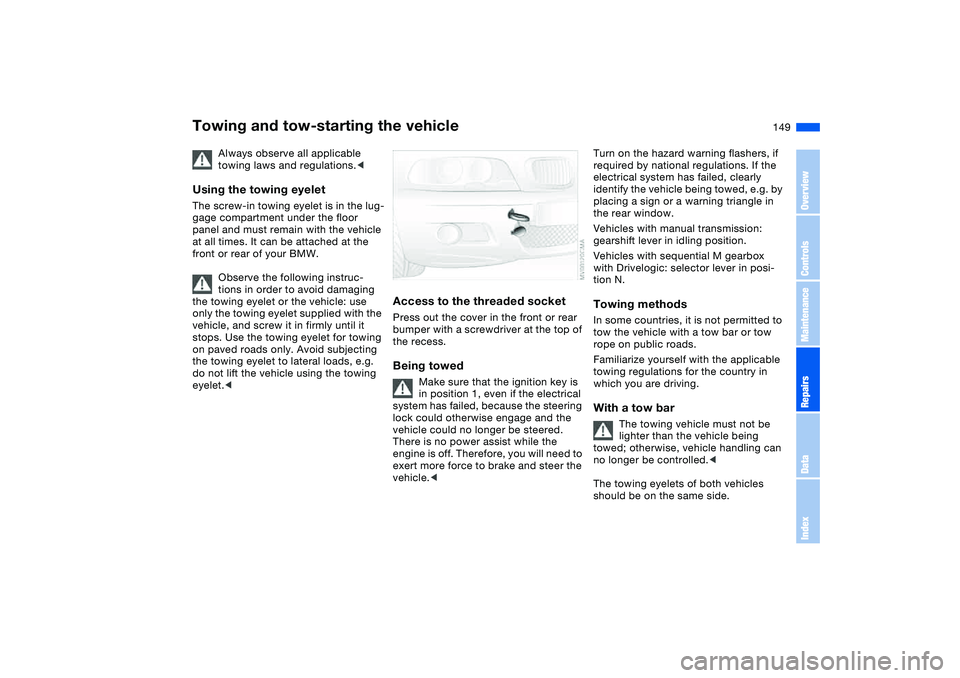
Access to the threaded socketPress out the cover in the front or rear
bumper with a screwdriver at the top of
the recess.Being towed
Make sure that the ignition key is
in position 1, even if the electrical
system has failed, because the steering
lock could otherwise engage and the
vehicle could no longer be steered.
There is no power assist while the
engine is off. Therefore, you will need to
exert more force to brake and steer the
vehicle.<
Turn on the hazard warning flashers, if
required by national regulations. If the
electrical system has failed, clearly
identify the vehicle being towed, e.g. by
placing a sign or a warning triangle in
the rear window.
Vehicles with manual transmission:
gearshift lever in idling position.
Vehicles with sequential M gearbox
with Drivelogic: selector lever in posi-
tion N.Towing methodsIn some countries, it is not permitted to
tow the vehicle with a tow bar or tow
rope on public roads.
Familiarize yourself with the applicable
towing regulations for the country in
which you are driving.With a tow bar
The towing vehicle must not be
lighter than the vehicle being
towed; otherwise, vehicle handling can
no longer be controlled.<
The towing eyelets of both vehicles
should be on the same side.
OverviewControlsMaintenanceRepairsDataIndex
Page 161 of 174
Everything from A to Z
161
BMW sports seat 47
Bore, refer to Engine
data 154
Bottle holders, see Bever-
age holders 100
Brake fluid 129
indicator lamp 18, 129
level 129
Brake force display 89
Brake lamps
bulb replacement 139
indicator lamp, defective
lamp 81
Brake lamps, refer to Brake
force display 89
Brake pads
brake fluid level 18, 129
breaking in 110
Brake rotors
breaking in 110
Brake system
brake pads, indicator
lamp 19
Brake wear warning
indicator lamp 19Brakes
ABS 113
brake fluid 129
brake force display 89
brake pads 112
breaking in 110
driving notes 111
indicator/warning lamp
18, 19
parking brake 68
Break-in procedures 110
Bridging, refer to Jump-
starting 147
Bulb replacement 137
Bulb replacement, refer to
Lamps and bulbs 137
Buttons in steering wheel 22
C
California Proposition 65
warning 6
Can holders, see Beverage
holders 100
Capacities 157
Car battery 144
Car care, refer to the Caring
for your vehicle brochure
Car keys, refer to Keys 28
Car phone hookup
microphone 100
Car radio, refer to the
Owner's Manual for RadioCar telephone, refer to the
separate Owner's Manual
Car vacuum cleaner, con-
necting 101
Car wash, refer to the Caring
for your vehicle brochure
Carpet care, refer to the
Caring for your vehicle
brochure
Cassette operation, refer to
the Owner's Manual for
Radio/Onboard Computer
CBC Cornering Brake Con-
trol 113
warning lamp 19
CD changer, refer to the
Owner's Manual for
Radio/Onboard Computer
CD operation, refer to the
Owner's Manual for
Radio/Onboard Computer
Center armrest
front 99
Center high-mount brake
lamp
bulb replacement 140
Central locking system 28
button 32
passenger
compartment 32
Check Control 81Check Gas Cap
indicator lamp 19
Child seats, refer to Child-
restraint systems 58
Child-restraint mounting
system LATCH 60
Child-restraint systems 58
Cigarette lighter 100
Cleaning chrome parts, refer
to the Caring for your vehi-
cle brochure
Cleaning light alloy wheels,
refer to the Caring for your
vehicle brochure
Cleaning position, convert-
ible top 44
Cleaning the vehicle, refer to
the Caring for your vehicle
brochure
Cleaning windshield 77
Clock 82
12-/24-hour mode 82
setting, refer also to the
Owner's Manual for
Radio/Onboard Computer
Closing
from inside 32
from outside 29
Clutch
breaking in 110
Cockpit 14
OverviewControlsMaintenanceRepairsDataIndex
Page 162 of 174
Everything from A to ZCode, refer to the Owner's
Manual for Radio/Onboard
Computer
Coin box 100
Cold start, refer to Starting
the engine 66
Compact disc operation,
refer to the Owner's Man-
ual for Radio/Onboard
Computer
Compression ratio, refer to
Engine data 154
Computer 83
Condensation, refer to Air
conditioning mode 96
Configuring settings, refer to
Vehicle Memory, Key
Memory 64
Connecting a vacuum
cleaner, refer to Power
socket 101
Consumption, refer to Aver-
age fuel consumption 84
Control elements, refer to
Cockpit 14
Convenience operation
from outside 31
windows 29Convertible top 39
cleaning position 44
convenience operation
29, 31
electrical malfunction 42
emergency operation 42
indicator lamps 41
opening and closing 40
remote control 29
Coolant 128
indicator lamp 19, 80
level 128
temperature gauge 80
Coolant water, refer to Cool-
ant 128
Cooling, refer to Tempera-
ture 96
Copyright 4
Cornering Brake Control
(CBC) 113
warning lamp 19
Cruise control 77
indicator lamp 20
Cup holders, see Beverage
holders 100
Curb weight, refer to
Weights 156
Cylinders, refer to Engine
data 154D
Dashboard, refer to
Cockpit 14
Data
capacities 157
dimensions 155
engine 154
technical 154
weights 156
Daytime driving lamps 90
DBC Dynamic Brake Control
19, 113
Deep water, refer to Driving
through water 111
Defrost position, refer to
Defrosting windows 96
Defrosting and demisting
windows
automatic climate
control 96
Defrosting windows 96
Defrosting windshield, refer
to Defrosting windows 96
Demisting windows
automatic climate
control 96
Differential
breaking in 110
Digital clock 82
Dimensions 155
Dipstick, engine oil 126Displacement, refer to
Engine data 154
Display lighting, refer to
Instrument lighting 91
Displays, refer to Instrument
cluster 16
Disposal
oil 127
vehicle battery 145
Distance warning, refer to
Park Distance Control
(PDC) 85
Door key 28
Door lock 31
Doors
emergency operation 31
Draft-free ventilation 97
Drivelogic 73
Driving light, refer to Parking
lamps/Low beams 90
Driving notes 111
Driving through water, deep
water 111
Dry air, refer to Air condi-
tioning mode 96
DSC Dynamic Stability Con-
trol 86
indicator lamp 19, 86
Dynamic Brake Control
(DBC) 19, 113
indicator lamp 19
Page 164 of 174
Everything from A to ZFuel reserve indicator, refer
to Fuel gauge 80
Fuel tank capacity 157
Fuses 145
G
Gasoline consumption, refer
to Average fuel consump-
tion 84
Gasoline, refer to Fuel spec-
ifications 25
Gear indicator 71
Gearbox
manual transmission 69
Gearbox malfunction
sequential M gearbox with
Drivelogic 74
Gearbox, sequential 70
Gearshift lever
manual transmission 69
sequential M gearbox with
Drivelogic 70
General driving notes 111
Glove compartment 99
Gradient assistance 73
Grills, refer to Ventilation 94
Gross weight, refer to
Weights 156
H
Handbrake, refer to Parking
brake 68Hands-free system 100
Hardtop 113
Hardtop preparation 113
Hardtop, refer to the sepa-
rate Owner's Manual 113
Hazard warning flashers 14
Hazard warning triangle 23
Head restraints 48
Headlamp cleaning system
cleaning headlamps 77
washer fluid 126, 157
Headlamp control, auto-
matic 90
Headlamp flasher 91
indicator lamp 21
Headlamps
bulb replacement 137
care, refer to the Caring
for your vehicle brochure
Heated mirrors 53
Heated rear window
automatic climate
control 97
Heated seats 52
Heating
exterior mirrors 53
rear window 97
seats 52
Heating and ventilation 94
Heavy loads, refer to Cargo
loading 105Height adjustment
seats 47
steering wheel 54
Height, refer to
Dimensions 155
High beams 75, 91
bulb replacement 137
headlamp flasher 91
indicator lamp 21
Holder for beverages 100
Hood release 123
Horn 14
Hydraulic brake assistant,
refer to DBC 113
Hydroplaning 111
I
Ice warning 83
Ignition 65
Ignition key 28
positions 65
Ignition lock 65
Imprint 4
Indicator lamps 18Indicator/warning lamp
airbags 18
alarm system 37
brakes 18, 19
Check Gas Cap 19
convertible top 41
coolant 19, 80
DSC 19
Flat Tire Monitor
18, 19, 88
fog lamps 20
Please fasten safety
belts 18
reserve 80
rollover protection
system 19
Service Engine Soon 19
Individual air distribution 96
Individual settings, refer to
Vehicle Memory, Key
Memory 64
Inflation pressure monitor-
ing, refer to Flat Tire Moni-
tor 87
Inflation pressure, tires 116
INSPECTION 81
Instrument cluster 16
Instrument lighting 91
Instrument panel 14
Interface socket for onboard
diagnostics (OBD) 132
event data recorders 132
Page 167 of 174
Everything from A to Z
167
Power output, refer to
Engine data 154
Power seat 47
Power socket 101
Power socket, cigarette
lighter 101
Power windows
electric 38
Pressure monitoring, tires
Flat Tire Monitor 87
Pressure, tires 116
inflating with M Mobility
system 143
Proposition 65 warning 6
Protective function
electric power windows 38
Puncture
M Mobility system 141
R
Radio remote control key,
refer to Master key with
remote control 28
Radio, refer to the Owner's
Manual for Radio
Rain sensor 76
Range 84
Reading lamps
hardtop 113
rear 93Rear lamps
bulb replacement 139
indicator lamp, defective
lamp 81
Rear window heating
automatic climate
control 97
Rear-entry assist 49
Rearview mirror 53
Receiving assistance 146
Recirculated-air mode
automatic climate
control 97
Recirculating the air, refer to
Recirculated-air mode 97
Reclining seat, refer to Seat
adjustment 47
Refueling 24
fuel filler door 24
Releasing
hood 123
Remaining distance to ser-
vice 81
Remaining distance, refer to
Range 84
Remote control 29
luggage compartment
lid 30
malfunction 30
Replacement key 29
Replacing lamps, refer to
Lamps and bulbs 137Reporting safety defects 7
Restraint systems
for children 58
Restraint systems, refer to
Safety belts 50
Reverse gear
manual transmission 69
Rollover protection
system 62
indicator lamp 19
lowering 62
Roof load capacity 156
Roof-mounted luggage
rack 107
Rope, refer to Towing and
tow-starting the
vehicle 149
S
Safe seating position 46
airbags 46
safety belt 46
Safety belt
safe seating position 46
Safety belt height adjust-
ment 50
Safety belts 50
height adjustment 50
seat-integrated safety belt
system 49
warning lamp 18Safety systems, refer to
Antilock Brake
System 113
Dynamic Stability Control
(DSC) 86
Screwdriver, refer to
Onboard tool kit 136
Seat adjustment 47
BMW sports seat 47
lumbar support 47, 48
power seats 47
Seat belt tensioner, refer to
Safety belts 50
Seat heating 52
Seat memory, refer to Seat
and mirror memory 51
Seat positions, storing 51
Seats 47
Securing cargo 106
Securing child-restraint sys-
tem 60
Securing the vehicle
from inside 32
from outside 29, 31
Selector lever
sequential M gearbox with
Drivelogic 70
Selector lever positions
sequential M gearbox with
Drivelogic 70
OverviewControlsMaintenanceRepairsDataIndex
Page 168 of 174
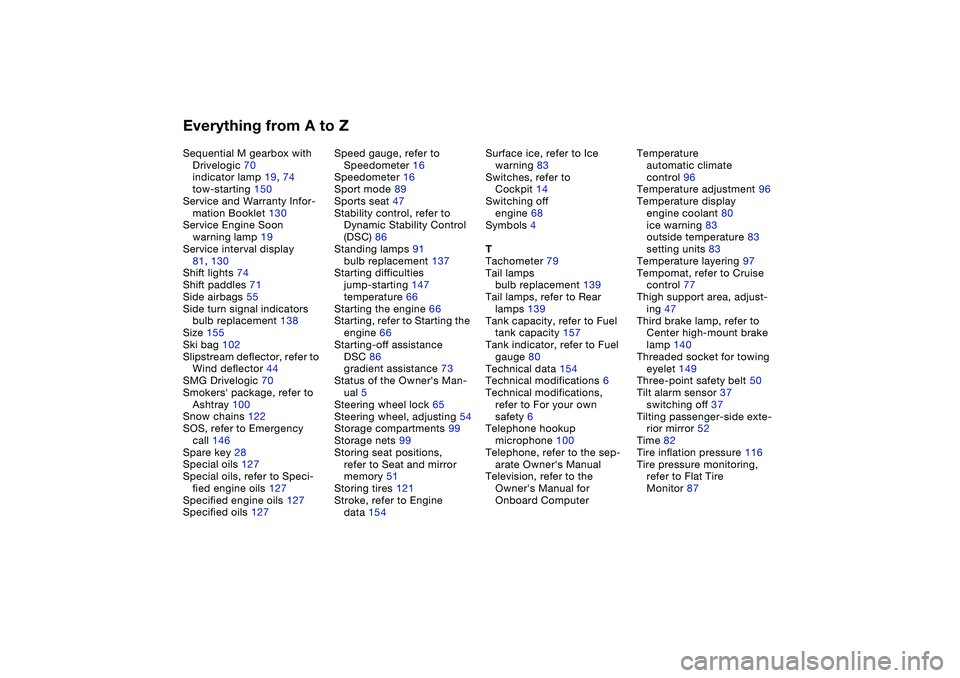
Everything from A to ZSequential M gearbox with
Drivelogic 70
indicator lamp 19, 74
tow-starting 150
Service and Warranty Infor-
mation Booklet 130
Service Engine Soon
warning lamp 19
Service interval display
81, 130
Shift lights 74
Shift paddles 71
Side airbags 55
Side turn signal indicators
bulb replacement 138
Size 155
Ski bag 102
Slipstream deflector, refer to
Wind deflector 44
SMG Drivelogic 70
Smokers' package, refer to
Ashtray 100
Snow chains 122
SOS, refer to Emergency
call 146
Spare key 28
Special oils 127
Special oils, refer to Speci-
fied engine oils 127
Specified engine oils 127
Specified oils 127Speed gauge, refer to
Speedometer 16
Speedometer 16
Sport mode 89
Sports seat 47
Stability control, refer to
Dynamic Stability Control
(DSC) 86
Standing lamps 91
bulb replacement 137
Starting difficulties
jump-starting 147
temperature 66
Starting the engine 66
Starting, refer to Starting the
engine 66
Starting-off assistance
DSC 86
gradient assistance 73
Status of the Owner's Man-
ual 5
Steering wheel lock 65
Steering wheel, adjusting 54
Storage compartments 99
Storage nets 99
Storing seat positions,
refer to Seat and mirror
memory 51
Storing tires 121
Stroke, refer to Engine
data 154Surface ice, refer to Ice
warning 83
Switches, refer to
Cockpit 14
Switching off
engine 68
Symbols 4
T
Tachometer 79
Tail lamps
bulb replacement 139
Tail lamps, refer to Rear
lamps 139
Tank capacity, refer to Fuel
tank capacity 157
Tank indicator, refer to Fuel
gauge 80
Technical data 154
Technical modifications 6
Technical modifications,
refer to For your own
safety 6
Telephone hookup
microphone 100
Telephone, refer to the sep-
arate Owner's Manual
Television, refer to the
Owner's Manual for
Onboard ComputerTemperature
automatic climate
control 96
Temperature adjustment 96
Temperature display
engine coolant 80
ice warning 83
outside temperature 83
setting units 83
Temperature layering 97
Tempomat, refer to Cruise
control 77
Thigh support area, adjust-
ing 47
Third brake lamp, refer to
Center high-mount brake
lamp 140
Threaded socket for towing
eyelet 149
Three-point safety belt 50
Tilt alarm sensor 37
switching off 37
Tilting passenger-side exte-
rior mirror 52
Time 82
Tire inflation pressure 116
Tire pressure monitoring,
refer to Flat Tire
Monitor 87